MTC: The 2026 Hardware Hike: Why Law Firms Must Budget for the "AI Squeeze" Now!

Lawyers need to be ready for $prices$ in tech to go up next year due to increased AI use!

A perfect storm is brewing in the hardware market. It will hit law firm budgets harder than expected in 2026. Reports from December 2025 confirm that major manufacturers like Dell, Lenovo, and HP are preparing to raise PC and laptop prices by 15% to 20% early next year. The catalyst is a global shortage of DRAM (Dynamic Random Access Memory). This shortage is driven by the insatiable appetite of AI servers.

While recent headlines note that giants like Apple and Samsung have the supply chain power to weather this surge, the average law firm does not. This creates a critical strategic challenge for managing partners and legal administrators.

The timing is unfortunate. Legal professionals are adopting AI tools at a record pace. Tools for eDiscovery, contract analysis, and generative drafting require significant computing power to run smoothly. In 2024, a laptop with 16GB of RAM was standard. Today, running local privacy-focused AI models or heavy eDiscovery platforms makes 32GB the new baseline. 64GB is becoming the standard for power users.

Don’t just meet today’s AI demands—exceed them. Upgrade to 32GB or 64GB of RAM now, not later. AI adoption in legal practice is accelerating exponentially. The memory you think is “enough” today will be the bottleneck tomorrow. Firms that overspec their hardware now will avoid costly mid-cycle replacements and gain a competitive edge in speed and efficiency.
— 💡 PRO TIP: Future-Proof Your Firm's Hardware Now

We face a paradox. We need more memory to remain competitive, but that memory is becoming scarce and expensive. The "AI Squeeze" is real. Chipmakers are prioritizing high-profit memory for data center AI over the standard memory used in law firm laptops. This supply shift drives up the bill of materials for every new workstation (low end when you compare them “high-profit memory data centers) you plan to buy.

Update your firm’s tech budget for 2026 by prioritizing ram for your next technology upgrade.

Law firms should act immediately. First, audit your hardware refresh cycles. If you planned to upgrade machines in Q1 or Q2 of 2026, accelerate those purchases to the current quarter. You could save 20% per unit by buying before the price hikes take full effect.

Second, adjust your 2026 technology budget. A flat budget will buy you less power next year. You cannot afford to downgrade specifications. Buying underpowered laptops will frustrate fee earners and throttle the efficiency gains you expect from your AI investments.

Finally, prioritize RAM over storage. Cloud storage is cheap and abundant. Memory is not. When configuring new machines, allocate your budget to 32GB or 64GB (or more) of RAM rather than a larger hard drive.

The hardware market is shifting. The cost of innovation is rising. Smart firms will plan for this reality today rather than paying the premium tomorrow.

MTC (Bonus): National Court Technology Rules: Finding Balance Between Guidance and Flexibility ⚖️

Standardizing Tech Guidelines in the Legal System

Lawyers and their staff needs to know the standard and local rules of AI USe in the courtroom - their license could depend on it.

The legal profession stands at a critical juncture where technological capability has far outpaced judicial guidance. Nicole Black's recent commentary on the fragmented approach to technology regulation in our courts identifies a genuine problem—one that demands serious consideration from both proponents of modernization and cautious skeptics alike.

The core tension is understandable. Courts face legitimate concerns about technology misuse. The LinkedIn juror research incident in Judge Orrick's courtroom illustrates real risks: a consultant unknowingly violated a standing order, resulting in a $10,000 sanction despite the attorney's good-faith disclosure and remedial efforts. These aren't theoretical concerns—they reflect actual ethical boundaries that protect litigants and preserve judicial integrity. Yet the response to these concerns has created its own problems.

The current patchwork system places practicing attorneys in an impossible position. A lawyer handling cases across multiple federal districts cannot reasonably track the varying restrictions on artificial intelligence disclosure, social media evidence protocols, and digital research methodologies. When the safe harbor is simply avoiding technology altogether, the profession loses genuine opportunities to enhance accuracy and efficiency. Generative AI's citation hallucinations justify judicial scrutiny, but the ad hoc response by individual judges—ranging from simple guidance to outright bans—creates unpredictability that chills responsible innovation.

SHould there be an international standard for ai use in the courtroom

There are legitimate reasons to resist uniform national rules. Local courts understand their communities and case management needs better than distant regulatory bodies. A one-size-fits-all approach might impose burdensome requirements on rural jurisdictions with fewer tech-savvy practitioners. Furthermore, rapid technological evolution could render national rules obsolete within months, whereas individual judges retain flexibility to respond quickly to emerging problems.

Conversely, the current decentralized approach creates serious friction. The 2006 amendments to Federal Rules of Civil Procedure for electronically stored information succeeded partly because they established predictability across jurisdictions. Lawyers knew what preservation obligations applied regardless of venue. That uniformity enabled the profession to invest in training, software, and processes. Today's lawyers lack that certainty. Practitioners must maintain contact lists tracking individual judge orders, and smaller firms simply cannot sustain this administrative burden.

The answer likely lies between extremes. Rather than comprehensive national legislation, the profession would benefit from model standards developed collaboratively by the Federal Judicial Conference, state supreme courts, and bar associations. These guidelines could allow reasonable judicial discretion while establishing baseline expectations—defining when AI disclosure is mandatory, clarifying which social media research constitutes impermissible contact, and specifying preservation protocols that protect evidence without paralyzing litigation.

Such an approach acknowledges both legitimate judicial concerns and legitimate professional needs. It recognizes that judges require authority to protect courtroom procedures while recognizing that lawyers require predictability to serve clients effectively.

I basically agree with Nicole: The question is not whether courts should govern technology use. They must. The question is whether they govern wisely—with sufficient uniformity to enable compliance, sufficient flexibility to address local concerns, and sufficient clarity to encourage rather than discourage responsible innovation.

MTC: The Hidden Danger in Your Firm: Why We Must Teach the Difference Between “Open” and “Closed” AI!

Does your staff understand the difference between “free” and “paid” aI? Your license could depend on it!

I sit on an advisory board for a school that trains paralegals. We meet to discuss curriculum. We talk about the future of legal support. In a recent meeting, a presentation by a private legal research company caught my attention. It stopped me cold. The topic was Artificial Intelligence. The focus was on use and efficiency. But something critical was missing.

The lesson did not distinguish between public-facing and private tools. It treated AI as a monolith. This is a dangerous oversimplification. It is a liability waiting to happen.

We are in a new era of legal technology. It is exciting. It is also perilous. The peril comes from confusion. Specifically, the confusion between paid, closed-system legal research tools and public-facing generative AI.

Your paralegals, law clerks, and staff use these tools. They use them to draft emails. They use them to summarize depositions. Do they know where that data goes? Do you?

The Two Worlds of AI

There are two distinct worlds of AI in our profession.

First, there is the world of "Closed" AI. These are the tools we pay for - i.e., Lexis+/Protege, Westlaw Precision, Co-Counsel, Harvey, vLex Vincent, etc. These platforms are built for lawyers. They are walled gardens. You pay a premium for them. (Always check the terms and conditions of your providers.) That premium buys you more than just access. It buys you privacy. It buys you security. When you upload a case file to Westlaw, it stays there. The AI analyzes it. It does not learn from it for the public. It does not share your client’s secrets with the world. The data remains yours. The confidentiality is baked in.

Then, there is the world of "Open" or "Public" AI. This is ChatGPT. This is Perplexity. This is Claude. These tools are miraculous. But they are also voracious learners.

When you type a query into the free version of ChatGPT, you are not just asking a question. You are training the model. You are feeding the beast. If a paralegal types, "Draft a motion to dismiss for John Doe, who is accused of embezzlement at [Specific Company]," that information leaves your firm. It enters a public dataset. It is no longer confidential.

This is the distinction that was missing from the lesson plan. It is the distinction that could cost you your license.

The Duty to Supervise

Do you and your staff know when you can and can’t use free AI in your legal work?

You might be thinking, "I don't use ChatGPT for client work, so I'm safe." You are wrong.

You are not the only one doing the work. Your staff is doing the work. Your paralegals are doing the work.

Under the ABA Model Rules of Professional Conduct, you are responsible for them. Look at Rule 5.3. It covers "Responsibilities Regarding Nonlawyer Assistance." It is unambiguous. You must make reasonable efforts to ensure your staff's conduct is compatible with your professional obligations.

If your paralegal breaches confidentiality using AI, it is your breach. If your associate hallucinates a case citation using a public LLM, it is your hallucination.

This connects directly to Rule 1.1, Comment 8. This represents the duty of technology competence. You cannot supervise what you do not understand. You must understand the risks associated with relevant technology. Today, that means understanding how Large Language Models (LLMs) handle data.

The "Hidden AI" Problem

I have discussed this on The Tech-Savvy Lawyer.Page Podcast. We call it the "Hidden AI" crisis. AI is creeping into tools we use every day. It is in Adobe. It is in Zoom. It is in Microsoft 365.

Public-facing AI is useful. I use it. I love it for marketing. I use it for brainstorming generic topics. I use it to clean up non-confidential text. But I never trust it with a client's name. I never trust it with a very specific fact pattern.

A paid legal research tool is different. It is a scalpel. It is precise. It is sterile. A public chatbot is a Swiss Army knife found on the sidewalk. It might work. But you don't know where it's been.

The Training Gap

The advisory board meeting revealed a gap. Schools are teaching students how to use AI. They are teaching prompts. They are teaching speed. They are not emphasizing the where.

The "where" matters. Where does the data go?

We must close this gap in our own firms. You cannot assume your staff knows the difference. To a digital native, a text box is a text box. They see a prompt window in Westlaw. They see a prompt window in ChatGPT. They look the same. They act the same.

They are not the same.

One protects you. The other exposes you.

A Practical Solution

I have written about this in my blog posts regarding AI ethics. The solution is not to ban AI. That is impossible. It is also foolish. AI is a competitive advantage.

* Always check the terms of use in your agreements with private platforms to determine if your client confidential data and PII are protected.

The solution is policies and training.

  1. Audit Your Tools. Know what you have. Do you have an enterprise license for ChatGPT? If so, your data might be private. If not, assume it is public.

  2. Train on the "Why." Don't just say "No." Explain the mechanism. Explain that public AI learns from inputs. Use the analogy of a confidential conversation in a crowded elevator versus a private conference room.

  3. Define "Open" vs. "Closed." Create a visual guide. List your "Green Light" tools (Westlaw, Lexis, etc.). List your "Red Light" tools for client data (Free ChatGPT, personal Gmail, etc.).

  4. Supervise Output. Review the work. AI hallucinates. Even paid tools can make mistakes. Public tools make up cases entirely. We have all seen the headlines. Don't be the next headline.

The Expert Advantage

The line between “free” and “paid” ai could be a matter of keeping your bar license!

On The Tech-Savvy Lawyer.Page, I often say that technology should make us better lawyers, not lazier ones.

Using Lexis+/Protege, Westlaw Precision, Co-Counsel, Harvey, vLex Vincent, etc. is about leveraging a curated, verified database. It is about relying on authority. Using a public LLM for legal research is about rolling the dice.

Your license is hard-earned. Your reputation is priceless. Do not risk them on a free chatbot.

The lesson from the advisory board was clear. The schools are trying to keep up. But the technology moves faster than the curriculum. It is up to us. We are the supervisors. We are the gatekeepers.

Take time this week. Gather your team. Ask them what tools they use. You might be surprised. Then, teach them the difference. Show them the risks.

Be the tech-savvy lawyer your clients deserve. Be the supervisor the Rules require.

The tools are here to stay. Let’s use them effectively. Let’s use them ethically. Let’s use them safely.

MTC

TSL Labs 🧪Bonus: 🎙️ From Cyber Compliance to Cyber Dominance: What VA's AI Revolution Means for Government Cybersecurity, Legal Ethics, and ABA Model Rule Compliance!

In this TSL Labs bonus episode, we examine this week’s editorial on how the Department of Veterans Affairs is leading a historic transformation from traditional compliance frameworks to a dynamic, AI-driven approach called "cyber dominance." This conversation unpacks what this seismic shift means for legal professionals across all practice areas—from procurement and contract law to privacy, FOIA, and litigation. Whether you're advising government agencies, representing contractors, or handling cases where data security matters, this discussion provides essential insights into how continuous monitoring, zero trust architecture, and AI-driven threat detection are redefining professional competence under ABA Model Rule 1.1. 💻⚖️🤖

Join our AI hosts and me as we discuss the following three questions and more!

  1. How has federal cybersecurity evolved from the compliance era to the cyber dominance paradigm? 🔒

  2. What are the three technical pillars—continuous monitoring, zero trust architecture, and AI-driven detection—and how do they interconnect? 🛡️

  3. What professional liability and ethical obligations do lawyers now face under ABA Model Rule 1.1 regarding technology competence? ⚖️

In our conversation, we cover the following:

  • [00:00:00] - Introduction: TSL Labs Bonus Podcast on VA's AI Revolution 🎯

  • [00:01:00] - Introduction to Federal Cybersecurity: The End of the Compliance Era 📋

  • [00:02:00] - Legal Implications and Professional Liability Under ABA Model Rules ⚖️

  • [00:03:00] - From Compliance to Continuous Monitoring: Understanding the Static Security Model 🔄

  • [00:04:00] - The False Comfort of Compliance-Only Approaches 🚨

  • [00:05:00] - The Shift to Cyber Dominance: Three Integrated Technical Pillars 💪

  • [00:06:00] - Zero Trust Architecture (ZTA) Explained: Verify Everything, Trust Nothing 🔐

  • [00:07:00] - AI-Driven Detection and Legal Challenges: Professional Competence Under Model Rule 1.1 🤖

  • [00:08:00] - The New Legal Questions: Real-Time Risk vs. Static Compliance 📊

  • [00:09:00] - Evolving Compliance: From Paper Checks to Dynamic Evidence 📈

  • [00:10:00] - Cybersecurity as Operational Discipline: DevSecOps and Security by Design 🔧

  • [00:11:00] - Litigation Risks: Discovery, Red Teaming, and Continuous Monitoring Data ⚠️

  • [00:12:00] - Cyber Governance with AI: Algorithmic Bias and Explainability 🧠

  • [00:13:00] - Synthesis and Future Outlook: Law Must Lead, Not Chase Technology 🚀

  • [00:14:00] - The Ultimate Question: Is Your Advice Ready for Real-Time Risk Management? 💡

  • [00:15:00] - Conclusion and Resources 📚

Resources

Mentioned in the Episode

Software & Cloud Services Mentioned in the Conversation

  • AI-Driven Detection Systems - Automated threat detection and response platforms

  • Automated Compliance Platforms - Dynamic evidence generation systems

  • Continuous Monitoring Systems - Real-time security assessment platforms

  • DevSecOps Tools - Automated security testing in software development pipelines

  • Firewalls - Network security hardware devices

  • Google Notebook AI - https://notebooklm.google.com/

  • Penetration Testing Software - Security vulnerability assessment tools

  • Zero Trust Architecture (ZTA) Solutions - Identity and access verification systems

MTC: From Cyber Compliance to Cyber Dominance: What VA’s AI Revolution Means for Government Cybersecurity, Legal Ethics, and ABA Model Rule Compliance 💻⚖️🤖

In the age of cyber dominance, “I did not understand the technology” is increasingly unlikely to serve as a safe harbor.

🚨 🤖 👩🏻‍💼👨‍💼

In the age of cyber dominance, “I did not understand the technology” is increasingly unlikely to serve as a safe harbor. 🚨 🤖 👩🏻‍💼👨‍💼

Government technology is in the middle of a historic shift. The Department of Veterans Affairs (VA) stands at the center of this transformation, moving from a check‑the‑box cybersecurity culture to a model of “cyber dominance” that fuses artificial intelligence (AI), zero trust architecture (a security model that assumes no user or device is trusted by default, even inside the network), and continuous risk management. 🔐

For lawyers who touch government work in any way—inside agencies, representing contractors, handling whistleblowers, litigating Freedom of Information Act (FOIA) or privacy issues, or advising regulated entities—this is not just an IT story. It is a law license story. Under the American Bar Association (ABA) Model Rules, failing to grasp core cyber and AI governance concepts can now translate into ethical risk and potential disciplinary exposure. ⚠️

Resources such as The Tech-Savvy Lawyer.Page blog and podcast are no longer “nice to have.” They are becoming essential continuing education for lawyers who want to stay competent in practice, protect their clients, and safeguard their own professional standing. 🧠🎧

Where Government Agency Technology Has Been: The Compliance Era 🗂️

For decades, many federal agencies lived in a world dominated by static compliance frameworks. Security often meant passing audits and meeting minimum requirements, including:

  • Annual or periodic Authority to Operate (ATO, the formal approval for a system to run in a production environment based on security review) exercises

  • A focus on the Federal Information Security Modernization Act (FISMA) and National Institute of Standards and Technology (NIST) security control checklists

  • Point‑in‑time penetration tests

  • Voluminous documentation, thin on real‑time risk

The VA was no exception. Like many agencies, it grappled with large legacy systems, fragmented data, and a culture in which “security” was a paperwork event, not an operational discipline. 🧾

In that world, lawyers often saw cybersecurity as a box to tick in contracts, privacy impact assessments, and procurement documentation. The legal lens focused on:

  • Whether the required clauses were in place

  • Whether a particular system had its ATO

  • Whether mandatory training was completed

The result: the law frequently chased the technology instead of shaping it.

Where Government Technology Is Going: Cyber Dominance at the VA 🚀

The VA is now in the midst of what its leadership calls a “cybersecurity awakening” and a shift toward “cyber dominance”. The message is clear: compliance is not enough, and in many ways, it can be dangerously misleading if it creates a false sense of security.

Key elements of this new direction include:

  • Continuous monitoring instead of purely static certification

  • Zero trust architecture (a security model that assumes no user, device, or system is trusted by default, and that every access request must be verified) as a design requirement, not an afterthought

  • AI‑driven threat detection and anomaly spotting at scale

  • Integrated cybersecurity into mission operations, not a separate silo

  • Real‑time incident response and resilience, rather than after‑the‑fact blame

“Cyber dominance” reframes cybersecurity as a dynamic contest with adversaries. Agencies must assume compromise, hunt threats proactively, and adapt in near real time. That shift depends heavily on data engineering, automation, and AI models that can process signals far beyond human capacity. 🤖

For both government and nongovernment lawyers, this means that the facts on the ground—what systems actually do, how they are monitored, and how decisions are made—are changing fast. Advocacy and counseling that rely on outdated assumptions about “IT systems” will be incomplete at best and unethical at worst.

The Future: Cybersecurity Compliance, Cybersecurity, and Cybergovernance with AI 🔐🌐

The future of government technology involves an intricate blend of compliance, operational security, and AI governance. Each element increasingly intersects with legal obligations and the ABA Model Rules.

1. Cybersecurity Compliance: From Static to Dynamic ⚙️

Traditional compliance is not disappearing. The FISMA, NIST standards, the Federal Risk and Authorization Management Program (FedRAMP), the Health Insurance Portability and Accountability Act (HIPAA), and other frameworks still govern federal systems and contractor environments.

But the definition of compliance is evolving:

  • Continuous compliance: Automated tools generate near real‑time evidence of security posture instead of relying only on annual snapshots.

  • Risk‑based prioritization: Not every control is equal; agencies must show how they prioritize high‑impact cyber risks.

  • Outcome‑focused oversight: Auditors and inspectors general care less about checklists and more about measurable risk reduction and resilience.

Lawyers must understand that “we’re compliant” will no longer end the conversation. Decision‑makers will ask:

  • What does real‑time monitoring show about actual risk?

  • How quickly can the VA or a contractor detect and contain an intrusion?

  • How are AI tools verifying, logging, and explaining security‑related decisions?

2. Cybersecurity as an Operational Discipline 🛡️

The VA’s push toward cyber dominance relies on building security into daily operations, not layering it on top. That includes:

  • Secure‑by‑design procurement and contract terms, which require modern controls and realistic reporting duties

  • DevSecOps (development, security, and operations) pipelines that embed automated security testing and code scanning into everyday software development

  • Data segmentation and least‑privilege access across systems, so users and services only see what they truly need

  • Routine red‑teaming (simulated attacks by ethical hackers to test defenses) and table‑top exercises (structured discussion‑based simulations of incidents to test response plans)

For government and nongovernment lawyers, this raises important questions:

  • Are contracts, regulations, and interagency agreements aligned with zero trust principles (treating every access request as untrusted until verified)?

  • Do incident response plans meet regulatory and contractual notification timelines, including state and federal breach laws?

  • Are representations to courts, oversight bodies, and counterparties accurate in light of actual cyber capabilities and known limitations?

3. Cybergovernance with AI: The New Frontier 🌐🤖

Lawyers can no longer sit idlely by their as cyber-ethic responsibilities are changing!

AI will increasingly shape how agencies, including the VA, manage cyber risk:

  • Machine learning models will flag suspicious behavior or anomalous network traffic faster than humans alone.

  • Generative AI tools will help triage incidents, search legal and policy documents, and assist with internal investigations.

  • Decision‑support systems may influence resource allocation, benefit determinations, or enforcement priorities.

These systems raise clear legal and ethical issues:

  • Transparency and explainability: Can lawyers understand and, if necessary, challenge the logic behind AI‑assisted or AI‑driven decisions?

  • Bias and fairness: Do algorithms create discriminatory impacts on veterans, contractors, or employees, even if unintentional?

  • Data governance: Is sensitive, confidential, or privileged information being exposed to third‑party AI providers or trained into their models?

Blogs and podcasts like Tech-Savvy Lawyer.Page blog and podcast often highlight practical workflows for lawyers using AI tools safely, along with concrete questions to ask vendors and IT teams. Those insights are particularly valuable as agencies and law practices both experiment with AI for document review, legal research, and compliance tracking. 💡📲

What Lawyers in Government and Nongovernment Need to Know 🏛️⚖️

Lawyers inside agencies such as the VA now sit at the intersection of mission, technology, and ethics. Under ABA Model Rule 1.1 (Competence) and its comment on technological competence, agency counsel must acquire and maintain a basic understanding of relevant technology that affects client representation.

For government lawyers and nongovernment lawyers who advise, contract with, or litigate against agencies such as the VA, technological competence now has a common core. It requires enough understanding of system architecture, cybersecurity practices, and AI‑driven tools to ask the right questions, spot red flags, and give legally sound, ethics‑compliant advice on how those systems affect veterans, agencies, contractors, and the public. ⚖️💻

For government lawyers and nongovernment lawyers who interact with agencies such as the VA, this includes:

  • Understanding the basic architecture and risk profile of key systems (for example, benefits, health data, identity, and claims platforms), so you can evaluate how failures affect legal rights and obligations. 🧠

  • Being able to ask informed questions about zero trust architecture, encryption, system logging, and AI tools used by the agency or contractor.

  • Knowing the relevant incident response plans, data breach notification obligations, and coordination pathways with regulators and law enforcement, whether you are inside the agency or across the table. 🚨

  • Ensuring that policies, regulations, contracts, and public statements about cybersecurity and AI reflect current technical realities, rather than outdated assumptions that could mislead courts, oversight bodies, or the public.

Model Rules 1.6 (Confidentiality of Information) and 1.13 (Organization as Client) are especially important. Government lawyers must:

  • Guard sensitive data, including classified, personal, and privileged information, against unauthorized disclosure or misuse.

  • Advise the “client” (the agency) when cyber or AI practices present significant legal risk, even if those practices are popular or politically convenient.

If a lawyer signs off on policies or representations about cybersecurity that they know—or should know—are materially misleading, that can implicate Rule 3.3 (Candor Toward the Tribunal) and Rule 8.4 (Misconduct). The shift to cyber dominance means that “we passed the audit” will no longer excuse ignoring operational defects that put veterans or the public at risk. 🚨

What Lawyers Outside Government Need to Know 🏢⚖️

Lawyers representing contractors, vendors, whistleblowers, advocacy groups, or regulated entities cannot ignore these changes at the VA and other agencies. Their clients operate in the same new environment of continuous oversight and AI‑informed risk management.

Key responsibilities for nongovernmental lawyers include:

  • Contract counseling: Understanding cybersecurity clauses, incident response requirements, AI‑related representations, and flow‑down obligations in government contracts.

  • Regulatory compliance: Navigating overlapping regimes (for example, federal supply chain rules, state data breach statutes, HIPAA in health contexts, and sector‑specific regulations).

  • Litigation strategy: Incorporating real‑time cyber telemetry and AI logs into discovery, privilege analyses, and evidentiary strategies.

  • Advising on AI tools: Ensuring that client use of generative AI in government‑related work does not compromise confidential information or violate procurement, export control, or data localization rules.

Under Model Rule 1.1 (Competence), outside counsel must be sufficiently tech‑savvy to spot issues and know when to bring in specialized expertise. Ignoring cyber and AI governance concerns can:

  • Lead to inadequate or misleading advice.

  • Misstate risk in negotiations, disclosures, or regulatory filings.

  • Expose clients to enforcement actions, civil liability, or debarment.

  • Expose lawyers to malpractice claims and disciplinary complaints.

ABA Model Rules: How Cyber and AI Now Touch Your License 🧾⚖️

Several American Bar Association (ABA) Model Rules are directly implicated by the VA’s evolution from compliance to cyber dominance and by the broader adoption of artificial intelligence (AI) in government operations:

  • Rule 1.1 – Competence

    • Comment 8 recognizes a duty of technological competence.

    • Lawyers must understand enough about cyber risk and AI systems to represent clients prudently.

  • Rule 1.6 – Confidentiality of Information

    • Lawyers must take reasonable measures to safeguard client information, including in cloud environments and AI‑enabled workflows.

    • Uploading sensitive or privileged content into consumer‑grade AI tools without safeguards can violate this duty.

  • Rule 1.4 – Communication

    • Clients should be informed—in clear, non‑technical terms—about significant cyber and AI risks that may affect their matters.

  • Rules 5.1 and 5.3 – Responsibilities of Partners, Managers, and Supervisory Lawyers; Responsibilities Regarding Nonlawyer Assistance

    • Law firm leaders must ensure that policies, training, vendor selection, and supervision support secure, ethical use of technology and AI by lawyers and staff.

  • Rule 1.13 – Organization as Client

    • Government and corporate counsel must advise leadership when cyber or AI governance failures pose substantial legal or regulatory risk.

  • Rules 3.3, 3.4, and 8.4 – Candor, Fairness, and Misconduct

    • Misrepresenting cyber posture, ignoring known vulnerabilities, or manipulating AI‑generated evidence can rise to ethical violations and professional misconduct.

In the age of cyber dominance, “I did not understand the technology” is increasingly unlikely to serve as a safe harbor. Judges, regulators, and disciplinary authorities expect lawyers to engage these issues competently.

Practical Next Steps for Lawyers: Moving from Passive to Proactive 🧭💼

To meet this moment, lawyers—both in government and outside—should:

  • Learn the language of modern cybersecurity:

    • Zero trust (a model that treats every access request as untrusted until verified)

    • Endpoint detection and response (EDR, tools that continuously monitor and respond to threats on endpoints such as laptops, servers, and mobile devices)

    • Security Information and Event Management (SIEM, systems that collect and analyze security logs from across the network)

    • Security Orchestration, Automation, and Response (SOAR, tools that automate and coordinate security workflows and responses)

    • Encryption at rest and in transit (protecting data when it is stored and when it moves across networks)

    • Multi‑factor authentication (MFA, requiring more than one factor—such as password plus a code—to log in)

  • Understand AI’s role in the client’s environment: what tools are used, where data goes, how outputs are checked, and how decisions are logged.

  • Review incident response plans and breach notification workflows with an eye on legal timelines, cross‑jurisdictional obligations, and contractual requirements.

  • Update engagement letters, privacy notices, and internal policies to reflect real‑world use of cloud services and AI tools.

  • Invest in continuous learning through technology‑forward legal resources, including The Tech-Savvy Lawyer.Page blog and podcast, which translate evolving tech into practical law practice strategies. 💡

Final Thoughts: The VA’s journey from compliance to cyber dominance is more than an agency story. It is a case study in how technology, law, and ethics converge. Lawyers who embrace this reality will better protect their clients, their institutions, and their licenses. Those who do not will risk being left behind—by adversaries, by regulators, and by their own professional standards. 🚀🔐⚖️

Editor’s Note: I used the VA as my “example” because Veterans mean a lot to me. I have been a Veterans Disability Benefits Advocate for nearly two decades. Their health and welfare should not be harmed by faulty tech compliance. 🇺🇸⚖️

MTC

MTC (Holiday Special🎁): Cyber Monday 2025: A Lawyer’s Defense Against Holiday Scams and ‘Bargain’ Tech Traps

The “Billable Hour” Defense: Why That $300 Laptop and "Urgent" Delivery Text Are Liabilities, Not Deals

That “deal” for a “cheaper” computer may not be worth the lack of performance issues that come with a “cheap” computer!

As legal professionals, we are trained to spot inconsistencies in testimony, identify hidden clauses in contracts, and anticipate risks before they manifest. Yet, when the holiday shopping season arrives, the same skepticism that protects our clients often evaporates in the face of a 70% off sticker.

During Cyber Mondays, lawyers must tread carefully. The digital landscape is not just a marketplace; it is a hunting ground. For a law practice, the risks of holiday shopping go beyond a wasted purchase. A compromised device or a clicked phishing link can breach attorney-client privilege, trigger ethical violations, and lock down firm operations with ransomware.

Before you open your wallet or click that “track package” link, consider this your final briefing on the threats lurking behind the holiday hype.

The "Bargain" Trap: Why Cheap Tech is Expensive for Lawyers

We all love a deal. But in the world of legal technology, there is a profound difference between "inexpensive" and "cheap."

You may see "doorbuster" deals for laptops priced under $300. The marketing copy promises they are perfect for "light productivity" or "students." You might be tempted to pick one up for a paralegal, a home office, or even a law student family member.

Resist this impulse.

Tech experts and consumer watchdogs, including Lifehacker and PCMag, consistently warn about these "derivative" holiday models. Manufacturers often build specific units solely for Black Friday and Cyber Monday (SKUs [stock keeping unit] that do not exist the rest of the year). They achieve these rock-bottom prices by cutting corners that matter deeply to legal professionals:

  • The Processor Bottleneck: Many of these bargain laptops run on Celeron or Pentium chips (or older generations of Core i3). For a lawyer running practice management software, multiple PDF contracts, and video conferencing simultaneously, these processors are insufficient. The resulting lag isn't just annoying; it costs billable time.

  • The Screen Resolution Hazard: To save costs, these laptops often feature 1366 x 768 (720p) screens. In 2025, this is unacceptable for reviewing documents. The low resolution makes text pixelated and reduces the amount of a contract you can see on screen at once, increasing eye strain and the likelihood of missing a critical detail in a clause.

  • The RAM Deficit: 4GB of RAM is common in these deals. In a modern Windows environment, the operating system alone consumes nearly that much. Once you open a web browser with your firm's research tabs, the system will crawl.

  • Security Longevity: Perhaps most critically for a law firm, these bargain-bin devices often reach their "End of Service" life much faster. They may not support the latest secure operating systems or encryption standards required by your firm’s compliance insurance.

The Verdict: A $300 laptop that frustrates your staff and cannot handle encryption is not an asset; it is e-waste in the making. Stick to business-class hardware (Lenovo, HP, Dell, Apple, inter alia.) purchased through verified channels, even if it costs more. Your peace of mind is worth the premium.

BONUS: Price Tracking Tools

Successful online shopping during promotional periods requires distinguishing genuine discounts from artificial markups. Price tracking tools provide historical data that reveals authentic savings opportunities.

CamelCamelCamel tracks Amazon price history, creating visual charts showing price fluctuations over weeks, months, and years. This free tool sends email notifications when products drop below specified price thresholds and monitors both Amazon-direct and third-party seller pricing.

Honey extends beyond its widely-known coupon functionality to offer robust price tracking across multiple retailers through its "Droplist" feature. The browser extension automatically applies discount codes during checkout and compares prices across competing stores.

Keepa provides similar Amazon-focused price tracking with browser integration that displays historical pricing directly on Amazon product pages. The tool's detailed charts reveal seasonal patterns and help identify optimal purchase timing.

For legal professionals managing firm purchasing, enterprise-grade solutions such as Prisync, Price2Spy, and Competera offer comprehensive competitor monitoring, automated pricing adjustments, and real-time market data. These platforms serve businesses tracking multiple products across various marketplaces, but require subscription fees.

The Scam Landscape 2025: You Are a High-Value Target

Be wary when purchasing items online - always use a vpn when using public wifi!

According to Malwarebytes’ 2025 Holiday Scam report, shoppers are increasingly mobile, fast, and distracted. For lawyers, who are often managing high-stress caseloads alongside holiday obligations, this distraction is dangerous.

Scammers know that law firms move money. They know we manage sensitive data. And they know that during the holidays, our guards are down. Here are the three specific vectors attacking legal professionals this season.

1. The "Urgent Delivery" Smishing Attack
We all have packages in transit. You likely receive legitimate texts from Amazon, FedEx, or UPS daily. Scammers exploit this by sending "Smishing" (SMS phishing) messages claiming a package is "delayed" or "requires a delivery fee."

For a lawyer waiting on a court transcript or a client file, the instinct to "fix" the delivery issue is strong. But clicking that link often downloads malware or leads to a credential-harvesting site that looks identical to the courier’s login page.

  • The Defense: Never click a tracking link in a text message. Copy the tracking number and paste it directly into the courier’s official app or website. If the text doesn’t have a tracking number, it’s a scam.

2. The "Malvertising" Minefield
You are searching for a specific piece of hardware—perhaps a new scanner or ergonomic chair for the office. You see an ad on Google or social media for the exact item at a beat-to-beat price.

Malwarebytes warns that "Malvertising" (malicious advertising) is surging. Scammers buy ad space on legitimate platforms. When you click the ad, you aren't taken to the retailer; you are redirected to a cloned site designed to steal your credit card info, or worse, your firm’s login credentials.

  • The Defense: Treat ads as tips, not links. If you see a deal for a Dell monitor, close the ad and navigate manually to Dell.com or BestBuy.com to find it.

3. The "Gift Card" Emergency
This is a classic that has evolved. In the past, it was a fake email from the "Managing Partner" asking an associate to buy gift cards for a client. Now, it’s more sophisticated. Scammers may pose as court clerks or government officials, claiming a "fine" or "filing fee" must be paid immediately to avoid a bench warrant, and—due to a "system error"—they can only accept payment via gift cards or crypto.

  • The Defense: Courts do not accept gift cards. Period. If you receive an urgent financial demand via text or email, verify it by calling the person or entity on a known, public number.

The "Social" Threat: Marketplace Scams

Social media marketplaces (Facebook Marketplace, OfferUp) are now major hubs for holiday shopping. They are also unregulated.

A common scam involves a "seller" offering a high-demand item (like the latest iPad or game console) at a reasonable, but slightly low, price. They claim to be a local seller but then invent a reason why they can't meet up (e.g., "I'm deployed overseas," "I moved for work"). They ask for payment via Zelle or Venmo, promising to ship the item.

Once the money is sent, the seller vanishes. For a lawyer, the embarrassment of being defrauded is compounded by the potential exposure if you used a device or account linked to your firm.

Safeguarding the Firm: A Cyber Monday Protocol

The savings you made in buying the “cheaper” tech online may amount to the loss of much more, like the loss of client confidentiality and your license!

As you navigate the sales this week, apply the same rigor to your shopping as you do to your practice.

  1. Segregate Your Tech: Do not use your firm-issued laptop for personal holiday shopping. The risk of drive-by downloads from shady "deal" sites is too high.

  2. Credit, Not Debit: Always use a credit card, not a debit card. Credit cards offer robust fraud protection and do not expose your actual bank account funds.

  3. Two-Factor Everything: Ensure 2FA is enabled on your shopping accounts (Amazon, Walmart, etc.). If a scammer gets your password, 2FA is your last line of defense.

  4. The "Too Good to Be True" Rule: If a site you’ve never heard of is selling a MacBook for $500, it is a scam. Domain age checkers (like Whois) can reveal if a website was created yesterday—a sure sign of fraud.

Final Thoughts
Your data is your most valuable currency. No discount on a laptop or gadget is worth jeopardizing your firm’s integrity or your client’s trust. This Cyber Monday, shop smart, stay skeptical, and remember: if you wouldn't sign a contract without reading it, don't click a link without checking it.

🎁 The Ultimate 2025 Tech Gift Guide for Attorneys: Expert-Curated Gadgets and Tools Every Lawyer Needs

Are you ready to the lawyers in your life a great holiday tech gift!

As we approach the holiday season, finding the perfect gift for that tech-savvy attorney in your life can feel like preparing for a complex motion hearing. Drawing from this year's episodes of The Tech-Savvy Lawyer Page Podcast and the cutting-edge discussions featured throughout 2025 on The Tech-Savvy Lawyer.Page blog, I've curated a comprehensive gift guide that spans every budget range and technology ecosystem.

The legal profession has undergone an unprecedented technological transformation this year. Artificial intelligence has moved from experimental novelty to courtroom necessity, cloud-based practice management has become the standard rather than the exception, and the ethical duties surrounding technological competence have never been more critical. This gift guide reflects these seismic shifts while maintaining focus on practical tools that enhance daily practice rather than collecting digital dust.

Whether you're shopping for a solo practitioner juggling client intake while traveling between courthouses, a BigLaw associate drowning in document review, or a tech-curious partner finally ready to embrace the digital age, this guide delivers thoughtfully selected recommendations organized by price point and technology platform. Each suggestion comes with direct purchase links and represents tools that real attorneys use to build more efficient, profitable, and balanced practices.

Important Note: All prices listed are subject to change and represent current manufacturer suggested retail pricing. The holiday shopping season typically brings significant discounts and special offers, so readers will likely find even better deals than those reflected here.

Gifts Under $25: Small Investments, Major Impact 💻⚖️

Apple & Third-Party Related

  • OWC Thunderbolt 4 USB-C Cable 0.7m ($19.99) https://eshop.macsales.com/item/OWC/CBLTB4C0.7M/
    Every iPhone and MacBook-carrying attorney needs quality connectivity cables. The OWC Thunderbolt 4 Cable delivers up to 40Gb/s data transfer speeds, supports up to 100W power delivery, and works flawlessly with all Thunderbolt 3, Thunderbolt 4, USB-C, and USB4 devices. This universal cable eliminates guesswork about compatibility.

  • AirTag Single Pack (Apple, $24) https://www.apple.com/shop/buy-airtag/airtag
    Attach this to briefcases, laptop bags, or case files to track important items. The peace of mind alone makes this essential for traveling attorneys.

  • Apple Lightning to USB Cable 1m ($19) https://www.apple.com/shop/product/MXLY2AM/A/lightning-to-usb-cable-1-m
    For attorneys still using older iPhones and iPads with Lightning ports, having reliable charging and sync cables remains essential for daily practice.

Windows & Third-Party Related

  • Logitech Pebble M350 Wireless Mouse ($19.99) https://www.logitech.com/en-us/shop/p/pebble-2-m350s-wireless-mouse.910-007022?sp=1&searchclick=Logitech
    This silent, compact mouse works seamlessly with Windows laptops and tablets. Perfect for attorneys working in quiet courtrooms or shared office spaces where traditional mouse clicks would prove disruptive.

  • Anker 341 USB-C Hub 7-in-1 Multi-Port Adapter ($19.99) https://www.anker.com/products/a8346
    Surface Pro and modern Windows laptop users need expanded connectivity. This Anker 7-in-1 hub adds HDMI 4K output, USB-A data ports, USB-C Power Delivery charging, microSD and SD card slots—all in one compact adapter perfect for courtroom presentations and document transfers.

Google/Android & Third-Party Related

  • Anker PowerCore Slim 10000 PD ($24.99) https://www.anker.com/products/a1229
    Android-using attorneys need portable power. This slim battery pack provides fast charging for Pixel phones and Galaxy devices during long court days.

  • Google Chromecast with Google TV ($20 on sale) https://store.google.com/product/chromecast_google_tv
    Transform any hotel TV into a presentation screen or entertainment center. Ideal for attorneys who travel for depositions, mediations, and conferences.

  • USB-C to HDMI Cable ($12.79) https://www.amazon.com/dp/B075V5JK36
    Essential for Android device users who need to connect phones or tablets to external displays for client presentations or courtroom exhibits.

AI-Related Tools

  • ChatGPT Plus One-Month Gift Subscription ($20) https://openai.com/chatgpt/pricing
    While not a physical gift, a month of ChatGPT Plus provides access to GPT-4 for legal research assistance, document drafting support, and productivity enhancement. Many attorneys use this for initial case assessment and client communication templates.

Accessories & Productivity Enhancers

Gifts $100 or Less: Professional-Grade Tools 💼📱

Apple & Third-Party Related

There some great tech gifts under $25 that you can get anyone whether they are in legal field or not!

Windows & Third-Party Related

Google/Android & Third-Party Related

  • Samsung Galaxy Buds FE ($99.99) https://www.samsung.com/us/mobile/audio/galaxy-buds-fe
    Android attorneys deserve quality wireless earbuds. These provide active noise cancellation, long battery life, and seamless integration with Galaxy devices.

  • Anker MagGo Wireless Charging Station (Foldable 3-in-1) (on sale for $72.99) https://www.anker.com/products/b2568
    Qi-compatible charging pads work across Android devices, AirPods, and smartwatches. This eliminates cable clutter on attorney desks while providing convenient simultaneous device charging.

AI-Related Tools

  • Grammarly Premium Annual Subscription ($96 when on sale) https://www.grammarly.com/upgrade
    AI-powered writing assistance helps attorneys improve brief quality, catch errors before filing, and maintain consistent tone across client communications. The plagiarism checker provides additional value.

Accessories & Productivity Enhancers

Find something that will enhance the lawyer-in-your life’s holiday!

Important Reminder: Prices listed are subject to change. The holiday shopping season brings exceptional deals, particularly on tech accessories and productivity tools. The AirTag 4-pack mentioned above frequently drops to $64-69 during sales events—watch for these bargains.

Gifts Over $100: Premium Technology for Serious Practitioners 🚀⚖️

Apple & Third-Party Related

  • AirPods Pro 3 ($249) https://www.apple.com/airpods-pro
    The latest AirPods Pro feature unprecedented active noise cancellation, heart rate sensing during workouts, and extended eight-hour battery life. Perfect for attorneys taking depositions, conducting virtual hearings, and maintaining focus during complex document review.

  • iPad Air (M3, $599) https://www.apple.com/ipad-air
    This represents the sweet spot for attorney tablets. Powerful enough for document review, video conferencing, and note-taking, yet more affordable than the iPad Pro. The M2 chip handles demanding legal applications effortlessly.

  • Apple Magic Keyboard for iPad Pro ($349) https://www.apple.com/shop/product/MJQJ3LL/A/magic-keyboard-for-ipad-pro-11-inch-m4-us-english-black
    Transforms iPads into laptop replacements. The floating cantilever design, backlit keys, and integrated trackpad create professional typing experiences during brief writing and client communications.

  • Apple Watch Series 11 ($399) https://www.apple.com/apple-watch-series-10
    Health monitoring, notification management, and quick communication access help attorneys maintain work-life balance. The larger display improves message readability during client emergencies.

  • MacBook Air M4 ($999) https://www.apple.com/shop/buy-mac/macbook-air
    The perfect attorney laptop balances portability, performance, and battery life. Handles document drafting, legal research, video conferencing, and case management software with ease.

CONSIDER SUPPORTING YOUR FAVORITE BLOG WITH A TSL.PP MUG: https://www.thetechsavvylawyer.page/shop/mug

🎁

CONSIDER SUPPORTING YOUR FAVORITE BLOG WITH A TSL.PP MUG: https://www.thetechsavvylawyer.page/shop/mug 🎁

Windows & Third-Party Related

Google/Android & Third-Party Related

Accessories & Productivity Enhancers

  • Herman Miller Aeron Chair ($1,351.00) https://www.hermanmiller.com/products/seating/office-chairs/aeron-chairs
    Quality seating prevents back pain during long days of document review and client meetings. Adjustable lumbar support and armrests accommodate different attorney body types with industry-leading ergonomics.

  • LG 34" Ultrawide Monitor 5K2K ($1,315.35) https://www.amazon.com/LG-34WK95U-W-34-Class-UltraWide/dp/B07FT8ZBMR
    Expanded screen real estate transforms document comparison, legal research, and multi-tasking productivity. Replaces dual monitor setups with cleaner desk aesthetics and seamless workflow.

  • Remarkable 2 Digital Notebook ($399) https://remarkable.com/store/remarkable-2
    Paper-like digital writing experience for attorneys who prefer handwritten notes. Converts handwriting to text and syncs across devices without distracting notifications.

  • Logitech C922 Pro Stream Webcam ($74.99) https://www.logitech.com/en-us/products/webcams/c922-pro-stream-webcam.960-001087.html
    Superior 1080p/30fps video quality for depositions, client consultations, and court appearances. Auto-focus and light correction ensure professional presentation during virtual proceedings.

  • Logitech Brio 4K Ultra HD Webcam ($159.99) https://www.logitech.com/en-us/products/webcams/brio-4k-hdr-webcam.html
    The premium upgrade for attorneys who demand the best video quality. The Brio delivers true 4K resolution at 30fps or 1080p at 60fps with HDR, RightLight 3 technology for challenging lighting conditions, and Windows Hello facial recognition support. Features adjustable field of view (65°/78°/90°), 5x digital zoom, and dual omnidirectional microphones with noise cancellation. Essential for attorneys conducting high-stakes virtual hearings, depositions with court reporters, and client presentations where image quality matters.

  • Samsung T7 Portable SSD 1TB ($109.99) https://www.amazon.com/dp/B0874XN4D8
    The Samsung T7 provides fast, portable storage for case files, discovery materials, and backup documents with transfer speeds up to 1,050 MB/s. Essential for attorneys handling large litigation matters and encrypted data protection.

Making the Right Choice: Strategic Gift Selection 🎯

Still can’t think of the right gift to give that lawyer in your life: Why not a The Tech-Savvy Lawyer.Page Podcast Mug?!

Selecting the perfect technology gift requires understanding the recipient's practice area, existing technology ecosystem, and daily workflow challenges. Solo practitioners benefit most from all-in-one solutions that maximize portability and minimize complexity. BigLaw associates thrive with premium productivity tools that streamline document-intensive work. Government attorneys and public defenders appreciate cost-effective solutions that deliver professional results within budget constraints.

Consider the recipient's technology platform before purchasing. Apple users invest in ecosystem integration—AirPods work seamlessly with iPhones, iPads sync notes with MacBooks, and AirTags leverage the Find My network. Windows attorneys rely on Microsoft 365 integration across Surface devices and traditional laptops. Android users appreciate Google Workspace connectivity and cross-device synchronization.

Accessories matter more than attorneys initially realize. Quality headphones transform noisy environments into focused workspaces. Ergonomic peripherals prevent repetitive stress injuries that sideline productive careers. External storage protects critical case files and discovery materials from device failures. Cable management and charging solutions reduce desktop chaos while ensuring devices remain powered during crucial client communications.

*Pricing Reminder: All prices listed throughout this guide are subject to change and represent current manufacturer suggested retail pricing or recent observed pricing. The holiday shopping season consistently delivers exceptional discounts and promotional offers across virtually every product category featured here. Savvy shoppers will find deals significantly below the prices mentioned—particularly during Black Friday, Cyber Monday, and throughout December as retailers compete for holiday sales. The AirTag 4-pack, for example, regularly drops from $99 to $64-69 during sales events, representing tremendous value. Watch for similar discounts on webcams, headphones, keyboards, mice, storage devices, and accessories that can stretch your gift-giving budget considerably further.

This holiday season, give gifts that demonstrate understanding of legal practice realities while supporting technological competence—an ethical obligation every attorney carries. Whether spending $25 on quality OWC Thunderbolt cables or $1,000 on practice-transforming AI subscriptions, thoughtful technology gifts invest in the recipient's professional success, client service excellence, and work-life balance. The attorneys in your life deserve tools that work as hard as they do while making difficult work more manageable and rewarding.

❄️❅☃️❆❄️ Have a Happy Holiday Season!❄️❅☃️❆❄️

MTC

MTC: The Hidden AI Crisis in Legal Practice: Why Lawyers Must Unmask Embedded Intelligence Before It's Too Late!

Lawyers need Digital due diligence in order to say on top of their ethic’s requirements.

Artificial intelligence has infiltrated legal practice in ways most attorneys never anticipated. While lawyers debate whether to adopt AI tools, they've already been using them—often without knowing it. These "hidden AI" features, silently embedded in everyday software, present a compliance crisis that threatens attorney-client privilege, confidentiality obligations, and professional responsibility standards.

The Invisible Assistant Problem

Hidden AI operates in plain sight. Microsoft Word's Copilot suggests edits while you draft pleadings. Adobe Acrobat's AI Assistant automatically identifies contracts and extracts key terms from PDFs you're reviewing. Grammarly's algorithm analyzes your confidential client communications for grammar errors. Zoom's AI Companion transcribes strategy sessions with clients—and sometimes captures what happens after you disconnect.

DocuSign now deploys AI-Assisted Review to analyze agreements against predefined playbooks. Westlaw and Lexis+ embed generative AI directly into their research platforms, with hallucination rates between 17% and 33%. Even practice management systems like Clio and Smokeball have woven AI throughout their platforms, from automated time tracking descriptions to matter summaries.

The challenge isn't whether these tools provide value—they absolutely do. The crisis emerges because lawyers activate features without understanding the compliance implications.

ABA Model Rules Meet Modern Technology

The American Bar Association's Formal Opinion 512, issued in July 2024, makes clear that lawyers bear full responsibility for AI use regardless of whether they actively chose the technology or inherited it through software updates. Several Model Rules directly govern hidden AI features in legal practice.

Model Rule 1.1 requires competence, including maintaining knowledge about the benefits and risks associated with relevant technology. Comment 8 to this rule, adopted by most states, mandates that lawyers understand not just primary legal tools but embedded AI features within those tools. This means attorneys cannot plead ignorance when Microsoft Word's AI Assistant processes privileged documents.

Model Rule 1.6 imposes strict confidentiality obligations. Lawyers must make "reasonable efforts to prevent the inadvertent or unauthorized disclosure of, or unauthorized access to, information relating to the representation of a client". When Grammarly accesses your client emails to check spelling, or when Zoom's AI transcribes confidential settlement discussions, you're potentially disclosing protected information to third-party AI systems.

Model Rule 5.3 extends supervisory responsibilities to "nonlawyer assistance," which includes non-human assistance like AI. The 2012 amendment changing "assistants" to "assistance" specifically contemplated this scenario. Lawyers must supervise AI tools with the same diligence they'd apply to paralegals or junior associates.

Model Rule 1.4 requires communication with clients about the means used to accomplish their objectives. This includes informing clients when AI will process their confidential information, obtaining informed consent, and explaining the associated risks.

Where Hidden AI Lurks in Legal Software

🚨 lawyers don’t breach your ethical duties with AI shortcuts!!!

Microsoft 365 Copilot integrates AI across Word, Outlook, and Teams—applications lawyers use hundreds of times daily. The AI drafts documents, summarizes emails, and analyzes meeting transcripts. Most firms that subscribe to Microsoft 365 have Copilot enabled by default in recent licensing agreements, yet many attorneys remain unaware their correspondence flows through generative AI systems.

Adobe Acrobat now automatically recognizes contracts and generates summaries with AI Assistant. When you open a PDF contract, Adobe's AI immediately analyzes it, extracts key dates and terms, and offers to answer questions about the document. This processing occurs before you explicitly request AI assistance.

Legal research platforms embed AI throughout their interfaces. Westlaw Precision AI and Lexis+ AI process search queries through generative models that hallucinate incorrect case citations 17% to 33% of the time according to Stanford research. These aren't separate features—they're integrated into the standard search experience lawyers rely upon daily.

Practice management systems deploy hidden AI for intake forms, automated time entry descriptions, and matter summaries. Smokeball's AutoTime AI generates detailed billing descriptions automatically. Clio integrates AI into client relationship management. These features activate without explicit lawyer oversight for each instance of use.

Communication platforms present particularly acute risks. Zoom AI Companion and Microsoft Teams AI automatically transcribe meetings and generate summaries. Otter.ai's meeting assistant infamously continued recording after participants thought a meeting ended, capturing investors' candid discussion of their firm's failures. For lawyers, such scenarios could expose privileged attorney-client communications or work product.

The Compliance Framework

Establishing ethical AI use requires systematic assessment. First, conduct a comprehensive technology audit. Inventory every software application your firm uses and identify embedded AI features. This includes obvious tools like research platforms and less apparent sources like PDF readers, email clients, and document management systems.

Second, evaluate each AI feature against confidentiality requirements. Review vendor agreements to determine whether the AI provider uses your data for model training, stores information after processing, or could disclose data in response to third-party requests. Grammarly, for example, offers HIPAA compliance but only for enterprise customers with 100+ seats who execute Business Associate Agreements. Similar limitations exist across legal software.

Third, implement technical safeguards. Disable AI features that lack adequate security controls. Configure settings to prevent automatic data sharing. Adobe and Microsoft both offer options to prevent AI from training on customer data, but these protections require active configuration.

Fourth, establish firm policies governing AI use. Designate responsibility for monitoring AI features in licensed software. Create protocols for evaluating new tools before deployment. Develop training programs ensuring all attorneys understand their obligations when using AI-enabled applications.

Fifth, secure client consent. Update engagement letters to disclose AI use in service delivery. Explain the specific risks associated with processing confidential information through AI systems. Document informed consent for each representation.

The Verification Imperative

ABA Formal Opinion 512 emphasizes that lawyers cannot delegate professional judgment to AI. Every output requires independent verification. When Westlaw Precision AI suggests research authorities, lawyers must confirm those cases exist and accurately reflect the law. When CoCounsel Drafting generates contract language in Microsoft Word, attorneys must review for accuracy, completeness, and appropriateness to the specific client matter.

The infamous Mata v. Avianca case, where lawyers submitted AI-generated briefs citing fabricated cases, illustrates the catastrophic consequences of failing to verify AI output. Every jurisdiction that has addressed AI ethics emphasizes this verification duty.

Cost and Billing Considerations

Formal Opinion 512 addresses whether lawyers can charge the same fees when AI accelerates their work. The opinion suggests lawyers cannot bill for time saved through AI efficiency under traditional hourly billing models. However, value-based and flat-fee arrangements may allow lawyers to capture efficiency gains, provided clients understand AI's role during initial fee negotiations.

Lawyers cannot bill clients for time spent learning AI tools—maintaining technological competence represents a professional obligation, not billable work. As AI becomes standard in legal practice, using these tools may become necessary to meet competence requirements, similar to how electronic research and e-discovery tools became baseline expectations.

Practical Steps for Compliance

Start by examining your Microsoft Office subscription. Determine whether Copilot is enabled and what data sharing settings apply. Review Adobe Acrobat's AI Assistant settings and disable automatic contract analysis if your confidentiality review hasn't been completed.

Contact your Westlaw and Lexis representatives to understand exactly how AI features operate in your research platform. Ask specific questions: Does the AI train on your search queries? How are hallucinations detected and corrected? What happens to documents you upload for AI analysis?

Audit your practice management system. If you use Clio, Smokeball, or similar platforms, identify every AI feature and evaluate its compliance with confidentiality obligations. Automatic time tracking that generates descriptions based on document content may reveal privileged information if billing statements aren't properly redacted.

Review video conferencing policies. Establish protocols requiring explicit disclosure when AI transcription activates during client meetings. Obtain informed consent before recording privileged discussions. Consider disabling AI assistants entirely for confidential matters.

Implement regular training programs. Technology competence isn't achieved once—it requires ongoing education as AI features evolve. Schedule quarterly reviews of new AI capabilities deployed in your software stack.

Final Thoughts 👉 The Path Forward

lawyers must be able to identify and contain ai within the tech tools they use for work!

Hidden AI represents both opportunity and obligation. These tools genuinely enhance legal practice by accelerating research, improving drafting, and streamlining administrative tasks. The efficiency gains translate into better client service and more competitive pricing.

However, lawyers cannot embrace these benefits while ignoring their ethical duties. The Model Rules apply with equal force to hidden AI as to any other aspect of legal practice. Ignorance provides no defense when confidentiality breaches occur or inaccurate AI-generated content damages client interests.

The legal profession stands at a critical juncture. AI integration will only accelerate as software vendors compete to embed intelligent features throughout their platforms. Lawyers who proactively identify hidden AI, assess compliance risks, and implement appropriate safeguards will serve clients effectively while maintaining professional responsibility.

Those who ignore hidden AI features operating in their daily practice face disciplinary exposure, malpractice liability, and potential privilege waivers. The choice is clear: unmask the hidden AI now, or face consequences later.

MTC

🎙️ TSL Labs! Google AI Discussion of MTC: 🚨‼️ Emergency BOLO! 🚨‼️ Lawyers on the Go: Essential Tech Strategies for Air Travel During the Government Shutdown ✈️

📌 Too Busy to Read This Week's Editorial?

Join us for an emergency professional deep dive into essential tech strategies for air travel during government shutdowns and travel disruptions. 🛫 This AI-powered roundtable unpacks Michael D.J. Eisenberg's critical editorial with actionable intelligence on real-time flight tracking, data security protocols, connectivity redundancy, and power management. Whether you're a legal professional navigating travel chaos or anyone managing disruptions during system-wide stress, discover how to transform from reactive scrambling to proactive control—turning travel crises into manageable projects you command. Learn the five professional-grade rules that separate those who navigate disruptions from those who get derailed.

In our conversation, we cover the following:

  • 00:00:00 – Introduction: Welcome to Tech Savvy Lawyer Labs Emergency BOLO

  • 00:01:00 – Travel Chaos as the New Normal: System Volatility & Professional Vulnerability

  • 00:02:00 – Flight Schedule Control: The Illusion & Reality of Travel Disruptions

  • 00:02:00 – Extreme Volatility in Air Travel: Cascading Flight Cancellations & Customer Service Chaos

  • 00:02:00 – Real-Time Flight Tracking Strategy: Flightradar24 & FlightAware Intelligence Systems

  • 00:02:00 – Backup Flight Monitoring: Multi-Carrier Surveillance Strategy (Delta, United, American)

  • 00:03:00 – Proactive Intelligence vs. Reactive Response: One-Hour Lead Time Advantage

  • 00:03:00 – Early Rebooking Strategy: First and Second Choice Flight Selection

  • 00:03:00 – Trusted Traveler Programs: TSA PreCheck & Time Investment ROI

  • 00:03:00 – TSA PreCheck Value: $78 for Five Years & Security Line Efficiency

  • 00:03:00 – Global Entry: $100 for Five Years with International Customs Acceleration

  • 00:04:00 – Trusted Traveler Planning: Background Checks, Interviews & Months-Ahead Application

  • 00:04:00 – Public WiFi Malpractice Alert: Data Security & Vulnerability Assessment

  • 00:04:00 – Personal Mobile Hotspot: Cellular Encryption Over Public Networks

  • 00:05:00 – Dual Carrier Coverage: eSIM Technology & Connectivity Insurance

  • 00:05:00 – Dual SIM Implementation: T-Mobile & Verizon Redundancy Strategy Without Two Phones

  • 00:05:00 – eSIM Digital Technology: Two Active Lines on One Device

  • 00:05:00 – Prepaid Data Plan Strategy: Coffee-Price Monthly Cost for Connectivity Backup

  • 00:06:00 – VPN Non-Negotiables: Encrypted Tunnel & Automatic Connection Protocol

  • 00:06:00 – VPN Automatic Startup: Device Initialization & All-Device Coverage (Phone, Tablet, Laptop)

  • 00:06:00 – International Travel Security: VPN Encryption & Surveillance Protection

  • 00:07:00 – TSA-Approved Power Banks: 100 Watt-Hour Specifications & 27,000 mAh Ceiling

  • 00:07:00 – Laptop Charging: 100-Watt USB-C Power Bank Requirements (MacBook Pro)

  • 00:07:00 – Multi-Device Charging: Simultaneous Laptop, Phone & Tablet Power Delivery

  • 00:07:00 – Smart Power Display: Charging Speed Monitoring & Juice Rationing

  • 00:07:00 – Surge Protector Safety: Airport Outlet Protection & Device Insurance

  • 00:08:00 – Airport Lounges: Priority Pass Access & Productivity Sanctuaries (1,300+ Worldwide)

  • 00:08:00 – Travel Credit Card Benefits: Complimentary Lounge Visits Strategy

  • 00:08:00 – Conference Call Chaos: Professional Communication Environment Solutions

  • 00:08:00 – Noise-Canceling Headphones: Sony XM5 & Bose QuietComfort Professional Focus

  • 00:08:00 – Battery Life Requirements: 30-40 Hour Endurance for Extended Delays

  • 00:09:00 – Offline Access Mandate: Pre-Departure Critical File Downloads

  • 00:09:00 – Six-Hour Offline Capability: Zero-Connectivity Work Strategy

  • 00:09:00 – Adobe Scan App: OCR Technology & Mobile Document Management

  • 00:10:00 – Adobe Ecosystem Syncing: Cross-Device Workflow & E-Signature Integration

  • 00:10:00 – Apple Ecosystem Continuity: iPhone, iPad & MacBook Seamless Integration

  • 00:10:00 – FileVault Encryption & Face ID: Built-In Security Non-Negotiables

  • 00:11:00 – Five Professional-Grade Rules: Pre-Travel Checklist & Crisis Preparation

  • 00:11:00 – Rule One: Full Device Charge Before Departure

  • 00:11:00 – Rule Two: Offline Maps & Critical Files Downloaded Locally

  • 00:11:00 – Rule Three: Screenshot Everything (Boarding Passes, Hotel, Car Rental)

  • 00:11:00 – Rule Four: Distributed Charger Storage Across Multiple Bags for Backup Power

  • 00:11:00 – Rule Five: Share Itinerary with Emergency Contact

  • 00:11:00 – Post-Crisis Integration: Permanent Daily Workflow Implementation

  • 00:11:00 – The Bigger Question: Crisis Tools as Permanent Professional Standards

  • 00:12:00 – Transition to AI Ethics Discussion: Hidden AI Crisis in Legal Practice Teaser

  • 00:14:00 – Conclusion: Tech Savvy Lawyer Labs Roundtable Summary & Resources

Resources 📚

Mentioned in the episode:

Hardware mentioned in the conversation:

Software & Cloud Services mentioned in the conversation:

MTC: London's iPhone Theft Crisis: Critical Mobile Device Security Lessons for Traveling Lawyers 📱⚖️

lawyers can learn about cyber mobile security from the recent iphone thefts in london

Recent events in London should serve as a wake-up call for every legal professional who carries client data beyond the office walls. London police recently dismantled a sophisticated international theft ring responsible for smuggling approximately 40,000 stolen iPhones to China in just twelve months. This operation revealed thieves earning up to £300 per stolen device, with phones reselling overseas for as much as $5,000. With over 80,000 phones stolen in London last year alone, this crisis underscores critical vulnerabilities that lawyers must address when working remotely.

The sophistication of these operations is alarming. Criminals on electric bikes snatch phones from unsuspecting victims and immediately wrap devices in aluminum foil to block tracking signals. This industrial-scale crime demonstrates that our mobile devices—which contain privileged communications, case strategies, and confidential client data—are valuable targets for organized criminal networks operating globally.

Your Ethical Obligations Are Clear

ABA Model Rule 1.1 requires lawyers to maintain competence, including understanding "the benefits and risks associated with relevant technology". This duty of technological competence has been adopted by over 40 states and isn't optional—it's fundamental to ethical practice. Model Rule 1.6(c) mandates that lawyers "make reasonable efforts to prevent the inadvertent or unauthorized disclosure of, or unauthorized access to, information relating to the representation of a client".

When your phone disappears—whether through theft, loss, or border seizure—you face potential violations of these ethical duties. Recent data shows U.S. Customs and Border Protection searched 14,899 devices between April and June 2025, a 16.7% increase from previous surges. Lawyers traveling internationally face heightened risks, and a stolen or searched device can compromise attorney-client privilege instantly.

Essential Security Measures for Mobile Lawyers

Before leaving your office, implement these non-negotiable protections. Enable full-device encryption on all smartphones, tablets, and laptops. For iPhones, setting a passcode automatically enables encryption; Android users must manually activate this feature in security settings. Strong passwords matter—use alphanumeric combinations of at least 12 characters, avoiding easily guessed patterns.

lawyer need to know how to protect their client’s pii when crossing the boarder!

Two-factor authentication (2FA) adds critical protection layers. Even if someone obtains your password, 2FA requires secondary verification through your phone or authentication app. This simple step dramatically reduces unauthorized access risks. Configure remote wipe capabilities before traveling. If your device is stolen, you can erase all data remotely, protecting client information even when physical recovery is impossible.

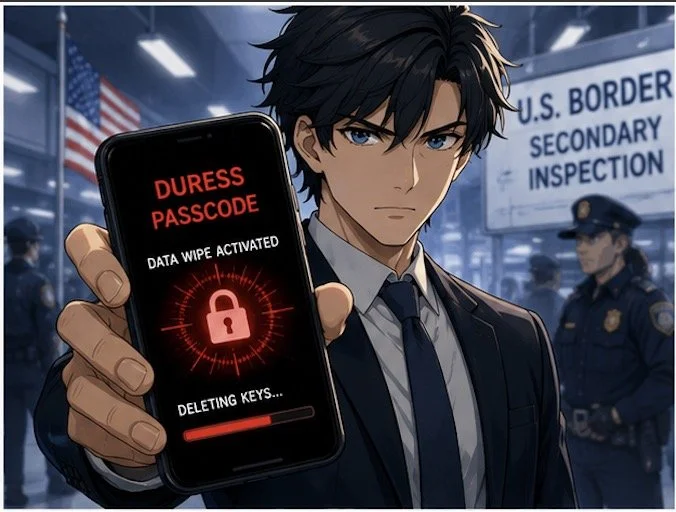
Disable biometric authentication when traveling internationally. Face ID and fingerprint scanners can be used against you at borders where Fourth Amendment protections are diminished. Restart your device before crossing borders to force password-only access. Consider carrying a "clean" device for international travel, accessing files only through encrypted cloud storage rather than storing sensitive data locally.

Coffee Shops, Airports, and Public Spaces

Public Wi-Fi networks pose serious interception risks. Hackers create fake hotspots with legitimate-sounding names, capturing everything you transmit. As lawyers increasingly embrace cloud-based computing for their work, encryption when using public Wi-Fi becomes non-negotiable

Always use a trusted VPN (Virtual Private Network) when connecting to public networks. VPNs encrypt your internet traffic, preventing interception even on compromised networks. Alternatively, use your smartphone's personal hotspot rather than connecting to public Wi-Fi. Turn off file sharing on all mobile devices. Avoid accessing highly sensitive client files in public spaces altogether—save detailed case work for secure, private connections.

Physical security deserves equal attention. Visual privacy screens prevent shoulder surfing. Position yourself with your back to walls in coffee shops so others cannot observe your screen. Be alert to your surroundings and maintain physical control of devices at all times. Never leave laptops, tablets, or phones unattended, even briefly.

Border Crossings and International Travel

Lawyers crossing international borders face unique challenges. CBP policies permit extensive device searches within 100 miles of borders under the border search exception, significantly reducing Fourth Amendment protections. New York State Bar Association Ethics Opinion 2017-5 addresses lawyers' duties when traveling with client data across borders.

The reasonableness standard governs your obligations. Evaluate whether you truly need to bring confidential information across borders. If travel requires client data, bring only materials professionally necessary for your specific purpose. Consider these strategies: store files in encrypted cloud services rather than locally; use strong passwords and disable biometric authentication; carry your bar card to identify yourself as an attorney if questioned; identify which files contain privileged information before reaching the border.

If border agents demand device access, clearly state that you are an attorney and the device contains privileged client communications. Ask whether the request is optional or mandatory. If agents conduct a search, document what occurred and consider whether client notification is required under Rule 1.4. New York Rule 1.6 requires taking reasonable steps to prevent unauthorized disclosure, with heightened precautions necessary when government agencies are opposing parties.

Practical Implementation Today

Create firm policies addressing mobile device security. Require immediate reporting of lost or stolen devices. Implement Mobile Device Management (MDM) software to monitor, secure, and remotely wipe all connected devices. Conduct regular security awareness training covering email practices, phishing recognition, and social engineering tactics.

Develop an Incident Response Plan before breaches occur. Know which experts to contact, document cybersecurity policies, and establish notification protocols. Under various state laws and regulations like California Civil Code § 1.798.82 and HIPAA's Breach Notification Rule, lawyers may be legally required to notify clients of data breaches.

Lawyers are on the front line of cybersecurity when on the go!

Communicate with clients about security measures. Obtain informed consent regarding electronic communications and any security limitations. Some firms include these discussions in engagement letters, setting clear expectations about communication methods and encryption use.

Stay current with evolving threats. Subscribe to legal technology security bulletins. The Tech-Savvy Lawyer blog regularly covers mobile security issues, including recent coverage of the SlopAds malware campaign that compromised 224 Android applications on Google Play Store. Technology competence requires ongoing learning as threats and safeguards evolve.

The Bottom Line

The London iPhone theft crisis demonstrates that our devices are valuable targets for sophisticated criminal networks operating internationally. Every lawyer who works outside the office—whether at coffee shops, client meetings, or international destinations—must take mobile security seriously. Your ethical obligations under Model Rules 1.1 and 1.6 demand it. Your clients' confidential information depends on it. Your professional reputation requires it.

Implementing these security measures isn't complicated or expensive. Enable encryption. Use strong passwords and 2FA. Avoid public Wi-Fi or use VPNs. Disable biometrics when traveling. Maintain physical control of devices. These straightforward steps significantly reduce risks while allowing you to work effectively from anywhere.

The legal profession has embraced mobile technology's benefits—now we must address its risks with equal commitment. Don't wait for a theft, loss, or border seizure to prompt action. Protect your clients' confidential information today.

MTC