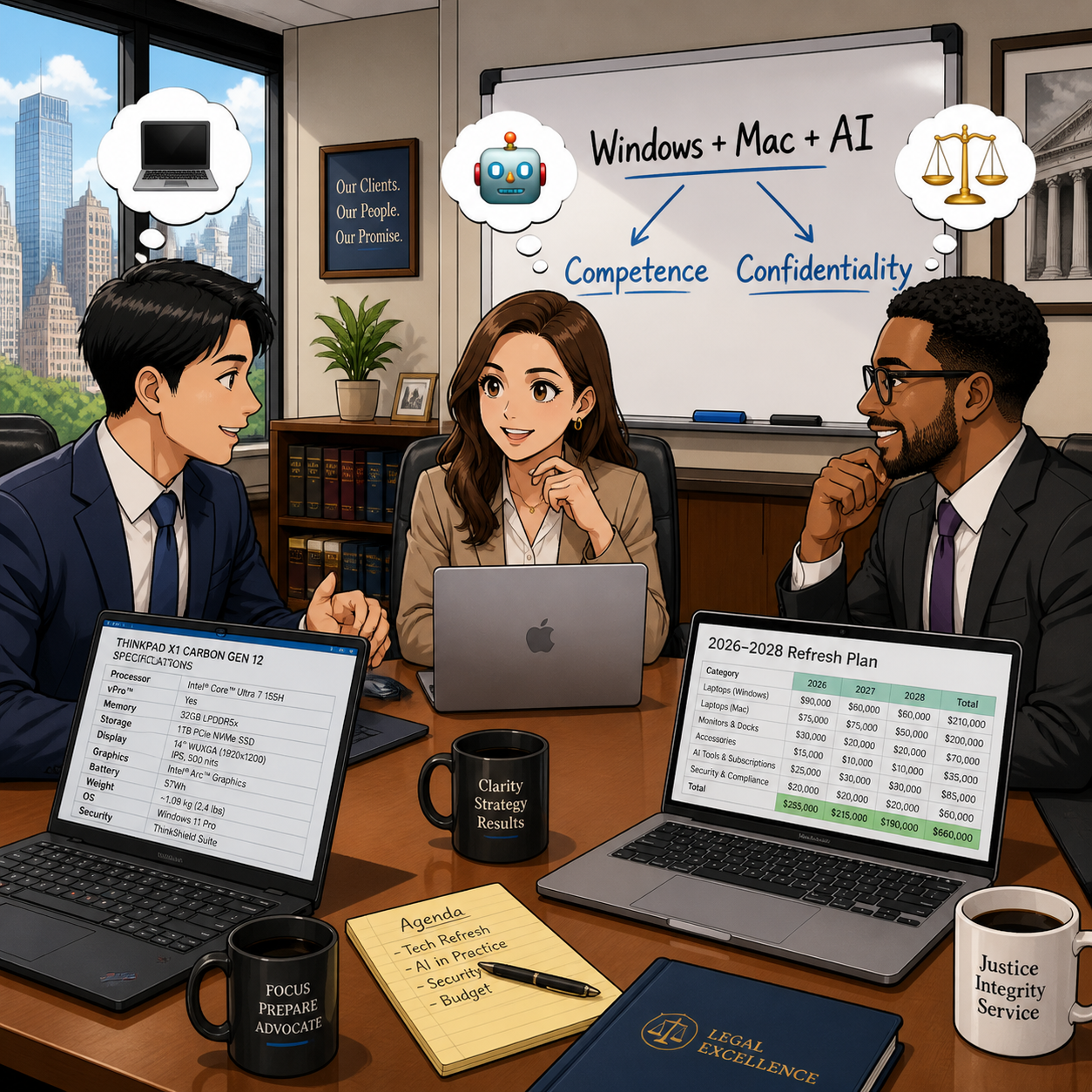
MTC: Why Rising PC and AI Tool Prices (for Windows and Apple) Should Be on Every Lawyer’s Radar in 2026

Law firms need to plan Windows, Mac, and AI refresh strategy

If you feel like every new laptop quote is 15–20% higher than last year, you are not imagining things. 📈 And if your favorite AI drafting or transcript tool pinged you with a “small” price adjustment this spring, welcome to the club. 🤖

In our December 2025 editorial, “MTC: The 2026 Hardware Hike: Why Law Firms Must Budget for the ‘AI Squeeze’ Now!”, we warned that a perfect storm in the hardware market was forming: DRAM shortages, surging AI infrastructure demand, and shifting trade policy were about to push PC prices up by 15–20% in 2026. 💻 Then, in April 2026’s “MTC: Why 2026’s PC Price Hikes Put Law Firms at Risk (and Why Many Lawyers Are Quietly Switching to Macs)”, we explored how rising Windows laptop prices were reshaping law firm hardware decisions and eroding the old assumption that “Windows is always cheaper than Mac.”

Those forecasts are now reality across both Windows PCs and Macs, and the question I keep hearing from solo and small firm lawyers is simple: Should I be worried?

The short answer is yes—concerned, not paralyzed. The better question is: how do we respond strategically, in a way that respects both our budgets and our ethical obligations under ABA Model Rules 1.1 (Competence) and 1.6 (Confidentiality)?

A quick recap: what’s driving the price surge?

Let’s start with the “why,” because context matters when you sit down with your next-year budget spreadsheet. 📊

Industry analysts now confirm that average PC prices are rising in the 15–20% range for 2026, with memory costs as the biggest driver. AI data centers—those massive server farms powering tools like ChatGPT and other LLMs—are soaking up an estimated majority of advanced DRAM production, leaving less capacity for business laptops and desktops of all flavors, whether they run Windows or macOS. When memory becomes scarce and expensive, everything that relies on it gets pricier.

You can see this in both ecosystems:

Lawyers need t plan their 2026 law firm hardware budget amid rising costs

  • Windows side: In April, Microsoft sharply raised prices across its Surface lineup, including the Surface Pro and Surface Laptop families, many lawyers rely on. Entry-level machines that once started under 1,000 dollars now begin well above that mark, with some configurations jumping several hundred dollars over launch prices and in some cases exceeding roughly comparable MacBook configurations.

  • Apple side: In June, Apple CEO Tim Cook told The Wall Street Journal that Apple will raise prices because the company can no longer absorb skyrocketing memory and storage costs, calling the situation a “hundred-year flood” and saying he has “never seen anything like it in any area in over 40 years,” describing these increases as “unavoidable.” Apple to Raise Prices Due to Memory Chip Crunch, Tim Cook Says.

When both Microsoft and Apple are telling you that memory costs and component shortages are forcing them to push prices up, that is not a platform rivalry story. It is a signal that the entire hardware market—Windows and Mac alike—is being repriced around the AI era.

On top of that, trade policy and tariffs have increased costs for components and final assembly in key manufacturing hubs like China and Taiwan. Vendors have responded by tightening quote windows and baking in risk premiums, which is why the Windows laptop or Mac you priced in Q4 2025 quietly jumped in Q2 2026. 💸

In “MTC: The 2026 Hardware Hike”, we urged firms to accelerate planned refreshes where possible, prioritize RAM over storage, and budget for stronger machines instead of downgrading specs. In the April 2026 editorial, we drilled into how those same forces made some Mac configurations look surprisingly competitive—and why lawyers should stop treating “Windows versus Mac” as a matter of habit and start treating it as a structured evaluation tied to performance, security, and ethical duties. All of that guidance still holds.

Budgeting like a law practice, not a gadget hobby (PC‑neutral framing)

The theme of “MTC: The 2026 Hardware Hike” was simple: treat your tech like a planned, recurring investment—not a last-minute scramble when a laptop dies in the middle of trial prep. The April 2026 follow-up on PC price hikes showed how that planning must now account for both Windows and Mac options, since price gaps have narrowed or flipped depending on configuration.

Here is the approach I recommend for solos and small firms, regardless of platform:

  1. Inventory and classify your devices across platforms.
    Capture which users are on Windows, which are on macOS, and what roles those machines play. Prioritize devices used for active litigation, client communications, and high-sensitivity matters.

  2. Set a realistic refresh cycle that is OS‑aware.
    For most law practices, a 3–5 year cycle for primary laptops and desktops is reasonable, but the exact timing should reflect each platform’s support timeline—Windows 10 reaching end of support, macOS versions aging out, and vendor firmware commitments.

  3. Budget for “competence grade” hardware on both sides.
    As we argued in both the December and April MTC pieces, it is better to buy fewer, well‑specced machines—whether that is a mid-range Surface Laptop or a MacBook Air with sufficient RAM—than to chase the absolute lowest price and end up with systems that choke under AI‑enhanced workflows.

  4. Run a structured Windows vs. Mac evaluation, not a loyalty contest.
    Following the April article’s recommendation, build a simple matrix comparing specific Windows and Mac models on price, RAM, storage, performance, security features (like Secure Boot, Secure Enclave, or TPM), support life, and compatibility with your core practice software. Tie that matrix explicitly to your responsibilities under ABA Model Rules 1.1 and 1.6 so you can show you exercised reasonable diligence.

  5. Cull redundant subscriptions before sacrificing baseline hardware on either platform.
    Before you decide that “Macs are too expensive now” or “Windows machines are out of reach,” examine your monthly AI and SaaS spend. Many firms can free up budget for better Windows or Mac hardware by retiring overlapping tools that deliver marginal benefits.

This is not about declaring a winner in the Windows vs. Mac debate. It is about recognizing that both ecosystems are affected by the same structural forces—AI‑driven memory demand, supply constraints, tariffs—and that your ethical obligations apply regardless of logo. ⚖️

So, should lawyers be worried? (PC‑neutral conclusion)

Concern is justified. Panic is not. 😅
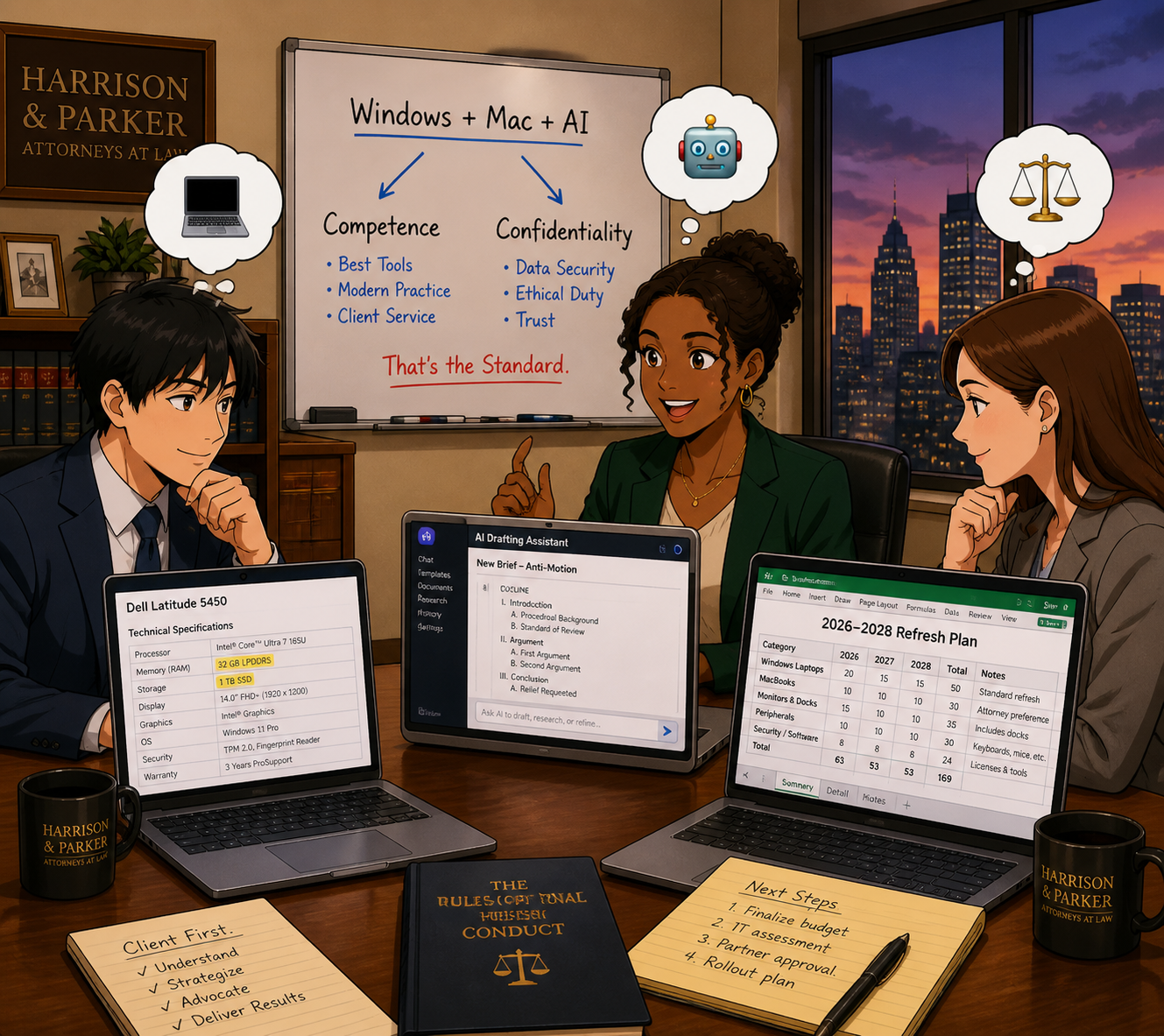
Law firmS of every size need to plan Windows, Mac, and AI refresh strategy

Yes, Windows PC and Mac prices are rising and are likely to remain elevated through at least 2027, given ongoing DRAM constraints and AI demand. Yes, AI and cloud tools are adjusting their pricing and tiers in ways that can catch an unprepared firm off guard. And yes, when Microsoft raises Surface prices, and Tim Cook says he has never seen a memory crunch like this in over 40 years and calls it a “hundred-year flood,” those are market‑wide signals—not platform‑centric marketing talking points.

But you still have levers to pull, no matter which platform you use:

  • Plan your hardware lifecycle instead of reacting to failures.

  • Prioritize “competence grade” devices and security over optional features, whether that is a mid‑range Windows laptop or a MacBook with enough RAM.

  • Rationalize your AI and SaaS stack so you pay for what actually moves the needle.

  • Treat your tech stack as part of your ethics compliance, not just overhead. ⚖️

Lawyers on both Windows and Mac should treat 2026’s hardware and AI price hikes as a market‑wide issue that affects competence, confidentiality, and client service—not as a referendum on one platform. 💻⚖️

MTC
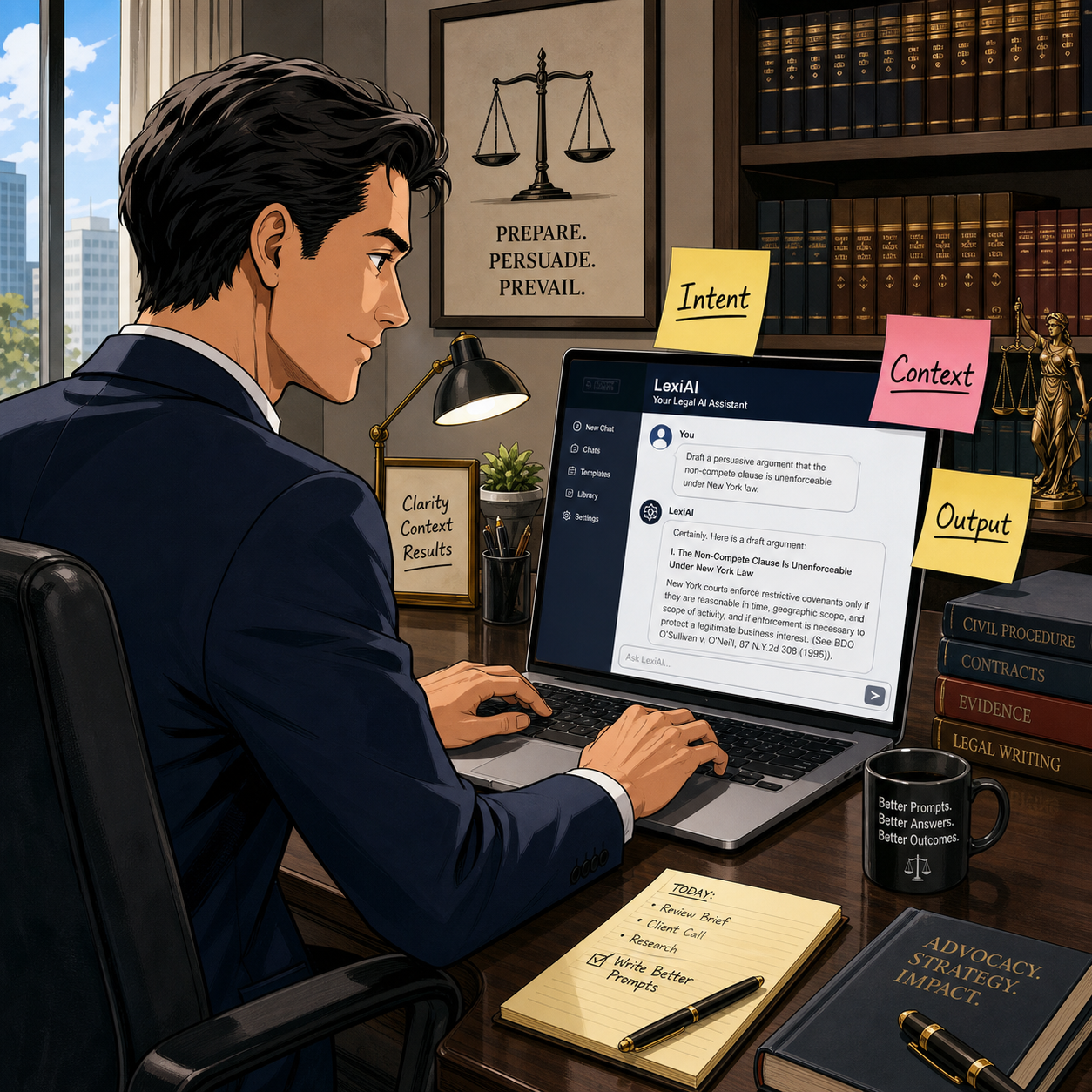
How (To) Lawyers Can Write Better AI Prompts (In Minutes) with PromptCowboy 🤠

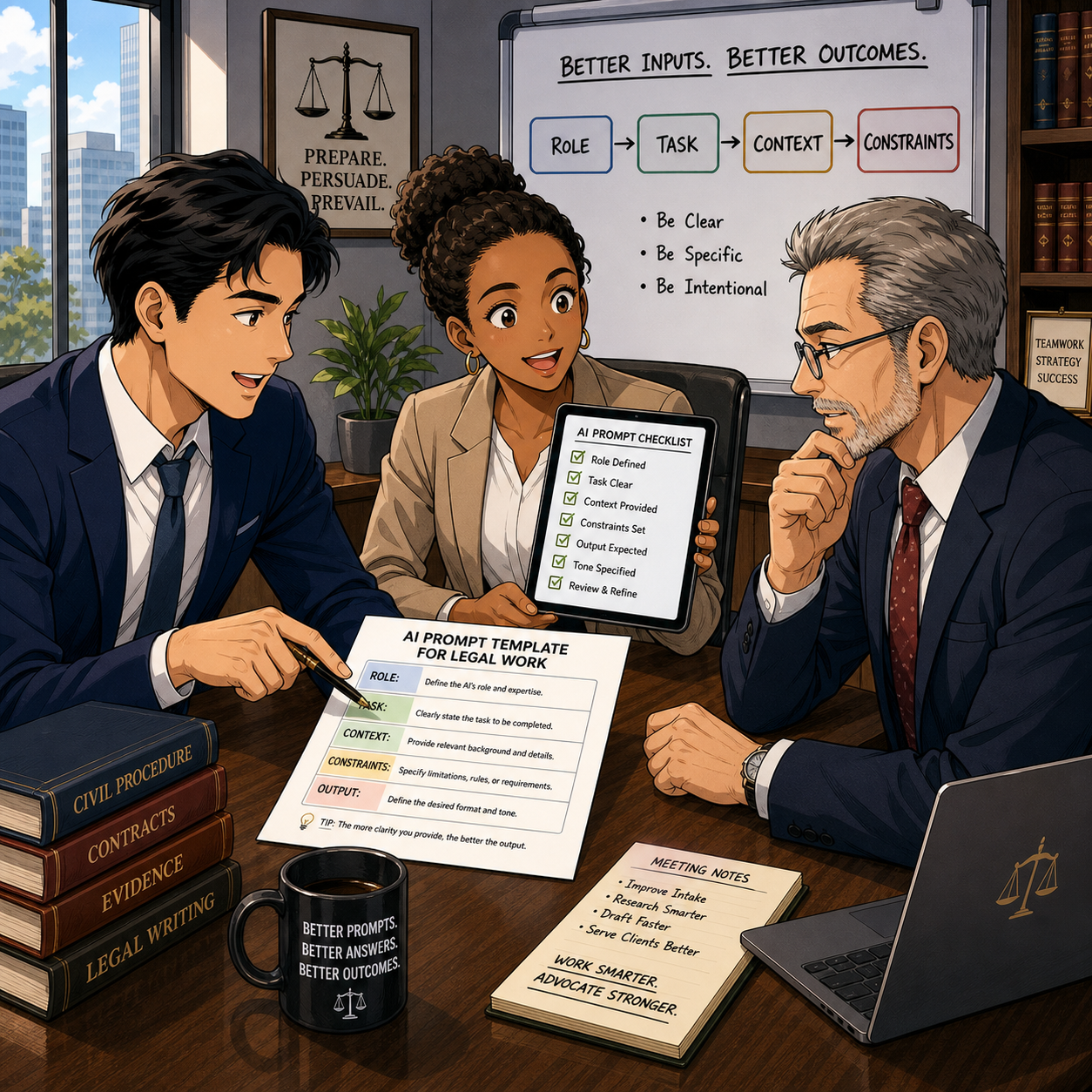
today’s Lawyer need to master AI prompts in a modern tech-savvy law office 📚🤖

Large language models (LLMs) are not magic wands. They are very fast, very convincing parrots. When you ask sloppy questions, you get sloppy answers. When you ask clear, structured questions, you start to see real value in your law practice.

That’s why prompt quality is now a lawyering skill, not a party trick—and tools like PromptCowboy can help you build that skill quickly and safely.

In earlier Tech-Savvy Lawyer posts like “🎙️ TSL Lab’s Deep Dive into Our May 18, 2027, editorial, “AI Won’t Replace Solo and Small Firm Lawyers. It Will Supercharge Them”!” and podcast episodes discussing AI workflows, I’ve stressed the same core message: you cannot delegate your professional judgment to an LLM. You can, however, use an LLM to accelerate competent lawyering—if you stay in control of the instructions you give it and the outputs you accept.

Why prompt quality is an ethics issue 💼

The ABA’s technology competence mandate under Model Rule 1.1 now clearly extends to understanding the risks and benefits of generative AI tools. ABA Formal Opinion 512 emphasizes that lawyers may use generative AI to deliver faster and more efficient legal services, but only if they maintain independent professional judgment, supervise results, and comply with duties of confidentiality, candor, and reasonable fees.

That means “prompt engineering” is not a hobby; it’s part of staying reasonably informed about relevant technology and using it responsibly. When you use a tool like PromptCowboy to structure your prompts, you are not outsourcing judgment—you are standardizing how you exercise it.

What PromptCowboy actually does for lawyers 🤠⚖️

PromptCowboy is a guided prompt generator. You type in a rough idea (“help me sanity-check a demand letter” or “summarize this deposition transcript for trial prep”), and it walks you through targeted questions that transform that rough idea into a structured, reusable prompt.

For lawyers, three capabilities matter most:

  • It enforces structure: role, task, context, constraints, and output format.

  • It preserves prompts: you can reuse, tweak, and standardize prompts across matters and teams.

  • It supports multiple LLMs: you can paste the same prompt into your preferred tools (e.g., a legal-specific AI plus a general LLM).

If you’ve ever stared at a blank chat box and thought, “I don’t even know how to ask this,” PromptCowboy is the bridge between your legal brain and the AI chat window.

Why not just type directly into the LLM? 🤔

If you’re comfortable drafting a tight brief from a messy client email, you can learn to write good prompts directly in ChatGPT, Claude, or your preferred tool. The question is not “Can I?”—it’s “Is that the best use of my time and attention?”

PromptCowboy sits between your legal brain and the AI chat box and gives you three advantages that are hard to get from freehand prompting alone.

1. It forces you into best practices by default

Most prompt-engineering guides tell you: be specific, define the role, give context, specify the audience, and tell the model what format you want. When you type straight into an LLM, you have to remember all of that and translate your legal problem into structured instructions.

PromptCowboy automates that discipline:

  • It asks targeted follow-up questions about audience, use case, and output format.

  • Its “improve your prompt” style features can take your “lazy prompt” and suggest refinements, like adding jurisdiction, tone, or specific constraints.

  • It then assembles a complete, structured prompt you can copy into your LLM.

From an ethics standpoint, this matters because better-structured prompts reduce the risk of vague, misleading, or overconfident AI outputs that you might otherwise overlook—helping you meet your competence duty under Model Rule 1.1 and the quality expectations outlined in ABA Formal Opinion 512.

2. It gives you reusable, auditable prompt “precedent”

When you type directly into a chat window, your “good prompts” disappear into the scroll unless you remember to save them elsewhere. Lawyers would never run a litigation practice without templates and prior forms, yet many start from scratch every time they open an AI tool.

PromptCowboy provides:

SOLO AND Small-firm attorneys CAN COMPETE WITH LARGER FIRMS BY CREATING POWERFUL AI prompt templates for clients ⚖️💬

  • Prompt history and private templates in its paid tiers, so you can reuse and iterate on prompts like you do with forms.

  • Centralized prompt management, so a firm can standardize prompts for common tasks (client email drafts, discovery checklists, status updates) and keep everyone using the same baseline instructions.

  • A clean separation between “prompt drafting” and “AI execution,” which makes it easier to document how you instructed the AI if you ever need to explain or audit your process.

That last point goes to Model Rules 5.1 and 5.3—supervision of lawyers and nonlawyer assistants—because LLMs function in practice like a highly automated, but still supervised, assistant. Having standard prompts you can review, update, and roll out to a team is much easier with a dedicated prompt tool than with a dozen scattered screenshots.

3. It speeds up the “iterate and improve” loop

Good prompting is iterative. You try, you see what the AI produces, you refine. That’s true whether you’re drafting in a word processor or prompting an LLM.

PromptCowboy accelerates that loop because:

  • It can generate an initial, detailed prompt from a very short description (“help me draft a discovery checklist for a Virginia PI case”).

  • It automatically suggests follow-up questions whose answers will sharpen the prompt, instead of making you guess what to change.

  • Once refined, you can save that prompt and reuse it as a starting point next time, instead of reinventing the wheel in the LLM chat.

The net effect is less cognitive load. You spend your time reviewing outputs and exercising legal judgment, not handcrafting prompts from scratch—which aligns with the efficiency and cost considerations in Model Rule 1.5 and the access-to-justice benefits emphasized in Formal Opinion 512.

When direct prompting is fine—and when PromptCowboy shines

To keep this honest: there are plenty of scenarios where you can safely type straight into your LLM, like one-off low-stakes tasks or conversational exploration.

PromptCowboy shines when you:

  • Want repeatable workflows (weekly client updates, discovery outlines, intake summaries).

  • Need team-wide standards for how AI should behave and respond.

  • Must document your process for internal policies, insurers, or regulators who may ask how you controlled AI outputs.

Think of typing directly in the LLM as scribbling notes on a legal pad in chambers; using PromptCowboy is more like drafting a form in your document system that the whole firm can rely on.

A simple framework: RICE + I (Role, Instructions, Context, Expectations + Inputs) 🧩

The RICE framework—Role, Instructions, Context, Expectations—is a practical way to structure prompts. Let’s add an explicit “I” for Inputs and walk through how PromptCowboy helps you implement it:

  1. Role – Who is the AI supposed to be?
    Example: “You are a legal writing coach familiar with U.S. civil procedure.”
    PromptCowboy prompts you to define this persona up front, narrowing the output.

  2. Instructions – What task should it perform?
    Example: “Identify ambiguities and tone issues in the following demand letter and suggest specific edits.”

  3. Context – What background does it need?
    Example: “Maryland state court personal injury case involving a rear-end collision, liability admitted, issue is damages only.”

  4. Expectations – How should it respond?
    Example: “Return a bullet-point list, no more than 10 bullets, written at a 10th-grade reading level.”

  5. Inputs – What materials can it see?
    Example: “You will receive the text of the demand letter below this prompt.”

PromptCowboy’s workflow essentially walks you through each of these steps, so you don’t have to remember them every time.

Step-by-step: Building a better legal prompt with PromptCowboy 🛠️

Solo practitionerS CAN craft ethical AI prompts with ABA-focused guidance 🧠📜

Let’s say you want an LLM to help you draft initial discovery requests in a straightforward personal injury case—without crossing ethical lines.

Step 1: Decide what you will do first
Under Model Rule 1.1 and Formal Opinion 512, you must understand the law and facts well enough to supervise any AI assistance. That means you:

  • Identify the jurisdiction and claims

  • Review your client’s key facts

  • Decide what categories of information you need

Only then should you move to the AI.

Step 2: Open PromptCowboy and describe your task in plain English
In PromptCowboy, start with a simple description:

“Help me generate draft interrogatories and requests for production for a rear-end auto collision case in Virginia state court, focusing on damages.”

Step 3: Answer PromptCowboy’s clarifying questions
PromptCowboy will ask for details like:

  • Target audience (you, another lawyer, or a client)

  • Preferred tone (formal, plain language, bullet-point)

  • Output format (numbered list, table, outline)

By answering these questions, you naturally fill in the RICE + I elements without overthinking the jargon.

Step 4: Add ethical guardrails into the prompt
This is where ABA Model Rules meet prompt engineering:

  • Model Rule 1.6 (confidentiality) and Formal Opinion 512 suggest you should avoid disclosing client-identifying information to public LLMs unless you have informed consent and appropriate safeguards.

  • So in the prompt, you write:
    “Do not invent case-specific facts. Use only the generic facts provided. Do not reference any real persons or entities.”

PromptCowboy can store that language so you reuse it in future prompts.

Step 5: Generate, copy, and paste into your chosen LLM
Once PromptCowboy assembles the prompt, you copy it into:

  • A general LLM (e.g., ChatGPT, Claude or Perplexity*) for plain-language drafting, or

  • Your firm’s legal AI platform for case-specific workflows.

Then you review the output like you would a first-year associate’s draft—carefully and critically.

Practical prompt examples you can reuse 🧾

Here are two PromptCowboy-friendly templates you can adapt:

Template 1: Research sanity-check (non-confidential)

“You are a legal research assistant familiar with [jurisdiction].
Task: Summarize the general legal standards for [issue] without citing specific cases.
Context: This is for high-level planning, not court submission.
Expectations: Provide a concise outline with headings and bullet points.
Ethics: Do not fabricate statutes or case names; flag any uncertainty for follow-up research.”

Template 2: Plain-language client explanation (with safeguards)

“You are a communication coach for lawyers.
Task: Rewrite the following explanation of [legal issue] so a layperson can understand it.
Context: This will be used as a draft for a client email.
Expectations: 3–5 short paragraphs, no legalese, no promises of outcomes.
Ethics: Do not add any new legal advice beyond what is given. Flag any unclear sections for attorney review.”

These templates align with Model Rules 1.1 (competence), 1.4 (communication), and 7.1 (avoiding misleading statements), while using PromptCowboy to enforce structure and consistency.

Common mistakes PromptCowboy helps you avoid 🙅‍♂️

PromptCowboy is not a substitute for judgment, but it does reduce some predictable errors lawyers make with LLMs:

  • Vague requests (“Write a brief” with no jurisdiction, facts, or audience)

  • No output format (you get a wall of text you can’t use)

  • Hidden assumptions (AI fills in facts that are wrong or prejudicial)

  • Over-sharing (don’t paste client-identifying facts into a public tool)

By forcing you to specify intent, context, and output, PromptCowboy nudges you toward more disciplined, repeatable AI use.

Bringing it into your practice today 📆

If you are a solo or small firm lawyer, you do not need a full-blown “AI strategy deck” to start. You need one or two well-crafted, reusable prompts for tasks you already handle every week—email drafting, checklists, or content summaries.

📢 Stay Tuned! In a future episode of The Tech-Savvy Lawyer Podcast, we’ll walk through a live PromptCowboy-to-LLM workflow and compare results across different tools. For now, pick one use case, build a prompt with PromptCowboy, and run it through your existing AI stack. Measure whether it saves you time without sacrificing quality or ethics.

Used thoughtfully, PromptCowboy can help bridge the gap between “AI-curious” and “AI-competent”—and that’s exactly where the profession needs to go next. 🚀

MTC: AI Voice Cloning, Deepfake Fraud, and Crime Junkie: What Lawyers Must Learn Now ⚖️🧠

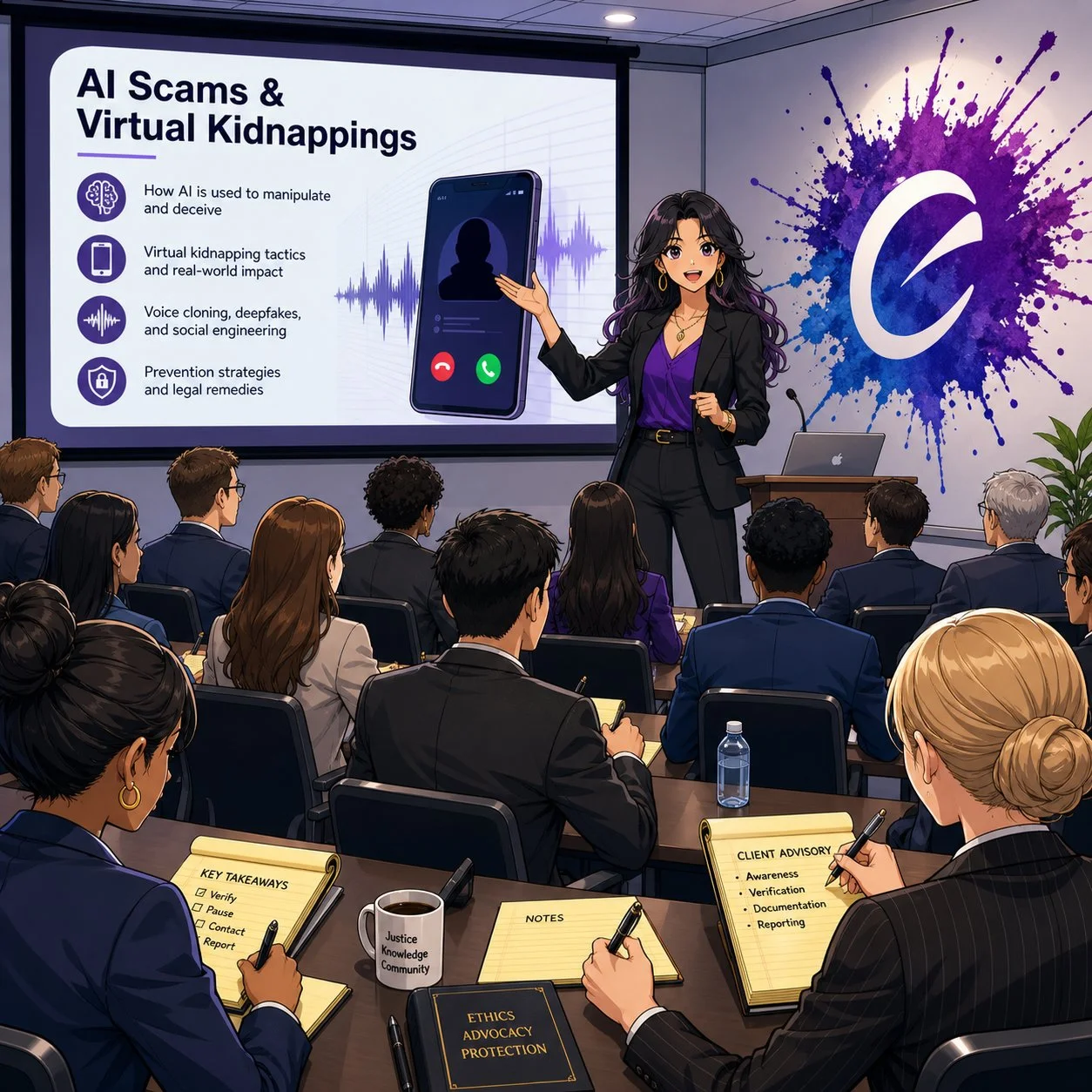
As a tech-savvy and ethically compliant lawyer, are you prepared to handle an ai voice-call scam?

We live in a world where a client can hear their child scream for help over the phone, know that voice down to the quiver in their sobs, and still be wrong about what’s real. At the same time, lawyers are getting “official” calls from spoofed sheriff’s offices demanding Bitcoin bail payments that feel just plausible enough to pass the sniff test. If you think your clients are the only ones at risk, you’re already behind.

As a long-time Crime Junkie fan, I’m grateful to Ashley Flowers, Brit Prawat, and the Audiochuck team for doing something the legal profession hasn’t always done well: translating complex, evolving tech crime into stories real people understand. Their recent warnings about AI voice cloning, virtual kidnappings, and sophisticated online scams are more than compelling podcast episodes—they’re mandatory listening for lawyers who care about their clients, their firms, and their own digital safety.

In this editorial, I want to bridge those Crime Junkie stories into practical takeaways for solo and small-firm lawyers, AI‑curious practitioners, and even tech‑skeptical colleagues. We’ll look at how these scams work, how the ABA Model Rules already expect you to understand enough technology to spot them, and how to turn “true crime” lessons into concrete safeguards for your practice. ⚙️

When Your Ears Can’t Be Trusted: AI Voice Cloning and Virtual Kidnappings 🎙️

In “WARNING: AI Voice Cloning and Virtual Kidnappings,” Crime Junkie walks us through a terrifying call to a mother who hears her daughter sobbing, begging for her life, while a man demands a ransom and lays out graphic threats. The twist, as many of us now know, is that the daughter is safe; the “kidnappers” are using AI‑cloned audio drawn from a tiny sample of her voice to weaponize panic.

Researchers cited in the episode describe how low‑cost AI tools can create a convincing voice clone from as little as three seconds of audio. Caller ID spoofing then makes it look like the call is coming from the victim’s phone, while scammers press for fast, untraceable payments in cash, gift cards, or crypto. The technology is cheap, the scripts are refined, and the goal is simple: override your critical thinking before you can verify anything.

From a legal ethics perspective, this isn’t just an interesting cybersecurity anecdote. ABA Model Rule 1.1 on competence—especially Comment 8—requires you to stay abreast of “the benefits and risks associated with relevant technology.” An environment where your client can be tricked into paying a fake ransom, or where your own voice can be cloned to mislead staff or opposing parties, is very much “relevant technology.”

If you are not talking with clients and staff about AI‑driven fraud risk, you are not just missing a teaching moment—you may be edging toward a competence problem under the Model Rules.

Lessons for Client Counseling: Safe Words, Verification, and Panic‑Proof Plans 🛟

One of the most practical takeaways in the AI voice cloning episode is also one of the simplest: set a family and a seperate law office “safe word” and rehearse how to verify calls under extreme stress. The FBI, National Cybersecurity Alliance, and digital forensics experts interviewed for the episode all echo the same theme—pre‑commitment beats improvisation when panic hits.

This is precisely the kind of low‑tech, high‑impact advice lawyers can—and should—be giving in client counseling sessions, especially with:

  • Family law clients dealing with high‑conflict co‑parenting or domestic violence

  • Estate planning clients with vulnerable or elderly relatives

  • Business clients whose executives or finance staff could be targeted by “CEO voice” scams

Here’s a concrete, lawyer‑friendly checklist you can adapt:

  1. Safe Word Policy
    Encourage clients to adopt a family or organizational safe word, shared only in person or via secure channels, for any call alleging an emergency or ransom demand.

  2. Verification Protocols
    Teach clients to verify via a second channel: call back on a known number, text from another device, or contact a third person who can physically locate the supposed victim.

  3. Call 911 First When in Doubt
    Emphasize that if they believe a life is at risk, they should call 911—even if they suspect it might be a scam. Law enforcement can help triage the situation; if it’s a scam, they can sort that out after.

  4. Evidence Preservation
    Tell clients to screenshot call logs, save audio, and preserve any “proof of life” photos or messages before they disappear, as some software can make photos exist only for seconds. Those artifacts can be invaluable if law enforcement or insurers later investigate.

This kind of counseling fits squarely within ABA Model Rule 2.1 (Advisor), which encourages lawyers to consider “moral, economic, social, and political factors” in advising clients. You’re not just parsing statutes; you’re helping clients design their own risk‑management frameworks in a world where even their senses can be hacked.

The second Crime Junkie episode I wanted to share, "WARNING: Online Scams", focused on other kinds of scams involving technology:

How Scammers Use Our Systems Against Us: Fake Warrants, Bitcoin Bail, and “Officer Smith” 👮‍♂️💸

Lawyers, are you prepared to advise your client on ai scams?

A couple receives a voicemail from what appears to be their local sheriff’s office, learns there’s a warrant for missing jury duty, and is told they can avoid booking if they pre‑pay bail via Bitcoin and Venmo. They do their homework—they verify the number online, they look up “Officer Smith,” they cross‑check the department. Yet they still end up running between ATMs, feeding money into a Bitcoin kiosk, and nervously wiring funds to what looks like a legitimate bail account.

Only later, after calling a non‑emergency line and getting a return call from a blocked number (as their real department actually uses [versus the scammer’s phone number that appeared on their caller ID), do they learn the uncomfortable truth: the “bail by Bitcoin” story was a scam.

Crime Junkie does an excellent job breaking the lessons down into clear rules:

  • Police will not call to give you a “heads‑up” that you’ve broken the law.

  • Bail is paid in person, not by Bitcoin, gift card, or Venmo.

  • Hanging up and calling back on a separately verified number can serve as an important safety/security step.

For lawyers, these stories are a vivid reminder that many scams are “legal‑adjacent”—they borrow just enough from real procedures (jury duty, warrants, bail, sheriff’s offices) to feel legitimate. That makes them particularly dangerous for our clients and our staff, who may over‑defer to anything with a whiff of authority.

Under ABA Model Rule 5.3, lawyers have an obligation to ensure that nonlawyer assistants act in a manner compatible with the lawyer’s professional obligations. That includes training staff to handle legal‑sounding calls skeptically: to question unusual payment methods, verify claims through known channels, and escalate suspicious calls before anyone withdraws or wires funds.

If your receptionist or office manager wouldn’t know how to respond to a call like the one just described, that’s a training gap you can fix—ideally before it becomes a loss.

Fraud in the Grey Zones: Sugar Daddies, Freelance Gigs, and Client Shame 🧾

Crime Junkie also covers scams that operate in more personal and sometimes stigmatized spaces: sugar‑daddy arrangements gone wrong; freelance “job offers” that rely on fraudulent checks; supposed production gigs that pay you to buy equipment, then claw back your real money once the check bounces.  These scams involve computers, phones, the World Wide Web, and even an electronically altered check

In the sugar‑daddy story, a young woman on a sugar‑daddy online platform is manipulated into buying hundreds of dollars’ worth of Steam gift cards to “prove” she’s not scamming her would‑be benefactor, only to realize too late that she’s been exploited. In the job offer story, a freelance audio professional is mailed a check to buy gear for a production; he wisely flags the check, closes his account, and discovers that the job posting piggybacked on a real company’s identity.

Three legal practice lessons stand out here:

lawyers and their clients can learn a lot from shows like crime junkie about ai scams and their impact on their clients!

  1. Clients may not tell you everything, especially if the scam involves sex, money, or perceived “stupidity.” The victims in these cases describe deep embarrassment and shame, which initially kept them from reporting to the police. For lawyers, this kind of hesitation could cause further bar issues beyond the incident itself.

  2. Financial exploitation often intersects with the kinds of matters solos and small firms already handle. Think consumer protection, elder law, family law, or small business disputes. Clients who’ve been scammed may appear with half‑formed stories, partial evidence, and a strong desire to move on rather than report.

  3. Failing to respond promptly—or at all—to suspected scams or financial exploitation can compound the harm and create independent ethics problems. When a lawyer ignores red flags, delays advising the client, or fails to investigate and remediate potential trust‑account or fraud issues, regulators may view that as a separate violation of duties of competence, diligence, communication, and safeguarding client property, even if the underlying scam originated outside the firm. In extreme cases, a pattern of slow or inadequate responses can trigger bar complaints or disciplinary investigations that focus less on the initial scam and more on the lawyer’s failure to act once on notice.

ABA Model Rule 1.4 (Communication) and 1.14 (Client with Diminished Capacity) come into play here. You must explain matters to clients in a way they can understand, but you also need to create a space where they can safely share how they were targeted without fear of ridicule. That’s emotional work, not just analytical work.

One practical move: incorporate scam‑screening questions into your intake forms and interviews. Ask clients explicitly whether anyone has recently requested unusual payment methods, impersonated a government agency, or pressured them to act quickly under threat of legal or physical harm.

Firm‑Level Risk: Deepfakes, Staff Training, and Incident Response 🏢🔐

These Crime Junkie episodes also raise uncomfortable questions about law firm operations. What happens when it’s not a client but you whose voice is cloned? What if a deepfake of your voice instructs staff to release trust funds or share confidential documents?

In “WARNING: AI Voice Cloning and Virtual Kidnappings,” the FBI describes how scammers run these operations like call centers, constantly cycling through numbers and scripts to maximize success. The same industrialization is happening in business email compromise (BEC) and invoice fraud—areas where law firms are already prime targets.

Three concrete actions you can take at the firm level:

  1. Adopt a “trust but verify” rule for any out‑of‑band instruction involving money or confidential data. No transfer of client funds, no disbursement of settlement proceeds, and no release of sensitive documents should happen based on a single phone call, even if the caller “sounds” like you.

  2. Implement multi‑factor workflows, not just multi‑factor authentication. For example, any financial instruction must be confirmed via a second channel (secure client portal, verified email, or in‑person) before action. 

  3. Document an incident response plan that includes deepfake and scam scenarios. ABA Model Rules 1.6 (Confidentiality) and 5.1 (Responsibilities of Partners and Supervisory Lawyers) expect you to have reasonable safeguards and supervisory structures. That includes knowing what to do when—not if—your systems or people are tested.

These are precisely the kinds of measures we walk through in The Tech-Savvy Lawyer.Page blog and podcast episodes on AI, deepfakes, and metadata—where we discuss the intersection of ethics, evidence, and emerging tech.

Bridging Crime Junkie and Legal Ethics: Story as a Compliance Tool 📚✨

lawyers need TO think calmly when confronted with ai scams let alone any scam!

One of the most useful things about Crime Junkie is that Ashley and Brit don’t just scare you; they give you scripts, safe‑word strategies, and “here’s what to do next” checklists. Lawyers can—and should—borrow that model.

Instead of sending clients dense policy memos, consider:

  • Sharing these specific episodes with a short email explaining why they matter:

    • “WARNING: AI Voice Cloning and Virtual Kidnappings” – Crime Junkie’s breakdown of how cloned voices fuel virtual kidnapping scams and what the FBI recommends.

    • “WARNING: Online Scams”, the online scams episode about fake warrants, sugar daddies, job scams, and fraudulent checks.

  • Pairing the episode with your own one‑page client guide that translates the stories into local, practical legal advice—how your jurisdiction handles actual warrants, how bail really works, and how you want clients to contact you if they suspect a scam.

  • Integrating these stories into CLEs and staff training, using them as case studies for ABA Model Rule 1.1 (Competence), 1.6 (Confidentiality), 1.4 (Communication), and 5.3 (Nonlawyer Assistants).

The goal isn’t to turn your practice into a true crime podcast. It’s about leveraging narratives your clients and staff will actually remember when the phone rings, the voice shakes, and the clock starts ticking.

Lawyers in words, facts, and rules. But in an era of AI voice cloning, deepfake fraud, and industrialized scamming, the difference between a near‑miss and a catastrophe may come down to whether your clients have heard the right story—and practiced the right response—before the crisis hits.

So grab your headphones, queue up Crime Junkie, and then bring those lessons into your practice. Your clients, your firm, and yes, you, will be safer for it. 🎧⚖️

🎙️ TSL Lab’s Deep Dive into Our May 18, 2027, editorial, “AI Won’t Replace Solo and Small Firm Lawyers. It Will Supercharge Them”!

📌 Too Busy to Read Our May 18, 2026, Editorial?

Join us for an AI-powered deep dive into the ethical challenges facing legal professionals in the age of generative AI. 🤖 This week’s Tech-Savvy Lawyer Lab’s podcast unpacks my editorial, “AI Won’t Replace Solo and Small Firm Lawyers. It Will Supercharge Them,” and translates it into practical, ethics-aware guidance for solo and small firm professionals navigating AI in real time.

We explore why AI is unlikely to replace lawyers but highly likely to transform how legal work is unbundled, priced, and delivered. We walk through Jevons Paradox, ABA rules on competence, supervision, and confidentiality, and the very real risks of hallucinated filings and careless use of public AI tools. You will see how treating AI as a supervised junior associate can expand your capacity, open new micro‑niches, and make your practice more human-centered, not less. ⚖️

In our conversation, we cover the following:

  • 00:00:00 – Why “doom hype” around AI is targeting the legal profession and why the collapse-of-lawyers narrative falls apart in real life.

  • 00:01:00 – Introducing Michael D.J.’s editorial “AI Won’t Replace Solo and Small Firm Lawyers. It Will Supercharge Them.”

  • 00:02:00 – Setting ground rules: educational discussion only and why this episode is not legal advice.

  • 00:02:30 – Rethinking what a “job” really is and the idea that legal work is a bundle of tasks, not one monolithic activity.

  • 00:03:00 – Comparing big-firm specialization to the tightly packed bundle of tasks handled by solo and small-firm lawyers.

  • 00:03:30 – Why AI can pull on individual threads in that bundle, but cannot run the whole practice for you.

  • 00:04:00 – The solo master-chef metaphor: AI as the kitchen machine doing prep work while the human focuses on taste and judgment. 🍲🤖

  • 00:05:00 – How AI can draft preliminary summaries or case law lists while the lawyer still owns strategy and verification.

  • 00:05:30 – The “mental verification” problem: when typing and thinking used to be the same act for lawyers.

  • 00:06:00 – What changes when AI writes the first draft and why verification must become a separate, deliberate step.

  • 00:06:30 – The risk of hallucinated filings and viral stories of fake cases generated by AI. 😬

  • 00:07:00 – Data points showing the profession is adapting, not dying: more lawyers, more bar-required jobs, rising law school interest.

  • 00:07:30 – Revisiting the e‑discovery panic and predictions that predictive coding would wipe out junior associates.

  • 00:08:00 – How cheaper e‑discovery led to an explosion of data and actually increased demand for legal work.

  • 00:08:30 – Introducing Jevons Paradox and why greater efficiency can increase, not decrease, total demand.

  • 00:09:00 – The widened-highway analogy: more lanes, more traffic, and how that maps onto AI in law. 🛣️

  • 00:10:00 – How AI lets small firms tackle big, complex matters and offer more predictable flat-fee pricing.

  • 00:11:00 – Expanding access to legal services for the middle class and why cheaper legal work grows the market.

  • 00:11:30 – Turning to ethics: ABA Model Rule 1.1 on competence and the duty to understand relevant technology.

  • 00:12:00 – The solo’s burden: you are the IT department and the innovation committee, all at once. ☕💻

  • 00:12:30 – A practical definition of technological competence for solos and small firms.

  • 00:13:00 – Starting small with AI: summaries, first-draft emails, and extracting checklists from dense legislation.

  • 00:13:30 – AI as the “junior associate you don’t have to hire but must supervise” under Rules 5.1 and 5.3.

  • 00:14:00 – Why you remain responsible for AI’s output just as you would for a paralegal or junior lawyer.

  • 00:14:30 – The solo’s question: Does it really make sense to write a formal AI policy for just one person?

  • 00:15:00 – How a short written AI policy creates hard boundaries before you are stressed and rushed.

  • 00:15:30 – Defining approved uses, high‑review tasks, and absolute “no-go” zones for AI in your practice.

  • 00:16:00 – Model Rule 1.6 on confidentiality and the special risk solo and small firms face with cloud tools.

  • 00:16:30 – Why pasting sensitive client facts into a generic consumer chatbot is an ethical minefield.

  • 00:17:00 – How consumer AI tools tokenize your text and use it to train future models.

  • 00:17:30 – The “megaphone in a public square” analogy for pasting confidential data into public AI tools. 📣

  • 00:18:00 – Moving from megaphones to soundproof vaults: using enterprise modes or legal-specific platforms.

  • 00:18:30 – Why a single data breach can be existential for a solo firm and why clients should care about tool choices.

  • 00:19:00 – Legislative inflation: constant growth in complex rules, norms, and regulations across jurisdictions.

  • 00:19:30 – How AI helps solos track regulatory change, generate client alerts, and update templates in real time.

  • 00:20:00 – Carving out lucrative micro‑niches with AI, such as hyper‑specific regulatory domains.

  • 00:20:30 – Pairing niche expertise with SEO and content marketing so a solo can compete at scale.

  • 00:21:00 – The junior lawyer dilemma: what happens to entry-level training when AI eats the grunt work.

  • 00:21:30 – Why firms still need junior lawyers to build a future bench, not just to type memos.

  • 00:22:00 – What AI fundamentally cannot do: build trust in person, join community events, or create referral networks.

  • 00:22:30 – How automation pushes lawyers toward more human-centric, relationship-focused work. ❤️

  • 00:23:00 – The core conclusion: the real existential threat is the AI-literate competitor down the street, not the robot.

  • 00:23:30 – Treating AI as a supervised junior associate while protecting ethics, productivity, and client outcomes.

  • 00:24:00 – Final reflections: mapping your own “bundle of tasks” and deciding what to offload so you can supercharge yourself. ⚡

RESOURCES

Mentioned in the episode

👉 If this episode helps you think more clearly about AI, ethics, and your own “bundle of tasks,” share it with a colleague and subscribe so you never miss a future Tech-Savvy Lawyer deep dive. 🚀

MTC:  Federal Circuit's Drop Box Relocation Sends a Signal Threatening Access to Justice: Why Paper Filing Options Must Remain Accessible 📝⚖️

Midnight Filing Rights Under Threat by Federal Court Drop Box Move.

The Federal Circuit's recent decision to relocate its paper filing drop box from outside the courthouse to inside the building, with restricted hours of 8:30 AM to 7:00 PM, represents a concerning step backward for legal accessibility. This policy change, effective October 20, 2025, fundamentally undermines decades of established legal practice and creates unnecessary barriers to justice that disproportionately impact solo practitioners, small firms, and self-represented litigants.

The Critical Role of 24/7 Drop Box Access 🕐

For generations, the legal profession has relied on midnight filing capabilities as an essential safety net. The traditional 24-hour drop box access has served as a crucial backup system when electronic filing systems fail, internet connectivity issues arise, or attorneys face last-minute technical emergencies. Federal courts have long recognized that electronic filing deadlines extend until midnight in the court's time zone, acknowledging that legal work often continues around the clock and in different time zones across the globe.

The ability to file papers at any hour has been particularly vital for attorneys handling time-sensitive matters such as emergency motions, appeals with strict deadlines, and patent applications where timing can be critical to a client's rights. Research shows that approximately 10% of federal court filings occur after 5:00 PM, with many of these representing urgent legal matters that cannot wait until the next business day.

Technology's Promise and Perils ⚙️

While electronic filing systems have revolutionized legal practice, they are far from infallible. Court system outages occur with concerning regularity - as recently demonstrated by Washington State's two-week court system shutdown due to unauthorized network activity. When CM/ECF systems go offline, attorneys must have reliable alternative filing methods to meet critical deadlines.

The Federal Circuit's own procedures acknowledge this reality, noting that their CM/ECF system undergoes scheduled maintenance and may experience unexpected outages. During these periods, having accessible backup filing options becomes essential for maintaining the integrity of the legal process. The relocation of the drop box inside the building with limited hours eliminates this crucial failsafe, potentially leaving attorneys with no viable filing option during system emergencies outside business hours.

Digital Divide and Access to Justice Concerns 📱

Tech-Savvy Lawyer Battles Drop Box Access and Justice Barrier.

The restricted drop box access exacerbates existing digital equity issues within the legal system. While large law firms have robust IT infrastructure and technical support, solo practitioners and small firms often lack these resources. Self-represented litigants, who represent approximately 75-95% of parties in many civil cases, face even greater challenges navigating electronic filing requirements.

Studies have shown that technology adoption in courts has disproportionately benefited well-resourced parties while creating additional barriers for vulnerable populations. The Federal Circuit's policy change continues this troubling trend by prioritizing operational convenience over equal access to justice.

Legal Practice Realities 💼

The Federal Circuit's restricted hours—8:30 AM to 7:00 PM, Monday through Friday—fail to recognize the realities of modern legal practice. Patent attorneys, who frequently practice before this court, often work across multiple time zones and may need to file documents outside traditional business hours due to client demands or international coordination requirements.

Moreover, the new policy requires documents to be date-stamped and security-screened before deposit, adding additional procedural steps that could create delays and complications. These requirements, while perhaps well-intentioned from a security perspective, create practical obstacles that could prevent the timely filing of critical documents.

Recommendations for Balanced Approach

The Federal Circuit should reconsider this policy change and adopt a more balanced approach that strikes a balance between security and access to justice. Recommended alternatives include:

Hybrid access model: Maintain extended drop box hours (perhaps 6:00 AM to 10:00 PM) to accommodate working attorneys while addressing security concerns.

Emergency filing provisions: Establish clear procedures for after-hours emergency filings when deadlines cannot be met due to the restricted schedule.

Enhanced electronic backup systems: Invest in more robust CM/ECF infrastructure and backup systems to reduce the likelihood of system outages that would necessitate paper filing.

Stakeholder consultation: Engage with the patent bar and other frequent court users to develop solutions that balance operational needs with practitioner requirements.

Preserving the Foundation of Legal Practice ⚖️

Drop Box Limits Highlight Digital Divide in Federal Courthouse Access.

The Federal Circuit's drop box policy change represents more than an administrative adjustment - it undermines a fundamental principle that the courthouse doors should remain open to all who seek justice. The legal profession has long operated on the understanding that filing deadlines are absolute, and courts have historically provided mechanisms to ensure compliance even under challenging circumstances.

By restricting drop box access, the Federal Circuit sends a troubling message that convenience trumps accessibility. This policy particularly harms the very practitioners who help maintain the patent system's vitality - innovative small businesses, independent inventors, and emerging technology companies that rely on accessible filing procedures.

The court should reverse this decision and either restore 24-hour drop box access or, at a minimum, extend the hours to serve the legal community and the public better. In an era where access to justice faces mounting challenges, courts must resist policies that create additional barriers to legal participation. The integrity of our judicial system depends on maintaining pathways for all parties to present their cases, regardless of their technological capabilities or the timing of their legal needs.

MTC