MTC: Everyday Tech, Extraordinary Evidence—Again: How Courts Are Punishing Fake Digital and AI Data ⚖️📱

Check your Ai work - AI fraud can meet courtroom consequences.

In last month’s editorial, “Everyday Tech, Extraordinary Evidence,” we walked through how smartphones, dash cams, and wearables turned the Minnesota ICE shooting into a case study in modern evidence practice, from rapid preservation orders to multi‑angle video timelines.📱⚖️ We focused on the positive side: how deliberate intake, early preservation, and basic synchronization tools can turn ordinary devices into case‑winning proof.📹 This follow‑up tackles the other half of the equation—what happens when “evidence” itself is fake, AI‑generated, or simply unverified slop, and how courts are starting to respond with serious sanctions.⚠️

From Everyday Tech to Everyday Scrutiny

The original article urged you to treat phones and wearables as critical evidentiary tools, not afterthoughts: ask about devices at intake, cross‑reference GPS trails, and treat cars as rolling 360‑degree cameras.🚗⌚ We also highlighted the Minnesota Pretti shooting as an example of how rapid, court‑ordered preservation of video and other digital artifacts can stop crucial evidence from “disappearing” before the facts are fully understood.📹 Those core recommendations still stand—if anything, they are more urgent now that generative AI makes it easier to fabricate convincing “evidence” that never happened.🤖

The same tools that helped you build robust, data‑driven reconstructions—synchronized bystander clips, GPS logs, wearables showing movement or inactivity—are now under heightened scrutiny for authenticity.📊 Judges and opposing counsel are no longer satisfied with “the video speaks for itself”; they want to know who created it, how it was stored, whether metadata shows AI editing, and what steps counsel took to verify that the file is what it purports to be.📁

When “Evidence” Is Fake: Sanctions Arrive

We have moved past the hypothetical stage. Courts are now issuing sanctions—sometimes terminating sanctions—when parties present fake or AI‑generated “evidence” or unverified AI research.💥

These are not “techie” footnotes; they are vivid warnings that falsified or unverified digital and AI data can end careers and destroy cases.🚨

ABA Model Rules: The Safety Rails You Ignore at Your Peril

Train to verify—defend truth in the age of AI.

Your original everyday‑tech playbook already fits neatly within ABA Model Rule 1.1 and Comment 8’s duty of technological competence; the new sanctions landscape simply clarifies the stakes.📚

  • Rule 1.1 (Competence): You must understand the benefits and risks of relevant technology, which now clearly includes generative AI and deepfake tools.⚖️ Using AI to draft or “enhance” without checking the output is not a harmless shortcut—it is a competence problem.

  • Rule 1.6 (Confidentiality): Uploading client videos, wearable logs, or sensitive communications to consumer‑grade AI sites can expose them to unknown retention and training practices, risking confidentiality violations.🔐

  • Rule 3.3 (Candor to the Tribunal) and Rule 4.1 (Truthfulness): Presenting AI‑altered video or fake citations as if they were genuine is the very definition of misrepresentation, as the New York and California sanction orders make clear.⚠️ Even negligent failure to verify can be treated harshly once the court’s patience for AI excuses runs out.

  • Rules 5.1–5.3 (Supervision): Supervising lawyers must ensure that associates, law clerks, and vendors understand that AI outputs are starting points, not trustworthy final products, and that fake or manipulated digital evidence will not be tolerated.👥

Bridging Last Month’s Playbook With Today’s AI‑Risk Reality

In Last month’s editorial, we urged three practical habits: ask about devices, move fast on preservation, and build a vendor bench for extraction and authentication.📱⌚🚗 This month, the job is to wrap those habits in explicit AI‑risk controls that lawyers with modest tech skills can realistically follow.🧠

  1. Never treat AI as a silent co‑counsel. If you use AI to draft research, generate timelines, or “enhance” video, you must independently verify every factual assertion and citation, just as you would double‑check a new associate’s memo.📑 “The AI did it” is not a defense; courts have already said so.

  2. Preserve the original, disclose the enhancement. Our earlier advice to keep raw smartphone files and dash‑cam footage now needs one more step: if you use any enhancement (AI or otherwise), label it clearly and be prepared to explain what was done, why, and how you ensured that the content did not change.📹

  3. Use vendors and examiners as authenticity firewalls. Just as we suggested, bringing in digital forensics vendors to extract phone and wearable data, you should now consider them for authenticity challenges as well—especially where the opposing side may have incentives or tools to create deepfakes.🔍 A simple expert declaration that a file shows signs of AI manipulation can be the difference between a credibility battle and a terminating sanction.

  4. Train your team using real sanction orders. Nothing clarifies the risk like reading Judge Castel’s order in the ChatGPT‑citation case or Judge Kolakowski’s deepfake ruling in Mendones.⚖️ Incorporate those cases into short internal trainings and CLEs; they translate abstract “AI ethics” into concrete, courtroom‑tested consequences.

  5. Document your verification steps. For everyday tech evidence, a simple log—what files you received, how you checked metadata, whether you compared against other sources, which AI tools (if any) you used, and what you did to confirm their outputs—can demonstrate good faith if a judge later questions your process.📋

Final Thoughts: Authenticity as a First‑Class Question

be the rock star! know how to use ai responsibly in your work!

In the first editorial, the core message was that everyday devices are quietly turning into your best witnesses.📱⌚ The new baseline is that every such “witness” will be examined for signs of AI contamination, and you will be expected to have an answer when the court asks, “What did you do to make sure this is real?”🔎

Lawyers with limited to moderate tech skills do not need to reverse‑engineer neural networks or master forensic software. Instead, they must combine the practical habits from January’s piece—asking, preserving, synchronizing—with a disciplined refusal to outsource judgment to AI.⚖️ In an era of deepfakes and hallucinated case law, authenticity is no longer a niche evidentiary issue; it is the moral center of digital advocacy.✨

Handled wisely, your everyday tech strategy can still deliver “extraordinary evidence.” Handled carelessly, it can just as quickly produce extraordinary sanctions.🚨

MTC

TSL.P Labs 🧪: Legal Tech Wars, Client Data, and Your Law License: An AI-Powered Ethics Deep Dive ⚖️🤖

📌 To Busy to Read This Week’s Editorial?

Join us for an AI-powered deep dive into the ethical challenges facing legal professionals in the age of generative AI. 🤖 In this Tech-Savvy Lawyer Page Labs Initiative episode, AI co-hosts walk through how high‑profile “legal tech wars” between practice‑management vendors and AI research startups can push your client data into the litigation spotlight and create real ethics exposure under ABA Model Rules 1.1, 1.6, and 5.3.

We’ll explore what happens when core platforms face federal lawsuits, why discovery and forensic audits can put confidential matters in front of third parties, and how API lockdowns, stalled product roadmaps, and forced sales can grind your practice operations to a halt. More importantly, you’ll get a clear five‑step action plan—inventorying your tech stack, confirming data‑export rights, mapping backup providers, documenting diligence, and communicating with clients—that works even if you consider yourself “moderately tech‑savvy” at best.

Whether you’re a solo, a small‑firm practitioner, in‑house, or simply AI‑curious, this conversation will help you evaluate whether you are the supervisor of your legal tech—or its hostage. 🔐

👉 Listen now and decide: are you supervising your legal tech—or are you its hostage?

In our conversation, we cover the following

  • 00:00:00 – Setting the stage: Legal tech wars, “Godzilla vs. Kong,” and why vendor lawsuits are not just Silicon Valley drama for spectators.

  • 00:01:00 – Introducing the Tech-Savvy Lawyer Page Labs Initiative and the use of AI-generated discussions to stress-test legal tech ethics in real-world scenarios.

  • 00:02:00 – Who’s fighting and why it matters: Clio as the “nervous system” of many firms versus Alexi as the “brainy intern” of AI legal research.

  • 00:03:00 – The client data crossfire: How disputes over data access and training AI tools turn your routine practice data into high-stakes litigation evidence.

  • 00:04:00 – Allegations in the Clio–Alexi dispute, from improper data access to claims of anti-competitive gatekeeping of legal industry data.

  • 00:05:00 – Visualizing risk: Client files as sandcastles on a shelled beach and why this reframes vendor fights as ethics issues, not IT gossip.

  • 00:06:00 – ABA Model Rule 1.1 (Competence): What “technology competence” really entails and why ignorance of vendor instability is no longer defensible.

  • 00:07:00 – Continuity planning as competence: Injunctions, frozen servers, vendor shutdowns, and how missed deadlines can become malpractice.

  • 00:08:00 – ABA Model Rule 1.6 (Confidentiality): The “danger zone” of treating the cloud like a bank vault and misunderstanding who really holds the key.

  • 00:09:00 – Discovery risk explained: Forensic audits, third‑party access, protective orders that fail, and the cascading impact on client secrets.

  • 00:10:00 – Data‑export rights as your “escape hatch”: Why “usable formats” (CSV, PDF) matter more than bare contractual promises.

  • 00:11:00 – Practical homework: Testing whether you can actually export your case list today, not during a crisis.

  • 00:12:00 – ABA Model Rule 5.3 (Supervision): Treating software vendors like non‑lawyer assistants you actively supervise rather than passive utilities.

  • 00:13:00 – Asking better questions: Uptime, security posture, and whether your vendor is using your data in its own defense.

  • 00:14:00 – Operational friction: Rising subscription costs, API lockdowns, broken integrations, and the return of manual copy‑pasting.

  • 00:15:00 – Vaporware and stalled product roadmaps: How litigation diverts engineering resources away from features you are counting on.

  • 00:16:00 – Forced sales and 30‑day shutdown notices: Data‑migration nightmares under pressure and why waiting is the riskiest strategy.

  • 00:17:00 – The five‑step moderate‑tech action plan: Inventory dependencies, review contracts, map contingencies, document diligence, and communicate with nuance.

  • 00:18:00 – Turning risk management into a client‑facing strength and part of your value story in pitches and ongoing relationships.

  • 00:19:00 – Reframing legal tech tools as members of your legal team rather than invisible utilities.

  • 00:20:00 – “Supervisor or hostage?”: The closing challenge to check your contracts, your data‑export rights, and your practical ability to “fire” a vendor.

Resources

Mentioned in the episode

Software & Cloud Services mentioned in the conversation

#LegalTech #AIinLaw #LegalEthics #Cybersecurity #LawPracticeManagement

Word of the Week: Vendor Risk Management for Law Firms in 026: Lessons from the Clio–Alexi CRM Fight ⚖️💻

Clio vs. Alexi: CRM Litigation COULD THREATEN Law Firm Data

“Vendor risk management” is no longer an IT buzzword; it is now a core law‑practice skill for any attorney who relies on cloud‑based tools, CRMs, or AI‑driven research platforms.⚙️📊 The Tech‑Savvy Lawyer.Page’s February 2, 2026 editorial on the Clio–Alexi CRM litigation showed how a dispute between legal‑tech companies can reach straight into your client list, calendars, and workflows.⚖️🧾

In that piece, Clio and Alexi’s legal fight over data, AI training, and competition was framed not as “tech drama,” but as a live test of how well your firm understands its dependencies on vendors that control client‑related information.🧠📂 When the platform that hosts your CRM, matter data, or AI research tools becomes embroiled in high‑stakes litigation, your risk profile changes even if you never set foot in that courtroom.⚠️🏛️

Under ABA Model Rule 1.1, competence includes a practical understanding of the technology that underpins your practice, and that now clearly includes vendor risk.📚💡 You do not have to reverse‑engineer APIs, yet you should be able to answer basic questions: Which vendors are mission‑critical, what data do they hold, how would you respond if one faced an injunction, outage, or rushed acquisition.🧩🚨 That is vendor risk management at a level that is realistic for lawyers with limited to moderate tech skills.🙂🧑‍💼

LawyerS NEED TO Build Vendor Risk Plan for Ethical Compliance

Model Rule 1.6 on confidentiality sits at the center of this analysis, because litigation involving a vendor can expose or pressure the systems that hold client information.🔐📁 Our February 2 article emphasized the need to know where your data is hosted, what the contracts say about subpoenas and law‑enforcement requests, and how quickly you can export data if your ethics analysis changes.⏱️📄 Vendor risk management, therefore, includes reviewing terms of service, capturing “current” versions of online agreements, and documenting export rights and notice obligations.📝🧷

Model Rule 5.3 requires reasonable efforts to ensure that non‑lawyer assistance is compatible with your professional duties, and 2026 legal‑tech commentary increasingly treats vendors as supervised extensions of the law office.🧑‍⚖️🤝 CRMs, AI research tools, document‑automation platforms, and e‑billing systems all act as non‑lawyer assistants for ethics purposes, which means you must screen them before adoption, monitor them for material changes, and reassess when events like the Clio–Alexi dispute surface.📡📊

Recent legal‑tech reporting has described 2026 as a reckoning year for vendors, with AI‑driven tools under heavier regulatory and client scrutiny, which makes disciplined vendor risk management a competitive advantage rather than a burden.📈🤖 Practical steps include maintaining a simple vendor inventory, ranking systems by criticality, reviewing cyber and data‑security representations, and identifying a plausible backup provider for each crucial function.📋🛡️

LAWYERS NEED TO SHIELD THEIR CLIENT DATA FROM CRM LITIGATION AS MUCH AS THEY NEED TO PROTECT THEIR EthicS DUTIES!

Vendor risk management, properly understood, turns your technology stack into part of your professional judgment instead of a black box that “IT” owns alone.🧱🧠 For solo and small‑firm lawyers, that shift can feel incremental rather than overwhelming: start by reading the Clio–Alexi editorial, pull your top three vendor contracts, and ask whether they let you protect competence, confidentiality, and continuity if your vendors suddenly become the ones needing legal help.🧑‍⚖️🧰

SHOUT OUT: Your Tech-Savvy Lawyer Blogger and Podcaster was Highlighted in an ABA "Best of 2025" Podcast!

Shout Out to Terrell A. Turner, and the ABA Law Practice Division for featuring myself with Amy Wood and Matt Darner in their "Best of 2025" special episode, The Law Firm Finance Lessons Every Lawyer Needs. 🎙️ Our conversations emphasized critical intersections between legal technology systems, financial processes, and ethical compliance that deserve attention from every law firm leader.

Terrell's expertise in making finance accessible to non-finance professionals mirrors a broader shift in legal operations: the recognition that effective law firm management requires both financial literacy and technological competence. Throughout this episode, my fellow guests and I reinforced that technology isn't merely about efficiency—it's fundamentally about creating sustainable financial practices that support your firm's growth and stability.

This “Best of 2025” episode highlighted how proper process design and system implementation directly impact your firm's ability to maintain trust accounting standards, address cash flow challenges, and make confident business decisions. For attorneys building tech stacks or evaluating process improvements, the intersection of ABA Model Rules requirements and practical technology solutions cannot be overlooked. Rule 1.15 obligations around client funds, for instance, demand both procedural discipline and technological infrastructure that supports compliance automatically.

Our conversations reinforced an essential principle: law firms operating with clear financial visibility and integrated technology systems don't just perform better financially—they also reduce ethical risk and enhance client service delivery. Terrell's work in translating complex financial concepts for legal professionals demonstrates real value in bridging the gap between accounting best practices and law firm operations.

Whether your firm is optimizing existing systems or evaluating new solutions, this episode provides actionable direction. Our discussion reinforces that financial health and technological competence work together, not separately. 

Thank you Terrell and the ABA for the recognition and elevating these critical conversations. 🚀

MTC: Clio–Alexi Legal Tech Fight: What CRM Vendor Litigation Means for Your Law Firm, Client Data and ABA Model Rule Compliance ⚖️💻

Competence, Confidentiality, Vendor Oversight!

When the companies behind your CRM and AI research tools start suing each other, the dispute is not just “tech industry drama” — it can reshape the practical and ethical foundations of your practice. At a basic to moderate level, the Clio–Alexi fight is about who controls valuable legal data, how that data can be used to power AI tools, and whether one side is using its market position unfairly. Clio (a major practice‑management and CRM platform) is tied to legal research tools and large legal databases. Alexi is a newer AI‑driven research company that depends on access to caselaw and related materials to train and deliver its products. In broad strokes, one side claims the other misused or improperly accessed data and technology; the other responds that the litigation is “sham” or anticompetitive, designed to limit a smaller rival and protect a dominant ecosystem. There are allegations around trade secrets, data licensing, and antitrust‑style behavior. None of that may sound like your problem — until you remember that your client data, workflows, and deadlines live inside tools these companies own, operate, or integrate with.

For lawyers with limited to moderate technology skills, you do not need to decode every technical claim in the complaints and counterclaims. You do, however, need to recognize that vendor instability, lawsuits, and potential regulatory scrutiny can directly touch: your access to client files and calendars, the confidentiality of matter information stored in the cloud, and the long‑term reliability of the systems you use to serve clients and get paid. Once you see the dispute in those terms, it becomes squarely an ethics, risk‑management, and governance issue — not just “IT.”

ABA Model Rule 1.1: Competence Now Includes Tech and Vendor Risk

Model Rule 1.1 requires “competent representation,” which includes the legal knowledge, skill, thoroughness, and preparation reasonably necessary for the representation. In the modern practice environment, that has been interpreted to include technology competence. That does not mean you must be a programmer. It does mean you must understand, in a practical way, the tools on which your work depends and the risks they bring.

If your primary CRM, practice‑management system, or AI research tool is operated by a company in serious litigation about data, licensing, or competition, that is a material fact about your environment. Competence today includes: knowing which mission‑critical workflows rely on that vendor (intake, docketing, conflicts, billing, research, etc.); having at least a baseline sense of how vendor instability could disrupt those workflows; and building and documenting a plan for continuity — how you would move or access data if the worst‑case scenario occurred (for example, a sudden outage, injunction, or acquisition). Failing to consider these issues can undercut the “thoroughness and preparation” the Rule expects. Even if your firm is small or mid‑sized, and even if you feel “non‑technical,” you are still expected to think through these risks at a reasonable level.

ABA Model Rule 1.6: Confidentiality in a Litigation Spotlight

Model Rule 1.6 is often front of mind when lawyers think about cloud tools, and the Clio–Alexi dispute reinforces why. When a technology company is sued, its systems may become part of discovery. That raises questions like: what types of client‑related information (names, contact details, matter descriptions, notes, uploaded files) reside on those systems; under what circumstances that information could be accessed, even in redacted or aggregate form, by litigants, experts, or regulators; and how quickly and completely you can remove or export client data if a risk materializes.

You remain the steward of client confidentiality, even when data is stored with a third‑party provider. A reasonable, non‑technical but diligent approach includes: understanding where your data is hosted (jurisdictions, major sub‑processors, data‑center regions); reviewing your contracts or terms of service for clauses about data access, subpoenas, law‑enforcement or regulatory requests, and notice to you; and ensuring you have clearly defined data‑export rights — not only if you voluntarily leave, but also if the vendor is sold, enjoined, or materially disrupted by litigation. You are not expected to eliminate all risk, but you are expected to show that you considered how vendor disputes intersect with your duty to protect confidential information.

ABA Model Rule 5.3: Treat Vendors as Supervised Non‑Lawyer Assistants

ABA Rules for Modern Legal Technology can be a factor when legal tech companies fight!

Model Rule 5.3 requires lawyers to make reasonable efforts to ensure that non‑lawyer assistants’ conduct is compatible with professional obligations. In 2026, core technology vendors — CRMs, AI research platforms, document‑automation tools — clearly fall into this category.

You are not supervising individual programmers, but you are responsible for: performing documented diligence before adopting a vendor (security posture, uptime, reputation, regulatory or litigation history); monitoring for material changes (lawsuits like the Clio–Alexi matter, mergers, new data‑sharing practices, or major product shifts); and reassessing risk when those changes occur and adjusting your tech stack or contracts accordingly. A litigation event is a signal that “facts have changed.” Reasonable supervision in that moment might mean: having someone (inside counsel, managing partner, or a trusted advisor) read high‑level summaries of the dispute; asking the vendor for an explanation of how the litigation affects uptime, data security, and long‑term support; and considering whether you need contractual amendments, additional audit rights, or a backup plan with another provider. Again, the standard is not perfection, but reasoned, documented effort.

How the Clio–Alexi Battle Can Create Problems for Users

A dispute at this scale can create practical, near‑term friction for everyday users, quite apart from any final judgment. Even if the platforms remain online, lawyers may see more frequent product changes, tightened integrations, shifting data‑sharing terms, or revised pricing structures as companies adjust to litigation costs and strategy. Any of these changes can disrupt familiar workflows, create confusion around where data actually lives, or complicate internal training and procedures.

There is also the possibility of more subtle instability. For example, if a product roadmap slows down or pivots under legal pressure, features that firms were counting on — for automation, AI‑assisted drafting, or analytics — may be delayed or re‑scoped. That can leave firms who invested heavily in a particular tool scrambling to fill functionality gaps with manual workarounds or additional software. None of this automatically violates any rule, but it can introduce operational risk that lawyers must understand and manage.

In edge cases, such as a court order that forces a vendor to disable key features on short notice or a rapid sale of part of the business, intense litigation can even raise questions about long‑term continuity. A company might divest a product line, change licensing models, or settle on terms that affect how data can be stored, accessed, or used for AI. Firms could then face tight timelines to accept new terms, migrate data, or re‑evaluate how integrated AI features operate on client materials. Without offering any legal advice about what an individual firm should do, it is fair to say that paying attention early — before options narrow — is usually more comfortable than reacting after a sudden announcement or deadline.

Practical Steps for Firms at a Basic–Moderate Tech Level

You do not need a CIO to respond intelligently. For most firms, a short, structured exercise will go a long way:

Practical Tech Steps for Today’s Law Firms

  1. Inventory your dependencies. List your core systems (CRM/practice management, document management, time and billing, conflicts, research/AI tools) and note which vendors are in high‑profile disputes or under regulatory or antitrust scrutiny.

  2. Review contracts for safety valves. Look for data‑export provisions, notice obligations if the vendor faces litigation affecting your data, incident‑response timelines, and business‑continuity commitments; capture current online terms.

  3. Map a contingency plan. Decide how you would export and migrate data if compelled by ethics, client demand, or operational need, and identify at least one alternative provider in each critical category.

  4. Document your diligence. Prepare a brief internal memo or checklist summarizing what you reviewed, what you concluded, and what you will monitor, so you can later show your decisions were thoughtful.

  5. Communicate without alarming. Most clients care about continuity and confidentiality, not vendor‑litigation details; you can honestly say you monitor providers, have export and backup options, and have assessed the impact of current disputes.

From “IT Problem” to Core Professional Skill

The Clio–Alexi litigation is a prominent reminder that law practice now runs on contested digital infrastructure. The real message for working lawyers is not to flee from technology but to fold vendor risk into ordinary professional judgment. If you understand, at a basic to moderate level, what the dispute is about — data, AI training, licensing, and competition — and you take concrete steps to evaluate contracts, plan for continuity, and protect confidentiality, you are already practicing technology competence in a way the ABA Model Rules contemplate. You do not have to be an engineer to be a careful, ethics‑focused consumer of legal tech. By treating CRM and AI providers as supervised non‑lawyer assistants, rather than invisible utilities, you position your firm to navigate future lawsuits, acquisitions, and regulatory storms with far less disruption. That is good risk management, sound ethics, and, increasingly, a core element of competent lawyering in the digital era. 💼⚖️

TSL.P Labs Bonus: Google AI Discussion: Everyday Tech, Extraordinary Evidence: Smartphones, Dash Cams, and Wearables as Silent Witnesses in Your Cases ⚖️📱

Join us for an AI-powered deep dive into the ethical challenges facing legal professionals in the age of generative AI. 🤖 In this Tech-Savvy Lawyer.Page Labs episode, our Google AI hosts unpack our January 26, 2026, editorial and discuss how everyday devices—smartphones, dash cams, wearables, and connected cars—are becoming “silent witnesses” that can make or break your next case, while walking carefully through ABA Model Rules on competence, candor, privacy, and preservation of digital evidence.

In our conversation, we cover the following:

  • 00:00 – Welcome to The Tech-Savvy Lawyer.Page Labs Initiative and this week’s “Everyday Tech, Extraordinary Evidence” AI roundtable 🧪

  • 00:30 – Why classic “surprise witness” courtroom drama is giving way to always-on digital witnesses 🎭

  • 01:15 – Introducing the concept of smartphones, dash cams, and wearables as objective “silent witnesses” in litigation 📱

  • 02:00 – Overview of Michael D.J. Eisenberg’s editorial “Everyday Tech, Extraordinary Evidence” and his mission to bridge tech and courtroom practice 📰[

  • 03:00 – Case study setup: the Alex Preddy shooting in Minneapolis and the clash between official reports and digital evidence ⚖️

  • 04:00 – How bystander smartphone video reframed the legal narrative in the Preddy matter and dismantled “brandished a weapon” claims 🎥

  • 05:00 – From “pressing play” to full video synchronization: building a unified timeline from multiple cameras to audit police reports 🧩06:00 – Using frame-by-frame analysis to test loaded terms like “lunging,” “aggressive resistance,” and “brandishing” against what the pixels actually show 🔍

  • 07:00 – Moving beyond what we see: introducing “quiet evidence” such as GPS logs, telemetry, and sensor data as litigation tools 📡

  • 08:00 – GPS data for location, duration, and speed: turning “he was charging” into a measurable movement profile in protest and road-rage cases 🚶‍♂️🚗

  • 09:00 – Layering GPS from phones with vehicle telematics to create a multi-source reconstruction that is hard to impeach in court 📊

  • 10:00 – Dash cams as 360-degree witnesses: solving blind spots of human perception and single-angle video 🛞

  • 11:00 – Why exterior audio from dash cams—shouts, commands, crowd noise—can be crucial to proving state of mind and mens rea 🔊

  • 12:00 – Wearables as a body-wide sensor network: heart rate, sleep, and step count as quantitative proof of pain, fear, and trauma ⌚

  • 13:00 – Using longitudinal wearable data to support claims of emotional distress or sleep disruption in personal injury and civil-rights litigation 😴

  • 14:00 – Heart-rate spikes and movement logs at the moment of an encounter as corroboration of fear or immobility in use-of-force matters

  • 15:00 – Why none of this evidence exists in your case file unless you know to ask for it at intake 🗂️

  • 16:00 – Updating intake: adding questions about smartwatches, location services, doorbell cameras, dash cams, and connected cars to your client questionnaires 📝

  • 17:00 – Data preservation as an emergency task: deletion cycles, cloud overwrites, and using TROs to stop digital spoliation 🚨

  • 18:00 – Turning raw logs into compelling visuals: maps, synced clips, and timelines that juries can understand without sacrificing accuracy 🗺️

  • 19:00 – Ethics spotlight: ABA Model Rule 1.1 competence and Comment 8—why “I’m not a tech person” is now an ethical problem, not an excuse 📚

  • 20:00 – Candor to the tribunal and the line between strong advocacy and fraud when editing or excerpting digital evidence ⚠️

  • 21:00 – Respecting third-party privacy under Rule 4.4: when you must blur faces, redact audio, or limit collateral exposure of bystanders 🧩

  • 22:00 – Advising clients not to delete texts, videos, or logs and explaining spoliation risks under Rule 3.4 ⚖️

  • 23:00 – The uranium analogy: digital tools as powerful but dangerous if used without adequate ethical “containment” ☢️

  • 24:00 – Philosophical closing: will juries someday trust heart-rate logs more than tears on the witness stand, and what does that mean for human testimony? 🤔

  • 25:00 – Closing remarks and invitation to explore the full editorial, show notes, and resources on The Tech-Savvy Lawyer.Page 🌐

If you enjoyed this episode, please like, comment, subscribe, and share!

HOW TO: How Lawyers Can Protect Themselves on LinkedIn from New Phishing 🎣 Scams!

Fake LinkedIn warnings target lawyers!

LinkedIn has become an essential networking tool for lawyers, making it a high‑value target for sophisticated phishing campaigns.⚖️ Recent scams use fake “policy violation” comments that mimic LinkedIn’s branding and even leverage the official lnkd.in URL shortener to trick users into clicking on malicious links. For legal professionals handling confidential client information, falling victim to one of these attacks can create both security and ethical problems.

First, understand how this specific scam works.💻 Attackers create LinkedIn‑themed profiles and company pages (for example, “Linked Very”) that use the LinkedIn logo and post “reply” comments on your content, claiming your account is “temporarily restricted” for non‑compliance with platform rules. The comment urges you to click a link to “verify your identity,” which leads to a phishing site that harvests your LinkedIn credentials. Some links use non‑LinkedIn domains, such as .app, or redirect through lnkd.in, making visual inspection harder.

To protect yourself, treat all public “policy violation” comments as inherently suspect.🔍 LinkedIn has confirmed it does not communicate policy violations through public comments, so any such message should be considered a red flag. Instead of clicking, navigate directly to LinkedIn in your browser or app, check your notifications and security settings, and only interact with alerts that appear within your authenticated session. If the comment uses a shortened link, hover over it (on desktop) to preview the destination, or simply refuse to click and report it.

From an ethics standpoint, these scams directly implicate your duties under ABA Model Rules 1.1 and 1.6.⚖️ Comment 8 to Rule 1.1 stresses that competent representation includes understanding the benefits and risks associated with relevant technology. Failing to use basic safeguards on a platform where you communicate with clients and colleagues can fall short of that standard. Likewise, Rule 1.6 requires reasonable efforts to prevent unauthorized access to client information, which includes preventing account takeover that could expose your messages, contacts, or confidential discussions.

Public “policy violations” are a red flag!

Practically, you should enable multi‑factor authentication (MFA) on LinkedIn, use a unique, strong password stored in a reputable password manager, and review active sessions regularly for unfamiliar devices or locations.🔐 If you suspect you clicked a malicious link, immediately change your LinkedIn password, revoke active sessions, enable or confirm MFA, and run updated anti‑malware on your device. Then notify your firm’s IT or security contact and consider whether any client‑related disclosures are required under your jurisdiction’s ethics rules and breach‑notification laws.

Finally, build a culture of security awareness in your practice.👥 Brief colleagues and staff about this specific comment‑reply scam, show screenshots, and explain that LinkedIn does not resolve “policy violations” via comment threads. Encourage a “pause before you click” mindset and make reporting easy—internally to your IT team and externally to LinkedIn’s abuse channels. Taking these steps not only protects your professional identity but also demonstrates the technological competence and confidentiality safeguards the ABA Model Rules expect from modern legal practitioners.

From an ethics standpoint, these scams directly implicate your duties under ABA Model Rules 1.1 and 1.6.⚖️ Comment 8 to Rule 1.1 stresses that competent representation includes understanding the benefits and risks associated with relevant technology. Failing to use basic safeguards on a platform where you communicate with clients and colleagues can fall short of that standard. Likewise, Rule 1.6 requires reasonable efforts to prevent unauthorized access to client information, which includes preventing account takeover that could expose your messages, contacts, or confidential discussions.

Train your team to pause and report!

Practically, you should enable multi‑factor authentication (MFA) on LinkedIn, use a unique, strong password stored in a reputable password manager, and review active sessions regularly for unfamiliar devices or locations.🔐 If you suspect you clicked a malicious link, immediately change your LinkedIn password, revoke active sessions, enable or confirm MFA, and run updated anti‑malware on your device. Then notify your firm’s IT or security contact and consider whether any client‑related disclosures are required under your jurisdiction’s ethics rules and breach‑notification laws.

Finally, build a culture of security awareness in your practice.👥 Brief colleagues and staff about this specific comment‑reply scam, show screenshots, and explain that LinkedIn does not resolve “policy violations” via comment threads. Encourage a “pause before you click” mindset and make reporting easy—internally to your IT team and externally to LinkedIn’s abuse channels. Taking these steps not only protects your professional identity but also demonstrates the technological competence and confidentiality safeguards the ABA Model Rules expect from modern legal practitioners.

Word of the week: “Legal AI institutional memory” engages core ethics duties under the ABA Model Rules, so it is not optional “nice to know” tech.⚖️🤖

Institutional Memory Meets the ABA Model Rules

“Legal AI institutional Memory” is AI that remembers how your firm actually practices law, not just what generic precedent says. It captures negotiation history, clause choices, outcomes, and client preferences across matters so each new assignment starts from experience instead of a blank page.

From an ethics perspective, this capability sits directly in the path of ABA Model Rule 1.1 on competence, Rule 1.6 on confidentiality, and Rule 5.3 on responsibilities regarding nonlawyer assistance (which now includes AI systems). Comment 8 to Rule 1.1 stresses that competent representation requires understanding the “benefits and risks associated with relevant technology,” which squarely includes institutional‑memory AI in 2026. Using or rejecting this technology blindly can itself create risk if your peers are using it to deliver more thorough, consistent, and efficient work.🧩

Rule 1.6 requires “reasonable efforts” to prevent unauthorized disclosure or access to information relating to representation. Because institutional memory centralizes past matters and sensitive patterns, it raises the stakes on vendor security, configuration, and firm governance. Rule 5.3 extends supervision duties to “nonlawyer assistance,” which ethics commentators and bar materials now interpret to include AI tools used in client work. In short, if your AI is doing work that would otherwise be done by a human assistant, you must supervise it as such.🛡️

Why Institutional Memory Matters (Competence and Client Service)

Tools like Luminance and Harvey now market institutional‑memory features that retain negotiation patterns, drafting preferences, and matter‑level context across time. They promise faster contract cycles, fewer errors, and better use of a firm’s accumulated know‑how. Used wisely, that aligns with Rule 1.1’s requirement that you bring “thoroughness and preparation” reasonably necessary for the representation, and Comment 8’s directive to keep abreast of relevant technology.

At the same time, ethical competence does not mean turning judgment over to the model. It means understanding how the system makes recommendations, what data it relies on, and how to validate outputs against your playbooks and client instructions. Ethics guidance on generative AI emphasizes that lawyers must review AI‑generated work product, verify sources, and ensure that technology does not substitute for legal judgment. Legal AI institutional memory can enhance competence only if you treat it as an assistant you supervise, not an oracle you obey.⚙️

Legal AI That Remembers Your Practice—Ethics Required, Not Optional

How Legal AI Institutional Memory Works (and Where the Rules Bite)

Institutional‑memory platforms typically:

  • Ingest a corpus of contracts or matters.

  • Track negotiation moves, accepted fall‑backs, and outcomes over time.

  • Expose that knowledge through natural‑language queries and drafting suggestions.

That design engages several ethics touchpoints🫆:

  • Rule 1.1 (Competence): You must understand at a basic level how the AI uses and stores client information, what its limitations are, and when it is appropriate to rely on its suggestions. This may require CLE, vendor training, or collaboration with more technical colleagues until you reach a reasonable level of comfort.

  • Rule 1.6 (Confidentiality): You must ensure that the vendor contract, configuration, and access controls provide “reasonable efforts” to protect confidentiality, including encryption, role‑based access, and breach‑notification obligations. Ethics guidance on cloud and AI use stresses the need to investigate provider security, retention practices, and rights to use or mine your data.

  • Rule 5.3 (Nonlawyer Assistance): Because AI tools are “non‑human assistance,” you must supervise their work as you would a contract review outsourcer, document vendor, or litigation support team. That includes selecting competent providers, giving appropriate instructions, and monitoring outputs for compliance with your ethical obligations.🤖

Governance Checklist: Turning Ethics into Action

For lawyers with limited to moderate tech skills, it helps to translate the ABA Model Rules into a short adoption checklist.✅

When evaluating or deploying legal AI institutional memory, consider:

  1. Define Scope (Rules 1.1 and 1.6): Start with a narrow use case such as NDAs or standard vendor contracts, and specify which documents the system may use to build its memory.

  2. Vet the Vendor (Rules 1.6 and 5.3): Ask about data segregation, encryption, access logs, regional hosting, subcontractors, and incident‑response processes; confirm clear contractual obligations to preserve confidentiality and notify you of incidents.

  3. Configure Access (Rules 1.6 and 5.3): Use role‑based permissions, client or matter scoping, and retention settings that match your existing information‑governance and legal‑hold policies.

  4. Supervise Outputs (Rules 1.1 and 5.3): Require that lawyers review AI suggestions, verify sources, and override recommendations where they conflict with client instructions or risk tolerance.

  5. Educate Your Team (Rule 1.1): Provide short trainings on how the system works, what it remembers, and how the Model Rules apply; document this as part of your technology‑competence efforts.

Educating Your Team Is Core to AI Competence

This approach respects the increasing bar on technological competence while protecting client information and maintaining human oversight.⚖️

This approach respects the increasing bar on technological competence while protecting client information and maintaining human oversight.⚖️

📽️ BONUS Labs 🧪 Initiative: Tech-Savvy Lawyer on Law Practice Today Podcast — Essential Trust Account Tips for Solo & Small Law Firms w/ Terrell Turner (Copy)

For those who prefer video over plain audio, enjoy this take on my guest appearance on Law Practice Today Podcast!

🙏 Special Thanks to Terrell Turner and the ABA for having me on the Law Practice Today Podcast, produced by the Law Practice Division of the American Bar Association. We have an important discussion on trust account management. We cover essential insights on managing trust accounts using online services. This episode has been edited for time, but no information was altered. We are grateful to the ABA and the Law Practice Today Podcast for allowing us to share this valuable conversation with our audience.

🎯 Join Terrell and me as we discuss the following three questions and more!

  1. What precautions should lawyers using online services to manage trust accounts be aware of?

  2. How can solo and small firm attorneys find competent bookkeepers who understand legal trust accounting?

  3. What security measures should attorneys implement when using online payment processors for client funds?

⏱️ In our conversation, we cover the following:

00:00 – Introduction & Preview: Trust Accounts in the Digital Age

01:00 – Welcome to the Law Practice Today Podcast

01:30 – Today's Topic: Online Services for Payments

02:00 – Guest Introduction: Michael D.J. Eisenberg's Background

03:00 – Michael's Experience with Trust Accounts

04:00 – Challenges for Solo and Small Practitioners

05:00 – Ensuring Security in Online Services

06:00 – Questions to Ask Online Payment Providers

07:00 – Password Security & Two-Factor Authentication

08:00 – Finding a Competent Legal Bookkeeper

09:00 – Why 8AM Law Pay Works for Attorneys

10:00 – Daily Monitoring of Trust Accounts

11:00 – FDIC Insurance & Silicon Valley Bank Lessons

13:00 – Researching Trust Account Best Practices

15:00 – Closing Remarks & Podcast Information

📚 Resources

🔗 Connect with Terrell

💼 LinkedIn: https://www.linkedin.com/in/terrellturner/

🌐 Website: https://www.tlturnergroup.com/

🎙️ Law Practice Today Podcast – https://lawpracticetoday.buzzsprout.com

📰 Mentioned in the Episode

💻 Software & Cloud Services Mentioned in the Conversation

  • 8AM Law Pay – Legal payment processing designed for trust account compliance – https://www.8am.com/lawpay/

  • 1Password – Password manager for generating and syncing complex passwords – https://1password.com/

  • LastPass – Mentioned as a password manager with noted security concerns – https://www.lastpass.com/

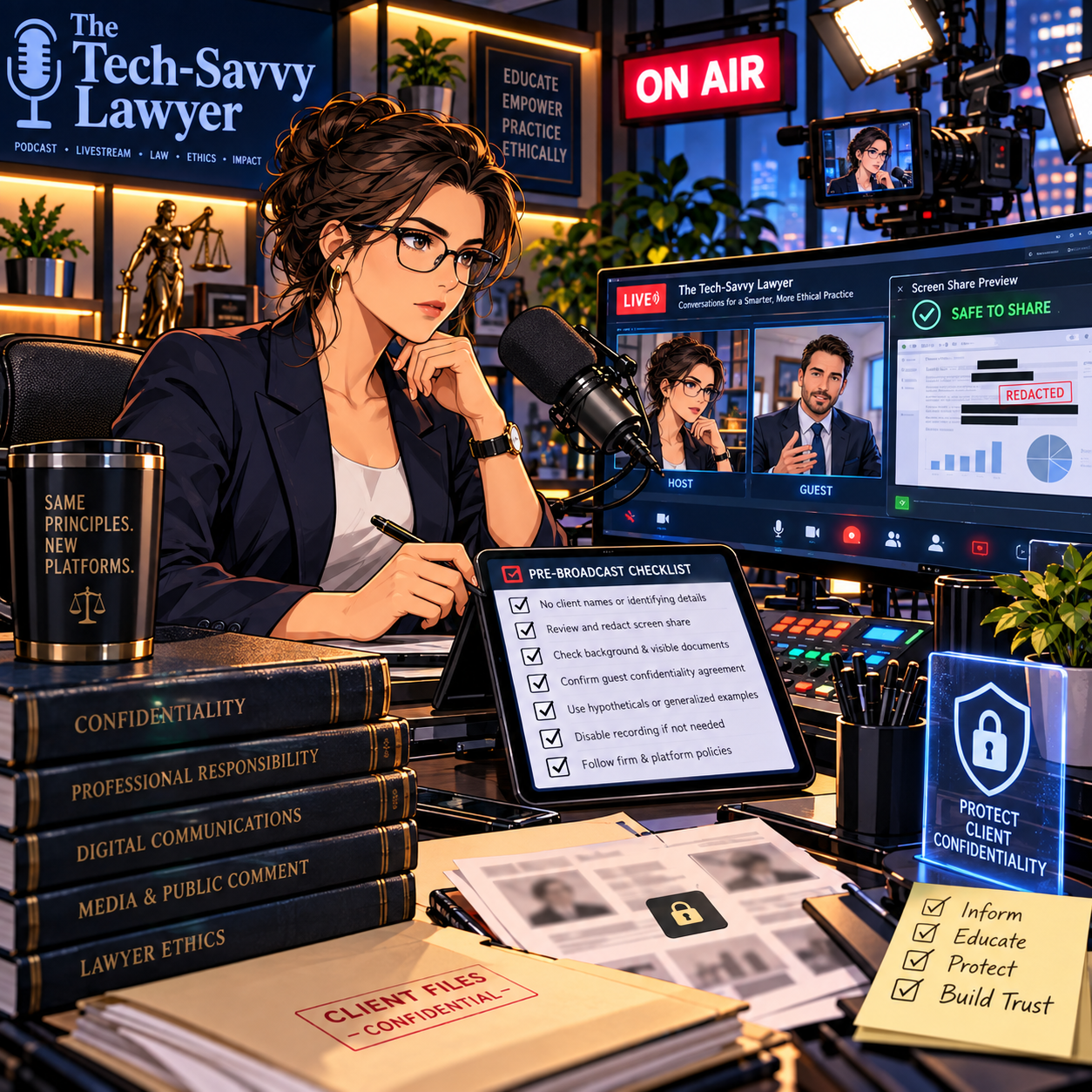
ANNOUNCEMENT: The Lawyer’s Guide to Podcasting Is Here: A Practical, Ethical Launch Plan for Busy Lawyers 🎙️⚖️

I’m excited to share! The wait is over! The Lawyer’s Guide to Podcasting is officially released. 🎉🎙️ This book is built for lawyers, paralegals, and legal professionals who want a clear, practical path to launching a podcast—without needing to be “techy” to get it right.

Podcasting has become one of the most effective ways to build trust at scale. People want more than ads. They want a real voice. They want context. They want clarity. A podcast lets you educate, connect, and show your professional judgment in a way a website cannot. It also gives prospective clients a low-pressure way to get to know you before they ever call. 📈🤝

This guide covers the full podcast lifecycle in plain language. You will learn how to pick a topic that fits your goals and schedule. You will learn the most useful show formats for legal audiences, including solo episodes, interviews, storytelling, and educational series. You will also learn what to buy (and what to skip) when building your gear setup. That includes microphones, headphones, webcams, lighting, and basic acoustic improvements that matter in real offices. 🎧🎥💡

QR Code for 📚 purchase on amazon

Software matters too. In this book, I explain beginner and pro options for recording and editing. It also covers remote recording tools and simple video workflows for YouTube and modern platforms. You will get a clear explanation of podcast hosting and distribution, including how RSS feeds deliver your episodes to directories like Apple Podcasts and Spotify. 📲🌍

A major focus of this book is professional responsibility. Lawyers must avoid accidental legal advice. Lawyers must avoid creating unintended attorney-client relationships. Lawyers must also watch multi-jurisdictional issues and advertising rules. This guide addresses those risks directly and gives practical guardrails you can use in real episodes. 🛡️📜

You will also learn how to use AI efficiently and ethically. AI can save time on transcripts, show notes, clips, and repurposed content. It can also create risk if you feed it sensitive data or publish unverified output. The book offers a workflow-first approach that protects confidentiality and supports accuracy. ✅🤖

The Lawyer’s Guide to Podcasting is part of the Lawyers Tech Guide (LTG) series from Michael D.J. Eisenberg, creator of The Tech-Savvy Lawyer.Page. The mission is simple: use technology to communicate clearly, serve people better, and reclaim time. ⏳✨

Ready to launch?
You are just one click away!

🔗 Purchase here on Amazon 🔗