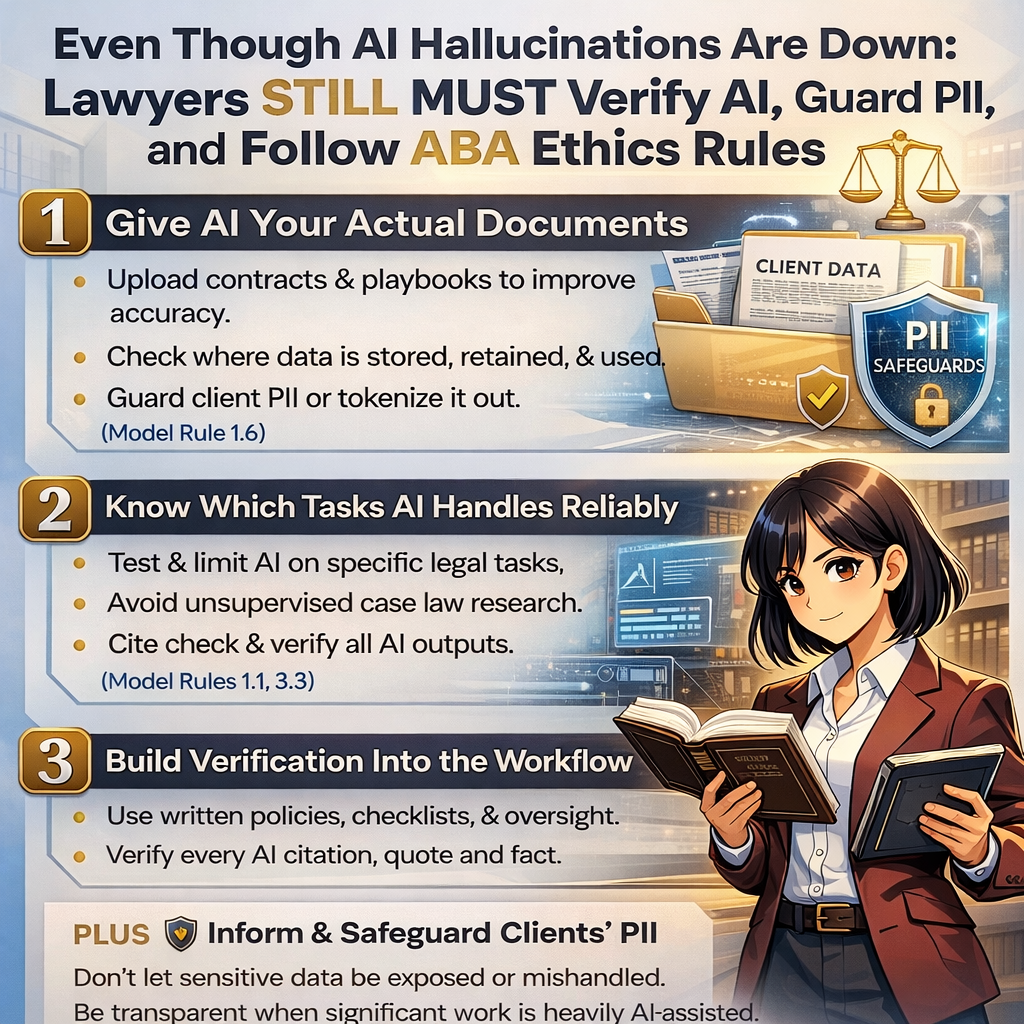
MTC: Clio–Alexi Legal Tech Fight: What CRM Vendor Litigation Means for Your Law Firm, Client Data and ABA Model Rule Compliance ⚖️💻

Competence, Confidentiality, Vendor Oversight!

When the companies behind your CRM and AI research tools start suing each other, the dispute is not just “tech industry drama” — it can reshape the practical and ethical foundations of your practice. At a basic to moderate level, the Clio–Alexi fight is about who controls valuable legal data, how that data can be used to power AI tools, and whether one side is using its market position unfairly. Clio (a major practice‑management and CRM platform) is tied to legal research tools and large legal databases. Alexi is a newer AI‑driven research company that depends on access to caselaw and related materials to train and deliver its products. In broad strokes, one side claims the other misused or improperly accessed data and technology; the other responds that the litigation is “sham” or anticompetitive, designed to limit a smaller rival and protect a dominant ecosystem. There are allegations around trade secrets, data licensing, and antitrust‑style behavior. None of that may sound like your problem — until you remember that your client data, workflows, and deadlines live inside tools these companies own, operate, or integrate with.

For lawyers with limited to moderate technology skills, you do not need to decode every technical claim in the complaints and counterclaims. You do, however, need to recognize that vendor instability, lawsuits, and potential regulatory scrutiny can directly touch: your access to client files and calendars, the confidentiality of matter information stored in the cloud, and the long‑term reliability of the systems you use to serve clients and get paid. Once you see the dispute in those terms, it becomes squarely an ethics, risk‑management, and governance issue — not just “IT.”

ABA Model Rule 1.1: Competence Now Includes Tech and Vendor Risk

Model Rule 1.1 requires “competent representation,” which includes the legal knowledge, skill, thoroughness, and preparation reasonably necessary for the representation. In the modern practice environment, that has been interpreted to include technology competence. That does not mean you must be a programmer. It does mean you must understand, in a practical way, the tools on which your work depends and the risks they bring.

If your primary CRM, practice‑management system, or AI research tool is operated by a company in serious litigation about data, licensing, or competition, that is a material fact about your environment. Competence today includes: knowing which mission‑critical workflows rely on that vendor (intake, docketing, conflicts, billing, research, etc.); having at least a baseline sense of how vendor instability could disrupt those workflows; and building and documenting a plan for continuity — how you would move or access data if the worst‑case scenario occurred (for example, a sudden outage, injunction, or acquisition). Failing to consider these issues can undercut the “thoroughness and preparation” the Rule expects. Even if your firm is small or mid‑sized, and even if you feel “non‑technical,” you are still expected to think through these risks at a reasonable level.

ABA Model Rule 1.6: Confidentiality in a Litigation Spotlight

Model Rule 1.6 is often front of mind when lawyers think about cloud tools, and the Clio–Alexi dispute reinforces why. When a technology company is sued, its systems may become part of discovery. That raises questions like: what types of client‑related information (names, contact details, matter descriptions, notes, uploaded files) reside on those systems; under what circumstances that information could be accessed, even in redacted or aggregate form, by litigants, experts, or regulators; and how quickly and completely you can remove or export client data if a risk materializes.

You remain the steward of client confidentiality, even when data is stored with a third‑party provider. A reasonable, non‑technical but diligent approach includes: understanding where your data is hosted (jurisdictions, major sub‑processors, data‑center regions); reviewing your contracts or terms of service for clauses about data access, subpoenas, law‑enforcement or regulatory requests, and notice to you; and ensuring you have clearly defined data‑export rights — not only if you voluntarily leave, but also if the vendor is sold, enjoined, or materially disrupted by litigation. You are not expected to eliminate all risk, but you are expected to show that you considered how vendor disputes intersect with your duty to protect confidential information.

ABA Model Rule 5.3: Treat Vendors as Supervised Non‑Lawyer Assistants

ABA Rules for Modern Legal Technology can be a factor when legal tech companies fight!

Model Rule 5.3 requires lawyers to make reasonable efforts to ensure that non‑lawyer assistants’ conduct is compatible with professional obligations. In 2026, core technology vendors — CRMs, AI research platforms, document‑automation tools — clearly fall into this category.

You are not supervising individual programmers, but you are responsible for: performing documented diligence before adopting a vendor (security posture, uptime, reputation, regulatory or litigation history); monitoring for material changes (lawsuits like the Clio–Alexi matter, mergers, new data‑sharing practices, or major product shifts); and reassessing risk when those changes occur and adjusting your tech stack or contracts accordingly. A litigation event is a signal that “facts have changed.” Reasonable supervision in that moment might mean: having someone (inside counsel, managing partner, or a trusted advisor) read high‑level summaries of the dispute; asking the vendor for an explanation of how the litigation affects uptime, data security, and long‑term support; and considering whether you need contractual amendments, additional audit rights, or a backup plan with another provider. Again, the standard is not perfection, but reasoned, documented effort.

How the Clio–Alexi Battle Can Create Problems for Users

A dispute at this scale can create practical, near‑term friction for everyday users, quite apart from any final judgment. Even if the platforms remain online, lawyers may see more frequent product changes, tightened integrations, shifting data‑sharing terms, or revised pricing structures as companies adjust to litigation costs and strategy. Any of these changes can disrupt familiar workflows, create confusion around where data actually lives, or complicate internal training and procedures.

There is also the possibility of more subtle instability. For example, if a product roadmap slows down or pivots under legal pressure, features that firms were counting on — for automation, AI‑assisted drafting, or analytics — may be delayed or re‑scoped. That can leave firms who invested heavily in a particular tool scrambling to fill functionality gaps with manual workarounds or additional software. None of this automatically violates any rule, but it can introduce operational risk that lawyers must understand and manage.

In edge cases, such as a court order that forces a vendor to disable key features on short notice or a rapid sale of part of the business, intense litigation can even raise questions about long‑term continuity. A company might divest a product line, change licensing models, or settle on terms that affect how data can be stored, accessed, or used for AI. Firms could then face tight timelines to accept new terms, migrate data, or re‑evaluate how integrated AI features operate on client materials. Without offering any legal advice about what an individual firm should do, it is fair to say that paying attention early — before options narrow — is usually more comfortable than reacting after a sudden announcement or deadline.

Practical Steps for Firms at a Basic–Moderate Tech Level

You do not need a CIO to respond intelligently. For most firms, a short, structured exercise will go a long way:

Practical Tech Steps for Today’s Law Firms

  1. Inventory your dependencies. List your core systems (CRM/practice management, document management, time and billing, conflicts, research/AI tools) and note which vendors are in high‑profile disputes or under regulatory or antitrust scrutiny.

  2. Review contracts for safety valves. Look for data‑export provisions, notice obligations if the vendor faces litigation affecting your data, incident‑response timelines, and business‑continuity commitments; capture current online terms.

  3. Map a contingency plan. Decide how you would export and migrate data if compelled by ethics, client demand, or operational need, and identify at least one alternative provider in each critical category.

  4. Document your diligence. Prepare a brief internal memo or checklist summarizing what you reviewed, what you concluded, and what you will monitor, so you can later show your decisions were thoughtful.

  5. Communicate without alarming. Most clients care about continuity and confidentiality, not vendor‑litigation details; you can honestly say you monitor providers, have export and backup options, and have assessed the impact of current disputes.

From “IT Problem” to Core Professional Skill

The Clio–Alexi litigation is a prominent reminder that law practice now runs on contested digital infrastructure. The real message for working lawyers is not to flee from technology but to fold vendor risk into ordinary professional judgment. If you understand, at a basic to moderate level, what the dispute is about — data, AI training, licensing, and competition — and you take concrete steps to evaluate contracts, plan for continuity, and protect confidentiality, you are already practicing technology competence in a way the ABA Model Rules contemplate. You do not have to be an engineer to be a careful, ethics‑focused consumer of legal tech. By treating CRM and AI providers as supervised non‑lawyer assistants, rather than invisible utilities, you position your firm to navigate future lawsuits, acquisitions, and regulatory storms with far less disruption. That is good risk management, sound ethics, and, increasingly, a core element of competent lawyering in the digital era. 💼⚖️

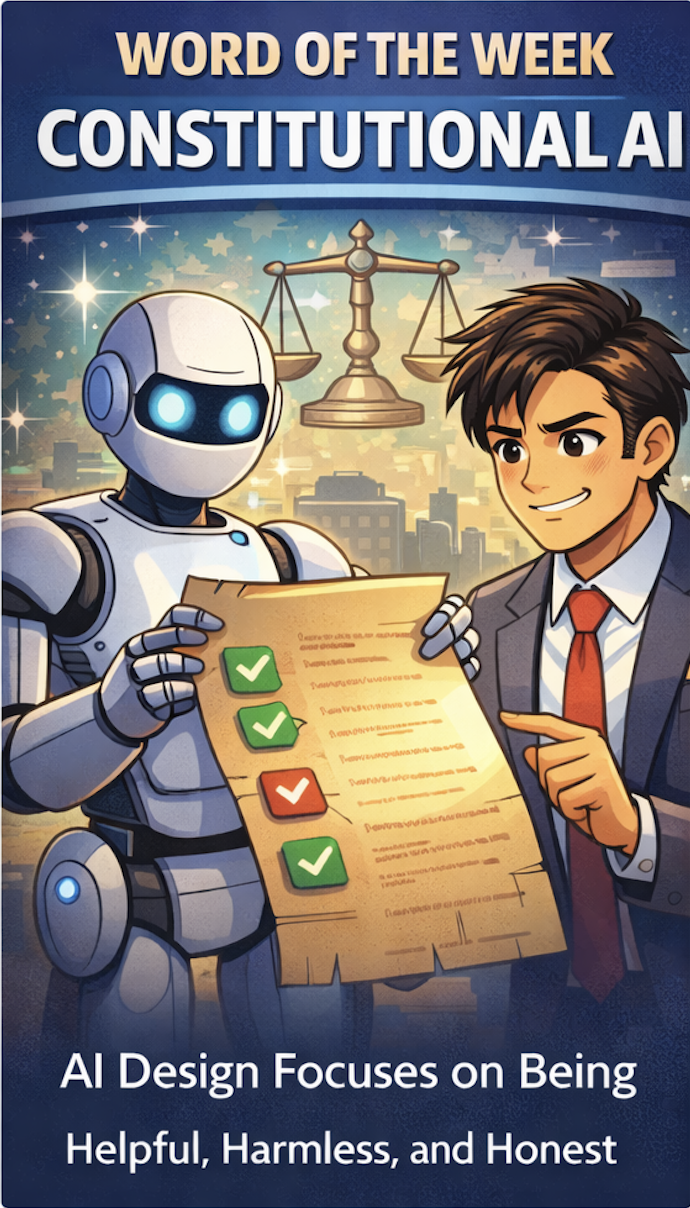
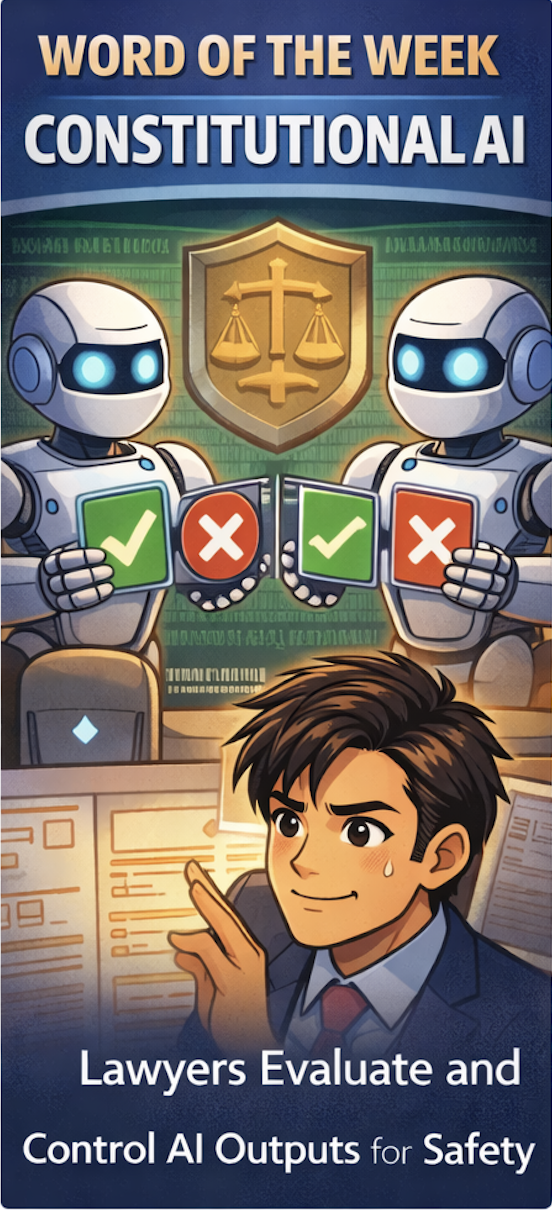
Word of the Week: "Constitutional AI" for Lawyers - What It Is, Why It Matters for ABA Rules, and How Solo & Small Firms Should Use It!

Constitutional AI’s ‘helpful, harmless, honest’ standard is a solid starting point for lawyers evaluating AI platforms.

The term “Constitutional AI” appeared this week in a Tech Savvy Lawyer post about the MTC/PornHub breach as a cybersecurity wake‑up call for lawyers 🚨. That article used it to highlight how AI systems (like those law firms now rely on) must be built and governed by clear, ethical rules — much like a constitution — to protect client data and uphold professional duties. This week’s Word of the Week unpacks what Constitutional AI really means and explains why it matters deeply for solo, small, and mid‑size law firms.

🔍 What is Constitutional AI?

Constitutional AI is a method for training large language models so they follow a written set of high‑level principles, called a “constitution” 📜. Those principles are designed to make the AI helpful, honest, and harmless in its responses.

As Claude AI from Anthropic explains:
Constitutional AI refers to a set of techniques developed by researchers at Anthropic to align AI systems like myself with human values and make us helpful, harmless, and honest. The key ideas behind Constitutional AI are aligning an AI’s behavior with a ‘constitution’ defined by human principles, using techniques like self‑supervision and adversarial training, developing constrained optimization techniques, and designing training data and model architecture to encode beneficial behaviors.” — Claude AI, Anthropic (July 7th, 2023).

In practice, Constitutional AI uses the model itself to critique and revise its own outputs against that constitution. For example, the model might be told: “Do not generate illegal, dangerous, or unethical content,” “Be honest about what you don’t know,” and “Protect user privacy.” It then evaluates its own answers against those rules before giving a final response.

Think of it like a junior associate who’s been given a firm’s internal ethics manual and told: “Before you send that memo, check it against these rules.” Constitutional AI does that same kind of self‑checking, but at machine speed.

🤝 How Constitutional AI Relates to Lawyers

For lawyers, Constitutional AI is important because it directly shapes how AI tools behave when handling legal work 📚. Many legal AI tools are built on models that use Constitutional AI techniques, so understanding this concept helps lawyers:

  • Judge whether an AI assistant is likely to hallucinate, leak sensitive info, or give ethically problematic advice.

  • Choose tools whose underlying AI is designed to be more transparent, less biased, and more aligned with professional norms.

  • Better supervise AI use in the firm, which is a core ethical duty under the ABA Model Rules.

Solo and small firms, in particular, often rely on off‑the‑shelf AI tools (like chatbots or document assistants). Knowing that a tool is built on Constitutional AI principles can give more confidence that it’s designed to avoid harmful outputs and respect confidentiality.

⚖️ Why It Matters for ABA Model Rules

For solo and small firms, asking whether an AI platform aligns with Constitutional AI’s standards is a practical first step in choosing a trustworthy tool.

The ABA’s Formal Opinion 512 on generative AI makes clear that lawyers remain responsible for all work done with AI, even if an AI tool helped draft it 📝. Constitutional AI is relevant here because it’s one way that AI developers try to build in ethical guardrails that align with lawyers' obligations.

Key connections to the Model Rules:

  • Rule 1.1 (Competence): Lawyers must understand the benefits and risks of the technology they use. Knowing that a tool uses Constitutional AI helps assess whether it’s reasonably reliable for tasks like research, drafting, or summarizing.

  • Rule 1.6 (Confidentiality): Constitutional AI models are designed to refuse to disclose sensitive information and to avoid memorizing or leaking private data. This supports the lawyer’s duty to make “reasonable efforts” to protect client confidences.

  • Rule 5.1 / 5.3 (Supervision): Managing partners and supervising attorneys must ensure that AI tools used by staff are consistent with ethical rules. A tool built on Constitutional AI principles is more likely to support, rather than undermine, those supervisory duties.

  • Rule 3.3 (Candor to the Tribunal): Constitutional AI models are trained to admit uncertainty and avoid fabricating facts or cases, which helps reduce the risk of submitting false or misleading information to a court.

In short, Constitutional AI doesn’t relieve lawyers of their ethical duties, but it can make AI tools safer and more trustworthy when used under proper supervision.

🛡️ The “Helpful, Harmless, and Honest” Principle

The three pillars of Constitutional AI — helpful, harmless, and honest — are especially relevant for lawyers:

  • Helpful: The AI should provide useful, relevant information that advances the client’s matter, without unnecessary or irrelevant content.

  • Harmless: The AI should avoid generating illegal, dangerous, or unethical content, and should respect privacy and confidentiality.

  • Honest: The AI should admit when it doesn’t know something, avoid fabricating facts or cases, and not misrepresent its capabilities.

For law firms, this “helpful, harmless, and honest” standard is a useful mental checklist when using AI:

  • Is this AI output actually helpful to the client’s case?

  • Could this output harm the client (e.g., by leaking confidential info or suggesting an unethical strategy)?

  • Is the AI being honest (e.g., not hallucinating case law or pretending to know facts it can’t know)?

If the answer to any of those questions is “no,” the AI output should not be used without significant human review and correction.

🛠️ Practical Takeaways for Law Firms

For solo, small, and mid‑size firms, here’s how to put this into practice:

Lawyers need to screen AI tools and ensure they are aligned with ABA Model Rules.

  1. Know your tools. When evaluating a legal AI product, ask whether it’s built on a Constitutional AI–style model (e.g., Claude). That tells you it’s designed with explicit ethical constraints.

  2. Treat AI as a supervised assistant. Never let AI make final decisions or file work without a lawyer’s review. Constitutional AI reduces risk, but it doesn’t eliminate the need for human judgment.

  3. Train your team. Make sure everyone in the firm understands that AI outputs must be checked for accuracy, confidentiality, and ethical compliance — especially when using third‑party tools.

  4. Update your engagement letters and policies. Disclose to clients when AI is used in their matters, and explain how the firm supervises it. This supports transparency under Rule 1.4 and Rule 1.6.

  5. Focus on “helpful, honest, harmless.” Use Constitutional AI as a mental checklist: Is this AI being helpful to the client? Is it honest about its limits? Is it harmless (no bias, no privacy leaks)? If not, don’t rely on it.

🎙️Ep. 128, Building a Tech-Forward Law Firm: AI Intake, CRM Strategy & Client Experience with Colleen Joyce!

My next guest is Colleen Joyce, CEO of Lawyer.com, a leading legal marketplace that connects over one million consumers monthly with qualified attorneys nationwide. With nearly two decades of experience transforming how law firms leverage technology and marketing, Colleen has pioneered innovations including LawyerLine call intake services, AI-powered matching technology, and the Lawyer Growth Summit. She publishes the Fast Five newsletter every Tuesday, reaching over 20,000 legal professionals with insights on AI trends, business growth strategies, and practice management. In this episode, Colleen shares her expertise on the essential technologies modern law firms need to scale profitably, how AI is revolutionizing client intake processes, and the critical human touchpoints that should never be automated in legal practice.

💬 Join Colleen Joyce and me as we discuss the following three questions and more!

1.     Beyond the essential lead generation that Lawyer.com provides, you see thousands of firms succeed and fail based on their operational efficiency. If you are building a modern law firm from scratch today, what are the top three non-negotiable technologies? For example, specific CRM automations, financial analytics, or project management tools you would implement immediately to ensure the firm scales profitably rather than just chaotically.

2.     We know AI is reshaping the top of the funnel for legal consumers. Based on the data you're seeing from your new AI initiatives, what are the top three specific intake bottlenecks that AI can now solve better than a human receptionist? Allowing attorneys to focus primarily on high-value legal work rather than data entry or basic screening.

3.     Technology can handle logistics, but it can't handle the emotion of legal crisis. From your experience overseeing millions of consumer connections, what are the top three human touchpoints in the client lifecycle that a lawyer should never automate? Because they are crucial for building the trust and transparency that leads to long-term referrals.

In our conversation, we cover the following:

-      00:00:00 - Welcome and Introduction to Colleen Joyce

-      00:00:20 - Colleen's Current Tech Setup: MacBook Pro, iPhone 16, iPad, and Curved Monitor

-      00:01:00 - Discussion about iPhone Models and AppleCare Benefits

-      00:02:00 - Using Plaud AI for Recording Conversations

-      00:03:00 - MacBook Pro Specifications and Upgrade Recommendations

-      00:04:00 - Dell Curved Monitor Benefits for Focus and Productivity

-      00:05:00 - Question 1: Top Three Non-Negotiable Technologies for Modern Law Firms

-      00:06:00 - Intake Technology, CRM, and Practice Management Systems

-      00:07:00 - Balancing Cost and Technology for New Lawyers

-      00:08:00 - Leveraging Freemium Tools and AI for Budget-Conscious Firms

-      00:08:30 - Question 2: AI Solutions for Intake Bottlenecks

-      00:09:00 - Answering Phones with Empathetic AI Agents

-      00:10:00 - Importance of Legal-Specific AI Training

-      00:11:00 - Consumer Adoption and Resistance to AI vs. Human Agents

-      00:12:00 - Using Virtual Receptionists and Calendly for Scheduling

-      00:13:00 - Generational Differences in Technology Adoption

-      00:14:00 - The Evolution of Legal Technology Adoption Over 14 Years

-      00:15:00 - Question 3: Human Touchpoints That Should Never Be Automated

-      00:16:00 - Relationship Building and the Courting Period

-      00:17:00 - Screening Clients Through Your Tech Processes

-      00:18:00 - Where to Find Colleen: LinkedIn and the Fast Five Newsletter - 00:18:30 - Closing Remarks and Gratitude

---

📚 Resources

🤝 Connect with Colleen Joyce

•  LinkedIn: https://www.linkedin.com/in/colleenjoyce

•  Lawyer.com: https://www.lawyer.com

•  Lawyer.com Services: https://services.lawyer.com

•  Fast Five Newsletter (Published Tuesdays): https://www.linkedin.com/newsletters/ fast-five-fridays-7265815097552326656

•  Lawyer Growth Summit: https://lawyergrowthsummit.com

•  Lawyer.com Phone: 800-620-0900

•  Lawyer.com Address: 25 Mountainview Boulevard, Basking Ridge, NJ 07920

📖 Mentioned in the Episode

•  MacRumors Buyer's Guide: https://buyersguide.macrumors.com

•  LawyerLine (24-hour Intake Services) : https://www.lawyerline.ai/

🖥 Hardware Mentioned in the Conversation

•  MacBook Pro : https://www.apple.com/macbook-pro/

•  MacBook Pro with M4/M5 Chips (Upgrade recommendation): https://www.apple.com/macbook-pro/

•  iPhone 16: https://www.apple.com/iphone-16/

•  iPad: https://www.apple.com/ipad/

•  Dell Curved Monitor (22-24 inch, white): https://www.dell.com/monitors

•  HP Printer (with automatic duplex printing): https://www.hp.com/printers

☁ Software & Cloud Services Mentioned in the Conversation

•  Plaud AI (Call Recording & Transcription): https://www.plaud.ai

Slack (Team Communication Platform): https://slack.com

•  iMessage (Apple Messaging): https://support.apple.com/en-us/104969

•  Calendly (Scheduling Software): https://calendly.com

•  Monday.com (Project Management & Team Organization): https://monday.com

•  ChatGPT (AI Assistant): https://openai.com/chatgpt

•  AppleCare (Apple Device Protection): https://www.apple.com/support/applecare/

📖 WORD OF THE WEEK YEAR🥳:  Verification: The 2025 Word of the Year for Legal Technology ⚖️💻

all lawyers need to remember to check ai-generated legal citations

After reviewing a year's worth of content from The Tech-Savvy Lawyer.Page blog and podcast, one word emerged to me as the defining concept for 2025: Verification. This term captures the essential duty that separates competent legal practice from dangerous shortcuts in the age of artificial intelligence.

Throughout 2025, The Tech-Savvy Lawyer consistently emphasized verification across multiple contexts. The blog covered proper redaction techniques following the Jeffrey Epstein files disaster. The podcast explored hidden AI in everyday legal tools. Every discussion returned to one central theme: lawyers must verify everything. 🔍

Verification means more than just checking your work. The concept encompasses multiple layers of professional responsibility. Attorneys must verify AI-generated legal research to prevent hallucinations. Courts have sanctioned lawyers who submitted fictitious case citations created by generative AI tools. One study found error rates of 33% in Westlaw AI and 17% in Lexis+ AI. Note the study's foundation is from May 2024, but a 2025 update confirms these findings remain current—the risk of not checking has not gone away. "Verification" cannot be ignored.

The duty extends beyond research. Lawyers must verify that redactions actually remove confidential information rather than simply hiding it under black boxes. The DOJ's failed redaction of the Epstein files demonstrated what happens when attorneys skip proper verification steps. Tech-savvy readers simply copied text from beneath the visual overlays. ⚠️

use of ai-generated legal work requires “verification”, “Verification”, “Verification”!

ABA Model Rule 1.1 requires technological competence. Comment 8 specifically mandates that lawyers understand "the benefits and risks associated with relevant technology." Verification sits at the heart of this competence requirement. Attorneys cannot claim ignorance about AI features embedded in Microsoft 365, Zoom, Adobe, or legal research platforms. Each tool processes client data differently. Each requires verification of settings, outputs, and data handling practices. 🛡️

The verification duty also applies to cybersecurity. Zero Trust Architecture operates on the principle "never trust, always verify." This security model requires continuous verification of user identity, device health, and access context. Law firms can no longer trust that users inside their network perimeter are authorized. Remote work and cloud-based systems demand constant verification.

Hidden AI poses another verification challenge. Software updates automatically activate AI features in familiar tools. These invisible assistants process confidential client data by default. Lawyers must verify which AI systems operate in their technology stack. They must verify data retention policies. They must verify that AI processing does not waive attorney-client privilege. 🤖

ABA Formal Opinion 512 eliminates the "I didn't know" defense. Lawyers bear responsibility for understanding how their tools use AI. Rule 5.3 requires attorneys to supervise software with the same care they supervise human staff members. Verification transforms from a good practice into an ethical mandate.

verify your ai-generated work like your bar license depends on it!

The year 2025 taught legal professionals that technology competence means verification competence. Attorneys must verify redactions work properly. They must verify AI outputs for accuracy. They must verify security settings protect confidential information. They must verify that hidden AI complies with ethical obligations. ✅

Verification protects clients, preserves attorney licenses, and maintains the integrity of legal practice. As The Tech-Savvy Lawyer demonstrated throughout 2025, every technological advancement creates new verification responsibilities. Attorneys who master verification will thrive in the AI era. Those who skip verification steps risk sanctions, malpractice claims, and disciplinary action.

The legal profession's 2025 Word of the Year is verification. Master it or risk everything. 💼⚖️

🎙️ Ep. 121: Iowa Personal Injury Lawyer Tim Semelroth on AI Expert Testimony Prep, Claude for Legal Research and Client Communications Tech!

My next guest is Tim Semelroth. Tim is an Iowa personal injury attorney from RSH Legal, who leverages cutting-edge AI tools, including Notebook LM for expert testimony preparation, Claude AI for dictation, and SIO for medical records analysis. He shares practical strategies for maintaining client relationships through e-signatures, texting integration, and automated birthday card systems while embracing legal technology. All this and more, enjoy.

Join Tim Semelroth and me as we discuss the following three questions and more!

  1. What are the top three ways lawyers can leverage AI tools like ChatGPT and Notebook LM to prepare for expert testimony or cross-examination? And how do you ensure client confidentiality when using these tools?

  2. What are the top three technology tools or systems that personal injury attorneys should implement to streamline their practice when handling cases involving trucking accidents, medical records analysis, and insurance negotiations?

  3. What are the top three strategies you recommend for attorneys to maintain personal relationships with clients and community involvement, while also embracing cutting-edge legal technology to improve practice efficiency?

In our conversation, we cover the following:

[00:01:00] Introduction and guest tech setup discussion

[00:02:00] Dell hardware specifications and IT outsourcing strategy

[00:03:00] Smartphone preferences - iPhone 16 and iPad Pro

[00:04:00] Cross-platform compatibility between Windows and Mac environments

[00:05:00] Web-based software solutions for remote work flexibility

[00:06:00] Plaud AI dictation hardware - features and use cases

[00:07:00] Dictation while exercising and driving - mobile workflows

[00:08:00] Essential software stack - File Vine, Lead Docket, and SIO

[00:09:00] AI tools for expert testimony preparation and HIPAA compliance

[00:10:00] Simplifying complex legal language for jury comprehension

[00:11:00] Using AI to brainstorm cross-examination topics and preparation

[00:12:00] Notebook LM audio overview feature for testimony preparation

[00:13:00] Client communication preferences - e-signatures and texting

[00:14:00] File Vine texting integration for client communications

[00:15:00] Case management alerts and notification systems

[00:17:00] Client preferences for phone vs. video communication

[00:18:00] Rural client challenges and electronic communication benefits

[00:20:00] SIO AI platform for medical records analysis

[00:21:00] Medical chronology automation and document management

[00:22:00] Jurisdiction-specific customization for demand letters

[00:23:00] Content repurposing strategy across multiple platforms

[00:24:00] LinkedIn marketing for lawyer referral relationships

[00:25:00] Multi-channel newsletter approach - digital and print

[00:26:00] Print newsletter effectiveness for legal professionals

[00:27:00] SEO benefits and peer recognition from content marketing

[00:28:00] Client communication policy - 30-day contact requirements

[00:29:00] Proactive client outreach through text messaging

[00:30:00] Automated birthday card system for client retention

[00:31:00] The Marv Stallman Rule - personal marketing through cards

[00:32:00] Technology-enabled client relationship management

[00:33:00] Contact information and social media presence

RESOURCES

Connect with Tim!

Hardware mentioned in the conversation

Software & Cloud Services mentioned in the conversation

Subscribe to The Tech-Savvy Lawyer.Page podcast on Apple Podcasts, Spotify, or wherever you get your podcasts. Don't forget to leave us a five-star review! ⭐️⭐️⭐️⭐️⭐️

📢 ANNOUNCEMENT: Tech-Savvy Saturdays Takes a Brief Hiatus - Continuing to Empower Lawyers with Legal Tech Insights Through Blogs and Podcasts.

Hey everyone!

My goal with Tech-Savvy Saturdays (TSS) is to consistently serve as a cornerstone resource for legal professionals seeking to navigate the evolving landscape of legal technology. Due to other obligations, I need to take a pause on TSS.  But fear not, TSS will return in several months. Meanwhile, you can still stay updated on all things legal tech through the Tech-Savvy Lawyer Blog and Podcast.

Stay safe and Tech-Savvy!

Your Friend,
Michael D.J.

📖 Word of the Week: RAG (Retrieval-Augmented Generation) - The Legal AI Breakthrough Eliminating Hallucinations. 📚⚖️

What is RAG?

USEd responsibly, rag can be a great tool for lawyers!

Retrieval-Augmented Generation (RAG) is a groundbreaking artificial intelligence technique that combines information retrieval with text generation. Unlike traditional AI systems that rely solely on pre-trained data, RAG dynamically retrieves relevant information from external legal databases before generating responses.

Why RAG Matters for Legal Practice

RAG addresses the most significant concern with legal AI: fabricated citations and "hallucinations." By grounding AI responses in verified legal sources, RAG systems dramatically reduce the risk of generating fictional case law. Recent studies show RAG-powered legal tools produce hallucination rates comparable to human-only work.

Key Benefits

RAG technology offers several advantages for legal professionals:

Enhanced Accuracy: RAG systems pull from authoritative legal databases, ensuring responses are based on actual statutes, cases, and regulations rather than statistical patterns.

Real-Time Updates: Unlike static AI models, RAG can access current legal information, making it valuable for rapidly evolving areas of law.

Source Attribution: RAG provides clear citations and references, enabling attorneys to verify and build upon AI-generated research.

Practical Applications

lawyers who don’t use ai technology like rag will be replaced those who do!

Law firms are implementing RAG for case law research, contract analysis, and legal memo drafting. The technology excels at tasks requiring specific legal authorities and performs best when presented with clearly defined legal issues.

Professional Responsibility Under ABA Model Rules

ABA Model Rule 1.1 (Competence): Comment 8 requires lawyers to "keep abreast of changes in the law and its practice, including the benefits and risks associated with relevant technology." This mandates understanding RAG capabilities and limitations before use.

ABA Model Rule 1.6 (Confidentiality): Lawyers must "make reasonable efforts to prevent the inadvertent or unauthorized disclosure of, or unauthorized access to, information relating to the representation of a client." When using RAG systems, attorneys must verify data security measures and understand how client information is processed and stored.

ABA Model Rule 5.3 (Supervision of Nonlawyer Assistants): ABA Formal Opinion 512 clarifies that AI tools may be considered "nonlawyer assistants" requiring supervision. Lawyers must establish clear policies for RAG usage and ensure proper training on ethical obligations.

ABA Formal Opinion 512: This 2024 guidance emphasizes that lawyers cannot abdicate professional judgment to AI systems. While RAG systems offer improved reliability over general AI tools, attorneys remain responsible for verifying outputs and maintaining competent oversight.

Final Thoughts: Implementation Considerations

lawyers must consider their ethical responsibilities when using generative ai, large language models, and rag.

While RAG significantly improves AI reliability, attorneys must still verify outputs and exercise professional judgment. The technology enhances rather than replaces legal expertise. Lawyers should understand terms of service, consult technical experts when needed, and maintain "human-in-the-loop" oversight consistent with professional responsibility requirements.

RAG represents a crucial step toward trustworthy legal AI, offering attorneys powerful research capabilities while maintaining the accuracy standards essential to legal practice and compliance with ABA Model Rules. Just make sure you use it correctly and check your work!

🎙️Ep. 118: Essential Legal Tech Competency - Colin S. Levy on Building Foundational Technology Skills for Modern Lawyers!

My next guest is Colin Levy, General Counsel at Malbek. Colin is a leading voice in legal innovation. During our interview, he shared practical insights on building foundational legal tech skills for modern lawyers.

During the conversation, Colin outlines the top three steps every lawyer should take to develop legal tech competency, regardless of their technical background. He emphasizes the ethical responsibilities that lawyers face when utilizing AI, particularly the risks associated with unchecked reliance on generative tools and the need to acknowledge potential inaccuracies. Colin also shared some great tips on how to better utilize legal professionals' use of Microsoft Word to improve efficiency and save time (and money💰). In discussing the adoption of new technology, he underscores the importance of defining problems, clarifying desired outcomes, and fully leveraging existing tools before selecting new solutions strategically.

Join Colin and me as we discuss the following three questions and more!

  1. Based on his extensive experience interviewing legal tech leaders and your role as general counsel at Malbek, Colin provides the top three foundational steps every lawyer should take today to build their legal tech competency, regardless of their current technical skill level.

  2. Colin shares three specific ways lawyers can immediately improve their document drafting efficiency using existing technology tools, and how this foundational competence connects to more advanced legal tech adoption.

  3. Colin has conducted hundreds of interviews with legal tech leaders and now serves as general counsel for a CLM company.  He has seen both the vendor and practitioner perspectives. Colin shares his top three strategic considerations lawyers should evaluate when selecting and implementing new technology solutions to ensure they actually improve client service delivery and practice efficiency rather than just adding complexity.

In our conversation, we covered the following:

[01:28] Colin's Tech Setup

[11:14] The Three Core Steps to Legal Tech Competency

[13:17] AI Tools and Ethical Considerations

[17:29] Improving Document Drafting Efficiency

[23:15] Strategic Considerations for Technology Selection

Resources:

Connect with Colin:

Mentioned in the episode:

Hardware mentioned in the conversation:

Software & Cloud Services mentioned in the conversation:

ILTACON 2025: Legal AI Revolution Accelerates as Major Providers Unveil Next-Generation Platforms

Lexis, vlex, westlaw highlight their newest ai functions!

The International Legal Technology Association’s 2025 annual conference (#ILTACON2025) in the National Harbor just outside of Washington, DC, became the epicenter of legal AI innovation as Thomson Reuters, LexisNexis, and vLex/Fastcase showcased their most advanced artificial intelligence platforms. Each provider demonstrated distinct approaches to solving the legal profession's technology challenges, with announcements that signal a fundamental shift from experimental AI tools to enterprise-ready systems capable of autonomous legal workflows.

Thomson Reuters Launches CoCounsel Legal with Groundbreaking Deep Research

Thomson Reuters made headlines with the launch of CoCounsel Legal, featuring what the company positions as industry-leading Agentic AI capabilities. This launch represents a fundamental evolution from AI assistants that respond to prompts toward intelligent systems that can plan, reason, and execute complex multi-step workflows autonomously.

The platform's flagship innovation is Deep Research, an AI feature that conducts comprehensive legal research by leveraging Westlaw Advantage’s proprietary research tools and expert legal content. According to Thomson Reuters, CoCounsel Legal combines advanced generative models with the exclusive resources of Westlaw and Practical Law, aiming to deliver trusted, up-to-date, and relevant legal analysis for practitioners. The company emphasizes that its Agentic AI operates directly within Westlaw, making use of the platform’s curated research toolset and authoritative content to enhance accuracy and reliability in legal workflows.

Thomson Reuters Launches CoCounsel Legal with Groundbreaking Deep Research

Key capabilities include guided workflows for drafting privacy policies, employee policies, complaints, and discovery requests, with Thomson Reuters planning incremental releases of new workflows. The platform addresses the critical challenge of document management system integration through federated search technology, which leverages existing Document Management System (DMS) search systems while applying AI for re-ranking and summarization.

The company also introduced Westlaw Advantage on August 13, 2025, positioned as the final versioned release of Westlaw, with future improvements delivered through continuous updates rather than new license agreements. This shift to a traditional Software-as-a-Service (aka SaaS) delivery model includes multi-year subscriptions with automatic upgrades at no additional cost.

Thomson Reuters has invested $10 billion in transforming legal technology foundations, with over $200 million annually dedicated specifically to integrating AI into flagship products. The platform already serves over 20,000 law firms and corporate legal departments, including the majority of AmLaw 100 firms.

LexisNexis Introduces Protégé General AI with Industry-First Voice Capabilities

LexisNexis announced on August 11, 2025, the preview launch of Protégé General AI, expanding its personalized AI assistant to include secure access to general-purpose AI models alongside legal-specific tools. This development builds on the company's March 2025 launch of the legal industry's first voice-enabled AI assistant for complex legal work. This voice feature allows users to interact naturally with the platform, guiding legal research and drafting by issuing spoken requests. The tool is designed to help legal practitioners streamline routine workflows, surface key insights, and perform drafting and search tasks hands-free, all within a secure and integrated environment.

LexisNexis Introduces Protégé General AI with Industry-First Voice Capabilities

Protégé's key differentiator lies in its toggle functionality, allowing users to switch between authoritative legal AI (grounded in LexisNexis content) and general-purpose AI models including GPT-5*, GPT-4o, GPT-o3, and Claude Sonnet 4. This eliminates the need to switch between different AI tools while maintaining enterprise-grade security.

The platform processes documents up to 300 pages long (a 250% increase over previous limits) and offers unprecedented personalization capabilities. It learns individual user workflows, preferences, writing styles, and jurisdictions to deliver customized responses. The system integrates with document management systems to ground responses in firm-specific knowledge while maintaining strict security controls.

Approximately 200 law firms, corporate legal departments, and law schools are participating in the customer preview program, with general availability expected later in 2025.

vLex Showcases Vincent AI Spring '25 with Studio Workflow Creation

vLex presented its Vincent AI Spring '25 Release at ILTACON 2025, highlighting enhanced agentic capabilities and the introduction of Studio, a platform allowing users to create custom workflows without coding. The company emphasized its data-centric approach, leveraging its billion-document global legal database spanning over 100 countries.

vLex Showcases Vincent AI Spring '25 with Studio Workflow Creation

vLex’s Spring ’25 release also emphasizes its Vincent Tables feature, which allows users to extract and compare key data points across large sets of documents and generate structured outputs like memos. Their General Assist capability supports drafting tasks—such as composing emails and summarizing meeting notes—within Vincent’s secure, enterprise-grade environment. Overall, vLex positions Vincent AI as a comprehensive workflow platform that delivers consistent, authoritative legal insights powered by a global database of over one billion documents from more than 100 jurisdictions.

During ILTACON, vLex also announced the 2025 Fastcase 50 awards, recognizing legal innovation leaders who are "engineering the future of legal practice". The company positioned itself as serving the "engineering minds and visionary leaders driving the legal profession's transformation".

🔎 Feature Comparison: How the Big Three Actually Stack Up

Market Positioning and Strategic Differentiation

The three providers have established distinct market positions based on their 2025 announcements. Thomson Reuters targets enterprise-level implementations, evidenced by multi-year contracts with the U.S. Federal Courts system, including the U.S. Supreme Court, and a focus on consistent, reliable workflows for large-scale legal operations.

LexisNexis emphasizes user experience and personalization, with Protégé designed to understand individual lawyer preferences and adapt to different work styles. The voice interface represents a significant advancement in accessibility and usability, particularly valuable for lawyers with physical accessibility needs or those who prefer natural language interaction.

vLex positions itself as serving both mid-size firms and AmLaw 100 practices, emphasizing comprehensive workflow solutions and global legal coverage. The Studio platform addresses the growing demand for customizable AI workflows tailored to specific practice requirements.

Final Thoughts: Industry Impact and Measurable Results

ILTACON was a great experience - I learned and hope to share a lot!

These ILTACON 2025 announcements demonstrate the maturation of legal AI from experimental tools to platforms delivering measurable business value. Case studies reveal significant cost savings, with startups like OMNIUX reporting monthly savings of $15,000 to $20,000 in legal fees using CoCounsel.

Independent analysis shows that contract review tasks, which previously required two to two and a half hours, can now be completed in 10 minutes, representing productivity improvements of over 90%. Legal professionals report that document analysis tasks requiring days of manual work can now be completed in under an hour.

The competitive landscape now features three mature approaches: Thomson Reuters' enterprise-focused agentic workflows with deep legal research integration, LexisNexis's personalized voice-enabled AI with comprehensive model flexibility, and vLex's comprehensive workflow platform with global legal intelligence.

As legal professionals evaluate these platforms, selection criteria should include firm size, practice areas, existing technology infrastructure, required customization levels, and specific workflow requirements. The legal profession's digital transformation has clearly accelerated beyond the experimental phase, with AI becoming essential infrastructure for competitive legal practice.

But what does this mean for the solo, small-, and medium-size law forms? Stay Tuned as my analysis on that will be posted soon!

Happy Lawyering!

* (Note, the original launch was supposed to include GPT-5 but it has been pulled pending resolution of issues in its program - see MTC: Why "Newer" AI Models Aren't Always Better: The ChatGPT-5 and Apple Intelligence Reality Check for Legal Professionals! for reference).

Word of the Week: Synthetic Data 🧑‍💻⚖️

What Is Synthetic Data?

Synthetic data is information that is generated by algorithms to mimic the statistical properties of real-world data, but it contains no actual client or case details. For lawyers, this means you can test software, train AI models, or simulate legal scenarios without risking confidential information or breaching privacy regulations. Synthetic data is not “fake” in the sense of being random or useless—it is engineered to be realistic and valuable for analysis.

How Synthetic Data Applies to Lawyers

  • Privacy Protection: Synthetic data allows law firms to comply with strict privacy laws like GDPR and CCPA by removing any real personal identifiers from the datasets used in legal tech projects.

  • AI Training: Legal AI tools need large, high-quality datasets to learn and improve. Synthetic data fills gaps when real data is scarce, sensitive, or restricted by regulation.

  • Software Testing: When developing or testing new legal software, synthetic data lets you simulate real-world scenarios without exposing client secrets or sensitive case details.

  • Cost and Efficiency: It is often faster and less expensive to generate synthetic data than to collect, clean, and anonymize real legal data.

Lawyers know your data source; your license could depend on it!

📢

Lawyers know your data source; your license could depend on it! 📢

Synthetic Data vs. Hallucinations

  • Synthetic Data: Created on purpose, following strict rules to reflect real-world patterns. Used for training, testing, and developing legal tech tools. It is transparent and traceable; you know how and why it was generated.

  • AI Hallucinations: Occur when an AI system generates information that appears plausible but is factually incorrect or entirely fabricated. In law, this can mean made-up case citations, statutes, or legal arguments. Hallucinations are unpredictable and can lead to serious professional risks if not caught.

Key Difference: Synthetic data is intentionally crafted for safe, ethical, and lawful use. Hallucinations are unintentional errors that can mislead and cause harm.

Why Lawyers Should Care

  • Compliance: Using synthetic data helps you stay on the right side of privacy and data protection laws.

  • Risk Management: It reduces the risk of data breaches and regulatory penalties.

  • Innovation: Enables law firms to innovate and improve processes without risking client trust or confidentiality.

  • Professional Responsibility: Helps lawyers avoid the dangers of relying on unverified AI outputs, which can lead to sanctions or reputational damage.

Lawyers know your data source; your license could depend on it!