MTC: Law School, Laptops, and AI: Why Banning Computers Misses the Point!

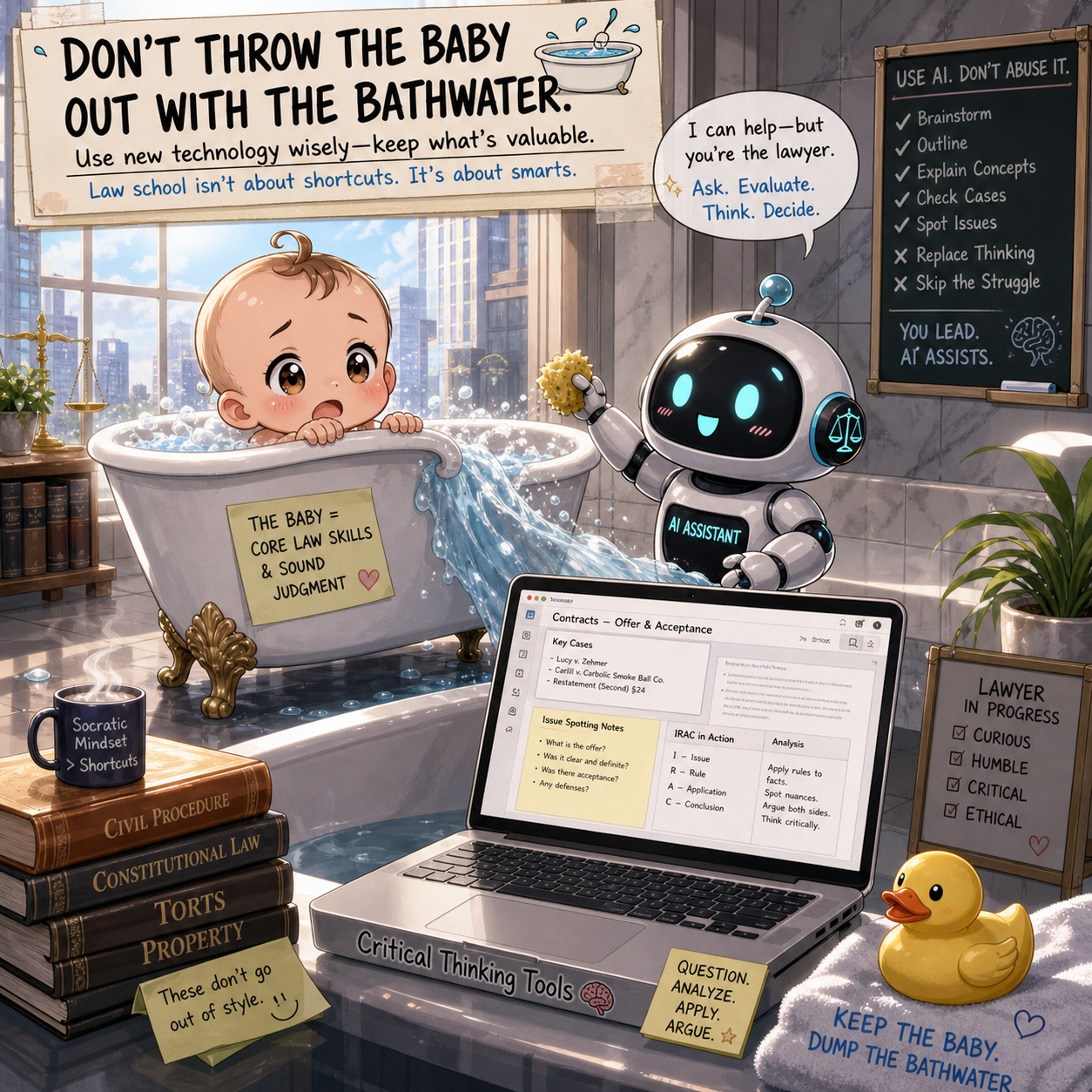
Law schools are throwing out the baby with the bathwater by banning laptops from the classroom as an effort to combat improper ai use.

On July 10, 2026, the conversation around artificial intelligence in legal education reached a new level. Reports of universities banning both AI tools and laptops in classrooms reflect a growing anxiety: how do we preserve critical thinking in an age of automation? ⚖️

It is a fair question. It is also the wrong solution.

Let me be clear at the outset. A first-year ban on AI tools makes sense. A blanket ban on laptops does not.

The Case for Limiting AI—At First

Legal education has always been about building judgment. That means learning how to analyze facts, synthesize doctrine, and construct arguments from scratch. AI short-circuits that process if used too early.

Under ABA Model Rule 1.1 (Competence), lawyers must provide knowledgeable and skilled representation. That competence begins in law school. If students rely on AI before they understand the law themselves, they risk becoming operators instead of thinkers.

As I have noted in prior discussions on legal technology, AI should augment—not replace—legal reasoning.

So yes, a structured limitation on AI during the first year is defensible. It creates a foundation. It forces students to wrestle with ambiguity. It builds intellectual muscle. 💡

But Banning Laptops? That Is an Overreach

This is where the policy breaks down.

When I entered law school then graduated in 2002, laptops were just beginning to appear in classrooms. They were not universal. They were not always welcome.

For me, the laptop was not a distraction. It was essential.

My handwriting was and sadly still is poor. My ability to type, organize notes, and revise quickly made the difference between struggling and succeeding. My laptop was not a shortcut. It was an accessibility tool before we used that term widely.

Fast forward to today. Students are typing far more than they write. Many have never learned cursive. Their academic workflows are digital from the start.

To remove laptops is not to level the playing field. It is to shift it—often unfairly.

The Practical Reality of Modern Learning

Legal education does not exist in a vacuum. Law practice is digital.

Law students who learned on laptops will be disadvantaged if classrooms suddenly ban them.

Under ABA Model Rule 1.1, Comment 8, lawyers must understand the benefits and risks of technology. That obligation does not begin after graduation. It begins in law school.

Students today must learn:

  • How to organize digital research

  • How to draft and revise efficiently

  • How to manage documents and workflows

  • How to integrate technology into legal reasoning

You cannot teach modern legal competence while removing the primary tools of modern legal work. 🖥️

A laptop is not the problem. Misuse is.

The Enforcement Problem No One Is Talking About

There is also a practical issue. Banning AI is difficult to enforce. Banning laptops is easy.

That does not make it the right policy.

If anything, banning laptops is a workaround for the harder problem of AI enforcement. It is a policy by convenience.

And it raises a deeper concern under ABA Model Rule 5.3 (Responsibilities Regarding Nonlawyer Assistance), which increasingly applies to AI tools. Lawyers—and future lawyers—must learn to supervise and evaluate AI outputs.

You cannot teach supervision by eliminating exposure.

A Better Approach: Controlled Access, Not Prohibition

Law schools should be experimenting with smarter controls instead of blunt bans.

Some possibilities include:

  • Disabling Wi-Fi and cellular signals in certain classrooms 📶

  • Using locked-down exam or classroom software environments

  • Creating AI-permitted and AI-prohibited assignments with clear boundaries

  • Requiring disclosure of AI use in coursework

  • Teaching prompt engineering and AI verification as part of the curriculum

This approach aligns with ABA Model Rule 1.6 (Confidentiality) as well. Students must learn what data can and cannot be shared with AI systems.

Exposure with guardrails is more effective than prohibition. That principle applies directly to how law schools should approach AI.

Critical Thinking and Technology Are Not Opposites

There is a persistent myth underlying these bans: that technology erodes thinking.

That is not inherently true.

Technology can weaken thinking if it replaces effort. It can strengthen thinking if it supports it.

A student who uses a laptop to organize case law, annotate notes, and refine arguments is not thinking less. They are thinking differently—and often more effectively.

The same will eventually be true of AI.

The goal is not to create lawyers who avoid technology or who think less by using AI. It is to create lawyers who use it wisely. ⚖️

What Law Schools Should Be Teaching Instead

If I were designing a first-year curriculum today, I would include:

THE MODERN LAWYER NEEDS TO KNOW HOW TO BALANCE JUDGMENT WITH AI USE IN THEIR WORK!

  • A temporary restriction on AI-generated work

  • Mandatory instruction on how AI tools function

  • Exercises in verifying AI outputs against primary sources

  • Training on ethical risks, including hallucinations and confidentiality

  • Continued use of laptops as standard tools

This approach respects both sides of the equation: foundational thinking and technological competence.

Final Thought: Do Not Solve the Wrong Problem

Law schools are right to be concerned. AI is reshaping the profession at a rapid pace.

But banning laptops is not a solution. It is a signal of discomfort.

The better path is harder. It requires nuance. It requires experimentation. It requires trust in students, guided by structure.

Most importantly, it requires recognizing that the future lawyer will not choose between thinking and technology.

They will need both.

And law school is exactly where they should learn how to do that. 🚀
MTC: Why Rising PC and AI Tool Prices (for Windows and Apple) Should Be on Every Lawyer’s Radar in 2026

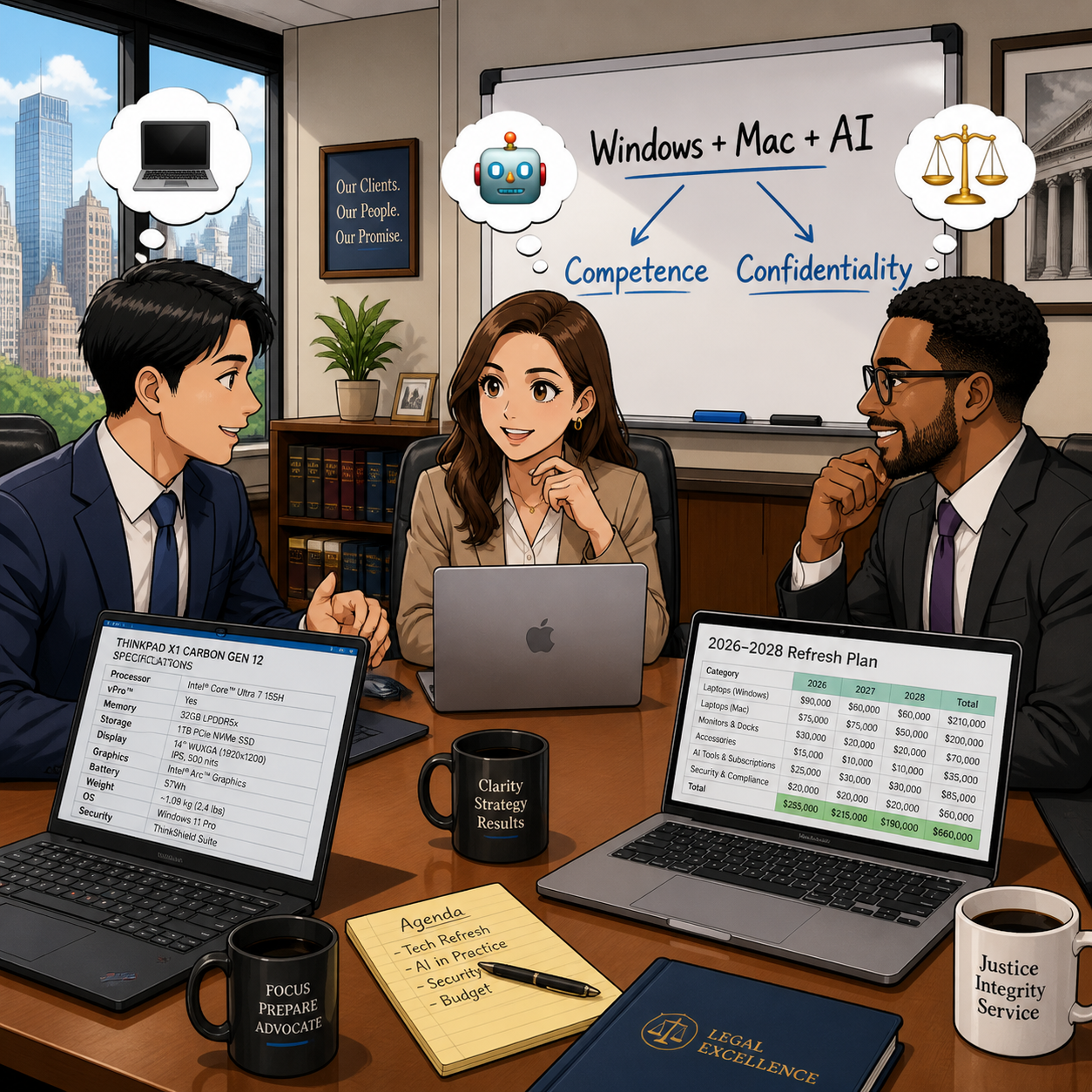
Law firms need to plan Windows, Mac, and AI refresh strategy

If you feel like every new laptop quote is 15–20% higher than last year, you are not imagining things. 📈 And if your favorite AI drafting or transcript tool pinged you with a “small” price adjustment this spring, welcome to the club. 🤖

In our December 2025 editorial, “MTC: The 2026 Hardware Hike: Why Law Firms Must Budget for the ‘AI Squeeze’ Now!”, we warned that a perfect storm in the hardware market was forming: DRAM shortages, surging AI infrastructure demand, and shifting trade policy were about to push PC prices up by 15–20% in 2026. 💻 Then, in April 2026’s “MTC: Why 2026’s PC Price Hikes Put Law Firms at Risk (and Why Many Lawyers Are Quietly Switching to Macs)”, we explored how rising Windows laptop prices were reshaping law firm hardware decisions and eroding the old assumption that “Windows is always cheaper than Mac.”

Those forecasts are now reality across both Windows PCs and Macs, and the question I keep hearing from solo and small firm lawyers is simple: Should I be worried?

The short answer is yes—concerned, not paralyzed. The better question is: how do we respond strategically, in a way that respects both our budgets and our ethical obligations under ABA Model Rules 1.1 (Competence) and 1.6 (Confidentiality)?

A quick recap: what’s driving the price surge?

Let’s start with the “why,” because context matters when you sit down with your next-year budget spreadsheet. 📊

Industry analysts now confirm that average PC prices are rising in the 15–20% range for 2026, with memory costs as the biggest driver. AI data centers—those massive server farms powering tools like ChatGPT and other LLMs—are soaking up an estimated majority of advanced DRAM production, leaving less capacity for business laptops and desktops of all flavors, whether they run Windows or macOS. When memory becomes scarce and expensive, everything that relies on it gets pricier.

You can see this in both ecosystems:

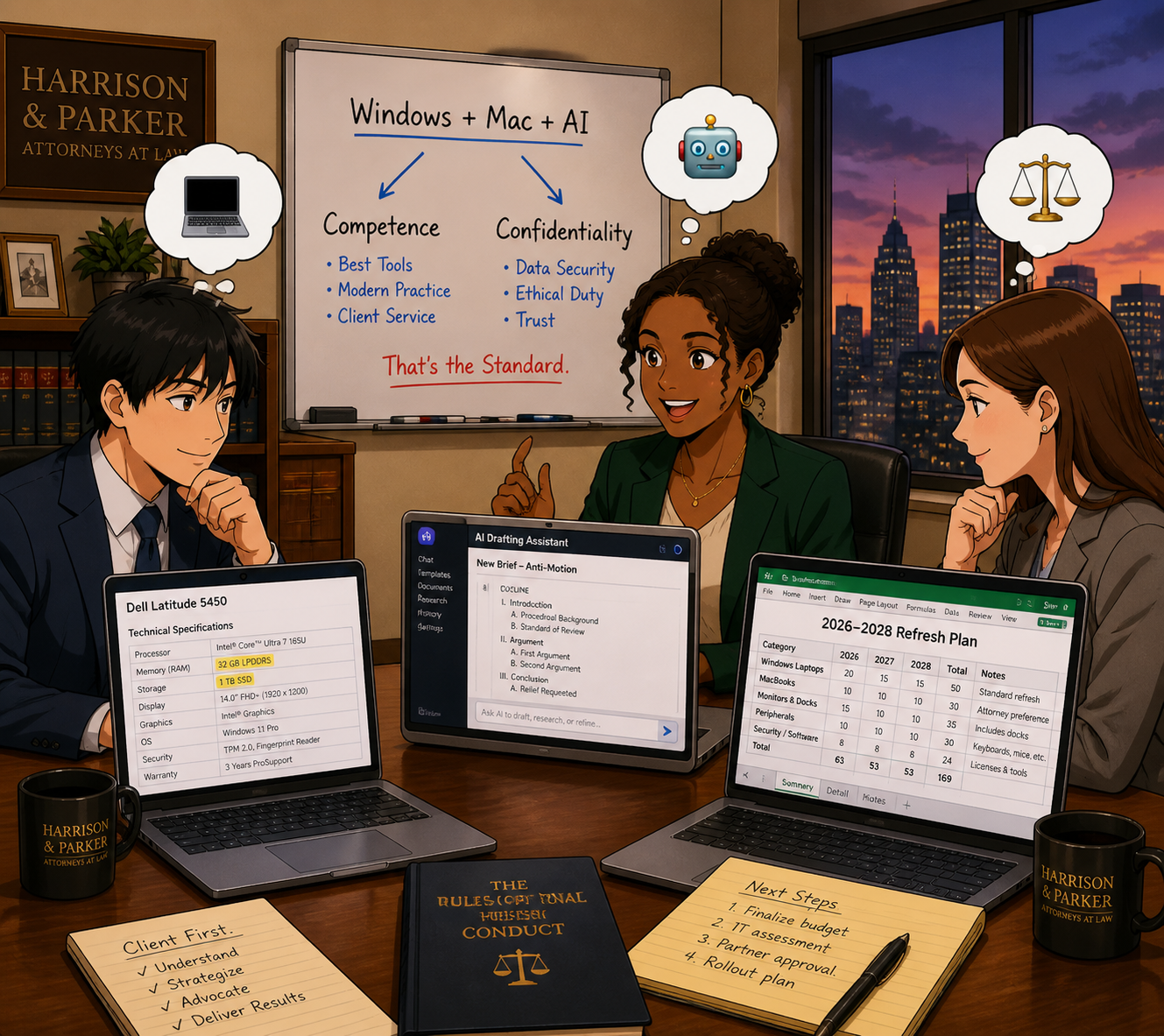
Lawyers need t plan their 2026 law firm hardware budget amid rising costs

  • Windows side: In April, Microsoft sharply raised prices across its Surface lineup, including the Surface Pro and Surface Laptop families, many lawyers rely on. Entry-level machines that once started under 1,000 dollars now begin well above that mark, with some configurations jumping several hundred dollars over launch prices and in some cases exceeding roughly comparable MacBook configurations.

  • Apple side: In June, Apple CEO Tim Cook told The Wall Street Journal that Apple will raise prices because the company can no longer absorb skyrocketing memory and storage costs, calling the situation a “hundred-year flood” and saying he has “never seen anything like it in any area in over 40 years,” describing these increases as “unavoidable.” Apple to Raise Prices Due to Memory Chip Crunch, Tim Cook Says.

When both Microsoft and Apple are telling you that memory costs and component shortages are forcing them to push prices up, that is not a platform rivalry story. It is a signal that the entire hardware market—Windows and Mac alike—is being repriced around the AI era.

On top of that, trade policy and tariffs have increased costs for components and final assembly in key manufacturing hubs like China and Taiwan. Vendors have responded by tightening quote windows and baking in risk premiums, which is why the Windows laptop or Mac you priced in Q4 2025 quietly jumped in Q2 2026. 💸

In “MTC: The 2026 Hardware Hike”, we urged firms to accelerate planned refreshes where possible, prioritize RAM over storage, and budget for stronger machines instead of downgrading specs. In the April 2026 editorial, we drilled into how those same forces made some Mac configurations look surprisingly competitive—and why lawyers should stop treating “Windows versus Mac” as a matter of habit and start treating it as a structured evaluation tied to performance, security, and ethical duties. All of that guidance still holds.

Budgeting like a law practice, not a gadget hobby (PC‑neutral framing)

The theme of “MTC: The 2026 Hardware Hike” was simple: treat your tech like a planned, recurring investment—not a last-minute scramble when a laptop dies in the middle of trial prep. The April 2026 follow-up on PC price hikes showed how that planning must now account for both Windows and Mac options, since price gaps have narrowed or flipped depending on configuration.

Here is the approach I recommend for solos and small firms, regardless of platform:

  1. Inventory and classify your devices across platforms.
    Capture which users are on Windows, which are on macOS, and what roles those machines play. Prioritize devices used for active litigation, client communications, and high-sensitivity matters.

  2. Set a realistic refresh cycle that is OS‑aware.
    For most law practices, a 3–5 year cycle for primary laptops and desktops is reasonable, but the exact timing should reflect each platform’s support timeline—Windows 10 reaching end of support, macOS versions aging out, and vendor firmware commitments.

  3. Budget for “competence grade” hardware on both sides.
    As we argued in both the December and April MTC pieces, it is better to buy fewer, well‑specced machines—whether that is a mid-range Surface Laptop or a MacBook Air with sufficient RAM—than to chase the absolute lowest price and end up with systems that choke under AI‑enhanced workflows.

  4. Run a structured Windows vs. Mac evaluation, not a loyalty contest.
    Following the April article’s recommendation, build a simple matrix comparing specific Windows and Mac models on price, RAM, storage, performance, security features (like Secure Boot, Secure Enclave, or TPM), support life, and compatibility with your core practice software. Tie that matrix explicitly to your responsibilities under ABA Model Rules 1.1 and 1.6 so you can show you exercised reasonable diligence.

  5. Cull redundant subscriptions before sacrificing baseline hardware on either platform.
    Before you decide that “Macs are too expensive now” or “Windows machines are out of reach,” examine your monthly AI and SaaS spend. Many firms can free up budget for better Windows or Mac hardware by retiring overlapping tools that deliver marginal benefits.

This is not about declaring a winner in the Windows vs. Mac debate. It is about recognizing that both ecosystems are affected by the same structural forces—AI‑driven memory demand, supply constraints, tariffs—and that your ethical obligations apply regardless of logo. ⚖️

So, should lawyers be worried? (PC‑neutral conclusion)

Concern is justified. Panic is not. 😅

Law firmS of every size need to plan Windows, Mac, and AI refresh strategy

Yes, Windows PC and Mac prices are rising and are likely to remain elevated through at least 2027, given ongoing DRAM constraints and AI demand. Yes, AI and cloud tools are adjusting their pricing and tiers in ways that can catch an unprepared firm off guard. And yes, when Microsoft raises Surface prices, and Tim Cook says he has never seen a memory crunch like this in over 40 years and calls it a “hundred-year flood,” those are market‑wide signals—not platform‑centric marketing talking points.

But you still have levers to pull, no matter which platform you use:

  • Plan your hardware lifecycle instead of reacting to failures.

  • Prioritize “competence grade” devices and security over optional features, whether that is a mid‑range Windows laptop or a MacBook with enough RAM.

  • Rationalize your AI and SaaS stack so you pay for what actually moves the needle.

  • Treat your tech stack as part of your ethics compliance, not just overhead. ⚖️

Lawyers on both Windows and Mac should treat 2026’s hardware and AI price hikes as a market‑wide issue that affects competence, confidentiality, and client service—not as a referendum on one platform. 💻⚖️

MTC

How (To) Lawyers Can Write Better AI Prompts (In Minutes) with PromptCowboy 🤠

today’s Lawyer need to master AI prompts in a modern tech-savvy law office 📚🤖

Large language models (LLMs) are not magic wands. They are very fast, very convincing parrots. When you ask sloppy questions, you get sloppy answers. When you ask clear, structured questions, you start to see real value in your law practice.

That’s why prompt quality is now a lawyering skill, not a party trick—and tools like PromptCowboy can help you build that skill quickly and safely.

In earlier Tech-Savvy Lawyer posts like “🎙️ TSL Lab’s Deep Dive into Our May 18, 2027, editorial, “AI Won’t Replace Solo and Small Firm Lawyers. It Will Supercharge Them”!” and podcast episodes discussing AI workflows, I’ve stressed the same core message: you cannot delegate your professional judgment to an LLM. You can, however, use an LLM to accelerate competent lawyering—if you stay in control of the instructions you give it and the outputs you accept.

Why prompt quality is an ethics issue 💼

The ABA’s technology competence mandate under Model Rule 1.1 now clearly extends to understanding the risks and benefits of generative AI tools. ABA Formal Opinion 512 emphasizes that lawyers may use generative AI to deliver faster and more efficient legal services, but only if they maintain independent professional judgment, supervise results, and comply with duties of confidentiality, candor, and reasonable fees.

That means “prompt engineering” is not a hobby; it’s part of staying reasonably informed about relevant technology and using it responsibly. When you use a tool like PromptCowboy to structure your prompts, you are not outsourcing judgment—you are standardizing how you exercise it.

What PromptCowboy actually does for lawyers 🤠⚖️

PromptCowboy is a guided prompt generator. You type in a rough idea (“help me sanity-check a demand letter” or “summarize this deposition transcript for trial prep”), and it walks you through targeted questions that transform that rough idea into a structured, reusable prompt.

For lawyers, three capabilities matter most:

  • It enforces structure: role, task, context, constraints, and output format.

  • It preserves prompts: you can reuse, tweak, and standardize prompts across matters and teams.

  • It supports multiple LLMs: you can paste the same prompt into your preferred tools (e.g., a legal-specific AI plus a general LLM).

If you’ve ever stared at a blank chat box and thought, “I don’t even know how to ask this,” PromptCowboy is the bridge between your legal brain and the AI chat window.

Why not just type directly into the LLM? 🤔

If you’re comfortable drafting a tight brief from a messy client email, you can learn to write good prompts directly in ChatGPT, Claude, or your preferred tool. The question is not “Can I?”—it’s “Is that the best use of my time and attention?”

PromptCowboy sits between your legal brain and the AI chat box and gives you three advantages that are hard to get from freehand prompting alone.

1. It forces you into best practices by default

Most prompt-engineering guides tell you: be specific, define the role, give context, specify the audience, and tell the model what format you want. When you type straight into an LLM, you have to remember all of that and translate your legal problem into structured instructions.

PromptCowboy automates that discipline:

  • It asks targeted follow-up questions about audience, use case, and output format.

  • Its “improve your prompt” style features can take your “lazy prompt” and suggest refinements, like adding jurisdiction, tone, or specific constraints.

  • It then assembles a complete, structured prompt you can copy into your LLM.

From an ethics standpoint, this matters because better-structured prompts reduce the risk of vague, misleading, or overconfident AI outputs that you might otherwise overlook—helping you meet your competence duty under Model Rule 1.1 and the quality expectations outlined in ABA Formal Opinion 512.

2. It gives you reusable, auditable prompt “precedent”

When you type directly into a chat window, your “good prompts” disappear into the scroll unless you remember to save them elsewhere. Lawyers would never run a litigation practice without templates and prior forms, yet many start from scratch every time they open an AI tool.

PromptCowboy provides:

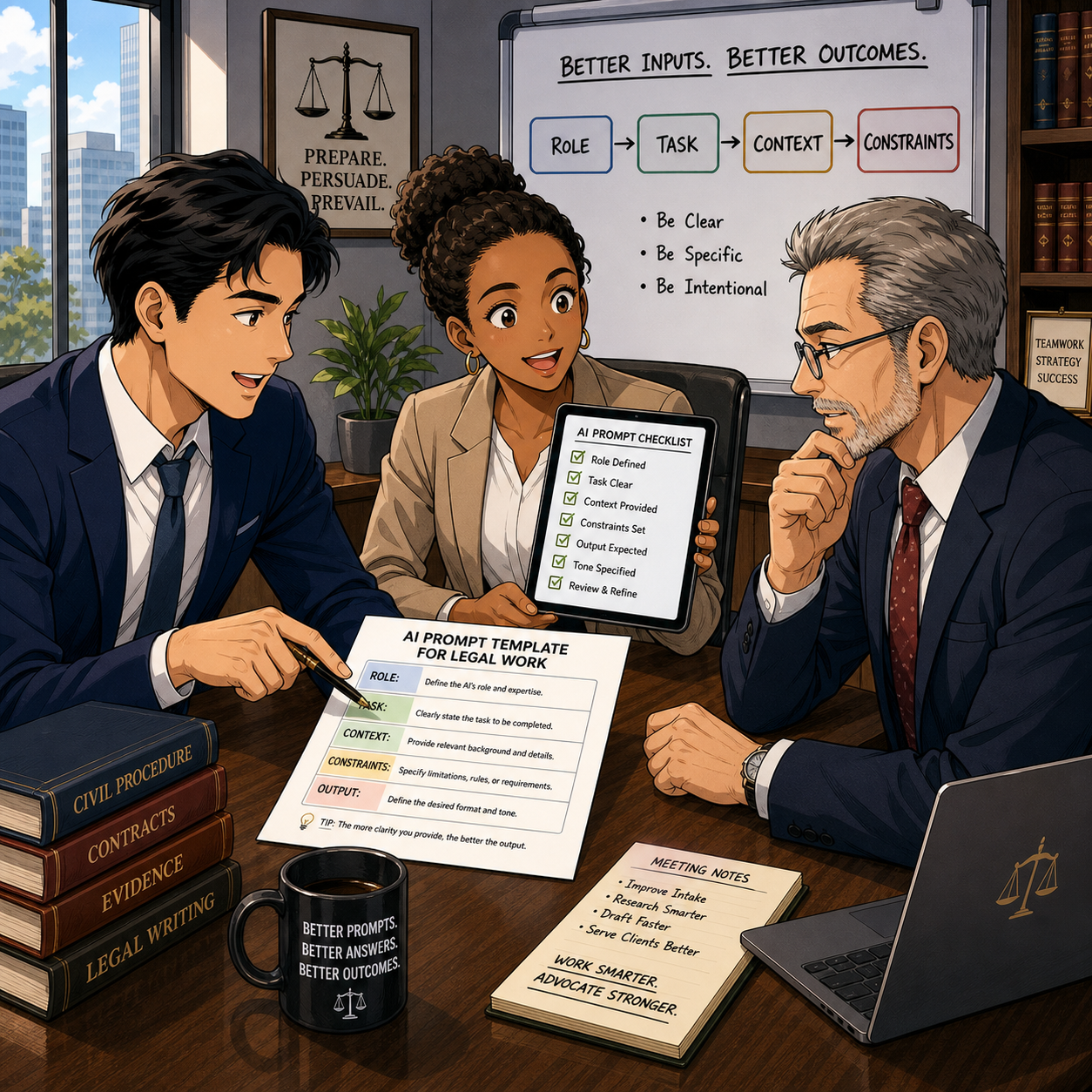
SOLO AND Small-firm attorneys CAN COMPETE WITH LARGER FIRMS BY CREATING POWERFUL AI prompt templates for clients ⚖️💬

  • Prompt history and private templates in its paid tiers, so you can reuse and iterate on prompts like you do with forms.

  • Centralized prompt management, so a firm can standardize prompts for common tasks (client email drafts, discovery checklists, status updates) and keep everyone using the same baseline instructions.

  • A clean separation between “prompt drafting” and “AI execution,” which makes it easier to document how you instructed the AI if you ever need to explain or audit your process.

That last point goes to Model Rules 5.1 and 5.3—supervision of lawyers and nonlawyer assistants—because LLMs function in practice like a highly automated, but still supervised, assistant. Having standard prompts you can review, update, and roll out to a team is much easier with a dedicated prompt tool than with a dozen scattered screenshots.

3. It speeds up the “iterate and improve” loop

Good prompting is iterative. You try, you see what the AI produces, you refine. That’s true whether you’re drafting in a word processor or prompting an LLM.

PromptCowboy accelerates that loop because:

  • It can generate an initial, detailed prompt from a very short description (“help me draft a discovery checklist for a Virginia PI case”).

  • It automatically suggests follow-up questions whose answers will sharpen the prompt, instead of making you guess what to change.

  • Once refined, you can save that prompt and reuse it as a starting point next time, instead of reinventing the wheel in the LLM chat.

The net effect is less cognitive load. You spend your time reviewing outputs and exercising legal judgment, not handcrafting prompts from scratch—which aligns with the efficiency and cost considerations in Model Rule 1.5 and the access-to-justice benefits emphasized in Formal Opinion 512.

When direct prompting is fine—and when PromptCowboy shines

To keep this honest: there are plenty of scenarios where you can safely type straight into your LLM, like one-off low-stakes tasks or conversational exploration.

PromptCowboy shines when you:

  • Want repeatable workflows (weekly client updates, discovery outlines, intake summaries).

  • Need team-wide standards for how AI should behave and respond.

  • Must document your process for internal policies, insurers, or regulators who may ask how you controlled AI outputs.

Think of typing directly in the LLM as scribbling notes on a legal pad in chambers; using PromptCowboy is more like drafting a form in your document system that the whole firm can rely on.

A simple framework: RICE + I (Role, Instructions, Context, Expectations + Inputs) 🧩

The RICE framework—Role, Instructions, Context, Expectations—is a practical way to structure prompts. Let’s add an explicit “I” for Inputs and walk through how PromptCowboy helps you implement it:

  1. Role – Who is the AI supposed to be?
    Example: “You are a legal writing coach familiar with U.S. civil procedure.”
    PromptCowboy prompts you to define this persona up front, narrowing the output.

  2. Instructions – What task should it perform?
    Example: “Identify ambiguities and tone issues in the following demand letter and suggest specific edits.”

  3. Context – What background does it need?
    Example: “Maryland state court personal injury case involving a rear-end collision, liability admitted, issue is damages only.”

  4. Expectations – How should it respond?
    Example: “Return a bullet-point list, no more than 10 bullets, written at a 10th-grade reading level.”

  5. Inputs – What materials can it see?
    Example: “You will receive the text of the demand letter below this prompt.”

PromptCowboy’s workflow essentially walks you through each of these steps, so you don’t have to remember them every time.

Step-by-step: Building a better legal prompt with PromptCowboy 🛠️

Solo practitionerS CAN craft ethical AI prompts with ABA-focused guidance 🧠📜

Let’s say you want an LLM to help you draft initial discovery requests in a straightforward personal injury case—without crossing ethical lines.

Step 1: Decide what you will do first
Under Model Rule 1.1 and Formal Opinion 512, you must understand the law and facts well enough to supervise any AI assistance. That means you:

  • Identify the jurisdiction and claims

  • Review your client’s key facts

  • Decide what categories of information you need

Only then should you move to the AI.

Step 2: Open PromptCowboy and describe your task in plain English
In PromptCowboy, start with a simple description:

“Help me generate draft interrogatories and requests for production for a rear-end auto collision case in Virginia state court, focusing on damages.”

Step 3: Answer PromptCowboy’s clarifying questions
PromptCowboy will ask for details like:

  • Target audience (you, another lawyer, or a client)

  • Preferred tone (formal, plain language, bullet-point)

  • Output format (numbered list, table, outline)

By answering these questions, you naturally fill in the RICE + I elements without overthinking the jargon.

Step 4: Add ethical guardrails into the prompt
This is where ABA Model Rules meet prompt engineering:

  • Model Rule 1.6 (confidentiality) and Formal Opinion 512 suggest you should avoid disclosing client-identifying information to public LLMs unless you have informed consent and appropriate safeguards.

  • So in the prompt, you write:
    “Do not invent case-specific facts. Use only the generic facts provided. Do not reference any real persons or entities.”

PromptCowboy can store that language so you reuse it in future prompts.

Step 5: Generate, copy, and paste into your chosen LLM
Once PromptCowboy assembles the prompt, you copy it into:

  • A general LLM (e.g., ChatGPT, Claude or Perplexity*) for plain-language drafting, or

  • Your firm’s legal AI platform for case-specific workflows.

Then you review the output like you would a first-year associate’s draft—carefully and critically.

Practical prompt examples you can reuse 🧾

Here are two PromptCowboy-friendly templates you can adapt:

Template 1: Research sanity-check (non-confidential)

“You are a legal research assistant familiar with [jurisdiction].
Task: Summarize the general legal standards for [issue] without citing specific cases.
Context: This is for high-level planning, not court submission.
Expectations: Provide a concise outline with headings and bullet points.
Ethics: Do not fabricate statutes or case names; flag any uncertainty for follow-up research.”

Template 2: Plain-language client explanation (with safeguards)

“You are a communication coach for lawyers.
Task: Rewrite the following explanation of [legal issue] so a layperson can understand it.
Context: This will be used as a draft for a client email.
Expectations: 3–5 short paragraphs, no legalese, no promises of outcomes.
Ethics: Do not add any new legal advice beyond what is given. Flag any unclear sections for attorney review.”

These templates align with Model Rules 1.1 (competence), 1.4 (communication), and 7.1 (avoiding misleading statements), while using PromptCowboy to enforce structure and consistency.

Common mistakes PromptCowboy helps you avoid 🙅‍♂️

PromptCowboy is not a substitute for judgment, but it does reduce some predictable errors lawyers make with LLMs:

  • Vague requests (“Write a brief” with no jurisdiction, facts, or audience)

  • No output format (you get a wall of text you can’t use)

  • Hidden assumptions (AI fills in facts that are wrong or prejudicial)

  • Over-sharing (don’t paste client-identifying facts into a public tool)

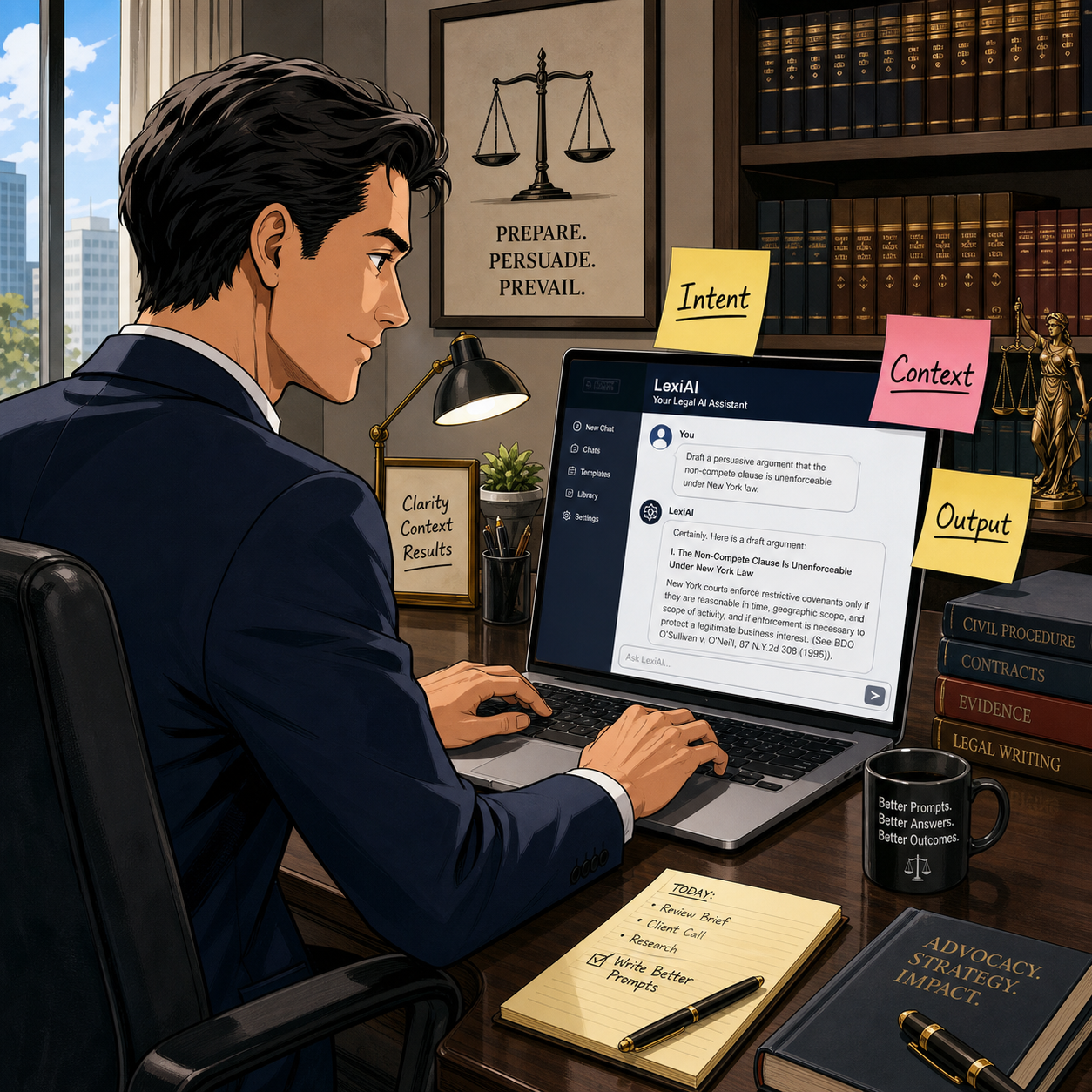
By forcing you to specify intent, context, and output, PromptCowboy nudges you toward more disciplined, repeatable AI use.

Bringing it into your practice today 📆

If you are a solo or small firm lawyer, you do not need a full-blown “AI strategy deck” to start. You need one or two well-crafted, reusable prompts for tasks you already handle every week—email drafting, checklists, or content summaries.

📢 Stay Tuned! In a future episode of The Tech-Savvy Lawyer Podcast, we’ll walk through a live PromptCowboy-to-LLM workflow and compare results across different tools. For now, pick one use case, build a prompt with PromptCowboy, and run it through your existing AI stack. Measure whether it saves you time without sacrificing quality or ethics.

Used thoughtfully, PromptCowboy can help bridge the gap between “AI-curious” and “AI-competent”—and that’s exactly where the profession needs to go next. 🚀

📖 Word of the Week: “Cross‑Tenant” Learning in Legal Practice

Cross-tenant learning helps law firms improve AI tools without exposing data

If your firm uses cloud‑based tools, you are already living in a multi‑tenant world. In that world, cross‑tenant learning is quickly becoming a key concept that every lawyer and legal operations professional should understand. 🧠⚖️

In simple terms, a “tenant” is your firm’s logically separate space inside a cloud platform: your own users, matters, documents, and settings, isolated from everyone else’s. Cross‑tenant learning refers to techniques in which a vendor’s system learns from patterns across multiple tenants (for example, many law firms) to improve its features—such as search, drafting suggestions, or document classification—without exposing any other firm’s confidential data to you or yours to them.

Why cross‑tenant learning matters for law firms

Cross‑tenant learning is especially relevant as generative AI and machine‑learning tools become embedded in e‑discovery platforms, contract review tools, legal research systems, and practice‑management software. Vendors may use aggregated and anonymized usage data to:

  • Improve relevance of search results and recommendations.

  • Enhance clause and issue spotting in contracts and briefs.

  • Reduce false positives in e‑discovery or compliance alerts.

  • Optimize workflows based on how similar firms use the product.

For lawyers, the value proposition is straightforward: your tools can become “smarter” faster, based on lessons learned across many organizations, not just your own firm’s experience. Done properly, cross‑tenant learning can raise the baseline quality and efficiency of technology available to your practice. ⚙️📈

ABA Model Rules: Confidentiality and Competence

Any discussion of cross‑tenant learning for law firms must start with confidentiality and competence.

  • Model Rule 1.6 (Confidentiality of Information) requires lawyers to safeguard information relating to the representation of a client. That obligation extends to how your vendors collect, store, and use your data. You must understand whether and how client data may be used for cross‑tenant learning and ensure that any such use preserves confidentiality through anonymization, aggregation, and strong technical and contractual controls. 🔐

  • Model Rule 1.1 (Competence), including Comment 8, emphasizes that lawyers should keep abreast of the benefits and risks associated with relevant technology. Understanding cross‑tenant learning is now part of that duty. You do not need to become a data scientist, but you should be comfortable asking vendors precise questions and recognizing red flags.

  • Model Rule 5.3 (Responsibilities Regarding Nonlawyer Assistance) applies when you rely on vendors as nonlawyer assistants. You must make reasonable efforts to ensure that their conduct is compatible with your professional obligations, including how they use your data for cross‑tenant learning. 🧾

Key questions to ask your vendors

ABA Model Rules guide ethical use of cross-tenant learning technologies

When evaluating a product that relies on cross‑tenant learning, consider asking:

  1. What data is used?

    • Is it only metadata or usage logs, or are actual document contents included?

    • Is the data aggregated and anonymized before it is used to train shared models?

  1. How is confidentiality protected?

    • Can other tenants ever see prompts, documents, or client‑identifying information from our firm?

    • What technical measures (encryption, access controls, tenant isolation) are in place?

  1. Can cross‑tenant learning be limited or disabled?

    • Do we have opt‑out or configuration controls?

    • Is there a dedicated model or environment for our firm if needed?

  1. What do the contract and policies say?

    • Does the MSA or DPA clearly limit use of client data to defined purposes?

    • How long is data retained, and how is it deleted if we leave?

These questions are not merely IT concerns; they go directly to your obligations under the ABA Model Rules and your firm’s risk profile.

Practical examples in law practice

Consider a cloud‑based contract‑analysis platform used by hundreds of firms. Over time, the provider can see which clauses lawyers routinely flag as risky, which edits are typically made, and what becomes the “preferred” language for certain issues. Through cross‑tenant learning, the system can use that aggregated knowledge to highlight problematic clauses and suggest alternatives more accurately for everyone.

Another example is an e‑discovery platform that uses cross‑tenant learning to distinguish between truly relevant documents and common “noise” such as automatically generated emails. The more matters the system processes across different tenants, the better it gets at ranking documents and reducing review burdens. This can be a material efficiency gain for litigation teams. ⚖️💼

In both scenarios, your ethical comfort depends on whether underlying data is appropriately anonymized, compartmentalized, and contractually protected.

Governance steps for your firm

To align cross‑tenant learning with professional obligations, firms can:

  • Update vendor‑due‑diligence checklists to include explicit questions about cross‑tenant learning, training data use, and model isolation.

  • Involve a cross‑functional team—lawyers, IT, information security, and risk management—in vendor selection and review.

  • Document your analysis of vendor practices and how they satisfy confidentiality, competence, and supervision obligations under the ABA Model Rules.

  • Educate lawyers and staff about how AI‑enabled tools work, what kinds of data they send into the system, and how to avoid unnecessary exposure of client‑identifying details.

Takeaway for busy practitioners

Smart vendor questions reduce risk in cross-tenant legal technology adoption

You do not need to reject cross‑tenant learning to protect your clients. Instead, you should approach it as a powerful capability that demands informed oversight. When well‑implemented, cross‑tenant learning can help your firm deliver faster, more consistent, and more cost‑effective legal services, while still honoring confidentiality and ethical duties. When poorly explained or loosely governed, it becomes an unnecessary and avoidable risk.

Understanding how your tools learn—and from whom—is now part of competent, modern legal practice. ⚖️💡

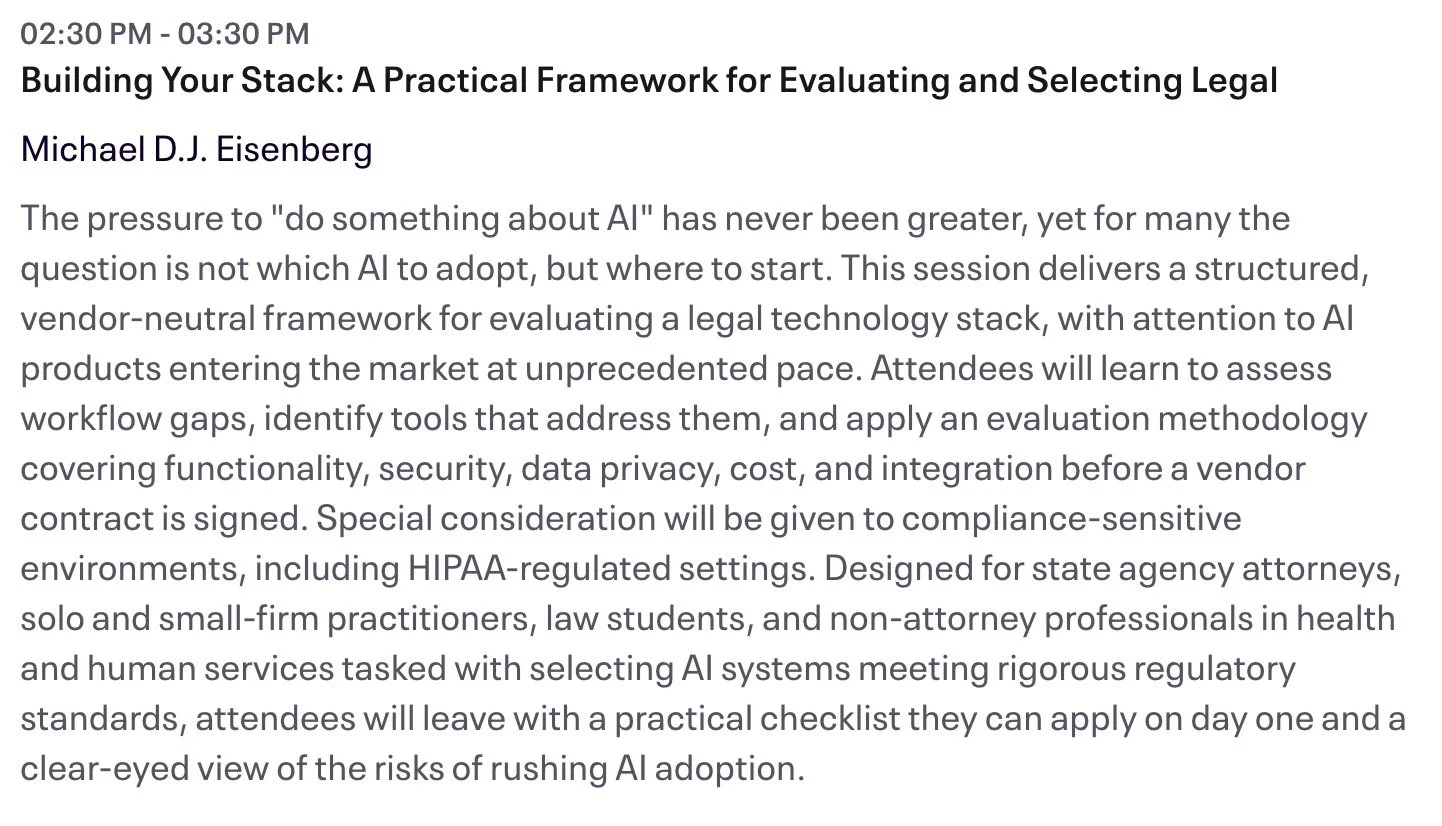
📢 Your Tech-Savvy Lawyer Blogger and Podcaster, Michael D.J. Eisenberg, Announces His Upcoming Talk on Ethical AI Use in Legal Practice at the 2026 AI Legal Practice Summit!

Saturday, April 18, 2026 | Capital University Law School

As technology continues to transform legal practice, I’m honored to announce that I’ll be speaking at the 2026 AI Legal Practice Summit, hosted by my alma mater, Capital University Law School, in Columbus, Ohio. This event brings together attorneys, educators, and technologists to explore how artificial intelligence is reshaping the legal field — not just operationally, but ethically and professionally as well.

My presentation, “Smart Practice, Smarter Ethics: Navigating AI Tools Under the ABA Model Rules,” focuses on a topic that’s both timely and critically important: how lawyers can use emerging AI technologies responsibly while meeting their professional obligations under the ABA Model Rules of Professional Conduct.

👉 Learn more and view the full schedule at law-capital.libguides.com/2026_AI_Legal_Practice_Summit.
🎟️ Register today through Eventbrite: eventbrite.com/e/ai-legal-practice-summit-tickets-1986544900273.

Through my work on The Tech-Savvy Lawyer.Page blog and podcast, I’ve had countless conversations with practitioners who want to use AI to streamline tasks such as research, document drafting, and client management — yet remain uncertain about compliance, bias, and confidentiality. Law practice is evolving rapidly, but our ethical foundations must remain strong.

In my session, I’ll walk through key aspects of how the ABA Model Rules, including Rules 1.1 (Competence), 1.6 (Confidentiality of Information), and 5.3 (Responsibilities Regarding Nonlawyer Assistance), apply in an age of intelligent automation. These rules guide us in assessing not just what technology can do, but how and when it should be used.

Your faculty!

We’ll discuss:

  • Reviewing the tech stack you already own;

  • How to vet and implement AI-powered tools while maintaining confidentiality.

  • Questions to ask vendors about data handling and bias;

  • How to document best practices for firm-wide ethical compliance;

  • Ways to blend human legal judgment with algorithmic assistance; and

  • Managing client expectations about AI-enabled legal work.

My goal is to help attorneys approach technology with confidence — to experiment, adopt, and adapt responsibly. Being a “tech‑savvy lawyer” isn’t about mastering every gadget or platform; it’s about understanding how technology fits within the ethical framework of our profession.

The conversation around technological competence has matured since Comment 8 to Rule 1.1 was introduced. It’s no longer optional. Attorneys must understand the benefits, risks, and limitations of relevant technology to provide competent representation. Artificial intelligence highlights that reality better than any emerging tool before it.

Whether you’re a solo practitioner looking to automate administrative tasks, working for a government agency, or part of a large firm implementing AI-assisted legal research or document review, I’ll share specific practices you can adopt immediately.

If you’re attending and seeking Ohio CLE credit, please contact Jenny Wondracek at jwondracek@law.capital.edu for details.

PRogram description of my presentation.

The 2026 AI Legal Practice Summit will feature leading scholars, ethics experts, and seasoned practitioners. I’m looking forward to exchanging ideas, testing assumptions, and continuing a dialogue that helps ensure AI becomes a responsible partner—never a replacement—in the practice of law.

Let’s move forward together, with competence, curiosity, and care.

Learn more about the Summit at law-capital.libguides.com/2026_AI_Legal_Practice_Summit.
Register today: eventbrite.com/e/ai-legal-practice-summit-tickets-1986544900273.

I look forward to seeing you there! ⚖️

📌 Too Busy to Read This Week’s Editorial: “Lawyers and AI Oversight: What the VA’s Patient Safety Warning Teaches About Ethical Law Firm Technology Use!” ⚖️🤖

Join us for an AI-powered deep dive into the ethical challenges facing legal professionals in the age of generative AI. 🤖 In this episode, we discuss our February 16, 2026, editorial, “Lawyers and AI Oversight: What the VA’s Patient Safety Warning Teaches About Ethical Law Firm Technology Use! ⚖️🤖” and explore why treating AI-generated drafts as hypotheses—not answers—is quickly becoming a survival skill for law firms of every size. We connect a real-world AI failure risk at the Department of Veterans Affairs to the everyday ways lawyers are using tools like chatbots, and we translate ABA Model Rules into practical oversight steps any practitioner can implement without becoming a programmer.

In our conversation, we cover the following

  • 00:00:00 – Why conversations about the future of law default to Silicon Valley, and why that’s a problem ⚖️

  • 00:01:00 – How a crisis at the U.S. Department of Veterans Affairs became a “mirror” for the legal profession 🩺➡️⚖️

  • 00:03:00 – “Speed without governance”: what the VA Inspector General actually warned about, and why it matters to your practice

  • 00:04:00 – From patient safety risk to client safety and justice risk: the shared AI failure pattern in healthcare and law

  • 00:06:00 – Shadow AI in law firms: staff “just trying out” public chatbots on live matters and the unseen risk this creates

  • 00:07:00 – Why not tracking hallucinations, data leakage, or bias turns risk management into wishful thinking

  • 00:08:00 – Applying existing ABA Model Rules (1.1, 1.6, 5.1, 5.2, and 5.3) directly to AI use in legal practice

  • 00:09:00 – Competence in the age of AI: why “I’m not a tech person” is no longer a safe answer 🧠

  • 00:09:30 – Confidentiality and public chatbots: how you can silently lose privilege by pasting client data into a text box

  • 00:10:30 – Supervision duties: why partners cannot safely claim ignorance of how their teams use AI

  • 00:11:00 – Candor to tribunals: the real ethics problem behind AI-generated fake cases and citations

  • 00:12:00 – From slogan to system: why “meaningful human engagement” must be operationalized, not just admired 

  • 00:12:30 – The key mindset shift: treating AI-assisted drafts as hypotheses, not answers 🧪

  • 00:13:00 – What reasonable human oversight looks like in practice: citations, quotes, and legal conclusions under stress test

  • 00:14:00 – You don’t need to be a computer scientist: the essential due diligence questions every lawyer can ask about AI 

  • 00:15:00 – Risk mapping: distinguishing administrative AI use from “safety-critical” lawyering tasks

  • 00:16:00 – High-stakes matters (freedom, immigration, finances, benefits, licenses) and heightened AI safeguards

  • 00:16:45 – Practical guardrails: access controls, narrow scoping, and periodic quality audits for AI use

  • 00:17:00 – Why governance is not “just for BigLaw” and how solos can implement checklists and simple documentation 📋

  • 00:17:45 – Updating engagement letters and talking to clients about AI use in their matters

  • 00:18:00 – Redefining the “human touch” as the safety mechanism that makes AI ethically usable at all 🤝

  • 00:19:00 – AI as power tool: why lawyers must remain the “captain of the ship” even when AI drafts at lightning speed 🚢

  • 00:20:00 – Rethinking value: if AI creates the first draft, what exactly are clients paying lawyers for?

  • 00:20:30 – Are we ready to bill for judgment, oversight, and safety instead of pure production time?

  • 00:21:00 – Final takeaways: building a practice where human judgment still has the final word over AI

RESOURCES

Mentioned in the episode

Software & Cloud Services mentioned in the conversation

🎙️ Ep. #131, Supercharging Litigation With AI: How StrongSuit Helps Lawyers Transform Research, Doc Review, and Drafting 💼⚖️

My next guest is Justin McCallan, founder of StrongSuit, an AI-powered litigation platform built to transform how litigators handle legal research, document review, and drafting while keeping lawyers firmly in control. In this episode, Justin and I dig into practical, real-world workflows that solos, small firms, and big-firm litigators can use today and over the next few years to change the economics, pace, and strategy of litigation—without sacrificing accuracy, ethics, or the quality of advocacy.

Join Justin and me as we discuss the following three questions and more!

  1. What are the top three ways litigators should be using AI tools like StrongSuit right now to change the economics and pace of litigation without sacrificing accuracy, ethics, or quality of advocacy?

  2. What are the top three mistakes lawyers make when adopting AI for litigation, and what practical workflows help lawyers stay in the loop and use AI as a force multiplier instead of a risk? 

  3. Looking ahead to 2026 and beyond, what are the top three AI-driven workflows every litigator should master to stay competitive, and how can platforms like StrongSuit help build those capabilities into day-to-day practice? 

In our conversation, we cover the following

  • 00:00 – Welcome and guest introduction

    • Justin joins the show and shares his current tech setup at his desk. 

  • 00:00–01:00 – Justin’s current tech stack

    • Lenovo laptop, ultra-wide monitor, and regular use of StrongSuit, ChatGPT, and Gemini for different AI tasks.

    • Everyday tools: Microsoft Word and Power BI for analytics and fast decision-making.

  • 01:00–02:00 – Android vs. iPhone for AI use

    • Why Justin has been on Android for 17 years and how UI/UX familiarity often drives device choice more than AI capability.

  • 02:00–05:30 – Q1: Top three ways litigators should be using AI right now

    • Using AI for end-to-end legal research across 11 million precedential U.S. cases to build litigation outlines and identify key authorities.

    • Scaling document review so AI surfaces relevant documents and synthesizes insights while lawyers focus on strategy and judgment.

    • Leveraging AI for drafting and editing—improving style, clarity, and consistency beyond traditional spelling and grammar checks.

  • 05:30–07:30 – StrongSuit vs. basic tools like Word grammar check

    • How StrongSuit aims to “up-level” a lawyer’s writing, not just catch typos.

    • Stylistic improvements, clarity enhancements, and catching subtle inconsistencies in legal documents.

  • 06:00–08:00 – AI context limits and scaling doc review

    • Constraints of large models’ context windows (around ~1M tokens ≈ ~750 pages).

    • How StrongSuit runs multiple AI agents in parallel, each handling small page sets with heuristics to maintain cohesion and share insights.

  • 08:00–09:00 – Handling tens of thousands of documents

    • How StrongSuit can handle between roughly 10,000–50,000 pages at a time, with the ability to scale further for enterprise matters.

  • 09:00–11:30 – Origin story of StrongSuit

    • Why Justin saw a once-in-a-generation opportunity when large language models emerged and how law, with its precedent and text-heavy nature, is especially suited to AI.

    • StrongSuit’s focus on litigators: supporting lawyers from intake through trial while keeping them in the loop at every step.

  • 11:30–13:30 – From intake to brief drafting in minutes

    • Generating full litigation outlines, research, and analysis in about ten minutes, then moving directly into drafting memos, briefs, complaints, and motions.

    • StrongSuit’s long-term goal: automating 50–99% of major litigation workflows by the end of 2026 while preserving lawyer control and judgment.

  • 12:00–14:30 – How StrongSuit tackles hallucinations

    • Building a full database of all precedential U.S. cases enriched with metadata: parties, summaries, holdings, and more.

    • Validating citations by checking whether the Bluebook citation actually exists in StrongSuit’s case database before surfacing it to the user.

    • Why lawyers should still review cases on-platform before filing, even when AI has filtered out hallucinations.

  • 14:30–16:30 – Coverage and jurisdictions

    • Coverage of all U.S. jurisdictions, federal and state, focused on precedential cases.

    • Handling most regulations from administrative agencies, and limits around local ordinances.

    • Uploading your own case files and using complaints and prior research as inputs into StrongSuit workflows.

  • 15:00–17:00 – Security and confidentiality for litigators

    • SOC 2 compliance and industry-standard encryption at rest and in transit.

    • No model training on user data.

    • Optional end-to-end encryption that can even prevent developers from accessing case content, using local encryption keys.

  • 16:30–20:30 – Q2: Top mistakes lawyers make when adopting AI for litigation

    • Mistake #1: Talking about AI instead of diving in with structured experiments and sanitized documents.

    • Using a framework to identify high-impact tasks: high volume, repetitive work, and heavy data/analysis (e.g., doc review, research, contract drafting).

    • How to shortlist tools: look for SOC 2, real product depth, awards, and a focus on your specific workflows.

    • Mistake #2: Expecting immediate mastery instead of moving through predictable adoption stages—from learning the tool, to daily use, to stringing workflows together.

  • 20:30–22:30 – Building firm-wide AI workflows over time

    • Moving from isolated experiments to integrated, low-friction workflows, such as automatic intake-to-research pipelines.

    • Using client intake audio or transcripts to automatically extract facts, issues, and research paths.

  • 22:30–24:30 – Time constraints and “no-time” lawyers

    • Why lawyers don’t need to be “technical” to use StrongSuit.

    • Reframing AI as text-based tools where lawyers’ writing skills and analytical thinking are assets, not obstacles. 

  • 24:00–26:00 – Practical workflows beyond intake

    • Using AI to prepare for expert depositions, including reviewing valuation analyses, flagging departures from market consensus, and generating targeted questions.

    • Reinforcing the value of AI-enhanced legal research and drafting as core litigation workflows.

  • 26:00–29:30 – Q3: 2026 and beyond – AI-driven workflows every litigator should master

    • Rapid improvement of baseline models (e.g., jumping from single-digit to high double-digit performance on difficult benchmarks year over year). 

    • The idea of “tipping points,” where small performance gains turn AI from marginally useful to essential in specific tasks.

    • Why legal research is a great training ground for understanding where AI excels, where it falls short, and how to divide labor between human and machine.

    • The value of learning basic prompting skills to get more from AI systems, even when platforms offer visual workflows.

  • 29:30–32:30 – Will workflows actually change—or just get better?

    • Why Justin expects familiar litigation workflows (doc review, research, drafting) to remain structurally similar, but become far faster and more sophisticated.

    • AI agents handling the grind work while lawyers focus on synthesis, judgment, and strategy.

    • A future where “AI + lawyer vs. AI + lawyer” resembles high-level chess: same rules, but much deeper thinking on both sides.

  • 32:30–End – Where to find Justin and StrongSuit

    • How to connect with Justin and learn more about StrongSuit’s litigation tools.

Resources

Connect with Justin

Hardware mentioned in the conversation

Software & Cloud Services mentioned in the conversation

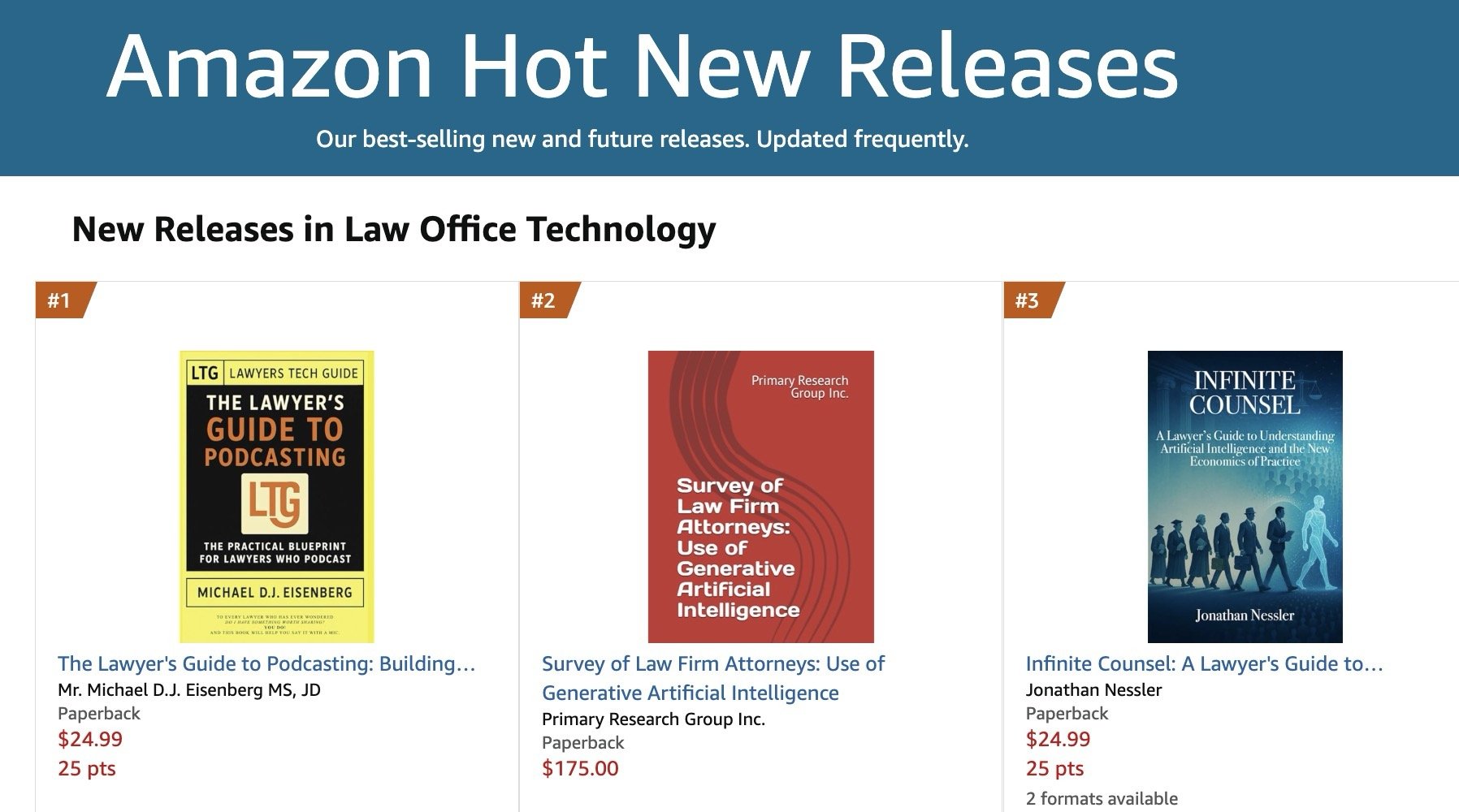
ANNOUNCEMENT: My Book, “The Lawyer’s Guide to Podcasting,” is Amazon #1 New Release (Law Office Technology)

I’m excited to report that The Lawyer’s Guide to Podcasting ranked #1 as a New Release in Amazon’s Law Office Technology category for the week of February 07, 2026, and sales have already doubled since last month. 🎙️📈

For lawyers with limited-to-moderate tech skills, the book focuses on practical, repeatable workflows for launching and sustaining a compliant podcast presence. ⚖️💡

As you plan content, remember ABA Model Rule 1.1 (technology competence) and the related duties of confidentiality (Rule 1.6) and communications about services (Rule 7.1): use secure tools, avoid accidental client disclosures, and ensure marketing statements are accurate. 🔐✅

Get your copy today! 📘🚀


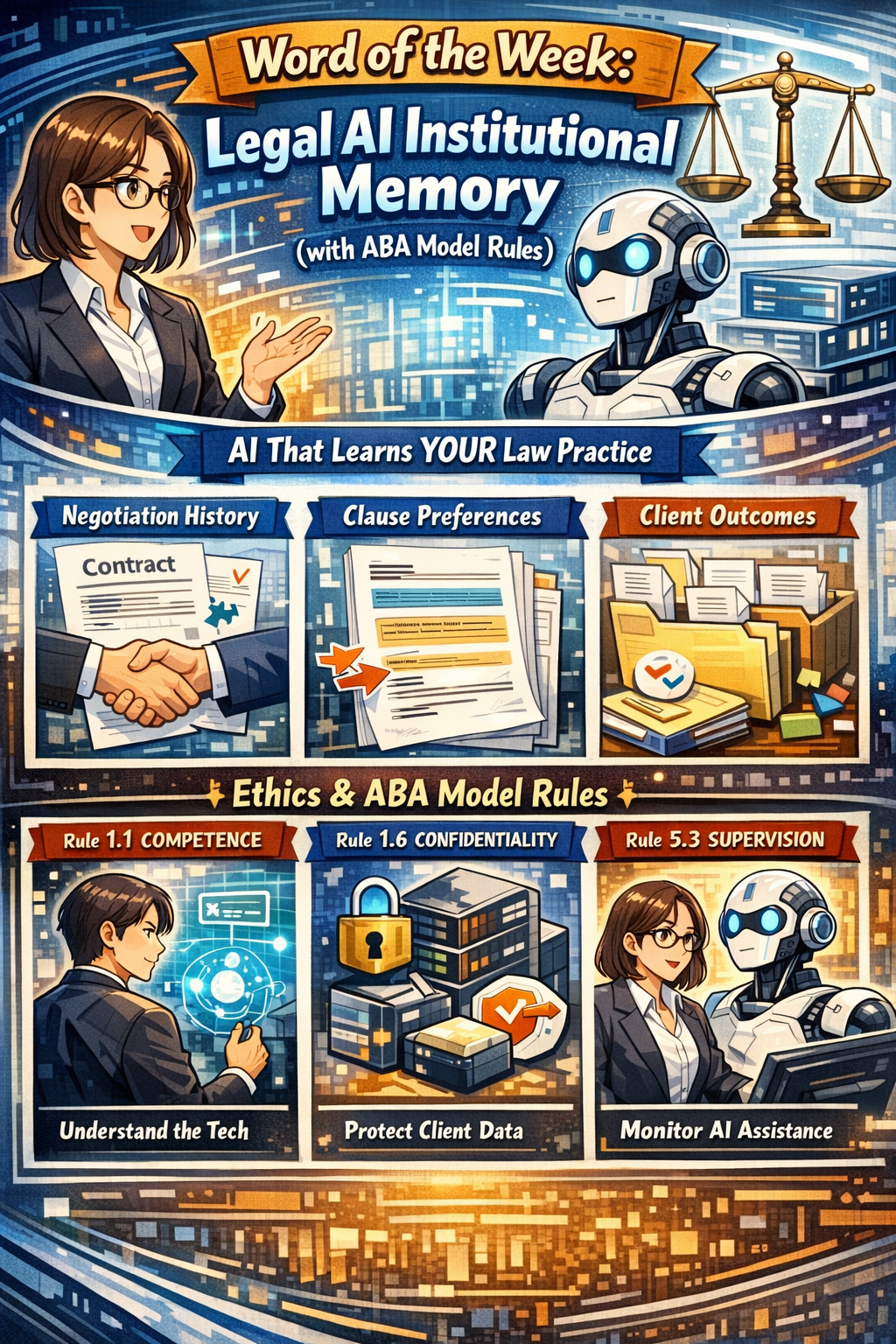
Word of the week: “Legal AI institutional memory” engages core ethics duties under the ABA Model Rules, so it is not optional “nice to know” tech.⚖️🤖

Institutional Memory Meets the ABA Model Rules

“Legal AI institutional Memory” is AI that remembers how your firm actually practices law, not just what generic precedent says. It captures negotiation history, clause choices, outcomes, and client preferences across matters so each new assignment starts from experience instead of a blank page.

From an ethics perspective, this capability sits directly in the path of ABA Model Rule 1.1 on competence, Rule 1.6 on confidentiality, and Rule 5.3 on responsibilities regarding nonlawyer assistance (which now includes AI systems). Comment 8 to Rule 1.1 stresses that competent representation requires understanding the “benefits and risks associated with relevant technology,” which squarely includes institutional‑memory AI in 2026. Using or rejecting this technology blindly can itself create risk if your peers are using it to deliver more thorough, consistent, and efficient work.🧩

Rule 1.6 requires “reasonable efforts” to prevent unauthorized disclosure or access to information relating to representation. Because institutional memory centralizes past matters and sensitive patterns, it raises the stakes on vendor security, configuration, and firm governance. Rule 5.3 extends supervision duties to “nonlawyer assistance,” which ethics commentators and bar materials now interpret to include AI tools used in client work. In short, if your AI is doing work that would otherwise be done by a human assistant, you must supervise it as such.🛡️

Why Institutional Memory Matters (Competence and Client Service)

Tools like Luminance and Harvey now market institutional‑memory features that retain negotiation patterns, drafting preferences, and matter‑level context across time. They promise faster contract cycles, fewer errors, and better use of a firm’s accumulated know‑how. Used wisely, that aligns with Rule 1.1’s requirement that you bring “thoroughness and preparation” reasonably necessary for the representation, and Comment 8’s directive to keep abreast of relevant technology.

At the same time, ethical competence does not mean turning judgment over to the model. It means understanding how the system makes recommendations, what data it relies on, and how to validate outputs against your playbooks and client instructions. Ethics guidance on generative AI emphasizes that lawyers must review AI‑generated work product, verify sources, and ensure that technology does not substitute for legal judgment. Legal AI institutional memory can enhance competence only if you treat it as an assistant you supervise, not an oracle you obey.⚙️

Legal AI That Remembers Your Practice—Ethics Required, Not Optional

How Legal AI Institutional Memory Works (and Where the Rules Bite)

Institutional‑memory platforms typically:

  • Ingest a corpus of contracts or matters.

  • Track negotiation moves, accepted fall‑backs, and outcomes over time.

  • Expose that knowledge through natural‑language queries and drafting suggestions.

That design engages several ethics touchpoints🫆:

  • Rule 1.1 (Competence): You must understand at a basic level how the AI uses and stores client information, what its limitations are, and when it is appropriate to rely on its suggestions. This may require CLE, vendor training, or collaboration with more technical colleagues until you reach a reasonable level of comfort.

  • Rule 1.6 (Confidentiality): You must ensure that the vendor contract, configuration, and access controls provide “reasonable efforts” to protect confidentiality, including encryption, role‑based access, and breach‑notification obligations. Ethics guidance on cloud and AI use stresses the need to investigate provider security, retention practices, and rights to use or mine your data.

  • Rule 5.3 (Nonlawyer Assistance): Because AI tools are “non‑human assistance,” you must supervise their work as you would a contract review outsourcer, document vendor, or litigation support team. That includes selecting competent providers, giving appropriate instructions, and monitoring outputs for compliance with your ethical obligations.🤖

Governance Checklist: Turning Ethics into Action

For lawyers with limited to moderate tech skills, it helps to translate the ABA Model Rules into a short adoption checklist.✅

When evaluating or deploying legal AI institutional memory, consider:

  1. Define Scope (Rules 1.1 and 1.6): Start with a narrow use case such as NDAs or standard vendor contracts, and specify which documents the system may use to build its memory.

  2. Vet the Vendor (Rules 1.6 and 5.3): Ask about data segregation, encryption, access logs, regional hosting, subcontractors, and incident‑response processes; confirm clear contractual obligations to preserve confidentiality and notify you of incidents.

  3. Configure Access (Rules 1.6 and 5.3): Use role‑based permissions, client or matter scoping, and retention settings that match your existing information‑governance and legal‑hold policies.

  4. Supervise Outputs (Rules 1.1 and 5.3): Require that lawyers review AI suggestions, verify sources, and override recommendations where they conflict with client instructions or risk tolerance.

  5. Educate Your Team (Rule 1.1): Provide short trainings on how the system works, what it remembers, and how the Model Rules apply; document this as part of your technology‑competence efforts.

Educating Your Team Is Core to AI Competence

This approach respects the increasing bar on technological competence while protecting client information and maintaining human oversight.⚖️

This approach respects the increasing bar on technological competence while protecting client information and maintaining human oversight.⚖️

🎙️Ep. 128, Building a Tech-Forward Law Firm: AI Intake, CRM Strategy & Client Experience with Colleen Joyce!

My next guest is Colleen Joyce, CEO of Lawyer.com, a leading legal marketplace that connects over one million consumers monthly with qualified attorneys nationwide. With nearly two decades of experience transforming how law firms leverage technology and marketing, Colleen has pioneered innovations including LawyerLine call intake services, AI-powered matching technology, and the Lawyer Growth Summit. She publishes the Fast Five newsletter every Tuesday, reaching over 20,000 legal professionals with insights on AI trends, business growth strategies, and practice management. In this episode, Colleen shares her expertise on the essential technologies modern law firms need to scale profitably, how AI is revolutionizing client intake processes, and the critical human touchpoints that should never be automated in legal practice.

💬 Join Colleen Joyce and me as we discuss the following three questions and more!

1.     Beyond the essential lead generation that Lawyer.com provides, you see thousands of firms succeed and fail based on their operational efficiency. If you are building a modern law firm from scratch today, what are the top three non-negotiable technologies? For example, specific CRM automations, financial analytics, or project management tools you would implement immediately to ensure the firm scales profitably rather than just chaotically.

2.     We know AI is reshaping the top of the funnel for legal consumers. Based on the data you're seeing from your new AI initiatives, what are the top three specific intake bottlenecks that AI can now solve better than a human receptionist? Allowing attorneys to focus primarily on high-value legal work rather than data entry or basic screening.

3.     Technology can handle logistics, but it can't handle the emotion of legal crisis. From your experience overseeing millions of consumer connections, what are the top three human touchpoints in the client lifecycle that a lawyer should never automate? Because they are crucial for building the trust and transparency that leads to long-term referrals.

In our conversation, we cover the following:

-      00:00:00 - Welcome and Introduction to Colleen Joyce

-      00:00:20 - Colleen's Current Tech Setup: MacBook Pro, iPhone 16, iPad, and Curved Monitor

-      00:01:00 - Discussion about iPhone Models and AppleCare Benefits

-      00:02:00 - Using Plaud AI for Recording Conversations

-      00:03:00 - MacBook Pro Specifications and Upgrade Recommendations

-      00:04:00 - Dell Curved Monitor Benefits for Focus and Productivity

-      00:05:00 - Question 1: Top Three Non-Negotiable Technologies for Modern Law Firms

-      00:06:00 - Intake Technology, CRM, and Practice Management Systems

-      00:07:00 - Balancing Cost and Technology for New Lawyers

-      00:08:00 - Leveraging Freemium Tools and AI for Budget-Conscious Firms

-      00:08:30 - Question 2: AI Solutions for Intake Bottlenecks

-      00:09:00 - Answering Phones with Empathetic AI Agents

-      00:10:00 - Importance of Legal-Specific AI Training

-      00:11:00 - Consumer Adoption and Resistance to AI vs. Human Agents

-      00:12:00 - Using Virtual Receptionists and Calendly for Scheduling

-      00:13:00 - Generational Differences in Technology Adoption

-      00:14:00 - The Evolution of Legal Technology Adoption Over 14 Years

-      00:15:00 - Question 3: Human Touchpoints That Should Never Be Automated

-      00:16:00 - Relationship Building and the Courting Period

-      00:17:00 - Screening Clients Through Your Tech Processes

-      00:18:00 - Where to Find Colleen: LinkedIn and the Fast Five Newsletter - 00:18:30 - Closing Remarks and Gratitude

---

📚 Resources

🤝 Connect with Colleen Joyce

•  LinkedIn: https://www.linkedin.com/in/colleenjoyce

•  Lawyer.com: https://www.lawyer.com

•  Lawyer.com Services: https://services.lawyer.com

•  Fast Five Newsletter (Published Tuesdays): https://www.linkedin.com/newsletters/ fast-five-fridays-7265815097552326656

•  Lawyer Growth Summit: https://lawyergrowthsummit.com

•  Lawyer.com Phone: 800-620-0900

•  Lawyer.com Address: 25 Mountainview Boulevard, Basking Ridge, NJ 07920

📖 Mentioned in the Episode

•  MacRumors Buyer's Guide: https://buyersguide.macrumors.com

•  LawyerLine (24-hour Intake Services) : https://www.lawyerline.ai/

🖥 Hardware Mentioned in the Conversation

•  MacBook Pro : https://www.apple.com/macbook-pro/

•  MacBook Pro with M4/M5 Chips (Upgrade recommendation): https://www.apple.com/macbook-pro/

•  iPhone 16: https://www.apple.com/iphone-16/

•  iPad: https://www.apple.com/ipad/

•  Dell Curved Monitor (22-24 inch, white): https://www.dell.com/monitors

•  HP Printer (with automatic duplex printing): https://www.hp.com/printers

☁ Software & Cloud Services Mentioned in the Conversation

•  Plaud AI (Call Recording & Transcription): https://www.plaud.ai

Slack (Team Communication Platform): https://slack.com

•  iMessage (Apple Messaging): https://support.apple.com/en-us/104969

•  Calendly (Scheduling Software): https://calendly.com

•  Monday.com (Project Management & Team Organization): https://monday.com

•  ChatGPT (AI Assistant): https://openai.com/chatgpt

•  AppleCare (Apple Device Protection): https://www.apple.com/support/applecare/