🚨BOLO! Fake Apple App Steals Mac Password Vaults: What Lawyers Must Do Now 🔐⚠️

If you use a Mac in your law practice, this is a “stop and read” moment.

Fake Apple App Threatens Lawyers’ Mac Password Security

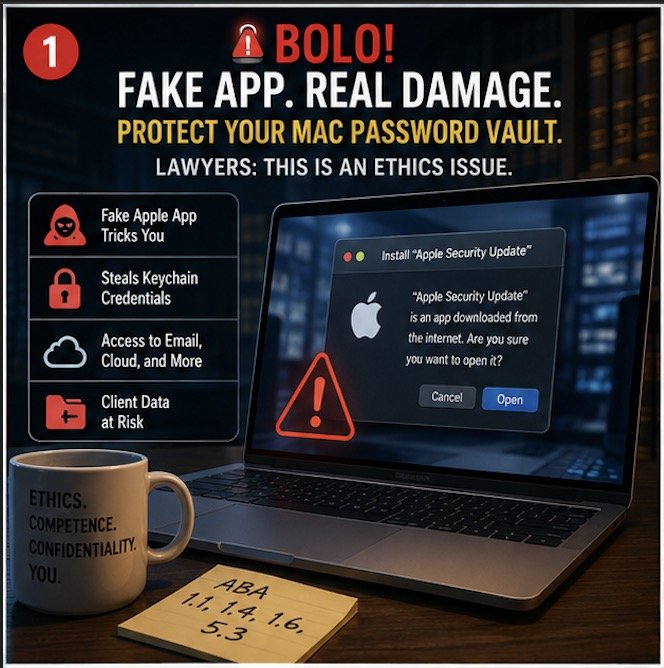
A newly identified piece of malware—disguised as a legitimate Apple application—has the ability to trick users into surrendering access to their macOS password vault. That means saved credentials, system access, and potentially client data are all in play. For lawyers, the implications go well beyond inconvenience. This is an ethics issue. 🚨

According to Malwarebytes’ recent threat intelligence report, attackers are distributing a fake Apple app that convincingly mimics legitimate system prompts. Once installed, it requests elevated permissions and can capture macOS Keychain credentials—the same vault many attorneys rely on to store passwords and secure notes.

That should immediately raise a red flag for anyone responsible for client confidentiality.

Why This Matters for Lawyers

Many attorneys assume macOS provides a higher baseline of security. That assumption is not entirely wrong, but it is incomplete. Threat actors are increasingly targeting Mac users because of that very complacency.

If your Keychain is compromised, an attacker may gain access to:

  • Email accounts containing privileged communications 📧

  • Cloud storage platforms holding client files ☁️

  • Practice management systems

  • Financial accounts and trust systems 💼

This is not just a cybersecurity issue—it is a professional responsibility issue under multiple ABA Model Rules.

The Ethics Layer You Cannot Ignore

Let’s connect the dots to your obligations.

Mac Malware Mimics Apple Prompts to Steal Keychain Credentials

ABA Model Rule 1.6 (Confidentiality of Information) requires attorneys to make reasonable efforts to prevent unauthorized access to client information. Falling for a well-crafted phishing or malware attack does not automatically mean a violation—but failing to implement reasonable safeguards might.

ABA Model Rule 1.1 (Competence) now explicitly includes technological competence. Comment 8 makes clear that lawyers must understand the “benefits and risks associated with relevant technology.”

If you are not aware that fake system prompts exist—or that macOS Keychain can be targeted—you are already behind the curve.

ABA Model Rule 5.3 (Responsibilities Regarding Nonlawyer Assistance) also comes into play if your staff installs software or clicks prompts without proper training.

This is why I often emphasize in both my blog and podcast that cybersecurity is no longer optional—it is foundational.

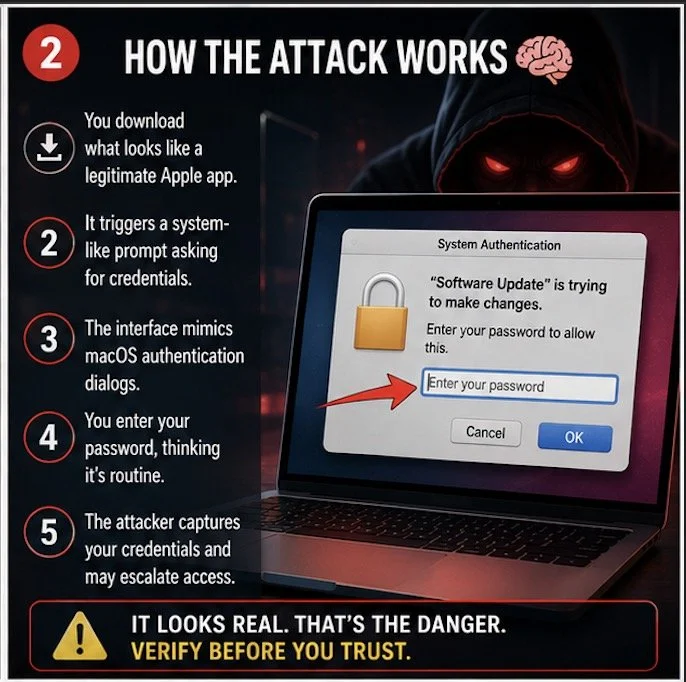
How the Attack Works 🧠

The attack is deceptively simple:

  • A user downloads what appears to be a legitimate Apple-related application.

  • The app triggers a system-like prompt requesting credentials.

  • The interface closely mimics macOS authentication dialogs.

  • The user enters their password, believing it is a routine request.

  • The attacker captures the credentials and may escalate access.

This is classic social engineering layered with technical sophistication.

And here is the uncomfortable truth: even experienced professionals can be fooled when the interface looks authentic.

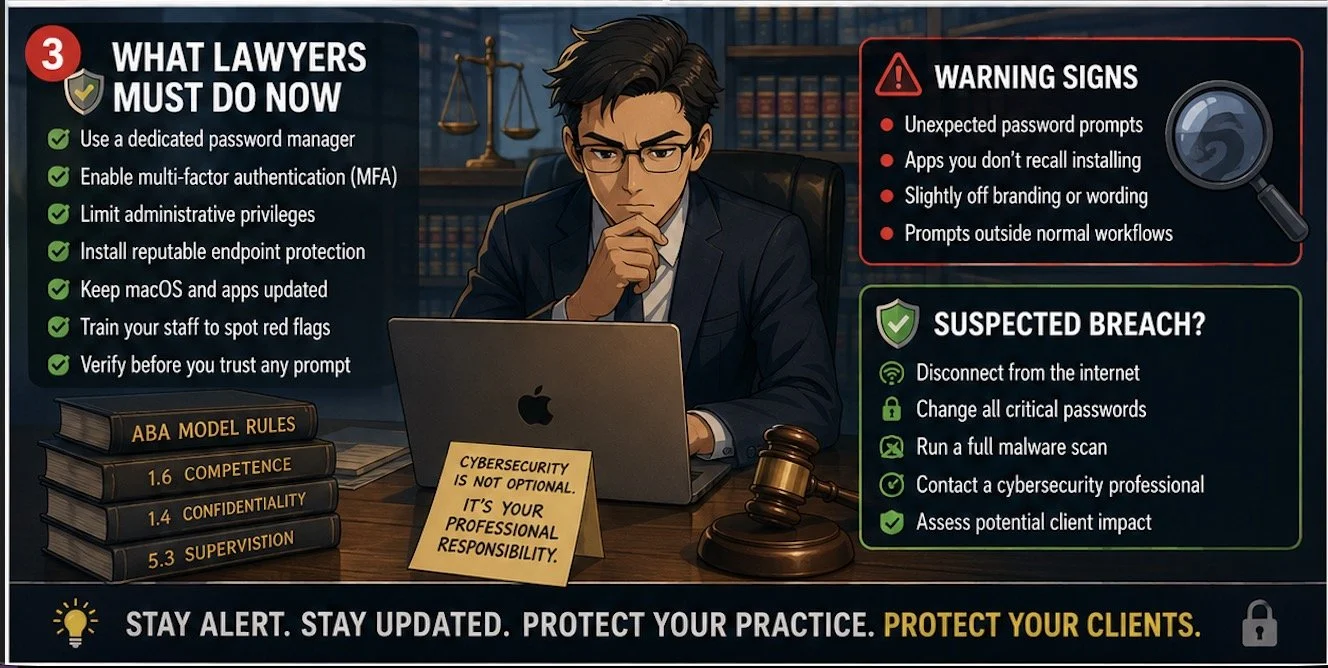
Warning Signs You Should Not Ignore

While these attacks are convincing, they are not perfect. Look for:

  • Unexpected prompts asking for your Mac password 🔑

  • Requests tied to apps you do not recall installing

  • Slightly off branding, spacing, or wording

  • Prompts appearing outside normal workflows

When in doubt, stop. Do not enter credentials.

Instead, open System Settings directly and verify whether any legitimate action requires authentication.

💡 TIP:  Download Apps directly from the Apple App Store.  These applications are vetted by Apple and are less likely to be malware!

Practical Safeguards for Your Practice 🛡️

You do not need to become a cybersecurity expert. But you do need a defensible baseline.

Start here:

  • Use a dedicated password manager instead of relying solely on Keychain.

  • Enable multi-factor authentication (MFA) across all critical systems.

  • Limit administrative privileges on your Mac.

  • Install reputable endpoint protection software.

  • Keep macOS and all applications updated.

  • Train your staff to recognize suspicious prompts.

Incident Response: What If You Already Clicked?

  • If you suspect you interacted with a fake app:

  • Disconnect from the internet immediately 🌐

  • Change all critical passwords from a separate, clean device

  • Run a full malware scan

  • Contact a cybersecurity professional

  • Assess whether client data may have been exposed

At that point, your ethical obligations may shift toward disclosure.

Under ABA Model Rule 1.4 (Communication), you may need to inform affected clients if their data was compromised. Timing and scope matter, so consult ethics counsel where appropriate.

Lawyers Must Strengthen Mac Cybersecurity and Client Data Protection

The Bigger Picture

This is not just about one fake app.

It is about a shift in the threat landscape. Attackers are no longer relying on obvious scams. They are leveraging trust—your trust in Apple, your trust in familiar interfaces, your trust in your own habits.

That is why vigilance must become part of your daily workflow.

As I have discussed before, technology amplifies both efficiency and exposure. The same tools that make your practice more productive also expand your attack surface.

Final Thought

You do not need to panic. But you do need to pay attention.

The lawyers who thrive in this environment are not the most technical—they are the most aware.

Stay alert. Stay updated. And treat every unexpected prompt like it matters—because it might. 🔍

MTC: AI Voice Cloning, Deepfake Fraud, and Crime Junkie: What Lawyers Must Learn Now ⚖️🧠

As a tech-savvy and ethically compliant lawyer, are you prepared to handle an ai voice-call scam?

We live in a world where a client can hear their child scream for help over the phone, know that voice down to the quiver in their sobs, and still be wrong about what’s real. At the same time, lawyers are getting “official” calls from spoofed sheriff’s offices demanding Bitcoin bail payments that feel just plausible enough to pass the sniff test. If you think your clients are the only ones at risk, you’re already behind.

As a long-time Crime Junkie fan, I’m grateful to Ashley Flowers, Brit Prawat, and the Audiochuck team for doing something the legal profession hasn’t always done well: translating complex, evolving tech crime into stories real people understand. Their recent warnings about AI voice cloning, virtual kidnappings, and sophisticated online scams are more than compelling podcast episodes—they’re mandatory listening for lawyers who care about their clients, their firms, and their own digital safety.

In this editorial, I want to bridge those Crime Junkie stories into practical takeaways for solo and small-firm lawyers, AI‑curious practitioners, and even tech‑skeptical colleagues. We’ll look at how these scams work, how the ABA Model Rules already expect you to understand enough technology to spot them, and how to turn “true crime” lessons into concrete safeguards for your practice. ⚙️

When Your Ears Can’t Be Trusted: AI Voice Cloning and Virtual Kidnappings 🎙️

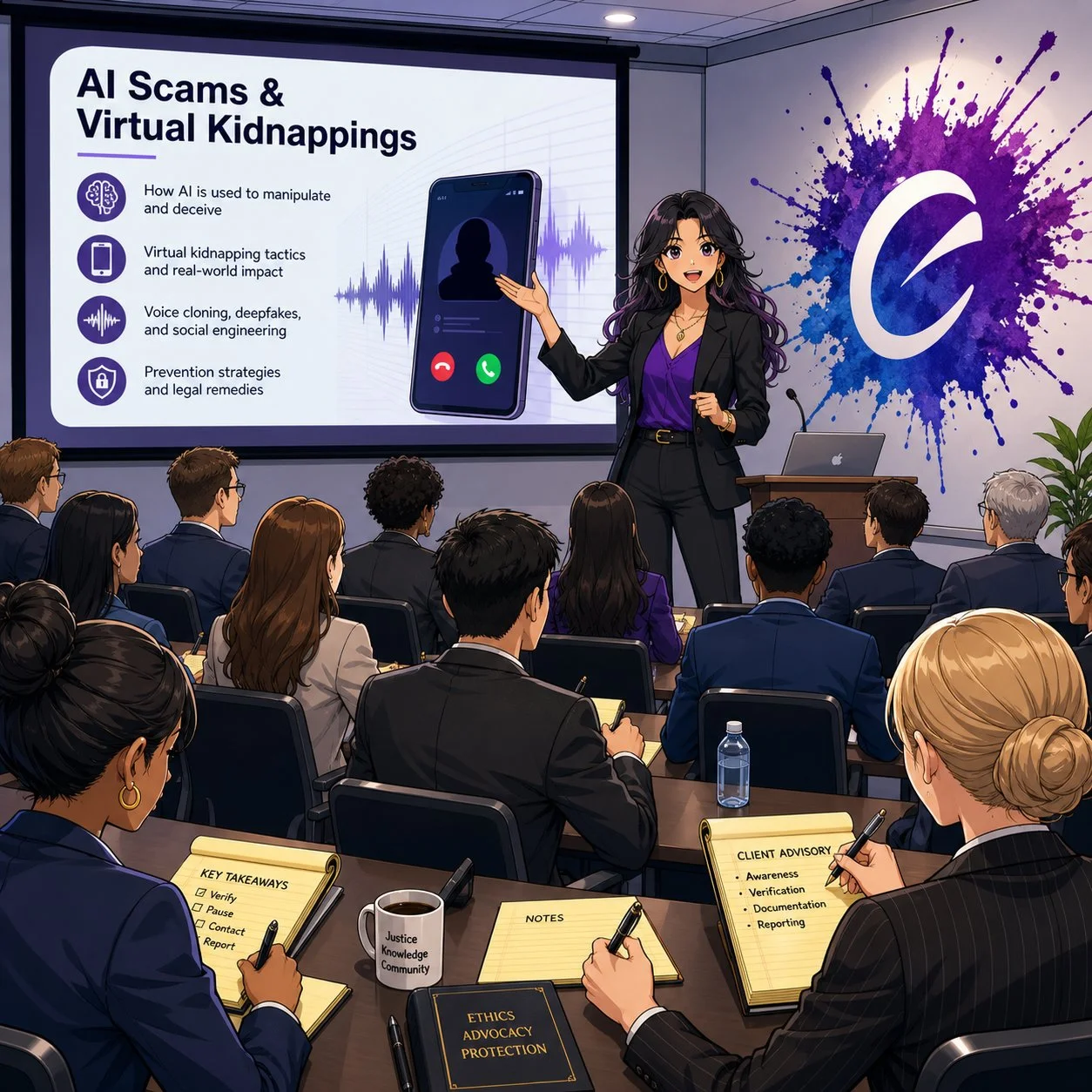
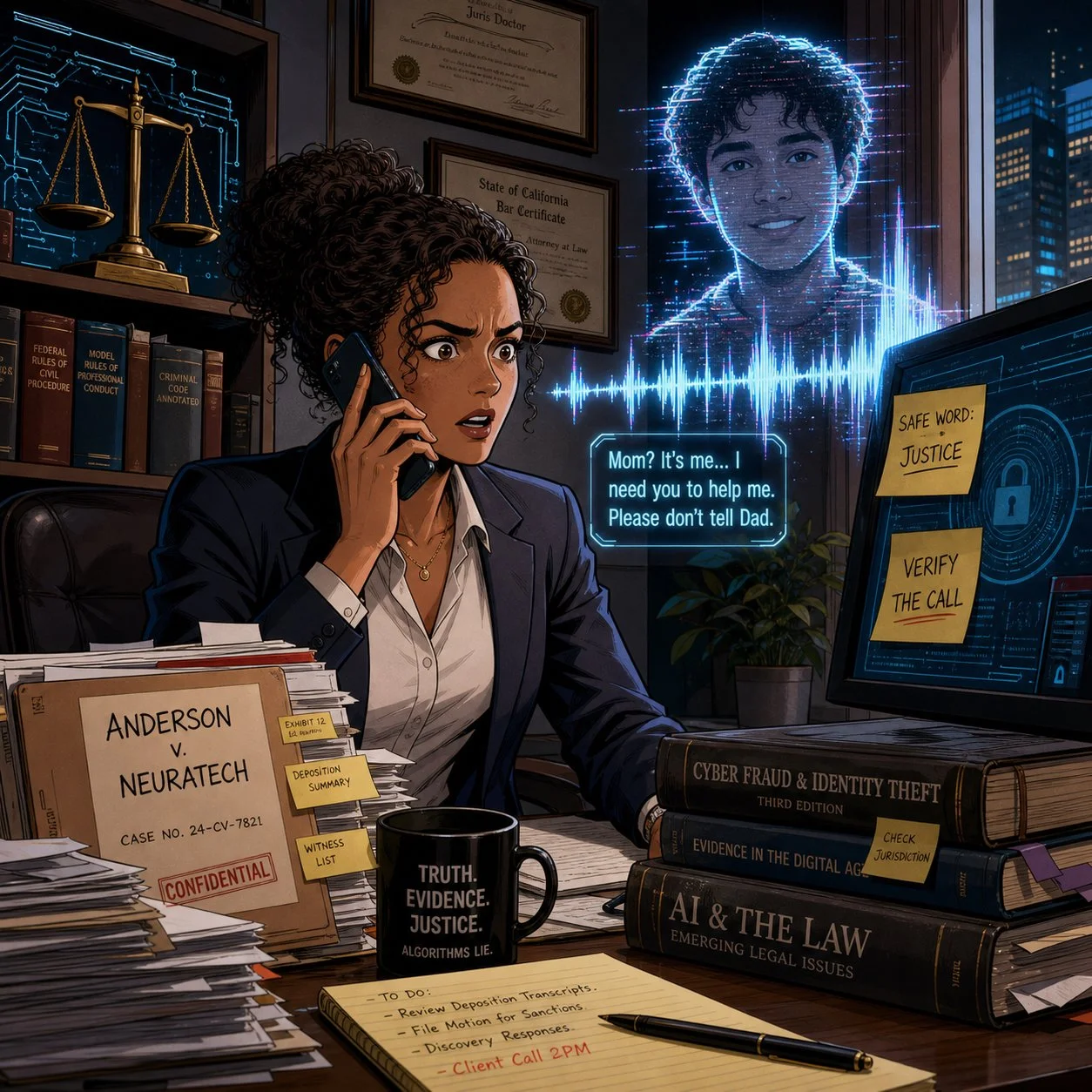
In “WARNING: AI Voice Cloning and Virtual Kidnappings,” Crime Junkie walks us through a terrifying call to a mother who hears her daughter sobbing, begging for her life, while a man demands a ransom and lays out graphic threats. The twist, as many of us now know, is that the daughter is safe; the “kidnappers” are using AI‑cloned audio drawn from a tiny sample of her voice to weaponize panic.

Researchers cited in the episode describe how low‑cost AI tools can create a convincing voice clone from as little as three seconds of audio. Caller ID spoofing then makes it look like the call is coming from the victim’s phone, while scammers press for fast, untraceable payments in cash, gift cards, or crypto. The technology is cheap, the scripts are refined, and the goal is simple: override your critical thinking before you can verify anything.

From a legal ethics perspective, this isn’t just an interesting cybersecurity anecdote. ABA Model Rule 1.1 on competence—especially Comment 8—requires you to stay abreast of “the benefits and risks associated with relevant technology.” An environment where your client can be tricked into paying a fake ransom, or where your own voice can be cloned to mislead staff or opposing parties, is very much “relevant technology.”

If you are not talking with clients and staff about AI‑driven fraud risk, you are not just missing a teaching moment—you may be edging toward a competence problem under the Model Rules.

Lessons for Client Counseling: Safe Words, Verification, and Panic‑Proof Plans 🛟

One of the most practical takeaways in the AI voice cloning episode is also one of the simplest: set a family and a seperate law office “safe word” and rehearse how to verify calls under extreme stress. The FBI, National Cybersecurity Alliance, and digital forensics experts interviewed for the episode all echo the same theme—pre‑commitment beats improvisation when panic hits.

This is precisely the kind of low‑tech, high‑impact advice lawyers can—and should—be giving in client counseling sessions, especially with:

  • Family law clients dealing with high‑conflict co‑parenting or domestic violence

  • Estate planning clients with vulnerable or elderly relatives

  • Business clients whose executives or finance staff could be targeted by “CEO voice” scams

Here’s a concrete, lawyer‑friendly checklist you can adapt:

  1. Safe Word Policy
    Encourage clients to adopt a family or organizational safe word, shared only in person or via secure channels, for any call alleging an emergency or ransom demand.

  2. Verification Protocols
    Teach clients to verify via a second channel: call back on a known number, text from another device, or contact a third person who can physically locate the supposed victim.

  3. Call 911 First When in Doubt
    Emphasize that if they believe a life is at risk, they should call 911—even if they suspect it might be a scam. Law enforcement can help triage the situation; if it’s a scam, they can sort that out after.

  4. Evidence Preservation
    Tell clients to screenshot call logs, save audio, and preserve any “proof of life” photos or messages before they disappear, as some software can make photos exist only for seconds. Those artifacts can be invaluable if law enforcement or insurers later investigate.

This kind of counseling fits squarely within ABA Model Rule 2.1 (Advisor), which encourages lawyers to consider “moral, economic, social, and political factors” in advising clients. You’re not just parsing statutes; you’re helping clients design their own risk‑management frameworks in a world where even their senses can be hacked.

The second Crime Junkie episode I wanted to share, "WARNING: Online Scams", focused on other kinds of scams involving technology:

How Scammers Use Our Systems Against Us: Fake Warrants, Bitcoin Bail, and “Officer Smith” 👮‍♂️💸

Lawyers, are you prepared to advise your client on ai scams?

A couple receives a voicemail from what appears to be their local sheriff’s office, learns there’s a warrant for missing jury duty, and is told they can avoid booking if they pre‑pay bail via Bitcoin and Venmo. They do their homework—they verify the number online, they look up “Officer Smith,” they cross‑check the department. Yet they still end up running between ATMs, feeding money into a Bitcoin kiosk, and nervously wiring funds to what looks like a legitimate bail account.

Only later, after calling a non‑emergency line and getting a return call from a blocked number (as their real department actually uses [versus the scammer’s phone number that appeared on their caller ID), do they learn the uncomfortable truth: the “bail by Bitcoin” story was a scam.

Crime Junkie does an excellent job breaking the lessons down into clear rules:

  • Police will not call to give you a “heads‑up” that you’ve broken the law.

  • Bail is paid in person, not by Bitcoin, gift card, or Venmo.

  • Hanging up and calling back on a separately verified number can serve as an important safety/security step.

For lawyers, these stories are a vivid reminder that many scams are “legal‑adjacent”—they borrow just enough from real procedures (jury duty, warrants, bail, sheriff’s offices) to feel legitimate. That makes them particularly dangerous for our clients and our staff, who may over‑defer to anything with a whiff of authority.

Under ABA Model Rule 5.3, lawyers have an obligation to ensure that nonlawyer assistants act in a manner compatible with the lawyer’s professional obligations. That includes training staff to handle legal‑sounding calls skeptically: to question unusual payment methods, verify claims through known channels, and escalate suspicious calls before anyone withdraws or wires funds.

If your receptionist or office manager wouldn’t know how to respond to a call like the one just described, that’s a training gap you can fix—ideally before it becomes a loss.

Fraud in the Grey Zones: Sugar Daddies, Freelance Gigs, and Client Shame 🧾

Crime Junkie also covers scams that operate in more personal and sometimes stigmatized spaces: sugar‑daddy arrangements gone wrong; freelance “job offers” that rely on fraudulent checks; supposed production gigs that pay you to buy equipment, then claw back your real money once the check bounces.  These scams involve computers, phones, the World Wide Web, and even an electronically altered check

In the sugar‑daddy story, a young woman on a sugar‑daddy online platform is manipulated into buying hundreds of dollars’ worth of Steam gift cards to “prove” she’s not scamming her would‑be benefactor, only to realize too late that she’s been exploited. In the job offer story, a freelance audio professional is mailed a check to buy gear for a production; he wisely flags the check, closes his account, and discovers that the job posting piggybacked on a real company’s identity.

Three legal practice lessons stand out here:

lawyers and their clients can learn a lot from shows like crime junkie about ai scams and their impact on their clients!

  1. Clients may not tell you everything, especially if the scam involves sex, money, or perceived “stupidity.” The victims in these cases describe deep embarrassment and shame, which initially kept them from reporting to the police. For lawyers, this kind of hesitation could cause further bar issues beyond the incident itself.

  2. Financial exploitation often intersects with the kinds of matters solos and small firms already handle. Think consumer protection, elder law, family law, or small business disputes. Clients who’ve been scammed may appear with half‑formed stories, partial evidence, and a strong desire to move on rather than report.

  3. Failing to respond promptly—or at all—to suspected scams or financial exploitation can compound the harm and create independent ethics problems. When a lawyer ignores red flags, delays advising the client, or fails to investigate and remediate potential trust‑account or fraud issues, regulators may view that as a separate violation of duties of competence, diligence, communication, and safeguarding client property, even if the underlying scam originated outside the firm. In extreme cases, a pattern of slow or inadequate responses can trigger bar complaints or disciplinary investigations that focus less on the initial scam and more on the lawyer’s failure to act once on notice.

ABA Model Rule 1.4 (Communication) and 1.14 (Client with Diminished Capacity) come into play here. You must explain matters to clients in a way they can understand, but you also need to create a space where they can safely share how they were targeted without fear of ridicule. That’s emotional work, not just analytical work.

One practical move: incorporate scam‑screening questions into your intake forms and interviews. Ask clients explicitly whether anyone has recently requested unusual payment methods, impersonated a government agency, or pressured them to act quickly under threat of legal or physical harm.

Firm‑Level Risk: Deepfakes, Staff Training, and Incident Response 🏢🔐

These Crime Junkie episodes also raise uncomfortable questions about law firm operations. What happens when it’s not a client but you whose voice is cloned? What if a deepfake of your voice instructs staff to release trust funds or share confidential documents?

In “WARNING: AI Voice Cloning and Virtual Kidnappings,” the FBI describes how scammers run these operations like call centers, constantly cycling through numbers and scripts to maximize success. The same industrialization is happening in business email compromise (BEC) and invoice fraud—areas where law firms are already prime targets.

Three concrete actions you can take at the firm level:

  1. Adopt a “trust but verify” rule for any out‑of‑band instruction involving money or confidential data. No transfer of client funds, no disbursement of settlement proceeds, and no release of sensitive documents should happen based on a single phone call, even if the caller “sounds” like you.

  2. Implement multi‑factor workflows, not just multi‑factor authentication. For example, any financial instruction must be confirmed via a second channel (secure client portal, verified email, or in‑person) before action. 

  3. Document an incident response plan that includes deepfake and scam scenarios. ABA Model Rules 1.6 (Confidentiality) and 5.1 (Responsibilities of Partners and Supervisory Lawyers) expect you to have reasonable safeguards and supervisory structures. That includes knowing what to do when—not if—your systems or people are tested.

These are precisely the kinds of measures we walk through in The Tech-Savvy Lawyer.Page blog and podcast episodes on AI, deepfakes, and metadata—where we discuss the intersection of ethics, evidence, and emerging tech.

Bridging Crime Junkie and Legal Ethics: Story as a Compliance Tool 📚✨

lawyers need TO think calmly when confronted with ai scams let alone any scam!

One of the most useful things about Crime Junkie is that Ashley and Brit don’t just scare you; they give you scripts, safe‑word strategies, and “here’s what to do next” checklists. Lawyers can—and should—borrow that model.

Instead of sending clients dense policy memos, consider:

  • Sharing these specific episodes with a short email explaining why they matter:

    • “WARNING: AI Voice Cloning and Virtual Kidnappings” – Crime Junkie’s breakdown of how cloned voices fuel virtual kidnapping scams and what the FBI recommends.

    • “WARNING: Online Scams”, the online scams episode about fake warrants, sugar daddies, job scams, and fraudulent checks.

  • Pairing the episode with your own one‑page client guide that translates the stories into local, practical legal advice—how your jurisdiction handles actual warrants, how bail really works, and how you want clients to contact you if they suspect a scam.

  • Integrating these stories into CLEs and staff training, using them as case studies for ABA Model Rule 1.1 (Competence), 1.6 (Confidentiality), 1.4 (Communication), and 5.3 (Nonlawyer Assistants).

The goal isn’t to turn your practice into a true crime podcast. It’s about leveraging narratives your clients and staff will actually remember when the phone rings, the voice shakes, and the clock starts ticking.

Lawyers in words, facts, and rules. But in an era of AI voice cloning, deepfake fraud, and industrialized scamming, the difference between a near‑miss and a catastrophe may come down to whether your clients have heard the right story—and practiced the right response—before the crisis hits.

So grab your headphones, queue up Crime Junkie, and then bring those lessons into your practice. Your clients, your firm, and yes, you, will be safer for it. 🎧⚖️

MTC: Summer Vacation Cybersecurity for Lawyers: Essential Tech Tips to Protect Client Data on the Go 🌴💻

Lawyers: Never Skip Your VPN — Even on Vacation!

For many lawyers, “summer vacation” now means answering client emails from the beach house, reviewing drafts on the cabin deck, and jumping into Zoom hearings from hotel rooms. 🌞📶 Work rarely stays at the office, and our laptops and phones have become permanent carry‑ons even when we swear we are taking real time off. That always‑on reality turns every summer trip into a rolling cybersecurity and ethics test.

When you travel with devices that touch client matters, you are also traveling with privileged information, trade secrets, and personal data that fall squarely under ABA Model Rules 1.1 and 1.6. Competent representation now includes understanding the benefits and risks of the tech you use, and reasonable efforts to protect client confidentiality do not pause when you turn on your out‑of‑office message. The goal is not to shame lawyers for working on vacation; it is to make sure that when you inevitably do, your tech setup supports both your ethics and your relaxation. 😎

Pack Light: A “Minimum Data” Mindset for Vacation

The safest client data is the data that never leaves your office or your secure cloud in the first place. 1Password’s travel guidance and broader cybersecurity advice emphasize carrying only what you truly need when you hit the road. For summer trips, this translates into a deliberate “minimum data” mindset.

Before you leave, decide which matters genuinely might need your attention while you are away and which can safely wait until you return. Archive or unsync closed files and non‑urgent matters from your travel devices so they are not riding along to the resort, rental home, or national park lodge. For some practices, this may not be feasible when your current work may rely on prior drafts in similar cases.  But when feasible, consider using a “travel profile” or even a separate, cleaner laptop with access only to essential tools and a limited subset of client documents.

This approach directly supports your duty under Model Rule 1.6(c) to make reasonable efforts to prevent unauthorized access to client information by reducing the amount of sensitive material that could be exposed if a device is lost, stolen, or inspected. It also makes vacation feel less like moving your entire office to a different ZIP code, allowing you to focus on what really needs to be done and hopefully enjoy your vacation a little more.

Smart Lawyers Activate Travel Mode Before Every Flight.

Password Managers and Travel Mode: Your “Vacation Vault”

Strong, unique passwords are non‑negotiable for lawyers, and summer vacation does not change that. 1Password and similar tools exist precisely so you do not reuse easy‑to‑type passwords while you juggle boarding passes, sunscreen, and kids at the gate. (Note: I am a paying user of 1Password and have used their product for many years!  Also, I may earn a commission on any link used from this blog.)

Use a reputable password manager to generate and store complex, unique passwords for all your accounts—email, practice management, cloud storage, airlines, hotels, and rental car services. Store digital copies of your ID, bar card, and key travel documents in a secure vault instead of leaving them scattered across your inbox or photo roll. That saves time on the road and keeps sensitive personal and professional information encrypted.

For summer travel, 1Password’s Travel Mode is particularly valuable. You can mark certain vaults as “safe for travel” and remove more sensitive vaults from your devices with a single toggle before you leave. If your phone or laptop is inspected at a border or compromised in a crowded tourist spot, the most sensitive client logins and documents are simply not there. From an ethics perspective, that is a concrete, defensible step toward preserving client confidentiality.

Vacation Wi‑Fi, VPNs, and Hotspots: Don’t Trust the Beach House Network

The Wi‑Fi at your beach rental, resort, or lakeside Airbnb may be convenient, but it is rarely secure. Past guests often know the password, routers may be poorly configured, and attackers sometimes target popular tourist areas with rogue access points. For lawyers who are logging into email, document systems, or court platforms from these networks, that is a serious problem.

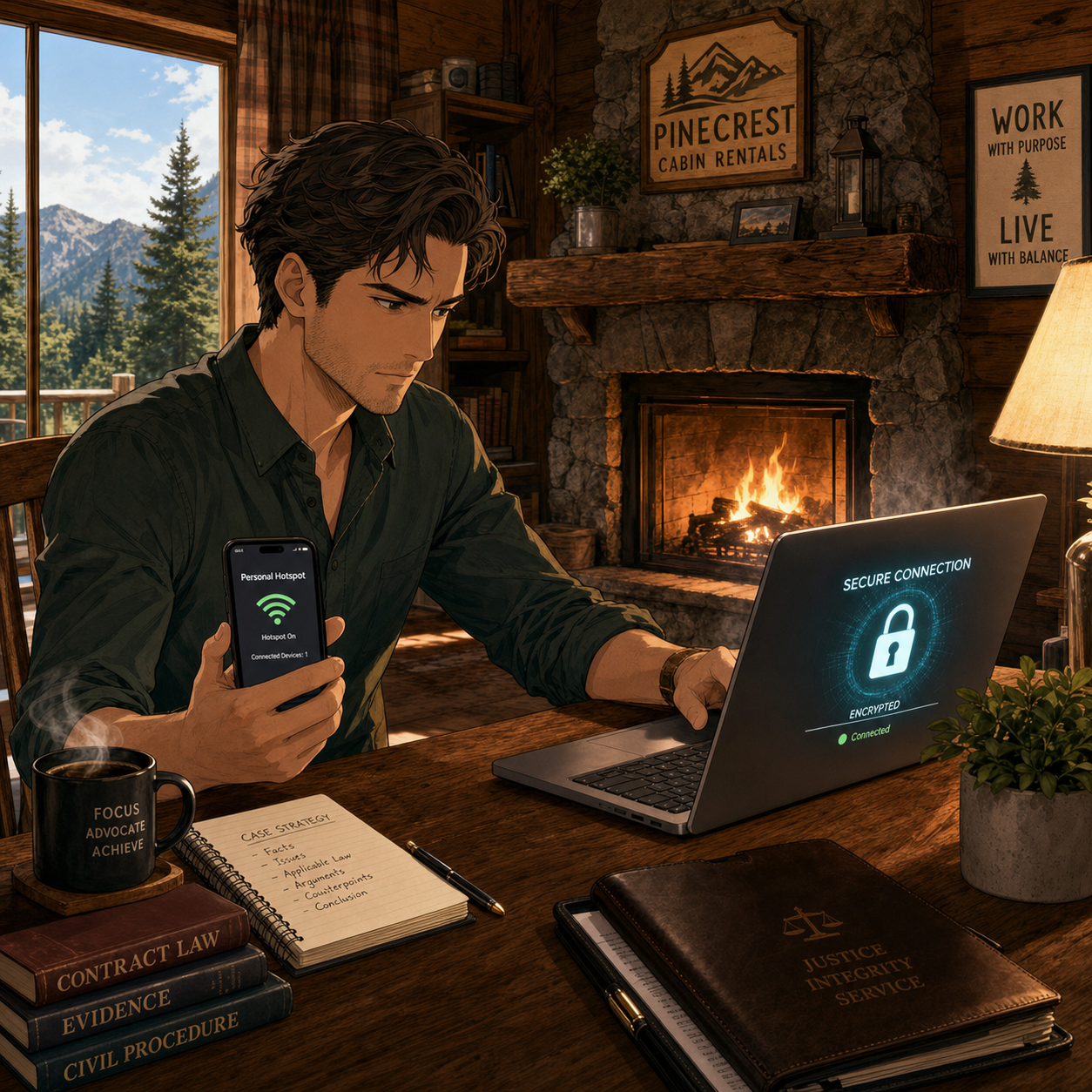
Secure Client Data Anywhere — Use Your Phone's Hotspot!

A Virtual Private Network (VPN) should be standard equipment for any lawyer working on vacation. A good VPN encrypts your traffic between your device and the VPN provider, making it much harder for eavesdroppers or compromised networks to capture sensitive information. Legal tech sources and security professionals consistently recommend that lawyers use reputable VPN providers with strong encryption and clear no‑logs policies.

In practice, treat any shared vacation Wi‑Fi as hostile. Turn on your VPN before accessing client email, cloud storage, or remote desktop tools. Better yet, follow The Tech‑Savvy Lawyer’s advice and rely on your smartphone’s hotspot for truly sensitive work; modern cellular networks often provide stronger encryption and a more reliable, if not many times faster, performance than hotel or rental Wi‑Fi. This level of care is rapidly becoming part of what “reasonable efforts” and basic technology competence mean for a traveling lawyer.

Device Hardening for Summer Travel: Encryption, Passcodes, and Biometrics

Summer travel is chaotic. Devices slide between airplane seat cushions, get forgotten in rideshares, or are grabbed from café tables. Full‑disk encryption and strong authentication are your last lines of defense when something goes wrong.

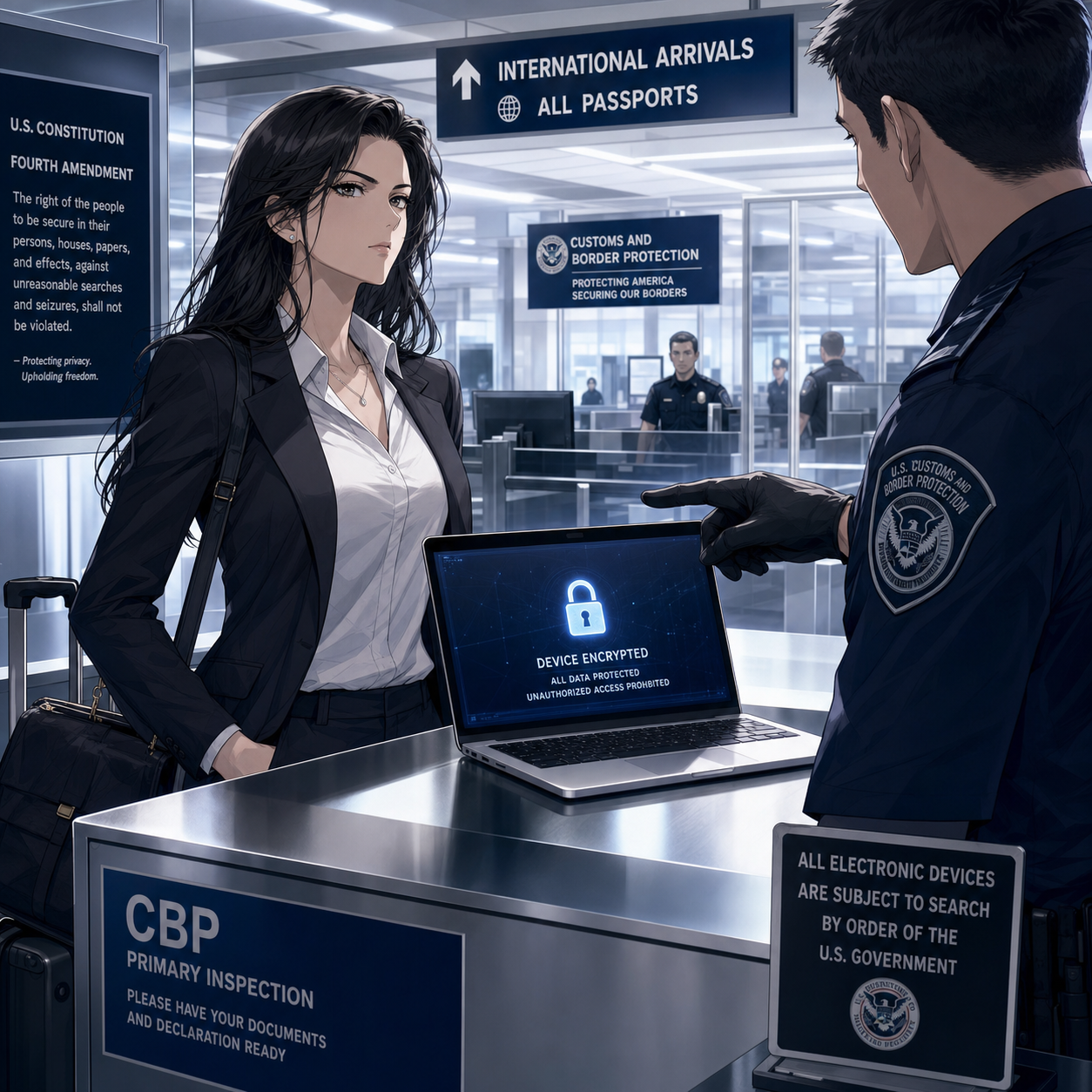
Know Your Rights when crossing international boarders: Encrypted Devices Protect Client Privilege

Make sure full‑disk encryption is enabled on every device you bring—FileVault on macOS, BitLocker on Windows, and built‑in encryption on modern iOS and Android devices. Use a long, alphanumeric passcode rather than a short PIN, and configure automatic locking after a brief period of inactivity so a phone left by the pool does not stay unlocked.

When you are approaching international borders, consider temporarily disabling biometrics so that unlocking your device requires a passcode instead of a fingerprint or facial scan. 1Password’s Travel Mode can again help by ensuring that the most sensitive client vaults are not present on the device at all if a border search occurs. If agents request access, clearly state that the device contains privileged material and that you are an attorney, in line with guidance that privilege should trigger additional care. These steps show you are actively trying to protect client confidentiality, not ignoring the issue.

Two-Factor Authentication and Account Hygiene on Holiday

Account compromise can ruin a vacation as quickly as a lost suitcase. Enable two‑factor authentication (2FA) on your critical accounts—email, practice management, document repositories, and your password manager—before you leave. App‑based authenticators and hardware keys are generally more reliable and secure than SMS codes, especially when you are roaming internationally or in areas with spotty service.

Review account recovery options in advance so that a locked‑out account does not turn into an emergency while you are halfway around the world. Monitor sign‑in alerts from your major accounts during and after the trip so you can quickly respond to any unfamiliar activity. This sort of “account hygiene” supports your duties of competence and confidentiality and gives you practical peace of mind while you try to enjoy some downtime.

A Simple Summer Travel Checklist for Lawyers

For lawyers with limited to moderate tech skills, the key is a repeatable routine rather than a complex security project. A short checklist before each summer trip can go a long way:

Every Traveling Lawyer should use a Pre-Trip Security Checklist!

  • Backup all devices, apply pending updates, and confirm full‑disk encryption is enabled.

  • Clean your devices by removing non‑essential client data and logging out of unused accounts.

  • Configure your password manager, mark travel‑safe vaults, and turn on Travel Mode if available.

  • Install and test your VPN, and verify you know how to enable your phone’s hotspot.

  • Confirm 2FA works from where you will be, especially if traveling abroad.

This checklist supports the ABA’s technology competence expectations and makes your vacations less stressful because you are not improvising security on hotel Wi‑Fi at midnight. It respects the reality that today’s lawyers must often take their work—and their devices—with them, while still honoring their core obligations to clients.

Summer is supposed to be restorative. With a bit of planning, smart use of tools like VPNs and 1Password’s Travel Mode, and an eye on your Model Rule duties, you can protect client data and your own peace of mind at the same time. 🌴🔐

Save Travels!!! 🌴💼✈️

MTC

📰 ABA TECHSHOW 2026 Recap: From AI Hype to LLM Reality, Google Workspace, and Ethical Lawyering in the Age of Bots ⚖️🤖

The Real Story Behind ABA TECHSHOW 2026

The techshow is the conference to go to keep your pulse on the technology lawyers should be using every day!

Walking into ABA TECHSHOW 2026 this year, I wasn’t thinking about shiny gadgets; I was thinking about competence, client service, and what it will mean to practice law in an era dominated not just by “AI,” but by large language models (LLMs) quietly shaping almost everything we see and share online. During my work on The Tech-Savvy Lawyer.Page blog and podcast, I keep running into the same pattern: lawyers know they should understand legal technology, yet they worry they’ll break something, breach a rule, or look foolish in front of their staff. TECHSHOW 2026 aimed directly at that anxiety — but this year, the conversation needs to go beyond what AI and generative AI can do and toward how LLMs and search bots are already shaping our professional identities online and offline. ⚖️💻

Keynotes: The “AI Dividend” and Your Time

The keynote lineup captured the tension between promise and risk. Legal market analysts highlighted what some called the “AI Dividend”: when machines take over routine drafting and research, lawyers gain time to think, advise, and advocate at a higher level. The real question — one I’ve been hammering on The Tech-Savvy Lawyer.Page for years — is what you will do with the time technology gives back (some of that time should include reviewing your work, e.g., your case citations). Tech-savvy speakers pushed attendees to look past vendor hype and focus on the broader digital environment, where consumer-facing tools, search engines, and recommendation algorithms are setting new expectations for speed, transparency, and availability.

Practical AI in the Sessions

Inside the conference rooms, the “Taming the Machines” and related AI tracks met baseline concerns (some with hands-on workshops) focused on realistic use cases: assisted drafting, pattern spotting in discovery, and summarizing voluminous documents. These sessions were built for lawyers who live in Word, Outlook, Google Workspace, and practice management systems and who simply want to stop retyping the same paragraphs. The faculty hammered home a critical point: generative AI is an assistant, not a decision-maker; you remain the lawyer, responsible for accuracy, judgment, and ethics under the ABA Model Rules. 🤖📄

Google Workspace, Microsoft 365, and Using What You Already Own

Mathew Krebis’ session on Google Workspace drove that message home in very practical terms. He showed how many firms are only scratching the surface of tools they already pay for: shared Drives with well-structured permissions, real-time collaboration in Google Docs, Gmail automation for intake and follow-up, and Google Calendar combined with Tasks to keep matter timelines under control. When you layer in emerging AI features in Workspace — smart replies, document summaries, suggested outlines — you see how even modest use of these tools can dramatically reduce friction in daily practice, and the tools Mathew discussed are not isolated to “law practice management” systems.

The takeaway was powerful: before you chase a new platform, fully exploit the ecosystem you already have. For many firms, “being more tech-savvy” starts with properly configuring their Google Workspace, Microsoft 365, or other SaaS platform, rather than buying yet another service.

Podcasting, Social Media, and LLM-Driven Visibility

Meanwhile, one other yet important frontier — and one that still feels underexplored — is what happens when LLMs and search bots become the primary lens through which clients, colleagues, and even opposing counsel discover you. That’s where my panel, 🎧 Podcasting for Lawyers: The Truth Behind the Mic, came in.

Ruby L. Powers, Gyi Tsakalakis, Stephanie Everett, and I discussed podcasting and social media not just as marketing channels, but as structured signals fed into LLM-driven engines that are constantly indexing, ranking, and inferring who is an authority on a given topic. Whether you talk about appellate practice, family law, or even a hobby outside the law, your content becomes training data for Generative Engine Optimization/LLM bots that decide which voices surface first when someone types a question into an AI chatbox. 🎙️🌐

In other words, your digital footprint is no longer static. It is being interpreted, reassembled, and presented as answers — often without you ever seeing the intermediate steps. That reality raises a new layer of ethical questions under the ABA Model Rules. Model Rule 7.1’s prohibition on false or misleading communications about the lawyer or the lawyer’s services takes on a new twist when LLMs remix snippets of your posts, podcasts, Google Workspace–hosted client alerts, and blog articles into composite “advice.”

You might be scrupulously accurate in your content, but if an LLM mischaracterizes it or presents it out of context, what then? TECHSHOW 2026 addressed traditional risks like hallucinated case citations, but there is room for a deeper, explicit conversation about how LLM-driven discovery intersects with advertising, communication, and competence duties.

EXPO Hall: Tools, Timekeeping, and Vendor Reality Checks

The EXPO Hall, as always, served as a laboratory of possibilities. Practice management platforms, billing tools, document automation, and a wave of AI-enhanced products competed for attention. Timekeeping tools that automatically capture activity across devices and applications and then propose draft time entries have grown dramatically since last year. For lawyers still reconstructing their days from memory and sticky notes, this is more than a marginal upgrade; it directly affects revenue, work-life balance, and accuracy.

But the fair warning comes here: make sure vendors are showing you what their product can do today, not what they hope it will do someday. In the LLM era, marketing decks are often several steps ahead of deployed reality. 🧾⏱️

Remember, you have an obligation under Model Rule 1.1 (competence) and Model Rule 5.3 (responsibilities regarding non-lawyer assistance) to understand the capabilities and limitations of any tech you “delegate” work to. Asking hard questions about current functionality, data handling, and audit trails is not being difficult; it is part of your duty of care.

Cybersecurity, Confidentiality, and LLM Risk

networking oppOrtunities like the taste of tecHshow” is a great way to talk with and learn from other lawyers about using tech in the practice of law.

The sessions on cybersecurity and confidentiality continued to do vital work. Under Model Rule 1.6, our obligation to protect client information extends to cloud storage, email, video conferencing, and the mobile devices we casually use in airport lounges. The “Guardians of the Data” track walked through practical checklists rather than abstract fearmongering: password managers, multi-factor authentication, properly configured backups, and vendor due diligence.

For firms running on Google Workspace, that translated into concrete steps: enforcing two-step verification, tightening Drive sharing settings, using client-specific shared Drives instead of ad hoc personal folders, and monitoring admin logs for suspicious access. The move from generic “AI” to LLM-powered services on any platform increases data risk, because many tools rely on ingesting your content — sometimes including client information — to improve their models. If you don’t understand where your data is going and how it is used, you cannot credibly say you are meeting confidentiality obligations. 🔐☁️

Competence, Human-in-the-Loop, and Everyday Workflows

You have an obligation under Model Rule 1.1 (competence) and Model Rule 5.3 (responsibilities regarding non-lawyer assistance) to understand the capabilities and limitations of any tech you “delegate” work to. Asking hard questions about current functionality, data handling, and audit trails is part of your duty of care.

Balancing this skepticism, though, is an equally important truth: becoming proficient with AI and LLM-based tools is not a spectator sport. You cannot satisfy your duty of technological competence from the sidelines. You have to use the tools first on a small scale, then progressively in more critical workflows, always with appropriate supervision and verification.

That might mean piloting an AI drafting feature in Google Docs and Microsoft Word for internal templates, or testing structured intake forms and automations inside Google Workspace or Microsoft 365 before rolling them out firm-wide. Ignoring AI because it feels uncomfortable is no longer the safer option. In some practices, failing to integrate it intelligently — while peers and opposing counsel do — may itself raise competence concerns as expectations evolve in courts and among clients. 🧩📈

Saturday Sessions: From “Use AI” to “Use AI Responsibly”

On Saturday, the 9 a.m. conversation among ABA President Michelle A. Behnke, Immediate Past President William R. “Bill” Bay, and President-Elect Barbara J. Howard, underscored how all of this ties into the rule of law and access to justice, framing AI as something lawyers now have a responsibility to actually use, not simply watch from the sidelines. The 10 a.m. session with Judge Timothy S. Driscoll then shifted the focus from “use AI or be left behind” to “use AI responsibly,” making it clear that judges, too, are integrating AI into their work and that they are not immune from mistakes when they rely on it.

The message for everyone in the courtroom ecosystem was simple and blunt: “Review, review, and review” any work touched by AI, because AI is a non‑infallible tool that does make errors and can mislead the unwary. Together, these sessions acknowledged the growing digital divide: lawyers and clients who can’t or won’t adopt technology risk falling out of the mainstream of legal services, while those who adopt it recklessly risk eroding confidence in both their own work and the justice system as a whole.

We are not merely debating convenience; we are deciding who gets effective representation and who is left out because the lawyer they might have hired never appeared in their LLM‑driven search results — or appeared with AI‑boosted visibility but poor ethical judgment. Technology, in this sense, is not optional; it is one of the few levers we have to expand meaningful access to legal help, provided we wield it with intent, humility, and rigorous human review. ⚖️🧠

LLM Literacy: The Next Core Competency

That balance — between caution and experimentation — is where TECHSHOW 2026 both excelled and showed its next frontier. Many sessions made AI approachable, breaking down concepts for lawyers with limited to moderate tech skills and providing concrete workflows they could apply on Monday. What I would like to see more explicitly next year is programming that treats LLM literacy as a core competency: understanding how LLMs are built, how they index and surface information, how your content feeds into them, and how that affects everything from client intake to reputation, whether you are working in Microsoft 365, Google Workspace, or a specialized legal platform.

From my vantage point as a legal tech ambassador at The Tech-Savvy Lawyer, the most successful sessions respected that many lawyers are highly capable professionals who simply haven’t had the time or guidance to modernize their workflows. They don’t need to become prompt engineers. They need guardrails, roadmaps, and clear examples of how to align AI, LLM tools, and mainstream platforms like Microsoft 365 and Google Workspace with the ABA Model Rules and local bar guidance. When faculty focused on incremental steps — tightening cybersecurity configurations, adding a layer of AI-assisted drafting under strict human review, building a consistent content strategy that LLMs can reliably recognize — the room should lead in.

A Tough-Love Takeaway for Lawyers

If you are a lawyer who still feels behind, here’s the core message I took away from TECHSHOW 2026, with a bit of tough love: you don’t need to chase every new tool, but you can’t afford to ignore LLM-driven AI and the platforms you already live in, like Microsoft 365 and Google Workspace, any longer. Understand the basics; pilot one or two well-vetted tools to start improving your efficiency without sacrificing the need for a true human-in-the-loop.

SEE YOU IN CHICAGO FOR ABA TECHSHOW 2027!!!

Read your jurisdiction’s ethics opinions on AI and technology. Build habits that protect client data by default. Use your own content — whether blog posts, newsletters, or podcasts — to train the bots to see you as a trusted authority rather than a digital afterthought. Ultimately, your bar license may be at more risk from not engaging with AI than from engaging with it carefully and intelligently.

The future of legal practice will not wait until we are all comfortable; it is here now, embedded in the search boxes, recommendation engines, and tools your clients already use. TECHSHOW 2026 made that clear. The next move is yours. 🚀⚖️

MTC

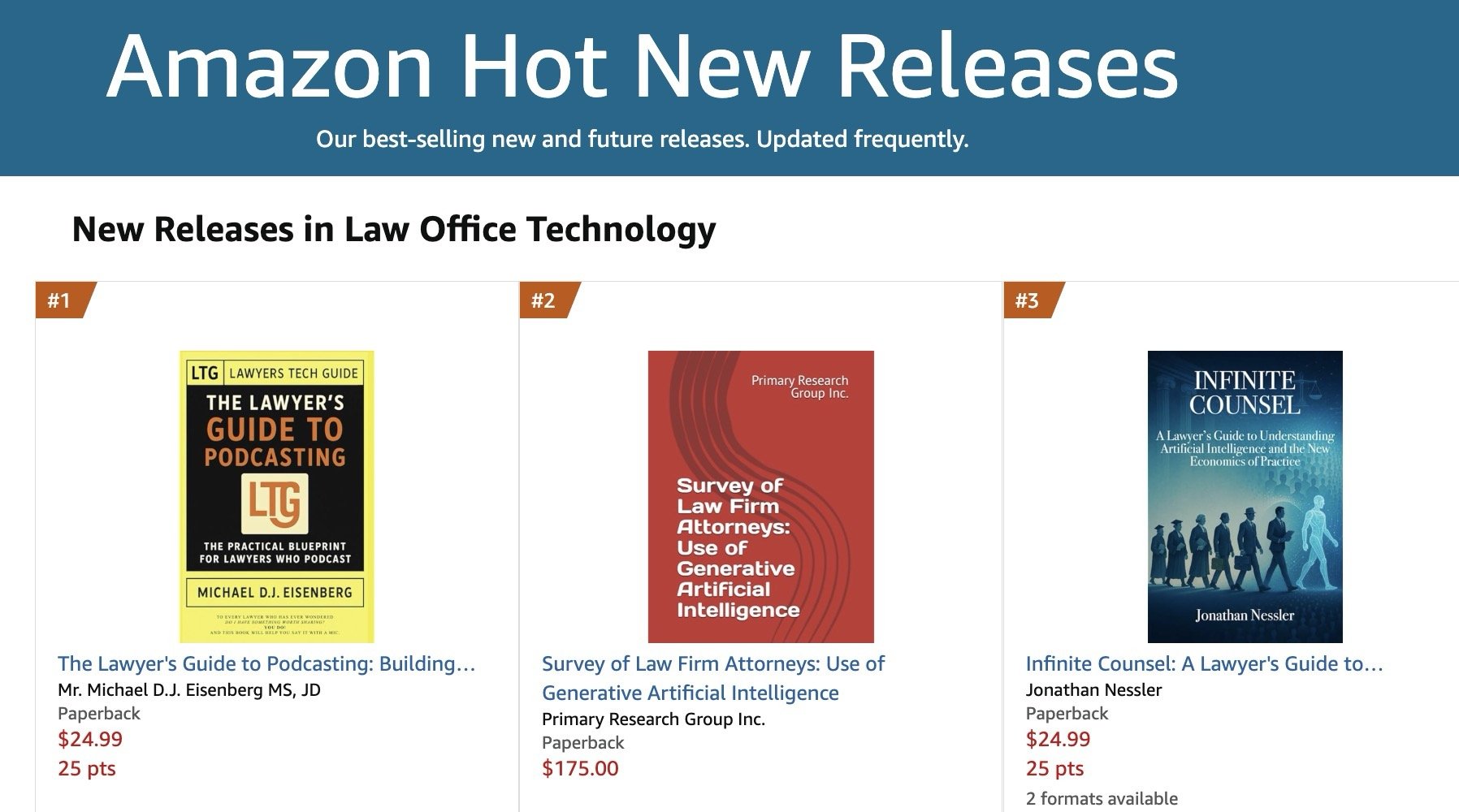
ANNOUNCEMENT: My Book, “The Lawyer’s Guide to Podcasting,” is Amazon #1 New Release (Law Office Technology)

I’m excited to report that The Lawyer’s Guide to Podcasting ranked #1 as a New Release in Amazon’s Law Office Technology category for the week of February 07, 2026, and sales have already doubled since last month. 🎙️📈

For lawyers with limited-to-moderate tech skills, the book focuses on practical, repeatable workflows for launching and sustaining a compliant podcast presence. ⚖️💡

As you plan content, remember ABA Model Rule 1.1 (technology competence) and the related duties of confidentiality (Rule 1.6) and communications about services (Rule 7.1): use secure tools, avoid accidental client disclosures, and ensure marketing statements are accurate. 🔐✅

Get your copy today! 📘🚀


TSL.P Labs 🧪: Legal Tech Wars, Client Data, and Your Law License: An AI-Powered Ethics Deep Dive ⚖️🤖

📌 To Busy to Read This Week’s Editorial?

Join us for an AI-powered deep dive into the ethical challenges facing legal professionals in the age of generative AI. 🤖 In this Tech-Savvy Lawyer Page Labs Initiative episode, AI co-hosts walk through how high‑profile “legal tech wars” between practice‑management vendors and AI research startups can push your client data into the litigation spotlight and create real ethics exposure under ABA Model Rules 1.1, 1.6, and 5.3.

We’ll explore what happens when core platforms face federal lawsuits, why discovery and forensic audits can put confidential matters in front of third parties, and how API lockdowns, stalled product roadmaps, and forced sales can grind your practice operations to a halt. More importantly, you’ll get a clear five‑step action plan—inventorying your tech stack, confirming data‑export rights, mapping backup providers, documenting diligence, and communicating with clients—that works even if you consider yourself “moderately tech‑savvy” at best.

Whether you’re a solo, a small‑firm practitioner, in‑house, or simply AI‑curious, this conversation will help you evaluate whether you are the supervisor of your legal tech—or its hostage. 🔐

👉 Listen now and decide: are you supervising your legal tech—or are you its hostage?

In our conversation, we cover the following

  • 00:00:00 – Setting the stage: Legal tech wars, “Godzilla vs. Kong,” and why vendor lawsuits are not just Silicon Valley drama for spectators.

  • 00:01:00 – Introducing the Tech-Savvy Lawyer Page Labs Initiative and the use of AI-generated discussions to stress-test legal tech ethics in real-world scenarios.

  • 00:02:00 – Who’s fighting and why it matters: Clio as the “nervous system” of many firms versus Alexi as the “brainy intern” of AI legal research.

  • 00:03:00 – The client data crossfire: How disputes over data access and training AI tools turn your routine practice data into high-stakes litigation evidence.

  • 00:04:00 – Allegations in the Clio–Alexi dispute, from improper data access to claims of anti-competitive gatekeeping of legal industry data.

  • 00:05:00 – Visualizing risk: Client files as sandcastles on a shelled beach and why this reframes vendor fights as ethics issues, not IT gossip.

  • 00:06:00 – ABA Model Rule 1.1 (Competence): What “technology competence” really entails and why ignorance of vendor instability is no longer defensible.

  • 00:07:00 – Continuity planning as competence: Injunctions, frozen servers, vendor shutdowns, and how missed deadlines can become malpractice.

  • 00:08:00 – ABA Model Rule 1.6 (Confidentiality): The “danger zone” of treating the cloud like a bank vault and misunderstanding who really holds the key.

  • 00:09:00 – Discovery risk explained: Forensic audits, third‑party access, protective orders that fail, and the cascading impact on client secrets.

  • 00:10:00 – Data‑export rights as your “escape hatch”: Why “usable formats” (CSV, PDF) matter more than bare contractual promises.

  • 00:11:00 – Practical homework: Testing whether you can actually export your case list today, not during a crisis.

  • 00:12:00 – ABA Model Rule 5.3 (Supervision): Treating software vendors like non‑lawyer assistants you actively supervise rather than passive utilities.

  • 00:13:00 – Asking better questions: Uptime, security posture, and whether your vendor is using your data in its own defense.

  • 00:14:00 – Operational friction: Rising subscription costs, API lockdowns, broken integrations, and the return of manual copy‑pasting.

  • 00:15:00 – Vaporware and stalled product roadmaps: How litigation diverts engineering resources away from features you are counting on.

  • 00:16:00 – Forced sales and 30‑day shutdown notices: Data‑migration nightmares under pressure and why waiting is the riskiest strategy.

  • 00:17:00 – The five‑step moderate‑tech action plan: Inventory dependencies, review contracts, map contingencies, document diligence, and communicate with nuance.

  • 00:18:00 – Turning risk management into a client‑facing strength and part of your value story in pitches and ongoing relationships.

  • 00:19:00 – Reframing legal tech tools as members of your legal team rather than invisible utilities.

  • 00:20:00 – “Supervisor or hostage?”: The closing challenge to check your contracts, your data‑export rights, and your practical ability to “fire” a vendor.

Resources

Mentioned in the episode

Software & Cloud Services mentioned in the conversation

#LegalTech #AIinLaw #LegalEthics #Cybersecurity #LawPracticeManagement

🎙️ TSL Labs! Google AI Discussion of MTC: 🚨‼️ Emergency BOLO! 🚨‼️ Lawyers on the Go: Essential Tech Strategies for Air Travel During the Government Shutdown ✈️

📌 Too Busy to Read This Week's Editorial?

Join us for an emergency professional deep dive into essential tech strategies for air travel during government shutdowns and travel disruptions. 🛫 This AI-powered roundtable unpacks Michael D.J. Eisenberg's critical editorial with actionable intelligence on real-time flight tracking, data security protocols, connectivity redundancy, and power management. Whether you're a legal professional navigating travel chaos or anyone managing disruptions during system-wide stress, discover how to transform from reactive scrambling to proactive control—turning travel crises into manageable projects you command. Learn the five professional-grade rules that separate those who navigate disruptions from those who get derailed.

In our conversation, we cover the following:

  • 00:00:00 – Introduction: Welcome to Tech Savvy Lawyer Labs Emergency BOLO

  • 00:01:00 – Travel Chaos as the New Normal: System Volatility & Professional Vulnerability

  • 00:02:00 – Flight Schedule Control: The Illusion & Reality of Travel Disruptions

  • 00:02:00 – Extreme Volatility in Air Travel: Cascading Flight Cancellations & Customer Service Chaos

  • 00:02:00 – Real-Time Flight Tracking Strategy: Flightradar24 & FlightAware Intelligence Systems

  • 00:02:00 – Backup Flight Monitoring: Multi-Carrier Surveillance Strategy (Delta, United, American)

  • 00:03:00 – Proactive Intelligence vs. Reactive Response: One-Hour Lead Time Advantage

  • 00:03:00 – Early Rebooking Strategy: First and Second Choice Flight Selection

  • 00:03:00 – Trusted Traveler Programs: TSA PreCheck & Time Investment ROI

  • 00:03:00 – TSA PreCheck Value: $78 for Five Years & Security Line Efficiency

  • 00:03:00 – Global Entry: $100 for Five Years with International Customs Acceleration

  • 00:04:00 – Trusted Traveler Planning: Background Checks, Interviews & Months-Ahead Application

  • 00:04:00 – Public WiFi Malpractice Alert: Data Security & Vulnerability Assessment

  • 00:04:00 – Personal Mobile Hotspot: Cellular Encryption Over Public Networks

  • 00:05:00 – Dual Carrier Coverage: eSIM Technology & Connectivity Insurance

  • 00:05:00 – Dual SIM Implementation: T-Mobile & Verizon Redundancy Strategy Without Two Phones

  • 00:05:00 – eSIM Digital Technology: Two Active Lines on One Device

  • 00:05:00 – Prepaid Data Plan Strategy: Coffee-Price Monthly Cost for Connectivity Backup

  • 00:06:00 – VPN Non-Negotiables: Encrypted Tunnel & Automatic Connection Protocol

  • 00:06:00 – VPN Automatic Startup: Device Initialization & All-Device Coverage (Phone, Tablet, Laptop)

  • 00:06:00 – International Travel Security: VPN Encryption & Surveillance Protection

  • 00:07:00 – TSA-Approved Power Banks: 100 Watt-Hour Specifications & 27,000 mAh Ceiling

  • 00:07:00 – Laptop Charging: 100-Watt USB-C Power Bank Requirements (MacBook Pro)

  • 00:07:00 – Multi-Device Charging: Simultaneous Laptop, Phone & Tablet Power Delivery

  • 00:07:00 – Smart Power Display: Charging Speed Monitoring & Juice Rationing

  • 00:07:00 – Surge Protector Safety: Airport Outlet Protection & Device Insurance

  • 00:08:00 – Airport Lounges: Priority Pass Access & Productivity Sanctuaries (1,300+ Worldwide)

  • 00:08:00 – Travel Credit Card Benefits: Complimentary Lounge Visits Strategy

  • 00:08:00 – Conference Call Chaos: Professional Communication Environment Solutions

  • 00:08:00 – Noise-Canceling Headphones: Sony XM5 & Bose QuietComfort Professional Focus

  • 00:08:00 – Battery Life Requirements: 30-40 Hour Endurance for Extended Delays

  • 00:09:00 – Offline Access Mandate: Pre-Departure Critical File Downloads

  • 00:09:00 – Six-Hour Offline Capability: Zero-Connectivity Work Strategy

  • 00:09:00 – Adobe Scan App: OCR Technology & Mobile Document Management

  • 00:10:00 – Adobe Ecosystem Syncing: Cross-Device Workflow & E-Signature Integration

  • 00:10:00 – Apple Ecosystem Continuity: iPhone, iPad & MacBook Seamless Integration

  • 00:10:00 – FileVault Encryption & Face ID: Built-In Security Non-Negotiables

  • 00:11:00 – Five Professional-Grade Rules: Pre-Travel Checklist & Crisis Preparation

  • 00:11:00 – Rule One: Full Device Charge Before Departure

  • 00:11:00 – Rule Two: Offline Maps & Critical Files Downloaded Locally

  • 00:11:00 – Rule Three: Screenshot Everything (Boarding Passes, Hotel, Car Rental)

  • 00:11:00 – Rule Four: Distributed Charger Storage Across Multiple Bags for Backup Power

  • 00:11:00 – Rule Five: Share Itinerary with Emergency Contact

  • 00:11:00 – Post-Crisis Integration: Permanent Daily Workflow Implementation

  • 00:11:00 – The Bigger Question: Crisis Tools as Permanent Professional Standards

  • 00:12:00 – Transition to AI Ethics Discussion: Hidden AI Crisis in Legal Practice Teaser

  • 00:14:00 – Conclusion: Tech Savvy Lawyer Labs Roundtable Summary & Resources

Resources 📚

Mentioned in the episode:

Hardware mentioned in the conversation:

Software & Cloud Services mentioned in the conversation:

📖 Word ("Phrase") of the Week: Mobile Device Management: Essential Security for Today's Law Practice 📱🔒

Mobile Device Management is an essential concept for lawyers.

Mobile Device Management (MDM) has become essential for law firms navigating today's mobile-first legal landscape. As attorneys increasingly access confidential client information from smartphones, tablets, and laptops outside traditional office settings, MDM technology provides the security framework necessary to protect sensitive data while enabling productive remote work.

Understanding MDM in Legal Practice

MDM refers to software that allows IT teams to remotely manage, secure, and support mobile devices used across an organization. For law firms, this technology provides centralized control to enforce password requirements, encrypt data, install security updates, locate devices, and remotely lock or wipe lost or stolen devices. These capabilities directly address the ethical obligations attorneys face under the ABA Model Rules of Professional Conduct.

Ethical Obligations Drive MDM Adoption

The legal profession faces unique ethical requirements regarding technology use. ABA Model Rule 1.1 requires lawyers to maintain technological competence, including understanding "the benefits and risks associated with relevant technology". Rule 1.6 mandates that lawyers "make reasonable efforts to prevent the inadvertent or unauthorized disclosure of, or unauthorized access to, information relating to the representation of a client".

ABA Formal Opinion 498 specifically addresses virtual practice considerations. The opinion cautions that lawyers should disable listening capabilities of smart speakers and virtual assistants while discussing client matters unless the technology assists the law practice. This guidance underscores the importance of thoughtful technology implementation in legal practice.

Core MDM Features for Law Firms

Device encryption forms the foundation of MDM security. All client data should be encrypted both in transit and at rest, with granular permissions determining who accesses specific information. Remote wipe capabilities allow immediate data deletion when devices are lost or stolen, preventing unauthorized access to sensitive case information.

Application management enables IT teams to control which applications can access firm resources. Maintaining an approved application list and regularly scanning for vulnerable or unauthorized applications reduces security risks. Containerization separates personal and professional data, ensuring client information remains isolated and secure even if the device is compromised.

Compliance and Monitoring Benefits

lawyers, do you know where your mobile devices are?

MDM solutions help law firms maintain compliance with ABA guidelines, state bar requirements, and privacy laws. The systems generate detailed logs and reports on device activity, which prove vital during audits or internal investigations. Continuous compliance monitoring ensures devices meet security standards while automated checks flag devices falling below required security levels.

Implementation Best Practices

Successful MDM implementation requires establishing clear policies outlining device eligibility, security requirements, and user responsibilities. Firms should enforce device enrollment and compliance, requiring all users to register devices before accessing sensitive systems. Multi-factor authentication enhances security for sensitive data access.

Regular training ensures staff understand security expectations and compliance requirements. Automated software updates and security patches keep devices protected against evolving threats. Role-based access controls prevent unauthorized access to corporate resources by assigning permissions based on job functions.

MDM technology has evolved from optional convenience to ethical necessity. Law firms that implement comprehensive MDM strategies protect client confidentiality, meet professional obligations, and maintain competitive advantage in an increasingly mobile legal marketplace.

Keep Your Practice Safe - Stay Tech Savvy!!!

MTC: London's iPhone Theft Crisis: Critical Mobile Device Security Lessons for Traveling Lawyers 📱⚖️

lawyers can learn about cyber mobile security from the recent iphone thefts in london

Recent events in London should serve as a wake-up call for every legal professional who carries client data beyond the office walls. London police recently dismantled a sophisticated international theft ring responsible for smuggling approximately 40,000 stolen iPhones to China in just twelve months. This operation revealed thieves earning up to £300 per stolen device, with phones reselling overseas for as much as $5,000. With over 80,000 phones stolen in London last year alone, this crisis underscores critical vulnerabilities that lawyers must address when working remotely.

The sophistication of these operations is alarming. Criminals on electric bikes snatch phones from unsuspecting victims and immediately wrap devices in aluminum foil to block tracking signals. This industrial-scale crime demonstrates that our mobile devices—which contain privileged communications, case strategies, and confidential client data—are valuable targets for organized criminal networks operating globally.

Your Ethical Obligations Are Clear

ABA Model Rule 1.1 requires lawyers to maintain competence, including understanding "the benefits and risks associated with relevant technology". This duty of technological competence has been adopted by over 40 states and isn't optional—it's fundamental to ethical practice. Model Rule 1.6(c) mandates that lawyers "make reasonable efforts to prevent the inadvertent or unauthorized disclosure of, or unauthorized access to, information relating to the representation of a client".

When your phone disappears—whether through theft, loss, or border seizure—you face potential violations of these ethical duties. Recent data shows U.S. Customs and Border Protection searched 14,899 devices between April and June 2025, a 16.7% increase from previous surges. Lawyers traveling internationally face heightened risks, and a stolen or searched device can compromise attorney-client privilege instantly.

Essential Security Measures for Mobile Lawyers

Before leaving your office, implement these non-negotiable protections. Enable full-device encryption on all smartphones, tablets, and laptops. For iPhones, setting a passcode automatically enables encryption; Android users must manually activate this feature in security settings. Strong passwords matter—use alphanumeric combinations of at least 12 characters, avoiding easily guessed patterns.

lawyer need to know how to protect their client’s pii when crossing the boarder!

Two-factor authentication (2FA) adds critical protection layers. Even if someone obtains your password, 2FA requires secondary verification through your phone or authentication app. This simple step dramatically reduces unauthorized access risks. Configure remote wipe capabilities before traveling. If your device is stolen, you can erase all data remotely, protecting client information even when physical recovery is impossible.

Disable biometric authentication when traveling internationally. Face ID and fingerprint scanners can be used against you at borders where Fourth Amendment protections are diminished. Restart your device before crossing borders to force password-only access. Consider carrying a "clean" device for international travel, accessing files only through encrypted cloud storage rather than storing sensitive data locally.

Coffee Shops, Airports, and Public Spaces

Public Wi-Fi networks pose serious interception risks. Hackers create fake hotspots with legitimate-sounding names, capturing everything you transmit. As lawyers increasingly embrace cloud-based computing for their work, encryption when using public Wi-Fi becomes non-negotiable

Always use a trusted VPN (Virtual Private Network) when connecting to public networks. VPNs encrypt your internet traffic, preventing interception even on compromised networks. Alternatively, use your smartphone's personal hotspot rather than connecting to public Wi-Fi. Turn off file sharing on all mobile devices. Avoid accessing highly sensitive client files in public spaces altogether—save detailed case work for secure, private connections.

Physical security deserves equal attention. Visual privacy screens prevent shoulder surfing. Position yourself with your back to walls in coffee shops so others cannot observe your screen. Be alert to your surroundings and maintain physical control of devices at all times. Never leave laptops, tablets, or phones unattended, even briefly.

Border Crossings and International Travel

Lawyers crossing international borders face unique challenges. CBP policies permit extensive device searches within 100 miles of borders under the border search exception, significantly reducing Fourth Amendment protections. New York State Bar Association Ethics Opinion 2017-5 addresses lawyers' duties when traveling with client data across borders.

The reasonableness standard governs your obligations. Evaluate whether you truly need to bring confidential information across borders. If travel requires client data, bring only materials professionally necessary for your specific purpose. Consider these strategies: store files in encrypted cloud services rather than locally; use strong passwords and disable biometric authentication; carry your bar card to identify yourself as an attorney if questioned; identify which files contain privileged information before reaching the border.

If border agents demand device access, clearly state that you are an attorney and the device contains privileged client communications. Ask whether the request is optional or mandatory. If agents conduct a search, document what occurred and consider whether client notification is required under Rule 1.4. New York Rule 1.6 requires taking reasonable steps to prevent unauthorized disclosure, with heightened precautions necessary when government agencies are opposing parties.

Practical Implementation Today

Create firm policies addressing mobile device security. Require immediate reporting of lost or stolen devices. Implement Mobile Device Management (MDM) software to monitor, secure, and remotely wipe all connected devices. Conduct regular security awareness training covering email practices, phishing recognition, and social engineering tactics.

Develop an Incident Response Plan before breaches occur. Know which experts to contact, document cybersecurity policies, and establish notification protocols. Under various state laws and regulations like California Civil Code § 1.798.82 and HIPAA's Breach Notification Rule, lawyers may be legally required to notify clients of data breaches.

Lawyers are on the front line of cybersecurity when on the go!

Communicate with clients about security measures. Obtain informed consent regarding electronic communications and any security limitations. Some firms include these discussions in engagement letters, setting clear expectations about communication methods and encryption use.

Stay current with evolving threats. Subscribe to legal technology security bulletins. The Tech-Savvy Lawyer blog regularly covers mobile security issues, including recent coverage of the SlopAds malware campaign that compromised 224 Android applications on Google Play Store. Technology competence requires ongoing learning as threats and safeguards evolve.

The Bottom Line

The London iPhone theft crisis demonstrates that our devices are valuable targets for sophisticated criminal networks operating internationally. Every lawyer who works outside the office—whether at coffee shops, client meetings, or international destinations—must take mobile security seriously. Your ethical obligations under Model Rules 1.1 and 1.6 demand it. Your clients' confidential information depends on it. Your professional reputation requires it.

Implementing these security measures isn't complicated or expensive. Enable encryption. Use strong passwords and 2FA. Avoid public Wi-Fi or use VPNs. Disable biometrics when traveling. Maintain physical control of devices. These straightforward steps significantly reduce risks while allowing you to work effectively from anywhere.

The legal profession has embraced mobile technology's benefits—now we must address its risks with equal commitment. Don't wait for a theft, loss, or border seizure to prompt action. Protect your clients' confidential information today.

MTC