🚨 BOLO: Samsung Budget Phones Contain Pre-Installed Data-Harvesting Software: Critical Action Steps for Legal Professionals

‼️ ALERT: Hidden Spyware in Samsung Phones!

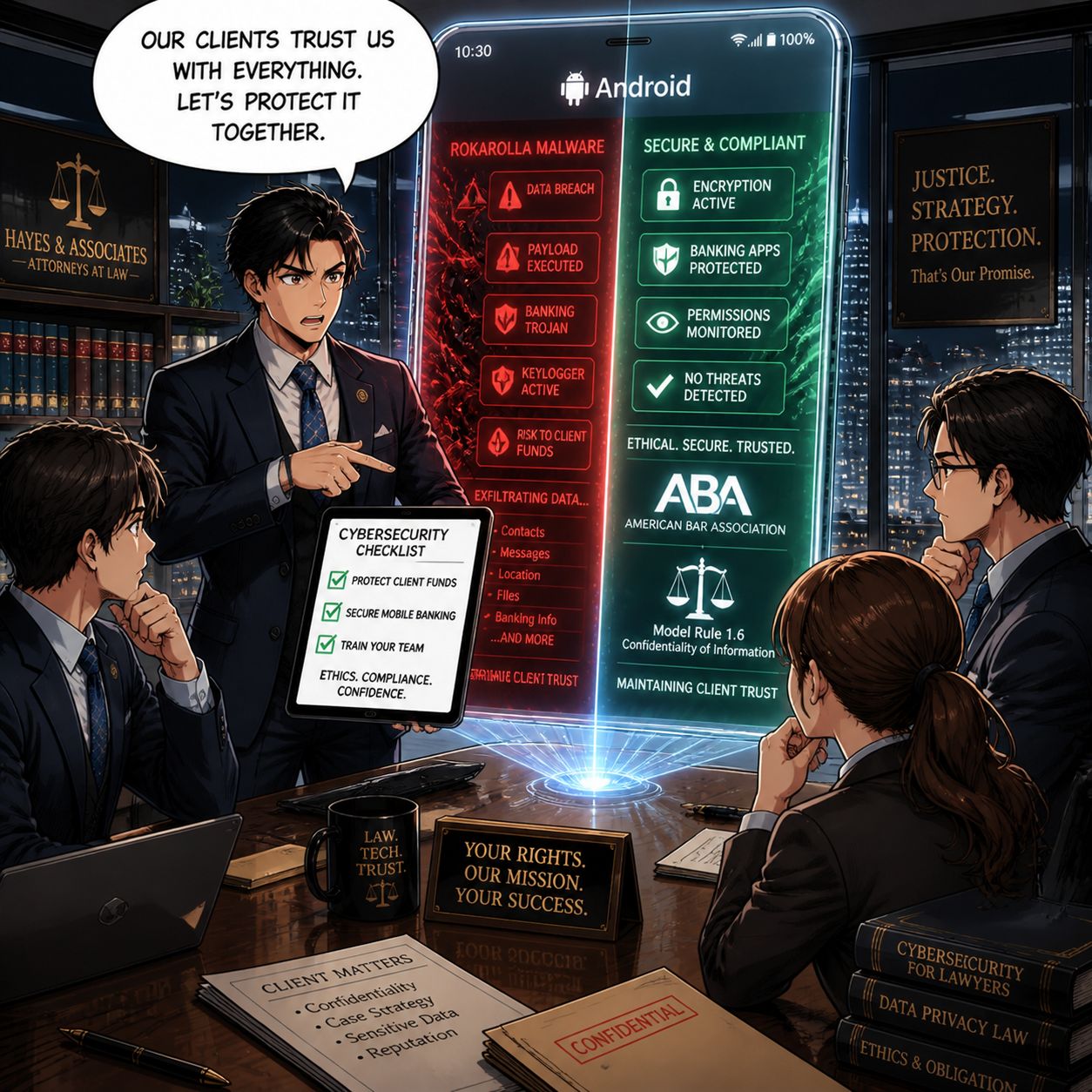
Samsung Galaxy A, M, and F series smartphones contain pre-installed software called AppCloud, developed by ironSource (now owned by Unity Technologies), that harvests user data, including location information, app usage patterns, IP addresses, and potentially biometric data. This software cannot be fully uninstalled without voiding your device warranty, and it operates without accessible privacy policies or explicit consent mechanisms. Legal professionals using these devices face significant risks to attorney-client privilege and confidential client information.

The Threat Landscape

AppCloud runs quietly in the background with permissions to access network connections, download files without notification, and prevent phones from sleeping. The application is deeply integrated into Samsung's One UI operating system, making it impossible to fully remove through standard methods. Users across West Asia, North Africa, Europe, and South Asia report that even after disabling the application, it reappears following system updates.

The digital rights organization SMEX documented that AppCloud's privacy policy is not accessible online, and the application does not present users with consent screens or terms of service disclosures. This lack of transparency raises serious ethical and legal compliance concerns, particularly for attorneys bound by professional responsibility rules regarding client confidentiality.

Legal and Ethical Implications for Attorneys

Under ABA Model Rule 1.6, attorneys must make "reasonable efforts to prevent the inadvertent or unauthorized disclosure of, or unauthorized access to, information relating to the representation of a client". The duty of technological competence under Rule 1.1, Comment 8, requires attorneys to "keep abreast of changes in the law and its practice, including the benefits and risks associated with relevant technology".

The New York Bar's 2022 ethics opinion specifically addresses smartphone security, prohibiting attorneys from sharing contact information with smartphone applications unless they can confirm that no person will view confidential client information and that data will not be transferred to third parties without client consent. AppCloud's data harvesting practices appear to violate both conditions.

Immediate Action Steps

‼️ Act now if you’ve purchased certain samsung phones - your bar license could be in jeopardy!

Step 1: Identify Affected Devices
Check whether you use a Samsung Galaxy A series (A05 through A56), M series (M01 through M56), or F series device. These budget and mid-range models are primary targets for AppCloud installation.

Step 2: Disable AppCloud
Navigate to Settings > Apps > Show System Apps > AppCloud > Disable. Additionally, revoke notification permissions, restrict background data usage, and disable the "Install unknown apps" permission.

Step 3: Monitor for Reactivation
After system updates, return to AppCloud settings and re-disable the application.

Step 4: Consider Device Migration
For attorneys handling highly sensitive matters, consider transitioning to devices without pre-installed data collection software. Document your decision-making process as evidence of reasonable security measures.

Step 5: Client Notification Assessment
Evaluate whether client notification is required under your jurisdiction's professional responsibility rules. California's Formal Opinion 2020-203 addresses obligations following an electronic data compromise.

The Bottom Line

Budget smartphone economics should not compromise attorney-client privilege. Samsung's partnership with ironSource places aggressive advertising technology on devices used by legal professionals worldwide. Until Samsung provides transparent opt-out mechanisms or removes AppCloud entirely, attorneys using affected devices should implement immediate mitigation measures and document their security protocols.

🚨BOLO: Critical Samsung Zero-Day Alert: CVE-2025-21042 Enables Device Takeover via Malicious Images

Federal government warns of spyware aimed at some samsung galaxy devices - update your software now!!!

Samsung Galaxy devices face critical exploitation through CVE-2025-21042, a zero-day vulnerability enabling complete device takeover. CISA added this flaw to its Known Exploited Vulnerabilities catalog on November 10, 2025. Threat actors deployed LANDFALL spyware via malicious DNG image files sent through WhatsApp, requiring zero user interaction. This out-of-bounds write vulnerability in Samsung's image processing library allows remote code execution, data theft, and surveillance. Affected models include Galaxy S22, S23, S24 series, Z Fold4, and Z Flip4. Samsung patched this April 2025, but exploitation occurred for months prior. Federal agencies must remediate by December 1, 2025.

‼️Action Required‼️: Update devices immediately and scrutinize unsolicited image files!

MTC: 🔒 Your AI Conversations Aren't as Private as You Think: What the OpenAI Court Ruling Means for Legal Professionals

A watershed moment in digital privacy has arrived, and it carries profound implications for lawyers and their clients.

The recent court ruling in In re: OpenAI, Inc., Copyright Infringement Litigation has exposed a critical vulnerability in the relationship between artificial intelligence tools and user privacy rights. On May 13, 2025, U.S. Magistrate Judge Ona T. Wang issued an order requiring OpenAI to "preserve and segregate all output log data that would otherwise be deleted on a going forward basis". This unprecedented directive affected more than 400 million ChatGPT users worldwide and fundamentally challenged assumptions about data privacy in the AI era.[1][2][3][4]

While the court modified its order on October 9, 2025, terminating the blanket preservation requirement as of September 26, 2025, the damage to user trust and the precedent for future litigation remain significant. More importantly, the ruling illuminates a stark reality for legal professionals: the "delete" button offers an illusion of control rather than genuine data protection.

The Court Order That Changed Everything ⚖️

The preservation order emerged from a copyright infringement lawsuit filed by The New York Times against OpenAI in December 2023. The Times alleged that OpenAI unlawfully used millions of its articles to train ChatGPT without permission or compensation. During discovery, concerns arose that OpenAI had been deleting user conversations that could potentially demonstrate copyright violations.

Judge Wang's response was sweeping. The court ordered OpenAI to retain all ChatGPT output logs, including conversations users believed they had permanently deleted, temporary chats designed to auto-delete after sessions, and API-generated outputs regardless of user privacy settings. The order applied retroactively, meaning conversations deleted months or even years earlier remained archived in OpenAI's systems.

OpenAI immediately appealed, arguing the order was overly broad and compromised user privacy. The company contended it faced conflicting obligations between the court's preservation mandate and "numerous privacy laws and regulations throughout the country and the world". Despite these objections, Judge Wang denied OpenAI's motion, prioritizing the preservation of potential evidence over privacy concerns.

The October 9, 2025 stipulation and order brought partial relief. OpenAI's ongoing obligation to preserve all new output log data terminated as of September 26, 2025. However, all data preserved before that cutoff remains accessible to plaintiffs (except for users in the European Economic Area, Switzerland, and the United Kingdom). Additionally, OpenAI must continue preserving output logs from specific domains identified by the New York Times and may be required to add additional domains as the litigation progresses.

Privacy Rights in the Age of AI: An Eroding Foundation 🛡️

This case demonstrates that privacy policies are not self-enforcing legal protections. Users who relied on OpenAI's representations about data deletion discovered those promises could be overridden by court order without their knowledge or consent. The "temporary chat" feature, marketed as providing ephemeral conversations, proved anything but temporary when litigation intervened.

The implications extend far beyond this single case. The ruling establishes that AI-generated content constitutes discoverable evidence subject to preservation orders. Courts now view user conversations with AI not as private exchanges but as potential legal records that can be compelled into evidence.

For legal professionals, this reality is particularly troubling. Lawyers regularly handle sensitive client information that must remain confidential under both ethical obligations and the attorney-client privilege. The court order revealed that even explicitly deleted conversations may be retained indefinitely when litigation demands it.

The Attorney-Client Privilege Crisis 👥

Attorney-client privilege protects confidential communications between lawyers and clients made for the purpose of obtaining or providing legal advice. This protection is fundamental to the legal system. However, the privilege can be waived through voluntary disclosure to third parties outside the attorney-client relationship.

When lawyers input confidential client information into public AI platforms like ChatGPT, they potentially create a third-party disclosure that destroys privilege. Many generative AI systems learn from user inputs, incorporating that information into their training data. This means privileged communications could theoretically appear in responses to other users' queries.

The OpenAI preservation order compounds these concerns. It demonstrates that AI providers cannot guarantee data will be deleted upon request, even when their policies promise such deletion. Lawyers who used ChatGPT's temporary chat feature or deleted sensitive conversations believing those actions provided privacy protection now discover their confidential client communications may be preserved indefinitely as litigation evidence.

The risk is not theoretical. In the now-famous Mata v. Avianca, Inc. case, a lawyer used a free version of ChatGPT to draft a legal brief containing fabricated citations. While the lawyer faced sanctions for submitting false information to the court, legal ethics experts noted the confidentiality implications of the increasingly specific prompts the attorney used, which may have revealed client confidential information.

ABA Model Rules and AI: What Lawyers Must Know 📋

The American Bar Association's Model Rules of Professional Conduct govern lawyer behavior, and while these rules predate generative AI, they apply with full force to its use. On July 29, 2024, the ABA Standing Committee on Ethics and Professional Responsibility issued Formal Opinion 512, providing the first comprehensive guidance on lawyers' use of generative AI.

Model Rule 1.1: Competence requires lawyers to provide competent representation, including maintaining "legal knowledge, skill, thoroughness and preparation reasonably necessary for representation". The rule's commentary [8] specifically states lawyers must understand "the benefits and risks associated with relevant technology". Opinion 512 clarifies that lawyers need not become AI experts, but must have a "reasonable understanding of the capabilities and limitations of the specific GenAI technology" they use. This is not a one-time obligation. Given AI's rapid evolution, lawyers must continuously update their understanding.

Model Rule 1.6: Confidentiality creates perhaps the most significant ethical challenge for AI use. The rule prohibits lawyers from revealing "information relating to the representation of a client" and requires them to "make reasonable efforts to prevent the inadvertent or unauthorized disclosure of, or unauthorized access to, information relating to the representation". Self-learning AI tools that train on user inputs create substantial risk of improper disclosure. Information entered into public AI systems may be stored, processed by third-party vendors, and potentially accessed by company employees or incorporated into model training. Opinion 512 recommends lawyers obtain informed client consent before inputting any information related to representation into AI systems. Lawyers must also thoroughly review the terms of use, privacy policies, and contractual agreements of any AI tool they employ.

Model Rule 1.4: Communication obligates lawyers to keep clients reasonably informed about their representation. When using AI tools, lawyers should disclose this fact to clients, particularly when the AI processes client information or could impact the representation. Clients have a right to understand how their matters are being handled and what technologies may access their confidential information.[25][22][20][21]

Model Rule 3.3: Candor Toward the Tribunal requires lawyers to be truthful in their representations to courts. AI systems frequently produce "hallucinations"—plausible-sounding but entirely fabricated information, including fake case citations. Lawyers remain fully responsible for verifying all AI outputs before submitting them to courts or relying on them for legal advice. The Mata v. Avianca case serves as a cautionary tale of the consequences when lawyers fail to fulfill this obligation.

Model Rules 5.1 and 5.3: Supervisory Responsibilities make lawyers responsible for the conduct of other lawyers and nonlawyer assistants working under their supervision. When staff members use AI tools, supervising lawyers must ensure appropriate policies, training, and oversight exist to prevent ethical violations.

Model Rule 1.5: Fees requires lawyers to charge reasonable fees. Opinion 512 addresses whether lawyers can bill clients for time "saved" through AI efficiency gains. The guidance suggests that when using hourly billing, efficiencies gained through AI should benefit clients. However, lawyers may pass through reasonable direct costs of AI services (such as subscription fees) when properly disclosed and agreed upon in advance.

State-by-State Variations: A Patchwork of Protection 🗺️

While the ABA Model Rules provide a national framework, individual states adopt and interpret ethics rules differently. Legal professionals must understand their specific state's requirements, which can vary significantly.[2

Lawyers must protect client’s PII from AI privacy failures!

Florida has taken a proactive stance. In January 2025, The Florida Bar Board of Governors unanimously approved Advisory Opinion 24-1, which specifically addresses generative AI use. The opinion recommends lawyers obtain "affected client's informed consent prior to utilizing a third-party generative AI program if the utilization would involve the disclosure of any confidential information". Florida's guidance emphasizes that lawyers remain fully responsible for AI outputs and cannot treat AI as a substitute for legal judgment.

Texas issued Opinion 705 from its State Bar Professional Ethics Committee in February 2025. The opinion outlines four key obligations: lawyers must reasonably understand AI technology before using it, exercise extreme caution when inputting confidential information into AI tools that might store or expose client data, verify the accuracy of all AI outputs, and avoid charging clients for time saved by AI efficiency gains. Texas also emphasizes that lawyers should consider informing clients when AI will be used in their matters.

New York has developed one of the most comprehensive frameworks through its State Bar Association Task Force on Artificial Intelligence. The April 2024 report provides a thorough analysis across the full spectrum of ethical considerations, including competence, confidentiality, client communication, billing practices, and access to justice implications. New York's guidance stands out for addressing both immediate practical considerations and longer-term questions about AI's transformation of the legal profession.

Alaska issued Ethics Opinion 2025-1 surveying AI issues with particular focus on competence, confidentiality, and billing. The opinion notes that when using non-closed AI systems (such as general consumer products), lawyers should anonymize prompts to avoid revealing client confidential information. Alaska's guidance explicitly cites to its cloud-computing predecessor opinion, treating AI data storage similarly to law firm files on third-party remote servers.

California, Massachusetts, New Jersey, and Oregon have issued guidance through their state attorneys general on how existing state privacy laws apply to AI. California's advisories emphasize that AI use must comply with the California Consumer Privacy Act (CCPA), requiring transparency, respecting individual data rights, and limiting data processing to what is "reasonably necessary and proportionate". Massachusetts focuses on consumer protection, anti-discrimination, and data security requirements. Oregon highlights that developers using personal data to train AI must clearly disclose this use and obtain explicit consent when dealing with sensitive data.[31]

These state-specific approaches create a complex compliance landscape. A lawyer practicing in multiple jurisdictions must understand and comply with each state's requirements. Moreover, state privacy laws like the CCPA and similar statutes in other states impose additional obligations beyond ethics rules.

Enterprise vs. Consumer AI: Understanding the Distinction 💼

Not all AI tools pose equal privacy risks. The OpenAI preservation order highlighted critical differences between consumer-facing products and enterprise solutions.

Consumer Plans (Free, Plus, Pro, and Team) were fully subject to the preservation order. These accounts store user conversations on OpenAI's servers with limited privacy protections. While users can delete conversations, the court order demonstrated that those deletions are not permanent. OpenAI retains the technical capability to preserve and access this data when required by legal process.

Enterprise Accounts offer substantially stronger privacy protections. ChatGPT Enterprise and Edu plans were excluded from the preservation order's broadest requirements. These accounts typically include contractual protections such as Data Processing Agreements (DPAs), commitments against using customer data for model training, and stronger data segregation. However, even enterprise accounts must preserve data when covered by specific legal orders.

Zero Data Retention Agreements provide the highest level of protection. Users who have negotiated such agreements with OpenAI are excluded from data preservation requirements. These arrangements ensure that user data is not retained beyond the immediate processing necessary to generate responses.

For legal professionals, the lesson is clear: consumer-grade AI tools are inappropriate for handling confidential client information. Lawyers who use AI must ensure they employ enterprise-level solutions with proper contractual protections, or better yet, closed systems where client data never leaves the firm's control.

Practical Steps for Legal Professionals: Protecting Privilege and Privacy 🛠️

Given these risks, what should lawyers do? Abandoning AI entirely is neither realistic nor necessary. Instead, legal professionals must adopt a risk-management approach.

Conduct thorough due diligence before adopting any AI tool. Review terms of service, privacy policies, and data processing agreements in detail. Understand exactly what data the AI collects, how long it's retained, whether it's used for model training, who can access it, and what security measures protect it. If these answers aren't clear from public documentation, contact the vendor directly for written clarification.

Implement written AI policies for your firm or legal department. These policies should specify which AI tools are approved for use, what types of information can (and cannot) be input into AI systems, required safeguards such as data anonymization, client consent requirements, verification procedures for AI outputs, and training requirements for all staff. Document these policies and ensure all lawyers and staff understand and follow them.

Default to data minimization. Before inputting any information into an AI system, ask whether it's necessary. Can you accomplish the task without including client-identifying information? Many AI applications work effectively with anonymized or hypothetical scenarios that don't reveal actual client matters. When in doubt, err on the side of caution.

Obtain informed client consent when using AI for client matters, particularly when inputting any information related to the representation. This consent should be specific about what AI tools will be used, what information may be shared with those tools, what safeguards are in place, and what risks exist despite those safeguards. General consent buried in engagement agreements is likely insufficient.

Use secure, purpose-built legal AI tools rather than consumer applications. Legal-specific AI products are designed with confidentiality requirements in mind and typically offer stronger privacy protections. Even better, consider closed-system AI that operates entirely within your firm's infrastructure without sending data to external servers.

Never assume deletion means erasure. The OpenAI case proves that deleted data may not be truly gone. Treat any information entered into an AI system as potentially permanent, regardless of what the system's privacy settings claim.

Maintain privileged communication protocols. Remember that AI is not your attorney. Communications with AI systems are not protected by attorney-client privilege. Never use AI as a substitute for consulting with qualified colleagues or outside counsel on genuinely privileged matters.

Stay informed about evolving guidance. AI technology and the regulatory landscape are both changing rapidly. Regularly review updates from your state bar association, the ABA, and other professional organizations. Consider attending continuing legal education programs on AI ethics and technology competence.

Final thoughts: The Future of Privacy Rights in an AI World 🔮

The OpenAI preservation order represents a pivotal moment in the collision between AI innovation and privacy rights. It exposes uncomfortable truths about the nature of digital privacy in 2025: privacy policies are subject to override by legal process, deletion features provide psychological comfort rather than technical and legal certainty, and third-party service providers cannot fully protect user data from discovery obligations.

For legal professionals, these realities demand a fundamental reassessment of how AI tools fit into practice. The convenience and efficiency AI provides must be balanced against the sacred duty to protect client confidences and maintain the attorney-client privilege. This is not an abstract concern or distant possibility. It is happening now, in real courtrooms, with real consequences for lawyers and clients.

State bars and regulators are responding, but the guidance remains fragmented and evolving. Federal privacy legislation addressing AI has yet to materialize, leaving a patchwork of state laws with varying requirements. In this environment, legal professionals cannot wait for perfect clarity before taking action.

The responsibility falls on each lawyer to understand the tools they use, the risks those tools create, and the steps necessary to fulfill ethical obligations in this new technological landscape. Ignorance is not a defense. "I didn't know the AI was storing that information" will not excuse a confidentiality breach or privilege waiver.

As AI becomes increasingly embedded in legal practice, the profession must evolve its approach to privacy and confidentiality. The traditional frameworks remain sound—the attorney-client privilege, the duty of confidentiality, the requirement of competence—but their application requires new vigilance. Lawyers must become technology stewards as well as legal advisors, understanding not just what the law says, but how the tools they use might undermine their ability to protect it.

The OpenAI case will not be the last time courts grapple with AI data privacy. As generative AI proliferates and litigation continues, more preservation orders, discovery disputes, and privilege challenges are inevitable. Legal professionals who fail to address these issues proactively may find themselves explaining to clients, judges, or disciplinary authorities why they treated confidential information so carelessly.

Privacy in the AI age demands more than passive reliance on vendor promises. It requires active, informed engagement with the technology we use and honest assessment of the risks we create. For lawyers, whose professional identity rests on the foundation of client trust and confidentiality, nothing less will suffice. The court ruling has made one thing abundantly clear: when it comes to AI and privacy, what you don't know can definitely hurt you—and your clients. ⚠️

🚨 AWS Outage Resolved: Critical Ethics Guidance for Lawyers Using Cloud-Based Legal Services

Legal professionals don’t react but act when your online legal systems are down!

Amazon Web Services experienced a major outage on October 20, 2025, disrupting legal practice management platforms like Clio, MyCase, PracticePanther, LEAP, and Lawcus. The Domain Name Service (DNS) resolution failure in AWS's US-EAST-1 region was fully mitigated by 6:35 AM EDT after approximately three hours. BUT THIS DOES NOT MEAN THEY HAVE RESOLVED ALL OF THE BACK ISSUES THAT ORIGINATED DUE TO THE OUTAGE at the time of this posting.  Note: DNS - the internet's phone book that translates human-readable web addresses into the numerical IP addresses that computers actually use. When DNS fails, it's like having all the street signs disappear at once. Your destination still exists, but there's no way to find it.

Try clearing your browser’s cache - that may help resolve some of the issues.

‼️ TIP! ‼️

Try clearing your browser’s cache - that may help resolve some of the issues. ‼️ TIP! ‼️

Legal professionals, what are your protocols when your online legal services are down?!

Lawyers using cloud-dependent legal services must review their ethical obligations under ABA Model Rules 1.1 and comment [8] (technological competence), 1.6 (confidentiality), and 5.3 (supervision of third-party vendors). Key steps include: documenting the incident's impact on client matters (if any), assessing whether material client information was compromised, notifying affected current clients if data breach occurred, reviewing business continuity plans, and conducting due diligence on cloud providers' disaster recovery protocols. Law firms should verify their vendors maintain redundant backup systems, SSAE16 audited data centers, and clear data ownership policies. The outage highlights the critical need for lawyers to understand their cloud infrastructure dependencies and maintain contingency plans for service disruptions.

🔒 Word (Phrase) of the Week: “Zero Data Retention” Agreements: Why Every Lawyer Must Pay Attention Now!

Understanding Zero Data Retention in Legal Practice

🚨 Lawyers Must Know Zero Data Retention Now!

Zero Data Retention (ZDR) agreements represent a fundamental shift in how law firms protect client confidentiality when using third-party technology services. These agreements ensure that sensitive client information is processed but never stored by vendors after immediate use. For attorneys navigating an increasingly digital practice environment, understanding ZDR agreements has become essential to maintaining ethical compliance.

ZDR works through a simple but powerful principle: access, process, and discard. When lawyers use services with ZDR agreements, the vendor connects to data only when needed, performs the requested task, and immediately discards all information without creating persistent copies. This architectural approach dramatically reduces the risk of data breaches and unauthorized access.

The Legal Ethics Crisis Hidden in Your Vendor Contracts

Recent court orders have exposed a critical vulnerability in how lawyers use technology. A federal court ordered OpenAI to preserve all ChatGPT conversation logs indefinitely, including deleted content—even for paying subscribers. This ruling affects millions of users and demonstrates how quickly data retention policies can change through litigation.

The implications for legal practice are severe. Attorneys using consumer-grade AI tools, standard cloud storage, or free collaboration platforms may unknowingly expose client confidences to indefinite retention. This creates potential violations of fundamental ethical obligations, regardless of the lawyer's intent or the vendor's original promises.

ABA Model Rules Create Mandatory Obligations

Three interconnected ABA Model Rules establish clear ethical requirements for lawyers using technology vendors.

Rule 1.1 and its Comment [8] requires technological competence. Attorneys must understand "the benefits and risks associated with relevant technology". This means lawyers cannot simply trust vendor marketing claims about data security. They must conduct meaningful due diligence before entrusting client information to any third party.

Rule 1.6 mandates confidentiality protection. Lawyers must "make reasonable efforts to prevent the inadvertent or unauthorized disclosure of, or unauthorized access to, information relating to the representation of a client". This obligation extends to all digital communications and cloud-based storage. When vendors retain data beyond the immediate need, attorneys face heightened risks of unauthorized disclosure.

Rule 5.3 governs supervision of nonlawyer assistants. This rule applies equally to technology vendors who handle client information. Lawyers with managerial authority must ensure their firms implement measures that provide reasonable assurance that vendors comply with the attorney's professional obligations.

Practical Steps for Ethical Compliance

Attorneys must implement specific practices to satisfy their ethical obligations when selecting technology vendors.

1. Demand written confirmation of zero data retention policies from all vendors handling client information. Ask whether the vendor uses client data for training AI models. Determine how long any data remains accessible after processing. These questions must be answered clearly before using any service.

Lawyers Need Zero Data Retention Agreements!

Review vendor agreements carefully. Standard terms of service often fail to provide adequate confidentiality protections. Attorneys should negotiate explicit contractual provisions that prohibit data retention beyond immediate processing needs. These agreements must specify encryption standards, access controls, and breach notification procedures.

Obtain client consent when using third-party services that may access confidential information. While not always legally required, informed consent demonstrates respect for client autonomy and provides an additional layer of protection.

Conduct ongoing monitoring of vendor practices. Initial due diligence is insufficient. Technology changes rapidly, and vendors may alter their data handling practices. Regular reviews ensure continued compliance with ethical obligations.

Restrict employee use of unauthorized tools. Many data breaches stem from "shadow IT"—employees using personal accounts or unapproved services for work purposes. Clear policies and training can prevent inadvertent ethical violations.

The Distinction Between Consumer and Enterprise Services

Not all AI and cloud services create equal ethical risks. Consumer versions of popular tools often lack the security features required for legal practice. Enterprise subscriptions typically provide enhanced protections, including zero data retention options.

For example, OpenAI offers different service tiers with dramatically different data handling practices. ChatGPT Free, Plus, Pro, and Team subscriptions now face indefinite data retention due to court orders. However, ChatGPT Enterprise and API customers with ZDR agreements remain unaffected. This distinction matters enormously for attorney compliance.

Industry-Specific Legal AI Offers Additional Safeguards

Legal-specific AI platforms build confidentiality protections into their core architecture. These tools understand attorney-client privilege requirements and design their systems accordingly. They typically offer encryption, access controls, SOC 2 compliance, and explicit commitments not to use client data for training.

When evaluating legal technology vendors, attorneys should prioritize those offering private AI environments, end-to-end encryption, and contractual guarantees about data retention. These features align with the ethical obligations imposed by the Model Rules.

Zero Data Retention as Competitive Advantage

Beyond ethical compliance, ZDR agreements offer practical benefits. They reduce storage costs, simplify regulatory compliance, and minimize the attack surface for cybersecurity threats. In an era of increasing data breaches, the ability to tell clients that their information is never stored by third parties provides meaningful competitive differentiation.

Final Thoughts: Action Required Now

Lawyers must Protect Client Data with ZDR!

The landscape of legal technology changes constantly. Court orders can suddenly transform data retention policies. Vendors can modify their terms of service. New ethical opinions can shift compliance expectations.

Attorneys cannot afford passive approaches to vendor management. They must actively investigate, negotiate, and monitor the data handling practices of every technology provider accessing client information. Zero data retention agreements represent one powerful tool for maintaining ethical compliance in an increasingly complex technological environment.

The duty of confidentiality remains absolute, regardless of the tools lawyers choose. By demanding ZDR agreements and implementing comprehensive vendor management practices, attorneys can embrace technological innovation while protecting the fundamental trust that defines the attorney-client relationship.

🧐 MTC/🚨 BOLO - Court Filing Systems Under Siege: The Cybersecurity Crisis Every Lawyer Must Address!

🔐 The Uncomfortable Truth About Court Filing Security 📊

Federal court filing systems are under attack! Are your client’s information protected?!

The federal judiciary's electronic case management system (CM/ECF) and PACER have been described as "unsustainable due to cyber risks". This isn't hyperbole – it's the official assessment from federal court officials who acknowledge that these systems, which legal professionals use daily for document uploads and case management, face "unrelenting security threats of extraordinary gravity".

Recent breaches have exposed sealed court documents, including confidential informant identities, arrest warrants, and national security information. Russian state-linked actors are suspected in these intrusions, which exploited security flaws that have been known since 2020. The attacks were described by one federal judiciary insider as being like "taking candy from a baby".

Human Error: The Persistent Vulnerability 🎯

Programs like #ILTACON2025’s "Anatomy of a Cyberattack" demonstrations that draw packed conference rooms highlight a critical truth: 50% of law firms now identify phishing as their top security threat, surpassing ransomware for the first time. This shift signals that cybercriminals have evolved from automated malware to sophisticated human-operated attacks that exploit our psychological weaknesses rather than just technical ones.

Consider these sobering statistics: 29% of law firms experienced security breaches in 2023, with 49% of data breaches involving stolen credentials. Most concerning is that only 58% of law firms provide regular cybersecurity training to employees, leaving the majority vulnerable to the very human errors that sophisticated attackers are designed to exploit.

What Lawyers Must Do Immediately 🛡️

Model rules require lawyers be aware of electronic court filing “insecurities”!

First, acknowledge that your court filings are not secure by default. The federal court system has implemented emergency procedures that require highly sensitive documents to be filed on paper or on secure devices, rather than through electronic systems. This should serve as a wake-up call about the vulnerabilities inherent in digital filing processes.

Second, implement multi-factor authentication everywhere. Despite its critical importance, 77% of law firms still don't use two-factor authentication. The federal courts only began requiring this basic security measure in May 2025 – decades after the technology became standard elsewhere.

Third, encrypt everything. Only half of law firms use file encryption, and just 40% employ email encryption. Given that legal professionals handle some of society's most sensitive information, these numbers represent a profound failure of professional responsibility.

Beyond Basic Defenses 🔍

Credential stuffing attacks exploit password reuse across platforms. When professionals use the same password for their court filing accounts and personal services, a breach anywhere becomes a breach everywhere. Implement unique, complex passwords for all systems, supported by password managers.

Cloud misconfiguration presents another critical vulnerability. Many law firms assume their technology providers have enabled security features by default, but the reality is that two-factor authentication and other protections often require explicit activation. Don't assume – verify and enable every available security feature.

Third-party vendor risks cannot be ignored. Only 35% of law firms have formal policies for managing vendor cybersecurity risks, yet these partnerships often provide attackers with indirect access to sensitive systems.

The Compliance Imperative 📋

The regulatory landscape is tightening rapidly. SEC rules now require public companies to disclose material cybersecurity incidents within four business days. While this doesn't directly apply to all law firms, it signals the direction of regulatory expectations. Client trust and professional liability exposure make cybersecurity failures increasingly expensive propositions.

Recent class-action lawsuits against law firms for inadequate data protection demonstrate that clients are no longer accepting security failures as inevitable business risks. The average cost of a legal industry data breach reached $7.13 million in 2020, making prevention significantly more cost-effective than remediation.

Final Thoughts: A Call to Professional Action ⚖️

Lawyers are a first-line defender of their client’s protected information.

The cybersecurity sessions are standing room only because lawyers are finally recognizing what cybersecurity professionals have known for years: the threat landscape has fundamentally changed. Nation-state actors, organized crime groups, and sophisticated cybercriminals view law firms as high-value targets containing treasure troves of confidential information.

The federal court system's acknowledgment that its filing systems require complete overhaul should prompt every legal professional to audit their own digital security practices. If the federal judiciary, with its vast resources and expertise, struggles with these challenges, individual practitioners and firms face even greater risks.

The legal profession's ethical obligations to protect client confidentiality extend into the digital realm. See ABA Model Rules 1.1, 1.1(8), and 1.6. This isn't about becoming cybersecurity experts – it's about implementing reasonable safeguards commensurate with the risks we face. When human error remains the biggest vulnerability, the solution lies in better training, stronger systems, and a cultural shift that treats cybersecurity as a core professional competency rather than an optional technical consideration.

The standing-room-only cybersecurity sessions reflect a profession in transition. The question isn't whether lawyers need to take cybersecurity seriously – recent breaches have answered that definitively. The question is whether we'll act before the next breach makes the decision for us. 🚨

🚨 BOLO: Critical Chrome Zero-Day Security Alert for Legal Professionals 🚨

URGENT: Chrome Zero-Day CVE-2025-6558 Impacts Law Firms

🚨

URGENT: Chrome Zero-Day CVE-2025-6558 Impacts Law Firms 🚨

Critical browser flaw affects Windows & Apple devices. Attackers escape Chrome's sandbox via malicious web pages. ACTIVELY EXPLOITED.

Lawyers its generally a good idea to keep your software up-to-date in order to prevent security risks!

🔍 WHAT THIS MEANS IN PLAIN TERMS:
Your browser normally acts like a protective barrier between dangerous websites and your computer's files. This vulnerability is like a secret door that bypasses that protection. When you visit a compromised website, even legitimate sites that have been hacked, criminals can potentially access your client files, emails, and sensitive data without you knowing. The attack happens silently in the background while you browse normally.

⚠️ ACTION REQUIRED:

  • Update Chrome to v138+ immediately

  • Update Safari on Apple devices

  • Review cybersecurity protocols

🚨Legal Risks:
✓ Client confidentiality breaches
✓ ABA ethical violations
✓ Malpractice liability
✓ Trust account exposure

Don't wait - update NOW!

🎙️ Ep. 112: How Judges and Lawyers Can Use AI Wisely: Judge Scott Schlegel on Best Practices, Pitfalls, and The Future of Legal Tech.

My next guest is the Honorable Judge Scott Schlegel, a nationally recognized judicial innovation and technology leader.

With extensive courtroom and technological experience, Judge Schlegel offers valuable insights into how attorneys can effectively leverage artificial intelligence and legal technology to enhance their workflows. He emphasizes the importance of avoiding common pitfalls while maintaining the highest standards of professional responsibility. Judge Schlegel also underscores the critical need to keep the human in the loop, advocating for a balanced approach that upholds efficiency and legal expertise.

Join Judge Schlegel and me as we discuss the following three questions and more!

  1. What are the top three ways lawyers should use AI for their work, and what are the top three ways lawyers do not use AI correctly today?

  2. What are the top three things lawyers still get wrong with using technology in the courtroom?

  3. AI is the current advancement in technology in the workplace. What are the top three technological advances lawyers should be keeping an eye on soon?

In our conversation, we cover the following:

[00:59] Top Three Ways Lawyers Should Use AI

[04:01] Security and Privacy Concerns with AI

[06:49] Common Mistakes Lawyers Make with AI

[11:52] What Lawyers Are Still Getting Wrong in Court

[18:30] Future Technological Advances for Lawyers

[22:18] Keeping the Human Element in AI Use

Resources:

Connect with Judge Schlegel:

Software & Cloud Services mentioned in the conversation: