Word of the Week: Deepfakes: How Lawyers Can Spot Fake Digital Evidence and Avoid ABA Model Rule Violations ⚖️

A Tech-Savvy Lawyer needs to be able to spot Deepfakes Before Courtroom Ethics Violations!

“Deepfakes” are AI‑generated or heavily manipulated audio, video, or images that convincingly depict people saying or doing things that never happened.🧠 They are moving from internet novelty to everyday litigation risk, especially as parties try to slip fabricated “evidence” into the record.📹

Recent cases and commentary show courts will not treat deepfakes as harmless tech problems. Judges have dismissed actions outright and imposed severe sanctions when parties submit AI‑generated or altered media, because such evidence attacks the integrity of the judicial process itself.⚖️ At the same time, courts are wary of lawyers who cry “deepfake” without real support, since baseless challenges can look like gamesmanship rather than genuine concern about authenticity.

For practicing lawyers, deepfakes are first and foremost a professional responsibility issue. ABA Model Rule 1.1 (Competence) now clearly includes a duty to understand the benefits and risks of relevant technology, which includes generative AI tools that create or detect deepfakes. You do not need to be an engineer, but you should recognize common red flags, know when to request native files or metadata, and understand when to bring in a qualified forensic expert.

Deepfakes in Litigation: Detect Fake Evidence, Protect Your License!

Deepfakes also implicate Model Rule 3.3 (Candor to the tribunal) and Model Rule 3.4 (Fairness to opposing party and counsel). If you knowingly offer manipulated media, or ignore obvious signs of fabrication in your client’s “evidence,” you risk presenting false material to the court and obstructing access to truthful proof. Courts have made clear that submitting fake digital evidence can justify terminating sanctions, fee shifting, and referrals for disciplinary action.

Model Rule 8.4(c), which prohibits conduct involving dishonesty, fraud, deceit, or misrepresentation, sits in the background of every deepfake decision. A lawyer who helps create, weaponize, or strategically “look away” from deepfake evidence is not just making a discovery mistake; they may be engaging in professional misconduct. Likewise, a lawyer who recklessly accuses an opponent of using deepfakes without factual grounding risks violating duties of candor and professionalism.

Practically, you can start protecting your clients with a few repeatable steps. Ask early in the case what digital media exists, how it was created, and who controlled the devices or accounts.🔍 Build authentication into your discovery plan, including requests for original files, device logs, and platform records that can help confirm provenance. When the stakes justify it, consult a forensic expert rather than relying on “gut feel” about whether a recording “looks real.”
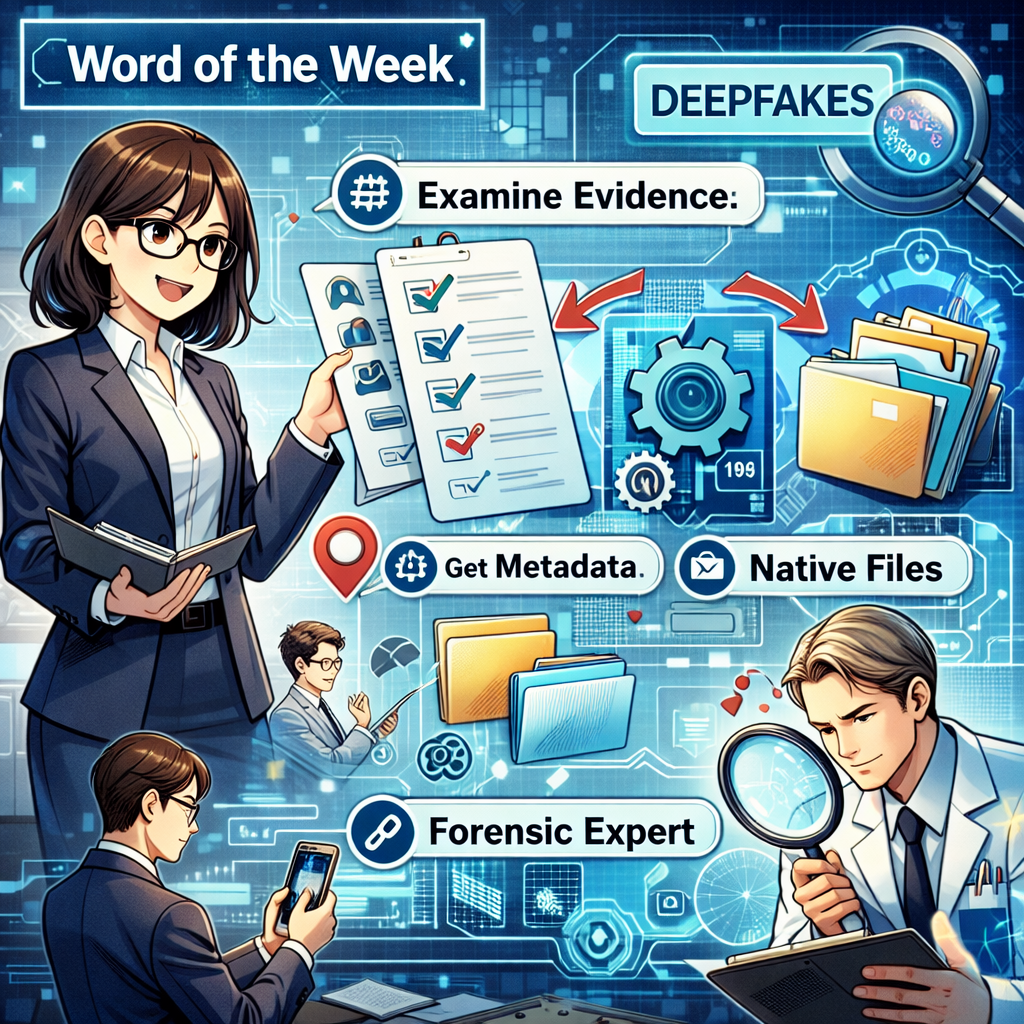
lawyers need to know Deepfakes, Metadata, and ABA Ethics Rules!

Finally, talk to clients about deepfakes before they become a problem. Explain that altering media or using AI to “clean up” evidence is dangerous, even if they believe they are only fixing quality.📲 Remind them that courts are increasingly sophisticated about AI and that discovery misconduct in this area can destroy otherwise strong cases. Treat deepfakes as another routine topic in your litigation checklist, alongside spoliation and privilege, and you will be better prepared for the next “too good to be true” video that lands in your inbox.

TSL.P Labs Bonus: Google AI Discussion: Everyday Tech, Extraordinary Evidence: Smartphones, Dash Cams, and Wearables as Silent Witnesses in Your Cases ⚖️📱

Join us for an AI-powered deep dive into the ethical challenges facing legal professionals in the age of generative AI. 🤖 In this Tech-Savvy Lawyer.Page Labs episode, our Google AI hosts unpack our January 26, 2026, editorial and discuss how everyday devices—smartphones, dash cams, wearables, and connected cars—are becoming “silent witnesses” that can make or break your next case, while walking carefully through ABA Model Rules on competence, candor, privacy, and preservation of digital evidence.

In our conversation, we cover the following:

  • 00:00 – Welcome to The Tech-Savvy Lawyer.Page Labs Initiative and this week’s “Everyday Tech, Extraordinary Evidence” AI roundtable 🧪

  • 00:30 – Why classic “surprise witness” courtroom drama is giving way to always-on digital witnesses 🎭

  • 01:15 – Introducing the concept of smartphones, dash cams, and wearables as objective “silent witnesses” in litigation 📱

  • 02:00 – Overview of Michael D.J. Eisenberg’s editorial “Everyday Tech, Extraordinary Evidence” and his mission to bridge tech and courtroom practice 📰[

  • 03:00 – Case study setup: the Alex Preddy shooting in Minneapolis and the clash between official reports and digital evidence ⚖️

  • 04:00 – How bystander smartphone video reframed the legal narrative in the Preddy matter and dismantled “brandished a weapon” claims 🎥

  • 05:00 – From “pressing play” to full video synchronization: building a unified timeline from multiple cameras to audit police reports 🧩06:00 – Using frame-by-frame analysis to test loaded terms like “lunging,” “aggressive resistance,” and “brandishing” against what the pixels actually show 🔍

  • 07:00 – Moving beyond what we see: introducing “quiet evidence” such as GPS logs, telemetry, and sensor data as litigation tools 📡

  • 08:00 – GPS data for location, duration, and speed: turning “he was charging” into a measurable movement profile in protest and road-rage cases 🚶‍♂️🚗

  • 09:00 – Layering GPS from phones with vehicle telematics to create a multi-source reconstruction that is hard to impeach in court 📊

  • 10:00 – Dash cams as 360-degree witnesses: solving blind spots of human perception and single-angle video 🛞

  • 11:00 – Why exterior audio from dash cams—shouts, commands, crowd noise—can be crucial to proving state of mind and mens rea 🔊

  • 12:00 – Wearables as a body-wide sensor network: heart rate, sleep, and step count as quantitative proof of pain, fear, and trauma ⌚

  • 13:00 – Using longitudinal wearable data to support claims of emotional distress or sleep disruption in personal injury and civil-rights litigation 😴

  • 14:00 – Heart-rate spikes and movement logs at the moment of an encounter as corroboration of fear or immobility in use-of-force matters

  • 15:00 – Why none of this evidence exists in your case file unless you know to ask for it at intake 🗂️

  • 16:00 – Updating intake: adding questions about smartwatches, location services, doorbell cameras, dash cams, and connected cars to your client questionnaires 📝

  • 17:00 – Data preservation as an emergency task: deletion cycles, cloud overwrites, and using TROs to stop digital spoliation 🚨

  • 18:00 – Turning raw logs into compelling visuals: maps, synced clips, and timelines that juries can understand without sacrificing accuracy 🗺️

  • 19:00 – Ethics spotlight: ABA Model Rule 1.1 competence and Comment 8—why “I’m not a tech person” is now an ethical problem, not an excuse 📚

  • 20:00 – Candor to the tribunal and the line between strong advocacy and fraud when editing or excerpting digital evidence ⚠️

  • 21:00 – Respecting third-party privacy under Rule 4.4: when you must blur faces, redact audio, or limit collateral exposure of bystanders 🧩

  • 22:00 – Advising clients not to delete texts, videos, or logs and explaining spoliation risks under Rule 3.4 ⚖️

  • 23:00 – The uranium analogy: digital tools as powerful but dangerous if used without adequate ethical “containment” ☢️

  • 24:00 – Philosophical closing: will juries someday trust heart-rate logs more than tears on the witness stand, and what does that mean for human testimony? 🤔

  • 25:00 – Closing remarks and invitation to explore the full editorial, show notes, and resources on The Tech-Savvy Lawyer.Page 🌐

If you enjoyed this episode, please like, comment, subscribe, and share!

🎙️🎁 TSL Labs Bonus: The Ultimate 2025 Tech Gift Guide for Attorneys — Expert-Curated Gadgets, AI Tools, and Must-Have Devices Every Lawyer Needs!

🎯 In this TSL Labs Bonus episode, we are experimenting with Google’s Notebook LLM to do a “Deep Dive” on our November 24th editorial on the ultimate 2025 tech gift guide for attorneys. We use this AI-powered conversation to unpack the key themes, ethical challenges, and actionable recommendations. Whether you're a solo practitioner, big law associate, or tech-curious partner, this episode delivers expert-curated insights on gadgets, AI tools, and must-have devices that support technological competence as a professional obligation.

If you're a busy legal professional seeking practical tech recommendations that enhance daily practice rather than collect digital dust, join us for this insightful conversation that explores how the right technology investments can improve your practice, safeguard your clients, and help prevent unnecessary bar complaints.

🤔 Join Google AI Deep Dive as they discuss the following three questions and more!

  1. What are the essential low-cost tech gifts under $25 that can make an immediate impact on an attorney's practice, and why do items like cables and tracking devices matter for professional competence?

  2. Which professional-grade tools under $100 deliver the best value for attorneys seeking to fulfill their ethical duty to work smarter and faster through AI integration and productivity enhancements?

  3. Why should premium technology investments over $100—including physical infrastructure like ergonomic chairs—be considered essential to an attorney's professional obligation to their clients?

In our conversation, we cover the following:

[00:00:00] — Episode introduction and TSL Labs Bonus overview

[00:01:00] — Navigating the perfect tech gift for attorneys: unique needs like security, portability, focus, and raw power

[00:02:00] — The three seismic forces driving tech choices: AI integration, cloud-based practice management, and heightened ethical duties

[00:03:00] — Target audience: solo practitioners, big law associates, and tech-curious partners who need technology that lasts

[00:04:00] — Essential low-cost gifts under $25: OWC Thunderbolt 4 USB-C cable and Apple AirTag for security and reliability

[00:05:00] — Productivity essentials: Logitech Pebble M350 silent mouse and Anker 7-in-1 USB-C Hub for presentations

[00:06:00] — AI tools for "forced competence": ChatGPT Plus one-month subscription as a low-risk nudge toward AI exploration

[00:07:00] — Professional grade tools under $100: Apple Pencil (1st Gen) for document annotation and Logitech MX Keys Mini keyboard

[00:08:00] — Focus and noise cancellation: Soundcore Space One headphones with 40+ hours battery life

[00:09:00] — Precision document navigation: Logitech MX Master 3S mouse with horizontal scrolling for wide documents

[00:10:00] — Premium mobile computing sweet spots: iPad Air with M3 chip ($599) and MacBook Air M4 ($999)

[00:11:00] — Physical infrastructure as health technology: Herman Miller Aeron chair ($1,351) for sustained high-quality work

[00:12:00] — Ultra-wide monitor benefits: LG 34" 5K 2K ($315) for seamless document comparison and reduced cognitive strain

[00:13:00] — Virtual practice essentials: Logitech Brio 4K webcam ($160) and Samsung T7 SSD ($109) for secure data management

[00:14:00] — The ultimate organizational hub: CalDigit TS3 Plus dock ($280) with 15 ports for cable clutter elimination

[00:15:00] — Strategic gift-giving advice: Understanding ecosystem (Apple, Windows, Android) and workflow considerations

📚 Resources

🖥️ Hardware Mentioned in the Conversation

Under $25:

  • OWC Thunderbolt 4 USB-C Cable (~$19.99) — Universal cable supporting 40Gb/s data, 100W power delivery, up to 8K video —(https://www.owc.com)

  • Apple AirTag (Single Pack) ($24) — Bluetooth tracking device using Find My network —(https://www.apple.com/airtag)

  • Logitech Pebble M350 Wireless Mouse (~$19.99) — Silent click, 90% noise reduction, 18-month battery — (https://www.logitech.com)

  • Anker 341 USB-C Hub (7-in-1) (~$19.99) — HDMI 4K@30Hz, USB ports, SD card slots — https://www.anker.com)

  • ORICLE 65W USB Travel Power Strip — Flat plug, 4-foot cord, 7-in-1 hub for travel —(https://oricotechs.com)

Under $100:

Premium Over $100:

  • iPad Air with M3 Chip (Starting at $599) — 8-core CPU, 9-core GPU, ideal balance of power and portability — (https://www.apple.com/ipad-air)

  • MacBook Air M4 (Starting at $999) — 10-core CPU, 10-core GPU, up to 18 hours battery life —(https://www.apple.com/macbook-air)

  • Herman Miller Aeron Chair (~$1,351) — Ergonomic office chair with PostureFit SL, three sizes for 1st-99th percentile —(https://www.hermanmiller.com)

  • LG 34" Ultrawide 5K 2K Monitor (~$315) — 3440x1440 resolution, curved display for seamless multitasking — (https://www.lg.com/us/monitors)

  • Logitech Brio 4K Ultra HD Webcam (~$160) — 4K@30fps, RightLight 3 HDR, adjustable 65°/78°/90° FOV — (https://www.logitech.com)

  • Samsung T7 Portable SSD (1TB) (~$109.99) — 1,050MB/s read speed, AES 256-bit encryption, 2m drop resistant — (https://www.samsung.com)

  • CalDigit TS3 Plus Thunderbolt 3 Dock (~$280) — 15 ports, 87W laptop charging, dual 4K display support — (https://www.caldigit.com)

💻 Software & Cloud Services Mentioned in the Conversation

  • ChatGPT Plus ($20/month) — OpenAI's premium AI assistant with GPT-4 access for research and drafting — (https://chat.openai.com)

  • Grammarly Premium (~$96/year on sale; $144/year regular) — AI-powered writing assistant with plagiarism detection —(https://www.grammarly.com)

  • Apple Find My — Location tracking app for AirTags and Apple devices — https://www.icloud.com/find

📌 Disclaimer: Prices mentioned throughout this episode and show notes are approximate and based on manufacturer suggested retail prices around the time of the publication date; actual pricing may vary depending on manufacturer availability, retailer promotions, seasonal sales, and geographic location, and we recommend verifying current pricing before making any purchase decisions.

Samsung's Galaxy Z Series Redefines Mobile Legal Practice: The Ultimate July 2025 Review 📱⚖️

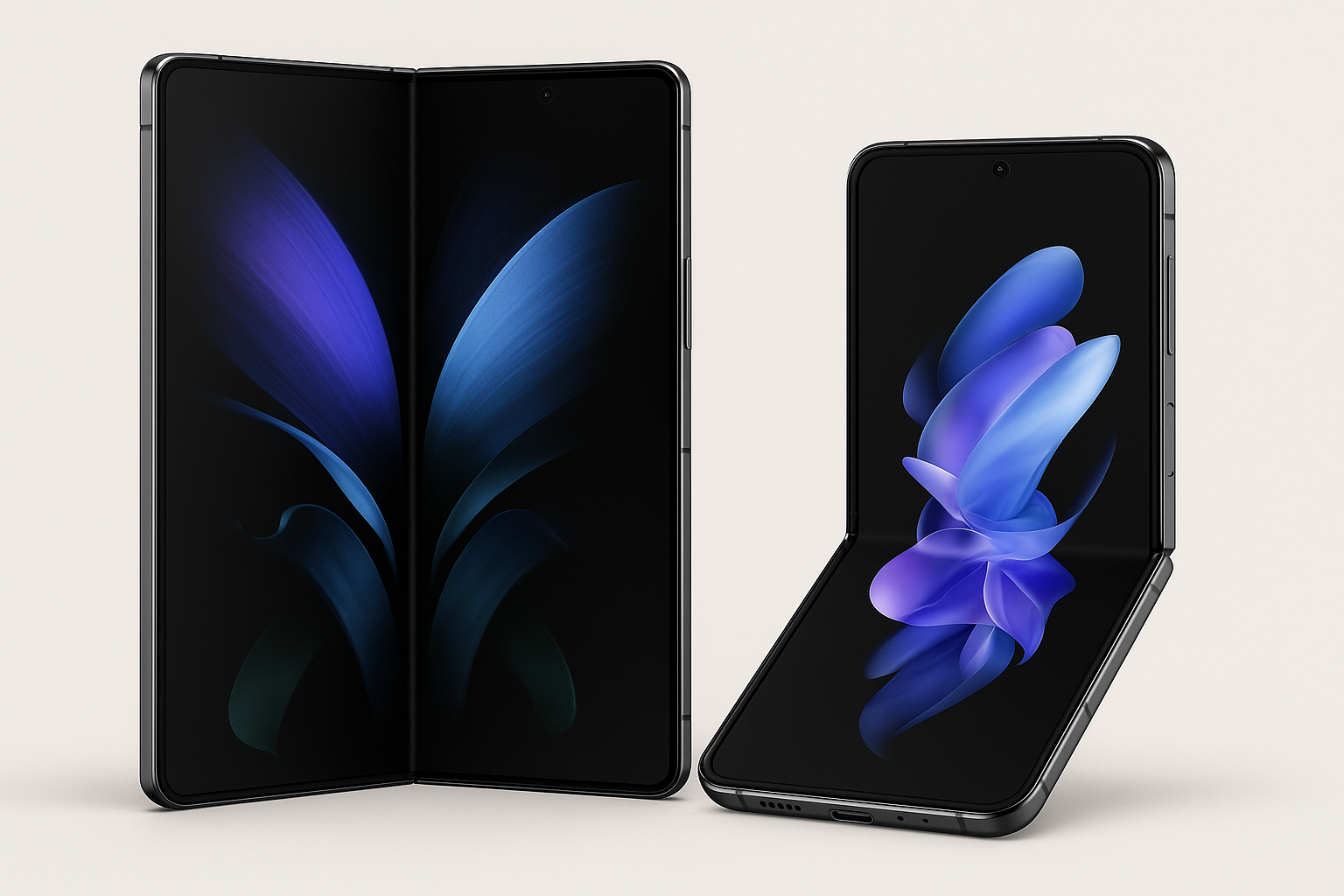
are the new samsung galaxy z mobile phones the next innovation in smart phones for lawyers?

Samsung's Galaxy Z Fold7 and Z Flip7 represent the most transformative mobile devices for legal professionals in 2025, delivering unprecedented productivity enhancements while finally achieving the durability and refinement necessary for serious law practice deployment.

Revolutionary Design: Function Meets Form

Galaxy Z Fold7: The Legal Powerhouse

The Galaxy Z Fold7 achieves what previous foldable generations promised but couldn't deliver—genuine laptop-like productivity in a pocket-sized device. At just 8.9mm folded and an impossibly thin 4.2mm unfolded, it's lighter than most traditional flagships at 215 grams while providing dual-screen functionality. Legal professionals finally have access to a device that feels like a conventional smartphone when closed but transforms into a 7.6-inch tablet workstation when opened.  (Editor’s note: I have to admit that when I held and played with a Fold that I was so impressed it became my new blog/podcast phone!)

The 6.5-inch cover screen with improved 21:9 aspect ratio eliminates the narrow, cramped experience of previous generations, making email management, calendar review, and client communications genuinely usable without unfolding. This addresses a critical pain point for attorneys who need quick access to information between court sessions or client meetings.

Galaxy Z Flip7: Compact Professional Excellence

The Galaxy Z Flip7 transforms the traditional smartphone experience with its 4.1-inch edge-to-edge FlexWindow—now a legitimate secondary interface rather than a glorified notification panel. At 188 grams, it's lighter than most flagship phones while offering a 6.9-inch main display that rivals the Galaxy S25 Ultra when unfolded.

For legal professionals who prioritize portability, the Z Flip7's ability to fold to just 13.7mm thick while maintaining flagship performance represents a paradigm shift in mobile form factors.

Productivity Revolution for Legal Practice

Multitasking Mastery

The Galaxy Z Fold7's Multi-Active Windows capability allows attorneys to run three apps simultaneously—a game-changer for legal workflows. Imagine reviewing case documents in one window, conducting legal research in another, and managing client communications in a third, all on a single device. This level of multitasking was previously impossible on mobile devices and rivals desktop productivity.

Real-world legal applications include:

  • Simultaneous document review and note-taking during depositions

  • Side-by-side contract comparison and analysis

  • Multi-app case management during court proceedings

  • Instant legal research while drafting briefs or motions

Scrool to the bottom for a comprehensive comparison table for the Samsung Zs, the iPhone, and the Pixel!

📱

Scrool to the bottom for a comprehensive comparison table for the Samsung Zs, the iPhone, and the Pixel! 📱

Document Management Excellence

Both devices excel at PDF annotation, form completion, and document scanning—core legal tasks that previously required desktop computers or specialized equipment. The 200MP camera system on the Z Fold7 ensures crystal-clear document capture even in challenging lighting conditions, while the large screen makes detailed document review practical on mobile devices.

Legal professionals report dramatically reduced processing times for routine document tasks—what once required printing, manual completion, scanning, and emailing can now be accomplished entirely on the device in under five minutes.

Enterprise Security Meets Legal Compliance

Samsung Knox: Defense-Grade Protection

Samsung Knox provides chip-to-cloud security architecture specifically designed for sensitive professional environments. For legal practices handling confidential client information, Knox's container technology creates separate, encrypted workspaces that isolate professional data from personal applications.

Key security features for legal professionals:

There are noticeable improvements to these devices that may rival apple’s iphone line.

  • Hardware-level encryption protecting client confidentiality

  • Secure folders for case-sensitive documents and communications

  • Enterprise management compatibility with law firm IT policies

  • Regular security updates for seven years—crucial for compliance requirements

  • AI-Powered Productivity with Privacy Controls

Galaxy AI integration enhances legal workflows without compromising data privacy. Note Assist automatically organizes meeting notes into actionable items, while Interpreter in FlexMode facilitates hands-free client communications. Importantly, many AI features process data on-device, addressing legal industry privacy concerns. (Editor’s note - always check the terms of service and other reliable sources to confirm your client’s PII is protected before using any AI service.)

Competitive Analysis: Leading the Professional Mobile Market

Performance Leadership

The Snapdragon 8 Elite processor in the Z Fold7 delivers flagship-level performance with up to 16GB RAM and 1TB storage—specifications that rival desktop computers from just a few years ago. This computational power enables smooth operation of multiple legal applications simultaneously, from case management software to video conferencing platforms.

Camera Systems: Evidence Documentation Excellence

The Z Fold7's 200MP main camera represents a significant upgrade for legal documentation needs. Whether capturing whiteboard notes during strategy sessions, photographing evidence at accident scenes, or documenting contract details, the camera system delivers professional-grade results.

The 10MP telephoto with 3x optical zoom proves particularly valuable for detailed text capture—essential when photographing contracts, court documents, or exhibit materials.

Battery Life: All-Day Professional Use

Both devices feature 4,300-4,400mAh batteries designed to support intensive legal workflows throughout extended court sessions or client meetings. 25W fast charging minimizes downtime between professional engagements.

Market Impact: Reshaping Legal Technology Adoption

Is there a galaxy z in your firm’s future?

Industry Momentum Building

Samsung's foldable preorders increased 25% year-over-year in July 2025, with 38% surge in US shipments indicating growing professional adoption. Legal professionals represent a significant portion of this growth, driven by the productivity benefits and enterprise security features.

Competitive Response

With Apple yet to enter the foldable market and Google's Pixel Fold lacking the productivity optimizations of Samsung's devices, the Galaxy Z series maintains a unique position in professional mobile computing. This market leadership provides legal practices with proven, mature foldable technology rather than experimental alternatives.

Limitations and Considerations

Investment Analysis - Are they worth the price?

Pricing remains a significant consideration—the Z Fold7 starts at $1,999, while the Z Flip7 begins at $1,099. However, for attorneys who can leverage the productivity benefits, the devices may justify their premium pricing through improved billable hour efficiency and reduced need for multiple devices.

Learning Curve Management

Staff training requirements should be considered for firm-wide deployments. The unique interface and multitasking capabilities require adjustment from traditional smartphone usage patterns.

Durability in Professional Environments

While both devices are tested for 200,000 folds (approximately 10 years of use) and feature IP48 water resistance, legal professionals working in challenging environments may need additional protection. The removal of S Pen support from the Z Fold7 eliminates handwritten note-taking capabilities that some attorneys preferred.

Final Thoughts: Verdict for the Galaxy Z phone series - Transformative Technology for Modern Legal Practice

The Galaxy Z Fold7 and Z Flip7 represent the first foldable devices mature enough for serious legal practice adoption. The combination of flagship performance, enterprise security, productivity optimization, and refined design creates compelling value propositions for different attorney needs.

For litigation attorneys and corporate lawyers who require maximum screen real estate and multitasking capability, the Z Fold7 delivers unprecedented mobile productivity that approaches desktop-level functionality. For attorneys prioritizing portability and quick access to communications, the Z Flip7 offers flagship performance in an exceptionally compact form factor.

I don’t know if my excitement to use the Fold justifies a switch in my legal work device (and move from my iPhone to the Fold), but the significant hardware improvements, including thinner profiles, better displays, enhanced cameras, and robust security features, position the Flip and the Fold as legitimate professional tools rather than technological novelties. With seven years of security updates and Samsung's enterprise support infrastructure, these devices meet the long-term stability requirements of legal practice.

Samsung has successfully transformed foldable phones from experimental curiosities into practical productivity tools that can genuinely enhance legal workflows and professional efficiency. For law practices ready to embrace next-generation mobile technology, the Galaxy Z series delivers the durability, functionality, and enterprise features necessary for professional legal work.

Compare the specs for the Zs, the iphone and the iphone.

🎙️ Ep. 112: How Judges and Lawyers Can Use AI Wisely: Judge Scott Schlegel on Best Practices, Pitfalls, and The Future of Legal Tech.

My next guest is the Honorable Judge Scott Schlegel, a nationally recognized judicial innovation and technology leader.

With extensive courtroom and technological experience, Judge Schlegel offers valuable insights into how attorneys can effectively leverage artificial intelligence and legal technology to enhance their workflows. He emphasizes the importance of avoiding common pitfalls while maintaining the highest standards of professional responsibility. Judge Schlegel also underscores the critical need to keep the human in the loop, advocating for a balanced approach that upholds efficiency and legal expertise.

Join Judge Schlegel and me as we discuss the following three questions and more!

  1. What are the top three ways lawyers should use AI for their work, and what are the top three ways lawyers do not use AI correctly today?

  2. What are the top three things lawyers still get wrong with using technology in the courtroom?

  3. AI is the current advancement in technology in the workplace. What are the top three technological advances lawyers should be keeping an eye on soon?

In our conversation, we cover the following:

[00:59] Top Three Ways Lawyers Should Use AI

[04:01] Security and Privacy Concerns with AI

[06:49] Common Mistakes Lawyers Make with AI

[11:52] What Lawyers Are Still Getting Wrong in Court

[18:30] Future Technological Advances for Lawyers

[22:18] Keeping the Human Element in AI Use

Resources:

Connect with Judge Schlegel:

Software & Cloud Services mentioned in the conversation: