Word of the Week: "Constitutional AI" for Lawyers - What It Is, Why It Matters for ABA Rules, and How Solo & Small Firms Should Use It!

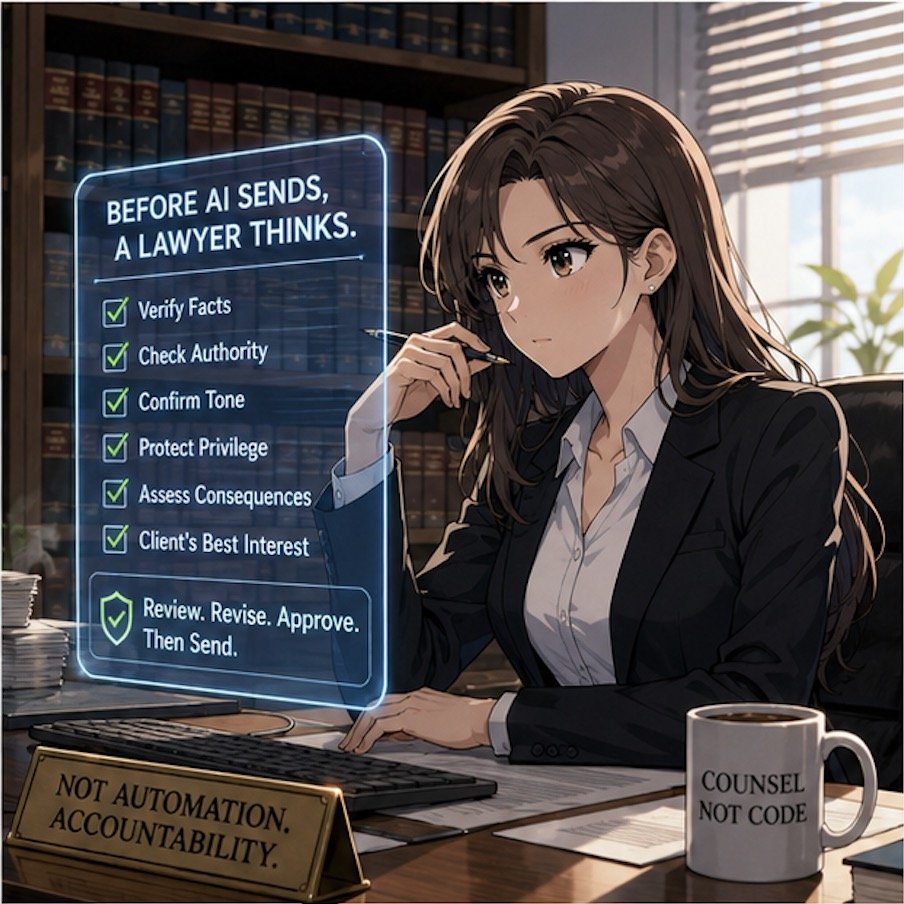
Constitutional AI’s ‘helpful, harmless, honest’ standard is a solid starting point for lawyers evaluating AI platforms.

The term “Constitutional AI” appeared this week in a Tech Savvy Lawyer post about the MTC/PornHub breach as a cybersecurity wake‑up call for lawyers 🚨. That article used it to highlight how AI systems (like those law firms now rely on) must be built and governed by clear, ethical rules — much like a constitution — to protect client data and uphold professional duties. This week’s Word of the Week unpacks what Constitutional AI really means and explains why it matters deeply for solo, small, and mid‑size law firms.

🔍 What is Constitutional AI?

Constitutional AI is a method for training large language models so they follow a written set of high‑level principles, called a “constitution” 📜. Those principles are designed to make the AI helpful, honest, and harmless in its responses.

As Claude AI from Anthropic explains:
Constitutional AI refers to a set of techniques developed by researchers at Anthropic to align AI systems like myself with human values and make us helpful, harmless, and honest. The key ideas behind Constitutional AI are aligning an AI’s behavior with a ‘constitution’ defined by human principles, using techniques like self‑supervision and adversarial training, developing constrained optimization techniques, and designing training data and model architecture to encode beneficial behaviors.” — Claude AI, Anthropic (July 7th, 2023).

In practice, Constitutional AI uses the model itself to critique and revise its own outputs against that constitution. For example, the model might be told: “Do not generate illegal, dangerous, or unethical content,” “Be honest about what you don’t know,” and “Protect user privacy.” It then evaluates its own answers against those rules before giving a final response.

Think of it like a junior associate who’s been given a firm’s internal ethics manual and told: “Before you send that memo, check it against these rules.” Constitutional AI does that same kind of self‑checking, but at machine speed.

🤝 How Constitutional AI Relates to Lawyers

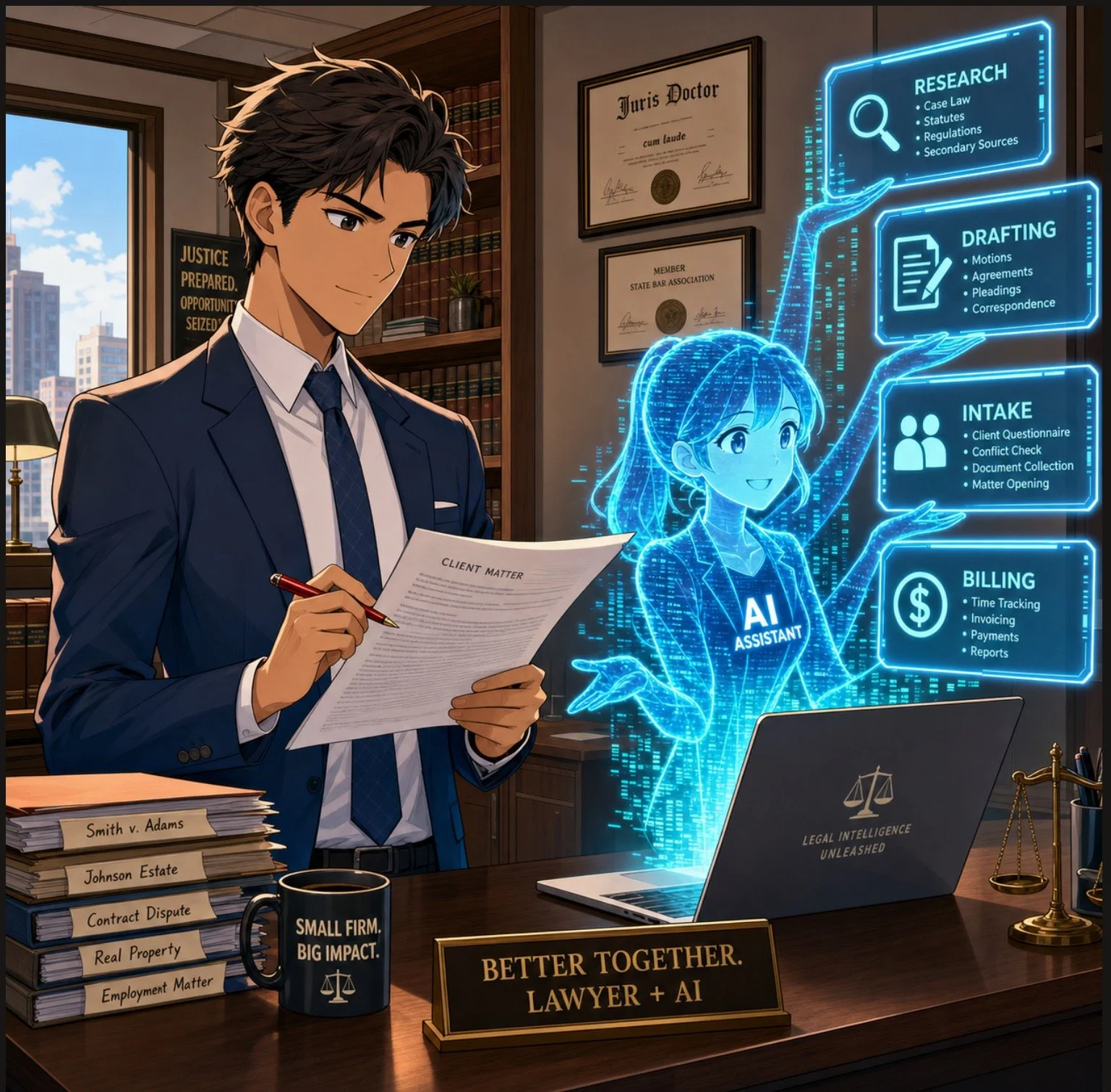
For lawyers, Constitutional AI is important because it directly shapes how AI tools behave when handling legal work 📚. Many legal AI tools are built on models that use Constitutional AI techniques, so understanding this concept helps lawyers:

  • Judge whether an AI assistant is likely to hallucinate, leak sensitive info, or give ethically problematic advice.

  • Choose tools whose underlying AI is designed to be more transparent, less biased, and more aligned with professional norms.

  • Better supervise AI use in the firm, which is a core ethical duty under the ABA Model Rules.

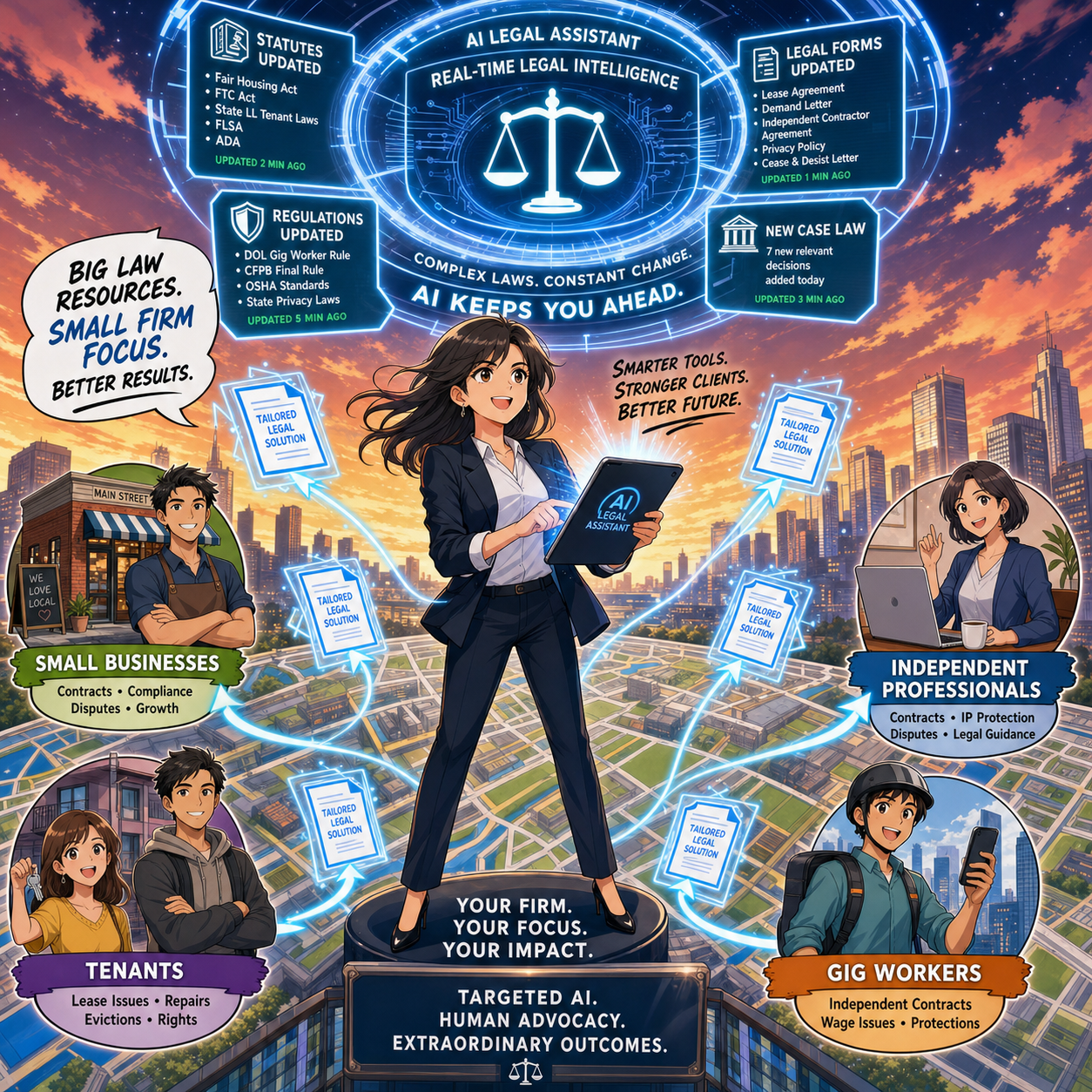
Solo and small firms, in particular, often rely on off‑the‑shelf AI tools (like chatbots or document assistants). Knowing that a tool is built on Constitutional AI principles can give more confidence that it’s designed to avoid harmful outputs and respect confidentiality.

⚖️ Why It Matters for ABA Model Rules

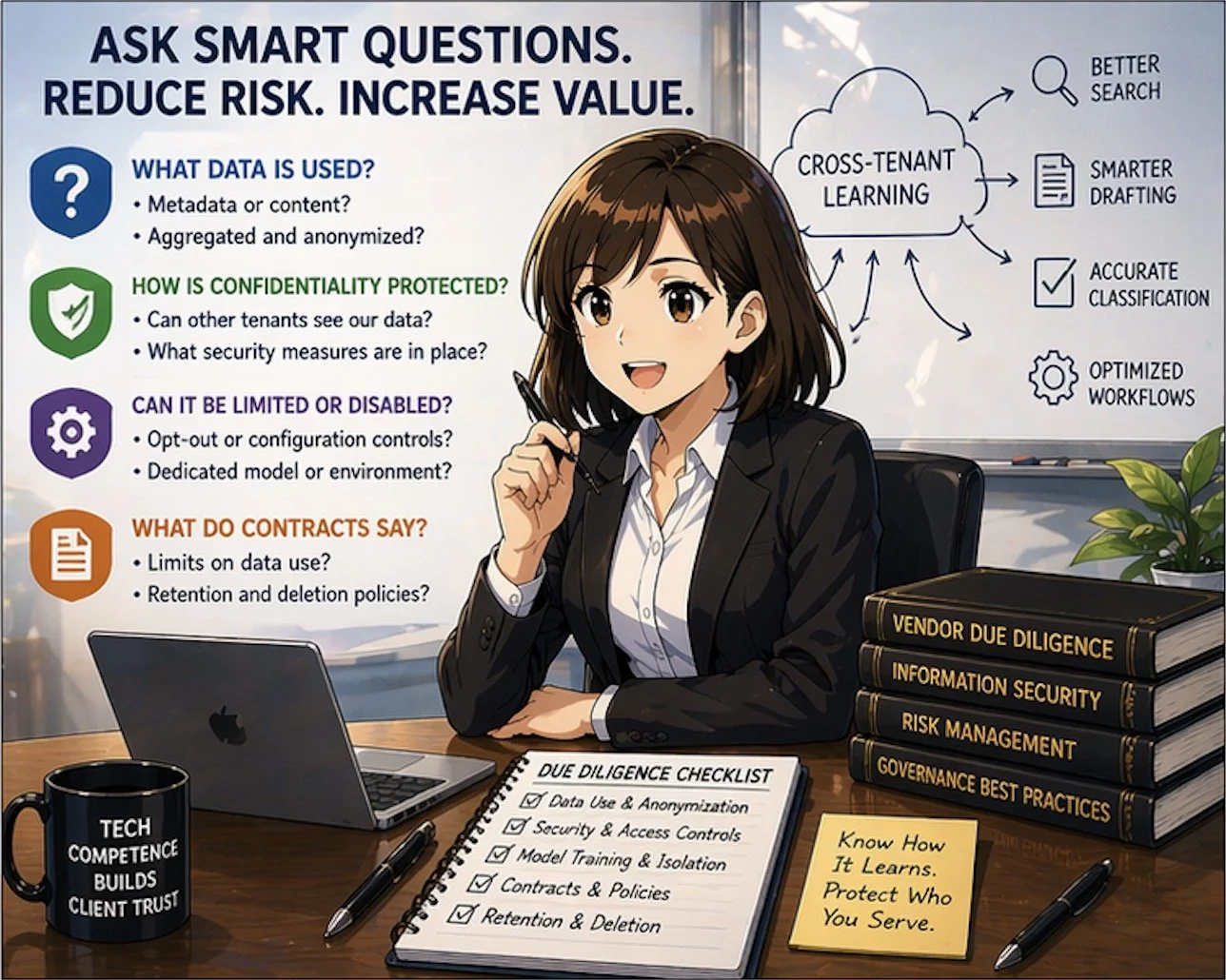
For solo and small firms, asking whether an AI platform aligns with Constitutional AI’s standards is a practical first step in choosing a trustworthy tool.

The ABA’s Formal Opinion 512 on generative AI makes clear that lawyers remain responsible for all work done with AI, even if an AI tool helped draft it 📝. Constitutional AI is relevant here because it’s one way that AI developers try to build in ethical guardrails that align with lawyers' obligations.

Key connections to the Model Rules:

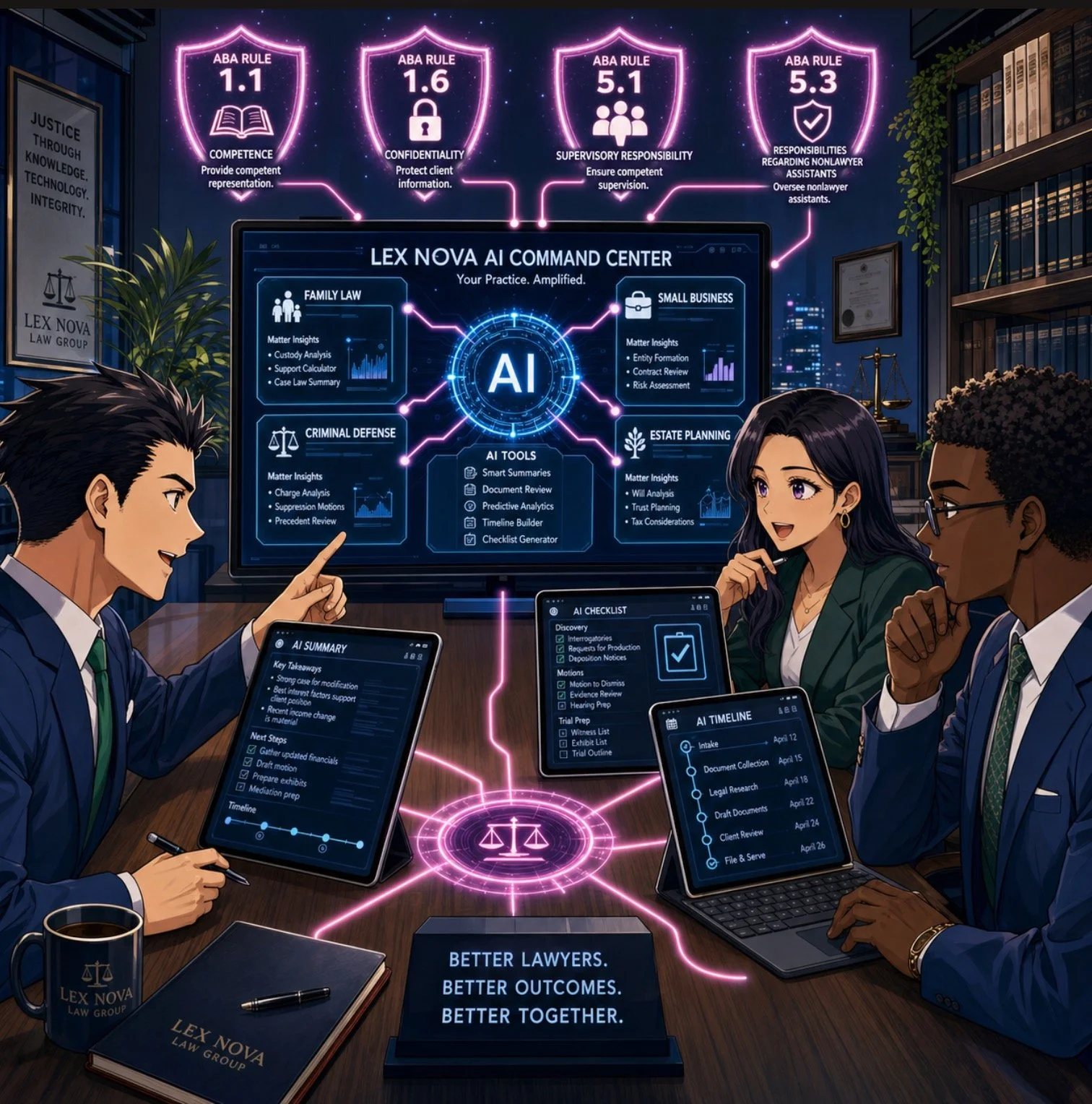
  • Rule 1.1 (Competence): Lawyers must understand the benefits and risks of the technology they use. Knowing that a tool uses Constitutional AI helps assess whether it’s reasonably reliable for tasks like research, drafting, or summarizing.

  • Rule 1.6 (Confidentiality): Constitutional AI models are designed to refuse to disclose sensitive information and to avoid memorizing or leaking private data. This supports the lawyer’s duty to make “reasonable efforts” to protect client confidences.

  • Rule 5.1 / 5.3 (Supervision): Managing partners and supervising attorneys must ensure that AI tools used by staff are consistent with ethical rules. A tool built on Constitutional AI principles is more likely to support, rather than undermine, those supervisory duties.

  • Rule 3.3 (Candor to the Tribunal): Constitutional AI models are trained to admit uncertainty and avoid fabricating facts or cases, which helps reduce the risk of submitting false or misleading information to a court.

In short, Constitutional AI doesn’t relieve lawyers of their ethical duties, but it can make AI tools safer and more trustworthy when used under proper supervision.

🛡️ The “Helpful, Harmless, and Honest” Principle

The three pillars of Constitutional AI — helpful, harmless, and honest — are especially relevant for lawyers:

  • Helpful: The AI should provide useful, relevant information that advances the client’s matter, without unnecessary or irrelevant content.

  • Harmless: The AI should avoid generating illegal, dangerous, or unethical content, and should respect privacy and confidentiality.

  • Honest: The AI should admit when it doesn’t know something, avoid fabricating facts or cases, and not misrepresent its capabilities.

For law firms, this “helpful, harmless, and honest” standard is a useful mental checklist when using AI:

  • Is this AI output actually helpful to the client’s case?

  • Could this output harm the client (e.g., by leaking confidential info or suggesting an unethical strategy)?

  • Is the AI being honest (e.g., not hallucinating case law or pretending to know facts it can’t know)?

If the answer to any of those questions is “no,” the AI output should not be used without significant human review and correction.

🛠️ Practical Takeaways for Law Firms

For solo, small, and mid‑size firms, here’s how to put this into practice:

Lawyers need to screen AI tools and ensure they are aligned with ABA Model Rules.

  1. Know your tools. When evaluating a legal AI product, ask whether it’s built on a Constitutional AI–style model (e.g., Claude). That tells you it’s designed with explicit ethical constraints.

  2. Treat AI as a supervised assistant. Never let AI make final decisions or file work without a lawyer’s review. Constitutional AI reduces risk, but it doesn’t eliminate the need for human judgment.

  3. Train your team. Make sure everyone in the firm understands that AI outputs must be checked for accuracy, confidentiality, and ethical compliance — especially when using third‑party tools.

  4. Update your engagement letters and policies. Disclose to clients when AI is used in their matters, and explain how the firm supervises it. This supports transparency under Rule 1.4 and Rule 1.6.

  5. Focus on “helpful, honest, harmless.” Use Constitutional AI as a mental checklist: Is this AI being helpful to the client? Is it honest about its limits? Is it harmless (no bias, no privacy leaks)? If not, don’t rely on it.

📖 “Word of the Week”: “Weatherproofing” 🌨️ - How Modern Attorneys Prepare for Winter Storms and Holiday Disruptions!

Weatherproofing has become essential vocabulary in modern legal practice. The term describes the deliberate preparation of your law practice to function fully when winter weather, power outages, or holiday disruptions prevent normal office operations. Courts now expect remote participation during snow events. Clients demand uninterrupted service regardless of conditions. Understanding and implementing weatherproofing technology is no longer optional for attorneys who want to maintain professional standards during winter months.

Understanding Weatherproofing in Legal Practice

Weatherproofing is fundamentally about eliminating excuses. Historically, attorneys could cite weather as justification for missed deadlines or delayed responses. Snow closed offices. Power outages disrupted work. Ice prevented travel. These circumstances no longer satisfy courts or clients.

The legal profession transformed during COVID-19. Federal courts pioneered remote proceedings. State courts followed suit. Today, winter weather triggers automatic remote operations rather than case delays. Your peers are already weatherproofing their practices. Your clients expect the same capability from you.

Weatherproofing differs from disaster recovery planning. Disaster recovery assumes catastrophic circumstances requiring emergency protocols. Weatherproofing anticipates predictable seasonal disruptions and prevents them from becoming disruptions at all. You are not reacting to emergency circumstances. You are eliminating the emergency through preparation.

More importantly, weatherproofing is an ethical obligation. ABA Model Rule 1.1 requires competence in legal matters. Competence now includes understanding and maintaining technology systems that enable continuous client service. ABA Model Rule 1.4 requires keeping clients reasonably informed about their matters. Weatherproofing enables this obligation even when winter weather disrupts normal operations. ABA Model Rule 1.6 requires protecting client confidentiality. Weatherproofing technology—when properly implemented—strengthens confidentiality protections across various work environments.

The Core Elements of Weatherproofing

Cloud-Based Access and Mobile Synchronization: Your Office Follows You

The foundation of weatherproofing is simple—your office must be accessible from anywhere. This means either reliable cloud-based access to your practice management system or secure-synced copies on your mobile device. Traditional isolated file storage on office servers represents the opposite of weatherproofing.

Cloud-based practice management platforms like Clio, MyCase, and Filevine store client files, calendar appointments, and billing information securely online. You access them through any web browser from any device. Your data remains safe even if your office loses power or becomes physically inaccessible due to snow, ice, or flooding.

If your current practice management system lacks cloud functionality, supplement it with document synchronization services like Dropbox, Box, or OneDrive. These applications sync files across your desktop computer, laptop, and mobile devices automatically. When you update a file on your office computer, it appears on your phone within seconds. When power outages occur, your phone retains the most recent synced version. You continue working without interruption.

Implementation requires minimal technical expertise. Cloud-based practice management companies offer free trials and import your existing data at no cost. Their support teams guide you through every setup step. Most attorneys become operational within one week (but note that if you are transferring from one online system to another, it can be a matter of many months to make sure the new system has captured everything from the old system so that nothing (critical) is missed like deadlines, tasks, or other elements that did not (cleanly) make the transfer). Document synchronization services are even simpler—download the application, authorize access to your folders, and synchronization happens automatically.

The monthly investment is modest. A single billable hour can cover your entire technology cost. The return is immeasurable when snow traps you away from your office during a critical filing deadline and you access every client document from your laptop or phone.

Test both access methods thoroughly during normal circumstances. Practice retrieving documents on your phone. Understand how to search, open, and download files. Learn whether you can markup documents directly or whether you need to email them to your desktop for editing. This preparation prevents confusion and saves time when you are working under pressure during actual weather emergencies.

This implementation directly supports ABA Model Rule 1.1 competence obligations. Attorneys must maintain technology systems that function reliably. It also fulfills ABA Model Rule 1.4 communication requirements by ensuring you can respond to client matters regardless of weather conditions.

Secure Remote Access: Protecting Client Confidentiality Across Networks

Virtual Private Networks (VPNs) create secure tunnels between your computer and your office network. This protection matters critically because public Wi-Fi at coffee shops, airports, and hotels lacks security. Neither does your home network without proper configuration.

Weatherproofing demands understanding that winter weather often forces you to work from locations without reliable internet. You may work from a family member's home during holiday travel. You may use your phone as a hotspot when power outages disrupt your home connection. These circumstances increase your vulnerability to data interception unless you use a VPN.

Providers like NordVPN and ExpressVPN offer attorney-focused solutions. These services install with one click. They encrypt all data between your computer and the internet. They protect client confidentiality automatically—an ethical imperative that does not disappear when weather forces you from your office.

Two-factor authentication (2FA) strengthens your VPN protection significantly. This means entering a code from your phone in addition to your password when accessing sensitive systems. Google Authenticator and Authy are free applications that generate these codes. Setup takes five minutes per account. This single step prevents approximately 99% of unauthorized access attempts.

ABA Model Rule 1.6 requires you to maintain confidentiality of client information. Using a VPN and multi-factor authentication when accessing client data from remote locations is not optional. It is mandatory protection. Weather conditions do not excuse confidentiality violations. Your weatherproofing strategy must include these security measures explicitly.

Communication Systems: Staying Connected When Your Office Is Not

“Snow” Days can create a rowdy home-work environment - use noise-canceling headphones to allow you to work in peace and quiet!

Your phone system must function when you cannot physically reach your office. Voice over Internet Protocol (VoIP) services like Vonage and RingCentral forward calls to your mobile phone automatically. Clients dial your office number and you answer on your cell. The technology is invisible to them.

Weatherproofing your communication strategy includes recording professional voicemail greetings that address weather events specifically. Record a message explaining that winter weather has shifted operations to remote status. Provide your email address and realistic response timeframes. This manages client expectations and reduces anxiety during disruptive weather.

Video conferencing has become standard for legal practice. Zoom, Microsoft Teams, and Google Meet all function effectively for client meetings, depositions, and court appearances. Weatherproofing requires testing your video setup before storm season arrives. Practice sharing your screen. Learn how to mute participants. Understand waiting rooms and breakout rooms. One hour of technical preparation eliminates embarrassing technology failures during critical client interactions.

These communication systems support ABA Model Rule 1.4 requirements to keep clients reasonably informed. Weatherproofing communication technology ensures you maintain this obligation regardless of weather disruptions.

Power and Internet Backup: Continuity When Infrastructure Fails

Winter storms cause power failures regularly. Your practice cannot continue when power outages disconnect you from the internet. Uninterruptible Power Supplies (UPS devices) cost under $200 and keep your internet router running for hours. This maintains your connection while power companies restore service to your area.

Cellular hotspots provide internet access when home connections fail completely. Every major cellular carrier offers hotspot devices. Your smartphone can function as a hotspot during emergencies. Weatherproofing requires testing these backup systems monthly so you understand exactly how to activate them when actual emergencies occur.

These backup systems support ABA Model Rule 1.3 obligations regarding diligence. You cannot fulfill diligence requirements if power outages disconnect you from client matters entirely. Backup power ensures you maintain your professional obligations.

Silence Is Golden: Noise-Canceling Headphones Are Professional Weatherproofing Equipment

Winter weather creates unexpected home office challenges that sophisticated attorneys often overlook. School closures mean energetic children needing supervision. Family members gather for holiday celebrations. Neighborhood snow removal equipment operates unpredictably. Power outages and backup generators create intrusive background noise. These disruptions destroy professional communication quality and prevent sustained focus on complex legal work.

Noise-canceling headphones represent essential weatherproofing equipment. Sony WH-1000XM5, Bose QuietComfort 45, and Apple AirPods Pro and Pro Max provide excellent noise cancellation at varying price points. These devices analyze ambient sound and create opposing sound waves that neutralize background noise effectively.

During client calls, noise-canceling headphones protect your professional reputation. Your clients hear your voice clearly without household distractions in the background. You remain focused on their legal matters rather than worrying about children playing, family conversations, or storm-related noise.

During deep work—document review, legal research, contract analysis—noise cancellation creates concentrated mental space for complex analysis. Your productivity increases substantially. Complex legal analysis requires uninterrupted focus. Winter weather disruptions (and rambunctious children 👶) destroy focus 🧘. Noise-canceling headphones restore it.

Weatherproofing your practice includes investing in quality headphones rather than cheap alternatives. Premium options provide all-day comfort, excellent sound quality, and genuine noise cancellation. Many models work simultaneously with your office phone system and mobile devices. They charge overnight and last through multiple work days without needing recharge.

Keep your headphones charged and ready. During actual weather events, they become your most valuable technology investment for maintaining professional communication standards and sustained analytical focus.

This equipment supports ABA Model Rule 1.1 competence requirements. Maintaining quality communication and analytical focus directly impacts your legal work quality. The technology that enables this quality—including noise-canceling headphones—becomes part of your professional competence obligations.

Implementing Weatherproofing Gradually

Technology intimidates many attorneys. Law school taught you to analyze cases, not configure networks. Weatherproofing succeeds through incremental implementation rather than attempting comprehensive changes simultaneously.

Start with one system. Cloud-based practice management software or secure-synced document access is the logical first choice because it impacts your entire practice. Master it completely before adding additional technology. Then add VPN security next. Finally, complete your setup with backup power systems. Each step builds confidence and competence.

Use vendor support extensively throughout implementation. These companies employ teams specifically to help attorneys. Schedule training sessions. Watch their video tutorials. Read their knowledge bases. Professional implementation support means you are not expected to figure out technology independently.

Involve your staff in the weatherproofing process. Your paralegal likely possesses stronger technology skills. Your administrative assistant may have used similar systems previously. Leverage their expertise. Create a collaborative team approach to weatherproofing rather than attempting solo implementation.

This collaborative approach honors ABA Model Rule 5.1 responsibilities. Partners and supervisors must ensure subordinates conform to ethical obligations. Weatherproofing your practice collectively ensures everyone maintains compliance with professional conduct requirements.

Ethical Obligations and Weatherproofing Summary

ABA Model Rules establish clear professional conduct standards that weatherproofing directly addresses.

ABA Model Rule 1.1 (Competence): Weatherproofing demonstrates competence because it maintains your ability to serve clients effectively. Technology systems that function reliably during winter weather are part of modern legal competence.

ABA Model Rule 1.3 (Diligence): Weatherproofing ensures you maintain diligence in representing clients. Power outages and weather cannot justify abandoning client matters. Your infrastructure must sustain diligent representation regardless of external circumstances.

ABA Model Rule 1.4 (Communication): Weatherproofing enables keeping clients reasonably informed about their matters. Remote communication systems ensure clients receive updates and information even when weather disrupts normal office operations.

ABA Model Rule 1.6 (Confidentiality): Weatherproofing protects client confidentiality through secure remote access systems. Confidentiality obligations intensify when you work from remote locations without adequate security. Weatherproofing includes the technology safeguards necessary to maintain confidentiality.

ABA Model Rule 5.1 (Partners and Supervisors): Partners and supervisory attorneys must ensure that all attorneys and staff conform to professional conduct rules. Weatherproofing your firm collectively ensures everyone maintains ethical obligations during weather disruptions.

The Illinois Supreme Court's December 2024 ruling explicitly permits technology and AI use while holding attorneys responsible for all work product. This principle extends directly to weatherproofing technology. You must understand your systems sufficiently to ensure client confidentiality and competent representation remain uncompromised.

Document your technology decisions formally. Maintain records of your security measures. Create written procedures for remote work protocols. These documents demonstrate professional due diligence if clients question your weather-related practices or if bar counsel inquires about your compliance with Model Rules.

Supervise your staff remotely with the same effectiveness you maintain in the office. Establish daily check-in procedures. Monitor work product quality. Maintain professional standards regardless of physical location. Weatherproofing includes managing your team's productivity during weather disruptions while ensuring they maintain ethical obligations.

Final Thoughts: Weatherproofing Is Preparation, Not Reaction

DOn’t let inclement weather leave you in the dark and miss critical deadlines!

Weatherproofing succeeds only through proactive implementation. Snow forecasts appear before storms arrive. Implement these systems now rather than scrambling during the next winter weather event. Start today with a free trial of cloud-based practice management software. Schedule VPN setup for this weekend. Purchase noise-canceling headphones before holiday travel season intensifies.

The investment is minimal. The professional risk of inaction is substantial. A single missed filing deadline due to weather can damage your reputation permanently and potentially violate your ABA Model Rule 1.3 diligence obligations. A single data breach from insecure remote access can trigger malpractice claims and violate your ABA Model Rule 1.6 confidentiality obligations.

Winter weather is inevitable and predictable. Practice disruption is optional and preventable. The technology exists. The ethical guidelines explicitly support it through ABA Model Rules requiring competence, diligence, communication, and confidentiality. Your clients increasingly expect it. The only remaining question is whether you will weatherproof your practice before the next storm or wish you had when disruption strikes.

🎙️🎁 TSL Labs Bonus: The Ultimate 2025 Tech Gift Guide for Attorneys — Expert-Curated Gadgets, AI Tools, and Must-Have Devices Every Lawyer Needs!

🎯 In this TSL Labs Bonus episode, we are experimenting with Google’s Notebook LLM to do a “Deep Dive” on our November 24th editorial on the ultimate 2025 tech gift guide for attorneys. We use this AI-powered conversation to unpack the key themes, ethical challenges, and actionable recommendations. Whether you're a solo practitioner, big law associate, or tech-curious partner, this episode delivers expert-curated insights on gadgets, AI tools, and must-have devices that support technological competence as a professional obligation.

If you're a busy legal professional seeking practical tech recommendations that enhance daily practice rather than collect digital dust, join us for this insightful conversation that explores how the right technology investments can improve your practice, safeguard your clients, and help prevent unnecessary bar complaints.

🤔 Join Google AI Deep Dive as they discuss the following three questions and more!

  1. What are the essential low-cost tech gifts under $25 that can make an immediate impact on an attorney's practice, and why do items like cables and tracking devices matter for professional competence?

  2. Which professional-grade tools under $100 deliver the best value for attorneys seeking to fulfill their ethical duty to work smarter and faster through AI integration and productivity enhancements?

  3. Why should premium technology investments over $100—including physical infrastructure like ergonomic chairs—be considered essential to an attorney's professional obligation to their clients?

In our conversation, we cover the following:

[00:00:00] — Episode introduction and TSL Labs Bonus overview

[00:01:00] — Navigating the perfect tech gift for attorneys: unique needs like security, portability, focus, and raw power

[00:02:00] — The three seismic forces driving tech choices: AI integration, cloud-based practice management, and heightened ethical duties

[00:03:00] — Target audience: solo practitioners, big law associates, and tech-curious partners who need technology that lasts

[00:04:00] — Essential low-cost gifts under $25: OWC Thunderbolt 4 USB-C cable and Apple AirTag for security and reliability

[00:05:00] — Productivity essentials: Logitech Pebble M350 silent mouse and Anker 7-in-1 USB-C Hub for presentations

[00:06:00] — AI tools for "forced competence": ChatGPT Plus one-month subscription as a low-risk nudge toward AI exploration

[00:07:00] — Professional grade tools under $100: Apple Pencil (1st Gen) for document annotation and Logitech MX Keys Mini keyboard

[00:08:00] — Focus and noise cancellation: Soundcore Space One headphones with 40+ hours battery life

[00:09:00] — Precision document navigation: Logitech MX Master 3S mouse with horizontal scrolling for wide documents

[00:10:00] — Premium mobile computing sweet spots: iPad Air with M3 chip ($599) and MacBook Air M4 ($999)

[00:11:00] — Physical infrastructure as health technology: Herman Miller Aeron chair ($1,351) for sustained high-quality work

[00:12:00] — Ultra-wide monitor benefits: LG 34" 5K 2K ($315) for seamless document comparison and reduced cognitive strain

[00:13:00] — Virtual practice essentials: Logitech Brio 4K webcam ($160) and Samsung T7 SSD ($109) for secure data management

[00:14:00] — The ultimate organizational hub: CalDigit TS3 Plus dock ($280) with 15 ports for cable clutter elimination

[00:15:00] — Strategic gift-giving advice: Understanding ecosystem (Apple, Windows, Android) and workflow considerations

📚 Resources

🖥️ Hardware Mentioned in the Conversation

Under $25:

  • OWC Thunderbolt 4 USB-C Cable (~$19.99) — Universal cable supporting 40Gb/s data, 100W power delivery, up to 8K video —(https://www.owc.com)

  • Apple AirTag (Single Pack) ($24) — Bluetooth tracking device using Find My network —(https://www.apple.com/airtag)

  • Logitech Pebble M350 Wireless Mouse (~$19.99) — Silent click, 90% noise reduction, 18-month battery — (https://www.logitech.com)

  • Anker 341 USB-C Hub (7-in-1) (~$19.99) — HDMI 4K@30Hz, USB ports, SD card slots — https://www.anker.com)

  • ORICLE 65W USB Travel Power Strip — Flat plug, 4-foot cord, 7-in-1 hub for travel —(https://oricotechs.com)

Under $100:

Premium Over $100:

  • iPad Air with M3 Chip (Starting at $599) — 8-core CPU, 9-core GPU, ideal balance of power and portability — (https://www.apple.com/ipad-air)

  • MacBook Air M4 (Starting at $999) — 10-core CPU, 10-core GPU, up to 18 hours battery life —(https://www.apple.com/macbook-air)

  • Herman Miller Aeron Chair (~$1,351) — Ergonomic office chair with PostureFit SL, three sizes for 1st-99th percentile —(https://www.hermanmiller.com)

  • LG 34" Ultrawide 5K 2K Monitor (~$315) — 3440x1440 resolution, curved display for seamless multitasking — (https://www.lg.com/us/monitors)

  • Logitech Brio 4K Ultra HD Webcam (~$160) — 4K@30fps, RightLight 3 HDR, adjustable 65°/78°/90° FOV — (https://www.logitech.com)

  • Samsung T7 Portable SSD (1TB) (~$109.99) — 1,050MB/s read speed, AES 256-bit encryption, 2m drop resistant — (https://www.samsung.com)

  • CalDigit TS3 Plus Thunderbolt 3 Dock (~$280) — 15 ports, 87W laptop charging, dual 4K display support — (https://www.caldigit.com)

💻 Software & Cloud Services Mentioned in the Conversation

  • ChatGPT Plus ($20/month) — OpenAI's premium AI assistant with GPT-4 access for research and drafting — (https://chat.openai.com)

  • Grammarly Premium (~$96/year on sale; $144/year regular) — AI-powered writing assistant with plagiarism detection —(https://www.grammarly.com)

  • Apple Find My — Location tracking app for AirTags and Apple devices — https://www.icloud.com/find

📌 Disclaimer: Prices mentioned throughout this episode and show notes are approximate and based on manufacturer suggested retail prices around the time of the publication date; actual pricing may vary depending on manufacturer availability, retailer promotions, seasonal sales, and geographic location, and we recommend verifying current pricing before making any purchase decisions.

🎙️TSL Labs! MTC: The Hidden AI Crisis in Legal Practice: Why Lawyers Must Unmask Embedded Intelligence Before It's Too Late!

📌 Too Busy to Read This Week's Editorial?

Join us for a professional deep dive into essential tech strategies for AI compliance in your legal practice. 🎙️ This AI-powered discussion unpacks the November 17, 2025, editorial, MTC: The Hidden AI Crisis in Legal Practice: Why Lawyers Must Unmask Embedded Intelligence Before It's Too Late! with actionable intelligence on hidden AI detection, confidentiality protocols, ethics compliance frameworks, and risk mitigation strategies. Artificial intelligence has been silently operating inside your most trusted legal software for years, and under ABA Formal Opinion 512, you bear full responsibility for all AI use, whether you knowingly activated it or it came as a default software update. The conversation makes complex technical concepts accessible to lawyers with varying levels of tech expertise—from tech-hesitant solo practitioners to advanced users—so you'll walk away with immediate, actionable steps to protect your practice, your clients, and your professional reputation.

In Our Conversation, We Cover the Following

00:00:00 - Introduction: Overview of TSL Labs initiative and the AI-generated discussion format

00:01:00 - The Silent Compliance Crisis: How AI has been operating invisibly in your software for years

00:02:00 - Core Conflict: Understanding why helpful tools simultaneously create ethical threats to attorney-client privilege

00:03:00 - Document Creation Vulnerabilities: Microsoft Word Co-pilot and Grammarly's hidden data processing

00:04:00 - Communication Tools Risks: Zoom AI Companion and the cautionary Otter.ai incident

00:05:00 - Research Platform Dangers: Westlaw and Lexis+ AI hallucination rates between 17-33%

00:06:00 - ABA Formal Opinion 512: Full lawyer responsibility for AI use regardless of awareness

00:07:00 - Model Rule 1.6 Analysis: Confidentiality breaches through third-party AI systems

00:08:00 - Model Rule 5.3 Requirements: Supervising AI tools with the same diligence as human assistants

00:09:00 - Five-Step Compliance Framework: Technology audits and vendor agreement evaluation

00:10:00 - Firm Policies and Client Consent: Establishing protocols and securing informed consent

00:11:00 - The Verification Imperative: Lessons from the Mata v. Avianca sanctions case

00:12:00 - Billing Considerations: Navigating hourly versus value-based fee models with AI

00:13:00 - Professional Development: Why tool learning time is non-billable competence maintenance

00:14:00 - Ongoing Compliance: The necessity of quarterly reviews as platforms rapidly evolve

00:15:00 - Closing Remarks: Resources and call to action for tech-savvy innovation

Resources

Mentioned in the Episode

Software & Cloud Services Mentioned in the Conversation

📖 Word ("Phrase") of the Week: Mobile Device Management: Essential Security for Today's Law Practice 📱🔒

Mobile Device Management is an essential concept for lawyers.

Mobile Device Management (MDM) has become essential for law firms navigating today's mobile-first legal landscape. As attorneys increasingly access confidential client information from smartphones, tablets, and laptops outside traditional office settings, MDM technology provides the security framework necessary to protect sensitive data while enabling productive remote work.

Understanding MDM in Legal Practice

MDM refers to software that allows IT teams to remotely manage, secure, and support mobile devices used across an organization. For law firms, this technology provides centralized control to enforce password requirements, encrypt data, install security updates, locate devices, and remotely lock or wipe lost or stolen devices. These capabilities directly address the ethical obligations attorneys face under the ABA Model Rules of Professional Conduct.

Ethical Obligations Drive MDM Adoption

The legal profession faces unique ethical requirements regarding technology use. ABA Model Rule 1.1 requires lawyers to maintain technological competence, including understanding "the benefits and risks associated with relevant technology". Rule 1.6 mandates that lawyers "make reasonable efforts to prevent the inadvertent or unauthorized disclosure of, or unauthorized access to, information relating to the representation of a client".

ABA Formal Opinion 498 specifically addresses virtual practice considerations. The opinion cautions that lawyers should disable listening capabilities of smart speakers and virtual assistants while discussing client matters unless the technology assists the law practice. This guidance underscores the importance of thoughtful technology implementation in legal practice.

Core MDM Features for Law Firms

Device encryption forms the foundation of MDM security. All client data should be encrypted both in transit and at rest, with granular permissions determining who accesses specific information. Remote wipe capabilities allow immediate data deletion when devices are lost or stolen, preventing unauthorized access to sensitive case information.

Application management enables IT teams to control which applications can access firm resources. Maintaining an approved application list and regularly scanning for vulnerable or unauthorized applications reduces security risks. Containerization separates personal and professional data, ensuring client information remains isolated and secure even if the device is compromised.

Compliance and Monitoring Benefits

lawyers, do you know where your mobile devices are?

MDM solutions help law firms maintain compliance with ABA guidelines, state bar requirements, and privacy laws. The systems generate detailed logs and reports on device activity, which prove vital during audits or internal investigations. Continuous compliance monitoring ensures devices meet security standards while automated checks flag devices falling below required security levels.

Implementation Best Practices

Successful MDM implementation requires establishing clear policies outlining device eligibility, security requirements, and user responsibilities. Firms should enforce device enrollment and compliance, requiring all users to register devices before accessing sensitive systems. Multi-factor authentication enhances security for sensitive data access.

Regular training ensures staff understand security expectations and compliance requirements. Automated software updates and security patches keep devices protected against evolving threats. Role-based access controls prevent unauthorized access to corporate resources by assigning permissions based on job functions.

MDM technology has evolved from optional convenience to ethical necessity. Law firms that implement comprehensive MDM strategies protect client confidentiality, meet professional obligations, and maintain competitive advantage in an increasingly mobile legal marketplace.

Keep Your Practice Safe - Stay Tech Savvy!!!

📖 Word of the Week: The Meaning of “Data Governance” and the Modern Law Practice - Your Essential Guide for 2025

Understanding Data Governance: A Lawyer's Blueprint for Protecting Client Information and Meeting Ethical Obligations

Lawyers need to know about “DAta governance” and how it affects their practice of law.

Data governance has emerged as one of the most critical responsibilities facing legal professionals today. The digital transformation of legal practice brings tremendous efficiency gains but also creates significant risks to client confidentiality and attorney ethical obligations. Every email sent, document stored, and case file managed represents a potential vulnerability that requires careful oversight.

What Data Governance Means for Lawyers

Data governance encompasses the policies, procedures, and practices that ensure information is managed consistently and reliably throughout its lifecycle. For legal professionals, this means establishing clear frameworks for how client information is collected, stored, accessed, shared, retained, and ultimately deleted. The goal is straightforward: protect sensitive client data while maintaining the accessibility needed for effective representation.

The framework defines who can take which actions with specific data assets. It establishes ownership and stewardship responsibilities. It classifies information by sensitivity and criticality. Most importantly for attorneys, it ensures compliance with ethical rules while supporting operational efficiency.

The Ethical Imperative Under ABA Model Rules

The American Bar Association Model Rules of Professional Conduct create clear mandates for lawyers regarding technology and data management. These obligations serve as an excellent source of guidance regardless of whether your state has formally adopted specific technology competence requirements. BUT REMEMBER ALWAYS FOLLOW YOUR STATE’S ETHIC’S RULES FIRST!

Model Rule 1.1 addresses competence and was amended in 2012 to explicitly include technological competence. Comment 8 now requires lawyers to "keep abreast of changes in the law and its practice, including the benefits and risks associated with relevant technology". This means attorneys must understand the data systems they use for client representation. Ignorance of technology is no longer acceptable.

Model Rule 1.6 governs confidentiality of information. The rule requires lawyers to "make reasonable efforts to prevent the inadvertent or unauthorized disclosure of, or unauthorized access to, information relating to the representation of a client". Comment 18 specifically addresses the need to safeguard information against unauthorized access by third parties. This creates a direct ethical obligation to implement appropriate data security measures.

Model Rule 5.3 addresses responsibilities regarding nonlawyer assistants. This rule extends to technology vendors and service providers who handle client data. Lawyers must ensure that third-party vendors comply with the same ethical obligations that bind attorneys. This requires due diligence when selecting cloud storage providers, practice management software, and artificial intelligence tools.

The High Cost of Data Governance Failures

lawyers need to know the multiple facets of data Governance

Law firms face average data breach costs of $5.08 million. These financial losses pale in comparison to the reputational damage and loss of client trust that follows a security incident. A single breach can expose trade secrets, privileged communications, and personally identifiable information.

The consequences extend beyond monetary damages. Ethical violations can result in disciplinary action. Inadequate data security arguably constitutes a failure to fulfill the duty of confidentiality under Rule 1.6. Some jurisdictions have issued ethics opinions requiring attorneys to notify clients of breaches resulting from lawyer negligence.

Recent guidance from state bars emphasizes that lawyers must self-report breaches involving client data exposure. The ABA's Formal Opinion 483 addresses data breach obligations directly. The opinion confirms that lawyers have duties under Rules 1.1, 1.4, 1.6, 5.1, and 5.3 related to cybersecurity.

Building Your Data Governance Framework

Implementing effective data governance requires systematic planning and execution. The process begins with understanding your current data landscape.

Step One: Conduct a Data Inventory

Identify all data assets within your practice. Catalog their sources, types, formats, and locations. Map how data flows through your firm from creation to disposal. This inventory reveals where client information resides and who has access to it.

Step Two: Classify Your Data

Not all information requires the same level of protection. Establish a classification system based on sensitivity and confidentiality. Many firms use four levels: public, internal, confidential, and restricted.

Privileged attorney-client communications require the highest protection level. Publicly filed documents may still be confidential under Rule 1.6, contrary to common misconception. Client identity itself often qualifies as protected information.

Step Three: Define Access Controls

Implement role-based access controls that limit data exposure. Apply the principle of least privilege—users should access only information necessary for their specific responsibilities. Multi-factor authentication adds essential security for sensitive systems.

Step Four: Establish Policies and Procedures

Document clear policies governing data handling. Address encryption requirements for data at rest and in transit. Set retention schedules that balance legal obligations with security concerns. Create incident response plans for potential breaches.

Step Five: Train Your Team

The human element represents the greatest security vulnerability. Sixty-eight percent of data breaches involve human error. Regular training ensures staff understand their responsibilities and can recognize threats. Training should cover phishing awareness, password security, and proper data handling procedures.

Step Six: Monitor and Audit

Continuous oversight maintains governance effectiveness. Regular audits identify vulnerabilities before they become breaches. Review access logs for unusual activity. Update policies as technology and regulations evolve.

Special Considerations for Artificial Intelligence

The rise of generative AI tools creates new data governance challenges. ABA Formal Opinion 512 specifically addresses AI use in legal practice. Lawyers must understand whether AI systems are "self-learning" and use client data for training.

Many consumer AI platforms retain and learn from user inputs. Uploading confidential client information to ChatGPT or similar tools may constitute an ethical violation. Even AI tools marketed to law firms require careful vetting.

Before using any AI system with client data, obtain informed consent. Boilerplate language in engagement letters is insufficient. Clients need clear explanations of how their information will be used and what risks exist.

Vendor Management and Third-Party Risk

Lawyers cannot delegate their ethical obligations to technology vendors. Rule 5.3 requires reasonable efforts to ensure nonlawyer assistants comply with professional obligations. This extends to cloud storage providers, case management platforms, and cybersecurity consultants.

Before engaging any vendor handling client data, conduct thorough due diligence. Verify the vendor maintains appropriate security certifications like SOC 2, ISO 27001, or HIPAA compliance. Review vendor contracts to ensure adequate data protection provisions. Understand where data will be stored and who will have access.

The Path Forward

lawyers need to advocate data governance for their clients!

Data governance is not optional for modern legal practice. It represents a fundamental ethical obligation under multiple Model Rules. Client trust depends on proper data stewardship.

Begin with a realistic assessment of your current practices. Identify gaps between your current state and ethical requirements. Develop policies that address your specific risks and practice areas. Implement controls systematically rather than attempting wholesale transformation overnight.

Remember that data governance is an ongoing process requiring continuous attention. Technology evolves. Threats change. Regulations expand. Your governance framework must adapt accordingly.

The investment in proper data governance protects your clients, your practice, and your professional reputation. More importantly, it fulfills your fundamental ethical duty to safeguard client confidences in an increasingly digital world.

🎙️ Ep. 121: Iowa Personal Injury Lawyer Tim Semelroth on AI Expert Testimony Prep, Claude for Legal Research and Client Communications Tech!

My next guest is Tim Semelroth. Tim is an Iowa personal injury attorney from RSH Legal, who leverages cutting-edge AI tools, including Notebook LM for expert testimony preparation, Claude AI for dictation, and SIO for medical records analysis. He shares practical strategies for maintaining client relationships through e-signatures, texting integration, and automated birthday card systems while embracing legal technology. All this and more, enjoy.

Join Tim Semelroth and me as we discuss the following three questions and more!

  1. What are the top three ways lawyers can leverage AI tools like ChatGPT and Notebook LM to prepare for expert testimony or cross-examination? And how do you ensure client confidentiality when using these tools?

  2. What are the top three technology tools or systems that personal injury attorneys should implement to streamline their practice when handling cases involving trucking accidents, medical records analysis, and insurance negotiations?

  3. What are the top three strategies you recommend for attorneys to maintain personal relationships with clients and community involvement, while also embracing cutting-edge legal technology to improve practice efficiency?

In our conversation, we cover the following:

[00:01:00] Introduction and guest tech setup discussion

[00:02:00] Dell hardware specifications and IT outsourcing strategy

[00:03:00] Smartphone preferences - iPhone 16 and iPad Pro

[00:04:00] Cross-platform compatibility between Windows and Mac environments

[00:05:00] Web-based software solutions for remote work flexibility

[00:06:00] Plaud AI dictation hardware - features and use cases

[00:07:00] Dictation while exercising and driving - mobile workflows

[00:08:00] Essential software stack - File Vine, Lead Docket, and SIO

[00:09:00] AI tools for expert testimony preparation and HIPAA compliance

[00:10:00] Simplifying complex legal language for jury comprehension

[00:11:00] Using AI to brainstorm cross-examination topics and preparation

[00:12:00] Notebook LM audio overview feature for testimony preparation

[00:13:00] Client communication preferences - e-signatures and texting

[00:14:00] File Vine texting integration for client communications

[00:15:00] Case management alerts and notification systems

[00:17:00] Client preferences for phone vs. video communication

[00:18:00] Rural client challenges and electronic communication benefits

[00:20:00] SIO AI platform for medical records analysis

[00:21:00] Medical chronology automation and document management

[00:22:00] Jurisdiction-specific customization for demand letters

[00:23:00] Content repurposing strategy across multiple platforms

[00:24:00] LinkedIn marketing for lawyer referral relationships

[00:25:00] Multi-channel newsletter approach - digital and print

[00:26:00] Print newsletter effectiveness for legal professionals

[00:27:00] SEO benefits and peer recognition from content marketing

[00:28:00] Client communication policy - 30-day contact requirements

[00:29:00] Proactive client outreach through text messaging

[00:30:00] Automated birthday card system for client retention

[00:31:00] The Marv Stallman Rule - personal marketing through cards

[00:32:00] Technology-enabled client relationship management

[00:33:00] Contact information and social media presence

RESOURCES

Connect with Tim!

Hardware mentioned in the conversation

Software & Cloud Services mentioned in the conversation

Subscribe to The Tech-Savvy Lawyer.Page podcast on Apple Podcasts, Spotify, or wherever you get your podcasts. Don't forget to leave us a five-star review! ⭐️⭐️⭐️⭐️⭐️

How Legal Professionals Type Faster with These Three Cross-Platform Mobile Keyboards

Is a third-party keyboard the right keyboard to improve your work?

Legal professionals spend considerable time documenting case details, communicating with clients, and drafting essential legal documents on mobile devices. The choice of keyboard app significantly impacts typing efficiency and overall productivity. Research indicates that attorneys spend upwards of two hours daily typing, making keyboard selection crucial for mobile workflow optimization. The internet finds these three exceptional third-party keyboards work seamlessly across iOS, Pixel OS, and Android platforms, empowering lawyers to type faster while maintaining professional accuracy.

Microsoft SwiftKey: The Intelligent Learning Keyboard ⚖️

Microsoft SwiftKey stands as the premier choice for legal professionals seeking predictive intelligence combined with cross-platform reliability. This AI-powered keyboard learns individual typing patterns, legal terminology, and frequently used phrases, dramatically reducing the time spent on repetitive documentation tasks.

The keyboard excels in flow typing (swipe-to-text functionality), allowing lawyers to compose longer legal phrases with single gestures. SwiftKey's autocorrect algorithm demonstrates exceptional accuracy with legal jargon and technical terminology. The keyboard maintains a comprehensive dictionary that adapts to professional vocabulary, making it particularly valuable for attorneys who regularly use specialized legal terms.

SwiftKey offers clipboard synchronization between mobile devices and computers, enabling seamless workflow transitions between courtroom notes and office documentation. The keyboard supports over 700 languages with excellent bilingual capabilities, beneficial for practitioners serving diverse client populations. Customization options include adjustable keyboard height, multiple themes, and programmable text shortcuts.

Google Gboard: The Speed-Focused Professional Tool 📱

third-party keyboards can make mobile text entry faster and more efficient!

Google Gboard provides exceptional raw typing speed with minimal learning curve, making it ideal for attorneys requiring immediate productivity gains. The keyboard integrates Google's advanced machine learning for context-aware predictions and grammar suggestions.

Gboard's voice typing functionality offers superior accuracy compared to competitors, enabling hands-free document creation during client meetings or while reviewing case materials. The built-in Google Search feature allows lawyers to quickly verify facts, find legal precedents, or access relevant information without switching applications. This functionality proves invaluable during depositions or client consultations requiring immediate reference materials.

The keyboard includes Emoji Kitchen and comprehensive GIF search capabilities, useful for modern client communication preferences while maintaining professional boundaries. Gboard supports gesture typing with excellent accuracy and provides customizable themes with dynamic adjustments based on device settings.

CleverType: The Professional Communication Specialist 💼

CleverType emerges as the specialized solution for legal professionals prioritizing professional communication standards. This AI keyboard focuses specifically on business and professional writing, offering customizable tone settings that automatically adjust language formality based on the recipient and context.

CleverType's contextual awareness distinguishes between various communication types, suggesting more formal language in email correspondence and appropriate casual tones for internal messaging. The keyboard includes grammar and tone correction features that help prevent miscommunications common in legal practice. Professional users report time savings of up to 30% through reduced revision requirements.

The keyboard offers industry-specific terminology integration and learns specialized vocabularies relevant to different legal practice areas. Security features include end-to-end encryption and local processing options, addressing confidentiality concerns paramount in legal practice. CleverType integrates seamlessly with popular legal software and case management systems.

Implementation Considerations for Legal Practice

What do lawyers need to consider when implementing a third-party keyboard?

When implementing third-party keyboards in legal environments, practitioners should consider security protocols and client confidentiality requirements. All three keyboards offer privacy settings, but CleverType provides the most comprehensive security features for sensitive legal communications.

Training requirements vary among options, with Gboard requiring minimal adjustment time, SwiftKey needing several days to optimize learning, and CleverType becoming most valuable after understanding professional features. Legal professionals should evaluate their specific needs regarding multilingual support, integration requirements, and security protocols when making selection decisions.

Final Thoughts

These keyboard solutions represent significant productivity enhancements for mobile-focused legal practice, with each offering distinct advantages for different professional requirements and communication styles. Which one is best for you or do you use a different keyboard? Please share in the comments section below!

📢 ANNOUNCEMENT: Tech-Savvy Saturdays Takes a Brief Hiatus - Continuing to Empower Lawyers with Legal Tech Insights Through Blogs and Podcasts.

Hey everyone!

My goal with Tech-Savvy Saturdays (TSS) is to consistently serve as a cornerstone resource for legal professionals seeking to navigate the evolving landscape of legal technology. Due to other obligations, I need to take a pause on TSS.  But fear not, TSS will return in several months. Meanwhile, you can still stay updated on all things legal tech through the Tech-Savvy Lawyer Blog and Podcast.

Stay safe and Tech-Savvy!

Your Friend,
Michael D.J.

🎙️ Ep. 120: AI Game Changers for Law Firms - Stephen Embry on Legal Tech Adoption and Privacy Concerns 🤖⚖️

My next guest is Stephen Embry. Steve is a legal technology expert, blogger at Tech Law Crossroads, and contributor to Above the Law. A former mass tort defense litigator with 20 years of remote practice experience, Steven specializes in AI implementation for law firms and legal technology adoption challenges. With a master's degree in civil engineering and programming expertise since 1980, he brings a unique technical insight to legal practice. Steven provides data-driven analysis on how AI is revolutionizing law firms while addressing critical privacy and security concerns for legal professionals. 💻

Join Stephen Embry and me as we discuss the following three questions and more! 🎯

  1. What do you think are the top three game-changer announcements from the 2025 ILTA Conference for AI that're gonna make the most impact for solo, small, and mid-size law firms?

  2. What are the top three security and privacy concerns lawyers should address when using AI?

  3. What are your top three hacks when it comes to using AI in legal?

In our conversation, we covered the following and more! 📝

  • [00:00:00] Episode Introduction & Guest Bio

  • [00:01:00] Steve's Current Tech Setup

  • [00:02:00] Apple Devices Discussion - MacBook Air M4, AirPods Pro

  • [00:06:00] Android Phone & Remote Practice Experience

  • [00:09:00] iPad Collection & MacBook Air Purchase Story

  • [00:12:00] Travel Tech & Backup Strategies

  • [00:15:00] Q1: AI Game Changers from ILTA 2025 Conference

  • [00:24:00] Billable Hour vs AI Adoption Challenges

  • [00:26:00] Competition & Client Demands for Technology

  • [00:35:00] Q2: AI Security & Privacy Concerns for Lawyers

  • [00:37:00] Discoverability & Privilege Waiver Issues

  • [00:44:00] Q3: Top AI Hacks for Legal Professionals

  • [00:46:00] Using AI for Document Construction & Rules Compliance

  • [00:50:00] Contact Information & Resources

Resources 📚

Connect with Stephen Embry

• Email: sembry@techlawcrossroads.com
• Blog: Tech Law Crossroads - https://techlawcrossroads.com
• Above the Law Contributions: https://abovethelaw.com
• LinkedIn: [Stephen Embry LinkedIn Profile]

Mentioned in the Episode

• ILTA (International Lawyers Technology Association) Conference 2025 - https://www.iltanet.org
• Max Stock Conference - Chicago area legal technology conference
• Consumer Electronics Show (CES) - https://www.ces.tech
• Federal Rules of Civil Procedure - https://www.uscourts.gov/rules-policies/current-rules/federal-rules-civil-procedure
• Apple Event (October 9th) - Apple's product announcement events
• Gaylord Conference Center - Washington, DC area conference venue

Hardware Mentioned in the Conversation 🖥️

• MacBook Air M4 (13-inch) - https://www.apple.com/macbook-air/
• iPad Pro - https://www.apple.com/ipad-pro/
• iPad Air - https://www.apple.com/ipad-air/
• iPad Mini - https://www.apple.com/ipad-mini/
• iPhone 16 - https://www.apple.com/iphone-16/
• Apple Watch Ultra 2 - https://www.apple.com/apple-watch-ultra-2/
• AirPods Pro - https://www.apple.com/airpods-pro/
• Samsung Galaxy (Android phone) - https://www.samsung.com/us/mobile/phones/galaxy/
• Samsung Galaxy Fold 7 - https://www.samsung.com/global/galaxy/galaxy-z-fold7/

Software & Cloud Services Mentioned in the Conversation ☁️

• Apple Intelligence - https://www.apple.com/apple-intelligence/
• ChatGPT - https://chat.openai.com
• Claude (Anthropic) - https://claude.ai
• Brock AI - AI debate and argumentation tool
• Notebook AI - https://notebooklm.google.com
• Microsoft Word - https://www.microsoft.com/en-us/microsoft-365/word
• Dropbox - https://www.dropbox.com
• Backblaze - https://www.backblaze.com
• Synology - https://www.synology.com
• Whisper AI - https://openai.com/research/whisper

Don't forget to give The Tech-Savvy Lawyer.Page Podcast a Five-Star ⭐️ review on Apple Podcasts or wherever you get your podcast feeds! Your support helps us continue bringing you expert insights on legal technology.

Our next episode will be posted in about two weeks. If you have any ideas about a future episode, please contact Michael at michaeldj@techsavvylawyer.page 📧