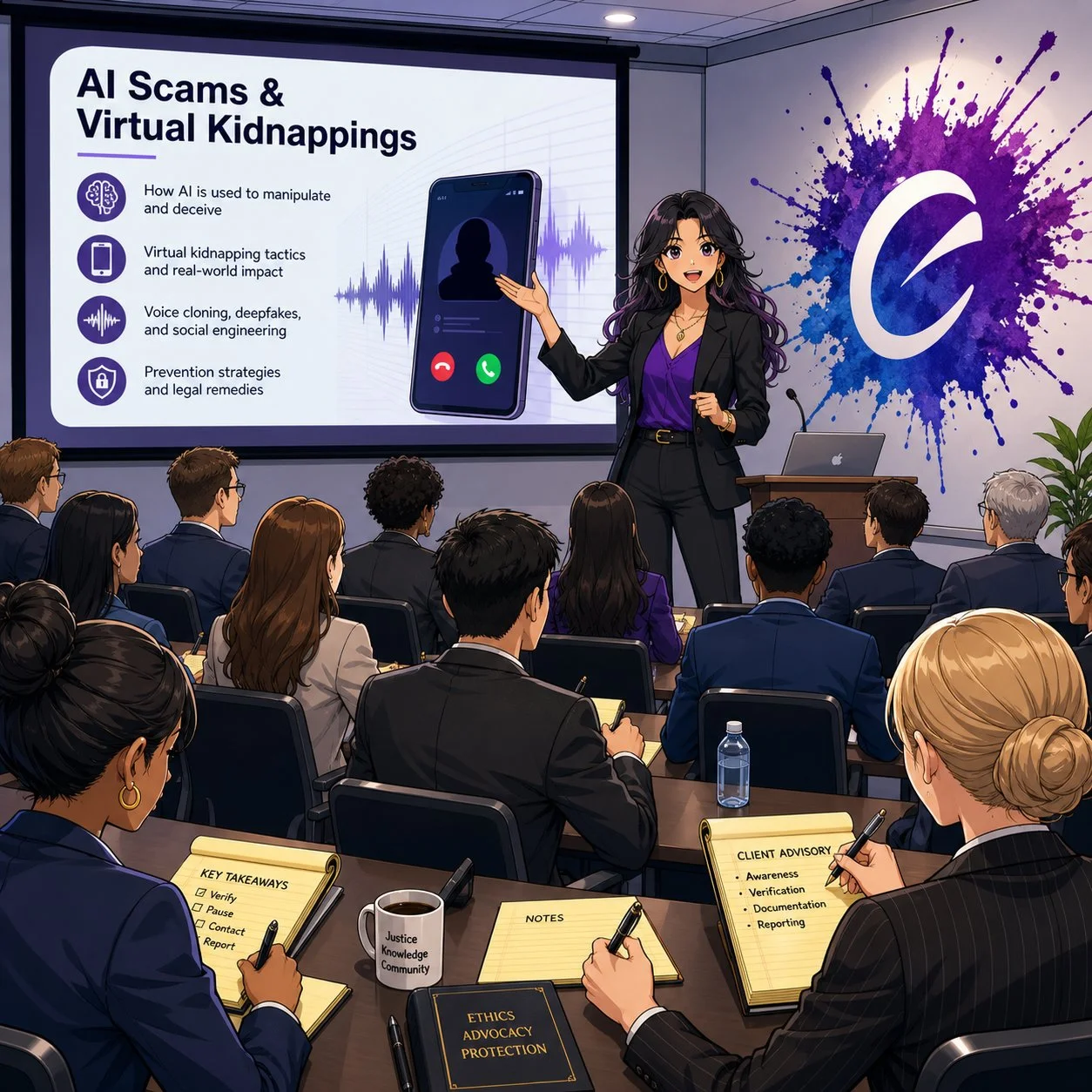
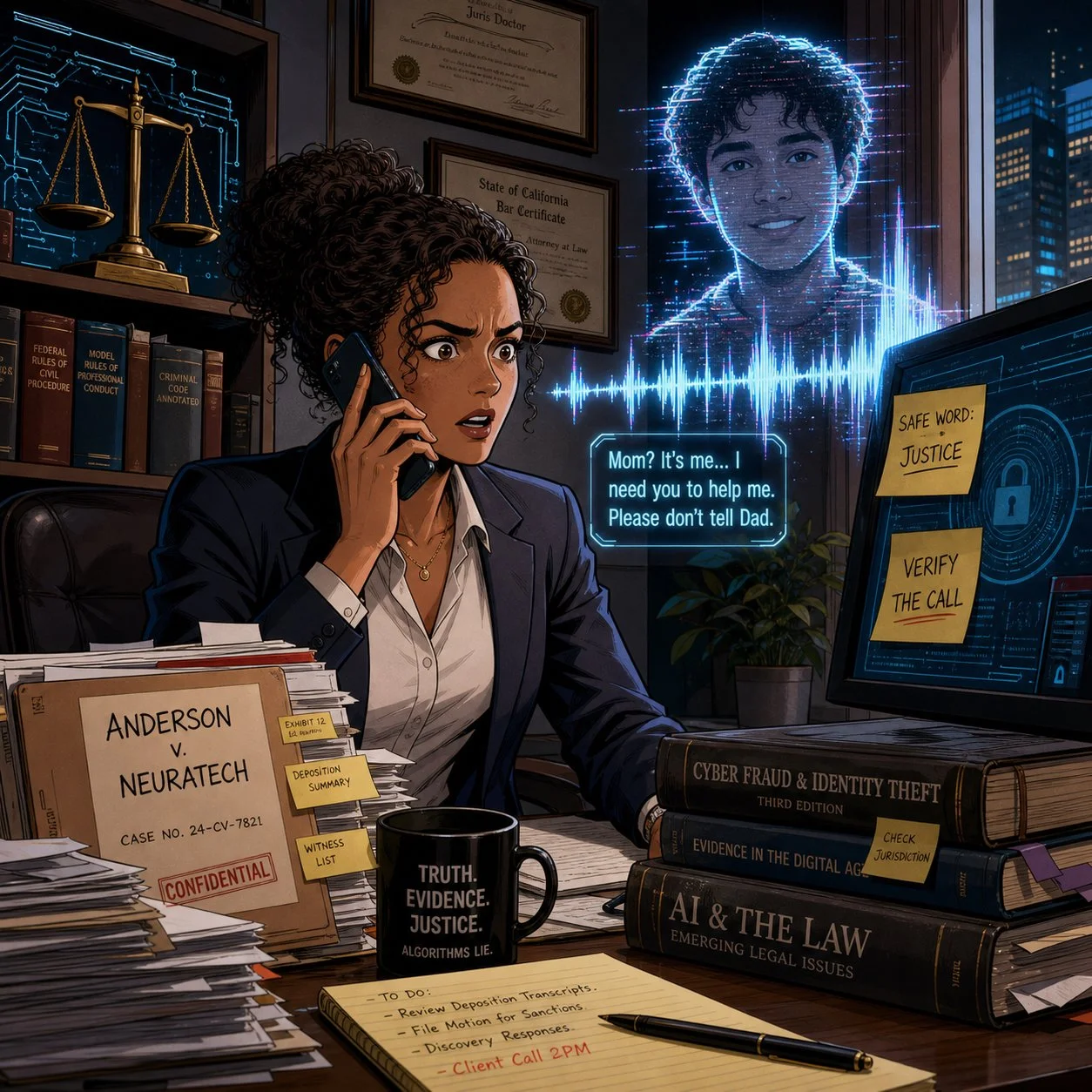
MTC: AI Voice Cloning, Deepfake Fraud, and Crime Junkie: What Lawyers Must Learn Now ⚖️🧠

As a tech-savvy and ethically compliant lawyer, are you prepared to handle an ai voice-call scam?

We live in a world where a client can hear their child scream for help over the phone, know that voice down to the quiver in their sobs, and still be wrong about what’s real. At the same time, lawyers are getting “official” calls from spoofed sheriff’s offices demanding Bitcoin bail payments that feel just plausible enough to pass the sniff test. If you think your clients are the only ones at risk, you’re already behind.

As a long-time Crime Junkie fan, I’m grateful to Ashley Flowers, Brit Prawat, and the Audiochuck team for doing something the legal profession hasn’t always done well: translating complex, evolving tech crime into stories real people understand. Their recent warnings about AI voice cloning, virtual kidnappings, and sophisticated online scams are more than compelling podcast episodes—they’re mandatory listening for lawyers who care about their clients, their firms, and their own digital safety.

In this editorial, I want to bridge those Crime Junkie stories into practical takeaways for solo and small-firm lawyers, AI‑curious practitioners, and even tech‑skeptical colleagues. We’ll look at how these scams work, how the ABA Model Rules already expect you to understand enough technology to spot them, and how to turn “true crime” lessons into concrete safeguards for your practice. ⚙️

When Your Ears Can’t Be Trusted: AI Voice Cloning and Virtual Kidnappings 🎙️

In “WARNING: AI Voice Cloning and Virtual Kidnappings,” Crime Junkie walks us through a terrifying call to a mother who hears her daughter sobbing, begging for her life, while a man demands a ransom and lays out graphic threats. The twist, as many of us now know, is that the daughter is safe; the “kidnappers” are using AI‑cloned audio drawn from a tiny sample of her voice to weaponize panic.

Researchers cited in the episode describe how low‑cost AI tools can create a convincing voice clone from as little as three seconds of audio. Caller ID spoofing then makes it look like the call is coming from the victim’s phone, while scammers press for fast, untraceable payments in cash, gift cards, or crypto. The technology is cheap, the scripts are refined, and the goal is simple: override your critical thinking before you can verify anything.

From a legal ethics perspective, this isn’t just an interesting cybersecurity anecdote. ABA Model Rule 1.1 on competence—especially Comment 8—requires you to stay abreast of “the benefits and risks associated with relevant technology.” An environment where your client can be tricked into paying a fake ransom, or where your own voice can be cloned to mislead staff or opposing parties, is very much “relevant technology.”

If you are not talking with clients and staff about AI‑driven fraud risk, you are not just missing a teaching moment—you may be edging toward a competence problem under the Model Rules.

Lessons for Client Counseling: Safe Words, Verification, and Panic‑Proof Plans 🛟

One of the most practical takeaways in the AI voice cloning episode is also one of the simplest: set a family and a seperate law office “safe word” and rehearse how to verify calls under extreme stress. The FBI, National Cybersecurity Alliance, and digital forensics experts interviewed for the episode all echo the same theme—pre‑commitment beats improvisation when panic hits.

This is precisely the kind of low‑tech, high‑impact advice lawyers can—and should—be giving in client counseling sessions, especially with:

  • Family law clients dealing with high‑conflict co‑parenting or domestic violence

  • Estate planning clients with vulnerable or elderly relatives

  • Business clients whose executives or finance staff could be targeted by “CEO voice” scams

Here’s a concrete, lawyer‑friendly checklist you can adapt:

  1. Safe Word Policy
    Encourage clients to adopt a family or organizational safe word, shared only in person or via secure channels, for any call alleging an emergency or ransom demand.

  2. Verification Protocols
    Teach clients to verify via a second channel: call back on a known number, text from another device, or contact a third person who can physically locate the supposed victim.

  3. Call 911 First When in Doubt
    Emphasize that if they believe a life is at risk, they should call 911—even if they suspect it might be a scam. Law enforcement can help triage the situation; if it’s a scam, they can sort that out after.

  4. Evidence Preservation
    Tell clients to screenshot call logs, save audio, and preserve any “proof of life” photos or messages before they disappear, as some software can make photos exist only for seconds. Those artifacts can be invaluable if law enforcement or insurers later investigate.

This kind of counseling fits squarely within ABA Model Rule 2.1 (Advisor), which encourages lawyers to consider “moral, economic, social, and political factors” in advising clients. You’re not just parsing statutes; you’re helping clients design their own risk‑management frameworks in a world where even their senses can be hacked.

The second Crime Junkie episode I wanted to share, "WARNING: Online Scams", focused on other kinds of scams involving technology:

How Scammers Use Our Systems Against Us: Fake Warrants, Bitcoin Bail, and “Officer Smith” 👮‍♂️💸

Lawyers, are you prepared to advise your client on ai scams?

A couple receives a voicemail from what appears to be their local sheriff’s office, learns there’s a warrant for missing jury duty, and is told they can avoid booking if they pre‑pay bail via Bitcoin and Venmo. They do their homework—they verify the number online, they look up “Officer Smith,” they cross‑check the department. Yet they still end up running between ATMs, feeding money into a Bitcoin kiosk, and nervously wiring funds to what looks like a legitimate bail account.

Only later, after calling a non‑emergency line and getting a return call from a blocked number (as their real department actually uses [versus the scammer’s phone number that appeared on their caller ID), do they learn the uncomfortable truth: the “bail by Bitcoin” story was a scam.

Crime Junkie does an excellent job breaking the lessons down into clear rules:

  • Police will not call to give you a “heads‑up” that you’ve broken the law.

  • Bail is paid in person, not by Bitcoin, gift card, or Venmo.

  • Hanging up and calling back on a separately verified number can serve as an important safety/security step.

For lawyers, these stories are a vivid reminder that many scams are “legal‑adjacent”—they borrow just enough from real procedures (jury duty, warrants, bail, sheriff’s offices) to feel legitimate. That makes them particularly dangerous for our clients and our staff, who may over‑defer to anything with a whiff of authority.

Under ABA Model Rule 5.3, lawyers have an obligation to ensure that nonlawyer assistants act in a manner compatible with the lawyer’s professional obligations. That includes training staff to handle legal‑sounding calls skeptically: to question unusual payment methods, verify claims through known channels, and escalate suspicious calls before anyone withdraws or wires funds.

If your receptionist or office manager wouldn’t know how to respond to a call like the one just described, that’s a training gap you can fix—ideally before it becomes a loss.

Fraud in the Grey Zones: Sugar Daddies, Freelance Gigs, and Client Shame 🧾

Crime Junkie also covers scams that operate in more personal and sometimes stigmatized spaces: sugar‑daddy arrangements gone wrong; freelance “job offers” that rely on fraudulent checks; supposed production gigs that pay you to buy equipment, then claw back your real money once the check bounces.  These scams involve computers, phones, the World Wide Web, and even an electronically altered check

In the sugar‑daddy story, a young woman on a sugar‑daddy online platform is manipulated into buying hundreds of dollars’ worth of Steam gift cards to “prove” she’s not scamming her would‑be benefactor, only to realize too late that she’s been exploited. In the job offer story, a freelance audio professional is mailed a check to buy gear for a production; he wisely flags the check, closes his account, and discovers that the job posting piggybacked on a real company’s identity.

Three legal practice lessons stand out here:

lawyers and their clients can learn a lot from shows like crime junkie about ai scams and their impact on their clients!

  1. Clients may not tell you everything, especially if the scam involves sex, money, or perceived “stupidity.” The victims in these cases describe deep embarrassment and shame, which initially kept them from reporting to the police. For lawyers, this kind of hesitation could cause further bar issues beyond the incident itself.

  2. Financial exploitation often intersects with the kinds of matters solos and small firms already handle. Think consumer protection, elder law, family law, or small business disputes. Clients who’ve been scammed may appear with half‑formed stories, partial evidence, and a strong desire to move on rather than report.

  3. Failing to respond promptly—or at all—to suspected scams or financial exploitation can compound the harm and create independent ethics problems. When a lawyer ignores red flags, delays advising the client, or fails to investigate and remediate potential trust‑account or fraud issues, regulators may view that as a separate violation of duties of competence, diligence, communication, and safeguarding client property, even if the underlying scam originated outside the firm. In extreme cases, a pattern of slow or inadequate responses can trigger bar complaints or disciplinary investigations that focus less on the initial scam and more on the lawyer’s failure to act once on notice.

ABA Model Rule 1.4 (Communication) and 1.14 (Client with Diminished Capacity) come into play here. You must explain matters to clients in a way they can understand, but you also need to create a space where they can safely share how they were targeted without fear of ridicule. That’s emotional work, not just analytical work.

One practical move: incorporate scam‑screening questions into your intake forms and interviews. Ask clients explicitly whether anyone has recently requested unusual payment methods, impersonated a government agency, or pressured them to act quickly under threat of legal or physical harm.

Firm‑Level Risk: Deepfakes, Staff Training, and Incident Response 🏢🔐

These Crime Junkie episodes also raise uncomfortable questions about law firm operations. What happens when it’s not a client but you whose voice is cloned? What if a deepfake of your voice instructs staff to release trust funds or share confidential documents?

In “WARNING: AI Voice Cloning and Virtual Kidnappings,” the FBI describes how scammers run these operations like call centers, constantly cycling through numbers and scripts to maximize success. The same industrialization is happening in business email compromise (BEC) and invoice fraud—areas where law firms are already prime targets.

Three concrete actions you can take at the firm level:

  1. Adopt a “trust but verify” rule for any out‑of‑band instruction involving money or confidential data. No transfer of client funds, no disbursement of settlement proceeds, and no release of sensitive documents should happen based on a single phone call, even if the caller “sounds” like you.

  2. Implement multi‑factor workflows, not just multi‑factor authentication. For example, any financial instruction must be confirmed via a second channel (secure client portal, verified email, or in‑person) before action. 

  3. Document an incident response plan that includes deepfake and scam scenarios. ABA Model Rules 1.6 (Confidentiality) and 5.1 (Responsibilities of Partners and Supervisory Lawyers) expect you to have reasonable safeguards and supervisory structures. That includes knowing what to do when—not if—your systems or people are tested.

These are precisely the kinds of measures we walk through in The Tech-Savvy Lawyer.Page blog and podcast episodes on AI, deepfakes, and metadata—where we discuss the intersection of ethics, evidence, and emerging tech.

Bridging Crime Junkie and Legal Ethics: Story as a Compliance Tool 📚✨

lawyers need TO think calmly when confronted with ai scams let alone any scam!

One of the most useful things about Crime Junkie is that Ashley and Brit don’t just scare you; they give you scripts, safe‑word strategies, and “here’s what to do next” checklists. Lawyers can—and should—borrow that model.

Instead of sending clients dense policy memos, consider:

  • Sharing these specific episodes with a short email explaining why they matter:

    • “WARNING: AI Voice Cloning and Virtual Kidnappings” – Crime Junkie’s breakdown of how cloned voices fuel virtual kidnapping scams and what the FBI recommends.

    • “WARNING: Online Scams”, the online scams episode about fake warrants, sugar daddies, job scams, and fraudulent checks.

  • Pairing the episode with your own one‑page client guide that translates the stories into local, practical legal advice—how your jurisdiction handles actual warrants, how bail really works, and how you want clients to contact you if they suspect a scam.

  • Integrating these stories into CLEs and staff training, using them as case studies for ABA Model Rule 1.1 (Competence), 1.6 (Confidentiality), 1.4 (Communication), and 5.3 (Nonlawyer Assistants).

The goal isn’t to turn your practice into a true crime podcast. It’s about leveraging narratives your clients and staff will actually remember when the phone rings, the voice shakes, and the clock starts ticking.

Lawyers in words, facts, and rules. But in an era of AI voice cloning, deepfake fraud, and industrialized scamming, the difference between a near‑miss and a catastrophe may come down to whether your clients have heard the right story—and practiced the right response—before the crisis hits.

So grab your headphones, queue up Crime Junkie, and then bring those lessons into your practice. Your clients, your firm, and yes, you, will be safer for it. 🎧⚖️

When Your AI Thinks It’s 1930: How Lawyers Must Manage “Frozen” Data Sets Versus the Live Internet 🧠⚖️

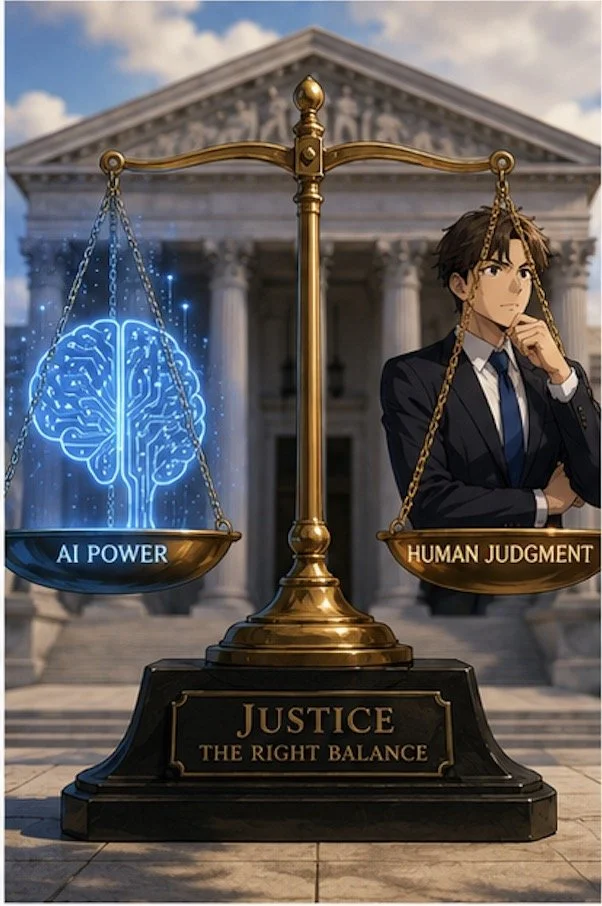
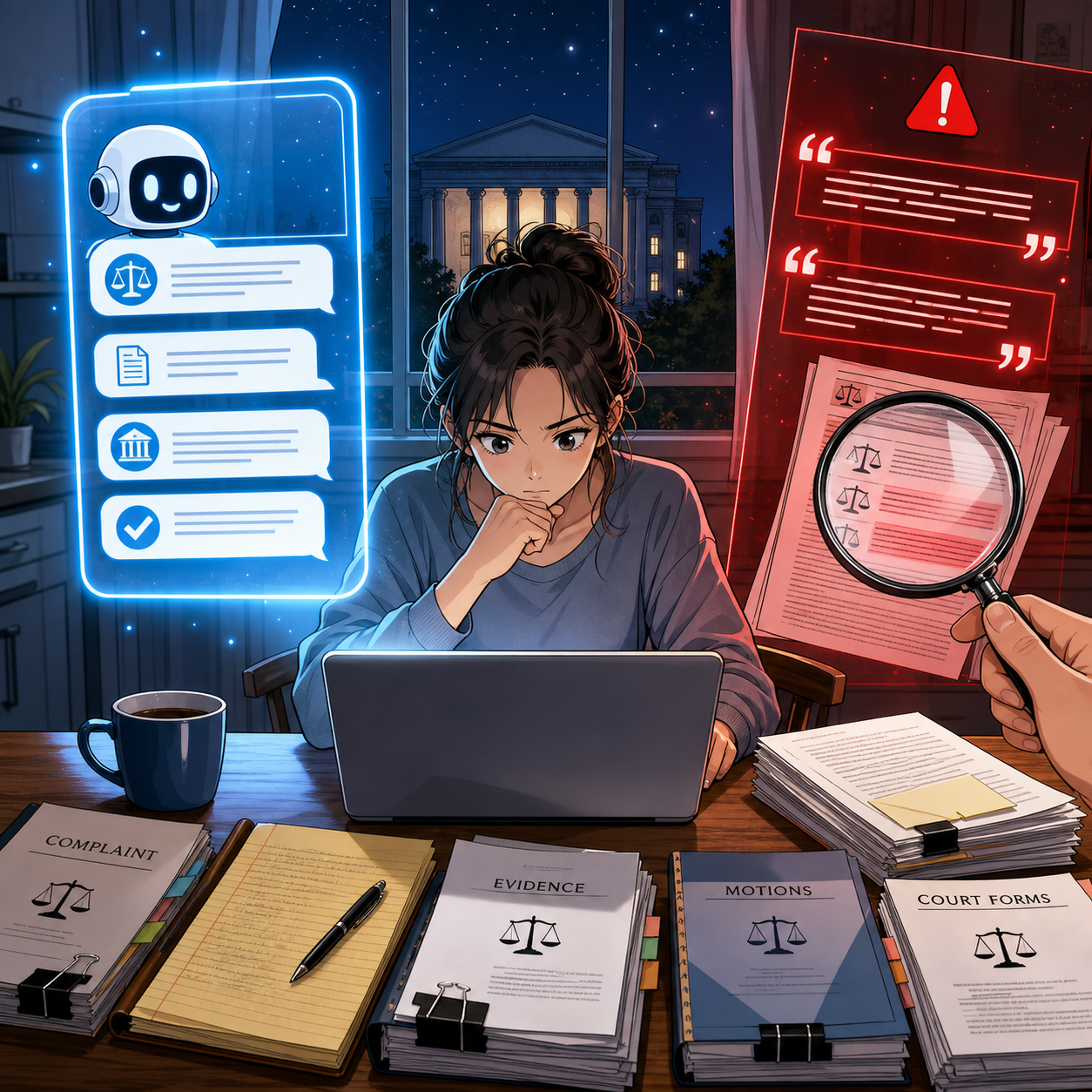
AI Legal Research Demands Current Data and Human Judgment

A recent Malwarebytes article profiled “Talkie,” a 13‑billion‑parameter chatbot trained only on English‑language texts published before 1931. This model has no knowledge of anything after the Great Depression—no email, no smartphones, no cybercrime, and certainly no modern e‑discovery. 

For lawyers, Talkie is more than a curiosity. It is a vivid illustration of what happens when an AI’s world stops at an arbitrary date, and why we must understand the difference between isolated data sets and models that continuously ingest the modern internet. That distinction goes straight to your duties of competence, confidentiality, supervision, and candor under the ABA Model Rules

On The Tech‑Savvy Lawyer podcast, it is often discussed that “AI is the junior associate you don’t have to hire—but still have to supervise.” Talkie shows us what happens when that junior associate’s legal education ends in 1930. The lesson for your practice is simple: you cannot outsource judgment to any tool, especially one whose view of the world is frozen in time.

What “Vintage AI” Teaches Modern Lawyers 🕰️

Talkie was trained entirely on digitized books, newspapers, legal texts, and other publications in the public domain as of 1930, both to avoid modern copyright headaches and to explore how AI reasons without the internet. In other words, it is a deliberately isolated system: no post‑1930 statutes, no contemporary case law, no modern regulations. 

That design makes Talkie an excellent analogy for every “walled garden” AI lawyers are now being sold—closed research tools, local models trained only on internal firm documents, or court‑approved systems limited to a curated corpus. These tools can be invaluable, but only if you understand three things:

  • What is in the data set.

  • What is deliberately excluded.

  • How often the corpus is refreshed—or if it ever is.

Model Rule 1.1’s duty of technological competence now explicitly includes understanding the “benefits and risks” of relevant technology, which in 2026 squarely includes AI trained on defined corpora. If you do not know what your AI has seen, you cannot competently rely on what it says.

Isolated Data Sets: The Upside for Lawyers

Many solos and small firms are understandably drawn to “closed” or time‑boxed AI systems because they feel safer and more controllable. 😊 Properly designed, those systems can offer real advantages:

  • Predictable scope of authority
    An AI trained only on a vetted body of primary law and secondary sources may be easier to supervise, because you know its universe of materials. You can design workflows where AI research is always checked against the underlying authorities that you recognize and trust. 

  • Reduced confidentiality and IP risk
    Talkie avoids modern copyright disputes by staying within the public domain. Similarly, a local or on‑premises model that does not send data back to a vendor can help you satisfy Model Rule 1.6’s confidentiality obligations—assuming you confirm that the tool does not re‑use your client data to train others’ models. 

  • Consistent, auditable outputs
    With an isolated corpus, it is often easier to log queries, outputs, and the underlying sources, which supports your obligations under Rules 5.1 and 5.3 to supervise both lawyers and non‑lawyer assistants, including AI tools. 

For certain use cases—drafting from your own templates, summarizing client files, or querying only your firm’s knowledge base—a “frozen” or walled‑off model can be exactly the right approach. 

The Hidden Risks of “Frozen” Knowledge 🚨

Lawyers Must Verify AI Case Summaries Before Court

The malware researchers emphasize that Talkie has “no concept” of anything after 1930. That is charming when it tries to explain a “smartphone” using the vocabulary of the telegraph age; it is malpractice waiting to happen if your research tool does the equivalent in a modern brief. 

For lawyers, isolated or out‑of‑date data sets create at least four serious risks:

  • Outdated or incomplete law
    A time‑boxed research tool can miss controlling authority, recent statutory amendments, or new regulations. Under Model Rules 1.1 and 3.3, you cannot rely on a system that stops short of the current law and then present its output as if it were complete.[5][10][3]

  • Distorted factual context
    An AI that has never “seen” modern technology, social conditions, or scientific developments will reason with blind spots that can undermine your factual investigations under Rules 1.1 and 1.3. Think about relying on a pre‑1931 lens for today’s cybersecurity, social media defamation, or veterans’ disability claims involving modern diagnostics. 

  • Invisible bias baked into old texts
    Pre‑1931 materials, like any historical corpus, embed the social, racial, and gender biases of their era. A “vintage” model may reproduce those biases in ways that conflict with your obligations around fairness and anti‑discrimination, and could taint your client‑intake, hiring, or case‑evaluation workflows. 

  • False sense of safety
    Because these systems are “limited,” lawyers may assume they are automatically compliant or “approved.” 😬 But ABA Formal Opinion 512 is clear: the existing rules—competence, confidentiality, communication, candor, supervision, and reasonable fees—apply equally to AI tools, regardless of their training set. 

The message: isolation is not a substitute for judgment. It simply changes the error profile you must manage. 

Live Internet Models: Power With Extra Liability 🌐

At the other end of the spectrum are AI tools connected to the live internet—systems that can pull from statutes, cases, news, and commentary that changed yesterday or this morning. They offer speed and breadth that solos and small firms could only dream of a few years ago. 

But internet‑connected models also present their own set of concerns:

  • Hallucinations blended with real‑time data
    Even when a system claims to be “citing live sources,” you still must verify every authority under Rules 1.1, 3.3, and 5.3. Courts and bars have already disciplined lawyers for filing AI‑generated briefs with fabricated citations. 

  • Ongoing confidentiality exposure
    If the model sends prompts to remote servers, you must analyze data‑handling, retention, and training policies to comply with Rule 1.6. You may need to anonymize prompts, modify your engagement letters, or obtain informed consent for certain uses, as many bars and Formal Opinion 512 recommend. 

  • Dynamic but uncurated sources
    Unlike a curated pre‑1931 corpus, the open web mixes reliable law with marketing pages, blog posts of dubious quality, and outright misinformation. Under Model Rule 1.1, you must treat AI‑surfaced content like any other secondary source: helpful, but never authoritative without independent confirmation. 

The fact that a tool is “up to date” does not relieve you of your duty to be right. It just changes where the landmines are. 😄

Practical Guardrails for AI‑Curious Lawyers 🛠️

In a recent episode of The Tech‑Savvy Lawyer podcast with AI consultant Hamid Kohan, we discussed building an “AI‑ready” practice that treats these tools like supervised, specialized staff—not black boxes. Whether you use a Talkie‑style frozen model, a live internet assistant, or both, consider putting these guardrails in place: 

  1. Inventory your AI tools and their data sources
    For each tool, document what data set(s) it uses (public domain only, commercial databases, firm documents, open web), how often it updates, and how it handles your data. This goes directly to your competence and confidentiality duties under Rules 1.1 and 1.6. 

  2. Define “approved uses” in your firm policies
    Under Rules 5.1 and 5.3, establish written guidance for lawyers and staff: e.g., “Use Tool A only for drafting internal outlines,” or “Use Tool B for brainstorming arguments, but never for final citations.” Train your team accordingly and revisit those policies quarterly. 

  3. Mandate human verification of law and facts
    Require that all AI‑generated citations, quotations, and factual assertions be checked against primary sources and the actual record before leaving the firm. That is how you satisfy Rules 1.1, 3.3, and your supervisory obligations. 

  4. Be transparent with clients and courts
    ABA guidance encourages disclosure of AI use where it is material to the representation or required by court rule. Consider adding a brief, plain‑English AI disclosure to your engagement letters and being prepared to describe, if asked, how you supervise AI‑assisted work. 

  5. Avoid over‑reliance that dulls your own analysis
    California’s guidance warns against delegating your professional judgment to generative AI or letting it replace your own research and critical thinking. Use AI as a springboard, not a crutch—an approach we have explored on The Tech-Savvy Lawyer.Page blog and podcast.

These steps are manageable even for solo and small‑firm lawyers with modest tech skills, and they align neatly with existing ethics frameworks. 💡

Choosing Between “Frozen” and “Live” AI: A Simple Matrix 📊

Frozen AI Data Sets Challenge Modern Legal Research

When should you prefer an isolated corpus, and when do you need the modern web? For many practices—especially for example, disability, administrative, and appellate work—the answer is “both,” but for different tasks. 

  • Use isolated or internal models for:

    • Summarizing your client’s file or medical records.

    • Drafting from your own templates and prior briefs.

    • Issue‑spotting in areas where the governing law is baked into the tool and updated on a known schedule.

    • Use live internet‑connected models (with caution) for:

    • Brainstorming novel arguments and locating secondary sources.

    • Scanning for recent regulatory changes or commentary.

    • Getting “layperson‑level” explanations you then translate into lawyer‑grade analysis.

In every scenario, you remain the final filter. Under the Model Rules, AI can accelerate your work, but it cannot own your judgment. Talkie is a reminder that the scope of what your AI knows is now an ethics question, not just a technical detail. 

Final Thoughts: Don’t Let Your Practice Get Stuck in 1930

Talkie’s charm lies in its limitations—it is a window into a world before the internet, World War II, and modern computing. Your law practice does not have that luxury. Clients expect you to understand the present, anticipate the future, and choose tools that serve both. 

Whether your AI is frozen in 1930 or streaming 2026 in real time, the obligations are the same: know what it knows, know what it cannot know, and supervise it accordingly. If you do that, you can harness AI’s benefits without letting your ethical obligations slip into the past. 🚀 

🎙️ TSL Lab’s Deep Dive into Our May 18, 2027, editorial, “AI Won’t Replace Solo and Small Firm Lawyers. It Will Supercharge Them”!

📌 Too Busy to Read Our May 18, 2026, Editorial?

Join us for an AI-powered deep dive into the ethical challenges facing legal professionals in the age of generative AI. 🤖 This week’s Tech-Savvy Lawyer Lab’s podcast unpacks my editorial, “AI Won’t Replace Solo and Small Firm Lawyers. It Will Supercharge Them,” and translates it into practical, ethics-aware guidance for solo and small firm professionals navigating AI in real time.

We explore why AI is unlikely to replace lawyers but highly likely to transform how legal work is unbundled, priced, and delivered. We walk through Jevons Paradox, ABA rules on competence, supervision, and confidentiality, and the very real risks of hallucinated filings and careless use of public AI tools. You will see how treating AI as a supervised junior associate can expand your capacity, open new micro‑niches, and make your practice more human-centered, not less. ⚖️

In our conversation, we cover the following:

  • 00:00:00 – Why “doom hype” around AI is targeting the legal profession and why the collapse-of-lawyers narrative falls apart in real life.

  • 00:01:00 – Introducing Michael D.J.’s editorial “AI Won’t Replace Solo and Small Firm Lawyers. It Will Supercharge Them.”

  • 00:02:00 – Setting ground rules: educational discussion only and why this episode is not legal advice.

  • 00:02:30 – Rethinking what a “job” really is and the idea that legal work is a bundle of tasks, not one monolithic activity.

  • 00:03:00 – Comparing big-firm specialization to the tightly packed bundle of tasks handled by solo and small-firm lawyers.

  • 00:03:30 – Why AI can pull on individual threads in that bundle, but cannot run the whole practice for you.

  • 00:04:00 – The solo master-chef metaphor: AI as the kitchen machine doing prep work while the human focuses on taste and judgment. 🍲🤖

  • 00:05:00 – How AI can draft preliminary summaries or case law lists while the lawyer still owns strategy and verification.

  • 00:05:30 – The “mental verification” problem: when typing and thinking used to be the same act for lawyers.

  • 00:06:00 – What changes when AI writes the first draft and why verification must become a separate, deliberate step.

  • 00:06:30 – The risk of hallucinated filings and viral stories of fake cases generated by AI. 😬

  • 00:07:00 – Data points showing the profession is adapting, not dying: more lawyers, more bar-required jobs, rising law school interest.

  • 00:07:30 – Revisiting the e‑discovery panic and predictions that predictive coding would wipe out junior associates.

  • 00:08:00 – How cheaper e‑discovery led to an explosion of data and actually increased demand for legal work.

  • 00:08:30 – Introducing Jevons Paradox and why greater efficiency can increase, not decrease, total demand.

  • 00:09:00 – The widened-highway analogy: more lanes, more traffic, and how that maps onto AI in law. 🛣️

  • 00:10:00 – How AI lets small firms tackle big, complex matters and offer more predictable flat-fee pricing.

  • 00:11:00 – Expanding access to legal services for the middle class and why cheaper legal work grows the market.

  • 00:11:30 – Turning to ethics: ABA Model Rule 1.1 on competence and the duty to understand relevant technology.

  • 00:12:00 – The solo’s burden: you are the IT department and the innovation committee, all at once. ☕💻

  • 00:12:30 – A practical definition of technological competence for solos and small firms.

  • 00:13:00 – Starting small with AI: summaries, first-draft emails, and extracting checklists from dense legislation.

  • 00:13:30 – AI as the “junior associate you don’t have to hire but must supervise” under Rules 5.1 and 5.3.

  • 00:14:00 – Why you remain responsible for AI’s output just as you would for a paralegal or junior lawyer.

  • 00:14:30 – The solo’s question: Does it really make sense to write a formal AI policy for just one person?

  • 00:15:00 – How a short written AI policy creates hard boundaries before you are stressed and rushed.

  • 00:15:30 – Defining approved uses, high‑review tasks, and absolute “no-go” zones for AI in your practice.

  • 00:16:00 – Model Rule 1.6 on confidentiality and the special risk solo and small firms face with cloud tools.

  • 00:16:30 – Why pasting sensitive client facts into a generic consumer chatbot is an ethical minefield.

  • 00:17:00 – How consumer AI tools tokenize your text and use it to train future models.

  • 00:17:30 – The “megaphone in a public square” analogy for pasting confidential data into public AI tools. 📣

  • 00:18:00 – Moving from megaphones to soundproof vaults: using enterprise modes or legal-specific platforms.

  • 00:18:30 – Why a single data breach can be existential for a solo firm and why clients should care about tool choices.

  • 00:19:00 – Legislative inflation: constant growth in complex rules, norms, and regulations across jurisdictions.

  • 00:19:30 – How AI helps solos track regulatory change, generate client alerts, and update templates in real time.

  • 00:20:00 – Carving out lucrative micro‑niches with AI, such as hyper‑specific regulatory domains.

  • 00:20:30 – Pairing niche expertise with SEO and content marketing so a solo can compete at scale.

  • 00:21:00 – The junior lawyer dilemma: what happens to entry-level training when AI eats the grunt work.

  • 00:21:30 – Why firms still need junior lawyers to build a future bench, not just to type memos.

  • 00:22:00 – What AI fundamentally cannot do: build trust in person, join community events, or create referral networks.

  • 00:22:30 – How automation pushes lawyers toward more human-centric, relationship-focused work. ❤️

  • 00:23:00 – The core conclusion: the real existential threat is the AI-literate competitor down the street, not the robot.

  • 00:23:30 – Treating AI as a supervised junior associate while protecting ethics, productivity, and client outcomes.

  • 00:24:00 – Final reflections: mapping your own “bundle of tasks” and deciding what to offload so you can supercharge yourself. ⚡

RESOURCES

Mentioned in the episode

👉 If this episode helps you think more clearly about AI, ethics, and your own “bundle of tasks,” share it with a colleague and subscribe so you never miss a future Tech-Savvy Lawyer deep dive. 🚀

MTC: AI Won’t Replace Solo and Small-Firm Lawyers — It Will Supercharge Them ⚖️🤖

Solo lawyers can use artificial intelligence as a virtual associate to handle legal research, drafting, intake, and billing in a modern small law firm ⚖️🤖

If you run a solo or small-to-medium firm, you’ve probably heard the predictions: AI will automate legal tasks in “12 to 18 months” or replace traditional lawyers entirely by 2035. Those headlines make great clickbait, but they miss what is actually happening on the ground in smaller practices. AI is not wiping out solo and small-firm lawyers; it is changing the mix of tasks we do — and creating more opportunities for us if we adopt it intentionally and ethically. 

In a recent Washington Post opinion, Damien Charlotin argues that AI won’t replace lawyers. It will create more of them. His logic is especially important for solos and small firms. He describes legal jobs as “bundles of tasks,” many of which are tightly linked and not easily peeled apart for automation. If you’ve ever juggled intake, research, drafting, negotiation, and billing in a single day, you know exactly what that tight bundle feels like. AI is about to start pulling on pieces of that bundle — and your job is to decide how to rebundle your work in a way that serves clients, protects ethics, and keeps your business healthy. ⚖️🤖

Why Solo and Small Firms Should Ignore the Doom Headlines 😅

Charlotin points out that lawyers have never been more numerous in the United States, with law school applications rising and record-high employment in bar-required jobs. That’s happening at the same time as AI hype, which should tell you something: the profession is not collapsing.

For solos and small firms, the bigger risk is not AI replaces me, but AI-literate competitors out-serve my clients. Larger firms may have innovation teams and internal IT, but you have agility and direct control over your workflows. If you can use AI to shave hours off routine tasks — and reinvest that time into client counseling, business development, or flat-fee offerings — you can turn AI from a threat into a differentiator. As I often say on The Tech-Savvy Lawyer.Page podcast, AI is the junior associate you don’t have to hire, but still have to supervise.

Your Practice as a “Tight Bundle” of Tasks 🧩

Charlotin’s “bundles of tasks” concept is tailor-made for solo and small-firm reality. In big firms, tasks can be split across teams; in smaller shops, you wear most of the hats. Research, drafting, strategy, client communication, and billing are often intertwined in a single matter.

For experienced lawyers, Charlotin notes, “doing legal research and evaluating an argument are … often the same mental activity” — we check the argument by writing it. If you offload only the writing to AI, verification becomes a separate, deliberate act that takes time, and if you skip it, you risk sanctions for hallucinated filings. This is why I push solo and small-firm lawyers to treat AI as an assistant that drafts and summarizes, while you retain control over the analysis and final product.

Lessons from E-Discovery for Small Practices 📂➡️📈

Charlotin likens the current AI hype to the e-discovery wave more than a decade ago. Back then, headlines like those from The New York Times predicted “Armies of Expensive Lawyers, Replaced by Cheaper Software.” What actually happened? The volume of discoverable material exploded; the tools became part of practice; and lawyers moved into new roles managing, interpreting, and litigating around that information.

That same Jevons paradox — cheaper processes leading to more usage — is already playing out in tools marketed to solo and small firms. AI-assisted drafting and research platforms now make it viable for smaller shops to handle matters that previously required big-firm staffing, and to offer more predictable pricing without cutting quality. Cheaper legal work often means more legal work — especially for clients who previously couldn’t afford you.

ABA Model Rule 1.1: Competence for Lean Teams 📚

Small law firm team using legal AI tools to improve collaboration, client service, and ABA-compliant workflows across a lean practice 👩‍⚖️👨‍⚖️💻.

For solos and small- to medium-sized firms, ABA Model Rule 1.1 on competence is both a challenge and an opportunity. It requires you to understand “the benefits and risks associated with relevant technology,” including AI. But unlike big firms, you can’t delegate that understanding to an IT department or an internal AI committee; you are the committee.

Practically, that means you need at least a working grasp of what your chosen AI tools do, how they handle data, and where they fit in your workflows. You don’t need to run every experiment at once. Start with one or two high-impact areas — say, summarizing long PDFs, generating first drafts of routine emails, or creating checklists from statutes or rules — and build from there. Competence for solo and small-firm lawyers is not about chasing every new feature; it’s about picking the right tools for your practice and using them deliberately.

Rules 5.1 and 5.3: Supervision When “You Are the Management” 👥🤖

You might think Rules 5.1 and 5.3 (supervision of lawyers and nonlawyers) are big-firm problems. They’re not. If you have even one staff member, contract attorney, or virtual assistant, you are responsible for how they use AI. And even if you’re truly solo, you’re still responsible for supervising the AI tools you deploy as if they were a nonlawyer assistant.

For small practices, the most practical move is a simple written AI policy, even if it’s a one-page document:

  • Which tasks can use AI (e.g., research assistance, first-draft documents);

  • Which tasks require heightened review (e.g., anything filed with a court);

  • Which tasks are off-limits (e.g., unsupervised client advice, sensitive fact patterns pasted into consumer chatbots).

As discussed both in Charlotin’s piece and in bar guidance for smaller firms, formal policies help you avoid ad hoc, inconsistent AI use that could jeopardize client confidentiality or court obligations.

Rule 1.6 Confidentiality: Cloud Tools on a Budget 🔐

Model Rule 1.6 on confidentiality doesn’t change just because you’re a small shop — but your margin for error is thinner. Many solos and small firms rely on cloud-based tools because they can’t host their own infrastructure. That’s fine, as long as you are careful.

Before pasting client facts into an AI tool, you must know whether it stores or reuses data, whether it trains on your inputs, and whether there’s an option for a “no training” or “enterprise” mode. When in doubt, prefer AI features built into reputable legal platforms (research tools, practice management systems, document automation suites) with clear confidentiality commitments, rather than generic consumer apps. On The Tech-Savvy Lawyer.Page, I hammer this point because solos cannot absorb the cost of a major data mishap the way some larger organizations can.

Legislative Inflation and Niche Opportunities for Smaller Firms 📜📈

Charlotin notes that every jurisdiction is “afflicted by legislative inflation” — more rules, more norms, more regulations. That means more interpretation, more disputes, more filings, and more need for lawyers. For solos and small-to-medium firms, this is an opportunity to carve out narrow niches and use AI to keep up with complex, evolving regimes that might otherwise be out of reach.

An AI-enabled solo can monitor regulatory changes, generate quick client alerts, and update templates far faster than before. Combined with targeted content marketing and SEO, this makes it possible to dominate specific micro-niches without a big marketing budget — something I frequently discuss on The Tech-Savvy Lawyer.Page when we talk about modern business development.

Entry-Level Work and the Solo/Small Pyramid 🧑‍🎓➡️⚖️

a Small-firm lawyer can use AI-powered legal technology to serve niche clients, track changing regulations, and deliver efficient legal services across a local market 🎯⚖️

Charlotin flags a serious concern: AI may change entry-level work. For big firms, that means rethinking associate leverage. In smaller firms, it means you may hire differently — or delay that first hire because AI picks up some of the routine drafting and research.

But Charlotin also notes that young lawyers are hired for reasons beyond their marginal drafting value — future partnership, signals to clients, bench strength for unpredictable surges. The same is true for small and mid-size firms. AI can handle some grunt work, but it can’t attend a community event, build a local reputation, or bring in referrals. If you use AI to free juniors from the most repetitive tasks, you can push them earlier into client-facing and business-building roles, which is exactly where smaller firms thrive.

Reorganization, Not Replacement — Especially for You 🔄

Charlotin closes by emphasizing that while the profession will look different in 2035, the lawyer is here to stay, and there will likely be more lawyers, not fewer. They will use AI — “they would be fools not to” — and they will charge for that value.

For solo and small-to-medium firms, the reorganization is already underway:

  • Routine drafting and research shift toward AI-assisted workflows.

  • Verification, judgment, and client counseling become even more central.

  • Niche expertise, responsiveness, and pricing flexibility become your competitive edge.

If you treat AI as a core part of your toolkit — governed by the ABA Model Rules and aligned with your business goals — you must position your firm not just to survive the AI wave, but to ride it. ⚖️🤖

Its been said many times by myself and others, lawyers must embrace AI into their practice of law or be left behind by those who do!

MTC: Summer Vacation Cybersecurity for Lawyers: Essential Tech Tips to Protect Client Data on the Go 🌴💻

Lawyers: Never Skip Your VPN — Even on Vacation!

For many lawyers, “summer vacation” now means answering client emails from the beach house, reviewing drafts on the cabin deck, and jumping into Zoom hearings from hotel rooms. 🌞📶 Work rarely stays at the office, and our laptops and phones have become permanent carry‑ons even when we swear we are taking real time off. That always‑on reality turns every summer trip into a rolling cybersecurity and ethics test.

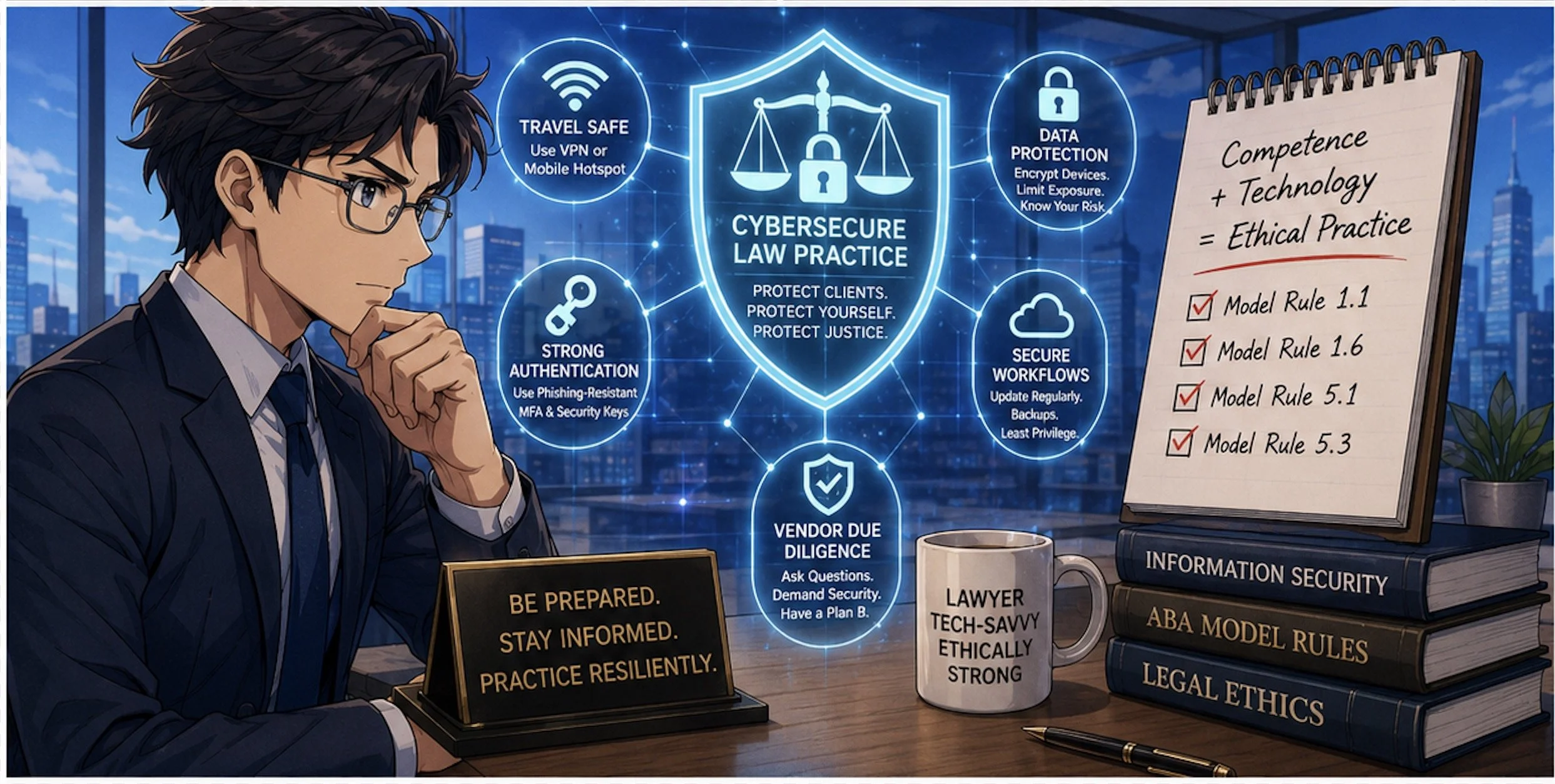
When you travel with devices that touch client matters, you are also traveling with privileged information, trade secrets, and personal data that fall squarely under ABA Model Rules 1.1 and 1.6. Competent representation now includes understanding the benefits and risks of the tech you use, and reasonable efforts to protect client confidentiality do not pause when you turn on your out‑of‑office message. The goal is not to shame lawyers for working on vacation; it is to make sure that when you inevitably do, your tech setup supports both your ethics and your relaxation. 😎

Pack Light: A “Minimum Data” Mindset for Vacation

The safest client data is the data that never leaves your office or your secure cloud in the first place. 1Password’s travel guidance and broader cybersecurity advice emphasize carrying only what you truly need when you hit the road. For summer trips, this translates into a deliberate “minimum data” mindset.

Before you leave, decide which matters genuinely might need your attention while you are away and which can safely wait until you return. Archive or unsync closed files and non‑urgent matters from your travel devices so they are not riding along to the resort, rental home, or national park lodge. For some practices, this may not be feasible when your current work may rely on prior drafts in similar cases.  But when feasible, consider using a “travel profile” or even a separate, cleaner laptop with access only to essential tools and a limited subset of client documents.

This approach directly supports your duty under Model Rule 1.6(c) to make reasonable efforts to prevent unauthorized access to client information by reducing the amount of sensitive material that could be exposed if a device is lost, stolen, or inspected. It also makes vacation feel less like moving your entire office to a different ZIP code, allowing you to focus on what really needs to be done and hopefully enjoy your vacation a little more.

Smart Lawyers Activate Travel Mode Before Every Flight.

Password Managers and Travel Mode: Your “Vacation Vault”

Strong, unique passwords are non‑negotiable for lawyers, and summer vacation does not change that. 1Password and similar tools exist precisely so you do not reuse easy‑to‑type passwords while you juggle boarding passes, sunscreen, and kids at the gate. (Note: I am a paying user of 1Password and have used their product for many years!  Also, I may earn a commission on any link used from this blog.)

Use a reputable password manager to generate and store complex, unique passwords for all your accounts—email, practice management, cloud storage, airlines, hotels, and rental car services. Store digital copies of your ID, bar card, and key travel documents in a secure vault instead of leaving them scattered across your inbox or photo roll. That saves time on the road and keeps sensitive personal and professional information encrypted.

For summer travel, 1Password’s Travel Mode is particularly valuable. You can mark certain vaults as “safe for travel” and remove more sensitive vaults from your devices with a single toggle before you leave. If your phone or laptop is inspected at a border or compromised in a crowded tourist spot, the most sensitive client logins and documents are simply not there. From an ethics perspective, that is a concrete, defensible step toward preserving client confidentiality.

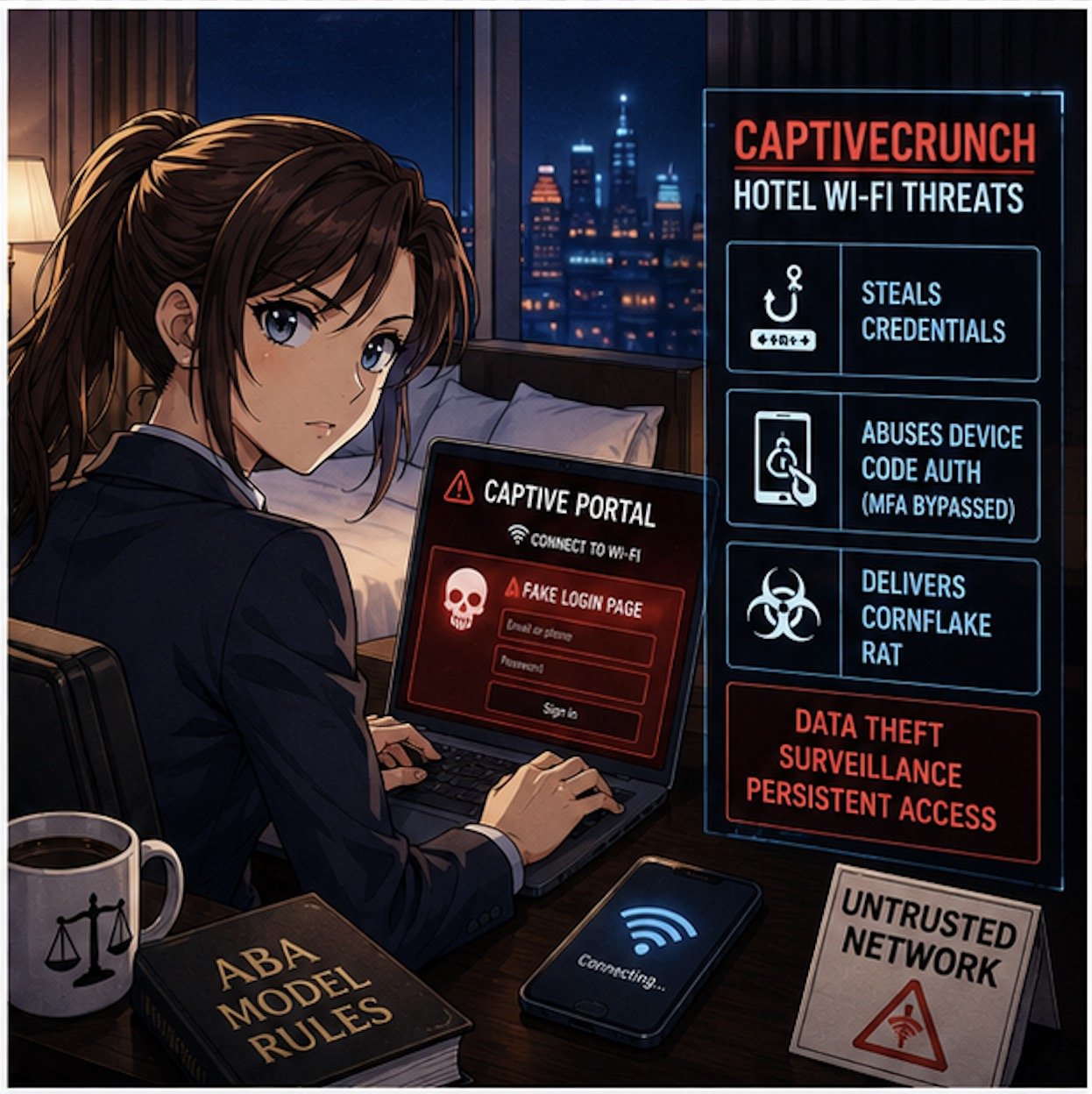
Vacation Wi‑Fi, VPNs, and Hotspots: Don’t Trust the Beach House Network

The Wi‑Fi at your beach rental, resort, or lakeside Airbnb may be convenient, but it is rarely secure. Past guests often know the password, routers may be poorly configured, and attackers sometimes target popular tourist areas with rogue access points. For lawyers who are logging into email, document systems, or court platforms from these networks, that is a serious problem.

Secure Client Data Anywhere — Use Your Phone's Hotspot!

A Virtual Private Network (VPN) should be standard equipment for any lawyer working on vacation. A good VPN encrypts your traffic between your device and the VPN provider, making it much harder for eavesdroppers or compromised networks to capture sensitive information. Legal tech sources and security professionals consistently recommend that lawyers use reputable VPN providers with strong encryption and clear no‑logs policies.

In practice, treat any shared vacation Wi‑Fi as hostile. Turn on your VPN before accessing client email, cloud storage, or remote desktop tools. Better yet, follow The Tech‑Savvy Lawyer’s advice and rely on your smartphone’s hotspot for truly sensitive work; modern cellular networks often provide stronger encryption and a more reliable, if not many times faster, performance than hotel or rental Wi‑Fi. This level of care is rapidly becoming part of what “reasonable efforts” and basic technology competence mean for a traveling lawyer.

Device Hardening for Summer Travel: Encryption, Passcodes, and Biometrics

Summer travel is chaotic. Devices slide between airplane seat cushions, get forgotten in rideshares, or are grabbed from café tables. Full‑disk encryption and strong authentication are your last lines of defense when something goes wrong.

Know Your Rights when crossing international boarders: Encrypted Devices Protect Client Privilege

Make sure full‑disk encryption is enabled on every device you bring—FileVault on macOS, BitLocker on Windows, and built‑in encryption on modern iOS and Android devices. Use a long, alphanumeric passcode rather than a short PIN, and configure automatic locking after a brief period of inactivity so a phone left by the pool does not stay unlocked.

When you are approaching international borders, consider temporarily disabling biometrics so that unlocking your device requires a passcode instead of a fingerprint or facial scan. 1Password’s Travel Mode can again help by ensuring that the most sensitive client vaults are not present on the device at all if a border search occurs. If agents request access, clearly state that the device contains privileged material and that you are an attorney, in line with guidance that privilege should trigger additional care. These steps show you are actively trying to protect client confidentiality, not ignoring the issue.

Two-Factor Authentication and Account Hygiene on Holiday

Account compromise can ruin a vacation as quickly as a lost suitcase. Enable two‑factor authentication (2FA) on your critical accounts—email, practice management, document repositories, and your password manager—before you leave. App‑based authenticators and hardware keys are generally more reliable and secure than SMS codes, especially when you are roaming internationally or in areas with spotty service.

Review account recovery options in advance so that a locked‑out account does not turn into an emergency while you are halfway around the world. Monitor sign‑in alerts from your major accounts during and after the trip so you can quickly respond to any unfamiliar activity. This sort of “account hygiene” supports your duties of competence and confidentiality and gives you practical peace of mind while you try to enjoy some downtime.

A Simple Summer Travel Checklist for Lawyers

For lawyers with limited to moderate tech skills, the key is a repeatable routine rather than a complex security project. A short checklist before each summer trip can go a long way:

Every Traveling Lawyer should use a Pre-Trip Security Checklist!

  • Backup all devices, apply pending updates, and confirm full‑disk encryption is enabled.

  • Clean your devices by removing non‑essential client data and logging out of unused accounts.

  • Configure your password manager, mark travel‑safe vaults, and turn on Travel Mode if available.

  • Install and test your VPN, and verify you know how to enable your phone’s hotspot.

  • Confirm 2FA works from where you will be, especially if traveling abroad.

This checklist supports the ABA’s technology competence expectations and makes your vacations less stressful because you are not improvising security on hotel Wi‑Fi at midnight. It respects the reality that today’s lawyers must often take their work—and their devices—with them, while still honoring their core obligations to clients.

Summer is supposed to be restorative. With a bit of planning, smart use of tools like VPNs and 1Password’s Travel Mode, and an eye on your Model Rule duties, you can protect client data and your own peace of mind at the same time. 🌴🔐

Save Travels!!! 🌴💼✈️

MTC

TSL Labs 🧪 Bonus: Deep Dive on our April 27, 2026, Editorial, MTC: Smart Recording, Client Secrets, and HeyPocket: What Every Lawyer Needs to Know in 2026 📱⚖️

📌 To Busy to Read This Week’s Editorial?

Join us for an AI-powered deep dive into the ethical challenges facing legal professionals in the age of generative AI. 🤖 In this episode, we unpack how AI note takers and “always-listening” devices can quietly route client secrets to third-party vendors, why that matters under the ABA Model Rules, and how a 2026 federal decision out of the Southern District of New York turned one defendant’s AI chats into discoverable evidence. Whether you are a solo practitioner, in-house counsel, or a tech-curious professional in another field, this conversation will help you balance convenience with confidentiality and avoid turning your favorite AI assistant into your biggest evidentiary risk.

👉 Before your next client meeting, listen to this episode, check out our editorial, and run your current AI tools through the checklist we outline—then subscribe and share with a colleague who is still “just trusting the app.” 🎧

In our conversation, we cover the following:

  • 00:00 – The “ambient microphone” problem: phones, smart speakers, wearables, and connected cars as a continuous surveillance layer around client conversations.

  • 01:00 – How technology competence has shifted from locking file cabinets to understanding data custody, cloud routing, and API-driven services.

  • 02:30 – What makes AI note takers like HeyPocket different from passive telemetry and why capturing the spoken “payload” changes the threat model.

  • 04:00 – The invisible “third party in the room”: routing privileged audio through external AI models and the malpractice risk of default “Allow” clicks.

  • 05:30 – Applying ABA Model Rules 1.1 and 1.6 to AI workflows: competence, confidentiality, and “reasonable efforts” in a world of automated transcription.

  • 07:00 – Risk-based analysis from ABA Formal Opinions 477R and 498: weighing sensitivity, likelihood of disclosure, and available safeguards before using AI.

  • 08:30 – Why secretly recording clients or opponents with AI tools can implicate Rule 8.4(c), even in one‑party consent jurisdictions.

  • 10:00 – Inside United States v. Heppner (SDNY 2026): how public generative AI platforms destroyed privilege and work-product protections for a criminal defendant.

  • 12:00 – How AI training and tokenization work, why “military‑grade encryption” does not save privilege if terms of service allow internal data use.

  • 14:00 – Treating every AI note taker like an outsourced e‑discovery vendor: NDAs, retention policies, security audits, and data destruction timelines.

  • 16:00 – Practical minimization strategies: defaulting to no recording, segmenting AI-generated content by matter, and restricting access via role‑based controls.

  • 17:30 – Establishing bright-line “no‑AI” categories (criminal defense, internal investigations, sensitive family/immigration, high‑value trade secrets).

  • 18:30 – Counseling clients not to “prep their case” with public chatbots after Heppner and why this is now part of competent representation.

  • 19:30 – Building a simple vendor-vetting checklist for law firms and professional practices adopting AI note takers.

  • 20:00 – Looking ahead: when failure to use secure, vetted AI may itself become a competence issue due to inefficiency and overbilling.

  • 21:00 – Rethinking privilege in a world where an algorithmic “third party” is always in the room and devices are never truly off

RESOURCES

Mentioned in the episode

MTC: Smart Recording, Client Secrets, and HeyPocket: What Every Lawyer Needs to Know in 2026 📱⚖️

Your smartphone and AI note‑taking tools now sit in on more client conversations than many junior associates.📱 They track where you are, who you talk to, and—if you let them—what you and your clients say in real time. For lawyers, that convenience comes with concrete privilege, confidentiality, and compliance risks that cannot be ignored.⚖️

Smart Devices, AI Note‑Takers, and Constant Surveillance 📍

Modern smart devices already log GPS coordinates, Wi‑Fi networks, Bluetooth connections, and app activity, creating a rich behavioral profile of you and your clients. Smart speakers and voice assistants listen for wake words, but they sometimes capture snippets of nearby conversations and send them to remote servers for processing. Fitness wearables, in‑car systems, and “always‑on” microphones further increase the volume of ambient data that can be collected.

Against that background, AI‑enabled recorders and summarizers like Pocket add a new layer: deliberate recording, transcription, and AI analysis of your conversations. Pocket is marketed as an AI‑powered “thought companion” and conversation recorder that creates searchable summaries and action items; by design it captures each conversation as its own object to improve clarity and support consent‑based use. For a busy lawyer, this is appealing—automatic notes, organized insights, and fewer missed follow‑ups.🤖

Yet the same capabilities that make HeyPocket useful also make it ethically sensitive. You are no longer just allowing your phone to passively log metadata; you are actively routing client speech through a third‑party AI stack that stores and processes that data, subject to its own privacy policy, security posture, and retention rules.

ABA Model Rules: Competence, Confidentiality, and Truthfulness ⚖️

The ABA Model Rules already give you a clear framework for evaluating whether and how to use tools like HeyPocket in practice.

  • Model Rule 1.1 (Competence) and Comment 8 require lawyers to understand “the benefits and risks associated with relevant technology.” In this context, “relevant technology” includes AI‑driven recorders, their data flows, and their vendor terms. Using a tool you do not understand can be a competence problem, not just a convenience choice.⚠️

  • Model Rule 1.6 (Confidentiality) requires “reasonable efforts” to prevent unauthorized access or disclosure of client information, which now includes avoiding casual sharing of contacts, calendars, and conversations with apps or cloud services that may let humans review or monetize the data. Several state bar opinions already warn that lawyers may not simply click “Allow” when apps request access to contacts or case‑related data unless they determine the information will not be viewed by humans or transferred without client consent.

  • ABA Formal Opinion 477R outlines a risk‑based analysis for electronic communications, asking you to weigh sensitivity, likelihood of disclosure, cost of safeguards, impact on representation, client expectations, and requests for enhanced security. That same method applies directly to AI recorders: you must ask whether routing privileged discussions through an AI vendor is “reasonable” given the stakes of the matter.

  • ABA Formal Opinion 498 specifically calls out always‑listening smart devices and recommends disabling them during client communications to avoid unnecessary exposure to third parties. If you would mute Alexa for an intake call, you should think even more carefully before inviting an AI recording service into the room.

Model Rules 5.1 and 5.3 (supervision of lawyers and non‑lawyer assistants) also matter. If you roll out AI note‑takers firmwide, you must implement policies, training, and oversight to ensure that lawyers, staff, and vendors handle client data consistently with confidentiality obligations. And Rule 8.4(c) (prohibition on dishonesty or deception) can be implicated if you secretly record clients, witnesses, or opposing parties even in one‑party consent jurisdictions; at least one ethics authority has treated undisclosed recordings as unethical despite being legal.

When AI Recordings and Smart Data Become Evidence 🧾

Courts have already embraced smart‑device data as evidence: location records, communication metadata, calendar entries, and app logs routinely appear in both criminal and civil litigation. Forensic tools can image a device and surface location histories, messages, and app‑generated artifacts that can reconstruct events with surprising precision.

AI tools are now entering that evidentiary picture. In United States v. Heppner (S.D.N.Y. 2026), a defendant’s use of a public AI platform to analyze his legal situation—and the documents he generated from those conversations—was held not to be protected by attorney‑client privilege or the work‑product doctrine. The court emphasized that the AI provider’s terms of service allowed collection and disclosure of prompts and outputs, so the defendant had no reasonable expectation of confidentiality.

The lesson for lawyers is direct: if you or your clients feed sensitive matter details into an AI recorder or note‑taker whose policies allow human review, secondary uses, or disclosure to third parties, privilege can be placed at risk. Vendor marketing language about security cannot substitute for a real review of actual terms, retention practices, and opt‑out mechanisms.

Using HeyPocket and Similar Tools Ethically in Practice 🎙️

Ethical use of HeyPocket and similar tools is possible, but it is not “plug‑and‑play.” You should treat these platforms more like outsourced e‑discovery vendors than like harmless productivity apps.✅

Key practical steps include:

  1. Perform a documented vendor risk review. Read the privacy policy and data‑processing terms to see what is recorded, how long it is stored, whether data is used to train models, and what rights you and your clients have to delete or export recordings. Confirm that access is logged and limited, and that data is encrypted in transit and at rest.

  2. Limit what you record. Default to not recording privileged conversations unless you have a clear, articulable reason, a defensible risk assessment, and—in higher‑risk matters—informed client consent. Use tools like HeyPocket in lower‑sensitivity contexts (internal debriefs, CLE notes, public presentations) rather than as an automatic recorder of all client meetings.

  3. Use explicit disclosures and consent. In many jurisdictions, recording requires the consent of all parties; even where only one‑party consent is required, an undisclosed recording can still trigger ethical concerns. A short, plain‑language explanation (“We use an AI note‑taking assistant that will record and transcribe this call; here is how we protect your information…”) respects client autonomy and supports informed consent under Model Rules 1.4 and 1.6.

  4. Segment data and control access. Configure firm accounts so that recordings are tied to matters, not to individuals’ personal devices wherever possible. Restrict who can review recordings and summaries, and enforce role‑based permissions consistent with Rule 5.1 and 5.3 obligations.

  5. Define bright‑line “no AI” categories. Certain matters—criminal defense, internal investigations, sensitive family or immigration cases, high‑value trade secret disputes—may warrant a categorical ban on AI recorders because the downside of any leak is catastrophic. Document these categories in your technology and confidentiality policies.

  6. Train your team and your clients. Explain to lawyers, staff, and key clients that not every AI interaction is confidential or privileged and that using consumer‑grade tools on their own may waive important protections. Encourage clients to avoid entering matter‑specific facts into public AI systems without discussing it with you first.

Approached this way, a tool like HeyPocket can be used as a controlled, auditable note‑taking assistant rather than a stealth surveillance risk. The ethical question is not “AI recorder: yes or no?” but “Under what conditions, with what safeguards, and in which matters, if any, is this tool a reasonable choice?”

Technology Competence as a Continuous Obligation 🚀

Technology will only grow more invasive, more ambient, and more tightly integrated with everyday law practice.📈 ABA and state bar guidance increasingly treats technology competence as an ongoing duty, tied directly to confidentiality, supervision, and even malpractice exposure. Smart devices and AI platforms are not going away, so opting out entirely is rarely realistic.

For lawyers with limited to moderate technical skills, the path forward is practical: build a short, repeatable checklist for evaluating tools; lean on reputable vendors with clear, lawyer‑friendly terms; seek help from cybersecurity professionals when stakes are high; and treat client confidentiality as the non‑negotiable anchor for every technology decision. When you do that, you can leverage products like HeyPocket to improve focus and memory while still honoring the core promise that underlies every engagement letter: your client’s secrets stay safe.🔐

MTC

📖 Word of the Week: “Cross‑Tenant” Learning in Legal Practice

Cross-tenant learning helps law firms improve AI tools without exposing data

If your firm uses cloud‑based tools, you are already living in a multi‑tenant world. In that world, cross‑tenant learning is quickly becoming a key concept that every lawyer and legal operations professional should understand. 🧠⚖️

In simple terms, a “tenant” is your firm’s logically separate space inside a cloud platform: your own users, matters, documents, and settings, isolated from everyone else’s. Cross‑tenant learning refers to techniques in which a vendor’s system learns from patterns across multiple tenants (for example, many law firms) to improve its features—such as search, drafting suggestions, or document classification—without exposing any other firm’s confidential data to you or yours to them.

Why cross‑tenant learning matters for law firms

Cross‑tenant learning is especially relevant as generative AI and machine‑learning tools become embedded in e‑discovery platforms, contract review tools, legal research systems, and practice‑management software. Vendors may use aggregated and anonymized usage data to:

  • Improve relevance of search results and recommendations.

  • Enhance clause and issue spotting in contracts and briefs.

  • Reduce false positives in e‑discovery or compliance alerts.

  • Optimize workflows based on how similar firms use the product.

For lawyers, the value proposition is straightforward: your tools can become “smarter” faster, based on lessons learned across many organizations, not just your own firm’s experience. Done properly, cross‑tenant learning can raise the baseline quality and efficiency of technology available to your practice. ⚙️📈

ABA Model Rules: Confidentiality and Competence

Any discussion of cross‑tenant learning for law firms must start with confidentiality and competence.

  • Model Rule 1.6 (Confidentiality of Information) requires lawyers to safeguard information relating to the representation of a client. That obligation extends to how your vendors collect, store, and use your data. You must understand whether and how client data may be used for cross‑tenant learning and ensure that any such use preserves confidentiality through anonymization, aggregation, and strong technical and contractual controls. 🔐

  • Model Rule 1.1 (Competence), including Comment 8, emphasizes that lawyers should keep abreast of the benefits and risks associated with relevant technology. Understanding cross‑tenant learning is now part of that duty. You do not need to become a data scientist, but you should be comfortable asking vendors precise questions and recognizing red flags.

  • Model Rule 5.3 (Responsibilities Regarding Nonlawyer Assistance) applies when you rely on vendors as nonlawyer assistants. You must make reasonable efforts to ensure that their conduct is compatible with your professional obligations, including how they use your data for cross‑tenant learning. 🧾

Key questions to ask your vendors

ABA Model Rules guide ethical use of cross-tenant learning technologies

When evaluating a product that relies on cross‑tenant learning, consider asking:

  1. What data is used?

    • Is it only metadata or usage logs, or are actual document contents included?

    • Is the data aggregated and anonymized before it is used to train shared models?

  1. How is confidentiality protected?

    • Can other tenants ever see prompts, documents, or client‑identifying information from our firm?

    • What technical measures (encryption, access controls, tenant isolation) are in place?

  1. Can cross‑tenant learning be limited or disabled?

    • Do we have opt‑out or configuration controls?

    • Is there a dedicated model or environment for our firm if needed?

  1. What do the contract and policies say?

    • Does the MSA or DPA clearly limit use of client data to defined purposes?

    • How long is data retained, and how is it deleted if we leave?

These questions are not merely IT concerns; they go directly to your obligations under the ABA Model Rules and your firm’s risk profile.

Practical examples in law practice

Consider a cloud‑based contract‑analysis platform used by hundreds of firms. Over time, the provider can see which clauses lawyers routinely flag as risky, which edits are typically made, and what becomes the “preferred” language for certain issues. Through cross‑tenant learning, the system can use that aggregated knowledge to highlight problematic clauses and suggest alternatives more accurately for everyone.

Another example is an e‑discovery platform that uses cross‑tenant learning to distinguish between truly relevant documents and common “noise” such as automatically generated emails. The more matters the system processes across different tenants, the better it gets at ranking documents and reducing review burdens. This can be a material efficiency gain for litigation teams. ⚖️💼

In both scenarios, your ethical comfort depends on whether underlying data is appropriately anonymized, compartmentalized, and contractually protected.

Governance steps for your firm

To align cross‑tenant learning with professional obligations, firms can:

  • Update vendor‑due‑diligence checklists to include explicit questions about cross‑tenant learning, training data use, and model isolation.

  • Involve a cross‑functional team—lawyers, IT, information security, and risk management—in vendor selection and review.

  • Document your analysis of vendor practices and how they satisfy confidentiality, competence, and supervision obligations under the ABA Model Rules.

  • Educate lawyers and staff about how AI‑enabled tools work, what kinds of data they send into the system, and how to avoid unnecessary exposure of client‑identifying details.

Takeaway for busy practitioners

Smart vendor questions reduce risk in cross-tenant legal technology adoption

You do not need to reject cross‑tenant learning to protect your clients. Instead, you should approach it as a powerful capability that demands informed oversight. When well‑implemented, cross‑tenant learning can help your firm deliver faster, more consistent, and more cost‑effective legal services, while still honoring confidentiality and ethical duties. When poorly explained or loosely governed, it becomes an unnecessary and avoidable risk.

Understanding how your tools learn—and from whom—is now part of competent, modern legal practice. ⚖️💡

When AI Falls Short - What Legal Professionals Must Know Before Relying on Microsoft Copilot and Similar Embedded AIs.

AI Errors in Legal Practice Demand Vigilant Attorney Oversight!

Any reader of my blog should realize by now that artificial intelligence is no longer a novelty in law practice; it is embedded in research platforms, document automation, e‑discovery, and now in tools like Microsoft Copilot that appear inside the same Microsoft 365 ecosystem lawyers already live in. Yet Copilot’s own terms of use long described it as being “for entertainment purposes only,” while Microsoft has simultaneously marketed it as an enterprise‑grade productivity assistant and is now backing away from prominent Copilot buttons in several Windows 11 apps. For lawyers who must live under the ABA Model Rules of Professional Conduct, this tension is not an amusing footnote; it is an ethics problem waiting to happen. 

Microsoft’s Copilot terms have advised that the service “can make mistakes,” “may not work as intended,” and should not be relied on for important advice. At the same time, Microsoft has begun removing or rebranding Copilot buttons from Notepad, Snipping Tool, Photos, and Widgets in Windows 11, framing this move as an effort to reduce “unnecessary Copilot entry points” and be “more intentional” about where AI shows up. The features, or at least the underlying AI, are not disappearing entirely; they are simply becoming less conspicuous. For the practicing lawyer, the message is clear: powerful AI is being woven into everyday tools, but its creators still do not want you to rely on it the way you rely on a human associate. 🤖

when AI falls short, it is the lawyer—not the software vendor—who will have to answer to clients, courts, and regulators.

⚠️

when AI falls short, it is the lawyer—not the software vendor—who will have to answer to clients, courts, and regulators. ⚠️

That is precisely where the ABA Model Rules step in. Model Rule 1.1 requires competent representation and, through Comment 8, includes a duty to keep abreast of the benefits and risks of relevant technology. Using AI in law practice is increasingly seen as part of that competence obligation, but competence does not mean blind trust in unvetted outputs from a system whose own terms warn you not to rely on it. A lawyer who treats Copilot’s draft as a finished research memo, brief, or contract without independent verification risks violating the duty of competence every bit as much as a lawyer who never learned to use electronic research tools in the first place.

Model Rule 1.6 on confidentiality presents a second, and in many ways more pressing, concern. Generative AI systems may store, log, or otherwise use prompt content for analysis and improvement, which means uncritical copying and pasting of confidential client information into Copilot can create a non‑trivial risk of exposure. The ABA and commentators have emphasized that before entering client data into a generative AI tool, lawyers must assess whether that data could be disclosed or accessed by others, including through unintended re‑use in future outputs to different users. That risk analysis is not optional; it is part of your obligation to make reasonable efforts to prevent unauthorized access or disclosure.

Fake Citations from AI Tools can Threaten Accuracy and Legal Ethics!

Model Rules 5.1 and 5.3, which govern the responsibilities of partners, managers, supervisory lawyers, and non‑lawyer assistants, also apply to AI use. When you deploy Copilot in your firm, you are functionally introducing a new category of “assistant” whose work product must be supervised like that of a junior lawyer or paralegal. Policies, training, and review procedures are needed so that AI‑drafted content is consistently checked for accuracy, bias, hallucinations, and improper legal conclusions before it ever reaches a client, court, or counterparty. Ignoring Copilot’s disclaimers and Microsoft’s own hedging around reliability is, in effect, ignoring red flags that any reasonable supervising attorney would address.

Model Rule 1.4 on communication adds yet another dimension: transparency with clients about how you are using AI in their matters. Authorities interpreting the Model Rules have stressed that lawyers should keep clients reasonably informed, which includes explaining when and how AI tools are utilized to assist in their cases. This is particularly important where AI may affect cost, turnaround time, or the nature of the work performed, such as using Copilot to generate a first draft instead of assigning that task to an associate. Engagement letters and fee agreements are increasingly incorporating language about AI use, both to set expectations and to align with evolving ethical guidance.

The “for entertainment purposes only” language is more than a curiosity; it is a signal about allocation of risk. Microsoft’s disclaimer mirrors language historically used by psychic hotlines and other services seeking to avoid responsibility for inaccurate advice. When such a disclaimer is attached to a tool you might be tempted to use for legal analysis, the tool is telling you that you assume the risks of errors. Under the Model Rules, those risks ultimately translate into potential malpractice, sanctions, or disciplinary action if AI‑generated errors make their way into filed documents or client counseling.

Recent real‑world incidents involving lawyers who submitted briefs containing AI‑fabricated citations demonstrate how quickly misuse of generative AI can cross ethical lines. In those cases, the core problem was not that AI was used; it was that the lawyers failed to verify the content and then misrepresented fictitious cases as genuine authority to the court. That behavior implicates Model Rules 3.3 (candor toward the tribunal) and 8.4 (misconduct) along with competence. Copilot’s warnings about possible mistakes do not excuse a lawyer from the duty to check every citation, quote, and legal conclusion that AI produces before relying on it.

lawyers must assess whether that data could be disclosed or accessed by others

⚠️

lawyers must assess whether that data could be disclosed or accessed by others ⚠️

For practitioners with limited to moderate technology skills, the answer is not to abandon AI entirely, but to approach it with structured safeguards. A practical workflow might involve using Copilot to outline a research plan or draft a first pass at a contract clause, followed by standard legal research in trusted databases and rigorous review by a human lawyer before anything is finalized. Firms should configure Copilot and other AI tools in ways that minimize data exposure, such as disabling cross‑tenant learning, a feature that lets the system learn from patterns across multiple organizations’ environments, where possible, and restricting which matters and users can access certain features. Training sessions can focus less on technical jargon and more on concrete do’s and don’ts tied directly to the Model Rules, which is the language most lawyers already speak. 🧠

alawys Protect Client Confidentiality When Using AI in Modern Law Practice!

Governance is also essential. Written AI policies should address acceptable use cases, prohibited content for prompts, mandatory review standards, logging and auditing of AI‑assisted work, and incident response if an AI‑related error is discovered. These policies should be backed by regular training and by leadership that models appropriate use, rather than quietly delegating AI experimentation to the most tech‑savvy associates. Vendors’ evolving terms of use—including Microsoft’s move to revise its “entertainment purposes” language and adjust Copilot integration in Windows—should be monitored and incorporated into risk assessments over time.

In short, when AI falls short, it is the lawyer—not the software vendor—who will have to answer to clients, courts, and regulators. Copilot and similar tools can be valuable allies in a modern legal practice, but only if they are treated as fallible assistants whose work must be checked, not as oracles. The ABA Model Rules already provide the framework: competence, confidentiality, supervision, and honest communication. The task for today’s legal professionals is to apply that framework thoughtfully to AI, recognizing both its promise and its very real limitations before letting it anywhere near client work or court filings. ⚖️🤖

📢 Your Tech-Savvy Lawyer Blogger and Podcaster, Michael D.J. Eisenberg, Announces His Upcoming Talk on Ethical AI Use in Legal Practice at the 2026 AI Legal Practice Summit!

Saturday, April 18, 2026 | Capital University Law School

As technology continues to transform legal practice, I’m honored to announce that I’ll be speaking at the 2026 AI Legal Practice Summit, hosted by my alma mater, Capital University Law School, in Columbus, Ohio. This event brings together attorneys, educators, and technologists to explore how artificial intelligence is reshaping the legal field — not just operationally, but ethically and professionally as well.

My presentation, “Smart Practice, Smarter Ethics: Navigating AI Tools Under the ABA Model Rules,” focuses on a topic that’s both timely and critically important: how lawyers can use emerging AI technologies responsibly while meeting their professional obligations under the ABA Model Rules of Professional Conduct.

👉 Learn more and view the full schedule at law-capital.libguides.com/2026_AI_Legal_Practice_Summit.
🎟️ Register today through Eventbrite: eventbrite.com/e/ai-legal-practice-summit-tickets-1986544900273.

Through my work on The Tech-Savvy Lawyer.Page blog and podcast, I’ve had countless conversations with practitioners who want to use AI to streamline tasks such as research, document drafting, and client management — yet remain uncertain about compliance, bias, and confidentiality. Law practice is evolving rapidly, but our ethical foundations must remain strong.

In my session, I’ll walk through key aspects of how the ABA Model Rules, including Rules 1.1 (Competence), 1.6 (Confidentiality of Information), and 5.3 (Responsibilities Regarding Nonlawyer Assistance), apply in an age of intelligent automation. These rules guide us in assessing not just what technology can do, but how and when it should be used.

Your faculty!

We’ll discuss:

  • Reviewing the tech stack you already own;

  • How to vet and implement AI-powered tools while maintaining confidentiality.

  • Questions to ask vendors about data handling and bias;

  • How to document best practices for firm-wide ethical compliance;

  • Ways to blend human legal judgment with algorithmic assistance; and

  • Managing client expectations about AI-enabled legal work.

My goal is to help attorneys approach technology with confidence — to experiment, adopt, and adapt responsibly. Being a “tech‑savvy lawyer” isn’t about mastering every gadget or platform; it’s about understanding how technology fits within the ethical framework of our profession.

The conversation around technological competence has matured since Comment 8 to Rule 1.1 was introduced. It’s no longer optional. Attorneys must understand the benefits, risks, and limitations of relevant technology to provide competent representation. Artificial intelligence highlights that reality better than any emerging tool before it.

Whether you’re a solo practitioner looking to automate administrative tasks, working for a government agency, or part of a large firm implementing AI-assisted legal research or document review, I’ll share specific practices you can adopt immediately.

If you’re attending and seeking Ohio CLE credit, please contact Jenny Wondracek at jwondracek@law.capital.edu for details.

PRogram description of my presentation.

The 2026 AI Legal Practice Summit will feature leading scholars, ethics experts, and seasoned practitioners. I’m looking forward to exchanging ideas, testing assumptions, and continuing a dialogue that helps ensure AI becomes a responsible partner—never a replacement—in the practice of law.

Let’s move forward together, with competence, curiosity, and care.

Learn more about the Summit at law-capital.libguides.com/2026_AI_Legal_Practice_Summit.
Register today: eventbrite.com/e/ai-legal-practice-summit-tickets-1986544900273.

I look forward to seeing you there! ⚖️