TSL LABS BONUS: Dynamic Random-Access Memory (DRAM): Why It Matters for Law Firm Performance and Data Security ⚖️💻

Join us for an AI-powered deep dive into the ethical challenges facing legal professionals in the age of generative AI. 🤖 In this episode, we break down our April 20, 2026, Tech‑Savvy Lawyer editorial on how a global DRAM shortage and AI data center demand are driving up PC prices, pushing many legal professionals toward Apple hardware, and redefining what technological competence really means. We explore how unified memory, on‑device AI, and long‑term support lifecycles are changing the Mac vs. Windows calculus, and why “cheap but weak” laptops may now create serious competence and confidentiality risks for your clients.

In our conversation, we cover the following:

  • 00:00 – Why upgrading your work laptop in 2026 feels like buying a luxury vehicle, not a routine office expense.

  • 00:45 – Setting the stage: a “seismic shift” in hardware pricing hitting professional industries, with a focus on the legal field.01:30 – Introducing Michael D.J. Eisenberg’s Tech‑Savvy Lawyer editorial and its core thesis about a tech hardware crisis.

  • 02:15 – The global DRAM crunch: how AI data centers are buying up memory like airlines hoard jet fuel, and why PC OEMs are getting squeezed.

  • 03:30 – Microsoft’s April 2026 Surface price hikes and the end of the “Windows is cheaper” assumption for law firms.

  • 05:15 – The “value inversion”: when high‑end Windows laptops now cost more than roughly comparable MacBooks.

  • 06:30 – Why this isn’t a normal tech price cycle and how it breaks 20 years of corporate IT purchasing assumptions.

  • 07:15 – Apple’s structural advantage: vertical integration, unified memory, and shielding itself from spot‑market DRAM volatility.

  • 08:30 – The M‑series (M5) advantage: performance per watt, thermal behavior, battery life, and running local AI plus heavy legal workloads.

  • 09:45 – Yes, Apple prices are rising too—why the relative “security‑to‑cost” and performance story still favors Macs for many professionals.

  • 10:45 – When “cheap but weak” hardware crosses the line: connecting underpowered laptops to ABA Model Rule 1.1 (competence) and Comment 8 on tech competence.

  • 12:00 – From annoyance to ethical exposure: how sluggish systems cripple eDiscovery, AI‑driven research, and document automation.

  • 13:00 – Why laptop purchasing is now core client‑service strategy, not just a back‑office procurement task.

  • 13:45 – On‑device vs. cloud AI: where computation happens, why that matters, and how it ties into ABA Model Rule 1.6 (confidentiality).

  • 14:30 – The role of Apple’s Neural Engine and local processing in reducing reliance on external AI APIs and third‑party servers.

  • 15:30 – Clarifying the security nuance: Windows is not inherently less secure, but comparable on‑device AI capability often costs more.

  • 16:30 – Redefining security in 2026: it’s not just antivirus and passwords; it’s where the AI thinking physically happens.

  • 17:15 – Building a documented purchase matrix: price, performance, storage, memory, security, lifecycle, and critical software compatibility.

  • 18:15 – When you can’t leave Windows: legacy legal software, state e‑filing systems, and the hidden costs of moving to macOS.

  • 19:00 – Survival strategies for Windows‑locked practices: non‑Surface OEMs, staggered refresh cycles, and buying fewer but higher‑quality machines.

  • 19:45 – Treating laptops as long‑term infrastructure instead of disposable commodities.

  • 20:15 – Big‑picture recap: DRAM shortages, unified memory, ethical duties, and shifting hardware norms in law practice.

  • 20:45 – The closing question: will AI‑driven hardware requirements quietly raise the price of access to justice?

RESOURCES

Mentioned in the episode

Hardware mentioned in the conversation

Software & Cloud Services mentioned in the conversation

If you want your next laptop purchase to strengthen—not weaken—your ethical obligations, client security, and AI‑powered workflows, hit play now and learn how to build a smarter, future‑proof hardware strategy. 🎧💡


Dynamic Random-Access Memory (DRAM): Why It Matters for Law Firm Performance and Data Security ⚖️💻

DRAM powers smoother multitasking for faster legal research, drafting, and case management.

Dynamic Random-Access Memory (DRAM aka “RAM”) is the short-term memory your computer uses to run active tasks. It holds data that your system needs right now. This includes open documents, browser tabs, and legal software processes. When you close a program or shut down your device, DRAM clears. It does not store information permanently. 📂

For legal professionals, DRAM plays a direct role in daily productivity. Every time you open a large PDF, review discovery files, or run a case management system, your computer relies on DRAM. If there is not enough memory available, your system slows down. You may notice lag, freezing, or delayed responses. 🐢 These issues interrupt workflow and increase frustration.

In a legal setting, slow systems are more than an inconvenience. They can affect client service. Delays in accessing documents or responding to communications can create risk. Under ABA Model Rule 1.1, lawyers must maintain competence. This includes understanding the benefits and risks of relevant technology (see Comment 8). 💡 Knowing how DRAM impacts performance is part of that duty.

DRAM also connects to data security. While DRAM itself is temporary, system performance influences how securely lawyers handle client information. A slow or overloaded system may lead users to adopt risky workarounds. For example, attorneys may save files locally instead of using secure systems. They may also delay updates or avoid security tools that slow performance further. 🔒 These behaviors can increase exposure to data breaches.

ABA Model Rule 1.6 requires lawyers to safeguard client confidentiality. Reliable hardware supports this obligation. Adequate DRAM helps systems run security software smoothly. It also supports encryption processes and secure cloud access. When systems perform well, lawyers are more likely to follow proper security protocols. ✅

Strong DRAM performance helps law firms protect confidential data and secure workflows.

Understanding DRAM also helps when purchasing or upgrading hardware. Many law firms invest in software but overlook system specifications. Memory is a key factor in performance. A modern legal practice often requires at least 16 GB of DRAM for standard workloads.* Larger litigation matters or heavy e-discovery tools may require more. 📊 Without sufficient memory, even the best software cannot perform effectively.

Consider a common scenario. An attorney is reviewing thousands of documents in an e-discovery platform. Each file requires memory to open and process. If the system lacks DRAM, documents load slowly. Searches take longer. The attorney may lose time waiting instead of analyzing. With adequate DRAM, the same task becomes faster and more efficient. ⚡

DRAM also supports multitasking. Lawyers often run multiple applications at once. Email, document management systems, research tools, and video conferencing may all run simultaneously. Each application consumes memory. When DRAM is sufficient, switching between tasks is seamless. When it is not, the system may stall or crash.

It is important to distinguish DRAM from storage. Storage, such as a hard drive or solid-state drive, holds data long-term. DRAM handles active processes. Both are important, but they serve different purposes. Confusing the two can lead to poor purchasing decisions. 💻

Cloud computing does not eliminate the need for DRAM. Even cloud-based legal tools rely on local system memory. Your browser and operating system still require DRAM to function. A fast internet connection helps, but it does not replace adequate memory. 🌐

Law firm leaders should view DRAM as part of risk management. Investing in proper hardware reduces downtime. It improves efficiency and supports compliance with professional obligations. It also enhances the user experience, which can reduce errors caused by frustration or delay.

Smart hardware planning starts with the right DRAM for modern legal practice.

In practical terms, firms should review device specifications regularly. They should align hardware with the demands of their practice areas. Litigation, transactional work, and regulatory practices may have different requirements. IT professionals can assist with these assessments.

In summary, DRAM is a foundational component of legal technology. It affects speed, reliability, and security. Lawyers do not need deep technical knowledge, but they should understand its impact. This awareness supports better decisions and stronger compliance with ABA Model Rules. ⚖️ By prioritizing performance and security, firms can deliver more effective and responsible client service. 🚀

📖 Word ("Phrase") of the Week: Mobile Device Management: Essential Security for Today's Law Practice 📱🔒

Mobile Device Management is an essential concept for lawyers.

Mobile Device Management (MDM) has become essential for law firms navigating today's mobile-first legal landscape. As attorneys increasingly access confidential client information from smartphones, tablets, and laptops outside traditional office settings, MDM technology provides the security framework necessary to protect sensitive data while enabling productive remote work.

Understanding MDM in Legal Practice

MDM refers to software that allows IT teams to remotely manage, secure, and support mobile devices used across an organization. For law firms, this technology provides centralized control to enforce password requirements, encrypt data, install security updates, locate devices, and remotely lock or wipe lost or stolen devices. These capabilities directly address the ethical obligations attorneys face under the ABA Model Rules of Professional Conduct.

Ethical Obligations Drive MDM Adoption

The legal profession faces unique ethical requirements regarding technology use. ABA Model Rule 1.1 requires lawyers to maintain technological competence, including understanding "the benefits and risks associated with relevant technology". Rule 1.6 mandates that lawyers "make reasonable efforts to prevent the inadvertent or unauthorized disclosure of, or unauthorized access to, information relating to the representation of a client".

ABA Formal Opinion 498 specifically addresses virtual practice considerations. The opinion cautions that lawyers should disable listening capabilities of smart speakers and virtual assistants while discussing client matters unless the technology assists the law practice. This guidance underscores the importance of thoughtful technology implementation in legal practice.

Core MDM Features for Law Firms

Device encryption forms the foundation of MDM security. All client data should be encrypted both in transit and at rest, with granular permissions determining who accesses specific information. Remote wipe capabilities allow immediate data deletion when devices are lost or stolen, preventing unauthorized access to sensitive case information.

Application management enables IT teams to control which applications can access firm resources. Maintaining an approved application list and regularly scanning for vulnerable or unauthorized applications reduces security risks. Containerization separates personal and professional data, ensuring client information remains isolated and secure even if the device is compromised.

Compliance and Monitoring Benefits

lawyers, do you know where your mobile devices are?

MDM solutions help law firms maintain compliance with ABA guidelines, state bar requirements, and privacy laws. The systems generate detailed logs and reports on device activity, which prove vital during audits or internal investigations. Continuous compliance monitoring ensures devices meet security standards while automated checks flag devices falling below required security levels.

Implementation Best Practices

Successful MDM implementation requires establishing clear policies outlining device eligibility, security requirements, and user responsibilities. Firms should enforce device enrollment and compliance, requiring all users to register devices before accessing sensitive systems. Multi-factor authentication enhances security for sensitive data access.

Regular training ensures staff understand security expectations and compliance requirements. Automated software updates and security patches keep devices protected against evolving threats. Role-based access controls prevent unauthorized access to corporate resources by assigning permissions based on job functions.

MDM technology has evolved from optional convenience to ethical necessity. Law firms that implement comprehensive MDM strategies protect client confidentiality, meet professional obligations, and maintain competitive advantage in an increasingly mobile legal marketplace.

Keep Your Practice Safe - Stay Tech Savvy!!!

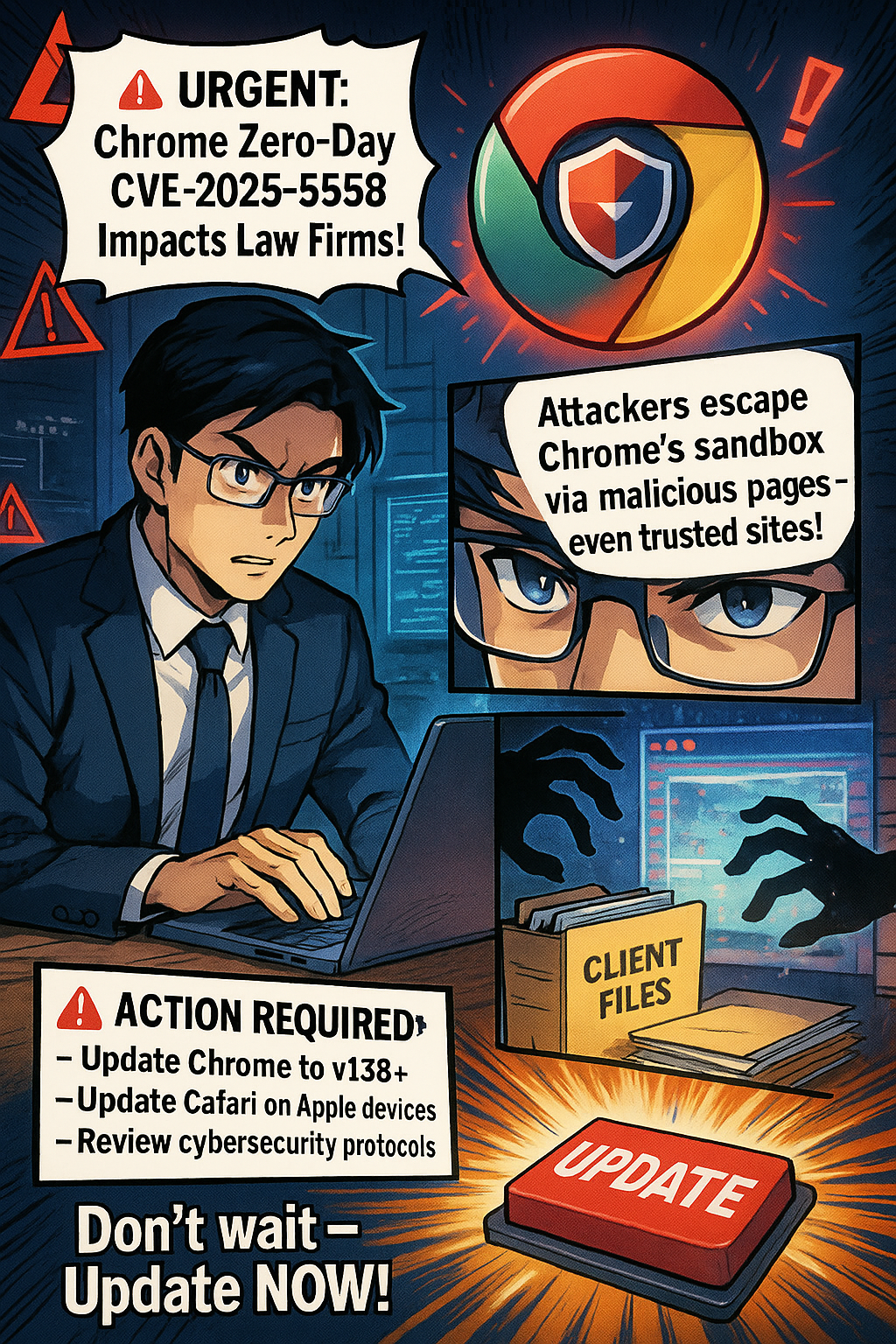
🚨 BOLO: Critical Chrome Zero-Day Security Alert for Legal Professionals 🚨

URGENT: Chrome Zero-Day CVE-2025-6558 Impacts Law Firms

🚨

URGENT: Chrome Zero-Day CVE-2025-6558 Impacts Law Firms 🚨

Critical browser flaw affects Windows & Apple devices. Attackers escape Chrome's sandbox via malicious web pages. ACTIVELY EXPLOITED.

Lawyers its generally a good idea to keep your software up-to-date in order to prevent security risks!

🔍 WHAT THIS MEANS IN PLAIN TERMS:
Your browser normally acts like a protective barrier between dangerous websites and your computer's files. This vulnerability is like a secret door that bypasses that protection. When you visit a compromised website, even legitimate sites that have been hacked, criminals can potentially access your client files, emails, and sensitive data without you knowing. The attack happens silently in the background while you browse normally.

⚠️ ACTION REQUIRED:

  • Update Chrome to v138+ immediately

  • Update Safari on Apple devices

  • Review cybersecurity protocols

🚨Legal Risks:
✓ Client confidentiality breaches
✓ ABA ethical violations
✓ Malpractice liability
✓ Trust account exposure

Don't wait - update NOW!

Word of the Week: “Phishing” 🎣 in the Legal Profession - What Every Lawyer Needs to Know in 2025 🛡️

Lawyers Battle phishing on a daily basis.

Phishing is one of the most persistent and dangerous cyber threats facing law firms today. Phishing is a form of computer and internet fraud in which criminals use fake emails, websites, or messages to trick recipients into revealing sensitive information such as passwords, bank details, or client data. For lawyers and legal professionals, the stakes are especially high: law firms hold vast amounts of confidential client information, making them prime targets for cybercriminals. The American Bar Association (ABA) Model Rules for Professional Conduct, particularly Rule 1.6 (Confidentiality of Information) and Rule 1.1 (Competence), require lawyers to protect client data and maintain competence in technology relevant to their practice.

How Phishing Targets Law Firms

Phishing attacks against law firms have become more sophisticated in 2025. Criminals now use generative AI to craft emails that closely mimic real communications from clients, colleagues, or even senior partners. These messages often create a sense of urgency, pressuring recipients to act quickly—such as transferring funds, sharing login credentials, or downloading malicious attachments. Business Email Compromise (BEC) scams are particularly damaging, as attackers impersonate managing partners or clients to divert wire transfers or request sensitive documents.

Impersonation: The Hidden Dangers in Your Inbox

Attackers often use email spoofing to manipulate the display name and email address, making a message appear to come from someone you trust. The display name (the name that appears in your inbox) can be set to any familiar contact, but the actual email address may be subtly altered or completely fake. For example, a scammer might use “john.smith@lawfirm.com”or “John Smith of ….” as the display name, but the underlying address could be “jjohn.smith@lawf1rm.com” or “john..john.smith@lawfirm.co@lawfirm.co.” These changes are often just a single character off, designed to trick you into replying or clicking a malicious link.

Lawyers should always examine the full email address, not just the display name, before responding or acting on any request. On many smartphones and email clients, only the display name is shown by default, so you may need to click or tap to reveal the actual sender’s email address. If the message requests sensitive information, money transfers, or urgent action, verify the request through a separate communication channel, such as a phone call using a known number—not one provided in the suspicious email. This vigilance aligns with ABA Model Rule 1.1, which requires lawyers to maintain competence, including understanding risks associated with technology.

Recent Phishing Incidents Involving Lawyers

Phishing Email Threatens Law Firm Cybersecurity Defense

What Lawyers Should Watch For

  • Impersonation: Always check the sender’s full email address, not just the display name. Watch for addresses that are off by one or more characters.

  • Urgency and Pressure: Be cautious of emails that demand immediate action, especially those involving money or confidential data.

  • Suspicious Links or Attachments: Hover over links to check their true destination, and never open unexpected attachments.

  • Unusual Requests: Be wary of requests outside normal procedures, such as buying gift cards or changing payment instructions.

Prevention and Best Practices

  • Employee Training: Regular cybersecurity awareness training is crucial. Staff should be able to recognize phishing attempts and know how to report them. This supports ABA Model Rule 5.3 (Responsibilities Regarding Nonlawyer Assistance).

  • Multi-Factor Authentication (MFA): MFA adds an extra layer of security, making it harder for attackers to access accounts even if credentials are compromised.

  • Incident Response Plan: Every law firm should have a clear plan for responding to phishing incidents, including communication protocols and legal obligations for breach notification.

  • Client Education: Educate clients about phishing risks and encourage them to verify any unusual requests that appear to come from your firm.

Professional Responsibility and Phishing

lawyers need to be proactive Against Cybersecurity Threats in 2025!

The ABA Model Rules make clear that lawyers must take reasonable steps to prevent unauthorized access to client information (Rule 1.6(c)). Lawyers must also keep abreast of changes in technology and its associated risks (Rule 1.1, Comment 8). Failing to implement basic cybersecurity measures, such as phishing awareness and email verification, may expose lawyers to disciplinary action and civil liability.

Final Thoughts

Phishing is not just an IT problem—it’s a business risk that can compromise client trust, cause financial loss, and result in legal liability. By staying vigilant, investing in training, and adopting robust security measures, lawyers can protect themselves, their clients, and their reputations in an increasingly digital world. Compliance with the ABA Model Rules is not optional—it's essential for ethical and effective law practice.

📖 Word(s) of the Week (Wow): "Service as a Service" (SaaS) & "Hardware as a Service" (HaaS)!

SaaS vs. HaaS: What Law Firms Need to Know About Service as a Service and Hardware as a Service in 2025 ⚖️💻

Exploring SaaS vs. HaaS in Legal Tech!

Legal practices are rapidly embracing cloud-based solutions, and two models stand out: Software as a Service (SaaS) and Hardware as a Service (HaaS). Understanding these models is essential for law firms seeking efficiency, security, and cost-effectiveness in 2025.

What is SaaS?
SaaS is a cloud-based software delivery model. Instead of buying software outright and installing it on each device, law firms subscribe to web-hosted applications. This means no more managing physical servers or complex installations. Leading SaaS providers handle updates, security, and maintenance, freeing attorneys to focus on clients and cases.

Benefits of SaaS for Law Firms:

  • Centralized, secure document management—enabling paperless workflows and real-time collaboration.

  • Cost savings by eliminating expensive hardware and IT support. Firms pay only for what they use and can scale up or down as needed.

  • Remote access to case files, calendars, and billing from anywhere, supporting hybrid and remote work environments.

  • Automatic updates and improved security, with providers responsible for compliance and data protection.

  • Specialized legal features, such as document automation, calendaring, and legal billing, tailored for law practices.

Legal Considerations for SaaS:
SaaS agreements replace traditional software licenses. They must clearly define service levels, data privacy, and compliance with regulations. SaaS lawyers play a crucial role in drafting contracts, protecting intellectual property, and ensuring regulatory compliance across jurisdictions.

What is HaaS?
HaaS provides physical hardware—like computers, servers, or networking equipment—on a subscription basis. Law firms avoid large upfront purchases and instead pay a monthly fee for access, support, and maintenance. HaaS often includes installation, configuration, troubleshooting, and ongoing monitoring.

Benefits of HaaS for Law Firms:

Knowing your SAAS and Haas agreement terms is essential to maintaining client confidentiality and security

  • Predictable budgeting with no surprise hardware expenses.

  • Up-to-date equipment and proactive maintenance, reducing downtime.

  • Comprehensive support agreements, including warranties and rapid response times.

  • Enhanced security and compliance, as providers manage device updates and data protection.

Legal Considerations for HaaS:
HaaS contracts should specify the scope of services, pricing, service-level agreements (SLAs), liability, data privacy, and dispute resolution. Clear terms protect both the law firm and the provider, ensuring accountability and compliance with industry standards.

Challenges Law Firms Face in Using SaaS and HaaS

Law firms adopting SaaS and HaaS face several notable challenges:

  • Security Vulnerabilities: SaaS platforms can be susceptible to misconfigured access controls, inadequate monitoring, and insufficient threat detection. These weaknesses make law firms prime targets for cyberattacks, such as unauthorized access and data breaches, as seen in high-profile incidents involving major firms.

  • Data Breaches and Compliance Risks: Sensitive client data stored in SaaS environments is at risk if proper security measures are not in place. Breaches can expose confidential information, leading to regulatory penalties, reputational damage, and class action lawsuits if firms fail to notify affected parties promptly.

  • Integration Challenges: As law firms rely on multiple SaaS vendors, integrating various software platforms can become complex. Poor integration may disrupt workflows and reduce efficiency, especially if systems do not communicate seamlessly.

  • Shared Responsibility Confusion: SaaS providers typically secure the platform, but law firms are responsible for data security and access controls. Many firms mistakenly believe vendor security alone is sufficient, which can leave critical data exposed.

  • Reliable and consistent internet access: Reliable and consistent internet access is essential for law firms using SaaS and HaaS, as these cloud-based solutions require an active connection to access software, documents, and case management tools; any internet outage or slow connectivity can disrupt workflows, limit access to critical information, and impact client service. (What if you are on travel and the airplane, hotel, or location does have (reliable) internet connection - how do you get your work done?)

  • Business Email Compromise (BEC): SaaS ecosystems increase the risk of BEC attacks. Compromised email accounts can be exploited for fraud, impersonation, and data theft, often going undetected for extended periods.

  • Data Classification and Visibility Issues: Rapid adoption of SaaS can lead to scattered data across multiple platforms. Without a formal data classification strategy, firms may lose track of where sensitive information resides, complicating compliance and incident response.

  • Legal and Contractual Complexities: SaaS contracts involve nuanced licensing agreements, third-party vendor relationships, and service level commitments. Discrepancies between vendor terms and client expectations can result in disputes and legal challenges.

  • Dependency on Providers: Both SaaS and HaaS models make firms dependent on external vendors for uptime, support, and updates. Service disruptions or vendor instability can directly impact firm operations.

  • Hardware Lifecycle Management: With HaaS, firms avoid upfront hardware costs but must rely on the provider for timely upgrades, maintenance, and support. Poor vendor performance can lead to outdated equipment, downtime, or security gaps.

  • Cost Over Time: While SaaS and HaaS reduce initial capital expenditures, ongoing subscription fees may add up, potentially exceeding the cost of traditional ownership in the long term if not carefully managed.

Lawyers need to know the pros and cons in using saas and haas products!

While SaaS and HaaS offer significant advantages, law firms must address these risks through robust security practices, careful contract negotiation, and ongoing vendor management to protect sensitive data and maintain operational integrity. This may be easier for large law firms but difficult if not nearly impossible for mid- to small- to solo-size law practices.

Why Law Firms Should Care
Both SaaS and HaaS offer flexibility, scalability, and security that traditional IT models cannot match. By leveraging these services, law firms can modernize operations, improve client service, and reduce risk. The right contracts and due diligence are critical to ensure business continuity and compliance in a rapidly evolving legal tech landscape.