Dynamic Random-Access Memory (DRAM): Why It Matters for Law Firm Performance and Data Security ⚖️💻

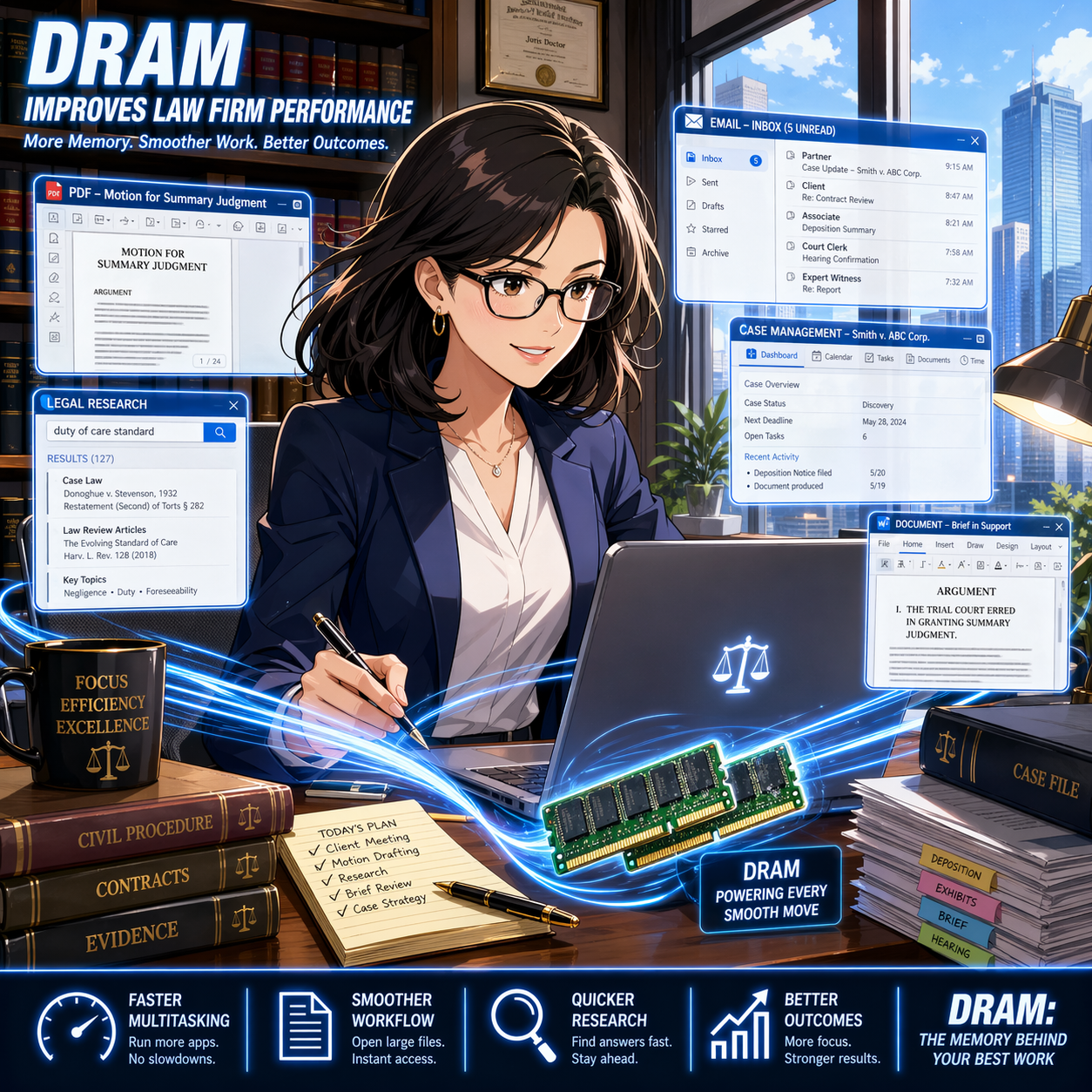
DRAM powers smoother multitasking for faster legal research, drafting, and case management.

Dynamic Random-Access Memory (DRAM aka “RAM”) is the short-term memory your computer uses to run active tasks. It holds data that your system needs right now. This includes open documents, browser tabs, and legal software processes. When you close a program or shut down your device, DRAM clears. It does not store information permanently. 📂

For legal professionals, DRAM plays a direct role in daily productivity. Every time you open a large PDF, review discovery files, or run a case management system, your computer relies on DRAM. If there is not enough memory available, your system slows down. You may notice lag, freezing, or delayed responses. 🐢 These issues interrupt workflow and increase frustration.

In a legal setting, slow systems are more than an inconvenience. They can affect client service. Delays in accessing documents or responding to communications can create risk. Under ABA Model Rule 1.1, lawyers must maintain competence. This includes understanding the benefits and risks of relevant technology (see Comment 8). 💡 Knowing how DRAM impacts performance is part of that duty.

DRAM also connects to data security. While DRAM itself is temporary, system performance influences how securely lawyers handle client information. A slow or overloaded system may lead users to adopt risky workarounds. For example, attorneys may save files locally instead of using secure systems. They may also delay updates or avoid security tools that slow performance further. 🔒 These behaviors can increase exposure to data breaches.

ABA Model Rule 1.6 requires lawyers to safeguard client confidentiality. Reliable hardware supports this obligation. Adequate DRAM helps systems run security software smoothly. It also supports encryption processes and secure cloud access. When systems perform well, lawyers are more likely to follow proper security protocols. ✅

Strong DRAM performance helps law firms protect confidential data and secure workflows.

Understanding DRAM also helps when purchasing or upgrading hardware. Many law firms invest in software but overlook system specifications. Memory is a key factor in performance. A modern legal practice often requires at least 16 GB of DRAM for standard workloads.* Larger litigation matters or heavy e-discovery tools may require more. 📊 Without sufficient memory, even the best software cannot perform effectively.

Consider a common scenario. An attorney is reviewing thousands of documents in an e-discovery platform. Each file requires memory to open and process. If the system lacks DRAM, documents load slowly. Searches take longer. The attorney may lose time waiting instead of analyzing. With adequate DRAM, the same task becomes faster and more efficient. ⚡

DRAM also supports multitasking. Lawyers often run multiple applications at once. Email, document management systems, research tools, and video conferencing may all run simultaneously. Each application consumes memory. When DRAM is sufficient, switching between tasks is seamless. When it is not, the system may stall or crash.

It is important to distinguish DRAM from storage. Storage, such as a hard drive or solid-state drive, holds data long-term. DRAM handles active processes. Both are important, but they serve different purposes. Confusing the two can lead to poor purchasing decisions. 💻

Cloud computing does not eliminate the need for DRAM. Even cloud-based legal tools rely on local system memory. Your browser and operating system still require DRAM to function. A fast internet connection helps, but it does not replace adequate memory. 🌐

Law firm leaders should view DRAM as part of risk management. Investing in proper hardware reduces downtime. It improves efficiency and supports compliance with professional obligations. It also enhances the user experience, which can reduce errors caused by frustration or delay.

Smart hardware planning starts with the right DRAM for modern legal practice.

In practical terms, firms should review device specifications regularly. They should align hardware with the demands of their practice areas. Litigation, transactional work, and regulatory practices may have different requirements. IT professionals can assist with these assessments.

In summary, DRAM is a foundational component of legal technology. It affects speed, reliability, and security. Lawyers do not need deep technical knowledge, but they should understand its impact. This awareness supports better decisions and stronger compliance with ABA Model Rules. ⚖️ By prioritizing performance and security, firms can deliver more effective and responsible client service. 🚀

📖 Word of the Week: “Cross‑Tenant” Learning in Legal Practice

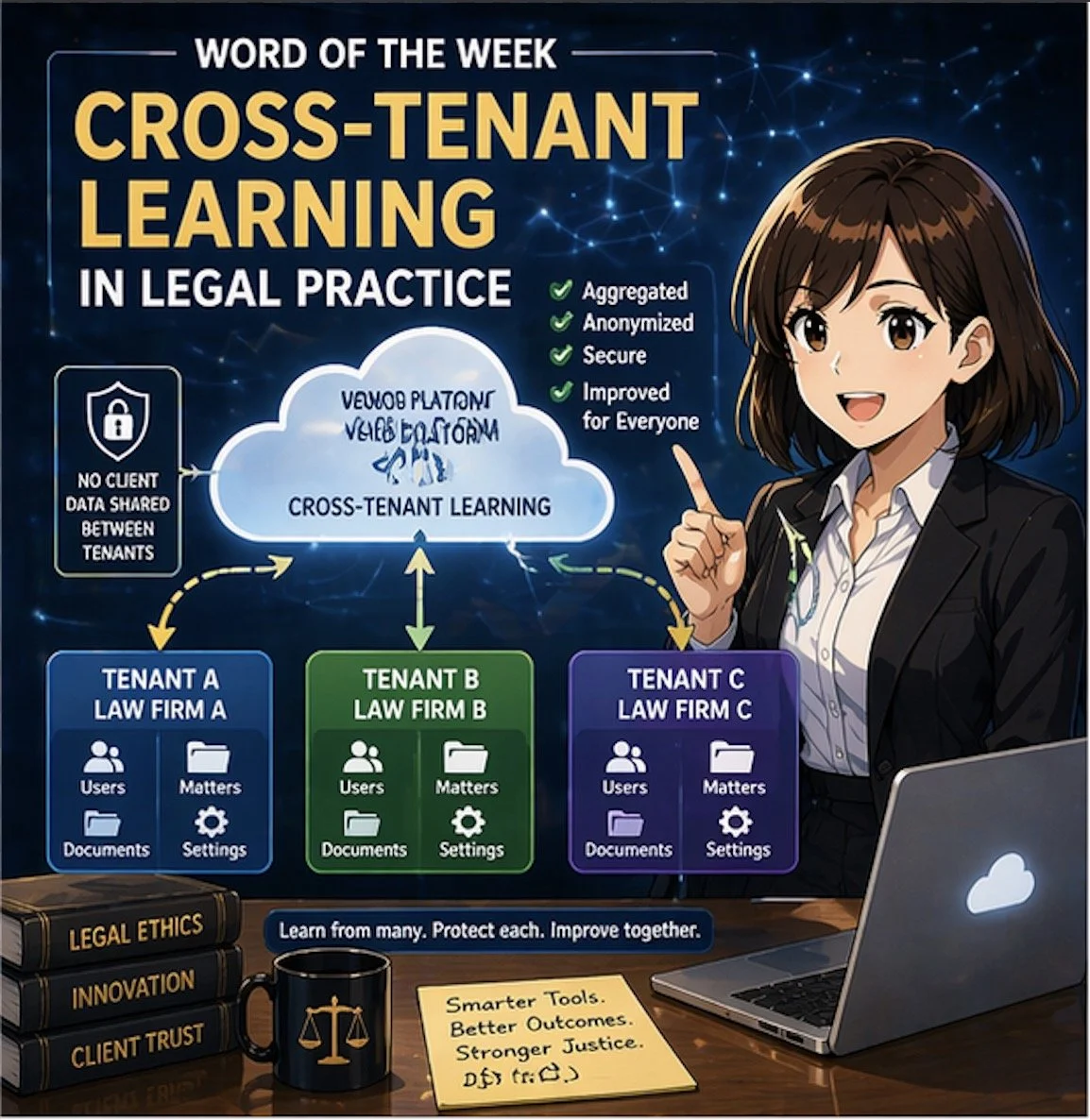
Cross-tenant learning helps law firms improve AI tools without exposing data

If your firm uses cloud‑based tools, you are already living in a multi‑tenant world. In that world, cross‑tenant learning is quickly becoming a key concept that every lawyer and legal operations professional should understand. 🧠⚖️

In simple terms, a “tenant” is your firm’s logically separate space inside a cloud platform: your own users, matters, documents, and settings, isolated from everyone else’s. Cross‑tenant learning refers to techniques in which a vendor’s system learns from patterns across multiple tenants (for example, many law firms) to improve its features—such as search, drafting suggestions, or document classification—without exposing any other firm’s confidential data to you or yours to them.

Why cross‑tenant learning matters for law firms

Cross‑tenant learning is especially relevant as generative AI and machine‑learning tools become embedded in e‑discovery platforms, contract review tools, legal research systems, and practice‑management software. Vendors may use aggregated and anonymized usage data to:

  • Improve relevance of search results and recommendations.

  • Enhance clause and issue spotting in contracts and briefs.

  • Reduce false positives in e‑discovery or compliance alerts.

  • Optimize workflows based on how similar firms use the product.

For lawyers, the value proposition is straightforward: your tools can become “smarter” faster, based on lessons learned across many organizations, not just your own firm’s experience. Done properly, cross‑tenant learning can raise the baseline quality and efficiency of technology available to your practice. ⚙️📈

ABA Model Rules: Confidentiality and Competence

Any discussion of cross‑tenant learning for law firms must start with confidentiality and competence.

  • Model Rule 1.6 (Confidentiality of Information) requires lawyers to safeguard information relating to the representation of a client. That obligation extends to how your vendors collect, store, and use your data. You must understand whether and how client data may be used for cross‑tenant learning and ensure that any such use preserves confidentiality through anonymization, aggregation, and strong technical and contractual controls. 🔐

  • Model Rule 1.1 (Competence), including Comment 8, emphasizes that lawyers should keep abreast of the benefits and risks associated with relevant technology. Understanding cross‑tenant learning is now part of that duty. You do not need to become a data scientist, but you should be comfortable asking vendors precise questions and recognizing red flags.

  • Model Rule 5.3 (Responsibilities Regarding Nonlawyer Assistance) applies when you rely on vendors as nonlawyer assistants. You must make reasonable efforts to ensure that their conduct is compatible with your professional obligations, including how they use your data for cross‑tenant learning. 🧾

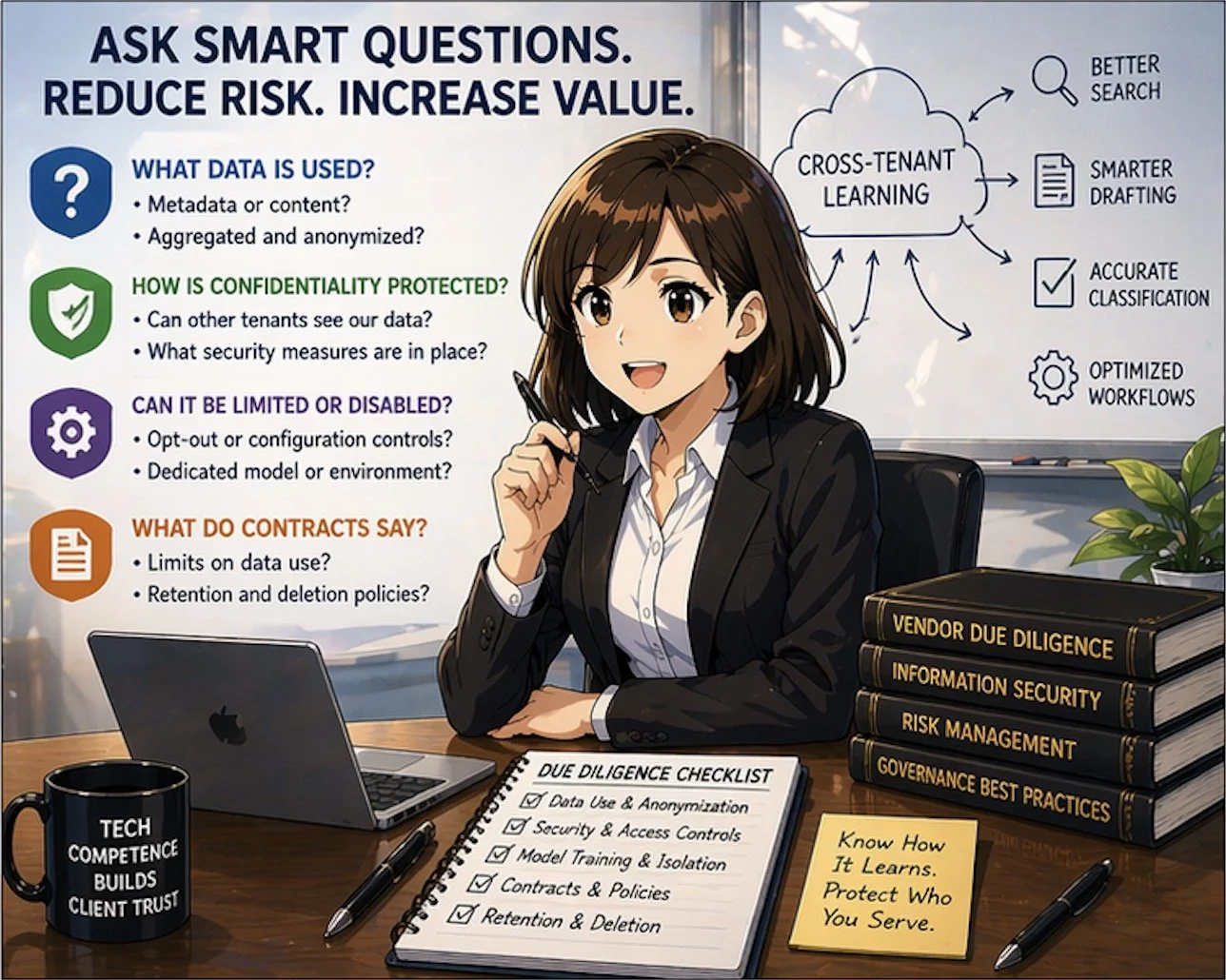
Key questions to ask your vendors

ABA Model Rules guide ethical use of cross-tenant learning technologies

When evaluating a product that relies on cross‑tenant learning, consider asking:

  1. What data is used?

    • Is it only metadata or usage logs, or are actual document contents included?

    • Is the data aggregated and anonymized before it is used to train shared models?

  1. How is confidentiality protected?

    • Can other tenants ever see prompts, documents, or client‑identifying information from our firm?

    • What technical measures (encryption, access controls, tenant isolation) are in place?

  1. Can cross‑tenant learning be limited or disabled?

    • Do we have opt‑out or configuration controls?

    • Is there a dedicated model or environment for our firm if needed?

  1. What do the contract and policies say?

    • Does the MSA or DPA clearly limit use of client data to defined purposes?

    • How long is data retained, and how is it deleted if we leave?

These questions are not merely IT concerns; they go directly to your obligations under the ABA Model Rules and your firm’s risk profile.

Practical examples in law practice

Consider a cloud‑based contract‑analysis platform used by hundreds of firms. Over time, the provider can see which clauses lawyers routinely flag as risky, which edits are typically made, and what becomes the “preferred” language for certain issues. Through cross‑tenant learning, the system can use that aggregated knowledge to highlight problematic clauses and suggest alternatives more accurately for everyone.

Another example is an e‑discovery platform that uses cross‑tenant learning to distinguish between truly relevant documents and common “noise” such as automatically generated emails. The more matters the system processes across different tenants, the better it gets at ranking documents and reducing review burdens. This can be a material efficiency gain for litigation teams. ⚖️💼

In both scenarios, your ethical comfort depends on whether underlying data is appropriately anonymized, compartmentalized, and contractually protected.

Governance steps for your firm

To align cross‑tenant learning with professional obligations, firms can:

  • Update vendor‑due‑diligence checklists to include explicit questions about cross‑tenant learning, training data use, and model isolation.

  • Involve a cross‑functional team—lawyers, IT, information security, and risk management—in vendor selection and review.

  • Document your analysis of vendor practices and how they satisfy confidentiality, competence, and supervision obligations under the ABA Model Rules.

  • Educate lawyers and staff about how AI‑enabled tools work, what kinds of data they send into the system, and how to avoid unnecessary exposure of client‑identifying details.

Takeaway for busy practitioners

Smart vendor questions reduce risk in cross-tenant legal technology adoption

You do not need to reject cross‑tenant learning to protect your clients. Instead, you should approach it as a powerful capability that demands informed oversight. When well‑implemented, cross‑tenant learning can help your firm deliver faster, more consistent, and more cost‑effective legal services, while still honoring confidentiality and ethical duties. When poorly explained or loosely governed, it becomes an unnecessary and avoidable risk.

Understanding how your tools learn—and from whom—is now part of competent, modern legal practice. ⚖️💡