MTC: How Should Lawyers Bill for AI? Time, Tokens, Overhead, and Flat Fees Under ABA Formal Opinion 512 ⚖️🤖

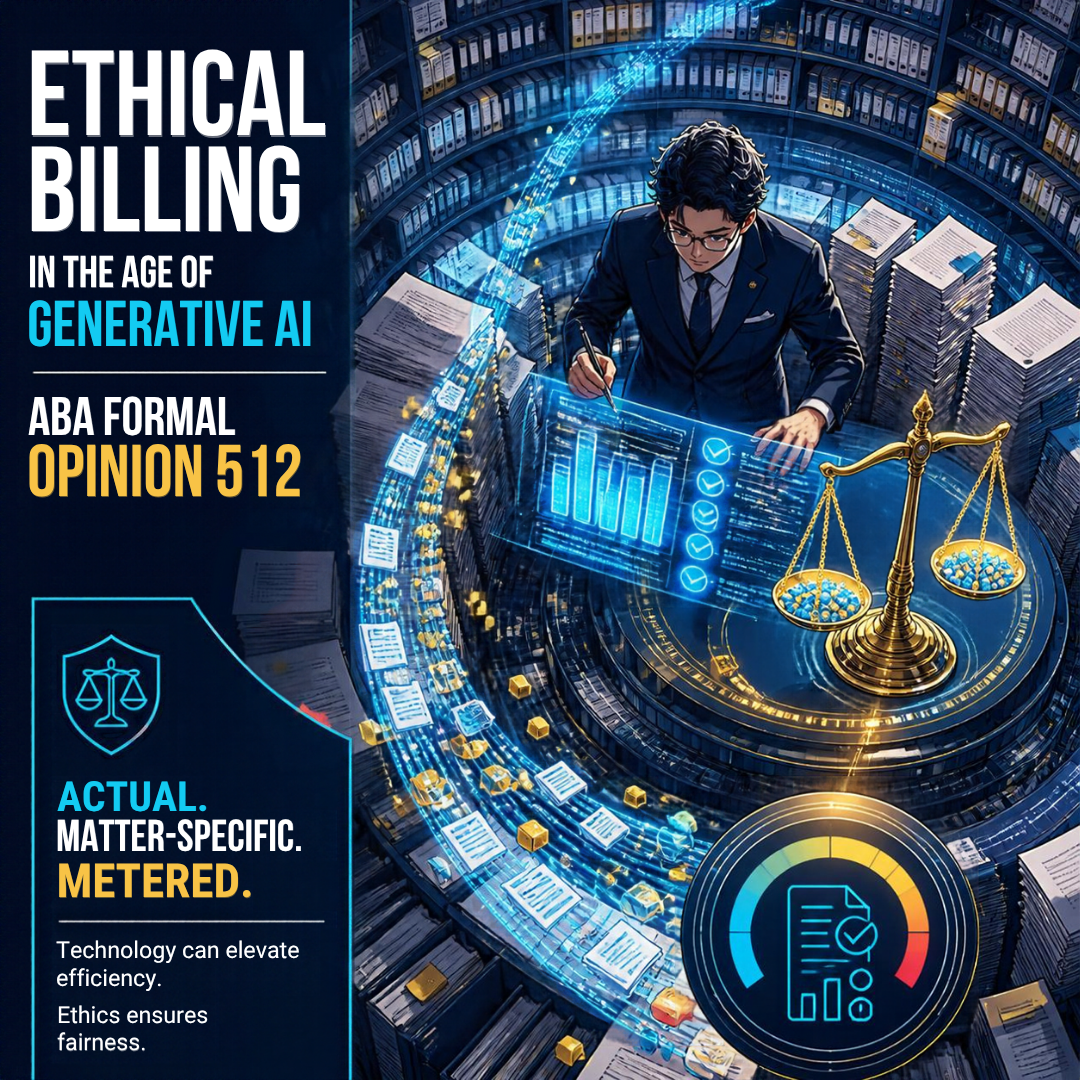
Matter-specific AI costs: bill actual, metered expenses transparently.

Every lawyer using AI eventually faces the same question at invoice time. 🧾 The draft took eight minutes instead of three hours. The research platform charged a premium for its AI tier. The e-discovery vendor billed by the token. So what goes on the client's bill?

The good news is that the ethics rules already answer most of this. They simply ask us to think more carefully. ABA Formal Opinion 512, issued July 29, 2024, applies Model Rule 1.5 directly to generative AI. There is no AI exception. Your fees and expenses must be reasonable. You must also explain how you charge before or within a reasonable time after the representation begins. 📜

Let's walk through several billing option lawyers are considering and see which ones hold up.

Option 1: Billing the AI's "Time" as Your Time ❌

This one is the easiest to reject. AI does not have billable hours. You do. Opinion 512 is blunt: lawyers who bill hourly "must bill for their actual time." If you spend 15 minutes crafting a prompt and 45 minutes reviewing the output, you bill one hour. You do not bill the three hours the task "used to take."

Billing phantom hours is not a gray area. It violates Rule 1.5(a). It may also implicate Rule 8.4(c), which prohibits dishonesty, fraud, deceit, or misrepresentation. 🚫 Watch your AI-powered timekeeping tools, too. Auto-generated time entries are suggestions. Verify them before they reach the client.

Remember the flip side. Your verification time is real legal work. Checking citations, testing the analysis against the record, and editing for judgment are all billable. Under Rules 1.1 and 3.3, that review is not optional anyway. I made this point in MTC: Even Though AI Hallucinations Are Down: Lawyers STILL MUST Verify AI, Guard PII, and Follow ABA Ethics Rules. ✅

Option 2: Absorbing AI Costs as Overhead 🏢
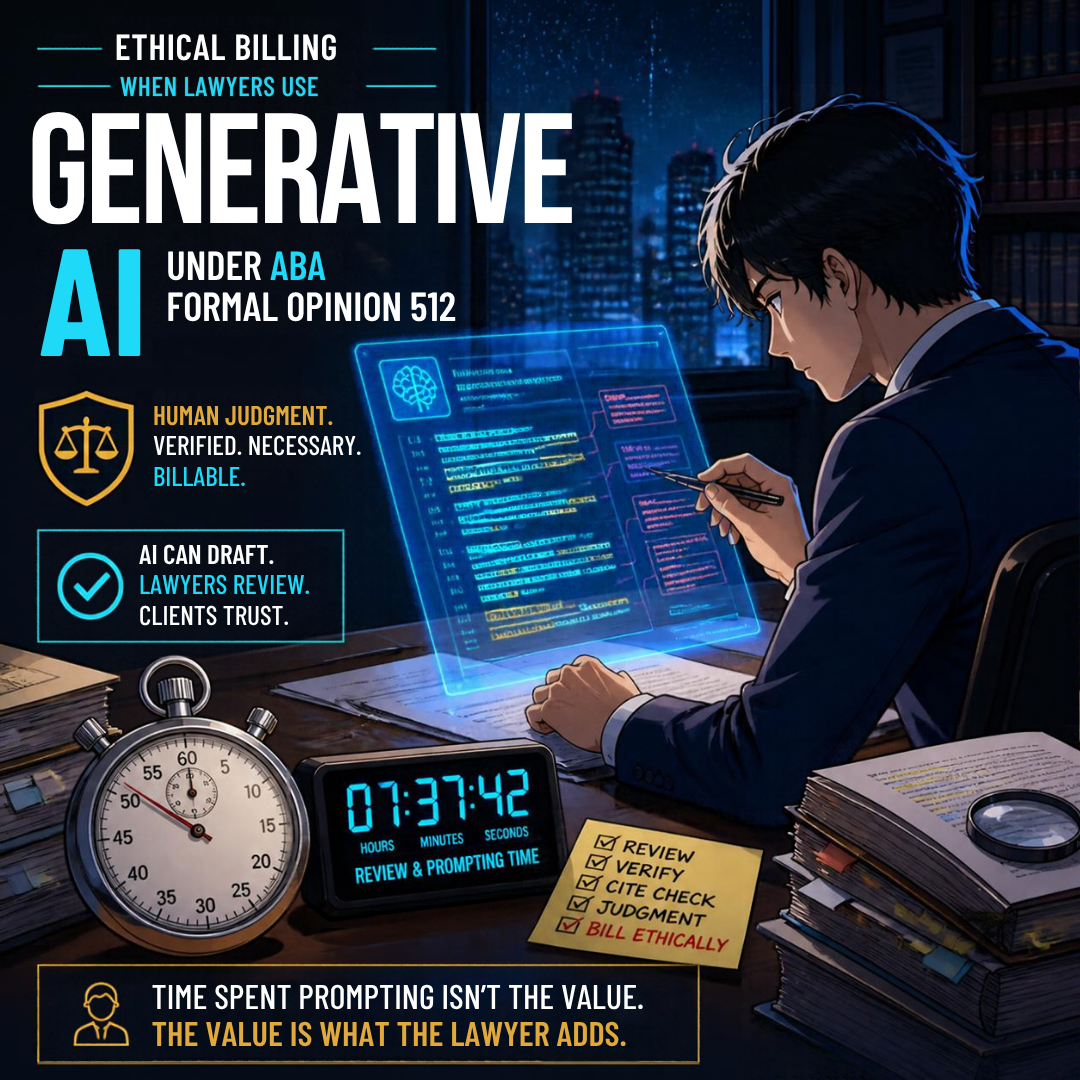
AI legal review: verify citations and bill actual lawyer time.

For most solo and small-firm lawyers, this is the default answer. Opinion 512 treats tools that function like "equipping and maintaining a legal practice" as overhead. Think of Microsoft 365 Copilot, the AI features inside your practice-management software, or a general-purpose ChatGPT or Claude subscription. You would not bill a client for your word processor. You should not bill them for its AI assistant either, absent advance disclosure and agreement.

Many of these features arrive quietly through software updates. I explored that problem in TSL Labs! MTC: The Hidden AI Crisis in Legal Practice: Why Lawyers Must Unmask Embedded Intelligence Before It's Too Late! If you did not know the AI was running, you cannot justify charging for it. 🕵️

Option 3: Passing Through Access Fees and Token Costs 🔢
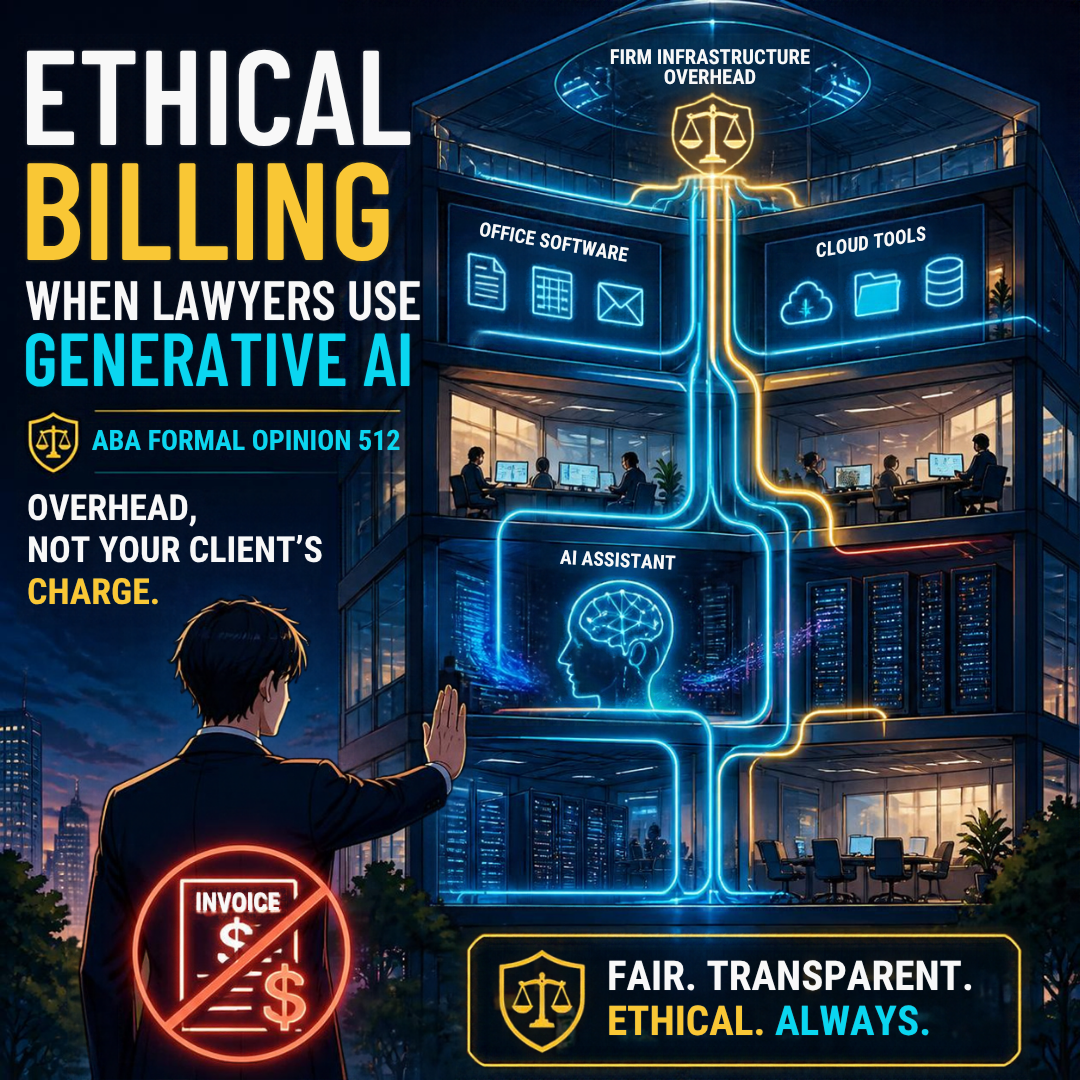
AI subscriptions are overhead, not charges passed to clients.

Here the analysis shifts. Opinion 512 offers a helpful example. A lawyer uses a third-party AI service to review thousands of contracts for one client. The vendor charges per use. Billing the client for that actual out-of-pocket cost is ordinarily reasonable.

The key words are matter-specific, metered, and actual. If you need a refresher on how tokens drive AI pricing, see my Word of the Week: What Is a "Token" in AI Parlance? Token usage can be tracked to a specific matter. That makes it look more like a deposition transcript than office rent. 📊

Three guardrails apply:

  1. Bill the actual cost. Do not add a surcharge without clear advance disclosure.

  2. Pass along discounts. If the vendor gives you a volume rate, the client gets it too.

  3. Do not double-dip. If a subscription is already overhead, you cannot also charge per-matter "AI fees" for the same tool.

What about proprietary or in-house AI tools? Absent an agreement, Opinion 512 permits the direct cost plus a reasonable allocation of expenses directly tied to providing the tool. Appropriate disclosure is still required.

Option 4: Flat Fees and Value-Based Pricing 💡

AI competence and disclosure: protect confidentiality, earn client trust.

Flat fees reward efficiency. That is why many observers see AI as the push the billable hour has long needed. My TSL.P Labs episode, Why 96% AI Accuracy Still Fails Lawyers: Ethics, Hallucinations, and the Future of the Billable Hour, explores this tension. So does my shout-out, AI Revolution Challenges Legal Billing: Steve Embry Exposes Shadow AI Use Crisis in Law Firms.

But flat fees are not a loophole. Opinion 512 warns that charging the same flat fee may be unreasonable if AI lets you finish much faster. In its words, "A fee charged for which little or no work was performed is an unreasonable fee." The Rule 1.5(a) factors still govern. They include the skill required, the novelty of the issues, your experience, the results obtained, and the customary fee in your market.

The ethical approach is to price the value of your judgment. A will, a demand letter, or a VA supplemental claim has value because of your expertise. Its value does not come from the minutes on the clock. Set the price on that basis. Then reassess when AI materially changes your workload. Some commentators, writing in ABA Law Practice Today, argue that Opinion 512 applies Rule 1.5 too rigidly. They may be right. Until the guidance evolves, reasonableness remains the test. ⚖️

What You Cannot Bill: Your Learning Curve 🎓

Learning AI is part of your Rule 1.1 duty of technological competence under Comment 8. It is not client work. Opinion 512 says you generally cannot bill for it. The narrow exception applies when a client specifically asks you to use a particular tool. Then you may charge for learning that tool.

Disclosure Ties It All Together 🤝

Rule 1.5(b) requires you to communicate the basis of your fees and expenses, preferably in writing. Rule 1.4 requires reasonable consultation about the means you use. Rule 1.6 may require informed consent before you enter confidential information into certain tools, especially self-learning ones. Rules 5.1 and 5.3 require partners and supervisors to set firm-wide AI billing policies and train staff on them. 🔐

Practically, add a short AI paragraph to your engagement letter. Identify which tools are overhead. Identify which matter-specific AI costs, if any, will pass through at cost. Confirm that hourly entries reflect actual lawyer time only. Sample language might read: "The firm uses AI tools as part of its general overhead at no added charge. If your matter requires a specialized, usage-based AI service, we will tell you in advance and bill only its actual cost." ✍️ Clients appreciate that candor. It also protects you in a fee dispute.

My Two Cents: A Simple Framework ✅

Value-based AI billing: charge for legal judgment, not saved hours.

Here is how I apply all of this:

  • General AI tools → Overhead. Absorb them. 🏢

  • Matter-specific, metered AI services → Pass through at actual cost, disclosed in writing. 🔢

  • Your prompting and review time → Bill it accurately if you bill hourly. ⏱️

  • Time the AI saved → Belongs to the client under hourly billing. 🤝

  • Repeatable, AI-enhanced tasks → Consider a reasonable, value-based flat fee. 💡

  • Your learning curve → Your investment, not the client's. 🎓

  • Put your AI costs terms in your engagement letters → The last thing you need is a fee/cost dispute with your clients! 😤

AI changes how fast we work. It does not change who we work for. 💼 Price your judgment. Disclose your costs. Never bill a machine's minutes as your own.

MTC

Happy Lawyering!

TSL LABS BONUS: Dynamic Random-Access Memory (DRAM): Why It Matters for Law Firm Performance and Data Security ⚖️💻

Join us for an AI-powered deep dive into the ethical challenges facing legal professionals in the age of generative AI. 🤖 In this episode, we break down our April 20, 2026, Tech‑Savvy Lawyer editorial on how a global DRAM shortage and AI data center demand are driving up PC prices, pushing many legal professionals toward Apple hardware, and redefining what technological competence really means. We explore how unified memory, on‑device AI, and long‑term support lifecycles are changing the Mac vs. Windows calculus, and why “cheap but weak” laptops may now create serious competence and confidentiality risks for your clients.

In our conversation, we cover the following:

  • 00:00 – Why upgrading your work laptop in 2026 feels like buying a luxury vehicle, not a routine office expense.

  • 00:45 – Setting the stage: a “seismic shift” in hardware pricing hitting professional industries, with a focus on the legal field.01:30 – Introducing Michael D.J. Eisenberg’s Tech‑Savvy Lawyer editorial and its core thesis about a tech hardware crisis.

  • 02:15 – The global DRAM crunch: how AI data centers are buying up memory like airlines hoard jet fuel, and why PC OEMs are getting squeezed.

  • 03:30 – Microsoft’s April 2026 Surface price hikes and the end of the “Windows is cheaper” assumption for law firms.

  • 05:15 – The “value inversion”: when high‑end Windows laptops now cost more than roughly comparable MacBooks.

  • 06:30 – Why this isn’t a normal tech price cycle and how it breaks 20 years of corporate IT purchasing assumptions.

  • 07:15 – Apple’s structural advantage: vertical integration, unified memory, and shielding itself from spot‑market DRAM volatility.

  • 08:30 – The M‑series (M5) advantage: performance per watt, thermal behavior, battery life, and running local AI plus heavy legal workloads.

  • 09:45 – Yes, Apple prices are rising too—why the relative “security‑to‑cost” and performance story still favors Macs for many professionals.

  • 10:45 – When “cheap but weak” hardware crosses the line: connecting underpowered laptops to ABA Model Rule 1.1 (competence) and Comment 8 on tech competence.

  • 12:00 – From annoyance to ethical exposure: how sluggish systems cripple eDiscovery, AI‑driven research, and document automation.

  • 13:00 – Why laptop purchasing is now core client‑service strategy, not just a back‑office procurement task.

  • 13:45 – On‑device vs. cloud AI: where computation happens, why that matters, and how it ties into ABA Model Rule 1.6 (confidentiality).

  • 14:30 – The role of Apple’s Neural Engine and local processing in reducing reliance on external AI APIs and third‑party servers.

  • 15:30 – Clarifying the security nuance: Windows is not inherently less secure, but comparable on‑device AI capability often costs more.

  • 16:30 – Redefining security in 2026: it’s not just antivirus and passwords; it’s where the AI thinking physically happens.

  • 17:15 – Building a documented purchase matrix: price, performance, storage, memory, security, lifecycle, and critical software compatibility.

  • 18:15 – When you can’t leave Windows: legacy legal software, state e‑filing systems, and the hidden costs of moving to macOS.

  • 19:00 – Survival strategies for Windows‑locked practices: non‑Surface OEMs, staggered refresh cycles, and buying fewer but higher‑quality machines.

  • 19:45 – Treating laptops as long‑term infrastructure instead of disposable commodities.

  • 20:15 – Big‑picture recap: DRAM shortages, unified memory, ethical duties, and shifting hardware norms in law practice.

  • 20:45 – The closing question: will AI‑driven hardware requirements quietly raise the price of access to justice?

RESOURCES

Mentioned in the episode

Hardware mentioned in the conversation

Software & Cloud Services mentioned in the conversation

If you want your next laptop purchase to strengthen—not weaken—your ethical obligations, client security, and AI‑powered workflows, hit play now and learn how to build a smarter, future‑proof hardware strategy. 🎧💡

MTC: Hidden AI, GEO, and the ABA Model Rules: What Every Lawyer Needs to Know Before Their Next Client Finds Them Online ⚖️🤖

Generative AI is already talking about you, your law firm, and your practice area—even if you have never opened ChatGPT. 😳 Clients ask AI tools legal questions in natural language, and those systems answer by pulling from whatever content they trust online. For lawyers, that raises two intertwined issues: “hidden AI” inside everyday tools and the rise of Generative Engine Optimization (GEO). Together, they sit squarely in the path of your duties under the ABA Model Rules.

Legal Ethics Meets GEO and Hidden AI!

Hidden AI is everywhere in modern law practice tools. Microsoft 365 suggests text, summarizes long email threads, and drafts documents. Zoom transcribes and sometimes “enhances” meetings. Practice‑management platforms now market AI assistants that review documents, summarize matters, and even suggest next steps. Much of this AI runs quietly in the background, so it is easy to forget it exists—or to assume it is “just another feature.” Yet under ABA Model Rule 1.1, technological competence now includes understanding the benefits and risks of the technology you choose for your clients’ work. You cannot competently supervise what you do not even realize is there.

At the same time, AI tools sit on the front end of client development. When a potential client types, “How does a New Jersey divorce work and when should I hire a lawyer?” into an AI chatbot, that system gives an answer based on content it considers reliable. GEO—Generative Engine Optimization—is about making your content understandable, quotable, and safe for those systems to lift into the response. Where SEO asks, “How do I rank in Google’s blue links?”, GEO asks, “How do I become the answer AI gives when someone in my jurisdiction asks a real client question?” 🧠

Where the ABA Model Rules Fit

GEO and hidden AI are not just marketing trends; they are ethics issues.

  • Model Rule 1.1 (Competence). Comment 8 extends competence to relevant technology. ABA guidance on AI (including Formal Opinion 512) explains that lawyers must understand how AI tools work in broad strokes, their limitations, and their failure modes. If you expect clients to find you through AI‑generated answers, you should know what those systems are likely to say about your area of law and how your own content feeds into that ecosystem. ⚖️

  • Model Rule 1.6 (Confidentiality). You do not need to paste client facts into AI tools to do GEO. Good GEO content relies on hypotheticals and public law, not on confidential stories. But when you use AI inside Word, your practice platform, or a browser‑based assistant, you must know where the data goes, whether it is used for training, and whether additional client consent or stronger safeguards are required. 🔐

  • Model Rule 1.4 (Communication). When AI tools materially affect how you handle a matter—such as drafting, research, or review—you may need to explain that to clients in clear, non‑technical terms. In marketing, that same communication duty supports honest disclaimers: your GEO‑optimized articles must state that they are general information, not legal advice, and that AI summaries of your content are no substitute for a direct attorney‑client consultation.

  • Model Rules 7.1–7.3 (Advertising and Solicitation). GEO content must still be truthful and non‑misleading. You cannot let AI‑targeted content slide into promises of “guaranteed results” or vague claims of being “the best.” The fact that you are writing for AI as well as humans does not relax your duties under the advertising rules—it amplifies them, because misstatements can get replicated and amplified by AI tools. 📢

Handled thoughtfully, GEO can actually help you satisfy these rules. It encourages you to publish accurate, current, and jurisdiction‑specific explanations that educate the public and reduce confusion. Done poorly, it can push you into ethically dangerous territory where AI retells your overbroad claims to countless readers you never see.

What Is “Hidden AI” in Law Practice?

How AI Shapes Legal Ethics and Client Discovery

For many lawyers with limited or moderate tech skills, the biggest risk is not exotic AI research—it is quiet defaults.

Examples:

  • Word processors that turn on AI‑assisted drafting by default.

  • Email services that summarize conversations using third‑party models.

  • Cloud DMS, i.e., a cloud-based document management system, or practice platforms that offer “smart” suggestions based on client documents.

These tools can be legitimate productivity boosts, but under Rules 1.1 and 1.6, you must understand enough about them to decide when and how to use them. That includes asking:

  • Does this feature send client content to an external provider?

  • Is that provider training on my data?

  • Can I turn that training off?

  • Is there a business or enterprise version with better confidentiality terms?

You do not need to become a software engineer. You do need to know the basic data‑flow story well enough to make an informed risk judgment and to explain that judgment if a client or disciplinary authority asks. 🙋‍♀️

Moving from SEO to GEO—Ethically

Traditional SEO still matters. You still want clear titles, descriptive meta tags, fast and mobile‑friendly pages, and basic schema markup so search engines can understand your site. GEO builds on that foundation and asks you to go one step further: write in a way that large language models can safely quote.

GEO‑friendly legal content usually has:

✅   An answer‑first summary at the top: a short, plain‑English overview of the main question.

✅   Strong jurisdiction signals: repeated references to the state, province, or country, relevant courts, and applicable statutes.

✅   Specific client questions: headings written in the same conversational style clients use (“How long do I have to sue after a car accident in Ohio?”).

✅   Trust signals: bylines, credentials, bar memberships, links to statutes and court sites, and recent update dates.

For example, if you serve veterans in disability benefits work, your GEO page might be titled “How VA Disability Claims Work for [Your State] Veterans” and open with a five‑sentence, answer‑first summary in plain English. You would clearly note that you practice in specific jurisdictions, link to the VA and governing statutes, and spell out when someone should seek legal counsel. An AI system looking for a safe, jurisdiction‑clear answer is more likely to treat that content as a reliable source.

From an ethics standpoint, this structure helps you:

  • Stay in your lane (Rule 1.1) by emphasizing your actual jurisdiction and practice scope.

  • Provide accurate, non‑misleading information (Rules 7.1–7.3).

  • Communicate clearly about what your content is—and is not (Rule 1.4).

Practical First Steps for Non‑Techy Lawyers

You do not need to rebuild your entire site this week. A focused, incremental approach works well, especially if you are still building your tech confidence. Here is a practical sequence that maintains compliance with the Model Rules:

Legal Ethics Meets GEO and Hidden AI

  1. Audit your “hidden AI.” With your IT provider or vendor reps, identify where AI is already in use in your stack: Microsoft 365, Google Workspace, Zoom, your case‑management system, research tools, and any browser extensions. Turn off any features you cannot yet explain to yourself in basic terms. 🛠️

  2. Pick one practice area to GEO‑optimize. Choose the area that drives most of your matters. List the 10 most common client questions you actually hear. Those are the headings for your first GEO page.

  3. Write answer‑first, jurisdiction‑specific content. Use short paragraphs and plain language, and embed jurisdiction cues and citations to official sources. Include clear disclaimers about general information, no legal advice, and the need for a consultation.

  4. Refresh and expand over time. Revisit that page whenever law or practice changes, add FAQs, and link related posts. This keeps content current for both search engines and AI tools.

  5. Document your choices. If you decide to use specific AI tools in drafting content or in client work, note your reasoning: confidentiality safeguards, vendor terms, and how you supervise outputs. This helps show that you approached AI use thoughtfully under Rules 1.1, 1.4, 1.6, 5.1, and 5.3. 📚

The core message is simple: you do not have to master every technical detail to be a tech‑savvy lawyer, but you do have to stop pretending that AI is optional. Your clients are already using it; your vendors are already embedding it; and AI systems are already shaping how clients find you. Taking a deliberate, ethics‑aware approach to hidden AI and GEO is no longer extra credit—it is part of protecting your clients, your reputation, and your license. 🚀⚖️

MTC