MTC: Why Rising PC and AI Tool Prices (for Windows and Apple) Should Be on Every Lawyer’s Radar in 2026

Law firms need to plan Windows, Mac, and AI refresh strategy

If you feel like every new laptop quote is 15–20% higher than last year, you are not imagining things. 📈 And if your favorite AI drafting or transcript tool pinged you with a “small” price adjustment this spring, welcome to the club. 🤖

In our December 2025 editorial, “MTC: The 2026 Hardware Hike: Why Law Firms Must Budget for the ‘AI Squeeze’ Now!”, we warned that a perfect storm in the hardware market was forming: DRAM shortages, surging AI infrastructure demand, and shifting trade policy were about to push PC prices up by 15–20% in 2026. 💻 Then, in April 2026’s “MTC: Why 2026’s PC Price Hikes Put Law Firms at Risk (and Why Many Lawyers Are Quietly Switching to Macs)”, we explored how rising Windows laptop prices were reshaping law firm hardware decisions and eroding the old assumption that “Windows is always cheaper than Mac.”

Those forecasts are now reality across both Windows PCs and Macs, and the question I keep hearing from solo and small firm lawyers is simple: Should I be worried?

The short answer is yes—concerned, not paralyzed. The better question is: how do we respond strategically, in a way that respects both our budgets and our ethical obligations under ABA Model Rules 1.1 (Competence) and 1.6 (Confidentiality)?

A quick recap: what’s driving the price surge?

Let’s start with the “why,” because context matters when you sit down with your next-year budget spreadsheet. 📊

Industry analysts now confirm that average PC prices are rising in the 15–20% range for 2026, with memory costs as the biggest driver. AI data centers—those massive server farms powering tools like ChatGPT and other LLMs—are soaking up an estimated majority of advanced DRAM production, leaving less capacity for business laptops and desktops of all flavors, whether they run Windows or macOS. When memory becomes scarce and expensive, everything that relies on it gets pricier.

You can see this in both ecosystems:

Lawyers need t plan their 2026 law firm hardware budget amid rising costs

  • Windows side: In April, Microsoft sharply raised prices across its Surface lineup, including the Surface Pro and Surface Laptop families, many lawyers rely on. Entry-level machines that once started under 1,000 dollars now begin well above that mark, with some configurations jumping several hundred dollars over launch prices and in some cases exceeding roughly comparable MacBook configurations.

  • Apple side: In June, Apple CEO Tim Cook told The Wall Street Journal that Apple will raise prices because the company can no longer absorb skyrocketing memory and storage costs, calling the situation a “hundred-year flood” and saying he has “never seen anything like it in any area in over 40 years,” describing these increases as “unavoidable.” Apple to Raise Prices Due to Memory Chip Crunch, Tim Cook Says.

When both Microsoft and Apple are telling you that memory costs and component shortages are forcing them to push prices up, that is not a platform rivalry story. It is a signal that the entire hardware market—Windows and Mac alike—is being repriced around the AI era.

On top of that, trade policy and tariffs have increased costs for components and final assembly in key manufacturing hubs like China and Taiwan. Vendors have responded by tightening quote windows and baking in risk premiums, which is why the Windows laptop or Mac you priced in Q4 2025 quietly jumped in Q2 2026. 💸

In “MTC: The 2026 Hardware Hike”, we urged firms to accelerate planned refreshes where possible, prioritize RAM over storage, and budget for stronger machines instead of downgrading specs. In the April 2026 editorial, we drilled into how those same forces made some Mac configurations look surprisingly competitive—and why lawyers should stop treating “Windows versus Mac” as a matter of habit and start treating it as a structured evaluation tied to performance, security, and ethical duties. All of that guidance still holds.

Budgeting like a law practice, not a gadget hobby (PC‑neutral framing)

The theme of “MTC: The 2026 Hardware Hike” was simple: treat your tech like a planned, recurring investment—not a last-minute scramble when a laptop dies in the middle of trial prep. The April 2026 follow-up on PC price hikes showed how that planning must now account for both Windows and Mac options, since price gaps have narrowed or flipped depending on configuration.

Here is the approach I recommend for solos and small firms, regardless of platform:

  1. Inventory and classify your devices across platforms.
    Capture which users are on Windows, which are on macOS, and what roles those machines play. Prioritize devices used for active litigation, client communications, and high-sensitivity matters.

  2. Set a realistic refresh cycle that is OS‑aware.
    For most law practices, a 3–5 year cycle for primary laptops and desktops is reasonable, but the exact timing should reflect each platform’s support timeline—Windows 10 reaching end of support, macOS versions aging out, and vendor firmware commitments.

  3. Budget for “competence grade” hardware on both sides.
    As we argued in both the December and April MTC pieces, it is better to buy fewer, well‑specced machines—whether that is a mid-range Surface Laptop or a MacBook Air with sufficient RAM—than to chase the absolute lowest price and end up with systems that choke under AI‑enhanced workflows.

  4. Run a structured Windows vs. Mac evaluation, not a loyalty contest.
    Following the April article’s recommendation, build a simple matrix comparing specific Windows and Mac models on price, RAM, storage, performance, security features (like Secure Boot, Secure Enclave, or TPM), support life, and compatibility with your core practice software. Tie that matrix explicitly to your responsibilities under ABA Model Rules 1.1 and 1.6 so you can show you exercised reasonable diligence.

  5. Cull redundant subscriptions before sacrificing baseline hardware on either platform.
    Before you decide that “Macs are too expensive now” or “Windows machines are out of reach,” examine your monthly AI and SaaS spend. Many firms can free up budget for better Windows or Mac hardware by retiring overlapping tools that deliver marginal benefits.

This is not about declaring a winner in the Windows vs. Mac debate. It is about recognizing that both ecosystems are affected by the same structural forces—AI‑driven memory demand, supply constraints, tariffs—and that your ethical obligations apply regardless of logo. ⚖️

So, should lawyers be worried? (PC‑neutral conclusion)

Concern is justified. Panic is not. 😅

Law firmS of every size need to plan Windows, Mac, and AI refresh strategy

Yes, Windows PC and Mac prices are rising and are likely to remain elevated through at least 2027, given ongoing DRAM constraints and AI demand. Yes, AI and cloud tools are adjusting their pricing and tiers in ways that can catch an unprepared firm off guard. And yes, when Microsoft raises Surface prices, and Tim Cook says he has never seen a memory crunch like this in over 40 years and calls it a “hundred-year flood,” those are market‑wide signals—not platform‑centric marketing talking points.

But you still have levers to pull, no matter which platform you use:

  • Plan your hardware lifecycle instead of reacting to failures.

  • Prioritize “competence grade” devices and security over optional features, whether that is a mid‑range Windows laptop or a MacBook with enough RAM.

  • Rationalize your AI and SaaS stack so you pay for what actually moves the needle.

  • Treat your tech stack as part of your ethics compliance, not just overhead. ⚖️

Lawyers on both Windows and Mac should treat 2026’s hardware and AI price hikes as a market‑wide issue that affects competence, confidentiality, and client service—not as a referendum on one platform. 💻⚖️

MTC

How (To) Lawyers Can Write Better AI Prompts (In Minutes) with PromptCowboy 🤠

today’s Lawyer need to master AI prompts in a modern tech-savvy law office 📚🤖

Large language models (LLMs) are not magic wands. They are very fast, very convincing parrots. When you ask sloppy questions, you get sloppy answers. When you ask clear, structured questions, you start to see real value in your law practice.

That’s why prompt quality is now a lawyering skill, not a party trick—and tools like PromptCowboy can help you build that skill quickly and safely.

In earlier Tech-Savvy Lawyer posts like “🎙️ TSL Lab’s Deep Dive into Our May 18, 2027, editorial, “AI Won’t Replace Solo and Small Firm Lawyers. It Will Supercharge Them”!” and podcast episodes discussing AI workflows, I’ve stressed the same core message: you cannot delegate your professional judgment to an LLM. You can, however, use an LLM to accelerate competent lawyering—if you stay in control of the instructions you give it and the outputs you accept.

Why prompt quality is an ethics issue 💼

The ABA’s technology competence mandate under Model Rule 1.1 now clearly extends to understanding the risks and benefits of generative AI tools. ABA Formal Opinion 512 emphasizes that lawyers may use generative AI to deliver faster and more efficient legal services, but only if they maintain independent professional judgment, supervise results, and comply with duties of confidentiality, candor, and reasonable fees.

That means “prompt engineering” is not a hobby; it’s part of staying reasonably informed about relevant technology and using it responsibly. When you use a tool like PromptCowboy to structure your prompts, you are not outsourcing judgment—you are standardizing how you exercise it.

What PromptCowboy actually does for lawyers 🤠⚖️

PromptCowboy is a guided prompt generator. You type in a rough idea (“help me sanity-check a demand letter” or “summarize this deposition transcript for trial prep”), and it walks you through targeted questions that transform that rough idea into a structured, reusable prompt.

For lawyers, three capabilities matter most:

  • It enforces structure: role, task, context, constraints, and output format.

  • It preserves prompts: you can reuse, tweak, and standardize prompts across matters and teams.

  • It supports multiple LLMs: you can paste the same prompt into your preferred tools (e.g., a legal-specific AI plus a general LLM).

If you’ve ever stared at a blank chat box and thought, “I don’t even know how to ask this,” PromptCowboy is the bridge between your legal brain and the AI chat window.

Why not just type directly into the LLM? 🤔

If you’re comfortable drafting a tight brief from a messy client email, you can learn to write good prompts directly in ChatGPT, Claude, or your preferred tool. The question is not “Can I?”—it’s “Is that the best use of my time and attention?”

PromptCowboy sits between your legal brain and the AI chat box and gives you three advantages that are hard to get from freehand prompting alone.

1. It forces you into best practices by default

Most prompt-engineering guides tell you: be specific, define the role, give context, specify the audience, and tell the model what format you want. When you type straight into an LLM, you have to remember all of that and translate your legal problem into structured instructions.

PromptCowboy automates that discipline:

  • It asks targeted follow-up questions about audience, use case, and output format.

  • Its “improve your prompt” style features can take your “lazy prompt” and suggest refinements, like adding jurisdiction, tone, or specific constraints.

  • It then assembles a complete, structured prompt you can copy into your LLM.

From an ethics standpoint, this matters because better-structured prompts reduce the risk of vague, misleading, or overconfident AI outputs that you might otherwise overlook—helping you meet your competence duty under Model Rule 1.1 and the quality expectations outlined in ABA Formal Opinion 512.

2. It gives you reusable, auditable prompt “precedent”

When you type directly into a chat window, your “good prompts” disappear into the scroll unless you remember to save them elsewhere. Lawyers would never run a litigation practice without templates and prior forms, yet many start from scratch every time they open an AI tool.

PromptCowboy provides:

SOLO AND Small-firm attorneys CAN COMPETE WITH LARGER FIRMS BY CREATING POWERFUL AI prompt templates for clients ⚖️💬

  • Prompt history and private templates in its paid tiers, so you can reuse and iterate on prompts like you do with forms.

  • Centralized prompt management, so a firm can standardize prompts for common tasks (client email drafts, discovery checklists, status updates) and keep everyone using the same baseline instructions.

  • A clean separation between “prompt drafting” and “AI execution,” which makes it easier to document how you instructed the AI if you ever need to explain or audit your process.

That last point goes to Model Rules 5.1 and 5.3—supervision of lawyers and nonlawyer assistants—because LLMs function in practice like a highly automated, but still supervised, assistant. Having standard prompts you can review, update, and roll out to a team is much easier with a dedicated prompt tool than with a dozen scattered screenshots.

3. It speeds up the “iterate and improve” loop

Good prompting is iterative. You try, you see what the AI produces, you refine. That’s true whether you’re drafting in a word processor or prompting an LLM.

PromptCowboy accelerates that loop because:

  • It can generate an initial, detailed prompt from a very short description (“help me draft a discovery checklist for a Virginia PI case”).

  • It automatically suggests follow-up questions whose answers will sharpen the prompt, instead of making you guess what to change.

  • Once refined, you can save that prompt and reuse it as a starting point next time, instead of reinventing the wheel in the LLM chat.

The net effect is less cognitive load. You spend your time reviewing outputs and exercising legal judgment, not handcrafting prompts from scratch—which aligns with the efficiency and cost considerations in Model Rule 1.5 and the access-to-justice benefits emphasized in Formal Opinion 512.

When direct prompting is fine—and when PromptCowboy shines

To keep this honest: there are plenty of scenarios where you can safely type straight into your LLM, like one-off low-stakes tasks or conversational exploration.

PromptCowboy shines when you:

  • Want repeatable workflows (weekly client updates, discovery outlines, intake summaries).

  • Need team-wide standards for how AI should behave and respond.

  • Must document your process for internal policies, insurers, or regulators who may ask how you controlled AI outputs.

Think of typing directly in the LLM as scribbling notes on a legal pad in chambers; using PromptCowboy is more like drafting a form in your document system that the whole firm can rely on.

A simple framework: RICE + I (Role, Instructions, Context, Expectations + Inputs) 🧩

The RICE framework—Role, Instructions, Context, Expectations—is a practical way to structure prompts. Let’s add an explicit “I” for Inputs and walk through how PromptCowboy helps you implement it:

  1. Role – Who is the AI supposed to be?
    Example: “You are a legal writing coach familiar with U.S. civil procedure.”
    PromptCowboy prompts you to define this persona up front, narrowing the output.

  2. Instructions – What task should it perform?
    Example: “Identify ambiguities and tone issues in the following demand letter and suggest specific edits.”

  3. Context – What background does it need?
    Example: “Maryland state court personal injury case involving a rear-end collision, liability admitted, issue is damages only.”

  4. Expectations – How should it respond?
    Example: “Return a bullet-point list, no more than 10 bullets, written at a 10th-grade reading level.”

  5. Inputs – What materials can it see?
    Example: “You will receive the text of the demand letter below this prompt.”

PromptCowboy’s workflow essentially walks you through each of these steps, so you don’t have to remember them every time.

Step-by-step: Building a better legal prompt with PromptCowboy 🛠️

Solo practitionerS CAN craft ethical AI prompts with ABA-focused guidance 🧠📜

Let’s say you want an LLM to help you draft initial discovery requests in a straightforward personal injury case—without crossing ethical lines.

Step 1: Decide what you will do first
Under Model Rule 1.1 and Formal Opinion 512, you must understand the law and facts well enough to supervise any AI assistance. That means you:

  • Identify the jurisdiction and claims

  • Review your client’s key facts

  • Decide what categories of information you need

Only then should you move to the AI.

Step 2: Open PromptCowboy and describe your task in plain English
In PromptCowboy, start with a simple description:

“Help me generate draft interrogatories and requests for production for a rear-end auto collision case in Virginia state court, focusing on damages.”

Step 3: Answer PromptCowboy’s clarifying questions
PromptCowboy will ask for details like:

  • Target audience (you, another lawyer, or a client)

  • Preferred tone (formal, plain language, bullet-point)

  • Output format (numbered list, table, outline)

By answering these questions, you naturally fill in the RICE + I elements without overthinking the jargon.

Step 4: Add ethical guardrails into the prompt
This is where ABA Model Rules meet prompt engineering:

  • Model Rule 1.6 (confidentiality) and Formal Opinion 512 suggest you should avoid disclosing client-identifying information to public LLMs unless you have informed consent and appropriate safeguards.

  • So in the prompt, you write:
    “Do not invent case-specific facts. Use only the generic facts provided. Do not reference any real persons or entities.”

PromptCowboy can store that language so you reuse it in future prompts.

Step 5: Generate, copy, and paste into your chosen LLM
Once PromptCowboy assembles the prompt, you copy it into:

  • A general LLM (e.g., ChatGPT, Claude or Perplexity*) for plain-language drafting, or

  • Your firm’s legal AI platform for case-specific workflows.

Then you review the output like you would a first-year associate’s draft—carefully and critically.

Practical prompt examples you can reuse 🧾

Here are two PromptCowboy-friendly templates you can adapt:

Template 1: Research sanity-check (non-confidential)

“You are a legal research assistant familiar with [jurisdiction].
Task: Summarize the general legal standards for [issue] without citing specific cases.
Context: This is for high-level planning, not court submission.
Expectations: Provide a concise outline with headings and bullet points.
Ethics: Do not fabricate statutes or case names; flag any uncertainty for follow-up research.”

Template 2: Plain-language client explanation (with safeguards)

“You are a communication coach for lawyers.
Task: Rewrite the following explanation of [legal issue] so a layperson can understand it.
Context: This will be used as a draft for a client email.
Expectations: 3–5 short paragraphs, no legalese, no promises of outcomes.
Ethics: Do not add any new legal advice beyond what is given. Flag any unclear sections for attorney review.”

These templates align with Model Rules 1.1 (competence), 1.4 (communication), and 7.1 (avoiding misleading statements), while using PromptCowboy to enforce structure and consistency.

Common mistakes PromptCowboy helps you avoid 🙅‍♂️

PromptCowboy is not a substitute for judgment, but it does reduce some predictable errors lawyers make with LLMs:

  • Vague requests (“Write a brief” with no jurisdiction, facts, or audience)

  • No output format (you get a wall of text you can’t use)

  • Hidden assumptions (AI fills in facts that are wrong or prejudicial)

  • Over-sharing (don’t paste client-identifying facts into a public tool)

By forcing you to specify intent, context, and output, PromptCowboy nudges you toward more disciplined, repeatable AI use.

Bringing it into your practice today 📆

If you are a solo or small firm lawyer, you do not need a full-blown “AI strategy deck” to start. You need one or two well-crafted, reusable prompts for tasks you already handle every week—email drafting, checklists, or content summaries.

📢 Stay Tuned! In a future episode of The Tech-Savvy Lawyer Podcast, we’ll walk through a live PromptCowboy-to-LLM workflow and compare results across different tools. For now, pick one use case, build a prompt with PromptCowboy, and run it through your existing AI stack. Measure whether it saves you time without sacrificing quality or ethics.

Used thoughtfully, PromptCowboy can help bridge the gap between “AI-curious” and “AI-competent”—and that’s exactly where the profession needs to go next. 🚀

MTC: When the Search Engine Itself Is the Ethical Issue: What Lawyers Must Know About AI Search vs. Traditional Internet Research

AI Legal Search Transforms Modern Lawyer Research

There is a quiet revolution happening at the very top of your browser, and most lawyers haven't noticed it yet. 🔍

The search box — that deceptively simple rectangle you've used to research case law, check opposing counsel's background, or verify a client's claims — is no longer neutral ground. In May 2026, Google announced a sweeping AI-first reimagining of its search experience, complete with AI-generated answer summaries, "Search agents" that act on your behalf, and deep integrations with Gmail and Google Photos through what it calls "Personal Intelligence."

Almost immediately, something remarkable happened. Privacy-focused search engine DuckDuckGo reported that traffic to its "No AI" search option more than tripled in the days following Google's announcement. Visits averaged 84 percent above baseline — and climbing. Users are voting with their clicks, and lawyers should be paying close attention to why.

Because for attorneys, this isn't just a preference question. It is an ethics question. 🏛️

The Search Box Has Always Been a Legal Tool

Before we talk about AI search, let's be honest about something: lawyers have always used internet research in professionally complex ways. Whether you're doing due diligence on a new client, investigating facts before a deposition, or checking whether a potential expert witness has any embarrassing public statements, search engines are embedded in legal practice.

The ABA has taken note. ABA Model Rule 1.1 on Competence requires lawyers to keep abreast of "changes in the law and its practice, including the benefits and risks associated with relevant technology." The ABA's 2012 amendment to Comment 8 of that rule was, frankly, ahead of its time. Today, "relevant technology" includes the search engine itself — not just the results it returns.

The question lawyers must now ask is not just what a search engine finds. The question is how it finds it — and what it does to the information before it reaches your eyes. 👁️

What "AI Search" Actually Does — And Why It Matters for Lawyers

Google's new AI search doesn't just retrieve pages. It synthesizes, summarizes, and presents information as if it were a fact. The AI generates an "answer" at the top of the results, often without clearly displaying the sources behind it. It uses conversational follow-up prompts and can even tap into your personal data — your Gmail, your calendar, your search history — to "personalize" results through its Personal Intelligence features.

For a casual user looking up a dinner recipe, this may be delightful. For a lawyer performing professional research, this architecture introduces risks that are not hypothetical. They are disciplinary. ⚖️

Consider these practical scenarios:

  • Investigating a witness or opposing party: If AI search synthesizes social media profiles, news articles, and forum posts into a single summary, is the attorney seeing an accurate picture — or an AI-curated composite? Errors of omission matter enormously in litigation.

  • Researching local ordinances or regulations: AI-generated summaries have been documented to cite outdated legal authority or blend jurisdictions. A confident-sounding AI answer about a zoning statute may be silently wrong.

  • Client intake due diligence: If your search engine is pulling from your own Gmail history to "personalize" results, there are immediate questions about information separation and confidentiality walls.

This implicates ABA Model Rule 1.3 (Diligence), Rule 1.6 (Confidentiality), and — for litigators — the broader duty of candor under Rule 3.3. Relying on an AI-synthesized result without independent verification is not diligent research. It is relying on someone else's summary of someone else's sources. 🚩

The Competence Gap Nobody's Talking About

AI Case Summaries Enter the Modern Courtroom

Here is the nuance that most bar ethics opinions haven't caught up to yet: using AI search is not the same as using an AI legal research tool like Westlaw AI and Lexis+ AI. Those platforms are built on curated, citation-verified legal databases, with clear provenance for every source. General-purpose AI search like Google's new paradigm, Bing Copilot, Perplexity AI, is built on the open web, with all of the unreliability that implies.

When a lawyer asks Westlaw AI to find authority on a legal standard, the system is drawing from a professionally maintained legal corpus. When a lawyer asks Google's AI search, "What are the statute of limitations rules in Virginia for contract claims?" — the AI is generating a confident-sounding answer from whatever it found on the open internet, synthesized by a model that does not practice law and has no malpractice insurance. *Note that this does not mean you should not always check your AI work generated from legal-based websites, as they make mistakes too! ALWAYS CHECK YOUR WORK!!!

That distinction is not just academic. It is the difference between competent research and a disciplinary complaint. 📋

ABA Formal Opinion 512 (2023) addressed the use of generative AI tools broadly, emphasizing that attorneys bear full responsibility for the accuracy of AI-generated work product and may not "delegate" verification to a machine. The same logic extends directly to AI-generated search summaries. The attorney who reads an AI answer and relies on it without checking the underlying sources has not completed professional research. 

DuckDuckGo's "No AI" Option: A Signal Worth Heeding

The surge in DuckDuckGo's "No AI" search traffic is instructive for lawyers precisely because the users driving that surge aren't Luddites. They are professionals and technologists who understand the difference between AI-assisted search and raw, unmediated results.

DuckDuckGo's No AI search returns traditional link-based results without AI-generated answer overlays, without a chat interface, and with significantly fewer AI-generated images cluttering the results. For legal professionals performing factual investigation, that architecture has a significant advantage: what you see is a list of sources, not a synthesized narrative. You evaluate the sources. You apply legal judgment. The machine does not pre-filter reality for you.

Alternative privacy-first search engines like Kagi operate on a similar premise — paid, ad-free, with AI tools strictly opt-in. These are not fringe products. They are increasingly mature, professional-grade tools.

The point is not that lawyers must abandon Google. The point is that lawyers must understand what any given search tool is doing with their query and their results — and make a deliberate professional choice. 🎯

Confidentiality Implications Hiding in Plain Sight

Here's a dimension that deserves its own continuing legal education session: what happens to your search queries?

Google's Personal Intelligence features explicitly connect your search behavior to your Gmail, your Google Photos, and your account activity. For most users, this integration is a convenience. For lawyers, it is a potential Rule 1.6 problem.

If you are searching for information related to a client matter using a Google account connected to your professional email, you may be feeding client-related data into a system with its own data retention, analytics, and AI training policies. This is not speculation. It is the documented architecture of modern AI-integrated search.

The same risk applies to any AI search tool that logs, retains, or uses your queries for model training. Before using an AI search tool for client-related research, lawyers should review that platform's terms of service and privacy policy with the same scrutiny they'd apply to a cloud storage agreement.

A Practical Framework for the Ethically Conscious Lawyer

Here's what I recommend to every attorney I speak with — 🛠️

2. Verify every AI-generated summary. If an AI search tool gives you a synthesized answer, treat it as a lead, not a conclusion. Click through to primary sources. Confirm the date, jurisdiction, and accuracy of every material fact.

3. Audit your search tool's data practices. Before using any search engine — AI-powered or otherwise — for client-related research, understand what the platform does with your queries. Update your firm's privacy policy and client engagement letters accordingly.

4. Create a firm search policy. Solo practitioners and small firms alike benefit from a standard for how internet research is conducted, documented, and verified. Ideally it is written as it could be your first line of defense in a grievance proceeding.

5. Distinguish between research and investigation. When using internet research to investigate persons — clients, witnesses, opposing parties — remember that ABA Formal Opinion 466 addresses the ethical limits of reviewing publicly available juror social media. Similar caution applies to using AI-curated profiles of any individual.

The Bigger Picture 🌐

Tech-Savvy Lawyers Blend Tradition With Innovation

The DuckDuckGo story is not really about one search engine. It is about a profession — ours — navigating a moment when the most basic research infrastructure is being restructured around artificial intelligence, without a pause for professional reflection.

Lawyers are custodians of facts, advocates for truth, and officers of the court. The tools we use to find facts are not ethically neutral. They never were. But the gap between "good enough for a general user" and "professionally adequate for a licensed attorney" has never been wider.

The next time you open a browser tab to research something for a client, I want you to pause — just for a moment — and ask yourself: Do I know what this search engine is doing with my query right now? 🤔

If the answer is "I'm not sure," that pause just became an ethical obligation.

MTC.

When Your AI Thinks It’s 1930: How Lawyers Must Manage “Frozen” Data Sets Versus the Live Internet 🧠⚖️

AI Legal Research Demands Current Data and Human Judgment

A recent Malwarebytes article profiled “Talkie,” a 13‑billion‑parameter chatbot trained only on English‑language texts published before 1931. This model has no knowledge of anything after the Great Depression—no email, no smartphones, no cybercrime, and certainly no modern e‑discovery. 

For lawyers, Talkie is more than a curiosity. It is a vivid illustration of what happens when an AI’s world stops at an arbitrary date, and why we must understand the difference between isolated data sets and models that continuously ingest the modern internet. That distinction goes straight to your duties of competence, confidentiality, supervision, and candor under the ABA Model Rules

On The Tech‑Savvy Lawyer podcast, it is often discussed that “AI is the junior associate you don’t have to hire—but still have to supervise.” Talkie shows us what happens when that junior associate’s legal education ends in 1930. The lesson for your practice is simple: you cannot outsource judgment to any tool, especially one whose view of the world is frozen in time.

What “Vintage AI” Teaches Modern Lawyers 🕰️

Talkie was trained entirely on digitized books, newspapers, legal texts, and other publications in the public domain as of 1930, both to avoid modern copyright headaches and to explore how AI reasons without the internet. In other words, it is a deliberately isolated system: no post‑1930 statutes, no contemporary case law, no modern regulations. 

That design makes Talkie an excellent analogy for every “walled garden” AI lawyers are now being sold—closed research tools, local models trained only on internal firm documents, or court‑approved systems limited to a curated corpus. These tools can be invaluable, but only if you understand three things:

  • What is in the data set.

  • What is deliberately excluded.

  • How often the corpus is refreshed—or if it ever is.

Model Rule 1.1’s duty of technological competence now explicitly includes understanding the “benefits and risks” of relevant technology, which in 2026 squarely includes AI trained on defined corpora. If you do not know what your AI has seen, you cannot competently rely on what it says.

Isolated Data Sets: The Upside for Lawyers

Many solos and small firms are understandably drawn to “closed” or time‑boxed AI systems because they feel safer and more controllable. 😊 Properly designed, those systems can offer real advantages:

  • Predictable scope of authority
    An AI trained only on a vetted body of primary law and secondary sources may be easier to supervise, because you know its universe of materials. You can design workflows where AI research is always checked against the underlying authorities that you recognize and trust. 

  • Reduced confidentiality and IP risk
    Talkie avoids modern copyright disputes by staying within the public domain. Similarly, a local or on‑premises model that does not send data back to a vendor can help you satisfy Model Rule 1.6’s confidentiality obligations—assuming you confirm that the tool does not re‑use your client data to train others’ models. 

  • Consistent, auditable outputs
    With an isolated corpus, it is often easier to log queries, outputs, and the underlying sources, which supports your obligations under Rules 5.1 and 5.3 to supervise both lawyers and non‑lawyer assistants, including AI tools. 

For certain use cases—drafting from your own templates, summarizing client files, or querying only your firm’s knowledge base—a “frozen” or walled‑off model can be exactly the right approach. 

The Hidden Risks of “Frozen” Knowledge 🚨

Lawyers Must Verify AI Case Summaries Before Court

The malware researchers emphasize that Talkie has “no concept” of anything after 1930. That is charming when it tries to explain a “smartphone” using the vocabulary of the telegraph age; it is malpractice waiting to happen if your research tool does the equivalent in a modern brief. 

For lawyers, isolated or out‑of‑date data sets create at least four serious risks:

  • Outdated or incomplete law
    A time‑boxed research tool can miss controlling authority, recent statutory amendments, or new regulations. Under Model Rules 1.1 and 3.3, you cannot rely on a system that stops short of the current law and then present its output as if it were complete.[5][10][3]

  • Distorted factual context
    An AI that has never “seen” modern technology, social conditions, or scientific developments will reason with blind spots that can undermine your factual investigations under Rules 1.1 and 1.3. Think about relying on a pre‑1931 lens for today’s cybersecurity, social media defamation, or veterans’ disability claims involving modern diagnostics. 

  • Invisible bias baked into old texts
    Pre‑1931 materials, like any historical corpus, embed the social, racial, and gender biases of their era. A “vintage” model may reproduce those biases in ways that conflict with your obligations around fairness and anti‑discrimination, and could taint your client‑intake, hiring, or case‑evaluation workflows. 

  • False sense of safety
    Because these systems are “limited,” lawyers may assume they are automatically compliant or “approved.” 😬 But ABA Formal Opinion 512 is clear: the existing rules—competence, confidentiality, communication, candor, supervision, and reasonable fees—apply equally to AI tools, regardless of their training set. 

The message: isolation is not a substitute for judgment. It simply changes the error profile you must manage. 

Live Internet Models: Power With Extra Liability 🌐

At the other end of the spectrum are AI tools connected to the live internet—systems that can pull from statutes, cases, news, and commentary that changed yesterday or this morning. They offer speed and breadth that solos and small firms could only dream of a few years ago. 

But internet‑connected models also present their own set of concerns:

  • Hallucinations blended with real‑time data
    Even when a system claims to be “citing live sources,” you still must verify every authority under Rules 1.1, 3.3, and 5.3. Courts and bars have already disciplined lawyers for filing AI‑generated briefs with fabricated citations. 

  • Ongoing confidentiality exposure
    If the model sends prompts to remote servers, you must analyze data‑handling, retention, and training policies to comply with Rule 1.6. You may need to anonymize prompts, modify your engagement letters, or obtain informed consent for certain uses, as many bars and Formal Opinion 512 recommend. 

  • Dynamic but uncurated sources
    Unlike a curated pre‑1931 corpus, the open web mixes reliable law with marketing pages, blog posts of dubious quality, and outright misinformation. Under Model Rule 1.1, you must treat AI‑surfaced content like any other secondary source: helpful, but never authoritative without independent confirmation. 

The fact that a tool is “up to date” does not relieve you of your duty to be right. It just changes where the landmines are. 😄

Practical Guardrails for AI‑Curious Lawyers 🛠️

In a recent episode of The Tech‑Savvy Lawyer podcast with AI consultant Hamid Kohan, we discussed building an “AI‑ready” practice that treats these tools like supervised, specialized staff—not black boxes. Whether you use a Talkie‑style frozen model, a live internet assistant, or both, consider putting these guardrails in place: 

  1. Inventory your AI tools and their data sources
    For each tool, document what data set(s) it uses (public domain only, commercial databases, firm documents, open web), how often it updates, and how it handles your data. This goes directly to your competence and confidentiality duties under Rules 1.1 and 1.6. 

  2. Define “approved uses” in your firm policies
    Under Rules 5.1 and 5.3, establish written guidance for lawyers and staff: e.g., “Use Tool A only for drafting internal outlines,” or “Use Tool B for brainstorming arguments, but never for final citations.” Train your team accordingly and revisit those policies quarterly. 

  3. Mandate human verification of law and facts
    Require that all AI‑generated citations, quotations, and factual assertions be checked against primary sources and the actual record before leaving the firm. That is how you satisfy Rules 1.1, 3.3, and your supervisory obligations. 

  4. Be transparent with clients and courts
    ABA guidance encourages disclosure of AI use where it is material to the representation or required by court rule. Consider adding a brief, plain‑English AI disclosure to your engagement letters and being prepared to describe, if asked, how you supervise AI‑assisted work. 

  5. Avoid over‑reliance that dulls your own analysis
    California’s guidance warns against delegating your professional judgment to generative AI or letting it replace your own research and critical thinking. Use AI as a springboard, not a crutch—an approach we have explored on The Tech-Savvy Lawyer.Page blog and podcast.

These steps are manageable even for solo and small‑firm lawyers with modest tech skills, and they align neatly with existing ethics frameworks. 💡

Choosing Between “Frozen” and “Live” AI: A Simple Matrix 📊

Frozen AI Data Sets Challenge Modern Legal Research

When should you prefer an isolated corpus, and when do you need the modern web? For many practices—especially for example, disability, administrative, and appellate work—the answer is “both,” but for different tasks. 

  • Use isolated or internal models for:

    • Summarizing your client’s file or medical records.

    • Drafting from your own templates and prior briefs.

    • Issue‑spotting in areas where the governing law is baked into the tool and updated on a known schedule.

    • Use live internet‑connected models (with caution) for:

    • Brainstorming novel arguments and locating secondary sources.

    • Scanning for recent regulatory changes or commentary.

    • Getting “layperson‑level” explanations you then translate into lawyer‑grade analysis.

In every scenario, you remain the final filter. Under the Model Rules, AI can accelerate your work, but it cannot own your judgment. Talkie is a reminder that the scope of what your AI knows is now an ethics question, not just a technical detail. 

Final Thoughts: Don’t Let Your Practice Get Stuck in 1930

Talkie’s charm lies in its limitations—it is a window into a world before the internet, World War II, and modern computing. Your law practice does not have that luxury. Clients expect you to understand the present, anticipate the future, and choose tools that serve both. 

Whether your AI is frozen in 1930 or streaming 2026 in real time, the obligations are the same: know what it knows, know what it cannot know, and supervise it accordingly. If you do that, you can harness AI’s benefits without letting your ethical obligations slip into the past. 🚀 

MTC: Should Lawyers Host Their Own AI (or Hybrid AI)?

Lawyers need to weigh hosting AI against ABA ethics in modern practice.

Lawyers are being pushed to decide whether to host their own artificial intelligence systems, rely entirely on cloud tools, or adopt a hybrid model that uses both local and cloud-based AI.🌐 At the same time, the American Bar Association’s Formal Opinion 512 makes clear that AI use sits squarely inside existing duties of competence, confidentiality, communication, candor, supervision, and fees under the Model Rules of Professional Conduct.

Perplexity’s new “Personal Computer” platform is a vivid example of how this can work in practice: it can run as an always‑on AI agent on a Mac mini, with access to local files, native apps, and cloud models, effectively turning a spare Mac into a dedicated digital worker. For lawyers, that kind of setup is appealing because a Mac mini can sit in the office as a sandboxed machine, disconnected from the main network and primary cloud file storage, to tightly control what AI can see and where client data goes.🧱

Why Lawyers Are Tempted to Host Their Own or Hybrid AI

There are several practical reasons lawyers and law firms are looking at running AI locally, or in a hybrid configuration that blends on‑premise and cloud tools:

  • Control over client data. Running AI on a dedicated Mac mini or similar device gives the firm direct control over where data is stored, which apps it can touch, and whether it ever leaves the office environment.

  • 24/7 “digital worker.” Platforms like Perplexity’s Personal Computer can operate continuously, orchestrating multiple models, moving between local files and the web, and even continuing work that you start on your phone while you are away.⚙️

  • Integration with local files and apps. A local or hybrid agent can read your document management folders, draft or revise motions in your word processor, and compare local files with online sources without sending entire client datasets to a general‑purpose cloud chatbot.

  • Potential cost and performance benefits. For some workflows, once the hardware is in place, local or hybrid AI can be more predictable in cost and latency than pure pay‑per‑token cloud services, especially when workloads are steady and repetitive.💸

From an ethics standpoint, these benefits map directly onto Model Rule 1.1’s requirement that lawyers maintain technological competence, which now includes a duty to understand both the capabilities and the limitations of AI tools they deploy in practice. If you can explain how your on‑premise or hybrid AI is configured, what data it sees, and why you chose that architecture, you are already moving toward satisfying that duty of competence in your technology choices.

ABA Model Rules: Key Considerations for Self‑Hosted and Hybrid AI

The ABA’s Formal Opinion 512 does not mandate or prohibit self‑hosting, but it does identify core ethical duties that must guide any AI deployment. For lawyers thinking about a sandboxed computer or hybrid AI, several Model Rules are especially important:

  • Model Rule 1.1 (Competence). You must understand enough about the AI system—local or cloud—to evaluate its reliability, security, and appropriate use, including risks like hallucinations, outdated information, and bias.

  • Model Rule 1.4 (Communication). In many situations, you may need to tell clients that you are using generative AI—and how—so they can make informed decisions about the representation.

  • Model Rule 1.5 (Fees). If you bill for AI‑assisted work, your fees still must be reasonable; you cannot simply pass through AI costs without regard to value, and you cannot charge as if the work were done entirely by hand.

  • Model Rule 1.6 (Confidentiality). Client information must be protected whether it is processed on‑premise or in the cloud, which means assessing encryption, access controls, logging, and whether AI vendors can use your data to train their models.

  • Model Rules 3.3 and 4.1 (Candor). You must not present AI‑generated work product that you have not verified, and you must correct any false or misleading statements to tribunals or others if AI contributes to those errors. 

  • Model Rules 5.1 and 5.3 (Supervision). Partners and managing lawyers must implement reasonable policies, training, and oversight to ensure that both lawyers and non‑lawyer staff use AI tools in compliance with ethical obligations. 

Formal Opinion 512 underscores that using generative AI does not reduce any of these obligations; rather, it adds new vectors for potential violations, including inadvertent disclosure through “self‑learning” tools that retain prompts to improve their models. A self‑hosted or sandboxed system can reduce some of these risks but does not eliminate the need for careful configuration, testing, and ongoing oversight.🔍

The Case for a Sandboxed Mac Mini or Similar Setup

Attorneys can test sandboxed computers for aba compliant, secure ai workflows.

A compelling middle road is to run your AI assistant as an always‑on agent on a dedicated, sandboxed machine—such as a Mac mini—segregated from your primary network and cloud storage, and then carefully curate what you allow it to access. Perplexity’s Personal Computer is designed to run 24/7 on a Mac mini, with secure sandboxed file creation, visible actions, and a kill switch, which can help align AI use with ethical expectations of control and auditability.🧑‍💻

For law practices with limited to moderate technology skills, this architecture offers practical advantages:

  • You can keep the AI’s working directory separate from your main document management system, copying in only those files you want it to analyze.

  • You can disconnect the sandbox machine from your firm’s primary VPN and file‑syncing tools, reducing the attack surface for client data.💽

  • You can log and periodically review what the AI agent is doing—what files it opens, what tasks it runs—to support your supervisory duties under Rules 5.1 and 5.3.

Because a personal computer can orchestrate teams of models and interact with local files and cloud services in one system, it embodies the hybrid AI idea: use local control for sensitive matters, and selectively rely on cloud models for broader research or drafting where appropriate safeguards are in place. That kind of hybrid strategy aligns well with the ABA’s focus on risk‑based analysis rather than a one‑size‑fits‑all prohibition.⚖️

Why Some Lawyers Should Not Host Their Own AI (At Least Not Yet)

Self‑hosting or running a hybrid computer‑based AI platform is not the right answer for every firm, and in some practices, it may actually increase risk. If your firm cannot realistically manage updates, patches, access controls, and backups for a dedicated AI machine, a reputable cloud provider with strong security and clear contractual commitments may be a safer option. Many lawyers underestimate the work required to securely configure and maintain specialized systems, which can lead to misconfigurations that expose confidential information or disable audit logs you may need for internal investigations or regulatory inquiries.

There is also a risk of overconfidence: having an AI agent running on your own hardware can create a false sense that everything processed on that machine is automatically safe and ethically sound.😬 Formal Opinion 512 warns that self‑learning AI tools can leak information across matters, even within a single firm, if they are not properly isolated; that risk exists whether the system runs on your computer or in the cloud. For many small firms and solos, the most ethical and efficient path may be to use vetted, well‑documented cloud AI tools under strict internal policies rather than trying to build and secure a home‑grown AI infrastructure.

Finally, if you lack even moderate technology literacy, jumping straight to a self‑hosted AI environment can distract from more foundational tasks like implementing a written AI policy, training staff on prompt hygiene, and integrating AI use into your conflict checks and quality control processes. In those cases, simpler deployments—such as using browser‑based AI tools with no client identifiers and careful manual review—can be more defensible under the Model Rules.

Practical Takeaways for Ethics‑Focused AI Adoption

an ETHICS-FOCUSED LAWYER CAN CONSIDER USING A HYBRID AI UNDER THE ABA Model Rules.

For lawyers and firms considering self‑hosted or hybrid AI, several practical steps emerge from the ABA guidance and from the new generation of self‑hosted AI platforms:

  • Start with a written AI policy that maps to Model Rules 1.1, 1.4, 1.5, 1.6, 3.3, 4.1, 5.1, and 5.3, that distinguishes between internal experimentation and client‑facing use.

  • If you deploy a sandboxed Mac mini or similar, define precisely which files and apps it may access, how it will be backed up, and who has administrative control.🔐

  • Treat AI outputs as drafts that require human review, not as final work product, and document your review in a way that aligns with your quality‑control procedures.

  • Train all users—not just IT—on how the Personal Computer or other AI system operates, what logs are available, and how to shut it down if it behaves unexpectedly.

  • Revisit your configuration and vendor contracts regularly, including any terms about data retention, training, and breach notification, to ensure ongoing compliance with Revised ethics guidance and state‑level opinions.📜

In that light, the question is not whether lawyers should or should not host their own AI, but whether they can do so in a way that satisfies the ABA’s expectations for competence, confidentiality, and supervision while delivering real value to clients. For some, a carefully configured sandboxed Mac mini running a hybrid AI agent will be a powerful, ethical accelerator; for others, the more responsible choice is to rely on well‑governed cloud tools until their internal capabilities catch up.

MTC

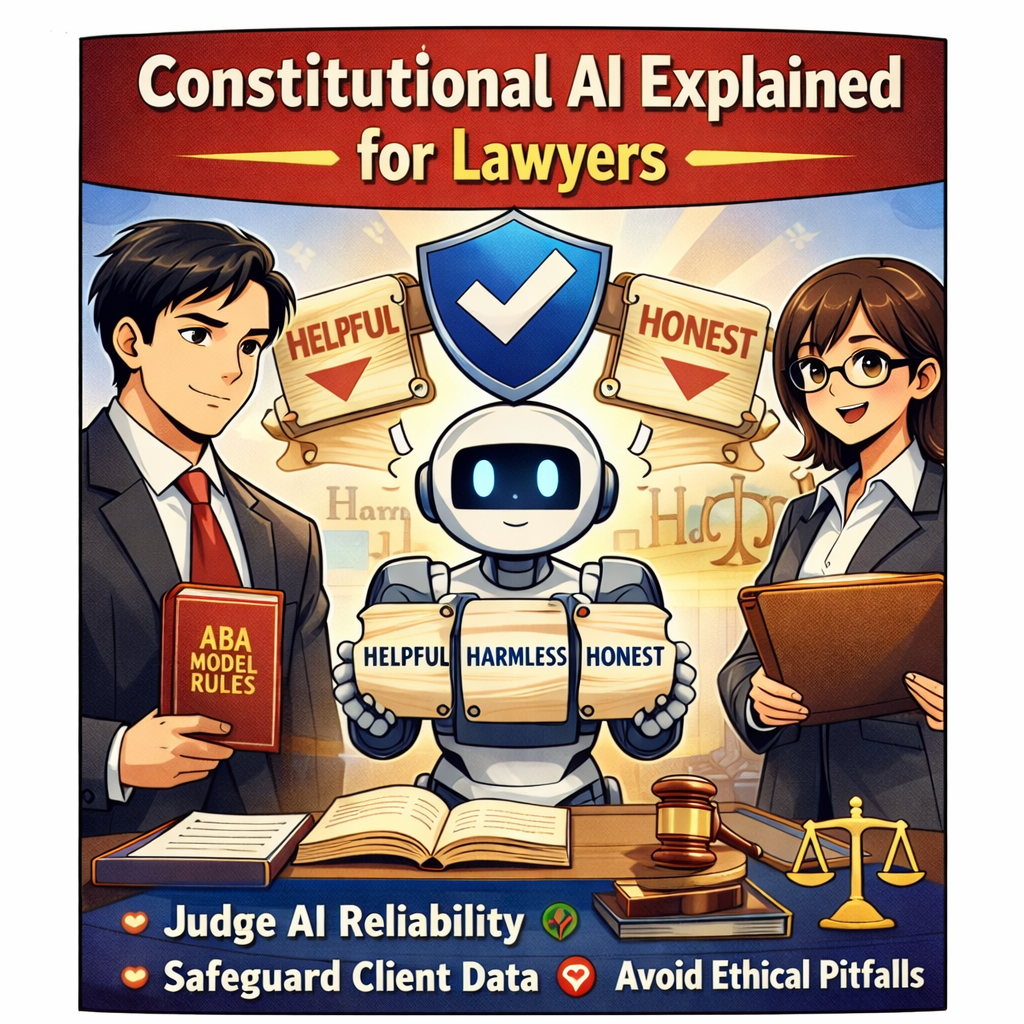
Word 📖 of the Week: Why Lawyers Need to Know the Term “Constitutional AI”

“Constitutional AI” is a design framework for artificial intelligence that aims to make AI systems helpful, harmless, and honest by training them to follow a defined set of higher‑level rules, much like a constitution. 🤖📜 For lawyers, this is not abstract theory; it connects directly to duties of technological competence, confidentiality, and supervision under the ABA Model Rules.

Most legal professionals now rely on AI‑enabled tools in research, drafting, e‑discovery, document automation, and client communication. These tools may use generative AI in the background even when the marketing materials do not emphasize “AI.” Constitutional AI gives you a practical way to evaluate those tools: are they structured to avoid hallucinations, protect confidential data, and resist being prompted into unethical behavior.

At a high level, a Constitutional AI system is trained to follow explicit principles, such as “do not fabricate legal citations,” “do not disclose confidential information,” and “do not assist in unlawful conduct.” The model learns to critique and revise its own outputs against those principles. For law firms, that aligns with the core expectations in ABA Model Rule 1.1 (competence) and its Comment 8, which require lawyers to understand the benefits and risks of relevant technology and stay current with changes in how these systems work. ⚖️

Constitutional AI also intersects with ABA Model Rule 1.6 on confidentiality. If an AI tool is not designed with strong guardrails, prompts, and outputs can expose sensitive client information to external systems or vendors. When you evaluate an AI platform, you should ask where data is stored, how prompts are logged, whether training data will include your matters, and whether the provider has implemented “constitutional” safeguards against data leakage and unsafe uses.

Supervision is another critical angle. ABA Formal Opinion 512 and Model Rules 5.1 and 5.3 stress that supervising lawyers must set policies and training for how attorneys and staff use generative AI. Constitutional AI can reduce risk, yet it does not replace supervisory duties. You still must review AI‑generated work product, confirm citations, validate factual assertions, and ensure the output is consistent with Rules 3.1, 3.3, and 8.4(c) on meritorious claims, candor to the tribunal, and avoiding dishonesty or misrepresentation.

For practitioners with limited to moderate tech skills, the key is to treat Constitutional AI as a practical checklist rather than a buzzword. ✅ Ask three questions about any AI tool you use:

  1. Is this AI actually helpful to the client’s matter, or is it just saving time while adding risk.

  2. Could this output harm the client through inaccuracy, bias, or disclosure of confidential data.

  3. Is the AI acting honestly, meaning it is not hallucinating cases or claiming certainty where none exists.

If any answer is “no,” you must pause, verify, and revise before relying on the AI output.

In the AI era, your ethical risk often turns on how you select, supervise, and document the use of AI in your practice. Constitutional AI will not make you bulletproof, but it gives you a structured way to align your technology choices with ABA Model Rules while protecting your clients, your license, and your reputation. 

Word of the Week: "Constitutional AI" for Lawyers - What It Is, Why It Matters for ABA Rules, and How Solo & Small Firms Should Use It!

Constitutional AI’s ‘helpful, harmless, honest’ standard is a solid starting point for lawyers evaluating AI platforms.

The term “Constitutional AI” appeared this week in a Tech Savvy Lawyer post about the MTC/PornHub breach as a cybersecurity wake‑up call for lawyers 🚨. That article used it to highlight how AI systems (like those law firms now rely on) must be built and governed by clear, ethical rules — much like a constitution — to protect client data and uphold professional duties. This week’s Word of the Week unpacks what Constitutional AI really means and explains why it matters deeply for solo, small, and mid‑size law firms.

🔍 What is Constitutional AI?

Constitutional AI is a method for training large language models so they follow a written set of high‑level principles, called a “constitution” 📜. Those principles are designed to make the AI helpful, honest, and harmless in its responses.

As Claude AI from Anthropic explains:
Constitutional AI refers to a set of techniques developed by researchers at Anthropic to align AI systems like myself with human values and make us helpful, harmless, and honest. The key ideas behind Constitutional AI are aligning an AI’s behavior with a ‘constitution’ defined by human principles, using techniques like self‑supervision and adversarial training, developing constrained optimization techniques, and designing training data and model architecture to encode beneficial behaviors.” — Claude AI, Anthropic (July 7th, 2023).

In practice, Constitutional AI uses the model itself to critique and revise its own outputs against that constitution. For example, the model might be told: “Do not generate illegal, dangerous, or unethical content,” “Be honest about what you don’t know,” and “Protect user privacy.” It then evaluates its own answers against those rules before giving a final response.

Think of it like a junior associate who’s been given a firm’s internal ethics manual and told: “Before you send that memo, check it against these rules.” Constitutional AI does that same kind of self‑checking, but at machine speed.

🤝 How Constitutional AI Relates to Lawyers

For lawyers, Constitutional AI is important because it directly shapes how AI tools behave when handling legal work 📚. Many legal AI tools are built on models that use Constitutional AI techniques, so understanding this concept helps lawyers:

  • Judge whether an AI assistant is likely to hallucinate, leak sensitive info, or give ethically problematic advice.

  • Choose tools whose underlying AI is designed to be more transparent, less biased, and more aligned with professional norms.

  • Better supervise AI use in the firm, which is a core ethical duty under the ABA Model Rules.

Solo and small firms, in particular, often rely on off‑the‑shelf AI tools (like chatbots or document assistants). Knowing that a tool is built on Constitutional AI principles can give more confidence that it’s designed to avoid harmful outputs and respect confidentiality.

⚖️ Why It Matters for ABA Model Rules

For solo and small firms, asking whether an AI platform aligns with Constitutional AI’s standards is a practical first step in choosing a trustworthy tool.

The ABA’s Formal Opinion 512 on generative AI makes clear that lawyers remain responsible for all work done with AI, even if an AI tool helped draft it 📝. Constitutional AI is relevant here because it’s one way that AI developers try to build in ethical guardrails that align with lawyers' obligations.

Key connections to the Model Rules:

  • Rule 1.1 (Competence): Lawyers must understand the benefits and risks of the technology they use. Knowing that a tool uses Constitutional AI helps assess whether it’s reasonably reliable for tasks like research, drafting, or summarizing.

  • Rule 1.6 (Confidentiality): Constitutional AI models are designed to refuse to disclose sensitive information and to avoid memorizing or leaking private data. This supports the lawyer’s duty to make “reasonable efforts” to protect client confidences.

  • Rule 5.1 / 5.3 (Supervision): Managing partners and supervising attorneys must ensure that AI tools used by staff are consistent with ethical rules. A tool built on Constitutional AI principles is more likely to support, rather than undermine, those supervisory duties.

  • Rule 3.3 (Candor to the Tribunal): Constitutional AI models are trained to admit uncertainty and avoid fabricating facts or cases, which helps reduce the risk of submitting false or misleading information to a court.

In short, Constitutional AI doesn’t relieve lawyers of their ethical duties, but it can make AI tools safer and more trustworthy when used under proper supervision.

🛡️ The “Helpful, Harmless, and Honest” Principle

The three pillars of Constitutional AI — helpful, harmless, and honest — are especially relevant for lawyers:

  • Helpful: The AI should provide useful, relevant information that advances the client’s matter, without unnecessary or irrelevant content.

  • Harmless: The AI should avoid generating illegal, dangerous, or unethical content, and should respect privacy and confidentiality.

  • Honest: The AI should admit when it doesn’t know something, avoid fabricating facts or cases, and not misrepresent its capabilities.

For law firms, this “helpful, harmless, and honest” standard is a useful mental checklist when using AI:

  • Is this AI output actually helpful to the client’s case?

  • Could this output harm the client (e.g., by leaking confidential info or suggesting an unethical strategy)?

  • Is the AI being honest (e.g., not hallucinating case law or pretending to know facts it can’t know)?

If the answer to any of those questions is “no,” the AI output should not be used without significant human review and correction.

🛠️ Practical Takeaways for Law Firms

For solo, small, and mid‑size firms, here’s how to put this into practice:

Lawyers need to screen AI tools and ensure they are aligned with ABA Model Rules.

  1. Know your tools. When evaluating a legal AI product, ask whether it’s built on a Constitutional AI–style model (e.g., Claude). That tells you it’s designed with explicit ethical constraints.

  2. Treat AI as a supervised assistant. Never let AI make final decisions or file work without a lawyer’s review. Constitutional AI reduces risk, but it doesn’t eliminate the need for human judgment.

  3. Train your team. Make sure everyone in the firm understands that AI outputs must be checked for accuracy, confidentiality, and ethical compliance — especially when using third‑party tools.

  4. Update your engagement letters and policies. Disclose to clients when AI is used in their matters, and explain how the firm supervises it. This supports transparency under Rule 1.4 and Rule 1.6.

  5. Focus on “helpful, honest, harmless.” Use Constitutional AI as a mental checklist: Is this AI being helpful to the client? Is it honest about its limits? Is it harmless (no bias, no privacy leaks)? If not, don’t rely on it.