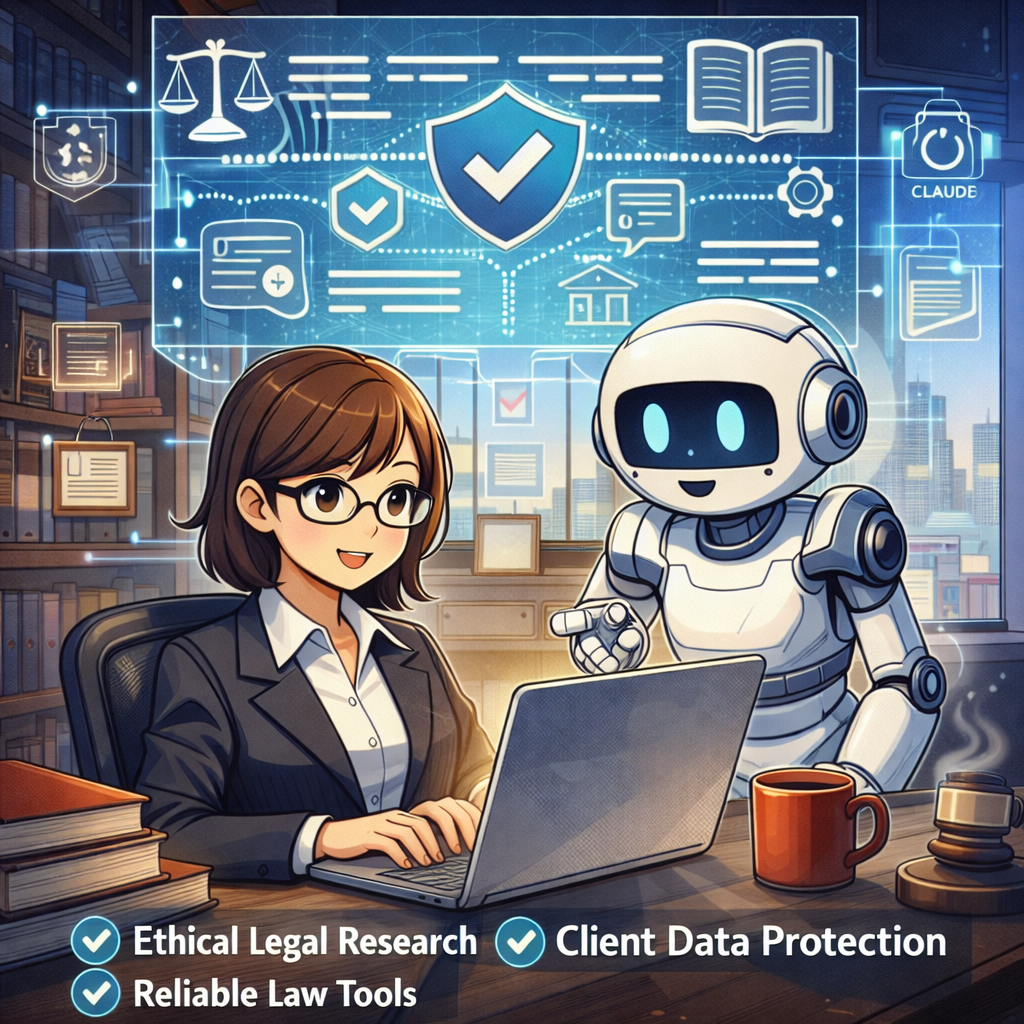
🎙️ Ep. 139, From MyCase to Claude: Building a Secure, AI-Ready Tech Stack for Solo and Small Law Firms.

My next guests are Gabriela “Gabby” Cubeiro, Senior Vice President of Product at 8am — the powerhouse behind MyCase, LawPay, CASEpeer, and DocketWise — and Majo Castro, founder and managing attorney at CastroMand Legal in Austin, Texas. 🌟 Gabby is a 16-year legal tech veteran who co-founded CASEpeer and now drives product strategy across one of the most widely adopted law practice management platforms in the country. Majo is a Venezuelan-born cybersecurity and AI attorney whose solo firm helps growing companies navigate AI implementation, data management, and cybersecurity — and she writes about all of it on her Substack, The Cyber Law Gal. 🛡️ This is a no-fluff, peer-to-peer conversation about the exact workflows that separate a modern LPM from a liability, why the Data Processing Agreement is the most important acronym in your practice right now, and what your employees are almost certainly already doing with AI — whether you've approved it or not.

Join Gabriela “Gabby” Cubeiro, Majo Castro, and me as we discuss the following three questions and more!

  1. What are the top three integrations or workflows a solo, small, or midsize firm should expect from a modern cloud-based LPM platform like 8am — and what's missing that signals a real red flag around efficiency, cash flow, or security?

  2. As AI gets baked into cloud LPM tools like 8am, what are the top three day-to-day tasks that will change most for solo and small firm lawyers — and what basic security or ethical guardrails should they put in place to use those AI features without putting client data at risk?

  3. For solo and small firms without a CISO or CTO, what are the top three cybersecurity mistakes you see over and over again?

In our conversation, we cover the following:

  • [00:00:00] 🪝 Show Hook — Gabby's critical warning: if your firm hasn't "adopted" AI, your employees probably already have — on free consumer tools

  • [00:00:00] Title read — Episode 139

  • [00:01:00] Host intro: why this conversation goes tactical on AI, security, and LPM workflows

  • [00:02:00] Guest introductions — Gabriela “Gabby” Cubeiro (8am/MyCase) and Majo Castro (CastroMand Legal / The Cyber Law Gal)

  • [00:03:00] Majo celebrates 1.5 years as a solo practitioner 🎉

  • [00:03:00] Ad: Five-star review request for The Tech-Savvy Lawyer.Page

  • [00:03:30] Tech setups — Gabby's MacBook Air (M4 chip), iPhone Max, Slack, Zoom, Google Drive, Claude Enterprise

  • [00:06:00] Gabby's portable USB-C external monitor for travel (Amazon, highest-rated)

  • [00:09:00] Majo's MacBook Pro 14" M4 (16GB RAM), performance issues, upgrade path discussion

  • [00:10:00] Michael recommends Onyx (free Mac maintenance utility); Michael's Mac Studio M3 Ultra with 256GB

  • [00:11:00] Mac Mini and Mac Studio as desktop alternatives; MacRumors Buyer's Guide tip

  • [00:13:00] Apple Business Account benefits — small discounts + white-glove service

  • [00:15:00] Majo's full setup: iPhone 16 Pro Max, Google Workspace + Gemini (team account with DPA), DJI Osmo Pocket 3, Hollyland wireless mic

  • [00:16:00] Q1: Top three LPM workflows — intake, secure client communication (client portal), and getting paid (trust accounting + automated invoicing)

  • [00:19:00] Majo on switching from QuickBooks to MyCase after discovering QuickBooks mishandles trust accounting

  • [00:20:00] 🎉 Gabby announces: AI case summary features are now LIVE in 8am/MyCase

  • [00:21:00] Cloud vs. local access debate — SaaS uptime, SLAs, and asking vendors for proof

  • [00:23:00] Michael's redundant backup strategy: Backblaze + Dropbox + local Mac Mini

  • [00:25:00] Cautionary tale: ransomware attack converts a server-based firm to the cloud overnight

  • [00:28:00] Majo's Google Drive third-party backup with 2-hour recovery window

  • [00:29:00] Q2: How AI changes daily workflows — drafting, case summaries, surfacing critical info fast

  • [00:30:00] Why reading vendor Terms of Service and activating Data Processing Agreements (DPAs) is non-negotiable

  • [00:31:00] 8am's SOC 2 Type 2 compliance; updated AI terms and opt-in controls coming

  • [00:32:00] SOC 2, HIPAA, end-to-end encryption as baseline vendor security requirements

  • [00:34:00] AI as the great equalizer — leveling the playing field for solo firms vs. BigLaw

  • [00:35:00] Majo's real data: ~12 hours saved last month across 27 consultations using Gemini for proposals

  • [00:36:00] Plaud and Pocket AI recording devices — data retention, PII, and DPA concerns

  • [00:37:00] Majo's stance on wearable AI recorders; Apple Watch comparison; one-party vs. two-party consent

  • [00:39:00] Plaud's terms say no AI training — but it's not a DPA; terms can change without notice 🚨

  • [00:40:00] Google Workspace DPA must be manually activated — most users don't know; creating user friction around protection

  • [00:41:00] Q3: Top cybersecurity mistakes — shadow AI, no MFA, undertrained employees

  • [00:42:00] Majo's checklist: DPA + no model training on client data + enterprise/team-tier subscriptions + MFA

  • [00:43:00] Gabby: employees are the #1 security risk; fractional IT and CISO options for small firms

  • [00:44:00] AI-powered phishing attacks on law firms will only intensify

  • [00:45:00] Majo's training method: positive AI policies + 45-second staff video explainers 🎬

  • [00:46:00] 🚨 Gabby's shadow AI reminder (Show Hook callback): audit your tech stack — your team already has

  • [00:47:00] Episode originally recorded at ABA Techshow; re-recorded after a technical snafu 😅

  • [00:47:00] Where to find Gabby: LinkedIn, X, 8am.com, Kaleidoscope conference (September — banner at 8am.com)

  • [00:48:00] Where to find Majo: LinkedIn (Majo Castro), CastroMand Legal, Substack: The Cyber Law Gal

  • [00:48:30] Outro — michaeldj@thetechsavvylawyer.page | next episode in ~two weeks

RESOURCES

Connect with Gabriela “Gabby” Cubeiro

Connect with Majo Castro

Mentioned in the Episode

Hardware Mentioned

📽️ BONUS Labs 🧪 Initiative: Tech-Savvy Lawyer on Law Practice Today Podcast — Essential Trust Account Tips for Solo & Small Law Firms w/ Terrell Turner (Copy)

For those who prefer video over plain audio, enjoy this take on my guest appearance on Law Practice Today Podcast!

🙏 Special Thanks to Terrell Turner and the ABA for having me on the Law Practice Today Podcast, produced by the Law Practice Division of the American Bar Association. We have an important discussion on trust account management. We cover essential insights on managing trust accounts using online services. This episode has been edited for time, but no information was altered. We are grateful to the ABA and the Law Practice Today Podcast for allowing us to share this valuable conversation with our audience.

🎯 Join Terrell and me as we discuss the following three questions and more!

  1. What precautions should lawyers using online services to manage trust accounts be aware of?

  2. How can solo and small firm attorneys find competent bookkeepers who understand legal trust accounting?

  3. What security measures should attorneys implement when using online payment processors for client funds?

⏱️ In our conversation, we cover the following:

00:00 – Introduction & Preview: Trust Accounts in the Digital Age

01:00 – Welcome to the Law Practice Today Podcast

01:30 – Today's Topic: Online Services for Payments

02:00 – Guest Introduction: Michael D.J. Eisenberg's Background

03:00 – Michael's Experience with Trust Accounts

04:00 – Challenges for Solo and Small Practitioners

05:00 – Ensuring Security in Online Services

06:00 – Questions to Ask Online Payment Providers

07:00 – Password Security & Two-Factor Authentication

08:00 – Finding a Competent Legal Bookkeeper

09:00 – Why 8AM Law Pay Works for Attorneys

10:00 – Daily Monitoring of Trust Accounts

11:00 – FDIC Insurance & Silicon Valley Bank Lessons

13:00 – Researching Trust Account Best Practices

15:00 – Closing Remarks & Podcast Information

📚 Resources

🔗 Connect with Terrell

💼 LinkedIn: https://www.linkedin.com/in/terrellturner/

🌐 Website: https://www.tlturnergroup.com/

🎙️ Law Practice Today Podcast – https://lawpracticetoday.buzzsprout.com

📰 Mentioned in the Episode

💻 Software & Cloud Services Mentioned in the Conversation

  • 8AM Law Pay – Legal payment processing designed for trust account compliance – https://www.8am.com/lawpay/

  • 1Password – Password manager for generating and syncing complex passwords – https://1password.com/

  • LastPass – Mentioned as a password manager with noted security concerns – https://www.lastpass.com/

Word of the Week: "Constitutional AI" for Lawyers - What It Is, Why It Matters for ABA Rules, and How Solo & Small Firms Should Use It!

Constitutional AI’s ‘helpful, harmless, honest’ standard is a solid starting point for lawyers evaluating AI platforms.

The term “Constitutional AI” appeared this week in a Tech Savvy Lawyer post about the MTC/PornHub breach as a cybersecurity wake‑up call for lawyers 🚨. That article used it to highlight how AI systems (like those law firms now rely on) must be built and governed by clear, ethical rules — much like a constitution — to protect client data and uphold professional duties. This week’s Word of the Week unpacks what Constitutional AI really means and explains why it matters deeply for solo, small, and mid‑size law firms.

🔍 What is Constitutional AI?

Constitutional AI is a method for training large language models so they follow a written set of high‑level principles, called a “constitution” 📜. Those principles are designed to make the AI helpful, honest, and harmless in its responses.

As Claude AI from Anthropic explains:
Constitutional AI refers to a set of techniques developed by researchers at Anthropic to align AI systems like myself with human values and make us helpful, harmless, and honest. The key ideas behind Constitutional AI are aligning an AI’s behavior with a ‘constitution’ defined by human principles, using techniques like self‑supervision and adversarial training, developing constrained optimization techniques, and designing training data and model architecture to encode beneficial behaviors.” — Claude AI, Anthropic (July 7th, 2023).

In practice, Constitutional AI uses the model itself to critique and revise its own outputs against that constitution. For example, the model might be told: “Do not generate illegal, dangerous, or unethical content,” “Be honest about what you don’t know,” and “Protect user privacy.” It then evaluates its own answers against those rules before giving a final response.

Think of it like a junior associate who’s been given a firm’s internal ethics manual and told: “Before you send that memo, check it against these rules.” Constitutional AI does that same kind of self‑checking, but at machine speed.

🤝 How Constitutional AI Relates to Lawyers

For lawyers, Constitutional AI is important because it directly shapes how AI tools behave when handling legal work 📚. Many legal AI tools are built on models that use Constitutional AI techniques, so understanding this concept helps lawyers:

  • Judge whether an AI assistant is likely to hallucinate, leak sensitive info, or give ethically problematic advice.

  • Choose tools whose underlying AI is designed to be more transparent, less biased, and more aligned with professional norms.

  • Better supervise AI use in the firm, which is a core ethical duty under the ABA Model Rules.

Solo and small firms, in particular, often rely on off‑the‑shelf AI tools (like chatbots or document assistants). Knowing that a tool is built on Constitutional AI principles can give more confidence that it’s designed to avoid harmful outputs and respect confidentiality.

⚖️ Why It Matters for ABA Model Rules

For solo and small firms, asking whether an AI platform aligns with Constitutional AI’s standards is a practical first step in choosing a trustworthy tool.

The ABA’s Formal Opinion 512 on generative AI makes clear that lawyers remain responsible for all work done with AI, even if an AI tool helped draft it 📝. Constitutional AI is relevant here because it’s one way that AI developers try to build in ethical guardrails that align with lawyers' obligations.

Key connections to the Model Rules:

  • Rule 1.1 (Competence): Lawyers must understand the benefits and risks of the technology they use. Knowing that a tool uses Constitutional AI helps assess whether it’s reasonably reliable for tasks like research, drafting, or summarizing.

  • Rule 1.6 (Confidentiality): Constitutional AI models are designed to refuse to disclose sensitive information and to avoid memorizing or leaking private data. This supports the lawyer’s duty to make “reasonable efforts” to protect client confidences.

  • Rule 5.1 / 5.3 (Supervision): Managing partners and supervising attorneys must ensure that AI tools used by staff are consistent with ethical rules. A tool built on Constitutional AI principles is more likely to support, rather than undermine, those supervisory duties.

  • Rule 3.3 (Candor to the Tribunal): Constitutional AI models are trained to admit uncertainty and avoid fabricating facts or cases, which helps reduce the risk of submitting false or misleading information to a court.

In short, Constitutional AI doesn’t relieve lawyers of their ethical duties, but it can make AI tools safer and more trustworthy when used under proper supervision.

🛡️ The “Helpful, Harmless, and Honest” Principle

The three pillars of Constitutional AI — helpful, harmless, and honest — are especially relevant for lawyers:

  • Helpful: The AI should provide useful, relevant information that advances the client’s matter, without unnecessary or irrelevant content.

  • Harmless: The AI should avoid generating illegal, dangerous, or unethical content, and should respect privacy and confidentiality.

  • Honest: The AI should admit when it doesn’t know something, avoid fabricating facts or cases, and not misrepresent its capabilities.

For law firms, this “helpful, harmless, and honest” standard is a useful mental checklist when using AI:

  • Is this AI output actually helpful to the client’s case?

  • Could this output harm the client (e.g., by leaking confidential info or suggesting an unethical strategy)?

  • Is the AI being honest (e.g., not hallucinating case law or pretending to know facts it can’t know)?

If the answer to any of those questions is “no,” the AI output should not be used without significant human review and correction.

🛠️ Practical Takeaways for Law Firms

For solo, small, and mid‑size firms, here’s how to put this into practice:

Lawyers need to screen AI tools and ensure they are aligned with ABA Model Rules.

  1. Know your tools. When evaluating a legal AI product, ask whether it’s built on a Constitutional AI–style model (e.g., Claude). That tells you it’s designed with explicit ethical constraints.

  2. Treat AI as a supervised assistant. Never let AI make final decisions or file work without a lawyer’s review. Constitutional AI reduces risk, but it doesn’t eliminate the need for human judgment.

  3. Train your team. Make sure everyone in the firm understands that AI outputs must be checked for accuracy, confidentiality, and ethical compliance — especially when using third‑party tools.

  4. Update your engagement letters and policies. Disclose to clients when AI is used in their matters, and explain how the firm supervises it. This supports transparency under Rule 1.4 and Rule 1.6.

  5. Focus on “helpful, honest, harmless.” Use Constitutional AI as a mental checklist: Is this AI being helpful to the client? Is it honest about its limits? Is it harmless (no bias, no privacy leaks)? If not, don’t rely on it.

📻 BONUS: Tech-Savvy Lawyer on Law Practice Today Podcast — Essential Trust Account Tips for Solo & Small Law Firms w/ Terrell Turner

🙏 Special Thanks to Terrell Turner and the ABA for having me on the Law Practice Today Podcast, produced by the Law Practice Division of the American Bar Association. We have an important discussion on trust account management. We cover essential insights on managing trust accounts using online services. This episode has been edited for time, but no information was altered. We are grateful to the ABA and the Law Practice Today Podcast for allowing us to share this valuable conversation with our audience.

🎯 Join Terrell and me as we discuss the following three questions and more!

  1. What precautions should lawyers using online services to manage trust accounts be aware of?

  2. How can solo and small firm attorneys find competent bookkeepers who understand legal trust accounting?

  3. What security measures should attorneys implement when using online payment processors for client funds?

⏱️ In our conversation, we cover the following:

00:00 – Introduction & Preview: Trust Accounts in the Digital Age

01:00 – Welcome to the Law Practice Today Podcast

01:30 – Today's Topic: Online Services for Payments

02:00 – Guest Introduction: Michael D.J. Eisenberg's Background

03:00 – Michael's Experience with Trust Accounts

04:00 – Challenges for Solo and Small Practitioners

05:00 – Ensuring Security in Online Services

06:00 – Questions to Ask Online Payment Providers

07:00 – Password Security & Two-Factor Authentication

08:00 – Finding a Competent Legal Bookkeeper

09:00 – Why 8AM Law Pay Works for Attorneys

10:00 – Daily Monitoring of Trust Accounts

11:00 – FDIC Insurance & Silicon Valley Bank Lessons

13:00 – Researching Trust Account Best Practices

15:00 – Closing Remarks & Podcast Information

📚 Resources

🔗 Connect with Terrell

💼 LinkedIn: https://www.linkedin.com/in/terrellturner/

🌐 Website: https://www.tlturnergroup.com/

🎙️ Law Practice Today Podcast – https://lawpracticetoday.buzzsprout.com

📰 Mentioned in the Episode

💻 Software & Cloud Services Mentioned in the Conversation

  • 8AM Law Pay – Legal payment processing designed for trust account compliance – https://www.8am.com/lawpay/

  • 1Password – Password manager for generating and syncing complex passwords – https://1password.com/

  • LastPass – Mentioned as a password manager with noted security concerns – https://www.lastpass.com/