HOW TO: How Lawyers Can Run a Private Local LLM on a Smartphone: A Practical, Ethical Guide 📱🔒

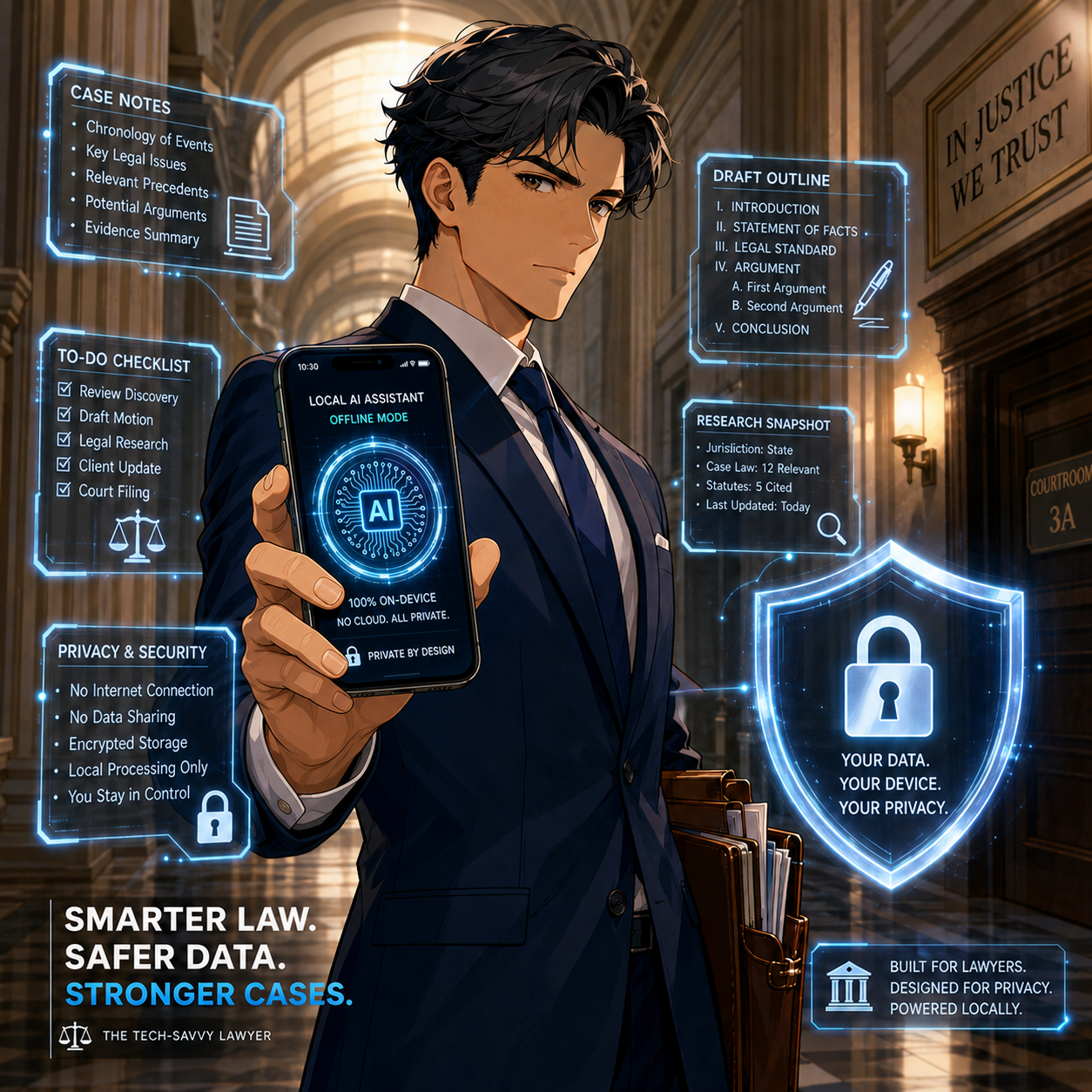
Lawyers can use local llms ON their smartphones if done right!

A local large language model, or LLM, lets you run generative AI can be run directly on your smartphone rather than sending prompts to a cloud-based service. For lawyers, that can create a useful extra layer of control over sensitive work product, client information, and drafts—provided you understand what “local” does and does not protect.

The attraction is obvious. You can use a capable AI assistant while traveling, in a courthouse hallway, or without reliable internet. More importantly, properly configured local AI can process prompts on the phone itself, rather than transmitting them to OpenAI, Google, Anthropic, or another remote provider. That is not a substitute for professional judgment, cybersecurity, or ethical compliance. It is, however, an option worth understanding. ⚖️

Why a Local Phone LLM Matters

Most familiar AI chat tools are cloud services. You type a prompt, the prompt is sent over the internet, the provider’s systems generate an answer, and the result returns to your device. The privacy terms, retention settings, training policies, account controls, and security practices of that provider matter enormously.

A local LLM changes the processing location. The model is downloaded to the phone, and it generates responses using the phone’s processor and memory. Lifehacker’s recent practical overview identifies two cross-platform options—PocketPal AI and Atomic Chat—and notes that local models can work offline and avoid sending ordinary prompts to conventional AI-cloud providers. The trade-off is that phone-based models are usually smaller, slower, and less capable than leading cloud systems. They also can consume noticeable battery power.

For legal professionals, local AI can be useful for lower-risk tasks such as:

  • Brainstorming headings for a motion or client alert 🧠

  • Rewriting your own nonconfidential prose for clarity

  • Producing a checklist from a sanitized fact pattern

  • Creating questions for a witness-preparation outline

  • Turning a public regulation or opinion into a plain-language summary

  • Developing podcast, blog, or presentation ideas while offline

  • Building prompts and workflows before using an approved firm system

The same warning applies here as it does to every generative-AI tool: an LLM is not a legal-research service, does not independently verify authorities, and can invent facts, quotations, or citations. Use it to accelerate thinking and drafting—not to replace validation. 🔍

What You Need Before You Start

You do not need a computer-science background, but you do need a reasonably current phone and realistic expectations.

Lifehacker reports that phones released within the last few years should generally be able to run smaller local models, and identifies RAM, rather than raw processor speed alone, as a particularly important practical limitation: 6 GB may be workable, while 8 GB or more is preferable. It also suggests smaller 1–2-billion-parameter models for phones with less memory. Larger models may take several gigabytes of storages

Before installation, confirm these basics:

  • Your phone uses a current version of iOS or Android.

  • You have at least several gigabytes of free storage.

  • Your phone is secured with a strong passcode, not a simple four-digit code.

  • Face ID, Touch ID, fingerprint unlock, or another biometric lock is enabled where available.

  • Your operating system and security updates are current.

  • Your firm's written technology, security, and AI policies permit the planned use.

  • You know whether your mobile-device-management system restricts unapproved apps or local file storage.

A practical starting point is a small, text-only model. "B," in labels such as "2B" or "7B," generally means billions of parameters. A smaller model usually responds faster and places less strain on the phone. A larger one may produce more nuanced output but can be slow, drain the battery, or fail to load.

Do not begin by downloading random models from unfamiliar sources. Treat model files like software: use reputable repositories, confirm the publisher, and avoid unofficial "enhanced," "uncensored," or repackaged downloads whose provenance you cannot assess. 🛡️

Step-by-Step🦶: Install a Local LLM

The exact screens will differ by phone and app version, but the workflow is straightforward. PocketPal AI and Atomic Chat are examples, not endorsements. Your firm may prefer a different approved tool.
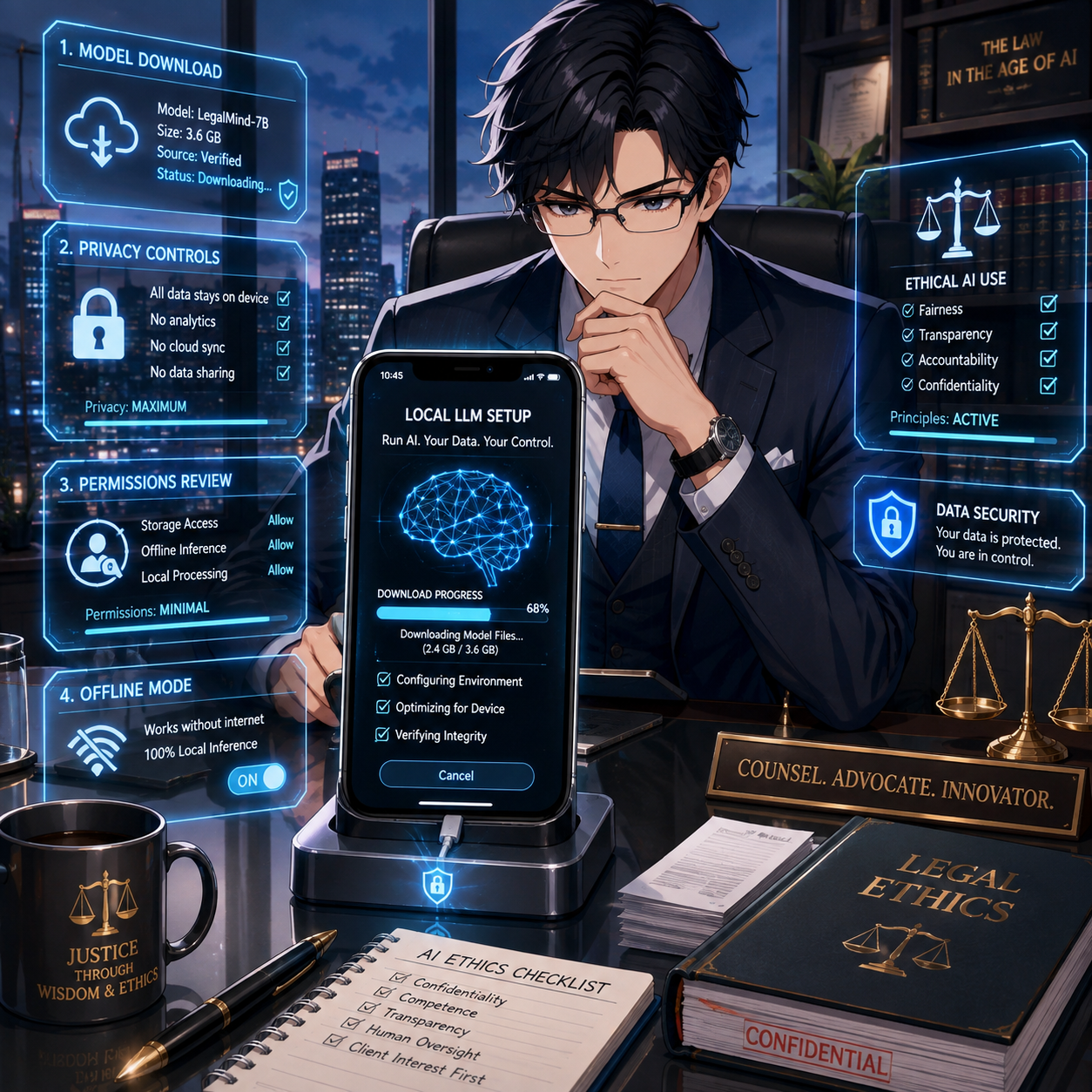
lawyers must research llms beyond the media hype to ensure they are using them in compliance with their legal ethics!

1. Decide on an appropriate use case

Start with a task that does not require client-identifying information. For example:

"Create a checklist of issues to consider when reviewing a public-sector employee's proposed disciplinary notice. Do not provide legal advice or cite cases."

This lets you test the quality, speed, and limitations of the model without creating a confidentiality issue.

2. Download from the official app store

On iPhone, use Apple's App Store. On Android, use Google Play or another firm-approved, trusted distribution channel.

Search for either PocketPal AI or Atomic Chat, then verify the developer name, app description, and privacy disclosures before installing. 🚨 Do not install an app from a link in a social-media post, an unknown website, or an unsolicited message. 🚨

Atomic Chat represents that all inference runs on the device, that no conversation data is ever transmitted anywhere, and that it collects no chat history, prompts, or AI-generated outputs. It also states it operates without a backend server for chat data and requires no account. Its Google Play data-safety disclosure, however, notes the app may collect app activity, app-performance information, and device identifiers as anonymous analytics. These are vendor representations, not a legal guarantee; lawyers should still perform appropriate diligence.

PocketPal similarly represents that models run directly on the phone, that no data leaves the device, and that the app is open source so users can independently verify the absence of data-collection mechanisms. Its Google Play listing, though, discloses that the app "may collect" and "may share" personal information with third parties —a disclosure that appears to sit in tension with the "zero data transmission" marketing claim and underscores why a lawyer should read the actual store disclosure, not just the app description.

3. Review permissions and privacy disclosures

Before opening the app, check what permissions it requests. A basic text-only local LLM should not need unfettered access to contacts, location, microphone, camera, or every file on your phone merely to answer typed prompts.

Some permissions may be reasonable for optional features. For example, camera access could be necessary if you intentionally ask the app to analyze an image. The key is to grant permissions deliberately, not reflexively.

Review these questions:

  • Does the app require an account or sign-in?

  • Does it state that prompts, chats, and uploaded files remain on-device?

  • Does it describe analytics, crash reporting, telemetry, or advertising identifiers?

  • Does it use cloud backup, synchronization, external search, or third-party APIs?

  • Does the privacy policy reserve the right to collect or share content?

  • Can you delete chat histories and locally stored files?

  • Can the app connect to external "agents," plug-ins, or web-search tools?

"Local" may describe the core text-generation function while other features still send data elsewhere. If you enable web search, cloud backup, voice transcription, document synchronization, or third-party integrations, your analysis must change accordingly. ⚠️

4. Download a small model

When you open the app, look for Models, Model Library, or a similar option.

PocketPal's project documentation describes selecting Models, choosing a listed model for download, or adding a compatible GGUF-format model from a recognized source. It also cautions users to choose a size and quantization compatible with the phone's memory and storage.

For a first test, choose a model that is:

  • Small enough for your device

  • Clearly identified by a reputable publisher

  • Designed for general text generation

  • Recently maintained

  • Downloaded from the application's built-in catalog or an official project page

Google's Gemma family, Meta's Llama family, and Microsoft's Phi models include smaller variants intended for constrained hardware. A smaller model can be suitable for brainstorming, summarization of text you provide, basic editing, and structured checklists. It should not be treated as a reliable source for current law, jurisdiction-specific rules, or legal citations.

5. Keep the first test confidentially clean

Begin with public material or invented facts. Ask the model to summarize a public court opinion, revise a paragraph you wrote for a blog post, or develop questions for an educational presentation.

Test it with a prompt such as:

"Edit the following public-facing paragraph for clarity and professionalism. Preserve the legal meaning. Identify any claim that needs a source."

Then review the result line by line. Check every substantive legal proposition yourself.

6. Secure the local data

Local processing is only part of the security analysis. If the phone is stolen, unlocked, compromised, backed up insecurely, or shared with another person, locally stored chats and documents may be exposed.

At a minimum:

  • Use a strong device passcode and biometric lock 🔐

  • Enable device encryption, which current iPhones and many current Android devices provide when properly secured

  • Set a short automatic-lock interval

  • Avoid saving client documents in the app unless the risk assessment supports it

  • Disable lock-screen previews that could reveal sensitive notifications

  • Review cloud-backup settings for app data and chat history

  • Use remote-wipe or "find my device" capability

  • Delete test chats and downloaded material you do not need

  • Do not leave a matter open on screen in court, at an airport, or in a shared workspace

The Overlooked Risk: Models "Learning" From Attorney Input
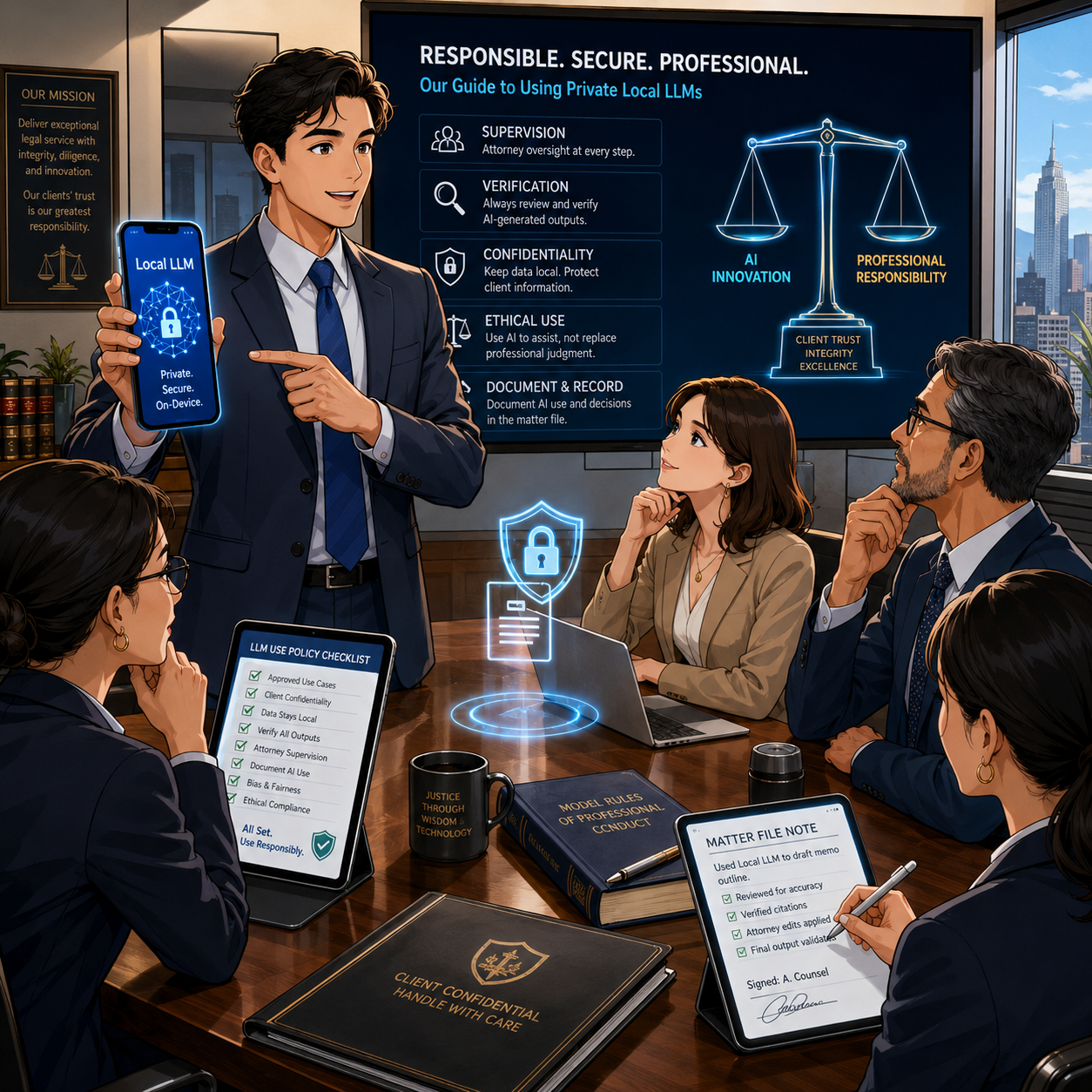
your firm needs to train its employees/lawyers about the proper use of ai in their work!

One security question deserves special attention because it is easy to overlook: could the model itself absorb, retain, or later reproduce a client's Social Security number, date of birth, or other personal identifying information that an attorney types into it? 🚨 For a genuinely on-device, inference-only app—one that loads a fixed, pre-trained model and does not perform continuous training on your conversations—the answer should generally be no. This is often the appeal of a self-hosted LLM. The downloaded model's parameters are typically frozen; a properly built local LLM app answers using that fixed model and does not retrain itself on each new prompt. That distinguishes it from cloud services that may use submitted conversations to improve or fine-tune their systems unless a user opts out.

That reassurance, however, is only as good as the app's actual architecture and the accuracy of its disclosures, and lawyers should not accept marketing language at face value. Independent reporting on local-AI apps has documented real gaps between privacy claims and practice, including apps marketed as "private" or "local-first" that were found to have no meaningful security protecting stored conversations. Google Play's own data-safety disclosures for both PocketPal AI and Atomic Chat list categories of information the apps "may collect," including personal information for PocketPal and device or app-activity data for Atomic Chat—details that are easy to miss if a lawyer relies solely on the app-store description or promotional copy. Security researchers have also noted that on-device models and their associated data stores are not immune from device-level compromise: models and cached data stored in plaintext on a phone can potentially be extracted through malware, physical access, or forensic tools if the device itself is not adequately secured.

For a lawyer, the practical lesson is threefold:

  1. Confirm from the developer's actual privacy policy (not just app-store marketing) whether the app performs any training, fine-tuning, or cloud-connected analytics on your inputs;

  2. Never type a client's Social Security number, date of birth, account numbers, or comparable identifiers into any AI tool—local or cloud—unless that specific handling has been vetted; and

  3. Treat the phone's own security (encryption, passcode, biometric lock, remote wipe) as the last line of defense protecting whatever the app does store locally.

The Legal Ethics Analysis

self-hosted llms on your smartphone ARE GREAT WHEN YOU ARE ON THE ROAD, HAVE NO ACCESS TO THE INTERNET, OR ARE even in court!

The ABA's Formal Opinion 512 is the central national guidance point. Issued on July 29, 2024, it explains that lawyers using generative AI must fully consider their existing obligations under the Model Rules. Its principal topics include competence, confidentiality, client communication, candor, supervisory duties, and fees.

Model Rule 1.1: Competence

Model Rule 1.1 requires competent representation. Comment 8 directs lawyers to keep abreast of "the benefits and risks associated with relevant technology."

That does not require every attorney to become an AI engineer. It does require enough understanding to make informed choices. For a local phone LLM, that means knowing:

  • Whether the app truly processes prompts locally

  • Whether it trains, fine-tunes, or logs your inputs for any purpose

  • Whether a feature transmits data to another service

  • Where chat histories and documents are stored

  • Whether local files are included in a cloud backup

  • How the model's limitations affect the reliability of its output

  • Whether your phone and firm policies provide adequate security

Competence also means knowing when a task requires traditional legal research, human analysis, and source verification. A local model with no web access may be helpful for drafting, but it cannot tell you whether a case was overruled yesterday. 📚

Model Rule 1.6: Confidentiality

Model Rule 1.6 protects information relating to representation, regardless of its source. A lawyer generally may not disclose that information without informed consent, implied authorization, or another applicable exception. The ABA specifically identifies confidentiality as a core concern in generative-AI use.

A local LLM can reduce one type of disclosure risk because the prompt may stay on the phone rather than move to a cloud AI provider. But it does not eliminate confidentiality risk. The phone, app, model repository, cloud backup, external integrations, and the possibility that a client's Social Security number or date of birth could be typed into a tool without full understanding of its data-handling practices all matter.

For higher-risk client information, conduct a documented, matter-specific assessment. In some circumstances, informed client consent may be prudent or required. The answer depends on the sensitivity of the information, the tool's terms and safeguards, your jurisdiction's rules and guidance, the client's instructions, and your firm policy.

Model Rules 5.1 and 5.3: Supervision

If your firm permits staff, contract professionals, or lawyers to use local LLM apps, adopt clear controls. Model Rules 5.1 and 5.3 require appropriate supervisory efforts concerning lawyers and nonlawyer assistance.

A sensible policy can specify:

  • Approved apps and approved model sources

  • Prohibited uses and types of client data—expressly including Social Security numbers, dates of birth, and other identifying information

  • Required device-security controls

  • Procedures for verifying AI-generated legal citations

  • Review and approval requirements before any client-facing or court-filed use

  • Incident-reporting steps if a phone is lost or data may have been exposed

Model Rules 3.1 and 3.3: Candor and Accuracy

No lawyer should file AI-generated authorities, quotations, or factual assertions without verification. Courts have already made clear that invented citations can lead to sanctions and reputational damage. Local operation does not make a hallucinated case real. 🧾

Treat every AI-generated authority as unverified until you locate it in a reliable legal-research system or official source. The lawyer—not the model—signs the pleading, advises the client, and bears responsibility for the work.
See generally 3.1 and 3.3.

The Bottom Line
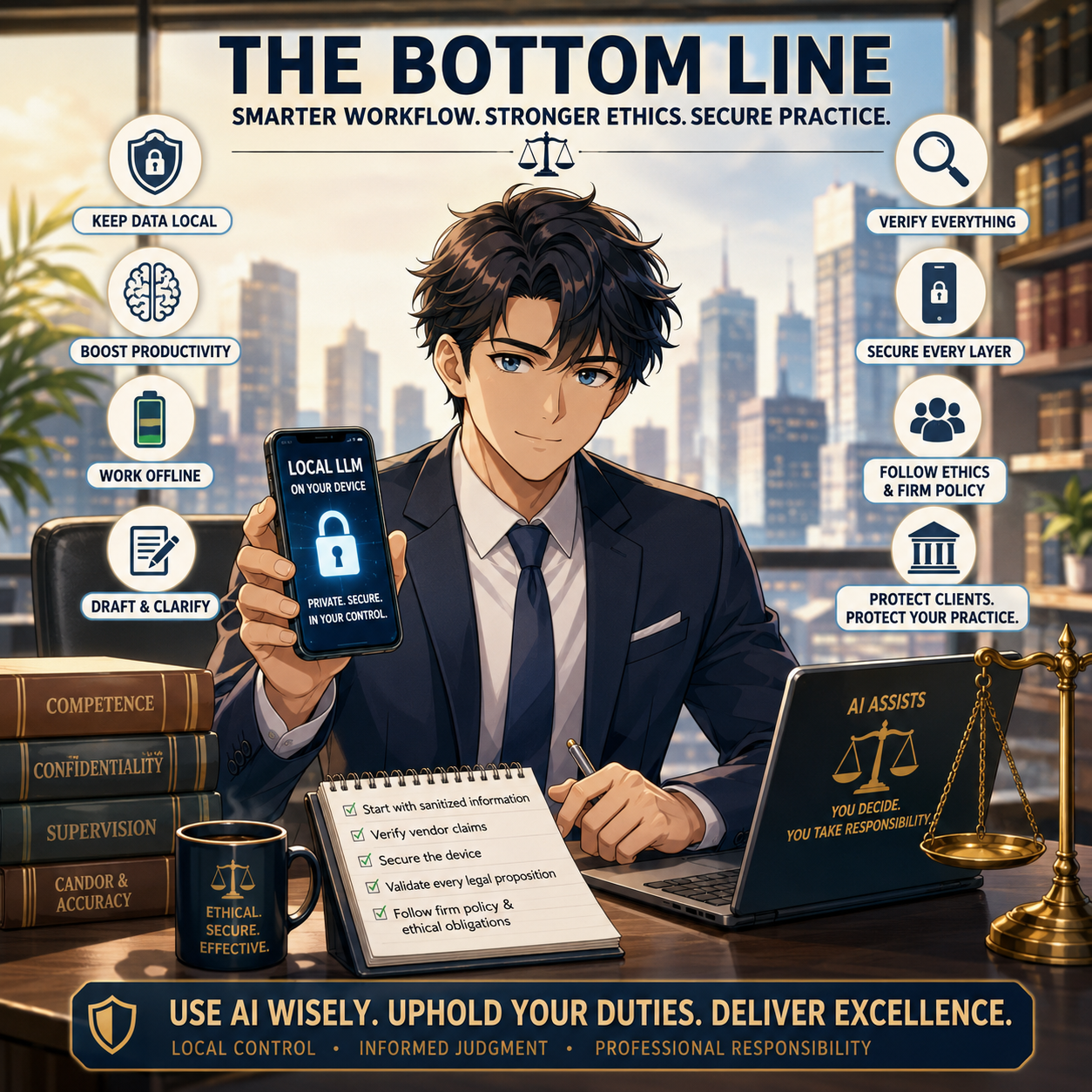
llms have their place in legal work if done right!

A local LLM can be a useful addition to a lawyer's technology toolkit. It can support offline brainstorming, editing, plain-language explanation, and internal workflow development while reducing routine reliance on cloud AI processing.

But privacy is not a marketing label. It is a system of facts: the app, the model, permissions, integrations, phone security, backups, firm policy, and the way you use the tool—including a clear-eyed understanding of whether your inputs are ever used to train or fine-tune anything. Start with sanitized information. Verify vendor claims against the actual privacy policy and app-store data-safety disclosures, not just the marketing copy. Secure the device. Validate every legal proposition. Then let the technology help you work more efficiently—without compromising the professional duties that define the practice of law. ⚖️📱

MTC: Washington’s Bar Exam Meltdown: What It Says About Cyber Risk, Competence, and the Future of Legal Tech ⚖️💻

Washington Bar Exam Cybersecurity Crisis Exposes Legal Technology Risks!

Washington’s last‑minute cancellation of this summer’s bar exam is not just a licensing story; it is a technology and ethics story that should make every practicing lawyer sit up straight. For solo and small‑firm practitioners, this is a case study in how fragile our exam, court, and law‑practice infrastructure has become in the face of sophisticated cyber threats—and how quickly that fragility can collide with our professional duties under the ABA Model Rules.

What Happened in Washington—and Why It Matters

The Washington bar abruptly pulled the plug on its planned exam administration, citing serious concerns about system integrity and the security of the underlying technology. Although details are still emerging, the through‑line is clear: the systems that deliver and proctor high‑stakes exams are now attractive targets for attackers and highly sensitive to infrastructure failures.

Think about the impact on examinees. Months of preparation, financial investment, travel, and childcare planning vanished with a late‑stage cancellation notice. But this is not only about logistics. This is about trust: Trust in the profession’s gatekeeping machinery and in the digital rails we have built for critical legal functions. When that trust erodes, the ripple hits everything from admissions to public confidence in our systems.

For working lawyers, this is a preview of what can happen when core legal processes—hearings, filings, exams, CLEs—depend on infrastructure that may be compromised or simply not resilient enough to withstand modern threats.

From Hotel Wi‑Fi to Bar Exams: The Captive Portal Threat 🚨

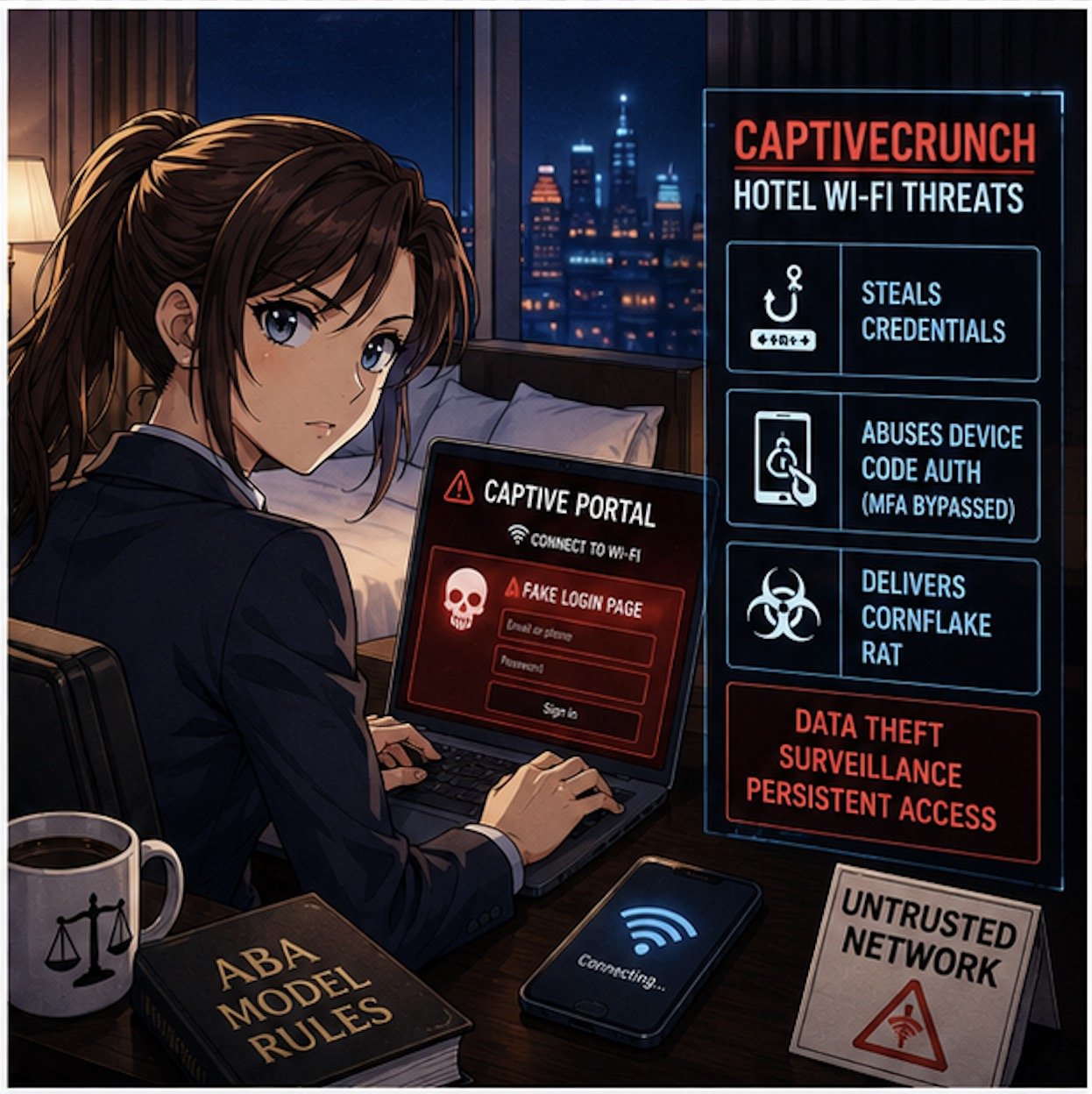
If the Washington story feels abstract, pair it with Microsoft’s recent warning about hotel and hospitality Wi‑Fi. Microsoft has identified a campaign, dubbed “CaptiveCrunch,” attributed to Russian‑linked threat actors (Storm‑2945), that hijacks captive portals—the login or “click to accept” pages we all use in hotels and conference centers—to steal credentials and deliver malware.

These attacks work by compromising the network infrastructure that sits between the user and the open internet. When a lawyer or bar examinee connects to the hotel Wi‑Fi and sees what looks like a routine sign‑in or software update prompt, that page may in fact be controlled by a threat actor. Microsoft reports that the attackers can:

  • Redirect users to fake Microsoft 365 sign‑in pages and harvest credentials without sending a phishing email.

  • Abuse device‑code authentication flows, so even multi‑factor authentication can be sidestepped if the victim enters a code and approves the request.

  • Deliver a Windows remote access trojan (“CornFlake”) that can log keystrokes, grab files, record audio and video, and maintain persistent access.

Now layer this onto the bar exam setting. You have hundreds of exam takers in hotels and rented housing, many running locked‑down exam software on laptops that still need network access for downloads, updates, or cloud syncing before or after the exam. If the exam provider’s systems or the candidates’ devices ride on compromised networks, you have a recipe for:

  • Actual or suspected compromise of exam content

  • Loss or alteration of answer files

  • Exposure of highly sensitive personal and biometric data

The bar’s decision to cancel may well reflect a recognition that once you have a credible cyber risk in the mix, it is better to protect exam integrity—even at enormous logistical and human cost—than to run an exam whose validity may later be attacked.  My heart goes out to the affected examinees, who have been left adrift in a difficult professional limbo—unable to move to the next stage of their careers and required to devote still more time, money, and emotional energy to preparing for another exam, with the hope that it will not be disrupted by malicious actors.

Ethics Meets Cyber Reality: ABA Model Rules in Play 📜

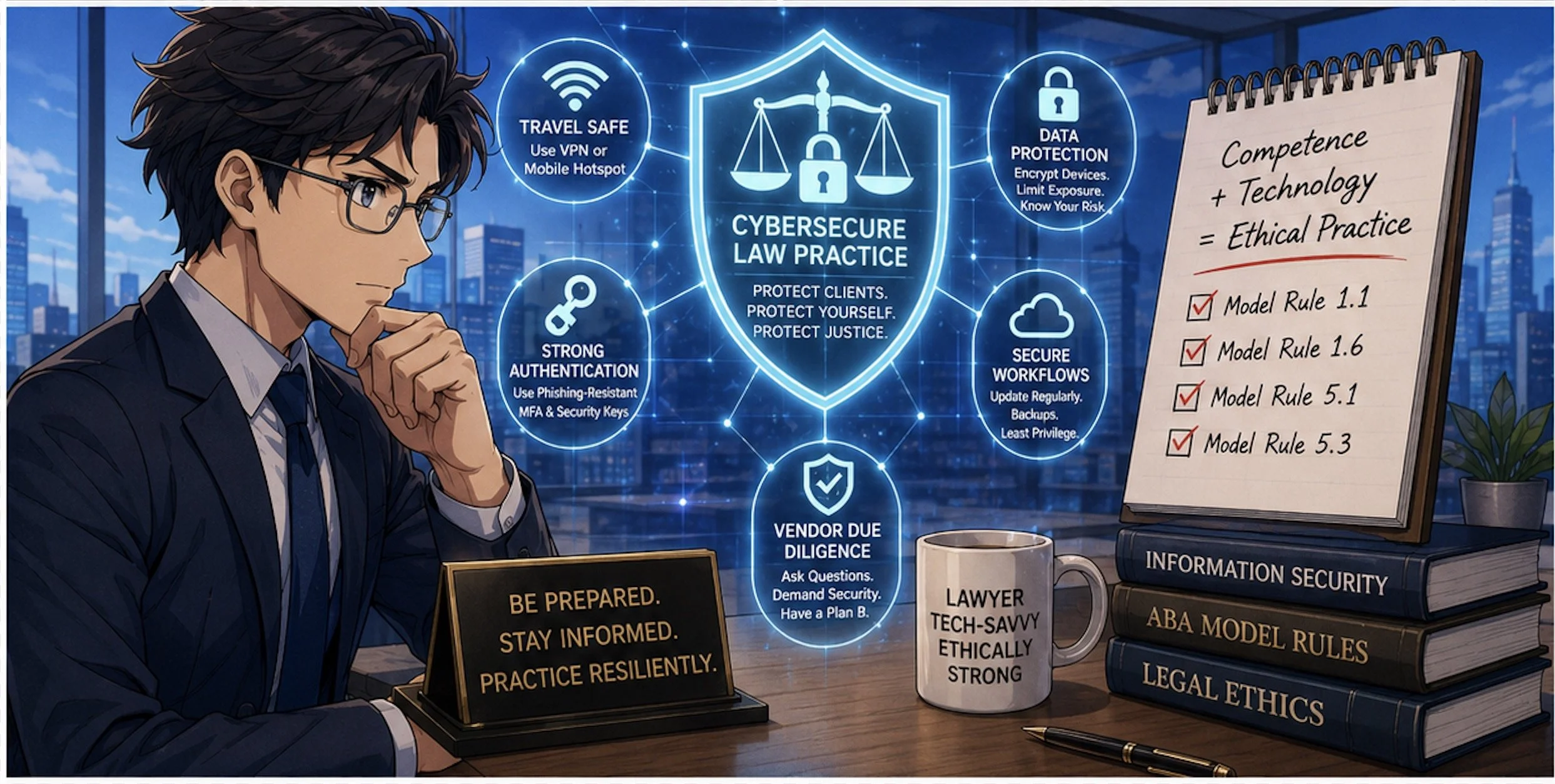
CaptiveCrunch Hotel Wi-Fi Attacks Threaten Lawyers’ Digital Security

This is where your daily practice intersects directly with the bar’s meltdown.

Model Rule 1.1 (Competence) explicitly includes a duty to understand “the benefits and risks associated with relevant technology.” Cyber threats like CaptiveCrunch are now squarely within “relevant technology.” If you travel for hearings, depositions, client meetings, or bar events and routinely connect to hotel Wi‑Fi without safeguards, you are not just taking a personal risk; you may be jeopardizing client confidences, privileged communications, and case strategy.

Model Rule 1.6 (Confidentiality of Information) requires reasonable efforts to prevent unauthorized access to client information. Using untrusted hotel or conference Wi‑Fi without protections—especially when we now have concrete warnings from Microsoft—raises tough questions about whether your security posture is still “reasonable.”

Model Rule 5.3 (Responsibilities Regarding Nonlawyer Assistance) and Rule 5.1 (Supervisory Lawyers) also surface here. When your cloud vendors, exam providers, or outsourced IT teams operate systems on which your work depends, your duty is not satisfied by “we assumed they had it handled.” You must perform due diligence, ask questions about security practices, and be prepared to adjust your workflows when a vendor’s risk profile changes.

The Bar Exam as a Canary in the Cyber Coal Mine 🐤

The Washington bar exam cancellation looks like a one‑off crisis, but it is better seen as a canary in the coal mine for the entire legal ecosystem.

We increasingly rely on:

  • Online proctoring systems for bar exams, law school tests, and certifications

  • Remote hearing platforms and e‑filing systems for courts

  • Cloud‑based case management, timekeeping, and trust accounting tools

Each of these systems sits on infrastructure that can be compromised at the network, platform, or endpoint level. The CaptiveCrunch campaign shows that attackers are willing to invest in compromising hospitality networks globally, in part because those networks handle high‑value corporate and professional traffic.

If attackers can hijack captive portals to intercept Microsoft 365 logins and deliver Remote Access Trojans (RATs) like CornFlake, they can also target:

  • Judicial staff connecting from hotels during conferences

  • Law firm partners working on the road

  • In‑house counsel traveling to negotiation sessions

Once a single endpoint is compromised, attackers can move laterally into cloud resources, email archives, document management systems, and case data.

In other words, the Washington bar’s crisis is the profession’s crisis—just seen in extreme close‑up.

Practical Security Takeaways for Solo and Small‑Firm Lawyers 🛡️

So what do you do differently now?

Microsoft’s recommendations for travelers are a good starting point: assume guest networks are untrusted, favor mobile hotspots or secured private connections, and avoid performing updates or entering credentials through captive portals. Let’s translate that into concrete steps for law practice:

Travel Playbook

  • Prefer your phone’s hotspot or a dedicated travel router with a trusted VPN when accessing email, case management, or client files on the road.

  • If you have no choice but to use hotel or other public Wi‑Fi, connect only through a reputable VPN and treat the captive portal as a necessary but dangerous doorway.

  • Complete only the minimum captive‑portal steps needed to get online, and then avoid entering passwords, approving authentication prompts, or installing updates until your VPN is active and you are past the captive‑portal page.

Authentication Hygiene

  • Move to phishing‑resistant authentication where possible (hardware security keys, platform authenticators) and restrict device‑code flows unless truly needed

  • Train your team to treat unexpected device‑code prompts or update pages during hotel logins as red flags, not background noise.

Vendor and Exam Provider Scrutiny

  • Ask pointed questions about incident response, logging, and how they handle suspected network compromise.

  • Build contingency plans—if an exam, hearing, or critical system fails or is compromised, what is your fallback?  (Perhaps a cheap backup laptop? Apple has a pretty good return policy - check provider details for timeliness and other requirements.)

Final Thoughts: Looking Ahead - Resilience, Not Just Compliance ✅

Cybersecurity Competence Is Now Essential for Modern Legal Practice!

The Washington bar’s decision to cancel its exam sends a hard message: compliance checklists and bare‑minimum security are no longer enough. We need resilience—systems and workflows designed to fail gracefully, with clear fallback paths that do not compromise integrity or fairness.

For bar authorities and courts, that means:

  • Building redundancy into exam and hearing platforms

  • Running adversarial security testing and tabletop exercises

  • Communicating transparently with stakeholders about how cyber risk is identified and mitigated

For practicing lawyers, it means re‑framing technology as part of our core competence, not a bolt‑on afterthought. Model Rule 1.1’s commentary on technology is not aspirational; it is a reflection of the reality that our ethical duties now live at the intersection of law and information security.

The bar exam meltdown in Washington is a wake‑up call. Pair it with Microsoft’s warning on hotel Wi‑Fi, and the message is unmistakable: our digital rails are under live fire. The question is whether we treat this as yet another “unprecedented” event—or as the moment we upgrade our tools, our habits, and our ethics posture to meet the threat.

MTC

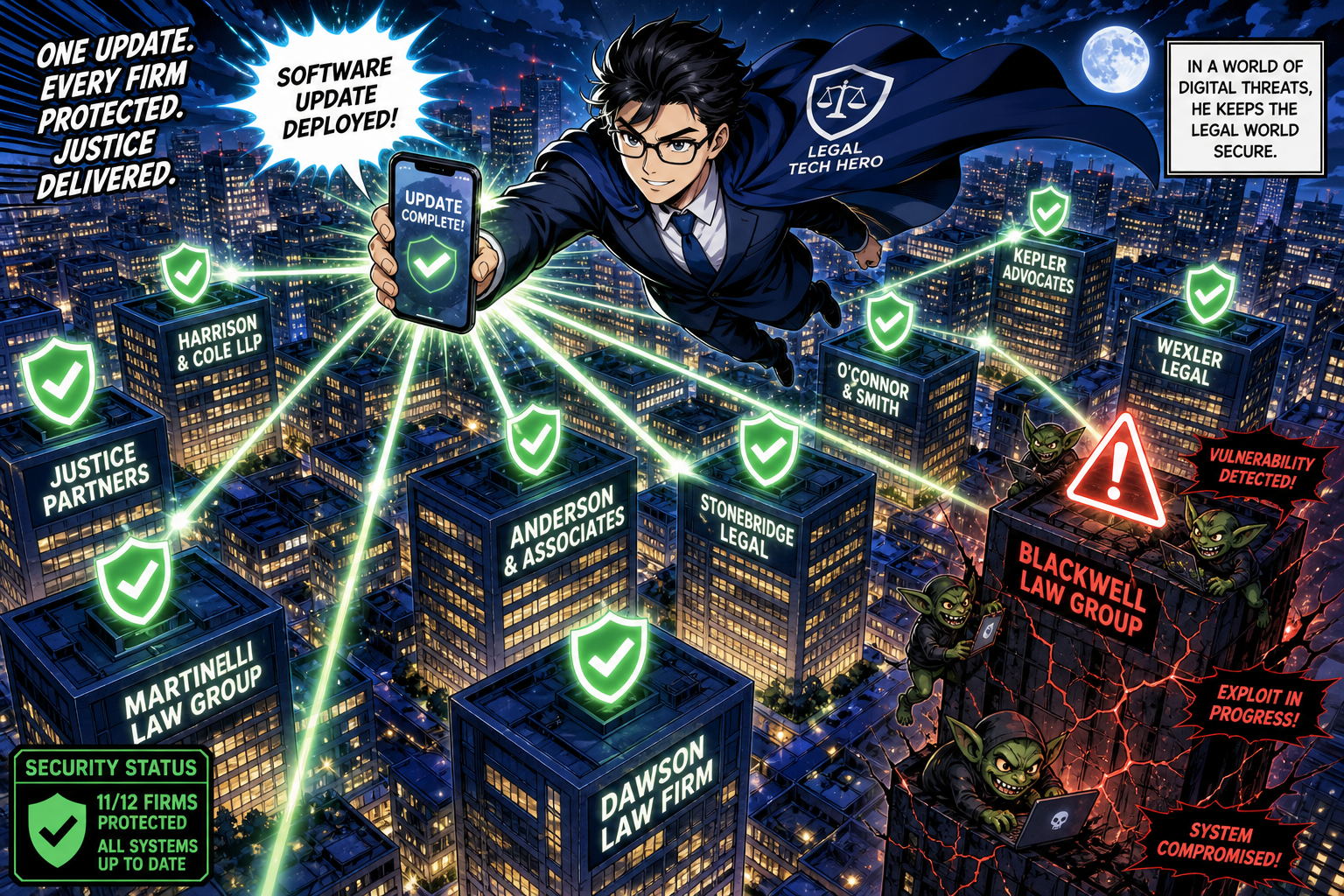
BOLO: Microsoft Just Dropped Its Biggest Patch Tuesday Ever — Why Lawyers Must Update Windows Right Now! 🛡️

Lawyers should up their Windows products now — protect your client data from cyber threats!

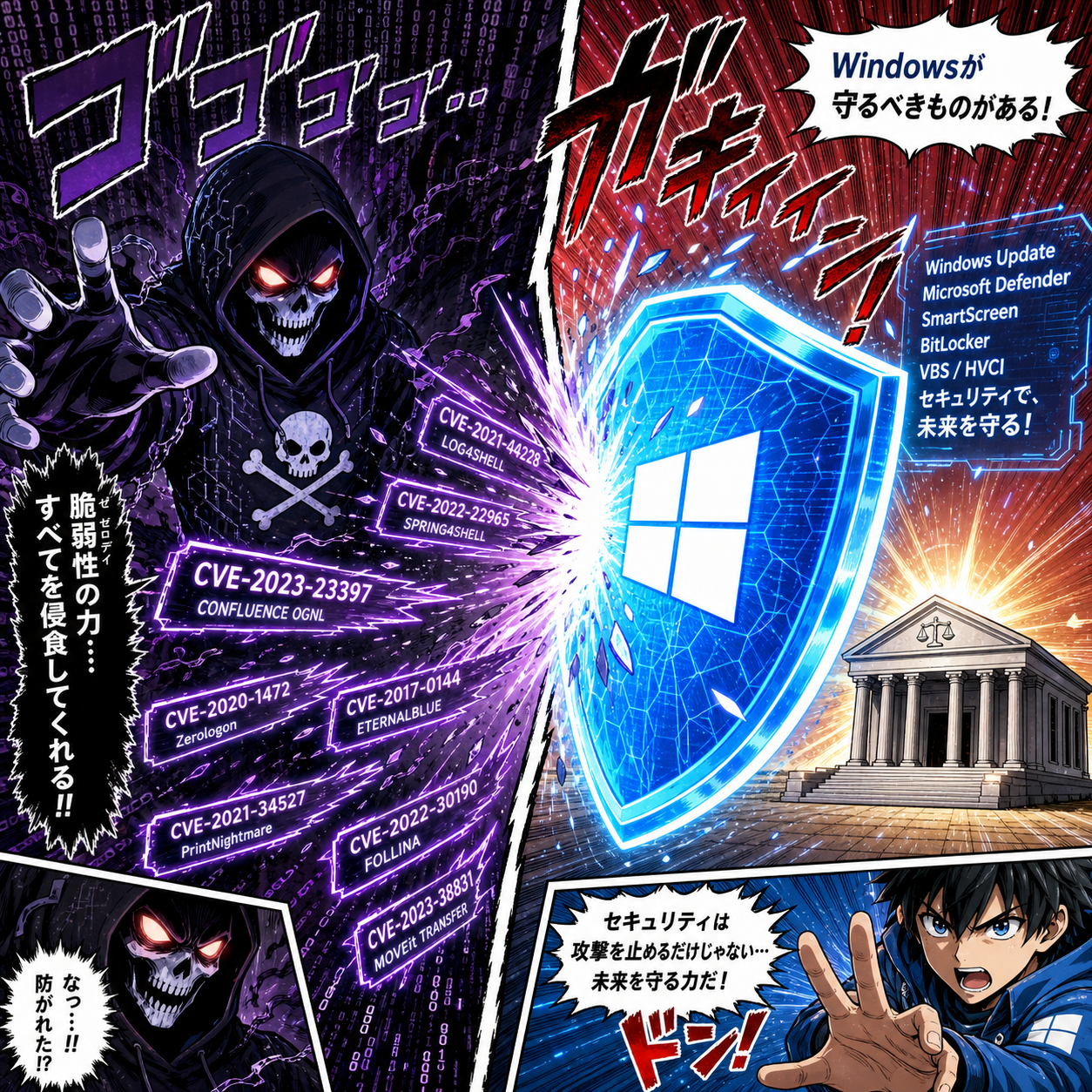
If you are a lawyer and your Windows machine is sitting there, unpatched, you are not just leaving your front door unlocked — you are handing a master key to anyone who wants it. On June 10, 2026, Microsoft released what security researchers are calling the largest Patch Tuesday in the company's history — fixing 206 to 211* security vulnerabilities across WindowsOfficeSharePointExchangeDefenderBitLockerAzure, and more. That number is not a typo. The 12-month average for a typical Patch Tuesday hovers around 100 fixes. This month, Microsoft doubled it.

The Numbers That Should Get Your Attention 📊

Here is what landed in June 2026's update package:

  • 206–211* total vulnerabilities patched — the largest Patch Tuesday release ever recorded

  • 32–37* rated Critical — the most critical fixes in a single release, ever 54 Remote Code Execution (RCE) vulnerabilities — up from an average of ~26 per month 66 Elevation of Privilege vulnerabilities

  • 3 publicly disclosed zero-days — bad actors knew about these flaws before Microsoft patched them

  • 3 separate vulnerabilities rated CVSS 9.8 out of 10, all exploitable over the network with no user interaction required

Let those last four words sink in: no user interaction required. An attacker does not need you to click a phishing link or open a malicious attachment. They just need your machine to be reachable on a network — and your Windows installation to be unpatched.

The Vulnerabilities That Matter Most to Law Firms ⚠️

CVE-2026-47291 is a Critical RCE vulnerability in HTTP.sys rated CVSS 9.8, flagged "Exploitation More Likely," affecting all versions of Windows in mainstream support from Server 2016 through Windows 11. No privileges. No user interaction. Directly in the crosshairs: firms running web-facing client portals or remote desktop services. 🎯

CVE-2026-41091, affecting Microsoft Defender itself, is marked Exploitation Detected, Weaponized, and Publicly Aware . When your antivirus has a vulnerability that is already being actively weaponized in the wild, every hour you delay patching is an hour of unnecessary exposure.

CVE-2026-44815, a CVSS 9.8 RCE in the DHCP Client Service, and CVE-2026-50508, a Windows NTLM Spoofing vulnerability flagged "Exploitation More Likely," round out the priority list for law firms using Windows domain authentication.

The Secure Boot Factor: A Slower-Moving Risk 🔐

lawyers update your Windows security shield to block zero-day attacks on law firms!

Separate from the Patch Tuesday rush, June 2026 marks an important Secure Boot certificate transition. The certificates shipped inside Windows since 2011 are being replaced with new 2023-dated certificates valid until 2038. Microsoft is rolling these out through normal Windows Update, but some older devices need a BIOS firmware update from the manufacturer before the transition can complete. If your firm runs machines built before 2024, open Windows Security → Device Security → Secure Boot and verify the status text — not just the color. Microsoft warns that a green checkmark alone does not confirm the new certificates have been applied.

🚨This Is an Ethics Issue. Full Stop. ⚖️

ABA Model Rule 1.1 requires competent representation, and Comment 8 explicitly extends that duty to include "the benefits and risks associated with relevant technology”.  Staying abreast of a historic, record-breaking security release is not optional — it is the standard. ABA Model Rule 1.6 requires lawyers to make "reasonable efforts to prevent the inadvertent or unauthorized disclosure of, or unauthorized access to, information relating to the representation of a client". Running unpatched software on machines holding client files is almost certainly not "reasonable." Formal ethics opinions across multiple jurisdictions have made clear that annual technology assessment, patching, and investing in updated software versions are baseline expectations. ABA Model Rule 5.3 places the supervision obligation squarely on the supervising attorney — if you manage a firm and your IT vendor has not deployed these patches, that exposure lands on you.

The ABA now considers "reasonable cybersecurity" an ethical requirement under Rule 1.6. A record-breaking, 200+ vulnerability patch release is exactly the kind of event the ABA had in mind.

How to Update Right Now (Three Minutes or Less) ⏱️

You do not need IT for this:

be a Tech-savvy lawyer and secure your law firm’s networks with timely updates!

✅ Click Start → Settings (gear icon)

✅ Select Windows Update

✅ Click Check for Updates

✅ Download and install everything that appears

✅ Click Restart now when prompted

✅ Return to Windows Update and verify "You're up to date"

If you manage other attorneys or staff, send this post to them right now. Contact your IT vendor today and request written confirmation that June 2026 Patch Tuesday updates have been deployed across all firm devices.

The Bottom Line 🔑

This is the biggest patch release in Microsoft's history. It includes actively exploited vulnerabilities, three CVSS 9.8 flaws requiring no user interaction, and a Defender vulnerability already in the wild. For solo practitioners and small firms — statistically among the most targeted and least-defended organizations in the legal sector — this update is not background noise. It is a call to action. Be tech-savvy. Protect your clients. Protect your license. Update your machines. 💪

MTC: AI Voice Cloning, Deepfake Fraud, and Crime Junkie: What Lawyers Must Learn Now ⚖️🧠

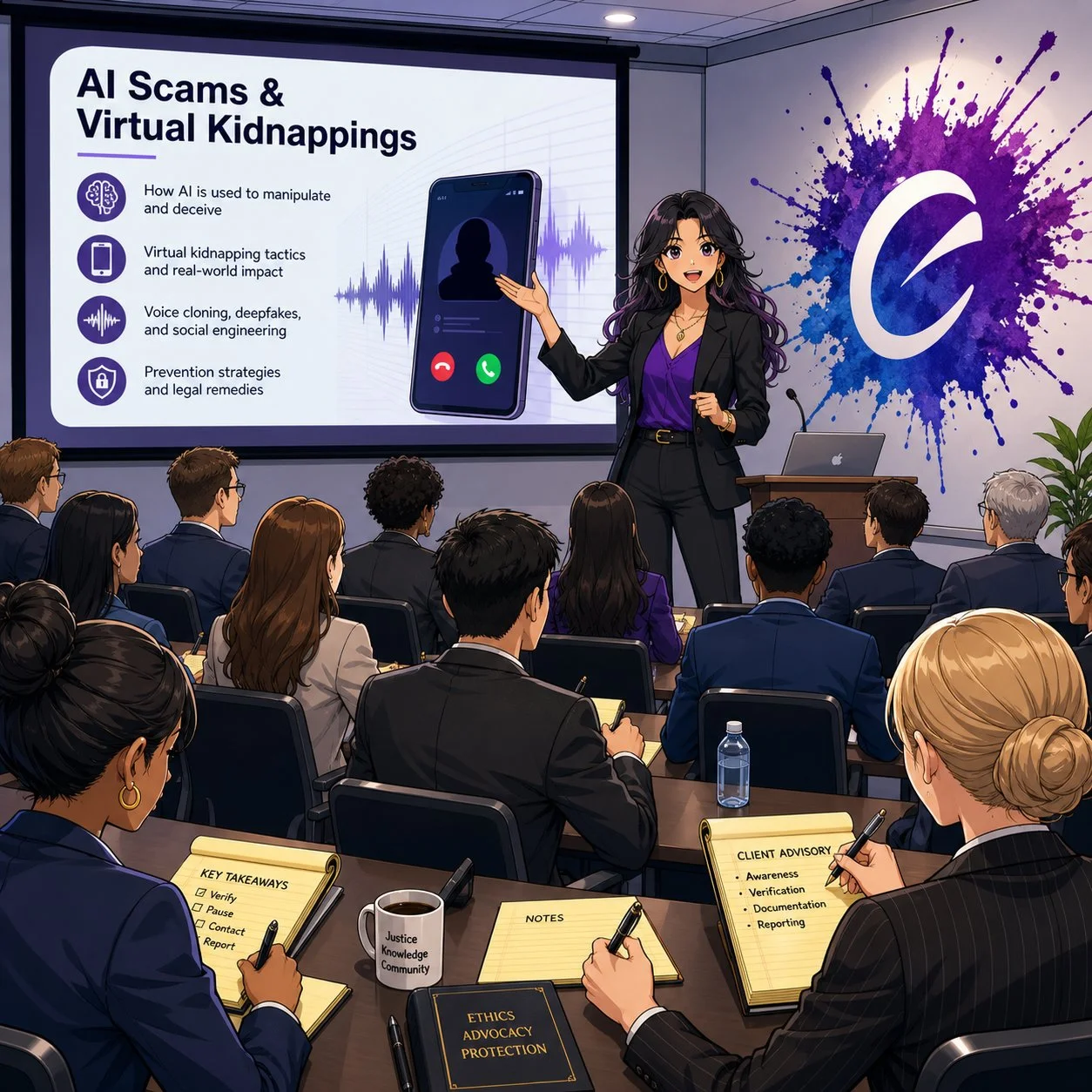
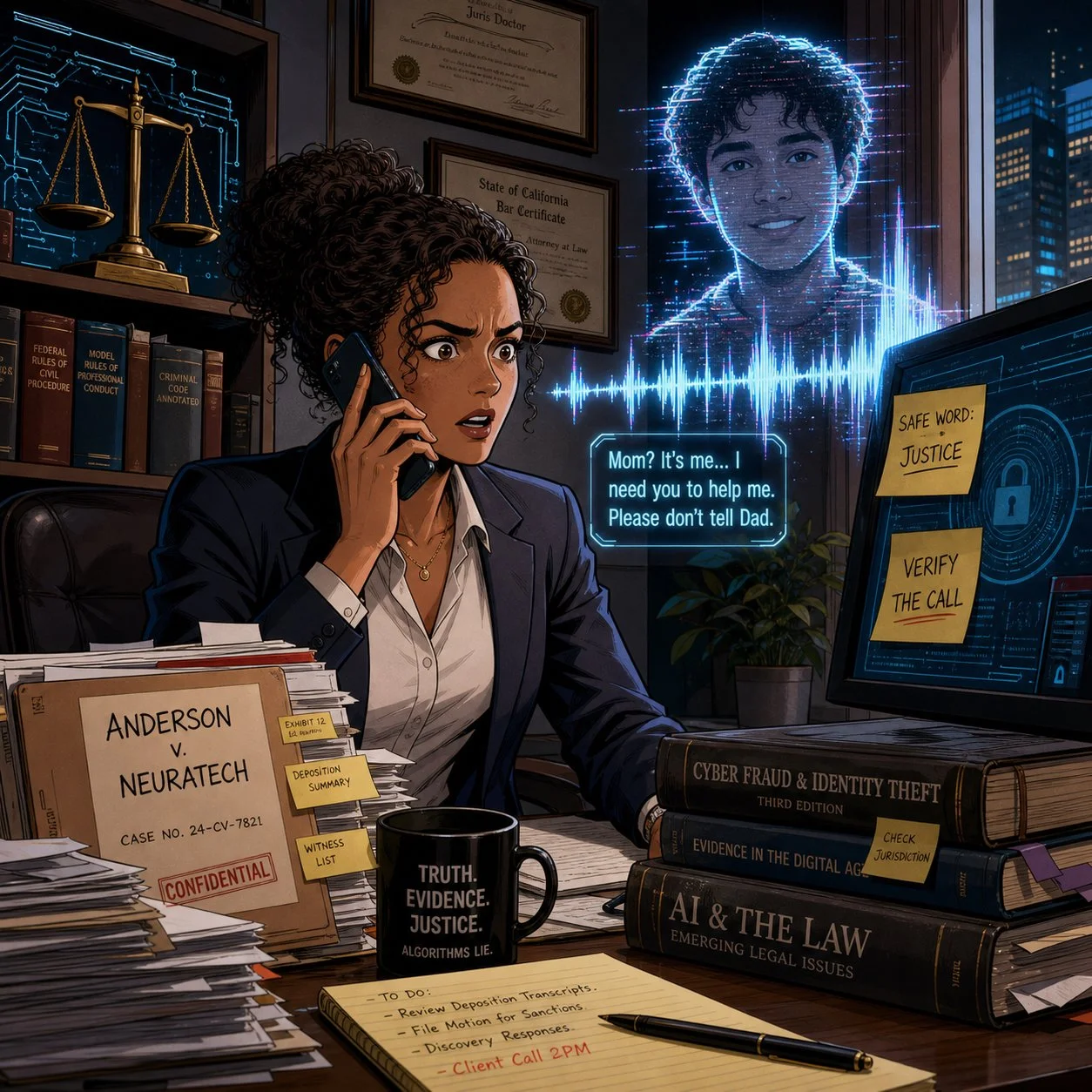
As a tech-savvy and ethically compliant lawyer, are you prepared to handle an ai voice-call scam?

We live in a world where a client can hear their child scream for help over the phone, know that voice down to the quiver in their sobs, and still be wrong about what’s real. At the same time, lawyers are getting “official” calls from spoofed sheriff’s offices demanding Bitcoin bail payments that feel just plausible enough to pass the sniff test. If you think your clients are the only ones at risk, you’re already behind.

As a long-time Crime Junkie fan, I’m grateful to Ashley Flowers, Brit Prawat, and the Audiochuck team for doing something the legal profession hasn’t always done well: translating complex, evolving tech crime into stories real people understand. Their recent warnings about AI voice cloning, virtual kidnappings, and sophisticated online scams are more than compelling podcast episodes—they’re mandatory listening for lawyers who care about their clients, their firms, and their own digital safety.

In this editorial, I want to bridge those Crime Junkie stories into practical takeaways for solo and small-firm lawyers, AI‑curious practitioners, and even tech‑skeptical colleagues. We’ll look at how these scams work, how the ABA Model Rules already expect you to understand enough technology to spot them, and how to turn “true crime” lessons into concrete safeguards for your practice. ⚙️

When Your Ears Can’t Be Trusted: AI Voice Cloning and Virtual Kidnappings 🎙️

In “WARNING: AI Voice Cloning and Virtual Kidnappings,” Crime Junkie walks us through a terrifying call to a mother who hears her daughter sobbing, begging for her life, while a man demands a ransom and lays out graphic threats. The twist, as many of us now know, is that the daughter is safe; the “kidnappers” are using AI‑cloned audio drawn from a tiny sample of her voice to weaponize panic.

Researchers cited in the episode describe how low‑cost AI tools can create a convincing voice clone from as little as three seconds of audio. Caller ID spoofing then makes it look like the call is coming from the victim’s phone, while scammers press for fast, untraceable payments in cash, gift cards, or crypto. The technology is cheap, the scripts are refined, and the goal is simple: override your critical thinking before you can verify anything.

From a legal ethics perspective, this isn’t just an interesting cybersecurity anecdote. ABA Model Rule 1.1 on competence—especially Comment 8—requires you to stay abreast of “the benefits and risks associated with relevant technology.” An environment where your client can be tricked into paying a fake ransom, or where your own voice can be cloned to mislead staff or opposing parties, is very much “relevant technology.”

If you are not talking with clients and staff about AI‑driven fraud risk, you are not just missing a teaching moment—you may be edging toward a competence problem under the Model Rules.

Lessons for Client Counseling: Safe Words, Verification, and Panic‑Proof Plans 🛟

One of the most practical takeaways in the AI voice cloning episode is also one of the simplest: set a family and a seperate law office “safe word” and rehearse how to verify calls under extreme stress. The FBI, National Cybersecurity Alliance, and digital forensics experts interviewed for the episode all echo the same theme—pre‑commitment beats improvisation when panic hits.

This is precisely the kind of low‑tech, high‑impact advice lawyers can—and should—be giving in client counseling sessions, especially with:

  • Family law clients dealing with high‑conflict co‑parenting or domestic violence

  • Estate planning clients with vulnerable or elderly relatives

  • Business clients whose executives or finance staff could be targeted by “CEO voice” scams

Here’s a concrete, lawyer‑friendly checklist you can adapt:

  1. Safe Word Policy
    Encourage clients to adopt a family or organizational safe word, shared only in person or via secure channels, for any call alleging an emergency or ransom demand.

  2. Verification Protocols
    Teach clients to verify via a second channel: call back on a known number, text from another device, or contact a third person who can physically locate the supposed victim.

  3. Call 911 First When in Doubt
    Emphasize that if they believe a life is at risk, they should call 911—even if they suspect it might be a scam. Law enforcement can help triage the situation; if it’s a scam, they can sort that out after.

  4. Evidence Preservation
    Tell clients to screenshot call logs, save audio, and preserve any “proof of life” photos or messages before they disappear, as some software can make photos exist only for seconds. Those artifacts can be invaluable if law enforcement or insurers later investigate.

This kind of counseling fits squarely within ABA Model Rule 2.1 (Advisor), which encourages lawyers to consider “moral, economic, social, and political factors” in advising clients. You’re not just parsing statutes; you’re helping clients design their own risk‑management frameworks in a world where even their senses can be hacked.

The second Crime Junkie episode I wanted to share, "WARNING: Online Scams", focused on other kinds of scams involving technology:

How Scammers Use Our Systems Against Us: Fake Warrants, Bitcoin Bail, and “Officer Smith” 👮‍♂️💸

Lawyers, are you prepared to advise your client on ai scams?

A couple receives a voicemail from what appears to be their local sheriff’s office, learns there’s a warrant for missing jury duty, and is told they can avoid booking if they pre‑pay bail via Bitcoin and Venmo. They do their homework—they verify the number online, they look up “Officer Smith,” they cross‑check the department. Yet they still end up running between ATMs, feeding money into a Bitcoin kiosk, and nervously wiring funds to what looks like a legitimate bail account.

Only later, after calling a non‑emergency line and getting a return call from a blocked number (as their real department actually uses [versus the scammer’s phone number that appeared on their caller ID), do they learn the uncomfortable truth: the “bail by Bitcoin” story was a scam.

Crime Junkie does an excellent job breaking the lessons down into clear rules:

  • Police will not call to give you a “heads‑up” that you’ve broken the law.

  • Bail is paid in person, not by Bitcoin, gift card, or Venmo.

  • Hanging up and calling back on a separately verified number can serve as an important safety/security step.

For lawyers, these stories are a vivid reminder that many scams are “legal‑adjacent”—they borrow just enough from real procedures (jury duty, warrants, bail, sheriff’s offices) to feel legitimate. That makes them particularly dangerous for our clients and our staff, who may over‑defer to anything with a whiff of authority.

Under ABA Model Rule 5.3, lawyers have an obligation to ensure that nonlawyer assistants act in a manner compatible with the lawyer’s professional obligations. That includes training staff to handle legal‑sounding calls skeptically: to question unusual payment methods, verify claims through known channels, and escalate suspicious calls before anyone withdraws or wires funds.

If your receptionist or office manager wouldn’t know how to respond to a call like the one just described, that’s a training gap you can fix—ideally before it becomes a loss.

Fraud in the Grey Zones: Sugar Daddies, Freelance Gigs, and Client Shame 🧾

Crime Junkie also covers scams that operate in more personal and sometimes stigmatized spaces: sugar‑daddy arrangements gone wrong; freelance “job offers” that rely on fraudulent checks; supposed production gigs that pay you to buy equipment, then claw back your real money once the check bounces.  These scams involve computers, phones, the World Wide Web, and even an electronically altered check

In the sugar‑daddy story, a young woman on a sugar‑daddy online platform is manipulated into buying hundreds of dollars’ worth of Steam gift cards to “prove” she’s not scamming her would‑be benefactor, only to realize too late that she’s been exploited. In the job offer story, a freelance audio professional is mailed a check to buy gear for a production; he wisely flags the check, closes his account, and discovers that the job posting piggybacked on a real company’s identity.

Three legal practice lessons stand out here:

lawyers and their clients can learn a lot from shows like crime junkie about ai scams and their impact on their clients!

  1. Clients may not tell you everything, especially if the scam involves sex, money, or perceived “stupidity.” The victims in these cases describe deep embarrassment and shame, which initially kept them from reporting to the police. For lawyers, this kind of hesitation could cause further bar issues beyond the incident itself.

  2. Financial exploitation often intersects with the kinds of matters solos and small firms already handle. Think consumer protection, elder law, family law, or small business disputes. Clients who’ve been scammed may appear with half‑formed stories, partial evidence, and a strong desire to move on rather than report.

  3. Failing to respond promptly—or at all—to suspected scams or financial exploitation can compound the harm and create independent ethics problems. When a lawyer ignores red flags, delays advising the client, or fails to investigate and remediate potential trust‑account or fraud issues, regulators may view that as a separate violation of duties of competence, diligence, communication, and safeguarding client property, even if the underlying scam originated outside the firm. In extreme cases, a pattern of slow or inadequate responses can trigger bar complaints or disciplinary investigations that focus less on the initial scam and more on the lawyer’s failure to act once on notice.

ABA Model Rule 1.4 (Communication) and 1.14 (Client with Diminished Capacity) come into play here. You must explain matters to clients in a way they can understand, but you also need to create a space where they can safely share how they were targeted without fear of ridicule. That’s emotional work, not just analytical work.

One practical move: incorporate scam‑screening questions into your intake forms and interviews. Ask clients explicitly whether anyone has recently requested unusual payment methods, impersonated a government agency, or pressured them to act quickly under threat of legal or physical harm.

Firm‑Level Risk: Deepfakes, Staff Training, and Incident Response 🏢🔐

These Crime Junkie episodes also raise uncomfortable questions about law firm operations. What happens when it’s not a client but you whose voice is cloned? What if a deepfake of your voice instructs staff to release trust funds or share confidential documents?

In “WARNING: AI Voice Cloning and Virtual Kidnappings,” the FBI describes how scammers run these operations like call centers, constantly cycling through numbers and scripts to maximize success. The same industrialization is happening in business email compromise (BEC) and invoice fraud—areas where law firms are already prime targets.

Three concrete actions you can take at the firm level:

  1. Adopt a “trust but verify” rule for any out‑of‑band instruction involving money or confidential data. No transfer of client funds, no disbursement of settlement proceeds, and no release of sensitive documents should happen based on a single phone call, even if the caller “sounds” like you.

  2. Implement multi‑factor workflows, not just multi‑factor authentication. For example, any financial instruction must be confirmed via a second channel (secure client portal, verified email, or in‑person) before action. 

  3. Document an incident response plan that includes deepfake and scam scenarios. ABA Model Rules 1.6 (Confidentiality) and 5.1 (Responsibilities of Partners and Supervisory Lawyers) expect you to have reasonable safeguards and supervisory structures. That includes knowing what to do when—not if—your systems or people are tested.

These are precisely the kinds of measures we walk through in The Tech-Savvy Lawyer.Page blog and podcast episodes on AI, deepfakes, and metadata—where we discuss the intersection of ethics, evidence, and emerging tech.

Bridging Crime Junkie and Legal Ethics: Story as a Compliance Tool 📚✨

lawyers need TO think calmly when confronted with ai scams let alone any scam!

One of the most useful things about Crime Junkie is that Ashley and Brit don’t just scare you; they give you scripts, safe‑word strategies, and “here’s what to do next” checklists. Lawyers can—and should—borrow that model.

Instead of sending clients dense policy memos, consider:

  • Sharing these specific episodes with a short email explaining why they matter:

    • “WARNING: AI Voice Cloning and Virtual Kidnappings” – Crime Junkie’s breakdown of how cloned voices fuel virtual kidnapping scams and what the FBI recommends.

    • “WARNING: Online Scams”, the online scams episode about fake warrants, sugar daddies, job scams, and fraudulent checks.

  • Pairing the episode with your own one‑page client guide that translates the stories into local, practical legal advice—how your jurisdiction handles actual warrants, how bail really works, and how you want clients to contact you if they suspect a scam.

  • Integrating these stories into CLEs and staff training, using them as case studies for ABA Model Rule 1.1 (Competence), 1.6 (Confidentiality), 1.4 (Communication), and 5.3 (Nonlawyer Assistants).

The goal isn’t to turn your practice into a true crime podcast. It’s about leveraging narratives your clients and staff will actually remember when the phone rings, the voice shakes, and the clock starts ticking.

Lawyers in words, facts, and rules. But in an era of AI voice cloning, deepfake fraud, and industrialized scamming, the difference between a near‑miss and a catastrophe may come down to whether your clients have heard the right story—and practiced the right response—before the crisis hits.

So grab your headphones, queue up Crime Junkie, and then bring those lessons into your practice. Your clients, your firm, and yes, you, will be safer for it. 🎧⚖️

📽️ BONUS Labs 🧪 Initiative: Tech-Savvy Lawyer on Law Practice Today Podcast — Essential Trust Account Tips for Solo & Small Law Firms w/ Terrell Turner (Copy)

For those who prefer video over plain audio, enjoy this take on my guest appearance on Law Practice Today Podcast!

🙏 Special Thanks to Terrell Turner and the ABA for having me on the Law Practice Today Podcast, produced by the Law Practice Division of the American Bar Association. We have an important discussion on trust account management. We cover essential insights on managing trust accounts using online services. This episode has been edited for time, but no information was altered. We are grateful to the ABA and the Law Practice Today Podcast for allowing us to share this valuable conversation with our audience.

🎯 Join Terrell and me as we discuss the following three questions and more!

  1. What precautions should lawyers using online services to manage trust accounts be aware of?

  2. How can solo and small firm attorneys find competent bookkeepers who understand legal trust accounting?

  3. What security measures should attorneys implement when using online payment processors for client funds?

⏱️ In our conversation, we cover the following:

00:00 – Introduction & Preview: Trust Accounts in the Digital Age

01:00 – Welcome to the Law Practice Today Podcast

01:30 – Today's Topic: Online Services for Payments

02:00 – Guest Introduction: Michael D.J. Eisenberg's Background

03:00 – Michael's Experience with Trust Accounts

04:00 – Challenges for Solo and Small Practitioners

05:00 – Ensuring Security in Online Services

06:00 – Questions to Ask Online Payment Providers

07:00 – Password Security & Two-Factor Authentication

08:00 – Finding a Competent Legal Bookkeeper

09:00 – Why 8AM Law Pay Works for Attorneys

10:00 – Daily Monitoring of Trust Accounts

11:00 – FDIC Insurance & Silicon Valley Bank Lessons

13:00 – Researching Trust Account Best Practices

15:00 – Closing Remarks & Podcast Information

📚 Resources

🔗 Connect with Terrell

💼 LinkedIn: https://www.linkedin.com/in/terrellturner/

🌐 Website: https://www.tlturnergroup.com/

🎙️ Law Practice Today Podcast – https://lawpracticetoday.buzzsprout.com

📰 Mentioned in the Episode

💻 Software & Cloud Services Mentioned in the Conversation

  • 8AM Law Pay – Legal payment processing designed for trust account compliance – https://www.8am.com/lawpay/

  • 1Password – Password manager for generating and syncing complex passwords – https://1password.com/

  • LastPass – Mentioned as a password manager with noted security concerns – https://www.lastpass.com/

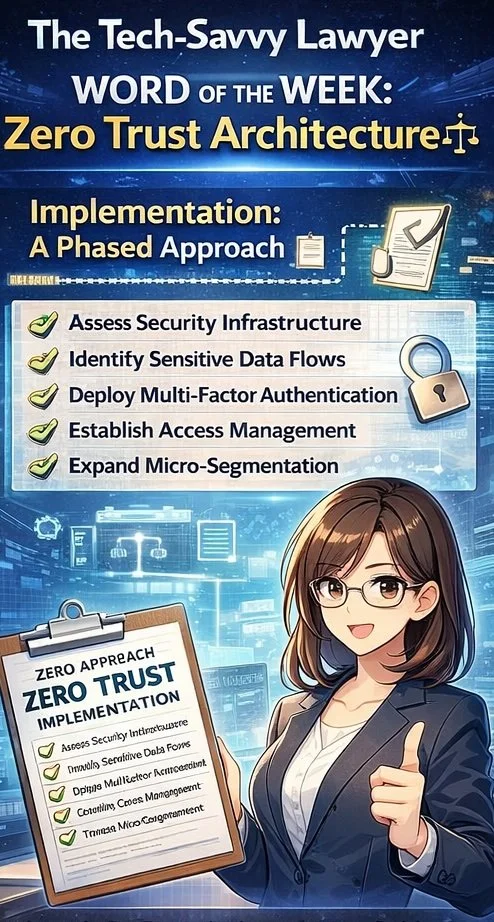
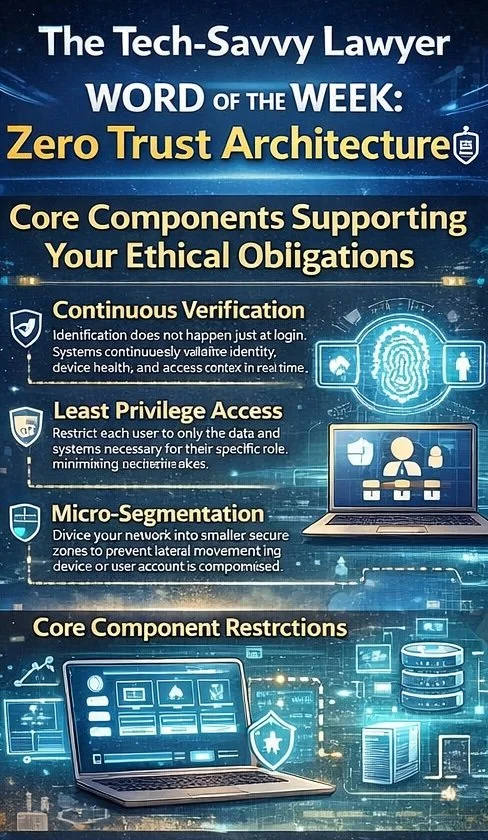
📖 WORD OF THE WEEK (WoW): Zero Trust Architecture ⚖️🔐

Zero Trust Architecture and ABA Model Rules Compliance 🛡️

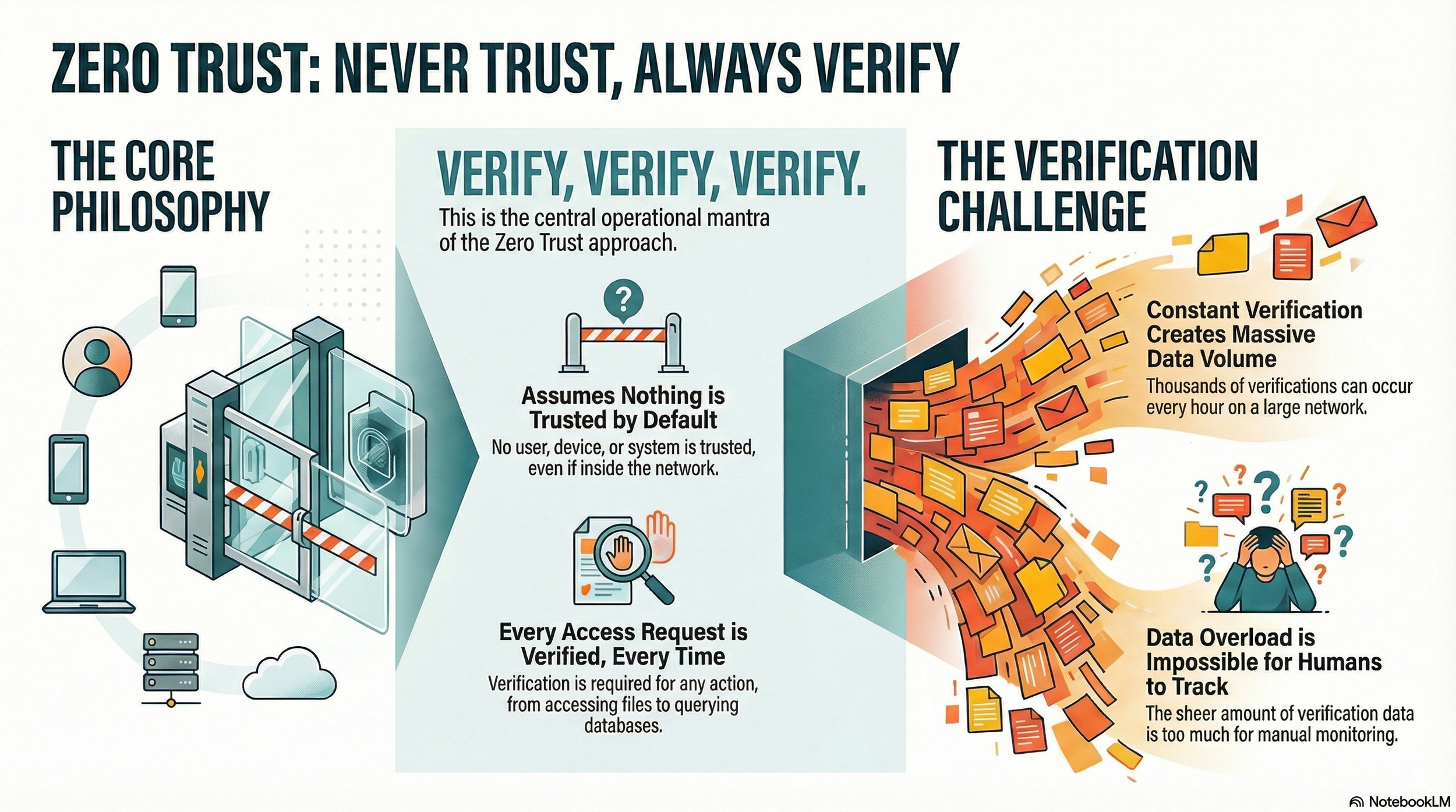
Lawyers need to "never trust, always verify" their network activity!

Zero Trust Architecture represents a fundamental shift in how law firms approach cybersecurity and fulfill ethical obligations. Rather than assuming that users and devices within a firm's network are trustworthy by default, this security model operates on the principle of "never trust, always verify." For legal professionals managing sensitive client information, implementing this framework has become essential to protecting confidentiality while maintaining compliance with ABA Model Rules.

The traditional security approach created a protective perimeter around a firm's network, trusting anyone inside that boundary. This model no longer reflects modern legal practice. Remote work, cloud-based case management systems, and mobile device usage mean that your firm's data exists across multiple locations and devices. Zero Trust abandons the perimeter-based approach entirely.

ABA Model Rule 1.6(c) requires lawyers to "make reasonable efforts to prevent the inadvertent or unauthorized disclosure of, or unauthorized access to, information relating to the representation of a client." Zero Trust Architecture directly fulfills this mandate by requiring continuous verification of every user and device accessing firm resources, regardless of location. This approach ensures compliance with the confidentiality duty that forms the foundation of legal practice.

Core Components Supporting Your Ethical Obligations

Zero Trust Architecture operates through three interconnected principles aligned with ABA requirements.

legal professionals do you know the core components of modern cyber security?

  • Continuous verification means that authentication does not happen once at login. Instead, systems continuously validate user identity, device health, and access context in real time.

  • Least privilege access restricts each user to only the data and systems necessary for their specific role. An associate working on discovery does not need access to billing systems, and a paralegal in real estate does not need access to litigation files.

  • Micro-segmentation divides your network into smaller, secure zones. This prevents lateral movement, which means that if a bad actor compromises one device or user account, they cannot automatically access all firm systems.

ABA Model Rule 1.1, Comment 8 requires that lawyers maintain competence, including competence in "the benefits and risks associated with relevant technology." Understanding Zero Trust Architecture demonstrates that your firm maintains technological competence in cybersecurity matters. Additional critical components include multi-factor authentication, which requires users to verify their identity through multiple methods before accessing systems. Device authentication ensures that only approved and properly configured devices can connect to firm resources. End-to-end encryption protects data both at rest and in transit.

ABA Model Rule 1.4 requires lawyers to keep clients "reasonably informed about significant developments relating to the representation." Zero Trust Architecture supports this duty by protecting client information and enabling prompt client notification if security incidents occur.

ABA Model Rules 5.1 and 5.3 require supervisory lawyers and managers to ensure that subordinate lawyers and non-lawyer staff comply with professional obligations. Implementing Zero Trust creates the framework for effective supervision of cybersecurity practices across your entire firm.

Addressing Safekeeping Obligations

ABA Model Rule 1.15 requires lawyers to "appropriately safeguard" property of clients, including electronic information. Zero Trust Architecture provides the security infrastructure necessary to meet this safekeeping obligation. This rule mandates maintaining complete records of client property and preserving those records. Zero Trust's encryption and access controls ensure that stored records remain protected from unauthorized access.

Implementation: A Phased Approach 📋

Implementing Zero Trust need not happen all at once. Begin by assessing your current security infrastructure and identifying sensitive data flows. Establish identity and access management systems to control who accesses what. Deploy multi-factor authentication across all applications. Then gradually expand micro-segmentation and monitoring capabilities as your systems mature. Document your efforts to demonstrate compliance with ABA Model Rule 1.6(c)'s requirement for "reasonable efforts."

Final Thoughts

Zero Trust Architecture transforms your firm's security posture from reactive protection to proactive verification while ensuring compliance with essential ABA Model Rules. For legal practices handling confidential client information, this security framework is not optional. It protects your clients, your firm's reputation, and your ability to practice law with integrity.

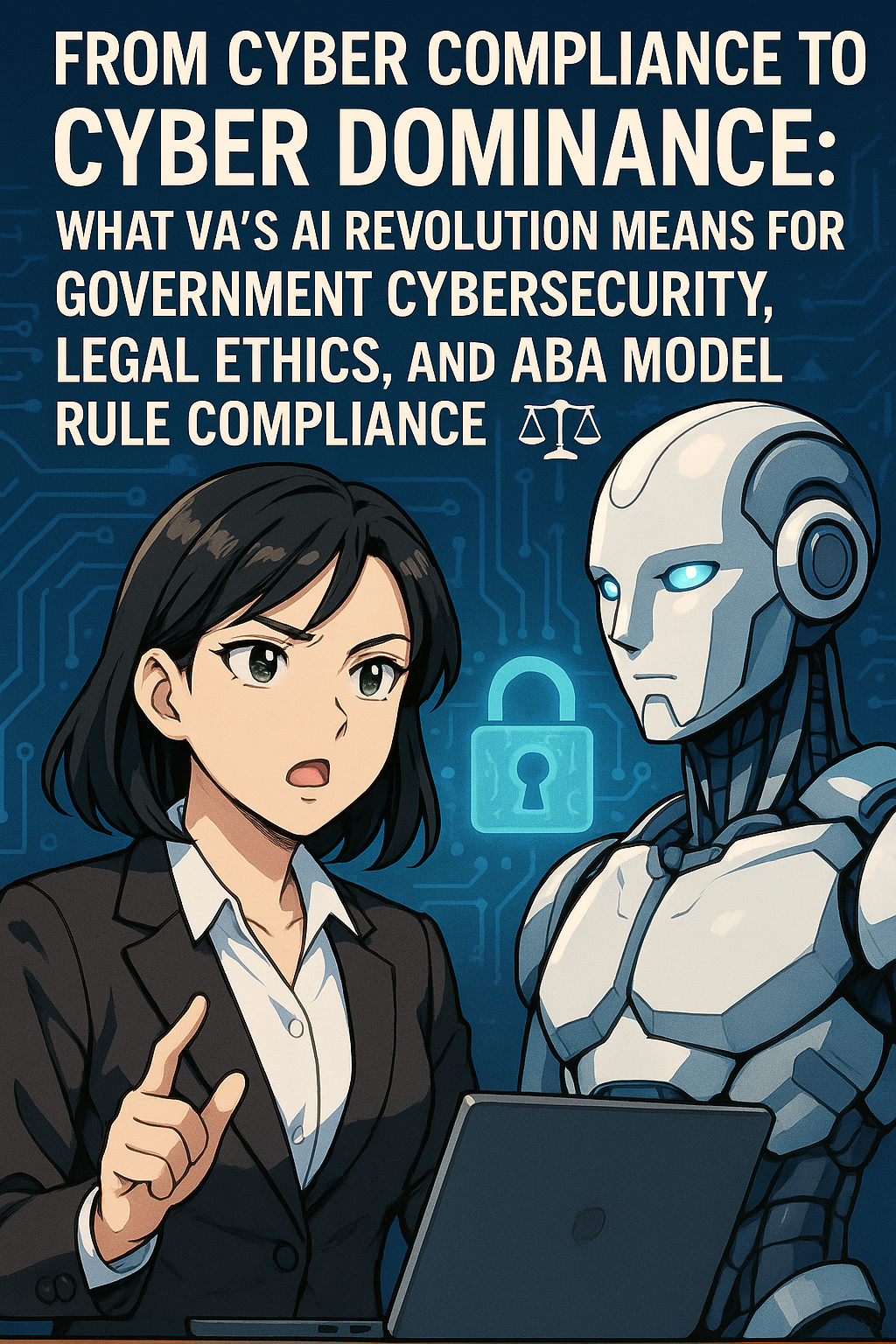
TSL Labs 🧪Bonus: 🎙️ From Cyber Compliance to Cyber Dominance: What VA's AI Revolution Means for Government Cybersecurity, Legal Ethics, and ABA Model Rule Compliance!

In this TSL Labs bonus episode, we examine this week’s editorial on how the Department of Veterans Affairs is leading a historic transformation from traditional compliance frameworks to a dynamic, AI-driven approach called "cyber dominance." This conversation unpacks what this seismic shift means for legal professionals across all practice areas—from procurement and contract law to privacy, FOIA, and litigation. Whether you're advising government agencies, representing contractors, or handling cases where data security matters, this discussion provides essential insights into how continuous monitoring, zero trust architecture, and AI-driven threat detection are redefining professional competence under ABA Model Rule 1.1. 💻⚖️🤖

Join our AI hosts and me as we discuss the following three questions and more!

  1. How has federal cybersecurity evolved from the compliance era to the cyber dominance paradigm? 🔒

  2. What are the three technical pillars—continuous monitoring, zero trust architecture, and AI-driven detection—and how do they interconnect? 🛡️

  3. What professional liability and ethical obligations do lawyers now face under ABA Model Rule 1.1 regarding technology competence? ⚖️

In our conversation, we cover the following:

  • [00:00:00] - Introduction: TSL Labs Bonus Podcast on VA's AI Revolution 🎯

  • [00:01:00] - Introduction to Federal Cybersecurity: The End of the Compliance Era 📋

  • [00:02:00] - Legal Implications and Professional Liability Under ABA Model Rules ⚖️

  • [00:03:00] - From Compliance to Continuous Monitoring: Understanding the Static Security Model 🔄

  • [00:04:00] - The False Comfort of Compliance-Only Approaches 🚨

  • [00:05:00] - The Shift to Cyber Dominance: Three Integrated Technical Pillars 💪

  • [00:06:00] - Zero Trust Architecture (ZTA) Explained: Verify Everything, Trust Nothing 🔐

  • [00:07:00] - AI-Driven Detection and Legal Challenges: Professional Competence Under Model Rule 1.1 🤖

  • [00:08:00] - The New Legal Questions: Real-Time Risk vs. Static Compliance 📊

  • [00:09:00] - Evolving Compliance: From Paper Checks to Dynamic Evidence 📈

  • [00:10:00] - Cybersecurity as Operational Discipline: DevSecOps and Security by Design 🔧

  • [00:11:00] - Litigation Risks: Discovery, Red Teaming, and Continuous Monitoring Data ⚠️

  • [00:12:00] - Cyber Governance with AI: Algorithmic Bias and Explainability 🧠

  • [00:13:00] - Synthesis and Future Outlook: Law Must Lead, Not Chase Technology 🚀

  • [00:14:00] - The Ultimate Question: Is Your Advice Ready for Real-Time Risk Management? 💡

  • [00:15:00] - Conclusion and Resources 📚

Resources

Mentioned in the Episode

Software & Cloud Services Mentioned in the Conversation

  • AI-Driven Detection Systems - Automated threat detection and response platforms

  • Automated Compliance Platforms - Dynamic evidence generation systems

  • Continuous Monitoring Systems - Real-time security assessment platforms

  • DevSecOps Tools - Automated security testing in software development pipelines

  • Firewalls - Network security hardware devices

  • Google Notebook AI - https://notebooklm.google.com/

  • Penetration Testing Software - Security vulnerability assessment tools

  • Zero Trust Architecture (ZTA) Solutions - Identity and access verification systems

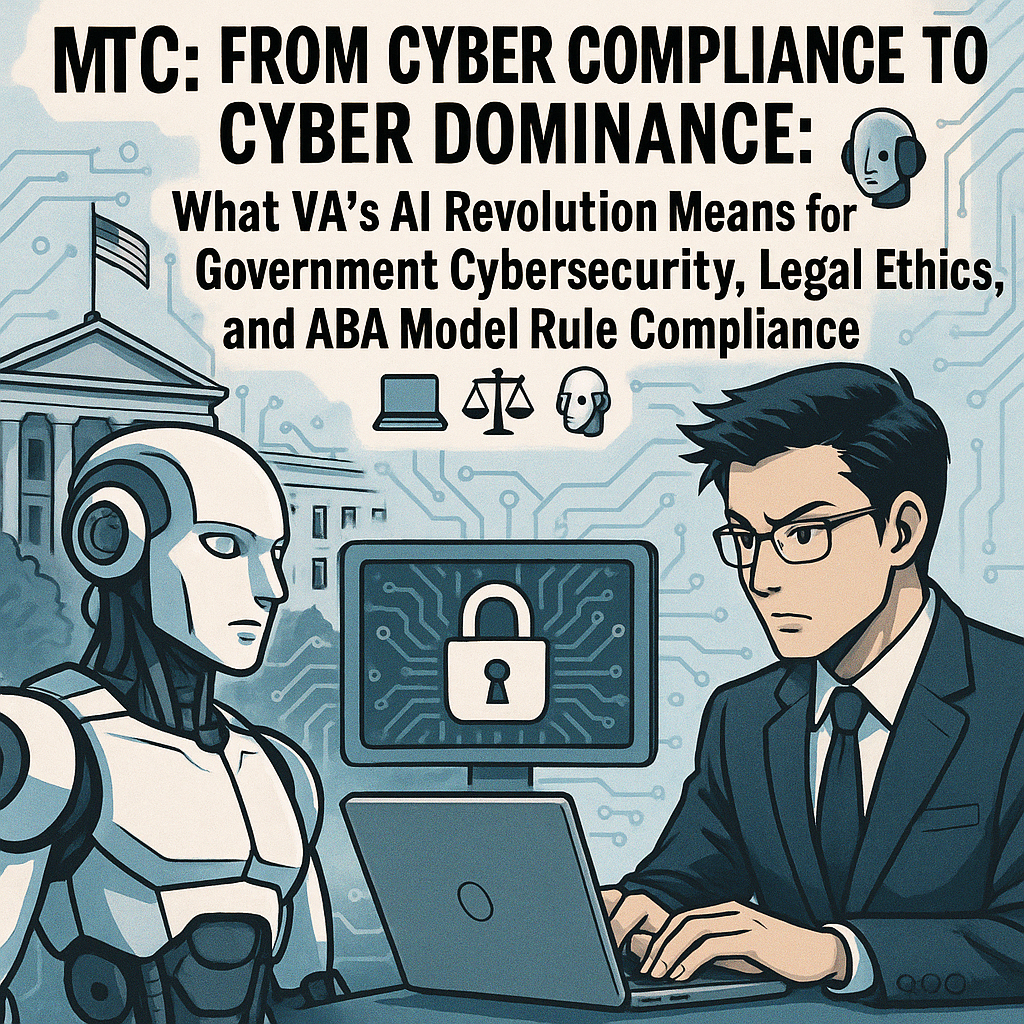
MTC: From Cyber Compliance to Cyber Dominance: What VA’s AI Revolution Means for Government Cybersecurity, Legal Ethics, and ABA Model Rule Compliance 💻⚖️🤖

In the age of cyber dominance, “I did not understand the technology” is increasingly unlikely to serve as a safe harbor.

🚨 🤖 👩🏻‍💼👨‍💼

In the age of cyber dominance, “I did not understand the technology” is increasingly unlikely to serve as a safe harbor. 🚨 🤖 👩🏻‍💼👨‍💼

Government technology is in the middle of a historic shift. The Department of Veterans Affairs (VA) stands at the center of this transformation, moving from a check‑the‑box cybersecurity culture to a model of “cyber dominance” that fuses artificial intelligence (AI), zero trust architecture (a security model that assumes no user or device is trusted by default, even inside the network), and continuous risk management. 🔐

For lawyers who touch government work in any way—inside agencies, representing contractors, handling whistleblowers, litigating Freedom of Information Act (FOIA) or privacy issues, or advising regulated entities—this is not just an IT story. It is a law license story. Under the American Bar Association (ABA) Model Rules, failing to grasp core cyber and AI governance concepts can now translate into ethical risk and potential disciplinary exposure. ⚠️

Resources such as The Tech-Savvy Lawyer.Page blog and podcast are no longer “nice to have.” They are becoming essential continuing education for lawyers who want to stay competent in practice, protect their clients, and safeguard their own professional standing. 🧠🎧

Where Government Agency Technology Has Been: The Compliance Era 🗂️

For decades, many federal agencies lived in a world dominated by static compliance frameworks. Security often meant passing audits and meeting minimum requirements, including:

  • Annual or periodic Authority to Operate (ATO, the formal approval for a system to run in a production environment based on security review) exercises

  • A focus on the Federal Information Security Modernization Act (FISMA) and National Institute of Standards and Technology (NIST) security control checklists

  • Point‑in‑time penetration tests

  • Voluminous documentation, thin on real‑time risk

The VA was no exception. Like many agencies, it grappled with large legacy systems, fragmented data, and a culture in which “security” was a paperwork event, not an operational discipline. 🧾

In that world, lawyers often saw cybersecurity as a box to tick in contracts, privacy impact assessments, and procurement documentation. The legal lens focused on:

  • Whether the required clauses were in place

  • Whether a particular system had its ATO

  • Whether mandatory training was completed

The result: the law frequently chased the technology instead of shaping it.

Where Government Technology Is Going: Cyber Dominance at the VA 🚀

The VA is now in the midst of what its leadership calls a “cybersecurity awakening” and a shift toward “cyber dominance”. The message is clear: compliance is not enough, and in many ways, it can be dangerously misleading if it creates a false sense of security.

Key elements of this new direction include:

  • Continuous monitoring instead of purely static certification

  • Zero trust architecture (a security model that assumes no user, device, or system is trusted by default, and that every access request must be verified) as a design requirement, not an afterthought

  • AI‑driven threat detection and anomaly spotting at scale

  • Integrated cybersecurity into mission operations, not a separate silo

  • Real‑time incident response and resilience, rather than after‑the‑fact blame

“Cyber dominance” reframes cybersecurity as a dynamic contest with adversaries. Agencies must assume compromise, hunt threats proactively, and adapt in near real time. That shift depends heavily on data engineering, automation, and AI models that can process signals far beyond human capacity. 🤖

For both government and nongovernment lawyers, this means that the facts on the ground—what systems actually do, how they are monitored, and how decisions are made—are changing fast. Advocacy and counseling that rely on outdated assumptions about “IT systems” will be incomplete at best and unethical at worst.

The Future: Cybersecurity Compliance, Cybersecurity, and Cybergovernance with AI 🔐🌐

The future of government technology involves an intricate blend of compliance, operational security, and AI governance. Each element increasingly intersects with legal obligations and the ABA Model Rules.

1. Cybersecurity Compliance: From Static to Dynamic ⚙️

Traditional compliance is not disappearing. The FISMA, NIST standards, the Federal Risk and Authorization Management Program (FedRAMP), the Health Insurance Portability and Accountability Act (HIPAA), and other frameworks still govern federal systems and contractor environments.

But the definition of compliance is evolving:

  • Continuous compliance: Automated tools generate near real‑time evidence of security posture instead of relying only on annual snapshots.

  • Risk‑based prioritization: Not every control is equal; agencies must show how they prioritize high‑impact cyber risks.

  • Outcome‑focused oversight: Auditors and inspectors general care less about checklists and more about measurable risk reduction and resilience.

Lawyers must understand that “we’re compliant” will no longer end the conversation. Decision‑makers will ask:

  • What does real‑time monitoring show about actual risk?

  • How quickly can the VA or a contractor detect and contain an intrusion?

  • How are AI tools verifying, logging, and explaining security‑related decisions?

2. Cybersecurity as an Operational Discipline 🛡️

The VA’s push toward cyber dominance relies on building security into daily operations, not layering it on top. That includes:

  • Secure‑by‑design procurement and contract terms, which require modern controls and realistic reporting duties

  • DevSecOps (development, security, and operations) pipelines that embed automated security testing and code scanning into everyday software development

  • Data segmentation and least‑privilege access across systems, so users and services only see what they truly need

  • Routine red‑teaming (simulated attacks by ethical hackers to test defenses) and table‑top exercises (structured discussion‑based simulations of incidents to test response plans)

For government and nongovernment lawyers, this raises important questions:

  • Are contracts, regulations, and interagency agreements aligned with zero trust principles (treating every access request as untrusted until verified)?

  • Do incident response plans meet regulatory and contractual notification timelines, including state and federal breach laws?

  • Are representations to courts, oversight bodies, and counterparties accurate in light of actual cyber capabilities and known limitations?

3. Cybergovernance with AI: The New Frontier 🌐🤖

Lawyers can no longer sit idlely by their as cyber-ethic responsibilities are changing!

AI will increasingly shape how agencies, including the VA, manage cyber risk:

  • Machine learning models will flag suspicious behavior or anomalous network traffic faster than humans alone.

  • Generative AI tools will help triage incidents, search legal and policy documents, and assist with internal investigations.

  • Decision‑support systems may influence resource allocation, benefit determinations, or enforcement priorities.

These systems raise clear legal and ethical issues:

  • Transparency and explainability: Can lawyers understand and, if necessary, challenge the logic behind AI‑assisted or AI‑driven decisions?

  • Bias and fairness: Do algorithms create discriminatory impacts on veterans, contractors, or employees, even if unintentional?

  • Data governance: Is sensitive, confidential, or privileged information being exposed to third‑party AI providers or trained into their models?

Blogs and podcasts like Tech-Savvy Lawyer.Page blog and podcast often highlight practical workflows for lawyers using AI tools safely, along with concrete questions to ask vendors and IT teams. Those insights are particularly valuable as agencies and law practices both experiment with AI for document review, legal research, and compliance tracking. 💡📲

What Lawyers in Government and Nongovernment Need to Know 🏛️⚖️

Lawyers inside agencies such as the VA now sit at the intersection of mission, technology, and ethics. Under ABA Model Rule 1.1 (Competence) and its comment on technological competence, agency counsel must acquire and maintain a basic understanding of relevant technology that affects client representation.

For government lawyers and nongovernment lawyers who advise, contract with, or litigate against agencies such as the VA, technological competence now has a common core. It requires enough understanding of system architecture, cybersecurity practices, and AI‑driven tools to ask the right questions, spot red flags, and give legally sound, ethics‑compliant advice on how those systems affect veterans, agencies, contractors, and the public. ⚖️💻

For government lawyers and nongovernment lawyers who interact with agencies such as the VA, this includes:

  • Understanding the basic architecture and risk profile of key systems (for example, benefits, health data, identity, and claims platforms), so you can evaluate how failures affect legal rights and obligations. 🧠

  • Being able to ask informed questions about zero trust architecture, encryption, system logging, and AI tools used by the agency or contractor.

  • Knowing the relevant incident response plans, data breach notification obligations, and coordination pathways with regulators and law enforcement, whether you are inside the agency or across the table. 🚨

  • Ensuring that policies, regulations, contracts, and public statements about cybersecurity and AI reflect current technical realities, rather than outdated assumptions that could mislead courts, oversight bodies, or the public.

Model Rules 1.6 (Confidentiality of Information) and 1.13 (Organization as Client) are especially important. Government lawyers must:

  • Guard sensitive data, including classified, personal, and privileged information, against unauthorized disclosure or misuse.

  • Advise the “client” (the agency) when cyber or AI practices present significant legal risk, even if those practices are popular or politically convenient.

If a lawyer signs off on policies or representations about cybersecurity that they know—or should know—are materially misleading, that can implicate Rule 3.3 (Candor Toward the Tribunal) and Rule 8.4 (Misconduct). The shift to cyber dominance means that “we passed the audit” will no longer excuse ignoring operational defects that put veterans or the public at risk. 🚨

What Lawyers Outside Government Need to Know 🏢⚖️

Lawyers representing contractors, vendors, whistleblowers, advocacy groups, or regulated entities cannot ignore these changes at the VA and other agencies. Their clients operate in the same new environment of continuous oversight and AI‑informed risk management.

Key responsibilities for nongovernmental lawyers include:

  • Contract counseling: Understanding cybersecurity clauses, incident response requirements, AI‑related representations, and flow‑down obligations in government contracts.

  • Regulatory compliance: Navigating overlapping regimes (for example, federal supply chain rules, state data breach statutes, HIPAA in health contexts, and sector‑specific regulations).

  • Litigation strategy: Incorporating real‑time cyber telemetry and AI logs into discovery, privilege analyses, and evidentiary strategies.

  • Advising on AI tools: Ensuring that client use of generative AI in government‑related work does not compromise confidential information or violate procurement, export control, or data localization rules.

Under Model Rule 1.1 (Competence), outside counsel must be sufficiently tech‑savvy to spot issues and know when to bring in specialized expertise. Ignoring cyber and AI governance concerns can:

  • Lead to inadequate or misleading advice.

  • Misstate risk in negotiations, disclosures, or regulatory filings.

  • Expose clients to enforcement actions, civil liability, or debarment.

  • Expose lawyers to malpractice claims and disciplinary complaints.

ABA Model Rules: How Cyber and AI Now Touch Your License 🧾⚖️

Several American Bar Association (ABA) Model Rules are directly implicated by the VA’s evolution from compliance to cyber dominance and by the broader adoption of artificial intelligence (AI) in government operations:

  • Rule 1.1 – Competence

    • Comment 8 recognizes a duty of technological competence.

    • Lawyers must understand enough about cyber risk and AI systems to represent clients prudently.

  • Rule 1.6 – Confidentiality of Information

    • Lawyers must take reasonable measures to safeguard client information, including in cloud environments and AI‑enabled workflows.

    • Uploading sensitive or privileged content into consumer‑grade AI tools without safeguards can violate this duty.

  • Rule 1.4 – Communication

    • Clients should be informed—in clear, non‑technical terms—about significant cyber and AI risks that may affect their matters.

  • Rules 5.1 and 5.3 – Responsibilities of Partners, Managers, and Supervisory Lawyers; Responsibilities Regarding Nonlawyer Assistance

    • Law firm leaders must ensure that policies, training, vendor selection, and supervision support secure, ethical use of technology and AI by lawyers and staff.

  • Rule 1.13 – Organization as Client

    • Government and corporate counsel must advise leadership when cyber or AI governance failures pose substantial legal or regulatory risk.

  • Rules 3.3, 3.4, and 8.4 – Candor, Fairness, and Misconduct

    • Misrepresenting cyber posture, ignoring known vulnerabilities, or manipulating AI‑generated evidence can rise to ethical violations and professional misconduct.

In the age of cyber dominance, “I did not understand the technology” is increasingly unlikely to serve as a safe harbor. Judges, regulators, and disciplinary authorities expect lawyers to engage these issues competently.

Practical Next Steps for Lawyers: Moving from Passive to Proactive 🧭💼

To meet this moment, lawyers—both in government and outside—should:

  • Learn the language of modern cybersecurity:

    • Zero trust (a model that treats every access request as untrusted until verified)

    • Endpoint detection and response (EDR, tools that continuously monitor and respond to threats on endpoints such as laptops, servers, and mobile devices)

    • Security Information and Event Management (SIEM, systems that collect and analyze security logs from across the network)

    • Security Orchestration, Automation, and Response (SOAR, tools that automate and coordinate security workflows and responses)

    • Encryption at rest and in transit (protecting data when it is stored and when it moves across networks)

    • Multi‑factor authentication (MFA, requiring more than one factor—such as password plus a code—to log in)

  • Understand AI’s role in the client’s environment: what tools are used, where data goes, how outputs are checked, and how decisions are logged.

  • Review incident response plans and breach notification workflows with an eye on legal timelines, cross‑jurisdictional obligations, and contractual requirements.

  • Update engagement letters, privacy notices, and internal policies to reflect real‑world use of cloud services and AI tools.

  • Invest in continuous learning through technology‑forward legal resources, including The Tech-Savvy Lawyer.Page blog and podcast, which translate evolving tech into practical law practice strategies. 💡

Final Thoughts: The VA’s journey from compliance to cyber dominance is more than an agency story. It is a case study in how technology, law, and ethics converge. Lawyers who embrace this reality will better protect their clients, their institutions, and their licenses. Those who do not will risk being left behind—by adversaries, by regulators, and by their own professional standards. 🚀🔐⚖️

Editor’s Note: I used the VA as my “example” because Veterans mean a lot to me. I have been a Veterans Disability Benefits Advocate for nearly two decades. Their health and welfare should not be harmed by faulty tech compliance. 🇺🇸⚖️

MTC

📻 BONUS: Tech-Savvy Lawyer on Law Practice Today Podcast — Essential Trust Account Tips for Solo & Small Law Firms w/ Terrell Turner

🙏 Special Thanks to Terrell Turner and the ABA for having me on the Law Practice Today Podcast, produced by the Law Practice Division of the American Bar Association. We have an important discussion on trust account management. We cover essential insights on managing trust accounts using online services. This episode has been edited for time, but no information was altered. We are grateful to the ABA and the Law Practice Today Podcast for allowing us to share this valuable conversation with our audience.

🎯 Join Terrell and me as we discuss the following three questions and more!

  1. What precautions should lawyers using online services to manage trust accounts be aware of?

  2. How can solo and small firm attorneys find competent bookkeepers who understand legal trust accounting?

  3. What security measures should attorneys implement when using online payment processors for client funds?

⏱️ In our conversation, we cover the following:

00:00 – Introduction & Preview: Trust Accounts in the Digital Age

01:00 – Welcome to the Law Practice Today Podcast

01:30 – Today's Topic: Online Services for Payments

02:00 – Guest Introduction: Michael D.J. Eisenberg's Background

03:00 – Michael's Experience with Trust Accounts

04:00 – Challenges for Solo and Small Practitioners

05:00 – Ensuring Security in Online Services

06:00 – Questions to Ask Online Payment Providers

07:00 – Password Security & Two-Factor Authentication

08:00 – Finding a Competent Legal Bookkeeper

09:00 – Why 8AM Law Pay Works for Attorneys

10:00 – Daily Monitoring of Trust Accounts

11:00 – FDIC Insurance & Silicon Valley Bank Lessons

13:00 – Researching Trust Account Best Practices

15:00 – Closing Remarks & Podcast Information

📚 Resources

🔗 Connect with Terrell

💼 LinkedIn: https://www.linkedin.com/in/terrellturner/

🌐 Website: https://www.tlturnergroup.com/

🎙️ Law Practice Today Podcast – https://lawpracticetoday.buzzsprout.com

📰 Mentioned in the Episode

💻 Software & Cloud Services Mentioned in the Conversation

  • 8AM Law Pay – Legal payment processing designed for trust account compliance – https://www.8am.com/lawpay/

  • 1Password – Password manager for generating and syncing complex passwords – https://1password.com/

  • LastPass – Mentioned as a password manager with noted security concerns – https://www.lastpass.com/

🎙️ Ep. 122: Cybersecurity Essentials for Law Firms: Proven Strategies from Navy Veteran & Attorney Cordell Robinson

My next guest is Cordell Brion Robinson, CEO of Brownstone Consulting Firm and a decorated US Navy veteran who brings an extraordinary combination of expertise to cybersecurity. With a background in Computer Science, Electrical Engineering, and law, plus experience as a Senior Intelligence Analyst, Cordell has created cybersecurity programs that comply with the National Institute of Standards and Technology, the Federal Information Security Management Act, and the Office of Management and Budget standards for both government and commercial organizations. His firm specializes in compliance services, performing security framework assessments globally for commercial and government entities. Currently, he's innovating the cybersecurity space through automation for security assessments. Beyond his professional accomplishments, Cordell runs the Shaping Futures Foundation, a nonprofit dedicated to empowering youth through education, demonstrating his commitment to giving back to the community.

Join Cordell Robinson and me as we discuss the following three questions and more! 🎙️

1. What are the top three cybersecurity practices that lawyers should immediately adopt to secure both client data and sensitive case material in their practice?

2. From your perspective as both a legal and cybersecurity expert, what are the top three technology tools or platforms that can help lawyers streamline compliance and governance requirements in a rapidly evolving regulatory environment?

3. What are the top three steps lawyers can take to overcome resistance to technology adoption in law firms, ensuring these tools actually improve outcomes and efficiency rather than just adding complexity

In our conversation, we cover the following: ⏱️

- 00:00:00 - Introduction and welcome to the podcast

- 00:00:30 - Cordell's current tech setup - Windows laptop, MacBook, and iPhone

- 00:01:00 - iPhone 17 Pro Max features including 48MP camera, 2TB storage, and advanced video capture

- 00:01:30 - iPhone 17 Air comparison and laptop webcam discussion

- 00:02:00 - VPN usage strategies - Government VPN for secure client communications

- 00:02:30 - Commercial client communications and secure file sharing practices

- 00:03:00 - Why email encryption matters and Mac Mail setup tutorial

- 00:04:00 - Bonus question: Key differences between commercial and government security work

- 00:05:00 - Security protocols comparison and navigating government red tape

- 00:06:00 - Question 1: Top three cybersecurity practices lawyers must implement immediately

- 00:06:30 - Understanding where client data comes from and having proper IT security professionals

- 00:07:00 - Implementing cybersecurity awareness training for all staff members

- 00:07:30 - Practical advice for solo and small practitioners without dedicated IT staff

- 00:08:00 - Proper email practices and essential security awareness training skills

- 00:08:30 - Handling data from average clients in sensitive cases like family law

- 00:09:00 - Social engineering considerations in contentious legal matters such as divorces

- 00:10:00 - Screening threats from seemingly reliable platforms - Google Play slop ads as recent example

- 00:10:30 - Tenable vulnerability scanning tool recommendation (approximately $1,500/year)

- 00:11:00 - Question 2: Technology tools for streamlining compliance and governance

- 00:11:30 - GRC tools for organizing compliance documentation across various price points

- 00:12:00 - SharePoint security lockdown and importance of proper system configuration

- 00:12:30 - Monitoring tools discussion - why no perfect solution exists and what to consider

- 00:13:00 - Being amenable to change and avoiding long-term contracts with security tools

- 00:14:00 - Question 3: Strategies for overcoming resistance to technology adoption

- 00:14:30 - Demonstrating efficiency and explaining the full implementation process

- 00:15:00 - Converting time savings to dollars and cents for senior attorney buy-in

- 00:15:30 - Mindset shift for billable hour attorneys and staying competitive in the market

- 00:16:00 - Being a technology Guinea pig and testing tools yourself first

- 00:16:30 - Showing real results to encourage buy-in from colleagues

- 00:17:00 - Real-world Microsoft Word example - styles, cross-references, and table of contents time savings

- 00:17:30 - Showing value add and how technology can bring in more revenue

- 00:18:00 - Where to find Cordell Robinson - LinkedIn, www.bcf-us.com, Brownstone Consulting Firm

- 00:18:30 - Company description and closing remarks

Resources 📚

Connect with Cordell Robinson:

Government & Compliance Frameworks:

Software & Tools: