🎙️ Ep. 139, From MyCase to Claude: Building a Secure, AI-Ready Tech Stack for Solo and Small Law Firms.

My next guests are Gabriela “Gabby” Cubeiro, Senior Vice President of Product at 8am — the powerhouse behind MyCase, LawPay, CASEpeer, and DocketWise — and Majo Castro, founder and managing attorney at CastroMand Legal in Austin, Texas. 🌟 Gabby is a 16-year legal tech veteran who co-founded CASEpeer and now drives product strategy across one of the most widely adopted law practice management platforms in the country. Majo is a Venezuelan-born cybersecurity and AI attorney whose solo firm helps growing companies navigate AI implementation, data management, and cybersecurity — and she writes about all of it on her Substack, The Cyber Law Gal. 🛡️ This is a no-fluff, peer-to-peer conversation about the exact workflows that separate a modern LPM from a liability, why the Data Processing Agreement is the most important acronym in your practice right now, and what your employees are almost certainly already doing with AI — whether you've approved it or not.

Join Gabriela “Gabby” Cubeiro, Majo Castro, and me as we discuss the following three questions and more!

  1. What are the top three integrations or workflows a solo, small, or midsize firm should expect from a modern cloud-based LPM platform like 8am — and what's missing that signals a real red flag around efficiency, cash flow, or security?

  2. As AI gets baked into cloud LPM tools like 8am, what are the top three day-to-day tasks that will change most for solo and small firm lawyers — and what basic security or ethical guardrails should they put in place to use those AI features without putting client data at risk?

  3. For solo and small firms without a CISO or CTO, what are the top three cybersecurity mistakes you see over and over again?

In our conversation, we cover the following:

  • [00:00:00] 🪝 Show Hook — Gabby's critical warning: if your firm hasn't "adopted" AI, your employees probably already have — on free consumer tools

  • [00:00:00] Title read — Episode 139

  • [00:01:00] Host intro: why this conversation goes tactical on AI, security, and LPM workflows

  • [00:02:00] Guest introductions — Gabriela “Gabby” Cubeiro (8am/MyCase) and Majo Castro (CastroMand Legal / The Cyber Law Gal)

  • [00:03:00] Majo celebrates 1.5 years as a solo practitioner 🎉

  • [00:03:00] Ad: Five-star review request for The Tech-Savvy Lawyer.Page

  • [00:03:30] Tech setups — Gabby's MacBook Air (M4 chip), iPhone Max, Slack, Zoom, Google Drive, Claude Enterprise

  • [00:06:00] Gabby's portable USB-C external monitor for travel (Amazon, highest-rated)

  • [00:09:00] Majo's MacBook Pro 14" M4 (16GB RAM), performance issues, upgrade path discussion

  • [00:10:00] Michael recommends Onyx (free Mac maintenance utility); Michael's Mac Studio M3 Ultra with 256GB

  • [00:11:00] Mac Mini and Mac Studio as desktop alternatives; MacRumors Buyer's Guide tip

  • [00:13:00] Apple Business Account benefits — small discounts + white-glove service

  • [00:15:00] Majo's full setup: iPhone 16 Pro Max, Google Workspace + Gemini (team account with DPA), DJI Osmo Pocket 3, Hollyland wireless mic

  • [00:16:00] Q1: Top three LPM workflows — intake, secure client communication (client portal), and getting paid (trust accounting + automated invoicing)

  • [00:19:00] Majo on switching from QuickBooks to MyCase after discovering QuickBooks mishandles trust accounting

  • [00:20:00] 🎉 Gabby announces: AI case summary features are now LIVE in 8am/MyCase

  • [00:21:00] Cloud vs. local access debate — SaaS uptime, SLAs, and asking vendors for proof

  • [00:23:00] Michael's redundant backup strategy: Backblaze + Dropbox + local Mac Mini

  • [00:25:00] Cautionary tale: ransomware attack converts a server-based firm to the cloud overnight

  • [00:28:00] Majo's Google Drive third-party backup with 2-hour recovery window

  • [00:29:00] Q2: How AI changes daily workflows — drafting, case summaries, surfacing critical info fast

  • [00:30:00] Why reading vendor Terms of Service and activating Data Processing Agreements (DPAs) is non-negotiable

  • [00:31:00] 8am's SOC 2 Type 2 compliance; updated AI terms and opt-in controls coming

  • [00:32:00] SOC 2, HIPAA, end-to-end encryption as baseline vendor security requirements

  • [00:34:00] AI as the great equalizer — leveling the playing field for solo firms vs. BigLaw

  • [00:35:00] Majo's real data: ~12 hours saved last month across 27 consultations using Gemini for proposals

  • [00:36:00] Plaud and Pocket AI recording devices — data retention, PII, and DPA concerns

  • [00:37:00] Majo's stance on wearable AI recorders; Apple Watch comparison; one-party vs. two-party consent

  • [00:39:00] Plaud's terms say no AI training — but it's not a DPA; terms can change without notice 🚨

  • [00:40:00] Google Workspace DPA must be manually activated — most users don't know; creating user friction around protection

  • [00:41:00] Q3: Top cybersecurity mistakes — shadow AI, no MFA, undertrained employees

  • [00:42:00] Majo's checklist: DPA + no model training on client data + enterprise/team-tier subscriptions + MFA

  • [00:43:00] Gabby: employees are the #1 security risk; fractional IT and CISO options for small firms

  • [00:44:00] AI-powered phishing attacks on law firms will only intensify

  • [00:45:00] Majo's training method: positive AI policies + 45-second staff video explainers 🎬

  • [00:46:00] 🚨 Gabby's shadow AI reminder (Show Hook callback): audit your tech stack — your team already has

  • [00:47:00] Episode originally recorded at ABA Techshow; re-recorded after a technical snafu 😅

  • [00:47:00] Where to find Gabby: LinkedIn, X, 8am.com, Kaleidoscope conference (September — banner at 8am.com)

  • [00:48:00] Where to find Majo: LinkedIn (Majo Castro), CastroMand Legal, Substack: The Cyber Law Gal

  • [00:48:30] Outro — michaeldj@thetechsavvylawyer.page | next episode in ~two weeks

RESOURCES

Connect with Gabriela “Gabby” Cubeiro

Connect with Majo Castro

Mentioned in the Episode

Hardware Mentioned

MTC: Why Rising PC and AI Tool Prices (for Windows and Apple) Should Be on Every Lawyer’s Radar in 2026

Law firms need to plan Windows, Mac, and AI refresh strategy

If you feel like every new laptop quote is 15–20% higher than last year, you are not imagining things. 📈 And if your favorite AI drafting or transcript tool pinged you with a “small” price adjustment this spring, welcome to the club. 🤖

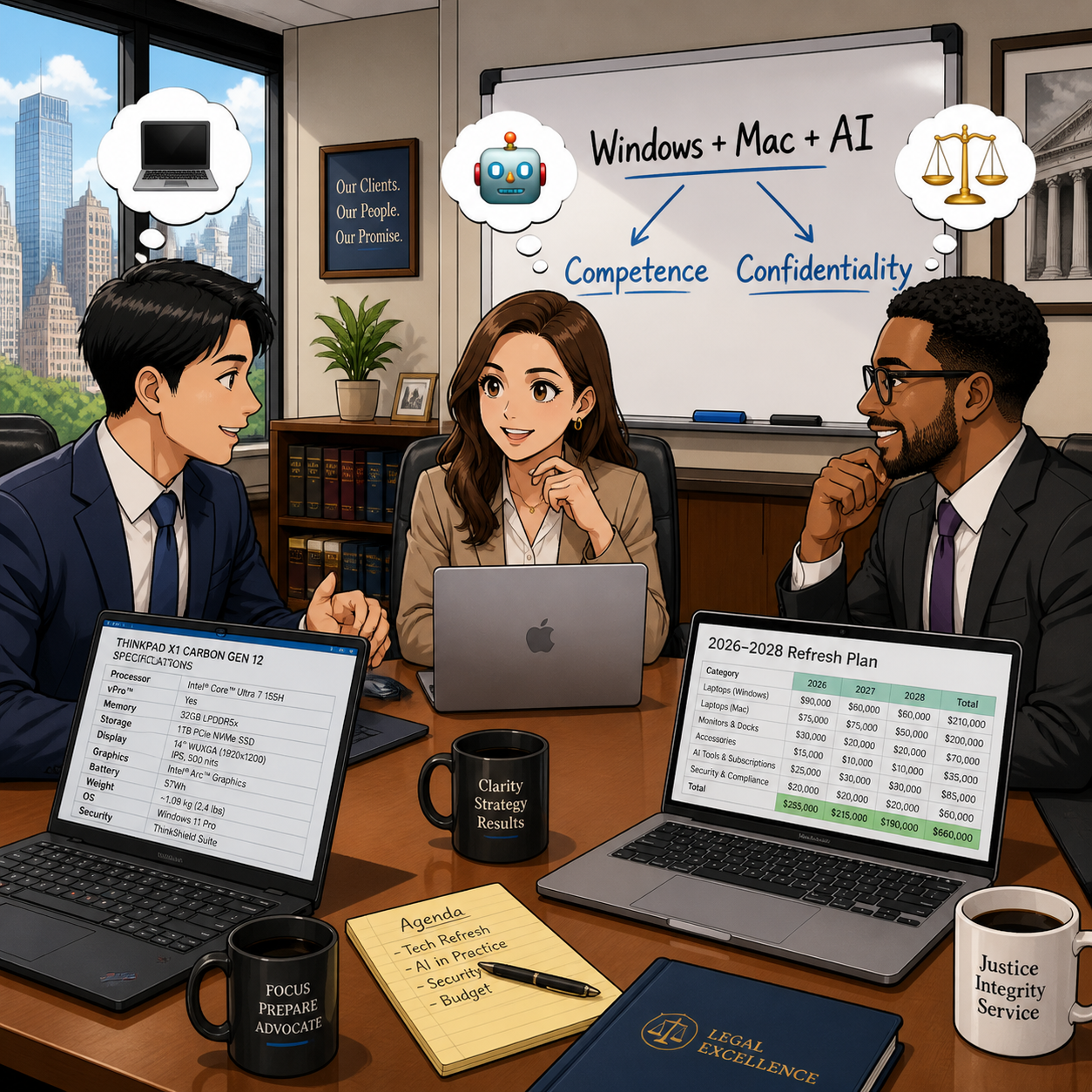
In our December 2025 editorial, “MTC: The 2026 Hardware Hike: Why Law Firms Must Budget for the ‘AI Squeeze’ Now!”, we warned that a perfect storm in the hardware market was forming: DRAM shortages, surging AI infrastructure demand, and shifting trade policy were about to push PC prices up by 15–20% in 2026. 💻 Then, in April 2026’s “MTC: Why 2026’s PC Price Hikes Put Law Firms at Risk (and Why Many Lawyers Are Quietly Switching to Macs)”, we explored how rising Windows laptop prices were reshaping law firm hardware decisions and eroding the old assumption that “Windows is always cheaper than Mac.”

Those forecasts are now reality across both Windows PCs and Macs, and the question I keep hearing from solo and small firm lawyers is simple: Should I be worried?

The short answer is yes—concerned, not paralyzed. The better question is: how do we respond strategically, in a way that respects both our budgets and our ethical obligations under ABA Model Rules 1.1 (Competence) and 1.6 (Confidentiality)?

A quick recap: what’s driving the price surge?

Let’s start with the “why,” because context matters when you sit down with your next-year budget spreadsheet. 📊

Industry analysts now confirm that average PC prices are rising in the 15–20% range for 2026, with memory costs as the biggest driver. AI data centers—those massive server farms powering tools like ChatGPT and other LLMs—are soaking up an estimated majority of advanced DRAM production, leaving less capacity for business laptops and desktops of all flavors, whether they run Windows or macOS. When memory becomes scarce and expensive, everything that relies on it gets pricier.

You can see this in both ecosystems:

Lawyers need t plan their 2026 law firm hardware budget amid rising costs

  • Windows side: In April, Microsoft sharply raised prices across its Surface lineup, including the Surface Pro and Surface Laptop families, many lawyers rely on. Entry-level machines that once started under 1,000 dollars now begin well above that mark, with some configurations jumping several hundred dollars over launch prices and in some cases exceeding roughly comparable MacBook configurations.

  • Apple side: In June, Apple CEO Tim Cook told The Wall Street Journal that Apple will raise prices because the company can no longer absorb skyrocketing memory and storage costs, calling the situation a “hundred-year flood” and saying he has “never seen anything like it in any area in over 40 years,” describing these increases as “unavoidable.” Apple to Raise Prices Due to Memory Chip Crunch, Tim Cook Says.

When both Microsoft and Apple are telling you that memory costs and component shortages are forcing them to push prices up, that is not a platform rivalry story. It is a signal that the entire hardware market—Windows and Mac alike—is being repriced around the AI era.

On top of that, trade policy and tariffs have increased costs for components and final assembly in key manufacturing hubs like China and Taiwan. Vendors have responded by tightening quote windows and baking in risk premiums, which is why the Windows laptop or Mac you priced in Q4 2025 quietly jumped in Q2 2026. 💸

In “MTC: The 2026 Hardware Hike”, we urged firms to accelerate planned refreshes where possible, prioritize RAM over storage, and budget for stronger machines instead of downgrading specs. In the April 2026 editorial, we drilled into how those same forces made some Mac configurations look surprisingly competitive—and why lawyers should stop treating “Windows versus Mac” as a matter of habit and start treating it as a structured evaluation tied to performance, security, and ethical duties. All of that guidance still holds.

Budgeting like a law practice, not a gadget hobby (PC‑neutral framing)

The theme of “MTC: The 2026 Hardware Hike” was simple: treat your tech like a planned, recurring investment—not a last-minute scramble when a laptop dies in the middle of trial prep. The April 2026 follow-up on PC price hikes showed how that planning must now account for both Windows and Mac options, since price gaps have narrowed or flipped depending on configuration.

Here is the approach I recommend for solos and small firms, regardless of platform:

  1. Inventory and classify your devices across platforms.
    Capture which users are on Windows, which are on macOS, and what roles those machines play. Prioritize devices used for active litigation, client communications, and high-sensitivity matters.

  2. Set a realistic refresh cycle that is OS‑aware.
    For most law practices, a 3–5 year cycle for primary laptops and desktops is reasonable, but the exact timing should reflect each platform’s support timeline—Windows 10 reaching end of support, macOS versions aging out, and vendor firmware commitments.

  3. Budget for “competence grade” hardware on both sides.
    As we argued in both the December and April MTC pieces, it is better to buy fewer, well‑specced machines—whether that is a mid-range Surface Laptop or a MacBook Air with sufficient RAM—than to chase the absolute lowest price and end up with systems that choke under AI‑enhanced workflows.

  4. Run a structured Windows vs. Mac evaluation, not a loyalty contest.
    Following the April article’s recommendation, build a simple matrix comparing specific Windows and Mac models on price, RAM, storage, performance, security features (like Secure Boot, Secure Enclave, or TPM), support life, and compatibility with your core practice software. Tie that matrix explicitly to your responsibilities under ABA Model Rules 1.1 and 1.6 so you can show you exercised reasonable diligence.

  5. Cull redundant subscriptions before sacrificing baseline hardware on either platform.
    Before you decide that “Macs are too expensive now” or “Windows machines are out of reach,” examine your monthly AI and SaaS spend. Many firms can free up budget for better Windows or Mac hardware by retiring overlapping tools that deliver marginal benefits.

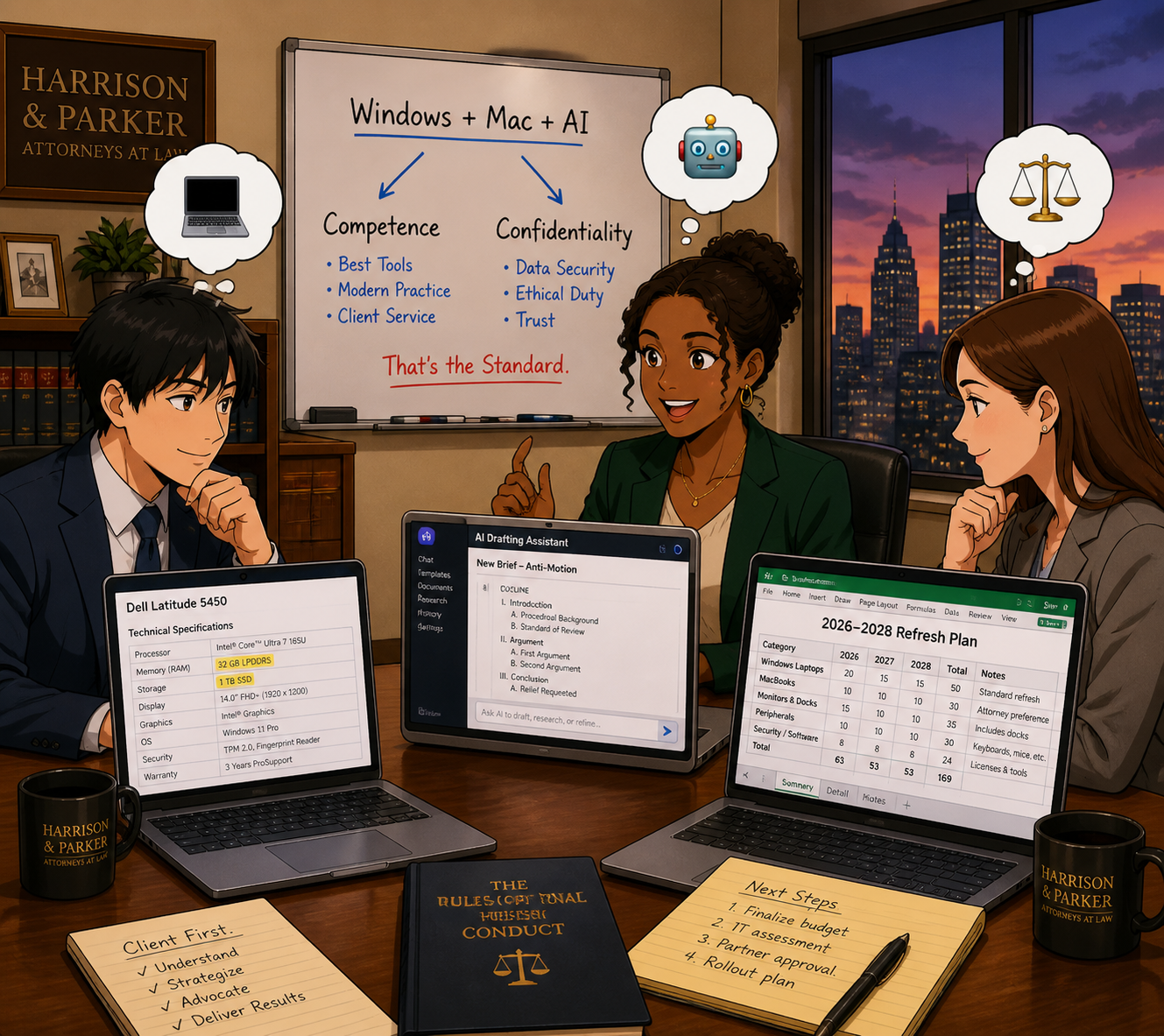
This is not about declaring a winner in the Windows vs. Mac debate. It is about recognizing that both ecosystems are affected by the same structural forces—AI‑driven memory demand, supply constraints, tariffs—and that your ethical obligations apply regardless of logo. ⚖️

So, should lawyers be worried? (PC‑neutral conclusion)

Concern is justified. Panic is not. 😅

Law firmS of every size need to plan Windows, Mac, and AI refresh strategy

Yes, Windows PC and Mac prices are rising and are likely to remain elevated through at least 2027, given ongoing DRAM constraints and AI demand. Yes, AI and cloud tools are adjusting their pricing and tiers in ways that can catch an unprepared firm off guard. And yes, when Microsoft raises Surface prices, and Tim Cook says he has never seen a memory crunch like this in over 40 years and calls it a “hundred-year flood,” those are market‑wide signals—not platform‑centric marketing talking points.

But you still have levers to pull, no matter which platform you use:

  • Plan your hardware lifecycle instead of reacting to failures.

  • Prioritize “competence grade” devices and security over optional features, whether that is a mid‑range Windows laptop or a MacBook with enough RAM.

  • Rationalize your AI and SaaS stack so you pay for what actually moves the needle.

  • Treat your tech stack as part of your ethics compliance, not just overhead. ⚖️

Lawyers on both Windows and Mac should treat 2026’s hardware and AI price hikes as a market‑wide issue that affects competence, confidentiality, and client service—not as a referendum on one platform. 💻⚖️

MTC

How (To) Lawyers Can Write Better AI Prompts (In Minutes) with PromptCowboy 🤠

today’s Lawyer need to master AI prompts in a modern tech-savvy law office 📚🤖

Large language models (LLMs) are not magic wands. They are very fast, very convincing parrots. When you ask sloppy questions, you get sloppy answers. When you ask clear, structured questions, you start to see real value in your law practice.

That’s why prompt quality is now a lawyering skill, not a party trick—and tools like PromptCowboy can help you build that skill quickly and safely.

In earlier Tech-Savvy Lawyer posts like “🎙️ TSL Lab’s Deep Dive into Our May 18, 2027, editorial, “AI Won’t Replace Solo and Small Firm Lawyers. It Will Supercharge Them”!” and podcast episodes discussing AI workflows, I’ve stressed the same core message: you cannot delegate your professional judgment to an LLM. You can, however, use an LLM to accelerate competent lawyering—if you stay in control of the instructions you give it and the outputs you accept.

Why prompt quality is an ethics issue 💼

The ABA’s technology competence mandate under Model Rule 1.1 now clearly extends to understanding the risks and benefits of generative AI tools. ABA Formal Opinion 512 emphasizes that lawyers may use generative AI to deliver faster and more efficient legal services, but only if they maintain independent professional judgment, supervise results, and comply with duties of confidentiality, candor, and reasonable fees.

That means “prompt engineering” is not a hobby; it’s part of staying reasonably informed about relevant technology and using it responsibly. When you use a tool like PromptCowboy to structure your prompts, you are not outsourcing judgment—you are standardizing how you exercise it.

What PromptCowboy actually does for lawyers 🤠⚖️

PromptCowboy is a guided prompt generator. You type in a rough idea (“help me sanity-check a demand letter” or “summarize this deposition transcript for trial prep”), and it walks you through targeted questions that transform that rough idea into a structured, reusable prompt.

For lawyers, three capabilities matter most:

  • It enforces structure: role, task, context, constraints, and output format.

  • It preserves prompts: you can reuse, tweak, and standardize prompts across matters and teams.

  • It supports multiple LLMs: you can paste the same prompt into your preferred tools (e.g., a legal-specific AI plus a general LLM).

If you’ve ever stared at a blank chat box and thought, “I don’t even know how to ask this,” PromptCowboy is the bridge between your legal brain and the AI chat window.

Why not just type directly into the LLM? 🤔

If you’re comfortable drafting a tight brief from a messy client email, you can learn to write good prompts directly in ChatGPT, Claude, or your preferred tool. The question is not “Can I?”—it’s “Is that the best use of my time and attention?”

PromptCowboy sits between your legal brain and the AI chat box and gives you three advantages that are hard to get from freehand prompting alone.

1. It forces you into best practices by default

Most prompt-engineering guides tell you: be specific, define the role, give context, specify the audience, and tell the model what format you want. When you type straight into an LLM, you have to remember all of that and translate your legal problem into structured instructions.

PromptCowboy automates that discipline:

  • It asks targeted follow-up questions about audience, use case, and output format.

  • Its “improve your prompt” style features can take your “lazy prompt” and suggest refinements, like adding jurisdiction, tone, or specific constraints.

  • It then assembles a complete, structured prompt you can copy into your LLM.

From an ethics standpoint, this matters because better-structured prompts reduce the risk of vague, misleading, or overconfident AI outputs that you might otherwise overlook—helping you meet your competence duty under Model Rule 1.1 and the quality expectations outlined in ABA Formal Opinion 512.

2. It gives you reusable, auditable prompt “precedent”

When you type directly into a chat window, your “good prompts” disappear into the scroll unless you remember to save them elsewhere. Lawyers would never run a litigation practice without templates and prior forms, yet many start from scratch every time they open an AI tool.

PromptCowboy provides:

SOLO AND Small-firm attorneys CAN COMPETE WITH LARGER FIRMS BY CREATING POWERFUL AI prompt templates for clients ⚖️💬

  • Prompt history and private templates in its paid tiers, so you can reuse and iterate on prompts like you do with forms.

  • Centralized prompt management, so a firm can standardize prompts for common tasks (client email drafts, discovery checklists, status updates) and keep everyone using the same baseline instructions.

  • A clean separation between “prompt drafting” and “AI execution,” which makes it easier to document how you instructed the AI if you ever need to explain or audit your process.

That last point goes to Model Rules 5.1 and 5.3—supervision of lawyers and nonlawyer assistants—because LLMs function in practice like a highly automated, but still supervised, assistant. Having standard prompts you can review, update, and roll out to a team is much easier with a dedicated prompt tool than with a dozen scattered screenshots.

3. It speeds up the “iterate and improve” loop

Good prompting is iterative. You try, you see what the AI produces, you refine. That’s true whether you’re drafting in a word processor or prompting an LLM.

PromptCowboy accelerates that loop because:

  • It can generate an initial, detailed prompt from a very short description (“help me draft a discovery checklist for a Virginia PI case”).

  • It automatically suggests follow-up questions whose answers will sharpen the prompt, instead of making you guess what to change.

  • Once refined, you can save that prompt and reuse it as a starting point next time, instead of reinventing the wheel in the LLM chat.

The net effect is less cognitive load. You spend your time reviewing outputs and exercising legal judgment, not handcrafting prompts from scratch—which aligns with the efficiency and cost considerations in Model Rule 1.5 and the access-to-justice benefits emphasized in Formal Opinion 512.

When direct prompting is fine—and when PromptCowboy shines

To keep this honest: there are plenty of scenarios where you can safely type straight into your LLM, like one-off low-stakes tasks or conversational exploration.

PromptCowboy shines when you:

  • Want repeatable workflows (weekly client updates, discovery outlines, intake summaries).

  • Need team-wide standards for how AI should behave and respond.

  • Must document your process for internal policies, insurers, or regulators who may ask how you controlled AI outputs.

Think of typing directly in the LLM as scribbling notes on a legal pad in chambers; using PromptCowboy is more like drafting a form in your document system that the whole firm can rely on.

A simple framework: RICE + I (Role, Instructions, Context, Expectations + Inputs) 🧩

The RICE framework—Role, Instructions, Context, Expectations—is a practical way to structure prompts. Let’s add an explicit “I” for Inputs and walk through how PromptCowboy helps you implement it:

  1. Role – Who is the AI supposed to be?
    Example: “You are a legal writing coach familiar with U.S. civil procedure.”
    PromptCowboy prompts you to define this persona up front, narrowing the output.

  2. Instructions – What task should it perform?
    Example: “Identify ambiguities and tone issues in the following demand letter and suggest specific edits.”

  3. Context – What background does it need?
    Example: “Maryland state court personal injury case involving a rear-end collision, liability admitted, issue is damages only.”

  4. Expectations – How should it respond?
    Example: “Return a bullet-point list, no more than 10 bullets, written at a 10th-grade reading level.”

  5. Inputs – What materials can it see?
    Example: “You will receive the text of the demand letter below this prompt.”

PromptCowboy’s workflow essentially walks you through each of these steps, so you don’t have to remember them every time.

Step-by-step: Building a better legal prompt with PromptCowboy 🛠️

Solo practitionerS CAN craft ethical AI prompts with ABA-focused guidance 🧠📜

Let’s say you want an LLM to help you draft initial discovery requests in a straightforward personal injury case—without crossing ethical lines.

Step 1: Decide what you will do first
Under Model Rule 1.1 and Formal Opinion 512, you must understand the law and facts well enough to supervise any AI assistance. That means you:

  • Identify the jurisdiction and claims

  • Review your client’s key facts

  • Decide what categories of information you need

Only then should you move to the AI.

Step 2: Open PromptCowboy and describe your task in plain English
In PromptCowboy, start with a simple description:

“Help me generate draft interrogatories and requests for production for a rear-end auto collision case in Virginia state court, focusing on damages.”

Step 3: Answer PromptCowboy’s clarifying questions
PromptCowboy will ask for details like:

  • Target audience (you, another lawyer, or a client)

  • Preferred tone (formal, plain language, bullet-point)

  • Output format (numbered list, table, outline)

By answering these questions, you naturally fill in the RICE + I elements without overthinking the jargon.

Step 4: Add ethical guardrails into the prompt
This is where ABA Model Rules meet prompt engineering:

  • Model Rule 1.6 (confidentiality) and Formal Opinion 512 suggest you should avoid disclosing client-identifying information to public LLMs unless you have informed consent and appropriate safeguards.

  • So in the prompt, you write:
    “Do not invent case-specific facts. Use only the generic facts provided. Do not reference any real persons or entities.”

PromptCowboy can store that language so you reuse it in future prompts.

Step 5: Generate, copy, and paste into your chosen LLM
Once PromptCowboy assembles the prompt, you copy it into:

  • A general LLM (e.g., ChatGPT, Claude or Perplexity*) for plain-language drafting, or

  • Your firm’s legal AI platform for case-specific workflows.

Then you review the output like you would a first-year associate’s draft—carefully and critically.

Practical prompt examples you can reuse 🧾

Here are two PromptCowboy-friendly templates you can adapt:

Template 1: Research sanity-check (non-confidential)

“You are a legal research assistant familiar with [jurisdiction].
Task: Summarize the general legal standards for [issue] without citing specific cases.
Context: This is for high-level planning, not court submission.
Expectations: Provide a concise outline with headings and bullet points.
Ethics: Do not fabricate statutes or case names; flag any uncertainty for follow-up research.”

Template 2: Plain-language client explanation (with safeguards)

“You are a communication coach for lawyers.
Task: Rewrite the following explanation of [legal issue] so a layperson can understand it.
Context: This will be used as a draft for a client email.
Expectations: 3–5 short paragraphs, no legalese, no promises of outcomes.
Ethics: Do not add any new legal advice beyond what is given. Flag any unclear sections for attorney review.”

These templates align with Model Rules 1.1 (competence), 1.4 (communication), and 7.1 (avoiding misleading statements), while using PromptCowboy to enforce structure and consistency.

Common mistakes PromptCowboy helps you avoid 🙅‍♂️

PromptCowboy is not a substitute for judgment, but it does reduce some predictable errors lawyers make with LLMs:

  • Vague requests (“Write a brief” with no jurisdiction, facts, or audience)

  • No output format (you get a wall of text you can’t use)

  • Hidden assumptions (AI fills in facts that are wrong or prejudicial)

  • Over-sharing (don’t paste client-identifying facts into a public tool)

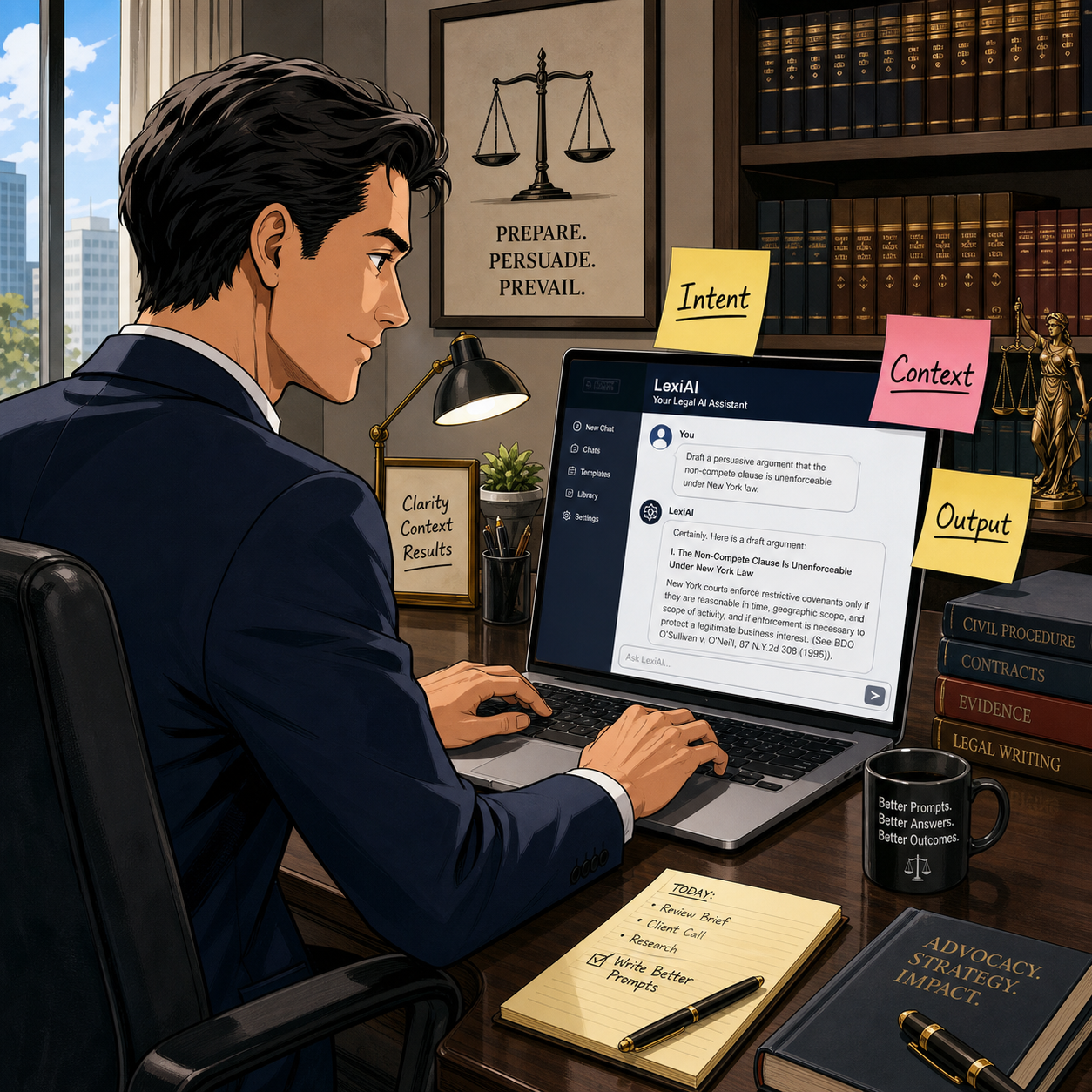
By forcing you to specify intent, context, and output, PromptCowboy nudges you toward more disciplined, repeatable AI use.

Bringing it into your practice today 📆

If you are a solo or small firm lawyer, you do not need a full-blown “AI strategy deck” to start. You need one or two well-crafted, reusable prompts for tasks you already handle every week—email drafting, checklists, or content summaries.

📢 Stay Tuned! In a future episode of The Tech-Savvy Lawyer Podcast, we’ll walk through a live PromptCowboy-to-LLM workflow and compare results across different tools. For now, pick one use case, build a prompt with PromptCowboy, and run it through your existing AI stack. Measure whether it saves you time without sacrificing quality or ethics.

Used thoughtfully, PromptCowboy can help bridge the gap between “AI-curious” and “AI-competent”—and that’s exactly where the profession needs to go next. 🚀

MTC: AI Won’t Replace Solo and Small-Firm Lawyers — It Will Supercharge Them ⚖️🤖

Solo lawyers can use artificial intelligence as a virtual associate to handle legal research, drafting, intake, and billing in a modern small law firm ⚖️🤖

If you run a solo or small-to-medium firm, you’ve probably heard the predictions: AI will automate legal tasks in “12 to 18 months” or replace traditional lawyers entirely by 2035. Those headlines make great clickbait, but they miss what is actually happening on the ground in smaller practices. AI is not wiping out solo and small-firm lawyers; it is changing the mix of tasks we do — and creating more opportunities for us if we adopt it intentionally and ethically. 

In a recent Washington Post opinion, Damien Charlotin argues that AI won’t replace lawyers. It will create more of them. His logic is especially important for solos and small firms. He describes legal jobs as “bundles of tasks,” many of which are tightly linked and not easily peeled apart for automation. If you’ve ever juggled intake, research, drafting, negotiation, and billing in a single day, you know exactly what that tight bundle feels like. AI is about to start pulling on pieces of that bundle — and your job is to decide how to rebundle your work in a way that serves clients, protects ethics, and keeps your business healthy. ⚖️🤖

Why Solo and Small Firms Should Ignore the Doom Headlines 😅

Charlotin points out that lawyers have never been more numerous in the United States, with law school applications rising and record-high employment in bar-required jobs. That’s happening at the same time as AI hype, which should tell you something: the profession is not collapsing.

For solos and small firms, the bigger risk is not AI replaces me, but AI-literate competitors out-serve my clients. Larger firms may have innovation teams and internal IT, but you have agility and direct control over your workflows. If you can use AI to shave hours off routine tasks — and reinvest that time into client counseling, business development, or flat-fee offerings — you can turn AI from a threat into a differentiator. As I often say on The Tech-Savvy Lawyer.Page podcast, AI is the junior associate you don’t have to hire, but still have to supervise.

Your Practice as a “Tight Bundle” of Tasks 🧩

Charlotin’s “bundles of tasks” concept is tailor-made for solo and small-firm reality. In big firms, tasks can be split across teams; in smaller shops, you wear most of the hats. Research, drafting, strategy, client communication, and billing are often intertwined in a single matter.

For experienced lawyers, Charlotin notes, “doing legal research and evaluating an argument are … often the same mental activity” — we check the argument by writing it. If you offload only the writing to AI, verification becomes a separate, deliberate act that takes time, and if you skip it, you risk sanctions for hallucinated filings. This is why I push solo and small-firm lawyers to treat AI as an assistant that drafts and summarizes, while you retain control over the analysis and final product.

Lessons from E-Discovery for Small Practices 📂➡️📈

Charlotin likens the current AI hype to the e-discovery wave more than a decade ago. Back then, headlines like those from The New York Times predicted “Armies of Expensive Lawyers, Replaced by Cheaper Software.” What actually happened? The volume of discoverable material exploded; the tools became part of practice; and lawyers moved into new roles managing, interpreting, and litigating around that information.

That same Jevons paradox — cheaper processes leading to more usage — is already playing out in tools marketed to solo and small firms. AI-assisted drafting and research platforms now make it viable for smaller shops to handle matters that previously required big-firm staffing, and to offer more predictable pricing without cutting quality. Cheaper legal work often means more legal work — especially for clients who previously couldn’t afford you.

ABA Model Rule 1.1: Competence for Lean Teams 📚

Small law firm team using legal AI tools to improve collaboration, client service, and ABA-compliant workflows across a lean practice 👩‍⚖️👨‍⚖️💻.

For solos and small- to medium-sized firms, ABA Model Rule 1.1 on competence is both a challenge and an opportunity. It requires you to understand “the benefits and risks associated with relevant technology,” including AI. But unlike big firms, you can’t delegate that understanding to an IT department or an internal AI committee; you are the committee.

Practically, that means you need at least a working grasp of what your chosen AI tools do, how they handle data, and where they fit in your workflows. You don’t need to run every experiment at once. Start with one or two high-impact areas — say, summarizing long PDFs, generating first drafts of routine emails, or creating checklists from statutes or rules — and build from there. Competence for solo and small-firm lawyers is not about chasing every new feature; it’s about picking the right tools for your practice and using them deliberately.

Rules 5.1 and 5.3: Supervision When “You Are the Management” 👥🤖

You might think Rules 5.1 and 5.3 (supervision of lawyers and nonlawyers) are big-firm problems. They’re not. If you have even one staff member, contract attorney, or virtual assistant, you are responsible for how they use AI. And even if you’re truly solo, you’re still responsible for supervising the AI tools you deploy as if they were a nonlawyer assistant.

For small practices, the most practical move is a simple written AI policy, even if it’s a one-page document:

  • Which tasks can use AI (e.g., research assistance, first-draft documents);

  • Which tasks require heightened review (e.g., anything filed with a court);

  • Which tasks are off-limits (e.g., unsupervised client advice, sensitive fact patterns pasted into consumer chatbots).

As discussed both in Charlotin’s piece and in bar guidance for smaller firms, formal policies help you avoid ad hoc, inconsistent AI use that could jeopardize client confidentiality or court obligations.

Rule 1.6 Confidentiality: Cloud Tools on a Budget 🔐

Model Rule 1.6 on confidentiality doesn’t change just because you’re a small shop — but your margin for error is thinner. Many solos and small firms rely on cloud-based tools because they can’t host their own infrastructure. That’s fine, as long as you are careful.

Before pasting client facts into an AI tool, you must know whether it stores or reuses data, whether it trains on your inputs, and whether there’s an option for a “no training” or “enterprise” mode. When in doubt, prefer AI features built into reputable legal platforms (research tools, practice management systems, document automation suites) with clear confidentiality commitments, rather than generic consumer apps. On The Tech-Savvy Lawyer.Page, I hammer this point because solos cannot absorb the cost of a major data mishap the way some larger organizations can.

Legislative Inflation and Niche Opportunities for Smaller Firms 📜📈

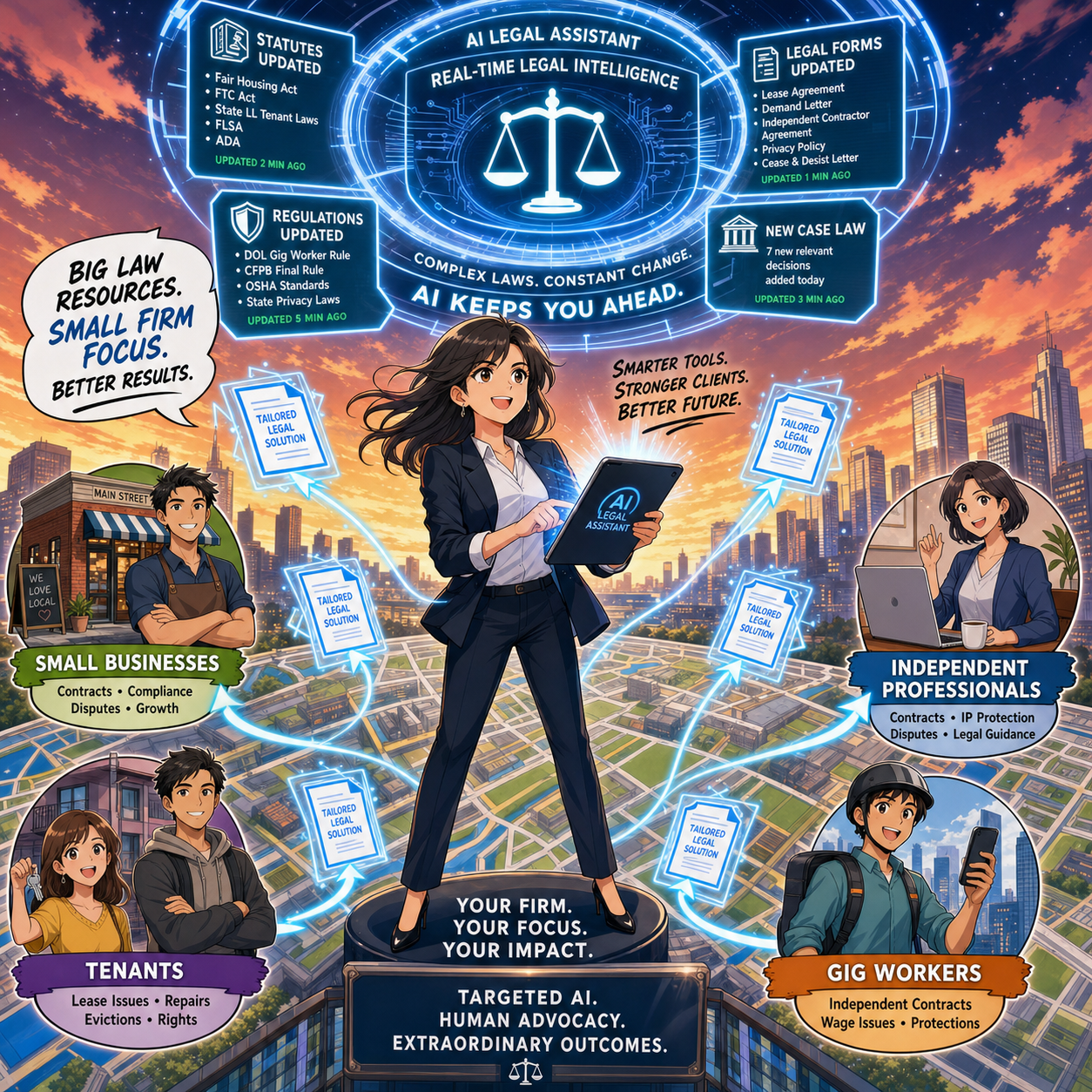
Charlotin notes that every jurisdiction is “afflicted by legislative inflation” — more rules, more norms, more regulations. That means more interpretation, more disputes, more filings, and more need for lawyers. For solos and small-to-medium firms, this is an opportunity to carve out narrow niches and use AI to keep up with complex, evolving regimes that might otherwise be out of reach.

An AI-enabled solo can monitor regulatory changes, generate quick client alerts, and update templates far faster than before. Combined with targeted content marketing and SEO, this makes it possible to dominate specific micro-niches without a big marketing budget — something I frequently discuss on The Tech-Savvy Lawyer.Page when we talk about modern business development.

Entry-Level Work and the Solo/Small Pyramid 🧑‍🎓➡️⚖️

a Small-firm lawyer can use AI-powered legal technology to serve niche clients, track changing regulations, and deliver efficient legal services across a local market 🎯⚖️

Charlotin flags a serious concern: AI may change entry-level work. For big firms, that means rethinking associate leverage. In smaller firms, it means you may hire differently — or delay that first hire because AI picks up some of the routine drafting and research.

But Charlotin also notes that young lawyers are hired for reasons beyond their marginal drafting value — future partnership, signals to clients, bench strength for unpredictable surges. The same is true for small and mid-size firms. AI can handle some grunt work, but it can’t attend a community event, build a local reputation, or bring in referrals. If you use AI to free juniors from the most repetitive tasks, you can push them earlier into client-facing and business-building roles, which is exactly where smaller firms thrive.

Reorganization, Not Replacement — Especially for You 🔄

Charlotin closes by emphasizing that while the profession will look different in 2035, the lawyer is here to stay, and there will likely be more lawyers, not fewer. They will use AI — “they would be fools not to” — and they will charge for that value.

For solo and small-to-medium firms, the reorganization is already underway:

  • Routine drafting and research shift toward AI-assisted workflows.

  • Verification, judgment, and client counseling become even more central.

  • Niche expertise, responsiveness, and pricing flexibility become your competitive edge.

If you treat AI as a core part of your toolkit — governed by the ABA Model Rules and aligned with your business goals — you must position your firm not just to survive the AI wave, but to ride it. ⚖️🤖

Its been said many times by myself and others, lawyers must embrace AI into their practice of law or be left behind by those who do!

📰 ABA TECHSHOW 2026 Recap: From AI Hype to LLM Reality, Google Workspace, and Ethical Lawyering in the Age of Bots ⚖️🤖

The Real Story Behind ABA TECHSHOW 2026

The techshow is the conference to go to keep your pulse on the technology lawyers should be using every day!

Walking into ABA TECHSHOW 2026 this year, I wasn’t thinking about shiny gadgets; I was thinking about competence, client service, and what it will mean to practice law in an era dominated not just by “AI,” but by large language models (LLMs) quietly shaping almost everything we see and share online. During my work on The Tech-Savvy Lawyer.Page blog and podcast, I keep running into the same pattern: lawyers know they should understand legal technology, yet they worry they’ll break something, breach a rule, or look foolish in front of their staff. TECHSHOW 2026 aimed directly at that anxiety — but this year, the conversation needs to go beyond what AI and generative AI can do and toward how LLMs and search bots are already shaping our professional identities online and offline. ⚖️💻

Keynotes: The “AI Dividend” and Your Time

The keynote lineup captured the tension between promise and risk. Legal market analysts highlighted what some called the “AI Dividend”: when machines take over routine drafting and research, lawyers gain time to think, advise, and advocate at a higher level. The real question — one I’ve been hammering on The Tech-Savvy Lawyer.Page for years — is what you will do with the time technology gives back (some of that time should include reviewing your work, e.g., your case citations). Tech-savvy speakers pushed attendees to look past vendor hype and focus on the broader digital environment, where consumer-facing tools, search engines, and recommendation algorithms are setting new expectations for speed, transparency, and availability.

Practical AI in the Sessions

Inside the conference rooms, the “Taming the Machines” and related AI tracks met baseline concerns (some with hands-on workshops) focused on realistic use cases: assisted drafting, pattern spotting in discovery, and summarizing voluminous documents. These sessions were built for lawyers who live in Word, Outlook, Google Workspace, and practice management systems and who simply want to stop retyping the same paragraphs. The faculty hammered home a critical point: generative AI is an assistant, not a decision-maker; you remain the lawyer, responsible for accuracy, judgment, and ethics under the ABA Model Rules. 🤖📄

Google Workspace, Microsoft 365, and Using What You Already Own

Mathew Krebis’ session on Google Workspace drove that message home in very practical terms. He showed how many firms are only scratching the surface of tools they already pay for: shared Drives with well-structured permissions, real-time collaboration in Google Docs, Gmail automation for intake and follow-up, and Google Calendar combined with Tasks to keep matter timelines under control. When you layer in emerging AI features in Workspace — smart replies, document summaries, suggested outlines — you see how even modest use of these tools can dramatically reduce friction in daily practice, and the tools Mathew discussed are not isolated to “law practice management” systems.

The takeaway was powerful: before you chase a new platform, fully exploit the ecosystem you already have. For many firms, “being more tech-savvy” starts with properly configuring their Google Workspace, Microsoft 365, or other SaaS platform, rather than buying yet another service.

Podcasting, Social Media, and LLM-Driven Visibility

Meanwhile, one other yet important frontier — and one that still feels underexplored — is what happens when LLMs and search bots become the primary lens through which clients, colleagues, and even opposing counsel discover you. That’s where my panel, 🎧 Podcasting for Lawyers: The Truth Behind the Mic, came in.

Ruby L. Powers, Gyi Tsakalakis, Stephanie Everett, and I discussed podcasting and social media not just as marketing channels, but as structured signals fed into LLM-driven engines that are constantly indexing, ranking, and inferring who is an authority on a given topic. Whether you talk about appellate practice, family law, or even a hobby outside the law, your content becomes training data for Generative Engine Optimization/LLM bots that decide which voices surface first when someone types a question into an AI chatbox. 🎙️🌐

In other words, your digital footprint is no longer static. It is being interpreted, reassembled, and presented as answers — often without you ever seeing the intermediate steps. That reality raises a new layer of ethical questions under the ABA Model Rules. Model Rule 7.1’s prohibition on false or misleading communications about the lawyer or the lawyer’s services takes on a new twist when LLMs remix snippets of your posts, podcasts, Google Workspace–hosted client alerts, and blog articles into composite “advice.”

You might be scrupulously accurate in your content, but if an LLM mischaracterizes it or presents it out of context, what then? TECHSHOW 2026 addressed traditional risks like hallucinated case citations, but there is room for a deeper, explicit conversation about how LLM-driven discovery intersects with advertising, communication, and competence duties.

EXPO Hall: Tools, Timekeeping, and Vendor Reality Checks

The EXPO Hall, as always, served as a laboratory of possibilities. Practice management platforms, billing tools, document automation, and a wave of AI-enhanced products competed for attention. Timekeeping tools that automatically capture activity across devices and applications and then propose draft time entries have grown dramatically since last year. For lawyers still reconstructing their days from memory and sticky notes, this is more than a marginal upgrade; it directly affects revenue, work-life balance, and accuracy.

But the fair warning comes here: make sure vendors are showing you what their product can do today, not what they hope it will do someday. In the LLM era, marketing decks are often several steps ahead of deployed reality. 🧾⏱️

Remember, you have an obligation under Model Rule 1.1 (competence) and Model Rule 5.3 (responsibilities regarding non-lawyer assistance) to understand the capabilities and limitations of any tech you “delegate” work to. Asking hard questions about current functionality, data handling, and audit trails is not being difficult; it is part of your duty of care.

Cybersecurity, Confidentiality, and LLM Risk

networking oppOrtunities like the taste of tecHshow” is a great way to talk with and learn from other lawyers about using tech in the practice of law.

The sessions on cybersecurity and confidentiality continued to do vital work. Under Model Rule 1.6, our obligation to protect client information extends to cloud storage, email, video conferencing, and the mobile devices we casually use in airport lounges. The “Guardians of the Data” track walked through practical checklists rather than abstract fearmongering: password managers, multi-factor authentication, properly configured backups, and vendor due diligence.

For firms running on Google Workspace, that translated into concrete steps: enforcing two-step verification, tightening Drive sharing settings, using client-specific shared Drives instead of ad hoc personal folders, and monitoring admin logs for suspicious access. The move from generic “AI” to LLM-powered services on any platform increases data risk, because many tools rely on ingesting your content — sometimes including client information — to improve their models. If you don’t understand where your data is going and how it is used, you cannot credibly say you are meeting confidentiality obligations. 🔐☁️

Competence, Human-in-the-Loop, and Everyday Workflows

You have an obligation under Model Rule 1.1 (competence) and Model Rule 5.3 (responsibilities regarding non-lawyer assistance) to understand the capabilities and limitations of any tech you “delegate” work to. Asking hard questions about current functionality, data handling, and audit trails is part of your duty of care.

Balancing this skepticism, though, is an equally important truth: becoming proficient with AI and LLM-based tools is not a spectator sport. You cannot satisfy your duty of technological competence from the sidelines. You have to use the tools first on a small scale, then progressively in more critical workflows, always with appropriate supervision and verification.

That might mean piloting an AI drafting feature in Google Docs and Microsoft Word for internal templates, or testing structured intake forms and automations inside Google Workspace or Microsoft 365 before rolling them out firm-wide. Ignoring AI because it feels uncomfortable is no longer the safer option. In some practices, failing to integrate it intelligently — while peers and opposing counsel do — may itself raise competence concerns as expectations evolve in courts and among clients. 🧩📈

Saturday Sessions: From “Use AI” to “Use AI Responsibly”

On Saturday, the 9 a.m. conversation among ABA President Michelle A. Behnke, Immediate Past President William R. “Bill” Bay, and President-Elect Barbara J. Howard, underscored how all of this ties into the rule of law and access to justice, framing AI as something lawyers now have a responsibility to actually use, not simply watch from the sidelines. The 10 a.m. session with Judge Timothy S. Driscoll then shifted the focus from “use AI or be left behind” to “use AI responsibly,” making it clear that judges, too, are integrating AI into their work and that they are not immune from mistakes when they rely on it.

The message for everyone in the courtroom ecosystem was simple and blunt: “Review, review, and review” any work touched by AI, because AI is a non‑infallible tool that does make errors and can mislead the unwary. Together, these sessions acknowledged the growing digital divide: lawyers and clients who can’t or won’t adopt technology risk falling out of the mainstream of legal services, while those who adopt it recklessly risk eroding confidence in both their own work and the justice system as a whole.

We are not merely debating convenience; we are deciding who gets effective representation and who is left out because the lawyer they might have hired never appeared in their LLM‑driven search results — or appeared with AI‑boosted visibility but poor ethical judgment. Technology, in this sense, is not optional; it is one of the few levers we have to expand meaningful access to legal help, provided we wield it with intent, humility, and rigorous human review. ⚖️🧠

LLM Literacy: The Next Core Competency

That balance — between caution and experimentation — is where TECHSHOW 2026 both excelled and showed its next frontier. Many sessions made AI approachable, breaking down concepts for lawyers with limited to moderate tech skills and providing concrete workflows they could apply on Monday. What I would like to see more explicitly next year is programming that treats LLM literacy as a core competency: understanding how LLMs are built, how they index and surface information, how your content feeds into them, and how that affects everything from client intake to reputation, whether you are working in Microsoft 365, Google Workspace, or a specialized legal platform.

From my vantage point as a legal tech ambassador at The Tech-Savvy Lawyer, the most successful sessions respected that many lawyers are highly capable professionals who simply haven’t had the time or guidance to modernize their workflows. They don’t need to become prompt engineers. They need guardrails, roadmaps, and clear examples of how to align AI, LLM tools, and mainstream platforms like Microsoft 365 and Google Workspace with the ABA Model Rules and local bar guidance. When faculty focused on incremental steps — tightening cybersecurity configurations, adding a layer of AI-assisted drafting under strict human review, building a consistent content strategy that LLMs can reliably recognize — the room should lead in.

A Tough-Love Takeaway for Lawyers

If you are a lawyer who still feels behind, here’s the core message I took away from TECHSHOW 2026, with a bit of tough love: you don’t need to chase every new tool, but you can’t afford to ignore LLM-driven AI and the platforms you already live in, like Microsoft 365 and Google Workspace, any longer. Understand the basics; pilot one or two well-vetted tools to start improving your efficiency without sacrificing the need for a true human-in-the-loop.

SEE YOU IN CHICAGO FOR ABA TECHSHOW 2027!!!

Read your jurisdiction’s ethics opinions on AI and technology. Build habits that protect client data by default. Use your own content — whether blog posts, newsletters, or podcasts — to train the bots to see you as a trusted authority rather than a digital afterthought. Ultimately, your bar license may be at more risk from not engaging with AI than from engaging with it carefully and intelligently.

The future of legal practice will not wait until we are all comfortable; it is here now, embedded in the search boxes, recommendation engines, and tools your clients already use. TECHSHOW 2026 made that clear. The next move is yours. 🚀⚖️

MTC

📌 Too Busy to Read This Week’s Editorial: “Lawyers and AI Oversight: What the VA’s Patient Safety Warning Teaches About Ethical Law Firm Technology Use!” ⚖️🤖

Join us for an AI-powered deep dive into the ethical challenges facing legal professionals in the age of generative AI. 🤖 In this episode, we discuss our February 16, 2026, editorial, “Lawyers and AI Oversight: What the VA’s Patient Safety Warning Teaches About Ethical Law Firm Technology Use! ⚖️🤖” and explore why treating AI-generated drafts as hypotheses—not answers—is quickly becoming a survival skill for law firms of every size. We connect a real-world AI failure risk at the Department of Veterans Affairs to the everyday ways lawyers are using tools like chatbots, and we translate ABA Model Rules into practical oversight steps any practitioner can implement without becoming a programmer.

In our conversation, we cover the following

  • 00:00:00 – Why conversations about the future of law default to Silicon Valley, and why that’s a problem ⚖️

  • 00:01:00 – How a crisis at the U.S. Department of Veterans Affairs became a “mirror” for the legal profession 🩺➡️⚖️

  • 00:03:00 – “Speed without governance”: what the VA Inspector General actually warned about, and why it matters to your practice

  • 00:04:00 – From patient safety risk to client safety and justice risk: the shared AI failure pattern in healthcare and law

  • 00:06:00 – Shadow AI in law firms: staff “just trying out” public chatbots on live matters and the unseen risk this creates

  • 00:07:00 – Why not tracking hallucinations, data leakage, or bias turns risk management into wishful thinking

  • 00:08:00 – Applying existing ABA Model Rules (1.1, 1.6, 5.1, 5.2, and 5.3) directly to AI use in legal practice

  • 00:09:00 – Competence in the age of AI: why “I’m not a tech person” is no longer a safe answer 🧠

  • 00:09:30 – Confidentiality and public chatbots: how you can silently lose privilege by pasting client data into a text box

  • 00:10:30 – Supervision duties: why partners cannot safely claim ignorance of how their teams use AI

  • 00:11:00 – Candor to tribunals: the real ethics problem behind AI-generated fake cases and citations

  • 00:12:00 – From slogan to system: why “meaningful human engagement” must be operationalized, not just admired 

  • 00:12:30 – The key mindset shift: treating AI-assisted drafts as hypotheses, not answers 🧪

  • 00:13:00 – What reasonable human oversight looks like in practice: citations, quotes, and legal conclusions under stress test

  • 00:14:00 – You don’t need to be a computer scientist: the essential due diligence questions every lawyer can ask about AI 

  • 00:15:00 – Risk mapping: distinguishing administrative AI use from “safety-critical” lawyering tasks

  • 00:16:00 – High-stakes matters (freedom, immigration, finances, benefits, licenses) and heightened AI safeguards

  • 00:16:45 – Practical guardrails: access controls, narrow scoping, and periodic quality audits for AI use

  • 00:17:00 – Why governance is not “just for BigLaw” and how solos can implement checklists and simple documentation 📋

  • 00:17:45 – Updating engagement letters and talking to clients about AI use in their matters

  • 00:18:00 – Redefining the “human touch” as the safety mechanism that makes AI ethically usable at all 🤝

  • 00:19:00 – AI as power tool: why lawyers must remain the “captain of the ship” even when AI drafts at lightning speed 🚢

  • 00:20:00 – Rethinking value: if AI creates the first draft, what exactly are clients paying lawyers for?

  • 00:20:30 – Are we ready to bill for judgment, oversight, and safety instead of pure production time?

  • 00:21:00 – Final takeaways: building a practice where human judgment still has the final word over AI

RESOURCES

Mentioned in the episode

Software & Cloud Services mentioned in the conversation

Word of the Week: Vendor Risk Management for Law Firms in 026: Lessons from the Clio–Alexi CRM Fight ⚖️💻

Clio vs. Alexi: CRM Litigation COULD THREATEN Law Firm Data

“Vendor risk management” is no longer an IT buzzword; it is now a core law‑practice skill for any attorney who relies on cloud‑based tools, CRMs, or AI‑driven research platforms.⚙️📊 The Tech‑Savvy Lawyer.Page’s February 2, 2026 editorial on the Clio–Alexi CRM litigation showed how a dispute between legal‑tech companies can reach straight into your client list, calendars, and workflows.⚖️🧾

In that piece, Clio and Alexi’s legal fight over data, AI training, and competition was framed not as “tech drama,” but as a live test of how well your firm understands its dependencies on vendors that control client‑related information.🧠📂 When the platform that hosts your CRM, matter data, or AI research tools becomes embroiled in high‑stakes litigation, your risk profile changes even if you never set foot in that courtroom.⚠️🏛️

Under ABA Model Rule 1.1, competence includes a practical understanding of the technology that underpins your practice, and that now clearly includes vendor risk.📚💡 You do not have to reverse‑engineer APIs, yet you should be able to answer basic questions: Which vendors are mission‑critical, what data do they hold, how would you respond if one faced an injunction, outage, or rushed acquisition.🧩🚨 That is vendor risk management at a level that is realistic for lawyers with limited to moderate tech skills.🙂🧑‍💼

LawyerS NEED TO Build Vendor Risk Plan for Ethical Compliance

Model Rule 1.6 on confidentiality sits at the center of this analysis, because litigation involving a vendor can expose or pressure the systems that hold client information.🔐📁 Our February 2 article emphasized the need to know where your data is hosted, what the contracts say about subpoenas and law‑enforcement requests, and how quickly you can export data if your ethics analysis changes.⏱️📄 Vendor risk management, therefore, includes reviewing terms of service, capturing “current” versions of online agreements, and documenting export rights and notice obligations.📝🧷

Model Rule 5.3 requires reasonable efforts to ensure that non‑lawyer assistance is compatible with your professional duties, and 2026 legal‑tech commentary increasingly treats vendors as supervised extensions of the law office.🧑‍⚖️🤝 CRMs, AI research tools, document‑automation platforms, and e‑billing systems all act as non‑lawyer assistants for ethics purposes, which means you must screen them before adoption, monitor them for material changes, and reassess when events like the Clio–Alexi dispute surface.📡📊

Recent legal‑tech reporting has described 2026 as a reckoning year for vendors, with AI‑driven tools under heavier regulatory and client scrutiny, which makes disciplined vendor risk management a competitive advantage rather than a burden.📈🤖 Practical steps include maintaining a simple vendor inventory, ranking systems by criticality, reviewing cyber and data‑security representations, and identifying a plausible backup provider for each crucial function.📋🛡️

LAWYERS NEED TO SHIELD THEIR CLIENT DATA FROM CRM LITIGATION AS MUCH AS THEY NEED TO PROTECT THEIR EthicS DUTIES!

Vendor risk management, properly understood, turns your technology stack into part of your professional judgment instead of a black box that “IT” owns alone.🧱🧠 For solo and small‑firm lawyers, that shift can feel incremental rather than overwhelming: start by reading the Clio–Alexi editorial, pull your top three vendor contracts, and ask whether they let you protect competence, confidentiality, and continuity if your vendors suddenly become the ones needing legal help.🧑‍⚖️🧰

Words of the Week: “ANTHROPIC” VS. “AGENTIC”: UNDERSTANDING THE DISTINCTION IN LEGAL TECHNOLOGY 🔍

lawyers need to know the difference anthropic v. agentic

The terms "Anthropic" and "agentic" circulate frequently in legal technology discussions. They sound similar. They appear in the same articles. Yet they represent fundamentally different concepts. Understanding the distinction matters deeply for legal practitioners seeking to leverage artificial intelligence effectively.

Anthropic is a company—specifically, an AI safety-focused organization that develops large language models, most notably Claude. Think of Anthropic as a technology provider. The company pioneered "Constitutional AI," a training methodology that embeds explicit principles into AI systems to guide their behavior toward helpfulness, harmlessness, and honesty. When you use Claude for legal research or document drafting, you are using a product built by Anthropic.

Agentic describes a category of AI system architecture and capability—not a company or product. Agentic systems operate autonomously, plan multi-step tasks, make decisions dynamically, and execute workflows with minimal human intervention. An agentic system can break down complex assignments, gather information, refine outputs, and adjust its approach based on changing circumstances. It exercises judgment about which tools to deploy and when to escalate matters to human oversight.

"Constitutional AI" is an ai training methodology promoting helpfulness, harmlessness, and honesty in ai programing

The relationship between these concepts becomes clearer through a practical scenario. Imagine you task an AI system with analyzing merger agreements from a target company. A non-agentic approach requires you to provide explicit instructions for each step: search the database, extract key clauses, compare terms against templates, and prepare a summary. You guide the process throughout. An agentic approach allows you to assign a goal—Review these contracts, flag risks, and prepare a risk summary—and the AI system formulates its own research plan, prioritizes which documents to examine first, identifies gaps requiring additional information, and works through the analysis independently, pausing only when human judgment becomes necessary.

Anthropic builds AI models capable of agentic behavior. Claude, Anthropic's flagship model, can function as an agentic system when configured appropriately. However, Anthropic's models can also operate in simpler, non-agentic modes. You might use Claude to answer a direct question or draft a memo without any agentic capability coming into play. The capability exists within Anthropic's models, but agentic functionality remains optional depending on your implementation.

They work together as follows: Anthropic provides the underlying AI model and the training methodology emphasizing constitutional principles. That foundation becomes the engine powering agentic systems. The Constitutional AI approach matters specifically for agentic applications because autonomous systems require robust safeguards. As AI systems operate more independently, explicit principles embedded during training help ensure they remain aligned with human values and institutional requirements. Legal professionals cannot simply deploy an autonomous AI agent without trust in its underlying decision-making framework.

Agentic vs. Anthropic: Know the Difference. Shape the Future of Law!

For legal practitioners, the distinction carries practical implications. You evaluate Anthropic as a vendor when selecting which AI provider's tools to adopt. You evaluate agentic architecture when deciding whether your specific use case requires autonomous task execution or whether simpler, more directed AI assistance suffices. Many legal workflows benefit from direct AI support without requiring full autonomy. Others—such as high-volume contract analysis during due diligence—leverage agentic capabilities to move work forward rapidly.

Both elements represent genuine advances in legal technology. Recognizing the difference positions you to make informed decisions about tool adoption and appropriate implementation for your practice. ✅

🎙️TSL Labs! MTC: The Hidden AI Crisis in Legal Practice: Why Lawyers Must Unmask Embedded Intelligence Before It's Too Late!

📌 Too Busy to Read This Week's Editorial?

Join us for a professional deep dive into essential tech strategies for AI compliance in your legal practice. 🎙️ This AI-powered discussion unpacks the November 17, 2025, editorial, MTC: The Hidden AI Crisis in Legal Practice: Why Lawyers Must Unmask Embedded Intelligence Before It's Too Late! with actionable intelligence on hidden AI detection, confidentiality protocols, ethics compliance frameworks, and risk mitigation strategies. Artificial intelligence has been silently operating inside your most trusted legal software for years, and under ABA Formal Opinion 512, you bear full responsibility for all AI use, whether you knowingly activated it or it came as a default software update. The conversation makes complex technical concepts accessible to lawyers with varying levels of tech expertise—from tech-hesitant solo practitioners to advanced users—so you'll walk away with immediate, actionable steps to protect your practice, your clients, and your professional reputation.

In Our Conversation, We Cover the Following

00:00:00 - Introduction: Overview of TSL Labs initiative and the AI-generated discussion format

00:01:00 - The Silent Compliance Crisis: How AI has been operating invisibly in your software for years

00:02:00 - Core Conflict: Understanding why helpful tools simultaneously create ethical threats to attorney-client privilege

00:03:00 - Document Creation Vulnerabilities: Microsoft Word Co-pilot and Grammarly's hidden data processing

00:04:00 - Communication Tools Risks: Zoom AI Companion and the cautionary Otter.ai incident

00:05:00 - Research Platform Dangers: Westlaw and Lexis+ AI hallucination rates between 17-33%

00:06:00 - ABA Formal Opinion 512: Full lawyer responsibility for AI use regardless of awareness

00:07:00 - Model Rule 1.6 Analysis: Confidentiality breaches through third-party AI systems

00:08:00 - Model Rule 5.3 Requirements: Supervising AI tools with the same diligence as human assistants

00:09:00 - Five-Step Compliance Framework: Technology audits and vendor agreement evaluation

00:10:00 - Firm Policies and Client Consent: Establishing protocols and securing informed consent

00:11:00 - The Verification Imperative: Lessons from the Mata v. Avianca sanctions case

00:12:00 - Billing Considerations: Navigating hourly versus value-based fee models with AI

00:13:00 - Professional Development: Why tool learning time is non-billable competence maintenance

00:14:00 - Ongoing Compliance: The necessity of quarterly reviews as platforms rapidly evolve

00:15:00 - Closing Remarks: Resources and call to action for tech-savvy innovation

Resources

Mentioned in the Episode

Software & Cloud Services Mentioned in the Conversation