🚨 BOLO: Samsung Budget Phones Contain Pre-Installed Data-Harvesting Software: Critical Action Steps for Legal Professionals

‼️ ALERT: Hidden Spyware in Samsung Phones!

Samsung Galaxy A, M, and F series smartphones contain pre-installed software called AppCloud, developed by ironSource (now owned by Unity Technologies), that harvests user data, including location information, app usage patterns, IP addresses, and potentially biometric data. This software cannot be fully uninstalled without voiding your device warranty, and it operates without accessible privacy policies or explicit consent mechanisms. Legal professionals using these devices face significant risks to attorney-client privilege and confidential client information.

The Threat Landscape

AppCloud runs quietly in the background with permissions to access network connections, download files without notification, and prevent phones from sleeping. The application is deeply integrated into Samsung's One UI operating system, making it impossible to fully remove through standard methods. Users across West Asia, North Africa, Europe, and South Asia report that even after disabling the application, it reappears following system updates.

The digital rights organization SMEX documented that AppCloud's privacy policy is not accessible online, and the application does not present users with consent screens or terms of service disclosures. This lack of transparency raises serious ethical and legal compliance concerns, particularly for attorneys bound by professional responsibility rules regarding client confidentiality.

Legal and Ethical Implications for Attorneys

Under ABA Model Rule 1.6, attorneys must make "reasonable efforts to prevent the inadvertent or unauthorized disclosure of, or unauthorized access to, information relating to the representation of a client". The duty of technological competence under Rule 1.1, Comment 8, requires attorneys to "keep abreast of changes in the law and its practice, including the benefits and risks associated with relevant technology".

The New York Bar's 2022 ethics opinion specifically addresses smartphone security, prohibiting attorneys from sharing contact information with smartphone applications unless they can confirm that no person will view confidential client information and that data will not be transferred to third parties without client consent. AppCloud's data harvesting practices appear to violate both conditions.

Immediate Action Steps

‼️ Act now if you’ve purchased certain samsung phones - your bar license could be in jeopardy!

Step 1: Identify Affected Devices
Check whether you use a Samsung Galaxy A series (A05 through A56), M series (M01 through M56), or F series device. These budget and mid-range models are primary targets for AppCloud installation.

Step 2: Disable AppCloud
Navigate to Settings > Apps > Show System Apps > AppCloud > Disable. Additionally, revoke notification permissions, restrict background data usage, and disable the "Install unknown apps" permission.

Step 3: Monitor for Reactivation
After system updates, return to AppCloud settings and re-disable the application.

Step 4: Consider Device Migration
For attorneys handling highly sensitive matters, consider transitioning to devices without pre-installed data collection software. Document your decision-making process as evidence of reasonable security measures.

Step 5: Client Notification Assessment
Evaluate whether client notification is required under your jurisdiction's professional responsibility rules. California's Formal Opinion 2020-203 addresses obligations following an electronic data compromise.

The Bottom Line

Budget smartphone economics should not compromise attorney-client privilege. Samsung's partnership with ironSource places aggressive advertising technology on devices used by legal professionals worldwide. Until Samsung provides transparent opt-out mechanisms or removes AppCloud entirely, attorneys using affected devices should implement immediate mitigation measures and document their security protocols.

MTC: The Hidden AI Crisis in Legal Practice: Why Lawyers Must Unmask Embedded Intelligence Before It's Too Late!

Lawyers need Digital due diligence in order to say on top of their ethic’s requirements.

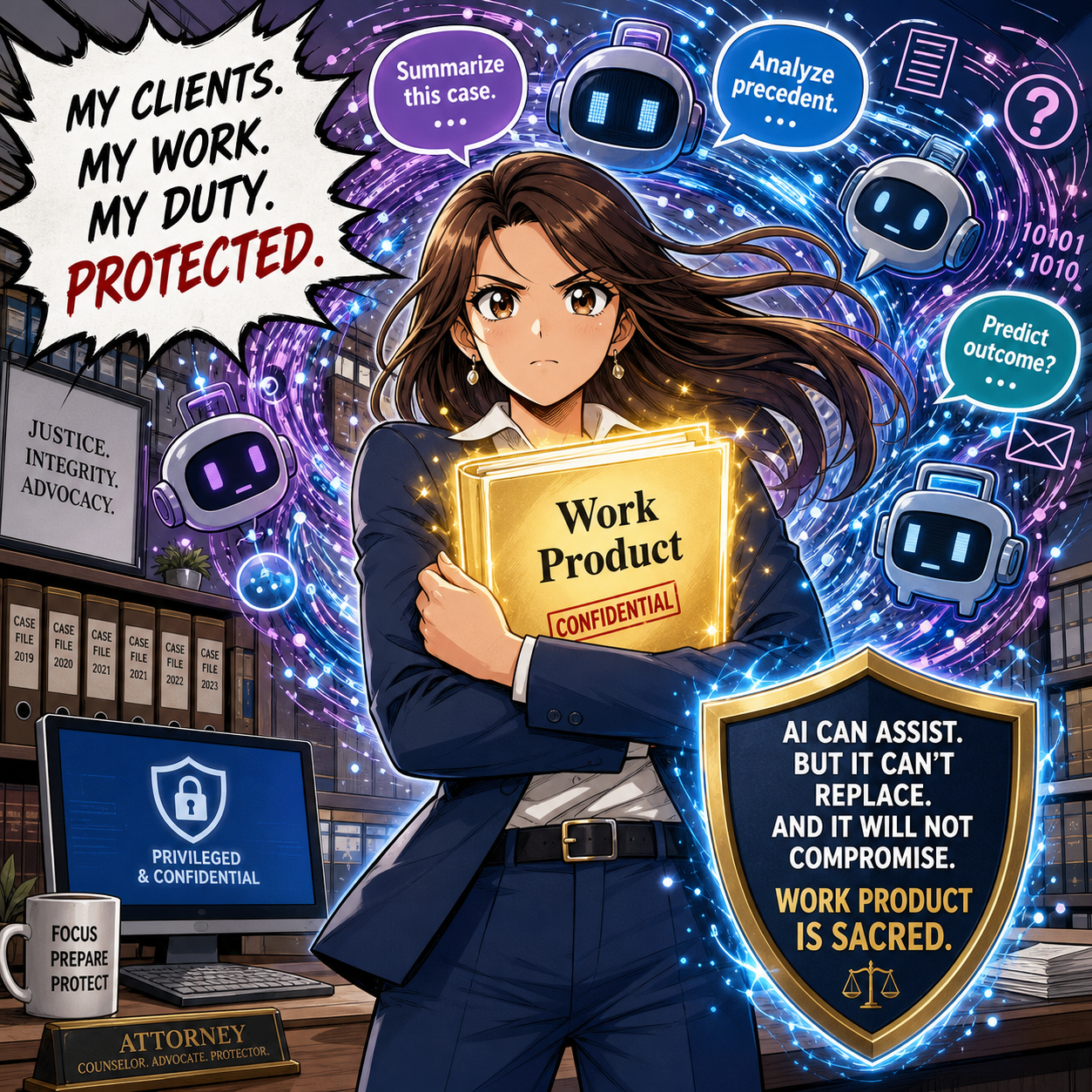
Artificial intelligence has infiltrated legal practice in ways most attorneys never anticipated. While lawyers debate whether to adopt AI tools, they've already been using them—often without knowing it. These "hidden AI" features, silently embedded in everyday software, present a compliance crisis that threatens attorney-client privilege, confidentiality obligations, and professional responsibility standards.

The Invisible Assistant Problem

Hidden AI operates in plain sight. Microsoft Word's Copilot suggests edits while you draft pleadings. Adobe Acrobat's AI Assistant automatically identifies contracts and extracts key terms from PDFs you're reviewing. Grammarly's algorithm analyzes your confidential client communications for grammar errors. Zoom's AI Companion transcribes strategy sessions with clients—and sometimes captures what happens after you disconnect.

DocuSign now deploys AI-Assisted Review to analyze agreements against predefined playbooks. Westlaw and Lexis+ embed generative AI directly into their research platforms, with hallucination rates between 17% and 33%. Even practice management systems like Clio and Smokeball have woven AI throughout their platforms, from automated time tracking descriptions to matter summaries.

The challenge isn't whether these tools provide value—they absolutely do. The crisis emerges because lawyers activate features without understanding the compliance implications.

ABA Model Rules Meet Modern Technology

The American Bar Association's Formal Opinion 512, issued in July 2024, makes clear that lawyers bear full responsibility for AI use regardless of whether they actively chose the technology or inherited it through software updates. Several Model Rules directly govern hidden AI features in legal practice.

Model Rule 1.1 requires competence, including maintaining knowledge about the benefits and risks associated with relevant technology. Comment 8 to this rule, adopted by most states, mandates that lawyers understand not just primary legal tools but embedded AI features within those tools. This means attorneys cannot plead ignorance when Microsoft Word's AI Assistant processes privileged documents.

Model Rule 1.6 imposes strict confidentiality obligations. Lawyers must make "reasonable efforts to prevent the inadvertent or unauthorized disclosure of, or unauthorized access to, information relating to the representation of a client". When Grammarly accesses your client emails to check spelling, or when Zoom's AI transcribes confidential settlement discussions, you're potentially disclosing protected information to third-party AI systems.

Model Rule 5.3 extends supervisory responsibilities to "nonlawyer assistance," which includes non-human assistance like AI. The 2012 amendment changing "assistants" to "assistance" specifically contemplated this scenario. Lawyers must supervise AI tools with the same diligence they'd apply to paralegals or junior associates.

Model Rule 1.4 requires communication with clients about the means used to accomplish their objectives. This includes informing clients when AI will process their confidential information, obtaining informed consent, and explaining the associated risks.

Where Hidden AI Lurks in Legal Software

🚨 lawyers don’t breach your ethical duties with AI shortcuts!!!

Microsoft 365 Copilot integrates AI across Word, Outlook, and Teams—applications lawyers use hundreds of times daily. The AI drafts documents, summarizes emails, and analyzes meeting transcripts. Most firms that subscribe to Microsoft 365 have Copilot enabled by default in recent licensing agreements, yet many attorneys remain unaware their correspondence flows through generative AI systems.

Adobe Acrobat now automatically recognizes contracts and generates summaries with AI Assistant. When you open a PDF contract, Adobe's AI immediately analyzes it, extracts key dates and terms, and offers to answer questions about the document. This processing occurs before you explicitly request AI assistance.

Legal research platforms embed AI throughout their interfaces. Westlaw Precision AI and Lexis+ AI process search queries through generative models that hallucinate incorrect case citations 17% to 33% of the time according to Stanford research. These aren't separate features—they're integrated into the standard search experience lawyers rely upon daily.

Practice management systems deploy hidden AI for intake forms, automated time entry descriptions, and matter summaries. Smokeball's AutoTime AI generates detailed billing descriptions automatically. Clio integrates AI into client relationship management. These features activate without explicit lawyer oversight for each instance of use.

Communication platforms present particularly acute risks. Zoom AI Companion and Microsoft Teams AI automatically transcribe meetings and generate summaries. Otter.ai's meeting assistant infamously continued recording after participants thought a meeting ended, capturing investors' candid discussion of their firm's failures. For lawyers, such scenarios could expose privileged attorney-client communications or work product.

The Compliance Framework

Establishing ethical AI use requires systematic assessment. First, conduct a comprehensive technology audit. Inventory every software application your firm uses and identify embedded AI features. This includes obvious tools like research platforms and less apparent sources like PDF readers, email clients, and document management systems.

Second, evaluate each AI feature against confidentiality requirements. Review vendor agreements to determine whether the AI provider uses your data for model training, stores information after processing, or could disclose data in response to third-party requests. Grammarly, for example, offers HIPAA compliance but only for enterprise customers with 100+ seats who execute Business Associate Agreements. Similar limitations exist across legal software.

Third, implement technical safeguards. Disable AI features that lack adequate security controls. Configure settings to prevent automatic data sharing. Adobe and Microsoft both offer options to prevent AI from training on customer data, but these protections require active configuration.

Fourth, establish firm policies governing AI use. Designate responsibility for monitoring AI features in licensed software. Create protocols for evaluating new tools before deployment. Develop training programs ensuring all attorneys understand their obligations when using AI-enabled applications.

Fifth, secure client consent. Update engagement letters to disclose AI use in service delivery. Explain the specific risks associated with processing confidential information through AI systems. Document informed consent for each representation.

The Verification Imperative

ABA Formal Opinion 512 emphasizes that lawyers cannot delegate professional judgment to AI. Every output requires independent verification. When Westlaw Precision AI suggests research authorities, lawyers must confirm those cases exist and accurately reflect the law. When CoCounsel Drafting generates contract language in Microsoft Word, attorneys must review for accuracy, completeness, and appropriateness to the specific client matter.

The infamous Mata v. Avianca case, where lawyers submitted AI-generated briefs citing fabricated cases, illustrates the catastrophic consequences of failing to verify AI output. Every jurisdiction that has addressed AI ethics emphasizes this verification duty.

Cost and Billing Considerations

Formal Opinion 512 addresses whether lawyers can charge the same fees when AI accelerates their work. The opinion suggests lawyers cannot bill for time saved through AI efficiency under traditional hourly billing models. However, value-based and flat-fee arrangements may allow lawyers to capture efficiency gains, provided clients understand AI's role during initial fee negotiations.

Lawyers cannot bill clients for time spent learning AI tools—maintaining technological competence represents a professional obligation, not billable work. As AI becomes standard in legal practice, using these tools may become necessary to meet competence requirements, similar to how electronic research and e-discovery tools became baseline expectations.

Practical Steps for Compliance

Start by examining your Microsoft Office subscription. Determine whether Copilot is enabled and what data sharing settings apply. Review Adobe Acrobat's AI Assistant settings and disable automatic contract analysis if your confidentiality review hasn't been completed.

Contact your Westlaw and Lexis representatives to understand exactly how AI features operate in your research platform. Ask specific questions: Does the AI train on your search queries? How are hallucinations detected and corrected? What happens to documents you upload for AI analysis?

Audit your practice management system. If you use Clio, Smokeball, or similar platforms, identify every AI feature and evaluate its compliance with confidentiality obligations. Automatic time tracking that generates descriptions based on document content may reveal privileged information if billing statements aren't properly redacted.

Review video conferencing policies. Establish protocols requiring explicit disclosure when AI transcription activates during client meetings. Obtain informed consent before recording privileged discussions. Consider disabling AI assistants entirely for confidential matters.

Implement regular training programs. Technology competence isn't achieved once—it requires ongoing education as AI features evolve. Schedule quarterly reviews of new AI capabilities deployed in your software stack.

Final Thoughts 👉 The Path Forward

lawyers must be able to identify and contain ai within the tech tools they use for work!

Hidden AI represents both opportunity and obligation. These tools genuinely enhance legal practice by accelerating research, improving drafting, and streamlining administrative tasks. The efficiency gains translate into better client service and more competitive pricing.

However, lawyers cannot embrace these benefits while ignoring their ethical duties. The Model Rules apply with equal force to hidden AI as to any other aspect of legal practice. Ignorance provides no defense when confidentiality breaches occur or inaccurate AI-generated content damages client interests.

The legal profession stands at a critical juncture. AI integration will only accelerate as software vendors compete to embed intelligent features throughout their platforms. Lawyers who proactively identify hidden AI, assess compliance risks, and implement appropriate safeguards will serve clients effectively while maintaining professional responsibility.

Those who ignore hidden AI features operating in their daily practice face disciplinary exposure, malpractice liability, and potential privilege waivers. The choice is clear: unmask the hidden AI now, or face consequences later.

MTC

📖 Word of the Week: The Meaning of “Data Governance” and the Modern Law Practice - Your Essential Guide for 2025

Understanding Data Governance: A Lawyer's Blueprint for Protecting Client Information and Meeting Ethical Obligations

Lawyers need to know about “DAta governance” and how it affects their practice of law.

Data governance has emerged as one of the most critical responsibilities facing legal professionals today. The digital transformation of legal practice brings tremendous efficiency gains but also creates significant risks to client confidentiality and attorney ethical obligations. Every email sent, document stored, and case file managed represents a potential vulnerability that requires careful oversight.

What Data Governance Means for Lawyers

Data governance encompasses the policies, procedures, and practices that ensure information is managed consistently and reliably throughout its lifecycle. For legal professionals, this means establishing clear frameworks for how client information is collected, stored, accessed, shared, retained, and ultimately deleted. The goal is straightforward: protect sensitive client data while maintaining the accessibility needed for effective representation.

The framework defines who can take which actions with specific data assets. It establishes ownership and stewardship responsibilities. It classifies information by sensitivity and criticality. Most importantly for attorneys, it ensures compliance with ethical rules while supporting operational efficiency.

The Ethical Imperative Under ABA Model Rules

The American Bar Association Model Rules of Professional Conduct create clear mandates for lawyers regarding technology and data management. These obligations serve as an excellent source of guidance regardless of whether your state has formally adopted specific technology competence requirements. BUT REMEMBER ALWAYS FOLLOW YOUR STATE’S ETHIC’S RULES FIRST!

Model Rule 1.1 addresses competence and was amended in 2012 to explicitly include technological competence. Comment 8 now requires lawyers to "keep abreast of changes in the law and its practice, including the benefits and risks associated with relevant technology". This means attorneys must understand the data systems they use for client representation. Ignorance of technology is no longer acceptable.

Model Rule 1.6 governs confidentiality of information. The rule requires lawyers to "make reasonable efforts to prevent the inadvertent or unauthorized disclosure of, or unauthorized access to, information relating to the representation of a client". Comment 18 specifically addresses the need to safeguard information against unauthorized access by third parties. This creates a direct ethical obligation to implement appropriate data security measures.

Model Rule 5.3 addresses responsibilities regarding nonlawyer assistants. This rule extends to technology vendors and service providers who handle client data. Lawyers must ensure that third-party vendors comply with the same ethical obligations that bind attorneys. This requires due diligence when selecting cloud storage providers, practice management software, and artificial intelligence tools.

The High Cost of Data Governance Failures

lawyers need to know the multiple facets of data Governance

Law firms face average data breach costs of $5.08 million. These financial losses pale in comparison to the reputational damage and loss of client trust that follows a security incident. A single breach can expose trade secrets, privileged communications, and personally identifiable information.

The consequences extend beyond monetary damages. Ethical violations can result in disciplinary action. Inadequate data security arguably constitutes a failure to fulfill the duty of confidentiality under Rule 1.6. Some jurisdictions have issued ethics opinions requiring attorneys to notify clients of breaches resulting from lawyer negligence.

Recent guidance from state bars emphasizes that lawyers must self-report breaches involving client data exposure. The ABA's Formal Opinion 483 addresses data breach obligations directly. The opinion confirms that lawyers have duties under Rules 1.1, 1.4, 1.6, 5.1, and 5.3 related to cybersecurity.

Building Your Data Governance Framework

Implementing effective data governance requires systematic planning and execution. The process begins with understanding your current data landscape.

Step One: Conduct a Data Inventory

Identify all data assets within your practice. Catalog their sources, types, formats, and locations. Map how data flows through your firm from creation to disposal. This inventory reveals where client information resides and who has access to it.

Step Two: Classify Your Data

Not all information requires the same level of protection. Establish a classification system based on sensitivity and confidentiality. Many firms use four levels: public, internal, confidential, and restricted.

Privileged attorney-client communications require the highest protection level. Publicly filed documents may still be confidential under Rule 1.6, contrary to common misconception. Client identity itself often qualifies as protected information.

Step Three: Define Access Controls

Implement role-based access controls that limit data exposure. Apply the principle of least privilege—users should access only information necessary for their specific responsibilities. Multi-factor authentication adds essential security for sensitive systems.

Step Four: Establish Policies and Procedures

Document clear policies governing data handling. Address encryption requirements for data at rest and in transit. Set retention schedules that balance legal obligations with security concerns. Create incident response plans for potential breaches.

Step Five: Train Your Team

The human element represents the greatest security vulnerability. Sixty-eight percent of data breaches involve human error. Regular training ensures staff understand their responsibilities and can recognize threats. Training should cover phishing awareness, password security, and proper data handling procedures.

Step Six: Monitor and Audit

Continuous oversight maintains governance effectiveness. Regular audits identify vulnerabilities before they become breaches. Review access logs for unusual activity. Update policies as technology and regulations evolve.

Special Considerations for Artificial Intelligence

The rise of generative AI tools creates new data governance challenges. ABA Formal Opinion 512 specifically addresses AI use in legal practice. Lawyers must understand whether AI systems are "self-learning" and use client data for training.

Many consumer AI platforms retain and learn from user inputs. Uploading confidential client information to ChatGPT or similar tools may constitute an ethical violation. Even AI tools marketed to law firms require careful vetting.

Before using any AI system with client data, obtain informed consent. Boilerplate language in engagement letters is insufficient. Clients need clear explanations of how their information will be used and what risks exist.

Vendor Management and Third-Party Risk

Lawyers cannot delegate their ethical obligations to technology vendors. Rule 5.3 requires reasonable efforts to ensure nonlawyer assistants comply with professional obligations. This extends to cloud storage providers, case management platforms, and cybersecurity consultants.

Before engaging any vendor handling client data, conduct thorough due diligence. Verify the vendor maintains appropriate security certifications like SOC 2, ISO 27001, or HIPAA compliance. Review vendor contracts to ensure adequate data protection provisions. Understand where data will be stored and who will have access.

The Path Forward

lawyers need to advocate data governance for their clients!

Data governance is not optional for modern legal practice. It represents a fundamental ethical obligation under multiple Model Rules. Client trust depends on proper data stewardship.

Begin with a realistic assessment of your current practices. Identify gaps between your current state and ethical requirements. Develop policies that address your specific risks and practice areas. Implement controls systematically rather than attempting wholesale transformation overnight.

Remember that data governance is an ongoing process requiring continuous attention. Technology evolves. Threats change. Regulations expand. Your governance framework must adapt accordingly.

The investment in proper data governance protects your clients, your practice, and your professional reputation. More importantly, it fulfills your fundamental ethical duty to safeguard client confidences in an increasingly digital world.

TSS: Repurpose Your Old Work Tech Into Family Learning Tools This Back-to-School Season 💻📚

repurposing your tech for your children can be a platform for a talk with your school kids on the Safe use of Tech.

The new school year approaches, and your children need reliable technology. Before you head to the electronics store, consider the laptops and tablets gathering dust in your office closet or your current devices that you are about to upgrade. With proper preparation, these work devices can become powerful educational tools while teaching your family essential cybersecurity skills.

Why Lawyer Parents Need This Workshop 🎯

As attorneys, we face unique challenges when transitioning work devices to family use. Attorney-client privilege concerns, firm policy compliance, and data breach liability create legal risks most parents never consider. Our August Tech-Savvy Saturday seminar addresses these challenges head-on with practical solutions.

What You'll Master in This Essential Session 🛡️

Device Sanitization for Legal Professionals: Step-by-step Windows, Mac OS, iOS, and Android procedures that protect privileged information while preparing devices for family use. We cover complete data wiping, software licensing removal, and documentation requirements.

Family Technology Management Systems: Implementation strategies for password managers, shared calendars, and network security configurations that work for legal families. Special focus on co-parenting considerations and court-approved platforms.

Family Cyber Talks should be routine!

Age-Appropriate Cybersecurity Education: From elementary through college-age guidance on digital citizenship, password security, and online safety. Critical discussions about digital permanence and the serious legal consequences of non-consensual intimate image sharing.

Emergency Response Planning: Practical protocols for handling cyberbullying, predator contact, and other digital crises. Know when to involve law enforcement versus school administration.

Register Now for August Tech-Savvy Saturday 🚀

This workshop combines legal ethics with practical family technology management. You'll leave with actionable checklists, template agreements, and the confidence to transform old work devices into safe learning tools.

MTC: Is Puerto Rico’s Professional Responsibility Rule 1.19 Really Necessary? A Technology Competence Perspective.

Is PR’s Rule 1.19 necessary?

The legal profession stands at a crossroads regarding technological competence requirements. With forty states already adopting Comment 8 to Model Rule 1.1, which mandates lawyers "keep abreast of changes in the law and its practice, including the benefits and risks associated with relevant technology," the question emerges: do we need additional rules like PR Rule 1.19?

Comment 8 to Rule 1.1 establishes clear parameters for technological competence. This amendment, adopted by the ABA in 2012, expanded the traditional duty of competence beyond legal knowledge to encompass technological proficiency. The Rule requires lawyers to understand the "benefits and risks associated with relevant technology" in their practice areas.

The existing framework appears comprehensive. Comment 8 already addresses core technological competencies, including e-discovery, cybersecurity, and client communication systems. Under Rule 1.1 (Comment 5), legal professionals must evaluate whether their technological skills meet "the standards of competent practitioners" without requiring additional regulatory layers.

However, implementation challenges persist. Many attorneys struggle with the vague standard of "relevant technology". The rule's elasticity means that competence requirements continuously evolve in response to technological advancements. Some jurisdictions, like Puerto Rico (see PR’s Supreme Court’s Order ER-2025-02 approving adoption of its full set of Rules of Professional Conduct, have created dedicated technology competence rules (Rule 1.19) to provide clearer guidance.

The verdict: redundancy without added value. Rather than creating overlapping rules, the legal profession should focus on robust implementation of existing Comment 8 requirements. Enhanced continuing legal education mandates, clearer interpretive guidance, and practical competency frameworks would better serve practitioners than additional regulatory complexity.

Technology competence is essential, but regulatory efficiency should guide our approach. 🚀