MTC: IPHONE 18 PRO VS. IPHONE DUO VS. SAMSUNG AND PIXEL FOLDABLES: WHICH SMARTPHONE IS BETTER FOR LAWYERS?

Smartphone vs. foldable phone: the modern lawyer's dilemma.

Apple’s newly announced iPhone Duo has made the foldable-phone question real for lawyers. 📱 For most attorneys, a traditional flagship smartphone remains the safer all-purpose choice. For lawyers who regularly review documents, manage hearings remotely, or work between offices and courtrooms, a foldable can become a genuinely useful portable workspace.

The important point is not that one form factor “wins.” Your phone should support competent, secure, and efficient representation. That means choosing the device that fits your actual workday—not the one with the most impressive keynote slide.

Apple’s first foldable arrives after Samsung and Google have spent years proving that a phone can also function as a pocketable small tablet. Apple’s approach emphasizes integration, a near-crease-free matte inner display, and an iOS experience designed to transition between the cover and internal screens. At the same time, Apple’s iPhone 18 Pro retains several advantages that matter to lawyers who use their device as a reliable camera, scanner, recorder, and secure communications tool.

THE LAWYER’S REAL QUESTION

A lawyer does not need a foldable merely because a foldable exists. You need one if the larger screen meaningfully improves how you work.

Think about the tasks that consume your mobile time:

• Reading a settlement agreement while waiting for a hearing to begin.

  • Comparing a client email against a draft motion.

  • Joining a video conference while following a shared document.

  • Reviewing a photographed exhibit or a PDF sent from opposing counsel.

  • Capturing and organizing notes after a client meeting.

  • Managing a calendar, task list, matter-management system, and secure messaging while away from a desk.

A standard smartphone is still superior for many of these moments because it is lighter, simpler, more durable in a practical sense, and easier to use one-handed. A foldable becomes compelling when the task is document-centric and sustained. Opening a 7- to 8-inch internal display changes a PDF from “readable in a pinch” to “useful enough to work with.”

That distinction is especially important under ABA Model Rule 1.1, which includes a lawyer’s responsibility to keep abreast of the benefits and risks associated with relevant technology. Competence does not require purchasing the newest hardware. It does require making deliberate choices about security, workflows, backups, authentication, and the handling of client information. Rule 1.6 also requires reasonable efforts to prevent unauthorized access to client information.

IPHONE 18 PRO VS. IPHONE DUO

For an Apple-centered practice, this is not simply a comparison between a conventional phone and a foldable. It is a choice between an optimized mobile tool and a more expansive mobile workspace.

Lawyer-use category: Everyday portability

Courtroom-ready: comparing smartphone and foldable phone workflows.

  • iPhone 18 Pro: 211 grams; conventional one-hand phone design.

  • iPhone Duo: 254 grams; larger and thicker when folded.

  • Better fit: iPhone 18 Pro.

Lawyer-use category: Matter-document review

  • iPhone 18 Pro: Strong phone display, but limited viewing area.

  • iPhone Duo: Tablet-like internal display for PDFs, pleadings, and side-by-side work.

  • Better fit: iPhone Duo.

Lawyer-use category: Camera and evidence capture

  • iPhone 18 Pro: Variable-aperture 48MP main camera, telephoto options, Pro controls, and Apple Reference Image.

  • iPhone Duo: Dual cameras; no telephoto lens, fixed apertures, and fewer Pro imaging features.

  • Better fit: iPhone 18 Pro.

Lawyer-use category: Client videoconferencing

  • iPhone 18 Pro: Full-featured conventional iPhone experience.

  • iPhone Duo: Larger screen and flexible layouts; the cover display may assist framing.

  • Better fit: Depends on workflow.

Lawyer-use category: Authentication

  • iPhone 18 Pro: Face ID.

  • iPhone Duo: Touch ID and Apple Watch unlocking support.

  • Better fit: Personal preference.

Lawyer-use category: Travel and field work

  • iPhone 18 Pro: Faster, lighter, and easier to pocket.

  • iPhone Duo: Larger viewing canvas but more expensive and heavier.

  • Better fit: iPhone 18 Pro.

Lawyer-use category: Screen-sharing and multitasking

  • iPhone 18 Pro: Capable but physically constrained.

  • iPhone Duo: Better potential for split-screen meetings, documents, and note-taking.

  • Better fit: iPhone Duo.

Lawyer-use category: Starting price

  • iPhone 18 Pro: $1,199 for 256GB.

  • iPhone Duo: $1,999 for 256GB.

  • Better fit: iPhone 18 Pro.

Lawyer-use category: Durability and dust protection

  • iPhone 18 Pro: Conventional flagship construction.

  • iPhone Duo: IP68-rated, with foldable-specific hinge and screen considerations.

  • Better fit: Slight edge to iPhone 18 Pro.

The iPhone 18 Pro is the more practical professional tool for most lawyers. Apple’s A20 Pro chip, upgraded cooling, improved battery life, faster charging, enhanced camera controls, and stronger imaging system are not merely consumer upgrades. They can matter when you are capturing a whiteboard after a client meeting, scanning exhibits, recording a witness-preparation session where permitted, or creating accurate visual documentation. The iPhone 18 Pro also has Apple Reference Image, an opt-in feature intended to authenticate sensor-originated images. That feature deserves attention in an era of AI-altered visual evidence.

Do not overstate that point, however. A device-origin verification feature is not a substitute for evidentiary foundation, chain-of-custody practices, metadata preservation, or careful authentication under the applicable rules of evidence. It may be helpful. It is not magic. ⚖️

The iPhone Duo offers a different value proposition. Its inner display can make a meaningful difference when reading a lengthy contract, reviewing a marked-up PDF, participating in a Zoom meeting while viewing shared materials, or using a legal-research platform away from the office. Apple has highlighted responsive layouts, continuity between the cover and internal display, split-screen possibilities, and Apple Pencil support. Those features could make the Duo especially attractive for lawyers who work from courthouses, conference rooms, airports, and client locations.

Still, the first-generation Duo requires compromises. It lacks Face ID, an Action button, a telephoto lens, ProRAW, spatial media, LiDAR, Apple Reference Image, and certain camera controls available on the iPhone 18 Pro. It also costs substantially more.

Bottom line: Choose the iPhone 18 Pro if your phone is primarily a fast, premium communications and capture device. Choose the iPhone Duo if you routinely do substantive document work on the road and will actually use the larger display several times a week.

SAMSUNG FLAGSHIP VS. GALAXY FOLD

Foldable phone keeps traveling attorneys productive between flights."

Samsung deserves credit for giving lawyers years of real-world foldable choices. It did not wait for foldables to become perfect. It improved the category in public, generation after generation.

The practical comparison is between Samsung’s flagship “slab” phone—such as the current Galaxy S-series Ultra model—and the Galaxy Z Fold line.

Lawyer-use category: One-handed use

  • Samsung Galaxy S-series flagship: Better, although Ultra models are large.

  • Samsung Galaxy Z Fold: More awkward when folded; usually two-handed when open.

  • Better fit: Galaxy S flagship.

Lawyer-use category: PDF and contract review

  • Samsung Galaxy S-series flagship: Large conventional display.

  • Samsung Galaxy Z Fold: Inner display is far better for full-page review.

  • Better fit: Galaxy Z Fold.

Lawyer-use category: Stylus workflow

  • Samsung Galaxy S-series flagship: Strong stylus options on certain Ultra models.

  • Samsung Galaxy Z Fold: Fold series has historically offered mixed stylus support.

  • Better fit: Galaxy S flagship.

Lawyer-use category: Cameras and zoom

  • Samsung Galaxy S-series flagship: Usually stronger camera system and long-range zoom.

  • Samsung Galaxy Z Fold: Often compromises camera hardware for foldable form.

  • Better fit: Galaxy S flagship.

Lawyer-use category: Android multitasking

  • Samsung Galaxy S-series flagship: Good.

  • Samsung Galaxy Z Fold: Often excellent, with substantial multiwindow flexibility.

  • Better fit: Galaxy Z Fold.

Lawyer-use category: Courtroom and travel durability

  • Samsung Galaxy S-series flagship: Less mechanical complexity.

  • Samsung Galaxy Z Fold: Hinge and flexible display require more care.

  • Better fit: Galaxy S flagship.

Lawyer-use category: Value

  • Samsung Galaxy S-series flagship: Premium, but generally lower cost.

  • Samsung Galaxy Z Fold: Premium-plus pricing.

  • Better fit: Galaxy S flagship.

Lawyer-use category: Portable workspace

  • Samsung Galaxy S-series flagship: Good.

  • Samsung Galaxy Z Fold: Excellent for research, email, documents, and video meetings.

  • Better fit: Galaxy Z Fold.

For the lawyer already embedded in Android and Microsoft 365, a Galaxy Z Fold can be a powerful field device. Large-screen multitasking can put Outlook, Word, OneDrive, Teams, a browser, and a practice-management platform within quick reach. The internal display is ideal for reviewing a filing before a hearing or comparing a client’s message with a calendar entry and task list.

The tradeoff is complexity. Foldables add a hinge, a flexible display, more protective-case considerations, and a greater risk that a lawyer treats the device as a laptop replacement when it is not. For serious drafting, extended discovery review, or presentation preparation, a laptop remains the correct tool. A foldable is most valuable in the space between phone and laptop.

Samsung’s foldable durability has improved substantially, but the Galaxy Fold 8’s IP48 rating illustrates the continuing reality of the category: foldables have different vulnerability profiles than conventional devices. Apple’s Duo claims IP68 protection, but lawyers should wait for independent testing and long-term field experience before treating any first-generation foldable as indestructible.

PIXEL SMARTPHONE VS. PIXEL FOLD

Foldable phone multitasks calendar, email, and video calls.

Google’s Pixel line has a particular appeal for AI-curious lawyers. Pixel devices often showcase Google’s software, voice tools, transcription features, photography, and AI-assisted workflows. That can be helpful, but it also requires more disciplined thinking about confidentiality.

Lawyer-use category: Voice notes and transcription

Lawyer-use category: Research and browser use

  • Google Pixel flagship: Strong conventional mobile experience.

  • Google Pixel Fold: Larger screen better for source review and comparison.

  • Better fit: Pixel Fold.

Lawyer-use category: Gmail, Docs, Drive, and Calendar

  • Google Pixel flagship: Seamless Google Workspace integration.

  • Google Pixel Fold: Better for simultaneous apps and document review.

  • Better fit: Pixel Fold.

Lawyer-use category: Photography and scanning

  • Google Pixel flagship: Strong computational photography.

  • Google Pixel Fold: Foldable design may involve hardware tradeoffs.

  • Better fit: Pixel flagship.

Lawyer-use category: Secure mobile productivity

  • • Google Pixel flagship: Simpler device, with fewer moving parts.

  • • Google Pixel Fold: Greater screen utility and more workflow complexity.

  • • Better fit: Depends on practice.

Lawyer-use category: AI-assisted features

  • • Google Pixel flagship: Convenient but requires policy discipline.

  • • Google Pixel Fold: The same concern, plus a tendency to do more work on-device.

  • • Better fit: Tie.

Lawyer-use category: Portability

  • • Google Pixel flagship: Better.

  • • Google Pixel Fold: More capable but bulkier.

  • • Better fit: Pixel flagship.

A Pixel Fold may appeal to the lawyer who lives in Google Workspace, uses Google Meet, moves constantly between documents and email, and values a larger internal screen. It can be especially useful for reviewing shared Google Docs, keeping a video call open beside a browser or document, and handling high-volume email triage.

But the lawyer’s duty does not change because an AI feature is convenient. Before using AI-based transcription, summarization, cloud backup, assistant features, or document analysis, determine what data leaves the device, where it is processed, whether it is retained, and whether the service’s settings align with the firm’s confidentiality obligations.

Mobile security protects client confidentiality under ABA rules!

Under Model Rule 1.6, client information must be protected through reasonable safeguards. Under Model Rules 5.1 and 5.3, firm managers and supervisory lawyers should establish policies for lawyers and nonlawyer staff who use phones, AI-enabled applications, transcription tools, cloud services, and collaboration platforms.

The smart policy is not “never use AI.” The smart policy is: use approved tools, understand the data path, configure security settings, and train your people. 🔐

THE THREE FLAGSHIP SMARTPHONES

When comparing Apple, Samsung, and Google’s conventional flagship phones, the choice often comes down to ecosystem, security administration, camera needs, and software preference—not raw specifications alone.

Apple iPhone 18 Pro

• Best for: Apple-centered firms and lawyers who value polished reliability.

  • • Document work: Good for quick review and annotation.

  • • Camera evidence workflow: Excellent; advanced camera controls and reference-image option.

  • • Mobile device management: Strong enterprise support.

  • • Ecosystem: Mac, iPad, Apple Watch, iCloud, and iMessage.

  • • Best reason to choose: Consistency and professional-grade media capture.

  • • Main caution: Less customization.

Samsung Galaxy S-series flagship

  • • Best for: Power users, Microsoft 365 users, and lawyers who value customization.

  • • Document work: Good, especially on large Ultra displays.

  • • Camera evidence workflow: Excellent; typically strong zoom and flexibility.

  • • Mobile device management: Strong enterprise and Android management options.

  • • Ecosystem: Android, Windows, Microsoft, and DeX-style workflows.

  • • Best reason to choose: Flexibility and power-user features.

  • • Main caution: More settings and complexity.

Google Pixel flagship

  • • Best for: Google Workspace users and AI-forward workflows.

  • • Document work: Good, with strong Google app integration.

  • • Camera evidence workflow: Excellent computational imaging and scanning.

  • • Mobile device management: Strong Google-centered management.

  • • Ecosystem: Google Workspace, Android, and Google services.

  • • Best reason to choose: Google-native productivity and AI tools.

Main caution: Careful governance of cloud and AI features.

The iPhone 18 Pro is the best conventional choice for many lawyers because it combines exceptional camera capability with a familiar, secure, and manageable mobile experience. It is particularly appealing for firms that use Macs, iPads, and Apple device management. Its upgraded imaging system and Apple Reference Image feature may also interest litigators and investigators, subject to the usual evidence and chain-of-custody caveats.

Samsung’s flagship models remain excellent for lawyers who want larger screens, deep customization, strong multitasking, and close integration with Windows and Microsoft 365. The Pixel is attractive for lawyers who rely on Google Workspace and want a refined Android experience with Google’s evolving AI and language tools.

No device choice relieves you of professional judgment. A phone that is technically secure can still become a confidentiality problem if it has a weak passcode, broad notification previews, unapproved cloud syncing, or no remote-wipe plan.

THE THREE FOLDABLE PHONES

Foldables are now mature enough to deserve serious consideration, but they remain specialized tools.

Apple iPhone Duo

  • Best for: Apple users who want iPad-like utility in a pocketable device.

  • Inner-screen experience: Apple’s new foldable interface; matte, nearly creaseless display claims.

  • Document review: Excellent potential.

  • Camera priority: Secondary to iPhone 18 Pro; notable feature omissions.

  • Authentication: Touch ID.

  • Starting price: $1,999.

  • Key strength: Hardware-software integration and IP68 claim.

  • Key caution: First-generation product; premium price and feature tradeoffs.

Samsung Galaxy Z Fold

  • Best for: Multitasking-heavy Android users.

  • Inner-screen experience: Mature foldable multitasking ecosystem.

  • Document review: Excellent.

  • Camera priority: Often less camera-focused than S-series flagships.

  • Authentication: Android biometric options.

  • Starting price: Premium pricing.

  • Key strength: Experience, flexibility, and established category history.

  • Key caution: Hinge/display care and ecosystem fragmentation.

Google Pixel Fold

  • Best for: Google Workspace and Pixel-centric lawyers.

  • Inner-screen experience: Strong Google-app workflow and wide-screen utility.

  • Document review: Excellent.

  • Camera priority: May involve foldable-camera compromises.

  • Authentication: Android biometric options.

  • Starting price: Premium pricing.

  • Key strength: Google productivity and AI integration.

  • Key caution: AI/cloud governance and foldable tradeoffs.

The iPhone Duo’s most interesting promise is not its folding screen. It is the prospect of an Apple-native portable workspace where the transition from closed to open device feels deliberate rather than improvised. Apple’s interface is designed to carry content between screens and reconfigure layouts based on the hinge position. That could be quite useful for a lawyer watching a deposition clip, taking notes during a virtual meeting, or reviewing a document while keeping a secure messaging tool available.

Samsung’s Galaxy Z Fold remains the more established choice for lawyers who know they want a foldable now. Its strongest value is workspace flexibility. Pixel Fold models can be especially compelling for Google Workspace firms and lawyers who routinely work in Gmail, Drive, Docs, Meet, and Chrome.

Yet all foldables have a common limitation: they invite more work on a device that is still not a full computer. Be candid about your habits. If you routinely carry a laptop or iPad anyway, a standard flagship smartphone may be more sensible. If you are often away from both, the foldable may earn its place.

THE PRACTICAL ROUNDUP

Here is my recommendation for legal professionals:

  • Choose a traditional flagship smartphone if you prioritize dependable communication, quick client response, quality photography, scanning, security simplicity, and one-handed use. This remains the right answer for most solo and small-firm lawyers. 📱

  • Choose a foldable phone if you regularly read and annotate PDFs, compare materials, conduct remote meetings, or need a larger display during travel and court days. The productivity gain must be real and recurring.

  • Choose the iPhone 18 Pro if you value Apple ecosystem integration, exceptional mobile imaging, a lighter device, and conventional-phone reliability.

  • Choose the iPhone Duo if you are committed to Apple, frequently work from documents while mobile, and accept first-generation pricing and camera compromises.

  • Choose a Samsung flagship or Galaxy Z Fold if Microsoft 365, Windows, Android flexibility, and multitasking define your workflow.

  • Choose a Pixel flagship or Pixel Fold if your practice is firmly rooted in Google Workspace and you have a clear policy for AI-enabled features and cloud processing.

Finally, whatever you buy, build a mobile-security checklist: strong device passcode, biometric authentication, encrypted backups, mobile-device management where appropriate, automatic lock, remote wipe, minimal lock-screen previews, approved cloud storage, and a written policy for AI and transcription tools. Those habits—not an extra inch of screen space—do the most to protect clients and your practice. 🔒

The Apple Duo is an important announcement because it makes foldables more relevant to lawyers who have remained in Apple’s ecosystem. But the best technology decision is still the boringly professional one: choose the tool that helps you serve clients better, protect their information, and work more effectively every day.

MTC

HOW TO: How Lawyers Can Protect Themselves on LinkedIn from New Phishing 🎣 Scams!

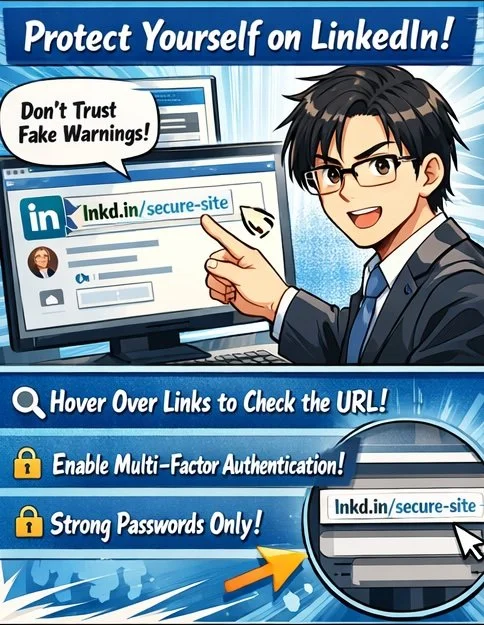
Fake LinkedIn warnings target lawyers!

LinkedIn has become an essential networking tool for lawyers, making it a high‑value target for sophisticated phishing campaigns.⚖️ Recent scams use fake “policy violation” comments that mimic LinkedIn’s branding and even leverage the official lnkd.in URL shortener to trick users into clicking on malicious links. For legal professionals handling confidential client information, falling victim to one of these attacks can create both security and ethical problems.

First, understand how this specific scam works.💻 Attackers create LinkedIn‑themed profiles and company pages (for example, “Linked Very”) that use the LinkedIn logo and post “reply” comments on your content, claiming your account is “temporarily restricted” for non‑compliance with platform rules. The comment urges you to click a link to “verify your identity,” which leads to a phishing site that harvests your LinkedIn credentials. Some links use non‑LinkedIn domains, such as .app, or redirect through lnkd.in, making visual inspection harder.

To protect yourself, treat all public “policy violation” comments as inherently suspect.🔍 LinkedIn has confirmed it does not communicate policy violations through public comments, so any such message should be considered a red flag. Instead of clicking, navigate directly to LinkedIn in your browser or app, check your notifications and security settings, and only interact with alerts that appear within your authenticated session. If the comment uses a shortened link, hover over it (on desktop) to preview the destination, or simply refuse to click and report it.

From an ethics standpoint, these scams directly implicate your duties under ABA Model Rules 1.1 and 1.6.⚖️ Comment 8 to Rule 1.1 stresses that competent representation includes understanding the benefits and risks associated with relevant technology. Failing to use basic safeguards on a platform where you communicate with clients and colleagues can fall short of that standard. Likewise, Rule 1.6 requires reasonable efforts to prevent unauthorized access to client information, which includes preventing account takeover that could expose your messages, contacts, or confidential discussions.

Public “policy violations” are a red flag!

Practically, you should enable multi‑factor authentication (MFA) on LinkedIn, use a unique, strong password stored in a reputable password manager, and review active sessions regularly for unfamiliar devices or locations.🔐 If you suspect you clicked a malicious link, immediately change your LinkedIn password, revoke active sessions, enable or confirm MFA, and run updated anti‑malware on your device. Then notify your firm’s IT or security contact and consider whether any client‑related disclosures are required under your jurisdiction’s ethics rules and breach‑notification laws.

Finally, build a culture of security awareness in your practice.👥 Brief colleagues and staff about this specific comment‑reply scam, show screenshots, and explain that LinkedIn does not resolve “policy violations” via comment threads. Encourage a “pause before you click” mindset and make reporting easy—internally to your IT team and externally to LinkedIn’s abuse channels. Taking these steps not only protects your professional identity but also demonstrates the technological competence and confidentiality safeguards the ABA Model Rules expect from modern legal practitioners.

From an ethics standpoint, these scams directly implicate your duties under ABA Model Rules 1.1 and 1.6.⚖️ Comment 8 to Rule 1.1 stresses that competent representation includes understanding the benefits and risks associated with relevant technology. Failing to use basic safeguards on a platform where you communicate with clients and colleagues can fall short of that standard. Likewise, Rule 1.6 requires reasonable efforts to prevent unauthorized access to client information, which includes preventing account takeover that could expose your messages, contacts, or confidential discussions.

Train your team to pause and report!

Practically, you should enable multi‑factor authentication (MFA) on LinkedIn, use a unique, strong password stored in a reputable password manager, and review active sessions regularly for unfamiliar devices or locations.🔐 If you suspect you clicked a malicious link, immediately change your LinkedIn password, revoke active sessions, enable or confirm MFA, and run updated anti‑malware on your device. Then notify your firm’s IT or security contact and consider whether any client‑related disclosures are required under your jurisdiction’s ethics rules and breach‑notification laws.

Finally, build a culture of security awareness in your practice.👥 Brief colleagues and staff about this specific comment‑reply scam, show screenshots, and explain that LinkedIn does not resolve “policy violations” via comment threads. Encourage a “pause before you click” mindset and make reporting easy—internally to your IT team and externally to LinkedIn’s abuse channels. Taking these steps not only protects your professional identity but also demonstrates the technological competence and confidentiality safeguards the ABA Model Rules expect from modern legal practitioners.

MTC: PornHub Breach: Cybersecurity Wake-Up Call for Lawyers

Lawyers are the first line defenders for their clientS’ pii.

It's the start of the New Year, and as good a time as any to remind the legal profession of their cybersecurity obligations! The recent PornHub data exposure reveals critical vulnerabilities every lawyer must address under ABA ethical obligations. Third-party analytics provider Mixpanel suffered a breach compromising user email addresses, triggering targeted sextortion campaigns. This incident illuminates three core security domains for legal professionals while highlighting specific duties under ABA Model Rules 1.1, 1.6, 5.1, 5.3, and Formal Opinion 483.

Understanding the Breach and Its Legal Implications

The PornHub incident demonstrates how failures by third-party vendors can lead to cascading security consequences. When Mixpanel's systems were compromised, attackers gained access to email addresses that now fuel sextortion schemes. Criminals threaten to expose purported adult site usage unless victims pay cryptocurrency ransoms. For law firms, this scenario is not hypothetical—your practice management software, cloud storage providers, and analytics tools present identical vulnerabilities. Each third-party vendor represents a potential entry point for attackers targeting your client data.

ABA Model Rule 1.1: The Foundation of Technology Competence

ABA Model Rule 1.1 requires lawyers to provide competent representation, and Comment 8 explicitly extends this duty to technology: "To maintain the requisite knowledge and skill, a lawyer should keep abreast of changes in the law and its practice, including the benefits and risks associated with relevant technology". This is not a suggestion—it is an ethical mandate. Thirty-one states have adopted this technology competence requirement into their professional conduct rules.

What does this mean practically? You must understand the security implications of every technology tool your firm uses. Before onboarding any platform, conduct due diligence on the vendor's security practices. Require SOC 2 compliance, cyber insurance verification, and detailed security questionnaires. The "reasonable efforts" standard does not demand perfection, but it does require informed decision-making. You cannot delegate technology competence entirely to IT consultants. You must understand enough to ask the right questions and evaluate the answers meaningfully.

ABA Model Rule 1.6: Safeguarding Client Information in Digital Systems

Rule 1.6 establishes your duty of confidentiality, and Comment 18 requires "reasonable efforts to prevent [the inadvertent or unauthorized] access or disclosure” to information relating to the representation of a client. This duty extends beyond privileged communications to all client-related information stored digitally.

The PornHub breach illustrates why this matters. Your firm's email system, document management platform, and client portals contain information criminals actively target. The "reasonable efforts" analysis considers the sensitivity of information, likelihood of disclosure without additional safeguards, cost of safeguards, and difficulty of implementation. For most firms, this means mandatory multi-factor authentication (MFA) on all systems, encryption for data at rest and in transit, and secure file-sharing platforms instead of email attachments.

You must also address third-party vendor access under Rule 1.6. When you grant a case management platform access to client data, you remain ethically responsible for protecting that information. Your engagement letters should specify security expectations, and vendor contracts must include confidentiality obligations and breach notification requirements.

ABA Model Rules 5.1 and 5.3: Supervisory Responsibilities Extend to Technology

lawyers need to stay up to date on the security protocOls for their firm’s software!

Rule 5.1 imposes duties on partners and supervisory lawyers to ensure the firm has measures giving "reasonable assurance that all lawyers in the firm conform to the Rules of Professional Conduct". Rule 5.3 extends this duty to nonlawyer assistants, which courts and ethics opinions have interpreted to include technology vendors and cloud service providers.

If you manage a firm or supervise other lawyers, you must implement technology policies and training programs. This includes security awareness training, password management requirements, and incident reporting procedures. You cannot assume your younger associates understand cybersecurity best practices—they need explicit training and clear policies.

For nonlawyer assistance, you must "make reasonable efforts to ensure that the person's conduct is compatible with the professional obligations of the lawyer". This means vetting your IT providers, requiring them to maintain appropriate security certifications, and ensuring they understand their confidentiality obligations. Your vendor management program is an ethical requirement, not just a business best practice.

ABA Formal Opinion 483: Data Breach Response Requirements

ABA Formal Opinion 483 establishes clear obligations when a data breach occurs. Lawyers have a duty to monitor for breaches, stop and mitigate damage promptly, investigate what occurred, and notify affected clients. This duty arises from Rules 1.1 (competence), 1.6 (confidentiality), and 1.4 (communication).

The Opinion requires you to have a written incident response plan before a breach occurs. Your plan must identify who will coordinate the response, how you will communicate with affected clients (including backup communication methods if email is compromised), and what steps you will take to assess and remediate the breach. You must document what data was accessed, whether malware was used, and whether client information was taken, altered, or destroyed.

Notification to clients is mandatory when a breach involves material client confidential information. The notification must be prompt and include what happened, what information was involved, what you are doing in response, and what clients should do to protect themselves. This duty extends to former clients in many circumstances, as their files may still contain sensitive information subject to state data breach laws.

Three Security Domains: Personal, Practice, and Client Protection

Your Law Practice's Security
Under Rules 5.1 and 5.3, you must implement reasonable security measures throughout your firm. Conduct annual cybersecurity risk assessments. Require MFA on all systems. Implement data minimization principles—only share what vendors absolutely need. Establish incident response protocols before breaches occur. Your supervisory duties require you to ensure that all firm personnel, including non-lawyer staff, understand and follow the firm's security policies.

Client Security Obligations
Rule 1.4 requires you to keep clients reasonably informed, which includes advising them on security matters relevant to their representation. Clients experiencing sextortion need immediate, informed guidance. Preserve all threatening emails with headers intact. Document timestamps and demands. Advise clients never to pay or respond—payment confirms active monitoring and often leads to additional demands. Report incidents to the FBI's IC3 unit and local cybercrime divisions. For family law practitioners, understand that sextortion often targets vulnerable individuals during contentious proceedings. Criminal defense attorneys must recognize these threats as extortion, not embarrassment issues. Your competence under Rule 1.1 requires you to understand these threats well enough to provide effective guidance.

Personal Digital Hygiene
Your personal email account is your digital identity's master key. Enable MFA on all professional and personal accounts. Use unique, complex passwords managed through a password manager. Consider pseudonymous email addresses for sensitive subscriptions. Separate your litigation communications from personal browsing activities. The STOP framework applies: Slow down, Test suspicious contacts, Opt out of high-pressure conversations, and Prove identities through independent channels. Your personal security failures can compromise your professional obligations under Rule 1.6.

Practical Implementation Steps

THere are five Practical Implementation Steps lawyers can do today to get their practice cyber compliant!

First, conduct a technology audit to map every system that stores or accesses client information. Identify all third-party vendors and assess their security practices against industry standards.

Second, implement MFA across all systems immediately—this is one of the most effective and cost-efficient security controls available.

Third, develop written security policies covering password management, device encryption, remote work procedures, and incident response.

Fourth, train all firm personnel on these policies and conduct simulated phishing exercises to test awareness.

Fifth, review and update your engagement letters to include technology provisions and breach notification procedures.

Conclusion

The PornHub breach is not an isolated incident—it is a template for how modern attacks occur through third-party vendors. Your ethical duties under ABA Model Rules require proactive cybersecurity measures, not reactive responses after a breach. Technology competence under Rule 1.1, confidentiality protection under Rule 1.6, supervisory responsibilities under Rules 5.1 and 5.3, and breach response obligations under Formal Opinion 483 together create a comprehensive framework for protecting your practice and your clients. Cybersecurity is no longer an IT issue delegated to consultants; it is a core professional competency that affects your license to practice law. The time to act is before your firm appears in a breach notification headline.

MTC (Holiday Special🎁): Cyber Monday 2025: A Lawyer’s Defense Against Holiday Scams and ‘Bargain’ Tech Traps

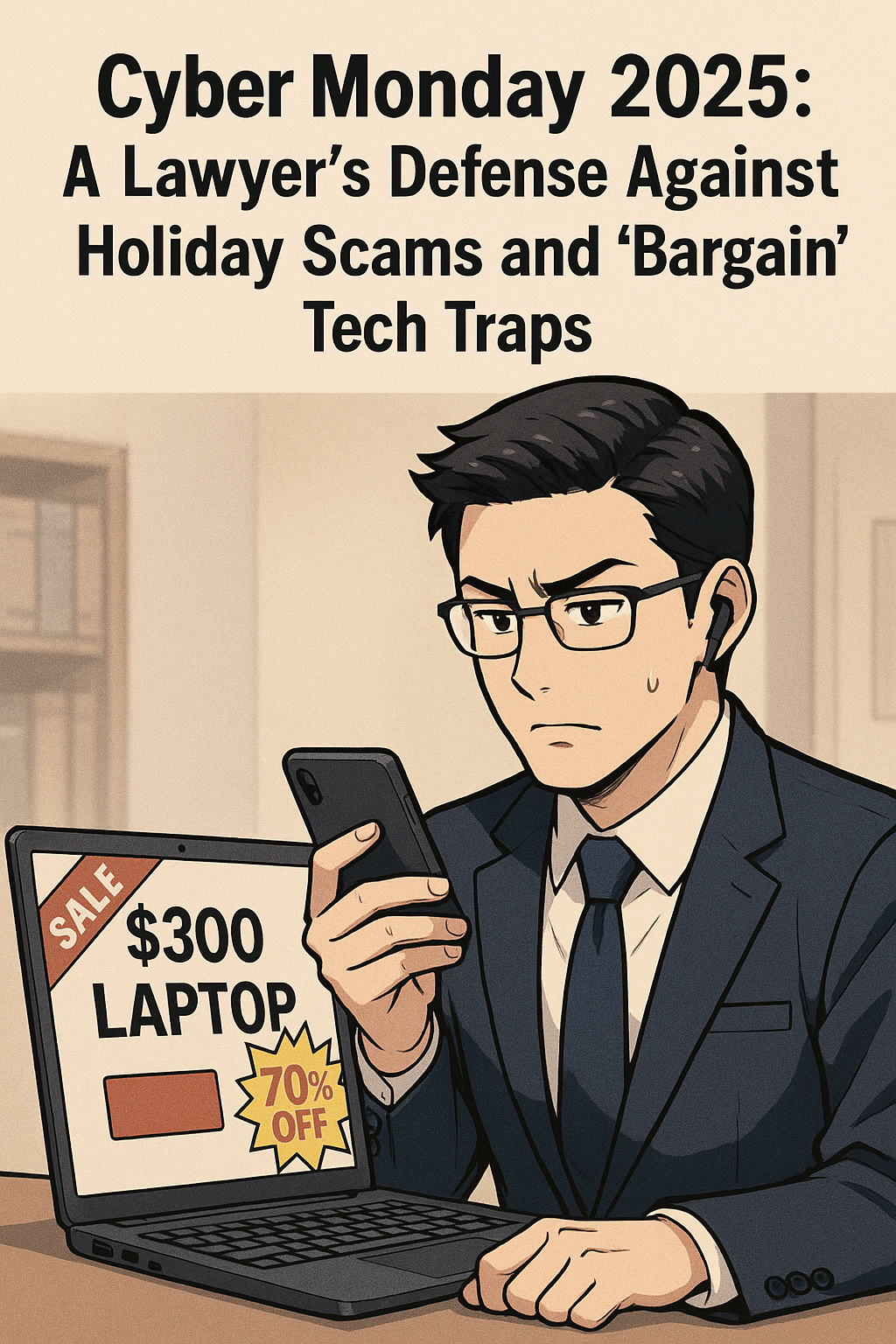
The “Billable Hour” Defense: Why That $300 Laptop and "Urgent" Delivery Text Are Liabilities, Not Deals

That “deal” for a “cheaper” computer may not be worth the lack of performance issues that come with a “cheap” computer!

As legal professionals, we are trained to spot inconsistencies in testimony, identify hidden clauses in contracts, and anticipate risks before they manifest. Yet, when the holiday shopping season arrives, the same skepticism that protects our clients often evaporates in the face of a 70% off sticker.

During Cyber Mondays, lawyers must tread carefully. The digital landscape is not just a marketplace; it is a hunting ground. For a law practice, the risks of holiday shopping go beyond a wasted purchase. A compromised device or a clicked phishing link can breach attorney-client privilege, trigger ethical violations, and lock down firm operations with ransomware.

Before you open your wallet or click that “track package” link, consider this your final briefing on the threats lurking behind the holiday hype.

The "Bargain" Trap: Why Cheap Tech is Expensive for Lawyers

We all love a deal. But in the world of legal technology, there is a profound difference between "inexpensive" and "cheap."

You may see "doorbuster" deals for laptops priced under $300. The marketing copy promises they are perfect for "light productivity" or "students." You might be tempted to pick one up for a paralegal, a home office, or even a law student family member.

Resist this impulse.

Tech experts and consumer watchdogs, including Lifehacker and PCMag, consistently warn about these "derivative" holiday models. Manufacturers often build specific units solely for Black Friday and Cyber Monday (SKUs [stock keeping unit] that do not exist the rest of the year). They achieve these rock-bottom prices by cutting corners that matter deeply to legal professionals:

  • The Processor Bottleneck: Many of these bargain laptops run on Celeron or Pentium chips (or older generations of Core i3). For a lawyer running practice management software, multiple PDF contracts, and video conferencing simultaneously, these processors are insufficient. The resulting lag isn't just annoying; it costs billable time.

  • The Screen Resolution Hazard: To save costs, these laptops often feature 1366 x 768 (720p) screens. In 2025, this is unacceptable for reviewing documents. The low resolution makes text pixelated and reduces the amount of a contract you can see on screen at once, increasing eye strain and the likelihood of missing a critical detail in a clause.

  • The RAM Deficit: 4GB of RAM is common in these deals. In a modern Windows environment, the operating system alone consumes nearly that much. Once you open a web browser with your firm's research tabs, the system will crawl.

  • Security Longevity: Perhaps most critically for a law firm, these bargain-bin devices often reach their "End of Service" life much faster. They may not support the latest secure operating systems or encryption standards required by your firm’s compliance insurance.

The Verdict: A $300 laptop that frustrates your staff and cannot handle encryption is not an asset; it is e-waste in the making. Stick to business-class hardware (Lenovo, HP, Dell, Apple, inter alia.) purchased through verified channels, even if it costs more. Your peace of mind is worth the premium.

BONUS: Price Tracking Tools

Successful online shopping during promotional periods requires distinguishing genuine discounts from artificial markups. Price tracking tools provide historical data that reveals authentic savings opportunities.

CamelCamelCamel tracks Amazon price history, creating visual charts showing price fluctuations over weeks, months, and years. This free tool sends email notifications when products drop below specified price thresholds and monitors both Amazon-direct and third-party seller pricing.

Honey extends beyond its widely-known coupon functionality to offer robust price tracking across multiple retailers through its "Droplist" feature. The browser extension automatically applies discount codes during checkout and compares prices across competing stores.

Keepa provides similar Amazon-focused price tracking with browser integration that displays historical pricing directly on Amazon product pages. The tool's detailed charts reveal seasonal patterns and help identify optimal purchase timing.

For legal professionals managing firm purchasing, enterprise-grade solutions such as Prisync, Price2Spy, and Competera offer comprehensive competitor monitoring, automated pricing adjustments, and real-time market data. These platforms serve businesses tracking multiple products across various marketplaces, but require subscription fees.

The Scam Landscape 2025: You Are a High-Value Target

Be wary when purchasing items online - always use a vpn when using public wifi!

According to Malwarebytes’ 2025 Holiday Scam report, shoppers are increasingly mobile, fast, and distracted. For lawyers, who are often managing high-stress caseloads alongside holiday obligations, this distraction is dangerous.

Scammers know that law firms move money. They know we manage sensitive data. And they know that during the holidays, our guards are down. Here are the three specific vectors attacking legal professionals this season.

1. The "Urgent Delivery" Smishing Attack
We all have packages in transit. You likely receive legitimate texts from Amazon, FedEx, or UPS daily. Scammers exploit this by sending "Smishing" (SMS phishing) messages claiming a package is "delayed" or "requires a delivery fee."

For a lawyer waiting on a court transcript or a client file, the instinct to "fix" the delivery issue is strong. But clicking that link often downloads malware or leads to a credential-harvesting site that looks identical to the courier’s login page.

  • The Defense: Never click a tracking link in a text message. Copy the tracking number and paste it directly into the courier’s official app or website. If the text doesn’t have a tracking number, it’s a scam.

2. The "Malvertising" Minefield
You are searching for a specific piece of hardware—perhaps a new scanner or ergonomic chair for the office. You see an ad on Google or social media for the exact item at a beat-to-beat price.

Malwarebytes warns that "Malvertising" (malicious advertising) is surging. Scammers buy ad space on legitimate platforms. When you click the ad, you aren't taken to the retailer; you are redirected to a cloned site designed to steal your credit card info, or worse, your firm’s login credentials.

  • The Defense: Treat ads as tips, not links. If you see a deal for a Dell monitor, close the ad and navigate manually to Dell.com or BestBuy.com to find it.

3. The "Gift Card" Emergency
This is a classic that has evolved. In the past, it was a fake email from the "Managing Partner" asking an associate to buy gift cards for a client. Now, it’s more sophisticated. Scammers may pose as court clerks or government officials, claiming a "fine" or "filing fee" must be paid immediately to avoid a bench warrant, and—due to a "system error"—they can only accept payment via gift cards or crypto.

  • The Defense: Courts do not accept gift cards. Period. If you receive an urgent financial demand via text or email, verify it by calling the person or entity on a known, public number.

The "Social" Threat: Marketplace Scams

Social media marketplaces (Facebook Marketplace, OfferUp) are now major hubs for holiday shopping. They are also unregulated.

A common scam involves a "seller" offering a high-demand item (like the latest iPad or game console) at a reasonable, but slightly low, price. They claim to be a local seller but then invent a reason why they can't meet up (e.g., "I'm deployed overseas," "I moved for work"). They ask for payment via Zelle or Venmo, promising to ship the item.

Once the money is sent, the seller vanishes. For a lawyer, the embarrassment of being defrauded is compounded by the potential exposure if you used a device or account linked to your firm.

Safeguarding the Firm: A Cyber Monday Protocol

The savings you made in buying the “cheaper” tech online may amount to the loss of much more, like the loss of client confidentiality and your license!

As you navigate the sales this week, apply the same rigor to your shopping as you do to your practice.

  1. Segregate Your Tech: Do not use your firm-issued laptop for personal holiday shopping. The risk of drive-by downloads from shady "deal" sites is too high.

  2. Credit, Not Debit: Always use a credit card, not a debit card. Credit cards offer robust fraud protection and do not expose your actual bank account funds.

  3. Two-Factor Everything: Ensure 2FA is enabled on your shopping accounts (Amazon, Walmart, etc.). If a scammer gets your password, 2FA is your last line of defense.

  4. The "Too Good to Be True" Rule: If a site you’ve never heard of is selling a MacBook for $500, it is a scam. Domain age checkers (like Whois) can reveal if a website was created yesterday—a sure sign of fraud.

Final Thoughts
Your data is your most valuable currency. No discount on a laptop or gadget is worth jeopardizing your firm’s integrity or your client’s trust. This Cyber Monday, shop smart, stay skeptical, and remember: if you wouldn't sign a contract without reading it, don't click a link without checking it.

📖 Word of the Week: The Meaning of “Data Governance” and the Modern Law Practice - Your Essential Guide for 2025

Understanding Data Governance: A Lawyer's Blueprint for Protecting Client Information and Meeting Ethical Obligations

Lawyers need to know about “DAta governance” and how it affects their practice of law.

Data governance has emerged as one of the most critical responsibilities facing legal professionals today. The digital transformation of legal practice brings tremendous efficiency gains but also creates significant risks to client confidentiality and attorney ethical obligations. Every email sent, document stored, and case file managed represents a potential vulnerability that requires careful oversight.

What Data Governance Means for Lawyers

Data governance encompasses the policies, procedures, and practices that ensure information is managed consistently and reliably throughout its lifecycle. For legal professionals, this means establishing clear frameworks for how client information is collected, stored, accessed, shared, retained, and ultimately deleted. The goal is straightforward: protect sensitive client data while maintaining the accessibility needed for effective representation.

The framework defines who can take which actions with specific data assets. It establishes ownership and stewardship responsibilities. It classifies information by sensitivity and criticality. Most importantly for attorneys, it ensures compliance with ethical rules while supporting operational efficiency.

The Ethical Imperative Under ABA Model Rules

The American Bar Association Model Rules of Professional Conduct create clear mandates for lawyers regarding technology and data management. These obligations serve as an excellent source of guidance regardless of whether your state has formally adopted specific technology competence requirements. BUT REMEMBER ALWAYS FOLLOW YOUR STATE’S ETHIC’S RULES FIRST!

Model Rule 1.1 addresses competence and was amended in 2012 to explicitly include technological competence. Comment 8 now requires lawyers to "keep abreast of changes in the law and its practice, including the benefits and risks associated with relevant technology". This means attorneys must understand the data systems they use for client representation. Ignorance of technology is no longer acceptable.

Model Rule 1.6 governs confidentiality of information. The rule requires lawyers to "make reasonable efforts to prevent the inadvertent or unauthorized disclosure of, or unauthorized access to, information relating to the representation of a client". Comment 18 specifically addresses the need to safeguard information against unauthorized access by third parties. This creates a direct ethical obligation to implement appropriate data security measures.

Model Rule 5.3 addresses responsibilities regarding nonlawyer assistants. This rule extends to technology vendors and service providers who handle client data. Lawyers must ensure that third-party vendors comply with the same ethical obligations that bind attorneys. This requires due diligence when selecting cloud storage providers, practice management software, and artificial intelligence tools.

The High Cost of Data Governance Failures

lawyers need to know the multiple facets of data Governance

Law firms face average data breach costs of $5.08 million. These financial losses pale in comparison to the reputational damage and loss of client trust that follows a security incident. A single breach can expose trade secrets, privileged communications, and personally identifiable information.

The consequences extend beyond monetary damages. Ethical violations can result in disciplinary action. Inadequate data security arguably constitutes a failure to fulfill the duty of confidentiality under Rule 1.6. Some jurisdictions have issued ethics opinions requiring attorneys to notify clients of breaches resulting from lawyer negligence.

Recent guidance from state bars emphasizes that lawyers must self-report breaches involving client data exposure. The ABA's Formal Opinion 483 addresses data breach obligations directly. The opinion confirms that lawyers have duties under Rules 1.1, 1.4, 1.6, 5.1, and 5.3 related to cybersecurity.

Building Your Data Governance Framework

Implementing effective data governance requires systematic planning and execution. The process begins with understanding your current data landscape.

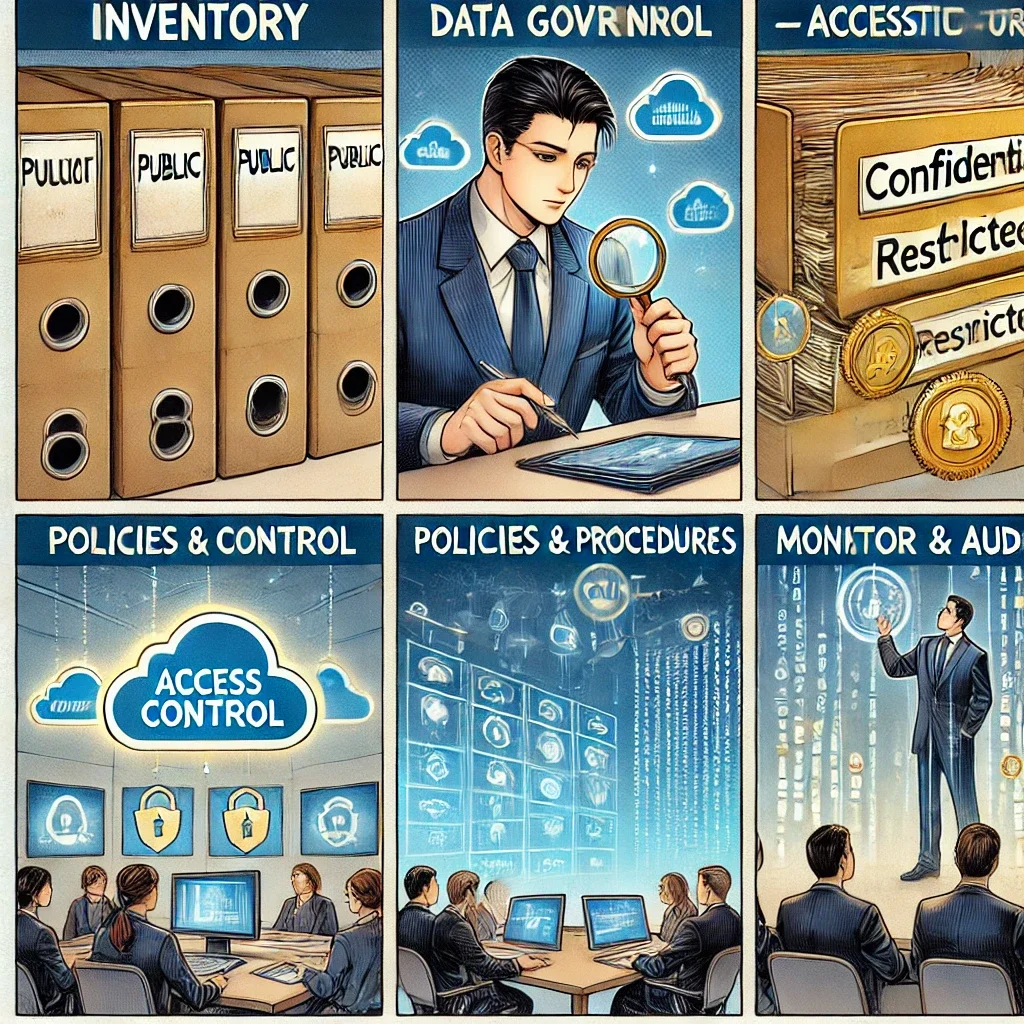
Step One: Conduct a Data Inventory

Identify all data assets within your practice. Catalog their sources, types, formats, and locations. Map how data flows through your firm from creation to disposal. This inventory reveals where client information resides and who has access to it.

Step Two: Classify Your Data

Not all information requires the same level of protection. Establish a classification system based on sensitivity and confidentiality. Many firms use four levels: public, internal, confidential, and restricted.

Privileged attorney-client communications require the highest protection level. Publicly filed documents may still be confidential under Rule 1.6, contrary to common misconception. Client identity itself often qualifies as protected information.

Step Three: Define Access Controls

Implement role-based access controls that limit data exposure. Apply the principle of least privilege—users should access only information necessary for their specific responsibilities. Multi-factor authentication adds essential security for sensitive systems.

Step Four: Establish Policies and Procedures

Document clear policies governing data handling. Address encryption requirements for data at rest and in transit. Set retention schedules that balance legal obligations with security concerns. Create incident response plans for potential breaches.

Step Five: Train Your Team

The human element represents the greatest security vulnerability. Sixty-eight percent of data breaches involve human error. Regular training ensures staff understand their responsibilities and can recognize threats. Training should cover phishing awareness, password security, and proper data handling procedures.

Step Six: Monitor and Audit

Continuous oversight maintains governance effectiveness. Regular audits identify vulnerabilities before they become breaches. Review access logs for unusual activity. Update policies as technology and regulations evolve.

Special Considerations for Artificial Intelligence

The rise of generative AI tools creates new data governance challenges. ABA Formal Opinion 512 specifically addresses AI use in legal practice. Lawyers must understand whether AI systems are "self-learning" and use client data for training.

Many consumer AI platforms retain and learn from user inputs. Uploading confidential client information to ChatGPT or similar tools may constitute an ethical violation. Even AI tools marketed to law firms require careful vetting.

Before using any AI system with client data, obtain informed consent. Boilerplate language in engagement letters is insufficient. Clients need clear explanations of how their information will be used and what risks exist.

Vendor Management and Third-Party Risk

Lawyers cannot delegate their ethical obligations to technology vendors. Rule 5.3 requires reasonable efforts to ensure nonlawyer assistants comply with professional obligations. This extends to cloud storage providers, case management platforms, and cybersecurity consultants.

Before engaging any vendor handling client data, conduct thorough due diligence. Verify the vendor maintains appropriate security certifications like SOC 2, ISO 27001, or HIPAA compliance. Review vendor contracts to ensure adequate data protection provisions. Understand where data will be stored and who will have access.

The Path Forward

lawyers need to advocate data governance for their clients!

Data governance is not optional for modern legal practice. It represents a fundamental ethical obligation under multiple Model Rules. Client trust depends on proper data stewardship.

Begin with a realistic assessment of your current practices. Identify gaps between your current state and ethical requirements. Develop policies that address your specific risks and practice areas. Implement controls systematically rather than attempting wholesale transformation overnight.

Remember that data governance is an ongoing process requiring continuous attention. Technology evolves. Threats change. Regulations expand. Your governance framework must adapt accordingly.

The investment in proper data governance protects your clients, your practice, and your professional reputation. More importantly, it fulfills your fundamental ethical duty to safeguard client confidences in an increasingly digital world.

MTC: Balancing Digital Transparency and Government Employee Safety: The Legal Profession's Ethical Crossroads in the Age of ICE Tracking Apps

The balance between government employee saftey and the public’s right to know is always in flux.

The intersection of technology, government transparency, and employee safety has created an unprecedented ethical challenge for the legal profession. Recent developments surrounding ICE tracking applications like ICEBlock, People Over Papers, and similar platforms have thrust lawyers into a complex moral and professional landscape where the traditional principle of "sunlight as the best disinfectant" collides with legitimate security concerns for government employees.

The Technology Landscape: A New Era of Crowdsourced Monitoring

The proliferation of ICE tracking applications represents a significant shift in how citizens monitor government activities. ICEBlock, developed by Joshua Aaron, allows users to anonymously report ICE agent sightings within a five-mile radius, functioning essentially as "Waze for immigration enforcement". People Over Papers, created by TikTok user Celeste, operates as a web-based platform using Padlet technology to crowdsource and verify ICE activity reports with photographs and timestamps. Additional platforms include Islip Forward, which provides real-time push notifications for Suffolk County residents, and Coquí, offering mapping and alert systems for ICE activities.

These applications exist within a broader ecosystem of similar technologies. Traditional platforms like Waze, Google Maps, and Apple Maps have long enabled police speed trap reporting. More controversial surveillance tools include Fog Reveal, which allows law enforcement to track civilian movements using advertising IDs from popular apps. The distinction between citizen-initiated transparency tools and government surveillance technologies highlights the complex ethical terrain lawyers must navigate.

The Ethical Framework: ABA Guidelines and Professional Responsibilities

Legal professionals face multiple competing ethical obligations when addressing these technological developments. ABA Model Rule 1.1 requires lawyers to maintain technological competence, understanding both the benefits and risks associated with relevant technology. This competence requirement extends beyond mere familiarity to encompass the ethical implications of technology use in legal practice.

Rule 1.6's confidentiality obligations create additional complexity when lawyers handle cases involving government employees, ICE agents, or immigration-related matters. The duty to protect client information becomes particularly challenging when technology platforms may compromise attorney-client privilege or expose sensitive personally identifiable information to third parties.

The tension between advocacy responsibilities and ethical obligations becomes acute when lawyers represent clients on different sides of immigration enforcement. Attorneys representing undocumented immigrants may view transparency tools as legitimate safety measures, while those representing government employees may consider the same applications as security threats that endanger their clients.

Balancing Transparency and Safety: The Core Dilemma

Who watches whom? Exploring transparency limits in democracy.

The principle of transparency in government operations serves as a cornerstone of democratic accountability. However, the safety of government employees, including ICE agents, presents legitimate counterbalancing concerns. Federal officials have reported significant increases in assaults against ICE agents, citing these tracking applications as contributing factors.

The challenge for legal professionals lies in advocating for their clients while maintaining ethical standards that protect all parties' legitimate interests. This requires nuanced understanding of both technology capabilities and legal boundaries. Lawyers must recognize that the same transparency tools that may protect their immigrant clients could potentially endanger government employees who are simply performing their lawful duties.

Technology Ethics in Legal Practice: Professional Standards

The legal profession's approach to technology ethics must evolve to address these emerging challenges. Lawyers working with sensitive immigration cases must implement robust cybersecurity measures, understand the privacy implications of various communication platforms, and maintain clear boundaries between personal advocacy and professional obligations.

The ABA's guidance on generative AI and technology use provides relevant frameworks for addressing these issues. Legal professionals must ensure that their technology choices do not inadvertently compromise client confidentiality or create security vulnerabilities that could harm any party to legal proceedings.

Jurisdictional and Regulatory Considerations

The removal of ICEBlock from Apple's App Store and People Over Papers from Padlet demonstrates how private platforms exercise content moderation that can significantly impact government transparency tools. These actions raise important questions about the role of technology companies in mediating between transparency advocates and security concerns.

Legal professionals must understand the complex regulatory environment governing these technologies. Federal agencies like CISA recommend encrypted communications for high-value government targets while acknowledging the importance of government transparency. This creates a nuanced landscape where legitimate security measures must coexist with accountability mechanisms.

Professional Recommendations and Best Practices

Legal practitioners working in this environment should adopt several key practices. First, maintain clear separation between personal political views and professional obligations. Second, implement comprehensive cybersecurity measures that protect all client information regardless of their position in legal proceedings proceedings. Third, stay informed about technological developments and their legal implications through continuing education focused on technology law and ethics.

Lawyers should also engage in transparent communication with clients about the risks and benefits of various technology platforms. This includes obtaining informed consent when using technologies that may impact privacy or security, and maintaining awareness of how different platforms handle data security and user privacy.

The legal profession must also advocate for balanced regulatory approaches that protect both government transparency and employee safety. This may involve supporting legislation that creates appropriate oversight mechanisms while maintaining necessary security protections for government workers.

The Path Forward: Ethical Technology Advocacy

The future of legal practice will require increasingly sophisticated approaches to balancing competing interests in our digital age. Legal professionals must serve as informed advocates who understand both the technological landscape and the ethical obligations that govern their profession. This includes recognizing that technology platforms designed for legitimate transparency purposes can be misused, while also acknowledging that government accountability remains essential to democratic governance.

transparency is a balancing act that all lawyers need to be aware of in their practice!

The legal profession's response to ICE tracking applications and similar technologies will establish important precedents for how lawyers navigate future ethical challenges in our increasingly connected world. By maintaining focus on professional ethical standards while advocating effectively for their clients, legal professionals can help ensure that technological advances serve justice rather than undermining it.

Success in this environment requires lawyers to become technologically literate advocates who understand both the promise and perils of digital transparency tools. Only through this balanced approach can the legal profession effectively serve its clients while maintaining the ethical standards that define professional practice in the digital age.

MTC