

📖 Word of the Week: The Meaning of “Data Governance” and the Modern Law Practice - Your Essential Guide for 2025
/Understanding Data Governance: A Lawyer's Blueprint for Protecting Client Information and Meeting Ethical Obligations

Lawyers need to know about “DAta governance” and how it affects their practice of law.
Data governance has emerged as one of the most critical responsibilities facing legal professionals today. The digital transformation of legal practice brings tremendous efficiency gains but also creates significant risks to client confidentiality and attorney ethical obligations. Every email sent, document stored, and case file managed represents a potential vulnerability that requires careful oversight.
What Data Governance Means for Lawyers
Data governance encompasses the policies, procedures, and practices that ensure information is managed consistently and reliably throughout its lifecycle. For legal professionals, this means establishing clear frameworks for how client information is collected, stored, accessed, shared, retained, and ultimately deleted. The goal is straightforward: protect sensitive client data while maintaining the accessibility needed for effective representation.
The framework defines who can take which actions with specific data assets. It establishes ownership and stewardship responsibilities. It classifies information by sensitivity and criticality. Most importantly for attorneys, it ensures compliance with ethical rules while supporting operational efficiency.
The Ethical Imperative Under ABA Model Rules
The American Bar Association Model Rules of Professional Conduct create clear mandates for lawyers regarding technology and data management. These obligations serve as an excellent source of guidance regardless of whether your state has formally adopted specific technology competence requirements. BUT REMEMBER ALWAYS FOLLOW YOUR STATE’S ETHIC’S RULES FIRST!
Model Rule 1.1 addresses competence and was amended in 2012 to explicitly include technological competence. Comment 8 now requires lawyers to "keep abreast of changes in the law and its practice, including the benefits and risks associated with relevant technology". This means attorneys must understand the data systems they use for client representation. Ignorance of technology is no longer acceptable.
Model Rule 1.6 governs confidentiality of information. The rule requires lawyers to "make reasonable efforts to prevent the inadvertent or unauthorized disclosure of, or unauthorized access to, information relating to the representation of a client". Comment 18 specifically addresses the need to safeguard information against unauthorized access by third parties. This creates a direct ethical obligation to implement appropriate data security measures.
Model Rule 5.3 addresses responsibilities regarding nonlawyer assistants. This rule extends to technology vendors and service providers who handle client data. Lawyers must ensure that third-party vendors comply with the same ethical obligations that bind attorneys. This requires due diligence when selecting cloud storage providers, practice management software, and artificial intelligence tools.
The High Cost of Data Governance Failures
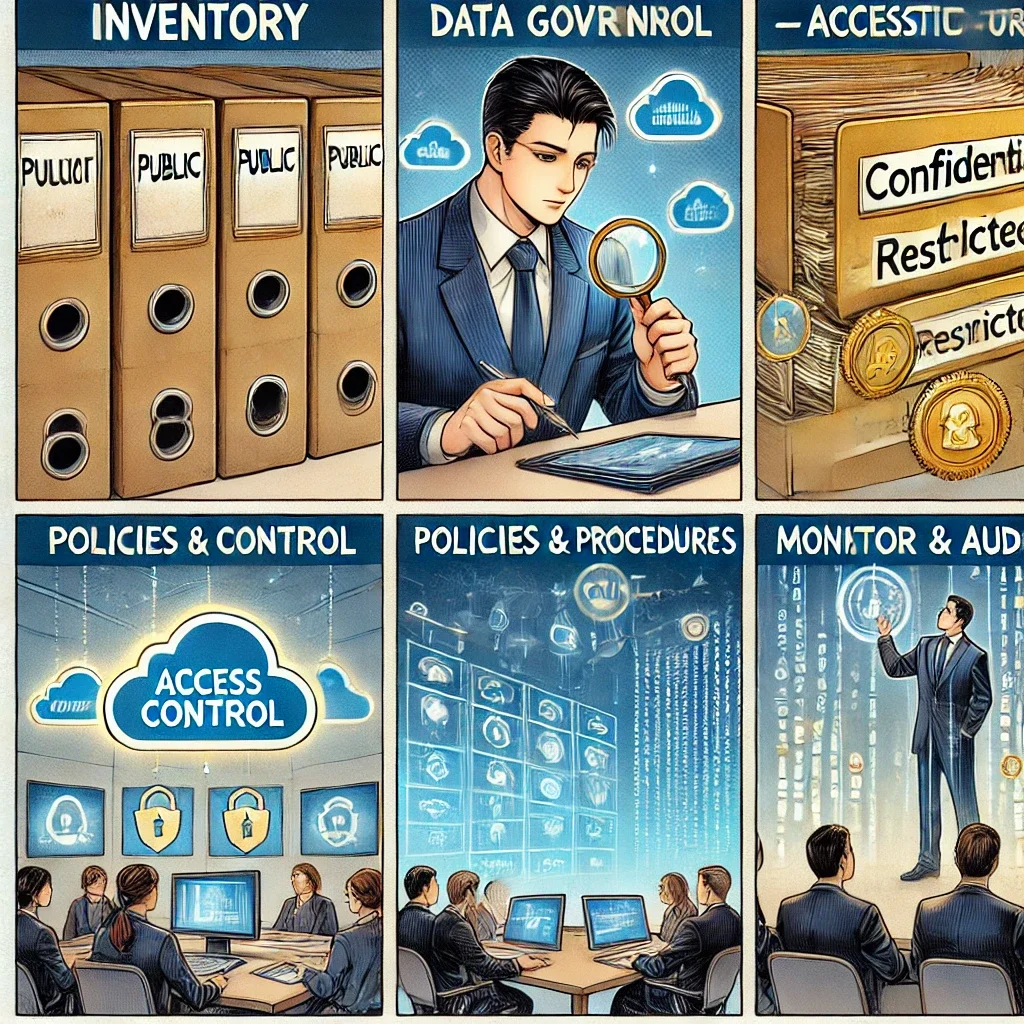
lawyers need to know the multiple facets of data Governance
Law firms face average data breach costs of $5.08 million. These financial losses pale in comparison to the reputational damage and loss of client trust that follows a security incident. A single breach can expose trade secrets, privileged communications, and personally identifiable information.
The consequences extend beyond monetary damages. Ethical violations can result in disciplinary action. Inadequate data security arguably constitutes a failure to fulfill the duty of confidentiality under Rule 1.6. Some jurisdictions have issued ethics opinions requiring attorneys to notify clients of breaches resulting from lawyer negligence.
Recent guidance from state bars emphasizes that lawyers must self-report breaches involving client data exposure. The ABA's Formal Opinion 483 addresses data breach obligations directly. The opinion confirms that lawyers have duties under Rules 1.1, 1.4, 1.6, 5.1, and 5.3 related to cybersecurity.
Building Your Data Governance Framework
Implementing effective data governance requires systematic planning and execution. The process begins with understanding your current data landscape.
Step One: Conduct a Data Inventory
Identify all data assets within your practice. Catalog their sources, types, formats, and locations. Map how data flows through your firm from creation to disposal. This inventory reveals where client information resides and who has access to it.
Step Two: Classify Your Data
Not all information requires the same level of protection. Establish a classification system based on sensitivity and confidentiality. Many firms use four levels: public, internal, confidential, and restricted.
Privileged attorney-client communications require the highest protection level. Publicly filed documents may still be confidential under Rule 1.6, contrary to common misconception. Client identity itself often qualifies as protected information.
Step Three: Define Access Controls
Implement role-based access controls that limit data exposure. Apply the principle of least privilege—users should access only information necessary for their specific responsibilities. Multi-factor authentication adds essential security for sensitive systems.
Step Four: Establish Policies and Procedures
Document clear policies governing data handling. Address encryption requirements for data at rest and in transit. Set retention schedules that balance legal obligations with security concerns. Create incident response plans for potential breaches.
Step Five: Train Your Team
The human element represents the greatest security vulnerability. Sixty-eight percent of data breaches involve human error. Regular training ensures staff understand their responsibilities and can recognize threats. Training should cover phishing awareness, password security, and proper data handling procedures.
Step Six: Monitor and Audit
Continuous oversight maintains governance effectiveness. Regular audits identify vulnerabilities before they become breaches. Review access logs for unusual activity. Update policies as technology and regulations evolve.
Special Considerations for Artificial Intelligence
The rise of generative AI tools creates new data governance challenges. ABA Formal Opinion 512 specifically addresses AI use in legal practice. Lawyers must understand whether AI systems are "self-learning" and use client data for training.
Many consumer AI platforms retain and learn from user inputs. Uploading confidential client information to ChatGPT or similar tools may constitute an ethical violation. Even AI tools marketed to law firms require careful vetting.
Before using any AI system with client data, obtain informed consent. Boilerplate language in engagement letters is insufficient. Clients need clear explanations of how their information will be used and what risks exist.
Vendor Management and Third-Party Risk
Lawyers cannot delegate their ethical obligations to technology vendors. Rule 5.3 requires reasonable efforts to ensure nonlawyer assistants comply with professional obligations. This extends to cloud storage providers, case management platforms, and cybersecurity consultants.
Before engaging any vendor handling client data, conduct thorough due diligence. Verify the vendor maintains appropriate security certifications like SOC 2, ISO 27001, or HIPAA compliance. Review vendor contracts to ensure adequate data protection provisions. Understand where data will be stored and who will have access.
The Path Forward

lawyers need to advocate data governance for their clients!
Data governance is not optional for modern legal practice. It represents a fundamental ethical obligation under multiple Model Rules. Client trust depends on proper data stewardship.
Begin with a realistic assessment of your current practices. Identify gaps between your current state and ethical requirements. Develop policies that address your specific risks and practice areas. Implement controls systematically rather than attempting wholesale transformation overnight.
Remember that data governance is an ongoing process requiring continuous attention. Technology evolves. Threats change. Regulations expand. Your governance framework must adapt accordingly.
The investment in proper data governance protects your clients, your practice, and your professional reputation. More importantly, it fulfills your fundamental ethical duty to safeguard client confidences in an increasingly digital world.












