MTC: Washington’s Bar Exam Meltdown: What It Says About Cyber Risk, Competence, and the Future of Legal Tech ⚖️💻

Washington Bar Exam Cybersecurity Crisis Exposes Legal Technology Risks!

Washington’s last‑minute cancellation of this summer’s bar exam is not just a licensing story; it is a technology and ethics story that should make every practicing lawyer sit up straight. For solo and small‑firm practitioners, this is a case study in how fragile our exam, court, and law‑practice infrastructure has become in the face of sophisticated cyber threats—and how quickly that fragility can collide with our professional duties under the ABA Model Rules.

What Happened in Washington—and Why It Matters

The Washington bar abruptly pulled the plug on its planned exam administration, citing serious concerns about system integrity and the security of the underlying technology. Although details are still emerging, the through‑line is clear: the systems that deliver and proctor high‑stakes exams are now attractive targets for attackers and highly sensitive to infrastructure failures.

Think about the impact on examinees. Months of preparation, financial investment, travel, and childcare planning vanished with a late‑stage cancellation notice. But this is not only about logistics. This is about trust: Trust in the profession’s gatekeeping machinery and in the digital rails we have built for critical legal functions. When that trust erodes, the ripple hits everything from admissions to public confidence in our systems.

For working lawyers, this is a preview of what can happen when core legal processes—hearings, filings, exams, CLEs—depend on infrastructure that may be compromised or simply not resilient enough to withstand modern threats.

From Hotel Wi‑Fi to Bar Exams: The Captive Portal Threat 🚨

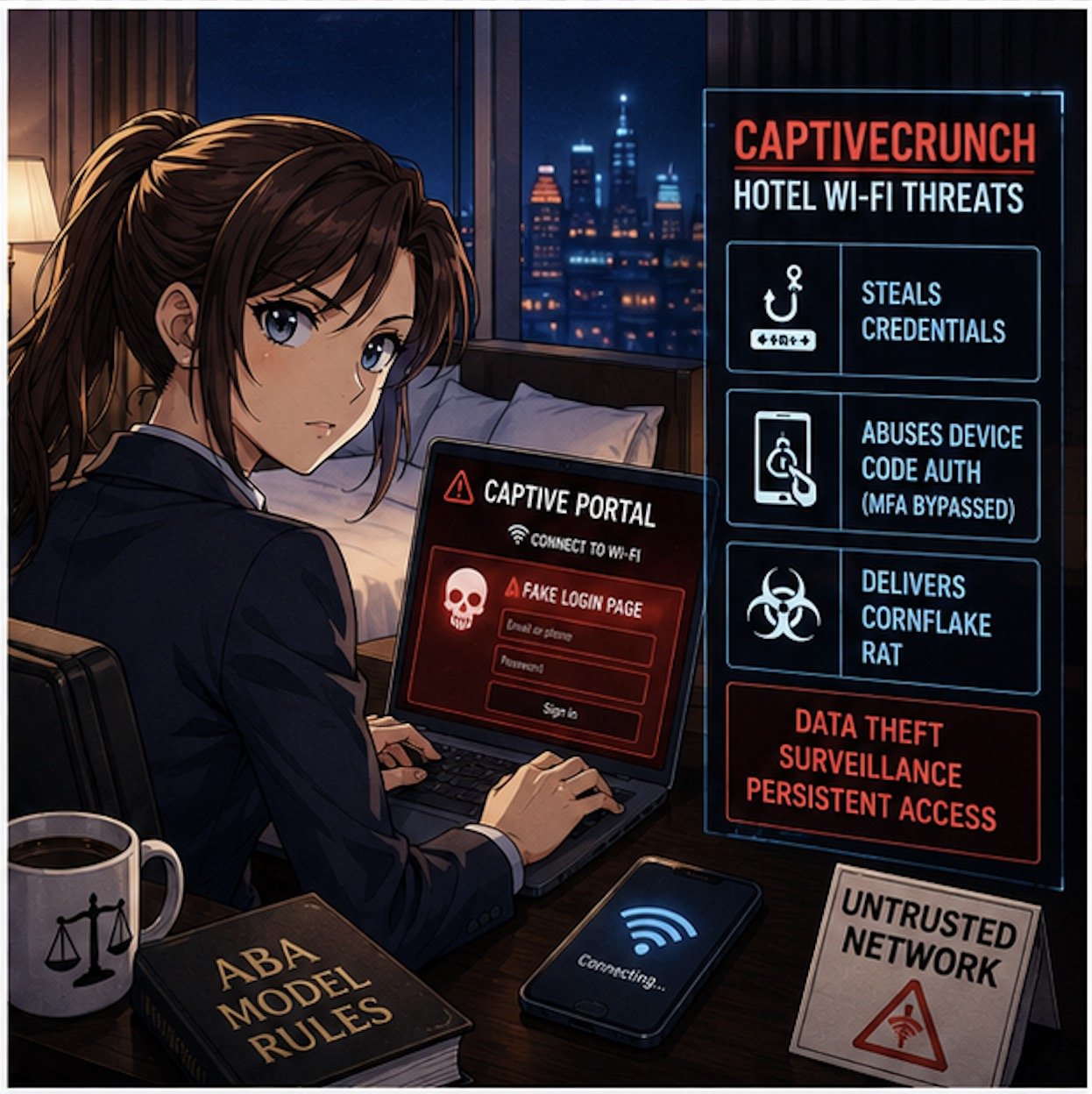
If the Washington story feels abstract, pair it with Microsoft’s recent warning about hotel and hospitality Wi‑Fi. Microsoft has identified a campaign, dubbed “CaptiveCrunch,” attributed to Russian‑linked threat actors (Storm‑2945), that hijacks captive portals—the login or “click to accept” pages we all use in hotels and conference centers—to steal credentials and deliver malware.

These attacks work by compromising the network infrastructure that sits between the user and the open internet. When a lawyer or bar examinee connects to the hotel Wi‑Fi and sees what looks like a routine sign‑in or software update prompt, that page may in fact be controlled by a threat actor. Microsoft reports that the attackers can:

  • Redirect users to fake Microsoft 365 sign‑in pages and harvest credentials without sending a phishing email.

  • Abuse device‑code authentication flows, so even multi‑factor authentication can be sidestepped if the victim enters a code and approves the request.

  • Deliver a Windows remote access trojan (“CornFlake”) that can log keystrokes, grab files, record audio and video, and maintain persistent access.

Now layer this onto the bar exam setting. You have hundreds of exam takers in hotels and rented housing, many running locked‑down exam software on laptops that still need network access for downloads, updates, or cloud syncing before or after the exam. If the exam provider’s systems or the candidates’ devices ride on compromised networks, you have a recipe for:

  • Actual or suspected compromise of exam content

  • Loss or alteration of answer files

  • Exposure of highly sensitive personal and biometric data

The bar’s decision to cancel may well reflect a recognition that once you have a credible cyber risk in the mix, it is better to protect exam integrity—even at enormous logistical and human cost—than to run an exam whose validity may later be attacked.  My heart goes out to the affected examinees, who have been left adrift in a difficult professional limbo—unable to move to the next stage of their careers and required to devote still more time, money, and emotional energy to preparing for another exam, with the hope that it will not be disrupted by malicious actors.

Ethics Meets Cyber Reality: ABA Model Rules in Play 📜
CaptiveCrunch Hotel Wi-Fi Attacks Threaten Lawyers’ Digital Security

This is where your daily practice intersects directly with the bar’s meltdown.

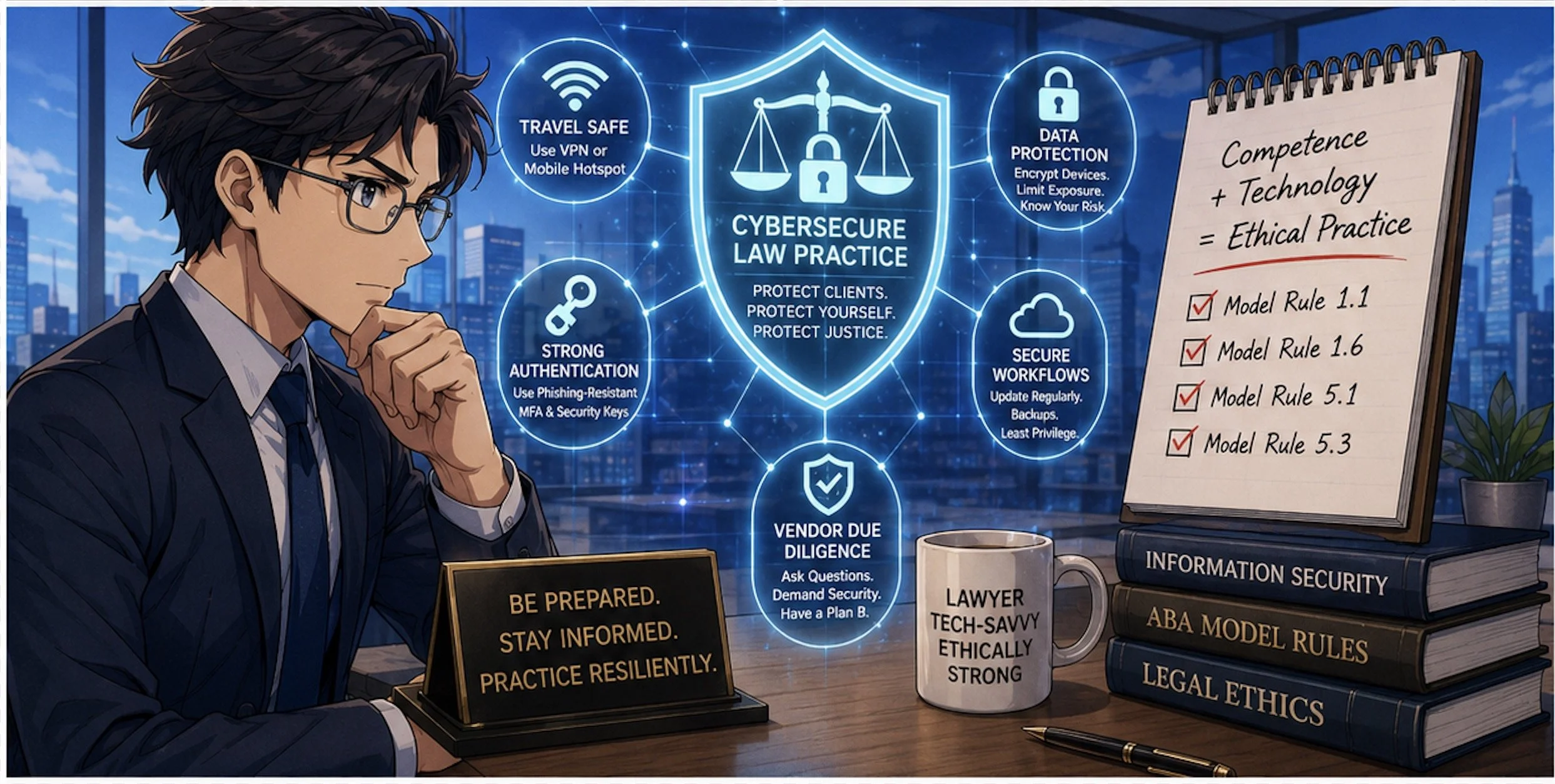
Model Rule 1.1 (Competence) explicitly includes a duty to understand “the benefits and risks associated with relevant technology.” Cyber threats like CaptiveCrunch are now squarely within “relevant technology.” If you travel for hearings, depositions, client meetings, or bar events and routinely connect to hotel Wi‑Fi without safeguards, you are not just taking a personal risk; you may be jeopardizing client confidences, privileged communications, and case strategy.

Model Rule 1.6 (Confidentiality of Information) requires reasonable efforts to prevent unauthorized access to client information. Using untrusted hotel or conference Wi‑Fi without protections—especially when we now have concrete warnings from Microsoft—raises tough questions about whether your security posture is still “reasonable.”

Model Rule 5.3 (Responsibilities Regarding Nonlawyer Assistance) and Rule 5.1 (Supervisory Lawyers) also surface here. When your cloud vendors, exam providers, or outsourced IT teams operate systems on which your work depends, your duty is not satisfied by “we assumed they had it handled.” You must perform due diligence, ask questions about security practices, and be prepared to adjust your workflows when a vendor’s risk profile changes.

The Bar Exam as a Canary in the Cyber Coal Mine 🐤

The Washington bar exam cancellation looks like a one‑off crisis, but it is better seen as a canary in the coal mine for the entire legal ecosystem.

We increasingly rely on:

  • Online proctoring systems for bar exams, law school tests, and certifications

  • Remote hearing platforms and e‑filing systems for courts

  • Cloud‑based case management, timekeeping, and trust accounting tools

Each of these systems sits on infrastructure that can be compromised at the network, platform, or endpoint level. The CaptiveCrunch campaign shows that attackers are willing to invest in compromising hospitality networks globally, in part because those networks handle high‑value corporate and professional traffic.

If attackers can hijack captive portals to intercept Microsoft 365 logins and deliver Remote Access Trojans (RATs) like CornFlake, they can also target:

  • Judicial staff connecting from hotels during conferences

  • Law firm partners working on the road

  • In‑house counsel traveling to negotiation sessions

Once a single endpoint is compromised, attackers can move laterally into cloud resources, email archives, document management systems, and case data.

In other words, the Washington bar’s crisis is the profession’s crisis—just seen in extreme close‑up.

Practical Security Takeaways for Solo and Small‑Firm Lawyers 🛡️

So what do you do differently now?

Microsoft’s recommendations for travelers are a good starting point: assume guest networks are untrusted, favor mobile hotspots or secured private connections, and avoid performing updates or entering credentials through captive portals. Let’s translate that into concrete steps for law practice:

Travel Playbook

  • Prefer your phone’s hotspot or a dedicated travel router with a trusted VPN when accessing email, case management, or client files on the road.

  • If you have no choice but to use hotel or other public Wi‑Fi, connect only through a reputable VPN and treat the captive portal as a necessary but dangerous doorway.

  • Complete only the minimum captive‑portal steps needed to get online, and then avoid entering passwords, approving authentication prompts, or installing updates until your VPN is active and you are past the captive‑portal page.

Authentication Hygiene

  • Move to phishing‑resistant authentication where possible (hardware security keys, platform authenticators) and restrict device‑code flows unless truly needed

  • Train your team to treat unexpected device‑code prompts or update pages during hotel logins as red flags, not background noise.

Vendor and Exam Provider Scrutiny

  • Ask pointed questions about incident response, logging, and how they handle suspected network compromise.

  • Build contingency plans—if an exam, hearing, or critical system fails or is compromised, what is your fallback?  (Perhaps a cheap backup laptop? Apple has a pretty good return policy - check provider details for timeliness and other requirements.)

Final Thoughts: Looking Ahead - Resilience, Not Just Compliance ✅
Cybersecurity Competence Is Now Essential for Modern Legal Practice!

The Washington bar’s decision to cancel its exam sends a hard message: compliance checklists and bare‑minimum security are no longer enough. We need resilience—systems and workflows designed to fail gracefully, with clear fallback paths that do not compromise integrity or fairness.

For bar authorities and courts, that means:

  • Building redundancy into exam and hearing platforms

  • Running adversarial security testing and tabletop exercises

  • Communicating transparently with stakeholders about how cyber risk is identified and mitigated

For practicing lawyers, it means re‑framing technology as part of our core competence, not a bolt‑on afterthought. Model Rule 1.1’s commentary on technology is not aspirational; it is a reflection of the reality that our ethical duties now live at the intersection of law and information security.

The bar exam meltdown in Washington is a wake‑up call. Pair it with Microsoft’s warning on hotel Wi‑Fi, and the message is unmistakable: our digital rails are under live fire. The question is whether we treat this as yet another “unprecedented” event—or as the moment we upgrade our tools, our habits, and our ethics posture to meet the threat.

MTC

📰 How to Ensure a Public Wi-Fi Network Is Legitimate (and Why Legal Professionals Must Always Use a VPN)!

Working remotely has become essential for legal professionals; however, public Wi-Fi networks pose significant security risks that can compromise client confidentiality and violate ethical obligations. Before connecting to any public network, lawyers must take specific steps to verify legitimacy and protect sensitive information.

Verify the Network Name with Staff

The first step in ensuring Wi-Fi legitimacy is confirmation. Ask an employee at the establishment for the exact network name and spelling. Cybercriminals frequently create "evil twin" networks with names nearly identical to legitimate ones, such as "LAX Free Public WiFi" instead of the official "_LAX Free WiFi". These spoofed networks are designed to capture your data the moment you connect.

Recognize Red Flags in Network Names

Be suspicious of generic network names like "Free WiFi," "Public Network," or "Guest WiFi”. Legitimate businesses typically use branded network names. Additionally, watch for small variations in spelling, extra spaces, underscores, or additional characters in familiar network names. These subtle differences often indicate malicious networks designed to deceive users.

Check for Proper Security Protocols

Once connected to a verified network, ensure websites load with HTTPS encryption. Look for the lock icon in your browser's address bar and confirm URLs begin with "https://" rather than "http://". If legitimate websites suddenly appear as HTTP instead of HTTPS, disconnect immediately, as this may indicate a man-in-the-middle attack.

Disable Automatic Connections

Turn off automatic Wi-Fi connections on all devices. This prevents your device from automatically connecting to potentially malicious networks with names similar to previously trusted ones. Always manually select the verified network name and choose "Public" when your device prompts you to select a network type.

Essential VPN Usage for Legal Professionals

Legal professionals must always use a VPN when connecting to public Wi-Fi. This is not merely a recommendation but an ethical necessity. The American Bar Association Model Rules of Professional Conduct require lawyers to make reasonable efforts to protect client information from unauthorized disclosure. Using public Wi-Fi without VPN protection violates this duty of confidentiality.

A VPN encrypts all internet traffic, making it unreadable to potential eavesdroppers even on compromised networks. This encryption is crucial for maintaining attorney-client privilege and protecting sensitive case information during remote work.

Additional Security Measures

Enable two-factor authentication on all important accounts before traveling. Turn on your device's firewall and disable file sharing when using public networks. Keep your operating system and browser updated to patch security vulnerabilities. Never conduct sensitive activities like online banking (like accessing your Trust Account) or accessing confidential case management systems without VPN protection.

Ethical Obligations and Professional Competence

The duty of competence under professional conduct rules requires lawyers to understand relevant technology risks. Working from public locations without proper security measures can result in data breaches that damage client relationships and potentially violate professional ethics rules. Law firms must establish policies to ensure that all staff understand these requirements when working remotely. Editor’s note: I realize that as I’m delving into this subtopic, I could write a whole separate blog post on this - so stay tuned!

Emergency Alternatives

When in doubt about Wi-Fi legitimacy, use your mobile device's cellular hotspot instead of connecting to questionable public networks. This provides a more secure connection for accessing sensitive information. Many legal professionals keep backup mobile data plans specifically for situations where public Wi-Fi security cannot be verified. (You may find your mobile hotspot to be more, secure, reliable and even faster than public wifi networks [even your hotel’s wifi]. You may want to consider having devices on two different networks in case one network is having issues.)

Remember: Client confidentiality is paramount in legal practice. Taking these verification steps and always using VPN protection ensures you meet your ethical obligations while maintaining the flexibility to work from any location securely.

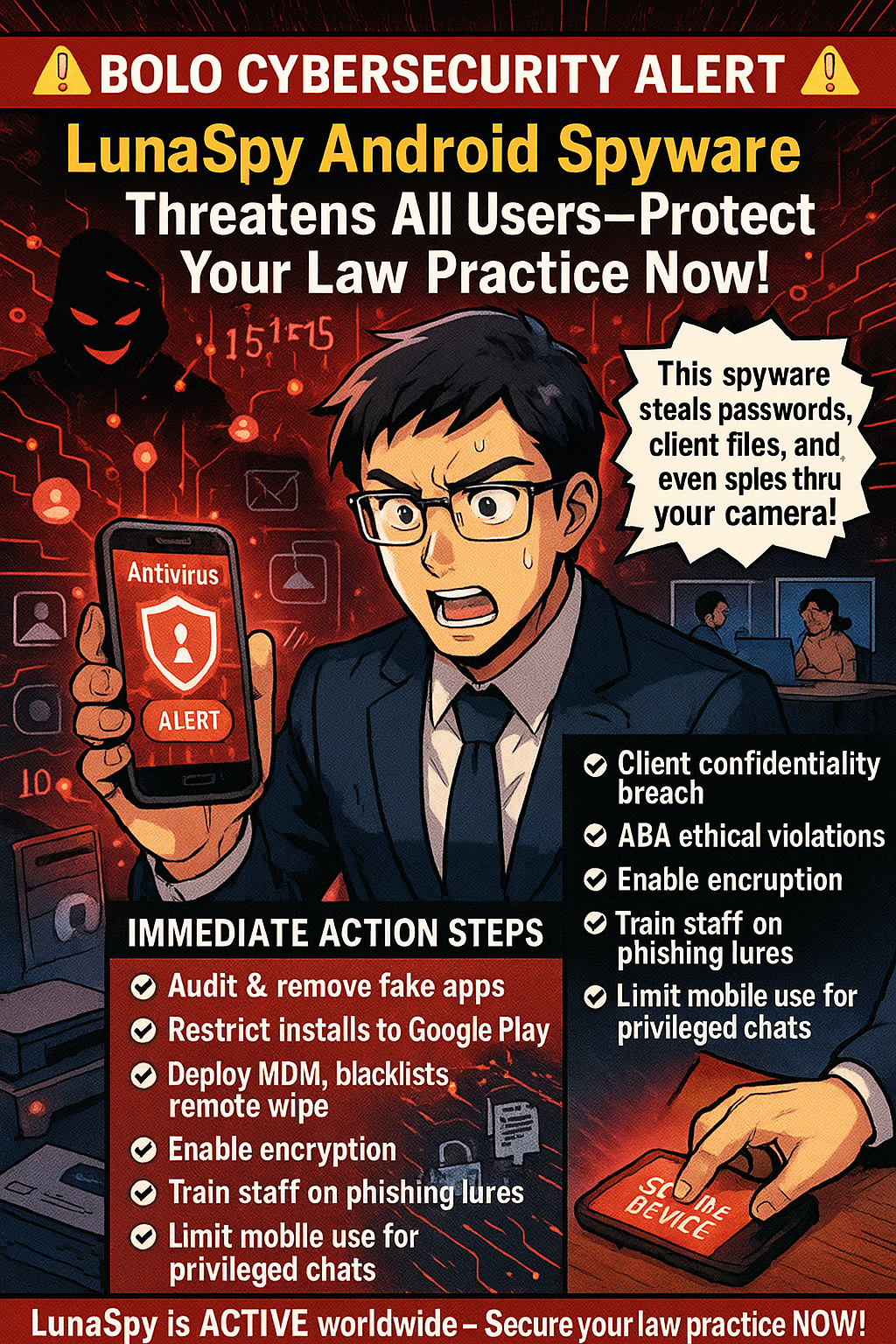
🚨 BOLO CYBERSECURITY ALERT: LunaSpy Android Spyware Threatens All Users—Protect Your Law Practice Now!

Android users must be aware of potential threats to their data!

CRITICAL THREAT ALERT 🚨 A sophisticated new Android spyware campaign dubbed LunaSpy has been active since February 2025, broadly targeting Android users via messaging apps—anyone installing its fake “antivirus” could be compromised, including legal professionals. LunaSpy spreads through Telegram, WhatsApp, Signal, and other platforms by sending messages like “Hi, install this program here,” tricking victims into granting extensive device permissions after fake security scans report fabricated threats.

Once installed, LunaSpy’s capabilities pose severe risks: it steals passwords from browsers and messaging apps, intercepts text messages (including two-factor codes), records audio and video via microphones and cameras, captures screen contents (e.g., client documents, case notes), and tracks real-time location (e.g., revealing meetings and court visits). Kaspersky researchers have linked over 150 command-and-control servers to LunaSpy’s global network, enabling continuous data exfiltration and remote command execution.

While any Android user is at risk, lawyers face heightened consequences if infected. A breach of attorney-client communications or privileged documents can trigger:

Immediate Action Steps for all Android-using legal professionals and their staff:

users are the first line of defense when it comes to preventing computer viruses on their tech!

  1. Audit and remove any unverified security or banking apps; restrict installations to Google Play only.

  2. Deploy Mobile Device Management (MDM): enforce app blacklists, remote wipe, and automated patching.

  3. Enable full-disk encryption and secure lock screens with complex passcodes or biometrics.

  4. Train staff on social engineering tactics—recognize unsolicited install prompts or links in messages.

  5. Use end-to-end encrypted desktop-based messaging for privileged communications, limiting mobile use.

  6. Establish an incident response plan: include immediate device quarantine, forensic analysis, and regulatory notification procedures.

LunaSpy is not a hypothetical risk—it’s actively compromising Android devices around the globe. Although the campaign targets the general public, legal professionals handling sensitive client data are particularly vulnerable to cascading professional, legal, and ethical consequences if infected. With over 150 active command servers and ongoing code enhancements, the threat will only escalate. Every day without these safeguards increases your exposure—act now to secure mobile devices, train teams, and reinforce your firm’s cybersecurity posture.

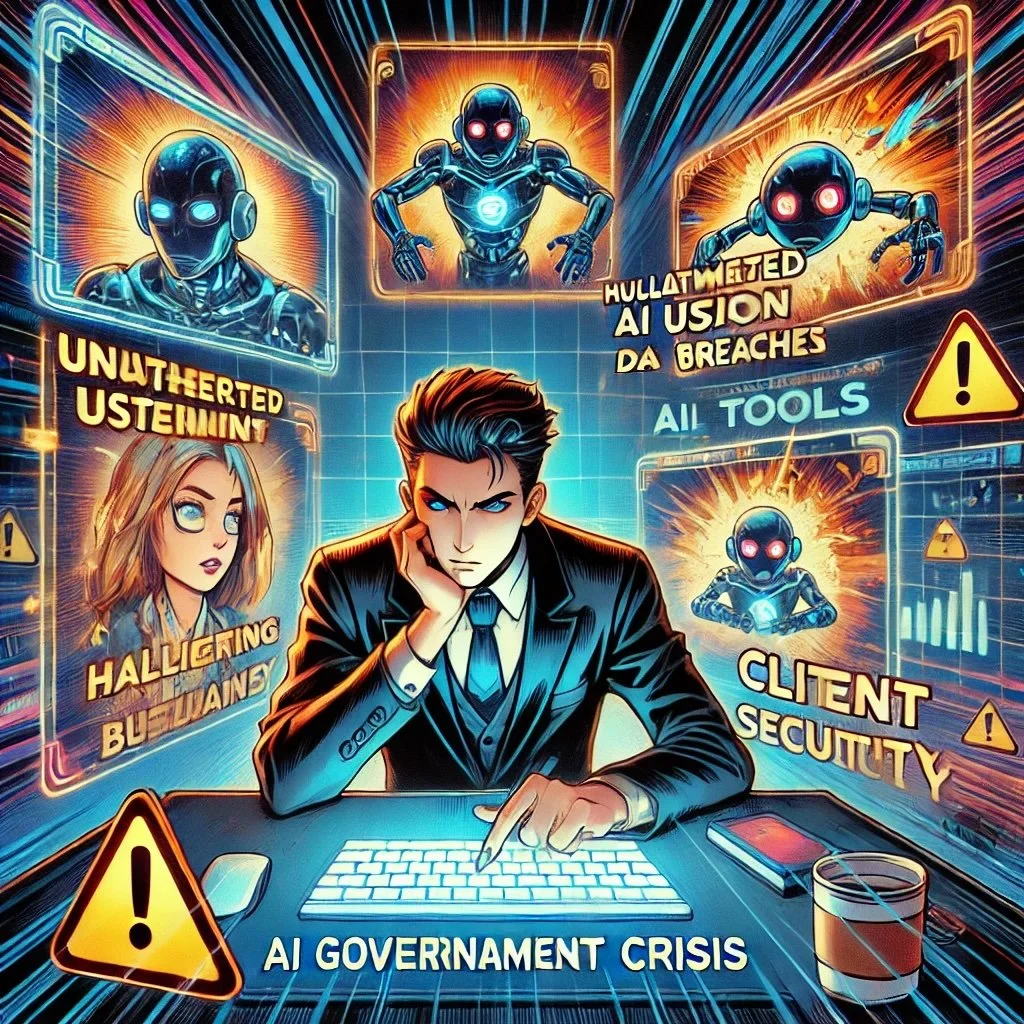
MTC: AI Governance Crisis - What Every Law Firm Must Learn from 1Password's Eye-Opening Security Research

The legal profession stands at a crossroads. Recent research commissioned by 1Password reveals four critical security challenges that should serve as a wake-up call for every law firm embracing artificial intelligence. With 79% of legal professionals now using AI tools in some capacity while only 10% of law firms have formal AI governance policies, the disconnect between adoption and oversight has created unprecedented vulnerabilities that could compromise client confidentiality and professional liability.

The Invisible AI Problem in Law Firms

The 1Password study's most alarming finding mirrors what law firms are experiencing daily: only 21% of security leaders have full visibility into AI tools used in their organizations. This visibility gap is particularly dangerous for law firms, where attorneys and staff may be uploading sensitive client information to unauthorized AI platforms without proper oversight.

Dave Lewis, Global Advisory CISO at 1Password, captured the essence of this challenge perfectly: "We have closed the door to AI tools and projects, but they keep coming through the window!" This sentiment resonates strongly with legal technology experts who observe attorneys gravitating toward consumer AI tools like ChatGPT for legal research and document drafting, often without understanding the data security implications.

The parallel to law firm experiences is striking. Recent Stanford HAI research revealed that even professional legal AI tools produce concerning hallucination rates—Westlaw AI-Assisted Research showed a 34% error rate, while Lexis+ AI exceeded 17%. (Remember my editorial/bolo MTC/🚨BOLO🚨: Lexis+ AI™️ Falls Short for Legal Research!) These aren't consumer chatbots but professional tools marketed to law firms as reliable research platforms.

Four Critical Lessons for Legal Professionals

First, establish comprehensive visibility protocols. The 1Password research shows that 54% of security leaders admit their AI governance enforcement is weak, with 32% believing up to half of employees continue using unauthorized AI applications. Law firms must implement SaaS governance tools to identify AI usage across their organization and document how employees are actually using AI in their workflows.

Second, recognize that good intentions create dangerous exposures. The study found that 63% of security leaders believe the biggest internal threat is employees unknowingly giving AI access to sensitive data. For law firms handling privileged attorney-client communications, this risk is exponentially greater. Staff may innocently paste confidential case details into AI tools, potentially violating client confidentiality rules and creating malpractice liability.

Third, address the unmanaged AI crisis immediately. More than half of security leaders estimate that 26-50% of their AI tools and agents are unmanaged. In legal practice, this could mean AI agents are interacting with case management systems, client databases, or billing platforms without proper access controls or audit trails—a compliance nightmare waiting to happen.

Fourth, understand that traditional security models are inadequate. The research emphasizes that conventional identity and access management systems weren't designed for AI agents. Law firms must evolve their access governance strategies to include AI tools and create clear guidelines for how these systems should be provisioned, tracked, and audited.

Beyond Compliance: Strategic Imperatives

The American Bar Association's Formal Opinion 512 established clear ethical frameworks for AI use, but compliance requires more than policy documents. Law firms need proactive strategies that enable AI benefits while protecting client interests.

Effective AI governance starts with education. Most legal professionals aren't thinking about AI security risks in these terms. Firms should conduct workshops and tabletop exercises to walk through potential scenarios and develop incident response protocols before problems arise.

The path forward doesn't require abandoning AI innovation. Instead, it demands extending trust-based security frameworks to cover both human and machine identities. Law firms must implement guardrails that protect confidential information without slowing productivity—user-friendly systems that attorneys will actually follow.

Final Thoughts: The Competitive Advantage of Responsible AI Adoption

Firms that proactively address these challenges will gain significant competitive advantages. Clients increasingly expect their legal counsel to use technology responsibly while maintaining the highest security standards. Demonstrating comprehensive AI governance builds trust and differentiates firms in a crowded marketplace.

The research makes clear that security leaders are aware of AI risks but under-equipped to address them. For law firms, this awareness gap represents both a challenge and an opportunity. Practices that invest in proper AI governance now will be positioned to leverage these powerful tools confidently while their competitors struggle with ad hoc approaches.

The legal profession's relationship with AI has fundamentally shifted from experimental adoption to enterprise-wide transformation. The 1Password research provides a roadmap for navigating this transition securely. Law firms that heed these lessons will thrive in the AI-augmented future of legal practice.

MTC