📖 “Word of the Week”: “Weatherproofing” 🌨️ - How Modern Attorneys Prepare for Winter Storms and Holiday Disruptions!

Weatherproofing has become essential vocabulary in modern legal practice. The term describes the deliberate preparation of your law practice to function fully when winter weather, power outages, or holiday disruptions prevent normal office operations. Courts now expect remote participation during snow events. Clients demand uninterrupted service regardless of conditions. Understanding and implementing weatherproofing technology is no longer optional for attorneys who want to maintain professional standards during winter months.

Understanding Weatherproofing in Legal Practice

Weatherproofing is fundamentally about eliminating excuses. Historically, attorneys could cite weather as justification for missed deadlines or delayed responses. Snow closed offices. Power outages disrupted work. Ice prevented travel. These circumstances no longer satisfy courts or clients.

The legal profession transformed during COVID-19. Federal courts pioneered remote proceedings. State courts followed suit. Today, winter weather triggers automatic remote operations rather than case delays. Your peers are already weatherproofing their practices. Your clients expect the same capability from you.

Weatherproofing differs from disaster recovery planning. Disaster recovery assumes catastrophic circumstances requiring emergency protocols. Weatherproofing anticipates predictable seasonal disruptions and prevents them from becoming disruptions at all. You are not reacting to emergency circumstances. You are eliminating the emergency through preparation.

More importantly, weatherproofing is an ethical obligation. ABA Model Rule 1.1 requires competence in legal matters. Competence now includes understanding and maintaining technology systems that enable continuous client service. ABA Model Rule 1.4 requires keeping clients reasonably informed about their matters. Weatherproofing enables this obligation even when winter weather disrupts normal operations. ABA Model Rule 1.6 requires protecting client confidentiality. Weatherproofing technology—when properly implemented—strengthens confidentiality protections across various work environments.

The Core Elements of Weatherproofing

Cloud-Based Access and Mobile Synchronization: Your Office Follows You

The foundation of weatherproofing is simple—your office must be accessible from anywhere. This means either reliable cloud-based access to your practice management system or secure-synced copies on your mobile device. Traditional isolated file storage on office servers represents the opposite of weatherproofing.

Cloud-based practice management platforms like Clio, MyCase, and Filevine store client files, calendar appointments, and billing information securely online. You access them through any web browser from any device. Your data remains safe even if your office loses power or becomes physically inaccessible due to snow, ice, or flooding.

If your current practice management system lacks cloud functionality, supplement it with document synchronization services like Dropbox, Box, or OneDrive. These applications sync files across your desktop computer, laptop, and mobile devices automatically. When you update a file on your office computer, it appears on your phone within seconds. When power outages occur, your phone retains the most recent synced version. You continue working without interruption.

Implementation requires minimal technical expertise. Cloud-based practice management companies offer free trials and import your existing data at no cost. Their support teams guide you through every setup step. Most attorneys become operational within one week (but note that if you are transferring from one online system to another, it can be a matter of many months to make sure the new system has captured everything from the old system so that nothing (critical) is missed like deadlines, tasks, or other elements that did not (cleanly) make the transfer). Document synchronization services are even simpler—download the application, authorize access to your folders, and synchronization happens automatically.

The monthly investment is modest. A single billable hour can cover your entire technology cost. The return is immeasurable when snow traps you away from your office during a critical filing deadline and you access every client document from your laptop or phone.

Test both access methods thoroughly during normal circumstances. Practice retrieving documents on your phone. Understand how to search, open, and download files. Learn whether you can markup documents directly or whether you need to email them to your desktop for editing. This preparation prevents confusion and saves time when you are working under pressure during actual weather emergencies.

This implementation directly supports ABA Model Rule 1.1 competence obligations. Attorneys must maintain technology systems that function reliably. It also fulfills ABA Model Rule 1.4 communication requirements by ensuring you can respond to client matters regardless of weather conditions.

Secure Remote Access: Protecting Client Confidentiality Across Networks

Virtual Private Networks (VPNs) create secure tunnels between your computer and your office network. This protection matters critically because public Wi-Fi at coffee shops, airports, and hotels lacks security. Neither does your home network without proper configuration.

Weatherproofing demands understanding that winter weather often forces you to work from locations without reliable internet. You may work from a family member's home during holiday travel. You may use your phone as a hotspot when power outages disrupt your home connection. These circumstances increase your vulnerability to data interception unless you use a VPN.

Providers like NordVPN and ExpressVPN offer attorney-focused solutions. These services install with one click. They encrypt all data between your computer and the internet. They protect client confidentiality automatically—an ethical imperative that does not disappear when weather forces you from your office.

Two-factor authentication (2FA) strengthens your VPN protection significantly. This means entering a code from your phone in addition to your password when accessing sensitive systems. Google Authenticator and Authy are free applications that generate these codes. Setup takes five minutes per account. This single step prevents approximately 99% of unauthorized access attempts.

ABA Model Rule 1.6 requires you to maintain confidentiality of client information. Using a VPN and multi-factor authentication when accessing client data from remote locations is not optional. It is mandatory protection. Weather conditions do not excuse confidentiality violations. Your weatherproofing strategy must include these security measures explicitly.

Communication Systems: Staying Connected When Your Office Is Not

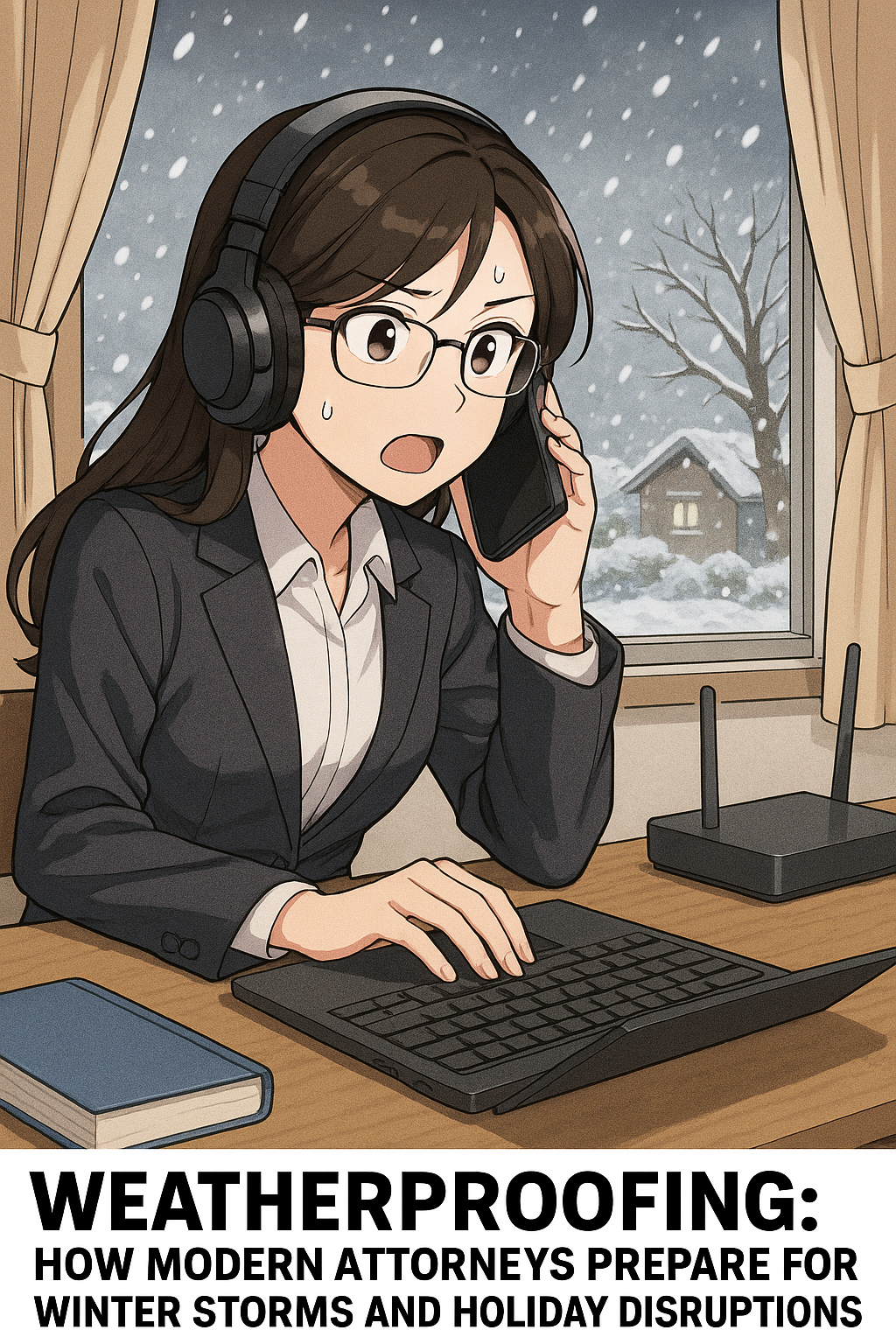
“Snow” Days can create a rowdy home-work environment - use noise-canceling headphones to allow you to work in peace and quiet!

Your phone system must function when you cannot physically reach your office. Voice over Internet Protocol (VoIP) services like Vonage and RingCentral forward calls to your mobile phone automatically. Clients dial your office number and you answer on your cell. The technology is invisible to them.

Weatherproofing your communication strategy includes recording professional voicemail greetings that address weather events specifically. Record a message explaining that winter weather has shifted operations to remote status. Provide your email address and realistic response timeframes. This manages client expectations and reduces anxiety during disruptive weather.

Video conferencing has become standard for legal practice. Zoom, Microsoft Teams, and Google Meet all function effectively for client meetings, depositions, and court appearances. Weatherproofing requires testing your video setup before storm season arrives. Practice sharing your screen. Learn how to mute participants. Understand waiting rooms and breakout rooms. One hour of technical preparation eliminates embarrassing technology failures during critical client interactions.

These communication systems support ABA Model Rule 1.4 requirements to keep clients reasonably informed. Weatherproofing communication technology ensures you maintain this obligation regardless of weather disruptions.

Power and Internet Backup: Continuity When Infrastructure Fails

Winter storms cause power failures regularly. Your practice cannot continue when power outages disconnect you from the internet. Uninterruptible Power Supplies (UPS devices) cost under $200 and keep your internet router running for hours. This maintains your connection while power companies restore service to your area.

Cellular hotspots provide internet access when home connections fail completely. Every major cellular carrier offers hotspot devices. Your smartphone can function as a hotspot during emergencies. Weatherproofing requires testing these backup systems monthly so you understand exactly how to activate them when actual emergencies occur.

These backup systems support ABA Model Rule 1.3 obligations regarding diligence. You cannot fulfill diligence requirements if power outages disconnect you from client matters entirely. Backup power ensures you maintain your professional obligations.

Silence Is Golden: Noise-Canceling Headphones Are Professional Weatherproofing Equipment

Winter weather creates unexpected home office challenges that sophisticated attorneys often overlook. School closures mean energetic children needing supervision. Family members gather for holiday celebrations. Neighborhood snow removal equipment operates unpredictably. Power outages and backup generators create intrusive background noise. These disruptions destroy professional communication quality and prevent sustained focus on complex legal work.

Noise-canceling headphones represent essential weatherproofing equipment. Sony WH-1000XM5, Bose QuietComfort 45, and Apple AirPods Pro and Pro Max provide excellent noise cancellation at varying price points. These devices analyze ambient sound and create opposing sound waves that neutralize background noise effectively.

During client calls, noise-canceling headphones protect your professional reputation. Your clients hear your voice clearly without household distractions in the background. You remain focused on their legal matters rather than worrying about children playing, family conversations, or storm-related noise.

During deep work—document review, legal research, contract analysis—noise cancellation creates concentrated mental space for complex analysis. Your productivity increases substantially. Complex legal analysis requires uninterrupted focus. Winter weather disruptions (and rambunctious children 👶) destroy focus 🧘. Noise-canceling headphones restore it.

Weatherproofing your practice includes investing in quality headphones rather than cheap alternatives. Premium options provide all-day comfort, excellent sound quality, and genuine noise cancellation. Many models work simultaneously with your office phone system and mobile devices. They charge overnight and last through multiple work days without needing recharge.

Keep your headphones charged and ready. During actual weather events, they become your most valuable technology investment for maintaining professional communication standards and sustained analytical focus.

This equipment supports ABA Model Rule 1.1 competence requirements. Maintaining quality communication and analytical focus directly impacts your legal work quality. The technology that enables this quality—including noise-canceling headphones—becomes part of your professional competence obligations.

Implementing Weatherproofing Gradually

Technology intimidates many attorneys. Law school taught you to analyze cases, not configure networks. Weatherproofing succeeds through incremental implementation rather than attempting comprehensive changes simultaneously.

Start with one system. Cloud-based practice management software or secure-synced document access is the logical first choice because it impacts your entire practice. Master it completely before adding additional technology. Then add VPN security next. Finally, complete your setup with backup power systems. Each step builds confidence and competence.

Use vendor support extensively throughout implementation. These companies employ teams specifically to help attorneys. Schedule training sessions. Watch their video tutorials. Read their knowledge bases. Professional implementation support means you are not expected to figure out technology independently.

Involve your staff in the weatherproofing process. Your paralegal likely possesses stronger technology skills. Your administrative assistant may have used similar systems previously. Leverage their expertise. Create a collaborative team approach to weatherproofing rather than attempting solo implementation.

This collaborative approach honors ABA Model Rule 5.1 responsibilities. Partners and supervisors must ensure subordinates conform to ethical obligations. Weatherproofing your practice collectively ensures everyone maintains compliance with professional conduct requirements.

Ethical Obligations and Weatherproofing Summary

ABA Model Rules establish clear professional conduct standards that weatherproofing directly addresses.

ABA Model Rule 1.1 (Competence): Weatherproofing demonstrates competence because it maintains your ability to serve clients effectively. Technology systems that function reliably during winter weather are part of modern legal competence.

ABA Model Rule 1.3 (Diligence): Weatherproofing ensures you maintain diligence in representing clients. Power outages and weather cannot justify abandoning client matters. Your infrastructure must sustain diligent representation regardless of external circumstances.

ABA Model Rule 1.4 (Communication): Weatherproofing enables keeping clients reasonably informed about their matters. Remote communication systems ensure clients receive updates and information even when weather disrupts normal office operations.

ABA Model Rule 1.6 (Confidentiality): Weatherproofing protects client confidentiality through secure remote access systems. Confidentiality obligations intensify when you work from remote locations without adequate security. Weatherproofing includes the technology safeguards necessary to maintain confidentiality.

ABA Model Rule 5.1 (Partners and Supervisors): Partners and supervisory attorneys must ensure that all attorneys and staff conform to professional conduct rules. Weatherproofing your firm collectively ensures everyone maintains ethical obligations during weather disruptions.

The Illinois Supreme Court's December 2024 ruling explicitly permits technology and AI use while holding attorneys responsible for all work product. This principle extends directly to weatherproofing technology. You must understand your systems sufficiently to ensure client confidentiality and competent representation remain uncompromised.

Document your technology decisions formally. Maintain records of your security measures. Create written procedures for remote work protocols. These documents demonstrate professional due diligence if clients question your weather-related practices or if bar counsel inquires about your compliance with Model Rules.

Supervise your staff remotely with the same effectiveness you maintain in the office. Establish daily check-in procedures. Monitor work product quality. Maintain professional standards regardless of physical location. Weatherproofing includes managing your team's productivity during weather disruptions while ensuring they maintain ethical obligations.

Final Thoughts: Weatherproofing Is Preparation, Not Reaction

DOn’t let inclement weather leave you in the dark and miss critical deadlines!

Weatherproofing succeeds only through proactive implementation. Snow forecasts appear before storms arrive. Implement these systems now rather than scrambling during the next winter weather event. Start today with a free trial of cloud-based practice management software. Schedule VPN setup for this weekend. Purchase noise-canceling headphones before holiday travel season intensifies.

The investment is minimal. The professional risk of inaction is substantial. A single missed filing deadline due to weather can damage your reputation permanently and potentially violate your ABA Model Rule 1.3 diligence obligations. A single data breach from insecure remote access can trigger malpractice claims and violate your ABA Model Rule 1.6 confidentiality obligations.

Winter weather is inevitable and predictable. Practice disruption is optional and preventable. The technology exists. The ethical guidelines explicitly support it through ABA Model Rules requiring competence, diligence, communication, and confidentiality. Your clients increasingly expect it. The only remaining question is whether you will weatherproof your practice before the next storm or wish you had when disruption strikes.

🎙️ Ep. 122: Cybersecurity Essentials for Law Firms: Proven Strategies from Navy Veteran & Attorney Cordell Robinson

My next guest is Cordell Brion Robinson, CEO of Brownstone Consulting Firm and a decorated US Navy veteran who brings an extraordinary combination of expertise to cybersecurity. With a background in Computer Science, Electrical Engineering, and law, plus experience as a Senior Intelligence Analyst, Cordell has created cybersecurity programs that comply with the National Institute of Standards and Technology, the Federal Information Security Management Act, and the Office of Management and Budget standards for both government and commercial organizations. His firm specializes in compliance services, performing security framework assessments globally for commercial and government entities. Currently, he's innovating the cybersecurity space through automation for security assessments. Beyond his professional accomplishments, Cordell runs the Shaping Futures Foundation, a nonprofit dedicated to empowering youth through education, demonstrating his commitment to giving back to the community.

Join Cordell Robinson and me as we discuss the following three questions and more! 🎙️

1. What are the top three cybersecurity practices that lawyers should immediately adopt to secure both client data and sensitive case material in their practice?

2. From your perspective as both a legal and cybersecurity expert, what are the top three technology tools or platforms that can help lawyers streamline compliance and governance requirements in a rapidly evolving regulatory environment?

3. What are the top three steps lawyers can take to overcome resistance to technology adoption in law firms, ensuring these tools actually improve outcomes and efficiency rather than just adding complexity

In our conversation, we cover the following: ⏱️

- 00:00:00 - Introduction and welcome to the podcast

- 00:00:30 - Cordell's current tech setup - Windows laptop, MacBook, and iPhone

- 00:01:00 - iPhone 17 Pro Max features including 48MP camera, 2TB storage, and advanced video capture

- 00:01:30 - iPhone 17 Air comparison and laptop webcam discussion

- 00:02:00 - VPN usage strategies - Government VPN for secure client communications

- 00:02:30 - Commercial client communications and secure file sharing practices

- 00:03:00 - Why email encryption matters and Mac Mail setup tutorial

- 00:04:00 - Bonus question: Key differences between commercial and government security work

- 00:05:00 - Security protocols comparison and navigating government red tape

- 00:06:00 - Question 1: Top three cybersecurity practices lawyers must implement immediately

- 00:06:30 - Understanding where client data comes from and having proper IT security professionals

- 00:07:00 - Implementing cybersecurity awareness training for all staff members

- 00:07:30 - Practical advice for solo and small practitioners without dedicated IT staff

- 00:08:00 - Proper email practices and essential security awareness training skills

- 00:08:30 - Handling data from average clients in sensitive cases like family law

- 00:09:00 - Social engineering considerations in contentious legal matters such as divorces

- 00:10:00 - Screening threats from seemingly reliable platforms - Google Play slop ads as recent example

- 00:10:30 - Tenable vulnerability scanning tool recommendation (approximately $1,500/year)

- 00:11:00 - Question 2: Technology tools for streamlining compliance and governance

- 00:11:30 - GRC tools for organizing compliance documentation across various price points

- 00:12:00 - SharePoint security lockdown and importance of proper system configuration

- 00:12:30 - Monitoring tools discussion - why no perfect solution exists and what to consider

- 00:13:00 - Being amenable to change and avoiding long-term contracts with security tools

- 00:14:00 - Question 3: Strategies for overcoming resistance to technology adoption

- 00:14:30 - Demonstrating efficiency and explaining the full implementation process

- 00:15:00 - Converting time savings to dollars and cents for senior attorney buy-in

- 00:15:30 - Mindset shift for billable hour attorneys and staying competitive in the market

- 00:16:00 - Being a technology Guinea pig and testing tools yourself first

- 00:16:30 - Showing real results to encourage buy-in from colleagues

- 00:17:00 - Real-world Microsoft Word example - styles, cross-references, and table of contents time savings

- 00:17:30 - Showing value add and how technology can bring in more revenue

- 00:18:00 - Where to find Cordell Robinson - LinkedIn, www.bcf-us.com, Brownstone Consulting Firm

- 00:18:30 - Company description and closing remarks

Resources 📚

Connect with Cordell Robinson:

Government & Compliance Frameworks:

Software & Tools:

🚨 BOLO 👉 CRITICAL SECURITY ALERT: 224 Malicious Android Apps Bypass Google Play Store Defenses – Essential Protection Guide for Legal Professionals!

224 Malicious Android Apps Detected – Lawyers Must Act Now to Protect Client Data!

Recent cybersecurity intelligence reveals that 224 malicious Android applications successfully circumvented Google Play Store's anti-malware systems through a sophisticated campaign dubbed "SlopAds". This represents a significant escalation in mobile security threats that demands immediate attention from legal professionals who increasingly rely on mobile devices for client communications and case management.

The Threat Mechanism 🎯

The SlopAds campaign employs a cunning two-stage attack strategy. When users download these applications directly from Google Play Store searches, they function as advertised. However, apps downloaded via targeted advertising campaigns secretly install encrypted configuration files that subsequently deploy malware onto devices. This technique successfully evaded Google's standard security reviews by appearing benign during initial screening.

The malicious applications typically masqueraded as simple utilities or attempted to impersonate popular applications like ChatGPT. Once activated, the malware harvests device information and generates fraudulent advertising impressions, potentially compromising sensitive data and device integrity.

Why Legal Professionals Face Elevated Risk ⚖️

Legal practitioners encounter disproportionate cybersecurity risks due to several converging factors. Law firms handle exceptionally sensitive data including privileged attorney-client communications, merger and acquisition details, intellectual property, medical records, and confidential case strategies. This makes legal professionals prime targets for sophisticated threat actors seeking valuable information.

Recent data indicates that over 110 law firms reported data breaches in 2022 alone, exceeding previous years and demonstrating an escalating trend. The consequences of mobile device compromise extend beyond data theft to include potential malpractice liability, ABA ethics violations under Model Rules 1.1 (Competence), 1.1(8) (Tech Competence) and 1.6 (Confidentiality), state bar disciplinary action, regulatory compliance fines, and permanent reputational damage.

Mobile devices present particularly acute risks because they often contain both personal and professional data, blur the boundaries between work and personal use, and are easily misplaced or stolen. Interestingly, twenty-five percent of data breaches in financial services since 2006 resulted from lost or stolen devices, highlighting the vulnerability of mobile platforms.

Comprehensive Protection Strategy 🛡️

Immediate Device Security Measures

Law Firm Cybersecurity Framework: Policies, Training, and Incident Response for Mobile Threats.

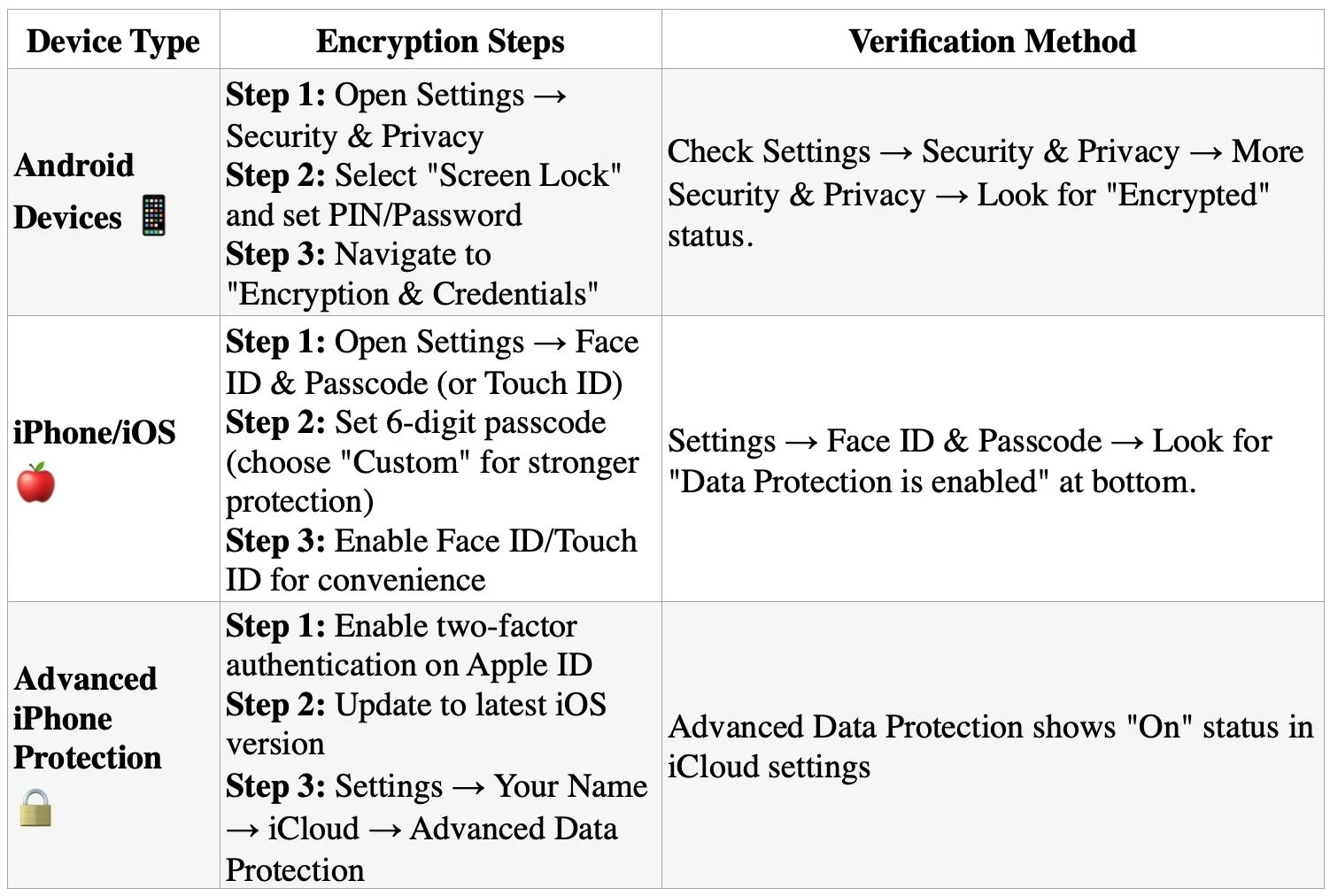
Enable full-device encryption on all smartphones and tablets used for any professional purposes. This critical step ensures that even if devices are physically compromised, sensitive data remains protected. Modern Android devices (version 6.0+) and iPhones automatically enable encryption when a screen lock is configured, but verification and proper setup remain essential.

Critical Implementation Notes

  • Android devices must remain plugged into power during the encryption process, which takes approximately one hour and cannot be interrupted;

  • Choose complex passcodes rather than simple PINs or patterns - six-digit minimum for iPhones, with alphanumeric options preferred;

  • Most devices since Android 6.0 and iOS 8 enable encryption by default when screen locks are configured, but manual verification is essential;

  • For maximum security on iPhones, enable the "Erase Data" feature after 10 failed attempts for devices containing highly sensitive information.

Implement strong, unique passwords or biometric authentication rather than simple PINs or patterns. The encryption key derives directly from your lock screen credentials, making password strength critical for data protection. For legal professionals handling privileged communications, this represents the first line of defense against unauthorized access to confidential client information.

some stepts to Enable full-device encryption on all smartphones and tablets used for any professional purposes.

Application Security Protocols

Download applications exclusively from official app stores and carefully review all requested permissions before installation. Be particularly vigilant about apps requesting "Display over other apps" permissions, as these can enable malware to hijack device functionality. Remove any unused applications regularly and avoid third-party app stores entirely.

Mobile Device Management (MDM) Implementation

Deploy comprehensive MDM solutions that enforce security policies across all firm devices. MDM systems should include capabilities for remote data wiping, automatic security updates, app blacklisting, and real-time threat detection. These systems provide centralized control over device security while maintaining user productivity.

Authentication and Access Controls

Mandate multi-factor authentication (MFA) for all professional applications and accounts. Use authentication apps or hardware tokens rather than SMS-based codes, which can be intercepted. Implement biometric authentication where available for an additional security layer.

Network Security Measures

Utilize Virtual Private Networks (VPNs) when accessing firm resources from public Wi-Fi networks. Ensure all communications involving client data occur through encrypted channels such as secure client portals rather than standard email or messaging applications.

Advanced Protection Considerations 🔍

Regular Security Assessments

BE Your firm’s heao! Know the Essential Mobile Security Protocols Every Lawyer Needs: Encryption, MFA, and VPN Protection!

Perform periodic security audits of all mobile devices and applications used within the firm. These assessments should identify vulnerabilities, ensure compliance with security policies, and evaluate the effectiveness of existing protections.

Secure Communication Channels

Implement client portals and secure messaging platforms specifically designed for legal communications. These systems provide encrypted data transmission and storage while maintaining audit trails for compliance purposes.

Data Backup and Recovery

Maintain regular, encrypted backups of all mobile device data with tested recovery procedures. This ensures business continuity in case of device compromise or loss while protecting sensitive information.

The SlopAds malware campaign demonstrates that traditional security assumptions about official app stores no longer provide adequate protection. Legal professionals must adopt a comprehensive, multi-layered approach to mobile security that addresses both technical vulnerabilities and human factors. By implementing these protective measures proactively, law firms can significantly reduce their exposure to mobile-based cyber threats while maintaining the productivity benefits of mobile technology.

Stay Safe Out There!

🚨 BOLO: Critical Chrome Zero-Day Security Alert for Legal Professionals 🚨

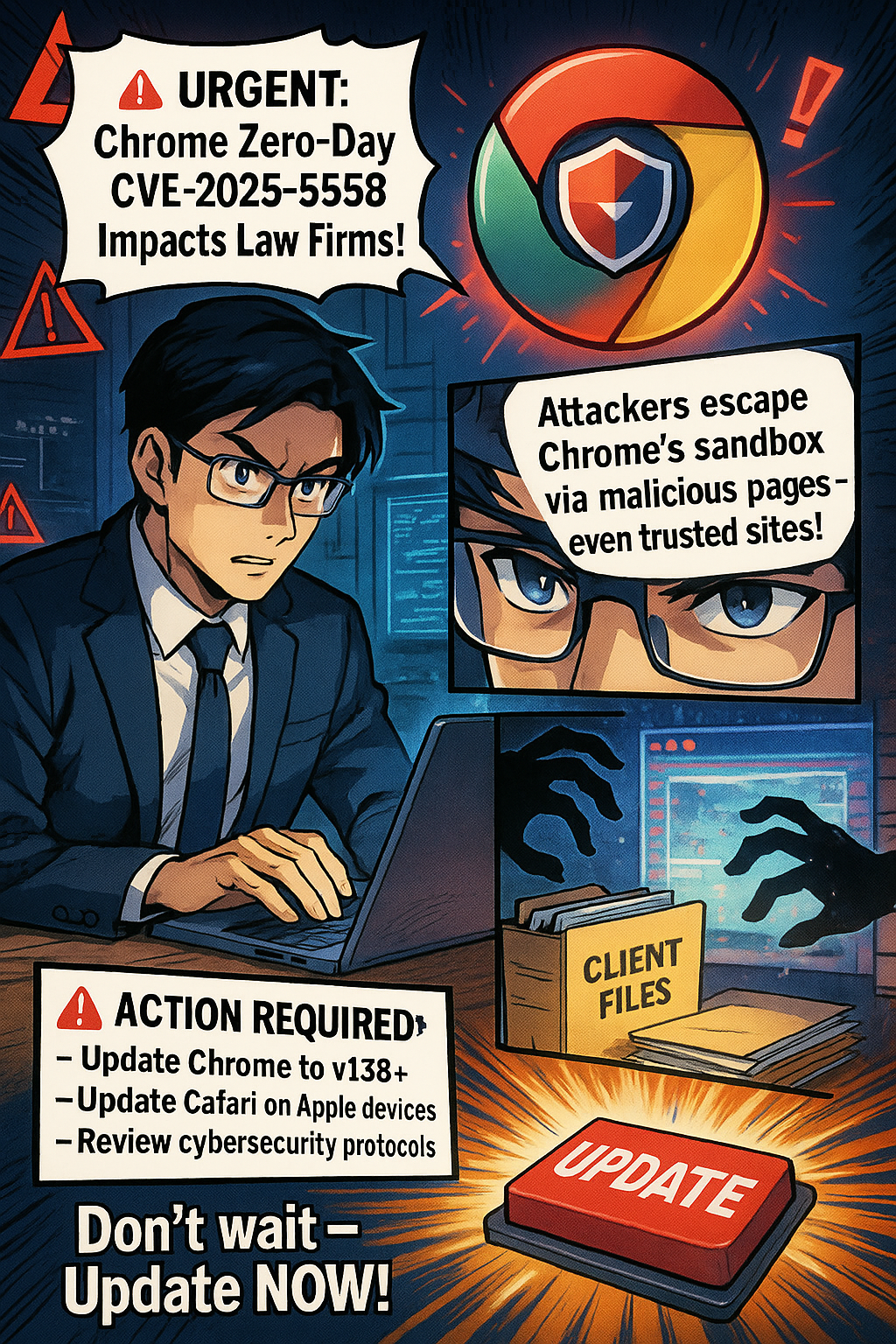
URGENT: Chrome Zero-Day CVE-2025-6558 Impacts Law Firms

🚨

URGENT: Chrome Zero-Day CVE-2025-6558 Impacts Law Firms 🚨

Critical browser flaw affects Windows & Apple devices. Attackers escape Chrome's sandbox via malicious web pages. ACTIVELY EXPLOITED.

Lawyers its generally a good idea to keep your software up-to-date in order to prevent security risks!

🔍 WHAT THIS MEANS IN PLAIN TERMS:
Your browser normally acts like a protective barrier between dangerous websites and your computer's files. This vulnerability is like a secret door that bypasses that protection. When you visit a compromised website, even legitimate sites that have been hacked, criminals can potentially access your client files, emails, and sensitive data without you knowing. The attack happens silently in the background while you browse normally.

⚠️ ACTION REQUIRED:

  • Update Chrome to v138+ immediately

  • Update Safari on Apple devices

  • Review cybersecurity protocols

🚨Legal Risks:
✓ Client confidentiality breaches
✓ ABA ethical violations
✓ Malpractice liability
✓ Trust account exposure

Don't wait - update NOW!

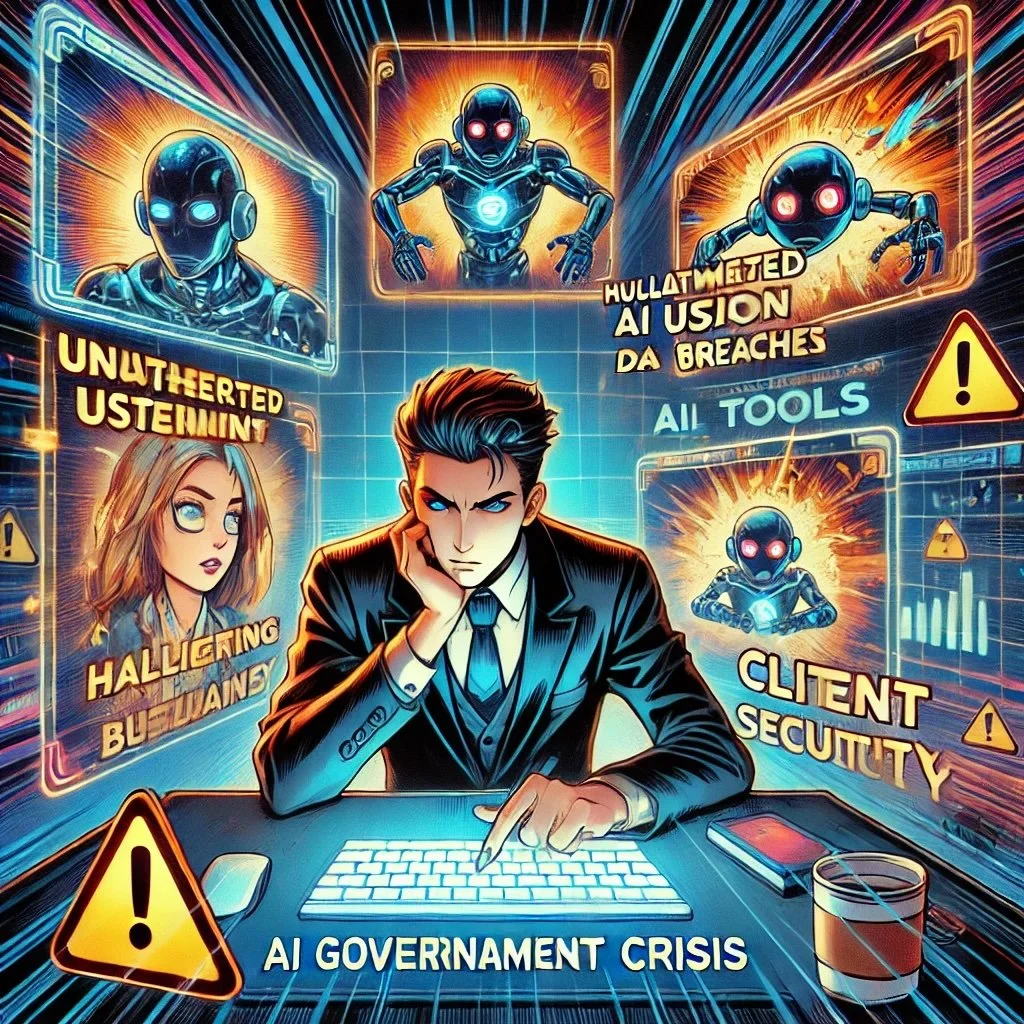
MTC: AI Governance Crisis - What Every Law Firm Must Learn from 1Password's Eye-Opening Security Research

The legal profession stands at a crossroads. Recent research commissioned by 1Password reveals four critical security challenges that should serve as a wake-up call for every law firm embracing artificial intelligence. With 79% of legal professionals now using AI tools in some capacity while only 10% of law firms have formal AI governance policies, the disconnect between adoption and oversight has created unprecedented vulnerabilities that could compromise client confidentiality and professional liability.

The Invisible AI Problem in Law Firms

The 1Password study's most alarming finding mirrors what law firms are experiencing daily: only 21% of security leaders have full visibility into AI tools used in their organizations. This visibility gap is particularly dangerous for law firms, where attorneys and staff may be uploading sensitive client information to unauthorized AI platforms without proper oversight.

Dave Lewis, Global Advisory CISO at 1Password, captured the essence of this challenge perfectly: "We have closed the door to AI tools and projects, but they keep coming through the window!" This sentiment resonates strongly with legal technology experts who observe attorneys gravitating toward consumer AI tools like ChatGPT for legal research and document drafting, often without understanding the data security implications.

The parallel to law firm experiences is striking. Recent Stanford HAI research revealed that even professional legal AI tools produce concerning hallucination rates—Westlaw AI-Assisted Research showed a 34% error rate, while Lexis+ AI exceeded 17%. (Remember my editorial/bolo MTC/🚨BOLO🚨: Lexis+ AI™️ Falls Short for Legal Research!) These aren't consumer chatbots but professional tools marketed to law firms as reliable research platforms.

Four Critical Lessons for Legal Professionals

First, establish comprehensive visibility protocols. The 1Password research shows that 54% of security leaders admit their AI governance enforcement is weak, with 32% believing up to half of employees continue using unauthorized AI applications. Law firms must implement SaaS governance tools to identify AI usage across their organization and document how employees are actually using AI in their workflows.

Second, recognize that good intentions create dangerous exposures. The study found that 63% of security leaders believe the biggest internal threat is employees unknowingly giving AI access to sensitive data. For law firms handling privileged attorney-client communications, this risk is exponentially greater. Staff may innocently paste confidential case details into AI tools, potentially violating client confidentiality rules and creating malpractice liability.

Third, address the unmanaged AI crisis immediately. More than half of security leaders estimate that 26-50% of their AI tools and agents are unmanaged. In legal practice, this could mean AI agents are interacting with case management systems, client databases, or billing platforms without proper access controls or audit trails—a compliance nightmare waiting to happen.

Fourth, understand that traditional security models are inadequate. The research emphasizes that conventional identity and access management systems weren't designed for AI agents. Law firms must evolve their access governance strategies to include AI tools and create clear guidelines for how these systems should be provisioned, tracked, and audited.

Beyond Compliance: Strategic Imperatives

The American Bar Association's Formal Opinion 512 established clear ethical frameworks for AI use, but compliance requires more than policy documents. Law firms need proactive strategies that enable AI benefits while protecting client interests.

Effective AI governance starts with education. Most legal professionals aren't thinking about AI security risks in these terms. Firms should conduct workshops and tabletop exercises to walk through potential scenarios and develop incident response protocols before problems arise.

The path forward doesn't require abandoning AI innovation. Instead, it demands extending trust-based security frameworks to cover both human and machine identities. Law firms must implement guardrails that protect confidential information without slowing productivity—user-friendly systems that attorneys will actually follow.

Final Thoughts: The Competitive Advantage of Responsible AI Adoption

Firms that proactively address these challenges will gain significant competitive advantages. Clients increasingly expect their legal counsel to use technology responsibly while maintaining the highest security standards. Demonstrating comprehensive AI governance builds trust and differentiates firms in a crowded marketplace.

The research makes clear that security leaders are aware of AI risks but under-equipped to address them. For law firms, this awareness gap represents both a challenge and an opportunity. Practices that invest in proper AI governance now will be positioned to leverage these powerful tools confidently while their competitors struggle with ad hoc approaches.

The legal profession's relationship with AI has fundamentally shifted from experimental adoption to enterprise-wide transformation. The 1Password research provides a roadmap for navigating this transition securely. Law firms that heed these lessons will thrive in the AI-augmented future of legal practice.

MTC