šŸŽ™ļøTSL Labs! MTC: The Hidden AI Crisis in Legal Practice: Why Lawyers Must Unmask Embedded Intelligence Before It's Too Late!

šŸ“Œ Too Busy to Read This Week's Editorial?

Join us for a professional deep dive into essential tech strategies for AI compliance in your legal practice. šŸŽ™ļø This AI-powered discussion unpacks the November 17, 2025, editorial, MTC: The Hidden AI Crisis in Legal Practice: Why Lawyers Must Unmask Embedded Intelligence Before It's Too Late! with actionable intelligence on hidden AI detection, confidentiality protocols, ethics compliance frameworks, and risk mitigation strategies. Artificial intelligence has been silently operating inside your most trusted legal software for years, and under ABA Formal Opinion 512, you bear full responsibility for all AI use, whether you knowingly activated it or it came as a default software update. The conversation makes complex technical concepts accessible to lawyers with varying levels of tech expertise—from tech-hesitant solo practitioners to advanced users—so you'll walk away with immediate, actionable steps to protect your practice, your clients, and your professional reputation.

In Our Conversation, We Cover the Following

00:00:00 - Introduction: Overview of TSL Labs initiative and the AI-generated discussion format

00:01:00 - The Silent Compliance Crisis: How AI has been operating invisibly in your software for years

00:02:00 - Core Conflict: Understanding why helpful tools simultaneously create ethical threats to attorney-client privilege

00:03:00 - Document Creation Vulnerabilities: Microsoft Word Co-pilot and Grammarly's hidden data processing

00:04:00 - Communication Tools Risks: Zoom AI Companion and the cautionary Otter.ai incident

00:05:00 - Research Platform Dangers: Westlaw and Lexis+ AI hallucination rates between 17-33%

00:06:00 - ABA Formal Opinion 512: Full lawyer responsibility for AI use regardless of awareness

00:07:00 - Model Rule 1.6 Analysis: Confidentiality breaches through third-party AI systems

00:08:00 - Model Rule 5.3 Requirements: Supervising AI tools with the same diligence as human assistants

00:09:00 - Five-Step Compliance Framework: Technology audits and vendor agreement evaluation

00:10:00 - Firm Policies and Client Consent: Establishing protocols and securing informed consent

00:11:00 - The Verification Imperative: Lessons from the Mata v. Avianca sanctions case

00:12:00 - Billing Considerations: Navigating hourly versus value-based fee models with AI

00:13:00 - Professional Development: Why tool learning time is non-billable competence maintenance

00:14:00 - Ongoing Compliance: The necessity of quarterly reviews as platforms rapidly evolve

00:15:00 - Closing Remarks: Resources and call to action for tech-savvy innovation

Resources

Mentioned in the Episode

Software & Cloud Services Mentioned in the Conversation

MTC: The Hidden AI Crisis in Legal Practice: Why Lawyers Must Unmask Embedded Intelligence Before It's Too Late!

Lawyers need Digital due diligence in order to say on top of their ethic’s requirements.

Artificial intelligence has infiltrated legal practice in ways most attorneys never anticipated. While lawyers debate whether to adopt AI tools, they've already been using them—often without knowing it. These "hidden AI" features, silently embedded in everyday software, present a compliance crisis that threatens attorney-client privilege, confidentiality obligations, and professional responsibility standards.

The Invisible Assistant Problem

Hidden AI operates in plain sight. Microsoft Word's Copilot suggests edits while you draft pleadings. Adobe Acrobat's AI Assistant automatically identifies contracts and extracts key terms from PDFs you're reviewing. Grammarly's algorithm analyzes your confidential client communications for grammar errors. Zoom's AI Companion transcribes strategy sessions with clients—and sometimes captures what happens after you disconnect.

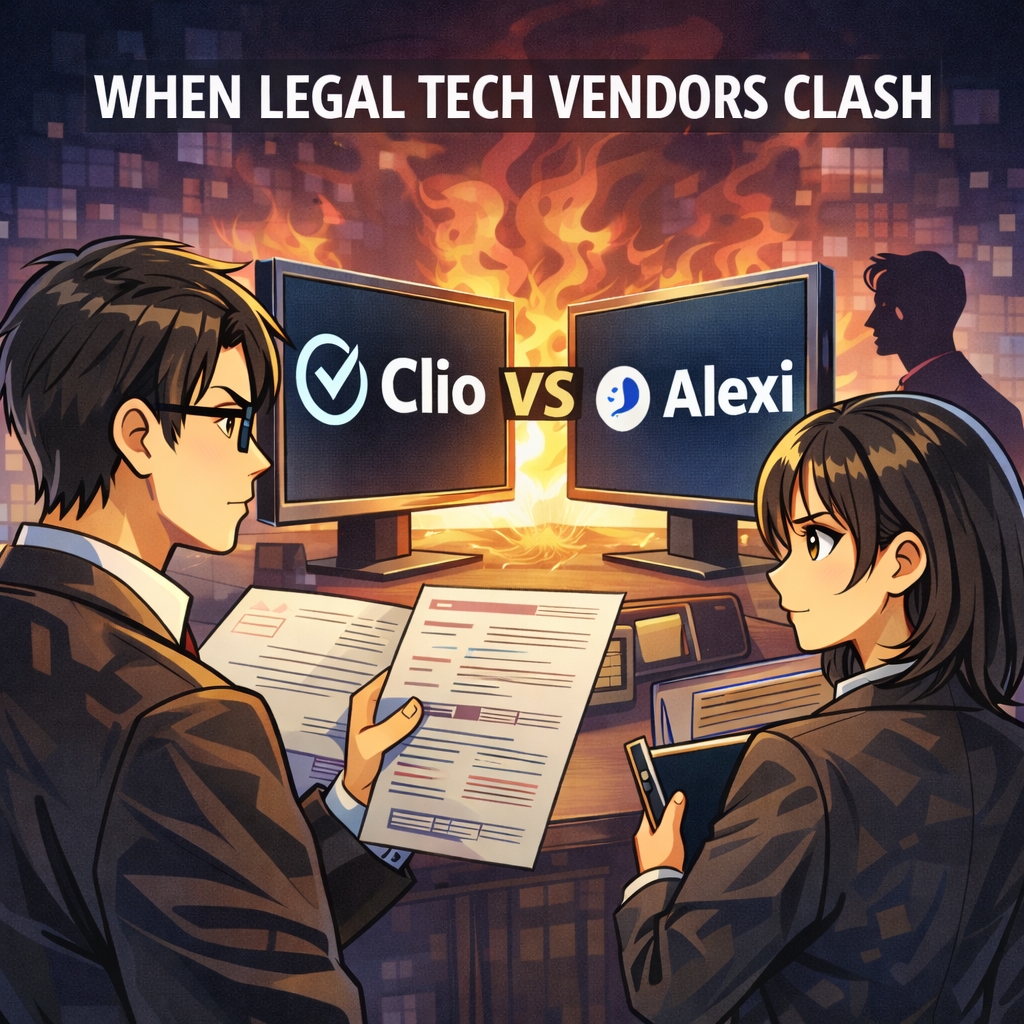
DocuSign now deploys AI-Assisted Review to analyze agreements against predefined playbooks. Westlaw and Lexis+ embed generative AI directly into their research platforms, with hallucination rates between 17% and 33%. Even practice management systems like Clio and Smokeball have woven AI throughout their platforms, from automated time tracking descriptions to matter summaries.

The challenge isn't whether these tools provide value—they absolutely do. The crisis emerges because lawyers activate features without understanding the compliance implications.

ABA Model Rules Meet Modern Technology

The American Bar Association's Formal Opinion 512, issued in July 2024, makes clear that lawyers bear full responsibility for AI use regardless of whether they actively chose the technology or inherited it through software updates. Several Model Rules directly govern hidden AI features in legal practice.

Model Rule 1.1 requires competence, including maintaining knowledge about the benefits and risks associated with relevant technology. Comment 8 to this rule, adopted by most states, mandates that lawyers understand not just primary legal tools but embedded AI features within those tools. This means attorneys cannot plead ignorance when Microsoft Word's AI Assistant processes privileged documents.

Model Rule 1.6 imposes strict confidentiality obligations. Lawyers must make "reasonable efforts to prevent the inadvertent or unauthorized disclosure of, or unauthorized access to, information relating to the representation of a client". When Grammarly accesses your client emails to check spelling, or when Zoom's AI transcribes confidential settlement discussions, you're potentially disclosing protected information to third-party AI systems.

Model Rule 5.3 extends supervisory responsibilities to "nonlawyer assistance," which includes non-human assistance like AI. The 2012 amendment changing "assistants" to "assistance" specifically contemplated this scenario. Lawyers must supervise AI tools with the same diligence they'd apply to paralegals or junior associates.

Model Rule 1.4 requires communication with clients about the means used to accomplish their objectives. This includes informing clients when AI will process their confidential information, obtaining informed consent, and explaining the associated risks.

Where Hidden AI Lurks in Legal Software

🚨 lawyers don’t breach your ethical duties with AI shortcuts!!!

Microsoft 365 Copilot integrates AI across Word, Outlook, and Teams—applications lawyers use hundreds of times daily. The AI drafts documents, summarizes emails, and analyzes meeting transcripts. Most firms that subscribe to Microsoft 365 have Copilot enabled by default in recent licensing agreements, yet many attorneys remain unaware their correspondence flows through generative AI systems.

Adobe Acrobat now automatically recognizes contracts and generates summaries with AI Assistant. When you open a PDF contract, Adobe's AI immediately analyzes it, extracts key dates and terms, and offers to answer questions about the document. This processing occurs before you explicitly request AI assistance.

Legal research platforms embed AI throughout their interfaces. Westlaw Precision AI and Lexis+ AI process search queries through generative models that hallucinate incorrect case citations 17% to 33% of the time according to Stanford research. These aren't separate features—they're integrated into the standard search experience lawyers rely upon daily.

Practice management systems deploy hidden AI for intake forms, automated time entry descriptions, and matter summaries. Smokeball's AutoTime AI generates detailed billing descriptions automatically. Clio integrates AI into client relationship management. These features activate without explicit lawyer oversight for each instance of use.

Communication platforms present particularly acute risks. Zoom AI Companion and Microsoft Teams AI automatically transcribe meetings and generate summaries. Otter.ai's meeting assistant infamously continued recording after participants thought a meeting ended, capturing investors' candid discussion of their firm's failures. For lawyers, such scenarios could expose privileged attorney-client communications or work product.

The Compliance Framework

Establishing ethical AI use requires systematic assessment. First, conduct a comprehensive technology audit. Inventory every software application your firm uses and identify embedded AI features. This includes obvious tools like research platforms and less apparent sources like PDF readers, email clients, and document management systems.

Second, evaluate each AI feature against confidentiality requirements. Review vendor agreements to determine whether the AI provider uses your data for model training, stores information after processing, or could disclose data in response to third-party requests. Grammarly, for example, offers HIPAA compliance but only for enterprise customers with 100+ seats who execute Business Associate Agreements. Similar limitations exist across legal software.

Third, implement technical safeguards. Disable AI features that lack adequate security controls. Configure settings to prevent automatic data sharing. Adobe and Microsoft both offer options to prevent AI from training on customer data, but these protections require active configuration.

Fourth, establish firm policies governing AI use. Designate responsibility for monitoring AI features in licensed software. Create protocols for evaluating new tools before deployment. Develop training programs ensuring all attorneys understand their obligations when using AI-enabled applications.

Fifth, secure client consent. Update engagement letters to disclose AI use in service delivery. Explain the specific risks associated with processing confidential information through AI systems. Document informed consent for each representation.

The Verification Imperative

ABA Formal Opinion 512 emphasizes that lawyers cannot delegate professional judgment to AI. Every output requires independent verification. When Westlaw Precision AI suggests research authorities, lawyers must confirm those cases exist and accurately reflect the law. When CoCounsel Drafting generates contract language in Microsoft Word, attorneys must review for accuracy, completeness, and appropriateness to the specific client matter.

The infamous Mata v. Avianca case, where lawyers submitted AI-generated briefs citing fabricated cases, illustrates the catastrophic consequences of failing to verify AI output. Every jurisdiction that has addressed AI ethics emphasizes this verification duty.

Cost and Billing Considerations

Formal Opinion 512 addresses whether lawyers can charge the same fees when AI accelerates their work. The opinion suggests lawyers cannot bill for time saved through AI efficiency under traditional hourly billing models. However, value-based and flat-fee arrangements may allow lawyers to capture efficiency gains, provided clients understand AI's role during initial fee negotiations.

Lawyers cannot bill clients for time spent learning AI tools—maintaining technological competence represents a professional obligation, not billable work. As AI becomes standard in legal practice, using these tools may become necessary to meet competence requirements, similar to how electronic research and e-discovery tools became baseline expectations.

Practical Steps for Compliance

Start by examining your Microsoft Office subscription. Determine whether Copilot is enabled and what data sharing settings apply. Review Adobe Acrobat's AI Assistant settings and disable automatic contract analysis if your confidentiality review hasn't been completed.

Contact your Westlaw and Lexis representatives to understand exactly how AI features operate in your research platform. Ask specific questions: Does the AI train on your search queries? How are hallucinations detected and corrected? What happens to documents you upload for AI analysis?

Audit your practice management system. If you use Clio, Smokeball, or similar platforms, identify every AI feature and evaluate its compliance with confidentiality obligations. Automatic time tracking that generates descriptions based on document content may reveal privileged information if billing statements aren't properly redacted.

Review video conferencing policies. Establish protocols requiring explicit disclosure when AI transcription activates during client meetings. Obtain informed consent before recording privileged discussions. Consider disabling AI assistants entirely for confidential matters.

Implement regular training programs. Technology competence isn't achieved once—it requires ongoing education as AI features evolve. Schedule quarterly reviews of new AI capabilities deployed in your software stack.

Final Thoughts šŸ‘‰ The Path Forward

lawyers must be able to identify and contain ai within the tech tools they use for work!

Hidden AI represents both opportunity and obligation. These tools genuinely enhance legal practice by accelerating research, improving drafting, and streamlining administrative tasks. The efficiency gains translate into better client service and more competitive pricing.

However, lawyers cannot embrace these benefits while ignoring their ethical duties. The Model Rules apply with equal force to hidden AI as to any other aspect of legal practice. Ignorance provides no defense when confidentiality breaches occur or inaccurate AI-generated content damages client interests.

The legal profession stands at a critical juncture. AI integration will only accelerate as software vendors compete to embed intelligent features throughout their platforms. Lawyers who proactively identify hidden AI, assess compliance risks, and implement appropriate safeguards will serve clients effectively while maintaining professional responsibility.

Those who ignore hidden AI features operating in their daily practice face disciplinary exposure, malpractice liability, and potential privilege waivers. The choice is clear: unmask the hidden AI now, or face consequences later.

MTC

šŸŽ™ļø Ep. # 124: AI Governance Expert Nikki Mehrpoo Shares the Triple E Protocol for Implementing Responsible AI and Legal Practice While Maintaining Ethical Compliance and Protecting Client Data.

My next guest is Nikki Mehrpoo. She is a nationally recognized leader in AI governance for law practices, known for her practical, ethical, and innovation-focused strategies. Today, she details her Triple-E Protocol and shares key steps for safely leveraging AI in legal work.

Join Nikki Mehrpoo and me as we discuss the following three questions and more!

  1. Based on your pioneering work with ā€œGovern Before You Automate,ā€ what are the top three foundational steps every lawyer should take to implement AI responsibly, and what are the top three mistakes lawyers make with AI?

  2. What are your top three tips or tricks when using AI in your work?

  3. When assessing the next AI platform from a service provider, what are the top three questions lawyers should be asking?

In our conversation, we cover the following:

  • 00:00:00 – Welcome and guest’s background 🌟

  • 00:01:00 – Current tech setup and cloud-based workflows ā˜ļø

  • 00:02:00 – Privacy and IP management, not client confidentiality šŸ”

  • 00:03:00 – Document deduplication with Effingo šŸ“„

  • 00:04:00 – Hardware: HP Omni Book 7 Laptop, HP monitors, iPhone šŸ’»šŸ“±

  • 00:05:00 – Efficiency tools: Text Expander, personal workflow shortcuts āŒØļø

  • 00:06:00 – Balancing technology innovation and risk management āš–ļø

  • 00:07:00 – Adapting to change, ongoing legal tech education šŸ§‘ā€šŸ’»

  • 00:08:00 – Triple-E Framework: Educate, Empower, Elevate šŸš€

  • 00:09:00 – Governance, supervision duties, policy setting šŸ›”ļø

  • 00:10:00 – Human verification as a standard for all legal AI output šŸ§‘ā€āš–ļø

  • 00:12:00 – Real-world examples: AI hallucinations, bias, and due diligence āš ļø

  • 00:13:00 – IT vs. AI expertise, communicating across teams šŸ› ļø

  • 00:14:00 – Chief AI Governance Officer, governance in legal innovation šŸ›ļø

  • 00:15:00 – Global compliance, EU AI Act, international standards 🌐

  • 00:16:00 – Hidden AI in legacy software, policy gaps šŸ”Ž

  • 00:17:00 – Education as continuous legal responsibility šŸ“š

  • 00:18:00 – Better results through prompt engineering šŸ”¤

  • 00:19:00 – Verify, verify, verify: never trust without review āœ”ļø

  • 00:20:00 – ABA Formal Opinion 512: standards for responsible legal AI šŸ“œ

  • 00:21:00 – Nikki’s Triple-E Protocol, governance best practices šŸ“Š

  • 00:22:00 – Data origin, bias, and auditability in legal AI systems 🧩

  • 00:23:00 – Frameworks for ā€œgovern before you automateā€ in legal workflows šŸ”’

  • 00:24:00 – Importance of internal hosting and zero retention policies šŸ¢

  • 00:25:00 – Maintaining confidentiality with third-party AI and HIPAA compliance 🤫

  • 00:26:00 – Where to find Nikki and connect 🌐

Resources

Connect with Nikki Mehrpoo

Mentioned in the episode

Hardware mentioned in the conversation

Software & Cloud Services mentioned in the conversation

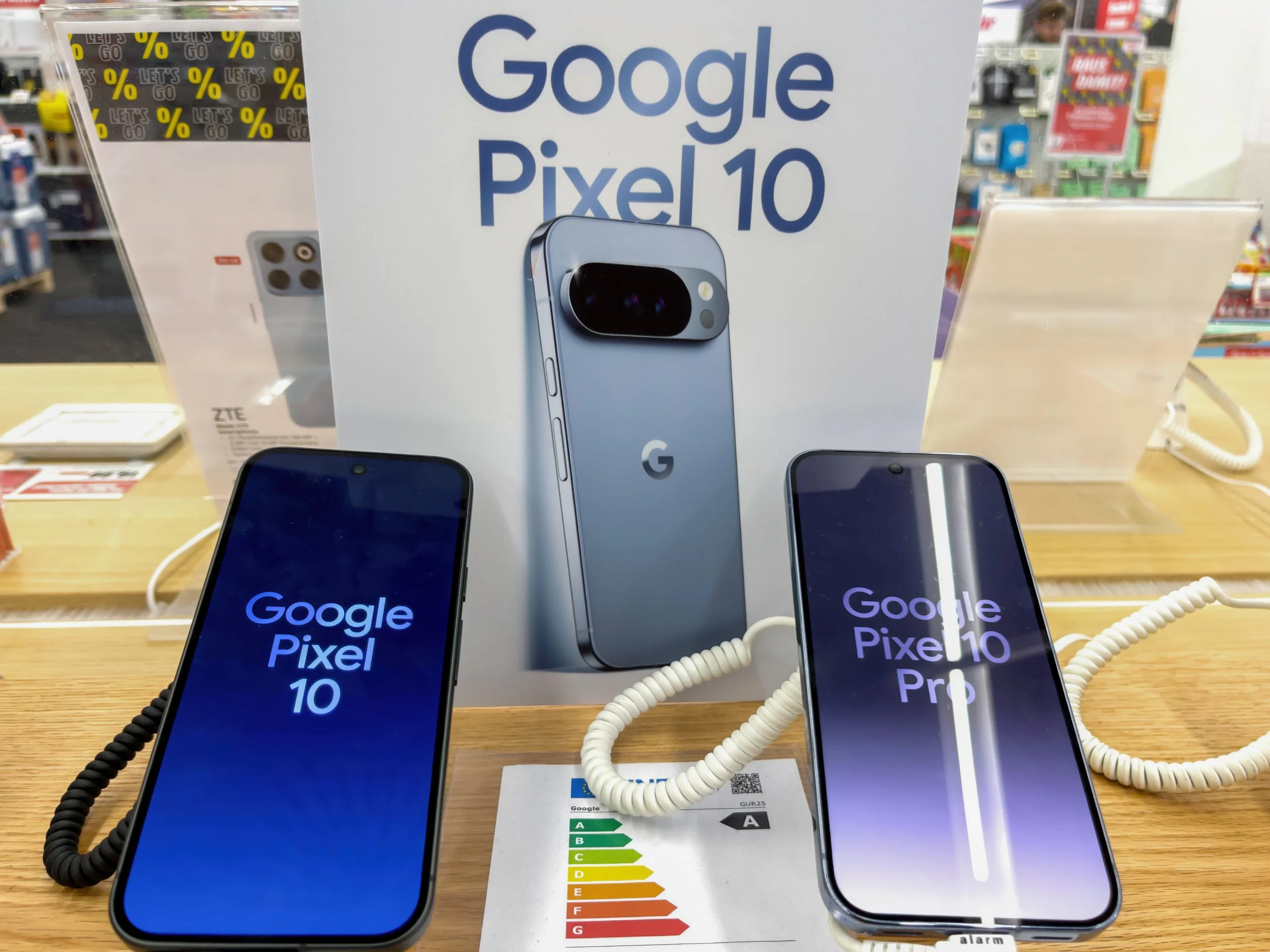
Pixel 10 Review for Lawyers

the pixel 10 is a good phone but not without its tradeoffs.

On August 20, 2025, the Pixel 10 was revealed with a refined design, a highly capable camera system, and Google’s best AI integrations, packaging upgrades that matter for law practice workflows, mobile document management, and courtroom performance.

  • Display and Form Factor: The 6.3-inch Actua OLED display, protected by Gorilla Glass Victus 2, shines in courtroom and office lighting. Lawyers will appreciate the bright, color-accurate screen when reviewing evidence or video depositions on the go, but those who favor larger screens for multitasking may prefer Samsung’s S25 Ultra or the iPhone 16 Plus.

  • Security: Lawyers will welcome 7 years of OS, security, and Pixel Drop updates, the Titan M2 security coprocessor, and built-in VPN; these features help maintain client confidentiality and align with legal industry compliance. Android’s anti-phishing and anti-malware tools reinforce the phone’s robust defense against threats.

  • Document Capture & Communication: The triple camera system, led by a powerful 48MP wide, 13MP ultrawide, and a 10.8MP telephoto lens with 5x optical zoom, ensures legible document scans even in dim offices. Pixel’s signature Night Sight and Super Res Zoom help legal professionals snap critical case files, courtroom whiteboards, or contract amendments with superior clarity. That said, for lawyers who value top-tier video (for remote depositions), Samsung’s 8K capabilities and higher frame rates may have the edge.

  • AI Features: ā€˜Gemini’—Google’s advanced AI assistant—boosts search, summarization, and contextual replies in emails and messaging, expediting legal research and workflow automation from the palm of the hand. ā€˜Call Assist’ and Live Translate are advantageous for real-time communication with clients of diverse backgrounds, though Apple and Samsung both offer strong competition in translation and AI productivity tools - although note that at the time of the Pixel’s release Apple’s Apple Intelligence has been disappointing (but hopefully can only get better).

  • Battery and Charging: A 4,970mAh battery means over 24 hours of typical use and up to 100 hours in Extreme Battery Saver mode—critical for marathon trials or days at depositions. Wired charging up to 30W and wireless Qi2 up to 15W keep downtime minimal, although Samsung’s S25 Ultra bests Pixel in charging speed and battery size for power users.

  • Accessibility & Connectivity: Dual eSIM support, Wi-Fi 6E, Bluetooth 6, and NFC cover the connectivity needs of busy attorneys moving between offices, courtrooms, and remote client sites.

Comparison Table

Google’s Pixel 10 sets a new bar for productivity, privacy, and AI-powered features that appeal directly to lawyers and legal professionals, yet notable tradeoffs exist compared to Apple’s iPhone 16 and Samsung’s Galaxy S25 Ultra in August 2025.

šŸ“±

Google’s Pixel 10 sets a new bar for productivity, privacy, and AI-powered features that appeal directly to lawyers and legal professionals, yet notable tradeoffs exist compared to Apple’s iPhone 16 and Samsung’s Galaxy S25 Ultra in August 2025. šŸ“±

Pros for Lawyers

  • Best-in-class security updates and built-in VPN.

  • Top-tier document and evidence capture with versatile camera system.

  • AI tools powerful for legal research, communications, and workflow efficiency.

  • Long battery life and robust durability—the all-aluminum frame and IP68 rating withstand the rigors of a law practice.

Cons for Lawyers

  • Display may be dwarfed by the S25 Ultra or iPhone 16 Pro Max, meaning less multitasking space.

  • Samsung offers superior video capture (8K, 120fps) for attorneys recording depositions or client interviews at the absolute highest quality.

  • Some legacy legal apps may still run better on iOS, and Apple’s closed ecosystem can be a compliance advantage for large law firms.

  • Although AI features are sophisticated, concerns over Google’s data handling may deter privacy-sensitive practices, whereas Apple maintains a firmer stance on local data processing.

Final Thoughts

the pixel 10 might be the right choice for lawyers starting out.

The Google Pixel 10 represents a compelling choice for legal professionals seeking robust security, AI-powered productivity, and exceptional document capture capabilities at a competitive price point. While the device excels in privacy protection with its built-in VPN, seven years of guaranteed security updates, and superior camera system for evidence documentation, attorneys must weigh these advantages against potential limitations in display size for multitasking and compatibility with legacy legal applications that may favor iOS ecosystems.

For solo practitioners and emerging law firms prioritizing cost-effectiveness without compromising security, the Pixel 10 delivers enterprise-grade protection and Google's advanced AI integration that can significantly enhance legal research workflows. However, established practices with existing Apple infrastructure or attorneys requiring the largest possible mobile screens for complex document review may find better value in the iPhone 16 Pro Max or Samsung Galaxy S25 Ultra alternatives.

The decision ultimately hinges on your firm's technology ecosystem, budget constraints, and specific workflow requirements. Legal professionals should evaluate their carrier compatibility, existing software integrations, and long-term technology strategy before making this significant productivity investment. The Pixel 10 proves that Google has created a legitimate professional tool worthy of serious legal practice consideration—not merely another consumer smartphone with legal applications as an afterthought.