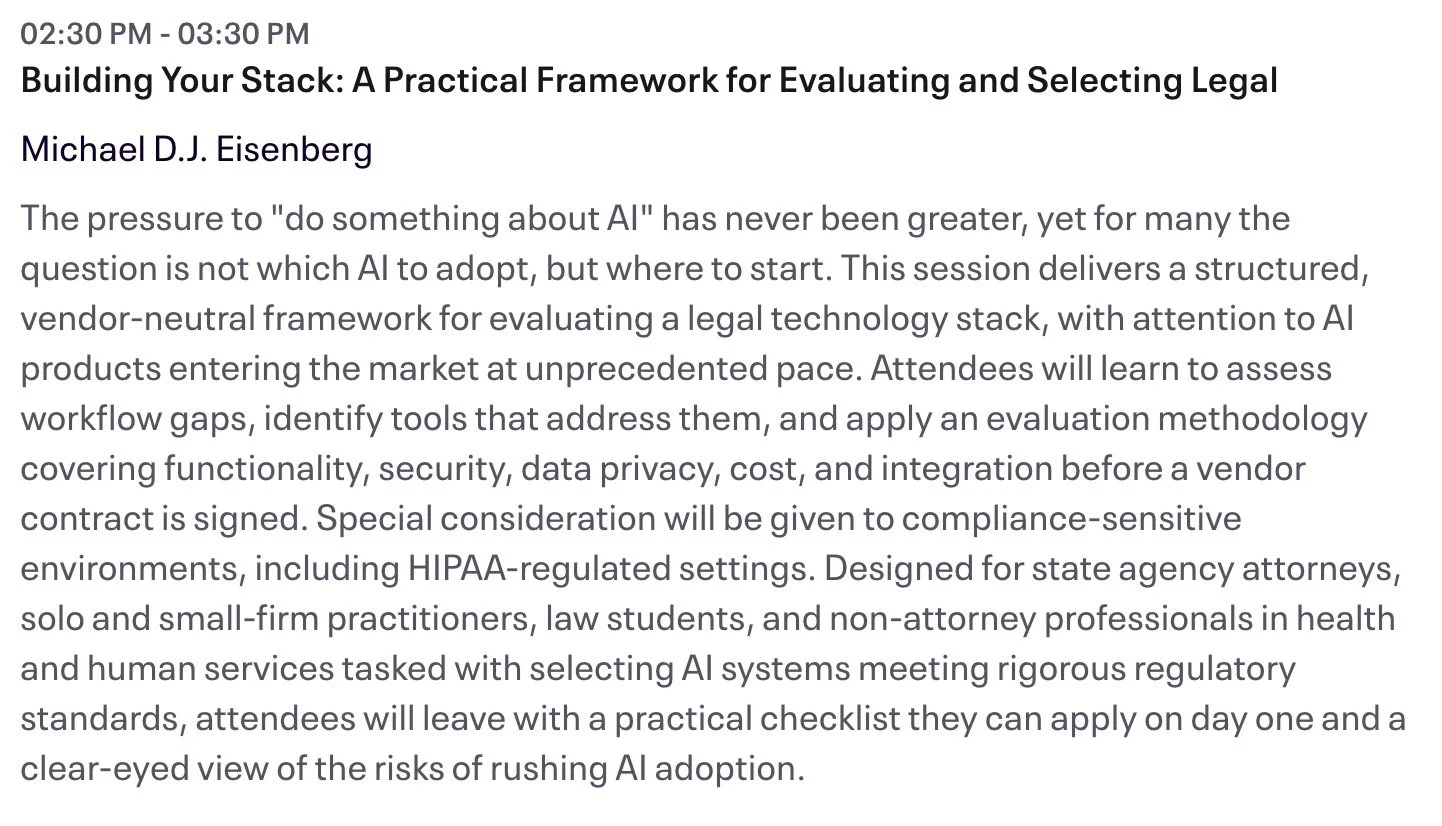
TSL.P Labs 🧪 Initiative: Why 96% AI Accuracy Still Fails Lawyers: Ethics, Hallucinations, and the Future of the Billable Hour ⚖️🤖

📌 To Busy to Read This Week’s Editorial?

Welcome to the TSL Lab’s Initiative. 🤖 This weeks episode builds on my March 3rd, 2026, editorial “Even Though AI Hallucinations Are Down: Lawyers STILL MUST Verify AI, Guard PII, and Follow ABA Ethics Rules ⚖️🤖” is a misleading comfort blanket for lawyers, and how ABA Model Rules on confidentiality, competence, diligence, candor, supervision, and client communication must govern every AI prompt you run. Our Google LLM Notebook hosts translate the theory into practical workflows you can implement today—from document grounding and tokenization to vendor due diligence and line‑by‑line verification—so you can leverage AI confidently without sacrificing ethics, privilege, or your professional license.

You will hear how document grounding changes what LLMs actually do, why uploading active case files to cloud AI tools can quietly trigger Rule 1.6 problems, and how cross‑border data flows, vendor training rights, and retention policies can erode privilege if you do not negotiate them carefully. 🔐 We also unpack practical safeguards like tokenization, internal sandbox testing, and bright‑line “danger zones” where AI must never operate unsupervised—especially on open‑ended research, choice of law, and any task that turns statistical text into real‑world legal risk.

Finally, we confront the economic paradox: when AI can compress 100 hours of document review into seconds, but partners must still verify every line to protect their licenses, what exactly are clients paying for—and how does the billable hour survive? 💼

In our conversation, we cover the following

  • 00:00 – Why “96% fewer hallucinations” is still not good enough in law ⚖️

  • 01:00 – How the remaining 4% error rate can trigger malpractice, sanctions, and ethics violations

  • 02:00 – From IT issue to ethics issue: ABA Model Rules as the real constraint on AI adoption

  • 03:00 – Document grounding 101: turning a free‑floating LLM into a reading‑comprehension engine

  • 04:00 – The hidden danger of “just upload the file”: how Rule 1.6 confidentiality is instantly implicated

  • 05:00 – Cloud AI architecture, cross‑border data transfers, GDPR, and privilege risk 🌐

  • 06:00 – Model training nightmares: when your client’s trade secrets leak back out through someone else’s prompt

  • 07:00 – Negotiating no‑training clauses and ring‑fencing vendor data use (before you upload anything)

  • 08:00 – Tokenization explained: turning John Doe into “Plaintiff 01” without losing legal meaning 🔐

  • 09:00 – What AI does well today: grounded summarization, clause extraction, and playbook‑based redlines

  • 10:00 – The “danger zone” of tasks: open‑ended research, choice of law, and abstract legal reasoning

  • 11:00 – Phantom case law: how LLMs manufacture perfect‑looking but fake citations (and Rule 3.3 candor)

  • 12:00 – Sandboxing AI tools internally and measuring real‑world failure rates against known outcomes 🧪

  • 13:00 – Building bright‑line firm policies around forbidden AI use cases

  • 14:00 – Verification as a workflow, not a suggestion: what Model Rules 5.1 and 5.3 demand from supervisors

  • 15:00 – The efficiency paradox: when partner‑level verification erases associate‑level time savings ⏱️

  • 16:00 – Making AI verification as routine as a conflict check in your practice

  • 17:00 – Falling hallucination rates, rising risk: why better AI can still make lawyers more vulnerable

  • 18:00 – Client communication under Rule 1.4: when and why clients may be entitled to know you used AI

  • 19:00 – “You can delegate the task, not the liability”: Rule 1.2 and ultimate responsibility for AI‑assisted work

  • 20:00 – Treating every AI prompt and ToS as a potential ethics document

  • 📝21:00 – The existential question: if AI drafts in seconds, what exactly are clients paying lawyers for?

👉 Tune in now to learn how to stay tech‑forward without becoming the next ethics cautionary tale, and start designing AI policies that actually protect your clients, your firm, and your bar license.

MTC: AI may not be your co‑counsel—and a recent SDNY decision just made that painfully clear. ⚖️🤖

SDNY Heppner Ruling: Public AI Use Breaks Attorney-Client PrivilegE!

In United States v. Heppner, Judge Jed Rakoff of the Southern District of New York ruled that documents a criminal defendant generated with a publicly accessible AI tool and later sent to his lawyers were not protected by either attorney‑client privilege or the work‑product doctrine. That decision should be a wake‑up call for every lawyer who has ever dropped client facts into a public chatbot.

The court’s analysis followed traditional privilege principles rather than futuristic AI theory. Privilege requires confidential communication between a client and a lawyer made for the purpose of obtaining legal advice. In Heppner, the AI tool was “obviously not an attorney,” and there was no “trusting human relationship” with a licensed professional who owed duties of loyalty and confidentiality. Moreover, the platform’s privacy policy disclosed that user inputs and outputs could be collected and shared with third parties, undermining any reasonable expectation of confidentiality. In short, the defendant’s AI‑generated drafts looked less like protected client notes and more like research entrusted to a third‑party service.

For sometime now, I’ve warned on The Tech‑Savvy Lawyer.Page has warned practitioners not to paste client PII or case‑specific facts into generative AI tools, particularly public models whose terms of use and training practices erode confidentiality. We have consistently framed AI as an extension of a lawyer’s existing ethical duties, not a shortcut around them. I have encouraged readers to treat these systems like any other non‑lawyer vendor that must be vetted, contractually constrained, and configured before use. That perspective aligns squarely with Heppner’s outcome: once you treat a public AI as a casual brainstorming partner, you risk treating your client’s confidences as discoverable data.

A Tech-Savvy Lawyer Avoids AI Privilege Waiver With Confidentiality Safeguards!

For lawyers, this has immediate implications under the ABA Model Rules. Model Rule 1.1 on competence now explicitly includes understanding the “benefits and risks associated” with relevant technology, and recent ABA guidance on generative AI emphasizes that uncritical reliance on these tools can breach the duty of competence. A lawyer who casually uses public AI tools with client facts—without reading the terms of use, configuring privacy, or warning the client—may fail the competence test in both technology and privilege preservation. The Tech‑Savvy Lawyer.Page repeatedly underscores this point, translating dense ethics opinions into practical checklists and workflows so that even lawyers with only moderate tech literacy can implement safer practices.

Model Rule 1.6 on confidentiality is equally implicated. If a lawyer discloses client confidential information to a public AI platform that uses data for training or reserves broad rights to disclose to third parties, that disclosure can be treated like sharing with any non‑necessary third party, risking waiver of privilege. Ethical guidance stresses that lawyers must understand whether an AI provider logs, trains on, or shares client data and must adopt reasonable safeguards before using such tools. That means reading privacy policies, toggling enterprise settings, and, in many cases, avoiding consumer tools altogether for client‑specific prompts.

Does a private, paid AI make a difference? Possibly, but only if it is structured like other trusted legal technology. Enterprise or legal‑industry tools that contractually commit not to train on user data and to maintain strict confidentiality can better support privilege claims, because confidentiality and reasonable expectations are preserved. Tools like Lexis‑style or Westlaw‑style AI offerings, deployed under robust business associate and security agreements, look more like traditional research platforms or litigation support vendors within Model Rules 5.1 and 5.3, which govern supervisory duties over non‑lawyer assistants. The Tech‑Savvy Lawyer.Page has emphasized this distinction, encouraging lawyers to favor vetted, enterprise‑grade solutions over consumer chatbots when client information is involved.

Enterprise AI Vetting Checklist for Lawyers: Contracts, NDA, No Training

The tech‑savvy lawyer in 2026 is not the one who uses the most AI; it is the one who knows when not to use it. Before entering client facts into any generative AI, lawyers should ask: Is this tool configured to protect client confidentiality? Have I satisfied my duties of competence and communication by explaining the risks to my client (Model Rules 1.1 and 1.4)? And if a court reads this platform’s privacy policy the way Judge Rakoff did, will I be able to defend my privilege claims with a straight face to a court or to a disciplinary bar?

AI may be a powerful drafting partner, but it is not your co‑counsel and not your client’s confidant. The tech‑savvy lawyer—of the sort championed by The Tech‑Savvy Lawyer.Page—treats it as a tool: carefully vetted, contractually constrained, and ethically supervised, or not used at all. 🔒🤖

📌 Too Busy to Read This Week’s Editorial: “Lawyers and AI Oversight: What the VA’s Patient Safety Warning Teaches About Ethical Law Firm Technology Use!” ⚖️🤖

Join us for an AI-powered deep dive into the ethical challenges facing legal professionals in the age of generative AI. 🤖 In this episode, we discuss our February 16, 2026, editorial, “Lawyers and AI Oversight: What the VA’s Patient Safety Warning Teaches About Ethical Law Firm Technology Use! ⚖️🤖” and explore why treating AI-generated drafts as hypotheses—not answers—is quickly becoming a survival skill for law firms of every size. We connect a real-world AI failure risk at the Department of Veterans Affairs to the everyday ways lawyers are using tools like chatbots, and we translate ABA Model Rules into practical oversight steps any practitioner can implement without becoming a programmer.

In our conversation, we cover the following

  • 00:00:00 – Why conversations about the future of law default to Silicon Valley, and why that’s a problem ⚖️

  • 00:01:00 – How a crisis at the U.S. Department of Veterans Affairs became a “mirror” for the legal profession 🩺➡️⚖️

  • 00:03:00 – “Speed without governance”: what the VA Inspector General actually warned about, and why it matters to your practice

  • 00:04:00 – From patient safety risk to client safety and justice risk: the shared AI failure pattern in healthcare and law

  • 00:06:00 – Shadow AI in law firms: staff “just trying out” public chatbots on live matters and the unseen risk this creates

  • 00:07:00 – Why not tracking hallucinations, data leakage, or bias turns risk management into wishful thinking

  • 00:08:00 – Applying existing ABA Model Rules (1.1, 1.6, 5.1, 5.2, and 5.3) directly to AI use in legal practice

  • 00:09:00 – Competence in the age of AI: why “I’m not a tech person” is no longer a safe answer 🧠

  • 00:09:30 – Confidentiality and public chatbots: how you can silently lose privilege by pasting client data into a text box

  • 00:10:30 – Supervision duties: why partners cannot safely claim ignorance of how their teams use AI

  • 00:11:00 – Candor to tribunals: the real ethics problem behind AI-generated fake cases and citations

  • 00:12:00 – From slogan to system: why “meaningful human engagement” must be operationalized, not just admired 

  • 00:12:30 – The key mindset shift: treating AI-assisted drafts as hypotheses, not answers 🧪

  • 00:13:00 – What reasonable human oversight looks like in practice: citations, quotes, and legal conclusions under stress test

  • 00:14:00 – You don’t need to be a computer scientist: the essential due diligence questions every lawyer can ask about AI 

  • 00:15:00 – Risk mapping: distinguishing administrative AI use from “safety-critical” lawyering tasks

  • 00:16:00 – High-stakes matters (freedom, immigration, finances, benefits, licenses) and heightened AI safeguards

  • 00:16:45 – Practical guardrails: access controls, narrow scoping, and periodic quality audits for AI use

  • 00:17:00 – Why governance is not “just for BigLaw” and how solos can implement checklists and simple documentation 📋

  • 00:17:45 – Updating engagement letters and talking to clients about AI use in their matters

  • 00:18:00 – Redefining the “human touch” as the safety mechanism that makes AI ethically usable at all 🤝

  • 00:19:00 – AI as power tool: why lawyers must remain the “captain of the ship” even when AI drafts at lightning speed 🚢

  • 00:20:00 – Rethinking value: if AI creates the first draft, what exactly are clients paying lawyers for?

  • 00:20:30 – Are we ready to bill for judgment, oversight, and safety instead of pure production time?

  • 00:21:00 – Final takeaways: building a practice where human judgment still has the final word over AI

RESOURCES

Mentioned in the episode

Software & Cloud Services mentioned in the conversation

Words of the Week: “ANTHROPIC” VS. “AGENTIC”: UNDERSTANDING THE DISTINCTION IN LEGAL TECHNOLOGY 🔍

lawyers need to know the difference anthropic v. agentic

The terms "Anthropic" and "agentic" circulate frequently in legal technology discussions. They sound similar. They appear in the same articles. Yet they represent fundamentally different concepts. Understanding the distinction matters deeply for legal practitioners seeking to leverage artificial intelligence effectively.

Anthropic is a company—specifically, an AI safety-focused organization that develops large language models, most notably Claude. Think of Anthropic as a technology provider. The company pioneered "Constitutional AI," a training methodology that embeds explicit principles into AI systems to guide their behavior toward helpfulness, harmlessness, and honesty. When you use Claude for legal research or document drafting, you are using a product built by Anthropic.

Agentic describes a category of AI system architecture and capability—not a company or product. Agentic systems operate autonomously, plan multi-step tasks, make decisions dynamically, and execute workflows with minimal human intervention. An agentic system can break down complex assignments, gather information, refine outputs, and adjust its approach based on changing circumstances. It exercises judgment about which tools to deploy and when to escalate matters to human oversight.

"Constitutional AI" is an ai training methodology promoting helpfulness, harmlessness, and honesty in ai programing

The relationship between these concepts becomes clearer through a practical scenario. Imagine you task an AI system with analyzing merger agreements from a target company. A non-agentic approach requires you to provide explicit instructions for each step: search the database, extract key clauses, compare terms against templates, and prepare a summary. You guide the process throughout. An agentic approach allows you to assign a goal—Review these contracts, flag risks, and prepare a risk summary—and the AI system formulates its own research plan, prioritizes which documents to examine first, identifies gaps requiring additional information, and works through the analysis independently, pausing only when human judgment becomes necessary.

Anthropic builds AI models capable of agentic behavior. Claude, Anthropic's flagship model, can function as an agentic system when configured appropriately. However, Anthropic's models can also operate in simpler, non-agentic modes. You might use Claude to answer a direct question or draft a memo without any agentic capability coming into play. The capability exists within Anthropic's models, but agentic functionality remains optional depending on your implementation.

They work together as follows: Anthropic provides the underlying AI model and the training methodology emphasizing constitutional principles. That foundation becomes the engine powering agentic systems. The Constitutional AI approach matters specifically for agentic applications because autonomous systems require robust safeguards. As AI systems operate more independently, explicit principles embedded during training help ensure they remain aligned with human values and institutional requirements. Legal professionals cannot simply deploy an autonomous AI agent without trust in its underlying decision-making framework.

Agentic vs. Anthropic: Know the Difference. Shape the Future of Law!

For legal practitioners, the distinction carries practical implications. You evaluate Anthropic as a vendor when selecting which AI provider's tools to adopt. You evaluate agentic architecture when deciding whether your specific use case requires autonomous task execution or whether simpler, more directed AI assistance suffices. Many legal workflows benefit from direct AI support without requiring full autonomy. Others—such as high-volume contract analysis during due diligence—leverage agentic capabilities to move work forward rapidly.

Both elements represent genuine advances in legal technology. Recognizing the difference positions you to make informed decisions about tool adoption and appropriate implementation for your practice. ✅

🎙️Ep. 128, Building a Tech-Forward Law Firm: AI Intake, CRM Strategy & Client Experience with Colleen Joyce!

My next guest is Colleen Joyce, CEO of Lawyer.com, a leading legal marketplace that connects over one million consumers monthly with qualified attorneys nationwide. With nearly two decades of experience transforming how law firms leverage technology and marketing, Colleen has pioneered innovations including LawyerLine call intake services, AI-powered matching technology, and the Lawyer Growth Summit. She publishes the Fast Five newsletter every Tuesday, reaching over 20,000 legal professionals with insights on AI trends, business growth strategies, and practice management. In this episode, Colleen shares her expertise on the essential technologies modern law firms need to scale profitably, how AI is revolutionizing client intake processes, and the critical human touchpoints that should never be automated in legal practice.

💬 Join Colleen Joyce and me as we discuss the following three questions and more!

1.     Beyond the essential lead generation that Lawyer.com provides, you see thousands of firms succeed and fail based on their operational efficiency. If you are building a modern law firm from scratch today, what are the top three non-negotiable technologies? For example, specific CRM automations, financial analytics, or project management tools you would implement immediately to ensure the firm scales profitably rather than just chaotically.

2.     We know AI is reshaping the top of the funnel for legal consumers. Based on the data you're seeing from your new AI initiatives, what are the top three specific intake bottlenecks that AI can now solve better than a human receptionist? Allowing attorneys to focus primarily on high-value legal work rather than data entry or basic screening.

3.     Technology can handle logistics, but it can't handle the emotion of legal crisis. From your experience overseeing millions of consumer connections, what are the top three human touchpoints in the client lifecycle that a lawyer should never automate? Because they are crucial for building the trust and transparency that leads to long-term referrals.

In our conversation, we cover the following:

-      00:00:00 - Welcome and Introduction to Colleen Joyce

-      00:00:20 - Colleen's Current Tech Setup: MacBook Pro, iPhone 16, iPad, and Curved Monitor

-      00:01:00 - Discussion about iPhone Models and AppleCare Benefits

-      00:02:00 - Using Plaud AI for Recording Conversations

-      00:03:00 - MacBook Pro Specifications and Upgrade Recommendations

-      00:04:00 - Dell Curved Monitor Benefits for Focus and Productivity

-      00:05:00 - Question 1: Top Three Non-Negotiable Technologies for Modern Law Firms

-      00:06:00 - Intake Technology, CRM, and Practice Management Systems

-      00:07:00 - Balancing Cost and Technology for New Lawyers

-      00:08:00 - Leveraging Freemium Tools and AI for Budget-Conscious Firms

-      00:08:30 - Question 2: AI Solutions for Intake Bottlenecks

-      00:09:00 - Answering Phones with Empathetic AI Agents

-      00:10:00 - Importance of Legal-Specific AI Training

-      00:11:00 - Consumer Adoption and Resistance to AI vs. Human Agents

-      00:12:00 - Using Virtual Receptionists and Calendly for Scheduling

-      00:13:00 - Generational Differences in Technology Adoption

-      00:14:00 - The Evolution of Legal Technology Adoption Over 14 Years

-      00:15:00 - Question 3: Human Touchpoints That Should Never Be Automated

-      00:16:00 - Relationship Building and the Courting Period

-      00:17:00 - Screening Clients Through Your Tech Processes

-      00:18:00 - Where to Find Colleen: LinkedIn and the Fast Five Newsletter - 00:18:30 - Closing Remarks and Gratitude

---

📚 Resources

🤝 Connect with Colleen Joyce

•  LinkedIn: https://www.linkedin.com/in/colleenjoyce

•  Lawyer.com: https://www.lawyer.com

•  Lawyer.com Services: https://services.lawyer.com

•  Fast Five Newsletter (Published Tuesdays): https://www.linkedin.com/newsletters/ fast-five-fridays-7265815097552326656

•  Lawyer Growth Summit: https://lawyergrowthsummit.com

•  Lawyer.com Phone: 800-620-0900

•  Lawyer.com Address: 25 Mountainview Boulevard, Basking Ridge, NJ 07920

📖 Mentioned in the Episode

•  MacRumors Buyer's Guide: https://buyersguide.macrumors.com

•  LawyerLine (24-hour Intake Services) : https://www.lawyerline.ai/

🖥 Hardware Mentioned in the Conversation

•  MacBook Pro : https://www.apple.com/macbook-pro/

•  MacBook Pro with M4/M5 Chips (Upgrade recommendation): https://www.apple.com/macbook-pro/

•  iPhone 16: https://www.apple.com/iphone-16/

•  iPad: https://www.apple.com/ipad/

•  Dell Curved Monitor (22-24 inch, white): https://www.dell.com/monitors

•  HP Printer (with automatic duplex printing): https://www.hp.com/printers

☁ Software & Cloud Services Mentioned in the Conversation

•  Plaud AI (Call Recording & Transcription): https://www.plaud.ai

Slack (Team Communication Platform): https://slack.com

•  iMessage (Apple Messaging): https://support.apple.com/en-us/104969

•  Calendly (Scheduling Software): https://calendly.com

•  Monday.com (Project Management & Team Organization): https://monday.com

•  ChatGPT (AI Assistant): https://openai.com/chatgpt

•  AppleCare (Apple Device Protection): https://www.apple.com/support/applecare/

🎙️TSL Labs! MTC: The Hidden AI Crisis in Legal Practice: Why Lawyers Must Unmask Embedded Intelligence Before It's Too Late!

📌 Too Busy to Read This Week's Editorial?

Join us for a professional deep dive into essential tech strategies for AI compliance in your legal practice. 🎙️ This AI-powered discussion unpacks the November 17, 2025, editorial, MTC: The Hidden AI Crisis in Legal Practice: Why Lawyers Must Unmask Embedded Intelligence Before It's Too Late! with actionable intelligence on hidden AI detection, confidentiality protocols, ethics compliance frameworks, and risk mitigation strategies. Artificial intelligence has been silently operating inside your most trusted legal software for years, and under ABA Formal Opinion 512, you bear full responsibility for all AI use, whether you knowingly activated it or it came as a default software update. The conversation makes complex technical concepts accessible to lawyers with varying levels of tech expertise—from tech-hesitant solo practitioners to advanced users—so you'll walk away with immediate, actionable steps to protect your practice, your clients, and your professional reputation.

In Our Conversation, We Cover the Following

00:00:00 - Introduction: Overview of TSL Labs initiative and the AI-generated discussion format

00:01:00 - The Silent Compliance Crisis: How AI has been operating invisibly in your software for years

00:02:00 - Core Conflict: Understanding why helpful tools simultaneously create ethical threats to attorney-client privilege

00:03:00 - Document Creation Vulnerabilities: Microsoft Word Co-pilot and Grammarly's hidden data processing

00:04:00 - Communication Tools Risks: Zoom AI Companion and the cautionary Otter.ai incident

00:05:00 - Research Platform Dangers: Westlaw and Lexis+ AI hallucination rates between 17-33%

00:06:00 - ABA Formal Opinion 512: Full lawyer responsibility for AI use regardless of awareness

00:07:00 - Model Rule 1.6 Analysis: Confidentiality breaches through third-party AI systems

00:08:00 - Model Rule 5.3 Requirements: Supervising AI tools with the same diligence as human assistants

00:09:00 - Five-Step Compliance Framework: Technology audits and vendor agreement evaluation

00:10:00 - Firm Policies and Client Consent: Establishing protocols and securing informed consent

00:11:00 - The Verification Imperative: Lessons from the Mata v. Avianca sanctions case

00:12:00 - Billing Considerations: Navigating hourly versus value-based fee models with AI

00:13:00 - Professional Development: Why tool learning time is non-billable competence maintenance

00:14:00 - Ongoing Compliance: The necessity of quarterly reviews as platforms rapidly evolve

00:15:00 - Closing Remarks: Resources and call to action for tech-savvy innovation

Resources

Mentioned in the Episode

Software & Cloud Services Mentioned in the Conversation

🎙️ Ep. 123: Former Federal Prosecutor Reveals How AI Levels the Playing Field in Criminal Defense 🎙️⚖️🤖

My next guest is Lance Kennedy. Lance is a former federal prosecutor who now operates a tech forward criminal defense practice in Texas. He combines his prosecutorial experience with cutting edge AI and automation tools to compete against well-resourced government teams, helping criminal defense attorneys leverage technology for data analytics, digital forensics, and case management across both federal and state courts.

Join Lance Kennedy and me as we discuss the following three questions and more! 🎯

  1. What are the top three ways criminal defense attorneys can leverage technology to level the playing field against well-resourced prosecution teams? And how has your prosecutorial experience informed your approach to implementing these tools?

  2. With your experience handling both federal cases and state Texas matters, what are the top three technological tools or approaches that criminal defense attorneys should prioritize differently when managing federal cases versus state cases? And how can technology help attorneys navigate the distinct procedural and evidentiary challenges of each system?

  3. What are the top three ethical and practical considerations criminal defense attorneys must address when implementing AI tools in their practice? And how can lawyers ensure they maintain the 'human in the loop' while maximizing AI's benefits for client representation?

In our conversation, we cover the following ⏱️

00:00:00 - Introduction

00:01:00 - Guest's Current Tech Setup

00:05:00 - Top Three Ways Criminal Defense Attorneys Can Leverage Technology

00:08:00 - Federal vs State Technology Tools and Approaches

00:10:00 - Top Three Tech Tools Better Than Government Systems

00:13:00 - Data Privacy and PII Protection in AI Tools

00:14:00 - Ethical and Practical Considerations for AI Implementation

00:16:00 - Where to Find Lance Kennedy

RESOURCES 📚

Connect with Lance Kennedy 🤝

Mentioned in the Episode 💡

Hardware Mentioned in the Conversation 💻

Software & Cloud Services Mentioned in the Conversation ☁️

TRANSCRIPT

Introduction

Michael D.J. Eisenberg: Episode 123 former federal prosecutor reveals how AI levels the playing field in criminal defense.

My next guest is Lance Kennedy. Lance is a former federal prosecutor who now operates a tech forward criminal defense practice in Texas. He combines his prosecutorial experience with cutting edge AI and automation tools to compete against well-resourced government teams, helping criminal defense attorneys leverage technology for data analytics, digital forensics, and case management across both federal and state courts.

All this and more, enjoy.

AD# 1: Consider Giving The Tech-Savvy Lawyer.Page Podcast A Five-Star ⭐️ Review!

Michael D.J. Eisenberg: Have you been enjoying the Tech Savvy lawyer.page podcast? Consider giving us a five star review on Apple Podcasts or wherever you get your podcast feeds.

Lance, welcome to the podcast. Thanks for having me on. I appreciate you being here. [00:01:00] And to get things started, please tell us what your current tech setup is.

Our Guest's Current Tech Setup!

Lance Kennedy: Well, you know, it really has evolved since I started my practice, but currently I do have, a MacBook Pro that I use kind of as my normative computer.

I do use Mac almost exclusively along with a dual sim. iPhone 17 Pro Max. Mm-hmm. Which has two different lines. One for business, one for personal use, so it can kind of consolidate it into one. And then on my actual desk, which I actually use a, standing desk. Really, it makes it nice to be able to adjust along with a gaming chair.

'cause I think that was actually the most comfortable, best. Chair that Define was actually a gaming chair, and its Secret Lab is the company, so Yep. You're looking for a good one. That's, my recommendation. And then of course, extended monitors, because we use so many different systems, so that's more of the hardware setup.

In terms of software though, we, I use of course, Gmail interface for our firm along with our website, which is managed by Scorpion, one of , the ad companies. And then other software that we utilize are matics for our [00:02:00] CRM and my case for our client management portal, along with some other intake software that we utilize.

So I'm gonna ask, which MacBook Pro do you have? That's a good question. So I bought it a little bit, but it's the, you know, it has , the M two chip in it. Okay. 16 gig MacBook Air. So I've had it for about a year and a half and Excellent.

Michael D.J. Eisenberg: Really

Lance Kennedy: well for me.

Michael D.J. Eisenberg: Yep. And of course you have a Apple store.

Business account, right? I do. Yeah, of course. Excellent. And what about your monitors? Do you have a particular brand?

Lance Kennedy: Well, the monitors I currently am using , are, curved Samsung monitors. Mm-hmm. They, and then I have a articulating arm that I have them on just so I can kind of maneuver them.

I still use my, my laptop for most things with the laptop screen, and then use the extended monitors to kind of host documents or platforms that I'm utilizing.

Michael D.J. Eisenberg: For your curve monitors, do you have more than one on your desk? I have two. And so the curve monitor, my understanding of the concept is to kind of keep your eyes on the screen so that you don't lose anything.

You [00:03:00] know, moving from left to right, you know, I've got a three monitor set up, main one and two FLA flanking left and right. They say that having a curve monitor is better because you need, again, you keeping your eyes on the screen. Do you find to have any conflict with that, given that you have two curved monitors?

Lance Kennedy: I don't find any real issue with it. I mean, they're not the most extreme, you know, curved monitors. Some of them are, have a, I dunno if it's concave or convex, but point is, is that they do have a little bit more of an angle to them. Right. These are almost flat, but they do have a slight curve and I really haven't found an issue with, it, it just, it works for me and I kind of have them set up on opposite sides of my deck and

Michael D.J. Eisenberg: that's all that matters.

Your iPhone 17 pro. Is it a pro promax or pro promax? And did you get the orange? I did get

Lance Kennedy: the orange. How do you like that? It's all right, but I have a OtterBox, one of the defender. Mm-hmm. OtterBox cases. And I know some people think the Promax versions are a little large, and then I add a, an additional right kind of bulk to it.

But I figured if I'm gonna have that expensive of a piece of hardware, [00:04:00] I'm gonna get the most rugged. Protective system that I could get, which is the defender.

Michael D.J. Eisenberg: I do the same thing, and I agree with you. I've got some sort of, I have a knockoff case for my iPhone, PROMAX 17, but the nice thing about it is it has a little kickstand built.

It's really nice. So that comes in handy, like when you're, elsewhere, you wanna just prop it up, whether you're in the kitchen, dining room table or at a Starbucks and you only have your phone with you. That's been a little trick that I found out from my last anchor case that I had for my 16.

I'm on the annuals recycle program with Apple, so I get the new phone every year. Well let's get into the questions.

Q?#1:  What are the top three ways criminal defense attorneys can leverage technology to level the playing field against well-resourced prosecution teams?And how has our guest's prosecutorial experience informed your approach to implementing these tools?

Michael D.J. Eisenberg: Question number one. Lance as a former federal prosecutor who now runs a tech forward criminal defense practice. What are the top three ways criminal defense attorneys can leverage technology to level the playing field against well-resourced prosecution teams?

And how has your prosecutorial experience informed your approach to implementing

Lance Kennedy: these tools? Yeah, those are great questions. And so what I would say on the outset, as you know, particularly with the new AI revolution, I [00:05:00] think we're at the onset of it. It still has, you know, a lot to go. We'll see where it takes us.

But really with these technological changes, what I see in at least our market, and I think it's probably in any practice area, it's becoming. More key is you're g you're really gonna have firms that take advantage of the full weight of technology available to them. And those that don't, and the ones that don't, are just gonna be left behind because they're not able, they're not gonna be able to leverage their time and resources in the same way.

Mm-hmm. And it goes to, you know, the different ways we're utilizing technology, I mean, the first would be data analytics and, and case management with all the AI tools available. You know, you have to, of course, make sure you're following bar rules and not sharing PII in places. Right. Utilizing AI either on your own server or running it without sharing data has been a game changer because what you can do is you can organize discovery and spotting consistencies or quickly cross-reference evidence and you know, which is really critical when you're going against prosecution teams with more manpower.

Whenever you, you know, you're up against the federal government or a state government, [00:06:00] they have almost unlimited resources available to them, investigators, analysts, experts and and whatnot. And so having that ability to quickly analyze data and spotting consistencies is key. The next would be digital forensic tools.

You know, by employing such like forensic software or utilizing experts that have access to forensic software, like cell tower data, digital communication or, or different types of video analysis, we've been able to really. Bolster our client's defense. And part of that is my prosecutorial background, particularly with the Department of Justice, , taught me how the government's gonna build a case against you.

Mm-hmm. So we want to utilize the same tools to, to be able to dismantle a case, or at least provide the best defense to our clients. And in our area, of course, is criminal defense. Most of this is gonna be done though through experts that have, you know, either DEC decryption tools or other analytic tools.

And, and starting to leverage again, the same forensic opportunities that the, the state or government has. And then finally, I kind of touched on this with data analytics is really AI and automation. This is, you [00:07:00] know, things such as automated receptionist, document review, legal research. All of these have, we've been able to successfully offload to AI platforms.

And that does free up bandwidth for our team to focus on, strategy rather than just paperwork. So those would be the three ways, categories of the ways we're utilizing technology.

Ad#2: Consider Buying The Tech-Savvy Lawyer a Cup of Coffee ☕️ or Two ☕️☕️!

Michael D.J. Eisenberg: Pardon the interruption. I hope you're enjoying the Tech Heavy Layer page podcast. As much as I enjoy making them consider buying us a cup of coffee or two to help toray some of the production costs, thanks and enjoy.

Q?#2: What are the top three technological tools or approaches that criminal defense attorneys should prioritize differently when managing federal cases versus state cases? And how can technology help attorneys navigate the distinct procedural and evidentiary challenges of each system? system. .

Michael D.J. Eisenberg: So let's move on to question number two. With your experience handling both federal cases and state and Texas state matters, what are the top three technological tools or approaches that criminal defense attorneys should prioritize differently when managing federal cases versus state cases? And how can technology help attorneys navigate the distinct procedural and evidentiary challenges of each

Lance Kennedy: system. Great question. So I'll take these kind of separately because federal and state work are, are somewhat distinct, albeit both [00:08:00] kind of deal with the same subject matter, federal cases and, and the federal system. Of course, you have a, you have a unified online platform, ECF case, sir.

And then of course you have box, which is the, the typical way that evidence is shared with you from, you know, the agency's DOJ, the prosecutor to you as the attorney. And so when it comes to utilizing technology with federal cases, particularly those that are, you know, again, very, have a very large amount of discovery such as white collar cases, wire fraud, things of that nature.

We utilize and leverage, for instance, like co-counsel with Westlaw to be able to, to create trial books and really look at the discovery and help us manage our, the vast amount of discovery. I mean, you know, a small white collar case could have 10, 15,000. Exhibits or files, they're white collar cases that go into hundreds of thousands, if not millions of documents.

So, mm-hmm. You know, quickly being able to utilize AI rather than have to have, you know, an associate comb through those and really look for things has, is a, is definitely something that you should leverage if you're [00:09:00] not doing that already. In terms of, you know, state practice things, you know, 'cause criminal practices and state work, you're dealing with a lot of volume of clients such as, UIs, assaults, drugs, right.

And the like. So utilizing AI and, and other automated technologies for rapid response call tracking, text automation, even like case management software mm-hmm. You know, are very helpful. And that's just because state cases can move pretty quickly. Or involve high client volume. And so you want to be able to utilize automation as much as possible.

So that's what we do as well. And then finally, the technol technological advantage you get by utilizing all these different platforms. You know, like for instance, using dashboards to track procedural deadlines or evidentiary issues really enables you to, to stop things from slipping through the cracks.

Michael D.J. Eisenberg: So my question to you, going back to the first, and, course the second question. As you mentioned that you wanna be using the same platforms as the government does, whether it's state or federal. Have you found, say, maybe three [00:10:00] pieces of tech or software. That you find to be better than what the state or federal government uses.

Lance Kennedy: I mean, you don't have access to their internal systems. Right. And then mm-hmm. In terms of like state, the state, and I'm speaking of particularly the federal system that, the state prosecution, depending on the county, can be fairly antiquated. You know, because we work throughout Texas. My firm Lance Kennedy law, we work through all the major metros of the Texas Triangle, but also rural counties with five, 6,000 people. Right? And so you see a wide discrepancy between tools that they're using. And so what I would say is you may have access, for instance, to like Westlaw, which they're gonna be utilizing. Mm-hmm. In preparation as well. But I would venture to say that if you're a tech savvy defense attorney, like in my position, you're gonna have access to more platforms and be willing to use , more platforms, right.

In the state or feds. And that's just because. You know, they're not gonna go outta their way to purchase a software that's not being provided for them. Right. Whereas, if you're running your own business, you can select [00:11:00] the best software possible to help your clients. Are you willing to share your top three?

Yeah, I would say, I mean, the easiest for me is chat. GPTI do have a pro account that would be top of the list. There's just so many features available with the new agents that they've rolled out. Deep research functionality, copy editing, replying, you know, for instance, making sure that whatever communication is compliant with whatever rules of professional conduct or Texas Code of Criminal procedure, you can really utilize, you know, AI in that capacity to shore up your communication, even if it's merely looking at, what you're typing , or research question or the like.

The next one would be Westlaw, the AI enabled Westlaw with co-counsel. Just because it makes, you know, when I, when I went into law school, we were still learning how to, , and granted it was still, it was antiquated at this point, but they were still making us learn how to pull cases from the volumes in the library.

Right. I've never done that actually, in practice. It was a waste of time, but then of course, we were using Westlaw, but you had to use some of , the connectors and you had to [00:12:00] be really adept at the coding of how you phrased a question. Now, that's not even , a question. You can literally type in any search query and sort it by case, like, how does XJ judge handle this matter?

And it leverages the entire Westlaw database. And then finally, I would say a really easy one to utilize is Grammarly. And so , my team is Grammarly integrated in all of our platforms that enables us to. Make sure that our copy is clear and professional and gets the right tone. And when you're dealing with criminal clients, many times you're gonna get a client screed, you can't even understand it's gonna be, you know, run on sentences , and stream of consciousness.

So to be able to quickly utilize AI to interpret it and then respond with a proper tone , is incredible as well. So I'd say those were my top three.

Michael D.J. Eisenberg: Excellent. Excellent. I appreciate you sharing that, but I'm gonna focus on one, which is gonna bleed into our third question. Talked about chat, GPT Pro. Now, is the information that you put into that system at that tier, is that still protected or are you [00:13:00] worried get to be wary of your PII?

Lance Kennedy: Yeah, that, that's a, that's kind of a real open question right now. So most of the LMS and other platforms are gonna enable you to turn off data sharing. Mm-hmm. And so that should, for, for all intents and purposes, protect your data. But, but really ensure, you know, you're doing what is compliant with your bar.

The next thing is you can actually host your own, you know, server with mm-hmm. AI on it and just kind of keep it in a closed ecosystem. So that's the safer method. But I think probably both of them meet the criter and confidentiality. The issue is you just don't want PII getting onto the internet some way, somehow inadvertently, and I think as long as it's not being shared.

That should prevent that from ever occurring. But again, you know, that's just my opinion and you have to kind of figure it out. I think the issue , is that, you know, state bars are, you know, and I would say advertising committees, there are government workers or individuals mm-hmm. That never run a business. And there's Right, they know impetus for them to move quickly on these types of issues or be sensible or reasonable. And so. [00:14:00] I would just say be a smart practitioner and don't put yourself in any type of harm's way. And for our last question,

Q?#3: What are the top three ethical and practical considerations criminal defense attorneys must address when implementing AI tools in their practice? And how can lawyers ensure they maintain the quote unquote human in the loop while maximizing AI's benefits for client representation?

Michael D.J. Eisenberg: as someone who has worked on both sides of the courtroom and now integrates AI into your defense strategies, what are the top three ethical and practical considerations criminal defense attorneys must address when implementing AI tools in their practice?

And how can lawyers ensure they maintain the quote unquote human in the loop while maximizing AI's benefits for client representation ?

Lance Kennedy: You know, I think this kind of goes to the use of any technology is. When it comes to replacing repetitive tasks, things that really are, I would say, tasks that don't take a true technician or someone with a mm-hmm.

Skill set to do. Those are the ones that need and should be automated and can be automated.

Michael D.J. Eisenberg: Mm-hmm.

Lance Kennedy: As quickly, even things like receptionist. Mm-hmm. You have an AI receptionist. So the point is, is that there are things that generally do have a human like component or interact. Mm-hmm. Can be easily replaced with ai.

However, you know, depending on your competency and where you're [00:15:00] practicing, what type of law. For instance, you know, we're never gonna replace attorneys in the courtroom, at least right. For the way foreseeable future things like hearings or visiting a client in jail. Or making phone calls to family members to, you know, assure them everything's being done.

Those are the tasks that of course we are still gonna have to have a human touch. The more we automate, the more we leverage technology, the more we're utilizing AI to be able to help us do things like research or in something that took us. Five hours we can now do in 30 minutes. Right. We're gonna leverage because that frees up my attorneys to do the things that they're really paid to do, which is, you know, win cases, resolve them favorably for our clients and keep them in the loop.

And, and that's where, technology really is enabling us to

Michael D.J. Eisenberg: succeed.

Have you come across any ethical pitfalls in dealing with ai? Maybe not necessarily with yourself, but you've seen with other colleagues?

Lance Kennedy: No. I mean, what, you know, the question , is like, what would be the ethical grounds here?

It's the, the same rules apply whether guides writing copy for you from mm-hmm. Or [00:16:00] producing a video. Then if you did it on your own, I think as long as the presentation is accurate and doesn't give clients or potential clients the wrong. Opinion of you or your team or your staff. Mm-hmm. You know, then you're in good territory.

So it's a tool, but it doesn't replace ethical behavior or discretion. Gotcha.

Michael D.J. Eisenberg: Well, Lance, I wanna thank you for being here today. Please.

Where You Can Find Our Guest!

Michael D.J. Eisenberg: Where can people find you?

Lance Kennedy: You can find me@lancekennedy.com. It's our firm's website. You can also find me on LinkedIn, TikTok, Instagram, and Facebook. Excellent. Well, Lance,

Michael D.J. Eisenberg: again, thank you for being here.

Absolutely. Thank you.

See You In Two Weeks!

Michael D.J. Eisenberg: Thank you for joining me on this episode of the Tech Savvy Lawyer Page podcast. Our next episode will be posted in about two weeks. If you have any ideas about a future episode, please contact me at Michael DJ at the Tech Savvy lawyer.page. Have a great day and happy [00:17:00] lawyering.

🎙️Ep. 118: Essential Legal Tech Competency - Colin S. Levy on Building Foundational Technology Skills for Modern Lawyers!

My next guest is Colin Levy, General Counsel at Malbek. Colin is a leading voice in legal innovation. During our interview, he shared practical insights on building foundational legal tech skills for modern lawyers.

During the conversation, Colin outlines the top three steps every lawyer should take to develop legal tech competency, regardless of their technical background. He emphasizes the ethical responsibilities that lawyers face when utilizing AI, particularly the risks associated with unchecked reliance on generative tools and the need to acknowledge potential inaccuracies. Colin also shared some great tips on how to better utilize legal professionals' use of Microsoft Word to improve efficiency and save time (and money💰). In discussing the adoption of new technology, he underscores the importance of defining problems, clarifying desired outcomes, and fully leveraging existing tools before selecting new solutions strategically.

Join Colin and me as we discuss the following three questions and more!

  1. Based on his extensive experience interviewing legal tech leaders and your role as general counsel at Malbek, Colin provides the top three foundational steps every lawyer should take today to build their legal tech competency, regardless of their current technical skill level.

  2. Colin shares three specific ways lawyers can immediately improve their document drafting efficiency using existing technology tools, and how this foundational competence connects to more advanced legal tech adoption.

  3. Colin has conducted hundreds of interviews with legal tech leaders and now serves as general counsel for a CLM company.  He has seen both the vendor and practitioner perspectives. Colin shares his top three strategic considerations lawyers should evaluate when selecting and implementing new technology solutions to ensure they actually improve client service delivery and practice efficiency rather than just adding complexity.

In our conversation, we covered the following:

[01:28] Colin's Tech Setup

[11:14] The Three Core Steps to Legal Tech Competency

[13:17] AI Tools and Ethical Considerations

[17:29] Improving Document Drafting Efficiency

[23:15] Strategic Considerations for Technology Selection

Resources:

Connect with Colin:

Mentioned in the episode:

Hardware mentioned in the conversation:

Software & Cloud Services mentioned in the conversation:

Word of the Week: Synthetic Data 🧑‍💻⚖️

What Is Synthetic Data?

Synthetic data is information that is generated by algorithms to mimic the statistical properties of real-world data, but it contains no actual client or case details. For lawyers, this means you can test software, train AI models, or simulate legal scenarios without risking confidential information or breaching privacy regulations. Synthetic data is not “fake” in the sense of being random or useless—it is engineered to be realistic and valuable for analysis.

How Synthetic Data Applies to Lawyers

  • Privacy Protection: Synthetic data allows law firms to comply with strict privacy laws like GDPR and CCPA by removing any real personal identifiers from the datasets used in legal tech projects.

  • AI Training: Legal AI tools need large, high-quality datasets to learn and improve. Synthetic data fills gaps when real data is scarce, sensitive, or restricted by regulation.

  • Software Testing: When developing or testing new legal software, synthetic data lets you simulate real-world scenarios without exposing client secrets or sensitive case details.

  • Cost and Efficiency: It is often faster and less expensive to generate synthetic data than to collect, clean, and anonymize real legal data.

Lawyers know your data source; your license could depend on it!

📢

Lawyers know your data source; your license could depend on it! 📢

Synthetic Data vs. Hallucinations

  • Synthetic Data: Created on purpose, following strict rules to reflect real-world patterns. Used for training, testing, and developing legal tech tools. It is transparent and traceable; you know how and why it was generated.

  • AI Hallucinations: Occur when an AI system generates information that appears plausible but is factually incorrect or entirely fabricated. In law, this can mean made-up case citations, statutes, or legal arguments. Hallucinations are unpredictable and can lead to serious professional risks if not caught.

Key Difference: Synthetic data is intentionally crafted for safe, ethical, and lawful use. Hallucinations are unintentional errors that can mislead and cause harm.

Why Lawyers Should Care

  • Compliance: Using synthetic data helps you stay on the right side of privacy and data protection laws.

  • Risk Management: It reduces the risk of data breaches and regulatory penalties.

  • Innovation: Enables law firms to innovate and improve processes without risking client trust or confidentiality.

  • Professional Responsibility: Helps lawyers avoid the dangers of relying on unverified AI outputs, which can lead to sanctions or reputational damage.

Lawyers know your data source; your license could depend on it!