How To: What Lawyers Should Factor When They Buy Their Next Computer in the 2026 AI Hardware Crunch 💻⚖️

Lawyers need to plan hardware upgrade to be AI-ready law office setup

If you feel like every new Windows laptop or Mac has jumped a tax bracket this year, you’re not imagining it. Between the AI hardware crunch driving up RAM prices, trade and shipping disruptions (including Suez‑related delays), and ongoing volatility in the stock and component markets, 2026 is a uniquely challenging time to buy a desktop, laptop, or tablet for your practice.

On The Tech-Savvy Lawyer.Page, we’ve been warning for months that this is not a normal refresh cycle: AI data centers are soaking up advanced memory production, leaving law firms to compete for pricier machines on both Windows and Apple platforms. The good news is that you don’t need a gamer’s rig or a data center budget. You do, however, need a plan that’s grounded in how you actually practice law and in your ethical duties under ABA Model Rule 1.1 (competence) and 1.6 (confidentiality).

This guide is an informative roadmap—not legal advice and not a guarantee that you’ll pick the perfect device. It’s designed to help solo practitioners, small-firm lawyers, and AI‑curious professionals make smart, defensible choices in a turbulent market

1. Start with your actual work (not the brochure) 🧠

Before you look at brands or prices, describe your day-to-day work in concrete terms:

✅ How much time do you spend in Word, email, and PDFs versus video hearings or presentations?

✅ Are you using (or planning to use) AI tools for drafting, summarizing, or discovery triage?

✅ Do you run practice management, billing, and research platforms all at once?

In The Tech-Savvy Lawyer blog’s articles covering the AI hardware crunch, e.g., MTC: Why Rising PC and AI Tool Prices (for Windows and Apple) Should Be on Every Lawyer’s Radar in 2026, we’ve emphasized that law practice technology is now a core part of competence, not an optional luxury. Under Model Rule 1.1’s technology comment, you’re expected to keep abreast of “benefits and risks associated with relevant technology,” which in 2026 includes the practical limits of your hardware.

If your current machine labors through simple tasks like three browser windows, your case‑management system, and Zoom, you’re operating below what I call “competence‑grade hardware.” It’s time to upgrade.

2. Pick your form factor: desktop, laptop, or tablet? 🖥️💻📱

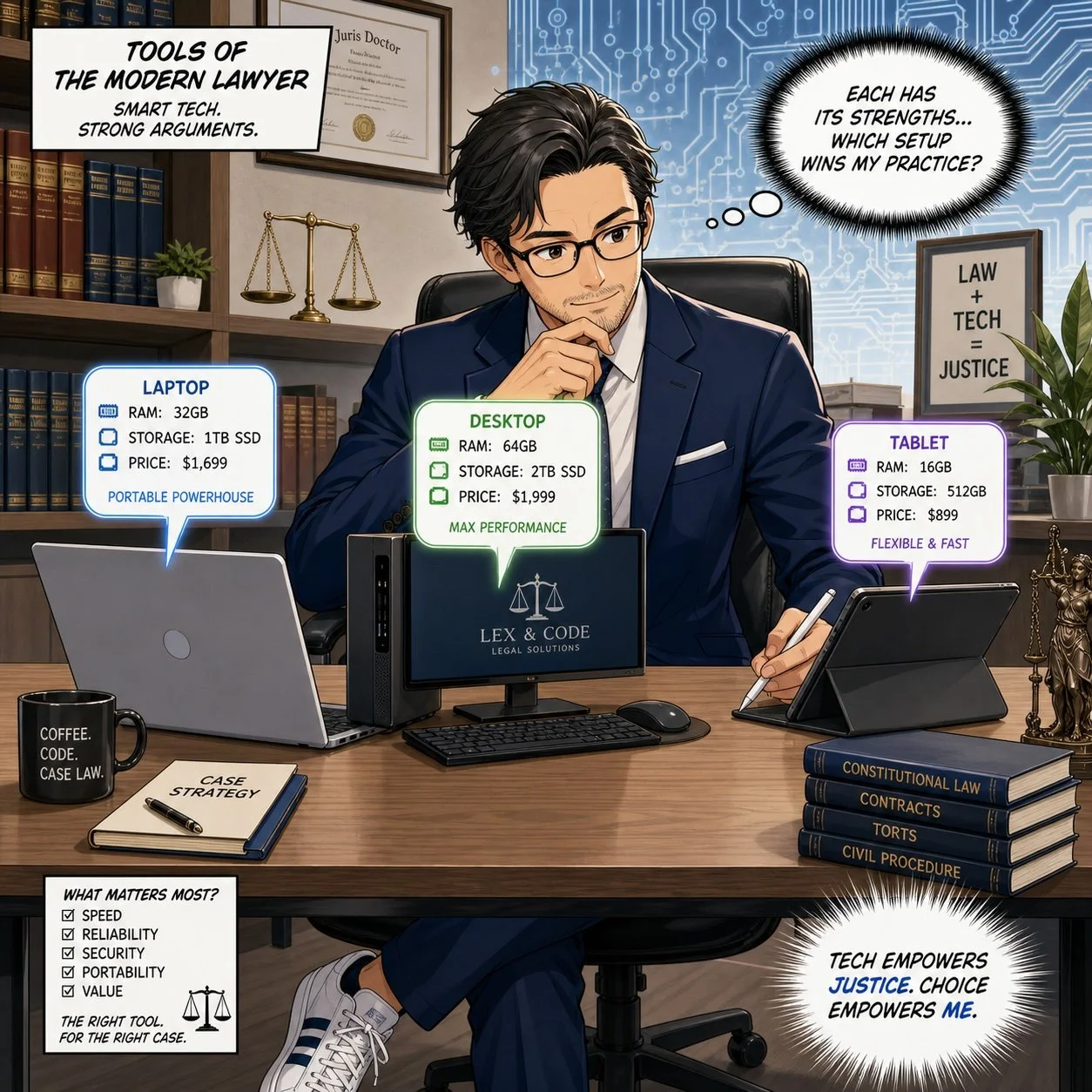
Lawyers need to evaluate desktop, laptop, tablet specs to make their own AI efficient law practice.

Your next step is deciding where and how you work:

  • Desktop: Best for performance per dollar, ergonomics, and long‑term upgradability. Great for lawyers who spend most of their time at a single desk.

  • Laptop: Best for mobility—court, home office, client sites, and travel. This is often the primary machine for solos and small‑firm litigators.

  • Tablet/2‑in‑1: Best as a secondary device for hearings, note‑taking, and email triage, not as your main drafting and research tool.

In the December 2025 “hardware hike” editorial and the June 2026 follow‑up on rising PC and AI tool prices, I argued that law firms should treat desktops and laptops on both Windows and Mac as shared infrastructure, not just personal preference devices. Desktops remain easier to upgrade (RAM and storage), which is valuable in an era when AI workloads continually push spec requirements upward.

If you live in court, depositions, or multiple offices, you’ll likely get more value from a well-specced laptop plus an external monitor in your main workspace. If you are primarily office‑bound, a solid desktop plus a lighter laptop or tablet for mobility can provide the best mix of power and flexibility.

3. Understand the key specs in plain English 📊

Here’s how to think about the main specs as a lawyer, not a hardware engineer:

Processor (CPU) — the “brain”

The CPU is the brain of the computer. It determines how smoothly your machine can juggle tasks like Word, Outlook, your practice management system, Zoom, and AI tools. A current‑generation mid‑tier CPU (e.g., Intel i5/i7, AMD Ryzen 5/7, or recent Apple Silicon M4/M5 series) is usually the right balance for most lawyers.

If your computer freezes when you launch a few apps and share your screen in court, that’s a CPU bottleneck. A stronger “brain” improves day‑to‑day responsiveness and helps you stay diligent under Model Rule 1.3—because you’re not waiting for the system every time you need to act.

Memory (RAM) — your working desk
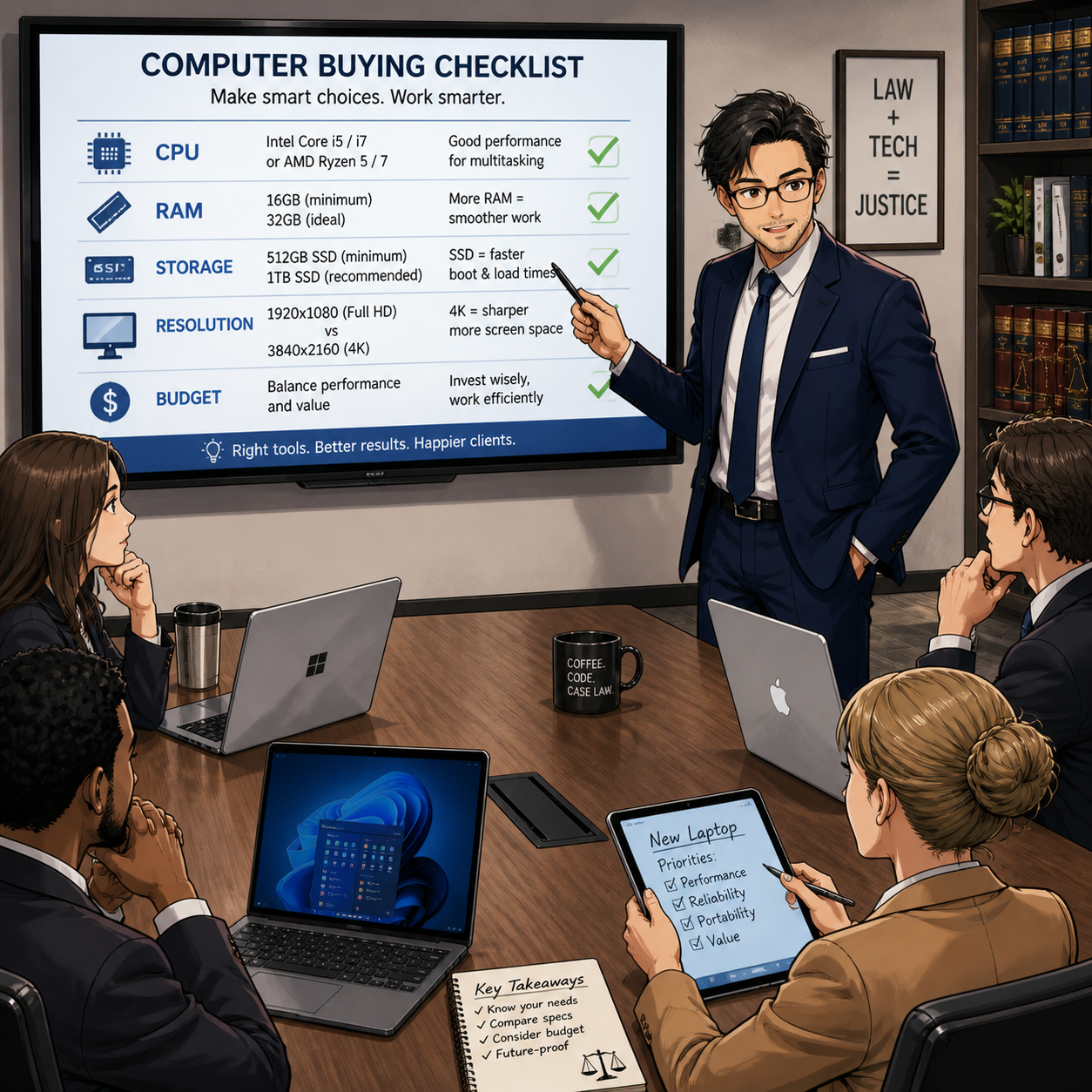
Lawyers need to discuss RAM, SSD, display specs for 2026 hardware crunch.

RAM is short‑term working memory—the size of the “desk” where the computer lays out everything it’s actively using.

  • More RAM = more programs and browser tabs open without slowdowns.

  • Too little RAM forces the system to shuffle data in and out of storage constantly, which feels like lag or “thinking hard” before every click.

In 2026, with heavier browsers, AI tools, and richer web apps, 16 GB of RAM is a realistic minimum for a primary practice machine. Eight gigabytes now belong in the “secondary machine” category—fine for occasional tasks but not ideal for your main law office computer. * Although if you are going to use your secondary machine to run some AI bots in the background, you’ll want more than 16 GB of RAM.

(Internal) Storage (SSD size) — your filing cabinet

Storage is the long‑term filing cabinet: the space for all documents, scanned PDFs, discovery data, email archives, and applications. Modern machines use SSDs (solid‑state drives), which are much faster than old spinning drives.

For a typical solo or small firm, I recommend:

  • 512 GB SSD as a baseline if most of your documents live in the cloud but you keep active matter files locally.

  • 1 TB SSD if you regularly work with large discovery productions, video, or heavy local archives.

This sizing meshes well with ethical guidance on backups and redundancy: sufficient local storage makes it easier to maintain secure copies of critical matter files as part of your broader tech and risk strategy.

💡 Tip: If you don’t need to keep old client files, e.g., former clients/closed cases, then you may want to move them off the main computer’s internal drive and store them on an external drive to free up room.  Just make sure you have copies or backups of these files.

Display resolution — why 1920×1080 is your baseline

Resolution describes how many pixels, or tiny dots, make up your screen image. The common 1920×1080 figure means:

  • 1920 pixels across (horizontal)

  • 1080 pixels down (vertical)

This is known as Full HD (1080p) and sits near what marketing folks call “2K” because it’s close to 2,000 pixels across.

Rough mapping:

  • “1K” – not a formal standard, sometimes used loosely for older, lower resolutions around 1,000 pixels wide.

  • 1080p / Full HD (1920×1080) – effectively in the 2K family; a very solid baseline for legal work.

  • 2K/QHD (around 2560×1440) – more pixels, sharper image, and more on‑screen workspace.

  • 4K/UHD (3840×2160) – roughly four times the total pixels of 1080p; extremely detailed but can make text small unless scaled up.

For most lawyers, 1920×1080 on a 24–27″ monitor is the sweet spot: it offers clear text, plenty of room for side‑by‑side documents and doesn’t create scaling headaches. Higher resolutions are great if you’re comfortable tweaking font and scaling settings, but they’re not mandatory for competent practice.

DPI/PPI — why it matters if you read all day

Lawyers read—constantly. DPI (dots per inch) and PPI (pixels per inch) measure how densely those pixels are packed on the screen.

Lawyers need to consider cpu, RAM, SSD, display specs and budge during the 2026 hardware crunch.

  • Higher PPI/DPI = sharper text and smoother lines, like reading a casebook with crisp printing.

  • Lower PPI/DPI = slightly jagged or fuzzy edges at small sizes, more like reading a faded photocopy.

If you spend long days in cases, statutes, and contracts, a display with good resolution and decent PPI reduces eye strain and fatigue. This is not just comfort—it supports sustained competence and productivity, which tie directly into your ethical duties to represent clients diligently and effectively under Rules 1.1 and 1.3.

4. Budget with the AI hardware crunch in mind 💸

On The Tech-Savvy Lawyer.Page, we’ve discussed computer hardware price increases of roughly 15–20% for 2026 PCs and laptops, with memory costs as the biggest driver. AI data centers, tariffs, and supply disruptions all contribute to higher prices and fewer “bargain” mid‑range machines.

Practical guidance:

  • For a primary practice machine, aim for mid‑ to upper‑mid‑range pricing that delivers competence‑grade specs (CPU, 16 GB RAM, SSD, Full HD or better display).

  • Don’t sacrifice baseline hardware just to keep optional subscriptions—cut redundant SaaS and AI tools before you under‑spec your main computer.

Treat this as part of your technology competence plan. A documented decision process that ties hardware specs to ABA Model Rules 1.1 and 1.6 (including security features like encryption and secure boot) shows you approached your choice thoughtfully.

Power Tip 💡: I’m going to share something that may not be popular with the cost-conscious – buy more than you need.  My rule of thumb has been to buy 2x as much as you need.  For example, if you know your firm’s files, applications, and operating system will take up 1 TB of hard drive space, get 2 TB.  If you know that your system and programs can run comfortably on 16 GB of RAM, get 32 GB.  You always want your machines to be humming along.  You don’t want to be struggling to the finish line when you're only halfway through your computer’s planned lifecycle!

5. Mobility vs. sedentary practice 🚶‍♂️🪑

Your mobility profile should guide not just form factor, but accessories and support:

  • Mostly in one office – prioritize a robust desktop, ergonomic monitor(s), and reliable backup plus a modest laptop or tablet for remote hearings.

  • Highly mobile – invest in a competence‑grade laptop with docking at your main location, plus secure remote access tools.

On The Tech-Savvy Lawyer podcast and blog, we’ve repeatedly seen that “half‑mobile” lawyers—those who sometimes work elsewhere but own only a weak travel machine—are the ones who struggle most under pressure. Mobility is not just where the computer sits; it’s whether you can work securely and effectively wherever the case takes you.

Model Rules 1.6 and 5.3 also mean you must consider how you’ll protect client data in transit: encryption, password managers, secure Wi‑Fi practices, and coordinated policies with staff and vendors.

6. Longevity and lifecycle ⏳

don’t be that lawyer, upgrade your outdated desktop to competence-grade workstation specs.

Finally, we need to talk about lifecycle, not just purchase price. In recent Tech-Savvy Lawyer pieces, I’ve recommended a 3–5 year refresh cycle for primary laptops and desktops, adjusted for OS support timelines and security commitments.

For solos and small firms:

  • Buy machines that can reasonably support your core stack (PM, billing, research, AI tools) for at least 3–5 years.

  • Document your refresh policy so you’re not reacting only when something fails.

  • Treat hardware upgrades as part of your ethics and risk‑management plan, not just overhead.

In a volatile market, longevity is your hedge. A slightly higher upfront spend on competence‑grade hardware is often cheaper than cycling through underpowered machines every two years—and far better for your sanity and your clients. 😊

PS: It's ok to buy a new computer a little before your old one wears out; please, your old computer may serve as an emergency backup!

Why Macstock 2026 Should Be on Every Tech-Savvy Lawyer’s Calendar (and How to Save $50 with My Code) ⚖️💻

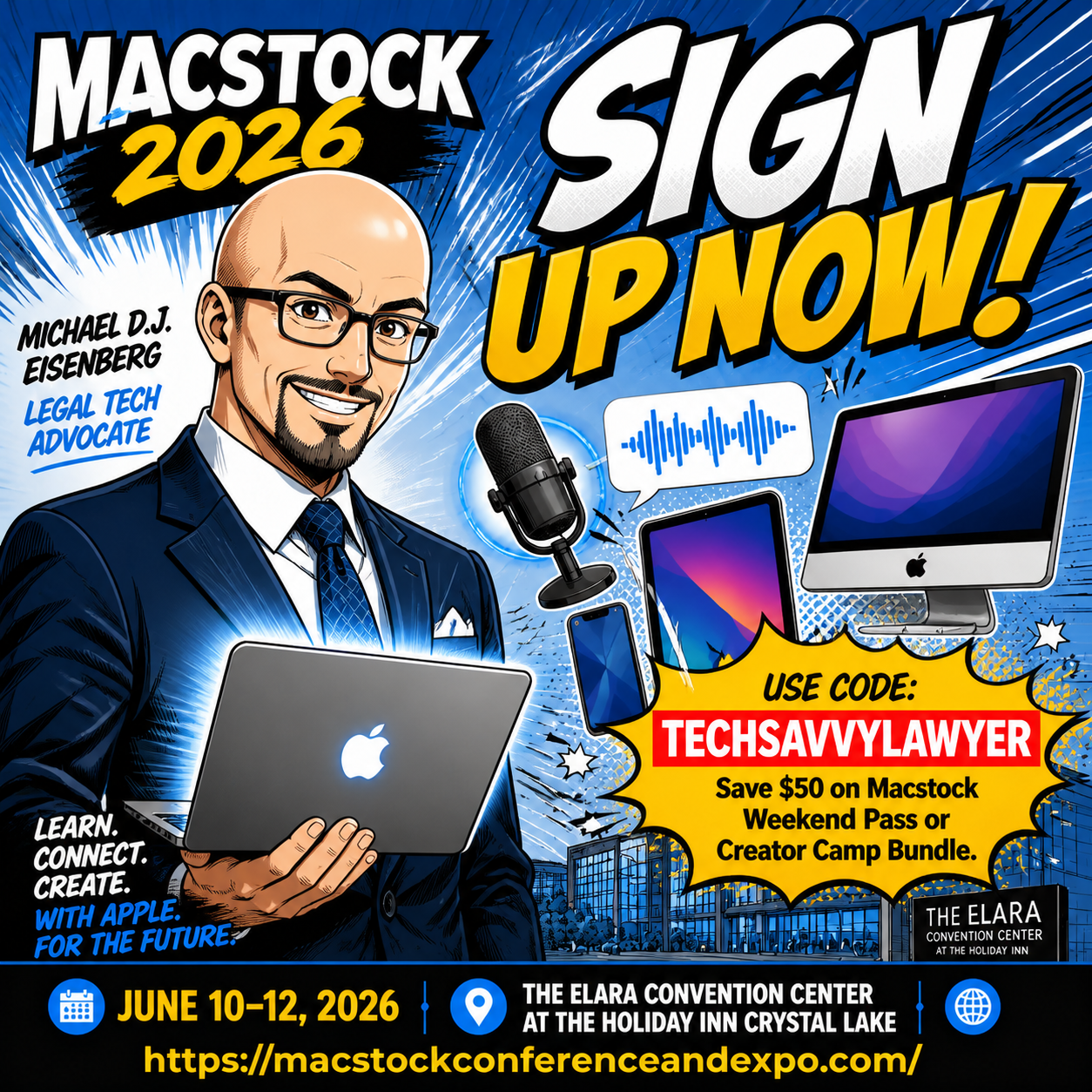
macstock 2026 will be held july 10, 11 & 12, 2026!

If you’re a solo, small-firm, or AI‑curious lawyer who lives in the Apple ecosystem, Macstock 2026 is one of the few conferences that genuinely respects both your time and your tech stack. It’s a three‑day, community‑driven, Apple‑centric event where you can sharpen your skills with your Mac, iPhone, and iPad, and walk away with workflows you can actually deploy on Monday morning.

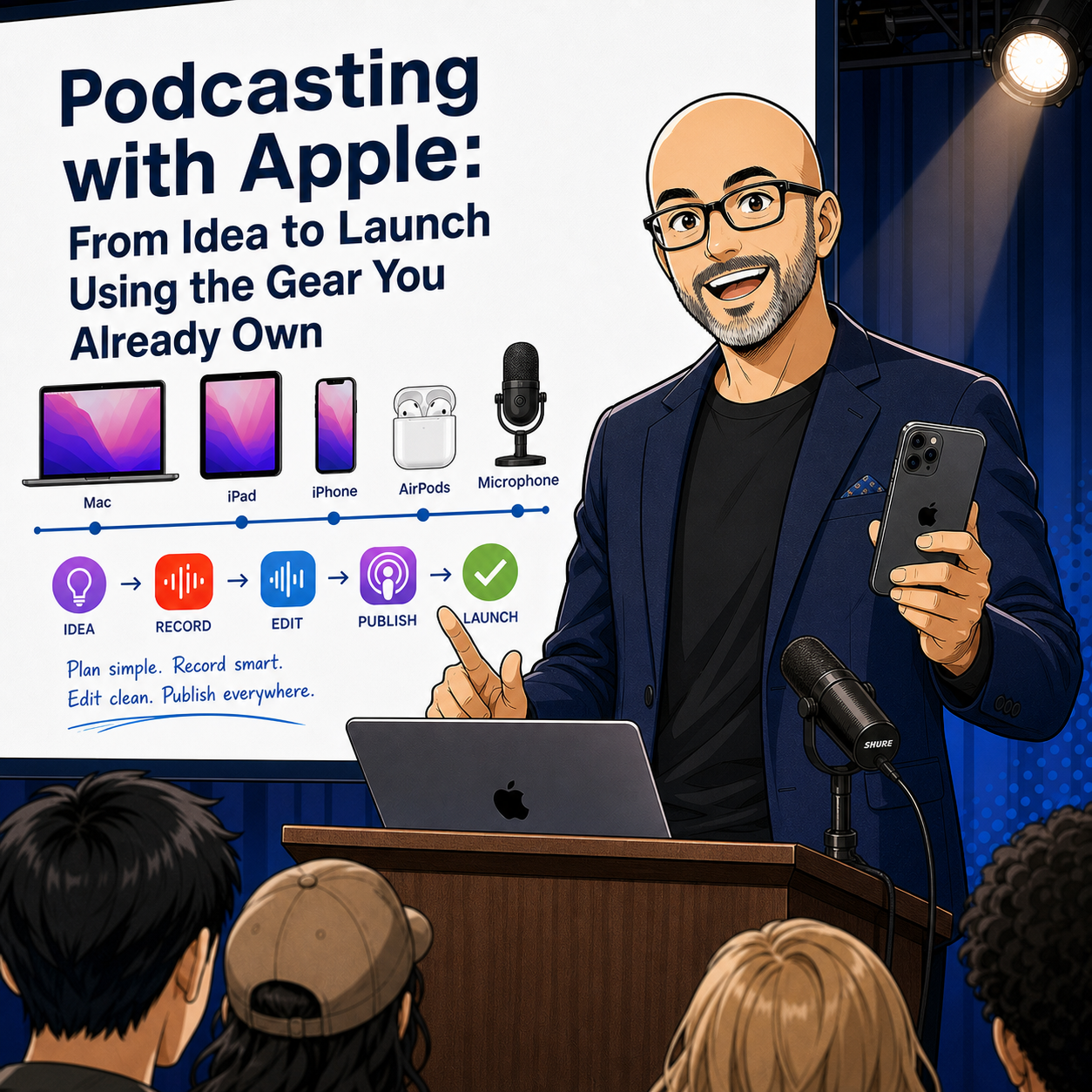
This year, I’m honored to be speaking at Macstock X on “Podcasting with Apple: From Idea to Launch Using the Gear You Already Own.” We’ll take a practical walk through planning, recording, and publishing a professional‑quality podcast using the same devices you already carry into court, client meetings, and your home office. Whether you want to build a niche show for veterans’ benefits, family law, or small‑business compliance—or simply become a more confident guest on other podcasts—this session is designed to be accessible, concrete, and repeatable. 🎙️

What Makes Macstock Different (and Why Lawyers Should Care)

Macstock isn’t a generic tech expo with a handful of Apple sessions bolted on; it’s an independent, Apple‑focused conference built for people who actually use Apple gear every day. The attendees range from first‑time Mac users to seasoned creators, but everyone shares a common goal: get more from Apple hardware and software without drowning in jargon.

For attorneys, that matters. You’re not trying to become an IT professional. You want to:

  • Capture and organize evidence more efficiently on your iPhone. 📱

  • Draft, annotate, and sign documents on your iPad when you’re away from the office.

  • Automate repetitive tasks on your Mac so you can spend more time on advocacy and less on admin.

learn how to use your mac to podcast!

Macstock’s sessions, hallway conversations, and Creator Camp tracks are all geared toward real‑world workflows—exactly the kinds of workflows I talk about on The Tech-Savvy Lawyer podcast and blog, including episodes like Ethical AI, Paperless Practice, and Smart Hardware Choices with ABA LTRC Chair Alan Klevan ⚖️🤖 and similar deep‑dives into ethical tech use.

A Time-Sensitive Deal: Save $50 and Support The Tech-Savvy Lawyer

Let’s talk about timing and value. You can use my code TECHSAVVYLAWYER at checkout to save $50 on your Macstock Weekend Pass or Creator Camp Bundle. If you’ve been thinking, “I should go to Macstock one of these years,” this is that year.

For every person who uses the code, Macstock provides me a $25 referral fee. That means:

  • You pay $50 less for a weekend of Apple‑centric, workflow‑rich content.

  • You directly support The Tech-Savvy Lawyer blog and podcast, including future episodes and tutorials.

The code TECHSAVVYLAWYER is not case‑sensitive and is valid through July 8, 2026.

How Macstock Helps You Meet Your Ethical Tech Duties

your The Tech-Savvy Lawyer.Page Blogger and podcaster will be presenting at Macstock x!

Macstock is not marketed as a legal tech conference, but it naturally supports your professional obligations under the ABA Model Rules.

  • Competence — Model Rule 1.1 (Comment 8): You have a duty to keep abreast of the benefits and risks associated with relevant technology. Learning how to securely use Apple devices for uses like document management, client communication, and evidence handling goes directly to your duty of technological competence.

  • Confidentiality — Model Rule 1.6: Many sessions at Macstock touch on system settings, backups, and secure workflows. Understanding how to configure your Apple devices to minimize unauthorized access, especially when using cloud sync and third‑party apps, strengthens your compliance with confidentiality obligations.

  • Communication — Model Rule 1.4: Clear, timely communication often depends on your ability to reach clients where they are—email, secure messaging, or even video updates. The more confidently you use your Apple tools, the more reliably you can keep clients informed.

If there is not a session directly addressing your questions, there are many enthusiastic, friendly attendees and speakers happy to try to help you and your Apple computer needs! 🤗

On The Tech-Savvy Lawyer blog and podcast, we frequently link these ethics points to real tools and scenarios—just as we did in episodes exploring AI, deepfakes, and metadata in digital evidence—and Macstock is a natural extension of that mindset.

Why Lawyers Should Care About Podcasting with Apple

Podcasting can be more than a marketing buzzword. Done right, it can be:

  • A client education channel that answers common questions before they become billable emergencies.

  • A way to build authority in a niche practice area—veterans’ benefits, immigration, special education, you name it.

  • A platform to interview judges, experts, and colleagues in a way that strengthens professional relationships.

My Macstock session, “Podcasting with Apple: From Idea to Launch Using the Gear You Already Own,” is focused on practical, lawyer‑friendly steps. We’ll talk about using your iPhone as a primary microphone, recording with your Mac, organizing episodes in iCloud, and editing in approachable tools—no audio engineering degree required. If you enjoy my conversations with guests on The Tech-Savvy Lawyer podcast, this session will show you what it takes to stand behind the mic yourself.

Community, Not Just Content

One of the things I appreciate most about Macstock is the community. People go back year after year not only because the sessions are strong, but because the hallway track, shared meals, and evening conversations provide real, candid problem‑solving time.

For lawyers—especially solos and small‑firm practitioners—this kind of peer‑to‑peer exchange is invaluable. You’ll find people who:

  • Have already solved a workflow you’re struggling with.

  • Are willing to share templates, shortcuts, and practical advice.

  • Understand the pressure of balancing client work, marketing, and a life outside the office.

If you’ve listened to episodes like my MacVoices “Road to Macstock” appearance in 2024, you’ve heard how much I value that human side of legal tech and Apple tech events.

Ready to Join Me at Macstock?

If you’re serious about making your existing Apple gear work harder for your practice—without overwhelming your staff or your budget—Macstock 2026 is worth the trip. You’ll return with actionable workflows, renewed confidence, and a clearer sense of how to align your technology use with your ethical obligations.

Just don’t wait:

  • Sign up at https://macstockconferenceandexpo.com/register/

  • Use code TECHSAVVYLAWYER (not case‑sensitive) for $50 off your Macstock Weekend Pass or Creator Camp Bundle.

  • For every use of the code, I receive a $25 referral fee that helps sustain The Tech-Savvy Lawyer content you rely on.

I look forward to seeing you at Macstock X— and hopefully hearing your voice in the podcasting space soon. 🎧⚖️

You’re Invited: The Lawyer’s Guide to Podcasting Launch Party in Bethesda!

Come join likeminded legal professionals who want to expand their reach, audience, and clientele through the art of podcasting!

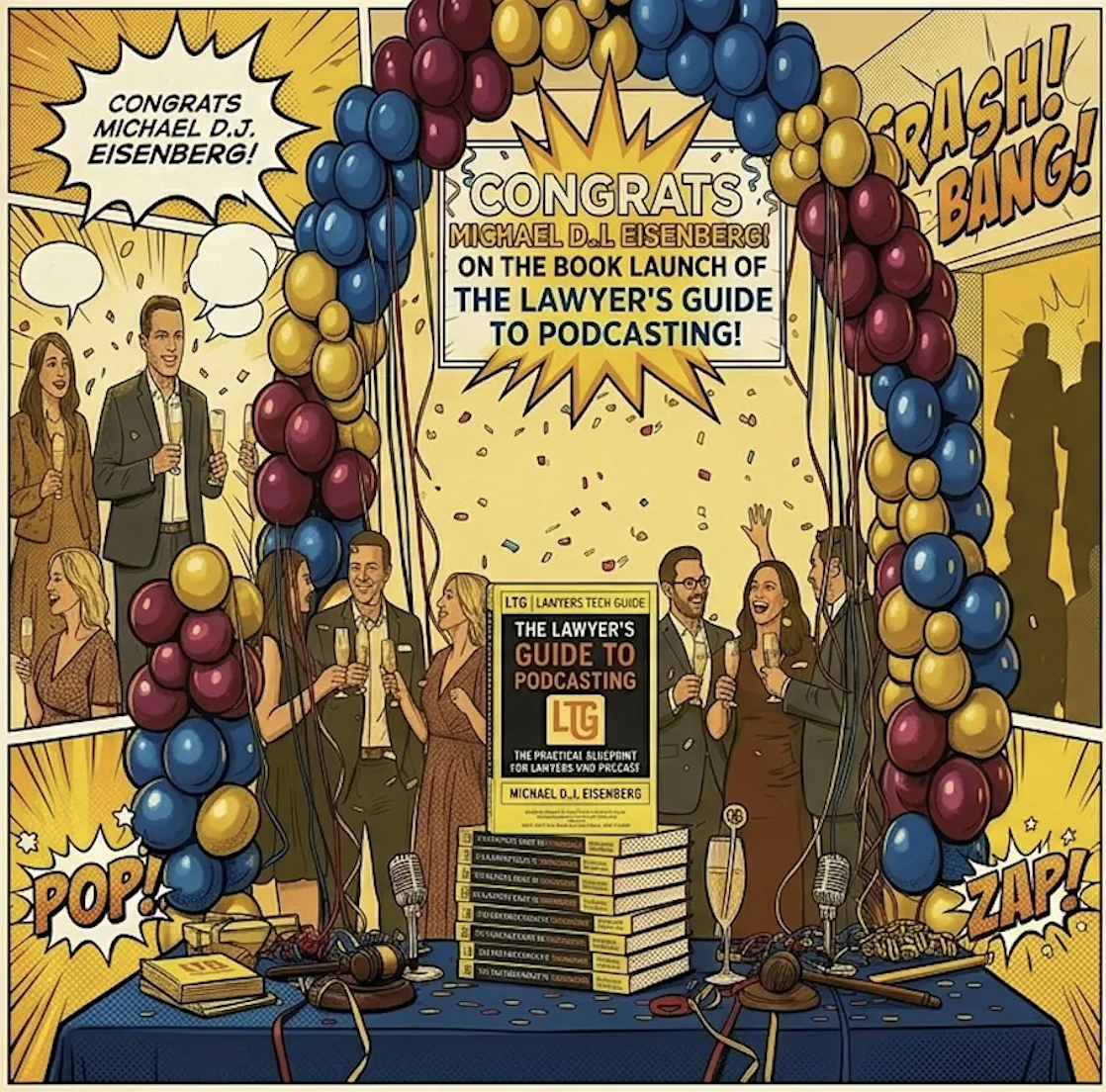
On Wednesday, May 20, 2026, from 5:30–7:30 PM, we’re gathering at 4704 North Chelsea Lane, Bethesda, MD 20814 for an in‑person book launch party for The Lawyer’s Guide to Podcasting.

This guide has already helped lawyers, paralegals, and legal professionals find a clear, practical path into podcasting without needing to be “techy” to get it right. Now we’re bringing the conversation into the same room.

Expect a relaxed evening with DMV‑area lawyers, podcasters, and authors—plus drinks, snacks, and the chance to pick up The Lawyer’s Guide to Podcasting at $5 off (while supplies last) and have it signed.

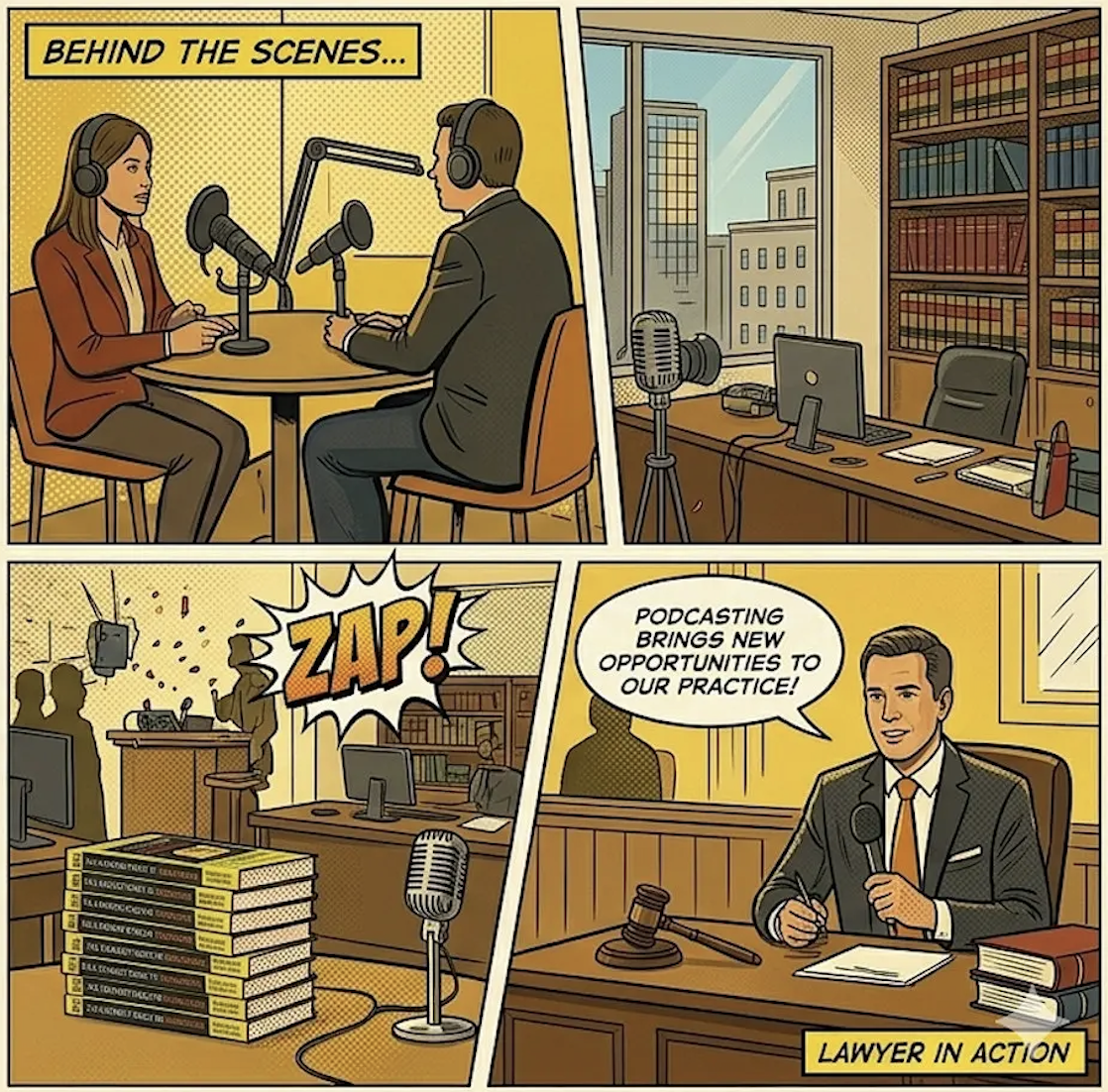
The lawyers’ guide to podcasting will teach you practical ideas for show formats, the right gear for your show, and practical workflows while maintaining your ethics!

  • Who it’s for (lawyers, legal professionals, aspiring podcasters, legal tech community)

  • What you’ll walk away with (practical ideas for formats, gear, ethics, workflows).

Attendance is free, but space is limited. Please reserve your spot by midnight on May 18, 2026, so we can plan food and space.

👉 RSVP on Eventbrite: https://www.eventbrite.com/e/book-launch-party-the-lawyers-guide-to-podcasting-tickets-1988334439834

TSL.P Podcast Special! Podcasting for Lawyers: The Truth Behind the Mic – ABA TECHSHOW 2026 (Special Audio‑Only Episode) 🎙️⚖️

This special episode features the audio‑only release of an ABA TECHSHOW 2026 panel I was excited to be part of: “Podcasting for Lawyers: The Truth Behind the Mic,” with moderator Ruby Powers and fellow panelists Gyi Tsakalakis and Stephanie Everett. 🎧 Instead of our usual one‑on‑one format, you will hear a live, conference‑style conversation about how lawyers can use podcasting, video, and modern legal technology to build authority, strengthen client and referral relationships, and stay aligned with legal‑ethics and professionalism rules.

Join Ruby, Gyi, Stephanie, and me as we discuss the following three questions and more!

  1. How can lawyers design and sustain a podcast that supports their practice goals and speaks to a clearly defined audience?

  2. What practical tech stacks—microphones, recording platforms, hosting services, and workflow tools—are realistic for busy attorneys and legal professionals?

  3. How do podcasting, video, and short‑form content contribute to SEO, GEO, and long‑term business development for law firms?

In our conversation, we cover the following

  • 00:00 – Welcome to ABA TECHSHOW 2026 and introduction of the panel: Ruby Powers (moderator), Gyi Tsakalakis, Stephanie Everett, and Michael D.J. Eisenberg. 🎙️

  • 02:00 – Each panelist explains their podcast, ideal listener, and why they chose podcasting as a medium.

  • 06:00 – Publishing cadence: weekly, bi‑weekly, and how consistency drives listener trust and download growth.

  • 10:00 – Adding video and YouTube to audio‑only shows and how video clips improve discovery on social media.

  • 14:00 – DIY production vs. using producers, internal teams, or podcast networks, including time and cost trade‑offs.

  • 18:00 – Core tech stacks in practice: microphones, Zoom, Riverside, StreamYard, Descript, Libsyn, Calendly, Buffer, and other essentials. 💻

  • 24:00 – Guest selection, outreach, and sound checks; when to decline an appearance or reschedule due to poor audio or bad fit.

  • 30:00 – Using podcast hosting analytics and social‑platform insights to understand who is listening and what resonates.

  • 35:00 – Podcasting as networking and “virtual coffee”: building relationships with lawyers, experts, and vendors. ☕

  • 40:00 – SEO and GEO benefits: how episodes create long‑tail visibility in search, and why attribution still matters.

  • 45:00 – Ethics and professionalism: confidentiality, bar‑advertising rules, disclaimers, and avoiding client‑identifying facts. ⚖️

  • 52:00 – Final advice for lawyers on the fence about starting a podcast and how to improve with each episode instead of waiting for perfection.

RESOURCES

Connect with the panel

Mentioned in the episode (non‑hardware / non‑software)

Hardware mentioned in the conversation

Software & Cloud Services mentioned in the conversation

Podcasting for Lawyers: The Truth Behind the Mic at ABA TECHSHOW 2026 🎙️⚖️

🎧 Watch the ABA TECHSHOW 2026 panel: “Podcasting for Lawyers: The Truth Behind the Mic”

Podcasting has become one of the most powerful ways for lawyers to build authority, strengthen client relationships, and stand out in a crowded online marketplace—if it is done strategically and ethically. I recently had the privilege of serving on the March 26, 2026, ABA TECHSHOW panel, “Podcasting for Lawyers: The Truth Behind the Mic,” alongside moderator Ruby Powers and fellow panelists Gyi Tsakalakis and Stephanie Everett. Together, we walked through how attorneys can use podcasting, video, and legal technology to create consistent, professional content that supports real‑world business development while staying compliant with confidentiality and bar‑advertising rules. 🎧

In this post, you’ll find the recording of our ABA TECHSHOW 2026 session, a brief overview of the topics we covered, and links to tools and resources that can help you start—or sharpen—your own law‑firm podcast.

Brief Outline

1. Why podcasting makes sense for lawyers in 2026

  • How podcasting fits into modern law‑firm marketing and thought leadership.

  • The role of podcasts in SEO, GEO, and building long‑term visibility in your practice area.

  • Why authenticity, consistency, and a clear audience matter more than fancy production tricks.

2. Choosing your podcast’s audience and goals

  • Deciding whether you’re speaking to potential clients, referral sources, or other lawyers.

  • Aligning topics, interview guests, and episode formats with your business and reputational goals.

  • Avoiding the “variety show” trap and staying focused on the problems your audience actually cares about.

3. Building a realistic podcast tech stack for busy attorneys

  • Microphones and basic audio gear that deliver professional sound without breaking the bank.

  • Recording tools such as Zoom, Riverside, and StreamYard to capture both audio and video.

  • Hosting and workflow tools like Libsyn, Descript, Calendly, and Buffer that help you publish consistently and repurpose content efficiently.

4. Ethics, professionalism, and “the truth behind the mic”

  • Key confidentiality and advertising issues to consider when discussing client work or legal topics.

  • How to think about disclaimers, legal information vs. legal advice, and jurisdictional concerns.

  • Why podcasting is not just marketing content but also a professional reflection of how you communicate and practice law.

5. Making podcasting sustainable (and enjoyable) over time

  • Scheduling systems that keep you ahead on episodes without overwhelming your calendar.

  • Guest strategies that expand your network and add value for your audience.

  • How to measure success: client feedback, referrals, and qualitative signals—not just download counts.

Resources

  • 🌐 Session description on ABA TECHSHOW
    https://www.techshow.com/sessions/podcasting-for-lawyers-the-truth-behind-the-mic/

  • 💻 The Tech‑Savvy Lawyer.Page – blog and podcast
    https://www.TheTechSavvyLawyer.page

  • 🎙️ Tools and services mentioned

    • Buffer – https://buffer.com

    • Calendly – https://calendly.com

    • Descript – https://www.descript.com

    • Libsyn – https://libsyn.com

    • Riverside – https://riverside.fm

    • StreamYard – https://streamyard.com

    • Zoom – https://zoom.us

Suggested call‑to‑action paragraph

If you’re a lawyer or legal professional considering a podcast—or looking to refine the one you already have—I invite you to watch the full ABA TECHSHOW 2026 session and explore the resources above. Then connect with me at MichaelDJ@TheTechSavvyLawyer.Page to share what you’re building, ask questions about podcasting workflows and ethics, or suggest future topics you’d like to hear covered. 🎙️⚖️

📢 Special Shout-Out and Thank You to Ruby Powers for the invitation and Gyi and Stephanie for being great co-panelists!

📢 Your Tech-Savvy Lawyer Blogger and Podcaster, Michael D.J. Eisenberg, Announces His Upcoming Talk on Ethical AI Use in Legal Practice at the 2026 AI Legal Practice Summit!

Saturday, April 18, 2026 | Capital University Law School

As technology continues to transform legal practice, I’m honored to announce that I’ll be speaking at the 2026 AI Legal Practice Summit, hosted by my alma mater, Capital University Law School, in Columbus, Ohio. This event brings together attorneys, educators, and technologists to explore how artificial intelligence is reshaping the legal field — not just operationally, but ethically and professionally as well.

My presentation, “Smart Practice, Smarter Ethics: Navigating AI Tools Under the ABA Model Rules,” focuses on a topic that’s both timely and critically important: how lawyers can use emerging AI technologies responsibly while meeting their professional obligations under the ABA Model Rules of Professional Conduct.

👉 Learn more and view the full schedule at law-capital.libguides.com/2026_AI_Legal_Practice_Summit.
🎟️ Register today through Eventbrite: eventbrite.com/e/ai-legal-practice-summit-tickets-1986544900273.

Through my work on The Tech-Savvy Lawyer.Page blog and podcast, I’ve had countless conversations with practitioners who want to use AI to streamline tasks such as research, document drafting, and client management — yet remain uncertain about compliance, bias, and confidentiality. Law practice is evolving rapidly, but our ethical foundations must remain strong.

In my session, I’ll walk through key aspects of how the ABA Model Rules, including Rules 1.1 (Competence), 1.6 (Confidentiality of Information), and 5.3 (Responsibilities Regarding Nonlawyer Assistance), apply in an age of intelligent automation. These rules guide us in assessing not just what technology can do, but how and when it should be used.

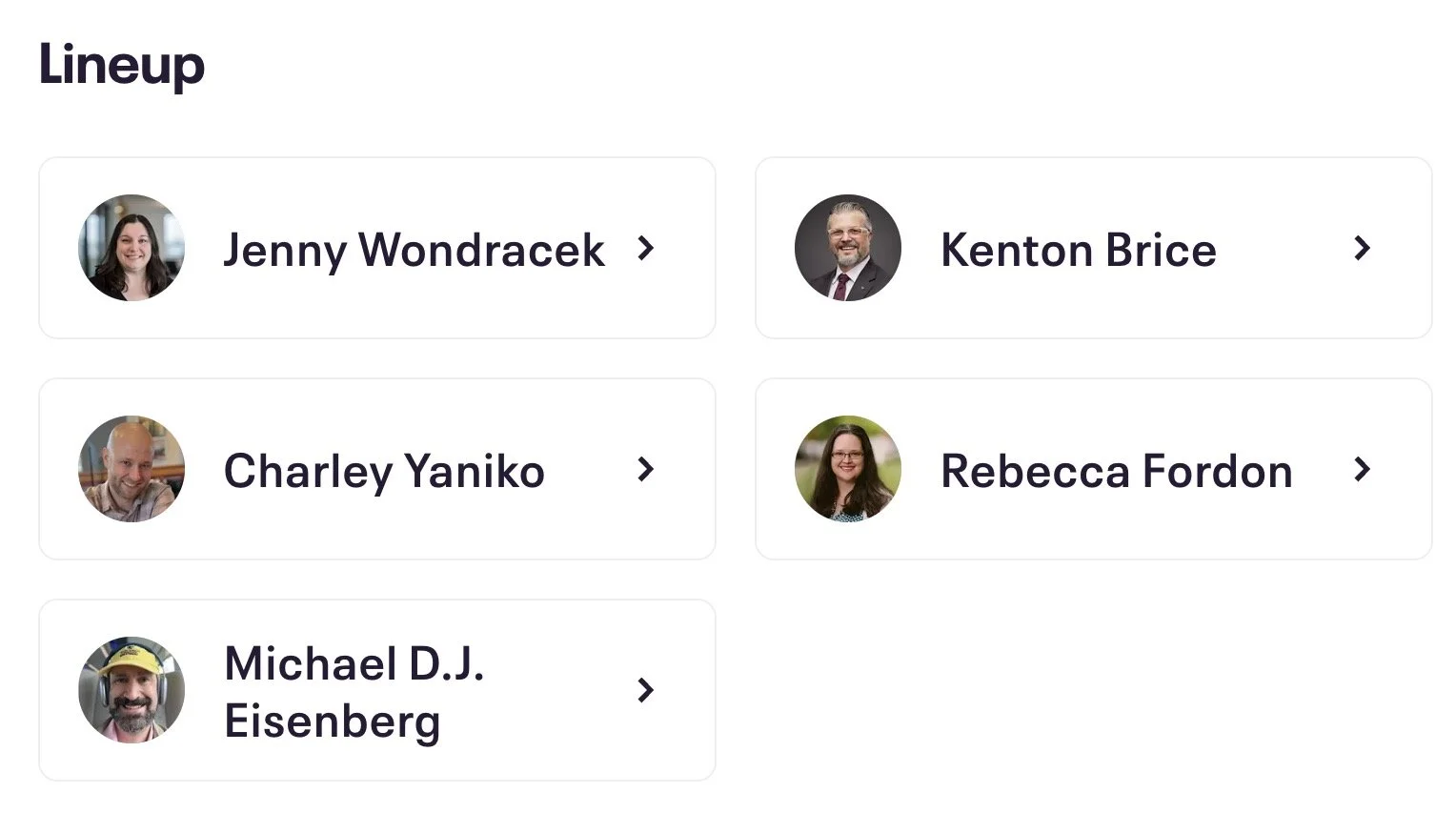
Your faculty!

We’ll discuss:

  • Reviewing the tech stack you already own;

  • How to vet and implement AI-powered tools while maintaining confidentiality.

  • Questions to ask vendors about data handling and bias;

  • How to document best practices for firm-wide ethical compliance;

  • Ways to blend human legal judgment with algorithmic assistance; and

  • Managing client expectations about AI-enabled legal work.

My goal is to help attorneys approach technology with confidence — to experiment, adopt, and adapt responsibly. Being a “tech‑savvy lawyer” isn’t about mastering every gadget or platform; it’s about understanding how technology fits within the ethical framework of our profession.

The conversation around technological competence has matured since Comment 8 to Rule 1.1 was introduced. It’s no longer optional. Attorneys must understand the benefits, risks, and limitations of relevant technology to provide competent representation. Artificial intelligence highlights that reality better than any emerging tool before it.

Whether you’re a solo practitioner looking to automate administrative tasks, working for a government agency, or part of a large firm implementing AI-assisted legal research or document review, I’ll share specific practices you can adopt immediately.

If you’re attending and seeking Ohio CLE credit, please contact Jenny Wondracek at jwondracek@law.capital.edu for details.

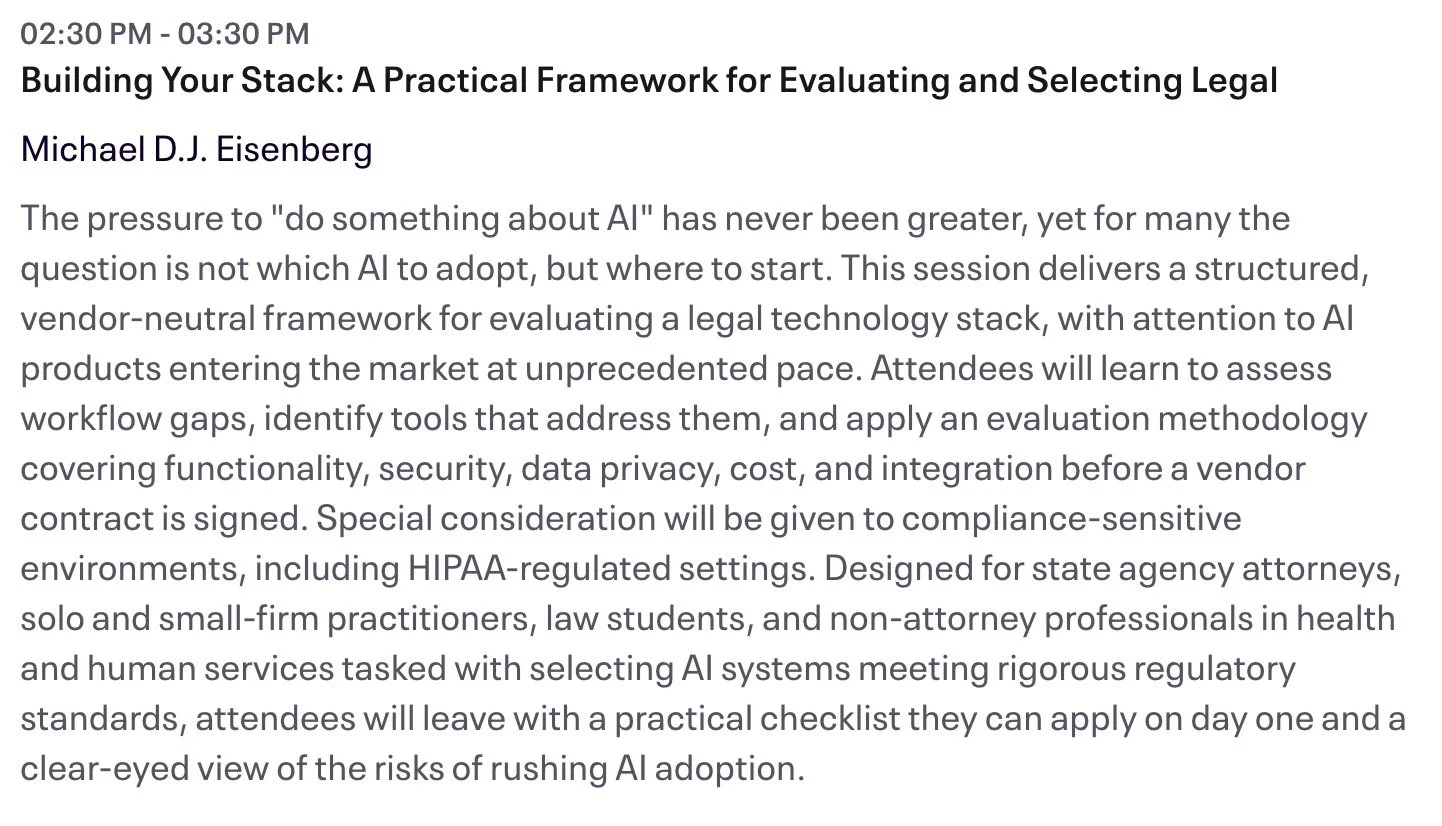
PRogram description of my presentation.

The 2026 AI Legal Practice Summit will feature leading scholars, ethics experts, and seasoned practitioners. I’m looking forward to exchanging ideas, testing assumptions, and continuing a dialogue that helps ensure AI becomes a responsible partner—never a replacement—in the practice of law.

Let’s move forward together, with competence, curiosity, and care.

Learn more about the Summit at law-capital.libguides.com/2026_AI_Legal_Practice_Summit.
Register today: eventbrite.com/e/ai-legal-practice-summit-tickets-1986544900273.

I look forward to seeing you there! ⚖️

📰 ABA TECHSHOW 2026 Recap: From AI Hype to LLM Reality, Google Workspace, and Ethical Lawyering in the Age of Bots ⚖️🤖

The Real Story Behind ABA TECHSHOW 2026

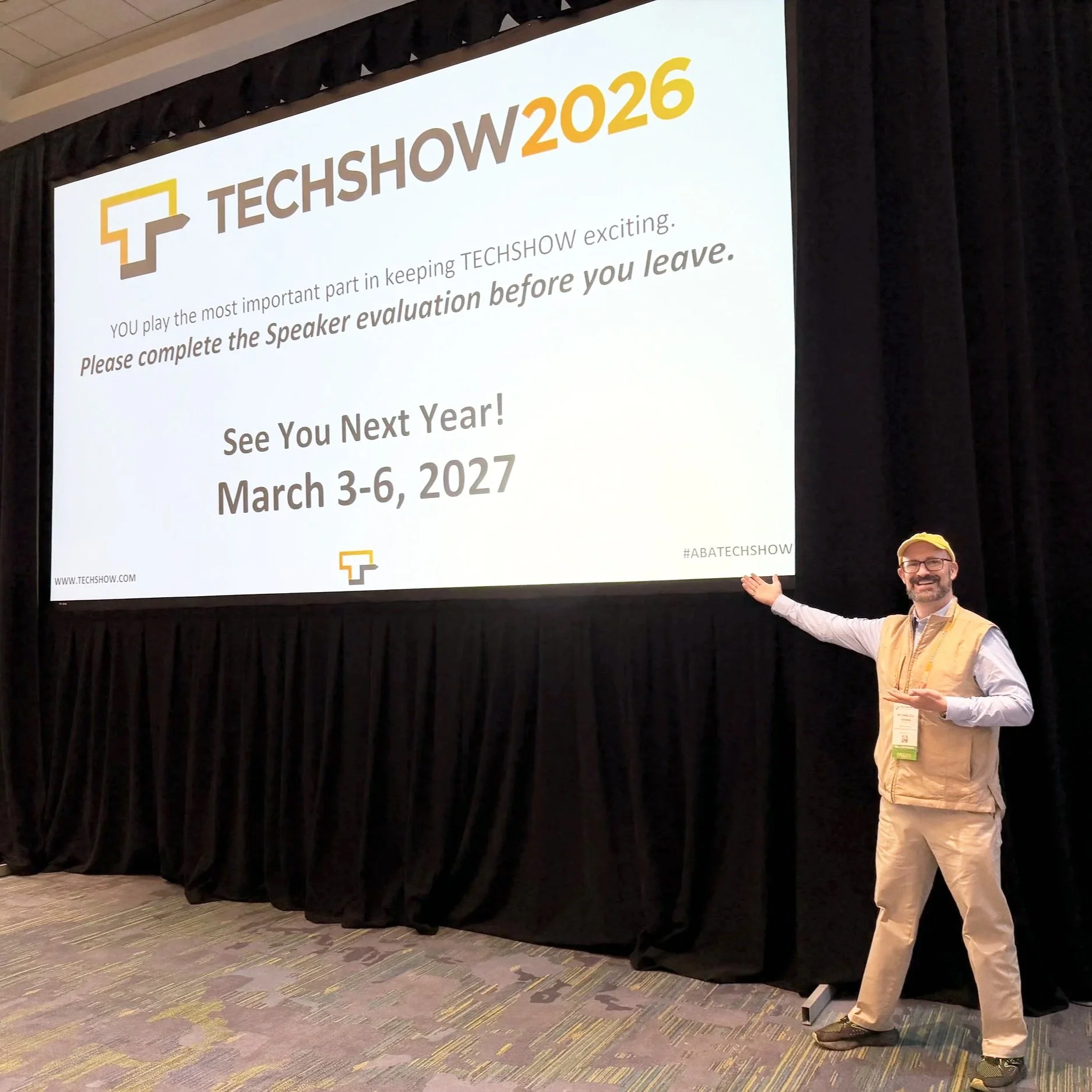
The techshow is the conference to go to keep your pulse on the technology lawyers should be using every day!

Walking into ABA TECHSHOW 2026 this year, I wasn’t thinking about shiny gadgets; I was thinking about competence, client service, and what it will mean to practice law in an era dominated not just by “AI,” but by large language models (LLMs) quietly shaping almost everything we see and share online. During my work on The Tech-Savvy Lawyer.Page blog and podcast, I keep running into the same pattern: lawyers know they should understand legal technology, yet they worry they’ll break something, breach a rule, or look foolish in front of their staff. TECHSHOW 2026 aimed directly at that anxiety — but this year, the conversation needs to go beyond what AI and generative AI can do and toward how LLMs and search bots are already shaping our professional identities online and offline. ⚖️💻

Keynotes: The “AI Dividend” and Your Time

The keynote lineup captured the tension between promise and risk. Legal market analysts highlighted what some called the “AI Dividend”: when machines take over routine drafting and research, lawyers gain time to think, advise, and advocate at a higher level. The real question — one I’ve been hammering on The Tech-Savvy Lawyer.Page for years — is what you will do with the time technology gives back (some of that time should include reviewing your work, e.g., your case citations). Tech-savvy speakers pushed attendees to look past vendor hype and focus on the broader digital environment, where consumer-facing tools, search engines, and recommendation algorithms are setting new expectations for speed, transparency, and availability.

Practical AI in the Sessions

Inside the conference rooms, the “Taming the Machines” and related AI tracks met baseline concerns (some with hands-on workshops) focused on realistic use cases: assisted drafting, pattern spotting in discovery, and summarizing voluminous documents. These sessions were built for lawyers who live in Word, Outlook, Google Workspace, and practice management systems and who simply want to stop retyping the same paragraphs. The faculty hammered home a critical point: generative AI is an assistant, not a decision-maker; you remain the lawyer, responsible for accuracy, judgment, and ethics under the ABA Model Rules. 🤖📄

Google Workspace, Microsoft 365, and Using What You Already Own

Mathew Krebis’ session on Google Workspace drove that message home in very practical terms. He showed how many firms are only scratching the surface of tools they already pay for: shared Drives with well-structured permissions, real-time collaboration in Google Docs, Gmail automation for intake and follow-up, and Google Calendar combined with Tasks to keep matter timelines under control. When you layer in emerging AI features in Workspace — smart replies, document summaries, suggested outlines — you see how even modest use of these tools can dramatically reduce friction in daily practice, and the tools Mathew discussed are not isolated to “law practice management” systems.

The takeaway was powerful: before you chase a new platform, fully exploit the ecosystem you already have. For many firms, “being more tech-savvy” starts with properly configuring their Google Workspace, Microsoft 365, or other SaaS platform, rather than buying yet another service.

Podcasting, Social Media, and LLM-Driven Visibility

Meanwhile, one other yet important frontier — and one that still feels underexplored — is what happens when LLMs and search bots become the primary lens through which clients, colleagues, and even opposing counsel discover you. That’s where my panel, 🎧 Podcasting for Lawyers: The Truth Behind the Mic, came in.

Ruby L. Powers, Gyi Tsakalakis, Stephanie Everett, and I discussed podcasting and social media not just as marketing channels, but as structured signals fed into LLM-driven engines that are constantly indexing, ranking, and inferring who is an authority on a given topic. Whether you talk about appellate practice, family law, or even a hobby outside the law, your content becomes training data for Generative Engine Optimization/LLM bots that decide which voices surface first when someone types a question into an AI chatbox. 🎙️🌐

In other words, your digital footprint is no longer static. It is being interpreted, reassembled, and presented as answers — often without you ever seeing the intermediate steps. That reality raises a new layer of ethical questions under the ABA Model Rules. Model Rule 7.1’s prohibition on false or misleading communications about the lawyer or the lawyer’s services takes on a new twist when LLMs remix snippets of your posts, podcasts, Google Workspace–hosted client alerts, and blog articles into composite “advice.”

You might be scrupulously accurate in your content, but if an LLM mischaracterizes it or presents it out of context, what then? TECHSHOW 2026 addressed traditional risks like hallucinated case citations, but there is room for a deeper, explicit conversation about how LLM-driven discovery intersects with advertising, communication, and competence duties.

EXPO Hall: Tools, Timekeeping, and Vendor Reality Checks

The EXPO Hall, as always, served as a laboratory of possibilities. Practice management platforms, billing tools, document automation, and a wave of AI-enhanced products competed for attention. Timekeeping tools that automatically capture activity across devices and applications and then propose draft time entries have grown dramatically since last year. For lawyers still reconstructing their days from memory and sticky notes, this is more than a marginal upgrade; it directly affects revenue, work-life balance, and accuracy.

But the fair warning comes here: make sure vendors are showing you what their product can do today, not what they hope it will do someday. In the LLM era, marketing decks are often several steps ahead of deployed reality. 🧾⏱️

Remember, you have an obligation under Model Rule 1.1 (competence) and Model Rule 5.3 (responsibilities regarding non-lawyer assistance) to understand the capabilities and limitations of any tech you “delegate” work to. Asking hard questions about current functionality, data handling, and audit trails is not being difficult; it is part of your duty of care.

Cybersecurity, Confidentiality, and LLM Risk

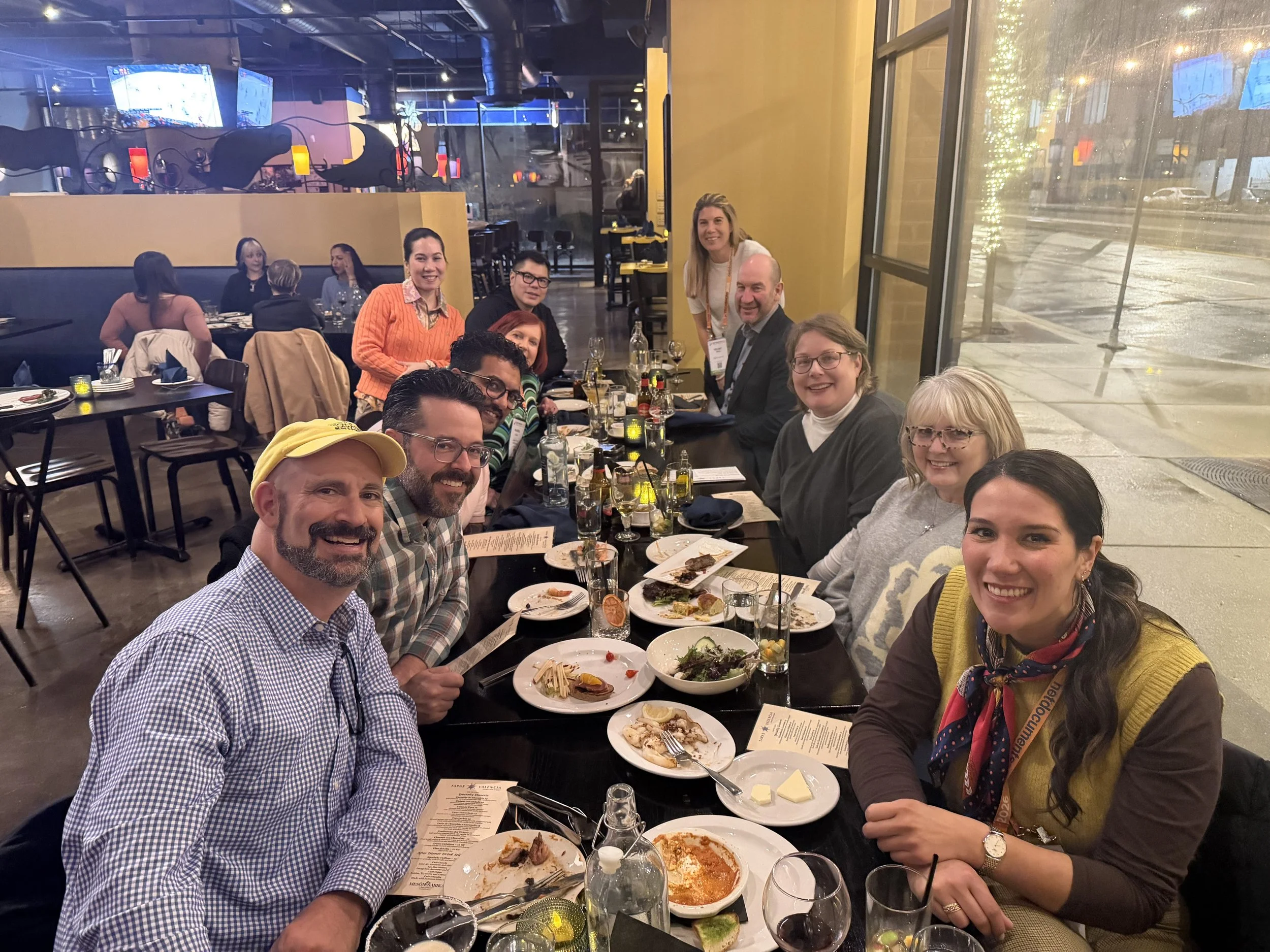
networking oppOrtunities like the taste of tecHshow” is a great way to talk with and learn from other lawyers about using tech in the practice of law.

The sessions on cybersecurity and confidentiality continued to do vital work. Under Model Rule 1.6, our obligation to protect client information extends to cloud storage, email, video conferencing, and the mobile devices we casually use in airport lounges. The “Guardians of the Data” track walked through practical checklists rather than abstract fearmongering: password managers, multi-factor authentication, properly configured backups, and vendor due diligence.

For firms running on Google Workspace, that translated into concrete steps: enforcing two-step verification, tightening Drive sharing settings, using client-specific shared Drives instead of ad hoc personal folders, and monitoring admin logs for suspicious access. The move from generic “AI” to LLM-powered services on any platform increases data risk, because many tools rely on ingesting your content — sometimes including client information — to improve their models. If you don’t understand where your data is going and how it is used, you cannot credibly say you are meeting confidentiality obligations. 🔐☁️

Competence, Human-in-the-Loop, and Everyday Workflows

You have an obligation under Model Rule 1.1 (competence) and Model Rule 5.3 (responsibilities regarding non-lawyer assistance) to understand the capabilities and limitations of any tech you “delegate” work to. Asking hard questions about current functionality, data handling, and audit trails is part of your duty of care.

Balancing this skepticism, though, is an equally important truth: becoming proficient with AI and LLM-based tools is not a spectator sport. You cannot satisfy your duty of technological competence from the sidelines. You have to use the tools first on a small scale, then progressively in more critical workflows, always with appropriate supervision and verification.

That might mean piloting an AI drafting feature in Google Docs and Microsoft Word for internal templates, or testing structured intake forms and automations inside Google Workspace or Microsoft 365 before rolling them out firm-wide. Ignoring AI because it feels uncomfortable is no longer the safer option. In some practices, failing to integrate it intelligently — while peers and opposing counsel do — may itself raise competence concerns as expectations evolve in courts and among clients. 🧩📈

Saturday Sessions: From “Use AI” to “Use AI Responsibly”

On Saturday, the 9 a.m. conversation among ABA President Michelle A. Behnke, Immediate Past President William R. “Bill” Bay, and President-Elect Barbara J. Howard, underscored how all of this ties into the rule of law and access to justice, framing AI as something lawyers now have a responsibility to actually use, not simply watch from the sidelines. The 10 a.m. session with Judge Timothy S. Driscoll then shifted the focus from “use AI or be left behind” to “use AI responsibly,” making it clear that judges, too, are integrating AI into their work and that they are not immune from mistakes when they rely on it.

The message for everyone in the courtroom ecosystem was simple and blunt: “Review, review, and review” any work touched by AI, because AI is a non‑infallible tool that does make errors and can mislead the unwary. Together, these sessions acknowledged the growing digital divide: lawyers and clients who can’t or won’t adopt technology risk falling out of the mainstream of legal services, while those who adopt it recklessly risk eroding confidence in both their own work and the justice system as a whole.

We are not merely debating convenience; we are deciding who gets effective representation and who is left out because the lawyer they might have hired never appeared in their LLM‑driven search results — or appeared with AI‑boosted visibility but poor ethical judgment. Technology, in this sense, is not optional; it is one of the few levers we have to expand meaningful access to legal help, provided we wield it with intent, humility, and rigorous human review. ⚖️🧠

LLM Literacy: The Next Core Competency

That balance — between caution and experimentation — is where TECHSHOW 2026 both excelled and showed its next frontier. Many sessions made AI approachable, breaking down concepts for lawyers with limited to moderate tech skills and providing concrete workflows they could apply on Monday. What I would like to see more explicitly next year is programming that treats LLM literacy as a core competency: understanding how LLMs are built, how they index and surface information, how your content feeds into them, and how that affects everything from client intake to reputation, whether you are working in Microsoft 365, Google Workspace, or a specialized legal platform.

From my vantage point as a legal tech ambassador at The Tech-Savvy Lawyer, the most successful sessions respected that many lawyers are highly capable professionals who simply haven’t had the time or guidance to modernize their workflows. They don’t need to become prompt engineers. They need guardrails, roadmaps, and clear examples of how to align AI, LLM tools, and mainstream platforms like Microsoft 365 and Google Workspace with the ABA Model Rules and local bar guidance. When faculty focused on incremental steps — tightening cybersecurity configurations, adding a layer of AI-assisted drafting under strict human review, building a consistent content strategy that LLMs can reliably recognize — the room should lead in.

A Tough-Love Takeaway for Lawyers

If you are a lawyer who still feels behind, here’s the core message I took away from TECHSHOW 2026, with a bit of tough love: you don’t need to chase every new tool, but you can’t afford to ignore LLM-driven AI and the platforms you already live in, like Microsoft 365 and Google Workspace, any longer. Understand the basics; pilot one or two well-vetted tools to start improving your efficiency without sacrificing the need for a true human-in-the-loop.

SEE YOU IN CHICAGO FOR ABA TECHSHOW 2027!!!

Read your jurisdiction’s ethics opinions on AI and technology. Build habits that protect client data by default. Use your own content — whether blog posts, newsletters, or podcasts — to train the bots to see you as a trusted authority rather than a digital afterthought. Ultimately, your bar license may be at more risk from not engaging with AI than from engaging with it carefully and intelligently.

The future of legal practice will not wait until we are all comfortable; it is here now, embedded in the search boxes, recommendation engines, and tools your clients already use. TECHSHOW 2026 made that clear. The next move is yours. 🚀⚖️

MTC

Exclusive ABA TECHSHOW 2026 Offer 🎙️⚖️ — $5 Off The Lawyer’s Guide to Podcasting (On-Site Only, While Supplies Last!) + Join Our Live Sessions on Podcasting and Video Presence

Hey ABA TECHSHOW 2026 Attendees! 🎉

I’m thrilled you’re joining us in Chicago to explore how technology can elevate modern law practice. ABA TECHSHOW is one of my favorite spaces for real-world conversations about legal tech, and this year I’m especially excited to connect with those of you who want to put your voice — and your expertise — to work through podcasting and video.

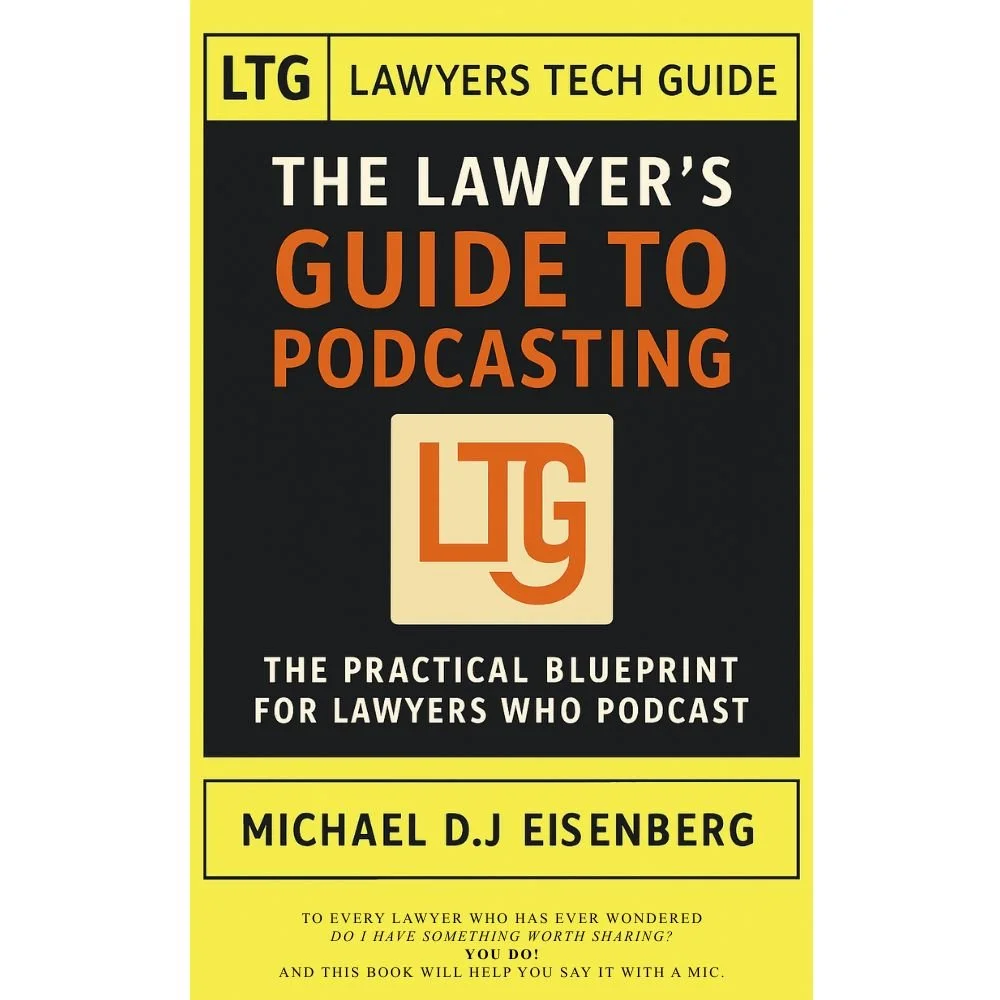
ABA TECHSHOW 2026 attendees get your discounted LTG: The Lawyer’s Guide to podcasting at the techshow while supplies last!!!

To celebrate TECHSHOW and support lawyers who are podcast-curious but not necessarily “tech experts,” I’m offering a special, in-person-only discount on my book, The Lawyer’s Guide to Podcasting. 📚🎙️ During ABA TECHSHOW 2026, attendees can purchase a physical copy on-site for $19.99, which is $5 off the regular $24.99 price, on-site only and while supplies last.

This book is written for lawyers with limited to moderate technology skills who want a clear, practical, ethics-aware roadmap to launching and sustaining a podcast. You don’t need a production team or a studio; you need a realistic workflow, the right level of tech, and an understanding of how the ABA Model Rules apply when your voice becomes part of your marketing and client-education strategy.

Join Me and My Co-Hosts at ABA TECHSHOW 2026 🎤

You’ll find me on the ABA TECHSHOW 2026 program in two sessions that sit right at the intersection of technology, communication, and professional responsibility.

🎧 Podcasting for Lawyers: The Truth Behind the Mic

In this session, I’ll be joined by a powerhouse group of legal podcasters and marketers:

  • Ruby L. Powers – A board-certified immigration attorney, law firm owner, legal innovator, and host of the Power Up Your Practice podcast, Ruby brings deep experience in law firm leadership, remote practice, and legal tech adoption.

  • Gyi Tsakalakis – A well-known legal marketing professional and podcast host, Gyi focuses on helping lawyers understand how digital marketing, SEO, and content (including podcasts) drive real-world client development.

  • Stephanie Everett – Co-author of The Small Firm Roadmap Revisited and host of The Lawyerist Podcast, Stephanie works with small firms on strategy, operations, and building sustainable, client-centered practices.

Together, we’ll discuss how, in a world crowded with blogs and social media, podcasting gives lawyers a unique way to build authority and connect with audiences on a more personal level. You’ll hear from lawyers and experts who actively run podcasts and work with law firms, and we’ll share the exact steps we’ve used to create compelling legal content that resonates, supports branding, and respects ethical boundaries.

🎥 Camera Ready Anywhere: Mastering Video Meetings with Clients, Courts, and Colleagues

In this session, I’ll be co-presenting with Temi Siyanbade:

  • Temi Siyanbade – An attorney, speaker, and author of Show Don’t Tell: How Lawyers Can Use Video to Stand Out, Create More Value, and Revolutionize Their Firms, Temi helps legal professionals strategically use video to build trust and communicate more effectively.

Virtual communication is now a permanent part of practice, whether you’re meeting with clients, negotiating with opposing counsel, or appearing before the court. In this session, Temi and I will share practical best practices for using Microsoft Teams and Zoom, including audio, video, lighting, framing, and on-screen presence, so your tech setup supports — rather than undermines — your advocacy and client service.

Ethics, ABA Model Rules, and Tech Competence ⚖️

Find me at the techshow to get your onsite discount and take home a great guide to get your podcast started!

Podcasting and video both touch directly on your professional responsibilities. In The Lawyer’s Guide to Podcasting, I connect the practical steps of planning, recording, and publishing to the ABA Model Rules of Professional Conduct, including:

I walk through how to use clear disclaimers, separate legal information from legal advice, and avoid inadvertently revealing confidential or identifying information. The goal is to help you become tech-savvy in a way that is realistic, ethical, and sustainable.

What You’ll Get from The Lawyer’s Guide to Podcasting 📘

Inside the book, you’ll find:

  • Plain-language tech guidance: realistic microphone, software, and hosting recommendations for busy lawyers.

  • Step-by-step workflows: planning, recording, editing, and publishing made manageable for your schedule.

  • Ethical “checkpoints”: where to pause and consider confidentiality, advertising rules, and jurisdiction-specific requirements.

  • Integration tips: how to embed your podcast on your website, share it in newsletters, and repurpose episodes for SEO and client education.

This is not a book about becoming a sound engineer; it’s about becoming a tech-savvy lawyer who uses podcasting thoughtfully.

On-Site Only, While Supplies Last 🛍️

Because this offer is tied to ABA TECHSHOW 2026, the $5 discount is available only for on-site purchases by attendees and only while physical copies last. I wanted this to be a tangible benefit for those who make the trip — and a practical next step if one of our sessions sparks your interest in podcasting.

Here’s how to take advantage of it:

  • Add “Podcasting for Lawyers: The Truth Behind the Mic” and “Camera Ready Anywhere: Mastering Video Meetings with Clients, Courts, and Colleagues” to your TECHSHOW schedule.

  • Bring your questions about tech, ethics, workflows, and content.

  • Find me on-site after the sessions or around the conference to pick up your discounted, signed copy of The Lawyer’s Guide to Podcasting for $19.99 (regularly $24.99), on-site only and while supplies last. 📚✍️

SEE YOU AT THE TECHSHOW!!!

ABA TECHSHOW is about practical innovation and ethical implementation. Podcasting and video live right at that intersection — modern tools that, when used thoughtfully and in line with the ABA Model Rules, can enhance your competence, your communication, and your client relationships.

If you’ve been thinking about starting a legal podcast — or want a structured way to decide whether podcasting fits your goals — I’d love for you to join our sessions and pick up the book during the show. 🎧⚖️

Shout Out: Previous Podcast Guest Ruby Powers Invites Your The Tech-Savvy Lawyer.Page Blogger and Podcaster Back on Power Up Your Practice!

I recently had the honor of joining Ruby Powers on her Power Up Your Practice Podcast, and I could not be more excited about what we covered for fellow lawyers. We talked about legal podcasting as a practical, ethical, and highly effective way for attorneys to build visibility, deepen relationships, and modernize their marketing without needing to be “hardcore tech people.”

On Ruby’s show, I shared why I believe that podcasting is becoming the new networking standard for lawyers. When you regularly publish episodes—whether about your day-to-day practice, a niche topic, or even a related interest—you push your name and your ideas into the online world in a consistent way. Search engines and AI systems notice this. Over time, your name and your content start to surface more often when people search for your practice area, your type of work, or your expertise. That is real SEO, and it comes from steady, quality content rather than tricks or gimmicks.

Another reason I encourage lawyers to podcast is simple: your voice makes you more human. Listeners hear how you think and how you explain things. They hear your tone and your values. That goes far beyond a static bio or a profile page. Whether your audience is potential clients, referral sources, peers, or the broader public, a podcast lets them get to know you in a safe and scalable way. This is networking that keeps working for you even when you are in court, in a hearing, or taking a much-needed break. 🌟

I also understand that many lawyers hesitate because they are concerned about ethics. That concern is healthy. As attorneys, we cannot ignore ABA Model Rules and similar state rules when we put content into the world. On the podcast, Ruby and I discussed that while a show can be an excellent educational and marketing tool, we must avoid giving individualized legal advice and avoid accidentally creating an attorney–client relationship. I strongly recommend clear, prominent disclaimers that explain the podcast is for informational purposes only, does not create an attorney–client relationship, and should not be relied on as legal advice for any specific matter.

This aligns with our obligation of competence under Model Rule 1.1, which now includes understanding relevant technology, and with our duties around communications and advertising under Model Rules 7.1 and following. A well-run legal podcast respects those boundaries. It presents general information and insights, and it invites listeners to seek formal counsel if they need advice for their specific situation. When you treat your podcast as education plus relationship-building, not as a substitute for representation, you are already thinking in the right direction.

In our conversation, Ruby and I also addressed a common fear: “I’m not tech-savvy enough to start a podcast.” As someone known as the Tech-Savvy Lawyer, I want to be clear: you do not need to be a full-time tech enthusiast to do this. You likely already have access to most of what you need. A solid microphone, a decent camera, and a platform like Zoom, Riverside, or StreamYard can take you surprisingly far. Many of these tools are user-friendly and continue to improve. You can start with the basics and then layer on more sophistication as you grow more comfortable. 🎧

Ruby shared her own experience of initially overthinking her podcast. She wanted it to be perfect, and that almost stopped her from launching. I hear that from lawyers all the time. My advice is simple: do not wait for perfect. Your early episodes will probably make you cringe later, which means you are improving. That is a good sign. Focus on clear audio, honest content, and consistent scheduling. Over time, you can refine your editing, your format, and even your branding. You can bring in a contractor or a service to help with editing once you know you want to keep going.

We also discussed the flexibility podcasting offers. You can publish weekly, every other week, or monthly. You can create solo episodes where you explain key topics. You can host interviews with colleagues, experts, or community leaders. You can even experiment with live formats, where audience members submit questions in advance, and you answer them at a general, educational level. The format should fit your bandwidth, your goals, and your audience.

One concept I emphasized is the idea of an “ideal listener” or avatar. Before you hit record, think about exactly who you are speaking to. Is it a potential client in a specific practice area? Other lawyers in your niche? Law students or young practitioners? Having that profile in mind will guide your topic choices, your language, and your examples. It also helps you stay focused on value rather than drifting into random conversations that do not support your goals.

From a business perspective, legal podcasting can support your referral network in powerful ways. Colleagues can share your episodes, which subtly introduce you as a trusted resource. Prospective clients may listen to several episodes before they ever contact you, which means they arrive already familiar with your style and approach. That can shorten the trust-building curve and make consultations more productive.

What I appreciate about Ruby’s Power Up Your Practice platform is that it treats podcasting not as a vanity project, but as part of a larger ecosystem of law practice management, technology, and professional development. My appearance on her show gave me a chance to tie together what I see in my own practice, my blog, my podcast, and my book: lawyers do not need to fear technology. We need to engage with it thoughtfully, guided by the same ethics and judgment we apply in every other part of our work.

If you are a lawyer with limited to moderate tech skills and you have been on the fence about starting a podcast, I invite you to listen to my conversation with Ruby and let it serve as a practical, encouraging blueprint. You will hear that you are not alone in your concerns, that there are clear ways to stay compliant with ABA Model Rules, and that the path to becoming a “tech-savvy lawyer” does not require perfection—only willingness, consistency, and a focus on delivering value. 🚀

Enjoy!

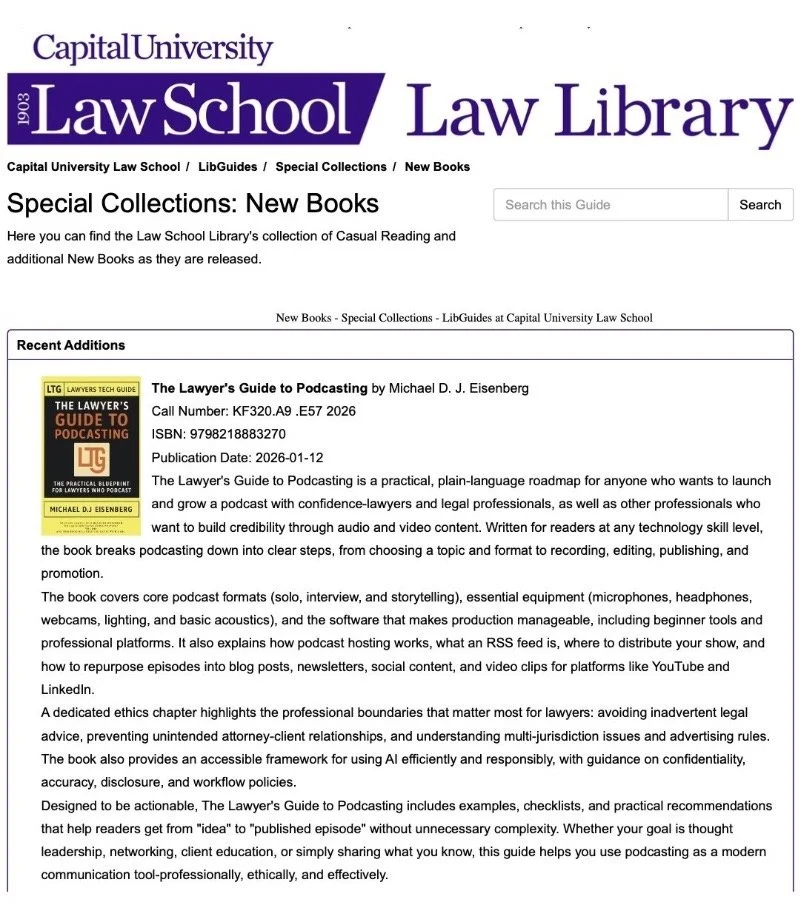
🎙️ My Law School Library Adds The Lawyer’s Guide to Podcasting to Empower Ethical, Tech-Savvy Attorneys ⚖️

https://law-capital.libguides.com/SpecialCollections/NewBooks

I’m thrilled to share that my alma mater, Capital University Law School, has added my book, The Lawyer’s Guide to Podcasting, to its Law Library Special Collections. 🎉📚 Seeing this guide on the same shelves where I learned to think like a lawyer underscores how central ethical technology use has become to modern advocacy. 🎙️ Written for attorneys with limited to moderate tech skills, it walks readers through planning, recording, and promoting a law‑firm podcast while honoring ABA Model Rules on technology competence, confidentiality, and attorney advertising, helping you communicate confidently, credibly, and compliantly. ⚖️🚀

You can pick up your copy on Amazon Today!