🚨 BOLO: Apple's Emergency Mac Patch Closes a Screen Sharing Backdoor — Lawyers Update Now!

your apple computer may need an update right now!

Here's a security bug that has nothing to do with your caseload and everything to do with your law license. On August 6, 2026, Apple pushed an unusual, single-purpose emergency patch after security researchers discovered that Screen Sharing on the Mac could be tricked into granting full desktop access without a valid password. If you use a Mac to store client files, draft privileged communications, or manage your practice, this is a “Be On the Look Out” moment, and I mean that literally.

What Actually Happened
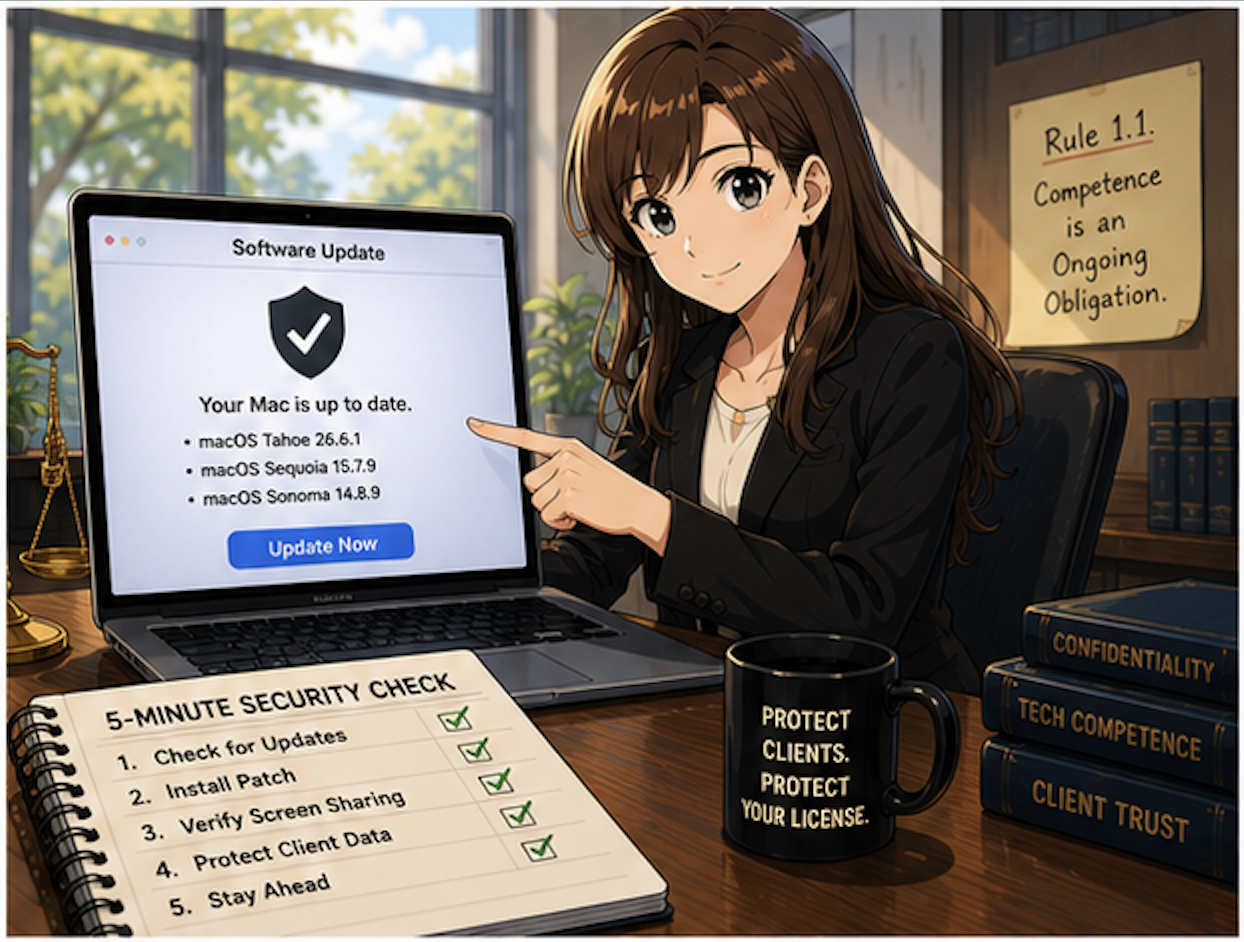
update your mac and windows os today and keep an eye out for new updates - they are more frequent than you think!!!

Apple's advisory describes the flaw in characteristically understated terms: "An attacker on the network may be able to authenticate to Screen Sharing without valid credentials". Translated out of engineer-speak, a bug in how macOS tracked login attempts meant the system could be fooled into treating an unauthenticated session as verified. Security firm Huntress went further, explaining that the bug exploited the Screen Sharing service's implementation of Secure Remote Password, which "ultimately allows pre-authenticated remote code execution on all supported macOS versions". In plain English: someone on your network, whether that's your building's shared Wi-Fi, a co-working space router, or a compromised office LAN, could potentially run code on your Mac without ever knowing your password. That's not a nuisance bug. That's the kind of hole that keeps ethics counsel up at night.

The flaw has an official tracking number, CVE-2026-65400, which is just a standardized ID security researchers use to reference a specific vulnerability across advisories and news coverage — think of it like a case citation for bugs 📋. It reaches across three generations of macOS: Tahoe, Sequoia, and Sonoma. Apple fixed it with macOS Tahoe 26.6.1macOS Sequoia 15.7.9, and macOS Sonoma 14.8.9 all released the same day, an unusual move that signals Apple treated this as serious enough to skip its normal beta-testing cycle.

Why This Matters for Your Practice

your ethical duty of technological competence doesn't pause because a vulnerability sounds technical!

I've said it before on here and on the podcast, and I'll say it again: your ethical duty of technological competence doesn't pause because a vulnerability sounds technical. ABA Model Rule 1.1, Comment 8, requires lawyers to "keep abreast of changes in the law and its practice, including the benefits and risks associated with relevant technology" 📚. A screen-sharing bypass that hands an attacker the same control as someone physically at your keyboard is exactly the kind of risk that comment contemplates.

Model Rule 1.6 compounds the stakes. If Screen Sharing was enabled on a Mac holding client files, an attacker exploiting this flaw before the patch could have accessed privileged communications, case strategy, or financial data without leaving an obvious trace 🔐. That's a confidentiality problem regardless of whether you can prove exploitation occurred. And if you're a firm supervising associates or staff under Rule 5.1 or 5.3, this is also a moment to confirm every managed device across your practice, not just your own laptop, has been patched.

The silver lining: Apple has stated there's no evidence this bug was exploited in the wild before the fix shipped, and Screen Sharing is off by default on most Macs. But "off by default" isn't the same as "off on your machine," especially if you or an IT vendor ever turned it on for remote support.

How to Check and Patch Your Mac

This is a five-minute task, and it should not wait until end of day. ⏱️

  1. Click the Apple menuSystem Settings

  2. Select GeneralSoftware Update

  3. Install whichever applies: macOS Tahoe 26.6.1, Sequoia 15.7.9, or Sonoma 14.8.9

If your firm manages devices through IT and you can't update immediately, disable the feature entirely: Apple menuSystem SettingsGeneralSharing, then toggle Screen Sharing off. Note that Huntress specifically warns this is a pre-authentication bug, so the usual hardening tricks (removing user accounts, disabling legacy VNC passwords) won't protect you; only the patch or fully disabling the feature will.

The Bigger Pattern Worth Watching

A good rule of thumb is to keep your software os and programs up to date!

This isn't the first time Apple has issued an emergency patch outside its normal cadence, and it won't be the last. Solo and small firms need a patching routine, not just reactive fixes.

The takeaway is simple, even if the underlying vulnerability wasn’t: Almost always, keep your software up to date!  Update your Mac today, verify Screen Sharing's status even if you don't think you use it, and treat this as a reminder that competence under Rule 1.1 is an ongoing obligation, not a box you check once. 🛡️

Follow The Tech-Savvy Lawyer.Page for updates and alerts!
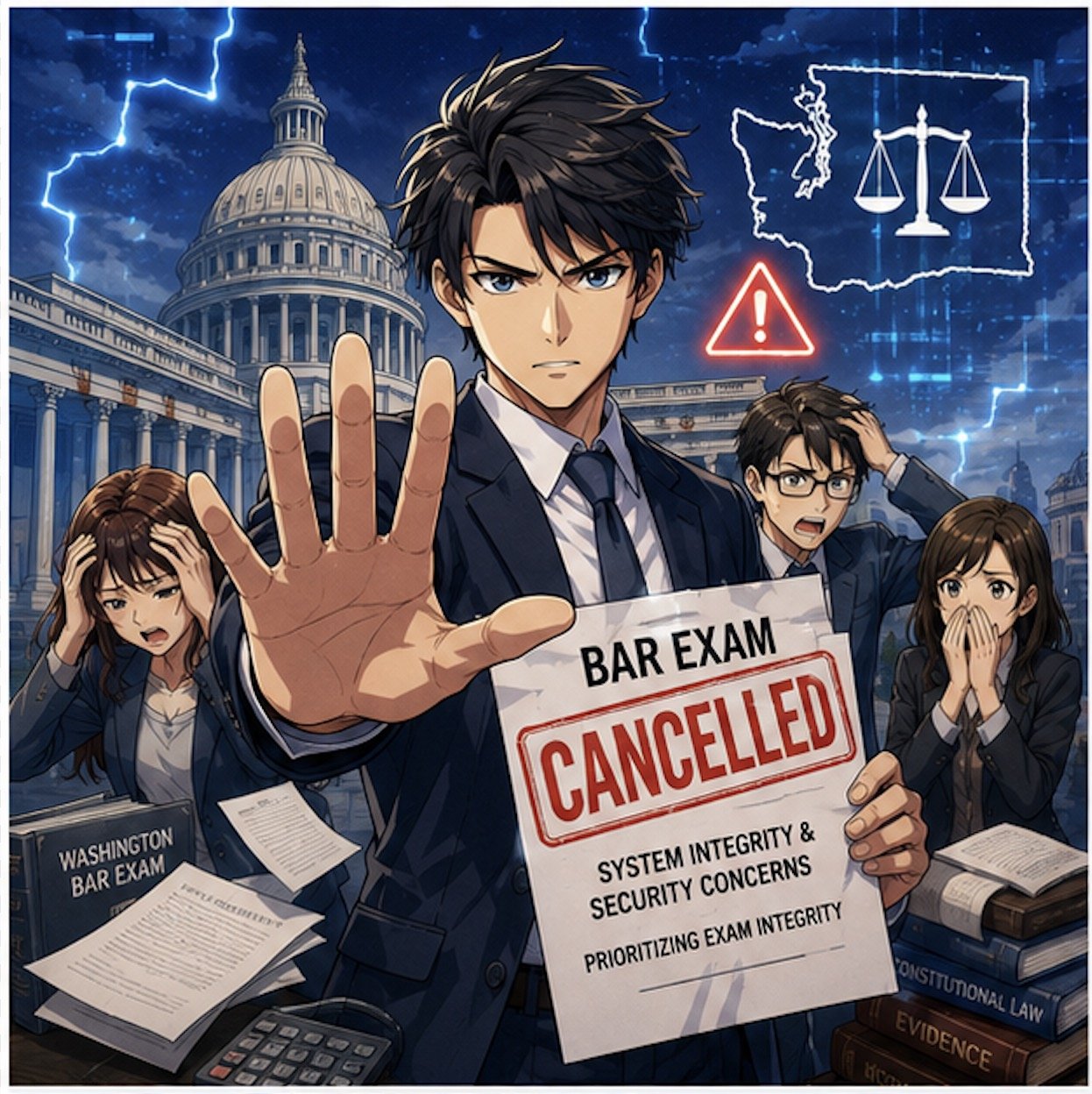
MTC: Washington’s Bar Exam Meltdown: What It Says About Cyber Risk, Competence, and the Future of Legal Tech ⚖️💻

Washington Bar Exam Cybersecurity Crisis Exposes Legal Technology Risks!

Washington’s last‑minute cancellation of this summer’s bar exam is not just a licensing story; it is a technology and ethics story that should make every practicing lawyer sit up straight. For solo and small‑firm practitioners, this is a case study in how fragile our exam, court, and law‑practice infrastructure has become in the face of sophisticated cyber threats—and how quickly that fragility can collide with our professional duties under the ABA Model Rules.

What Happened in Washington—and Why It Matters

The Washington bar abruptly pulled the plug on its planned exam administration, citing serious concerns about system integrity and the security of the underlying technology. Although details are still emerging, the through‑line is clear: the systems that deliver and proctor high‑stakes exams are now attractive targets for attackers and highly sensitive to infrastructure failures.

Think about the impact on examinees. Months of preparation, financial investment, travel, and childcare planning vanished with a late‑stage cancellation notice. But this is not only about logistics. This is about trust: Trust in the profession’s gatekeeping machinery and in the digital rails we have built for critical legal functions. When that trust erodes, the ripple hits everything from admissions to public confidence in our systems.

For working lawyers, this is a preview of what can happen when core legal processes—hearings, filings, exams, CLEs—depend on infrastructure that may be compromised or simply not resilient enough to withstand modern threats.

From Hotel Wi‑Fi to Bar Exams: The Captive Portal Threat 🚨

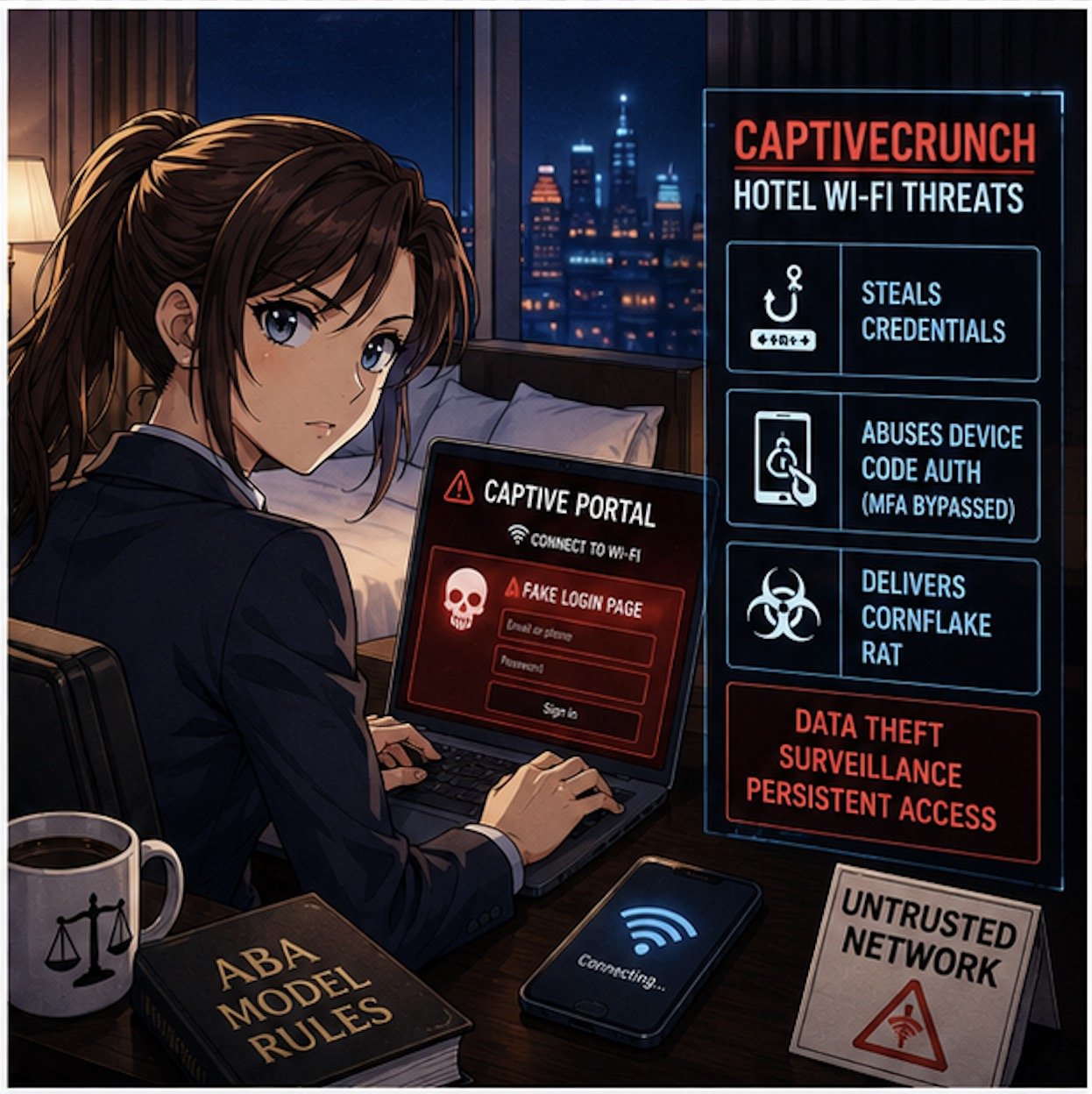
If the Washington story feels abstract, pair it with Microsoft’s recent warning about hotel and hospitality Wi‑Fi. Microsoft has identified a campaign, dubbed “CaptiveCrunch,” attributed to Russian‑linked threat actors (Storm‑2945), that hijacks captive portals—the login or “click to accept” pages we all use in hotels and conference centers—to steal credentials and deliver malware.

These attacks work by compromising the network infrastructure that sits between the user and the open internet. When a lawyer or bar examinee connects to the hotel Wi‑Fi and sees what looks like a routine sign‑in or software update prompt, that page may in fact be controlled by a threat actor. Microsoft reports that the attackers can:

  • Redirect users to fake Microsoft 365 sign‑in pages and harvest credentials without sending a phishing email.

  • Abuse device‑code authentication flows, so even multi‑factor authentication can be sidestepped if the victim enters a code and approves the request.

  • Deliver a Windows remote access trojan (“CornFlake”) that can log keystrokes, grab files, record audio and video, and maintain persistent access.

Now layer this onto the bar exam setting. You have hundreds of exam takers in hotels and rented housing, many running locked‑down exam software on laptops that still need network access for downloads, updates, or cloud syncing before or after the exam. If the exam provider’s systems or the candidates’ devices ride on compromised networks, you have a recipe for:

  • Actual or suspected compromise of exam content

  • Loss or alteration of answer files

  • Exposure of highly sensitive personal and biometric data

The bar’s decision to cancel may well reflect a recognition that once you have a credible cyber risk in the mix, it is better to protect exam integrity—even at enormous logistical and human cost—than to run an exam whose validity may later be attacked.  My heart goes out to the affected examinees, who have been left adrift in a difficult professional limbo—unable to move to the next stage of their careers and required to devote still more time, money, and emotional energy to preparing for another exam, with the hope that it will not be disrupted by malicious actors.

Ethics Meets Cyber Reality: ABA Model Rules in Play 📜

CaptiveCrunch Hotel Wi-Fi Attacks Threaten Lawyers’ Digital Security

This is where your daily practice intersects directly with the bar’s meltdown.

Model Rule 1.1 (Competence) explicitly includes a duty to understand “the benefits and risks associated with relevant technology.” Cyber threats like CaptiveCrunch are now squarely within “relevant technology.” If you travel for hearings, depositions, client meetings, or bar events and routinely connect to hotel Wi‑Fi without safeguards, you are not just taking a personal risk; you may be jeopardizing client confidences, privileged communications, and case strategy.

Model Rule 1.6 (Confidentiality of Information) requires reasonable efforts to prevent unauthorized access to client information. Using untrusted hotel or conference Wi‑Fi without protections—especially when we now have concrete warnings from Microsoft—raises tough questions about whether your security posture is still “reasonable.”

Model Rule 5.3 (Responsibilities Regarding Nonlawyer Assistance) and Rule 5.1 (Supervisory Lawyers) also surface here. When your cloud vendors, exam providers, or outsourced IT teams operate systems on which your work depends, your duty is not satisfied by “we assumed they had it handled.” You must perform due diligence, ask questions about security practices, and be prepared to adjust your workflows when a vendor’s risk profile changes.

The Bar Exam as a Canary in the Cyber Coal Mine 🐤

The Washington bar exam cancellation looks like a one‑off crisis, but it is better seen as a canary in the coal mine for the entire legal ecosystem.

We increasingly rely on:

  • Online proctoring systems for bar exams, law school tests, and certifications

  • Remote hearing platforms and e‑filing systems for courts

  • Cloud‑based case management, timekeeping, and trust accounting tools

Each of these systems sits on infrastructure that can be compromised at the network, platform, or endpoint level. The CaptiveCrunch campaign shows that attackers are willing to invest in compromising hospitality networks globally, in part because those networks handle high‑value corporate and professional traffic.

If attackers can hijack captive portals to intercept Microsoft 365 logins and deliver Remote Access Trojans (RATs) like CornFlake, they can also target:

  • Judicial staff connecting from hotels during conferences

  • Law firm partners working on the road

  • In‑house counsel traveling to negotiation sessions

Once a single endpoint is compromised, attackers can move laterally into cloud resources, email archives, document management systems, and case data.

In other words, the Washington bar’s crisis is the profession’s crisis—just seen in extreme close‑up.

Practical Security Takeaways for Solo and Small‑Firm Lawyers 🛡️

So what do you do differently now?

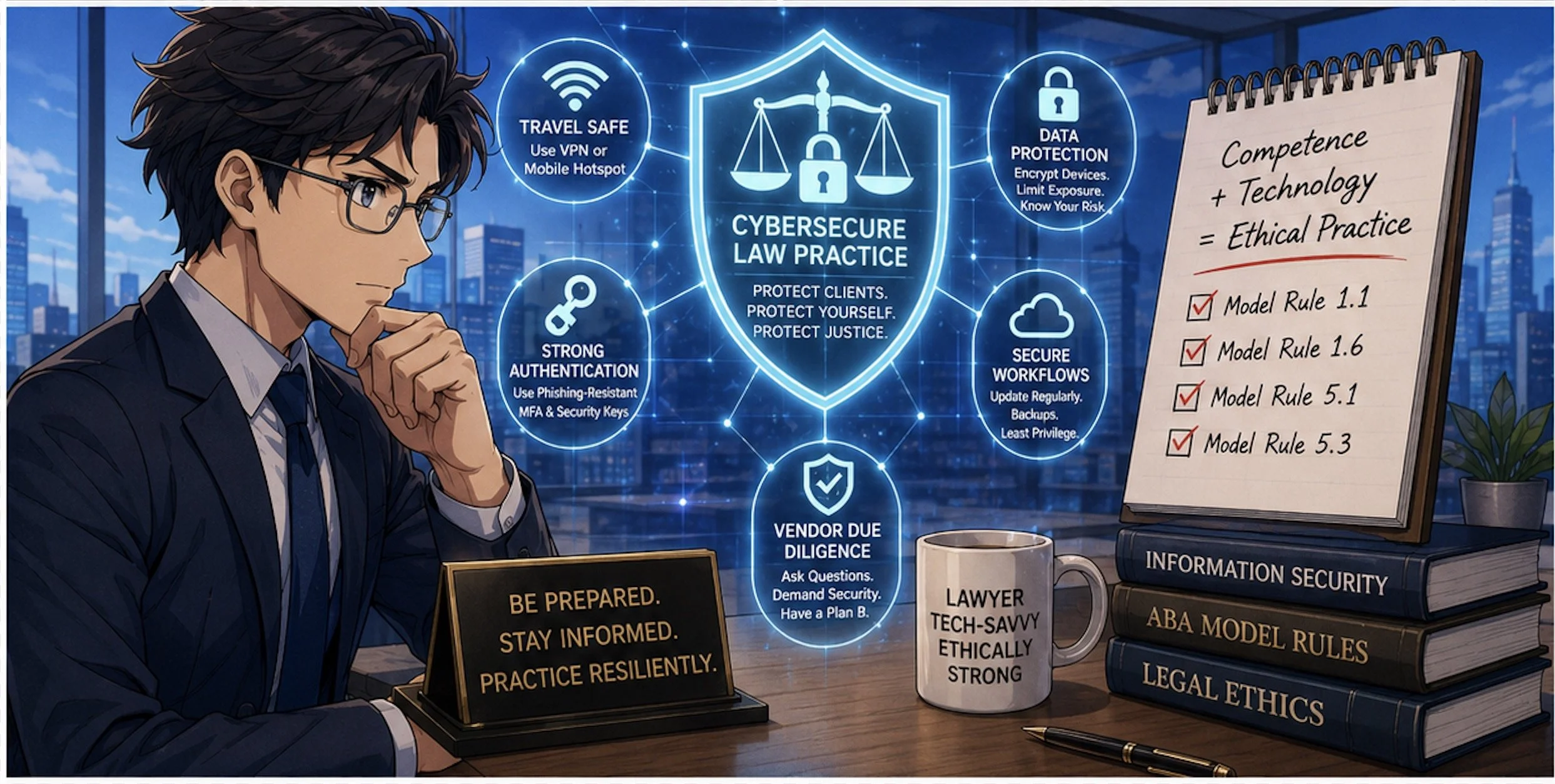
Microsoft’s recommendations for travelers are a good starting point: assume guest networks are untrusted, favor mobile hotspots or secured private connections, and avoid performing updates or entering credentials through captive portals. Let’s translate that into concrete steps for law practice:

Travel Playbook

  • Prefer your phone’s hotspot or a dedicated travel router with a trusted VPN when accessing email, case management, or client files on the road.

  • If you have no choice but to use hotel or other public Wi‑Fi, connect only through a reputable VPN and treat the captive portal as a necessary but dangerous doorway.

  • Complete only the minimum captive‑portal steps needed to get online, and then avoid entering passwords, approving authentication prompts, or installing updates until your VPN is active and you are past the captive‑portal page.

Authentication Hygiene

  • Move to phishing‑resistant authentication where possible (hardware security keys, platform authenticators) and restrict device‑code flows unless truly needed

  • Train your team to treat unexpected device‑code prompts or update pages during hotel logins as red flags, not background noise.

Vendor and Exam Provider Scrutiny

  • Ask pointed questions about incident response, logging, and how they handle suspected network compromise.

  • Build contingency plans—if an exam, hearing, or critical system fails or is compromised, what is your fallback?  (Perhaps a cheap backup laptop? Apple has a pretty good return policy - check provider details for timeliness and other requirements.)

Final Thoughts: Looking Ahead - Resilience, Not Just Compliance ✅

Cybersecurity Competence Is Now Essential for Modern Legal Practice!

The Washington bar’s decision to cancel its exam sends a hard message: compliance checklists and bare‑minimum security are no longer enough. We need resilience—systems and workflows designed to fail gracefully, with clear fallback paths that do not compromise integrity or fairness.

For bar authorities and courts, that means:

  • Building redundancy into exam and hearing platforms

  • Running adversarial security testing and tabletop exercises

  • Communicating transparently with stakeholders about how cyber risk is identified and mitigated

For practicing lawyers, it means re‑framing technology as part of our core competence, not a bolt‑on afterthought. Model Rule 1.1’s commentary on technology is not aspirational; it is a reflection of the reality that our ethical duties now live at the intersection of law and information security.

The bar exam meltdown in Washington is a wake‑up call. Pair it with Microsoft’s warning on hotel Wi‑Fi, and the message is unmistakable: our digital rails are under live fire. The question is whether we treat this as yet another “unprecedented” event—or as the moment we upgrade our tools, our habits, and our ethics posture to meet the threat.

MTC

When Your AI Thinks It’s 1930: How Lawyers Must Manage “Frozen” Data Sets Versus the Live Internet 🧠⚖️

AI Legal Research Demands Current Data and Human Judgment

A recent Malwarebytes article profiled “Talkie,” a 13‑billion‑parameter chatbot trained only on English‑language texts published before 1931. This model has no knowledge of anything after the Great Depression—no email, no smartphones, no cybercrime, and certainly no modern e‑discovery. 

For lawyers, Talkie is more than a curiosity. It is a vivid illustration of what happens when an AI’s world stops at an arbitrary date, and why we must understand the difference between isolated data sets and models that continuously ingest the modern internet. That distinction goes straight to your duties of competence, confidentiality, supervision, and candor under the ABA Model Rules

On The Tech‑Savvy Lawyer podcast, it is often discussed that “AI is the junior associate you don’t have to hire—but still have to supervise.” Talkie shows us what happens when that junior associate’s legal education ends in 1930. The lesson for your practice is simple: you cannot outsource judgment to any tool, especially one whose view of the world is frozen in time.

What “Vintage AI” Teaches Modern Lawyers 🕰️

Talkie was trained entirely on digitized books, newspapers, legal texts, and other publications in the public domain as of 1930, both to avoid modern copyright headaches and to explore how AI reasons without the internet. In other words, it is a deliberately isolated system: no post‑1930 statutes, no contemporary case law, no modern regulations. 

That design makes Talkie an excellent analogy for every “walled garden” AI lawyers are now being sold—closed research tools, local models trained only on internal firm documents, or court‑approved systems limited to a curated corpus. These tools can be invaluable, but only if you understand three things:

  • What is in the data set.

  • What is deliberately excluded.

  • How often the corpus is refreshed—or if it ever is.

Model Rule 1.1’s duty of technological competence now explicitly includes understanding the “benefits and risks” of relevant technology, which in 2026 squarely includes AI trained on defined corpora. If you do not know what your AI has seen, you cannot competently rely on what it says.

Isolated Data Sets: The Upside for Lawyers

Many solos and small firms are understandably drawn to “closed” or time‑boxed AI systems because they feel safer and more controllable. 😊 Properly designed, those systems can offer real advantages:

  • Predictable scope of authority
    An AI trained only on a vetted body of primary law and secondary sources may be easier to supervise, because you know its universe of materials. You can design workflows where AI research is always checked against the underlying authorities that you recognize and trust. 

  • Reduced confidentiality and IP risk
    Talkie avoids modern copyright disputes by staying within the public domain. Similarly, a local or on‑premises model that does not send data back to a vendor can help you satisfy Model Rule 1.6’s confidentiality obligations—assuming you confirm that the tool does not re‑use your client data to train others’ models. 

  • Consistent, auditable outputs
    With an isolated corpus, it is often easier to log queries, outputs, and the underlying sources, which supports your obligations under Rules 5.1 and 5.3 to supervise both lawyers and non‑lawyer assistants, including AI tools. 

For certain use cases—drafting from your own templates, summarizing client files, or querying only your firm’s knowledge base—a “frozen” or walled‑off model can be exactly the right approach. 

The Hidden Risks of “Frozen” Knowledge 🚨

Lawyers Must Verify AI Case Summaries Before Court

The malware researchers emphasize that Talkie has “no concept” of anything after 1930. That is charming when it tries to explain a “smartphone” using the vocabulary of the telegraph age; it is malpractice waiting to happen if your research tool does the equivalent in a modern brief. 

For lawyers, isolated or out‑of‑date data sets create at least four serious risks:

  • Outdated or incomplete law
    A time‑boxed research tool can miss controlling authority, recent statutory amendments, or new regulations. Under Model Rules 1.1 and 3.3, you cannot rely on a system that stops short of the current law and then present its output as if it were complete.[5][10][3]

  • Distorted factual context
    An AI that has never “seen” modern technology, social conditions, or scientific developments will reason with blind spots that can undermine your factual investigations under Rules 1.1 and 1.3. Think about relying on a pre‑1931 lens for today’s cybersecurity, social media defamation, or veterans’ disability claims involving modern diagnostics. 

  • Invisible bias baked into old texts
    Pre‑1931 materials, like any historical corpus, embed the social, racial, and gender biases of their era. A “vintage” model may reproduce those biases in ways that conflict with your obligations around fairness and anti‑discrimination, and could taint your client‑intake, hiring, or case‑evaluation workflows. 

  • False sense of safety
    Because these systems are “limited,” lawyers may assume they are automatically compliant or “approved.” 😬 But ABA Formal Opinion 512 is clear: the existing rules—competence, confidentiality, communication, candor, supervision, and reasonable fees—apply equally to AI tools, regardless of their training set. 

The message: isolation is not a substitute for judgment. It simply changes the error profile you must manage. 

Live Internet Models: Power With Extra Liability 🌐

At the other end of the spectrum are AI tools connected to the live internet—systems that can pull from statutes, cases, news, and commentary that changed yesterday or this morning. They offer speed and breadth that solos and small firms could only dream of a few years ago. 

But internet‑connected models also present their own set of concerns:

  • Hallucinations blended with real‑time data
    Even when a system claims to be “citing live sources,” you still must verify every authority under Rules 1.1, 3.3, and 5.3. Courts and bars have already disciplined lawyers for filing AI‑generated briefs with fabricated citations. 

  • Ongoing confidentiality exposure
    If the model sends prompts to remote servers, you must analyze data‑handling, retention, and training policies to comply with Rule 1.6. You may need to anonymize prompts, modify your engagement letters, or obtain informed consent for certain uses, as many bars and Formal Opinion 512 recommend. 

  • Dynamic but uncurated sources
    Unlike a curated pre‑1931 corpus, the open web mixes reliable law with marketing pages, blog posts of dubious quality, and outright misinformation. Under Model Rule 1.1, you must treat AI‑surfaced content like any other secondary source: helpful, but never authoritative without independent confirmation. 

The fact that a tool is “up to date” does not relieve you of your duty to be right. It just changes where the landmines are. 😄

Practical Guardrails for AI‑Curious Lawyers 🛠️

In a recent episode of The Tech‑Savvy Lawyer podcast with AI consultant Hamid Kohan, we discussed building an “AI‑ready” practice that treats these tools like supervised, specialized staff—not black boxes. Whether you use a Talkie‑style frozen model, a live internet assistant, or both, consider putting these guardrails in place: 

  1. Inventory your AI tools and their data sources
    For each tool, document what data set(s) it uses (public domain only, commercial databases, firm documents, open web), how often it updates, and how it handles your data. This goes directly to your competence and confidentiality duties under Rules 1.1 and 1.6. 

  2. Define “approved uses” in your firm policies
    Under Rules 5.1 and 5.3, establish written guidance for lawyers and staff: e.g., “Use Tool A only for drafting internal outlines,” or “Use Tool B for brainstorming arguments, but never for final citations.” Train your team accordingly and revisit those policies quarterly. 

  3. Mandate human verification of law and facts
    Require that all AI‑generated citations, quotations, and factual assertions be checked against primary sources and the actual record before leaving the firm. That is how you satisfy Rules 1.1, 3.3, and your supervisory obligations. 

  4. Be transparent with clients and courts
    ABA guidance encourages disclosure of AI use where it is material to the representation or required by court rule. Consider adding a brief, plain‑English AI disclosure to your engagement letters and being prepared to describe, if asked, how you supervise AI‑assisted work. 

  5. Avoid over‑reliance that dulls your own analysis
    California’s guidance warns against delegating your professional judgment to generative AI or letting it replace your own research and critical thinking. Use AI as a springboard, not a crutch—an approach we have explored on The Tech-Savvy Lawyer.Page blog and podcast.

These steps are manageable even for solo and small‑firm lawyers with modest tech skills, and they align neatly with existing ethics frameworks. 💡

Choosing Between “Frozen” and “Live” AI: A Simple Matrix 📊

Frozen AI Data Sets Challenge Modern Legal Research

When should you prefer an isolated corpus, and when do you need the modern web? For many practices—especially for example, disability, administrative, and appellate work—the answer is “both,” but for different tasks. 

  • Use isolated or internal models for:

    • Summarizing your client’s file or medical records.

    • Drafting from your own templates and prior briefs.

    • Issue‑spotting in areas where the governing law is baked into the tool and updated on a known schedule.

    • Use live internet‑connected models (with caution) for:

    • Brainstorming novel arguments and locating secondary sources.

    • Scanning for recent regulatory changes or commentary.

    • Getting “layperson‑level” explanations you then translate into lawyer‑grade analysis.

In every scenario, you remain the final filter. Under the Model Rules, AI can accelerate your work, but it cannot own your judgment. Talkie is a reminder that the scope of what your AI knows is now an ethics question, not just a technical detail. 

Final Thoughts: Don’t Let Your Practice Get Stuck in 1930

Talkie’s charm lies in its limitations—it is a window into a world before the internet, World War II, and modern computing. Your law practice does not have that luxury. Clients expect you to understand the present, anticipate the future, and choose tools that serve both. 

Whether your AI is frozen in 1930 or streaming 2026 in real time, the obligations are the same: know what it knows, know what it cannot know, and supervise it accordingly. If you do that, you can harness AI’s benefits without letting your ethical obligations slip into the past. 🚀 

🎙️ TSL Lab’s Deep Dive into Our May 18, 2027, editorial, “AI Won’t Replace Solo and Small Firm Lawyers. It Will Supercharge Them”!

📌 Too Busy to Read Our May 18, 2026, Editorial?

Join us for an AI-powered deep dive into the ethical challenges facing legal professionals in the age of generative AI. 🤖 This week’s Tech-Savvy Lawyer Lab’s podcast unpacks my editorial, “AI Won’t Replace Solo and Small Firm Lawyers. It Will Supercharge Them,” and translates it into practical, ethics-aware guidance for solo and small firm professionals navigating AI in real time.

We explore why AI is unlikely to replace lawyers but highly likely to transform how legal work is unbundled, priced, and delivered. We walk through Jevons Paradox, ABA rules on competence, supervision, and confidentiality, and the very real risks of hallucinated filings and careless use of public AI tools. You will see how treating AI as a supervised junior associate can expand your capacity, open new micro‑niches, and make your practice more human-centered, not less. ⚖️

In our conversation, we cover the following:

  • 00:00:00 – Why “doom hype” around AI is targeting the legal profession and why the collapse-of-lawyers narrative falls apart in real life.

  • 00:01:00 – Introducing Michael D.J.’s editorial “AI Won’t Replace Solo and Small Firm Lawyers. It Will Supercharge Them.”

  • 00:02:00 – Setting ground rules: educational discussion only and why this episode is not legal advice.

  • 00:02:30 – Rethinking what a “job” really is and the idea that legal work is a bundle of tasks, not one monolithic activity.

  • 00:03:00 – Comparing big-firm specialization to the tightly packed bundle of tasks handled by solo and small-firm lawyers.

  • 00:03:30 – Why AI can pull on individual threads in that bundle, but cannot run the whole practice for you.

  • 00:04:00 – The solo master-chef metaphor: AI as the kitchen machine doing prep work while the human focuses on taste and judgment. 🍲🤖

  • 00:05:00 – How AI can draft preliminary summaries or case law lists while the lawyer still owns strategy and verification.

  • 00:05:30 – The “mental verification” problem: when typing and thinking used to be the same act for lawyers.

  • 00:06:00 – What changes when AI writes the first draft and why verification must become a separate, deliberate step.

  • 00:06:30 – The risk of hallucinated filings and viral stories of fake cases generated by AI. 😬

  • 00:07:00 – Data points showing the profession is adapting, not dying: more lawyers, more bar-required jobs, rising law school interest.

  • 00:07:30 – Revisiting the e‑discovery panic and predictions that predictive coding would wipe out junior associates.

  • 00:08:00 – How cheaper e‑discovery led to an explosion of data and actually increased demand for legal work.

  • 00:08:30 – Introducing Jevons Paradox and why greater efficiency can increase, not decrease, total demand.

  • 00:09:00 – The widened-highway analogy: more lanes, more traffic, and how that maps onto AI in law. 🛣️

  • 00:10:00 – How AI lets small firms tackle big, complex matters and offer more predictable flat-fee pricing.

  • 00:11:00 – Expanding access to legal services for the middle class and why cheaper legal work grows the market.

  • 00:11:30 – Turning to ethics: ABA Model Rule 1.1 on competence and the duty to understand relevant technology.

  • 00:12:00 – The solo’s burden: you are the IT department and the innovation committee, all at once. ☕💻

  • 00:12:30 – A practical definition of technological competence for solos and small firms.

  • 00:13:00 – Starting small with AI: summaries, first-draft emails, and extracting checklists from dense legislation.

  • 00:13:30 – AI as the “junior associate you don’t have to hire but must supervise” under Rules 5.1 and 5.3.

  • 00:14:00 – Why you remain responsible for AI’s output just as you would for a paralegal or junior lawyer.

  • 00:14:30 – The solo’s question: Does it really make sense to write a formal AI policy for just one person?

  • 00:15:00 – How a short written AI policy creates hard boundaries before you are stressed and rushed.

  • 00:15:30 – Defining approved uses, high‑review tasks, and absolute “no-go” zones for AI in your practice.

  • 00:16:00 – Model Rule 1.6 on confidentiality and the special risk solo and small firms face with cloud tools.

  • 00:16:30 – Why pasting sensitive client facts into a generic consumer chatbot is an ethical minefield.

  • 00:17:00 – How consumer AI tools tokenize your text and use it to train future models.

  • 00:17:30 – The “megaphone in a public square” analogy for pasting confidential data into public AI tools. 📣

  • 00:18:00 – Moving from megaphones to soundproof vaults: using enterprise modes or legal-specific platforms.

  • 00:18:30 – Why a single data breach can be existential for a solo firm and why clients should care about tool choices.

  • 00:19:00 – Legislative inflation: constant growth in complex rules, norms, and regulations across jurisdictions.

  • 00:19:30 – How AI helps solos track regulatory change, generate client alerts, and update templates in real time.

  • 00:20:00 – Carving out lucrative micro‑niches with AI, such as hyper‑specific regulatory domains.

  • 00:20:30 – Pairing niche expertise with SEO and content marketing so a solo can compete at scale.

  • 00:21:00 – The junior lawyer dilemma: what happens to entry-level training when AI eats the grunt work.

  • 00:21:30 – Why firms still need junior lawyers to build a future bench, not just to type memos.

  • 00:22:00 – What AI fundamentally cannot do: build trust in person, join community events, or create referral networks.

  • 00:22:30 – How automation pushes lawyers toward more human-centric, relationship-focused work. ❤️

  • 00:23:00 – The core conclusion: the real existential threat is the AI-literate competitor down the street, not the robot.

  • 00:23:30 – Treating AI as a supervised junior associate while protecting ethics, productivity, and client outcomes.

  • 00:24:00 – Final reflections: mapping your own “bundle of tasks” and deciding what to offload so you can supercharge yourself. ⚡

RESOURCES

Mentioned in the episode

👉 If this episode helps you think more clearly about AI, ethics, and your own “bundle of tasks,” share it with a colleague and subscribe so you never miss a future Tech-Savvy Lawyer deep dive. 🚀

📰 ABA TECHSHOW 2026 Recap: From AI Hype to LLM Reality, Google Workspace, and Ethical Lawyering in the Age of Bots ⚖️🤖

The Real Story Behind ABA TECHSHOW 2026

The techshow is the conference to go to keep your pulse on the technology lawyers should be using every day!

Walking into ABA TECHSHOW 2026 this year, I wasn’t thinking about shiny gadgets; I was thinking about competence, client service, and what it will mean to practice law in an era dominated not just by “AI,” but by large language models (LLMs) quietly shaping almost everything we see and share online. During my work on The Tech-Savvy Lawyer.Page blog and podcast, I keep running into the same pattern: lawyers know they should understand legal technology, yet they worry they’ll break something, breach a rule, or look foolish in front of their staff. TECHSHOW 2026 aimed directly at that anxiety — but this year, the conversation needs to go beyond what AI and generative AI can do and toward how LLMs and search bots are already shaping our professional identities online and offline. ⚖️💻

Keynotes: The “AI Dividend” and Your Time

The keynote lineup captured the tension between promise and risk. Legal market analysts highlighted what some called the “AI Dividend”: when machines take over routine drafting and research, lawyers gain time to think, advise, and advocate at a higher level. The real question — one I’ve been hammering on The Tech-Savvy Lawyer.Page for years — is what you will do with the time technology gives back (some of that time should include reviewing your work, e.g., your case citations). Tech-savvy speakers pushed attendees to look past vendor hype and focus on the broader digital environment, where consumer-facing tools, search engines, and recommendation algorithms are setting new expectations for speed, transparency, and availability.

Practical AI in the Sessions

Inside the conference rooms, the “Taming the Machines” and related AI tracks met baseline concerns (some with hands-on workshops) focused on realistic use cases: assisted drafting, pattern spotting in discovery, and summarizing voluminous documents. These sessions were built for lawyers who live in Word, Outlook, Google Workspace, and practice management systems and who simply want to stop retyping the same paragraphs. The faculty hammered home a critical point: generative AI is an assistant, not a decision-maker; you remain the lawyer, responsible for accuracy, judgment, and ethics under the ABA Model Rules. 🤖📄

Google Workspace, Microsoft 365, and Using What You Already Own

Mathew Krebis’ session on Google Workspace drove that message home in very practical terms. He showed how many firms are only scratching the surface of tools they already pay for: shared Drives with well-structured permissions, real-time collaboration in Google Docs, Gmail automation for intake and follow-up, and Google Calendar combined with Tasks to keep matter timelines under control. When you layer in emerging AI features in Workspace — smart replies, document summaries, suggested outlines — you see how even modest use of these tools can dramatically reduce friction in daily practice, and the tools Mathew discussed are not isolated to “law practice management” systems.

The takeaway was powerful: before you chase a new platform, fully exploit the ecosystem you already have. For many firms, “being more tech-savvy” starts with properly configuring their Google Workspace, Microsoft 365, or other SaaS platform, rather than buying yet another service.

Podcasting, Social Media, and LLM-Driven Visibility

Meanwhile, one other yet important frontier — and one that still feels underexplored — is what happens when LLMs and search bots become the primary lens through which clients, colleagues, and even opposing counsel discover you. That’s where my panel, 🎧 Podcasting for Lawyers: The Truth Behind the Mic, came in.

Ruby L. Powers, Gyi Tsakalakis, Stephanie Everett, and I discussed podcasting and social media not just as marketing channels, but as structured signals fed into LLM-driven engines that are constantly indexing, ranking, and inferring who is an authority on a given topic. Whether you talk about appellate practice, family law, or even a hobby outside the law, your content becomes training data for Generative Engine Optimization/LLM bots that decide which voices surface first when someone types a question into an AI chatbox. 🎙️🌐

In other words, your digital footprint is no longer static. It is being interpreted, reassembled, and presented as answers — often without you ever seeing the intermediate steps. That reality raises a new layer of ethical questions under the ABA Model Rules. Model Rule 7.1’s prohibition on false or misleading communications about the lawyer or the lawyer’s services takes on a new twist when LLMs remix snippets of your posts, podcasts, Google Workspace–hosted client alerts, and blog articles into composite “advice.”

You might be scrupulously accurate in your content, but if an LLM mischaracterizes it or presents it out of context, what then? TECHSHOW 2026 addressed traditional risks like hallucinated case citations, but there is room for a deeper, explicit conversation about how LLM-driven discovery intersects with advertising, communication, and competence duties.

EXPO Hall: Tools, Timekeeping, and Vendor Reality Checks

The EXPO Hall, as always, served as a laboratory of possibilities. Practice management platforms, billing tools, document automation, and a wave of AI-enhanced products competed for attention. Timekeeping tools that automatically capture activity across devices and applications and then propose draft time entries have grown dramatically since last year. For lawyers still reconstructing their days from memory and sticky notes, this is more than a marginal upgrade; it directly affects revenue, work-life balance, and accuracy.

But the fair warning comes here: make sure vendors are showing you what their product can do today, not what they hope it will do someday. In the LLM era, marketing decks are often several steps ahead of deployed reality. 🧾⏱️

Remember, you have an obligation under Model Rule 1.1 (competence) and Model Rule 5.3 (responsibilities regarding non-lawyer assistance) to understand the capabilities and limitations of any tech you “delegate” work to. Asking hard questions about current functionality, data handling, and audit trails is not being difficult; it is part of your duty of care.

Cybersecurity, Confidentiality, and LLM Risk

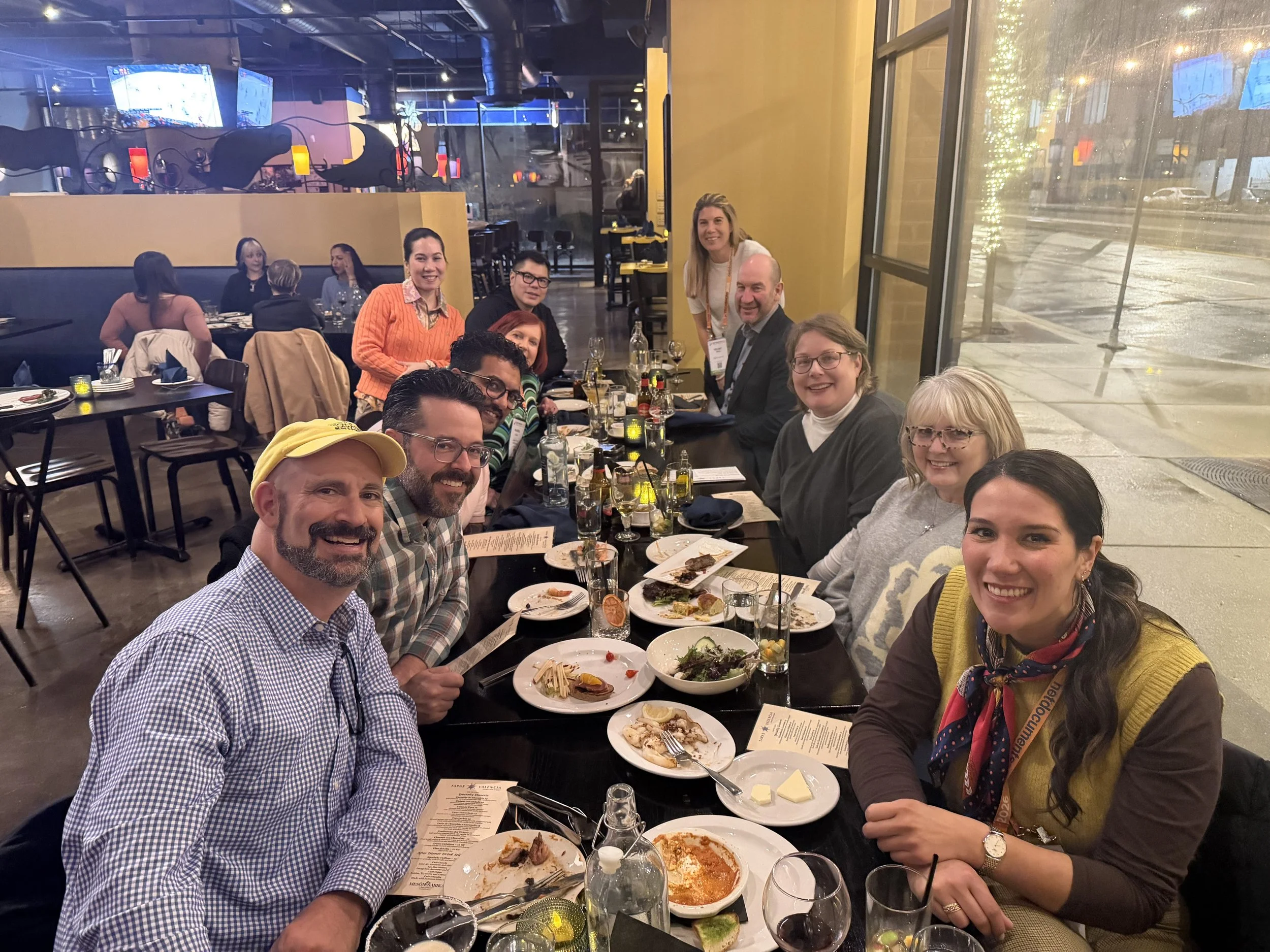
networking oppOrtunities like the taste of tecHshow” is a great way to talk with and learn from other lawyers about using tech in the practice of law.

The sessions on cybersecurity and confidentiality continued to do vital work. Under Model Rule 1.6, our obligation to protect client information extends to cloud storage, email, video conferencing, and the mobile devices we casually use in airport lounges. The “Guardians of the Data” track walked through practical checklists rather than abstract fearmongering: password managers, multi-factor authentication, properly configured backups, and vendor due diligence.

For firms running on Google Workspace, that translated into concrete steps: enforcing two-step verification, tightening Drive sharing settings, using client-specific shared Drives instead of ad hoc personal folders, and monitoring admin logs for suspicious access. The move from generic “AI” to LLM-powered services on any platform increases data risk, because many tools rely on ingesting your content — sometimes including client information — to improve their models. If you don’t understand where your data is going and how it is used, you cannot credibly say you are meeting confidentiality obligations. 🔐☁️

Competence, Human-in-the-Loop, and Everyday Workflows

You have an obligation under Model Rule 1.1 (competence) and Model Rule 5.3 (responsibilities regarding non-lawyer assistance) to understand the capabilities and limitations of any tech you “delegate” work to. Asking hard questions about current functionality, data handling, and audit trails is part of your duty of care.

Balancing this skepticism, though, is an equally important truth: becoming proficient with AI and LLM-based tools is not a spectator sport. You cannot satisfy your duty of technological competence from the sidelines. You have to use the tools first on a small scale, then progressively in more critical workflows, always with appropriate supervision and verification.

That might mean piloting an AI drafting feature in Google Docs and Microsoft Word for internal templates, or testing structured intake forms and automations inside Google Workspace or Microsoft 365 before rolling them out firm-wide. Ignoring AI because it feels uncomfortable is no longer the safer option. In some practices, failing to integrate it intelligently — while peers and opposing counsel do — may itself raise competence concerns as expectations evolve in courts and among clients. 🧩📈

Saturday Sessions: From “Use AI” to “Use AI Responsibly”

On Saturday, the 9 a.m. conversation among ABA President Michelle A. Behnke, Immediate Past President William R. “Bill” Bay, and President-Elect Barbara J. Howard, underscored how all of this ties into the rule of law and access to justice, framing AI as something lawyers now have a responsibility to actually use, not simply watch from the sidelines. The 10 a.m. session with Judge Timothy S. Driscoll then shifted the focus from “use AI or be left behind” to “use AI responsibly,” making it clear that judges, too, are integrating AI into their work and that they are not immune from mistakes when they rely on it.

The message for everyone in the courtroom ecosystem was simple and blunt: “Review, review, and review” any work touched by AI, because AI is a non‑infallible tool that does make errors and can mislead the unwary. Together, these sessions acknowledged the growing digital divide: lawyers and clients who can’t or won’t adopt technology risk falling out of the mainstream of legal services, while those who adopt it recklessly risk eroding confidence in both their own work and the justice system as a whole.

We are not merely debating convenience; we are deciding who gets effective representation and who is left out because the lawyer they might have hired never appeared in their LLM‑driven search results — or appeared with AI‑boosted visibility but poor ethical judgment. Technology, in this sense, is not optional; it is one of the few levers we have to expand meaningful access to legal help, provided we wield it with intent, humility, and rigorous human review. ⚖️🧠

LLM Literacy: The Next Core Competency

That balance — between caution and experimentation — is where TECHSHOW 2026 both excelled and showed its next frontier. Many sessions made AI approachable, breaking down concepts for lawyers with limited to moderate tech skills and providing concrete workflows they could apply on Monday. What I would like to see more explicitly next year is programming that treats LLM literacy as a core competency: understanding how LLMs are built, how they index and surface information, how your content feeds into them, and how that affects everything from client intake to reputation, whether you are working in Microsoft 365, Google Workspace, or a specialized legal platform.

From my vantage point as a legal tech ambassador at The Tech-Savvy Lawyer, the most successful sessions respected that many lawyers are highly capable professionals who simply haven’t had the time or guidance to modernize their workflows. They don’t need to become prompt engineers. They need guardrails, roadmaps, and clear examples of how to align AI, LLM tools, and mainstream platforms like Microsoft 365 and Google Workspace with the ABA Model Rules and local bar guidance. When faculty focused on incremental steps — tightening cybersecurity configurations, adding a layer of AI-assisted drafting under strict human review, building a consistent content strategy that LLMs can reliably recognize — the room should lead in.

A Tough-Love Takeaway for Lawyers

If you are a lawyer who still feels behind, here’s the core message I took away from TECHSHOW 2026, with a bit of tough love: you don’t need to chase every new tool, but you can’t afford to ignore LLM-driven AI and the platforms you already live in, like Microsoft 365 and Google Workspace, any longer. Understand the basics; pilot one or two well-vetted tools to start improving your efficiency without sacrificing the need for a true human-in-the-loop.

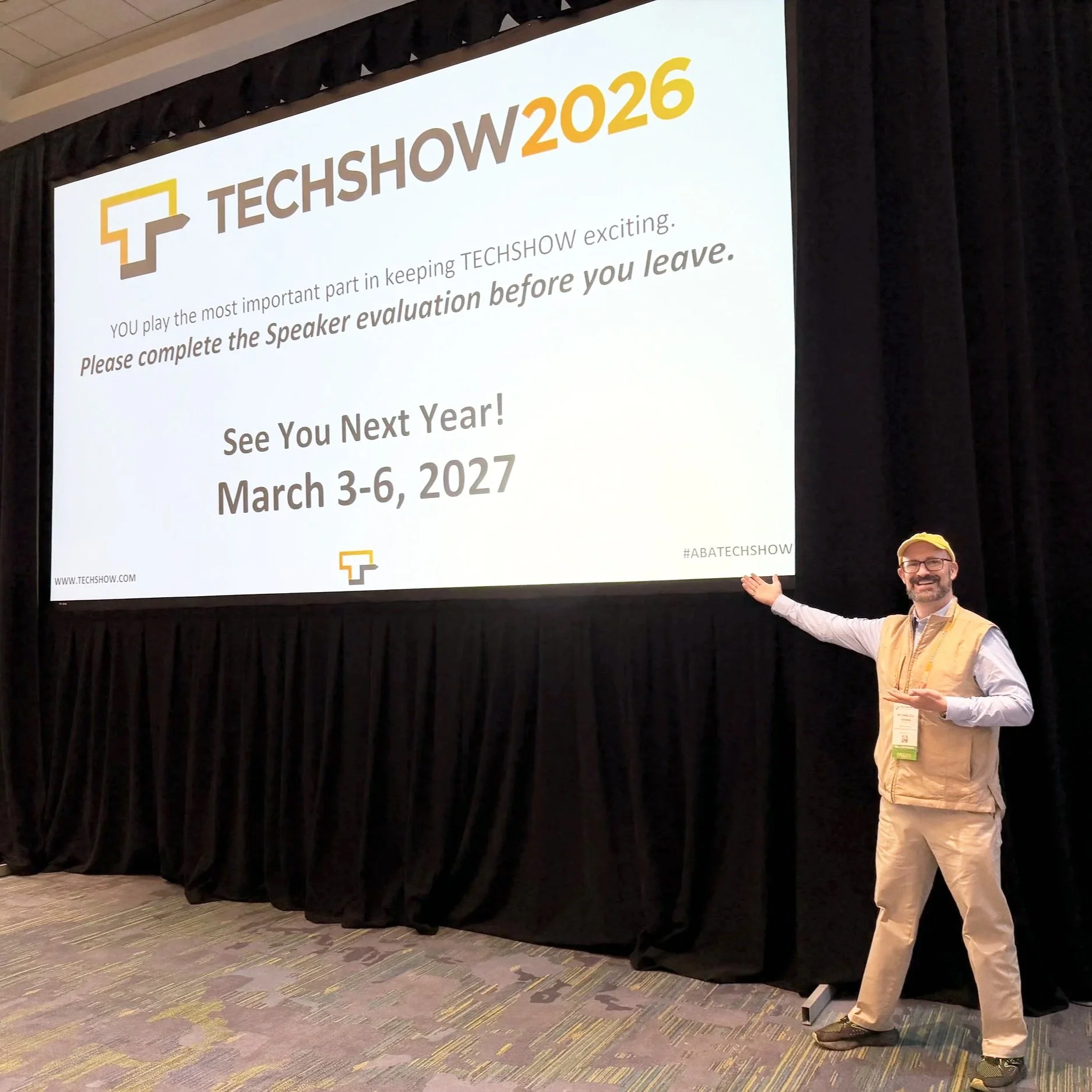
SEE YOU IN CHICAGO FOR ABA TECHSHOW 2027!!!

Read your jurisdiction’s ethics opinions on AI and technology. Build habits that protect client data by default. Use your own content — whether blog posts, newsletters, or podcasts — to train the bots to see you as a trusted authority rather than a digital afterthought. Ultimately, your bar license may be at more risk from not engaging with AI than from engaging with it carefully and intelligently.

The future of legal practice will not wait until we are all comfortable; it is here now, embedded in the search boxes, recommendation engines, and tools your clients already use. TECHSHOW 2026 made that clear. The next move is yours. 🚀⚖️

MTC