🚨 BOLO: Chrome Security Update: Law Firms Should Patch Before Browsing Again 🚨

lawyers keep your work secure, update your softwarE - update your google chrome browser now!

Solo practitioners and small firms should make updating Google Chrome a same-day task. Malwarebytes reports that Chrome’s current desktop update includes 327 security fixes, including 10 critical vulnerabilities, and that certain flaws can be triggered simply by visiting a malicious website. For a law practice handling confidential client communications, privileged work product, and sensitive financial data, that is a risk worth addressing immediately.

Chrome’s stable release has been updated to version 152.0.7977.64/.65 for Windows and Mac, and 152.0.7977.64 for Linux. The update addresses, among other issues, a critical flaw in ANGLE, Chrome’s graphics translation component, identified as CVE-2026-79282. Malwarebytes says a remote attacker could exploit that flaw through a crafted web page to execute arbitrary code outside Chrome’s browser sandbox.

That phrase—“outside the sandbox”—matters. Browser sandboxing is designed to contain web content so that a malicious site cannot easily reach the rest of the computer. A flaw that permits code execution beyond that boundary can give an attacker a path from a single web visit to the underlying operating system. That is precisely the sort of exposure lawyers should avoid when working in a browser alongside client portals, email, cloud document systems, court filing platforms, banking tools, and AI services. ⚖️

The update also remediates CVE-2026-78899, a use-after-free vulnerability in Chrome’s V8 JavaScript engine. It has a reported CVSS score of 8.8 out of 10. Even though successful exploitation occurs inside the browser sandbox, it should not be dismissed. Attackers frequently combine vulnerabilities in a chain, using one weakness to gain an initial foothold and another to widen access.

Why this is a legal-ethics issue!

its a team effort - remind your fellow lawyers to update their chrome browser today!

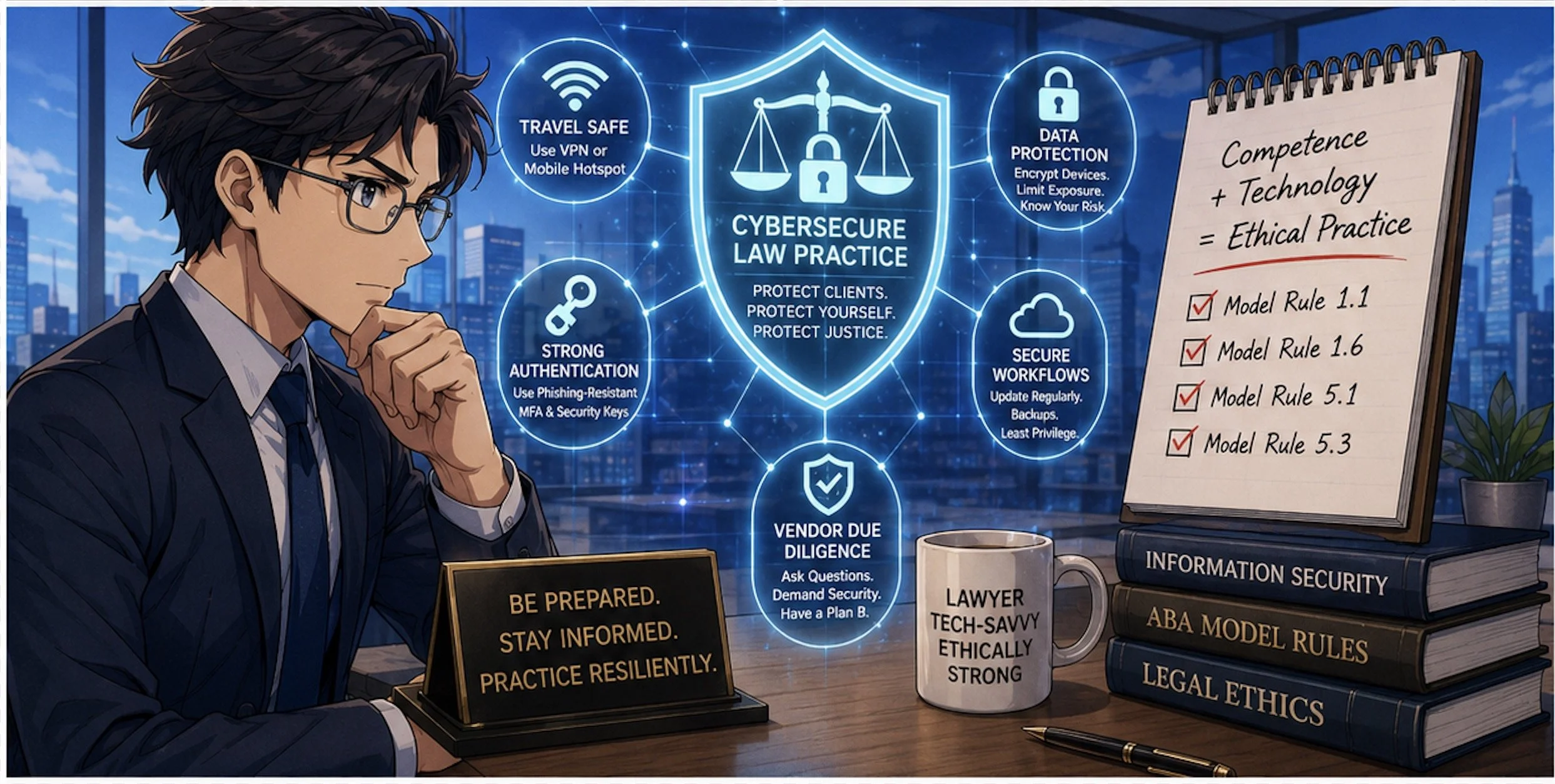
Technology hygiene is no longer separate from professional responsibility. ABA Model Rule 1.1 requires competent representation, and Comment 8 specifically calls on lawyers to keep abreast of “the benefits and risks associated with relevant technology.” A lawyer does not need to become a cybersecurity engineer. But maintaining a reasonably secure browser—the primary doorway to modern legal work—is a basic and manageable safeguard.

Model Rule 1.6(c) is equally relevant. It requires lawyers to make reasonable efforts to prevent unauthorized access to, or inadvertent disclosure of, client information. An unpatched browser can become an avoidable weak point in that effort. A compromised browser session could expose client documents, credentials, confidential messages, cloud-storage access, or data entered into web forms. 🔐

For firms, this update is also a reminder to think beyond the individual lawyer’s device. Rule 5.1 requires partners and managers to make reasonable efforts to ensure that firm-wide practices conform to professional obligations. Rule 5.3 similarly requires appropriate oversight of nonlawyer assistants. In practical terms, that means someone should own the checklist: browser updates, operating-system patches, password-manager deployment, multifactor authentication, and employee awareness.

Update Chrome now

On a Windows or Mac computer:

  1. Open Chrome.

  2. Select the three-dot More menu in the upper-right corner.

  3. Choose Settings.

  4. Select About Chrome.

  5. Allow Chrome to download any available update.

  6. Restart the browser to complete installation. 🔄

Chrome typically updates itself, but automatic updates can lag when the browser remains open for days, a restart is postponed, or an extension interferes with the update process. Malwarebytes specifically notes that manually checking can ensure the update is applied rather than merely downloaded.

This is a two-minute task with a potentially significant payoff. Before opening that unfamiliar link, reviewing a shared file, or logging into a client-facing platform, take a moment to confirm that Chrome is current. Security is not a one-time purchase or a single policy document. It is a set of small, repeatable habits that protect the practice and the people who trust it.

Bottom line: update Chrome, restart it, and encourage everyone in your firm to do the same today. ✅
MTC: Washington’s Bar Exam Meltdown: What It Says About Cyber Risk, Competence, and the Future of Legal Tech ⚖️💻

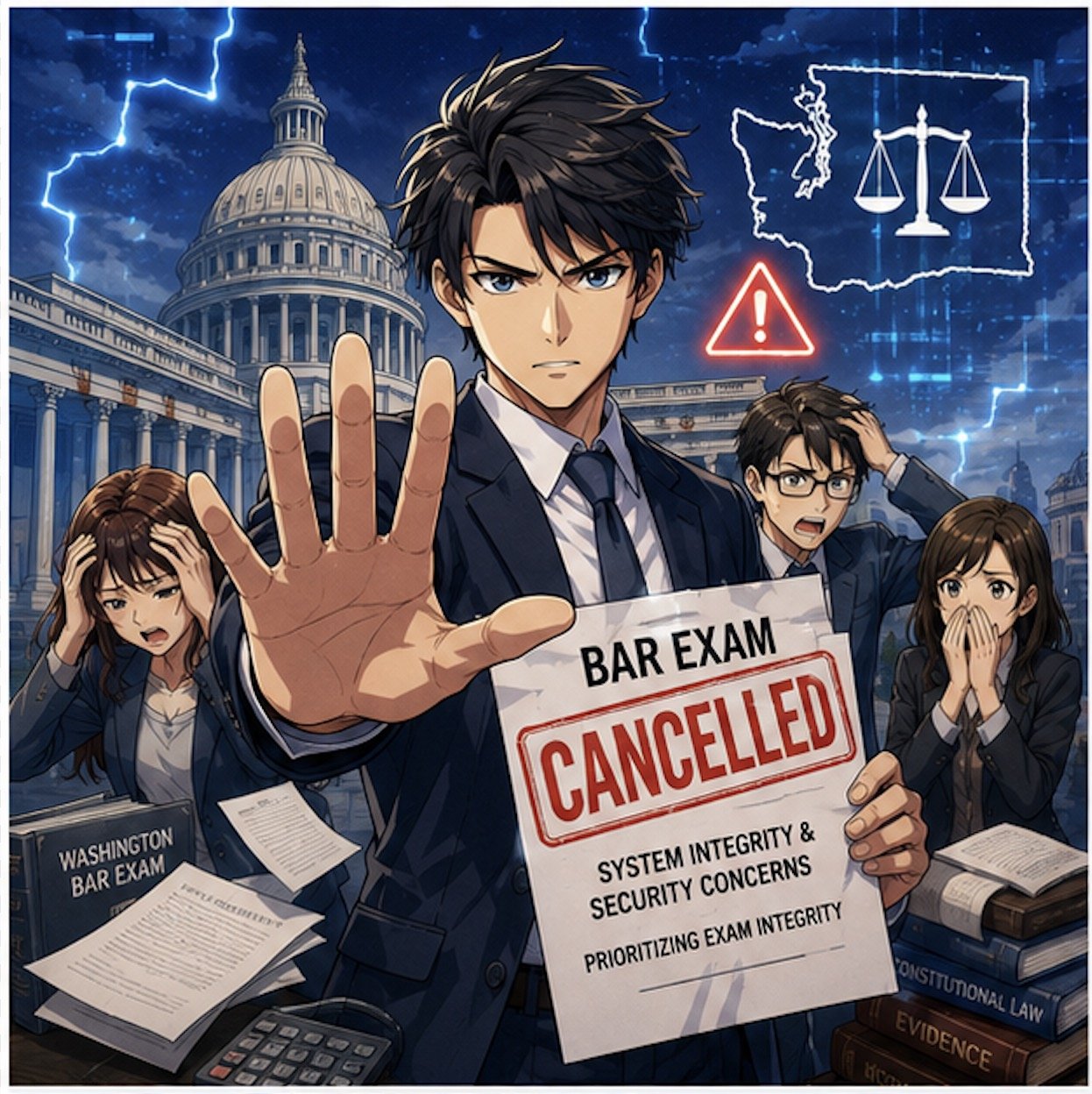
Washington Bar Exam Cybersecurity Crisis Exposes Legal Technology Risks!

Washington’s last‑minute cancellation of this summer’s bar exam is not just a licensing story; it is a technology and ethics story that should make every practicing lawyer sit up straight. For solo and small‑firm practitioners, this is a case study in how fragile our exam, court, and law‑practice infrastructure has become in the face of sophisticated cyber threats—and how quickly that fragility can collide with our professional duties under the ABA Model Rules.

What Happened in Washington—and Why It Matters

The Washington bar abruptly pulled the plug on its planned exam administration, citing serious concerns about system integrity and the security of the underlying technology. Although details are still emerging, the through‑line is clear: the systems that deliver and proctor high‑stakes exams are now attractive targets for attackers and highly sensitive to infrastructure failures.

Think about the impact on examinees. Months of preparation, financial investment, travel, and childcare planning vanished with a late‑stage cancellation notice. But this is not only about logistics. This is about trust: Trust in the profession’s gatekeeping machinery and in the digital rails we have built for critical legal functions. When that trust erodes, the ripple hits everything from admissions to public confidence in our systems.

For working lawyers, this is a preview of what can happen when core legal processes—hearings, filings, exams, CLEs—depend on infrastructure that may be compromised or simply not resilient enough to withstand modern threats.

From Hotel Wi‑Fi to Bar Exams: The Captive Portal Threat 🚨

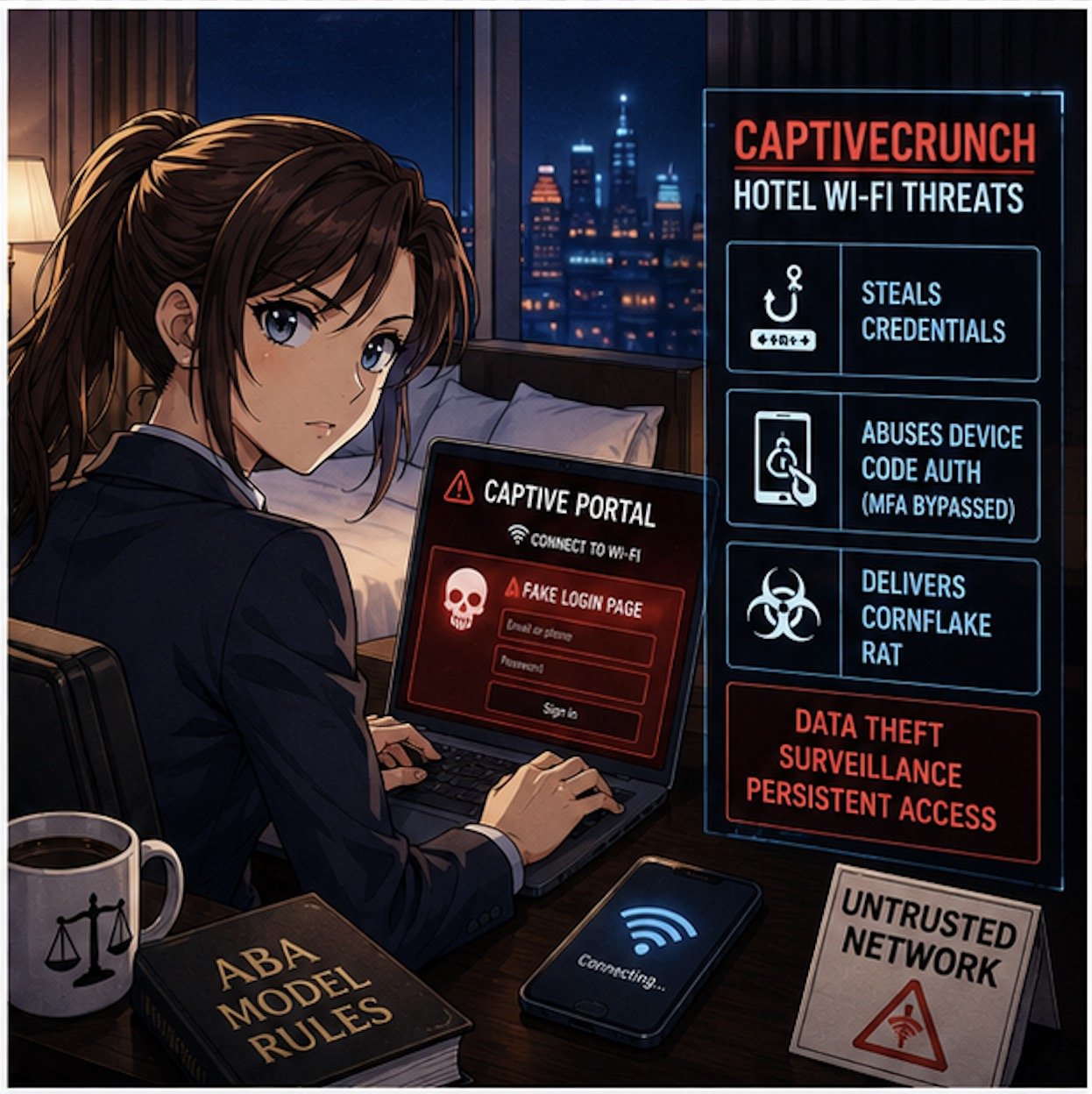
If the Washington story feels abstract, pair it with Microsoft’s recent warning about hotel and hospitality Wi‑Fi. Microsoft has identified a campaign, dubbed “CaptiveCrunch,” attributed to Russian‑linked threat actors (Storm‑2945), that hijacks captive portals—the login or “click to accept” pages we all use in hotels and conference centers—to steal credentials and deliver malware.

These attacks work by compromising the network infrastructure that sits between the user and the open internet. When a lawyer or bar examinee connects to the hotel Wi‑Fi and sees what looks like a routine sign‑in or software update prompt, that page may in fact be controlled by a threat actor. Microsoft reports that the attackers can:

  • Redirect users to fake Microsoft 365 sign‑in pages and harvest credentials without sending a phishing email.

  • Abuse device‑code authentication flows, so even multi‑factor authentication can be sidestepped if the victim enters a code and approves the request.

  • Deliver a Windows remote access trojan (“CornFlake”) that can log keystrokes, grab files, record audio and video, and maintain persistent access.

Now layer this onto the bar exam setting. You have hundreds of exam takers in hotels and rented housing, many running locked‑down exam software on laptops that still need network access for downloads, updates, or cloud syncing before or after the exam. If the exam provider’s systems or the candidates’ devices ride on compromised networks, you have a recipe for:

  • Actual or suspected compromise of exam content

  • Loss or alteration of answer files

  • Exposure of highly sensitive personal and biometric data

The bar’s decision to cancel may well reflect a recognition that once you have a credible cyber risk in the mix, it is better to protect exam integrity—even at enormous logistical and human cost—than to run an exam whose validity may later be attacked.  My heart goes out to the affected examinees, who have been left adrift in a difficult professional limbo—unable to move to the next stage of their careers and required to devote still more time, money, and emotional energy to preparing for another exam, with the hope that it will not be disrupted by malicious actors.

Ethics Meets Cyber Reality: ABA Model Rules in Play 📜

CaptiveCrunch Hotel Wi-Fi Attacks Threaten Lawyers’ Digital Security

This is where your daily practice intersects directly with the bar’s meltdown.

Model Rule 1.1 (Competence) explicitly includes a duty to understand “the benefits and risks associated with relevant technology.” Cyber threats like CaptiveCrunch are now squarely within “relevant technology.” If you travel for hearings, depositions, client meetings, or bar events and routinely connect to hotel Wi‑Fi without safeguards, you are not just taking a personal risk; you may be jeopardizing client confidences, privileged communications, and case strategy.

Model Rule 1.6 (Confidentiality of Information) requires reasonable efforts to prevent unauthorized access to client information. Using untrusted hotel or conference Wi‑Fi without protections—especially when we now have concrete warnings from Microsoft—raises tough questions about whether your security posture is still “reasonable.”

Model Rule 5.3 (Responsibilities Regarding Nonlawyer Assistance) and Rule 5.1 (Supervisory Lawyers) also surface here. When your cloud vendors, exam providers, or outsourced IT teams operate systems on which your work depends, your duty is not satisfied by “we assumed they had it handled.” You must perform due diligence, ask questions about security practices, and be prepared to adjust your workflows when a vendor’s risk profile changes.

The Bar Exam as a Canary in the Cyber Coal Mine 🐤

The Washington bar exam cancellation looks like a one‑off crisis, but it is better seen as a canary in the coal mine for the entire legal ecosystem.

We increasingly rely on:

  • Online proctoring systems for bar exams, law school tests, and certifications

  • Remote hearing platforms and e‑filing systems for courts

  • Cloud‑based case management, timekeeping, and trust accounting tools

Each of these systems sits on infrastructure that can be compromised at the network, platform, or endpoint level. The CaptiveCrunch campaign shows that attackers are willing to invest in compromising hospitality networks globally, in part because those networks handle high‑value corporate and professional traffic.

If attackers can hijack captive portals to intercept Microsoft 365 logins and deliver Remote Access Trojans (RATs) like CornFlake, they can also target:

  • Judicial staff connecting from hotels during conferences

  • Law firm partners working on the road

  • In‑house counsel traveling to negotiation sessions

Once a single endpoint is compromised, attackers can move laterally into cloud resources, email archives, document management systems, and case data.

In other words, the Washington bar’s crisis is the profession’s crisis—just seen in extreme close‑up.

Practical Security Takeaways for Solo and Small‑Firm Lawyers 🛡️

So what do you do differently now?

Microsoft’s recommendations for travelers are a good starting point: assume guest networks are untrusted, favor mobile hotspots or secured private connections, and avoid performing updates or entering credentials through captive portals. Let’s translate that into concrete steps for law practice:

Travel Playbook

  • Prefer your phone’s hotspot or a dedicated travel router with a trusted VPN when accessing email, case management, or client files on the road.

  • If you have no choice but to use hotel or other public Wi‑Fi, connect only through a reputable VPN and treat the captive portal as a necessary but dangerous doorway.

  • Complete only the minimum captive‑portal steps needed to get online, and then avoid entering passwords, approving authentication prompts, or installing updates until your VPN is active and you are past the captive‑portal page.

Authentication Hygiene

  • Move to phishing‑resistant authentication where possible (hardware security keys, platform authenticators) and restrict device‑code flows unless truly needed

  • Train your team to treat unexpected device‑code prompts or update pages during hotel logins as red flags, not background noise.

Vendor and Exam Provider Scrutiny

  • Ask pointed questions about incident response, logging, and how they handle suspected network compromise.

  • Build contingency plans—if an exam, hearing, or critical system fails or is compromised, what is your fallback?  (Perhaps a cheap backup laptop? Apple has a pretty good return policy - check provider details for timeliness and other requirements.)

Final Thoughts: Looking Ahead - Resilience, Not Just Compliance ✅

Cybersecurity Competence Is Now Essential for Modern Legal Practice!

The Washington bar’s decision to cancel its exam sends a hard message: compliance checklists and bare‑minimum security are no longer enough. We need resilience—systems and workflows designed to fail gracefully, with clear fallback paths that do not compromise integrity or fairness.

For bar authorities and courts, that means:

  • Building redundancy into exam and hearing platforms

  • Running adversarial security testing and tabletop exercises

  • Communicating transparently with stakeholders about how cyber risk is identified and mitigated

For practicing lawyers, it means re‑framing technology as part of our core competence, not a bolt‑on afterthought. Model Rule 1.1’s commentary on technology is not aspirational; it is a reflection of the reality that our ethical duties now live at the intersection of law and information security.

The bar exam meltdown in Washington is a wake‑up call. Pair it with Microsoft’s warning on hotel Wi‑Fi, and the message is unmistakable: our digital rails are under live fire. The question is whether we treat this as yet another “unprecedented” event—or as the moment we upgrade our tools, our habits, and our ethics posture to meet the threat.

MTC