How To: What Lawyers Should Factor When They Buy Their Next Computer in the 2026 AI Hardware Crunch 💻⚖️

Lawyers need to plan hardware upgrade to be AI-ready law office setup

If you feel like every new Windows laptop or Mac has jumped a tax bracket this year, you’re not imagining it. Between the AI hardware crunch driving up RAM prices, trade and shipping disruptions (including Suez‑related delays), and ongoing volatility in the stock and component markets, 2026 is a uniquely challenging time to buy a desktop, laptop, or tablet for your practice.

On The Tech-Savvy Lawyer.Page, we’ve been warning for months that this is not a normal refresh cycle: AI data centers are soaking up advanced memory production, leaving law firms to compete for pricier machines on both Windows and Apple platforms. The good news is that you don’t need a gamer’s rig or a data center budget. You do, however, need a plan that’s grounded in how you actually practice law and in your ethical duties under ABA Model Rule 1.1 (competence) and 1.6 (confidentiality).

This guide is an informative roadmap—not legal advice and not a guarantee that you’ll pick the perfect device. It’s designed to help solo practitioners, small-firm lawyers, and AI‑curious professionals make smart, defensible choices in a turbulent market

1. Start with your actual work (not the brochure) 🧠

Before you look at brands or prices, describe your day-to-day work in concrete terms:

✅ How much time do you spend in Word, email, and PDFs versus video hearings or presentations?

✅ Are you using (or planning to use) AI tools for drafting, summarizing, or discovery triage?

✅ Do you run practice management, billing, and research platforms all at once?

In The Tech-Savvy Lawyer blog’s articles covering the AI hardware crunch, e.g., MTC: Why Rising PC and AI Tool Prices (for Windows and Apple) Should Be on Every Lawyer’s Radar in 2026, we’ve emphasized that law practice technology is now a core part of competence, not an optional luxury. Under Model Rule 1.1’s technology comment, you’re expected to keep abreast of “benefits and risks associated with relevant technology,” which in 2026 includes the practical limits of your hardware.

If your current machine labors through simple tasks like three browser windows, your case‑management system, and Zoom, you’re operating below what I call “competence‑grade hardware.” It’s time to upgrade.

2. Pick your form factor: desktop, laptop, or tablet? 🖥️💻📱

Lawyers need to evaluate desktop, laptop, tablet specs to make their own AI efficient law practice.

Your next step is deciding where and how you work:

  • Desktop: Best for performance per dollar, ergonomics, and long‑term upgradability. Great for lawyers who spend most of their time at a single desk.

  • Laptop: Best for mobility—court, home office, client sites, and travel. This is often the primary machine for solos and small‑firm litigators.

  • Tablet/2‑in‑1: Best as a secondary device for hearings, note‑taking, and email triage, not as your main drafting and research tool.

In the December 2025 “hardware hike” editorial and the June 2026 follow‑up on rising PC and AI tool prices, I argued that law firms should treat desktops and laptops on both Windows and Mac as shared infrastructure, not just personal preference devices. Desktops remain easier to upgrade (RAM and storage), which is valuable in an era when AI workloads continually push spec requirements upward.

If you live in court, depositions, or multiple offices, you’ll likely get more value from a well-specced laptop plus an external monitor in your main workspace. If you are primarily office‑bound, a solid desktop plus a lighter laptop or tablet for mobility can provide the best mix of power and flexibility.

3. Understand the key specs in plain English 📊

Here’s how to think about the main specs as a lawyer, not a hardware engineer:

Processor (CPU) — the “brain”

The CPU is the brain of the computer. It determines how smoothly your machine can juggle tasks like Word, Outlook, your practice management system, Zoom, and AI tools. A current‑generation mid‑tier CPU (e.g., Intel i5/i7, AMD Ryzen 5/7, or recent Apple Silicon M4/M5 series) is usually the right balance for most lawyers.

If your computer freezes when you launch a few apps and share your screen in court, that’s a CPU bottleneck. A stronger “brain” improves day‑to‑day responsiveness and helps you stay diligent under Model Rule 1.3—because you’re not waiting for the system every time you need to act.

Memory (RAM) — your working desk

Lawyers need to discuss RAM, SSD, display specs for 2026 hardware crunch.

RAM is short‑term working memory—the size of the “desk” where the computer lays out everything it’s actively using.

  • More RAM = more programs and browser tabs open without slowdowns.

  • Too little RAM forces the system to shuffle data in and out of storage constantly, which feels like lag or “thinking hard” before every click.

In 2026, with heavier browsers, AI tools, and richer web apps, 16 GB of RAM is a realistic minimum for a primary practice machine. Eight gigabytes now belong in the “secondary machine” category—fine for occasional tasks but not ideal for your main law office computer. * Although if you are going to use your secondary machine to run some AI bots in the background, you’ll want more than 16 GB of RAM.

(Internal) Storage (SSD size) — your filing cabinet

Storage is the long‑term filing cabinet: the space for all documents, scanned PDFs, discovery data, email archives, and applications. Modern machines use SSDs (solid‑state drives), which are much faster than old spinning drives.

For a typical solo or small firm, I recommend:

  • 512 GB SSD as a baseline if most of your documents live in the cloud but you keep active matter files locally.

  • 1 TB SSD if you regularly work with large discovery productions, video, or heavy local archives.

This sizing meshes well with ethical guidance on backups and redundancy: sufficient local storage makes it easier to maintain secure copies of critical matter files as part of your broader tech and risk strategy.

💡 Tip: If you don’t need to keep old client files, e.g., former clients/closed cases, then you may want to move them off the main computer’s internal drive and store them on an external drive to free up room.  Just make sure you have copies or backups of these files.

Display resolution — why 1920×1080 is your baseline

Resolution describes how many pixels, or tiny dots, make up your screen image. The common 1920×1080 figure means:

  • 1920 pixels across (horizontal)

  • 1080 pixels down (vertical)

This is known as Full HD (1080p) and sits near what marketing folks call “2K” because it’s close to 2,000 pixels across.

Rough mapping:

  • “1K” – not a formal standard, sometimes used loosely for older, lower resolutions around 1,000 pixels wide.

  • 1080p / Full HD (1920×1080) – effectively in the 2K family; a very solid baseline for legal work.

  • 2K/QHD (around 2560×1440) – more pixels, sharper image, and more on‑screen workspace.

  • 4K/UHD (3840×2160) – roughly four times the total pixels of 1080p; extremely detailed but can make text small unless scaled up.

For most lawyers, 1920×1080 on a 24–27″ monitor is the sweet spot: it offers clear text, plenty of room for side‑by‑side documents and doesn’t create scaling headaches. Higher resolutions are great if you’re comfortable tweaking font and scaling settings, but they’re not mandatory for competent practice.

DPI/PPI — why it matters if you read all day

Lawyers read—constantly. DPI (dots per inch) and PPI (pixels per inch) measure how densely those pixels are packed on the screen.

Lawyers need to consider cpu, RAM, SSD, display specs and budge during the 2026 hardware crunch.

  • Higher PPI/DPI = sharper text and smoother lines, like reading a casebook with crisp printing.

  • Lower PPI/DPI = slightly jagged or fuzzy edges at small sizes, more like reading a faded photocopy.

If you spend long days in cases, statutes, and contracts, a display with good resolution and decent PPI reduces eye strain and fatigue. This is not just comfort—it supports sustained competence and productivity, which tie directly into your ethical duties to represent clients diligently and effectively under Rules 1.1 and 1.3.

4. Budget with the AI hardware crunch in mind 💸

On The Tech-Savvy Lawyer.Page, we’ve discussed computer hardware price increases of roughly 15–20% for 2026 PCs and laptops, with memory costs as the biggest driver. AI data centers, tariffs, and supply disruptions all contribute to higher prices and fewer “bargain” mid‑range machines.

Practical guidance:

  • For a primary practice machine, aim for mid‑ to upper‑mid‑range pricing that delivers competence‑grade specs (CPU, 16 GB RAM, SSD, Full HD or better display).

  • Don’t sacrifice baseline hardware just to keep optional subscriptions—cut redundant SaaS and AI tools before you under‑spec your main computer.

Treat this as part of your technology competence plan. A documented decision process that ties hardware specs to ABA Model Rules 1.1 and 1.6 (including security features like encryption and secure boot) shows you approached your choice thoughtfully.

Power Tip 💡: I’m going to share something that may not be popular with the cost-conscious – buy more than you need.  My rule of thumb has been to buy 2x as much as you need.  For example, if you know your firm’s files, applications, and operating system will take up 1 TB of hard drive space, get 2 TB.  If you know that your system and programs can run comfortably on 16 GB of RAM, get 32 GB.  You always want your machines to be humming along.  You don’t want to be struggling to the finish line when you're only halfway through your computer’s planned lifecycle!

5. Mobility vs. sedentary practice 🚶‍♂️🪑

Your mobility profile should guide not just form factor, but accessories and support:

  • Mostly in one office – prioritize a robust desktop, ergonomic monitor(s), and reliable backup plus a modest laptop or tablet for remote hearings.

  • Highly mobile – invest in a competence‑grade laptop with docking at your main location, plus secure remote access tools.

On The Tech-Savvy Lawyer podcast and blog, we’ve repeatedly seen that “half‑mobile” lawyers—those who sometimes work elsewhere but own only a weak travel machine—are the ones who struggle most under pressure. Mobility is not just where the computer sits; it’s whether you can work securely and effectively wherever the case takes you.

Model Rules 1.6 and 5.3 also mean you must consider how you’ll protect client data in transit: encryption, password managers, secure Wi‑Fi practices, and coordinated policies with staff and vendors.

6. Longevity and lifecycle ⏳

don’t be that lawyer, upgrade your outdated desktop to competence-grade workstation specs.

Finally, we need to talk about lifecycle, not just purchase price. In recent Tech-Savvy Lawyer pieces, I’ve recommended a 3–5 year refresh cycle for primary laptops and desktops, adjusted for OS support timelines and security commitments.

For solos and small firms:

  • Buy machines that can reasonably support your core stack (PM, billing, research, AI tools) for at least 3–5 years.

  • Document your refresh policy so you’re not reacting only when something fails.

  • Treat hardware upgrades as part of your ethics and risk‑management plan, not just overhead.

In a volatile market, longevity is your hedge. A slightly higher upfront spend on competence‑grade hardware is often cheaper than cycling through underpowered machines every two years—and far better for your sanity and your clients. 😊

PS: It's ok to buy a new computer a little before your old one wears out; please, your old computer may serve as an emergency backup!

📢 Your Tech-Savvy Lawyer Blogger and Podcaster, Michael D.J. Eisenberg, Announces His Upcoming Talk on Ethical AI Use in Legal Practice at the 2026 AI Legal Practice Summit!

Saturday, April 18, 2026 | Capital University Law School

As technology continues to transform legal practice, I’m honored to announce that I’ll be speaking at the 2026 AI Legal Practice Summit, hosted by my alma mater, Capital University Law School, in Columbus, Ohio. This event brings together attorneys, educators, and technologists to explore how artificial intelligence is reshaping the legal field — not just operationally, but ethically and professionally as well.

My presentation, “Smart Practice, Smarter Ethics: Navigating AI Tools Under the ABA Model Rules,” focuses on a topic that’s both timely and critically important: how lawyers can use emerging AI technologies responsibly while meeting their professional obligations under the ABA Model Rules of Professional Conduct.

👉 Learn more and view the full schedule at law-capital.libguides.com/2026_AI_Legal_Practice_Summit.
🎟️ Register today through Eventbrite: eventbrite.com/e/ai-legal-practice-summit-tickets-1986544900273.

Through my work on The Tech-Savvy Lawyer.Page blog and podcast, I’ve had countless conversations with practitioners who want to use AI to streamline tasks such as research, document drafting, and client management — yet remain uncertain about compliance, bias, and confidentiality. Law practice is evolving rapidly, but our ethical foundations must remain strong.

In my session, I’ll walk through key aspects of how the ABA Model Rules, including Rules 1.1 (Competence), 1.6 (Confidentiality of Information), and 5.3 (Responsibilities Regarding Nonlawyer Assistance), apply in an age of intelligent automation. These rules guide us in assessing not just what technology can do, but how and when it should be used.

Your faculty!

We’ll discuss:

  • Reviewing the tech stack you already own;

  • How to vet and implement AI-powered tools while maintaining confidentiality.

  • Questions to ask vendors about data handling and bias;

  • How to document best practices for firm-wide ethical compliance;

  • Ways to blend human legal judgment with algorithmic assistance; and

  • Managing client expectations about AI-enabled legal work.

My goal is to help attorneys approach technology with confidence — to experiment, adopt, and adapt responsibly. Being a “tech‑savvy lawyer” isn’t about mastering every gadget or platform; it’s about understanding how technology fits within the ethical framework of our profession.

The conversation around technological competence has matured since Comment 8 to Rule 1.1 was introduced. It’s no longer optional. Attorneys must understand the benefits, risks, and limitations of relevant technology to provide competent representation. Artificial intelligence highlights that reality better than any emerging tool before it.

Whether you’re a solo practitioner looking to automate administrative tasks, working for a government agency, or part of a large firm implementing AI-assisted legal research or document review, I’ll share specific practices you can adopt immediately.

If you’re attending and seeking Ohio CLE credit, please contact Jenny Wondracek at jwondracek@law.capital.edu for details.

PRogram description of my presentation.

The 2026 AI Legal Practice Summit will feature leading scholars, ethics experts, and seasoned practitioners. I’m looking forward to exchanging ideas, testing assumptions, and continuing a dialogue that helps ensure AI becomes a responsible partner—never a replacement—in the practice of law.

Let’s move forward together, with competence, curiosity, and care.

Learn more about the Summit at law-capital.libguides.com/2026_AI_Legal_Practice_Summit.
Register today: eventbrite.com/e/ai-legal-practice-summit-tickets-1986544900273.

I look forward to seeing you there! ⚖️

Exclusive ABA TECHSHOW 2026 Offer 🎙️⚖️ — $5 Off The Lawyer’s Guide to Podcasting (On-Site Only, While Supplies Last!) + Join Our Live Sessions on Podcasting and Video Presence

Hey ABA TECHSHOW 2026 Attendees! 🎉

I’m thrilled you’re joining us in Chicago to explore how technology can elevate modern law practice. ABA TECHSHOW is one of my favorite spaces for real-world conversations about legal tech, and this year I’m especially excited to connect with those of you who want to put your voice — and your expertise — to work through podcasting and video.

ABA TECHSHOW 2026 attendees get your discounted LTG: The Lawyer’s Guide to podcasting at the techshow while supplies last!!!

To celebrate TECHSHOW and support lawyers who are podcast-curious but not necessarily “tech experts,” I’m offering a special, in-person-only discount on my book, The Lawyer’s Guide to Podcasting. 📚🎙️ During ABA TECHSHOW 2026, attendees can purchase a physical copy on-site for $19.99, which is $5 off the regular $24.99 price, on-site only and while supplies last.

This book is written for lawyers with limited to moderate technology skills who want a clear, practical, ethics-aware roadmap to launching and sustaining a podcast. You don’t need a production team or a studio; you need a realistic workflow, the right level of tech, and an understanding of how the ABA Model Rules apply when your voice becomes part of your marketing and client-education strategy.

Join Me and My Co-Hosts at ABA TECHSHOW 2026 🎤

You’ll find me on the ABA TECHSHOW 2026 program in two sessions that sit right at the intersection of technology, communication, and professional responsibility.

🎧 Podcasting for Lawyers: The Truth Behind the Mic

In this session, I’ll be joined by a powerhouse group of legal podcasters and marketers:

  • Ruby L. Powers – A board-certified immigration attorney, law firm owner, legal innovator, and host of the Power Up Your Practice podcast, Ruby brings deep experience in law firm leadership, remote practice, and legal tech adoption.

  • Gyi Tsakalakis – A well-known legal marketing professional and podcast host, Gyi focuses on helping lawyers understand how digital marketing, SEO, and content (including podcasts) drive real-world client development.

  • Stephanie Everett – Co-author of The Small Firm Roadmap Revisited and host of The Lawyerist Podcast, Stephanie works with small firms on strategy, operations, and building sustainable, client-centered practices.

Together, we’ll discuss how, in a world crowded with blogs and social media, podcasting gives lawyers a unique way to build authority and connect with audiences on a more personal level. You’ll hear from lawyers and experts who actively run podcasts and work with law firms, and we’ll share the exact steps we’ve used to create compelling legal content that resonates, supports branding, and respects ethical boundaries.

🎥 Camera Ready Anywhere: Mastering Video Meetings with Clients, Courts, and Colleagues

In this session, I’ll be co-presenting with Temi Siyanbade:

  • Temi Siyanbade – An attorney, speaker, and author of Show Don’t Tell: How Lawyers Can Use Video to Stand Out, Create More Value, and Revolutionize Their Firms, Temi helps legal professionals strategically use video to build trust and communicate more effectively.

Virtual communication is now a permanent part of practice, whether you’re meeting with clients, negotiating with opposing counsel, or appearing before the court. In this session, Temi and I will share practical best practices for using Microsoft Teams and Zoom, including audio, video, lighting, framing, and on-screen presence, so your tech setup supports — rather than undermines — your advocacy and client service.

Ethics, ABA Model Rules, and Tech Competence ⚖️

Find me at the techshow to get your onsite discount and take home a great guide to get your podcast started!

Podcasting and video both touch directly on your professional responsibilities. In The Lawyer’s Guide to Podcasting, I connect the practical steps of planning, recording, and publishing to the ABA Model Rules of Professional Conduct, including:

I walk through how to use clear disclaimers, separate legal information from legal advice, and avoid inadvertently revealing confidential or identifying information. The goal is to help you become tech-savvy in a way that is realistic, ethical, and sustainable.

What You’ll Get from The Lawyer’s Guide to Podcasting 📘

Inside the book, you’ll find:

  • Plain-language tech guidance: realistic microphone, software, and hosting recommendations for busy lawyers.

  • Step-by-step workflows: planning, recording, editing, and publishing made manageable for your schedule.

  • Ethical “checkpoints”: where to pause and consider confidentiality, advertising rules, and jurisdiction-specific requirements.

  • Integration tips: how to embed your podcast on your website, share it in newsletters, and repurpose episodes for SEO and client education.

This is not a book about becoming a sound engineer; it’s about becoming a tech-savvy lawyer who uses podcasting thoughtfully.

On-Site Only, While Supplies Last 🛍️

Because this offer is tied to ABA TECHSHOW 2026, the $5 discount is available only for on-site purchases by attendees and only while physical copies last. I wanted this to be a tangible benefit for those who make the trip — and a practical next step if one of our sessions sparks your interest in podcasting.

Here’s how to take advantage of it:

  • Add “Podcasting for Lawyers: The Truth Behind the Mic” and “Camera Ready Anywhere: Mastering Video Meetings with Clients, Courts, and Colleagues” to your TECHSHOW schedule.

  • Bring your questions about tech, ethics, workflows, and content.

  • Find me on-site after the sessions or around the conference to pick up your discounted, signed copy of The Lawyer’s Guide to Podcasting for $19.99 (regularly $24.99), on-site only and while supplies last. 📚✍️

SEE YOU AT THE TECHSHOW!!!

ABA TECHSHOW is about practical innovation and ethical implementation. Podcasting and video live right at that intersection — modern tools that, when used thoughtfully and in line with the ABA Model Rules, can enhance your competence, your communication, and your client relationships.

If you’ve been thinking about starting a legal podcast — or want a structured way to decide whether podcasting fits your goals — I’d love for you to join our sessions and pick up the book during the show. 🎧⚖️

MTC: AI may not be your co‑counsel—and a recent SDNY decision just made that painfully clear. ⚖️🤖

SDNY Heppner Ruling: Public AI Use Breaks Attorney-Client PrivilegE!

In United States v. Heppner, Judge Jed Rakoff of the Southern District of New York ruled that documents a criminal defendant generated with a publicly accessible AI tool and later sent to his lawyers were not protected by either attorney‑client privilege or the work‑product doctrine. That decision should be a wake‑up call for every lawyer who has ever dropped client facts into a public chatbot.

The court’s analysis followed traditional privilege principles rather than futuristic AI theory. Privilege requires confidential communication between a client and a lawyer made for the purpose of obtaining legal advice. In Heppner, the AI tool was “obviously not an attorney,” and there was no “trusting human relationship” with a licensed professional who owed duties of loyalty and confidentiality. Moreover, the platform’s privacy policy disclosed that user inputs and outputs could be collected and shared with third parties, undermining any reasonable expectation of confidentiality. In short, the defendant’s AI‑generated drafts looked less like protected client notes and more like research entrusted to a third‑party service.

For sometime now, I’ve warned on The Tech‑Savvy Lawyer.Page has warned practitioners not to paste client PII or case‑specific facts into generative AI tools, particularly public models whose terms of use and training practices erode confidentiality. We have consistently framed AI as an extension of a lawyer’s existing ethical duties, not a shortcut around them. I have encouraged readers to treat these systems like any other non‑lawyer vendor that must be vetted, contractually constrained, and configured before use. That perspective aligns squarely with Heppner’s outcome: once you treat a public AI as a casual brainstorming partner, you risk treating your client’s confidences as discoverable data.

A Tech-Savvy Lawyer Avoids AI Privilege Waiver With Confidentiality Safeguards!

For lawyers, this has immediate implications under the ABA Model Rules. Model Rule 1.1 on competence now explicitly includes understanding the “benefits and risks associated” with relevant technology, and recent ABA guidance on generative AI emphasizes that uncritical reliance on these tools can breach the duty of competence. A lawyer who casually uses public AI tools with client facts—without reading the terms of use, configuring privacy, or warning the client—may fail the competence test in both technology and privilege preservation. The Tech‑Savvy Lawyer.Page repeatedly underscores this point, translating dense ethics opinions into practical checklists and workflows so that even lawyers with only moderate tech literacy can implement safer practices.

Model Rule 1.6 on confidentiality is equally implicated. If a lawyer discloses client confidential information to a public AI platform that uses data for training or reserves broad rights to disclose to third parties, that disclosure can be treated like sharing with any non‑necessary third party, risking waiver of privilege. Ethical guidance stresses that lawyers must understand whether an AI provider logs, trains on, or shares client data and must adopt reasonable safeguards before using such tools. That means reading privacy policies, toggling enterprise settings, and, in many cases, avoiding consumer tools altogether for client‑specific prompts.

Does a private, paid AI make a difference? Possibly, but only if it is structured like other trusted legal technology. Enterprise or legal‑industry tools that contractually commit not to train on user data and to maintain strict confidentiality can better support privilege claims, because confidentiality and reasonable expectations are preserved. Tools like Lexis‑style or Westlaw‑style AI offerings, deployed under robust business associate and security agreements, look more like traditional research platforms or litigation support vendors within Model Rules 5.1 and 5.3, which govern supervisory duties over non‑lawyer assistants. The Tech‑Savvy Lawyer.Page has emphasized this distinction, encouraging lawyers to favor vetted, enterprise‑grade solutions over consumer chatbots when client information is involved.

Enterprise AI Vetting Checklist for Lawyers: Contracts, NDA, No Training

The tech‑savvy lawyer in 2026 is not the one who uses the most AI; it is the one who knows when not to use it. Before entering client facts into any generative AI, lawyers should ask: Is this tool configured to protect client confidentiality? Have I satisfied my duties of competence and communication by explaining the risks to my client (Model Rules 1.1 and 1.4)? And if a court reads this platform’s privacy policy the way Judge Rakoff did, will I be able to defend my privilege claims with a straight face to a court or to a disciplinary bar?

AI may be a powerful drafting partner, but it is not your co‑counsel and not your client’s confidant. The tech‑savvy lawyer—of the sort championed by The Tech‑Savvy Lawyer.Page—treats it as a tool: carefully vetted, contractually constrained, and ethically supervised, or not used at all. 🔒🤖

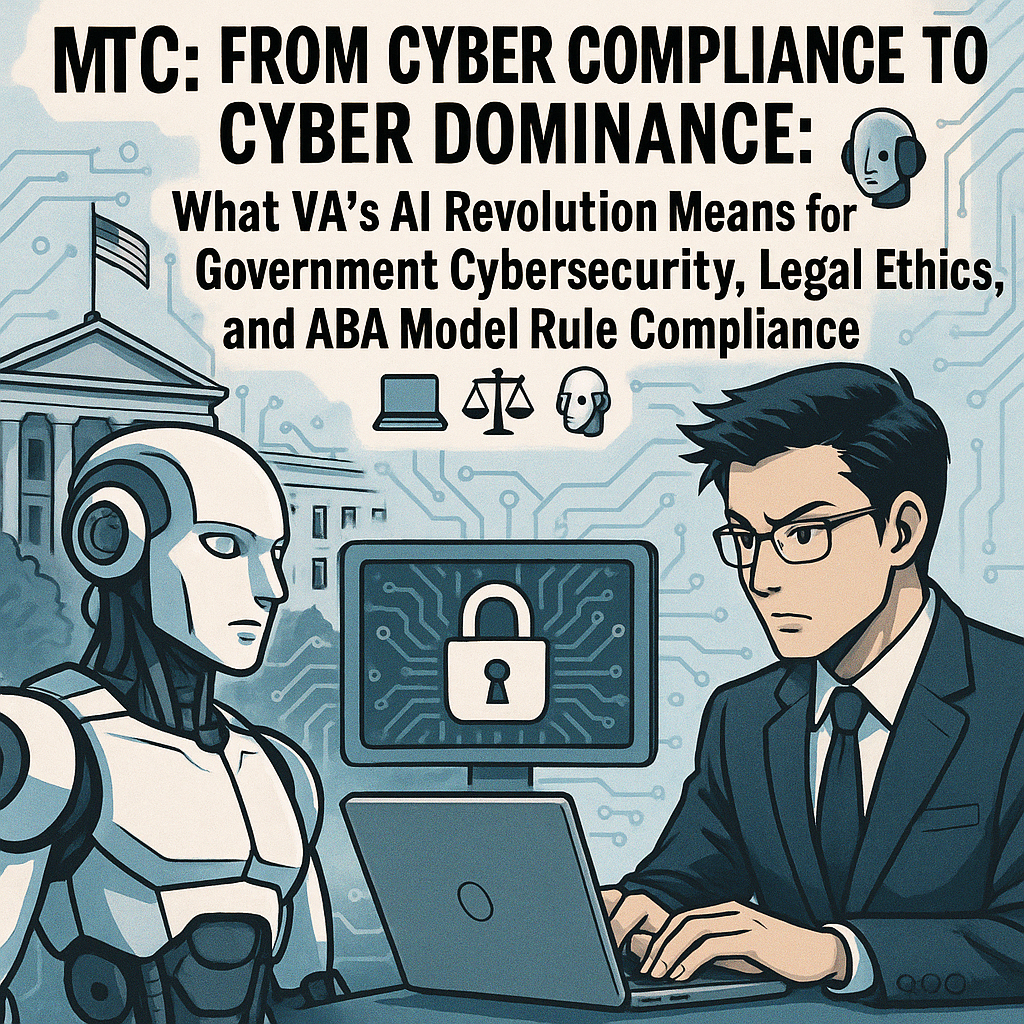
MTC: From Cyber Compliance to Cyber Dominance: What VA’s AI Revolution Means for Government Cybersecurity, Legal Ethics, and ABA Model Rule Compliance 💻⚖️🤖

In the age of cyber dominance, “I did not understand the technology” is increasingly unlikely to serve as a safe harbor.

🚨 🤖 👩🏻‍💼👨‍💼

In the age of cyber dominance, “I did not understand the technology” is increasingly unlikely to serve as a safe harbor. 🚨 🤖 👩🏻‍💼👨‍💼

Government technology is in the middle of a historic shift. The Department of Veterans Affairs (VA) stands at the center of this transformation, moving from a check‑the‑box cybersecurity culture to a model of “cyber dominance” that fuses artificial intelligence (AI), zero trust architecture (a security model that assumes no user or device is trusted by default, even inside the network), and continuous risk management. 🔐

For lawyers who touch government work in any way—inside agencies, representing contractors, handling whistleblowers, litigating Freedom of Information Act (FOIA) or privacy issues, or advising regulated entities—this is not just an IT story. It is a law license story. Under the American Bar Association (ABA) Model Rules, failing to grasp core cyber and AI governance concepts can now translate into ethical risk and potential disciplinary exposure. ⚠️

Resources such as The Tech-Savvy Lawyer.Page blog and podcast are no longer “nice to have.” They are becoming essential continuing education for lawyers who want to stay competent in practice, protect their clients, and safeguard their own professional standing. 🧠🎧

Where Government Agency Technology Has Been: The Compliance Era 🗂️

For decades, many federal agencies lived in a world dominated by static compliance frameworks. Security often meant passing audits and meeting minimum requirements, including:

  • Annual or periodic Authority to Operate (ATO, the formal approval for a system to run in a production environment based on security review) exercises

  • A focus on the Federal Information Security Modernization Act (FISMA) and National Institute of Standards and Technology (NIST) security control checklists

  • Point‑in‑time penetration tests

  • Voluminous documentation, thin on real‑time risk

The VA was no exception. Like many agencies, it grappled with large legacy systems, fragmented data, and a culture in which “security” was a paperwork event, not an operational discipline. 🧾

In that world, lawyers often saw cybersecurity as a box to tick in contracts, privacy impact assessments, and procurement documentation. The legal lens focused on:

  • Whether the required clauses were in place

  • Whether a particular system had its ATO

  • Whether mandatory training was completed

The result: the law frequently chased the technology instead of shaping it.

Where Government Technology Is Going: Cyber Dominance at the VA 🚀

The VA is now in the midst of what its leadership calls a “cybersecurity awakening” and a shift toward “cyber dominance”. The message is clear: compliance is not enough, and in many ways, it can be dangerously misleading if it creates a false sense of security.

Key elements of this new direction include:

  • Continuous monitoring instead of purely static certification

  • Zero trust architecture (a security model that assumes no user, device, or system is trusted by default, and that every access request must be verified) as a design requirement, not an afterthought

  • AI‑driven threat detection and anomaly spotting at scale

  • Integrated cybersecurity into mission operations, not a separate silo

  • Real‑time incident response and resilience, rather than after‑the‑fact blame

“Cyber dominance” reframes cybersecurity as a dynamic contest with adversaries. Agencies must assume compromise, hunt threats proactively, and adapt in near real time. That shift depends heavily on data engineering, automation, and AI models that can process signals far beyond human capacity. 🤖

For both government and nongovernment lawyers, this means that the facts on the ground—what systems actually do, how they are monitored, and how decisions are made—are changing fast. Advocacy and counseling that rely on outdated assumptions about “IT systems” will be incomplete at best and unethical at worst.

The Future: Cybersecurity Compliance, Cybersecurity, and Cybergovernance with AI 🔐🌐

The future of government technology involves an intricate blend of compliance, operational security, and AI governance. Each element increasingly intersects with legal obligations and the ABA Model Rules.

1. Cybersecurity Compliance: From Static to Dynamic ⚙️

Traditional compliance is not disappearing. The FISMA, NIST standards, the Federal Risk and Authorization Management Program (FedRAMP), the Health Insurance Portability and Accountability Act (HIPAA), and other frameworks still govern federal systems and contractor environments.

But the definition of compliance is evolving:

  • Continuous compliance: Automated tools generate near real‑time evidence of security posture instead of relying only on annual snapshots.

  • Risk‑based prioritization: Not every control is equal; agencies must show how they prioritize high‑impact cyber risks.

  • Outcome‑focused oversight: Auditors and inspectors general care less about checklists and more about measurable risk reduction and resilience.

Lawyers must understand that “we’re compliant” will no longer end the conversation. Decision‑makers will ask:

  • What does real‑time monitoring show about actual risk?

  • How quickly can the VA or a contractor detect and contain an intrusion?

  • How are AI tools verifying, logging, and explaining security‑related decisions?

2. Cybersecurity as an Operational Discipline 🛡️

The VA’s push toward cyber dominance relies on building security into daily operations, not layering it on top. That includes:

  • Secure‑by‑design procurement and contract terms, which require modern controls and realistic reporting duties

  • DevSecOps (development, security, and operations) pipelines that embed automated security testing and code scanning into everyday software development

  • Data segmentation and least‑privilege access across systems, so users and services only see what they truly need

  • Routine red‑teaming (simulated attacks by ethical hackers to test defenses) and table‑top exercises (structured discussion‑based simulations of incidents to test response plans)

For government and nongovernment lawyers, this raises important questions:

  • Are contracts, regulations, and interagency agreements aligned with zero trust principles (treating every access request as untrusted until verified)?

  • Do incident response plans meet regulatory and contractual notification timelines, including state and federal breach laws?

  • Are representations to courts, oversight bodies, and counterparties accurate in light of actual cyber capabilities and known limitations?

3. Cybergovernance with AI: The New Frontier 🌐🤖

Lawyers can no longer sit idlely by their as cyber-ethic responsibilities are changing!

AI will increasingly shape how agencies, including the VA, manage cyber risk:

  • Machine learning models will flag suspicious behavior or anomalous network traffic faster than humans alone.

  • Generative AI tools will help triage incidents, search legal and policy documents, and assist with internal investigations.

  • Decision‑support systems may influence resource allocation, benefit determinations, or enforcement priorities.

These systems raise clear legal and ethical issues:

  • Transparency and explainability: Can lawyers understand and, if necessary, challenge the logic behind AI‑assisted or AI‑driven decisions?

  • Bias and fairness: Do algorithms create discriminatory impacts on veterans, contractors, or employees, even if unintentional?

  • Data governance: Is sensitive, confidential, or privileged information being exposed to third‑party AI providers or trained into their models?

Blogs and podcasts like Tech-Savvy Lawyer.Page blog and podcast often highlight practical workflows for lawyers using AI tools safely, along with concrete questions to ask vendors and IT teams. Those insights are particularly valuable as agencies and law practices both experiment with AI for document review, legal research, and compliance tracking. 💡📲

What Lawyers in Government and Nongovernment Need to Know 🏛️⚖️

Lawyers inside agencies such as the VA now sit at the intersection of mission, technology, and ethics. Under ABA Model Rule 1.1 (Competence) and its comment on technological competence, agency counsel must acquire and maintain a basic understanding of relevant technology that affects client representation.

For government lawyers and nongovernment lawyers who advise, contract with, or litigate against agencies such as the VA, technological competence now has a common core. It requires enough understanding of system architecture, cybersecurity practices, and AI‑driven tools to ask the right questions, spot red flags, and give legally sound, ethics‑compliant advice on how those systems affect veterans, agencies, contractors, and the public. ⚖️💻

For government lawyers and nongovernment lawyers who interact with agencies such as the VA, this includes:

  • Understanding the basic architecture and risk profile of key systems (for example, benefits, health data, identity, and claims platforms), so you can evaluate how failures affect legal rights and obligations. 🧠

  • Being able to ask informed questions about zero trust architecture, encryption, system logging, and AI tools used by the agency or contractor.

  • Knowing the relevant incident response plans, data breach notification obligations, and coordination pathways with regulators and law enforcement, whether you are inside the agency or across the table. 🚨

  • Ensuring that policies, regulations, contracts, and public statements about cybersecurity and AI reflect current technical realities, rather than outdated assumptions that could mislead courts, oversight bodies, or the public.

Model Rules 1.6 (Confidentiality of Information) and 1.13 (Organization as Client) are especially important. Government lawyers must:

  • Guard sensitive data, including classified, personal, and privileged information, against unauthorized disclosure or misuse.

  • Advise the “client” (the agency) when cyber or AI practices present significant legal risk, even if those practices are popular or politically convenient.

If a lawyer signs off on policies or representations about cybersecurity that they know—or should know—are materially misleading, that can implicate Rule 3.3 (Candor Toward the Tribunal) and Rule 8.4 (Misconduct). The shift to cyber dominance means that “we passed the audit” will no longer excuse ignoring operational defects that put veterans or the public at risk. 🚨

What Lawyers Outside Government Need to Know 🏢⚖️

Lawyers representing contractors, vendors, whistleblowers, advocacy groups, or regulated entities cannot ignore these changes at the VA and other agencies. Their clients operate in the same new environment of continuous oversight and AI‑informed risk management.

Key responsibilities for nongovernmental lawyers include:

  • Contract counseling: Understanding cybersecurity clauses, incident response requirements, AI‑related representations, and flow‑down obligations in government contracts.

  • Regulatory compliance: Navigating overlapping regimes (for example, federal supply chain rules, state data breach statutes, HIPAA in health contexts, and sector‑specific regulations).

  • Litigation strategy: Incorporating real‑time cyber telemetry and AI logs into discovery, privilege analyses, and evidentiary strategies.

  • Advising on AI tools: Ensuring that client use of generative AI in government‑related work does not compromise confidential information or violate procurement, export control, or data localization rules.

Under Model Rule 1.1 (Competence), outside counsel must be sufficiently tech‑savvy to spot issues and know when to bring in specialized expertise. Ignoring cyber and AI governance concerns can:

  • Lead to inadequate or misleading advice.

  • Misstate risk in negotiations, disclosures, or regulatory filings.

  • Expose clients to enforcement actions, civil liability, or debarment.

  • Expose lawyers to malpractice claims and disciplinary complaints.

ABA Model Rules: How Cyber and AI Now Touch Your License 🧾⚖️

Several American Bar Association (ABA) Model Rules are directly implicated by the VA’s evolution from compliance to cyber dominance and by the broader adoption of artificial intelligence (AI) in government operations:

  • Rule 1.1 – Competence

    • Comment 8 recognizes a duty of technological competence.

    • Lawyers must understand enough about cyber risk and AI systems to represent clients prudently.

  • Rule 1.6 – Confidentiality of Information

    • Lawyers must take reasonable measures to safeguard client information, including in cloud environments and AI‑enabled workflows.

    • Uploading sensitive or privileged content into consumer‑grade AI tools without safeguards can violate this duty.

  • Rule 1.4 – Communication

    • Clients should be informed—in clear, non‑technical terms—about significant cyber and AI risks that may affect their matters.

  • Rules 5.1 and 5.3 – Responsibilities of Partners, Managers, and Supervisory Lawyers; Responsibilities Regarding Nonlawyer Assistance

    • Law firm leaders must ensure that policies, training, vendor selection, and supervision support secure, ethical use of technology and AI by lawyers and staff.

  • Rule 1.13 – Organization as Client

    • Government and corporate counsel must advise leadership when cyber or AI governance failures pose substantial legal or regulatory risk.

  • Rules 3.3, 3.4, and 8.4 – Candor, Fairness, and Misconduct

    • Misrepresenting cyber posture, ignoring known vulnerabilities, or manipulating AI‑generated evidence can rise to ethical violations and professional misconduct.

In the age of cyber dominance, “I did not understand the technology” is increasingly unlikely to serve as a safe harbor. Judges, regulators, and disciplinary authorities expect lawyers to engage these issues competently.

Practical Next Steps for Lawyers: Moving from Passive to Proactive 🧭💼

To meet this moment, lawyers—both in government and outside—should:

  • Learn the language of modern cybersecurity:

    • Zero trust (a model that treats every access request as untrusted until verified)

    • Endpoint detection and response (EDR, tools that continuously monitor and respond to threats on endpoints such as laptops, servers, and mobile devices)

    • Security Information and Event Management (SIEM, systems that collect and analyze security logs from across the network)

    • Security Orchestration, Automation, and Response (SOAR, tools that automate and coordinate security workflows and responses)

    • Encryption at rest and in transit (protecting data when it is stored and when it moves across networks)

    • Multi‑factor authentication (MFA, requiring more than one factor—such as password plus a code—to log in)

  • Understand AI’s role in the client’s environment: what tools are used, where data goes, how outputs are checked, and how decisions are logged.

  • Review incident response plans and breach notification workflows with an eye on legal timelines, cross‑jurisdictional obligations, and contractual requirements.

  • Update engagement letters, privacy notices, and internal policies to reflect real‑world use of cloud services and AI tools.

  • Invest in continuous learning through technology‑forward legal resources, including The Tech-Savvy Lawyer.Page blog and podcast, which translate evolving tech into practical law practice strategies. 💡

Final Thoughts: The VA’s journey from compliance to cyber dominance is more than an agency story. It is a case study in how technology, law, and ethics converge. Lawyers who embrace this reality will better protect their clients, their institutions, and their licenses. Those who do not will risk being left behind—by adversaries, by regulators, and by their own professional standards. 🚀🔐⚖️

Editor’s Note: I used the VA as my “example” because Veterans mean a lot to me. I have been a Veterans Disability Benefits Advocate for nearly two decades. Their health and welfare should not be harmed by faulty tech compliance. 🇺🇸⚖️

MTC