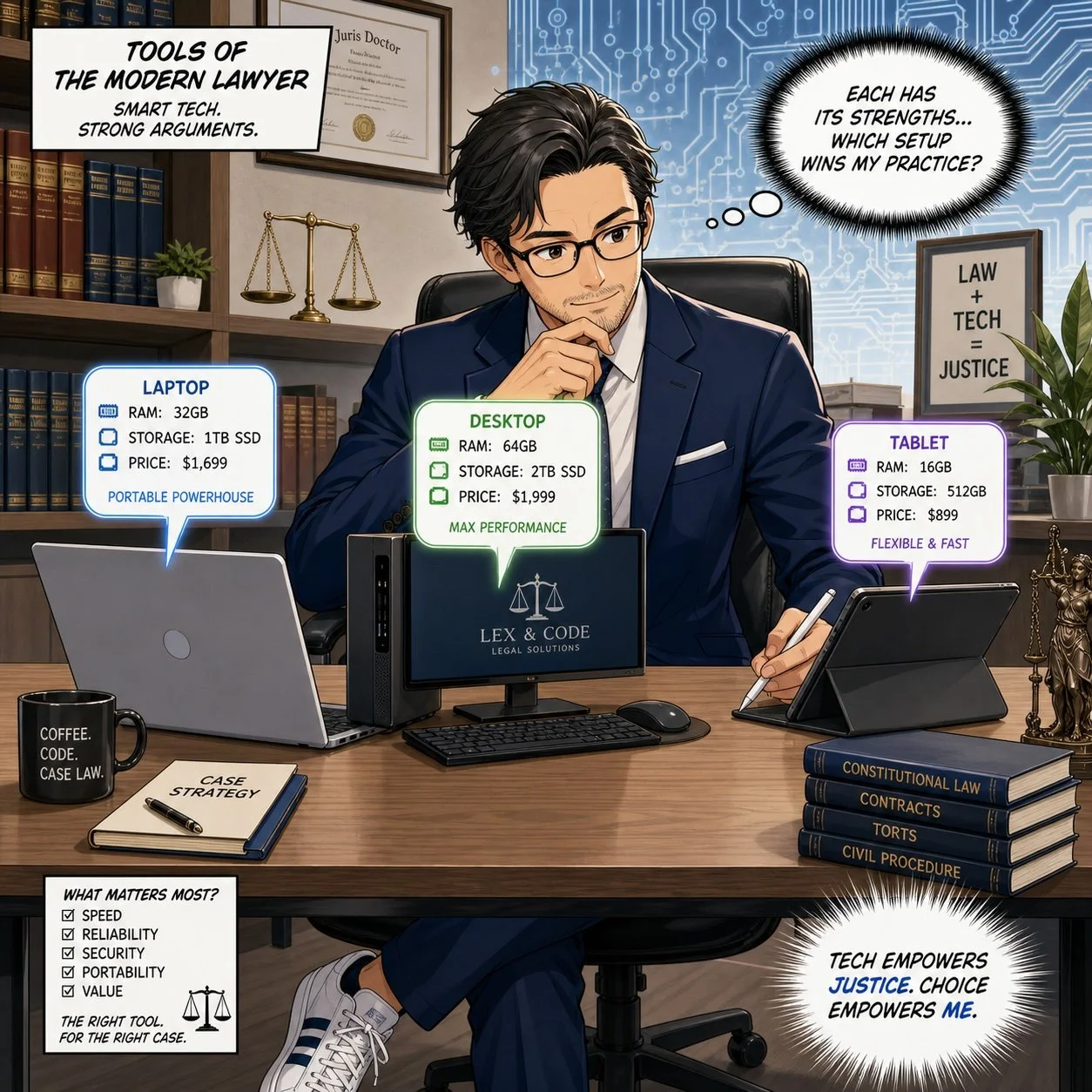
🎙️ Ep. 129, Why Lawyers Should Podcast in the Age of AI: Live Roundtable from Podfest 2026 🎙️⚖️

In this special episode, recorded live from Podfest 2026 in Orlando, FL at the Renaissance Marriott Hotel near SeaWorld, I was able to gather several attendees who are in the legal world—lawyers and legal industry marketers—to talk about why lawyers should podcast and more! 🎙️ Our roundtable features Dennis “DM” Meador (Legal Podcast Network), Louis Goodman (Love Thy Lawyer), Robert Ingalls (Lawpods), Wendi Weiner (The Writing Guru), and Elizabeth Gearhart (Passage to Profit / Gearhart Law), each bringing deep experience in podcasting, legal marketing, and personal branding for lawyers.

We discuss practical, no-fluff insights about how lawyers can use podcasting to build authority, strengthen SEO, show up in large language models (LLMs) like ChatGPT, and connect more authentically with clients and referral sources. Whether you are tech-curious, tech-comfortable, or completely new to podcasting, this episode will help you decide if starting a podcast makes strategic sense for your practice or business.

QUESTIONS WE DISCUSS 🎯

Join Dennis, Louis, Robert, Wendi, Elizabeth, and me as we discuss the following three questions and more!

  1. Why should lawyers be podcasting in 2026 and beyond, especially with Gen Z and Gen Alpha getting so much of their trusted information from podcasts and social platforms?

  2. What is one of the first concrete steps a lawyer should take if they are seriously considering launching a podcast of their own?

  3. What is one of the biggest mistakes lawyers should watch out for when launching a podcast, and how can they avoid becoming a “zombie podcast” that dies after a few episodes? 🧟‍♂️

Additional themes we explore include:

  • How podcasting acts as an “electronic resume” and trust-building tool for lawyers.

  • How podcasts can drive SEO, get you discovered in LLMs like ChatGPT, Google Gemini, Perplexity, and Claude, and generate traffic to your law firm website.

  • Why your podcast does not always need to be “about the law” to be effective for your legal brand.

  • How to balance authenticity (including salty language) with your professional brand and ethics rules.

TIME-STAMPED EPISODE GUIDE ⏱️

In our conversation, we cover the following:

  • 00:00 – Welcome & guest introductions
    Live from Podfest 2026: intros from Dennis “DM” Meador (Legal Podcast Network), Louis Goodman (Love Thy Lawyer), Robert Ingalls (Lawpods), Wendi Weiner (The Writing Guru), and Elizabeth Gearhart (Passage to Profit / Gearhart Law).

  • 02:00 – Why should lawyers be podcasting?

    • Gen Z and Gen Alpha treat podcasts as a top trusted media source. 📲

    • Podcasting vs TikTok for lawyers who don’t want to dance but still want reach.

    • Podcast as “electronic resume” and branding vehicle for lawyers and judges.

  • 04:30 – Is podcasting right for every lawyer?

    • Robert on why not every lawyer should podcast, and why goals matter.

    • How a podcast helps potential clients decide if you are “their” lawyer—or not.

  • 06:30 – Personality, language, and fit

    • The Tampa PI lawyer who refuses to bleep swear words to attract the right clients and repel the wrong ones. 🤬

    • Why authenticity can be a powerful qualification tool, not a liability.

  • 08:00 – Podcasting as a marketing engine

    • Turning a 30–60 minute recording into video clips, written content, and evergreen assets.

    • How podcast content keeps working for you long after the recording session.

  • 09:30 – Personal branding and storytelling for lawyers

    • Wendi on using podcasts to develop a personal brand, tell your story, and highlight your “superpower” as a lawyer.

    • Why sharing your career pivots and non-traditional path resonates deeply with listeners.

  • 12:00 – Getting discovered in ChatGPT and other LLMs

    • Elizabeth on using a podcast and transcripts to improve visibility in ChatGPT, Google Gemini, Perplexity, and Claude. 🤖

    • How regular podcasting and transcript optimization sustained and improved hits from LLMs to Gearhart Law’s website.

  • 15:30 – Future-proofing and “language-based internet”

    • DM explains why we’re moving from a page-based to a language-based internet and why early podcast adopters will win—similar to early website and SEO adopters.

    • Podcasting as both “future-proofing” and “present-proofing” your practice.

  • 18:00 – Hobby vs business podcast

    • Louis on starting his podcast as a social hobby and discovering the SEO and networking upside.

    • How a niche local legal podcast can drive referrals and reputation even without direct monetization.

  • 21:00 – How personal is too personal?

    • Robert’s own experience evolving his podcast from estate planning to broader personal topics.

    • Balancing sharing about yourself with focusing on the listener’s problem (StoryBrand “guide vs hero” concept).

  • 25:00 – Beyond law: topic flexibility

    • Why your legal podcast can focus on tech, politics, entrepreneurship, or hobbies while still supporting your legal brand.

    • Examples of lawyers podcasting about politics and broader societal issues to grow recognition.

  • 28:30 – Helping lawyers find their story

    • Wendi’s process: asking about upbringing, first-generation experiences, career pivots, athletic feats, and long-term goals to unlock unique stories.

    • How those stories fuel compelling podcast episodes and stronger interviews.

  • 34:00 – Thinking beyond your current role

    • Using podcasting and personal branding to position yourself for boards, politics, and second careers outside traditional law practice.

  • 37:00 – AI hallucinations & validating LLM output

    • Elizabeth’s workflow for cross-checking answers across ChatGPT, Gemini, Perplexity, Claude, and Grok.

    • Why LLMs “love” natural, conversational podcast transcripts as training material.

  • 40:00 – Networking power of “you should be on my podcast”

    • How inviting people as guests changes the dynamic at networking events. 🤝

    • Using podcast guest outreach on LinkedIn and pod-match style platforms.

  • 43:00 – Content, authority, and algorithm signals

    • DM on why consistent, custom content will always outperform gimmicks in SEO and algorithm changes.

    • How podcasts support authority, trust, and long-term discoverability in search and LLMs.

  • 48:00 – Question #2: First steps for lawyers considering a podcast

    • Robert and DM: “Know your why” and who your ideal listener/client really is.

    • Are you using the show for lead nurturing, referral education, or brand visibility?

  • 52:00 – Political/legal shows and indirect monetization

    • Discussion of political/legal commentary podcasts that soft-sell the firm.

    • Why they can work—but why expectations and time horizon matter.

  • 56:00 – Brand consistency before you launch

    • Wendi on auditing your website, LinkedIn, business page, and social handles for consistent branding (e.g., “The Writing Guru”).

    • Using CTAs and data capture to turn podcast listeners into contacts.

  • 59:00 – Knowing your deeper “why”

    • Elizabeth’s “peel the onion” exercise: repeatedly asking why until you reach the core motivation, often helping people out of “impossible situations.”

  • 1:03:00 – Solo vs agency vs studio

    • Pros and cons of DIY gear and production vs working with podcast agencies or studios.

    • Why time value, ethics, and avoiding scams all matter for lawyers.

  • 1:08:00 – Ethics, multi-jurisdiction practice, and global reach

    • How legal ethics, multistate audiences, and global distribution impact what lawyers can say on their podcasts.

  • 1:12:00 – Question #3: Biggest mistakes lawyers make launching a podcast

    • Elizabeth: ethics, off-the-cuff comments, and aligning tone (including swearing) with your brand and practice area.

    • Wendi: perfectionism vs progress—accepting that early episodes will be imperfect but valuable.

    • Robert: no long-term plan and no content strategy, leading to inconsistency and podfade.

    • Louis: underestimating time; a solid 30 minutes of content may require several hours early on.

    • DM: expecting immediate impact and treating podcasting like a short-term campaign instead of a long-term asset.

  • 1:22:00 – Test-driving podcasting as a guest first

    • Why appearing as a guest on other shows (via Podmatch and similar platforms) is a smart “trial run” before launching your own.

  • 1:25:00 – Where to find today’s guests & closing

    • Each guest shares their preferred platforms, emails, and websites so you can connect and learn more.

RESOURCES 📚

Connect with our Guests

Louis Goodman ⚖️

Elizabeth Gearhart 📻

Robert Ingalls 🎧

Dennis “DM” Meador 💼

Wendi Weiner ✍️

Mentioned in the episode

Non‑Hardware/Software 🔍

Hardware mentioned 🧰

(Exact models are discussed generally rather than by SKU, but here are representative links to explore.)

Software & Cloud Services mentioned ☁️

MTC: Why Lawyers Should Podcast in 2026: Human Connection, Authority Building, and Tech-Smart Growth for Your Law Practice 🎙️⚖️

For nearly six years, podcasting has been more than a business development tool to me; it has been a way to talk about topics that matter, in a format that feels natural, conversational, and—even for lawyers—fun. 🎧 Podcasting lets the public, and potential clients, get to know you as a person instead of just a name on a website or a face on a billboard, and that human connection is rapidly becoming the real differentiator in a crowded legal marketplace.

podcasting can be a key to a lawyer’s marketing strategy and maybe allow lawyers to have a little fun too!

At PODFEST EXPO 2026 in Orlando, I sat down with a remarkable panel of lawyers, former lawyers, and legal professionals for a “pop‑up” roundtable on why lawyers should podcast. My guests included Dennis “DM” Meador of The Legal Podcast Network, Louis Goodman of Love Thy Lawyer, previous podcast guest Robert Ingalls of LawPods, personal‑branding expert Wendi Weiner of The Writing Guru, and Elizabeth Gearhart of Passage to Profit. Together, we explored not just why lawyers should podcast, but how podcasting can support branding, authenticity, and even your visibility in search engines and large language models (LLMs).

Several themes emerged. First, podcasting is now a trusted medium for younger generations; DM noted that for Gen Z and Gen Alpha, podcasts and short-form video are top information sources, and if you “don’t want to dance on TikTok, get a podcast.” Second, a show can function as an “electronic résumé,” as Louis described, demonstrating your consistency, curiosity, and staying power far better than a static bio ever will. Third, a podcast is a powerful filter: by sharing your real voice—salty language and all, if that is true to you—your audience quickly learns whether you are “their” lawyer or not, which matters in multi‑year relationships such as injury or family law matters.

Podcasting is also a networking and authority engine. Elizabeth emphasized how Passage to Profit has grown from a radio show into a nationally syndicated podcast that not only builds trust with human listeners but also increases her firm’s presence in tools like ChatGPT, Gemini, and Perplexity. By repurposing podcast transcripts and show notes intelligently, she has observed measurable traffic from LLMs to the Gerhardt Law website—proof that conversational content can improve your visibility in the emerging “language-based internet.” Wendi highlighted that podcasting dovetails perfectly with personal branding: it is a scalable way to tell your story, show your “superpower,” and convey your unique value beyond the four corners of a résumé.

Lawyers can gain invaluable insights from podcasting conferences like Podfest, enhancing their firms’ marketing, online visibility, and overall digital presence.

Of course, podcasting is not only about business. For many of us, it began as a hobby or a creative outlet that happened to support SEO, referrals, and professional relationships along the way. The lawyers on the panel repeatedly stressed that you do not have to talk exclusively about black‑letter law: you can focus on entrepreneurship, technology, careers, politics, or any niche that authentically reflects who you are and the clients you want to serve.

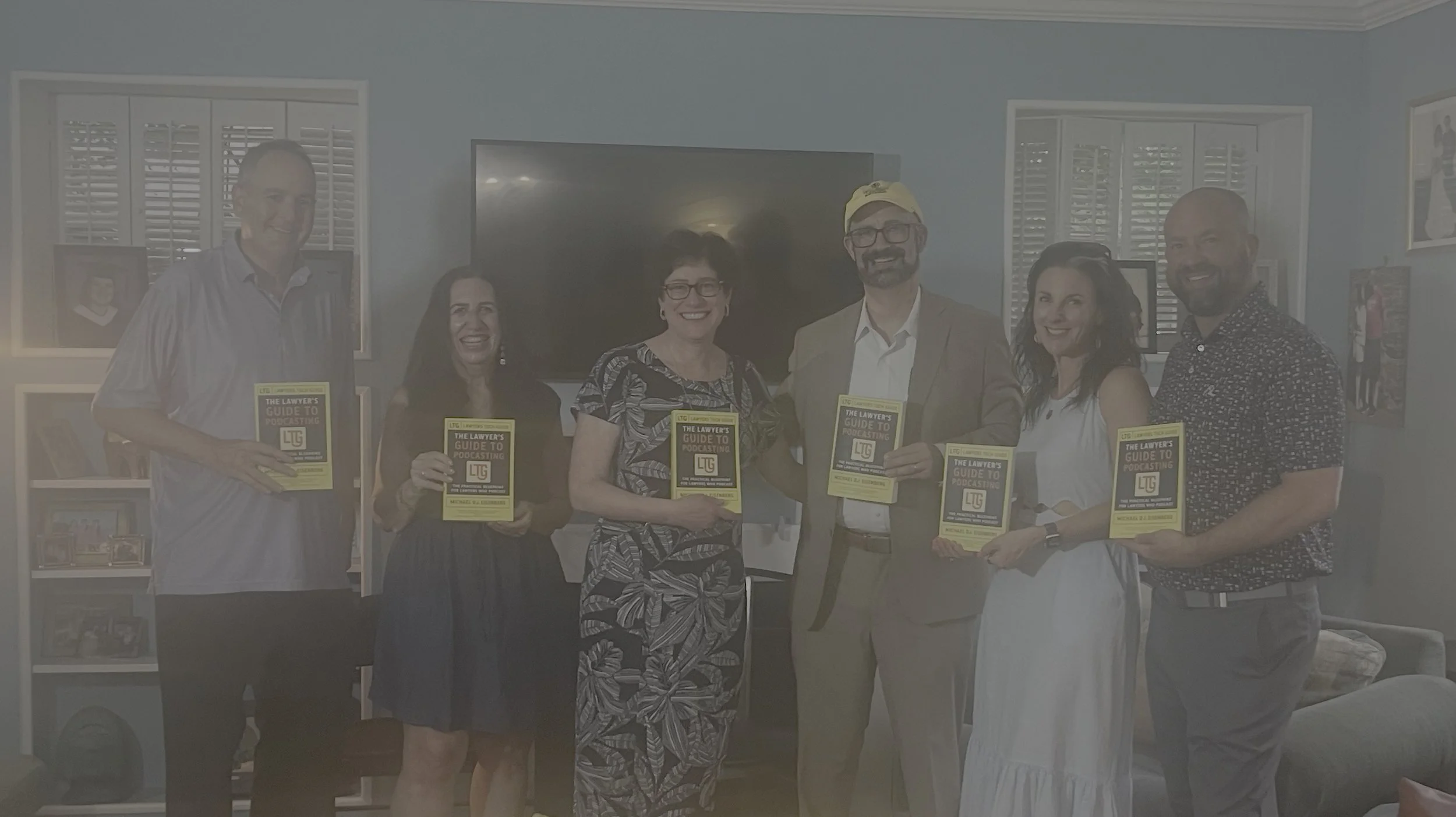
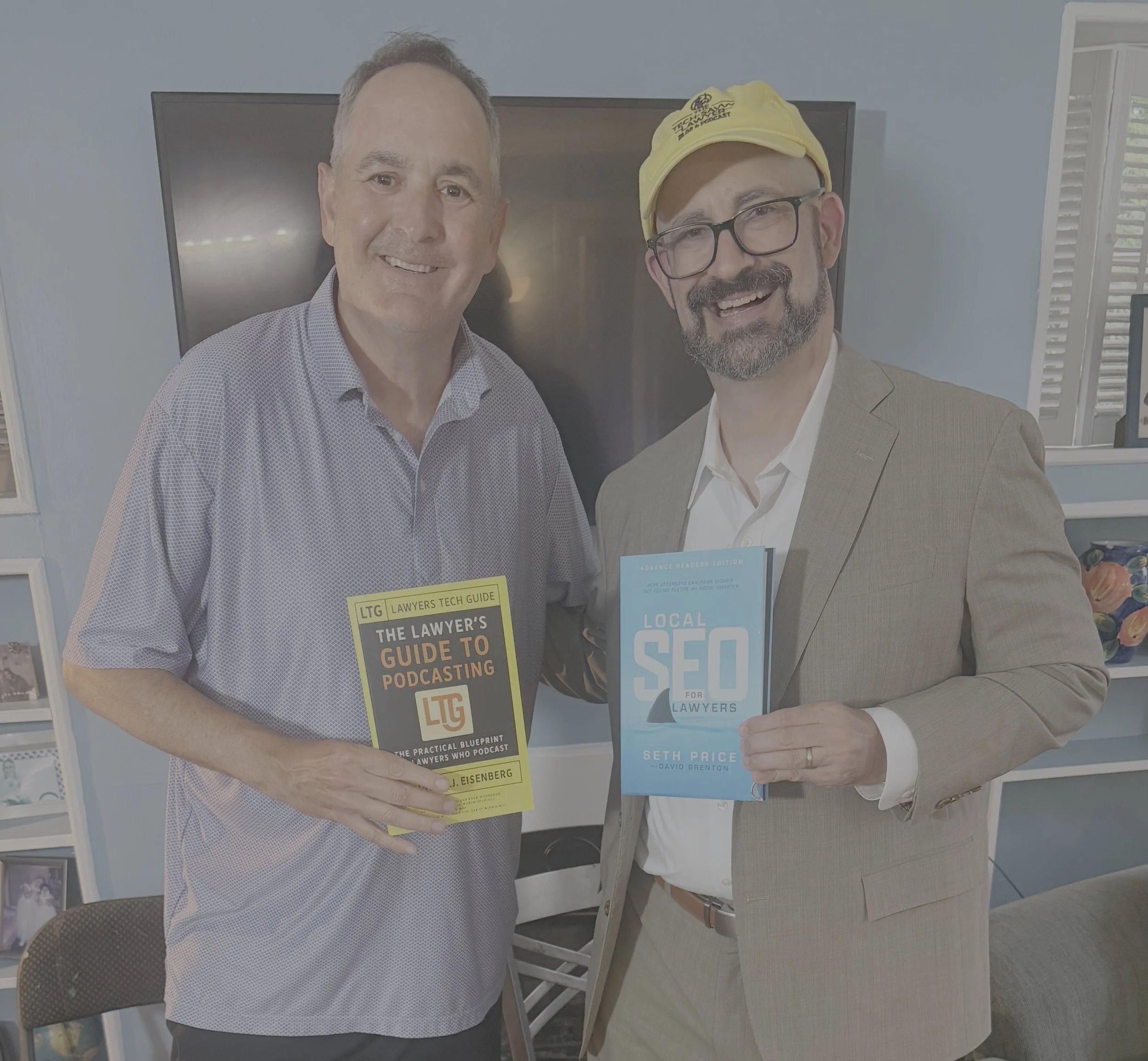
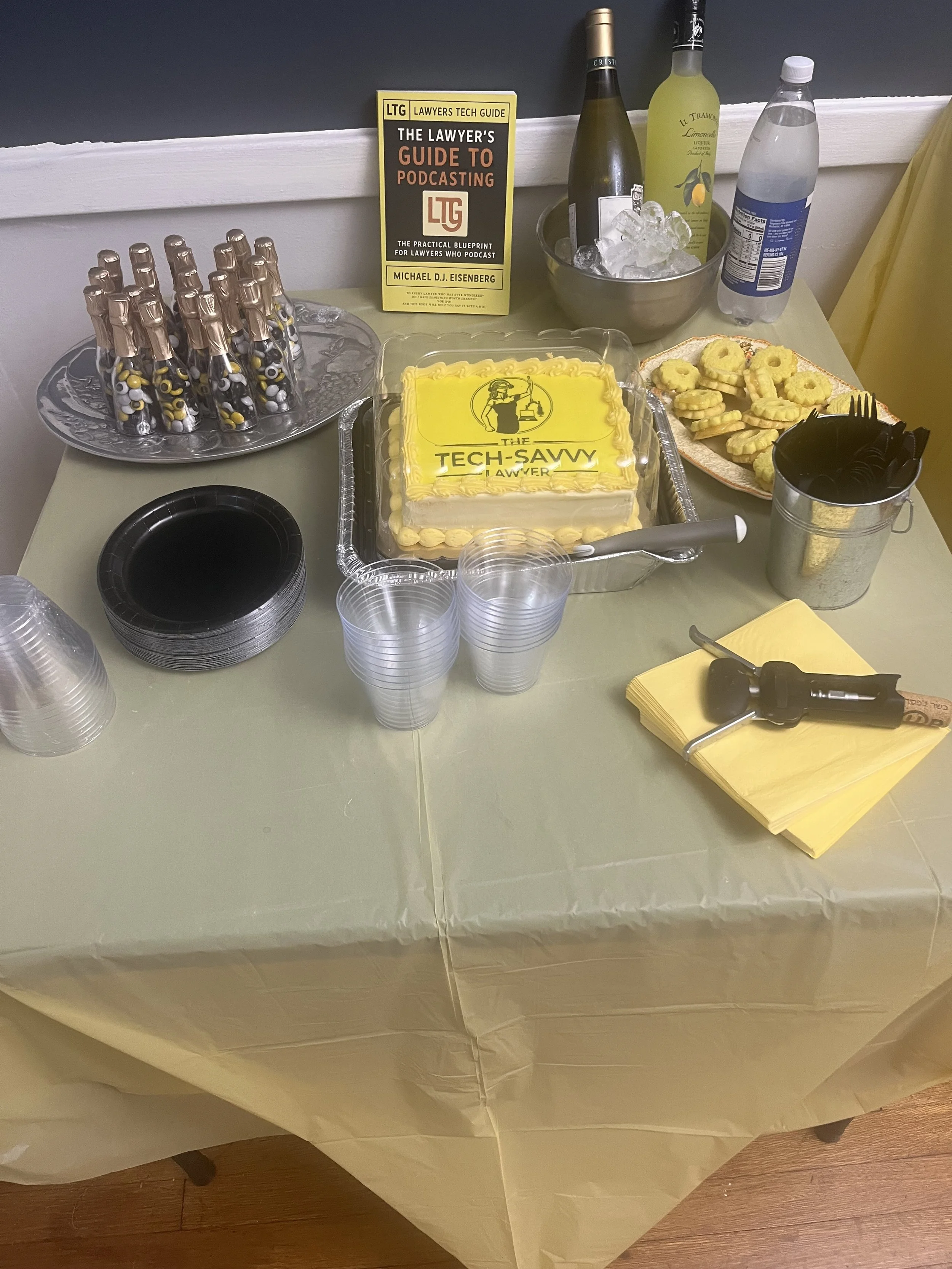
That balance between enjoyment and strategy is exactly why The Lawyer’s Tech Guide: The Lawyer’s Guide to Podcasting exists. 📘 This new book, just released today, breaks down the who, what, why, where, and how of podcasting for lawyers—from equipment and workflow to ethics, marketing, and monetization—so you can launch a show that is both sustainable and aligned with your practice and values. You can grab your copy on Amazon and start turning your expertise and personality into a discoverable, binge‑worthy asset for your clients, colleagues, and community.

📢 Stay tuned! The roundtable episode from Podfest 2026 drops tomorrow. You will hear directly from DM, Louis, Robert, Wendi, and Elizabeth as they share the candid, practical advice that every tech‑curious lawyer thinking about podcasting needs to hear. 🎙️

🚨🎙️📘 Three Days Left: The Lawyer’s Guide to Podcasting releases NEXT WEEK! 🥳🥳🥳

Inside title page of The Lawyer’s Guide to Podcasting, releasing January 19, 2026.

“The Lawyer’s Guide to Podcasting” will be released on Monday, January 19, 2026, through Amazon!!!

Designed for legal professionals, this book walks through every step of launching and sustaining an effective, ethically sound podcast that supports your practice and professional reputation.​

You will learn:

  • Show formats

  • Equipment needed

  • Show hosting platforms to use

  • Growing your audience

  • Maintaining Professional Ethics

  • Maybe earn some $Money$ too!

Want the release link the moment it’s live?
Email Admin@TheTechSavvyLawyer.Page with subject “Book Link.” I’ll send it on launch day. 🚀

🎙️📘 Quick reminder: The Lawyer’s Guide to Podcasting releases NEXT WEEK!

Inside title page of The Lawyer’s Guide to Podcasting, releasing January 19, 2026.

If you want a podcast that sounds professional without turning your week into a production project, this book is built for you. It’s practical. It’s workflow-first. It keeps ethics and confidentiality in view. 🔐⚖️

✅ Inside you’ll learn:

  • How to choose a podcast format that fits your goals 🎯

  • A simple, reliable setup that sounds credible 🎤

  • Recording habits that reduce editing time ⏱️

  • Repurposing steps so one episode powers your content plan ♻️

📩 Want the release link the moment it’s live? Email Admin@TheTechSavvyLawyer.Page with subject “Book Link.” I’ll send it on launch day. 🚀

📖 WORD OF THE WEEK YEAR🥳:  Verification: The 2025 Word of the Year for Legal Technology ⚖️💻

all lawyers need to remember to check ai-generated legal citations

After reviewing a year's worth of content from The Tech-Savvy Lawyer.Page blog and podcast, one word emerged to me as the defining concept for 2025: Verification. This term captures the essential duty that separates competent legal practice from dangerous shortcuts in the age of artificial intelligence.

Throughout 2025, The Tech-Savvy Lawyer consistently emphasized verification across multiple contexts. The blog covered proper redaction techniques following the Jeffrey Epstein files disaster. The podcast explored hidden AI in everyday legal tools. Every discussion returned to one central theme: lawyers must verify everything. 🔍

Verification means more than just checking your work. The concept encompasses multiple layers of professional responsibility. Attorneys must verify AI-generated legal research to prevent hallucinations. Courts have sanctioned lawyers who submitted fictitious case citations created by generative AI tools. One study found error rates of 33% in Westlaw AI and 17% in Lexis+ AI. Note the study's foundation is from May 2024, but a 2025 update confirms these findings remain current—the risk of not checking has not gone away. "Verification" cannot be ignored.

The duty extends beyond research. Lawyers must verify that redactions actually remove confidential information rather than simply hiding it under black boxes. The DOJ's failed redaction of the Epstein files demonstrated what happens when attorneys skip proper verification steps. Tech-savvy readers simply copied text from beneath the visual overlays. ⚠️

use of ai-generated legal work requires “verification”, “Verification”, “Verification”!

ABA Model Rule 1.1 requires technological competence. Comment 8 specifically mandates that lawyers understand "the benefits and risks associated with relevant technology." Verification sits at the heart of this competence requirement. Attorneys cannot claim ignorance about AI features embedded in Microsoft 365, Zoom, Adobe, or legal research platforms. Each tool processes client data differently. Each requires verification of settings, outputs, and data handling practices. 🛡️

The verification duty also applies to cybersecurity. Zero Trust Architecture operates on the principle "never trust, always verify." This security model requires continuous verification of user identity, device health, and access context. Law firms can no longer trust that users inside their network perimeter are authorized. Remote work and cloud-based systems demand constant verification.

Hidden AI poses another verification challenge. Software updates automatically activate AI features in familiar tools. These invisible assistants process confidential client data by default. Lawyers must verify which AI systems operate in their technology stack. They must verify data retention policies. They must verify that AI processing does not waive attorney-client privilege. 🤖

ABA Formal Opinion 512 eliminates the "I didn't know" defense. Lawyers bear responsibility for understanding how their tools use AI. Rule 5.3 requires attorneys to supervise software with the same care they supervise human staff members. Verification transforms from a good practice into an ethical mandate.

verify your ai-generated work like your bar license depends on it!

The year 2025 taught legal professionals that technology competence means verification competence. Attorneys must verify redactions work properly. They must verify AI outputs for accuracy. They must verify security settings protect confidential information. They must verify that hidden AI complies with ethical obligations. ✅

Verification protects clients, preserves attorney licenses, and maintains the integrity of legal practice. As The Tech-Savvy Lawyer demonstrated throughout 2025, every technological advancement creates new verification responsibilities. Attorneys who master verification will thrive in the AI era. Those who skip verification steps risk sanctions, malpractice claims, and disciplinary action.

The legal profession's 2025 Word of the Year is verification. Master it or risk everything. 💼⚖️

ANNOUNCEMENT (BOOK RELEASE): The Lawyer’s Guide to Podcasting: The Simple, Ethics-Aware Playbook to Launch a Professional Podcast (Release mid-January, 2026)

Anticipated release is mid-january 2026.

🎙️📘 Podcasting is still one of the fastest ways to build trust. It works for lawyers, legal professionals, and any expert who needs to explain complex topics in plain language.

On January 19, 2026, I’m releasing The Lawyer’s Guide to Podcasting. This book is designed for busy professionals who want a podcast that sounds credible, protects confidentiality, and fits into a real workflow. No studio required. No tech overwhelm.

✅ Inside the book, you’ll learn:

  • How to pick a podcast format that matches your goals 🎯

  • The “minimum viable setup” that sounds professional 🎤

  • Recording workflows that reduce editing time ⏱️

  • Practical ethics and risk habits for public content 🔐

  • Repurposing steps so one episode becomes a week of marketing ♻️

📩 Get the release link: Email Admin@TheTechSavvyLawyer.Page with the subject line “Podcasting Book Link” and I’ll send the link as soon as the book is released. 📩🎙️

🎙️🎁 TSL Labs Bonus: The Ultimate 2025 Tech Gift Guide for Attorneys — Expert-Curated Gadgets, AI Tools, and Must-Have Devices Every Lawyer Needs!

🎯 In this TSL Labs Bonus episode, we are experimenting with Google’s Notebook LLM to do a “Deep Dive” on our November 24th editorial on the ultimate 2025 tech gift guide for attorneys. We use this AI-powered conversation to unpack the key themes, ethical challenges, and actionable recommendations. Whether you're a solo practitioner, big law associate, or tech-curious partner, this episode delivers expert-curated insights on gadgets, AI tools, and must-have devices that support technological competence as a professional obligation.

If you're a busy legal professional seeking practical tech recommendations that enhance daily practice rather than collect digital dust, join us for this insightful conversation that explores how the right technology investments can improve your practice, safeguard your clients, and help prevent unnecessary bar complaints.

🤔 Join Google AI Deep Dive as they discuss the following three questions and more!

  1. What are the essential low-cost tech gifts under $25 that can make an immediate impact on an attorney's practice, and why do items like cables and tracking devices matter for professional competence?

  2. Which professional-grade tools under $100 deliver the best value for attorneys seeking to fulfill their ethical duty to work smarter and faster through AI integration and productivity enhancements?

  3. Why should premium technology investments over $100—including physical infrastructure like ergonomic chairs—be considered essential to an attorney's professional obligation to their clients?

In our conversation, we cover the following:

[00:00:00] — Episode introduction and TSL Labs Bonus overview

[00:01:00] — Navigating the perfect tech gift for attorneys: unique needs like security, portability, focus, and raw power

[00:02:00] — The three seismic forces driving tech choices: AI integration, cloud-based practice management, and heightened ethical duties

[00:03:00] — Target audience: solo practitioners, big law associates, and tech-curious partners who need technology that lasts

[00:04:00] — Essential low-cost gifts under $25: OWC Thunderbolt 4 USB-C cable and Apple AirTag for security and reliability

[00:05:00] — Productivity essentials: Logitech Pebble M350 silent mouse and Anker 7-in-1 USB-C Hub for presentations

[00:06:00] — AI tools for "forced competence": ChatGPT Plus one-month subscription as a low-risk nudge toward AI exploration

[00:07:00] — Professional grade tools under $100: Apple Pencil (1st Gen) for document annotation and Logitech MX Keys Mini keyboard

[00:08:00] — Focus and noise cancellation: Soundcore Space One headphones with 40+ hours battery life

[00:09:00] — Precision document navigation: Logitech MX Master 3S mouse with horizontal scrolling for wide documents

[00:10:00] — Premium mobile computing sweet spots: iPad Air with M3 chip ($599) and MacBook Air M4 ($999)

[00:11:00] — Physical infrastructure as health technology: Herman Miller Aeron chair ($1,351) for sustained high-quality work

[00:12:00] — Ultra-wide monitor benefits: LG 34" 5K 2K ($315) for seamless document comparison and reduced cognitive strain

[00:13:00] — Virtual practice essentials: Logitech Brio 4K webcam ($160) and Samsung T7 SSD ($109) for secure data management

[00:14:00] — The ultimate organizational hub: CalDigit TS3 Plus dock ($280) with 15 ports for cable clutter elimination

[00:15:00] — Strategic gift-giving advice: Understanding ecosystem (Apple, Windows, Android) and workflow considerations

📚 Resources

🖥️ Hardware Mentioned in the Conversation

Under $25:

  • OWC Thunderbolt 4 USB-C Cable (~$19.99) — Universal cable supporting 40Gb/s data, 100W power delivery, up to 8K video —(https://www.owc.com)

  • Apple AirTag (Single Pack) ($24) — Bluetooth tracking device using Find My network —(https://www.apple.com/airtag)

  • Logitech Pebble M350 Wireless Mouse (~$19.99) — Silent click, 90% noise reduction, 18-month battery — (https://www.logitech.com)

  • Anker 341 USB-C Hub (7-in-1) (~$19.99) — HDMI 4K@30Hz, USB ports, SD card slots — https://www.anker.com)

  • ORICLE 65W USB Travel Power Strip — Flat plug, 4-foot cord, 7-in-1 hub for travel —(https://oricotechs.com)

Under $100:

Premium Over $100:

  • iPad Air with M3 Chip (Starting at $599) — 8-core CPU, 9-core GPU, ideal balance of power and portability — (https://www.apple.com/ipad-air)

  • MacBook Air M4 (Starting at $999) — 10-core CPU, 10-core GPU, up to 18 hours battery life —(https://www.apple.com/macbook-air)

  • Herman Miller Aeron Chair (~$1,351) — Ergonomic office chair with PostureFit SL, three sizes for 1st-99th percentile —(https://www.hermanmiller.com)

  • LG 34" Ultrawide 5K 2K Monitor (~$315) — 3440x1440 resolution, curved display for seamless multitasking — (https://www.lg.com/us/monitors)

  • Logitech Brio 4K Ultra HD Webcam (~$160) — 4K@30fps, RightLight 3 HDR, adjustable 65°/78°/90° FOV — (https://www.logitech.com)

  • Samsung T7 Portable SSD (1TB) (~$109.99) — 1,050MB/s read speed, AES 256-bit encryption, 2m drop resistant — (https://www.samsung.com)

  • CalDigit TS3 Plus Thunderbolt 3 Dock (~$280) — 15 ports, 87W laptop charging, dual 4K display support — (https://www.caldigit.com)

💻 Software & Cloud Services Mentioned in the Conversation

  • ChatGPT Plus ($20/month) — OpenAI's premium AI assistant with GPT-4 access for research and drafting — (https://chat.openai.com)

  • Grammarly Premium (~$96/year on sale; $144/year regular) — AI-powered writing assistant with plagiarism detection —(https://www.grammarly.com)

  • Apple Find My — Location tracking app for AirTags and Apple devices — https://www.icloud.com/find

📌 Disclaimer: Prices mentioned throughout this episode and show notes are approximate and based on manufacturer suggested retail prices around the time of the publication date; actual pricing may vary depending on manufacturer availability, retailer promotions, seasonal sales, and geographic location, and we recommend verifying current pricing before making any purchase decisions.

🎙️ Ep. #125: Transforming Law Practice: Allison Johs on Legal Tech Productivity, AI Ethics & Automation Strategies.

My next guest is Allison Johs, former Chair of the ABA Legal Technology Resource Center and founder of Legal Ease Consulting. 🎯 Allison has spent nearly two decades helping law firms prevent "lawyer meltdown" by guiding them through digital transformation, boosting productivity, and providing practical tech solutions for modern legal professionals. With 15 years of practicing law and experience growing a firm from 15 to over 50 attorneys, Allison brings real-world expertise to the challenges lawyers face when balancing technology adoption with successful client service.

Join Allison Johs and me as we discuss the following three questions and more! 🤔

  1. What are the top three foundational mistakes lawyers make when implementing new legal technology, and how can solo and small firms avoid these pitfalls to ensure their technology investments actually improve their practice rather than just create additional complexity?

  2. What are your top three recommendations for lawyers who want to responsibly integrate AI into their practice while maintaining ethical compliance and ensuring client confidentiality?

  3. What are the top three technology-driven strategies lawyers can implement immediately to automate routine tasks and reclaim billable hours?

In our conversation, we cover the following: ⏱️

  • [00:00:00] – Episode introduction and guest welcome

  • [00:01:00] – Allison's current tech setup: Dell laptop, HP all-in-one desktop, Logitech Brio webcam, Microsoft 365

  • [00:02:00] – Discussion of portable monitors (INNOCN) and dual-screen productivity setups

  • [00:03:00] – Document scanning workflow with ScanSnap scanner and going paperless

  • [00:04:00] – OCR considerations for different practice areas, Adobe Acrobat for occasional OCR needs

  • [00:05:00]Mistake #1: Not considering roles of all people who will use the technology in the firm

  • [00:06:00] – Including staff input during technology selection and implementation

  • [00:07:00] – Coaching resistant employees through technology adoption

  • [00:08:00] – Addressing legitimate objections vs. fear of change; demonstrating value to staff

  • [00:09:00]Mistake #2: Not checking how new technology integrates with existing systems

  • [00:10:00] – Hidden costs of technology transitions: running parallel systems for 6-8 months

  • [00:11:00] – Budgeting for duplicate CRM/LPM subscriptions during migration

  • [00:12:00]Mistake #3: Failing to appropriately invest in ongoing training

  • [00:13:00] – Training new hires and keeping up with subscription software updates

  • [00:14:00]AI Recommendation #1: Thoroughly investigate how AI tools handle data, security, and training

  • [00:15:00]AI Recommendation #2: Setting and strictly enforcing AI usage policies; mandatory human review

  • [00:16:00] – The importance of reviewing AI outputs—lawyers should know precedents in their practice area

  • [00:17:00]AI Recommendation #3: Start with non-client-facing AI work (internal processes, marketing, financials)

  • [00:18:00] – Ethical considerations: using AI on published court decisions for legal analysis

  • [00:19:00] – Using AI to find contrary precedents and distinguishing cases

  • [00:20:00] – Duty to supervise: real-world consequences when AI use goes wrong

  • [00:21:00]Automation Strategy #1: Appointment booking tools (Calendly, Microsoft Bookings)

  • [00:22:00]Automation Strategy #2: Templates, document assembly, AI chatbots for client intake

  • [00:23:00]Automation Strategy #3: Automated time tracking and AI-powered billing review

  • [00:23:30] – Text Expander discussion: saving 2-5 hours weekly on repetitive typing

  • [00:24:00] – Allison's top automation tools: Calendly, Microsoft Power Automate, Microsoft Bookings

  • [00:25:00] – Discovering hidden features in Microsoft 365 (Ben Schorr webinar reference)

  • [00:26:00] – Using AI for travel planning: Google AI for trip itineraries, Perplexity AI for route optimization

  • [00:27:00] – Maximizing productivity during travel and conference attendance

  • [00:28:00] – Where to find Allison: websites, social media, and YouTube channel

Resources 📚

Connect with Allison Johs:

Mentioned in the Episode:

  • 📖 ABA Legal Technology Resource Centeramericanbar.org/groups/departments_offices/legal_technology_resources

  • 📖 How to Do More in Less Time (2nd Edition, 2023) – ABA Law Practice Division book co-authored by Allison Johs - https://www.amazon.com/How-More-Less-Time-Productivity/dp/1639052283

  • 📖 Make LinkedIn Work for You: A Practical Handbook for Lawyers and Other Legal Professionals – Co-authored with Dennis Kennedy - https://www.amazon.com/Make-LinkedIn-Work-You-Professionals/dp/1734076321

  • 👤 Ben Schorr – Microsoft 365 expert, now with Affinity Consulting Group - https://www.affinityconsulting.com/team/ben-m-schorr/

  • 🏛️ Universal Migrator – CRM/LPM data migration tool - https://www.universalmigrator.com/

Hardware Mentioned in the Conversation:

  • 💻 Dell Laptop - https://www.dell.com/en-us/shop/dell-laptops/scr/laptops?_gl=1*78tbrz*_up*MQ..*_gs*MQ..&gclid=EAIaIQobChMIgerxro6QkQMVdUpHAR0BUBUOEAAYASAAEgJ_R_D_BwE&gclsrc=aw.ds

  • 🖥️ HP All-in-One Desktop Computer - https://www.hp.com/us-en/shop/vwa/desktops/form=All-in-One

  • 🖥️ INNOCN Portable Monitor (1080p mobile screen) – innocn.com

  • 📷 Logitech Brio Webcam (4K with built-in microphone) – logitech.com/brio

  • 🖨️ HP Printer - https://www.hp.com/us-en/shop/vwa/printers

  • 📄 Fujitsu ScanSnap Scanner (duplex document scanner) – scansnap.com

Software & Cloud Services Mentioned in the Conversation:

🎙️ Ep. 120: AI Game Changers for Law Firms - Stephen Embry on Legal Tech Adoption and Privacy Concerns 🤖⚖️

My next guest is Stephen Embry. Steve is a legal technology expert, blogger at Tech Law Crossroads, and contributor to Above the Law. A former mass tort defense litigator with 20 years of remote practice experience, Steven specializes in AI implementation for law firms and legal technology adoption challenges. With a master's degree in civil engineering and programming expertise since 1980, he brings a unique technical insight to legal practice. Steven provides data-driven analysis on how AI is revolutionizing law firms while addressing critical privacy and security concerns for legal professionals. 💻

Join Stephen Embry and me as we discuss the following three questions and more! 🎯

  1. What do you think are the top three game-changer announcements from the 2025 ILTA Conference for AI that're gonna make the most impact for solo, small, and mid-size law firms?

  2. What are the top three security and privacy concerns lawyers should address when using AI?

  3. What are your top three hacks when it comes to using AI in legal?

In our conversation, we covered the following and more! 📝

  • [00:00:00] Episode Introduction & Guest Bio

  • [00:01:00] Steve's Current Tech Setup

  • [00:02:00] Apple Devices Discussion - MacBook Air M4, AirPods Pro

  • [00:06:00] Android Phone & Remote Practice Experience

  • [00:09:00] iPad Collection & MacBook Air Purchase Story

  • [00:12:00] Travel Tech & Backup Strategies

  • [00:15:00] Q1: AI Game Changers from ILTA 2025 Conference

  • [00:24:00] Billable Hour vs AI Adoption Challenges

  • [00:26:00] Competition & Client Demands for Technology

  • [00:35:00] Q2: AI Security & Privacy Concerns for Lawyers

  • [00:37:00] Discoverability & Privilege Waiver Issues

  • [00:44:00] Q3: Top AI Hacks for Legal Professionals

  • [00:46:00] Using AI for Document Construction & Rules Compliance

  • [00:50:00] Contact Information & Resources

Resources 📚

Connect with Stephen Embry

• Email: sembry@techlawcrossroads.com
• Blog: Tech Law Crossroads - https://techlawcrossroads.com
• Above the Law Contributions: https://abovethelaw.com
• LinkedIn: [Stephen Embry LinkedIn Profile]

Mentioned in the Episode

• ILTA (International Lawyers Technology Association) Conference 2025 - https://www.iltanet.org
• Max Stock Conference - Chicago area legal technology conference
• Consumer Electronics Show (CES) - https://www.ces.tech
• Federal Rules of Civil Procedure - https://www.uscourts.gov/rules-policies/current-rules/federal-rules-civil-procedure
• Apple Event (October 9th) - Apple's product announcement events
• Gaylord Conference Center - Washington, DC area conference venue

Hardware Mentioned in the Conversation 🖥️

• MacBook Air M4 (13-inch) - https://www.apple.com/macbook-air/
• iPad Pro - https://www.apple.com/ipad-pro/
• iPad Air - https://www.apple.com/ipad-air/
• iPad Mini - https://www.apple.com/ipad-mini/
• iPhone 16 - https://www.apple.com/iphone-16/
• Apple Watch Ultra 2 - https://www.apple.com/apple-watch-ultra-2/
• AirPods Pro - https://www.apple.com/airpods-pro/
• Samsung Galaxy (Android phone) - https://www.samsung.com/us/mobile/phones/galaxy/
• Samsung Galaxy Fold 7 - https://www.samsung.com/global/galaxy/galaxy-z-fold7/

Software & Cloud Services Mentioned in the Conversation ☁️

• Apple Intelligence - https://www.apple.com/apple-intelligence/
• ChatGPT - https://chat.openai.com
• Claude (Anthropic) - https://claude.ai
• Brock AI - AI debate and argumentation tool
• Notebook AI - https://notebooklm.google.com
• Microsoft Word - https://www.microsoft.com/en-us/microsoft-365/word
• Dropbox - https://www.dropbox.com
• Backblaze - https://www.backblaze.com
• Synology - https://www.synology.com
• Whisper AI - https://openai.com/research/whisper

Don't forget to give The Tech-Savvy Lawyer.Page Podcast a Five-Star ⭐️ review on Apple Podcasts or wherever you get your podcast feeds! Your support helps us continue bringing you expert insights on legal technology.

Our next episode will be posted in about two weeks. If you have any ideas about a future episode, please contact Michael at michaeldj@techsavvylawyer.page 📧

🎙️ Bonus Episode: TSL Lab’s Notebook.AI Commentary on June 23, 2025, TSL Editorial!

Hey everyone, welcome to this bonus episode!

As you know, in this podcast we explore the future of law through engaging interviews with lawyers, judges, and legal tech professionals on the cutting edge of legal innovation. As part of our Labs initiative, I am experimenting with AI-generated discussions—this episode features two Google Notebook.AI hosts who dive deep into our latest Editorial: "Lawyers, Generative AI, and the Right to Privacy: Navigating Ethics, Client Confidentiality, and Public Data in the Digital Age." If you’re a busy legal professional, join us for an insightful, AI-powered conversation that unpacks the editorial’s key themes, ethical challenges, and practical strategies for safeguarding privacy in the digital era.

Enjoy!

In our conversation, the "Bots" covered the following:

00:00 Introduction to the Bonus Episode

01:01 Exploring Generative AI in Law

01:24 Ethical Challenges and Client Confidentiality

01:42 Deep Dive into the Editorial

09:31 Practical Strategies for Lawyers

13:03 Conclusion and Final Thoughts

Resources:

Google Notebook.AI - https://notebooklm.google/