Shout Out! A Thunderstorm, Three Books, and a Room Full of Lawyers: Shout Out from The Lawyerโ€™s Guide to Podcasting Launch ๐ŸŒฉ๐ŸŽ™

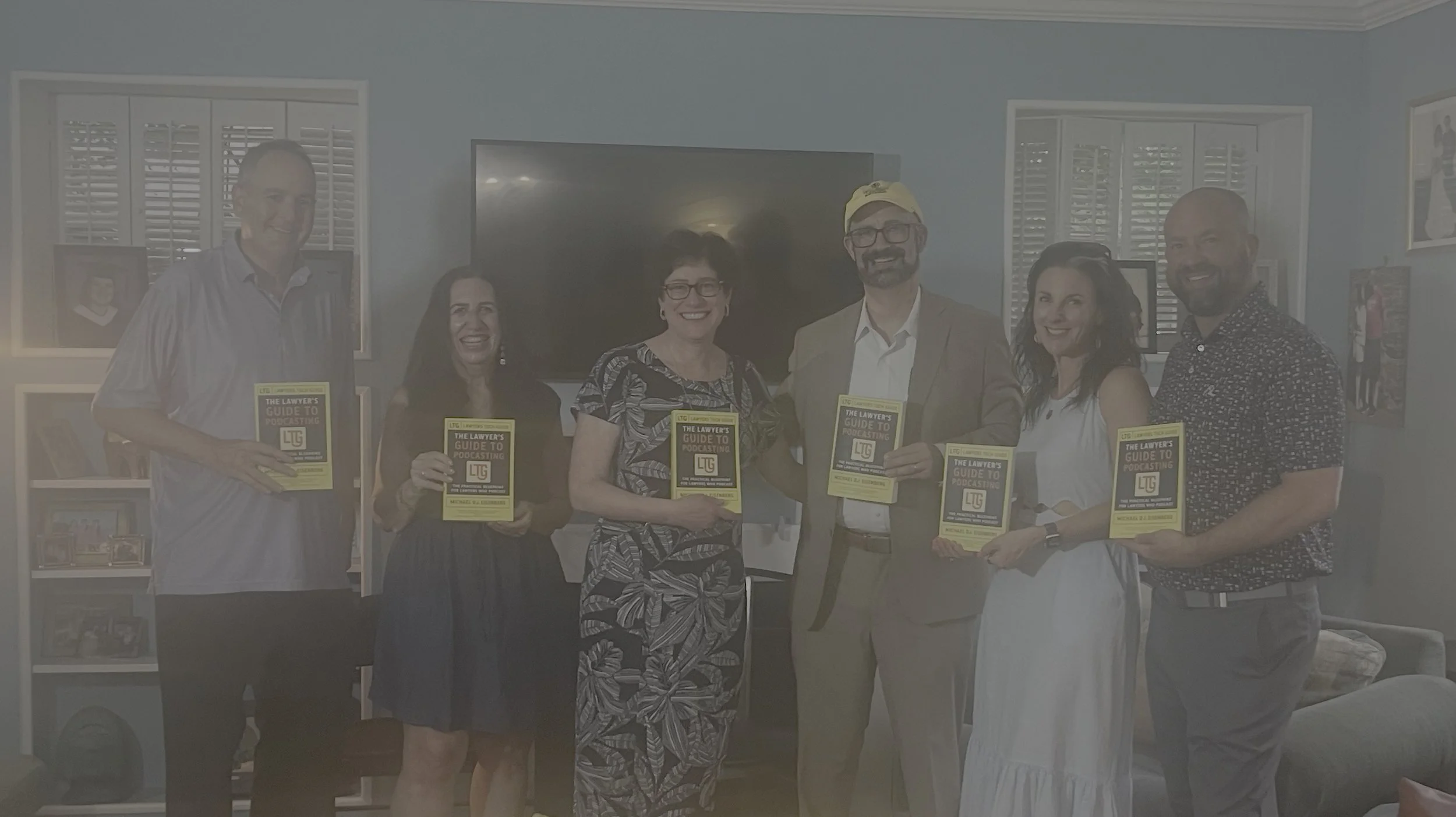
Seth price ๐Ÿ“’ Carolyn Elefant ๐Ÿ“’ Mindy Eisenberg ๐Ÿ“’ Michael D.J. Eisenberg ๐Ÿ“’ Wendy meadows ๐Ÿ“’ scott

On May 20 in Bethesda, we launched The Lawyer's Guide to Podcasting: Building Your Brand, Audience, Tech Stack, and Expertise! with exactly the kind of energy I hoped this book would inspire: lawyers and legal professionals showing up for each other even as a serious thunderstorm rolled through the DMV. ๐ŸŒง๏ธ๐Ÿ”ฅ

Whether you braved the weather to come out, this post is for you. If you could not make it, think of this as your inside look at how a group of solos, small-firm lawyers, and AIโ€‘curious professionals came together to talk about using podcasting as a serious business toolโ€”one that fits comfortably within the guardrails of our ethics obligations under ABA Model Rules 1.1 (Competence), 1.6 (Confidentiality), and 7.1โ€“7.3 (Communications about legal services).

A launch party built for working lawyers!

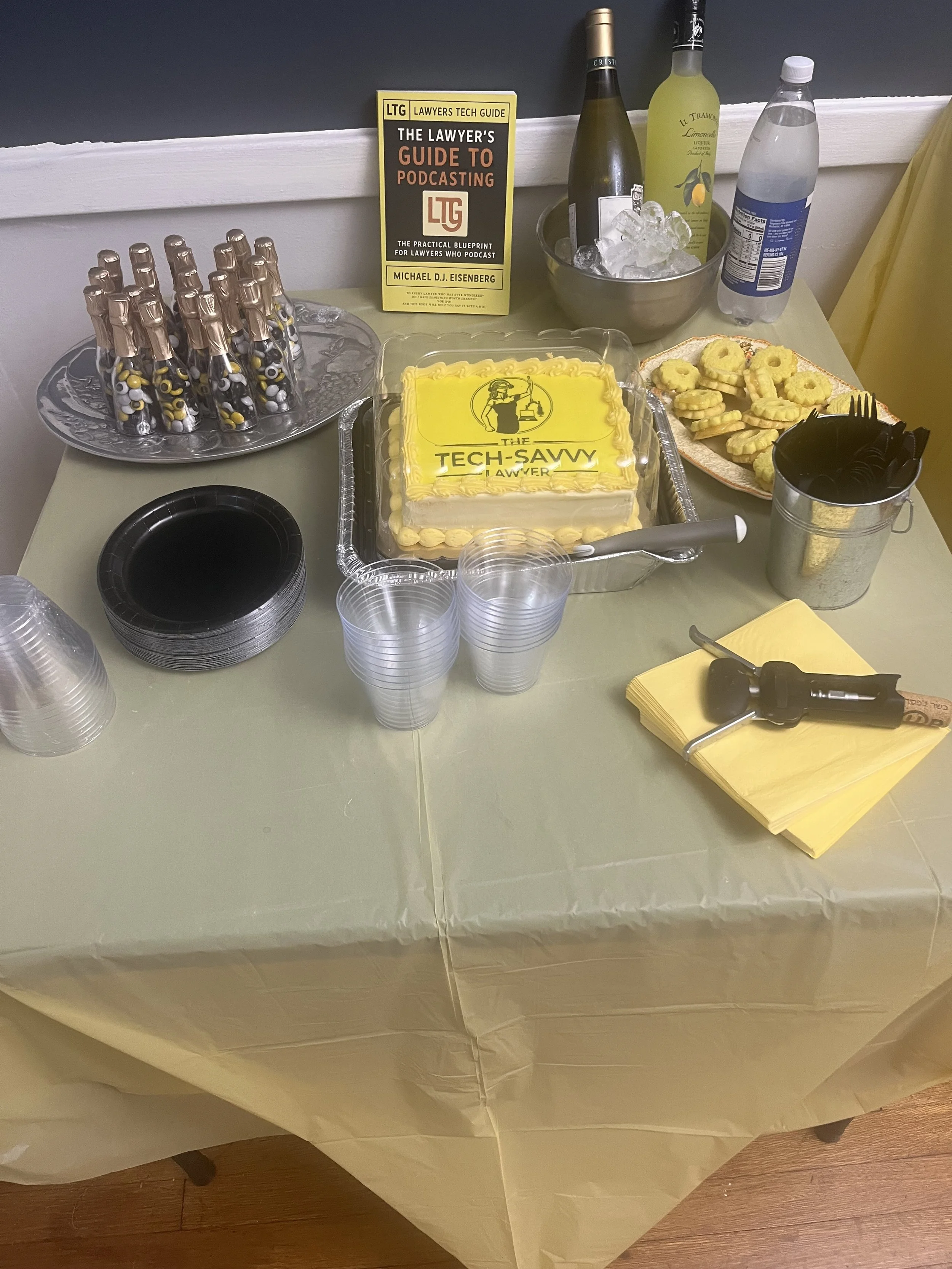
We gathered at the home of Carolyn Elefant in Bethesdaโ€”yes, in person, with real conversations and real snacks. ๐Ÿฅ‚ The goal was simple: make podcasting feel less like a mysterious โ€œtech projectโ€ and more like a practical, repeatable part of your practice development strategy.

At the event, I walked through three concrete takeaways that mirror the book:

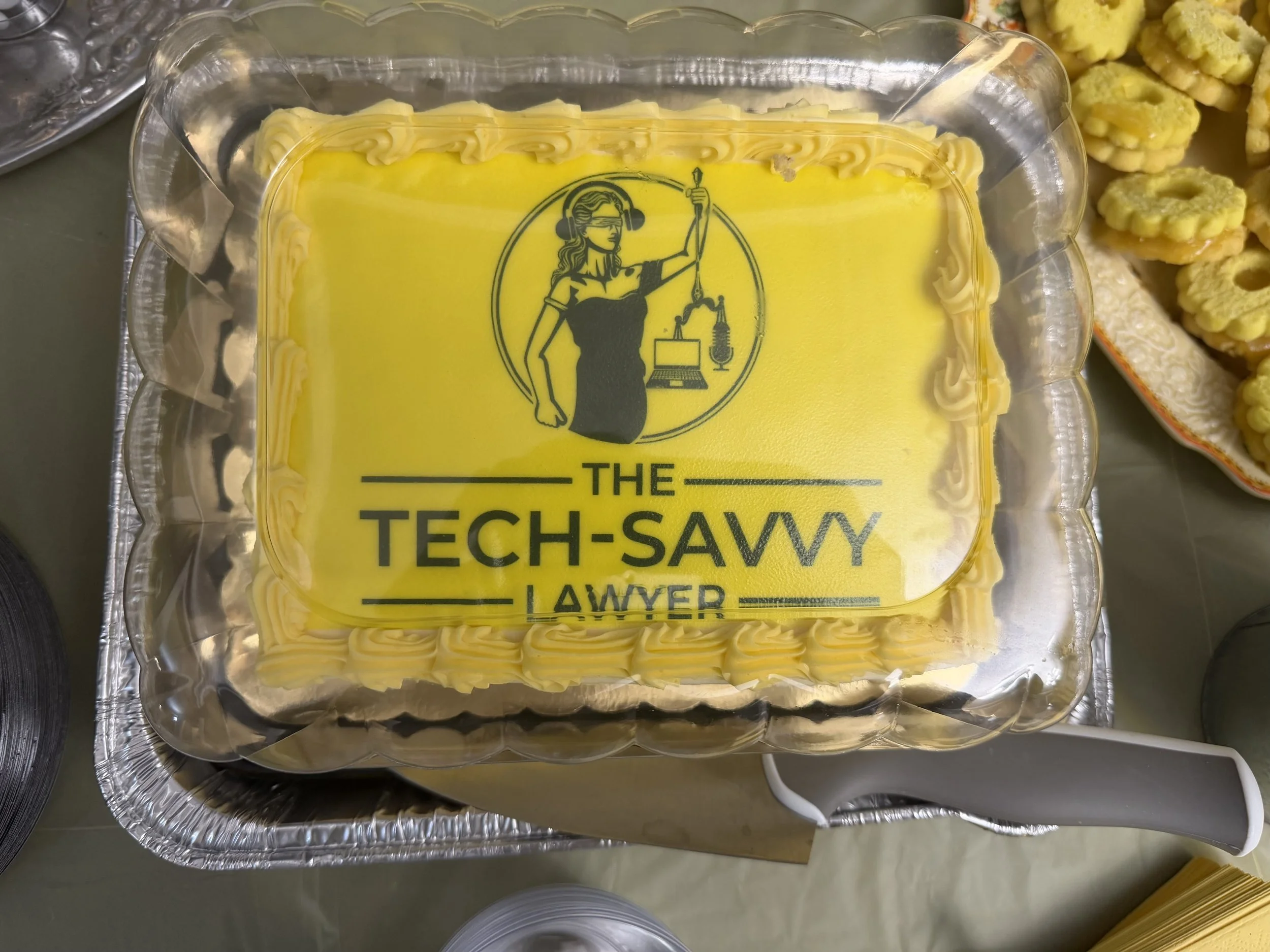
canโ€™t have a launch party without cake!

  • A simple, lawyerโ€‘tested podcast setup that you can actually keep running on a busy docket. ๐ŸŽง

  • A short checklist of ethical and confidentiality questions to ask before you hit publish.

  • A set of readyโ€‘toโ€‘use episode ideas tailored to your practice area, so you are never staring at a blank calendar.

If those themes sound familiar, it is because they build on what we have discussed in prior posts and podcasts on the The Tech-Savvy Lawyer.Page. Together, they form the groundwork that became The Lawyerโ€™s Guide to Podcasting: Building Your Brand, Audience, Tech Stack, and Expertise! ๐ŸŽ‰

Shout Outs to the people who made the night! โ›ˆ๏ธ

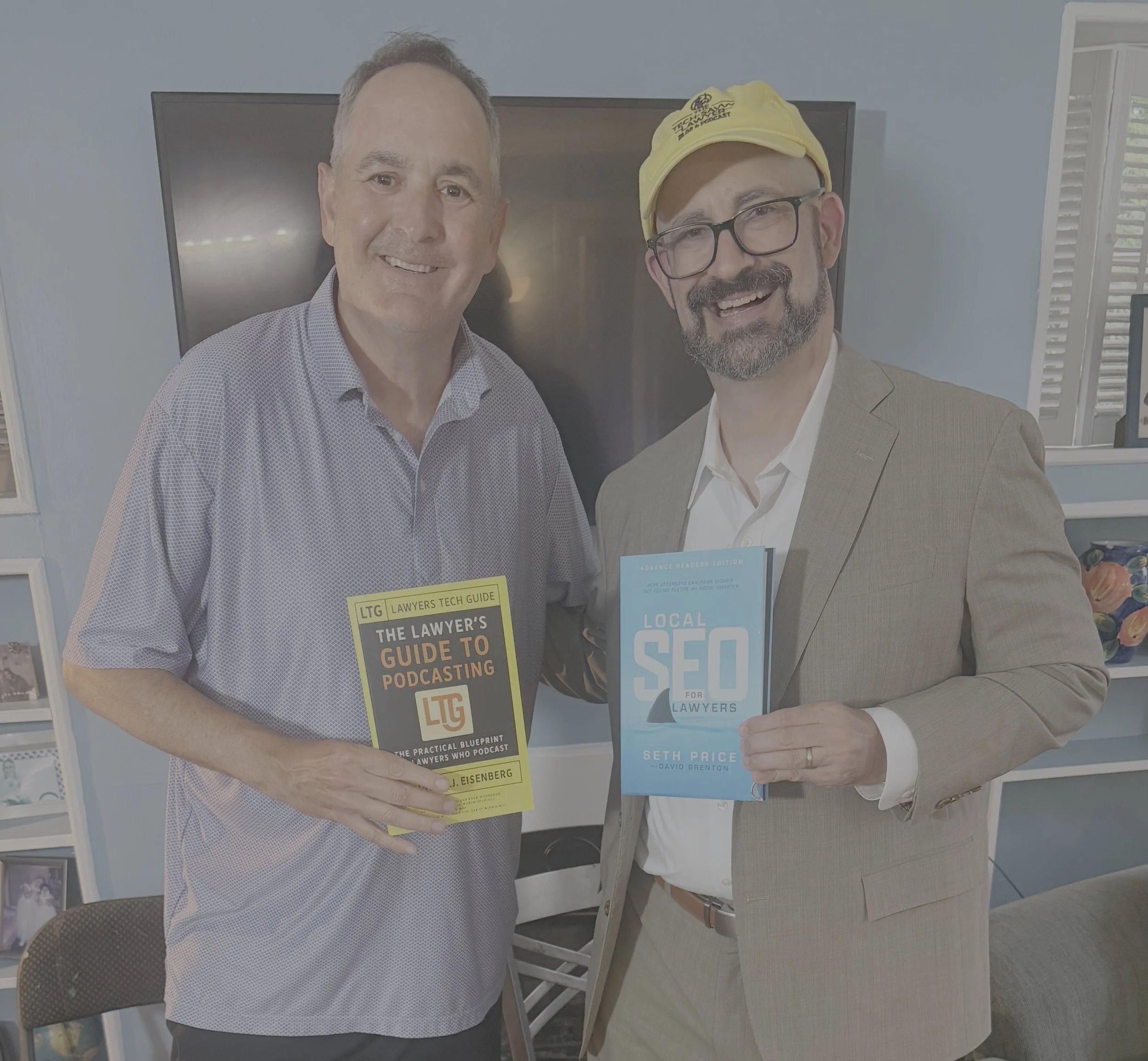
seth price and Michael D.J. Eisenberg exchange copies of their current releases!

A launch is never a solo act, even for a solo practitioner. I want to extend a very public, very appreciative shout out to a few people who made the evening special. ๐Ÿ™Œ

Finally, a heartfelt thanks to my wife and to every colleague, client, and friend who rearranged schedules and drove through a thunderstorm to be there. That kind of support is not just personally meaningfulโ€”it is a reminder that legal tech is at its best when it is rooted in community, not gadgets. ๐Ÿ’™

Thank you Carolyn for hosting the book launch!

Why a podcasting book for lawyersโ€”and why now?

If you follow the blog or listened to my guest appearance on Ruby Powerโ€™s โ€œPower Up Your Practiceโ€, Ep. 104: Legal Podcasting: The New Networking Standard, you have heard me say that podcasting is no longer a fringe experiment for lawyers. For solos, smallโ€‘toโ€‘medium firms, and AIโ€‘curious attorneys, a wellโ€‘designed podcast is:

  • An ongoing, searchable FAQ for your ideal clients.

  • A trustโ€‘building channel for referral partners.

  • A training and onboarding tool for your own team.

In The Lawyerโ€™s Guide to Podcasting, I walk through the tech stack and workflows that keep this realistic for a law practice, from microphones and recording platforms to editing, show notes, and ethical review. The idea is not to turn you into an audio engineer. The idea is to give you enough structure and competence that you work the basics yourself and delegate confidently without abdicating responsibilityโ€”very much in line with the duty of technological competence that is increasingly recognized under ABA Model Rule 1.1 and its stateโ€‘level interpretations.

Ethics, AI, and your voice behind the mic!๐ŸŽ™๏ธ

Many lawyers have told me that their hesitation about podcasting is not the microphone; it is the ethics. That is a healthy instinct. ๐Ÿ‘

  • Model Rule 1.6 (Confidentiality) means no client can recognize themselves in your war stories without informed consent. In the book, I provide redโ€‘flag questions and anonymization strategies you can bake into your outline before you record.

  • Model Rules 7.1โ€“7.3 (Communications and Advertising) remind us that your podcast is marketing, direct or indirect, even when it feels like pure education. We cover how to structure disclaimers, avoid misleading โ€œresultsโ€‘typicalโ€ language, and respect solicitation limits while still giving realโ€‘world examples.

  • For AIโ€‘curious lawyers using tools like transcription, editing assistants, or AIโ€‘drafted show notes, we address how to keep thirdโ€‘party tools inside a framework that respects confidentiality and your supervisory responsibilities under the Rules.

If this resonates, you might also enjoy revisiting โ€œShout Out: Carolyn Elefantโ€™s Review of Casetext v. ChatGPT!โ€, where she looked at AI in legal research through a similar ethicsโ€‘first lens. The same mindset applies here: use the tech, but do not outsource your judgment. ๐Ÿง 

Where we go from here

get your copy of The Lawyers tech guide: The lawyerโ€™s guide to podcasting today on amazon!

The launch party was one evening; the conversation will continue in the weeks ahead on this blog and its podcast as we highlight chapters, interview fellow legal podcasters, and share templates you can adapt for your own show.

If you are a solo, a smallโ€‘firm partner, or an inโ€‘house counsel looking for a practical roadmap, you can find The Lawyer's Guide to Podcasting: Building Your Brand, Audience, Tech Stack, and Expertise! on Amazon. My hope is simple: the next time a thunderstorm rolls through the DMVโ€”or your own calendarโ€”you will have a system that keeps your podcast, and your practice development, moving forward. ๐ŸŒฉ๐ŸŽ™

๐ŸŽ™๏ธ TSL.P Ep. #135: Ethical AI, Paperless Practice, and Smart Hardware Choices with ABA LTRC Chair Alan Klevan โš–๏ธ๐Ÿค–

My next guest is Alan Klevan, a veteran personal injury lawyer and Chair of the ABA Law Practice Divisionโ€™s Legal Technology Resource Center (LTRC), known for running one of the first paperless practices in New England and for his clear-eyed approach to AI in law. In this live episode recorded at the ABA Spring Conference in San Diego, Alan and I dig into how solos and small firms can use AI, case management platforms, hardware, and workflows to practice more efficiently while honoring their ethical duties and protecting client confidentiality.

Join Alan Klevan and me as we discuss the following three questions and more!

  • What are the top three ways Alan uses AI and other tech tools to control discovery and document management at scale, protect client confidentiality, and communicate complex case progress to clients who only care that it is accurate and on time?

  • As Chair of the ABA Law Practice Divisionโ€™s Legal Technology Resource Center, what top three technology practices does Alan wish every small or solo lawyer would adopt in the next 12 months?

  • What were the three most important technology decisions Alan made early in his career around paperless workflows, practice management, automation, and AIโ€‘powered researchโ€”and how can todayโ€™s practitioners follow that lead?

In our conversation, we covered the following:

  • [00:00:00] Live from the ABA Spring Conference in San Diego, introducing Alan Klevan and the setting of the conversation ๐ŸŒด

  • [00:00:30] Alanโ€™s mirrored biโ€‘state setup: two Lenovo i7 laptops in Massachusetts and Florida, dual 24" HP HD monitors, two ScanSnap iX1600 scanners, laser printers, and Microsoft OneDrive syncing between offices ๐Ÿ’ป๐Ÿ“ 

  • [00:01:10] Traveling with a third โ€œroad warriorโ€ Lenovo laptop, iPhone as primary smart device, and using the reMarkable 2 tablet for handwritten notes that sync into client and ABA files โœ๏ธ

  • [00:01:45] Early impressions of the Plaud (AI wearable) device, background-noise muting, and why Alan limits it to nonโ€‘critical meetings due to privilege concerns ๐ŸŽง

  • [00:02:20] Judicial skepticism about AI recording tools in court; motion practice, privilege issues, and a New York judge flatly banning AI recorders in the courtroom ๐Ÿšซ

  • [00:03:10] AI hallucinations in legal practice, roughly 1,300 known hallucination incidents, and why the real problem is lawyers not checking citationsโ€”highlighted by a recent Oregon sanctions case ๐Ÿ’ธ

  • [00:04:00] The Oregon lawyer who tried to โ€œfixโ€ hallucinated citations with a motion to refile instead of candor to the court and opposing counsel, and how that became a fraudโ€‘onโ€‘theโ€‘court issue under the Oregon Rules of Professional Responsibility

  • [00:04:45] Using Google Scholar as an AIโ€‘prompting โ€œhackโ€ to verify every citation and case suggested by AI tools ๐Ÿ”

  • [00:05:20] Question 1 restated: top three ways Alan uses AI and tech to (1) control discovery, (2) protect confidentiality and ethical duties, and (3) communicate complex case progress to clients

  • [00:05:45] Drafting AI and social media policies directly into contingencyโ€‘fee agreements so clients do not post about their case or use openโ€‘source AI on caseโ€‘related issues ๐Ÿ“œ

  • [00:06:30] Hepner and Warner: openโ€‘source vs enterprise AI, attorneyโ€“client privilege, work product concerns, and emerging discoverability questions for publicโ€‘facing AI platforms

  • [00:07:20] Trap for the unwary: why Alan insists clients notify him before using AI on their case and why he prefers enterprise versions of AI for better protection and governance ๐Ÿง 

  • [00:08:10] The Nippon Life Insurance case: client uploads attorney communications into ChatGPT, asks if her lawyer is gaslighting her, then files 44 AIโ€‘drafted motionsโ€”raising product liability and disclaimer questions for AI vendors ๐Ÿ›๏ธ

  • [00:09:30] Court pushback on AI disclaimer language, defective product theories, and the infancy of AIโ€‘related legal liability

  • [00:10:10] Alanโ€™s big personalโ€‘injury โ€œAaron Brockovichโ€‘typeโ€ case with a deepโ€‘pocket defendant and using AI to level the playing field on litigation management and motion practice โš–๏ธ

  • [00:11:00] Feeding facts, parties, defense counsel names, and pleadings into a case management system with a builtโ€‘in, highly accurate legal AI component (VL) and generating 50โ€‘state case research for negligent infliction of emotional distress claims ๐Ÿ“‚

  • [00:12:00] Running the same matter through two AI platforms (case management AI and Claude) to compare outputs, reduce hallucination risk, and mold responses to Alanโ€™s writing style and Massachusetts practice

  • [00:13:00] Using Claude (enterprise tier) to draft an opposition to a motion to dismiss seven emotionalโ€‘distress claims, followed by manual review and crossโ€‘checking in the case management AIโ€”leading to the defendantโ€™s motion being denied โœ…

  • [00:14:15] Alanโ€™s process for verifying AI outputs: second set of โ€œAI eyes,โ€ Google Scholar citation checks, and lawyerโ€‘level review of every filing

  • [00:15:00] Advice for new attorneys: try AI platforms before buying, choose a tool that fits your workflow, avoid shinyโ€‘object syndrome, and do not overโ€‘commit to annual plans while the market is moving fast ๐Ÿงฉ

  • [00:16:00] Michaelโ€™s caution about yearly plans, vendor lockโ€‘in, and ensuring your data is nimble enough to move between AI platforms without costly migrations

  • [00:16:45] Alanโ€™s rule: do not chase every AI; become a master of one platform, learn it deeply, and resist the temptation to constantly switch ๐Ÿง 

  • [00:17:10] Both hosts stress โ€œreview, review, reviewโ€โ€”AI as a law librarian or 3L intern, not as your practicing lawyer, and the concept that AI does not have a JD ๐ŸŽ“

  • [00:18:00] Anecdote from 1990: Alan is sent to court unprepared, gets sent out of the courtroom to learn his file, and how that story frames his modern view of AI oversight and responsibility

  • [00:19:10] Question 2: as LTRC Chair, Alanโ€™s top three technology practices every small or solo lawyer should adopt in the next 12 months

  • [00:19:30] Tech Practice #1: invest in a fast machine (Windows or Mac) with as much RAM and storage as you can reasonably afford, and strip the โ€œcrapwareโ€ off boxโ€‘store Windows machines ๐Ÿ–ฅ๏ธ

  • [00:20:10] Discussion of Apple vs Windows pricing, the need for more than 16 GB of RAM, multiโ€‘core processors, and why Alan buys Lenovo laptops with 32 GB RAM and expects 3โ€“4 year laptop lifespans ๐Ÿ’พ

  • [00:21:30] Backups and storage: redundant cloud backups, redundant hard drives, using external 5 TB drives from Staples, and keeping active machines โ€œcleanโ€ for better AI performance

  • [00:22:30] Tech Practice #2: immerse yourself in what is happening with AI and law practice, become a master of one AI platform, and continuously read ethics and disciplinary decisions about AI use ๐Ÿ“š

  • [00:23:15] Tech Practice #3: your head is your most important piece of technologyโ€”using judgment, stepping back to assess risks, and making sure anything submitted to court or client is accurate

  • [00:24:00] Economic access, hardware costs, and why Alan still believes lowerโ€‘resource attorneys can get workable hardware by being strategic about purchases, specs, and lifecycles

  • [00:25:10] Michaelโ€™s storage philosophy: lots of local SSD, multiple backups, and revisiting older briefs and arguments (e.g., mailboxโ€‘rule analysis) to build new work more efficiently

  • [00:26:10] Disk space versus backup strategy, internal vs external drives, cloud vs local files, and disaster recovery considerations

  • [00:27:20] Question 3: top three early technology decisions Alan made around paperless practice, automation, and AIโ€‘powered research

  • [00:27:40] Answer #1: going fully paperless in 2005โ€”the first paperless practice in New Englandโ€”and eliminating almost all postage costs by sending encrypted electronic communications and demand packages โœ‰๏ธ

  • [00:28:15] Answer #2: becoming a powerโ€‘user of Adobe Acrobat and PDF workflows so he can respond to massive production requests (e.g., 10,000 pages) in seconds instead of hours ๐Ÿ“‘

  • [00:29:00] Answer #3: adopting case management platforms with AIโ€‘driven workflows that automatically assemble record requests, HIPAA authorizations, and certifications for medical providers

  • [00:29:45] Dusty hardware: why Alanโ€™s printer and ScanSnap are seeing less use, yet scanners remain necessary for partners who still prefer paper and nonโ€‘electronic delivery ๐Ÿ–จ๏ธ

  • [00:30:20] Michaelโ€™s own shrinking paper consumption, stamps.com, and transitioning to PDFโ€‘based workflows with secure electronic delivery

  • [00:31:00] Adobe Acrobat as โ€œgold standardโ€ for lawyers, why every attorney must understand PDFs deeply, and Alanโ€™s โ€œlearn it, love it, live itโ€ mantra ๐Ÿ“„

  • [00:31:40] Bonus segment: what the ABA Legal Technology Resource Center (LTRC) is, its role as a โ€œdelivery board,โ€ and how it serves both the Law Practice Division and the broader ABA membership ๐Ÿ›๏ธ

  • [00:32:20] LTRCโ€™s four pillars of law practice managementโ€”marketing, technology, practice, and financeโ€”and how it delivers content via Law Technology Today, webinars, podcasts, and roundtables

  • [00:33:10] 2024โ€“25 LTRC theme: AIโ€‘centric content from intake through trial, and why Alan believes LTRC may become the ABAโ€™s most important board for practitioners navigating AI

  • [00:34:00] Using AI for lawโ€‘firm marketing, content creation, caseโ€‘law recaps, and SEOโ€”along with warnings about legal advice, PII, and AIโ€‘generated โ€œSEO articlesโ€ that sound inauthentic

  • [00:35:00] Call to action: join the ABA Law Practice Division and LTRC, become one of roughly 30 techโ€‘focused thought leaders, and help shape AI guidance for the profession ๐Ÿ™Œ

  • [00:36:00] Where to find Alan: why he is minimizing social presence during a major move and highโ€‘stakes case, and the best way to reach him on LinkedIn

Hardware mentioned in the conversation

Software & cloud services mentioned

๐ŸŽ™๏ธ Ep. #125: Transforming Law Practice: Allison Johs on Legal Tech Productivity, AI Ethics & Automation Strategies.

My next guest is Allison Johs, former Chair of the ABA Legal Technology Resource Center and founder of Legal Ease Consulting. ๐ŸŽฏ Allison has spent nearly two decades helping law firms prevent "lawyer meltdown" by guiding them through digital transformation, boosting productivity, and providing practical tech solutions for modern legal professionals. With 15 years of practicing law and experience growing a firm from 15 to over 50 attorneys, Allison brings real-world expertise to the challenges lawyers face when balancing technology adoption with successful client service.

Join Allison Johs and me as we discuss the following three questions and more! ๐Ÿค”

  1. What are the top three foundational mistakes lawyers make when implementing new legal technology, and how can solo and small firms avoid these pitfalls to ensure their technology investments actually improve their practice rather than just create additional complexity?

  2. What are your top three recommendations for lawyers who want to responsibly integrate AI into their practice while maintaining ethical compliance and ensuring client confidentiality?

  3. What are the top three technology-driven strategies lawyers can implement immediately to automate routine tasks and reclaim billable hours?

In our conversation, we cover the following: โฑ๏ธ

  • [00:00:00] โ€“ Episode introduction and guest welcome

  • [00:01:00] โ€“ Allison's current tech setup: Dell laptop, HP all-in-one desktop, Logitech Brio webcam, Microsoft 365

  • [00:02:00] โ€“ Discussion of portable monitors (INNOCN) and dual-screen productivity setups

  • [00:03:00] โ€“ Document scanning workflow with ScanSnap scanner and going paperless

  • [00:04:00] โ€“ OCR considerations for different practice areas, Adobe Acrobat for occasional OCR needs

  • [00:05:00] โ€“ Mistake #1: Not considering roles of all people who will use the technology in the firm

  • [00:06:00] โ€“ Including staff input during technology selection and implementation

  • [00:07:00] โ€“ Coaching resistant employees through technology adoption

  • [00:08:00] โ€“ Addressing legitimate objections vs. fear of change; demonstrating value to staff

  • [00:09:00] โ€“ Mistake #2: Not checking how new technology integrates with existing systems

  • [00:10:00] โ€“ Hidden costs of technology transitions: running parallel systems for 6-8 months

  • [00:11:00] โ€“ Budgeting for duplicate CRM/LPM subscriptions during migration

  • [00:12:00] โ€“ Mistake #3: Failing to appropriately invest in ongoing training

  • [00:13:00] โ€“ Training new hires and keeping up with subscription software updates

  • [00:14:00] โ€“ AI Recommendation #1: Thoroughly investigate how AI tools handle data, security, and training

  • [00:15:00] โ€“ AI Recommendation #2: Setting and strictly enforcing AI usage policies; mandatory human review

  • [00:16:00] โ€“ The importance of reviewing AI outputsโ€”lawyers should know precedents in their practice area

  • [00:17:00] โ€“ AI Recommendation #3: Start with non-client-facing AI work (internal processes, marketing, financials)

  • [00:18:00] โ€“ Ethical considerations: using AI on published court decisions for legal analysis

  • [00:19:00] โ€“ Using AI to find contrary precedents and distinguishing cases

  • [00:20:00] โ€“ Duty to supervise: real-world consequences when AI use goes wrong

  • [00:21:00] โ€“ Automation Strategy #1: Appointment booking tools (Calendly, Microsoft Bookings)

  • [00:22:00] โ€“ Automation Strategy #2: Templates, document assembly, AI chatbots for client intake

  • [00:23:00] โ€“ Automation Strategy #3: Automated time tracking and AI-powered billing review

  • [00:23:30] โ€“ Text Expander discussion: saving 2-5 hours weekly on repetitive typing

  • [00:24:00] โ€“ Allison's top automation tools: Calendly, Microsoft Power Automate, Microsoft Bookings

  • [00:25:00] โ€“ Discovering hidden features in Microsoft 365 (Ben Schorr webinar reference)

  • [00:26:00] โ€“ Using AI for travel planning: Google AI for trip itineraries, Perplexity AI for route optimization

  • [00:27:00] โ€“ Maximizing productivity during travel and conference attendance

  • [00:28:00] โ€“ Where to find Allison: websites, social media, and YouTube channel

Resources ๐Ÿ“š

Connect with Allison Johs:

Mentioned in the Episode:

  • ๐Ÿ“– ABA Legal Technology Resource Center โ€“ americanbar.org/groups/departments_offices/legal_technology_resources

  • ๐Ÿ“– How to Do More in Less Time (2nd Edition, 2023) โ€“ ABA Law Practice Division book co-authored by Allison Johs - https://www.amazon.com/How-More-Less-Time-Productivity/dp/1639052283

  • ๐Ÿ“– Make LinkedIn Work for You: A Practical Handbook for Lawyers and Other Legal Professionals โ€“ Co-authored with Dennis Kennedy - https://www.amazon.com/Make-LinkedIn-Work-You-Professionals/dp/1734076321

  • ๐Ÿ‘ค Ben Schorr โ€“ Microsoft 365 expert, now with Affinity Consulting Group - https://www.affinityconsulting.com/team/ben-m-schorr/

  • ๐Ÿ›๏ธ Universal Migrator โ€“ CRM/LPM data migration tool - https://www.universalmigrator.com/

Hardware Mentioned in the Conversation:

  • ๐Ÿ’ป Dell Laptop - https://www.dell.com/en-us/shop/dell-laptops/scr/laptops?_gl=1*78tbrz*_up*MQ..*_gs*MQ..&gclid=EAIaIQobChMIgerxro6QkQMVdUpHAR0BUBUOEAAYASAAEgJ_R_D_BwE&gclsrc=aw.ds

  • ๐Ÿ–ฅ๏ธ HP All-in-One Desktop Computer - https://www.hp.com/us-en/shop/vwa/desktops/form=All-in-One

  • ๐Ÿ–ฅ๏ธ INNOCN Portable Monitor (1080p mobile screen) โ€“ innocn.com

  • ๐Ÿ“ท Logitech Brio Webcam (4K with built-in microphone) โ€“ logitech.com/brio

  • ๐Ÿ–จ๏ธ HP Printer - https://www.hp.com/us-en/shop/vwa/printers

  • ๐Ÿ“„ Fujitsu ScanSnap Scanner (duplex document scanner) โ€“ scansnap.com

Software & Cloud Services Mentioned in the Conversation:

  • โ˜๏ธ Microsoft 365 โ€“ microsoft.com/microsoft-365

  • โšก Microsoft Power Automate โ€“ powerautomate.microsoft.com

  • ๐Ÿ“… Microsoft Bookings โ€“ microsoft.com/bookings

  • ๐Ÿ“… Calendly โ€“ calendly.com

  • ๐Ÿ’ฌ Zoom โ€“ Video conferencing platform - zoom.com

  • ๐Ÿ“„ Adobe Acrobat (for occasional OCR) โ€“ adobe.com/acrobat

  • โŒจ๏ธ TextExpander โ€“ textexpander.com

  • ๐Ÿค– ChatGPT โ€“ OpenAI's AI assistant - https://chatgpt.com

  • ๐Ÿค– Microsoft Copilot โ€“ AI assistant integrated with Microsoft 365 - https://copilot.microsoft.com/

  • ๐Ÿ” Google AI โ€“ For travel planning and itineraries - https://ai.google/

  • ๐Ÿ” Perplexity AI โ€“ AI-powered search engine โ€“ perplexity.ai

  • โš–๏ธ Lexis+ AI โ€“ Legal research AI tool โ€“ lexisnexis.com/lexis-plus-ai