MTC: AI Won’t Replace Solo and Small-Firm Lawyers — It Will Supercharge Them ⚖️🤖

Solo lawyers can use artificial intelligence as a virtual associate to handle legal research, drafting, intake, and billing in a modern small law firm ⚖️🤖

If you run a solo or small-to-medium firm, you’ve probably heard the predictions: AI will automate legal tasks in “12 to 18 months” or replace traditional lawyers entirely by 2035. Those headlines make great clickbait, but they miss what is actually happening on the ground in smaller practices. AI is not wiping out solo and small-firm lawyers; it is changing the mix of tasks we do — and creating more opportunities for us if we adopt it intentionally and ethically. 

In a recent Washington Post opinion, Damien Charlotin argues that AI won’t replace lawyers. It will create more of them. His logic is especially important for solos and small firms. He describes legal jobs as “bundles of tasks,” many of which are tightly linked and not easily peeled apart for automation. If you’ve ever juggled intake, research, drafting, negotiation, and billing in a single day, you know exactly what that tight bundle feels like. AI is about to start pulling on pieces of that bundle — and your job is to decide how to rebundle your work in a way that serves clients, protects ethics, and keeps your business healthy. ⚖️🤖

Why Solo and Small Firms Should Ignore the Doom Headlines 😅

Charlotin points out that lawyers have never been more numerous in the United States, with law school applications rising and record-high employment in bar-required jobs. That’s happening at the same time as AI hype, which should tell you something: the profession is not collapsing.

For solos and small firms, the bigger risk is not AI replaces me, but AI-literate competitors out-serve my clients. Larger firms may have innovation teams and internal IT, but you have agility and direct control over your workflows. If you can use AI to shave hours off routine tasks — and reinvest that time into client counseling, business development, or flat-fee offerings — you can turn AI from a threat into a differentiator. As I often say on The Tech-Savvy Lawyer.Page podcast, AI is the junior associate you don’t have to hire, but still have to supervise.

Your Practice as a “Tight Bundle” of Tasks 🧩

Charlotin’s “bundles of tasks” concept is tailor-made for solo and small-firm reality. In big firms, tasks can be split across teams; in smaller shops, you wear most of the hats. Research, drafting, strategy, client communication, and billing are often intertwined in a single matter.

For experienced lawyers, Charlotin notes, “doing legal research and evaluating an argument are … often the same mental activity” — we check the argument by writing it. If you offload only the writing to AI, verification becomes a separate, deliberate act that takes time, and if you skip it, you risk sanctions for hallucinated filings. This is why I push solo and small-firm lawyers to treat AI as an assistant that drafts and summarizes, while you retain control over the analysis and final product.

Lessons from E-Discovery for Small Practices 📂➡️📈

Charlotin likens the current AI hype to the e-discovery wave more than a decade ago. Back then, headlines like those from The New York Times predicted “Armies of Expensive Lawyers, Replaced by Cheaper Software.” What actually happened? The volume of discoverable material exploded; the tools became part of practice; and lawyers moved into new roles managing, interpreting, and litigating around that information.

That same Jevons paradox — cheaper processes leading to more usage — is already playing out in tools marketed to solo and small firms. AI-assisted drafting and research platforms now make it viable for smaller shops to handle matters that previously required big-firm staffing, and to offer more predictable pricing without cutting quality. Cheaper legal work often means more legal work — especially for clients who previously couldn’t afford you.

ABA Model Rule 1.1: Competence for Lean Teams 📚

Small law firm team using legal AI tools to improve collaboration, client service, and ABA-compliant workflows across a lean practice 👩‍⚖️👨‍⚖️💻.

For solos and small- to medium-sized firms, ABA Model Rule 1.1 on competence is both a challenge and an opportunity. It requires you to understand “the benefits and risks associated with relevant technology,” including AI. But unlike big firms, you can’t delegate that understanding to an IT department or an internal AI committee; you are the committee.

Practically, that means you need at least a working grasp of what your chosen AI tools do, how they handle data, and where they fit in your workflows. You don’t need to run every experiment at once. Start with one or two high-impact areas — say, summarizing long PDFs, generating first drafts of routine emails, or creating checklists from statutes or rules — and build from there. Competence for solo and small-firm lawyers is not about chasing every new feature; it’s about picking the right tools for your practice and using them deliberately.

Rules 5.1 and 5.3: Supervision When “You Are the Management” 👥🤖

You might think Rules 5.1 and 5.3 (supervision of lawyers and nonlawyers) are big-firm problems. They’re not. If you have even one staff member, contract attorney, or virtual assistant, you are responsible for how they use AI. And even if you’re truly solo, you’re still responsible for supervising the AI tools you deploy as if they were a nonlawyer assistant.

For small practices, the most practical move is a simple written AI policy, even if it’s a one-page document:

  • Which tasks can use AI (e.g., research assistance, first-draft documents);

  • Which tasks require heightened review (e.g., anything filed with a court);

  • Which tasks are off-limits (e.g., unsupervised client advice, sensitive fact patterns pasted into consumer chatbots).

As discussed both in Charlotin’s piece and in bar guidance for smaller firms, formal policies help you avoid ad hoc, inconsistent AI use that could jeopardize client confidentiality or court obligations.

Rule 1.6 Confidentiality: Cloud Tools on a Budget 🔐

Model Rule 1.6 on confidentiality doesn’t change just because you’re a small shop — but your margin for error is thinner. Many solos and small firms rely on cloud-based tools because they can’t host their own infrastructure. That’s fine, as long as you are careful.

Before pasting client facts into an AI tool, you must know whether it stores or reuses data, whether it trains on your inputs, and whether there’s an option for a “no training” or “enterprise” mode. When in doubt, prefer AI features built into reputable legal platforms (research tools, practice management systems, document automation suites) with clear confidentiality commitments, rather than generic consumer apps. On The Tech-Savvy Lawyer.Page, I hammer this point because solos cannot absorb the cost of a major data mishap the way some larger organizations can.

Legislative Inflation and Niche Opportunities for Smaller Firms 📜📈

Charlotin notes that every jurisdiction is “afflicted by legislative inflation” — more rules, more norms, more regulations. That means more interpretation, more disputes, more filings, and more need for lawyers. For solos and small-to-medium firms, this is an opportunity to carve out narrow niches and use AI to keep up with complex, evolving regimes that might otherwise be out of reach.

An AI-enabled solo can monitor regulatory changes, generate quick client alerts, and update templates far faster than before. Combined with targeted content marketing and SEO, this makes it possible to dominate specific micro-niches without a big marketing budget — something I frequently discuss on The Tech-Savvy Lawyer.Page when we talk about modern business development.

Entry-Level Work and the Solo/Small Pyramid 🧑‍🎓➡️⚖️

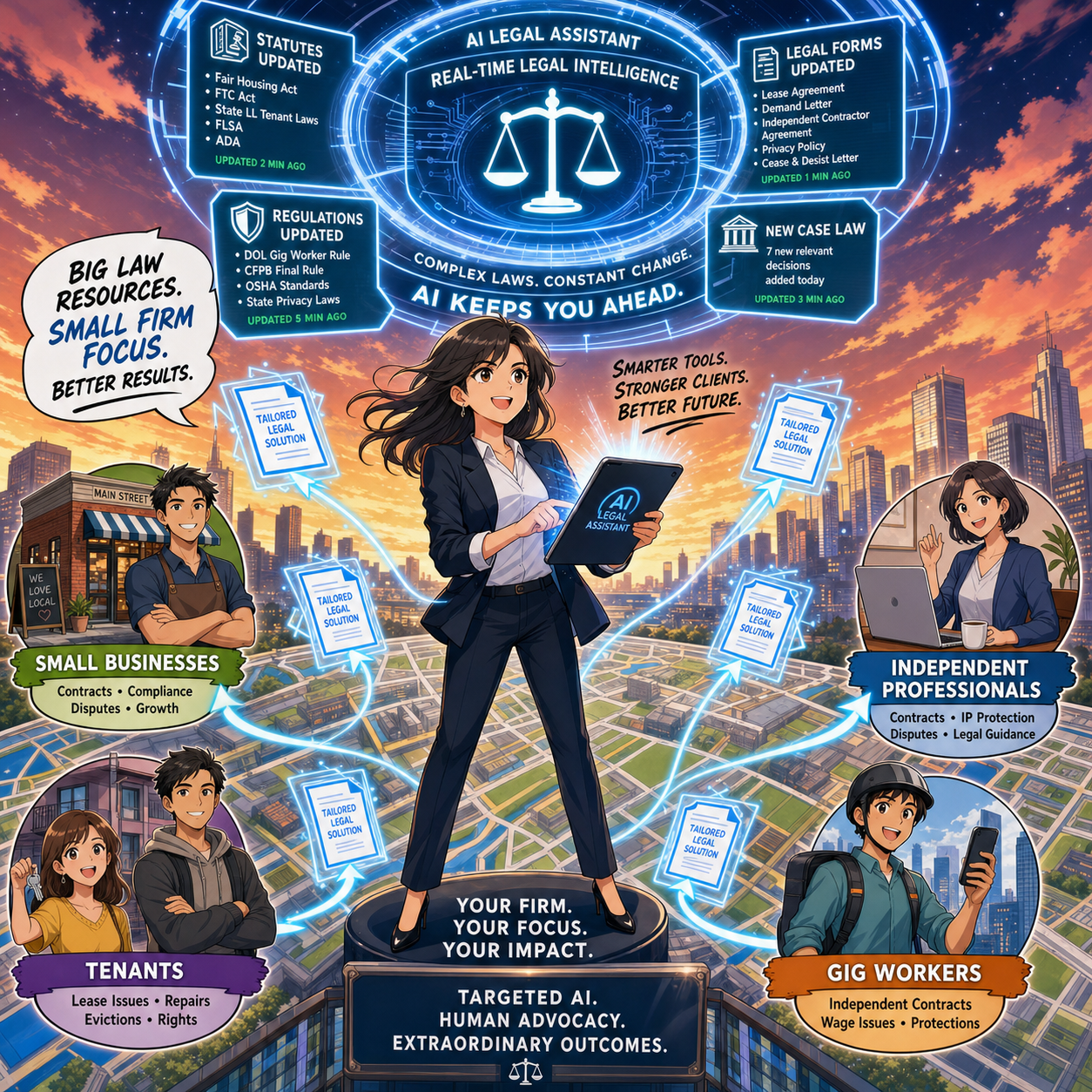
a Small-firm lawyer can use AI-powered legal technology to serve niche clients, track changing regulations, and deliver efficient legal services across a local market 🎯⚖️

Charlotin flags a serious concern: AI may change entry-level work. For big firms, that means rethinking associate leverage. In smaller firms, it means you may hire differently — or delay that first hire because AI picks up some of the routine drafting and research.

But Charlotin also notes that young lawyers are hired for reasons beyond their marginal drafting value — future partnership, signals to clients, bench strength for unpredictable surges. The same is true for small and mid-size firms. AI can handle some grunt work, but it can’t attend a community event, build a local reputation, or bring in referrals. If you use AI to free juniors from the most repetitive tasks, you can push them earlier into client-facing and business-building roles, which is exactly where smaller firms thrive.

Reorganization, Not Replacement — Especially for You 🔄

Charlotin closes by emphasizing that while the profession will look different in 2035, the lawyer is here to stay, and there will likely be more lawyers, not fewer. They will use AI — “they would be fools not to” — and they will charge for that value.

For solo and small-to-medium firms, the reorganization is already underway:

  • Routine drafting and research shift toward AI-assisted workflows.

  • Verification, judgment, and client counseling become even more central.

  • Niche expertise, responsiveness, and pricing flexibility become your competitive edge.

If you treat AI as a core part of your toolkit — governed by the ABA Model Rules and aligned with your business goals — you must position your firm not just to survive the AI wave, but to ride it. ⚖️🤖

Its been said many times by myself and others, lawyers must embrace AI into their practice of law or be left behind by those who do!

🎙️ TSL.P Ep. #135: Ethical AI, Paperless Practice, and Smart Hardware Choices with ABA LTRC Chair Alan Klevan ⚖️🤖

My next guest is Alan Klevan, a veteran personal injury lawyer and Chair of the ABA Law Practice Division’s Legal Technology Resource Center (LTRC), known for running one of the first paperless practices in New England and for his clear-eyed approach to AI in law. In this live episode recorded at the ABA Spring Conference in San Diego, Alan and I dig into how solos and small firms can use AI, case management platforms, hardware, and workflows to practice more efficiently while honoring their ethical duties and protecting client confidentiality.

Join Alan Klevan and me as we discuss the following three questions and more!

  • What are the top three ways Alan uses AI and other tech tools to control discovery and document management at scale, protect client confidentiality, and communicate complex case progress to clients who only care that it is accurate and on time?

  • As Chair of the ABA Law Practice Division’s Legal Technology Resource Center, what top three technology practices does Alan wish every small or solo lawyer would adopt in the next 12 months?

  • What were the three most important technology decisions Alan made early in his career around paperless workflows, practice management, automation, and AI‑powered research—and how can today’s practitioners follow that lead?

In our conversation, we covered the following:

  • [00:00:00] Live from the ABA Spring Conference in San Diego, introducing Alan Klevan and the setting of the conversation 🌴

  • [00:00:30] Alan’s mirrored bi‑state setup: two Lenovo i7 laptops in Massachusetts and Florida, dual 24" HP HD monitors, two ScanSnap iX1600 scanners, laser printers, and Microsoft OneDrive syncing between offices 💻📠

  • [00:01:10] Traveling with a third “road warrior” Lenovo laptop, iPhone as primary smart device, and using the reMarkable 2 tablet for handwritten notes that sync into client and ABA files ✍️

  • [00:01:45] Early impressions of the Plaud (AI wearable) device, background-noise muting, and why Alan limits it to non‑critical meetings due to privilege concerns 🎧

  • [00:02:20] Judicial skepticism about AI recording tools in court; motion practice, privilege issues, and a New York judge flatly banning AI recorders in the courtroom 🚫

  • [00:03:10] AI hallucinations in legal practice, roughly 1,300 known hallucination incidents, and why the real problem is lawyers not checking citations—highlighted by a recent Oregon sanctions case 💸

  • [00:04:00] The Oregon lawyer who tried to “fix” hallucinated citations with a motion to refile instead of candor to the court and opposing counsel, and how that became a fraud‑on‑the‑court issue under the Oregon Rules of Professional Responsibility

  • [00:04:45] Using Google Scholar as an AI‑prompting “hack” to verify every citation and case suggested by AI tools 🔍

  • [00:05:20] Question 1 restated: top three ways Alan uses AI and tech to (1) control discovery, (2) protect confidentiality and ethical duties, and (3) communicate complex case progress to clients

  • [00:05:45] Drafting AI and social media policies directly into contingency‑fee agreements so clients do not post about their case or use open‑source AI on case‑related issues 📜

  • [00:06:30] Hepner and Warner: open‑source vs enterprise AI, attorney–client privilege, work product concerns, and emerging discoverability questions for public‑facing AI platforms

  • [00:07:20] Trap for the unwary: why Alan insists clients notify him before using AI on their case and why he prefers enterprise versions of AI for better protection and governance 🧠

  • [00:08:10] The Nippon Life Insurance case: client uploads attorney communications into ChatGPT, asks if her lawyer is gaslighting her, then files 44 AI‑drafted motions—raising product liability and disclaimer questions for AI vendors 🏛️

  • [00:09:30] Court pushback on AI disclaimer language, defective product theories, and the infancy of AI‑related legal liability

  • [00:10:10] Alan’s big personal‑injury “Aaron Brockovich‑type” case with a deep‑pocket defendant and using AI to level the playing field on litigation management and motion practice ⚖️

  • [00:11:00] Feeding facts, parties, defense counsel names, and pleadings into a case management system with a built‑in, highly accurate legal AI component (VL) and generating 50‑state case research for negligent infliction of emotional distress claims 📂

  • [00:12:00] Running the same matter through two AI platforms (case management AI and Claude) to compare outputs, reduce hallucination risk, and mold responses to Alan’s writing style and Massachusetts practice

  • [00:13:00] Using Claude (enterprise tier) to draft an opposition to a motion to dismiss seven emotional‑distress claims, followed by manual review and cross‑checking in the case management AI—leading to the defendant’s motion being denied ✅

  • [00:14:15] Alan’s process for verifying AI outputs: second set of “AI eyes,” Google Scholar citation checks, and lawyer‑level review of every filing

  • [00:15:00] Advice for new attorneys: try AI platforms before buying, choose a tool that fits your workflow, avoid shiny‑object syndrome, and do not over‑commit to annual plans while the market is moving fast 🧩

  • [00:16:00] Michael’s caution about yearly plans, vendor lock‑in, and ensuring your data is nimble enough to move between AI platforms without costly migrations

  • [00:16:45] Alan’s rule: do not chase every AI; become a master of one platform, learn it deeply, and resist the temptation to constantly switch 🧠

  • [00:17:10] Both hosts stress “review, review, review”—AI as a law librarian or 3L intern, not as your practicing lawyer, and the concept that AI does not have a JD 🎓

  • [00:18:00] Anecdote from 1990: Alan is sent to court unprepared, gets sent out of the courtroom to learn his file, and how that story frames his modern view of AI oversight and responsibility

  • [00:19:10] Question 2: as LTRC Chair, Alan’s top three technology practices every small or solo lawyer should adopt in the next 12 months

  • [00:19:30] Tech Practice #1: invest in a fast machine (Windows or Mac) with as much RAM and storage as you can reasonably afford, and strip the “crapware” off box‑store Windows machines 🖥️

  • [00:20:10] Discussion of Apple vs Windows pricing, the need for more than 16 GB of RAM, multi‑core processors, and why Alan buys Lenovo laptops with 32 GB RAM and expects 3–4 year laptop lifespans 💾

  • [00:21:30] Backups and storage: redundant cloud backups, redundant hard drives, using external 5 TB drives from Staples, and keeping active machines “clean” for better AI performance

  • [00:22:30] Tech Practice #2: immerse yourself in what is happening with AI and law practice, become a master of one AI platform, and continuously read ethics and disciplinary decisions about AI use 📚

  • [00:23:15] Tech Practice #3: your head is your most important piece of technology—using judgment, stepping back to assess risks, and making sure anything submitted to court or client is accurate

  • [00:24:00] Economic access, hardware costs, and why Alan still believes lower‑resource attorneys can get workable hardware by being strategic about purchases, specs, and lifecycles

  • [00:25:10] Michael’s storage philosophy: lots of local SSD, multiple backups, and revisiting older briefs and arguments (e.g., mailbox‑rule analysis) to build new work more efficiently

  • [00:26:10] Disk space versus backup strategy, internal vs external drives, cloud vs local files, and disaster recovery considerations

  • [00:27:20] Question 3: top three early technology decisions Alan made around paperless practice, automation, and AI‑powered research

  • [00:27:40] Answer #1: going fully paperless in 2005—the first paperless practice in New England—and eliminating almost all postage costs by sending encrypted electronic communications and demand packages ✉️

  • [00:28:15] Answer #2: becoming a power‑user of Adobe Acrobat and PDF workflows so he can respond to massive production requests (e.g., 10,000 pages) in seconds instead of hours 📑

  • [00:29:00] Answer #3: adopting case management platforms with AI‑driven workflows that automatically assemble record requests, HIPAA authorizations, and certifications for medical providers

  • [00:29:45] Dusty hardware: why Alan’s printer and ScanSnap are seeing less use, yet scanners remain necessary for partners who still prefer paper and non‑electronic delivery 🖨️

  • [00:30:20] Michael’s own shrinking paper consumption, stamps.com, and transitioning to PDF‑based workflows with secure electronic delivery

  • [00:31:00] Adobe Acrobat as “gold standard” for lawyers, why every attorney must understand PDFs deeply, and Alan’s “learn it, love it, live it” mantra 📄

  • [00:31:40] Bonus segment: what the ABA Legal Technology Resource Center (LTRC) is, its role as a “delivery board,” and how it serves both the Law Practice Division and the broader ABA membership 🏛️

  • [00:32:20] LTRC’s four pillars of law practice management—marketing, technology, practice, and finance—and how it delivers content via Law Technology Today, webinars, podcasts, and roundtables

  • [00:33:10] 2024–25 LTRC theme: AI‑centric content from intake through trial, and why Alan believes LTRC may become the ABA’s most important board for practitioners navigating AI

  • [00:34:00] Using AI for law‑firm marketing, content creation, case‑law recaps, and SEO—along with warnings about legal advice, PII, and AI‑generated “SEO articles” that sound inauthentic

  • [00:35:00] Call to action: join the ABA Law Practice Division and LTRC, become one of roughly 30 tech‑focused thought leaders, and help shape AI guidance for the profession 🙌

  • [00:36:00] Where to find Alan: why he is minimizing social presence during a major move and high‑stakes case, and the best way to reach him on LinkedIn

Hardware mentioned in the conversation

Software & cloud services mentioned

MTC: Hidden AI, GEO, and the ABA Model Rules: What Every Lawyer Needs to Know Before Their Next Client Finds Them Online ⚖️🤖

Generative AI is already talking about you, your law firm, and your practice area—even if you have never opened ChatGPT. 😳 Clients ask AI tools legal questions in natural language, and those systems answer by pulling from whatever content they trust online. For lawyers, that raises two intertwined issues: “hidden AI” inside everyday tools and the rise of Generative Engine Optimization (GEO). Together, they sit squarely in the path of your duties under the ABA Model Rules.

Legal Ethics Meets GEO and Hidden AI!

Hidden AI is everywhere in modern law practice tools. Microsoft 365 suggests text, summarizes long email threads, and drafts documents. Zoom transcribes and sometimes “enhances” meetings. Practice‑management platforms now market AI assistants that review documents, summarize matters, and even suggest next steps. Much of this AI runs quietly in the background, so it is easy to forget it exists—or to assume it is “just another feature.” Yet under ABA Model Rule 1.1, technological competence now includes understanding the benefits and risks of the technology you choose for your clients’ work. You cannot competently supervise what you do not even realize is there.

At the same time, AI tools sit on the front end of client development. When a potential client types, “How does a New Jersey divorce work and when should I hire a lawyer?” into an AI chatbot, that system gives an answer based on content it considers reliable. GEO—Generative Engine Optimization—is about making your content understandable, quotable, and safe for those systems to lift into the response. Where SEO asks, “How do I rank in Google’s blue links?”, GEO asks, “How do I become the answer AI gives when someone in my jurisdiction asks a real client question?” 🧠

Where the ABA Model Rules Fit

GEO and hidden AI are not just marketing trends; they are ethics issues.

  • Model Rule 1.1 (Competence). Comment 8 extends competence to relevant technology. ABA guidance on AI (including Formal Opinion 512) explains that lawyers must understand how AI tools work in broad strokes, their limitations, and their failure modes. If you expect clients to find you through AI‑generated answers, you should know what those systems are likely to say about your area of law and how your own content feeds into that ecosystem. ⚖️

  • Model Rule 1.6 (Confidentiality). You do not need to paste client facts into AI tools to do GEO. Good GEO content relies on hypotheticals and public law, not on confidential stories. But when you use AI inside Word, your practice platform, or a browser‑based assistant, you must know where the data goes, whether it is used for training, and whether additional client consent or stronger safeguards are required. 🔐

  • Model Rule 1.4 (Communication). When AI tools materially affect how you handle a matter—such as drafting, research, or review—you may need to explain that to clients in clear, non‑technical terms. In marketing, that same communication duty supports honest disclaimers: your GEO‑optimized articles must state that they are general information, not legal advice, and that AI summaries of your content are no substitute for a direct attorney‑client consultation.

  • Model Rules 7.1–7.3 (Advertising and Solicitation). GEO content must still be truthful and non‑misleading. You cannot let AI‑targeted content slide into promises of “guaranteed results” or vague claims of being “the best.” The fact that you are writing for AI as well as humans does not relax your duties under the advertising rules—it amplifies them, because misstatements can get replicated and amplified by AI tools. 📢

Handled thoughtfully, GEO can actually help you satisfy these rules. It encourages you to publish accurate, current, and jurisdiction‑specific explanations that educate the public and reduce confusion. Done poorly, it can push you into ethically dangerous territory where AI retells your overbroad claims to countless readers you never see.

What Is “Hidden AI” in Law Practice?

How AI Shapes Legal Ethics and Client Discovery

For many lawyers with limited or moderate tech skills, the biggest risk is not exotic AI research—it is quiet defaults.

Examples:

  • Word processors that turn on AI‑assisted drafting by default.

  • Email services that summarize conversations using third‑party models.

  • Cloud DMS, i.e., a cloud-based document management system, or practice platforms that offer “smart” suggestions based on client documents.

These tools can be legitimate productivity boosts, but under Rules 1.1 and 1.6, you must understand enough about them to decide when and how to use them. That includes asking:

  • Does this feature send client content to an external provider?

  • Is that provider training on my data?

  • Can I turn that training off?

  • Is there a business or enterprise version with better confidentiality terms?

You do not need to become a software engineer. You do need to know the basic data‑flow story well enough to make an informed risk judgment and to explain that judgment if a client or disciplinary authority asks. 🙋‍♀️

Moving from SEO to GEO—Ethically

Traditional SEO still matters. You still want clear titles, descriptive meta tags, fast and mobile‑friendly pages, and basic schema markup so search engines can understand your site. GEO builds on that foundation and asks you to go one step further: write in a way that large language models can safely quote.

GEO‑friendly legal content usually has:

✅   An answer‑first summary at the top: a short, plain‑English overview of the main question.

✅   Strong jurisdiction signals: repeated references to the state, province, or country, relevant courts, and applicable statutes.

✅   Specific client questions: headings written in the same conversational style clients use (“How long do I have to sue after a car accident in Ohio?”).

✅   Trust signals: bylines, credentials, bar memberships, links to statutes and court sites, and recent update dates.

For example, if you serve veterans in disability benefits work, your GEO page might be titled “How VA Disability Claims Work for [Your State] Veterans” and open with a five‑sentence, answer‑first summary in plain English. You would clearly note that you practice in specific jurisdictions, link to the VA and governing statutes, and spell out when someone should seek legal counsel. An AI system looking for a safe, jurisdiction‑clear answer is more likely to treat that content as a reliable source.

From an ethics standpoint, this structure helps you:

  • Stay in your lane (Rule 1.1) by emphasizing your actual jurisdiction and practice scope.

  • Provide accurate, non‑misleading information (Rules 7.1–7.3).

  • Communicate clearly about what your content is—and is not (Rule 1.4).

Practical First Steps for Non‑Techy Lawyers

You do not need to rebuild your entire site this week. A focused, incremental approach works well, especially if you are still building your tech confidence. Here is a practical sequence that maintains compliance with the Model Rules:

Legal Ethics Meets GEO and Hidden AI

  1. Audit your “hidden AI.” With your IT provider or vendor reps, identify where AI is already in use in your stack: Microsoft 365, Google Workspace, Zoom, your case‑management system, research tools, and any browser extensions. Turn off any features you cannot yet explain to yourself in basic terms. 🛠️

  2. Pick one practice area to GEO‑optimize. Choose the area that drives most of your matters. List the 10 most common client questions you actually hear. Those are the headings for your first GEO page.

  3. Write answer‑first, jurisdiction‑specific content. Use short paragraphs and plain language, and embed jurisdiction cues and citations to official sources. Include clear disclaimers about general information, no legal advice, and the need for a consultation.

  4. Refresh and expand over time. Revisit that page whenever law or practice changes, add FAQs, and link related posts. This keeps content current for both search engines and AI tools.

  5. Document your choices. If you decide to use specific AI tools in drafting content or in client work, note your reasoning: confidentiality safeguards, vendor terms, and how you supervise outputs. This helps show that you approached AI use thoughtfully under Rules 1.1, 1.4, 1.6, 5.1, and 5.3. 📚

The core message is simple: you do not have to master every technical detail to be a tech‑savvy lawyer, but you do have to stop pretending that AI is optional. Your clients are already using it; your vendors are already embedding it; and AI systems are already shaping how clients find you. Taking a deliberate, ethics‑aware approach to hidden AI and GEO is no longer extra credit—it is part of protecting your clients, your reputation, and your license. 🚀⚖️

MTC