MTC (Holiday Special🎁): Cyber Monday 2025: A Lawyer’s Defense Against Holiday Scams and ‘Bargain’ Tech Traps

The “Billable Hour” Defense: Why That $300 Laptop and "Urgent" Delivery Text Are Liabilities, Not Deals

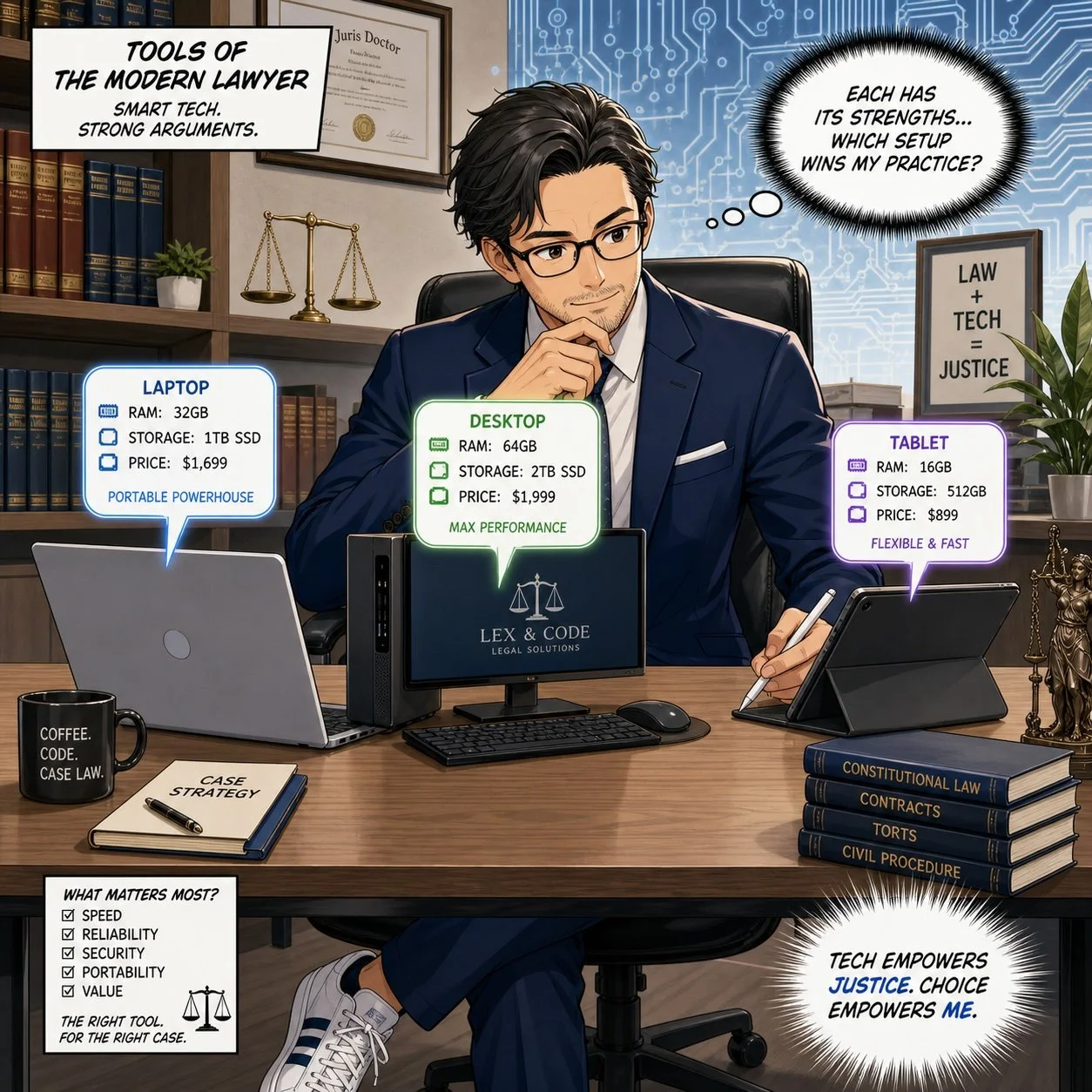
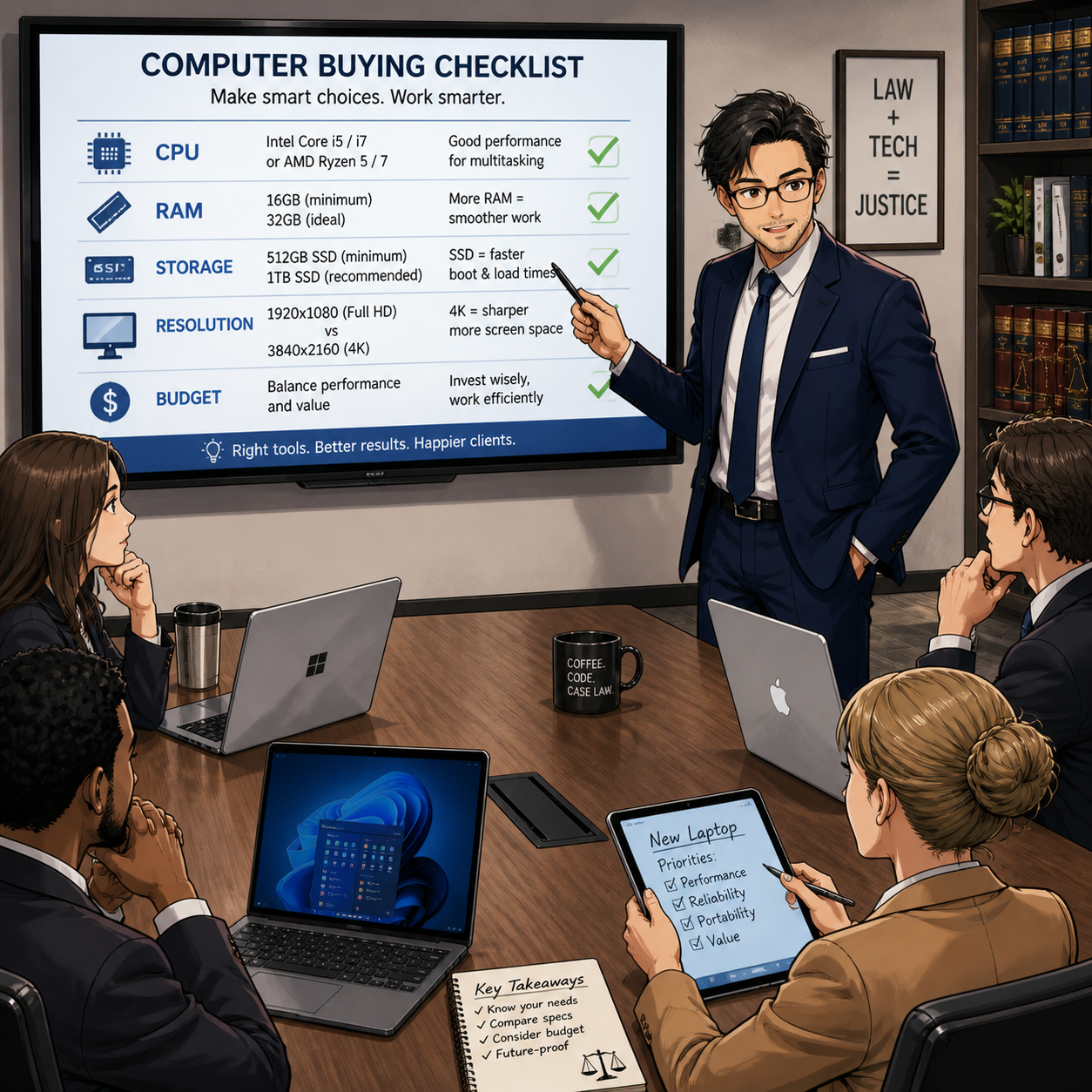
That “deal” for a “cheaper” computer may not be worth the lack of performance issues that come with a “cheap” computer!

As legal professionals, we are trained to spot inconsistencies in testimony, identify hidden clauses in contracts, and anticipate risks before they manifest. Yet, when the holiday shopping season arrives, the same skepticism that protects our clients often evaporates in the face of a 70% off sticker.

During Cyber Mondays, lawyers must tread carefully. The digital landscape is not just a marketplace; it is a hunting ground. For a law practice, the risks of holiday shopping go beyond a wasted purchase. A compromised device or a clicked phishing link can breach attorney-client privilege, trigger ethical violations, and lock down firm operations with ransomware.

Before you open your wallet or click that “track package” link, consider this your final briefing on the threats lurking behind the holiday hype.

The "Bargain" Trap: Why Cheap Tech is Expensive for Lawyers

We all love a deal. But in the world of legal technology, there is a profound difference between "inexpensive" and "cheap."

You may see "doorbuster" deals for laptops priced under $300. The marketing copy promises they are perfect for "light productivity" or "students." You might be tempted to pick one up for a paralegal, a home office, or even a law student family member.

Resist this impulse.

Tech experts and consumer watchdogs, including Lifehacker and PCMag, consistently warn about these "derivative" holiday models. Manufacturers often build specific units solely for Black Friday and Cyber Monday (SKUs [stock keeping unit] that do not exist the rest of the year). They achieve these rock-bottom prices by cutting corners that matter deeply to legal professionals:

  • The Processor Bottleneck: Many of these bargain laptops run on Celeron or Pentium chips (or older generations of Core i3). For a lawyer running practice management software, multiple PDF contracts, and video conferencing simultaneously, these processors are insufficient. The resulting lag isn't just annoying; it costs billable time.

  • The Screen Resolution Hazard: To save costs, these laptops often feature 1366 x 768 (720p) screens. In 2025, this is unacceptable for reviewing documents. The low resolution makes text pixelated and reduces the amount of a contract you can see on screen at once, increasing eye strain and the likelihood of missing a critical detail in a clause.

  • The RAM Deficit: 4GB of RAM is common in these deals. In a modern Windows environment, the operating system alone consumes nearly that much. Once you open a web browser with your firm's research tabs, the system will crawl.

  • Security Longevity: Perhaps most critically for a law firm, these bargain-bin devices often reach their "End of Service" life much faster. They may not support the latest secure operating systems or encryption standards required by your firm’s compliance insurance.

The Verdict: A $300 laptop that frustrates your staff and cannot handle encryption is not an asset; it is e-waste in the making. Stick to business-class hardware (Lenovo, HP, Dell, Apple, inter alia.) purchased through verified channels, even if it costs more. Your peace of mind is worth the premium.

BONUS: Price Tracking Tools

Successful online shopping during promotional periods requires distinguishing genuine discounts from artificial markups. Price tracking tools provide historical data that reveals authentic savings opportunities.

CamelCamelCamel tracks Amazon price history, creating visual charts showing price fluctuations over weeks, months, and years. This free tool sends email notifications when products drop below specified price thresholds and monitors both Amazon-direct and third-party seller pricing.

Honey extends beyond its widely-known coupon functionality to offer robust price tracking across multiple retailers through its "Droplist" feature. The browser extension automatically applies discount codes during checkout and compares prices across competing stores.

Keepa provides similar Amazon-focused price tracking with browser integration that displays historical pricing directly on Amazon product pages. The tool's detailed charts reveal seasonal patterns and help identify optimal purchase timing.

For legal professionals managing firm purchasing, enterprise-grade solutions such as Prisync, Price2Spy, and Competera offer comprehensive competitor monitoring, automated pricing adjustments, and real-time market data. These platforms serve businesses tracking multiple products across various marketplaces, but require subscription fees.

The Scam Landscape 2025: You Are a High-Value Target

Be wary when purchasing items online - always use a vpn when using public wifi!

According to Malwarebytes’ 2025 Holiday Scam report, shoppers are increasingly mobile, fast, and distracted. For lawyers, who are often managing high-stress caseloads alongside holiday obligations, this distraction is dangerous.

Scammers know that law firms move money. They know we manage sensitive data. And they know that during the holidays, our guards are down. Here are the three specific vectors attacking legal professionals this season.

1. The "Urgent Delivery" Smishing Attack
We all have packages in transit. You likely receive legitimate texts from Amazon, FedEx, or UPS daily. Scammers exploit this by sending "Smishing" (SMS phishing) messages claiming a package is "delayed" or "requires a delivery fee."

For a lawyer waiting on a court transcript or a client file, the instinct to "fix" the delivery issue is strong. But clicking that link often downloads malware or leads to a credential-harvesting site that looks identical to the courier’s login page.

  • The Defense: Never click a tracking link in a text message. Copy the tracking number and paste it directly into the courier’s official app or website. If the text doesn’t have a tracking number, it’s a scam.

2. The "Malvertising" Minefield
You are searching for a specific piece of hardware—perhaps a new scanner or ergonomic chair for the office. You see an ad on Google or social media for the exact item at a beat-to-beat price.

Malwarebytes warns that "Malvertising" (malicious advertising) is surging. Scammers buy ad space on legitimate platforms. When you click the ad, you aren't taken to the retailer; you are redirected to a cloned site designed to steal your credit card info, or worse, your firm’s login credentials.

  • The Defense: Treat ads as tips, not links. If you see a deal for a Dell monitor, close the ad and navigate manually to Dell.com or BestBuy.com to find it.

3. The "Gift Card" Emergency
This is a classic that has evolved. In the past, it was a fake email from the "Managing Partner" asking an associate to buy gift cards for a client. Now, it’s more sophisticated. Scammers may pose as court clerks or government officials, claiming a "fine" or "filing fee" must be paid immediately to avoid a bench warrant, and—due to a "system error"—they can only accept payment via gift cards or crypto.

  • The Defense: Courts do not accept gift cards. Period. If you receive an urgent financial demand via text or email, verify it by calling the person or entity on a known, public number.

The "Social" Threat: Marketplace Scams

Social media marketplaces (Facebook Marketplace, OfferUp) are now major hubs for holiday shopping. They are also unregulated.

A common scam involves a "seller" offering a high-demand item (like the latest iPad or game console) at a reasonable, but slightly low, price. They claim to be a local seller but then invent a reason why they can't meet up (e.g., "I'm deployed overseas," "I moved for work"). They ask for payment via Zelle or Venmo, promising to ship the item.

Once the money is sent, the seller vanishes. For a lawyer, the embarrassment of being defrauded is compounded by the potential exposure if you used a device or account linked to your firm.

Safeguarding the Firm: A Cyber Monday Protocol

The savings you made in buying the “cheaper” tech online may amount to the loss of much more, like the loss of client confidentiality and your license!

As you navigate the sales this week, apply the same rigor to your shopping as you do to your practice.

  1. Segregate Your Tech: Do not use your firm-issued laptop for personal holiday shopping. The risk of drive-by downloads from shady "deal" sites is too high.

  2. Credit, Not Debit: Always use a credit card, not a debit card. Credit cards offer robust fraud protection and do not expose your actual bank account funds.

  3. Two-Factor Everything: Ensure 2FA is enabled on your shopping accounts (Amazon, Walmart, etc.). If a scammer gets your password, 2FA is your last line of defense.

  4. The "Too Good to Be True" Rule: If a site you’ve never heard of is selling a MacBook for $500, it is a scam. Domain age checkers (like Whois) can reveal if a website was created yesterday—a sure sign of fraud.

Final Thoughts
Your data is your most valuable currency. No discount on a laptop or gadget is worth jeopardizing your firm’s integrity or your client’s trust. This Cyber Monday, shop smart, stay skeptical, and remember: if you wouldn't sign a contract without reading it, don't click a link without checking it.

🎙️🎁 TSL Labs Bonus: The Ultimate 2025 Tech Gift Guide for Attorneys — Expert-Curated Gadgets, AI Tools, and Must-Have Devices Every Lawyer Needs!

🎯 In this TSL Labs Bonus episode, we are experimenting with Google’s Notebook LLM to do a “Deep Dive” on our November 24th editorial on the ultimate 2025 tech gift guide for attorneys. We use this AI-powered conversation to unpack the key themes, ethical challenges, and actionable recommendations. Whether you're a solo practitioner, big law associate, or tech-curious partner, this episode delivers expert-curated insights on gadgets, AI tools, and must-have devices that support technological competence as a professional obligation.

If you're a busy legal professional seeking practical tech recommendations that enhance daily practice rather than collect digital dust, join us for this insightful conversation that explores how the right technology investments can improve your practice, safeguard your clients, and help prevent unnecessary bar complaints.

🤔 Join Google AI Deep Dive as they discuss the following three questions and more!

  1. What are the essential low-cost tech gifts under $25 that can make an immediate impact on an attorney's practice, and why do items like cables and tracking devices matter for professional competence?

  2. Which professional-grade tools under $100 deliver the best value for attorneys seeking to fulfill their ethical duty to work smarter and faster through AI integration and productivity enhancements?

  3. Why should premium technology investments over $100—including physical infrastructure like ergonomic chairs—be considered essential to an attorney's professional obligation to their clients?

In our conversation, we cover the following:

[00:00:00] — Episode introduction and TSL Labs Bonus overview

[00:01:00] — Navigating the perfect tech gift for attorneys: unique needs like security, portability, focus, and raw power

[00:02:00] — The three seismic forces driving tech choices: AI integration, cloud-based practice management, and heightened ethical duties

[00:03:00] — Target audience: solo practitioners, big law associates, and tech-curious partners who need technology that lasts

[00:04:00] — Essential low-cost gifts under $25: OWC Thunderbolt 4 USB-C cable and Apple AirTag for security and reliability

[00:05:00] — Productivity essentials: Logitech Pebble M350 silent mouse and Anker 7-in-1 USB-C Hub for presentations

[00:06:00] — AI tools for "forced competence": ChatGPT Plus one-month subscription as a low-risk nudge toward AI exploration

[00:07:00] — Professional grade tools under $100: Apple Pencil (1st Gen) for document annotation and Logitech MX Keys Mini keyboard

[00:08:00] — Focus and noise cancellation: Soundcore Space One headphones with 40+ hours battery life

[00:09:00] — Precision document navigation: Logitech MX Master 3S mouse with horizontal scrolling for wide documents

[00:10:00] — Premium mobile computing sweet spots: iPad Air with M3 chip ($599) and MacBook Air M4 ($999)

[00:11:00] — Physical infrastructure as health technology: Herman Miller Aeron chair ($1,351) for sustained high-quality work

[00:12:00] — Ultra-wide monitor benefits: LG 34" 5K 2K ($315) for seamless document comparison and reduced cognitive strain

[00:13:00] — Virtual practice essentials: Logitech Brio 4K webcam ($160) and Samsung T7 SSD ($109) for secure data management

[00:14:00] — The ultimate organizational hub: CalDigit TS3 Plus dock ($280) with 15 ports for cable clutter elimination

[00:15:00] — Strategic gift-giving advice: Understanding ecosystem (Apple, Windows, Android) and workflow considerations

📚 Resources

🖥️ Hardware Mentioned in the Conversation

Under $25:

  • OWC Thunderbolt 4 USB-C Cable (~$19.99) — Universal cable supporting 40Gb/s data, 100W power delivery, up to 8K video —(https://www.owc.com)

  • Apple AirTag (Single Pack) ($24) — Bluetooth tracking device using Find My network —(https://www.apple.com/airtag)

  • Logitech Pebble M350 Wireless Mouse (~$19.99) — Silent click, 90% noise reduction, 18-month battery — (https://www.logitech.com)

  • Anker 341 USB-C Hub (7-in-1) (~$19.99) — HDMI 4K@30Hz, USB ports, SD card slots — https://www.anker.com)

  • ORICLE 65W USB Travel Power Strip — Flat plug, 4-foot cord, 7-in-1 hub for travel —(https://oricotechs.com)

Under $100:

Premium Over $100:

  • iPad Air with M3 Chip (Starting at $599) — 8-core CPU, 9-core GPU, ideal balance of power and portability — (https://www.apple.com/ipad-air)

  • MacBook Air M4 (Starting at $999) — 10-core CPU, 10-core GPU, up to 18 hours battery life —(https://www.apple.com/macbook-air)

  • Herman Miller Aeron Chair (~$1,351) — Ergonomic office chair with PostureFit SL, three sizes for 1st-99th percentile —(https://www.hermanmiller.com)

  • LG 34" Ultrawide 5K 2K Monitor (~$315) — 3440x1440 resolution, curved display for seamless multitasking — (https://www.lg.com/us/monitors)

  • Logitech Brio 4K Ultra HD Webcam (~$160) — 4K@30fps, RightLight 3 HDR, adjustable 65°/78°/90° FOV — (https://www.logitech.com)

  • Samsung T7 Portable SSD (1TB) (~$109.99) — 1,050MB/s read speed, AES 256-bit encryption, 2m drop resistant — (https://www.samsung.com)

  • CalDigit TS3 Plus Thunderbolt 3 Dock (~$280) — 15 ports, 87W laptop charging, dual 4K display support — (https://www.caldigit.com)

💻 Software & Cloud Services Mentioned in the Conversation

  • ChatGPT Plus ($20/month) — OpenAI's premium AI assistant with GPT-4 access for research and drafting — (https://chat.openai.com)

  • Grammarly Premium (~$96/year on sale; $144/year regular) — AI-powered writing assistant with plagiarism detection —(https://www.grammarly.com)

  • Apple Find My — Location tracking app for AirTags and Apple devices — https://www.icloud.com/find

📌 Disclaimer: Prices mentioned throughout this episode and show notes are approximate and based on manufacturer suggested retail prices around the time of the publication date; actual pricing may vary depending on manufacturer availability, retailer promotions, seasonal sales, and geographic location, and we recommend verifying current pricing before making any purchase decisions.

TSL.P Lab's Initiative: 🤖 Hidden AI in Legal Practice: A Tech-Savvy Lawyer Labs Initiative Analysis

In this Tech-Savvy Lawyer Labs Initiative analysis, we use Google NotebookLM to break down the "Hidden AI" crisis affecting every legal professional. Microsoft 365, Zoom, and your practice management software may be processing client data without your knowledge—and without your explicit consent. We explain what ABA Formal Opinion 512 actually requires from you. We also provide a practical 5-step playbook to audit your tech stack and protect your license.

What you'll discover:
✅ Why "I didn't know" is no longer a valid defense
✅ Hallucination rates in legal research tools (17-33% error rates)
✅ How the Mata v. Avianca sanctions case proves verification is mandatory
✅ Tactical steps to identify and disable dangerous default settings
✅ Ethical guidelines for billing AI-assisted work

‼️ Don't let an "invisible assistant" trigger an ethics violation or put your professional license at risk.

Enjoy!

*Remember the presentation, like all postings on The Tech-Savvy Lawyer.Page, is for informational purposes only, does not offer legal advice or create attorney-client relationship.

🚨 BOLO: Samsung Budget Phones Contain Pre-Installed Data-Harvesting Software: Critical Action Steps for Legal Professionals

‼️ ALERT: Hidden Spyware in Samsung Phones!

Samsung Galaxy A, M, and F series smartphones contain pre-installed software called AppCloud, developed by ironSource (now owned by Unity Technologies), that harvests user data, including location information, app usage patterns, IP addresses, and potentially biometric data. This software cannot be fully uninstalled without voiding your device warranty, and it operates without accessible privacy policies or explicit consent mechanisms. Legal professionals using these devices face significant risks to attorney-client privilege and confidential client information.

The Threat Landscape

AppCloud runs quietly in the background with permissions to access network connections, download files without notification, and prevent phones from sleeping. The application is deeply integrated into Samsung's One UI operating system, making it impossible to fully remove through standard methods. Users across West Asia, North Africa, Europe, and South Asia report that even after disabling the application, it reappears following system updates.

The digital rights organization SMEX documented that AppCloud's privacy policy is not accessible online, and the application does not present users with consent screens or terms of service disclosures. This lack of transparency raises serious ethical and legal compliance concerns, particularly for attorneys bound by professional responsibility rules regarding client confidentiality.

Legal and Ethical Implications for Attorneys

Under ABA Model Rule 1.6, attorneys must make "reasonable efforts to prevent the inadvertent or unauthorized disclosure of, or unauthorized access to, information relating to the representation of a client". The duty of technological competence under Rule 1.1, Comment 8, requires attorneys to "keep abreast of changes in the law and its practice, including the benefits and risks associated with relevant technology".

The New York Bar's 2022 ethics opinion specifically addresses smartphone security, prohibiting attorneys from sharing contact information with smartphone applications unless they can confirm that no person will view confidential client information and that data will not be transferred to third parties without client consent. AppCloud's data harvesting practices appear to violate both conditions.

Immediate Action Steps

‼️ Act now if you’ve purchased certain samsung phones - your bar license could be in jeopardy!

Step 1: Identify Affected Devices
Check whether you use a Samsung Galaxy A series (A05 through A56), M series (M01 through M56), or F series device. These budget and mid-range models are primary targets for AppCloud installation.

Step 2: Disable AppCloud
Navigate to Settings > Apps > Show System Apps > AppCloud > Disable. Additionally, revoke notification permissions, restrict background data usage, and disable the "Install unknown apps" permission.

Step 3: Monitor for Reactivation
After system updates, return to AppCloud settings and re-disable the application.

Step 4: Consider Device Migration
For attorneys handling highly sensitive matters, consider transitioning to devices without pre-installed data collection software. Document your decision-making process as evidence of reasonable security measures.

Step 5: Client Notification Assessment
Evaluate whether client notification is required under your jurisdiction's professional responsibility rules. California's Formal Opinion 2020-203 addresses obligations following an electronic data compromise.

The Bottom Line

Budget smartphone economics should not compromise attorney-client privilege. Samsung's partnership with ironSource places aggressive advertising technology on devices used by legal professionals worldwide. Until Samsung provides transparent opt-out mechanisms or removes AppCloud entirely, attorneys using affected devices should implement immediate mitigation measures and document their security protocols.

🎙️ Ep. #125: Transforming Law Practice: Allison Johs on Legal Tech Productivity, AI Ethics & Automation Strategies.

My next guest is Allison Johs, former Chair of the ABA Legal Technology Resource Center and founder of Legal Ease Consulting. 🎯 Allison has spent nearly two decades helping law firms prevent "lawyer meltdown" by guiding them through digital transformation, boosting productivity, and providing practical tech solutions for modern legal professionals. With 15 years of practicing law and experience growing a firm from 15 to over 50 attorneys, Allison brings real-world expertise to the challenges lawyers face when balancing technology adoption with successful client service.

Join Allison Johs and me as we discuss the following three questions and more! 🤔

  1. What are the top three foundational mistakes lawyers make when implementing new legal technology, and how can solo and small firms avoid these pitfalls to ensure their technology investments actually improve their practice rather than just create additional complexity?

  2. What are your top three recommendations for lawyers who want to responsibly integrate AI into their practice while maintaining ethical compliance and ensuring client confidentiality?

  3. What are the top three technology-driven strategies lawyers can implement immediately to automate routine tasks and reclaim billable hours?

In our conversation, we cover the following: ⏱️

  • [00:00:00] – Episode introduction and guest welcome

  • [00:01:00] – Allison's current tech setup: Dell laptop, HP all-in-one desktop, Logitech Brio webcam, Microsoft 365

  • [00:02:00] – Discussion of portable monitors (INNOCN) and dual-screen productivity setups

  • [00:03:00] – Document scanning workflow with ScanSnap scanner and going paperless

  • [00:04:00] – OCR considerations for different practice areas, Adobe Acrobat for occasional OCR needs

  • [00:05:00] – Mistake #1: Not considering roles of all people who will use the technology in the firm

  • [00:06:00] – Including staff input during technology selection and implementation

  • [00:07:00] – Coaching resistant employees through technology adoption

  • [00:08:00] – Addressing legitimate objections vs. fear of change; demonstrating value to staff

  • [00:09:00] – Mistake #2: Not checking how new technology integrates with existing systems

  • [00:10:00] – Hidden costs of technology transitions: running parallel systems for 6-8 months

  • [00:11:00] – Budgeting for duplicate CRM/LPM subscriptions during migration

  • [00:12:00] – Mistake #3: Failing to appropriately invest in ongoing training

  • [00:13:00] – Training new hires and keeping up with subscription software updates

  • [00:14:00] – AI Recommendation #1: Thoroughly investigate how AI tools handle data, security, and training

  • [00:15:00] – AI Recommendation #2: Setting and strictly enforcing AI usage policies; mandatory human review

  • [00:16:00] – The importance of reviewing AI outputs—lawyers should know precedents in their practice area

  • [00:17:00] – AI Recommendation #3: Start with non-client-facing AI work (internal processes, marketing, financials)

  • [00:18:00] – Ethical considerations: using AI on published court decisions for legal analysis

  • [00:19:00] – Using AI to find contrary precedents and distinguishing cases

  • [00:20:00] – Duty to supervise: real-world consequences when AI use goes wrong

  • [00:21:00] – Automation Strategy #1: Appointment booking tools (Calendly, Microsoft Bookings)

  • [00:22:00] – Automation Strategy #2: Templates, document assembly, AI chatbots for client intake

  • [00:23:00] – Automation Strategy #3: Automated time tracking and AI-powered billing review

  • [00:23:30] – Text Expander discussion: saving 2-5 hours weekly on repetitive typing

  • [00:24:00] – Allison's top automation tools: Calendly, Microsoft Power Automate, Microsoft Bookings

  • [00:25:00] – Discovering hidden features in Microsoft 365 (Ben Schorr webinar reference)

  • [00:26:00] – Using AI for travel planning: Google AI for trip itineraries, Perplexity AI for route optimization

  • [00:27:00] – Maximizing productivity during travel and conference attendance

  • [00:28:00] – Where to find Allison: websites, social media, and YouTube channel

Resources 📚

Connect with Allison Johs:

Mentioned in the Episode:

  • 📖 ABA Legal Technology Resource Center – americanbar.org/groups/departments_offices/legal_technology_resources

  • 📖 How to Do More in Less Time (2nd Edition, 2023) – ABA Law Practice Division book co-authored by Allison Johs - https://www.amazon.com/How-More-Less-Time-Productivity/dp/1639052283

  • 📖 Make LinkedIn Work for You: A Practical Handbook for Lawyers and Other Legal Professionals – Co-authored with Dennis Kennedy - https://www.amazon.com/Make-LinkedIn-Work-You-Professionals/dp/1734076321

  • 👤 Ben Schorr – Microsoft 365 expert, now with Affinity Consulting Group - https://www.affinityconsulting.com/team/ben-m-schorr/

  • 🏛️ Universal Migrator – CRM/LPM data migration tool - https://www.universalmigrator.com/

Hardware Mentioned in the Conversation:

  • 💻 Dell Laptop - https://www.dell.com/en-us/shop/dell-laptops/scr/laptops?_gl=1*78tbrz*_up*MQ..*_gs*MQ..&gclid=EAIaIQobChMIgerxro6QkQMVdUpHAR0BUBUOEAAYASAAEgJ_R_D_BwE&gclsrc=aw.ds

  • 🖥️ HP All-in-One Desktop Computer - https://www.hp.com/us-en/shop/vwa/desktops/form=All-in-One

  • 🖥️ INNOCN Portable Monitor (1080p mobile screen) – innocn.com

  • 📷 Logitech Brio Webcam (4K with built-in microphone) – logitech.com/brio

  • 🖨️ HP Printer - https://www.hp.com/us-en/shop/vwa/printers

  • 📄 Fujitsu ScanSnap Scanner (duplex document scanner) – scansnap.com

Software & Cloud Services Mentioned in the Conversation:

🎁 The Ultimate 2025 Tech Gift Guide for Attorneys: Expert-Curated Gadgets and Tools Every Lawyer Needs

Are you ready to the lawyers in your life a great holiday tech gift!

As we approach the holiday season, finding the perfect gift for that tech-savvy attorney in your life can feel like preparing for a complex motion hearing. Drawing from this year's episodes of The Tech-Savvy Lawyer Page Podcast and the cutting-edge discussions featured throughout 2025 on The Tech-Savvy Lawyer.Page blog, I've curated a comprehensive gift guide that spans every budget range and technology ecosystem.

The legal profession has undergone an unprecedented technological transformation this year. Artificial intelligence has moved from experimental novelty to courtroom necessity, cloud-based practice management has become the standard rather than the exception, and the ethical duties surrounding technological competence have never been more critical. This gift guide reflects these seismic shifts while maintaining focus on practical tools that enhance daily practice rather than collecting digital dust.

Whether you're shopping for a solo practitioner juggling client intake while traveling between courthouses, a BigLaw associate drowning in document review, or a tech-curious partner finally ready to embrace the digital age, this guide delivers thoughtfully selected recommendations organized by price point and technology platform. Each suggestion comes with direct purchase links and represents tools that real attorneys use to build more efficient, profitable, and balanced practices.

Important Note: All prices listed are subject to change and represent current manufacturer suggested retail pricing. The holiday shopping season typically brings significant discounts and special offers, so readers will likely find even better deals than those reflected here.

Gifts Under $25: Small Investments, Major Impact 💻⚖️

Apple & Third-Party Related

  • OWC Thunderbolt 4 USB-C Cable 0.7m ($19.99) https://eshop.macsales.com/item/OWC/CBLTB4C0.7M/
    Every iPhone and MacBook-carrying attorney needs quality connectivity cables. The OWC Thunderbolt 4 Cable delivers up to 40Gb/s data transfer speeds, supports up to 100W power delivery, and works flawlessly with all Thunderbolt 3, Thunderbolt 4, USB-C, and USB4 devices. This universal cable eliminates guesswork about compatibility.

  • AirTag Single Pack (Apple, $24) https://www.apple.com/shop/buy-airtag/airtag
    Attach this to briefcases, laptop bags, or case files to track important items. The peace of mind alone makes this essential for traveling attorneys.

  • Apple Lightning to USB Cable 1m ($19) https://www.apple.com/shop/product/MXLY2AM/A/lightning-to-usb-cable-1-m
    For attorneys still using older iPhones and iPads with Lightning ports, having reliable charging and sync cables remains essential for daily practice.

Windows & Third-Party Related

  • Logitech Pebble M350 Wireless Mouse ($19.99) https://www.logitech.com/en-us/shop/p/pebble-2-m350s-wireless-mouse.910-007022?sp=1&searchclick=Logitech
    This silent, compact mouse works seamlessly with Windows laptops and tablets. Perfect for attorneys working in quiet courtrooms or shared office spaces where traditional mouse clicks would prove disruptive.

  • Anker 341 USB-C Hub 7-in-1 Multi-Port Adapter ($19.99) https://www.anker.com/products/a8346
    Surface Pro and modern Windows laptop users need expanded connectivity. This Anker 7-in-1 hub adds HDMI 4K output, USB-A data ports, USB-C Power Delivery charging, microSD and SD card slots—all in one compact adapter perfect for courtroom presentations and document transfers.

Google/Android & Third-Party Related

  • Anker PowerCore Slim 10000 PD ($24.99) https://www.anker.com/products/a1229
    Android-using attorneys need portable power. This slim battery pack provides fast charging for Pixel phones and Galaxy devices during long court days.

  • Google Chromecast with Google TV ($20 on sale) https://store.google.com/product/chromecast_google_tv
    Transform any hotel TV into a presentation screen or entertainment center. Ideal for attorneys who travel for depositions, mediations, and conferences.

  • USB-C to HDMI Cable ($12.79) https://www.amazon.com/dp/B075V5JK36
    Essential for Android device users who need to connect phones or tablets to external displays for client presentations or courtroom exhibits.

AI-Related Tools

  • ChatGPT Plus One-Month Gift Subscription ($20) https://openai.com/chatgpt/pricing
    While not a physical gift, a month of ChatGPT Plus provides access to GPT-4 for legal research assistance, document drafting support, and productivity enhancement. Many attorneys use this for initial case assessment and client communication templates.

Accessories & Productivity Enhancers

Gifts $100 or Less: Professional-Grade Tools 💼📱

Apple & Third-Party Related

There some great tech gifts under $25 that you can get anyone whether they are in legal field or not!

Windows & Third-Party Related

Google/Android & Third-Party Related

  • Samsung Galaxy Buds FE ($99.99) https://www.samsung.com/us/mobile/audio/galaxy-buds-fe
    Android attorneys deserve quality wireless earbuds. These provide active noise cancellation, long battery life, and seamless integration with Galaxy devices.

  • Anker MagGo Wireless Charging Station (Foldable 3-in-1) (on sale for $72.99) https://www.anker.com/products/b2568
    Qi-compatible charging pads work across Android devices, AirPods, and smartwatches. This eliminates cable clutter on attorney desks while providing convenient simultaneous device charging.

AI-Related Tools

  • Grammarly Premium Annual Subscription ($96 when on sale) https://www.grammarly.com/upgrade
    AI-powered writing assistance helps attorneys improve brief quality, catch errors before filing, and maintain consistent tone across client communications. The plagiarism checker provides additional value.

Accessories & Productivity Enhancers

Find something that will enhance the lawyer-in-your life’s holiday!

Important Reminder: Prices listed are subject to change. The holiday shopping season brings exceptional deals, particularly on tech accessories and productivity tools. The AirTag 4-pack mentioned above frequently drops to $64-69 during sales events—watch for these bargains.

Gifts Over $100: Premium Technology for Serious Practitioners 🚀⚖️

Apple & Third-Party Related

  • AirPods Pro 3 ($249) https://www.apple.com/airpods-pro
    The latest AirPods Pro feature unprecedented active noise cancellation, heart rate sensing during workouts, and extended eight-hour battery life. Perfect for attorneys taking depositions, conducting virtual hearings, and maintaining focus during complex document review.

  • iPad Air (M3, $599) https://www.apple.com/ipad-air
    This represents the sweet spot for attorney tablets. Powerful enough for document review, video conferencing, and note-taking, yet more affordable than the iPad Pro. The M2 chip handles demanding legal applications effortlessly.

  • Apple Magic Keyboard for iPad Pro ($349) https://www.apple.com/shop/product/MJQJ3LL/A/magic-keyboard-for-ipad-pro-11-inch-m4-us-english-black
    Transforms iPads into laptop replacements. The floating cantilever design, backlit keys, and integrated trackpad create professional typing experiences during brief writing and client communications.

  • Apple Watch Series 11 ($399) https://www.apple.com/apple-watch-series-10
    Health monitoring, notification management, and quick communication access help attorneys maintain work-life balance. The larger display improves message readability during client emergencies.

  • MacBook Air M4 ($999) https://www.apple.com/shop/buy-mac/macbook-air
    The perfect attorney laptop balances portability, performance, and battery life. Handles document drafting, legal research, video conferencing, and case management software with ease.

CONSIDER SUPPORTING YOUR FAVORITE BLOG WITH A TSL.PP MUG: https://www.thetechsavvylawyer.page/shop/mug

🎁

CONSIDER SUPPORTING YOUR FAVORITE BLOG WITH A TSL.PP MUG: https://www.thetechsavvylawyer.page/shop/mug 🎁

Windows & Third-Party Related

Google/Android & Third-Party Related

Accessories & Productivity Enhancers

  • Herman Miller Aeron Chair ($1,351.00) https://www.hermanmiller.com/products/seating/office-chairs/aeron-chairs
    Quality seating prevents back pain during long days of document review and client meetings. Adjustable lumbar support and armrests accommodate different attorney body types with industry-leading ergonomics.

  • LG 34" Ultrawide Monitor 5K2K ($1,315.35) https://www.amazon.com/LG-34WK95U-W-34-Class-UltraWide/dp/B07FT8ZBMR
    Expanded screen real estate transforms document comparison, legal research, and multi-tasking productivity. Replaces dual monitor setups with cleaner desk aesthetics and seamless workflow.

  • Remarkable 2 Digital Notebook ($399) https://remarkable.com/store/remarkable-2
    Paper-like digital writing experience for attorneys who prefer handwritten notes. Converts handwriting to text and syncs across devices without distracting notifications.

  • Logitech C922 Pro Stream Webcam ($74.99) https://www.logitech.com/en-us/products/webcams/c922-pro-stream-webcam.960-001087.html
    Superior 1080p/30fps video quality for depositions, client consultations, and court appearances. Auto-focus and light correction ensure professional presentation during virtual proceedings.

  • Logitech Brio 4K Ultra HD Webcam ($159.99) https://www.logitech.com/en-us/products/webcams/brio-4k-hdr-webcam.html
    The premium upgrade for attorneys who demand the best video quality. The Brio delivers true 4K resolution at 30fps or 1080p at 60fps with HDR, RightLight 3 technology for challenging lighting conditions, and Windows Hello facial recognition support. Features adjustable field of view (65°/78°/90°), 5x digital zoom, and dual omnidirectional microphones with noise cancellation. Essential for attorneys conducting high-stakes virtual hearings, depositions with court reporters, and client presentations where image quality matters.

  • Samsung T7 Portable SSD 1TB ($109.99) https://www.amazon.com/dp/B0874XN4D8
    The Samsung T7 provides fast, portable storage for case files, discovery materials, and backup documents with transfer speeds up to 1,050 MB/s. Essential for attorneys handling large litigation matters and encrypted data protection.

Making the Right Choice: Strategic Gift Selection 🎯

Still can’t think of the right gift to give that lawyer in your life: Why not a The Tech-Savvy Lawyer.Page Podcast Mug?!

Selecting the perfect technology gift requires understanding the recipient's practice area, existing technology ecosystem, and daily workflow challenges. Solo practitioners benefit most from all-in-one solutions that maximize portability and minimize complexity. BigLaw associates thrive with premium productivity tools that streamline document-intensive work. Government attorneys and public defenders appreciate cost-effective solutions that deliver professional results within budget constraints.

Consider the recipient's technology platform before purchasing. Apple users invest in ecosystem integration—AirPods work seamlessly with iPhones, iPads sync notes with MacBooks, and AirTags leverage the Find My network. Windows attorneys rely on Microsoft 365 integration across Surface devices and traditional laptops. Android users appreciate Google Workspace connectivity and cross-device synchronization.

Accessories matter more than attorneys initially realize. Quality headphones transform noisy environments into focused workspaces. Ergonomic peripherals prevent repetitive stress injuries that sideline productive careers. External storage protects critical case files and discovery materials from device failures. Cable management and charging solutions reduce desktop chaos while ensuring devices remain powered during crucial client communications.

*Pricing Reminder: All prices listed throughout this guide are subject to change and represent current manufacturer suggested retail pricing or recent observed pricing. The holiday shopping season consistently delivers exceptional discounts and promotional offers across virtually every product category featured here. Savvy shoppers will find deals significantly below the prices mentioned—particularly during Black Friday, Cyber Monday, and throughout December as retailers compete for holiday sales. The AirTag 4-pack, for example, regularly drops from $99 to $64-69 during sales events, representing tremendous value. Watch for similar discounts on webcams, headphones, keyboards, mice, storage devices, and accessories that can stretch your gift-giving budget considerably further.

This holiday season, give gifts that demonstrate understanding of legal practice realities while supporting technological competence—an ethical obligation every attorney carries. Whether spending $25 on quality OWC Thunderbolt cables or $1,000 on practice-transforming AI subscriptions, thoughtful technology gifts invest in the recipient's professional success, client service excellence, and work-life balance. The attorneys in your life deserve tools that work as hard as they do while making difficult work more manageable and rewarding.

❄️❅☃️❆❄️ Have a Happy Holiday Season!❄️❅☃️❆❄️

MTC

🎙️TSL Labs! MTC: The Hidden AI Crisis in Legal Practice: Why Lawyers Must Unmask Embedded Intelligence Before It's Too Late!

📌 Too Busy to Read This Week's Editorial?

Join us for a professional deep dive into essential tech strategies for AI compliance in your legal practice. đŸŽ™ď¸ This AI-powered discussion unpacks the November 17, 2025, editorial, MTC: The Hidden AI Crisis in Legal Practice: Why Lawyers Must Unmask Embedded Intelligence Before It's Too Late! with actionable intelligence on hidden AI detection, confidentiality protocols, ethics compliance frameworks, and risk mitigation strategies. Artificial intelligence has been silently operating inside your most trusted legal software for years, and under ABA Formal Opinion 512, you bear full responsibility for all AI use, whether you knowingly activated it or it came as a default software update. The conversation makes complex technical concepts accessible to lawyers with varying levels of tech expertise—from tech-hesitant solo practitioners to advanced users—so you'll walk away with immediate, actionable steps to protect your practice, your clients, and your professional reputation.

In Our Conversation, We Cover the Following

00:00:00 - Introduction: Overview of TSL Labs initiative and the AI-generated discussion format

00:01:00 - The Silent Compliance Crisis: How AI has been operating invisibly in your software for years

00:02:00 - Core Conflict: Understanding why helpful tools simultaneously create ethical threats to attorney-client privilege

00:03:00 - Document Creation Vulnerabilities: Microsoft Word Co-pilot and Grammarly's hidden data processing

00:04:00 - Communication Tools Risks: Zoom AI Companion and the cautionary Otter.ai incident

00:05:00 - Research Platform Dangers: Westlaw and Lexis+ AI hallucination rates between 17-33%

00:06:00 - ABA Formal Opinion 512: Full lawyer responsibility for AI use regardless of awareness

00:07:00 - Model Rule 1.6 Analysis: Confidentiality breaches through third-party AI systems

00:08:00 - Model Rule 5.3 Requirements: Supervising AI tools with the same diligence as human assistants

00:09:00 - Five-Step Compliance Framework: Technology audits and vendor agreement evaluation

00:10:00 - Firm Policies and Client Consent: Establishing protocols and securing informed consent

00:11:00 - The Verification Imperative: Lessons from the Mata v. Avianca sanctions case

00:12:00 - Billing Considerations: Navigating hourly versus value-based fee models with AI

00:13:00 - Professional Development: Why tool learning time is non-billable competence maintenance

00:14:00 - Ongoing Compliance: The necessity of quarterly reviews as platforms rapidly evolve

00:15:00 - Closing Remarks: Resources and call to action for tech-savvy innovation

Resources

Mentioned in the Episode

Software & Cloud Services Mentioned in the Conversation

🚨 BOLO: Widespread Internet Disruption from Cloudflare Infrastructure Failure

⚠️ legal professionals need to know how to adjust when the internet’s infrastructure goes down!

On November 18, 2025, at 11:20 UTC, Cloudflare experienced a significant network outage that disrupted critical internet services relied upon by millions globally, including legal professionals and their practice management tools. The incident lasted approximately six hours before full resolution at 17:06 UTC.

The outage originated from a latent bug within Cloudflare's Bot Management configuration file. During a routine configuration update, the file size exceeded anticipated parameters, causing the bot detection module to fail and triggering cascading HTTP 500 errors across the network. The root cause was neither a cyberattack nor malicious activity, but rather a software defect in the core proxy system that processes all traffic transiting Cloudflare's infrastructure.

Impact on Legal Professionals: Law firms utilizing cloud-based practice management systems, document automation platforms, and client communication portals may have experienced access disruptions. Websites hosting legal resources, contract repositories, and time-tracking applications served through Cloudflare may have been unavailable. Authentication systems, including Cloudflare Access—commonly deployed for secure remote work environments—failed broadly during the incident.

Critical Irony: Downdetector, the primary outage-monitoring platform relied upon by IT professionals to confirm infrastructure problems, was itself offline during the incident due to Cloudflare dependency.

Operational Lessons: This event underscores the concentration risk inherent in modern internet infrastructure. Legal practices should evaluate redundancy protocols, maintain documented failover procedures, and ensure business continuity plans account for third-party provider dependencies that exist outside their direct control.

👨‍⚖️ Ethical Obligations: Under ABA Model Rules 1.1 (technological competence), 1.6 (confidentiality), and 5.3 (third-party vendor supervision), lawyers must document both incidents' impact on client matters and reassess business continuity protocols.

✅ Action Items: Review your practice's infrastructure vendor relationships and assess SLA terms for meaningful uptime guarantees and compensation mechanisms.

🚨BOLO: Critical Samsung Zero-Day Alert: CVE-2025-21042 Enables Device Takeover via Malicious Images

Federal government warns of spyware aimed at some samsung galaxy devices - update your software now!!!

Samsung Galaxy devices face critical exploitation through CVE-2025-21042, a zero-day vulnerability enabling complete device takeover. CISA added this flaw to its Known Exploited Vulnerabilities catalog on November 10, 2025. Threat actors deployed LANDFALL spyware via malicious DNG image files sent through WhatsApp, requiring zero user interaction. This out-of-bounds write vulnerability in Samsung's image processing library allows remote code execution, data theft, and surveillance. Affected models include Galaxy S22, S23, S24 series, Z Fold4, and Z Flip4. Samsung patched this April 2025, but exploitation occurred for months prior. Federal agencies must remediate by December 1, 2025.

‼️Action Required‼️: Update devices immediately and scrutinize unsolicited image files!

MTC: The Hidden AI Crisis in Legal Practice: Why Lawyers Must Unmask Embedded Intelligence Before It's Too Late!

Lawyers need Digital due diligence in order to say on top of their ethic’s requirements.

Artificial intelligence has infiltrated legal practice in ways most attorneys never anticipated. While lawyers debate whether to adopt AI tools, they've already been using them—often without knowing it. These "hidden AI" features, silently embedded in everyday software, present a compliance crisis that threatens attorney-client privilege, confidentiality obligations, and professional responsibility standards.

The Invisible Assistant Problem

Hidden AI operates in plain sight. Microsoft Word's Copilot suggests edits while you draft pleadings. Adobe Acrobat's AI Assistant automatically identifies contracts and extracts key terms from PDFs you're reviewing. Grammarly's algorithm analyzes your confidential client communications for grammar errors. Zoom's AI Companion transcribes strategy sessions with clients—and sometimes captures what happens after you disconnect.

DocuSign now deploys AI-Assisted Review to analyze agreements against predefined playbooks. Westlaw and Lexis+ embed generative AI directly into their research platforms, with hallucination rates between 17% and 33%. Even practice management systems like Clio and Smokeball have woven AI throughout their platforms, from automated time tracking descriptions to matter summaries.

The challenge isn't whether these tools provide value—they absolutely do. The crisis emerges because lawyers activate features without understanding the compliance implications.

ABA Model Rules Meet Modern Technology

The American Bar Association's Formal Opinion 512, issued in July 2024, makes clear that lawyers bear full responsibility for AI use regardless of whether they actively chose the technology or inherited it through software updates. Several Model Rules directly govern hidden AI features in legal practice.

Model Rule 1.1 requires competence, including maintaining knowledge about the benefits and risks associated with relevant technology. Comment 8 to this rule, adopted by most states, mandates that lawyers understand not just primary legal tools but embedded AI features within those tools. This means attorneys cannot plead ignorance when Microsoft Word's AI Assistant processes privileged documents.

Model Rule 1.6 imposes strict confidentiality obligations. Lawyers must make "reasonable efforts to prevent the inadvertent or unauthorized disclosure of, or unauthorized access to, information relating to the representation of a client". When Grammarly accesses your client emails to check spelling, or when Zoom's AI transcribes confidential settlement discussions, you're potentially disclosing protected information to third-party AI systems.

Model Rule 5.3 extends supervisory responsibilities to "nonlawyer assistance," which includes non-human assistance like AI. The 2012 amendment changing "assistants" to "assistance" specifically contemplated this scenario. Lawyers must supervise AI tools with the same diligence they'd apply to paralegals or junior associates.

Model Rule 1.4 requires communication with clients about the means used to accomplish their objectives. This includes informing clients when AI will process their confidential information, obtaining informed consent, and explaining the associated risks.

Where Hidden AI Lurks in Legal Software

🚨 lawyers don’t breach your ethical duties with AI shortcuts!!!

Microsoft 365 Copilot integrates AI across Word, Outlook, and Teams—applications lawyers use hundreds of times daily. The AI drafts documents, summarizes emails, and analyzes meeting transcripts. Most firms that subscribe to Microsoft 365 have Copilot enabled by default in recent licensing agreements, yet many attorneys remain unaware their correspondence flows through generative AI systems.

Adobe Acrobat now automatically recognizes contracts and generates summaries with AI Assistant. When you open a PDF contract, Adobe's AI immediately analyzes it, extracts key dates and terms, and offers to answer questions about the document. This processing occurs before you explicitly request AI assistance.

Legal research platforms embed AI throughout their interfaces. Westlaw Precision AI and Lexis+ AI process search queries through generative models that hallucinate incorrect case citations 17% to 33% of the time according to Stanford research. These aren't separate features—they're integrated into the standard search experience lawyers rely upon daily.

Practice management systems deploy hidden AI for intake forms, automated time entry descriptions, and matter summaries. Smokeball's AutoTime AI generates detailed billing descriptions automatically. Clio integrates AI into client relationship management. These features activate without explicit lawyer oversight for each instance of use.

Communication platforms present particularly acute risks. Zoom AI Companion and Microsoft Teams AI automatically transcribe meetings and generate summaries. Otter.ai's meeting assistant infamously continued recording after participants thought a meeting ended, capturing investors' candid discussion of their firm's failures. For lawyers, such scenarios could expose privileged attorney-client communications or work product.

The Compliance Framework

Establishing ethical AI use requires systematic assessment. First, conduct a comprehensive technology audit. Inventory every software application your firm uses and identify embedded AI features. This includes obvious tools like research platforms and less apparent sources like PDF readers, email clients, and document management systems.

Second, evaluate each AI feature against confidentiality requirements. Review vendor agreements to determine whether the AI provider uses your data for model training, stores information after processing, or could disclose data in response to third-party requests. Grammarly, for example, offers HIPAA compliance but only for enterprise customers with 100+ seats who execute Business Associate Agreements. Similar limitations exist across legal software.

Third, implement technical safeguards. Disable AI features that lack adequate security controls. Configure settings to prevent automatic data sharing. Adobe and Microsoft both offer options to prevent AI from training on customer data, but these protections require active configuration.

Fourth, establish firm policies governing AI use. Designate responsibility for monitoring AI features in licensed software. Create protocols for evaluating new tools before deployment. Develop training programs ensuring all attorneys understand their obligations when using AI-enabled applications.

Fifth, secure client consent. Update engagement letters to disclose AI use in service delivery. Explain the specific risks associated with processing confidential information through AI systems. Document informed consent for each representation.

The Verification Imperative

ABA Formal Opinion 512 emphasizes that lawyers cannot delegate professional judgment to AI. Every output requires independent verification. When Westlaw Precision AI suggests research authorities, lawyers must confirm those cases exist and accurately reflect the law. When CoCounsel Drafting generates contract language in Microsoft Word, attorneys must review for accuracy, completeness, and appropriateness to the specific client matter.

The infamous Mata v. Avianca case, where lawyers submitted AI-generated briefs citing fabricated cases, illustrates the catastrophic consequences of failing to verify AI output. Every jurisdiction that has addressed AI ethics emphasizes this verification duty.

Cost and Billing Considerations

Formal Opinion 512 addresses whether lawyers can charge the same fees when AI accelerates their work. The opinion suggests lawyers cannot bill for time saved through AI efficiency under traditional hourly billing models. However, value-based and flat-fee arrangements may allow lawyers to capture efficiency gains, provided clients understand AI's role during initial fee negotiations.

Lawyers cannot bill clients for time spent learning AI tools—maintaining technological competence represents a professional obligation, not billable work. As AI becomes standard in legal practice, using these tools may become necessary to meet competence requirements, similar to how electronic research and e-discovery tools became baseline expectations.

Practical Steps for Compliance

Start by examining your Microsoft Office subscription. Determine whether Copilot is enabled and what data sharing settings apply. Review Adobe Acrobat's AI Assistant settings and disable automatic contract analysis if your confidentiality review hasn't been completed.

Contact your Westlaw and Lexis representatives to understand exactly how AI features operate in your research platform. Ask specific questions: Does the AI train on your search queries? How are hallucinations detected and corrected? What happens to documents you upload for AI analysis?

Audit your practice management system. If you use Clio, Smokeball, or similar platforms, identify every AI feature and evaluate its compliance with confidentiality obligations. Automatic time tracking that generates descriptions based on document content may reveal privileged information if billing statements aren't properly redacted.

Review video conferencing policies. Establish protocols requiring explicit disclosure when AI transcription activates during client meetings. Obtain informed consent before recording privileged discussions. Consider disabling AI assistants entirely for confidential matters.

Implement regular training programs. Technology competence isn't achieved once—it requires ongoing education as AI features evolve. Schedule quarterly reviews of new AI capabilities deployed in your software stack.

Final Thoughts 👉 The Path Forward

lawyers must be able to identify and contain ai within the tech tools they use for work!

Hidden AI represents both opportunity and obligation. These tools genuinely enhance legal practice by accelerating research, improving drafting, and streamlining administrative tasks. The efficiency gains translate into better client service and more competitive pricing.

However, lawyers cannot embrace these benefits while ignoring their ethical duties. The Model Rules apply with equal force to hidden AI as to any other aspect of legal practice. Ignorance provides no defense when confidentiality breaches occur or inaccurate AI-generated content damages client interests.

The legal profession stands at a critical juncture. AI integration will only accelerate as software vendors compete to embed intelligent features throughout their platforms. Lawyers who proactively identify hidden AI, assess compliance risks, and implement appropriate safeguards will serve clients effectively while maintaining professional responsibility.

Those who ignore hidden AI features operating in their daily practice face disciplinary exposure, malpractice liability, and potential privilege waivers. The choice is clear: unmask the hidden AI now, or face consequences later.

MTC