🚨BOLO! Fake Apple App Steals Mac Password Vaults: What Lawyers Must Do Now 🔐⚠️
/If you use a Mac in your law practice, this is a “stop and read” moment.
Fake Apple App Threatens Lawyers’ Mac Password Security
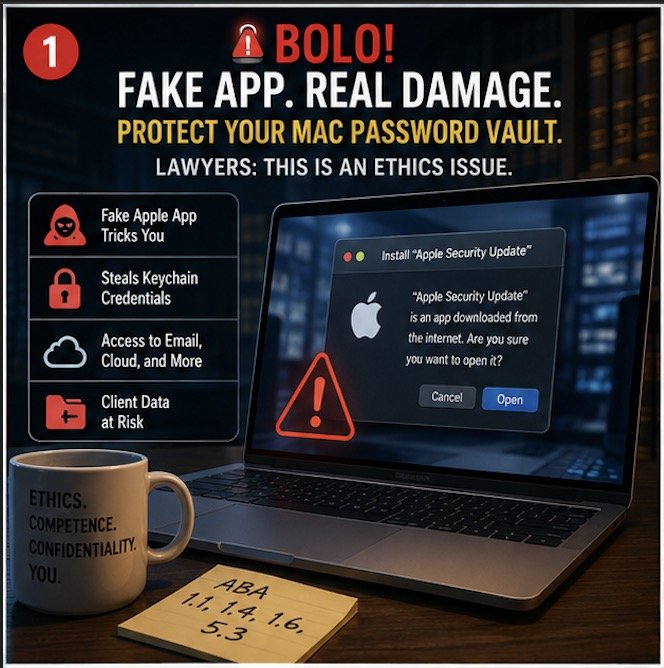
A newly identified piece of malware—disguised as a legitimate Apple application—has the ability to trick users into surrendering access to their macOS password vault. That means saved credentials, system access, and potentially client data are all in play. For lawyers, the implications go well beyond inconvenience. This is an ethics issue. 🚨
According to Malwarebytes’ recent threat intelligence report, attackers are distributing a fake Apple app that convincingly mimics legitimate system prompts. Once installed, it requests elevated permissions and can capture macOS Keychain credentials—the same vault many attorneys rely on to store passwords and secure notes.
That should immediately raise a red flag for anyone responsible for client confidentiality.
Why This Matters for Lawyers
Many attorneys assume macOS provides a higher baseline of security. That assumption is not entirely wrong, but it is incomplete. Threat actors are increasingly targeting Mac users because of that very complacency.
If your Keychain is compromised, an attacker may gain access to:
Email accounts containing privileged communications 📧
Cloud storage platforms holding client files ☁️
Practice management systems
Financial accounts and trust systems 💼
This is not just a cybersecurity issue—it is a professional responsibility issue under multiple ABA Model Rules.
The Ethics Layer You Cannot Ignore
Let’s connect the dots to your obligations.
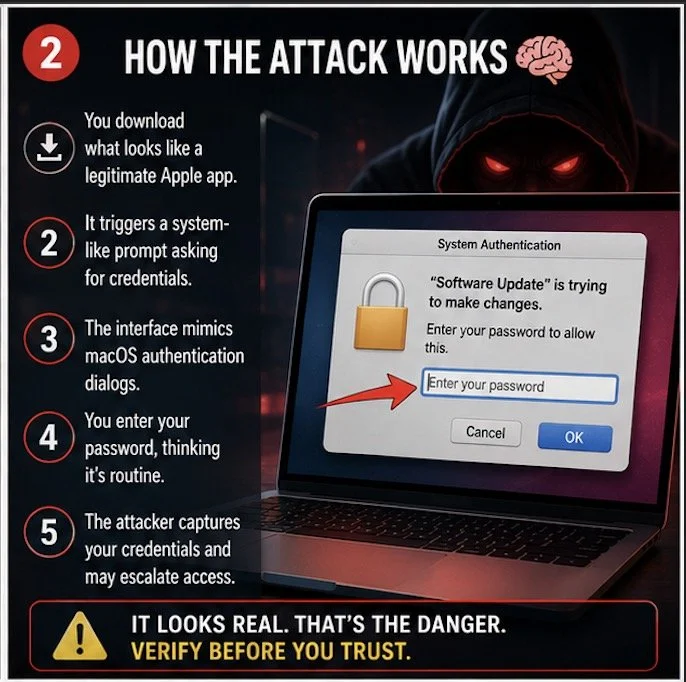
Mac Malware Mimics Apple Prompts to Steal Keychain Credentials
ABA Model Rule 1.6 (Confidentiality of Information) requires attorneys to make reasonable efforts to prevent unauthorized access to client information. Falling for a well-crafted phishing or malware attack does not automatically mean a violation—but failing to implement reasonable safeguards might.
ABA Model Rule 1.1 (Competence) now explicitly includes technological competence. Comment 8 makes clear that lawyers must understand the “benefits and risks associated with relevant technology.”
If you are not aware that fake system prompts exist—or that macOS Keychain can be targeted—you are already behind the curve.
ABA Model Rule 5.3 (Responsibilities Regarding Nonlawyer Assistance) also comes into play if your staff installs software or clicks prompts without proper training.
This is why I often emphasize in both my blog and podcast that cybersecurity is no longer optional—it is foundational.
How the Attack Works 🧠
The attack is deceptively simple:
A user downloads what appears to be a legitimate Apple-related application.
The app triggers a system-like prompt requesting credentials.
The interface closely mimics macOS authentication dialogs.
The user enters their password, believing it is a routine request.
The attacker captures the credentials and may escalate access.
This is classic social engineering layered with technical sophistication.
And here is the uncomfortable truth: even experienced professionals can be fooled when the interface looks authentic.
Warning Signs You Should Not Ignore
While these attacks are convincing, they are not perfect. Look for:
Unexpected prompts asking for your Mac password 🔑
Requests tied to apps you do not recall installing
Slightly off branding, spacing, or wording
Prompts appearing outside normal workflows
When in doubt, stop. Do not enter credentials.
Instead, open System Settings directly and verify whether any legitimate action requires authentication.
💡 TIP: Download Apps directly from the Apple App Store. These applications are vetted by Apple and are less likely to be malware!
Practical Safeguards for Your Practice 🛡️
You do not need to become a cybersecurity expert. But you do need a defensible baseline.
Start here:
Use a dedicated password manager instead of relying solely on Keychain.
Enable multi-factor authentication (MFA) across all critical systems.
Limit administrative privileges on your Mac.
Install reputable endpoint protection software.
Keep macOS and all applications updated.
Train your staff to recognize suspicious prompts.
Incident Response: What If You Already Clicked?
If you suspect you interacted with a fake app:
Disconnect from the internet immediately 🌐
Change all critical passwords from a separate, clean device
Run a full malware scan
Contact a cybersecurity professional
Assess whether client data may have been exposed
At that point, your ethical obligations may shift toward disclosure.
Under ABA Model Rule 1.4 (Communication), you may need to inform affected clients if their data was compromised. Timing and scope matter, so consult ethics counsel where appropriate.
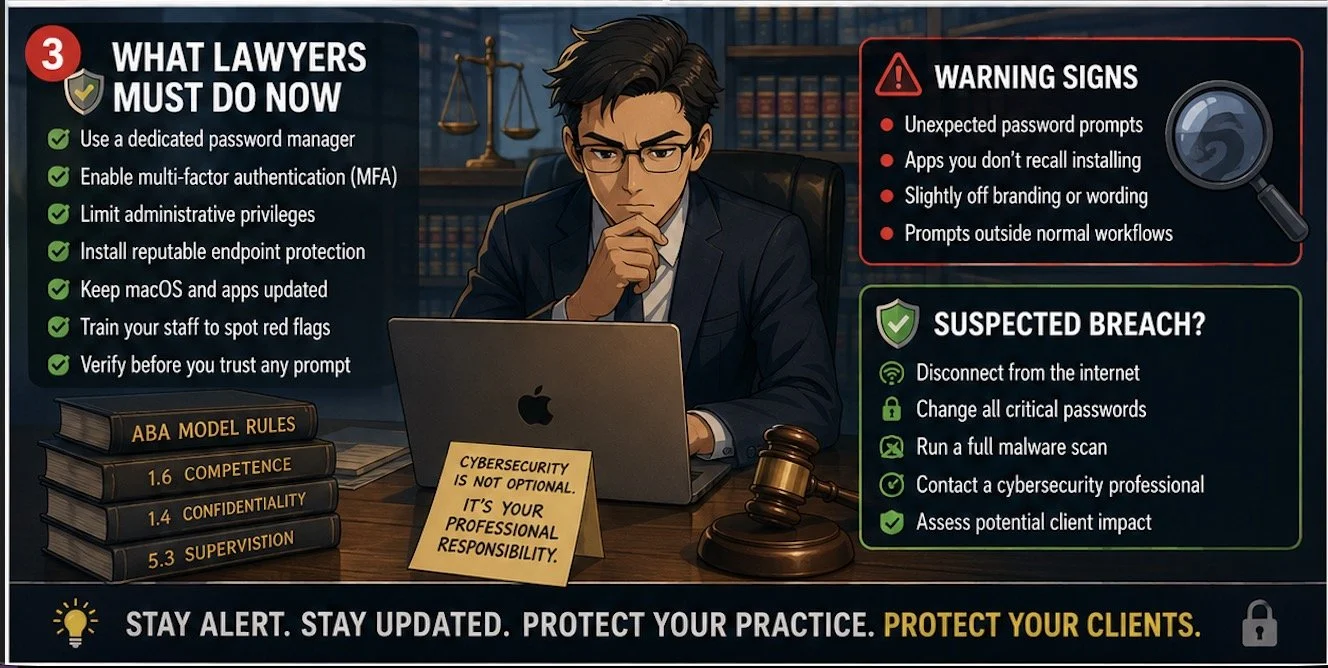
Lawyers Must Strengthen Mac Cybersecurity and Client Data Protection
The Bigger Picture
This is not just about one fake app.
It is about a shift in the threat landscape. Attackers are no longer relying on obvious scams. They are leveraging trust—your trust in Apple, your trust in familiar interfaces, your trust in your own habits.
That is why vigilance must become part of your daily workflow.
As I have discussed before, technology amplifies both efficiency and exposure. The same tools that make your practice more productive also expand your attack surface.
Final Thought
You do not need to panic. But you do need to pay attention.
The lawyers who thrive in this environment are not the most technical—they are the most aware.
Stay alert. Stay updated. And treat every unexpected prompt like it matters—because it might. 🔍