HOW TO: How Lawyers Can Run a Private Local LLM on a Smartphone: A Practical, Ethical Guide 📱🔒
/
Lawyers can use local llms ON their smartphones if done right!
A local large language model, or LLM, lets you run generative AI can be run directly on your smartphone rather than sending prompts to a cloud-based service. For lawyers, that can create a useful extra layer of control over sensitive work product, client information, and drafts—provided you understand what “local” does and does not protect.
The attraction is obvious. You can use a capable AI assistant while traveling, in a courthouse hallway, or without reliable internet. More importantly, properly configured local AI can process prompts on the phone itself, rather than transmitting them to OpenAI, Google, Anthropic, or another remote provider. That is not a substitute for professional judgment, cybersecurity, or ethical compliance. It is, however, an option worth understanding. ⚖️
Why a Local Phone LLM Matters
Most familiar AI chat tools are cloud services. You type a prompt, the prompt is sent over the internet, the provider’s systems generate an answer, and the result returns to your device. The privacy terms, retention settings, training policies, account controls, and security practices of that provider matter enormously.
A local LLM changes the processing location. The model is downloaded to the phone, and it generates responses using the phone’s processor and memory. Lifehacker’s recent practical overview identifies two cross-platform options—PocketPal AI and Atomic Chat—and notes that local models can work offline and avoid sending ordinary prompts to conventional AI-cloud providers. The trade-off is that phone-based models are usually smaller, slower, and less capable than leading cloud systems. They also can consume noticeable battery power.
For legal professionals, local AI can be useful for lower-risk tasks such as:
Brainstorming headings for a motion or client alert 🧠
Rewriting your own nonconfidential prose for clarity
Producing a checklist from a sanitized fact pattern
Creating questions for a witness-preparation outline
Turning a public regulation or opinion into a plain-language summary
Developing podcast, blog, or presentation ideas while offline
Building prompts and workflows before using an approved firm system
The same warning applies here as it does to every generative-AI tool: an LLM is not a legal-research service, does not independently verify authorities, and can invent facts, quotations, or citations. Use it to accelerate thinking and drafting—not to replace validation. 🔍
What You Need Before You Start
You do not need a computer-science background, but you do need a reasonably current phone and realistic expectations.
Lifehacker reports that phones released within the last few years should generally be able to run smaller local models, and identifies RAM, rather than raw processor speed alone, as a particularly important practical limitation: 6 GB may be workable, while 8 GB or more is preferable. It also suggests smaller 1–2-billion-parameter models for phones with less memory. Larger models may take several gigabytes of storages
Before installation, confirm these basics:
Your phone uses a current version of iOS or Android.
You have at least several gigabytes of free storage.
Your phone is secured with a strong passcode, not a simple four-digit code.
Face ID, Touch ID, fingerprint unlock, or another biometric lock is enabled where available.
Your operating system and security updates are current.
Your firm's written technology, security, and AI policies permit the planned use.
You know whether your mobile-device-management system restricts unapproved apps or local file storage.
A practical starting point is a small, text-only model. "B," in labels such as "2B" or "7B," generally means billions of parameters. A smaller model usually responds faster and places less strain on the phone. A larger one may produce more nuanced output but can be slow, drain the battery, or fail to load.
Do not begin by downloading random models from unfamiliar sources. Treat model files like software: use reputable repositories, confirm the publisher, and avoid unofficial "enhanced," "uncensored," or repackaged downloads whose provenance you cannot assess. 🛡️
Step-by-Step🦶: Install a Local LLM
The exact screens will differ by phone and app version, but the workflow is straightforward. PocketPal AI and Atomic Chat are examples, not endorsements. Your firm may prefer a different approved tool.

lawyers must research llms beyond the media hype to ensure they are using them in compliance with their legal ethics!
1. Decide on an appropriate use case
Start with a task that does not require client-identifying information. For example:
"Create a checklist of issues to consider when reviewing a public-sector employee's proposed disciplinary notice. Do not provide legal advice or cite cases."
This lets you test the quality, speed, and limitations of the model without creating a confidentiality issue.
2. Download from the official app store
On iPhone, use Apple's App Store. On Android, use Google Play or another firm-approved, trusted distribution channel.
Search for either PocketPal AI or Atomic Chat, then verify the developer name, app description, and privacy disclosures before installing. 🚨 Do not install an app from a link in a social-media post, an unknown website, or an unsolicited message. 🚨
Atomic Chat represents that all inference runs on the device, that no conversation data is ever transmitted anywhere, and that it collects no chat history, prompts, or AI-generated outputs. It also states it operates without a backend server for chat data and requires no account. Its Google Play data-safety disclosure, however, notes the app may collect app activity, app-performance information, and device identifiers as anonymous analytics. These are vendor representations, not a legal guarantee; lawyers should still perform appropriate diligence.
PocketPal similarly represents that models run directly on the phone, that no data leaves the device, and that the app is open source so users can independently verify the absence of data-collection mechanisms. Its Google Play listing, though, discloses that the app "may collect" and "may share" personal information with third parties —a disclosure that appears to sit in tension with the "zero data transmission" marketing claim and underscores why a lawyer should read the actual store disclosure, not just the app description.
3. Review permissions and privacy disclosures
Before opening the app, check what permissions it requests. A basic text-only local LLM should not need unfettered access to contacts, location, microphone, camera, or every file on your phone merely to answer typed prompts.
Some permissions may be reasonable for optional features. For example, camera access could be necessary if you intentionally ask the app to analyze an image. The key is to grant permissions deliberately, not reflexively.
Review these questions:
Does the app require an account or sign-in?
Does it state that prompts, chats, and uploaded files remain on-device?
Does it describe analytics, crash reporting, telemetry, or advertising identifiers?
Does it use cloud backup, synchronization, external search, or third-party APIs?
Does the privacy policy reserve the right to collect or share content?
Can you delete chat histories and locally stored files?
Can the app connect to external "agents," plug-ins, or web-search tools?
"Local" may describe the core text-generation function while other features still send data elsewhere. If you enable web search, cloud backup, voice transcription, document synchronization, or third-party integrations, your analysis must change accordingly. ⚠️
4. Download a small model
When you open the app, look for Models, Model Library, or a similar option.
PocketPal's project documentation describes selecting Models, choosing a listed model for download, or adding a compatible GGUF-format model from a recognized source. It also cautions users to choose a size and quantization compatible with the phone's memory and storage.
For a first test, choose a model that is:
Small enough for your device
Clearly identified by a reputable publisher
Designed for general text generation
Recently maintained
Downloaded from the application's built-in catalog or an official project page
Google's Gemma family, Meta's Llama family, and Microsoft's Phi models include smaller variants intended for constrained hardware. A smaller model can be suitable for brainstorming, summarization of text you provide, basic editing, and structured checklists. It should not be treated as a reliable source for current law, jurisdiction-specific rules, or legal citations.
5. Keep the first test confidentially clean
Begin with public material or invented facts. Ask the model to summarize a public court opinion, revise a paragraph you wrote for a blog post, or develop questions for an educational presentation.
Test it with a prompt such as:
"Edit the following public-facing paragraph for clarity and professionalism. Preserve the legal meaning. Identify any claim that needs a source."
Then review the result line by line. Check every substantive legal proposition yourself.
6. Secure the local data
Local processing is only part of the security analysis. If the phone is stolen, unlocked, compromised, backed up insecurely, or shared with another person, locally stored chats and documents may be exposed.
At a minimum:
Use a strong device passcode and biometric lock 🔐
Enable device encryption, which current iPhones and many current Android devices provide when properly secured
Set a short automatic-lock interval
Avoid saving client documents in the app unless the risk assessment supports it
Disable lock-screen previews that could reveal sensitive notifications
Review cloud-backup settings for app data and chat history
Use remote-wipe or "find my device" capability
Delete test chats and downloaded material you do not need
Do not leave a matter open on screen in court, at an airport, or in a shared workspace
The Overlooked Risk: Models "Learning" From Attorney Input
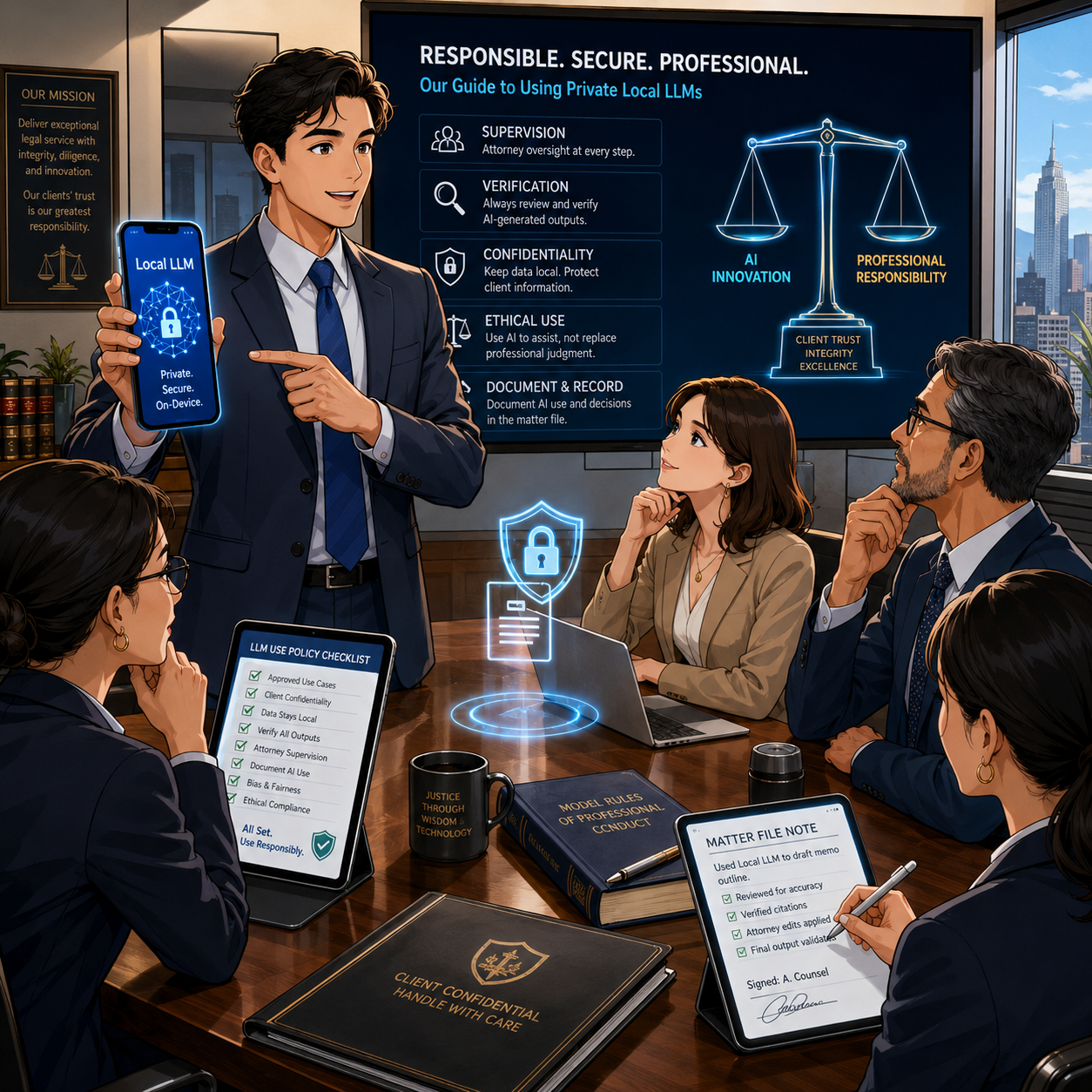
your firm needs to train its employees/lawyers about the proper use of ai in their work!
One security question deserves special attention because it is easy to overlook: could the model itself absorb, retain, or later reproduce a client's Social Security number, date of birth, or other personal identifying information that an attorney types into it? 🚨 For a genuinely on-device, inference-only app—one that loads a fixed, pre-trained model and does not perform continuous training on your conversations—the answer should generally be no. This is often the appeal of a self-hosted LLM. The downloaded model's parameters are typically frozen; a properly built local LLM app answers using that fixed model and does not retrain itself on each new prompt. That distinguishes it from cloud services that may use submitted conversations to improve or fine-tune their systems unless a user opts out.
That reassurance, however, is only as good as the app's actual architecture and the accuracy of its disclosures, and lawyers should not accept marketing language at face value. Independent reporting on local-AI apps has documented real gaps between privacy claims and practice, including apps marketed as "private" or "local-first" that were found to have no meaningful security protecting stored conversations. Google Play's own data-safety disclosures for both PocketPal AI and Atomic Chat list categories of information the apps "may collect," including personal information for PocketPal and device or app-activity data for Atomic Chat—details that are easy to miss if a lawyer relies solely on the app-store description or promotional copy. Security researchers have also noted that on-device models and their associated data stores are not immune from device-level compromise: models and cached data stored in plaintext on a phone can potentially be extracted through malware, physical access, or forensic tools if the device itself is not adequately secured.
For a lawyer, the practical lesson is threefold:
Confirm from the developer's actual privacy policy (not just app-store marketing) whether the app performs any training, fine-tuning, or cloud-connected analytics on your inputs;
Never type a client's Social Security number, date of birth, account numbers, or comparable identifiers into any AI tool—local or cloud—unless that specific handling has been vetted; and
Treat the phone's own security (encryption, passcode, biometric lock, remote wipe) as the last line of defense protecting whatever the app does store locally.
The Legal Ethics Analysis

self-hosted llms on your smartphone ARE GREAT WHEN YOU ARE ON THE ROAD, HAVE NO ACCESS TO THE INTERNET, OR ARE even in court!
The ABA's Formal Opinion 512 is the central national guidance point. Issued on July 29, 2024, it explains that lawyers using generative AI must fully consider their existing obligations under the Model Rules. Its principal topics include competence, confidentiality, client communication, candor, supervisory duties, and fees.
Model Rule 1.1: Competence
Model Rule 1.1 requires competent representation. Comment 8 directs lawyers to keep abreast of "the benefits and risks associated with relevant technology."
That does not require every attorney to become an AI engineer. It does require enough understanding to make informed choices. For a local phone LLM, that means knowing:
Whether the app truly processes prompts locally
Whether it trains, fine-tunes, or logs your inputs for any purpose
Whether a feature transmits data to another service
Where chat histories and documents are stored
Whether local files are included in a cloud backup
How the model's limitations affect the reliability of its output
Whether your phone and firm policies provide adequate security
Competence also means knowing when a task requires traditional legal research, human analysis, and source verification. A local model with no web access may be helpful for drafting, but it cannot tell you whether a case was overruled yesterday. 📚
Model Rule 1.6: Confidentiality
Model Rule 1.6 protects information relating to representation, regardless of its source. A lawyer generally may not disclose that information without informed consent, implied authorization, or another applicable exception. The ABA specifically identifies confidentiality as a core concern in generative-AI use.
A local LLM can reduce one type of disclosure risk because the prompt may stay on the phone rather than move to a cloud AI provider. But it does not eliminate confidentiality risk. The phone, app, model repository, cloud backup, external integrations, and the possibility that a client's Social Security number or date of birth could be typed into a tool without full understanding of its data-handling practices all matter.
For higher-risk client information, conduct a documented, matter-specific assessment. In some circumstances, informed client consent may be prudent or required. The answer depends on the sensitivity of the information, the tool's terms and safeguards, your jurisdiction's rules and guidance, the client's instructions, and your firm policy.
Model Rules 5.1 and 5.3: Supervision
If your firm permits staff, contract professionals, or lawyers to use local LLM apps, adopt clear controls. Model Rules 5.1 and 5.3 require appropriate supervisory efforts concerning lawyers and nonlawyer assistance.
A sensible policy can specify:
Approved apps and approved model sources
Prohibited uses and types of client data—expressly including Social Security numbers, dates of birth, and other identifying information
Required device-security controls
Procedures for verifying AI-generated legal citations
Review and approval requirements before any client-facing or court-filed use
Incident-reporting steps if a phone is lost or data may have been exposed
Model Rules 3.1 and 3.3: Candor and Accuracy
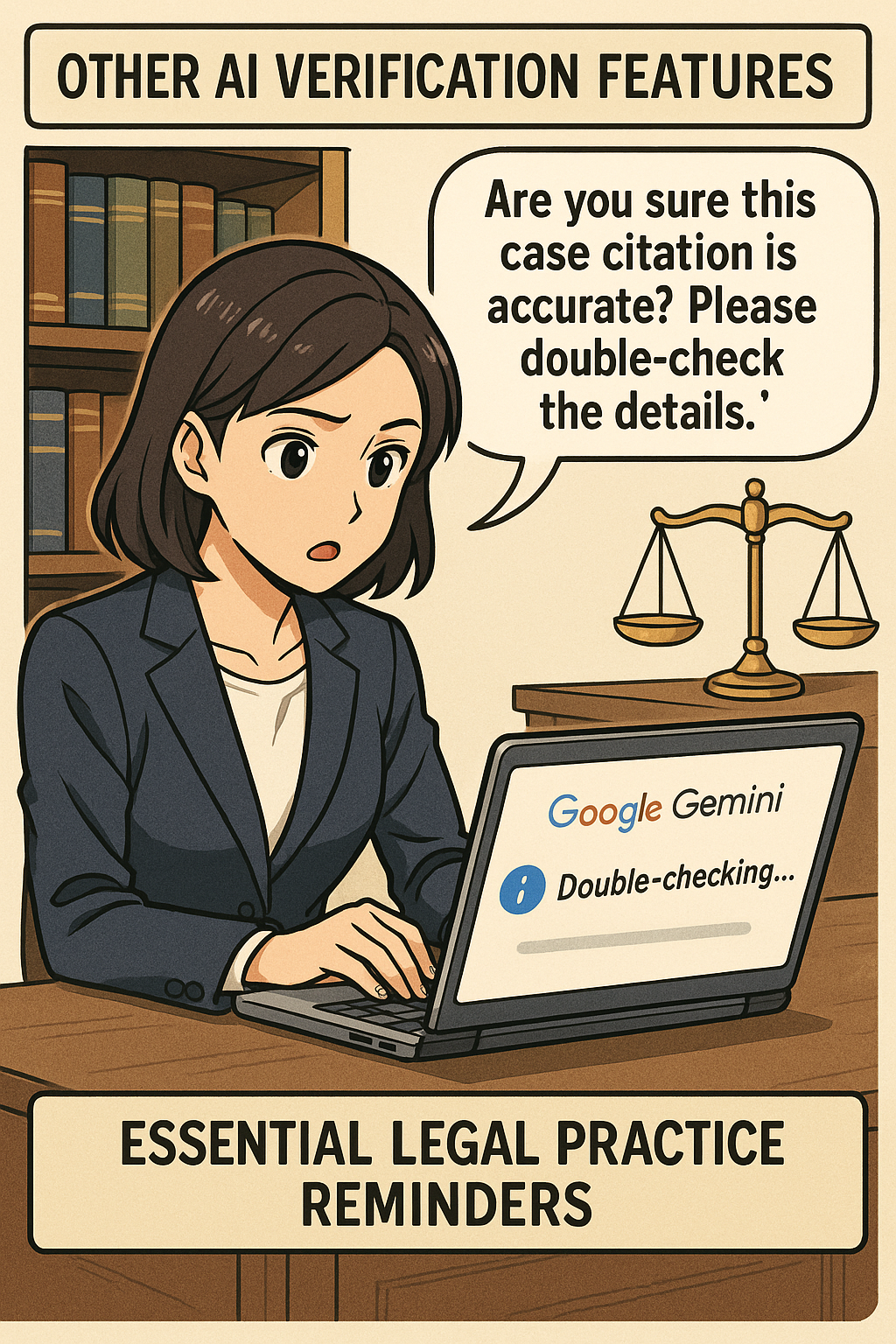
No lawyer should file AI-generated authorities, quotations, or factual assertions without verification. Courts have already made clear that invented citations can lead to sanctions and reputational damage. Local operation does not make a hallucinated case real. 🧾
Treat every AI-generated authority as unverified until you locate it in a reliable legal-research system or official source. The lawyer—not the model—signs the pleading, advises the client, and bears responsibility for the work.
See generally 3.1 and 3.3.
The Bottom Line

llms have their place in legal work if done right!
A local LLM can be a useful addition to a lawyer's technology toolkit. It can support offline brainstorming, editing, plain-language explanation, and internal workflow development while reducing routine reliance on cloud AI processing.
But privacy is not a marketing label. It is a system of facts: the app, the model, permissions, integrations, phone security, backups, firm policy, and the way you use the tool—including a clear-eyed understanding of whether your inputs are ever used to train or fine-tune anything. Start with sanitized information. Verify vendor claims against the actual privacy policy and app-store data-safety disclosures, not just the marketing copy. Secure the device. Validate every legal proposition. Then let the technology help you work more efficiently—without compromising the professional duties that define the practice of law. ⚖️📱