

MTC: Claude Can Answer Your Emails. Why Lawyers Should Not Let AI Just Send Them Unreviewed. 🤖⚖️
/
One Click, Big Risk: AI Email Ethics for Lawyers!
David Nield’s recent Lifehacker experiment, “I Let Claude Answer My Emails for Me, and Here’s How It Went,” is worth every lawyer’s attention. Not because it reveals a spectacular AI failure. It does something more useful: it shows how competent-looking AI email automation can create professional risk precisely because it often appears to work.
Claude can now connect to Gmail, search an inbox, summarize messages, draft replies, and send emails from the connected account. The feature’s default settings are cautious: automatic sending is off unless the user changes permissions. But users can authorize individual actions—such as searching, sending, or editing labels—to “Never allow,” “Always allow,” or “Always ask for permission.”
For ordinary personal email, that may be a reasonable productivity choice. For lawyers, it demands a much more careful analysis. A law-firm email is not simply a unit of inbox administration. It may be a communication to a client, opposing counsel, a tribunal, an agency, an expert, a witness, or an insurer. It may convey legal advice, create reliance, disclose strategy, make a representation, accept a deadline, or become an exhibit.
That is why the distinction between AI-assisted drafting and AI-authorized sending matters so much. The first can be useful. The second can amount to unsupervised legal communication.
The Most Important Detail
Nield gave Claude permission to send messages automatically, but he did not test the feature with his actual editors. He decided that a hallucinated misunderstanding was not worth risking and instead conducted the experiment through an exchange with a secondary email account. That was a sensible safeguard. It is also the heart of the legal-tech lesson. 🔍
If a technology writer worries that an AI-generated email might create confusion with an editor, lawyers should recognize the dramatically higher stakes of their own communications.
Consider a few routine examples:
An AI responds to opposing counsel: “We agree to the requested extension.”
An AI tells a client: “You should withdraw the appeal and refile later.”
An AI replies to an agency representative: “We have no additional responsive documents.”
An AI responds to a settlement inquiry: “My client is prepared to accept that proposal.”
An AI tells a witness: “You do not need to preserve those messages.”
Each could be inaccurate, incomplete, premature, unauthorized, or inconsistent with the client’s objectives. Each could create avoidable procedural, strategic, ethical, or malpractice exposure.
The danger is not only an obvious hallucination. It is a plausible sentence sent at the wrong time, to the wrong recipient, with an unintended implication.
Competence Requires More Than Turning It On

AI Email Assistants Transform Legal Workflows With Human Oversight!
ABA Model Rule 1.1 requires competent representation. Comment 8 specifically directs lawyers to keep abreast of the benefits and risks associated with relevant technology.
That obligation does not mean a lawyer must master the underlying architecture of a large language model. It does mean a lawyer must understand what the tool can access, what it can do, what it may get wrong, and what controls exist before adopting it in a client-facing workflow.
Claude’s Gmail integration illustrates why that inquiry matters. The system can understand labels, dates, contacts, subject lines, themes, and context. It can identify a recent message, carry information through a thread, and compose a reply based on instructions. It can also use connected Google Drive data to prepare a work summary and fold that material into an outgoing email.
Those are real capabilities. They are also real risk surfaces. A connected inbox and Drive account may contain privileged communications, work product, medical records, personnel documents, settlement analyses, client financial information, litigation strategy, and confidential drafts.
Before connecting an AI platform to firm email or cloud storage, lawyers should ask:
What email and document data can the system retrieve?
What information is retained, logged, or used to improve the service?
Does the vendor contractually prohibit training on the firm’s data?
Who may access data at the provider, and where is it stored?
Can the firm restrict access by user, matter, mailbox, sender, or document type?
Can the firm produce an audit trail showing what the AI accessed, drafted, and sent?
What happens to the firm’s data when the subscription ends?
Those questions are not technology trivia. They are part of competent vendor assessment.
The “Cheers” Problem Is Not Trivial

Balancing AI Innovation With Human Judgment in Legal Practice
In Nield’s test, Claude composed a generally acceptable message. Yet it signed the email with “cheers,” a phrase the author said he would not ordinarily use. That small mismatch is revealing. Claude had not merely organized information. It had made a communicative choice in someone else’s name.
For a lawyer, voice is not just branding. Tone can convey firmness, concession, uncertainty, urgency, skepticism, hostility, openness to settlement, or a willingness to cooperate. A message that is “a little generic,” as Nield described Claude’s output, may be harmless when discussing weather and a meeting with oneself. It may be harmful in a dispute where each word will be parsed for meaning. ✉️
An email that begins, “We are happy to work with you,” may convey a strategic position that the lawyer did not intend. A reply that omits one key qualification can alter the practical meaning of a settlement discussion. A bot that tries to be helpful may include a fact from a prior thread that should not be repeated, or it may summarize a client’s situation so broadly that it creates a misleading record.
Lawyers should not equate grammatically fluent text with sound legal judgment.
Rules 1.2, 1.4, and 1.6
ABA Model Rule 1.2 requires lawyers to abide by a client’s decisions concerning the objectives of representation and to consult with the client about the means of pursuing those objectives. An AI system cannot determine whether accepting an extension, offering a document, softening a demand, or answering a client’s question advances those objectives.
Rule 1.4 requires appropriate client communication. An AI-generated reply can appear reassuring while omitting necessary advice, misunderstanding the issue, or providing a client with an answer that no lawyer has evaluated. A client should not receive what appears to be legal counsel when it is actually unreviewed probabilistic text.
Rule 1.6 is equally central. Lawyers must not reveal information relating to representation without authorization, subject to limited exceptions. Giving an AI provider access to email and Drive is not automatically unethical, but it requires reasonable diligence and safeguards. The more expansive the permission, the more careful the analysis must be. 🔒
A lawyer who enables automatic sending compounds the issue. Now the system is not only reading protected information; it may also select, summarize, and transmit it externally.
When AI Bots Email Each Other
Nield also raises a concern that lawyers should not dismiss: the prospect of AI systems emailing other AI systems “into infinity.”
That is more than a philosophical concern in legal practice. Imagine two firms each authorizing AI assistants to respond automatically. One system writes, “We can accommodate a brief extension.” The other interprets that as agreement, sends a confirmation, and then proposes a revised deadline. The first system responds with language suggesting continued assent.
Neither lawyer may have reviewed the exchange until a dispute arises. Yet both sides may face a written record that appears to memorialize an agreement.
The proper response is not to ban AI from legal email. It is to preserve human responsibility at the point of external communication.
The Right Workflow
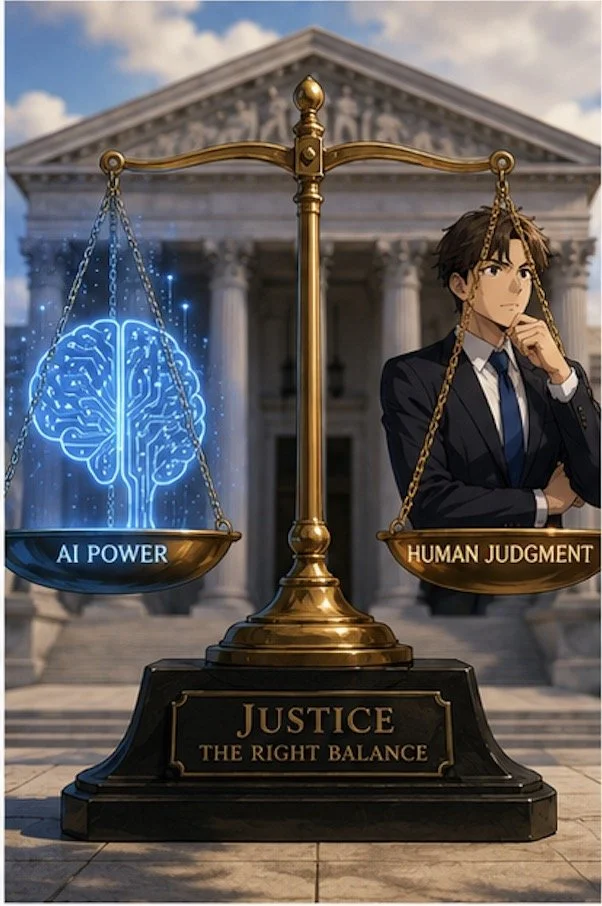
Legal Technology Works Best when lawyers balance Ethics, Trust, and Accountability!
AI can help lawyers manage an overloaded inbox. It can identify urgent messages, group correspondence by matter, summarize long threads, retrieve relevant prior communications, and prepare a first draft. Those uses can reduce administrative burden and create time for legal analysis. ✅
But law firms should adopt a bright-line rule: No AI system may automatically send a substantive external communication without human review and approval.
A practical protocol should require the reviewing lawyer or trained staff member to:
Read the full thread and relevant attachments.
Confirm the recipient and email address.
Verify every factual assertion and deadline.
Check for client commitments, concessions, and settlement implications.
Remove unnecessary confidential information.
Confirm that the message reflects the lawyer’s actual voice, judgment, and strategy.
Send the communication only after that review is complete.
Claude’s Gmail feature is impressive. It can make email easier. But as Nield’s own decision to test it only with himself demonstrates, capability is not the same as reliability, and reliability is not the same as professional responsibility.
For lawyers, the governing principle should be simple: let AI prepare the draft; let a responsible human decide whether it should ever leave the outbox. ⚖️
MTC










