MTC: Why Rising PC and AI Tool Prices (for Windows and Apple) Should Be on Every Lawyer’s Radar in 2026

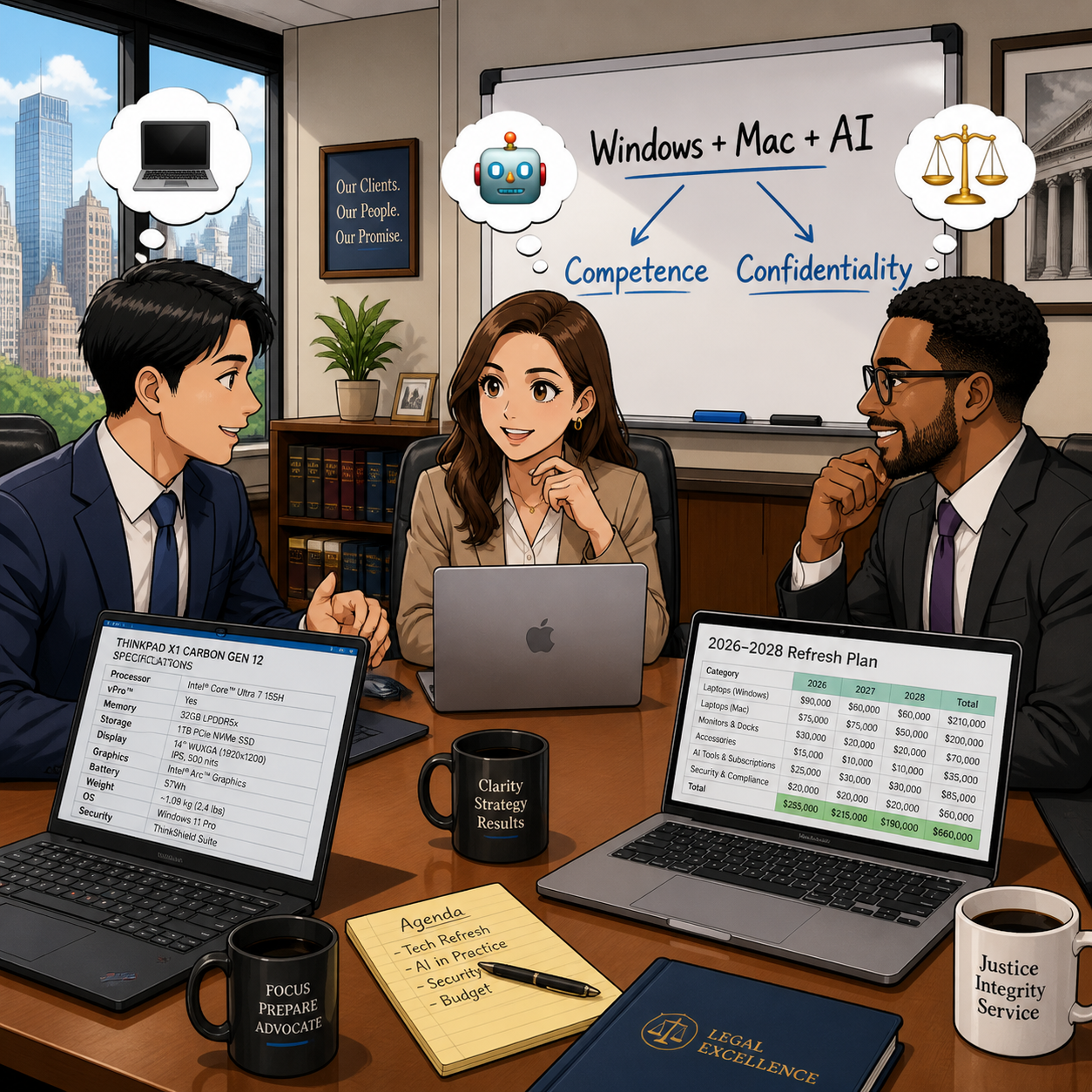
Law firms need to plan Windows, Mac, and AI refresh strategy

If you feel like every new laptop quote is 15–20% higher than last year, you are not imagining things. 📈 And if your favorite AI drafting or transcript tool pinged you with a “small” price adjustment this spring, welcome to the club. 🤖

In our December 2025 editorial, “MTC: The 2026 Hardware Hike: Why Law Firms Must Budget for the ‘AI Squeeze’ Now!”, we warned that a perfect storm in the hardware market was forming: DRAM shortages, surging AI infrastructure demand, and shifting trade policy were about to push PC prices up by 15–20% in 2026. 💻 Then, in April 2026’s “MTC: Why 2026’s PC Price Hikes Put Law Firms at Risk (and Why Many Lawyers Are Quietly Switching to Macs)”, we explored how rising Windows laptop prices were reshaping law firm hardware decisions and eroding the old assumption that “Windows is always cheaper than Mac.”

Those forecasts are now reality across both Windows PCs and Macs, and the question I keep hearing from solo and small firm lawyers is simple: Should I be worried?

The short answer is yes—concerned, not paralyzed. The better question is: how do we respond strategically, in a way that respects both our budgets and our ethical obligations under ABA Model Rules 1.1 (Competence) and 1.6 (Confidentiality)?

A quick recap: what’s driving the price surge?

Let’s start with the “why,” because context matters when you sit down with your next-year budget spreadsheet. 📊

Industry analysts now confirm that average PC prices are rising in the 15–20% range for 2026, with memory costs as the biggest driver. AI data centers—those massive server farms powering tools like ChatGPT and other LLMs—are soaking up an estimated majority of advanced DRAM production, leaving less capacity for business laptops and desktops of all flavors, whether they run Windows or macOS. When memory becomes scarce and expensive, everything that relies on it gets pricier.

You can see this in both ecosystems:

Lawyers need t plan their 2026 law firm hardware budget amid rising costs

  • Windows side: In April, Microsoft sharply raised prices across its Surface lineup, including the Surface Pro and Surface Laptop families, many lawyers rely on. Entry-level machines that once started under 1,000 dollars now begin well above that mark, with some configurations jumping several hundred dollars over launch prices and in some cases exceeding roughly comparable MacBook configurations.

  • Apple side: In June, Apple CEO Tim Cook told The Wall Street Journal that Apple will raise prices because the company can no longer absorb skyrocketing memory and storage costs, calling the situation a “hundred-year flood” and saying he has “never seen anything like it in any area in over 40 years,” describing these increases as “unavoidable.” Apple to Raise Prices Due to Memory Chip Crunch, Tim Cook Says.

When both Microsoft and Apple are telling you that memory costs and component shortages are forcing them to push prices up, that is not a platform rivalry story. It is a signal that the entire hardware market—Windows and Mac alike—is being repriced around the AI era.

On top of that, trade policy and tariffs have increased costs for components and final assembly in key manufacturing hubs like China and Taiwan. Vendors have responded by tightening quote windows and baking in risk premiums, which is why the Windows laptop or Mac you priced in Q4 2025 quietly jumped in Q2 2026. 💸

In “MTC: The 2026 Hardware Hike”, we urged firms to accelerate planned refreshes where possible, prioritize RAM over storage, and budget for stronger machines instead of downgrading specs. In the April 2026 editorial, we drilled into how those same forces made some Mac configurations look surprisingly competitive—and why lawyers should stop treating “Windows versus Mac” as a matter of habit and start treating it as a structured evaluation tied to performance, security, and ethical duties. All of that guidance still holds.

Budgeting like a law practice, not a gadget hobby (PC‑neutral framing)

The theme of “MTC: The 2026 Hardware Hike” was simple: treat your tech like a planned, recurring investment—not a last-minute scramble when a laptop dies in the middle of trial prep. The April 2026 follow-up on PC price hikes showed how that planning must now account for both Windows and Mac options, since price gaps have narrowed or flipped depending on configuration.

Here is the approach I recommend for solos and small firms, regardless of platform:

  1. Inventory and classify your devices across platforms.
    Capture which users are on Windows, which are on macOS, and what roles those machines play. Prioritize devices used for active litigation, client communications, and high-sensitivity matters.

  2. Set a realistic refresh cycle that is OS‑aware.
    For most law practices, a 3–5 year cycle for primary laptops and desktops is reasonable, but the exact timing should reflect each platform’s support timeline—Windows 10 reaching end of support, macOS versions aging out, and vendor firmware commitments.

  3. Budget for “competence grade” hardware on both sides.
    As we argued in both the December and April MTC pieces, it is better to buy fewer, well‑specced machines—whether that is a mid-range Surface Laptop or a MacBook Air with sufficient RAM—than to chase the absolute lowest price and end up with systems that choke under AI‑enhanced workflows.

  4. Run a structured Windows vs. Mac evaluation, not a loyalty contest.
    Following the April article’s recommendation, build a simple matrix comparing specific Windows and Mac models on price, RAM, storage, performance, security features (like Secure Boot, Secure Enclave, or TPM), support life, and compatibility with your core practice software. Tie that matrix explicitly to your responsibilities under ABA Model Rules 1.1 and 1.6 so you can show you exercised reasonable diligence.

  5. Cull redundant subscriptions before sacrificing baseline hardware on either platform.
    Before you decide that “Macs are too expensive now” or “Windows machines are out of reach,” examine your monthly AI and SaaS spend. Many firms can free up budget for better Windows or Mac hardware by retiring overlapping tools that deliver marginal benefits.

This is not about declaring a winner in the Windows vs. Mac debate. It is about recognizing that both ecosystems are affected by the same structural forces—AI‑driven memory demand, supply constraints, tariffs—and that your ethical obligations apply regardless of logo. ⚖️

So, should lawyers be worried? (PC‑neutral conclusion)

Concern is justified. Panic is not. 😅

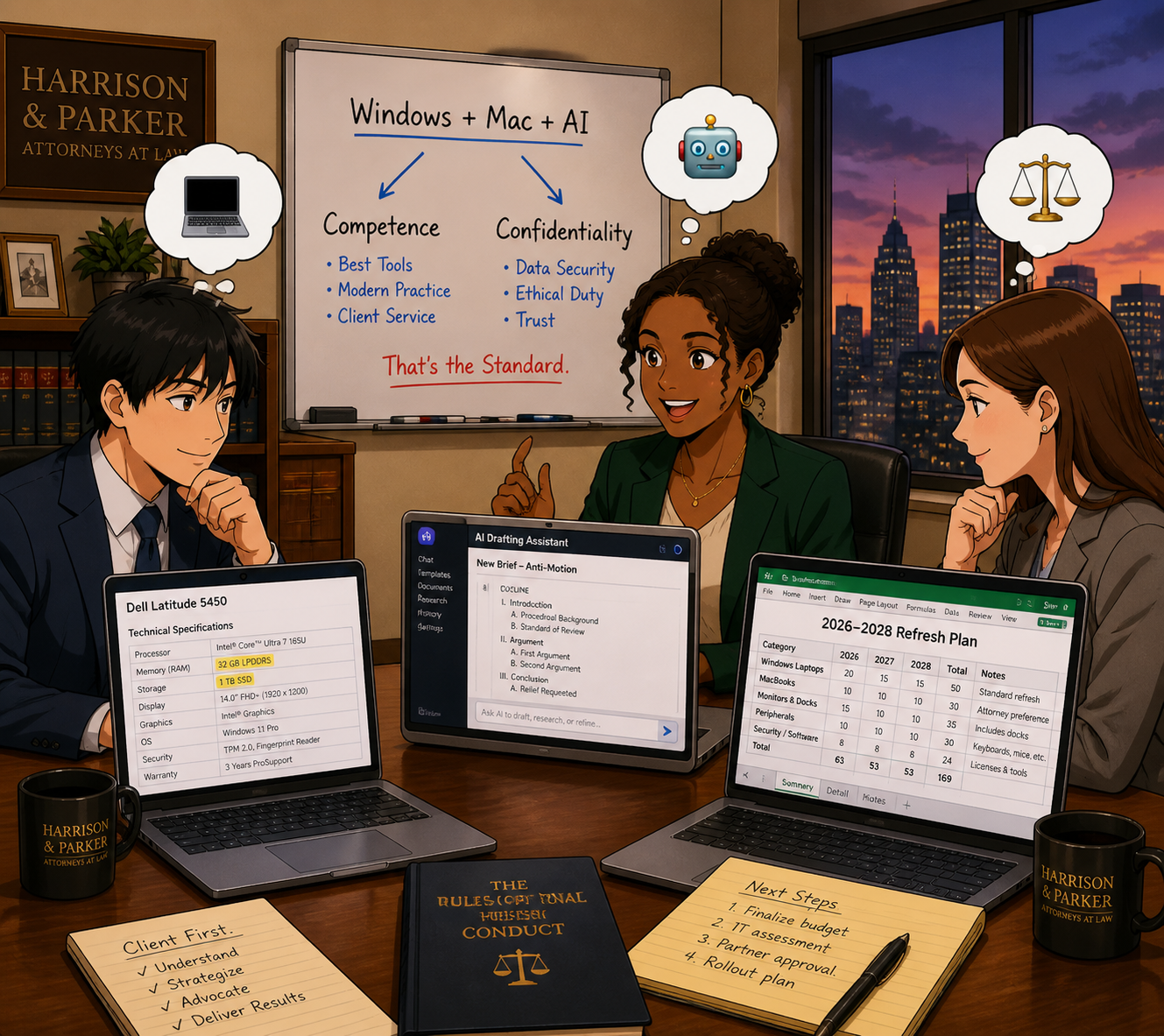
Law firmS of every size need to plan Windows, Mac, and AI refresh strategy

Yes, Windows PC and Mac prices are rising and are likely to remain elevated through at least 2027, given ongoing DRAM constraints and AI demand. Yes, AI and cloud tools are adjusting their pricing and tiers in ways that can catch an unprepared firm off guard. And yes, when Microsoft raises Surface prices, and Tim Cook says he has never seen a memory crunch like this in over 40 years and calls it a “hundred-year flood,” those are market‑wide signals—not platform‑centric marketing talking points.

But you still have levers to pull, no matter which platform you use:

  • Plan your hardware lifecycle instead of reacting to failures.

  • Prioritize “competence grade” devices and security over optional features, whether that is a mid‑range Windows laptop or a MacBook with enough RAM.

  • Rationalize your AI and SaaS stack so you pay for what actually moves the needle.

  • Treat your tech stack as part of your ethics compliance, not just overhead. ⚖️

Lawyers on both Windows and Mac should treat 2026’s hardware and AI price hikes as a market‑wide issue that affects competence, confidentiality, and client service—not as a referendum on one platform. 💻⚖️

MTC

How (To) Lawyers Can Write Better AI Prompts (In Minutes) with PromptCowboy 🤠

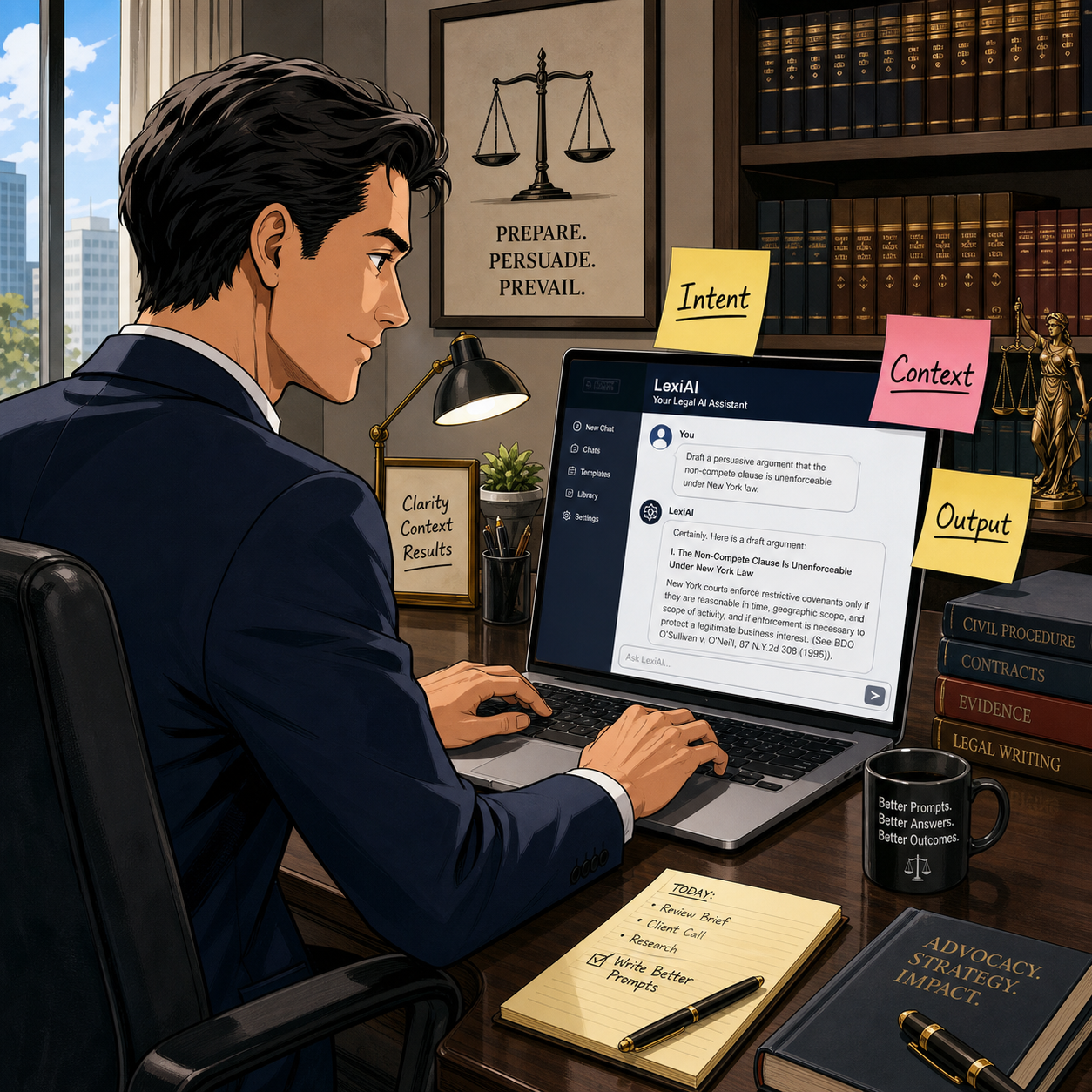
today’s Lawyer need to master AI prompts in a modern tech-savvy law office 📚🤖

Large language models (LLMs) are not magic wands. They are very fast, very convincing parrots. When you ask sloppy questions, you get sloppy answers. When you ask clear, structured questions, you start to see real value in your law practice.

That’s why prompt quality is now a lawyering skill, not a party trick—and tools like PromptCowboy can help you build that skill quickly and safely.

In earlier Tech-Savvy Lawyer posts like “🎙️ TSL Lab’s Deep Dive into Our May 18, 2027, editorial, “AI Won’t Replace Solo and Small Firm Lawyers. It Will Supercharge Them”!” and podcast episodes discussing AI workflows, I’ve stressed the same core message: you cannot delegate your professional judgment to an LLM. You can, however, use an LLM to accelerate competent lawyering—if you stay in control of the instructions you give it and the outputs you accept.

Why prompt quality is an ethics issue 💼

The ABA’s technology competence mandate under Model Rule 1.1 now clearly extends to understanding the risks and benefits of generative AI tools. ABA Formal Opinion 512 emphasizes that lawyers may use generative AI to deliver faster and more efficient legal services, but only if they maintain independent professional judgment, supervise results, and comply with duties of confidentiality, candor, and reasonable fees.

That means “prompt engineering” is not a hobby; it’s part of staying reasonably informed about relevant technology and using it responsibly. When you use a tool like PromptCowboy to structure your prompts, you are not outsourcing judgment—you are standardizing how you exercise it.

What PromptCowboy actually does for lawyers 🤠⚖️

PromptCowboy is a guided prompt generator. You type in a rough idea (“help me sanity-check a demand letter” or “summarize this deposition transcript for trial prep”), and it walks you through targeted questions that transform that rough idea into a structured, reusable prompt.

For lawyers, three capabilities matter most:

  • It enforces structure: role, task, context, constraints, and output format.

  • It preserves prompts: you can reuse, tweak, and standardize prompts across matters and teams.

  • It supports multiple LLMs: you can paste the same prompt into your preferred tools (e.g., a legal-specific AI plus a general LLM).

If you’ve ever stared at a blank chat box and thought, “I don’t even know how to ask this,” PromptCowboy is the bridge between your legal brain and the AI chat window.

Why not just type directly into the LLM? 🤔

If you’re comfortable drafting a tight brief from a messy client email, you can learn to write good prompts directly in ChatGPT, Claude, or your preferred tool. The question is not “Can I?”—it’s “Is that the best use of my time and attention?”

PromptCowboy sits between your legal brain and the AI chat box and gives you three advantages that are hard to get from freehand prompting alone.

1. It forces you into best practices by default

Most prompt-engineering guides tell you: be specific, define the role, give context, specify the audience, and tell the model what format you want. When you type straight into an LLM, you have to remember all of that and translate your legal problem into structured instructions.

PromptCowboy automates that discipline:

  • It asks targeted follow-up questions about audience, use case, and output format.

  • Its “improve your prompt” style features can take your “lazy prompt” and suggest refinements, like adding jurisdiction, tone, or specific constraints.

  • It then assembles a complete, structured prompt you can copy into your LLM.

From an ethics standpoint, this matters because better-structured prompts reduce the risk of vague, misleading, or overconfident AI outputs that you might otherwise overlook—helping you meet your competence duty under Model Rule 1.1 and the quality expectations outlined in ABA Formal Opinion 512.

2. It gives you reusable, auditable prompt “precedent”

When you type directly into a chat window, your “good prompts” disappear into the scroll unless you remember to save them elsewhere. Lawyers would never run a litigation practice without templates and prior forms, yet many start from scratch every time they open an AI tool.

PromptCowboy provides:

SOLO AND Small-firm attorneys CAN COMPETE WITH LARGER FIRMS BY CREATING POWERFUL AI prompt templates for clients ⚖️💬

  • Prompt history and private templates in its paid tiers, so you can reuse and iterate on prompts like you do with forms.

  • Centralized prompt management, so a firm can standardize prompts for common tasks (client email drafts, discovery checklists, status updates) and keep everyone using the same baseline instructions.

  • A clean separation between “prompt drafting” and “AI execution,” which makes it easier to document how you instructed the AI if you ever need to explain or audit your process.

That last point goes to Model Rules 5.1 and 5.3—supervision of lawyers and nonlawyer assistants—because LLMs function in practice like a highly automated, but still supervised, assistant. Having standard prompts you can review, update, and roll out to a team is much easier with a dedicated prompt tool than with a dozen scattered screenshots.

3. It speeds up the “iterate and improve” loop

Good prompting is iterative. You try, you see what the AI produces, you refine. That’s true whether you’re drafting in a word processor or prompting an LLM.

PromptCowboy accelerates that loop because:

  • It can generate an initial, detailed prompt from a very short description (“help me draft a discovery checklist for a Virginia PI case”).

  • It automatically suggests follow-up questions whose answers will sharpen the prompt, instead of making you guess what to change.

  • Once refined, you can save that prompt and reuse it as a starting point next time, instead of reinventing the wheel in the LLM chat.

The net effect is less cognitive load. You spend your time reviewing outputs and exercising legal judgment, not handcrafting prompts from scratch—which aligns with the efficiency and cost considerations in Model Rule 1.5 and the access-to-justice benefits emphasized in Formal Opinion 512.

When direct prompting is fine—and when PromptCowboy shines

To keep this honest: there are plenty of scenarios where you can safely type straight into your LLM, like one-off low-stakes tasks or conversational exploration.

PromptCowboy shines when you:

  • Want repeatable workflows (weekly client updates, discovery outlines, intake summaries).

  • Need team-wide standards for how AI should behave and respond.

  • Must document your process for internal policies, insurers, or regulators who may ask how you controlled AI outputs.

Think of typing directly in the LLM as scribbling notes on a legal pad in chambers; using PromptCowboy is more like drafting a form in your document system that the whole firm can rely on.

A simple framework: RICE + I (Role, Instructions, Context, Expectations + Inputs) 🧩

The RICE framework—Role, Instructions, Context, Expectations—is a practical way to structure prompts. Let’s add an explicit “I” for Inputs and walk through how PromptCowboy helps you implement it:

  1. Role – Who is the AI supposed to be?
    Example: “You are a legal writing coach familiar with U.S. civil procedure.”
    PromptCowboy prompts you to define this persona up front, narrowing the output.

  2. Instructions – What task should it perform?
    Example: “Identify ambiguities and tone issues in the following demand letter and suggest specific edits.”

  3. Context – What background does it need?
    Example: “Maryland state court personal injury case involving a rear-end collision, liability admitted, issue is damages only.”

  4. Expectations – How should it respond?
    Example: “Return a bullet-point list, no more than 10 bullets, written at a 10th-grade reading level.”

  5. Inputs – What materials can it see?
    Example: “You will receive the text of the demand letter below this prompt.”

PromptCowboy’s workflow essentially walks you through each of these steps, so you don’t have to remember them every time.

Step-by-step: Building a better legal prompt with PromptCowboy 🛠️

Solo practitionerS CAN craft ethical AI prompts with ABA-focused guidance 🧠📜

Let’s say you want an LLM to help you draft initial discovery requests in a straightforward personal injury case—without crossing ethical lines.

Step 1: Decide what you will do first
Under Model Rule 1.1 and Formal Opinion 512, you must understand the law and facts well enough to supervise any AI assistance. That means you:

  • Identify the jurisdiction and claims

  • Review your client’s key facts

  • Decide what categories of information you need

Only then should you move to the AI.

Step 2: Open PromptCowboy and describe your task in plain English
In PromptCowboy, start with a simple description:

“Help me generate draft interrogatories and requests for production for a rear-end auto collision case in Virginia state court, focusing on damages.”

Step 3: Answer PromptCowboy’s clarifying questions
PromptCowboy will ask for details like:

  • Target audience (you, another lawyer, or a client)

  • Preferred tone (formal, plain language, bullet-point)

  • Output format (numbered list, table, outline)

By answering these questions, you naturally fill in the RICE + I elements without overthinking the jargon.

Step 4: Add ethical guardrails into the prompt
This is where ABA Model Rules meet prompt engineering:

  • Model Rule 1.6 (confidentiality) and Formal Opinion 512 suggest you should avoid disclosing client-identifying information to public LLMs unless you have informed consent and appropriate safeguards.

  • So in the prompt, you write:
    “Do not invent case-specific facts. Use only the generic facts provided. Do not reference any real persons or entities.”

PromptCowboy can store that language so you reuse it in future prompts.

Step 5: Generate, copy, and paste into your chosen LLM
Once PromptCowboy assembles the prompt, you copy it into:

  • A general LLM (e.g., ChatGPT, Claude or Perplexity*) for plain-language drafting, or

  • Your firm’s legal AI platform for case-specific workflows.

Then you review the output like you would a first-year associate’s draft—carefully and critically.

Practical prompt examples you can reuse 🧾

Here are two PromptCowboy-friendly templates you can adapt:

Template 1: Research sanity-check (non-confidential)

“You are a legal research assistant familiar with [jurisdiction].
Task: Summarize the general legal standards for [issue] without citing specific cases.
Context: This is for high-level planning, not court submission.
Expectations: Provide a concise outline with headings and bullet points.
Ethics: Do not fabricate statutes or case names; flag any uncertainty for follow-up research.”

Template 2: Plain-language client explanation (with safeguards)

“You are a communication coach for lawyers.
Task: Rewrite the following explanation of [legal issue] so a layperson can understand it.
Context: This will be used as a draft for a client email.
Expectations: 3–5 short paragraphs, no legalese, no promises of outcomes.
Ethics: Do not add any new legal advice beyond what is given. Flag any unclear sections for attorney review.”

These templates align with Model Rules 1.1 (competence), 1.4 (communication), and 7.1 (avoiding misleading statements), while using PromptCowboy to enforce structure and consistency.

Common mistakes PromptCowboy helps you avoid 🙅‍♂️

PromptCowboy is not a substitute for judgment, but it does reduce some predictable errors lawyers make with LLMs:

  • Vague requests (“Write a brief” with no jurisdiction, facts, or audience)

  • No output format (you get a wall of text you can’t use)

  • Hidden assumptions (AI fills in facts that are wrong or prejudicial)

  • Over-sharing (don’t paste client-identifying facts into a public tool)

By forcing you to specify intent, context, and output, PromptCowboy nudges you toward more disciplined, repeatable AI use.

Bringing it into your practice today 📆

If you are a solo or small firm lawyer, you do not need a full-blown “AI strategy deck” to start. You need one or two well-crafted, reusable prompts for tasks you already handle every week—email drafting, checklists, or content summaries.

📢 Stay Tuned! In a future episode of The Tech-Savvy Lawyer Podcast, we’ll walk through a live PromptCowboy-to-LLM workflow and compare results across different tools. For now, pick one use case, build a prompt with PromptCowboy, and run it through your existing AI stack. Measure whether it saves you time without sacrificing quality or ethics.

Used thoughtfully, PromptCowboy can help bridge the gap between “AI-curious” and “AI-competent”—and that’s exactly where the profession needs to go next. 🚀

🎙️ Ep. #133 | AI Search, GEO & Legal Marketing Tech: How Small Law Firms Win Cases — Not Just Clicks!

My next guest is Nick Cohen, Chief Operating Officer of Matador Solutions — a legal marketing think tank and agency — and a newly minted partner at Cohen Injury Law Group. Nick brings a rare dual perspective: he lives the daily grind of running a law firm AND helps over 170 firms across the country use technology and marketing strategy to grow their practice. With more than $1 billion in case value generated for clients, Nick knows what separates the law firms that thrive from the ones that spin their wheels. 🚀

Whether you are just hanging out your shingle or you have been practicing for years and feel overwhelmed by the alphabet soup of SEO, GEO, PPC, and AI, this episode breaks it all down in plain language. Nick shares actionable steps — some of which cost nothing — to help your firm show up where your next great client is already looking. ⚖️

Join Nick Cohen and me as we discuss the following three questions and more!

  1. 🤔 What are the top three ways a small or mid-size law firm can leverage AI-driven search — like Google AI Overviews and ChatGPT — to reliably generate better cases, not just more clicks?

  2. 💡 For firms that feel overwhelmed by SEO, paid search, and social media, what are the top three pieces of marketing technology or automations they should implement first to turn their website into a true new case acquisition system?

  3. 🏆 Looking across $1 billion+ in case value generated for over 170 law firms, what are the top three technology habits the most successful firms share — and what are their less successful peers simply not doing?

In our conversation, we cover the following:

  • [0:00] 🎤 Introduction & five-star review shoutout

  • [0:45] 👨‍💼 Nick's background: Matador Solutions, Cohen Injury Law Group, and tech stack overview (Jira, Google Suite, Claude, ChatGPT, WordPress, Slack)

  • [1:30] 💻 Hardware setup: MacBook Pro M4, desktop, HDMI monitor — what Nick runs on daily

  • [3:00] 📱 iPhone, planned obsolescence, and the Apple ecosystem slowdown conversation

  • [4:00] ❓ Question 1: Leveraging AI-driven search (Google AI Overviews, ChatGPT) to get better cases — not just traffic

  • [5:00] 🔍 GEO vs. SEO explained — what is Generative Engine Optimization and why it matters for your law firm right now

  • [6:30] 📖 The difference: SEO = Google ranking; GEO = getting cited by ChatGPT, Claude, Perplexity, and Grok

  • [8:00] 🤖 Schema markup, robots.txt, and opening your website to LLM crawlers — practical steps any firm can take

  • [9:00] 📋 Attorney directory listings (Avvo, Super Lawyers, FindLaw) — are they worth the money in 2026?

  • [10:30] ✍️ Tip #2: High-quality thought leadership content as a GEO and SEO powerhouse

  • [11:30] ⭐ Tip #3: Reviews, reviews, reviews — the single highest-ROI, zero-cost activity for any law firm

  • [12:00] 📲 The "one-click review link" strategy: why text beats email every time

  • [13:00] 😬 How to handle negative reviews — call first, respond professionally, and why a 4.9 rating beats a perfect 5.0

  • [15:00] ❓ Question 2: Top three marketing tech tools/automations for overwhelmed firms — CallRail, case management software, and understanding your channels

  • [17:30] ❓ Question 3: The technology habits that separate high-growth firms from stagnant ones — intake systems, engagement, and growth mindset

  • [19:30] 🗺️ How Matador Solutions walks a brand-new firm from zero to a steady stream of cases — step by step

  • [22:00] 📬 Where to find Nick Cohen

RESOURCES

🔗 Connect with Nick Cohen

📚 Mentioned in the Episode (Non-Hardware / Non-Software)

  • 🎙️ Apple Podcasts — podcasts.apple.com ⚖️ Matador Solutions — Legal marketing agency — matadorsolutions.net

  • 📋 Avvo — Attorney directory — avvo.com

  • ⚖️ Cohen Injury Law Group — Nick's law firm — https://cohenandcohen.net/⭐ Facebook Reviews — facebook.com

  • 📊 GEO (Generative Engine Optimization) — The emerging discipline of optimizing for AI-driven search engines

  • ⭐ Google Reviews — google.com/business

  • 📋 FindLaw — Attorney directory — findlaw.com

  • 📋 Super Lawyers — Attorney directory — superlawyers.com

  • ⭐ Yelp — yelp.com

💻 Hardware Mentioned in the Conversation

  • 📱 Apple iPhone 15 — Nick's smartphone (approximate model) — apple.com/iphone

  • 📱 Apple iPhone (latest, annual upgrade) — Michael's smartphone — apple.com/iphone

  • 🖥️ Apple Mac Studio (M3 chip) — Michael's desktop — apple.com/mac

  • 🖥️ Apple MacBook Pro (M4 chip) — Nick's primary laptop — apple.com/macbook-pro

☁️ Software & Cloud Services Mentioned in the Conversation

🎧 Enjoy the episode? Please leave us a ⭐⭐⭐⭐⭐ five-star review on Apple Podcasts or wherever you get your podcast feeds!

🎙️ Ep. 123: Former Federal Prosecutor Reveals How AI Levels the Playing Field in Criminal Defense 🎙️⚖️🤖

My next guest is Lance Kennedy. Lance is a former federal prosecutor who now operates a tech forward criminal defense practice in Texas. He combines his prosecutorial experience with cutting edge AI and automation tools to compete against well-resourced government teams, helping criminal defense attorneys leverage technology for data analytics, digital forensics, and case management across both federal and state courts.

Join Lance Kennedy and me as we discuss the following three questions and more! 🎯

  1. What are the top three ways criminal defense attorneys can leverage technology to level the playing field against well-resourced prosecution teams? And how has your prosecutorial experience informed your approach to implementing these tools?

  2. With your experience handling both federal cases and state Texas matters, what are the top three technological tools or approaches that criminal defense attorneys should prioritize differently when managing federal cases versus state cases? And how can technology help attorneys navigate the distinct procedural and evidentiary challenges of each system?

  3. What are the top three ethical and practical considerations criminal defense attorneys must address when implementing AI tools in their practice? And how can lawyers ensure they maintain the 'human in the loop' while maximizing AI's benefits for client representation?

In our conversation, we cover the following ⏱️

00:00:00 - Introduction

00:01:00 - Guest's Current Tech Setup

00:05:00 - Top Three Ways Criminal Defense Attorneys Can Leverage Technology

00:08:00 - Federal vs State Technology Tools and Approaches

00:10:00 - Top Three Tech Tools Better Than Government Systems

00:13:00 - Data Privacy and PII Protection in AI Tools

00:14:00 - Ethical and Practical Considerations for AI Implementation

00:16:00 - Where to Find Lance Kennedy

RESOURCES 📚

Connect with Lance Kennedy 🤝

Mentioned in the Episode 💡

Hardware Mentioned in the Conversation 💻

Software & Cloud Services Mentioned in the Conversation ☁️

TRANSCRIPT

Introduction

Michael D.J. Eisenberg: Episode 123 former federal prosecutor reveals how AI levels the playing field in criminal defense.

My next guest is Lance Kennedy. Lance is a former federal prosecutor who now operates a tech forward criminal defense practice in Texas. He combines his prosecutorial experience with cutting edge AI and automation tools to compete against well-resourced government teams, helping criminal defense attorneys leverage technology for data analytics, digital forensics, and case management across both federal and state courts.

All this and more, enjoy.

AD# 1: Consider Giving The Tech-Savvy Lawyer.Page Podcast A Five-Star ⭐️ Review!

Michael D.J. Eisenberg: Have you been enjoying the Tech Savvy lawyer.page podcast? Consider giving us a five star review on Apple Podcasts or wherever you get your podcast feeds.

Lance, welcome to the podcast. Thanks for having me on. I appreciate you being here. [00:01:00] And to get things started, please tell us what your current tech setup is.

Our Guest's Current Tech Setup!

Lance Kennedy: Well, you know, it really has evolved since I started my practice, but currently I do have, a MacBook Pro that I use kind of as my normative computer.

I do use Mac almost exclusively along with a dual sim. iPhone 17 Pro Max. Mm-hmm. Which has two different lines. One for business, one for personal use, so it can kind of consolidate it into one. And then on my actual desk, which I actually use a, standing desk. Really, it makes it nice to be able to adjust along with a gaming chair.

'cause I think that was actually the most comfortable, best. Chair that Define was actually a gaming chair, and its Secret Lab is the company, so Yep. You're looking for a good one. That's, my recommendation. And then of course, extended monitors, because we use so many different systems, so that's more of the hardware setup.

In terms of software though, we, I use of course, Gmail interface for our firm along with our website, which is managed by Scorpion, one of , the ad companies. And then other software that we utilize are matics for our [00:02:00] CRM and my case for our client management portal, along with some other intake software that we utilize.

So I'm gonna ask, which MacBook Pro do you have? That's a good question. So I bought it a little bit, but it's the, you know, it has , the M two chip in it. Okay. 16 gig MacBook Air. So I've had it for about a year and a half and Excellent.

Michael D.J. Eisenberg: Really

Lance Kennedy: well for me.

Michael D.J. Eisenberg: Yep. And of course you have a Apple store.

Business account, right? I do. Yeah, of course. Excellent. And what about your monitors? Do you have a particular brand?

Lance Kennedy: Well, the monitors I currently am using , are, curved Samsung monitors. Mm-hmm. They, and then I have a articulating arm that I have them on just so I can kind of maneuver them.

I still use my, my laptop for most things with the laptop screen, and then use the extended monitors to kind of host documents or platforms that I'm utilizing.

Michael D.J. Eisenberg: For your curve monitors, do you have more than one on your desk? I have two. And so the curve monitor, my understanding of the concept is to kind of keep your eyes on the screen so that you don't lose anything.

You [00:03:00] know, moving from left to right, you know, I've got a three monitor set up, main one and two FLA flanking left and right. They say that having a curve monitor is better because you need, again, you keeping your eyes on the screen. Do you find to have any conflict with that, given that you have two curved monitors?

Lance Kennedy: I don't find any real issue with it. I mean, they're not the most extreme, you know, curved monitors. Some of them are, have a, I dunno if it's concave or convex, but point is, is that they do have a little bit more of an angle to them. Right. These are almost flat, but they do have a slight curve and I really haven't found an issue with, it, it just, it works for me and I kind of have them set up on opposite sides of my deck and

Michael D.J. Eisenberg: that's all that matters.

Your iPhone 17 pro. Is it a pro promax or pro promax? And did you get the orange? I did get

Lance Kennedy: the orange. How do you like that? It's all right, but I have a OtterBox, one of the defender. Mm-hmm. OtterBox cases. And I know some people think the Promax versions are a little large, and then I add a, an additional right kind of bulk to it.

But I figured if I'm gonna have that expensive of a piece of hardware, [00:04:00] I'm gonna get the most rugged. Protective system that I could get, which is the defender.

Michael D.J. Eisenberg: I do the same thing, and I agree with you. I've got some sort of, I have a knockoff case for my iPhone, PROMAX 17, but the nice thing about it is it has a little kickstand built.

It's really nice. So that comes in handy, like when you're, elsewhere, you wanna just prop it up, whether you're in the kitchen, dining room table or at a Starbucks and you only have your phone with you. That's been a little trick that I found out from my last anchor case that I had for my 16.

I'm on the annuals recycle program with Apple, so I get the new phone every year. Well let's get into the questions.

Q?#1:  What are the top three ways criminal defense attorneys can leverage technology to level the playing field against well-resourced prosecution teams?And how has our guest's prosecutorial experience informed your approach to implementing these tools?

Michael D.J. Eisenberg: Question number one. Lance as a former federal prosecutor who now runs a tech forward criminal defense practice. What are the top three ways criminal defense attorneys can leverage technology to level the playing field against well-resourced prosecution teams?

And how has your prosecutorial experience informed your approach to implementing

Lance Kennedy: these tools? Yeah, those are great questions. And so what I would say on the outset, as you know, particularly with the new AI revolution, I [00:05:00] think we're at the onset of it. It still has, you know, a lot to go. We'll see where it takes us.

But really with these technological changes, what I see in at least our market, and I think it's probably in any practice area, it's becoming. More key is you're g you're really gonna have firms that take advantage of the full weight of technology available to them. And those that don't, and the ones that don't, are just gonna be left behind because they're not able, they're not gonna be able to leverage their time and resources in the same way.

Mm-hmm. And it goes to, you know, the different ways we're utilizing technology, I mean, the first would be data analytics and, and case management with all the AI tools available. You know, you have to, of course, make sure you're following bar rules and not sharing PII in places. Right. Utilizing AI either on your own server or running it without sharing data has been a game changer because what you can do is you can organize discovery and spotting consistencies or quickly cross-reference evidence and you know, which is really critical when you're going against prosecution teams with more manpower.

Whenever you, you know, you're up against the federal government or a state government, [00:06:00] they have almost unlimited resources available to them, investigators, analysts, experts and and whatnot. And so having that ability to quickly analyze data and spotting consistencies is key. The next would be digital forensic tools.

You know, by employing such like forensic software or utilizing experts that have access to forensic software, like cell tower data, digital communication or, or different types of video analysis, we've been able to really. Bolster our client's defense. And part of that is my prosecutorial background, particularly with the Department of Justice, , taught me how the government's gonna build a case against you.

Mm-hmm. So we want to utilize the same tools to, to be able to dismantle a case, or at least provide the best defense to our clients. And in our area, of course, is criminal defense. Most of this is gonna be done though through experts that have, you know, either DEC decryption tools or other analytic tools.

And, and starting to leverage again, the same forensic opportunities that the, the state or government has. And then finally, I kind of touched on this with data analytics is really AI and automation. This is, you [00:07:00] know, things such as automated receptionist, document review, legal research. All of these have, we've been able to successfully offload to AI platforms.

And that does free up bandwidth for our team to focus on, strategy rather than just paperwork. So those would be the three ways, categories of the ways we're utilizing technology.

Ad#2: Consider Buying The Tech-Savvy Lawyer a Cup of Coffee ☕️ or Two ☕️☕️!

Michael D.J. Eisenberg: Pardon the interruption. I hope you're enjoying the Tech Heavy Layer page podcast. As much as I enjoy making them consider buying us a cup of coffee or two to help toray some of the production costs, thanks and enjoy.

Q?#2: What are the top three technological tools or approaches that criminal defense attorneys should prioritize differently when managing federal cases versus state cases? And how can technology help attorneys navigate the distinct procedural and evidentiary challenges of each system? system. .

Michael D.J. Eisenberg: So let's move on to question number two. With your experience handling both federal cases and state and Texas state matters, what are the top three technological tools or approaches that criminal defense attorneys should prioritize differently when managing federal cases versus state cases? And how can technology help attorneys navigate the distinct procedural and evidentiary challenges of each

Lance Kennedy: system. Great question. So I'll take these kind of separately because federal and state work are, are somewhat distinct, albeit both [00:08:00] kind of deal with the same subject matter, federal cases and, and the federal system. Of course, you have a, you have a unified online platform, ECF case, sir.

And then of course you have box, which is the, the typical way that evidence is shared with you from, you know, the agency's DOJ, the prosecutor to you as the attorney. And so when it comes to utilizing technology with federal cases, particularly those that are, you know, again, very, have a very large amount of discovery such as white collar cases, wire fraud, things of that nature.

We utilize and leverage, for instance, like co-counsel with Westlaw to be able to, to create trial books and really look at the discovery and help us manage our, the vast amount of discovery. I mean, you know, a small white collar case could have 10, 15,000. Exhibits or files, they're white collar cases that go into hundreds of thousands, if not millions of documents.

So, mm-hmm. You know, quickly being able to utilize AI rather than have to have, you know, an associate comb through those and really look for things has, is a, is definitely something that you should leverage if you're [00:09:00] not doing that already. In terms of, you know, state practice things, you know, 'cause criminal practices and state work, you're dealing with a lot of volume of clients such as, UIs, assaults, drugs, right.

And the like. So utilizing AI and, and other automated technologies for rapid response call tracking, text automation, even like case management software mm-hmm. You know, are very helpful. And that's just because state cases can move pretty quickly. Or involve high client volume. And so you want to be able to utilize automation as much as possible.

So that's what we do as well. And then finally, the technol technological advantage you get by utilizing all these different platforms. You know, like for instance, using dashboards to track procedural deadlines or evidentiary issues really enables you to, to stop things from slipping through the cracks.

Michael D.J. Eisenberg: So my question to you, going back to the first, and, course the second question. As you mentioned that you wanna be using the same platforms as the government does, whether it's state or federal. Have you found, say, maybe three [00:10:00] pieces of tech or software. That you find to be better than what the state or federal government uses.

Lance Kennedy: I mean, you don't have access to their internal systems. Right. And then mm-hmm. In terms of like state, the state, and I'm speaking of particularly the federal system that, the state prosecution, depending on the county, can be fairly antiquated. You know, because we work throughout Texas. My firm Lance Kennedy law, we work through all the major metros of the Texas Triangle, but also rural counties with five, 6,000 people. Right? And so you see a wide discrepancy between tools that they're using. And so what I would say is you may have access, for instance, to like Westlaw, which they're gonna be utilizing. Mm-hmm. In preparation as well. But I would venture to say that if you're a tech savvy defense attorney, like in my position, you're gonna have access to more platforms and be willing to use , more platforms, right.

In the state or feds. And that's just because. You know, they're not gonna go outta their way to purchase a software that's not being provided for them. Right. Whereas, if you're running your own business, you can select [00:11:00] the best software possible to help your clients. Are you willing to share your top three?

Yeah, I would say, I mean, the easiest for me is chat. GPTI do have a pro account that would be top of the list. There's just so many features available with the new agents that they've rolled out. Deep research functionality, copy editing, replying, you know, for instance, making sure that whatever communication is compliant with whatever rules of professional conduct or Texas Code of Criminal procedure, you can really utilize, you know, AI in that capacity to shore up your communication, even if it's merely looking at, what you're typing , or research question or the like.

The next one would be Westlaw, the AI enabled Westlaw with co-counsel. Just because it makes, you know, when I, when I went into law school, we were still learning how to, , and granted it was still, it was antiquated at this point, but they were still making us learn how to pull cases from the volumes in the library.

Right. I've never done that actually, in practice. It was a waste of time, but then of course, we were using Westlaw, but you had to use some of , the connectors and you had to [00:12:00] be really adept at the coding of how you phrased a question. Now, that's not even , a question. You can literally type in any search query and sort it by case, like, how does XJ judge handle this matter?

And it leverages the entire Westlaw database. And then finally, I would say a really easy one to utilize is Grammarly. And so , my team is Grammarly integrated in all of our platforms that enables us to. Make sure that our copy is clear and professional and gets the right tone. And when you're dealing with criminal clients, many times you're gonna get a client screed, you can't even understand it's gonna be, you know, run on sentences , and stream of consciousness.

So to be able to quickly utilize AI to interpret it and then respond with a proper tone , is incredible as well. So I'd say those were my top three.

Michael D.J. Eisenberg: Excellent. Excellent. I appreciate you sharing that, but I'm gonna focus on one, which is gonna bleed into our third question. Talked about chat, GPT Pro. Now, is the information that you put into that system at that tier, is that still protected or are you [00:13:00] worried get to be wary of your PII?

Lance Kennedy: Yeah, that, that's a, that's kind of a real open question right now. So most of the LMS and other platforms are gonna enable you to turn off data sharing. Mm-hmm. And so that should, for, for all intents and purposes, protect your data. But, but really ensure, you know, you're doing what is compliant with your bar.

The next thing is you can actually host your own, you know, server with mm-hmm. AI on it and just kind of keep it in a closed ecosystem. So that's the safer method. But I think probably both of them meet the criter and confidentiality. The issue is you just don't want PII getting onto the internet some way, somehow inadvertently, and I think as long as it's not being shared.

That should prevent that from ever occurring. But again, you know, that's just my opinion and you have to kind of figure it out. I think the issue , is that, you know, state bars are, you know, and I would say advertising committees, there are government workers or individuals mm-hmm. That never run a business. And there's Right, they know impetus for them to move quickly on these types of issues or be sensible or reasonable. And so. [00:14:00] I would just say be a smart practitioner and don't put yourself in any type of harm's way. And for our last question,

Q?#3: What are the top three ethical and practical considerations criminal defense attorneys must address when implementing AI tools in their practice? And how can lawyers ensure they maintain the quote unquote human in the loop while maximizing AI's benefits for client representation?

Michael D.J. Eisenberg: as someone who has worked on both sides of the courtroom and now integrates AI into your defense strategies, what are the top three ethical and practical considerations criminal defense attorneys must address when implementing AI tools in their practice?

And how can lawyers ensure they maintain the quote unquote human in the loop while maximizing AI's benefits for client representation ?

Lance Kennedy: You know, I think this kind of goes to the use of any technology is. When it comes to replacing repetitive tasks, things that really are, I would say, tasks that don't take a true technician or someone with a mm-hmm.

Skill set to do. Those are the ones that need and should be automated and can be automated.

Michael D.J. Eisenberg: Mm-hmm.

Lance Kennedy: As quickly, even things like receptionist. Mm-hmm. You have an AI receptionist. So the point is, is that there are things that generally do have a human like component or interact. Mm-hmm. Can be easily replaced with ai.

However, you know, depending on your competency and where you're [00:15:00] practicing, what type of law. For instance, you know, we're never gonna replace attorneys in the courtroom, at least right. For the way foreseeable future things like hearings or visiting a client in jail. Or making phone calls to family members to, you know, assure them everything's being done.

Those are the tasks that of course we are still gonna have to have a human touch. The more we automate, the more we leverage technology, the more we're utilizing AI to be able to help us do things like research or in something that took us. Five hours we can now do in 30 minutes. Right. We're gonna leverage because that frees up my attorneys to do the things that they're really paid to do, which is, you know, win cases, resolve them favorably for our clients and keep them in the loop.

And, and that's where, technology really is enabling us to

Michael D.J. Eisenberg: succeed.

Have you come across any ethical pitfalls in dealing with ai? Maybe not necessarily with yourself, but you've seen with other colleagues?

Lance Kennedy: No. I mean, what, you know, the question , is like, what would be the ethical grounds here?

It's the, the same rules apply whether guides writing copy for you from mm-hmm. Or [00:16:00] producing a video. Then if you did it on your own, I think as long as the presentation is accurate and doesn't give clients or potential clients the wrong. Opinion of you or your team or your staff. Mm-hmm. You know, then you're in good territory.

So it's a tool, but it doesn't replace ethical behavior or discretion. Gotcha.

Michael D.J. Eisenberg: Well, Lance, I wanna thank you for being here today. Please.

Where You Can Find Our Guest!

Michael D.J. Eisenberg: Where can people find you?

Lance Kennedy: You can find me@lancekennedy.com. It's our firm's website. You can also find me on LinkedIn, TikTok, Instagram, and Facebook. Excellent. Well, Lance,

Michael D.J. Eisenberg: again, thank you for being here.

Absolutely. Thank you.

See You In Two Weeks!

Michael D.J. Eisenberg: Thank you for joining me on this episode of the Tech Savvy Lawyer Page podcast. Our next episode will be posted in about two weeks. If you have any ideas about a future episode, please contact me at Michael DJ at the Tech Savvy lawyer.page. Have a great day and happy [00:17:00] lawyering.