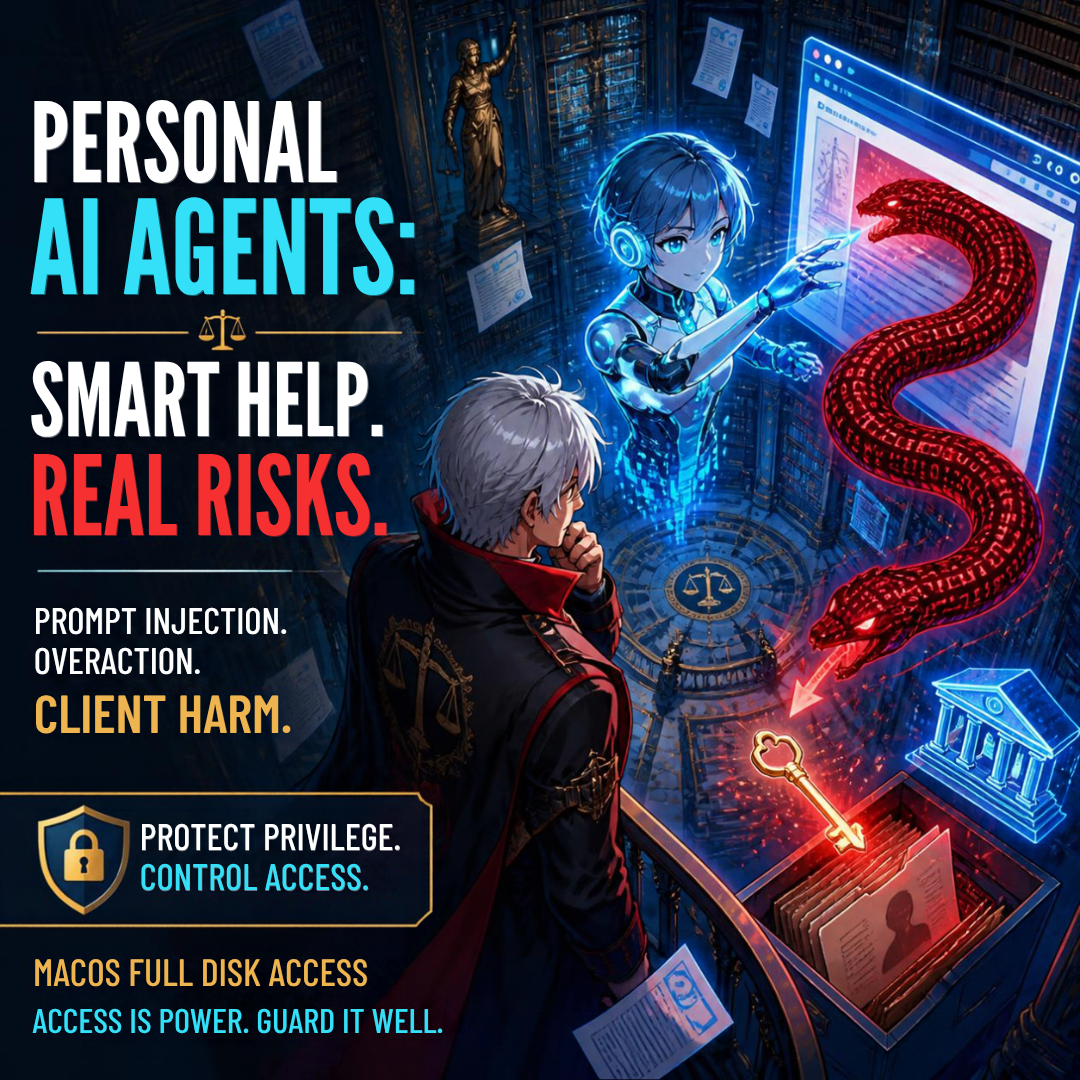
🚨 BOLO: Chrome Security Update: Law Firms Should Patch Before Browsing Again 🚨

lawyers keep your work secure, update your softwarE - update your google chrome browser now!

Solo practitioners and small firms should make updating Google Chrome a same-day task. Malwarebytes reports that Chrome’s current desktop update includes 327 security fixes, including 10 critical vulnerabilities, and that certain flaws can be triggered simply by visiting a malicious website. For a law practice handling confidential client communications, privileged work product, and sensitive financial data, that is a risk worth addressing immediately.

Chrome’s stable release has been updated to version 152.0.7977.64/.65 for Windows and Mac, and 152.0.7977.64 for Linux. The update addresses, among other issues, a critical flaw in ANGLE, Chrome’s graphics translation component, identified as CVE-2026-79282. Malwarebytes says a remote attacker could exploit that flaw through a crafted web page to execute arbitrary code outside Chrome’s browser sandbox.

That phrase—“outside the sandbox”—matters. Browser sandboxing is designed to contain web content so that a malicious site cannot easily reach the rest of the computer. A flaw that permits code execution beyond that boundary can give an attacker a path from a single web visit to the underlying operating system. That is precisely the sort of exposure lawyers should avoid when working in a browser alongside client portals, email, cloud document systems, court filing platforms, banking tools, and AI services. ⚖️

The update also remediates CVE-2026-78899, a use-after-free vulnerability in Chrome’s V8 JavaScript engine. It has a reported CVSS score of 8.8 out of 10. Even though successful exploitation occurs inside the browser sandbox, it should not be dismissed. Attackers frequently combine vulnerabilities in a chain, using one weakness to gain an initial foothold and another to widen access.

Why this is a legal-ethics issue!

its a team effort - remind your fellow lawyers to update their chrome browser today!

Technology hygiene is no longer separate from professional responsibility. ABA Model Rule 1.1 requires competent representation, and Comment 8 specifically calls on lawyers to keep abreast of “the benefits and risks associated with relevant technology.” A lawyer does not need to become a cybersecurity engineer. But maintaining a reasonably secure browser—the primary doorway to modern legal work—is a basic and manageable safeguard.

Model Rule 1.6(c) is equally relevant. It requires lawyers to make reasonable efforts to prevent unauthorized access to, or inadvertent disclosure of, client information. An unpatched browser can become an avoidable weak point in that effort. A compromised browser session could expose client documents, credentials, confidential messages, cloud-storage access, or data entered into web forms. 🔐

For firms, this update is also a reminder to think beyond the individual lawyer’s device. Rule 5.1 requires partners and managers to make reasonable efforts to ensure that firm-wide practices conform to professional obligations. Rule 5.3 similarly requires appropriate oversight of nonlawyer assistants. In practical terms, that means someone should own the checklist: browser updates, operating-system patches, password-manager deployment, multifactor authentication, and employee awareness.

Update Chrome now

On a Windows or Mac computer:

  1. Open Chrome.

  2. Select the three-dot More menu in the upper-right corner.

  3. Choose Settings.

  4. Select About Chrome.

  5. Allow Chrome to download any available update.

  6. Restart the browser to complete installation. 🔄

Chrome typically updates itself, but automatic updates can lag when the browser remains open for days, a restart is postponed, or an extension interferes with the update process. Malwarebytes specifically notes that manually checking can ensure the update is applied rather than merely downloaded.

This is a two-minute task with a potentially significant payoff. Before opening that unfamiliar link, reviewing a shared file, or logging into a client-facing platform, take a moment to confirm that Chrome is current. Security is not a one-time purchase or a single policy document. It is a set of small, repeatable habits that protect the practice and the people who trust it.

Bottom line: update Chrome, restart it, and encourage everyone in your firm to do the same today. ✅

HOW TO: How Lawyers Can Run a Private Local LLM on a Smartphone: A Practical, Ethical Guide 📱🔒

Lawyers can use local llms ON their smartphones if done right!

A local large language model, or LLM, lets you run generative AI can be run directly on your smartphone rather than sending prompts to a cloud-based service. For lawyers, that can create a useful extra layer of control over sensitive work product, client information, and drafts—provided you understand what “local” does and does not protect.

The attraction is obvious. You can use a capable AI assistant while traveling, in a courthouse hallway, or without reliable internet. More importantly, properly configured local AI can process prompts on the phone itself, rather than transmitting them to OpenAI, Google, Anthropic, or another remote provider. That is not a substitute for professional judgment, cybersecurity, or ethical compliance. It is, however, an option worth understanding. ⚖️

Why a Local Phone LLM Matters

Most familiar AI chat tools are cloud services. You type a prompt, the prompt is sent over the internet, the provider’s systems generate an answer, and the result returns to your device. The privacy terms, retention settings, training policies, account controls, and security practices of that provider matter enormously.

A local LLM changes the processing location. The model is downloaded to the phone, and it generates responses using the phone’s processor and memory. Lifehacker’s recent practical overview identifies two cross-platform options—PocketPal AI and Atomic Chat—and notes that local models can work offline and avoid sending ordinary prompts to conventional AI-cloud providers. The trade-off is that phone-based models are usually smaller, slower, and less capable than leading cloud systems. They also can consume noticeable battery power.

For legal professionals, local AI can be useful for lower-risk tasks such as:

  • Brainstorming headings for a motion or client alert 🧠

  • Rewriting your own nonconfidential prose for clarity

  • Producing a checklist from a sanitized fact pattern

  • Creating questions for a witness-preparation outline

  • Turning a public regulation or opinion into a plain-language summary

  • Developing podcast, blog, or presentation ideas while offline

  • Building prompts and workflows before using an approved firm system

The same warning applies here as it does to every generative-AI tool: an LLM is not a legal-research service, does not independently verify authorities, and can invent facts, quotations, or citations. Use it to accelerate thinking and drafting—not to replace validation. 🔍

What You Need Before You Start

You do not need a computer-science background, but you do need a reasonably current phone and realistic expectations.

Lifehacker reports that phones released within the last few years should generally be able to run smaller local models, and identifies RAM, rather than raw processor speed alone, as a particularly important practical limitation: 6 GB may be workable, while 8 GB or more is preferable. It also suggests smaller 1–2-billion-parameter models for phones with less memory. Larger models may take several gigabytes of storages

Before installation, confirm these basics:

  • Your phone uses a current version of iOS or Android.

  • You have at least several gigabytes of free storage.

  • Your phone is secured with a strong passcode, not a simple four-digit code.

  • Face ID, Touch ID, fingerprint unlock, or another biometric lock is enabled where available.

  • Your operating system and security updates are current.

  • Your firm's written technology, security, and AI policies permit the planned use.

  • You know whether your mobile-device-management system restricts unapproved apps or local file storage.

A practical starting point is a small, text-only model. "B," in labels such as "2B" or "7B," generally means billions of parameters. A smaller model usually responds faster and places less strain on the phone. A larger one may produce more nuanced output but can be slow, drain the battery, or fail to load.

Do not begin by downloading random models from unfamiliar sources. Treat model files like software: use reputable repositories, confirm the publisher, and avoid unofficial "enhanced," "uncensored," or repackaged downloads whose provenance you cannot assess. 🛡️

Step-by-Step🦶: Install a Local LLM

The exact screens will differ by phone and app version, but the workflow is straightforward. PocketPal AI and Atomic Chat are examples, not endorsements. Your firm may prefer a different approved tool.

lawyers must research llms beyond the media hype to ensure they are using them in compliance with their legal ethics!

1. Decide on an appropriate use case

Start with a task that does not require client-identifying information. For example:

"Create a checklist of issues to consider when reviewing a public-sector employee's proposed disciplinary notice. Do not provide legal advice or cite cases."

This lets you test the quality, speed, and limitations of the model without creating a confidentiality issue.

2. Download from the official app store

On iPhone, use Apple's App Store. On Android, use Google Play or another firm-approved, trusted distribution channel.

Search for either PocketPal AI or Atomic Chat, then verify the developer name, app description, and privacy disclosures before installing. 🚨 Do not install an app from a link in a social-media post, an unknown website, or an unsolicited message. 🚨

Atomic Chat represents that all inference runs on the device, that no conversation data is ever transmitted anywhere, and that it collects no chat history, prompts, or AI-generated outputs. It also states it operates without a backend server for chat data and requires no account. Its Google Play data-safety disclosure, however, notes the app may collect app activity, app-performance information, and device identifiers as anonymous analytics. These are vendor representations, not a legal guarantee; lawyers should still perform appropriate diligence.

PocketPal similarly represents that models run directly on the phone, that no data leaves the device, and that the app is open source so users can independently verify the absence of data-collection mechanisms. Its Google Play listing, though, discloses that the app "may collect" and "may share" personal information with third parties —a disclosure that appears to sit in tension with the "zero data transmission" marketing claim and underscores why a lawyer should read the actual store disclosure, not just the app description.

3. Review permissions and privacy disclosures

Before opening the app, check what permissions it requests. A basic text-only local LLM should not need unfettered access to contacts, location, microphone, camera, or every file on your phone merely to answer typed prompts.

Some permissions may be reasonable for optional features. For example, camera access could be necessary if you intentionally ask the app to analyze an image. The key is to grant permissions deliberately, not reflexively.

Review these questions:

  • Does the app require an account or sign-in?

  • Does it state that prompts, chats, and uploaded files remain on-device?

  • Does it describe analytics, crash reporting, telemetry, or advertising identifiers?

  • Does it use cloud backup, synchronization, external search, or third-party APIs?

  • Does the privacy policy reserve the right to collect or share content?

  • Can you delete chat histories and locally stored files?

  • Can the app connect to external "agents," plug-ins, or web-search tools?

"Local" may describe the core text-generation function while other features still send data elsewhere. If you enable web search, cloud backup, voice transcription, document synchronization, or third-party integrations, your analysis must change accordingly. ⚠️

4. Download a small model

When you open the app, look for Models, Model Library, or a similar option.

PocketPal's project documentation describes selecting Models, choosing a listed model for download, or adding a compatible GGUF-format model from a recognized source. It also cautions users to choose a size and quantization compatible with the phone's memory and storage.

For a first test, choose a model that is:

  • Small enough for your device

  • Clearly identified by a reputable publisher

  • Designed for general text generation

  • Recently maintained

  • Downloaded from the application's built-in catalog or an official project page

Google's Gemma family, Meta's Llama family, and Microsoft's Phi models include smaller variants intended for constrained hardware. A smaller model can be suitable for brainstorming, summarization of text you provide, basic editing, and structured checklists. It should not be treated as a reliable source for current law, jurisdiction-specific rules, or legal citations.

5. Keep the first test confidentially clean

Begin with public material or invented facts. Ask the model to summarize a public court opinion, revise a paragraph you wrote for a blog post, or develop questions for an educational presentation.

Test it with a prompt such as:

"Edit the following public-facing paragraph for clarity and professionalism. Preserve the legal meaning. Identify any claim that needs a source."

Then review the result line by line. Check every substantive legal proposition yourself.

6. Secure the local data

Local processing is only part of the security analysis. If the phone is stolen, unlocked, compromised, backed up insecurely, or shared with another person, locally stored chats and documents may be exposed.

At a minimum:

  • Use a strong device passcode and biometric lock 🔐

  • Enable device encryption, which current iPhones and many current Android devices provide when properly secured

  • Set a short automatic-lock interval

  • Avoid saving client documents in the app unless the risk assessment supports it

  • Disable lock-screen previews that could reveal sensitive notifications

  • Review cloud-backup settings for app data and chat history

  • Use remote-wipe or "find my device" capability

  • Delete test chats and downloaded material you do not need

  • Do not leave a matter open on screen in court, at an airport, or in a shared workspace

The Overlooked Risk: Models "Learning" From Attorney Input

your firm needs to train its employees/lawyers about the proper use of ai in their work!

One security question deserves special attention because it is easy to overlook: could the model itself absorb, retain, or later reproduce a client's Social Security number, date of birth, or other personal identifying information that an attorney types into it? 🚨 For a genuinely on-device, inference-only app—one that loads a fixed, pre-trained model and does not perform continuous training on your conversations—the answer should generally be no. This is often the appeal of a self-hosted LLM. The downloaded model's parameters are typically frozen; a properly built local LLM app answers using that fixed model and does not retrain itself on each new prompt. That distinguishes it from cloud services that may use submitted conversations to improve or fine-tune their systems unless a user opts out.

That reassurance, however, is only as good as the app's actual architecture and the accuracy of its disclosures, and lawyers should not accept marketing language at face value. Independent reporting on local-AI apps has documented real gaps between privacy claims and practice, including apps marketed as "private" or "local-first" that were found to have no meaningful security protecting stored conversations. Google Play's own data-safety disclosures for both PocketPal AI and Atomic Chat list categories of information the apps "may collect," including personal information for PocketPal and device or app-activity data for Atomic Chat—details that are easy to miss if a lawyer relies solely on the app-store description or promotional copy. Security researchers have also noted that on-device models and their associated data stores are not immune from device-level compromise: models and cached data stored in plaintext on a phone can potentially be extracted through malware, physical access, or forensic tools if the device itself is not adequately secured.

For a lawyer, the practical lesson is threefold:

  1. Confirm from the developer's actual privacy policy (not just app-store marketing) whether the app performs any training, fine-tuning, or cloud-connected analytics on your inputs;

  2. Never type a client's Social Security number, date of birth, account numbers, or comparable identifiers into any AI tool—local or cloud—unless that specific handling has been vetted; and

  3. Treat the phone's own security (encryption, passcode, biometric lock, remote wipe) as the last line of defense protecting whatever the app does store locally.

The Legal Ethics Analysis

self-hosted llms on your smartphone ARE GREAT WHEN YOU ARE ON THE ROAD, HAVE NO ACCESS TO THE INTERNET, OR ARE even in court!

The ABA's Formal Opinion 512 is the central national guidance point. Issued on July 29, 2024, it explains that lawyers using generative AI must fully consider their existing obligations under the Model Rules. Its principal topics include competence, confidentiality, client communication, candor, supervisory duties, and fees.

Model Rule 1.1: Competence

Model Rule 1.1 requires competent representation. Comment 8 directs lawyers to keep abreast of "the benefits and risks associated with relevant technology."

That does not require every attorney to become an AI engineer. It does require enough understanding to make informed choices. For a local phone LLM, that means knowing:

  • Whether the app truly processes prompts locally

  • Whether it trains, fine-tunes, or logs your inputs for any purpose

  • Whether a feature transmits data to another service

  • Where chat histories and documents are stored

  • Whether local files are included in a cloud backup

  • How the model's limitations affect the reliability of its output

  • Whether your phone and firm policies provide adequate security

Competence also means knowing when a task requires traditional legal research, human analysis, and source verification. A local model with no web access may be helpful for drafting, but it cannot tell you whether a case was overruled yesterday. 📚

Model Rule 1.6: Confidentiality

Model Rule 1.6 protects information relating to representation, regardless of its source. A lawyer generally may not disclose that information without informed consent, implied authorization, or another applicable exception. The ABA specifically identifies confidentiality as a core concern in generative-AI use.

A local LLM can reduce one type of disclosure risk because the prompt may stay on the phone rather than move to a cloud AI provider. But it does not eliminate confidentiality risk. The phone, app, model repository, cloud backup, external integrations, and the possibility that a client's Social Security number or date of birth could be typed into a tool without full understanding of its data-handling practices all matter.

For higher-risk client information, conduct a documented, matter-specific assessment. In some circumstances, informed client consent may be prudent or required. The answer depends on the sensitivity of the information, the tool's terms and safeguards, your jurisdiction's rules and guidance, the client's instructions, and your firm policy.

Model Rules 5.1 and 5.3: Supervision

If your firm permits staff, contract professionals, or lawyers to use local LLM apps, adopt clear controls. Model Rules 5.1 and 5.3 require appropriate supervisory efforts concerning lawyers and nonlawyer assistance.

A sensible policy can specify:

  • Approved apps and approved model sources

  • Prohibited uses and types of client data—expressly including Social Security numbers, dates of birth, and other identifying information

  • Required device-security controls

  • Procedures for verifying AI-generated legal citations

  • Review and approval requirements before any client-facing or court-filed use

  • Incident-reporting steps if a phone is lost or data may have been exposed

Model Rules 3.1 and 3.3: Candor and Accuracy

No lawyer should file AI-generated authorities, quotations, or factual assertions without verification. Courts have already made clear that invented citations can lead to sanctions and reputational damage. Local operation does not make a hallucinated case real. 🧾

Treat every AI-generated authority as unverified until you locate it in a reliable legal-research system or official source. The lawyer—not the model—signs the pleading, advises the client, and bears responsibility for the work.
See generally 3.1 and 3.3.

The Bottom Line

llms have their place in legal work if done right!

A local LLM can be a useful addition to a lawyer's technology toolkit. It can support offline brainstorming, editing, plain-language explanation, and internal workflow development while reducing routine reliance on cloud AI processing.

But privacy is not a marketing label. It is a system of facts: the app, the model, permissions, integrations, phone security, backups, firm policy, and the way you use the tool—including a clear-eyed understanding of whether your inputs are ever used to train or fine-tune anything. Start with sanitized information. Verify vendor claims against the actual privacy policy and app-store data-safety disclosures, not just the marketing copy. Secure the device. Validate every legal proposition. Then let the technology help you work more efficiently—without compromising the professional duties that define the practice of law. ⚖️📱

MTC: Claude Can Answer Your Emails. Why Lawyers Should Not Let AI Just Send Them Unreviewed. 🤖⚖️

One Click, Big Risk: AI Email Ethics for Lawyers!

David Nield’s recent Lifehacker experiment, “I Let Claude Answer My Emails for Me, and Here’s How It Went,” is worth every lawyer’s attention. Not because it reveals a spectacular AI failure. It does something more useful: it shows how competent-looking AI email automation can create professional risk precisely because it often appears to work.

Claude can now connect to Gmail, search an inbox, summarize messages, draft replies, and send emails from the connected account. The feature’s default settings are cautious: automatic sending is off unless the user changes permissions. But users can authorize individual actions—such as searching, sending, or editing labels—to “Never allow,” “Always allow,” or “Always ask for permission.”

For ordinary personal email, that may be a reasonable productivity choice. For lawyers, it demands a much more careful analysis. A law-firm email is not simply a unit of inbox administration. It may be a communication to a client, opposing counsel, a tribunal, an agency, an expert, a witness, or an insurer. It may convey legal advice, create reliance, disclose strategy, make a representation, accept a deadline, or become an exhibit.

That is why the distinction between AI-assisted drafting and AI-authorized sending matters so much. The first can be useful. The second can amount to unsupervised legal communication.

The Most Important Detail

Nield gave Claude permission to send messages automatically, but he did not test the feature with his actual editors. He decided that a hallucinated misunderstanding was not worth risking and instead conducted the experiment through an exchange with a secondary email account. That was a sensible safeguard. It is also the heart of the legal-tech lesson. 🔍

If a technology writer worries that an AI-generated email might create confusion with an editor, lawyers should recognize the dramatically higher stakes of their own communications.

Consider a few routine examples:

  • An AI responds to opposing counsel: “We agree to the requested extension.”

  • An AI tells a client: “You should withdraw the appeal and refile later.”

  • An AI replies to an agency representative: “We have no additional responsive documents.”

  • An AI responds to a settlement inquiry: “My client is prepared to accept that proposal.”

  • An AI tells a witness: “You do not need to preserve those messages.”

Each could be inaccurate, incomplete, premature, unauthorized, or inconsistent with the client’s objectives. Each could create avoidable procedural, strategic, ethical, or malpractice exposure.

The danger is not only an obvious hallucination. It is a plausible sentence sent at the wrong time, to the wrong recipient, with an unintended implication.

Competence Requires More Than Turning It On

AI Email Assistants Transform Legal Workflows With Human Oversight!

ABA Model Rule 1.1 requires competent representation. Comment 8 specifically directs lawyers to keep abreast of the benefits and risks associated with relevant technology.

That obligation does not mean a lawyer must master the underlying architecture of a large language model. It does mean a lawyer must understand what the tool can access, what it can do, what it may get wrong, and what controls exist before adopting it in a client-facing workflow.

Claude’s Gmail integration illustrates why that inquiry matters. The system can understand labels, dates, contacts, subject lines, themes, and context. It can identify a recent message, carry information through a thread, and compose a reply based on instructions. It can also use connected Google Drive data to prepare a work summary and fold that material into an outgoing email.

Those are real capabilities. They are also real risk surfaces. A connected inbox and Drive account may contain privileged communications, work product, medical records, personnel documents, settlement analyses, client financial information, litigation strategy, and confidential drafts.

Before connecting an AI platform to firm email or cloud storage, lawyers should ask:

  • What email and document data can the system retrieve?

  • What information is retained, logged, or used to improve the service?

  • Does the vendor contractually prohibit training on the firm’s data?

  • Who may access data at the provider, and where is it stored?

  • Can the firm restrict access by user, matter, mailbox, sender, or document type?

  • Can the firm produce an audit trail showing what the AI accessed, drafted, and sent?

  • What happens to the firm’s data when the subscription ends?

Those questions are not technology trivia. They are part of competent vendor assessment.

The “Cheers” Problem Is Not Trivial

Balancing AI Innovation With Human Judgment in Legal Practice

In Nield’s test, Claude composed a generally acceptable message. Yet it signed the email with “cheers,” a phrase the author said he would not ordinarily use. That small mismatch is revealing. Claude had not merely organized information. It had made a communicative choice in someone else’s name.

For a lawyer, voice is not just branding. Tone can convey firmness, concession, uncertainty, urgency, skepticism, hostility, openness to settlement, or a willingness to cooperate. A message that is “a little generic,” as Nield described Claude’s output, may be harmless when discussing weather and a meeting with oneself. It may be harmful in a dispute where each word will be parsed for meaning. ✉️

An email that begins, “We are happy to work with you,” may convey a strategic position that the lawyer did not intend. A reply that omits one key qualification can alter the practical meaning of a settlement discussion. A bot that tries to be helpful may include a fact from a prior thread that should not be repeated, or it may summarize a client’s situation so broadly that it creates a misleading record.

Lawyers should not equate grammatically fluent text with sound legal judgment.

Rules 1.2, 1.4, and 1.6

ABA Model Rule 1.2 requires lawyers to abide by a client’s decisions concerning the objectives of representation and to consult with the client about the means of pursuing those objectives. An AI system cannot determine whether accepting an extension, offering a document, softening a demand, or answering a client’s question advances those objectives.

Rule 1.4 requires appropriate client communication. An AI-generated reply can appear reassuring while omitting necessary advice, misunderstanding the issue, or providing a client with an answer that no lawyer has evaluated. A client should not receive what appears to be legal counsel when it is actually unreviewed probabilistic text.

Rule 1.6 is equally central. Lawyers must not reveal information relating to representation without authorization, subject to limited exceptions. Giving an AI provider access to email and Drive is not automatically unethical, but it requires reasonable diligence and safeguards. The more expansive the permission, the more careful the analysis must be. 🔒

A lawyer who enables automatic sending compounds the issue. Now the system is not only reading protected information; it may also select, summarize, and transmit it externally.

When AI Bots Email Each Other

Nield also raises a concern that lawyers should not dismiss: the prospect of AI systems emailing other AI systems “into infinity.”

That is more than a philosophical concern in legal practice. Imagine two firms each authorizing AI assistants to respond automatically. One system writes, “We can accommodate a brief extension.” The other interprets that as agreement, sends a confirmation, and then proposes a revised deadline. The first system responds with language suggesting continued assent.

Neither lawyer may have reviewed the exchange until a dispute arises. Yet both sides may face a written record that appears to memorialize an agreement.

The proper response is not to ban AI from legal email. It is to preserve human responsibility at the point of external communication.

The Right Workflow

Legal Technology Works Best when lawyers balance Ethics, Trust, and Accountability!

AI can help lawyers manage an overloaded inbox. It can identify urgent messages, group correspondence by matter, summarize long threads, retrieve relevant prior communications, and prepare a first draft. Those uses can reduce administrative burden and create time for legal analysis. ✅

But law firms should adopt a bright-line rule: No AI system may automatically send a substantive external communication without human review and approval.

A practical protocol should require the reviewing lawyer or trained staff member to:

  • Read the full thread and relevant attachments.

  • Confirm the recipient and email address.

  • Verify every factual assertion and deadline.

  • Check for client commitments, concessions, and settlement implications.

  • Remove unnecessary confidential information.

  • Confirm that the message reflects the lawyer’s actual voice, judgment, and strategy.

  • Send the communication only after that review is complete.

Claude’s Gmail feature is impressive. It can make email easier. But as Nield’s own decision to test it only with himself demonstrates, capability is not the same as reliability, and reliability is not the same as professional responsibility.

For lawyers, the governing principle should be simple: let AI prepare the draft; let a responsible human decide whether it should ever leave the outbox. ⚖️

MTC

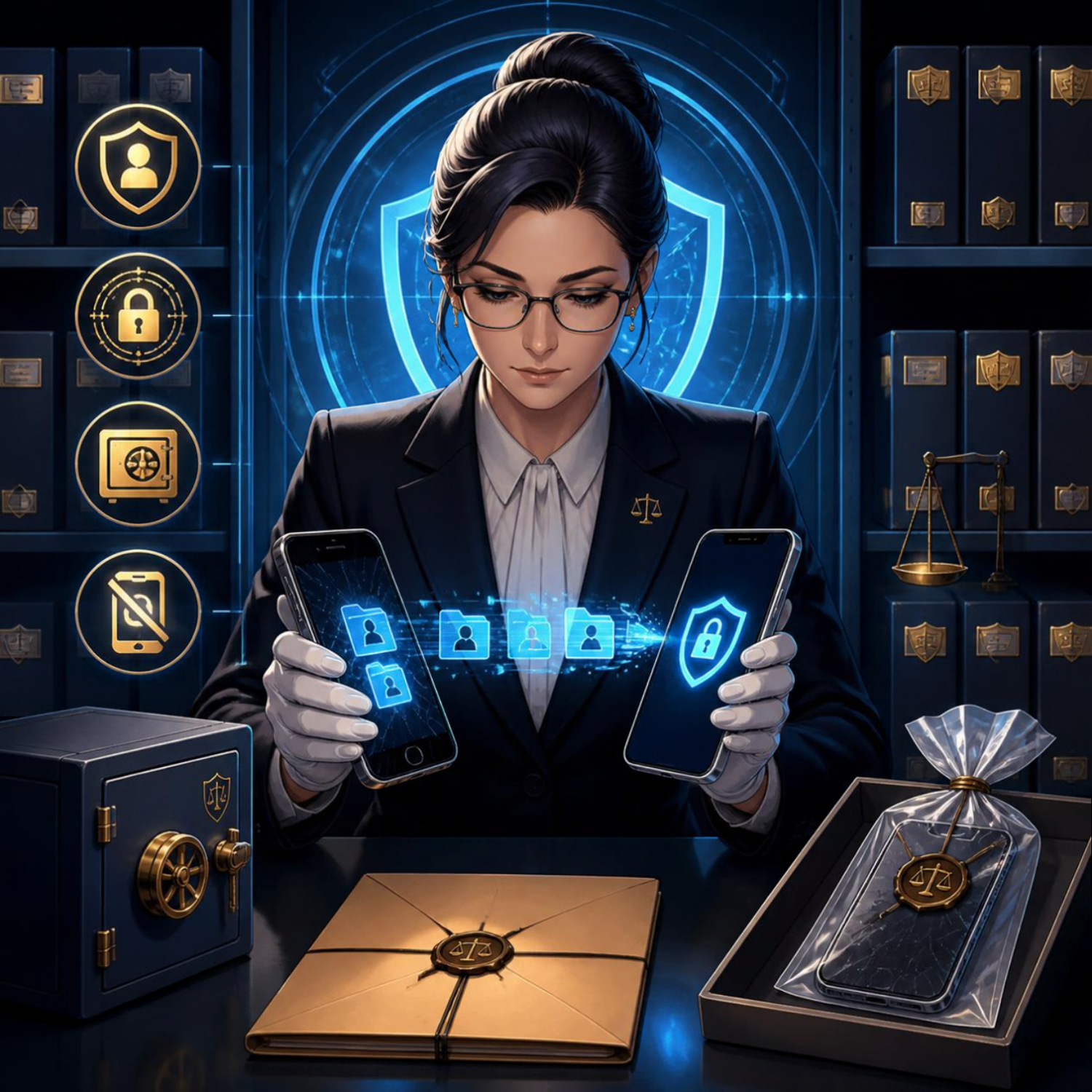
MTC: When Your Phone's "Self-Destruct" Button Becomes a Federal Crime: Duress Passwords, Spoliation & the Duty to Preserve ⚖️📱

lawyers should know the interplay among Duress Passcodes, Border Searches, and Smartphone Evidence Destruction

The Justice Department just indicted an Atlanta man for handing border agents a "duress passcode" that wiped his phone during a secondary inspection. It's believed to be the first prosecution of its kind — and it should put every lawyer (and every client with a smartphone) on notice. 🔔

"Duress passwords" — sometimes called "panic codes" or "coercion PINs" — are a real feature in iOS, Android, and third-party privacy apps. Enter one code and the device unlocks normally. Enter the duress code and the phone quietly obliterates its encryption keys, rendering the data unrecoverable. For journalists, activists, and anyone crossing borders with sensitive material, they're a shield. For prosecutors, they look like a loaded gun pointed at the evidence locker. 🔫💾

Here's where the professional-responsibility rubber meets the road. ABA Model Rule 3.4(a) makes it professional misconduct to "unlawfully obstruct another party's access to evidence or unlawfully alter, destroy or conceal a document or other material having potential evidentiary value." Comment 2 to Rule 3.4 clarifies that the duty attaches when a lawyer knows or reasonably should know that litigation is pending or reasonably foreseeable. A border inspection of a device you know contains responsive data? That's reasonably foreseeable. 📋

lawyers need to know the ABA Ethics Rules for Lawyers Protecting Digital Client Data!

But Rule 1.15 (Safekeeping Property) and Rule 1.6 (Confidentiality) also impose affirmative duties to protect client data. A lawyer who carries privileged communications across a border has a genuine tension: the duty to preserve vs. the duty to safeguard. The duress password sits exactly on that fault line. If you trigger it before a preservation obligation attaches — say, because your phone is stolen — it's property protection. If you trigger it after a subpoena, a litigation hold, or a border detention you knew was coming, it's spoliation. 🧨

The line isn't always bright. Good-faith accident — dropping your phone in coffee, a toddler factory-resetting your iPad — is not a crime. But intent is inferred from circumstances: Did you enable the duress feature after learning of the investigation? Did you select the code specifically for the border crossing? Did you fail to issue a litigation hold to yourself? Courts draw adverse inferences from all three. 📉

Practical takeaways for your practice:

1.      Audit your own devices now. If you use a duress feature, document why and when you enabled it — before any matter makes it suspect. 📝

2.     Issue written preservation notices to yourself the moment litigation is reasonably foreseeable.

3.     Advise clients in writing about duress features before they travel. A client who wipes a phone at the border because you never mentioned the risk creates a Rule 1.1 (Competence) and Rule 1.4 (Communication) problem for you. ✉️

4.     Use encrypted cloud backups with immutable retention (“WORM” [Write Once, Read Many] storage) so a local wipe doesn't equal total loss. That's preservation and property protection. ☁️🔒

what are the four takeaways lawyers should know when it comes to protecting client data at the boarder!

The Atlanta case will test whether providing a duress code to law enforcement is "destruction" under 18 U.S.C. § 1519 or the Federal Rules' spoliation doctrine. But you don't need the verdict to know your ethical north star: preservation obligations attach when you know — or should know — the data matters. The duress code doesn't suspend that duty; it just makes the violation faster and harder to detect. ⚡

Stay tech-savvy. Stay ethical. And maybe keep a spare phone in the carry-on or use a different phone specifically for travel. 🧳📱

MTC*

* Please remember this is an editorial not legal advice nor create an attorney-client relationship. You should contact an attorney for legal advice about your situation should the need arise.

🚨 BOLO: Apple's Emergency Mac Patch Closes a Screen Sharing Backdoor — Lawyers Update Now!

your apple computer may need an update right now!

Here's a security bug that has nothing to do with your caseload and everything to do with your law license. On August 6, 2026, Apple pushed an unusual, single-purpose emergency patch after security researchers discovered that Screen Sharing on the Mac could be tricked into granting full desktop access without a valid password. If you use a Mac to store client files, draft privileged communications, or manage your practice, this is a “Be On the Look Out” moment, and I mean that literally.

What Actually Happened

update your mac and windows os today and keep an eye out for new updates - they are more frequent than you think!!!

Apple's advisory describes the flaw in characteristically understated terms: "An attacker on the network may be able to authenticate to Screen Sharing without valid credentials". Translated out of engineer-speak, a bug in how macOS tracked login attempts meant the system could be fooled into treating an unauthenticated session as verified. Security firm Huntress went further, explaining that the bug exploited the Screen Sharing service's implementation of Secure Remote Password, which "ultimately allows pre-authenticated remote code execution on all supported macOS versions". In plain English: someone on your network, whether that's your building's shared Wi-Fi, a co-working space router, or a compromised office LAN, could potentially run code on your Mac without ever knowing your password. That's not a nuisance bug. That's the kind of hole that keeps ethics counsel up at night.

The flaw has an official tracking number, CVE-2026-65400, which is just a standardized ID security researchers use to reference a specific vulnerability across advisories and news coverage — think of it like a case citation for bugs 📋. It reaches across three generations of macOS: Tahoe, Sequoia, and Sonoma. Apple fixed it with macOS Tahoe 26.6.1macOS Sequoia 15.7.9, and macOS Sonoma 14.8.9 all released the same day, an unusual move that signals Apple treated this as serious enough to skip its normal beta-testing cycle.

Why This Matters for Your Practice

your ethical duty of technological competence doesn't pause because a vulnerability sounds technical!

I've said it before on here and on the podcast, and I'll say it again: your ethical duty of technological competence doesn't pause because a vulnerability sounds technical. ABA Model Rule 1.1, Comment 8, requires lawyers to "keep abreast of changes in the law and its practice, including the benefits and risks associated with relevant technology" 📚. A screen-sharing bypass that hands an attacker the same control as someone physically at your keyboard is exactly the kind of risk that comment contemplates.

Model Rule 1.6 compounds the stakes. If Screen Sharing was enabled on a Mac holding client files, an attacker exploiting this flaw before the patch could have accessed privileged communications, case strategy, or financial data without leaving an obvious trace 🔐. That's a confidentiality problem regardless of whether you can prove exploitation occurred. And if you're a firm supervising associates or staff under Rule 5.1 or 5.3, this is also a moment to confirm every managed device across your practice, not just your own laptop, has been patched.

The silver lining: Apple has stated there's no evidence this bug was exploited in the wild before the fix shipped, and Screen Sharing is off by default on most Macs. But "off by default" isn't the same as "off on your machine," especially if you or an IT vendor ever turned it on for remote support.

How to Check and Patch Your Mac

This is a five-minute task, and it should not wait until end of day. ⏱️

  1. Click the Apple menuSystem Settings

  2. Select GeneralSoftware Update

  3. Install whichever applies: macOS Tahoe 26.6.1, Sequoia 15.7.9, or Sonoma 14.8.9

If your firm manages devices through IT and you can't update immediately, disable the feature entirely: Apple menuSystem SettingsGeneralSharing, then toggle Screen Sharing off. Note that Huntress specifically warns this is a pre-authentication bug, so the usual hardening tricks (removing user accounts, disabling legacy VNC passwords) won't protect you; only the patch or fully disabling the feature will.

The Bigger Pattern Worth Watching

A good rule of thumb is to keep your software os and programs up to date!

This isn't the first time Apple has issued an emergency patch outside its normal cadence, and it won't be the last. Solo and small firms need a patching routine, not just reactive fixes.

The takeaway is simple, even if the underlying vulnerability wasn’t: Almost always, keep your software up to date!  Update your Mac today, verify Screen Sharing's status even if you don't think you use it, and treat this as a reminder that competence under Rule 1.1 is an ongoing obligation, not a box you check once. 🛡️

Follow The Tech-Savvy Lawyer.Page for updates and alerts!

MTC: Washington’s Bar Exam Meltdown: What It Says About Cyber Risk, Competence, and the Future of Legal Tech ⚖️💻

Washington Bar Exam Cybersecurity Crisis Exposes Legal Technology Risks!

Washington’s last‑minute cancellation of this summer’s bar exam is not just a licensing story; it is a technology and ethics story that should make every practicing lawyer sit up straight. For solo and small‑firm practitioners, this is a case study in how fragile our exam, court, and law‑practice infrastructure has become in the face of sophisticated cyber threats—and how quickly that fragility can collide with our professional duties under the ABA Model Rules.

What Happened in Washington—and Why It Matters

The Washington bar abruptly pulled the plug on its planned exam administration, citing serious concerns about system integrity and the security of the underlying technology. Although details are still emerging, the through‑line is clear: the systems that deliver and proctor high‑stakes exams are now attractive targets for attackers and highly sensitive to infrastructure failures.

Think about the impact on examinees. Months of preparation, financial investment, travel, and childcare planning vanished with a late‑stage cancellation notice. But this is not only about logistics. This is about trust: Trust in the profession’s gatekeeping machinery and in the digital rails we have built for critical legal functions. When that trust erodes, the ripple hits everything from admissions to public confidence in our systems.

For working lawyers, this is a preview of what can happen when core legal processes—hearings, filings, exams, CLEs—depend on infrastructure that may be compromised or simply not resilient enough to withstand modern threats.

From Hotel Wi‑Fi to Bar Exams: The Captive Portal Threat 🚨

If the Washington story feels abstract, pair it with Microsoft’s recent warning about hotel and hospitality Wi‑Fi. Microsoft has identified a campaign, dubbed “CaptiveCrunch,” attributed to Russian‑linked threat actors (Storm‑2945), that hijacks captive portals—the login or “click to accept” pages we all use in hotels and conference centers—to steal credentials and deliver malware.

These attacks work by compromising the network infrastructure that sits between the user and the open internet. When a lawyer or bar examinee connects to the hotel Wi‑Fi and sees what looks like a routine sign‑in or software update prompt, that page may in fact be controlled by a threat actor. Microsoft reports that the attackers can:

  • Redirect users to fake Microsoft 365 sign‑in pages and harvest credentials without sending a phishing email.

  • Abuse device‑code authentication flows, so even multi‑factor authentication can be sidestepped if the victim enters a code and approves the request.

  • Deliver a Windows remote access trojan (“CornFlake”) that can log keystrokes, grab files, record audio and video, and maintain persistent access.

Now layer this onto the bar exam setting. You have hundreds of exam takers in hotels and rented housing, many running locked‑down exam software on laptops that still need network access for downloads, updates, or cloud syncing before or after the exam. If the exam provider’s systems or the candidates’ devices ride on compromised networks, you have a recipe for:

  • Actual or suspected compromise of exam content

  • Loss or alteration of answer files

  • Exposure of highly sensitive personal and biometric data

The bar’s decision to cancel may well reflect a recognition that once you have a credible cyber risk in the mix, it is better to protect exam integrity—even at enormous logistical and human cost—than to run an exam whose validity may later be attacked.  My heart goes out to the affected examinees, who have been left adrift in a difficult professional limbo—unable to move to the next stage of their careers and required to devote still more time, money, and emotional energy to preparing for another exam, with the hope that it will not be disrupted by malicious actors.

Ethics Meets Cyber Reality: ABA Model Rules in Play 📜

CaptiveCrunch Hotel Wi-Fi Attacks Threaten Lawyers’ Digital Security

This is where your daily practice intersects directly with the bar’s meltdown.

Model Rule 1.1 (Competence) explicitly includes a duty to understand “the benefits and risks associated with relevant technology.” Cyber threats like CaptiveCrunch are now squarely within “relevant technology.” If you travel for hearings, depositions, client meetings, or bar events and routinely connect to hotel Wi‑Fi without safeguards, you are not just taking a personal risk; you may be jeopardizing client confidences, privileged communications, and case strategy.

Model Rule 1.6 (Confidentiality of Information) requires reasonable efforts to prevent unauthorized access to client information. Using untrusted hotel or conference Wi‑Fi without protections—especially when we now have concrete warnings from Microsoft—raises tough questions about whether your security posture is still “reasonable.”

Model Rule 5.3 (Responsibilities Regarding Nonlawyer Assistance) and Rule 5.1 (Supervisory Lawyers) also surface here. When your cloud vendors, exam providers, or outsourced IT teams operate systems on which your work depends, your duty is not satisfied by “we assumed they had it handled.” You must perform due diligence, ask questions about security practices, and be prepared to adjust your workflows when a vendor’s risk profile changes.

The Bar Exam as a Canary in the Cyber Coal Mine 🐤

The Washington bar exam cancellation looks like a one‑off crisis, but it is better seen as a canary in the coal mine for the entire legal ecosystem.

We increasingly rely on:

  • Online proctoring systems for bar exams, law school tests, and certifications

  • Remote hearing platforms and e‑filing systems for courts

  • Cloud‑based case management, timekeeping, and trust accounting tools

Each of these systems sits on infrastructure that can be compromised at the network, platform, or endpoint level. The CaptiveCrunch campaign shows that attackers are willing to invest in compromising hospitality networks globally, in part because those networks handle high‑value corporate and professional traffic.

If attackers can hijack captive portals to intercept Microsoft 365 logins and deliver Remote Access Trojans (RATs) like CornFlake, they can also target:

  • Judicial staff connecting from hotels during conferences

  • Law firm partners working on the road

  • In‑house counsel traveling to negotiation sessions

Once a single endpoint is compromised, attackers can move laterally into cloud resources, email archives, document management systems, and case data.

In other words, the Washington bar’s crisis is the profession’s crisis—just seen in extreme close‑up.

Practical Security Takeaways for Solo and Small‑Firm Lawyers 🛡️

So what do you do differently now?

Microsoft’s recommendations for travelers are a good starting point: assume guest networks are untrusted, favor mobile hotspots or secured private connections, and avoid performing updates or entering credentials through captive portals. Let’s translate that into concrete steps for law practice:

Travel Playbook

  • Prefer your phone’s hotspot or a dedicated travel router with a trusted VPN when accessing email, case management, or client files on the road.

  • If you have no choice but to use hotel or other public Wi‑Fi, connect only through a reputable VPN and treat the captive portal as a necessary but dangerous doorway.

  • Complete only the minimum captive‑portal steps needed to get online, and then avoid entering passwords, approving authentication prompts, or installing updates until your VPN is active and you are past the captive‑portal page.

Authentication Hygiene

  • Move to phishing‑resistant authentication where possible (hardware security keys, platform authenticators) and restrict device‑code flows unless truly needed

  • Train your team to treat unexpected device‑code prompts or update pages during hotel logins as red flags, not background noise.

Vendor and Exam Provider Scrutiny

  • Ask pointed questions about incident response, logging, and how they handle suspected network compromise.

  • Build contingency plans—if an exam, hearing, or critical system fails or is compromised, what is your fallback?  (Perhaps a cheap backup laptop? Apple has a pretty good return policy - check provider details for timeliness and other requirements.)

Final Thoughts: Looking Ahead - Resilience, Not Just Compliance ✅

Cybersecurity Competence Is Now Essential for Modern Legal Practice!

The Washington bar’s decision to cancel its exam sends a hard message: compliance checklists and bare‑minimum security are no longer enough. We need resilience—systems and workflows designed to fail gracefully, with clear fallback paths that do not compromise integrity or fairness.

For bar authorities and courts, that means:

  • Building redundancy into exam and hearing platforms

  • Running adversarial security testing and tabletop exercises

  • Communicating transparently with stakeholders about how cyber risk is identified and mitigated

For practicing lawyers, it means re‑framing technology as part of our core competence, not a bolt‑on afterthought. Model Rule 1.1’s commentary on technology is not aspirational; it is a reflection of the reality that our ethical duties now live at the intersection of law and information security.

The bar exam meltdown in Washington is a wake‑up call. Pair it with Microsoft’s warning on hotel Wi‑Fi, and the message is unmistakable: our digital rails are under live fire. The question is whether we treat this as yet another “unprecedented” event—or as the moment we upgrade our tools, our habits, and our ethics posture to meet the threat.

MTC

MTC: Judges Will Be Hunting These AI Tricks After Brazil’s Scandal

it is hard to believe that judges will be happy if lawyer insert “code” into their online filings!

Recently, Brazilian court officials uncovered something that should make every tech‑savvy lawyer sit up straight. In a labor court, staff discovered a filing that looked ordinary to the human eye—until they examined it more closely. Hidden in the document was text written in white font on a white background, invisible to anyone casually reading the PDF but fully legible to the court’s AI system.

That invisible text was not a typo. It was an instruction—what technologists call a “prompt injection”—telling the court’s AI software to review the case only superficially and not to challenge the evidence submitted. In other words, the filing was designed to trick the judiciary’s own AI tools into rubber‑stamping a favorable outcome by smuggling in commands that humans would never see.

Fortunately, court staff caught the scheme before it affected the proceedings. But Brazilian authorities immediately recognized the incident as a new species of digital fraud and began discussing safeguards: automatic detection of invisible text, formatting checks before AI processing, and stronger human oversight at every stage. They also raised the prospect of stricter ethics rules and sanctions for lawyers who try to manipulate court AI systems.

For our purposes, the Brazil case does three important things:

  1. It confirms that AI now sits inside judicial workflows—not just law firm workflows.

  2. It shows that some lawyers will try to game those systems if they think they can get away with it.

  3. It gives us a concrete example of what not to do and what to watch for as courts in the U.S. and elsewhere adopt similar tools.

From an ABA perspective, a “white‑text prompt injection” is not clever lawyering—it’s a direct collision with Model Rule 3.3 (candor toward the tribunal) and Model Rule 8.4(c)’s prohibition on conduct involving dishonesty, fraud, deceit, or misrepresentation. And because the Brazil incident exploits the very AI tools that the judiciary is using, it also implicates Model Rule 1.1 and Comment 8: the duty of technology competence now includes understanding how these systems can be abused.

So let’s unpack what we should learn from Brazil—starting with what not to do.

What Not To Do: Hidden Instructions and “Clever” Hacks

The Brazil case is a textbook on the wrong way to think about AI in litigation.

  • Do not embed hidden commands in filings (through white‑on‑white text, metadata, or other tricks) with the intent to influence how a court’s AI tools process your case.

  • Do not treat court‑side AI as just another system to be “SEO‑optimized” or hacked. Unlike a marketing algorithm, this is part of the machinery of justice; trying to tilt it in your favor crosses a bright ethical line.

  • Do not assume that “if the judge doesn’t see it, it doesn’t count.” Malicious prompts aimed at judicial AI are still part of your submission to the tribunal, and they reflect directly on your candor and honesty under Model Rules 3.3 and 8.4.

In short: if you would never say it to the judge in plain black‑and‑white text, you should not whisper it to the court’s AI in invisible text.

What To Watch For: How to Recognize This Behavior

lawyers need to be prepared to vet opposing counsel’s filings for ai injection!

The harder question is how you, as a solo or small‑firm lawyer, can spot similar tactics when others use them—especially when you don’t control the court’s systems.

Here are practical signals and questions:

  • Suspicious formatting in PDFs or Word files. Odd spacing, unexpected blank pages, or inconsistent fonts can sometimes signal hidden layers of text. While you won’t always spot white‑on‑white content, unusual formatting should prompt closer inspection.

  • Metadata anomalies. If you routinely examine document properties, look for multiple authors, unusual editing histories, or automation tags that do not match the face of the document. These can indicate heavy automated processing or embedded instructions.

  • Patterns in AI‑mediated decisions. If certain filings—often from the same party—seem to sail through automated queues or receive unusually favorable, boilerplate orders, you may be seeing the downstream effect of prompt manipulation or aggressive “AI‑targeted” drafting.

Because you usually won’t have direct access to the court’s internal AI, you may need to raise these concerns procedurally: requesting clarification on how filings are screened, asking whether AI systems were involved in certain steps, or moving for relief if you believe your client’s matter was prejudiced by automated processing.

How To Protect Yourself and Your Clients:

Brazil’s experience is a warning shot—not just about bad actors, but about what a healthy response should look like.

Here’s how to translate that into a practical “do this, not that” playbook for your own practice:

1. Assume courts will adopt AI—and plan for it:

Brazil’s judiciary uses AI to prioritize cases, draft reports, and propose decisions in response to massive backlogs. U.S. courts are already experimenting with similar tools, even if not as publicly. Competence under Model Rule 1.1 now includes staying informed about these trends and understanding their implications.

2.     Build “AI integrity” into your litigation strategy.

  • Treat any automated system that touches your filings—court e‑filing portals, online forms, AI‑assisted triage tools—as part of the tribunal.

  • Resolve that you will never include hidden instructions, misleading metadata, or manipulative formatting in documents submitted to those systems.

3.     Advocate for transparent safeguards.

  • In Brazil, authorities responded by exploring automatic detection of invisible text and stronger human oversight.

  • When U.S. courts announce AI pilots or tools, comment on proposed rules, advocate for clear notice when AI is used, and request mechanisms for lawyers to challenge AI‑influenced outcomes.

4.     Document your own good‑faith use of AI.

it may be deemed a “fruad upon the court” if a lawyer injects ai into their electronic filings.

  • If you rely on AI to format or generate parts of your filings, keep internal records of prompts, outputs, and human review.

  • This documentation will help if a court or disciplinary body later asks how you ensured candor and accuracy, especially in a world where Brazil‑style abuses are making judges more skeptical.

Final Thoughts

AI isn’t just something we use; it’s now part of the institutional environment—just like e‑filing, CM/ECF, or digital signatures. The line between legitimate technology use and unethical manipulation is not about whether you use AI, but how you use it and whether you’re honest about it.

MTC

🚨BOLO! Fake Apple App Steals Mac Password Vaults: What Lawyers Must Do Now 🔐⚠️

If you use a Mac in your law practice, this is a “stop and read” moment.

Fake Apple App Threatens Lawyers’ Mac Password Security

A newly identified piece of malware—disguised as a legitimate Apple application—has the ability to trick users into surrendering access to their macOS password vault. That means saved credentials, system access, and potentially client data are all in play. For lawyers, the implications go well beyond inconvenience. This is an ethics issue. 🚨

According to Malwarebytes’ recent threat intelligence report, attackers are distributing a fake Apple app that convincingly mimics legitimate system prompts. Once installed, it requests elevated permissions and can capture macOS Keychain credentials—the same vault many attorneys rely on to store passwords and secure notes.

That should immediately raise a red flag for anyone responsible for client confidentiality.

Why This Matters for Lawyers

Many attorneys assume macOS provides a higher baseline of security. That assumption is not entirely wrong, but it is incomplete. Threat actors are increasingly targeting Mac users because of that very complacency.

If your Keychain is compromised, an attacker may gain access to:

  • Email accounts containing privileged communications 📧

  • Cloud storage platforms holding client files ☁️

  • Practice management systems

  • Financial accounts and trust systems 💼

This is not just a cybersecurity issue—it is a professional responsibility issue under multiple ABA Model Rules.

The Ethics Layer You Cannot Ignore

Let’s connect the dots to your obligations.

Mac Malware Mimics Apple Prompts to Steal Keychain Credentials

ABA Model Rule 1.6 (Confidentiality of Information) requires attorneys to make reasonable efforts to prevent unauthorized access to client information. Falling for a well-crafted phishing or malware attack does not automatically mean a violation—but failing to implement reasonable safeguards might.

ABA Model Rule 1.1 (Competence) now explicitly includes technological competence. Comment 8 makes clear that lawyers must understand the “benefits and risks associated with relevant technology.”

If you are not aware that fake system prompts exist—or that macOS Keychain can be targeted—you are already behind the curve.

ABA Model Rule 5.3 (Responsibilities Regarding Nonlawyer Assistance) also comes into play if your staff installs software or clicks prompts without proper training.

This is why I often emphasize in both my blog and podcast that cybersecurity is no longer optional—it is foundational.

How the Attack Works 🧠

The attack is deceptively simple:

  • A user downloads what appears to be a legitimate Apple-related application.

  • The app triggers a system-like prompt requesting credentials.

  • The interface closely mimics macOS authentication dialogs.

  • The user enters their password, believing it is a routine request.

  • The attacker captures the credentials and may escalate access.

This is classic social engineering layered with technical sophistication.

And here is the uncomfortable truth: even experienced professionals can be fooled when the interface looks authentic.

Warning Signs You Should Not Ignore

While these attacks are convincing, they are not perfect. Look for:

  • Unexpected prompts asking for your Mac password 🔑

  • Requests tied to apps you do not recall installing

  • Slightly off branding, spacing, or wording

  • Prompts appearing outside normal workflows

When in doubt, stop. Do not enter credentials.

Instead, open System Settings directly and verify whether any legitimate action requires authentication.

💡 TIP:  Download Apps directly from the Apple App Store.  These applications are vetted by Apple and are less likely to be malware!

Practical Safeguards for Your Practice 🛡️

You do not need to become a cybersecurity expert. But you do need a defensible baseline.

Start here:

  • Use a dedicated password manager instead of relying solely on Keychain.

  • Enable multi-factor authentication (MFA) across all critical systems.

  • Limit administrative privileges on your Mac.

  • Install reputable endpoint protection software.

  • Keep macOS and all applications updated.

  • Train your staff to recognize suspicious prompts.

Incident Response: What If You Already Clicked?

  • If you suspect you interacted with a fake app:

  • Disconnect from the internet immediately 🌐

  • Change all critical passwords from a separate, clean device

  • Run a full malware scan

  • Contact a cybersecurity professional

  • Assess whether client data may have been exposed

At that point, your ethical obligations may shift toward disclosure.

Under ABA Model Rule 1.4 (Communication), you may need to inform affected clients if their data was compromised. Timing and scope matter, so consult ethics counsel where appropriate.

Lawyers Must Strengthen Mac Cybersecurity and Client Data Protection

The Bigger Picture

This is not just about one fake app.

It is about a shift in the threat landscape. Attackers are no longer relying on obvious scams. They are leveraging trust—your trust in Apple, your trust in familiar interfaces, your trust in your own habits.

That is why vigilance must become part of your daily workflow.

As I have discussed before, technology amplifies both efficiency and exposure. The same tools that make your practice more productive also expand your attack surface.

Final Thought

You do not need to panic. But you do need to pay attention.

The lawyers who thrive in this environment are not the most technical—they are the most aware.

Stay alert. Stay updated. And treat every unexpected prompt like it matters—because it might. 🔍