MTC: When the Search Engine Itself Is the Ethical Issue: What Lawyers Must Know About AI Search vs. Traditional Internet Research

AI Legal Search Transforms Modern Lawyer Research

There is a quiet revolution happening at the very top of your browser, and most lawyers haven't noticed it yet. 🔍

The search box — that deceptively simple rectangle you've used to research case law, check opposing counsel's background, or verify a client's claims — is no longer neutral ground. In May 2026, Google announced a sweeping AI-first reimagining of its search experience, complete with AI-generated answer summaries, "Search agents" that act on your behalf, and deep integrations with Gmail and Google Photos through what it calls "Personal Intelligence."

Almost immediately, something remarkable happened. Privacy-focused search engine DuckDuckGo reported that traffic to its "No AI" search option more than tripled in the days following Google's announcement. Visits averaged 84 percent above baseline — and climbing. Users are voting with their clicks, and lawyers should be paying close attention to why.

Because for attorneys, this isn't just a preference question. It is an ethics question. 🏛️

The Search Box Has Always Been a Legal Tool

Before we talk about AI search, let's be honest about something: lawyers have always used internet research in professionally complex ways. Whether you're doing due diligence on a new client, investigating facts before a deposition, or checking whether a potential expert witness has any embarrassing public statements, search engines are embedded in legal practice.

The ABA has taken note. ABA Model Rule 1.1 on Competence requires lawyers to keep abreast of "changes in the law and its practice, including the benefits and risks associated with relevant technology." The ABA's 2012 amendment to Comment 8 of that rule was, frankly, ahead of its time. Today, "relevant technology" includes the search engine itself — not just the results it returns.

The question lawyers must now ask is not just what a search engine finds. The question is how it finds it — and what it does to the information before it reaches your eyes. 👁️

What "AI Search" Actually Does — And Why It Matters for Lawyers

Google's new AI search doesn't just retrieve pages. It synthesizes, summarizes, and presents information as if it were a fact. The AI generates an "answer" at the top of the results, often without clearly displaying the sources behind it. It uses conversational follow-up prompts and can even tap into your personal data — your Gmail, your calendar, your search history — to "personalize" results through its Personal Intelligence features.

For a casual user looking up a dinner recipe, this may be delightful. For a lawyer performing professional research, this architecture introduces risks that are not hypothetical. They are disciplinary. ⚖️

Consider these practical scenarios:

  • Investigating a witness or opposing party: If AI search synthesizes social media profiles, news articles, and forum posts into a single summary, is the attorney seeing an accurate picture — or an AI-curated composite? Errors of omission matter enormously in litigation.

  • Researching local ordinances or regulations: AI-generated summaries have been documented to cite outdated legal authority or blend jurisdictions. A confident-sounding AI answer about a zoning statute may be silently wrong.

  • Client intake due diligence: If your search engine is pulling from your own Gmail history to "personalize" results, there are immediate questions about information separation and confidentiality walls.

This implicates ABA Model Rule 1.3 (Diligence), Rule 1.6 (Confidentiality), and — for litigators — the broader duty of candor under Rule 3.3. Relying on an AI-synthesized result without independent verification is not diligent research. It is relying on someone else's summary of someone else's sources. 🚩

The Competence Gap Nobody's Talking About

AI Case Summaries Enter the Modern Courtroom

Here is the nuance that most bar ethics opinions haven't caught up to yet: using AI search is not the same as using an AI legal research tool like Westlaw AI and Lexis+ AI. Those platforms are built on curated, citation-verified legal databases, with clear provenance for every source. General-purpose AI search like Google's new paradigm, Bing Copilot, Perplexity AI, is built on the open web, with all of the unreliability that implies.

When a lawyer asks Westlaw AI to find authority on a legal standard, the system is drawing from a professionally maintained legal corpus. When a lawyer asks Google's AI search, "What are the statute of limitations rules in Virginia for contract claims?" — the AI is generating a confident-sounding answer from whatever it found on the open internet, synthesized by a model that does not practice law and has no malpractice insurance. *Note that this does not mean you should not always check your AI work generated from legal-based websites, as they make mistakes too! ALWAYS CHECK YOUR WORK!!!

That distinction is not just academic. It is the difference between competent research and a disciplinary complaint. 📋

ABA Formal Opinion 512 (2023) addressed the use of generative AI tools broadly, emphasizing that attorneys bear full responsibility for the accuracy of AI-generated work product and may not "delegate" verification to a machine. The same logic extends directly to AI-generated search summaries. The attorney who reads an AI answer and relies on it without checking the underlying sources has not completed professional research. 

DuckDuckGo's "No AI" Option: A Signal Worth Heeding

The surge in DuckDuckGo's "No AI" search traffic is instructive for lawyers precisely because the users driving that surge aren't Luddites. They are professionals and technologists who understand the difference between AI-assisted search and raw, unmediated results.

DuckDuckGo's No AI search returns traditional link-based results without AI-generated answer overlays, without a chat interface, and with significantly fewer AI-generated images cluttering the results. For legal professionals performing factual investigation, that architecture has a significant advantage: what you see is a list of sources, not a synthesized narrative. You evaluate the sources. You apply legal judgment. The machine does not pre-filter reality for you.

Alternative privacy-first search engines like Kagi operate on a similar premise — paid, ad-free, with AI tools strictly opt-in. These are not fringe products. They are increasingly mature, professional-grade tools.

The point is not that lawyers must abandon Google. The point is that lawyers must understand what any given search tool is doing with their query and their results — and make a deliberate professional choice. 🎯

Confidentiality Implications Hiding in Plain Sight

Here's a dimension that deserves its own continuing legal education session: what happens to your search queries?

Google's Personal Intelligence features explicitly connect your search behavior to your Gmail, your Google Photos, and your account activity. For most users, this integration is a convenience. For lawyers, it is a potential Rule 1.6 problem.

If you are searching for information related to a client matter using a Google account connected to your professional email, you may be feeding client-related data into a system with its own data retention, analytics, and AI training policies. This is not speculation. It is the documented architecture of modern AI-integrated search.

The same risk applies to any AI search tool that logs, retains, or uses your queries for model training. Before using an AI search tool for client-related research, lawyers should review that platform's terms of service and privacy policy with the same scrutiny they'd apply to a cloud storage agreement.

A Practical Framework for the Ethically Conscious Lawyer

Here's what I recommend to every attorney I speak with — 🛠️

2. Verify every AI-generated summary. If an AI search tool gives you a synthesized answer, treat it as a lead, not a conclusion. Click through to primary sources. Confirm the date, jurisdiction, and accuracy of every material fact.

3. Audit your search tool's data practices. Before using any search engine — AI-powered or otherwise — for client-related research, understand what the platform does with your queries. Update your firm's privacy policy and client engagement letters accordingly.

4. Create a firm search policy. Solo practitioners and small firms alike benefit from a standard for how internet research is conducted, documented, and verified. Ideally it is written as it could be your first line of defense in a grievance proceeding.

5. Distinguish between research and investigation. When using internet research to investigate persons — clients, witnesses, opposing parties — remember that ABA Formal Opinion 466 addresses the ethical limits of reviewing publicly available juror social media. Similar caution applies to using AI-curated profiles of any individual.

The Bigger Picture 🌐

Tech-Savvy Lawyers Blend Tradition With Innovation

The DuckDuckGo story is not really about one search engine. It is about a profession — ours — navigating a moment when the most basic research infrastructure is being restructured around artificial intelligence, without a pause for professional reflection.

Lawyers are custodians of facts, advocates for truth, and officers of the court. The tools we use to find facts are not ethically neutral. They never were. But the gap between "good enough for a general user" and "professionally adequate for a licensed attorney" has never been wider.

The next time you open a browser tab to research something for a client, I want you to pause — just for a moment — and ask yourself: Do I know what this search engine is doing with my query right now? 🤔

If the answer is "I'm not sure," that pause just became an ethical obligation.

MTC.

🎙️ Ep. #137 - How Lawyers Can Protect Kids Online: COPPA 2.0, Age Assurance, and AI Chatbots with FOSI’s Andrew Zach 👨‍⚖️🔐

My next guest is Andrew Zach, Senior Policy Counsel at the Family Online Safety Institute (FOSI), where he works at the intersection of technology, privacy law, and child online safety policy in Washington, DC. In this Tech‑Savvy Lawyer.Page episode, we unpack what family‑centered online safety really means for practicing attorneys, from intake forms and client portals to law practice management systems, social media, and rapidly evolving AI chatbots. Andrew explains COPPA and the proposed COPPA 2.0, explores how states and countries are experimenting with age assurance, and offers practical guidance for lawyers who handle sensitive images, minors’ data, and AI‑driven tools while staying compliant and supporting parents. If you are an attorney, legal professional, or a tech‑curious parent, this conversation will help you make smarter, safer choices about how you use technology in and around your law practice.

Join Andrew and me as we discuss the following three questions and more! ⚖️💻

  1. What are the top three practical steps every lawyer should take to bake in family‑centered online safety when designing client‑facing tech, websites, portals, intake forms, messaging, and social media?

  2. What are the top three technology tools or configurations law firms should implement to better protect children and teens who may be affected by legal technology, whether they are direct clients in a family matter or simply sharing devices with adult clients?

  3. If you were advising bar associations and practice‑area leaders, what would be the top three CLE or policy priorities to ensure lawyers responsibly use AI, client portals, and other digital tools while supporting parents and caregivers in keeping families safe online?

In our conversation, we cover the following ⏱️

  • 00:00 – Welcoming Andrew and his current tech setup: MacBook Pro, external monitor, iPhones, and wired Bose headphones 🎧

  • 01:00 – What is FOSI and how it works across policy, digital parenting, and industry best practices to keep families safer online 🌐

  • 02:00 – COPPA basics: verifiable parental consent for under‑13 data, why COPPA is dated, and the patchwork of state privacy laws filling the federal gap 📜

  • 03:00 – California privacy leadership, international regimes (like Europe), and why the US needs a comprehensive data privacy law with limits on collection, use, storage, and sale of personal data 🧩

  • 04:00 – HIPAA, SOC 2, agentic AI chatbots on legal websites, and why notice, consent, and data minimization matter for law firms adopting AI‑driven intake and support tools 🤖

  • 05:00 – Data minimization as a safeguard when storage or breaches go wrong; retention and disclosure issues in worst‑case scenarios 📂

  • 05:30 – Handling sensitive images in legal practice (family photos, abuse evidence) and why state‑by‑state rules make it hard to manage online safety and data privacy consistently 🧾

  • 06:00 – Why a stronger federal law is needed, and what COPPA 2.0 (Children and Teens Online Privacy Protection Act) could change, including raising the age of digital consent and protecting teens from targeted advertising 🎯

  • 07:00 – Everyday scenarios: sharing kids’ photos with family, private messaging vs social media, and why limiting audience and avoiding “questionable” content is critical 👨‍👩‍👧‍👦

  • 08:00 – Why “private” Facebook accounts with many friends still are not private enough for potentially risky images and what safer sharing looks like 🔒

  • 09:00 – Keeping audiences limited in litigation and family law contexts while complying with legal guidelines for highly sensitive evidence 📁

  • 10:00 – Defining age assurance vs age verification, and how tools like facial age estimation, IDs, and self‑declaration fit into online safety compliance 🧑‍💻

  • 11:00 – International and US examples: UK social media age checks, Australia’s age assurance trials, and Texas cases on adult sites and app‑store‑level verification ⚖️

  • 12:00 – Free Speech Coalition v. Paxton upholding age verification for adult sites versus the App Store Accountability Act’s broader mandate and why it was enjoined 🏛️

  • 13:00 – Financial harm to parents from kids’ unsupervised app purchases and concerns about access to “harmful content” through apps and social media 💳

  • 14:00 – Is there such a thing as “age insurance”? Exploring liability, coverage, and why Andrew is not aware of a product like that 🧾

  • 15:00 – Apple vs Facebook on data tracking: long terms of service, Apple’s “Ask App Not to Track” pop‑up, and “arms race” messaging around personalization and privacy 📲

  • 16:00 – Communicating data practices clearly to users and kids; age‑appropriate disclosures and the role of legislation in requiring plain‑language privacy notices 🧠

  • 17:00 – “Kids’ accounts” on platforms like Instagram, retrofitting protections vs safety by design, and what private‑by‑default, constrained communication can look like for teens 🧒

  • 18:00 – Culture of responsibility: six entities in online safety (industry, policymakers, law enforcement, educators, kids, and families) and FOSI’s free digital parenting resources 📚

  • 19:00 – Why expecting parents to customize every app setting is unrealistic and how safety‑by‑design and data‑minimization can reduce that burden 🛠️

  • 20:00 – Parental responsibility vs platform responsibility, and how making parental controls easier (e.g., YouTube teen account setup time) can encourage meaningful engagement 👪

  • 21:00 – Recent cases in New Mexico and California: addiction, mental health, platform design, and new legal strategies targeting harms beyond specific content 🧑‍⚖️

  • 22:00 – The Joe Camel analogy, marketing to kids, and why FOSI avoids equating social media directly with tobacco while still pushing for better design safeguards 🚭

  • 23:00 – Features like “take a break” and limits on infinite scroll; designing for vulnerable users and younger audiences from the outset 🧱

  • 24:00 – AI chatbots in legal practice: risks of emotional dependence, mental health harms, and why unregulated bots should not replace trained professionals in sensitive contexts 🧩

  • 26:00 – How often teens and families are using generative AI, and the emerging theme of stricter rules or disclosures for legal, medical, and financial advice from chatbots 🧮

  • 27:00 – Disclaimers and transparency for client‑facing chatbots on law firm sites; state‑by‑state experimentation and potential new duties for lawyers using AI in practice 💬

  • 28:00 – The White House’s national AI policy framework, its child‑safety focus, and the need for congressional action, preemption questions, and national standards 🇺🇸

  • 29:00 – Why bar associations and lawyers should track AI policy developments closely as they intersect with ethics, confidentiality, and family online safety 🔍

  • 30:00 – FOSI’s “good digital parenting” resources, device agreements, and practical scripts for setting expectations with kids about devices and online behavior 📄

  • 31:00 – Where to find Andrew online, including FOSI’s website and his “Andrew the Policy Guy” content on LinkedIn and TikTok 📲

RESOURCES

Connect with Andrew 🌐

Mentioned in the episode 📝

Hardware mentioned in the conversation 🖥️

Software & Cloud Services mentioned in the conversation ☁️

When Your AI Thinks It’s 1930: How Lawyers Must Manage “Frozen” Data Sets Versus the Live Internet 🧠⚖️

AI Legal Research Demands Current Data and Human Judgment

A recent Malwarebytes article profiled “Talkie,” a 13‑billion‑parameter chatbot trained only on English‑language texts published before 1931. This model has no knowledge of anything after the Great Depression—no email, no smartphones, no cybercrime, and certainly no modern e‑discovery. 

For lawyers, Talkie is more than a curiosity. It is a vivid illustration of what happens when an AI’s world stops at an arbitrary date, and why we must understand the difference between isolated data sets and models that continuously ingest the modern internet. That distinction goes straight to your duties of competence, confidentiality, supervision, and candor under the ABA Model Rules

On The Tech‑Savvy Lawyer podcast, it is often discussed that “AI is the junior associate you don’t have to hire—but still have to supervise.” Talkie shows us what happens when that junior associate’s legal education ends in 1930. The lesson for your practice is simple: you cannot outsource judgment to any tool, especially one whose view of the world is frozen in time.

What “Vintage AI” Teaches Modern Lawyers 🕰️

Talkie was trained entirely on digitized books, newspapers, legal texts, and other publications in the public domain as of 1930, both to avoid modern copyright headaches and to explore how AI reasons without the internet. In other words, it is a deliberately isolated system: no post‑1930 statutes, no contemporary case law, no modern regulations. 

That design makes Talkie an excellent analogy for every “walled garden” AI lawyers are now being sold—closed research tools, local models trained only on internal firm documents, or court‑approved systems limited to a curated corpus. These tools can be invaluable, but only if you understand three things:

  • What is in the data set.

  • What is deliberately excluded.

  • How often the corpus is refreshed—or if it ever is.

Model Rule 1.1’s duty of technological competence now explicitly includes understanding the “benefits and risks” of relevant technology, which in 2026 squarely includes AI trained on defined corpora. If you do not know what your AI has seen, you cannot competently rely on what it says.

Isolated Data Sets: The Upside for Lawyers

Many solos and small firms are understandably drawn to “closed” or time‑boxed AI systems because they feel safer and more controllable. 😊 Properly designed, those systems can offer real advantages:

  • Predictable scope of authority
    An AI trained only on a vetted body of primary law and secondary sources may be easier to supervise, because you know its universe of materials. You can design workflows where AI research is always checked against the underlying authorities that you recognize and trust. 

  • Reduced confidentiality and IP risk
    Talkie avoids modern copyright disputes by staying within the public domain. Similarly, a local or on‑premises model that does not send data back to a vendor can help you satisfy Model Rule 1.6’s confidentiality obligations—assuming you confirm that the tool does not re‑use your client data to train others’ models. 

  • Consistent, auditable outputs
    With an isolated corpus, it is often easier to log queries, outputs, and the underlying sources, which supports your obligations under Rules 5.1 and 5.3 to supervise both lawyers and non‑lawyer assistants, including AI tools. 

For certain use cases—drafting from your own templates, summarizing client files, or querying only your firm’s knowledge base—a “frozen” or walled‑off model can be exactly the right approach. 

The Hidden Risks of “Frozen” Knowledge 🚨

Lawyers Must Verify AI Case Summaries Before Court

The malware researchers emphasize that Talkie has “no concept” of anything after 1930. That is charming when it tries to explain a “smartphone” using the vocabulary of the telegraph age; it is malpractice waiting to happen if your research tool does the equivalent in a modern brief. 

For lawyers, isolated or out‑of‑date data sets create at least four serious risks:

  • Outdated or incomplete law
    A time‑boxed research tool can miss controlling authority, recent statutory amendments, or new regulations. Under Model Rules 1.1 and 3.3, you cannot rely on a system that stops short of the current law and then present its output as if it were complete.[5][10][3]

  • Distorted factual context
    An AI that has never “seen” modern technology, social conditions, or scientific developments will reason with blind spots that can undermine your factual investigations under Rules 1.1 and 1.3. Think about relying on a pre‑1931 lens for today’s cybersecurity, social media defamation, or veterans’ disability claims involving modern diagnostics. 

  • Invisible bias baked into old texts
    Pre‑1931 materials, like any historical corpus, embed the social, racial, and gender biases of their era. A “vintage” model may reproduce those biases in ways that conflict with your obligations around fairness and anti‑discrimination, and could taint your client‑intake, hiring, or case‑evaluation workflows. 

  • False sense of safety
    Because these systems are “limited,” lawyers may assume they are automatically compliant or “approved.” 😬 But ABA Formal Opinion 512 is clear: the existing rules—competence, confidentiality, communication, candor, supervision, and reasonable fees—apply equally to AI tools, regardless of their training set. 

The message: isolation is not a substitute for judgment. It simply changes the error profile you must manage. 

Live Internet Models: Power With Extra Liability 🌐

At the other end of the spectrum are AI tools connected to the live internet—systems that can pull from statutes, cases, news, and commentary that changed yesterday or this morning. They offer speed and breadth that solos and small firms could only dream of a few years ago. 

But internet‑connected models also present their own set of concerns:

  • Hallucinations blended with real‑time data
    Even when a system claims to be “citing live sources,” you still must verify every authority under Rules 1.1, 3.3, and 5.3. Courts and bars have already disciplined lawyers for filing AI‑generated briefs with fabricated citations. 

  • Ongoing confidentiality exposure
    If the model sends prompts to remote servers, you must analyze data‑handling, retention, and training policies to comply with Rule 1.6. You may need to anonymize prompts, modify your engagement letters, or obtain informed consent for certain uses, as many bars and Formal Opinion 512 recommend. 

  • Dynamic but uncurated sources
    Unlike a curated pre‑1931 corpus, the open web mixes reliable law with marketing pages, blog posts of dubious quality, and outright misinformation. Under Model Rule 1.1, you must treat AI‑surfaced content like any other secondary source: helpful, but never authoritative without independent confirmation. 

The fact that a tool is “up to date” does not relieve you of your duty to be right. It just changes where the landmines are. 😄

Practical Guardrails for AI‑Curious Lawyers 🛠️

In a recent episode of The Tech‑Savvy Lawyer podcast with AI consultant Hamid Kohan, we discussed building an “AI‑ready” practice that treats these tools like supervised, specialized staff—not black boxes. Whether you use a Talkie‑style frozen model, a live internet assistant, or both, consider putting these guardrails in place: 

  1. Inventory your AI tools and their data sources
    For each tool, document what data set(s) it uses (public domain only, commercial databases, firm documents, open web), how often it updates, and how it handles your data. This goes directly to your competence and confidentiality duties under Rules 1.1 and 1.6. 

  2. Define “approved uses” in your firm policies
    Under Rules 5.1 and 5.3, establish written guidance for lawyers and staff: e.g., “Use Tool A only for drafting internal outlines,” or “Use Tool B for brainstorming arguments, but never for final citations.” Train your team accordingly and revisit those policies quarterly. 

  3. Mandate human verification of law and facts
    Require that all AI‑generated citations, quotations, and factual assertions be checked against primary sources and the actual record before leaving the firm. That is how you satisfy Rules 1.1, 3.3, and your supervisory obligations. 

  4. Be transparent with clients and courts
    ABA guidance encourages disclosure of AI use where it is material to the representation or required by court rule. Consider adding a brief, plain‑English AI disclosure to your engagement letters and being prepared to describe, if asked, how you supervise AI‑assisted work. 

  5. Avoid over‑reliance that dulls your own analysis
    California’s guidance warns against delegating your professional judgment to generative AI or letting it replace your own research and critical thinking. Use AI as a springboard, not a crutch—an approach we have explored on The Tech-Savvy Lawyer.Page blog and podcast.

These steps are manageable even for solo and small‑firm lawyers with modest tech skills, and they align neatly with existing ethics frameworks. 💡

Choosing Between “Frozen” and “Live” AI: A Simple Matrix 📊

Frozen AI Data Sets Challenge Modern Legal Research

When should you prefer an isolated corpus, and when do you need the modern web? For many practices—especially for example, disability, administrative, and appellate work—the answer is “both,” but for different tasks. 

  • Use isolated or internal models for:

    • Summarizing your client’s file or medical records.

    • Drafting from your own templates and prior briefs.

    • Issue‑spotting in areas where the governing law is baked into the tool and updated on a known schedule.

    • Use live internet‑connected models (with caution) for:

    • Brainstorming novel arguments and locating secondary sources.

    • Scanning for recent regulatory changes or commentary.

    • Getting “layperson‑level” explanations you then translate into lawyer‑grade analysis.

In every scenario, you remain the final filter. Under the Model Rules, AI can accelerate your work, but it cannot own your judgment. Talkie is a reminder that the scope of what your AI knows is now an ethics question, not just a technical detail. 

Final Thoughts: Don’t Let Your Practice Get Stuck in 1930

Talkie’s charm lies in its limitations—it is a window into a world before the internet, World War II, and modern computing. Your law practice does not have that luxury. Clients expect you to understand the present, anticipate the future, and choose tools that serve both. 

Whether your AI is frozen in 1930 or streaming 2026 in real time, the obligations are the same: know what it knows, know what it cannot know, and supervise it accordingly. If you do that, you can harness AI’s benefits without letting your ethical obligations slip into the past. 🚀 

🎙️ TSL Lab’s Deep Dive into Our May 18, 2027, editorial, “AI Won’t Replace Solo and Small Firm Lawyers. It Will Supercharge Them”!

📌 Too Busy to Read Our May 18, 2026, Editorial?

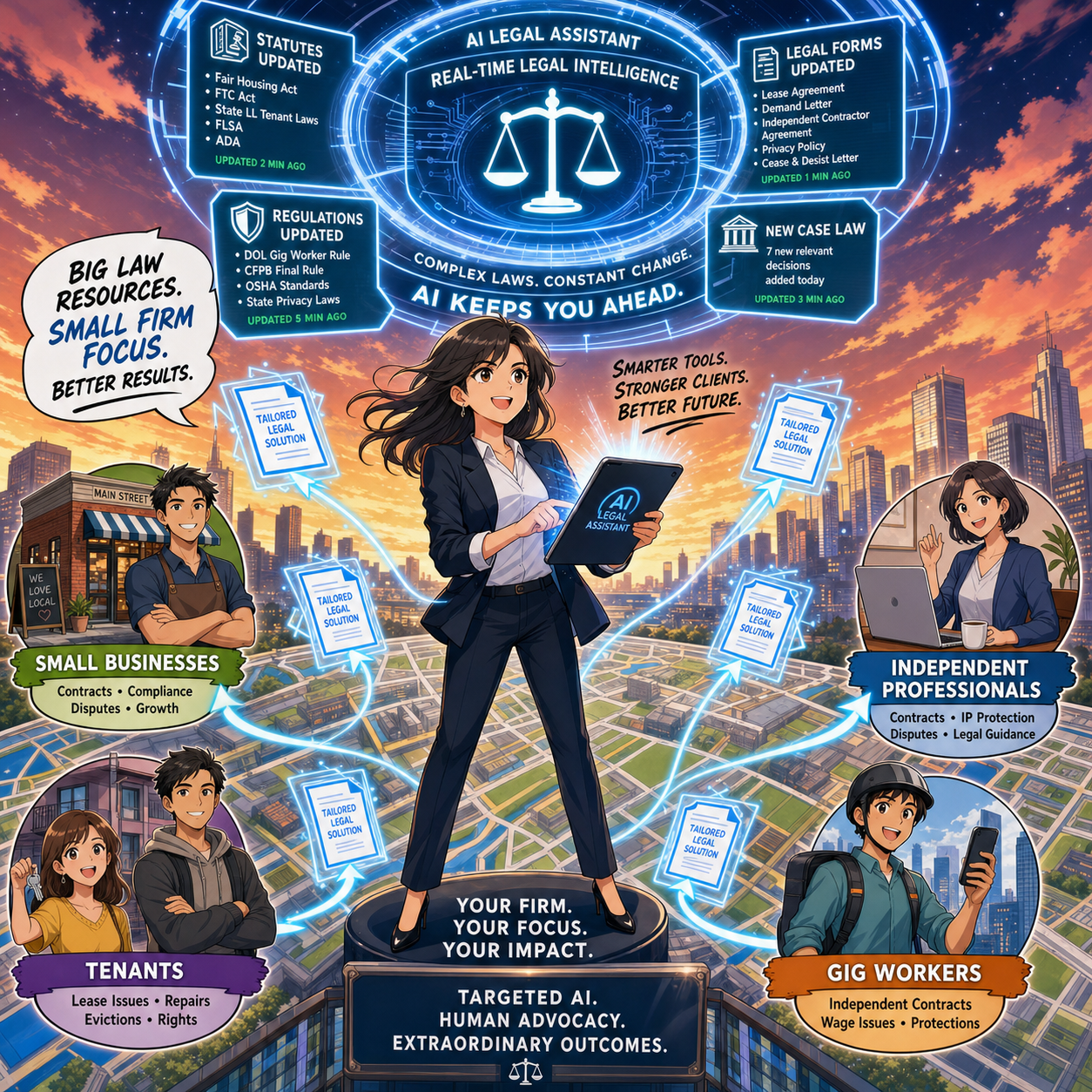
Join us for an AI-powered deep dive into the ethical challenges facing legal professionals in the age of generative AI. 🤖 This week’s Tech-Savvy Lawyer Lab’s podcast unpacks my editorial, “AI Won’t Replace Solo and Small Firm Lawyers. It Will Supercharge Them,” and translates it into practical, ethics-aware guidance for solo and small firm professionals navigating AI in real time.

We explore why AI is unlikely to replace lawyers but highly likely to transform how legal work is unbundled, priced, and delivered. We walk through Jevons Paradox, ABA rules on competence, supervision, and confidentiality, and the very real risks of hallucinated filings and careless use of public AI tools. You will see how treating AI as a supervised junior associate can expand your capacity, open new micro‑niches, and make your practice more human-centered, not less. ⚖️

In our conversation, we cover the following:

  • 00:00:00 – Why “doom hype” around AI is targeting the legal profession and why the collapse-of-lawyers narrative falls apart in real life.

  • 00:01:00 – Introducing Michael D.J.’s editorial “AI Won’t Replace Solo and Small Firm Lawyers. It Will Supercharge Them.”

  • 00:02:00 – Setting ground rules: educational discussion only and why this episode is not legal advice.

  • 00:02:30 – Rethinking what a “job” really is and the idea that legal work is a bundle of tasks, not one monolithic activity.

  • 00:03:00 – Comparing big-firm specialization to the tightly packed bundle of tasks handled by solo and small-firm lawyers.

  • 00:03:30 – Why AI can pull on individual threads in that bundle, but cannot run the whole practice for you.

  • 00:04:00 – The solo master-chef metaphor: AI as the kitchen machine doing prep work while the human focuses on taste and judgment. 🍲🤖

  • 00:05:00 – How AI can draft preliminary summaries or case law lists while the lawyer still owns strategy and verification.

  • 00:05:30 – The “mental verification” problem: when typing and thinking used to be the same act for lawyers.

  • 00:06:00 – What changes when AI writes the first draft and why verification must become a separate, deliberate step.

  • 00:06:30 – The risk of hallucinated filings and viral stories of fake cases generated by AI. 😬

  • 00:07:00 – Data points showing the profession is adapting, not dying: more lawyers, more bar-required jobs, rising law school interest.

  • 00:07:30 – Revisiting the e‑discovery panic and predictions that predictive coding would wipe out junior associates.

  • 00:08:00 – How cheaper e‑discovery led to an explosion of data and actually increased demand for legal work.

  • 00:08:30 – Introducing Jevons Paradox and why greater efficiency can increase, not decrease, total demand.

  • 00:09:00 – The widened-highway analogy: more lanes, more traffic, and how that maps onto AI in law. 🛣️

  • 00:10:00 – How AI lets small firms tackle big, complex matters and offer more predictable flat-fee pricing.

  • 00:11:00 – Expanding access to legal services for the middle class and why cheaper legal work grows the market.

  • 00:11:30 – Turning to ethics: ABA Model Rule 1.1 on competence and the duty to understand relevant technology.

  • 00:12:00 – The solo’s burden: you are the IT department and the innovation committee, all at once. ☕💻

  • 00:12:30 – A practical definition of technological competence for solos and small firms.

  • 00:13:00 – Starting small with AI: summaries, first-draft emails, and extracting checklists from dense legislation.

  • 00:13:30 – AI as the “junior associate you don’t have to hire but must supervise” under Rules 5.1 and 5.3.

  • 00:14:00 – Why you remain responsible for AI’s output just as you would for a paralegal or junior lawyer.

  • 00:14:30 – The solo’s question: Does it really make sense to write a formal AI policy for just one person?

  • 00:15:00 – How a short written AI policy creates hard boundaries before you are stressed and rushed.

  • 00:15:30 – Defining approved uses, high‑review tasks, and absolute “no-go” zones for AI in your practice.

  • 00:16:00 – Model Rule 1.6 on confidentiality and the special risk solo and small firms face with cloud tools.

  • 00:16:30 – Why pasting sensitive client facts into a generic consumer chatbot is an ethical minefield.

  • 00:17:00 – How consumer AI tools tokenize your text and use it to train future models.

  • 00:17:30 – The “megaphone in a public square” analogy for pasting confidential data into public AI tools. 📣

  • 00:18:00 – Moving from megaphones to soundproof vaults: using enterprise modes or legal-specific platforms.

  • 00:18:30 – Why a single data breach can be existential for a solo firm and why clients should care about tool choices.

  • 00:19:00 – Legislative inflation: constant growth in complex rules, norms, and regulations across jurisdictions.

  • 00:19:30 – How AI helps solos track regulatory change, generate client alerts, and update templates in real time.

  • 00:20:00 – Carving out lucrative micro‑niches with AI, such as hyper‑specific regulatory domains.

  • 00:20:30 – Pairing niche expertise with SEO and content marketing so a solo can compete at scale.

  • 00:21:00 – The junior lawyer dilemma: what happens to entry-level training when AI eats the grunt work.

  • 00:21:30 – Why firms still need junior lawyers to build a future bench, not just to type memos.

  • 00:22:00 – What AI fundamentally cannot do: build trust in person, join community events, or create referral networks.

  • 00:22:30 – How automation pushes lawyers toward more human-centric, relationship-focused work. ❤️

  • 00:23:00 – The core conclusion: the real existential threat is the AI-literate competitor down the street, not the robot.

  • 00:23:30 – Treating AI as a supervised junior associate while protecting ethics, productivity, and client outcomes.

  • 00:24:00 – Final reflections: mapping your own “bundle of tasks” and deciding what to offload so you can supercharge yourself. ⚡

RESOURCES

Mentioned in the episode

👉 If this episode helps you think more clearly about AI, ethics, and your own “bundle of tasks,” share it with a colleague and subscribe so you never miss a future Tech-Savvy Lawyer deep dive. 🚀

Shout Out! A Thunderstorm, Three Books, and a Room Full of Lawyers: Shout Out from The Lawyer’s Guide to Podcasting Launch 🌩🎙

Seth price 📒 Carolyn Elefant 📒 Mindy Eisenberg 📒 Michael D.J. Eisenberg 📒 Wendy meadows 📒 scott

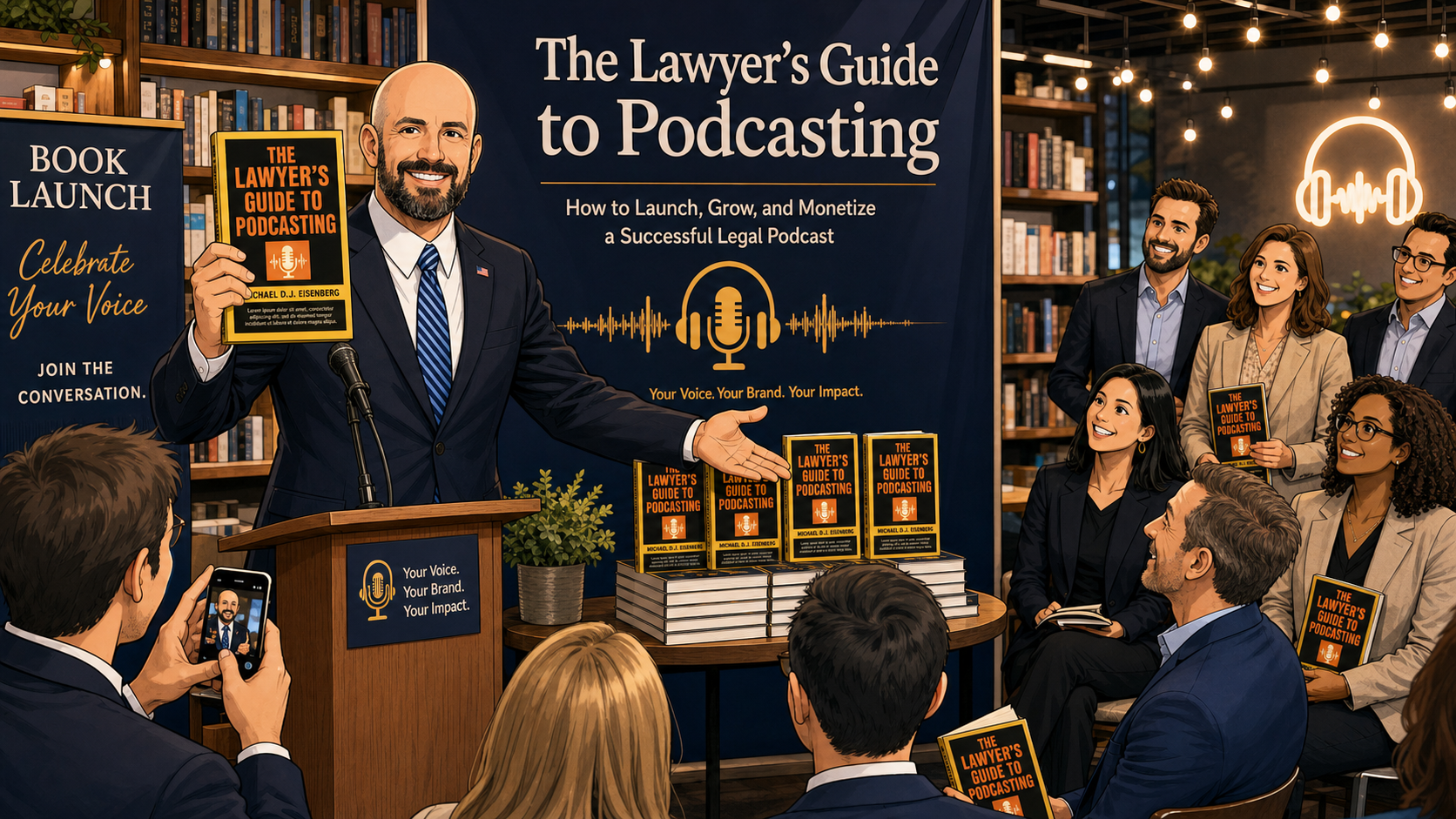
On May 20 in Bethesda, we launched The Lawyer's Guide to Podcasting: Building Your Brand, Audience, Tech Stack, and Expertise! with exactly the kind of energy I hoped this book would inspire: lawyers and legal professionals showing up for each other even as a serious thunderstorm rolled through the DMV. 🌧️🔥

Whether you braved the weather to come out, this post is for you. If you could not make it, think of this as your inside look at how a group of solos, small-firm lawyers, and AI‑curious professionals came together to talk about using podcasting as a serious business tool—one that fits comfortably within the guardrails of our ethics obligations under ABA Model Rules 1.1 (Competence), 1.6 (Confidentiality), and 7.1–7.3 (Communications about legal services).

A launch party built for working lawyers!

We gathered at the home of Carolyn Elefant in Bethesda—yes, in person, with real conversations and real snacks. 🥂 The goal was simple: make podcasting feel less like a mysterious “tech project” and more like a practical, repeatable part of your practice development strategy.

At the event, I walked through three concrete takeaways that mirror the book:

can’t have a launch party without cake!

  • A simple, lawyer‑tested podcast setup that you can actually keep running on a busy docket. 🎧

  • A short checklist of ethical and confidentiality questions to ask before you hit publish.

  • A set of ready‑to‑use episode ideas tailored to your practice area, so you are never staring at a blank calendar.

If those themes sound familiar, it is because they build on what we have discussed in prior posts and podcasts on the The Tech-Savvy Lawyer.Page. Together, they form the groundwork that became The Lawyer’s Guide to Podcasting: Building Your Brand, Audience, Tech Stack, and Expertise! 🎉

Shout Outs to the people who made the night! ⛈️

seth price and Michael D.J. Eisenberg exchange copies of their current releases!

A launch is never a solo act, even for a solo practitioner. I want to extend a very public, very appreciative shout out to a few people who made the evening special. 🙌

Finally, a heartfelt thanks to my wife and to every colleague, client, and friend who rearranged schedules and drove through a thunderstorm to be there. That kind of support is not just personally meaningful—it is a reminder that legal tech is at its best when it is rooted in community, not gadgets. 💙

Thank you Carolyn for hosting the book launch!

Why a podcasting book for lawyers—and why now?

If you follow the blog or listened to my guest appearance on Ruby Power’s “Power Up Your Practice”, Ep. 104: Legal Podcasting: The New Networking Standard, you have heard me say that podcasting is no longer a fringe experiment for lawyers. For solos, small‑to‑medium firms, and AI‑curious attorneys, a well‑designed podcast is:

  • An ongoing, searchable FAQ for your ideal clients.

  • A trust‑building channel for referral partners.

  • A training and onboarding tool for your own team.

In The Lawyer’s Guide to Podcasting, I walk through the tech stack and workflows that keep this realistic for a law practice, from microphones and recording platforms to editing, show notes, and ethical review. The idea is not to turn you into an audio engineer. The idea is to give you enough structure and competence that you work the basics yourself and delegate confidently without abdicating responsibility—very much in line with the duty of technological competence that is increasingly recognized under ABA Model Rule 1.1 and its state‑level interpretations.

Ethics, AI, and your voice behind the mic!🎙️

Many lawyers have told me that their hesitation about podcasting is not the microphone; it is the ethics. That is a healthy instinct. 👍

  • Model Rule 1.6 (Confidentiality) means no client can recognize themselves in your war stories without informed consent. In the book, I provide red‑flag questions and anonymization strategies you can bake into your outline before you record.

  • Model Rules 7.1–7.3 (Communications and Advertising) remind us that your podcast is marketing, direct or indirect, even when it feels like pure education. We cover how to structure disclaimers, avoid misleading “results‑typical” language, and respect solicitation limits while still giving real‑world examples.

  • For AI‑curious lawyers using tools like transcription, editing assistants, or AI‑drafted show notes, we address how to keep third‑party tools inside a framework that respects confidentiality and your supervisory responsibilities under the Rules.

If this resonates, you might also enjoy revisiting “Shout Out: Carolyn Elefant’s Review of Casetext v. ChatGPT!”, where she looked at AI in legal research through a similar ethics‑first lens. The same mindset applies here: use the tech, but do not outsource your judgment. 🧠

Where we go from here

get your copy of The Lawyers tech guide: The lawyer’s guide to podcasting today on amazon!

The launch party was one evening; the conversation will continue in the weeks ahead on this blog and its podcast as we highlight chapters, interview fellow legal podcasters, and share templates you can adapt for your own show.

If you are a solo, a small‑firm partner, or an in‑house counsel looking for a practical roadmap, you can find The Lawyer's Guide to Podcasting: Building Your Brand, Audience, Tech Stack, and Expertise! on Amazon. My hope is simple: the next time a thunderstorm rolls through the DMV—or your own calendar—you will have a system that keeps your podcast, and your practice development, moving forward. 🌩🎙

MTC: AI Won’t Replace Solo and Small-Firm Lawyers — It Will Supercharge Them ⚖️🤖

Solo lawyers can use artificial intelligence as a virtual associate to handle legal research, drafting, intake, and billing in a modern small law firm ⚖️🤖

If you run a solo or small-to-medium firm, you’ve probably heard the predictions: AI will automate legal tasks in “12 to 18 months” or replace traditional lawyers entirely by 2035. Those headlines make great clickbait, but they miss what is actually happening on the ground in smaller practices. AI is not wiping out solo and small-firm lawyers; it is changing the mix of tasks we do — and creating more opportunities for us if we adopt it intentionally and ethically. 

In a recent Washington Post opinion, Damien Charlotin argues that AI won’t replace lawyers. It will create more of them. His logic is especially important for solos and small firms. He describes legal jobs as “bundles of tasks,” many of which are tightly linked and not easily peeled apart for automation. If you’ve ever juggled intake, research, drafting, negotiation, and billing in a single day, you know exactly what that tight bundle feels like. AI is about to start pulling on pieces of that bundle — and your job is to decide how to rebundle your work in a way that serves clients, protects ethics, and keeps your business healthy. ⚖️🤖

Why Solo and Small Firms Should Ignore the Doom Headlines 😅

Charlotin points out that lawyers have never been more numerous in the United States, with law school applications rising and record-high employment in bar-required jobs. That’s happening at the same time as AI hype, which should tell you something: the profession is not collapsing.

For solos and small firms, the bigger risk is not AI replaces me, but AI-literate competitors out-serve my clients. Larger firms may have innovation teams and internal IT, but you have agility and direct control over your workflows. If you can use AI to shave hours off routine tasks — and reinvest that time into client counseling, business development, or flat-fee offerings — you can turn AI from a threat into a differentiator. As I often say on The Tech-Savvy Lawyer.Page podcast, AI is the junior associate you don’t have to hire, but still have to supervise.

Your Practice as a “Tight Bundle” of Tasks 🧩

Charlotin’s “bundles of tasks” concept is tailor-made for solo and small-firm reality. In big firms, tasks can be split across teams; in smaller shops, you wear most of the hats. Research, drafting, strategy, client communication, and billing are often intertwined in a single matter.

For experienced lawyers, Charlotin notes, “doing legal research and evaluating an argument are … often the same mental activity” — we check the argument by writing it. If you offload only the writing to AI, verification becomes a separate, deliberate act that takes time, and if you skip it, you risk sanctions for hallucinated filings. This is why I push solo and small-firm lawyers to treat AI as an assistant that drafts and summarizes, while you retain control over the analysis and final product.

Lessons from E-Discovery for Small Practices 📂➡️📈

Charlotin likens the current AI hype to the e-discovery wave more than a decade ago. Back then, headlines like those from The New York Times predicted “Armies of Expensive Lawyers, Replaced by Cheaper Software.” What actually happened? The volume of discoverable material exploded; the tools became part of practice; and lawyers moved into new roles managing, interpreting, and litigating around that information.

That same Jevons paradox — cheaper processes leading to more usage — is already playing out in tools marketed to solo and small firms. AI-assisted drafting and research platforms now make it viable for smaller shops to handle matters that previously required big-firm staffing, and to offer more predictable pricing without cutting quality. Cheaper legal work often means more legal work — especially for clients who previously couldn’t afford you.

ABA Model Rule 1.1: Competence for Lean Teams 📚

Small law firm team using legal AI tools to improve collaboration, client service, and ABA-compliant workflows across a lean practice 👩‍⚖️👨‍⚖️💻.

For solos and small- to medium-sized firms, ABA Model Rule 1.1 on competence is both a challenge and an opportunity. It requires you to understand “the benefits and risks associated with relevant technology,” including AI. But unlike big firms, you can’t delegate that understanding to an IT department or an internal AI committee; you are the committee.

Practically, that means you need at least a working grasp of what your chosen AI tools do, how they handle data, and where they fit in your workflows. You don’t need to run every experiment at once. Start with one or two high-impact areas — say, summarizing long PDFs, generating first drafts of routine emails, or creating checklists from statutes or rules — and build from there. Competence for solo and small-firm lawyers is not about chasing every new feature; it’s about picking the right tools for your practice and using them deliberately.

Rules 5.1 and 5.3: Supervision When “You Are the Management” 👥🤖

You might think Rules 5.1 and 5.3 (supervision of lawyers and nonlawyers) are big-firm problems. They’re not. If you have even one staff member, contract attorney, or virtual assistant, you are responsible for how they use AI. And even if you’re truly solo, you’re still responsible for supervising the AI tools you deploy as if they were a nonlawyer assistant.

For small practices, the most practical move is a simple written AI policy, even if it’s a one-page document:

  • Which tasks can use AI (e.g., research assistance, first-draft documents);

  • Which tasks require heightened review (e.g., anything filed with a court);

  • Which tasks are off-limits (e.g., unsupervised client advice, sensitive fact patterns pasted into consumer chatbots).

As discussed both in Charlotin’s piece and in bar guidance for smaller firms, formal policies help you avoid ad hoc, inconsistent AI use that could jeopardize client confidentiality or court obligations.

Rule 1.6 Confidentiality: Cloud Tools on a Budget 🔐

Model Rule 1.6 on confidentiality doesn’t change just because you’re a small shop — but your margin for error is thinner. Many solos and small firms rely on cloud-based tools because they can’t host their own infrastructure. That’s fine, as long as you are careful.

Before pasting client facts into an AI tool, you must know whether it stores or reuses data, whether it trains on your inputs, and whether there’s an option for a “no training” or “enterprise” mode. When in doubt, prefer AI features built into reputable legal platforms (research tools, practice management systems, document automation suites) with clear confidentiality commitments, rather than generic consumer apps. On The Tech-Savvy Lawyer.Page, I hammer this point because solos cannot absorb the cost of a major data mishap the way some larger organizations can.

Legislative Inflation and Niche Opportunities for Smaller Firms 📜📈

Charlotin notes that every jurisdiction is “afflicted by legislative inflation” — more rules, more norms, more regulations. That means more interpretation, more disputes, more filings, and more need for lawyers. For solos and small-to-medium firms, this is an opportunity to carve out narrow niches and use AI to keep up with complex, evolving regimes that might otherwise be out of reach.

An AI-enabled solo can monitor regulatory changes, generate quick client alerts, and update templates far faster than before. Combined with targeted content marketing and SEO, this makes it possible to dominate specific micro-niches without a big marketing budget — something I frequently discuss on The Tech-Savvy Lawyer.Page when we talk about modern business development.

Entry-Level Work and the Solo/Small Pyramid 🧑‍🎓➡️⚖️

a Small-firm lawyer can use AI-powered legal technology to serve niche clients, track changing regulations, and deliver efficient legal services across a local market 🎯⚖️

Charlotin flags a serious concern: AI may change entry-level work. For big firms, that means rethinking associate leverage. In smaller firms, it means you may hire differently — or delay that first hire because AI picks up some of the routine drafting and research.

But Charlotin also notes that young lawyers are hired for reasons beyond their marginal drafting value — future partnership, signals to clients, bench strength for unpredictable surges. The same is true for small and mid-size firms. AI can handle some grunt work, but it can’t attend a community event, build a local reputation, or bring in referrals. If you use AI to free juniors from the most repetitive tasks, you can push them earlier into client-facing and business-building roles, which is exactly where smaller firms thrive.

Reorganization, Not Replacement — Especially for You 🔄

Charlotin closes by emphasizing that while the profession will look different in 2035, the lawyer is here to stay, and there will likely be more lawyers, not fewer. They will use AI — “they would be fools not to” — and they will charge for that value.

For solo and small-to-medium firms, the reorganization is already underway:

  • Routine drafting and research shift toward AI-assisted workflows.

  • Verification, judgment, and client counseling become even more central.

  • Niche expertise, responsiveness, and pricing flexibility become your competitive edge.

If you treat AI as a core part of your toolkit — governed by the ABA Model Rules and aligned with your business goals — you must position your firm not just to survive the AI wave, but to ride it. ⚖️🤖

Its been said many times by myself and others, lawyers must embrace AI into their practice of law or be left behind by those who do!

REMINDER! Come Meet Michael! Launch Party 🎉 for The Lawyer's Guide to Podcasting (May 20)!

come meet the author May 20, 2026 in Bethesda, md.

If you’re still deciding about the May 20 launch party for The Lawyer’s Guide to Podcasting, here are three concrete things you’ll walk away with:

  • A simple, lawyer‑tested podcast setup you can actually maintain

  • A checklist of ethical and confidentiality questions to ask before you hit publish

  • A few ready‑to‑use episode ideas tailored to your practice area

Looking forward to seeing you may 20, 2026.

Join us on Wednesday, May 20, 5:30–7:30 PM, at 4704 North Chelsea Lane, Bethesda, MD 20814. Please RSVP by midnight on Monday, May 18, so we can plan for food, drinks, and space!

👉 RSVP on Eventbrite: https://www.eventbrite.com/e/book-launch-party-the-lawyers-guide-to-podcasting-tickets-1988334439834

I can’t wait to see all of you!!! 🤗

Ep. #136: How Law Firms Can Actually Use AI: Practical Intake, Document, and Workflow Automation with Hamid Kohan

My next guest is Hamid Kohan, founder of LegalSoft and LawPractice.ai, and one of the most practical voices on applying AI inside real-world law firms.🧠 He joins me to break down how firms can move beyond the “we’ve done it this way for 40 years” mindset, modernize their tech stack, and start using AI today without taking on unnecessary risk.

Join Hamid and me as we discuss the following three questions and more!

  • What are the top three ways law firms can integrate AI using solutions like LegalSoft and LawPractice.ai into their intake, case management, and document workflows to improve efficiency and accuracy?

  • From your work directly with law firms, what are the top three challenges lawyers face in adopting AI, and how can they overcome them to modernize their practice?

  • Looking ahead, what are the top three emerging technologies beyond AI that attorneys should start exploring today to stay competitive in the legal industry?

In our conversation, we cover the following

  • 00:00 – Welcoming Hamid and overview of his tech-heavy environment

  • 00:30 – Why his team is 90% Mac while he stays on PC and Android

  • 01:10 – Running a pure cloud and SaaS setup with no true desktop environment

  • 02:00 – Treating devices as “Uber” to the web and why local power matters less

  • 02:30 – Hardware choices: HP PC, massive Samsung monitors, and 60+ browser tabs as a to‑do list

  • 03:30 – Working across 12 entities and using tabs to monitor departments and initiatives

  • 04:00 – Living in Google Chrome and managing resource usage for heavy browser workflows

  • 04:40 – Chrome extensions Hamid relies on: Adobe, malware protection, McAfee, offline document tools

  • 05:20 – Why he uses Chrome’s built-in password manager

  • 05:40 – Android Samsung smartphone and keeping mobile simple

  • 06:00 – Question 1: top three ways to integrate AI into intake, case management, and document workflows

  • 06:20 – How legal is “stuck in the past” and why Hamid saw law firms as a scaling opportunity

  • 07:10 – From CRMs and workflows to KPIs: the pre‑AI foundation for scaling law firms

  • 07:40 – The “sky dropped” moment when AI hit the legal industry

  • 08:10 – Vendor noise, “Me Too AI,” and why vertical, single‑purpose AI tools overwhelm firms

  • 08:50 – Why multi-solution AI platforms (like LawPractice.ai) will ultimately win

  • 09:20 – Why firms must start using AI now instead of waiting for perfection

  • 09:50 – Where lawyers should start with AI: document collection as a low‑risk entry point

  • 10:30 – Using AI to automate document requests via SMS, email, and calls

  • 11:00 – AI document summary that checks whether a client sent the correct document

  • 11:40 – Why AI collection and summaries are “risk-free” compared to AI drafting

  • 12:10 – Using AI for document chronologies and conservative workloads

  • 12:40 – Explaining LegalSoft: global virtual staffing for law firms across eight countries

  • 13:30 – How virtual legal staff can cut overhead by up to 75% for firms

  • 14:20 – Why Hamid launched LawPractice.ai to AI‑enable both law firms and LegalSoft’s 4,000 professionals

  • 15:10 – Question 2: the top three challenges lawyers face when adopting AI

  • 15:30 – Challenge 1: finding the right AI tool in a crowded, noisy market

  • 16:00 – Challenge 2: underestimating implementation, training, and real‑world usage

  • 16:20 – Case example: an employment firm that changed its view of AI after proper training

  • 17:10 – Challenge 3: signing long-term AI contracts before proper testing

  • 17:30 – Why firms should insist on “try before you buy” pilot periods

  • 18:00 – Making AI usage mandatory to avoid adoption resistance inside the firm

  • 18:40 – Parallels with CRMs like Clio, Filevine, and CasePeer and partial user adoption

  • 19:20 – How poor CRM data entry disrupts the entire legal workflow

  • 20:00 – Question 3: “beyond AI” tech and why Hamid says it’s “AI, AI, AI” for now

  • 20:30 – The real three “emerging tech” priorities: selecting, implementing, and integrating AI

  • 21:00 – Why locking into long-term tech contracts is risky in a fast-moving AI landscape

  • 21:30 – The trap of attractive multi‑year discounts and what firms should watch for

  • 22:00 – Where listeners can find Hamid and book a one‑on‑one through LegalSoft

Resources

Mentioned in the episode

  • Hardware mentioned in the conversation

  • Software & Cloud Services mentioned in the conversation

MTC: Summer Vacation Cybersecurity for Lawyers: Essential Tech Tips to Protect Client Data on the Go 🌴💻

Lawyers: Never Skip Your VPN — Even on Vacation!

For many lawyers, “summer vacation” now means answering client emails from the beach house, reviewing drafts on the cabin deck, and jumping into Zoom hearings from hotel rooms. 🌞📶 Work rarely stays at the office, and our laptops and phones have become permanent carry‑ons even when we swear we are taking real time off. That always‑on reality turns every summer trip into a rolling cybersecurity and ethics test.

When you travel with devices that touch client matters, you are also traveling with privileged information, trade secrets, and personal data that fall squarely under ABA Model Rules 1.1 and 1.6. Competent representation now includes understanding the benefits and risks of the tech you use, and reasonable efforts to protect client confidentiality do not pause when you turn on your out‑of‑office message. The goal is not to shame lawyers for working on vacation; it is to make sure that when you inevitably do, your tech setup supports both your ethics and your relaxation. 😎

Pack Light: A “Minimum Data” Mindset for Vacation

The safest client data is the data that never leaves your office or your secure cloud in the first place. 1Password’s travel guidance and broader cybersecurity advice emphasize carrying only what you truly need when you hit the road. For summer trips, this translates into a deliberate “minimum data” mindset.

Before you leave, decide which matters genuinely might need your attention while you are away and which can safely wait until you return. Archive or unsync closed files and non‑urgent matters from your travel devices so they are not riding along to the resort, rental home, or national park lodge. For some practices, this may not be feasible when your current work may rely on prior drafts in similar cases.  But when feasible, consider using a “travel profile” or even a separate, cleaner laptop with access only to essential tools and a limited subset of client documents.

This approach directly supports your duty under Model Rule 1.6(c) to make reasonable efforts to prevent unauthorized access to client information by reducing the amount of sensitive material that could be exposed if a device is lost, stolen, or inspected. It also makes vacation feel less like moving your entire office to a different ZIP code, allowing you to focus on what really needs to be done and hopefully enjoy your vacation a little more.

Smart Lawyers Activate Travel Mode Before Every Flight.

Password Managers and Travel Mode: Your “Vacation Vault”

Strong, unique passwords are non‑negotiable for lawyers, and summer vacation does not change that. 1Password and similar tools exist precisely so you do not reuse easy‑to‑type passwords while you juggle boarding passes, sunscreen, and kids at the gate. (Note: I am a paying user of 1Password and have used their product for many years!  Also, I may earn a commission on any link used from this blog.)

Use a reputable password manager to generate and store complex, unique passwords for all your accounts—email, practice management, cloud storage, airlines, hotels, and rental car services. Store digital copies of your ID, bar card, and key travel documents in a secure vault instead of leaving them scattered across your inbox or photo roll. That saves time on the road and keeps sensitive personal and professional information encrypted.

For summer travel, 1Password’s Travel Mode is particularly valuable. You can mark certain vaults as “safe for travel” and remove more sensitive vaults from your devices with a single toggle before you leave. If your phone or laptop is inspected at a border or compromised in a crowded tourist spot, the most sensitive client logins and documents are simply not there. From an ethics perspective, that is a concrete, defensible step toward preserving client confidentiality.

Vacation Wi‑Fi, VPNs, and Hotspots: Don’t Trust the Beach House Network

The Wi‑Fi at your beach rental, resort, or lakeside Airbnb may be convenient, but it is rarely secure. Past guests often know the password, routers may be poorly configured, and attackers sometimes target popular tourist areas with rogue access points. For lawyers who are logging into email, document systems, or court platforms from these networks, that is a serious problem.

Secure Client Data Anywhere — Use Your Phone's Hotspot!

A Virtual Private Network (VPN) should be standard equipment for any lawyer working on vacation. A good VPN encrypts your traffic between your device and the VPN provider, making it much harder for eavesdroppers or compromised networks to capture sensitive information. Legal tech sources and security professionals consistently recommend that lawyers use reputable VPN providers with strong encryption and clear no‑logs policies.

In practice, treat any shared vacation Wi‑Fi as hostile. Turn on your VPN before accessing client email, cloud storage, or remote desktop tools. Better yet, follow The Tech‑Savvy Lawyer’s advice and rely on your smartphone’s hotspot for truly sensitive work; modern cellular networks often provide stronger encryption and a more reliable, if not many times faster, performance than hotel or rental Wi‑Fi. This level of care is rapidly becoming part of what “reasonable efforts” and basic technology competence mean for a traveling lawyer.

Device Hardening for Summer Travel: Encryption, Passcodes, and Biometrics

Summer travel is chaotic. Devices slide between airplane seat cushions, get forgotten in rideshares, or are grabbed from café tables. Full‑disk encryption and strong authentication are your last lines of defense when something goes wrong.

Know Your Rights when crossing international boarders: Encrypted Devices Protect Client Privilege

Make sure full‑disk encryption is enabled on every device you bring—FileVault on macOS, BitLocker on Windows, and built‑in encryption on modern iOS and Android devices. Use a long, alphanumeric passcode rather than a short PIN, and configure automatic locking after a brief period of inactivity so a phone left by the pool does not stay unlocked.

When you are approaching international borders, consider temporarily disabling biometrics so that unlocking your device requires a passcode instead of a fingerprint or facial scan. 1Password’s Travel Mode can again help by ensuring that the most sensitive client vaults are not present on the device at all if a border search occurs. If agents request access, clearly state that the device contains privileged material and that you are an attorney, in line with guidance that privilege should trigger additional care. These steps show you are actively trying to protect client confidentiality, not ignoring the issue.

Two-Factor Authentication and Account Hygiene on Holiday

Account compromise can ruin a vacation as quickly as a lost suitcase. Enable two‑factor authentication (2FA) on your critical accounts—email, practice management, document repositories, and your password manager—before you leave. App‑based authenticators and hardware keys are generally more reliable and secure than SMS codes, especially when you are roaming internationally or in areas with spotty service.

Review account recovery options in advance so that a locked‑out account does not turn into an emergency while you are halfway around the world. Monitor sign‑in alerts from your major accounts during and after the trip so you can quickly respond to any unfamiliar activity. This sort of “account hygiene” supports your duties of competence and confidentiality and gives you practical peace of mind while you try to enjoy some downtime.

A Simple Summer Travel Checklist for Lawyers

For lawyers with limited to moderate tech skills, the key is a repeatable routine rather than a complex security project. A short checklist before each summer trip can go a long way:

Every Traveling Lawyer should use a Pre-Trip Security Checklist!

  • Backup all devices, apply pending updates, and confirm full‑disk encryption is enabled.

  • Clean your devices by removing non‑essential client data and logging out of unused accounts.

  • Configure your password manager, mark travel‑safe vaults, and turn on Travel Mode if available.

  • Install and test your VPN, and verify you know how to enable your phone’s hotspot.

  • Confirm 2FA works from where you will be, especially if traveling abroad.

This checklist supports the ABA’s technology competence expectations and makes your vacations less stressful because you are not improvising security on hotel Wi‑Fi at midnight. It respects the reality that today’s lawyers must often take their work—and their devices—with them, while still honoring their core obligations to clients.

Summer is supposed to be restorative. With a bit of planning, smart use of tools like VPNs and 1Password’s Travel Mode, and an eye on your Model Rule duties, you can protect client data and your own peace of mind at the same time. 🌴🔐

Save Travels!!! 🌴💼✈️

MTC

You’re Invited: The Lawyer’s Guide to Podcasting Launch Party in Bethesda!

Come join likeminded legal professionals who want to expand their reach, audience, and clientele through the art of podcasting!

On Wednesday, May 20, 2026, from 5:30–7:30 PM, we’re gathering at 4704 North Chelsea Lane, Bethesda, MD 20814 for an in‑person book launch party for The Lawyer’s Guide to Podcasting.

This guide has already helped lawyers, paralegals, and legal professionals find a clear, practical path into podcasting without needing to be “techy” to get it right. Now we’re bringing the conversation into the same room.

Expect a relaxed evening with DMV‑area lawyers, podcasters, and authors—plus drinks, snacks, and the chance to pick up The Lawyer’s Guide to Podcasting at $5 off (while supplies last) and have it signed.

The lawyers’ guide to podcasting will teach you practical ideas for show formats, the right gear for your show, and practical workflows while maintaining your ethics!

  • Who it’s for (lawyers, legal professionals, aspiring podcasters, legal tech community)

  • What you’ll walk away with (practical ideas for formats, gear, ethics, workflows).

Attendance is free, but space is limited. Please reserve your spot by midnight on May 18, 2026, so we can plan food and space.

👉 RSVP on Eventbrite: https://www.eventbrite.com/e/book-launch-party-the-lawyers-guide-to-podcasting-tickets-1988334439834